Upgrade to Pro — share decks privately, control downloads, hide ads and more …

デバイス操作はAIエージェントの時代へ。mobile-mcpを活用したAndroid UI/E...

Sponsored · Your Podcast. Everywhere. Effortlessly. Share. Educate. Inspire. Entertain. You do you. We'll handle the rest.
Avatar for Mori Atsushi Mori Atsushi
September 01, 2026
39

デバイス操作はAIエージェントの時代へ。mobile-mcpを活用したAndroid UI/E2Eテストの挑戦

Avatar for Mori Atsushi

Mori Atsushi

September 01, 2026

More Decks by Mori Atsushi

Transcript

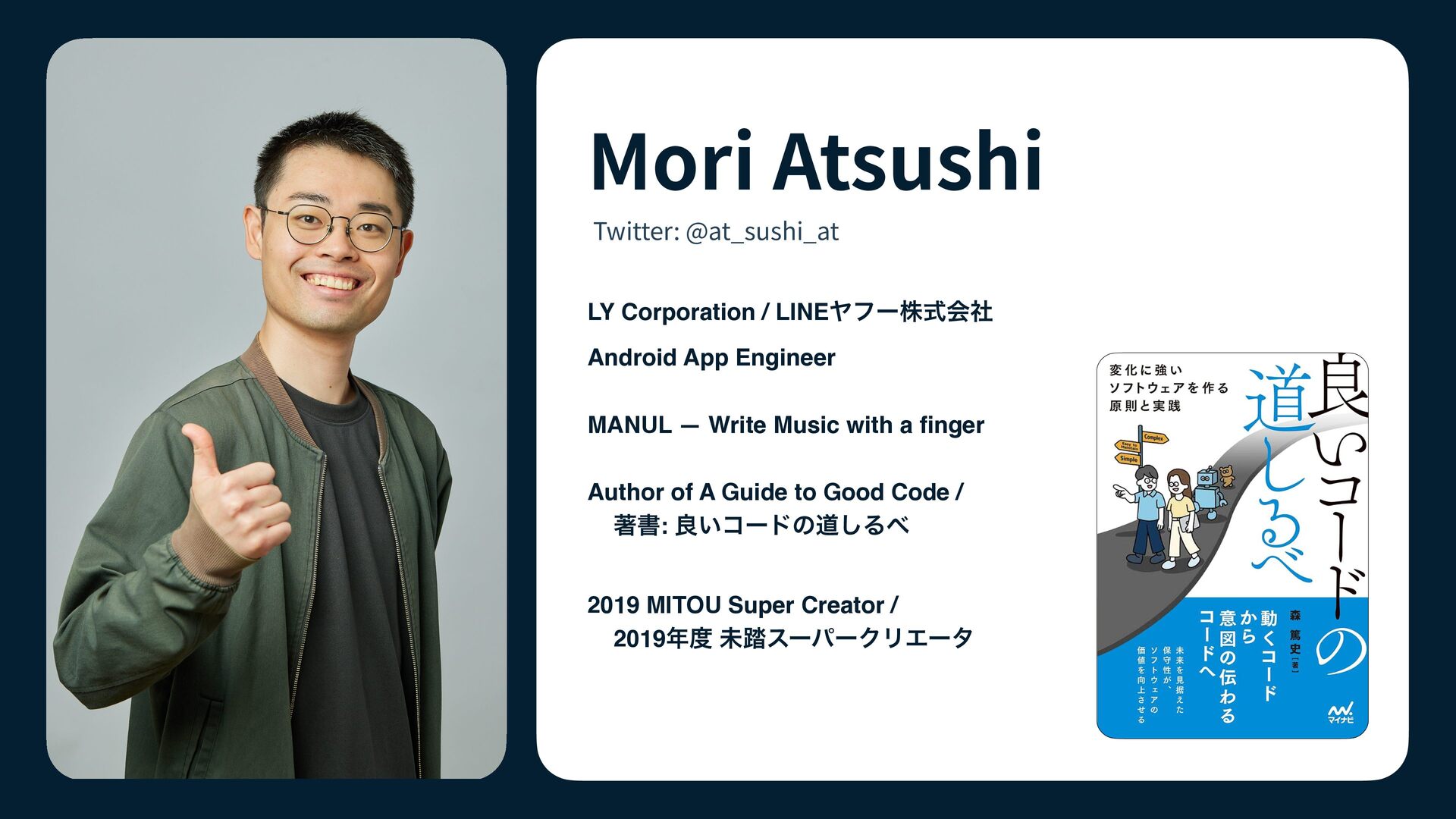
  1. Mori Atsushi Twitter: @at_sushi_at LY Corporation / LINEヤフー株式会社 Android App

    Engineer MANUL — Write Music with a nger Author of A Guide to Good Code / 著書: 良いコードの道しるべ fi 2019 MITOU Super Creator / 2019年度 未踏スーパークリエータ
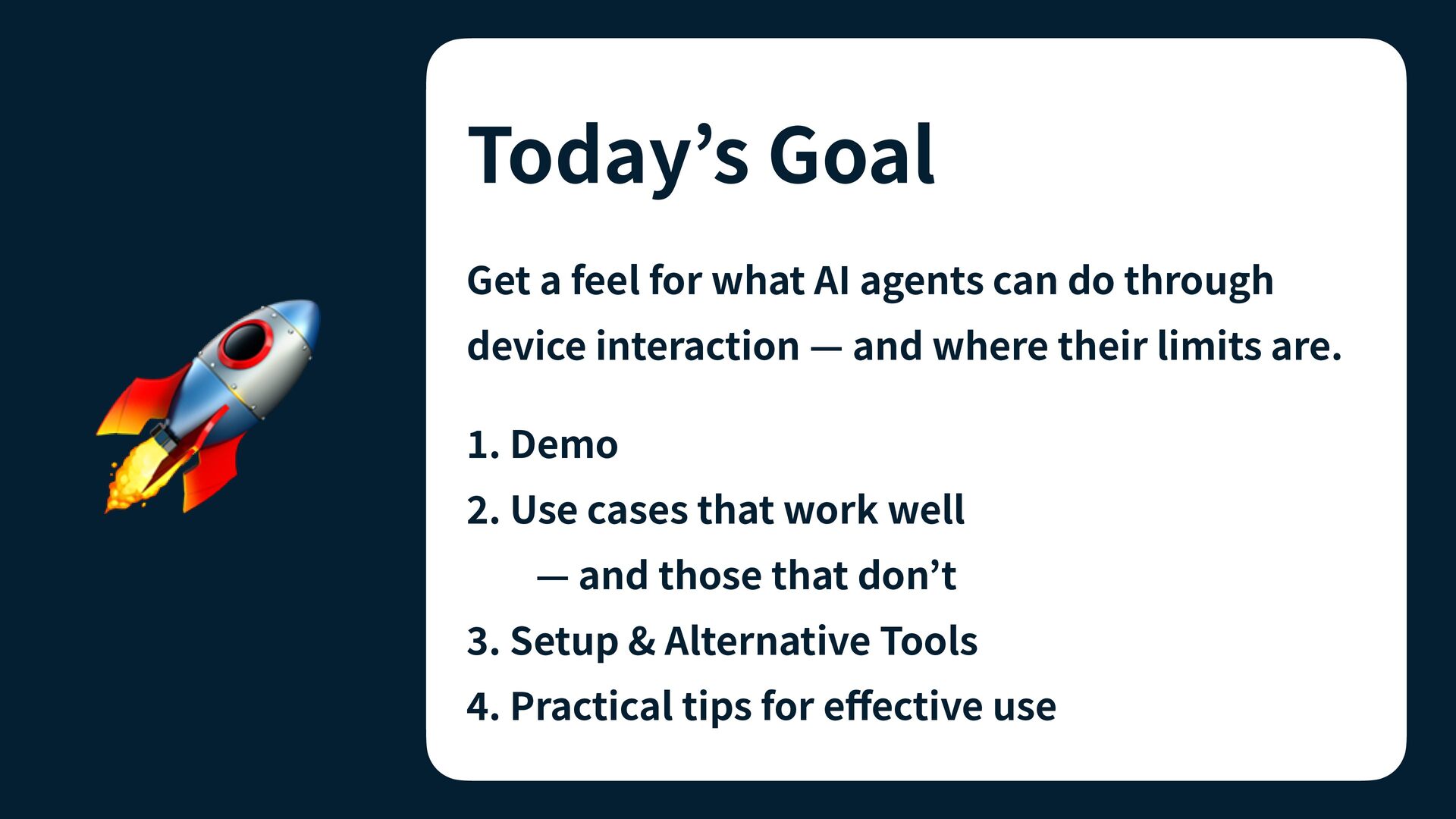
  2. Get a feel for what AI agents can do through

    🚀 device interaction — and where their limits are. . Demo . Use cases that work well — and those that don’t . Setup & Alternative Tools . Practical tips for e ective use ff 4 3 2 1 Today’s Goal
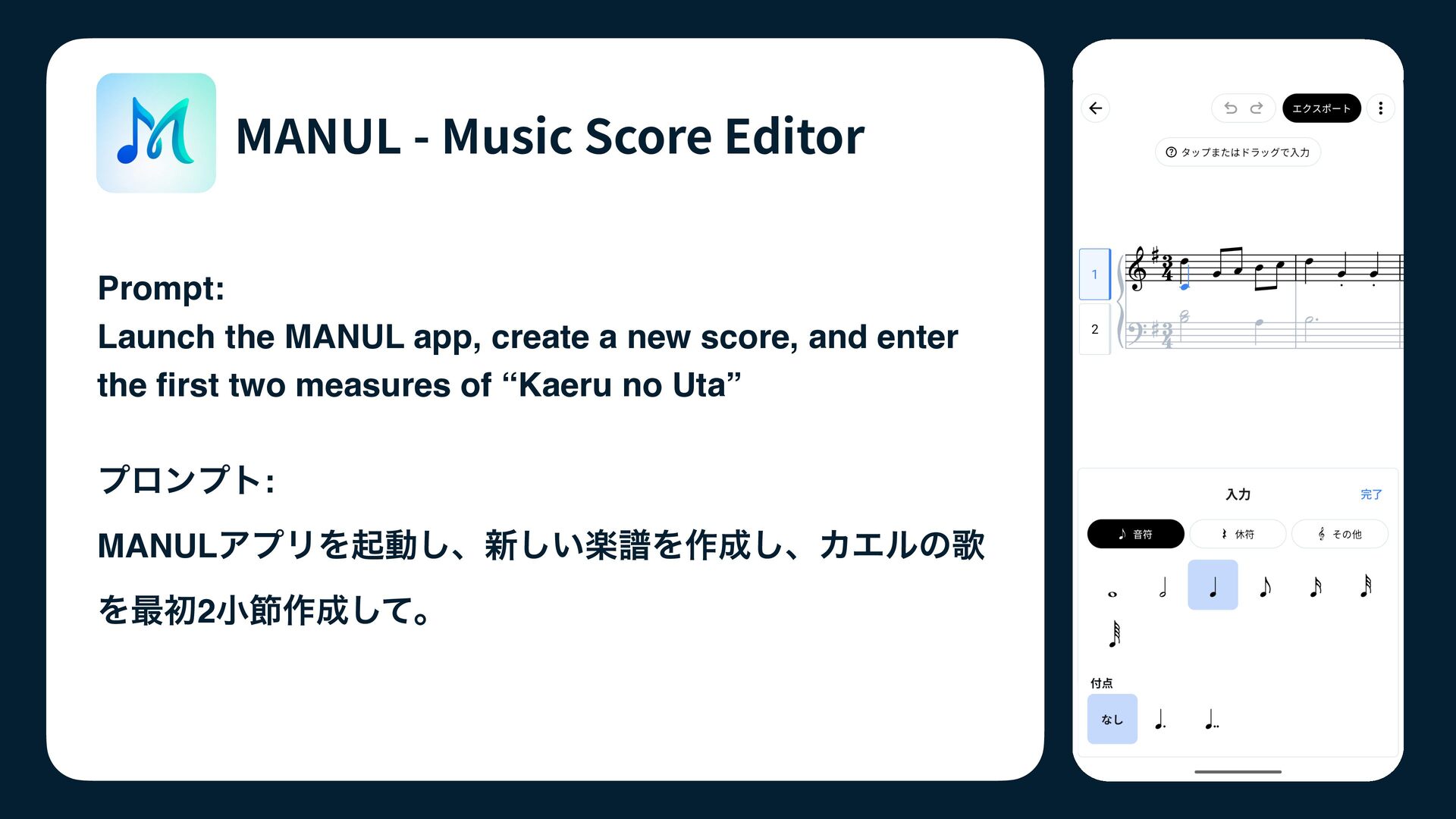
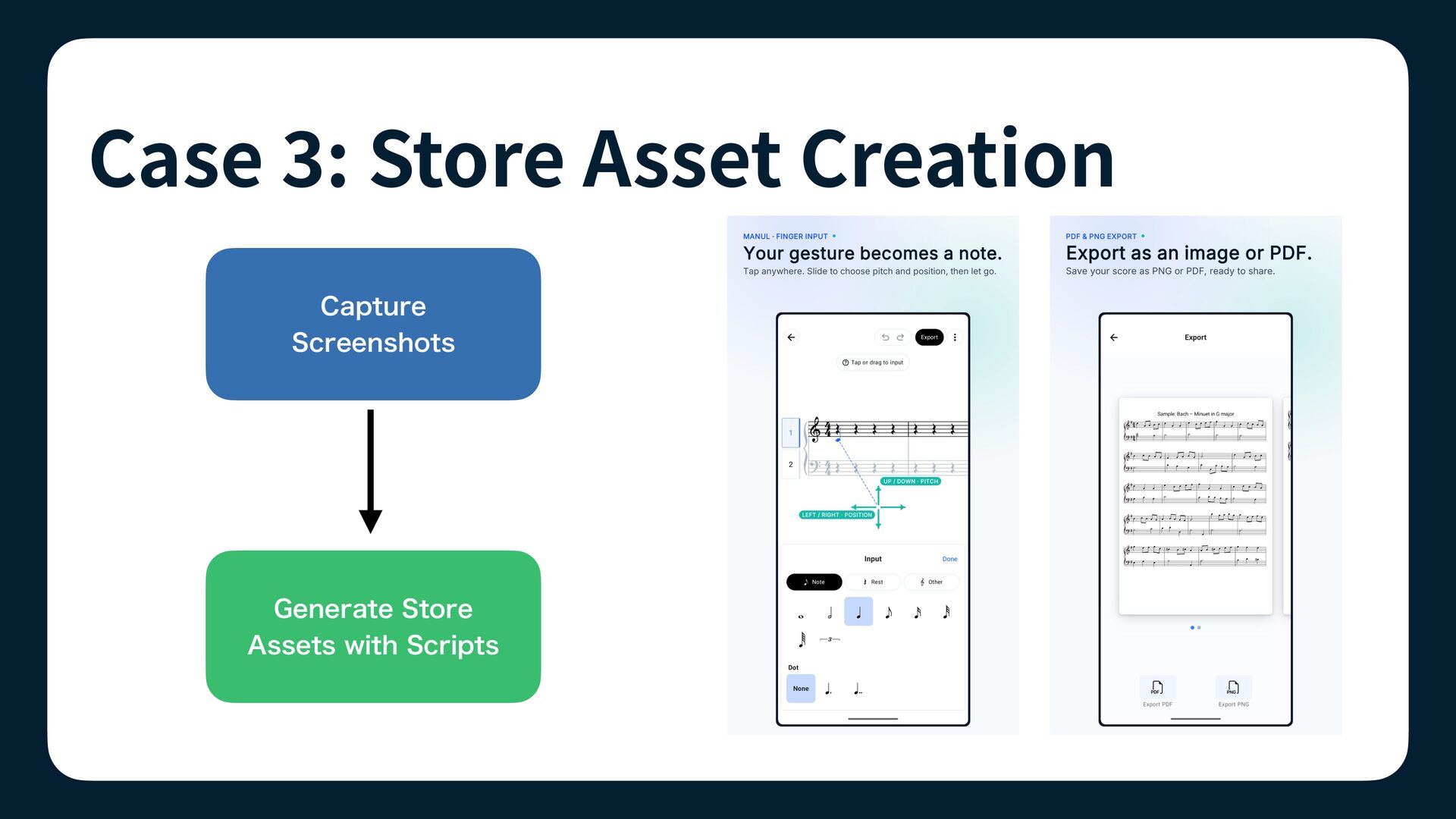
  3. MANUL - Music Score Editor Prompt: Launch the MANUL app,

    create a new score, and enter the rst two measures of “Kaeru no Uta” プロンプト: MANULアプリを起動し、新しい楽譜を作成し、カエルの歌 fi を最初2小節作成して。
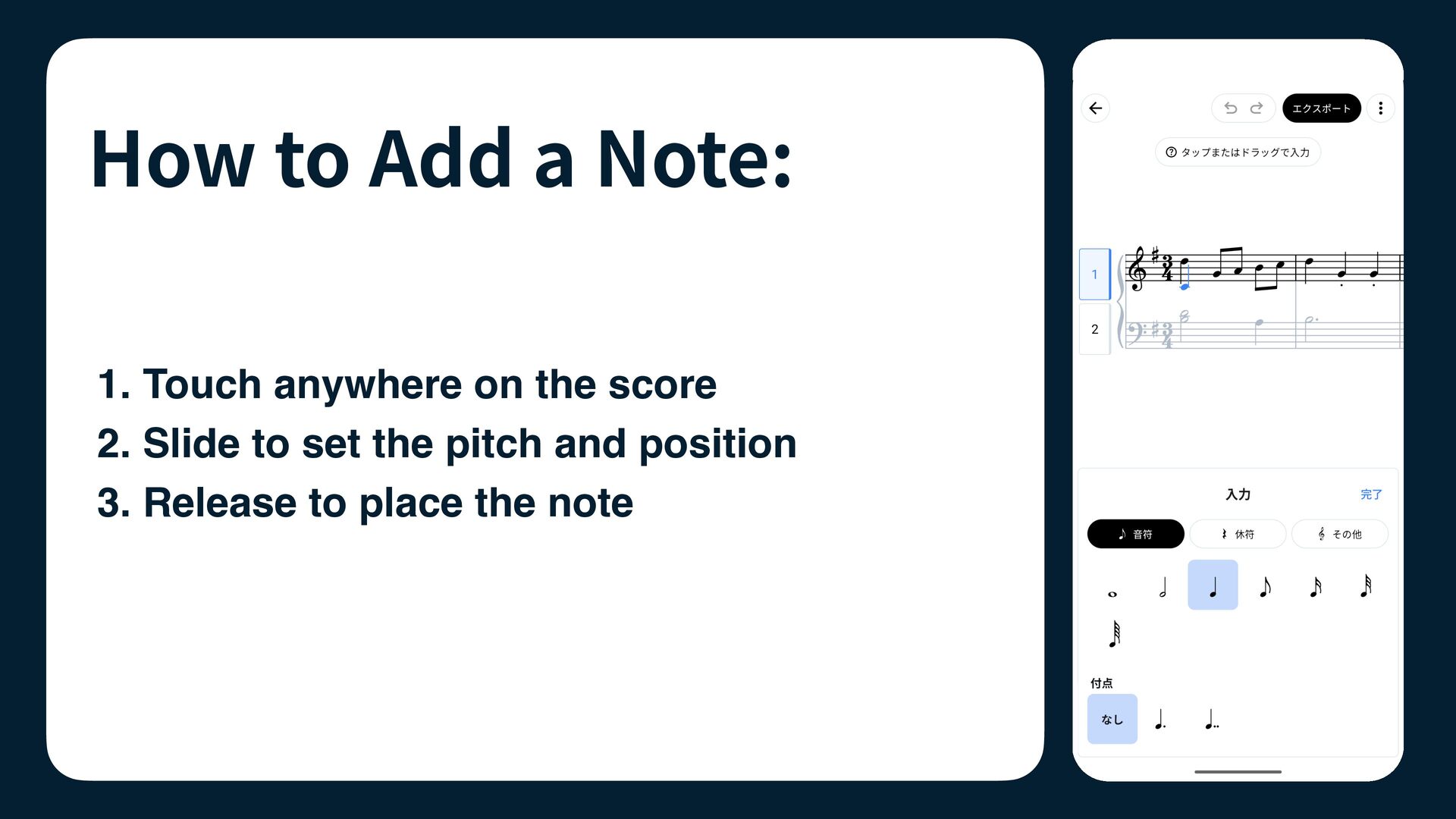
  4. How to Add a Note: 1. Touch anywhere on the

    score 2. Slide to set the pitch and position 3. Release to place the note
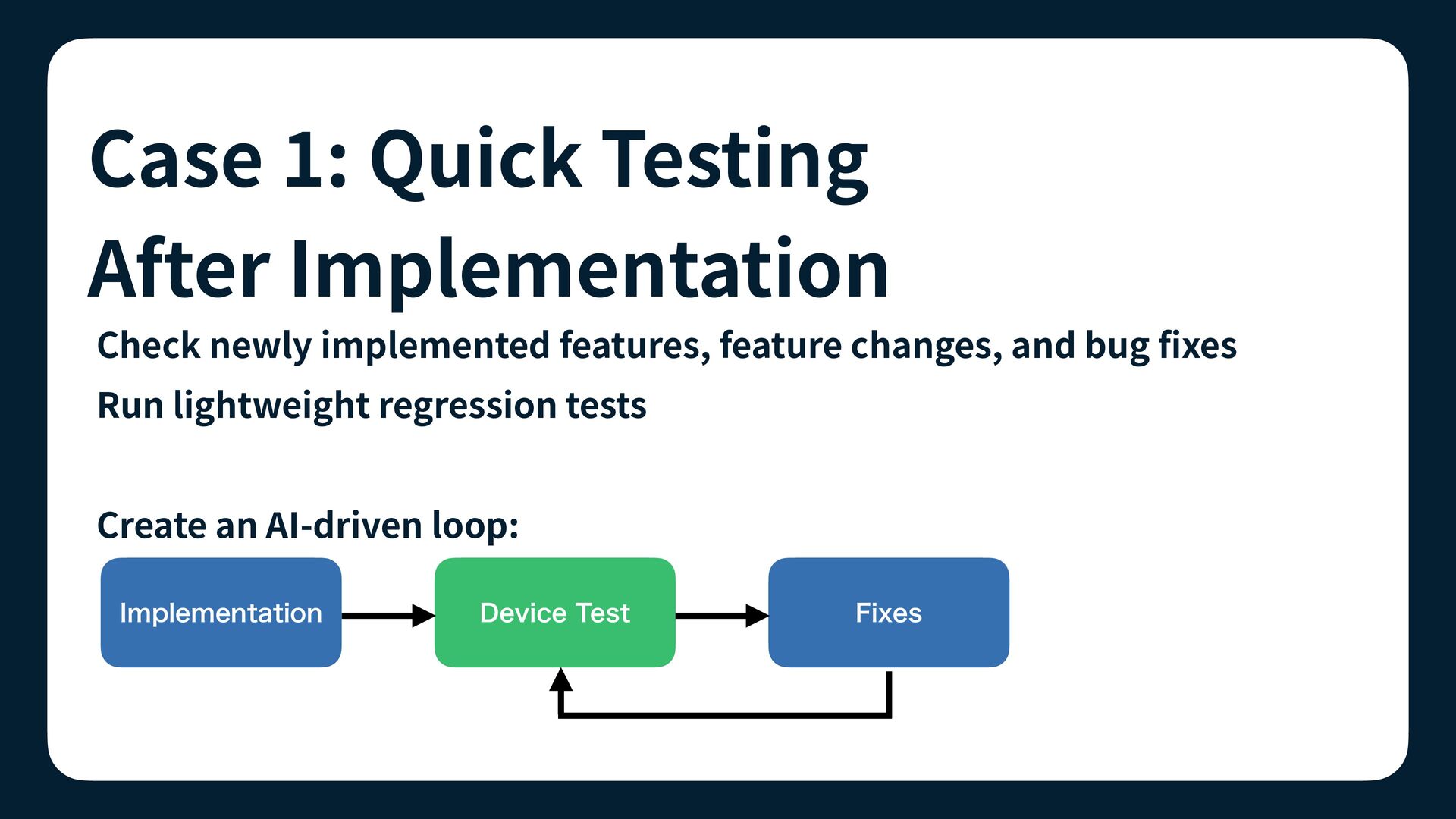
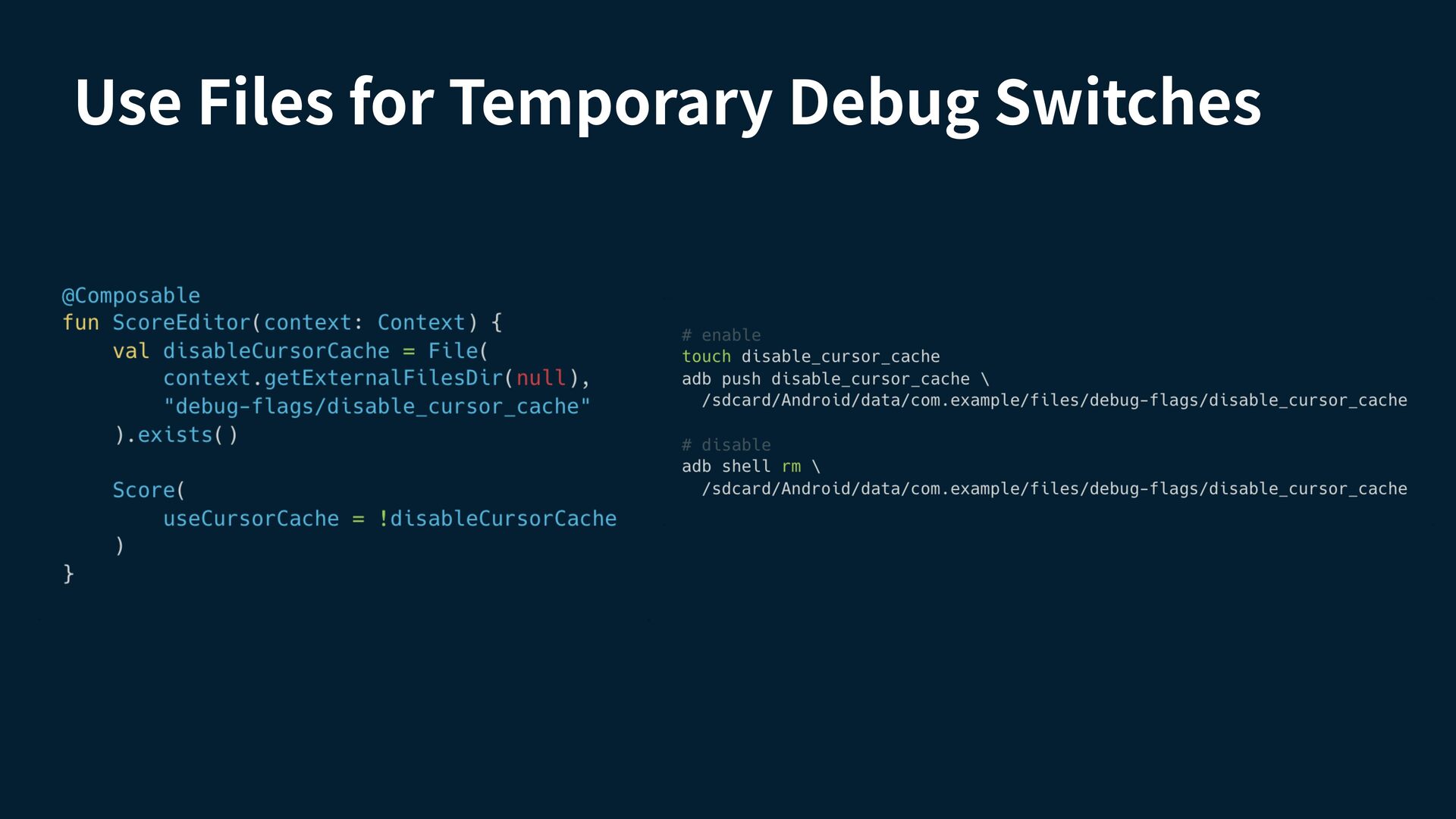
  5. Case : Quick Testing After Implementation Check newly implemented features,

    feature changes, and bug xes Run lightweight regression tests Create an AI-driven loop: Device Test Fixes fi 1 Implementation
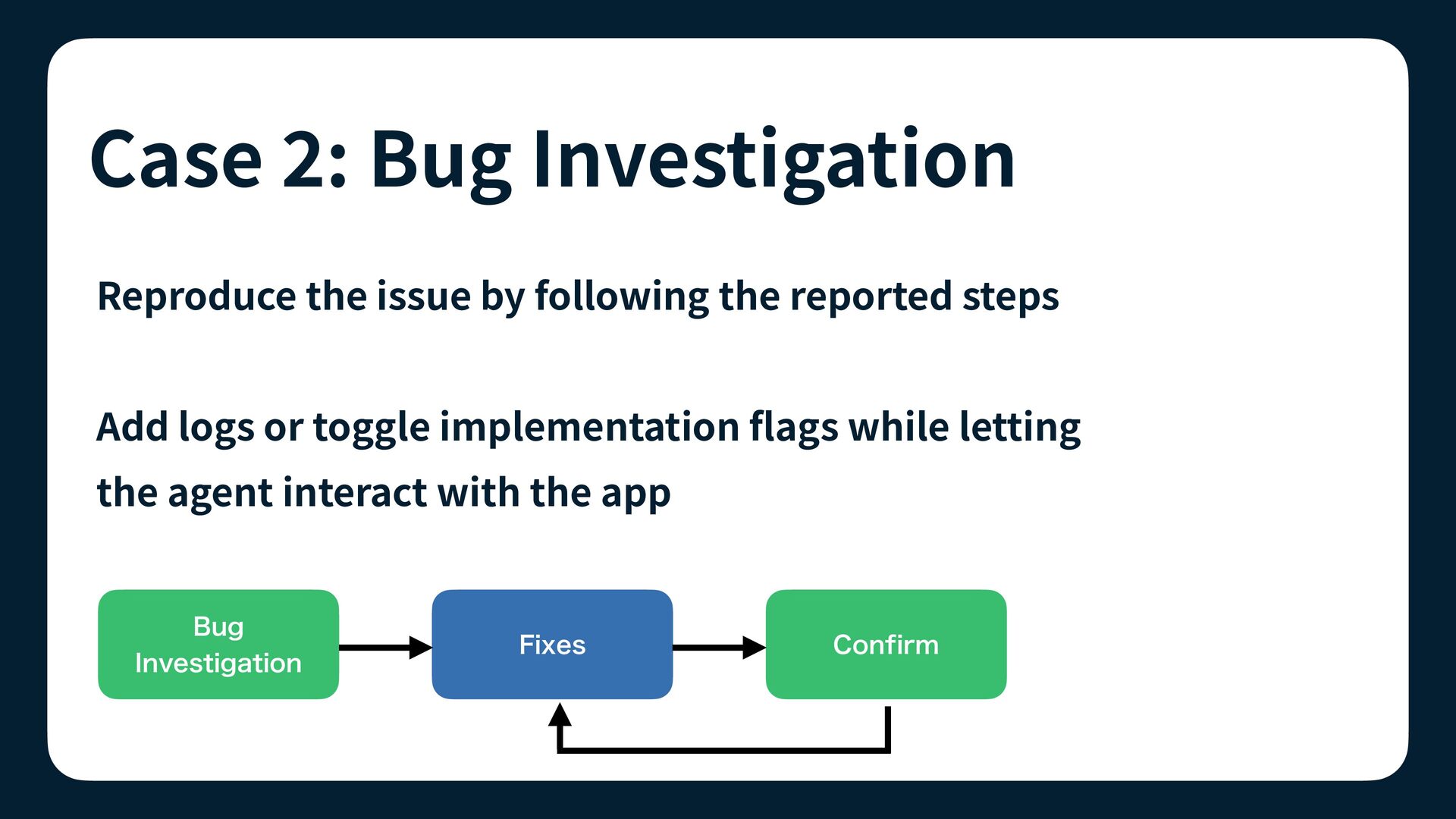
  6. Case : Bug Investigation Reproduce the issue by following the

    reported steps Add logs or toggle implementation ags while letting the agent interact with the app Confirm Fixes fl 2 Bug Investigation
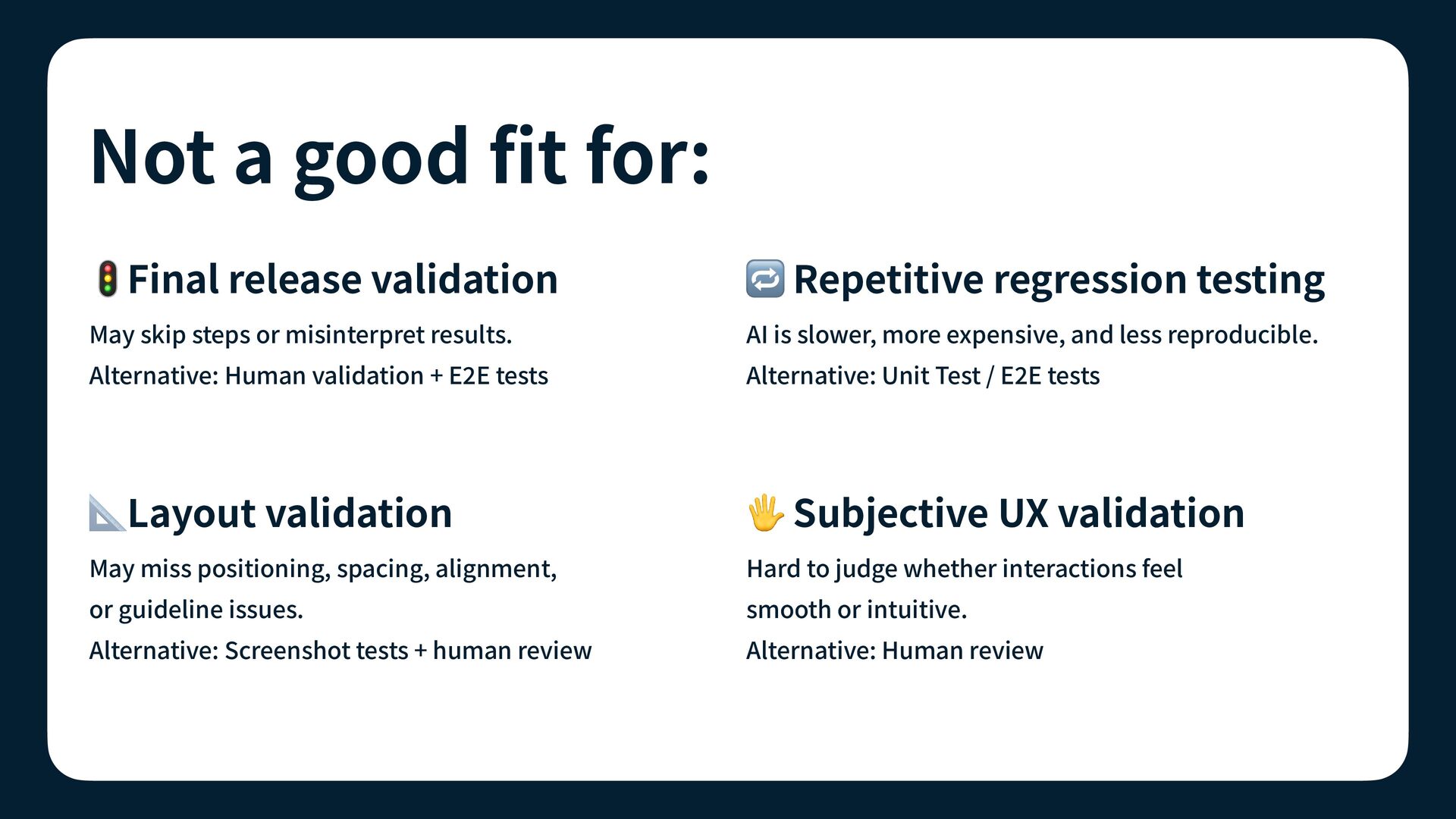
  7. Not a good t for: AI is slower, more expensive,

    and less reproducible. Alternative: Human validation + E E tests Alternative: Unit Test / E E tests 📐Layout validation 🖐 Subjective UX validation May miss positioning, spacing, alignment, Hard to judge whether interactions feel or guideline issues. smooth or intuitive. Alternative: Screenshot tests + human review Alternative: Human review fi May skip steps or misinterpret results. 2 🔁 Repetitive regression testing 2 🚦Final release validation
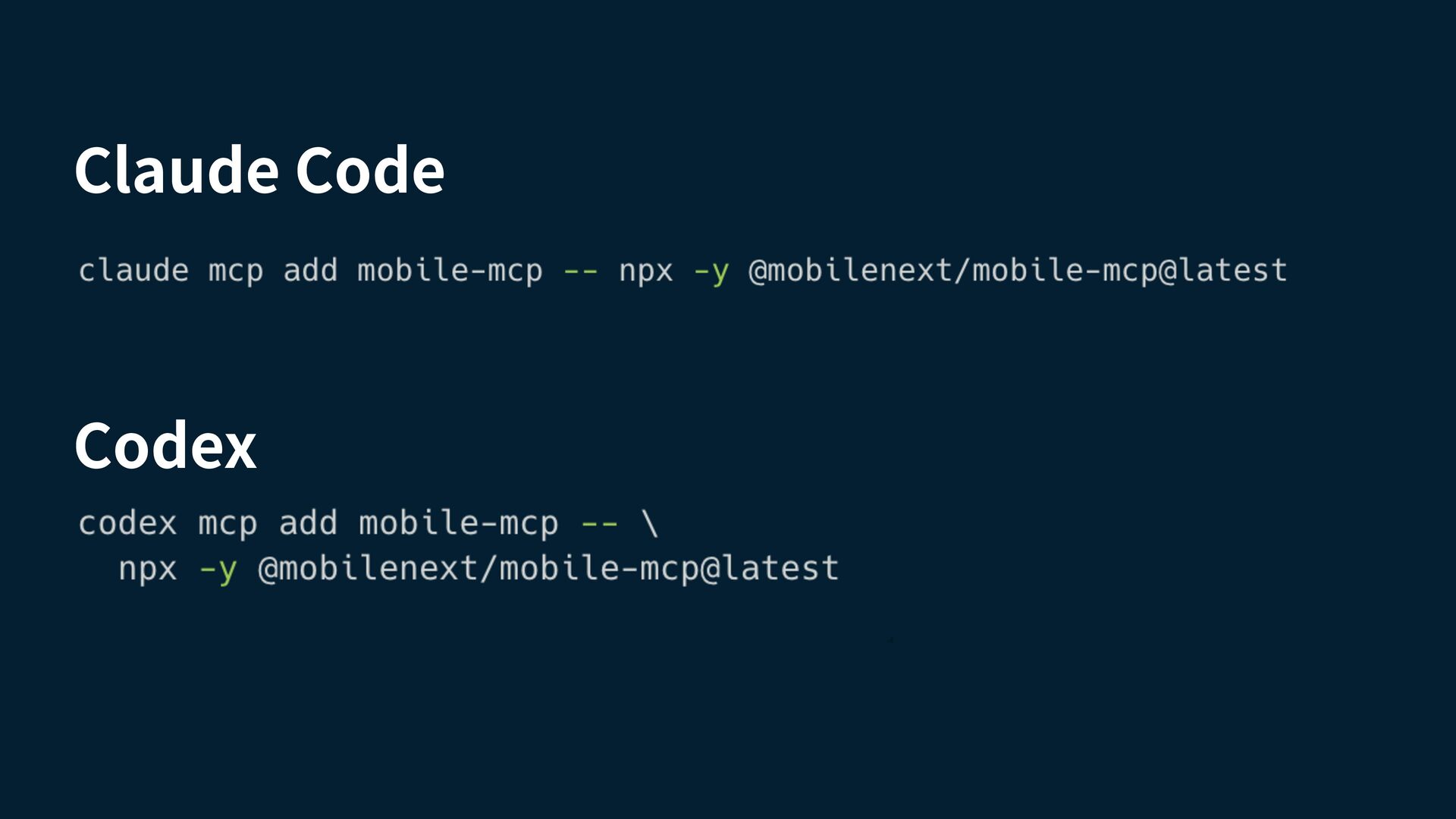
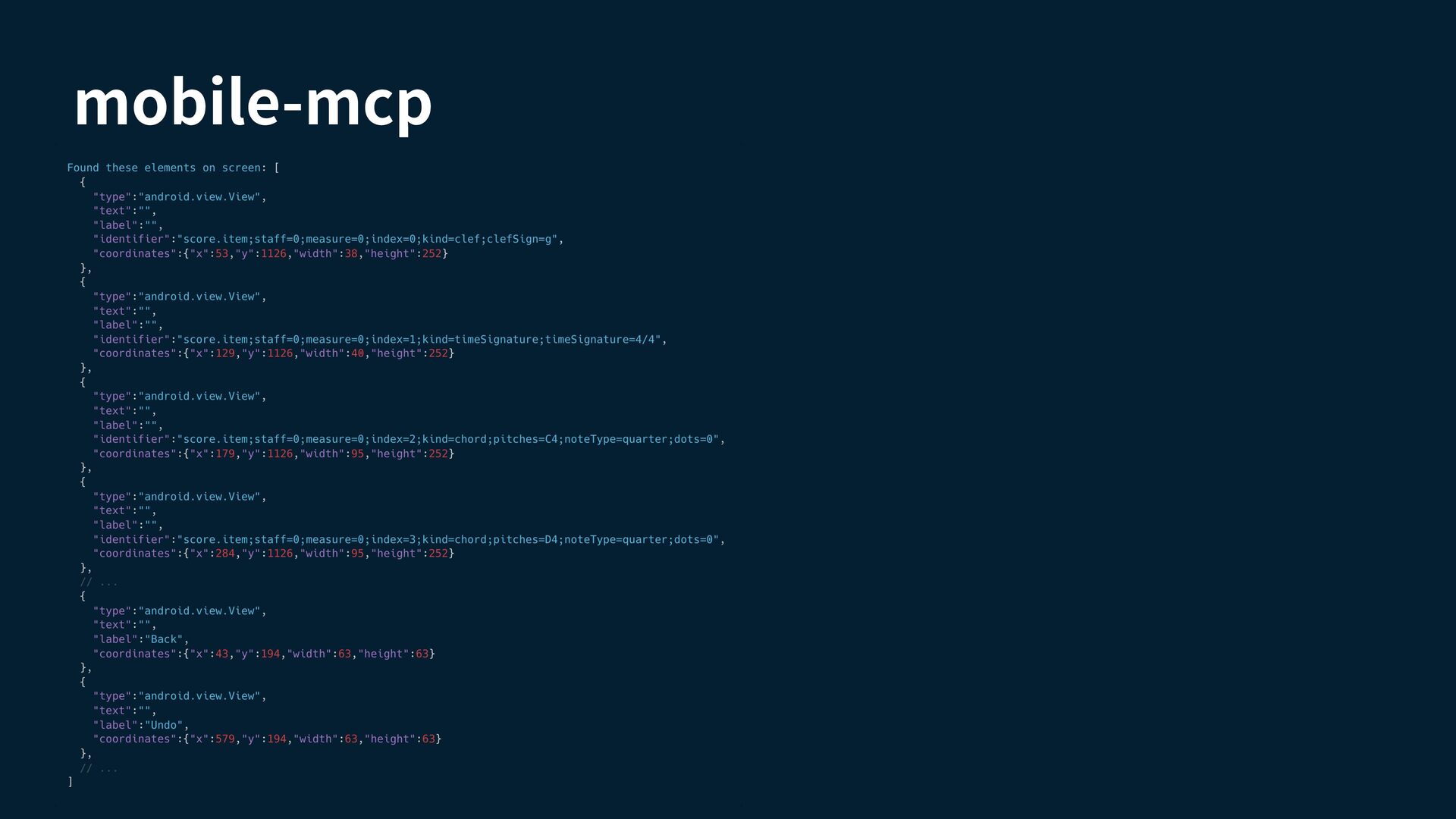
  8. mobile-next/mobile-mcp An MCP server for controlling mobile devices from AI

    agents. It can inspect on-screen elements and perform actions such as taps, swipes, and text input. Useful for letting tools like Claude Code or Codex interact with Android and iOS apps.
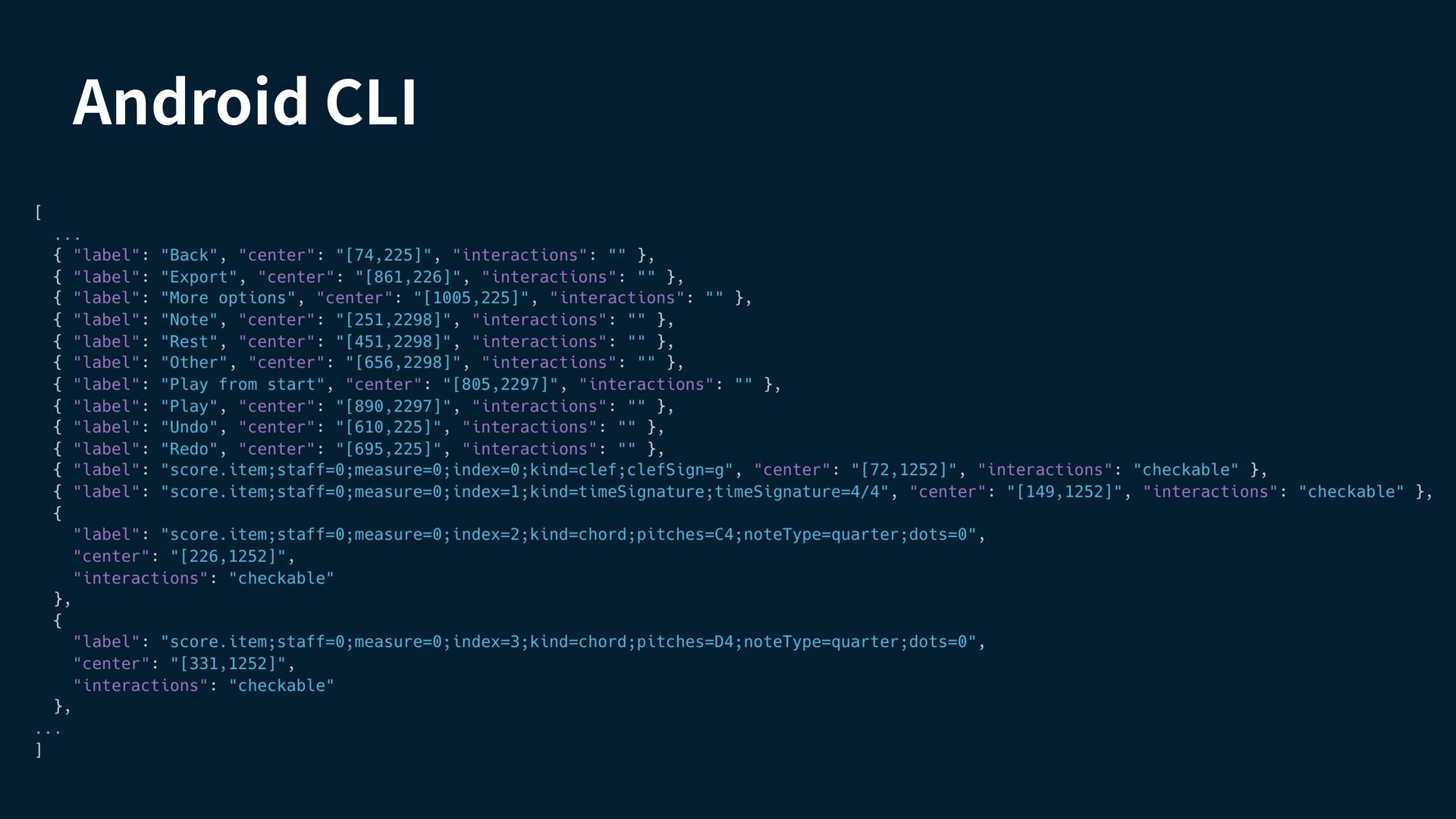
  9. Android CLI A command-line tool for inspecting Android devices and

    app UI state. Can expose properties such as selected / toggle state, beyond basic labels and coordinates. Also supports layout di s to e ciently track UI state changes. ffi ff fi "The Android robot is reproduced or modi ed from work created and shared by Google and used according to terms described in the Creative Commons 3.0 Attribution License."
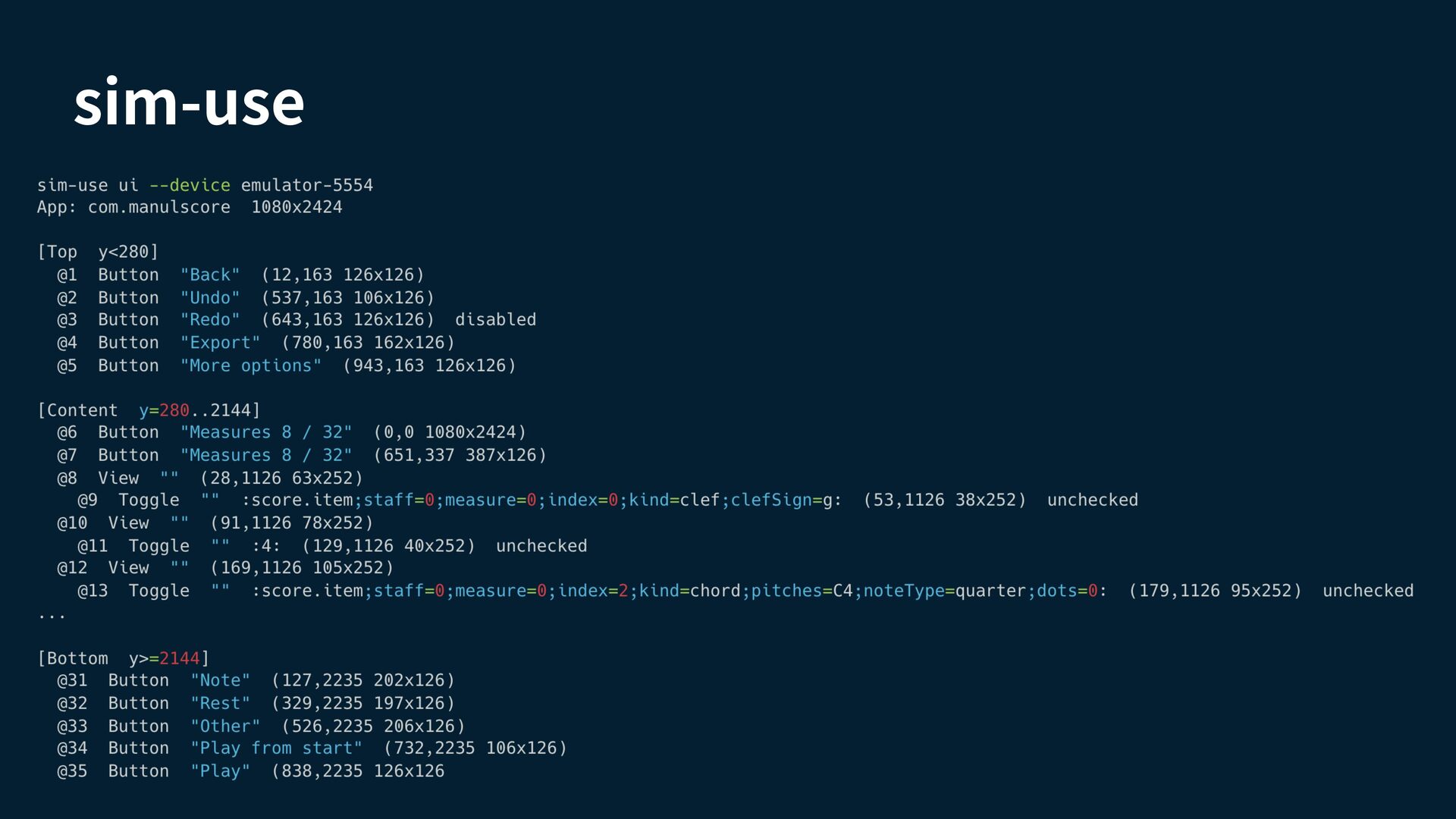
  10. sim-use A cross-platform CLI for controlling iOS Simulators and Android

    devices/emulators. Provides a token-e cient UI outline and lets agents interact with elements by alias instead of coordinates. ffi https://github.com/lycorp-jp/sim-use
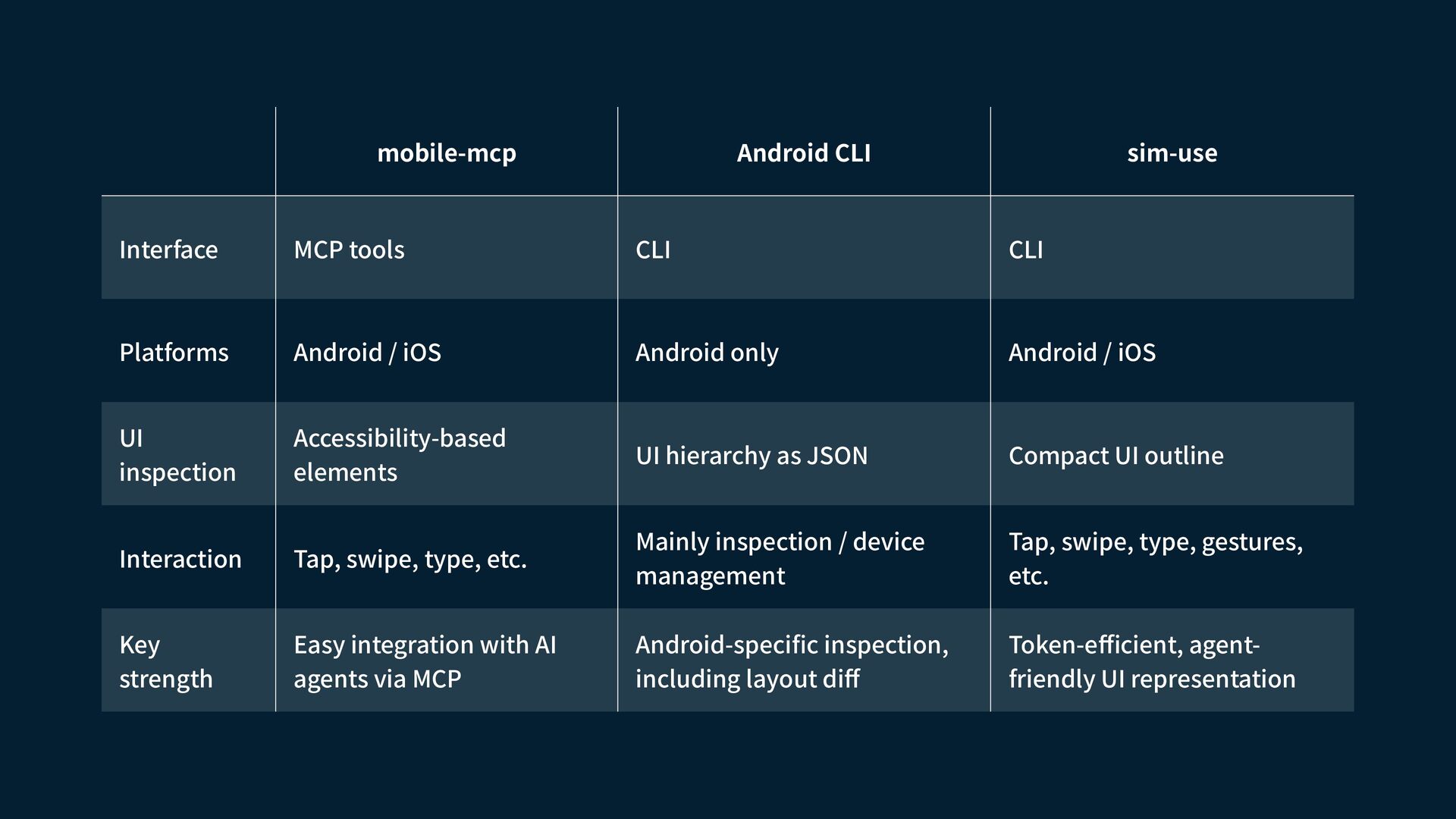
  11. Android CLI sim-use MCP tools CLI CLI Platforms Android /

    iOS Android only Android / iOS UI inspection Accessibility-based elements UI hierarchy as JSON Compact UI outline Interaction Tap, swipe, type, etc. Mainly inspection / device management Tap, swipe, type, gestures, etc. Key strength Easy integration with AI agents via MCP Android-speci c inspection, including layout di Token-e cient, agentfriendly UI representation f Interface fi ffi mobile-mcp
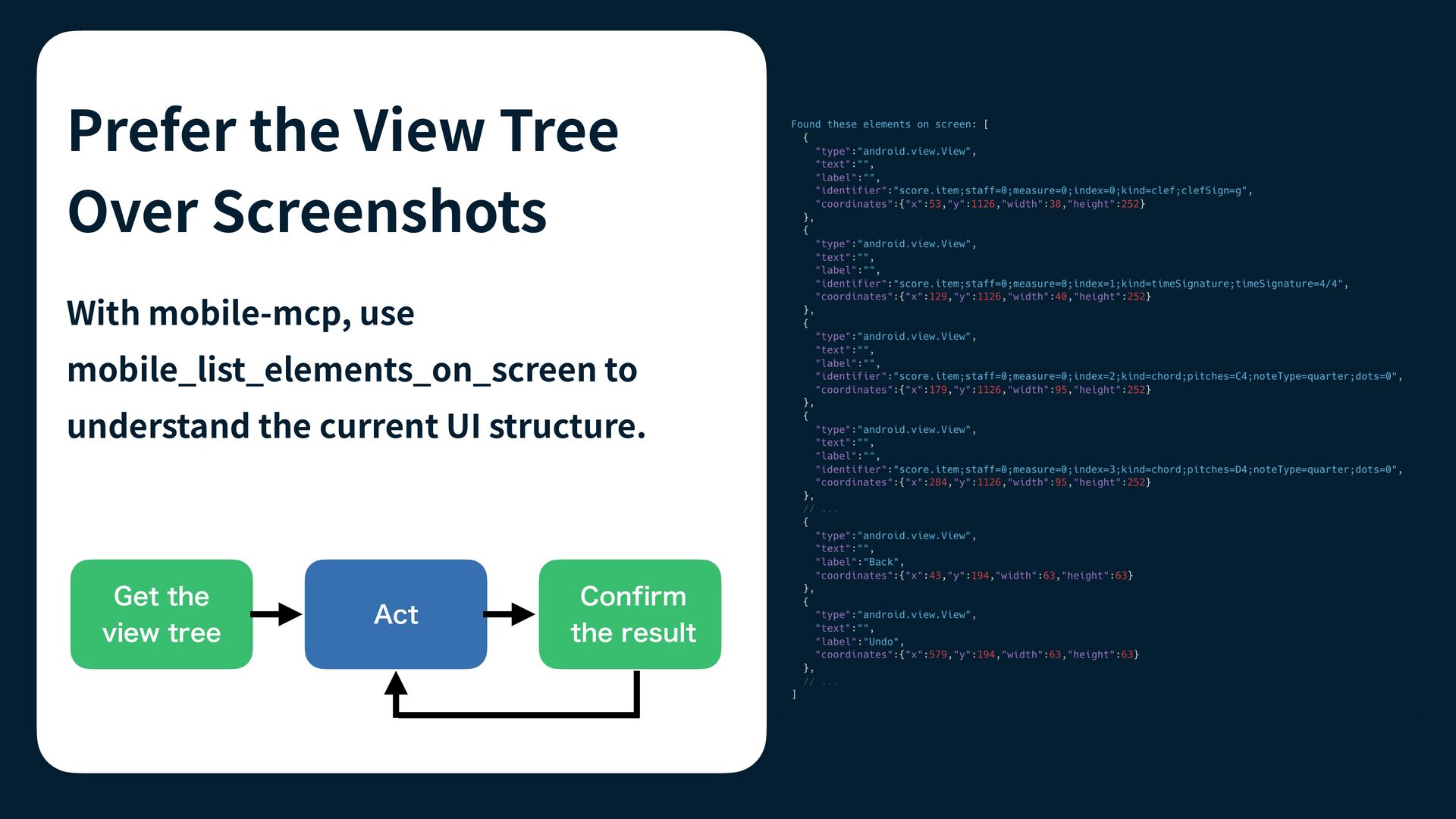
  12. Prefer the View Tree Over Screenshots With mobile-mcp, use mobile_list_elements_on_screen

    to understand the current UI structure. Get the view tree Act Confirm the result
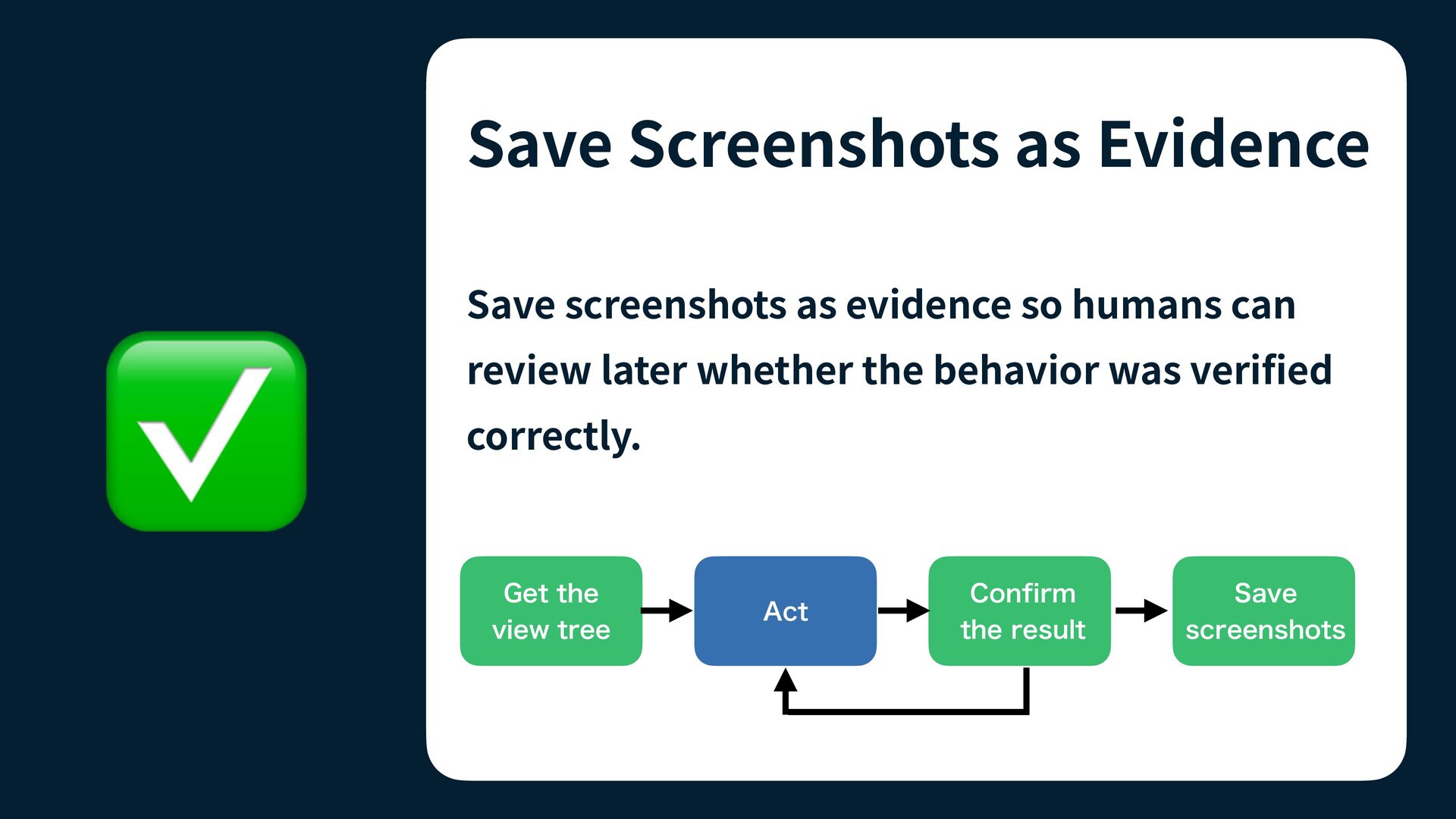
  13. Save Screenshots as Evidence review later whether the behavior was

    veri ed correctly. Get the view tree Act fi ✅ Save screenshots as evidence so humans can Confirm the result Save screenshots
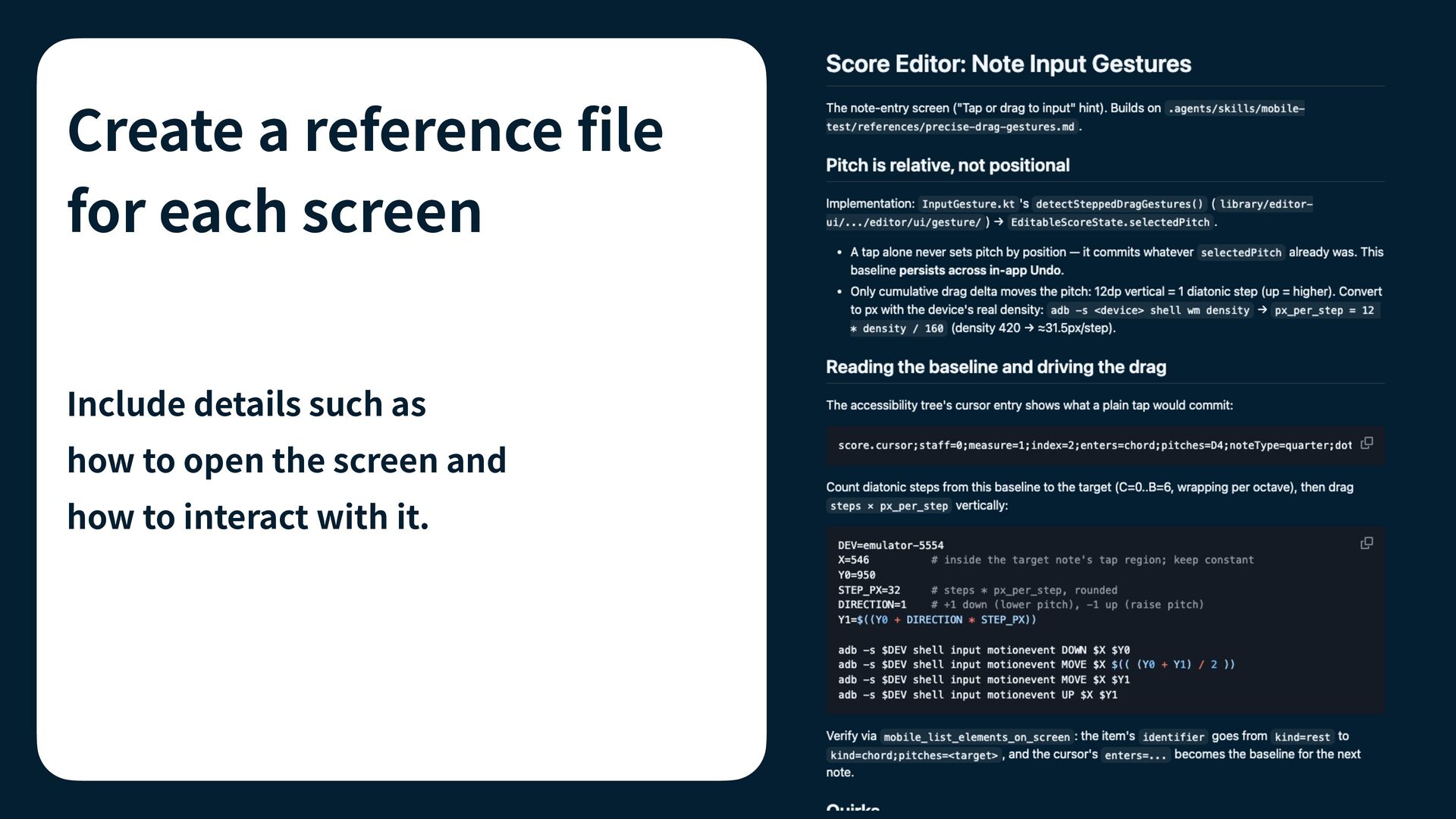
  14. Create a reference le for each screen Include details such

    as how to open the screen and fi how to interact with it.
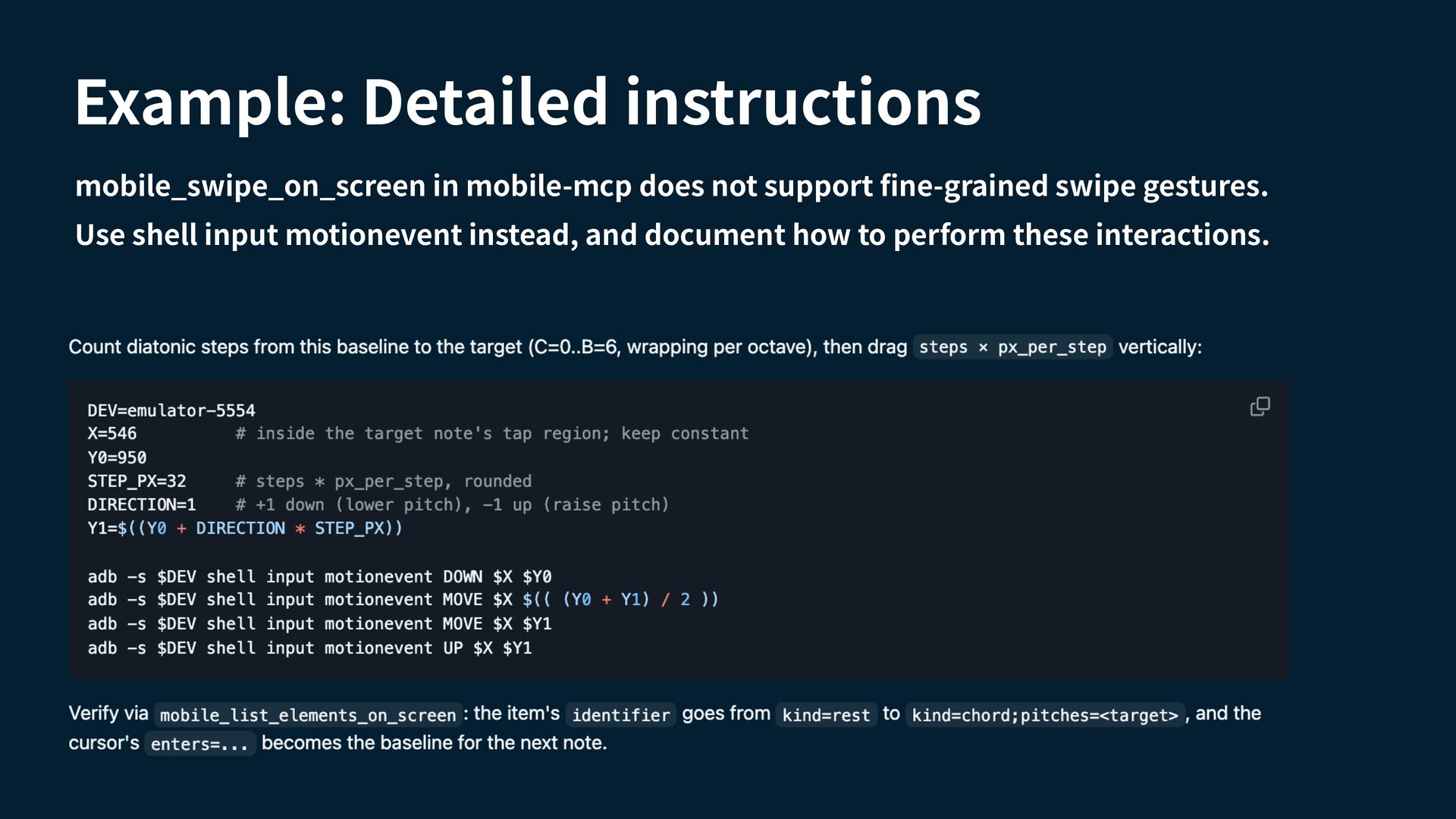
  15. Example: Detailed instructions mobile_swipe_on_screen in mobile-mcp does not support ne-grained

    swipe gestures. fi Use shell input motionevent instead, and document how to perform these interactions.
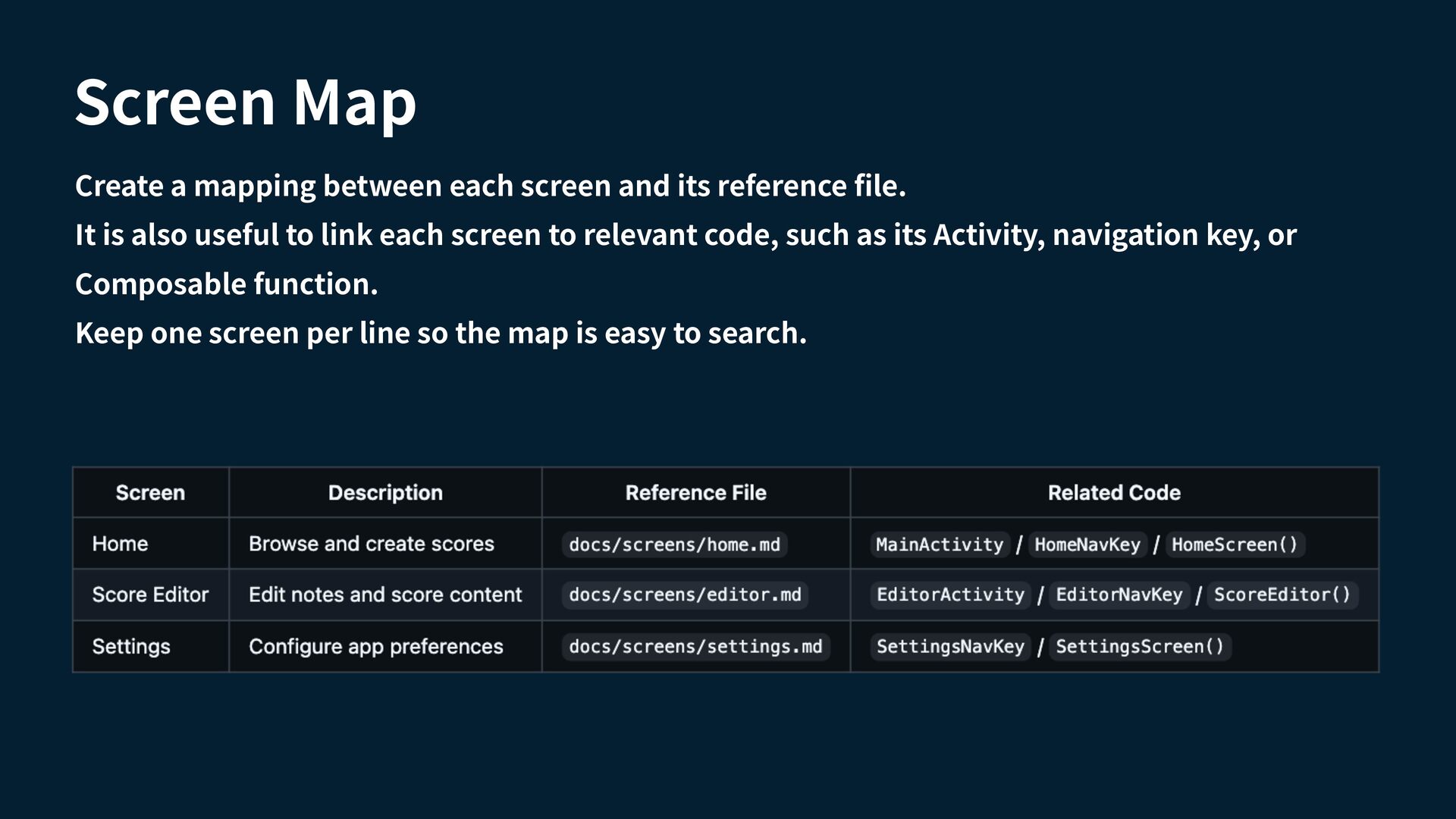
  16. Screen Map Create a mapping between each screen and its

    reference le. It is also useful to link each screen to relevant code, such as its Activity, navigation key, or Composable function. fi Keep one screen per line so the map is easy to search.
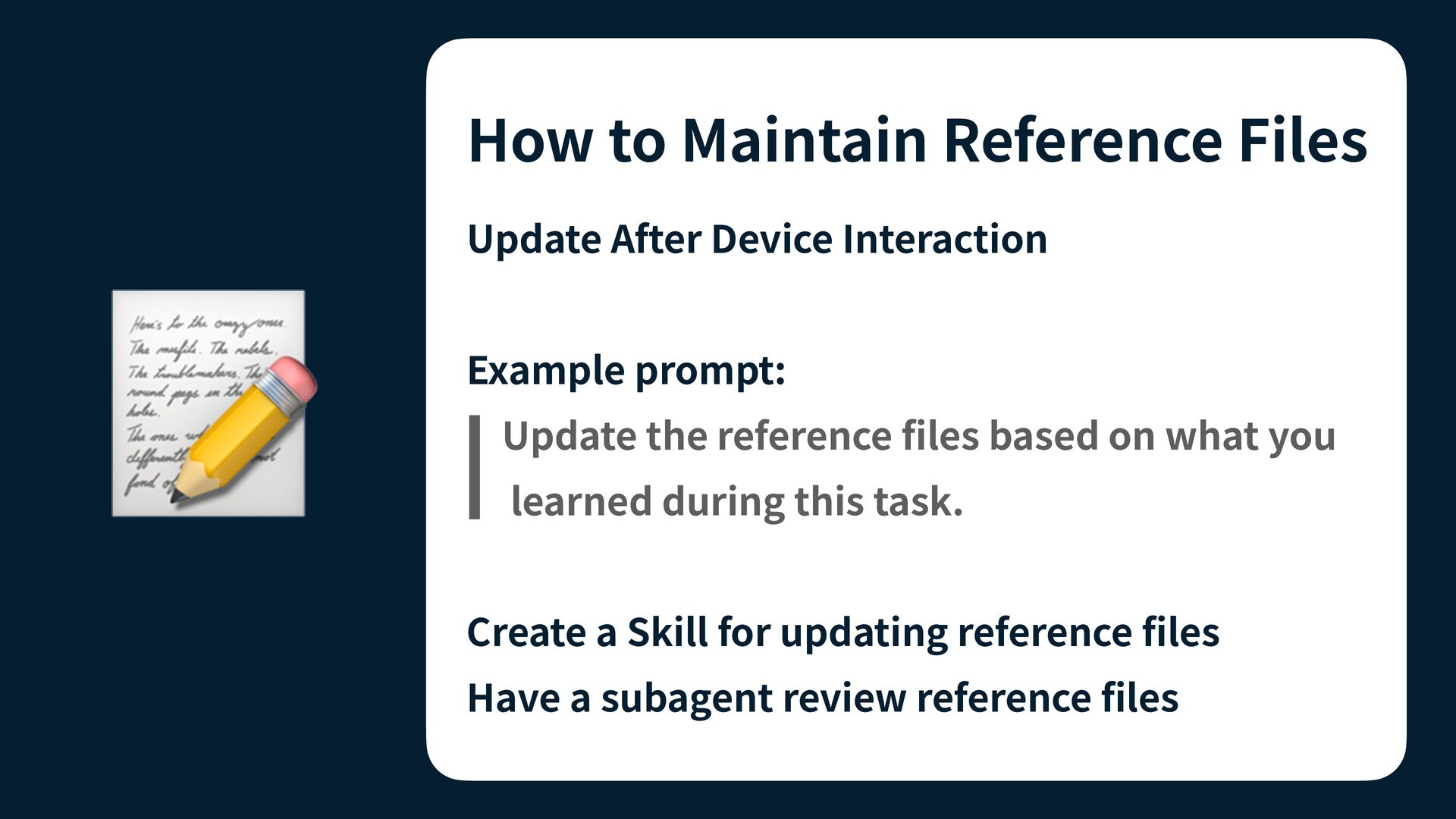
  17. How to Maintain Reference Files Update After Device Interaction 📝

    Example prompt: Update the reference les based on what you learned during this task. Create a Skill for updating reference les fi fi fi Have a subagent review reference les
  18. . Run an AI agent periodically to check older les.

    . Verify that the documentation still matches the current implementation. fi ✅ . Add a last reviewed date to each reference le. fi 1 2 3 Review Regularly
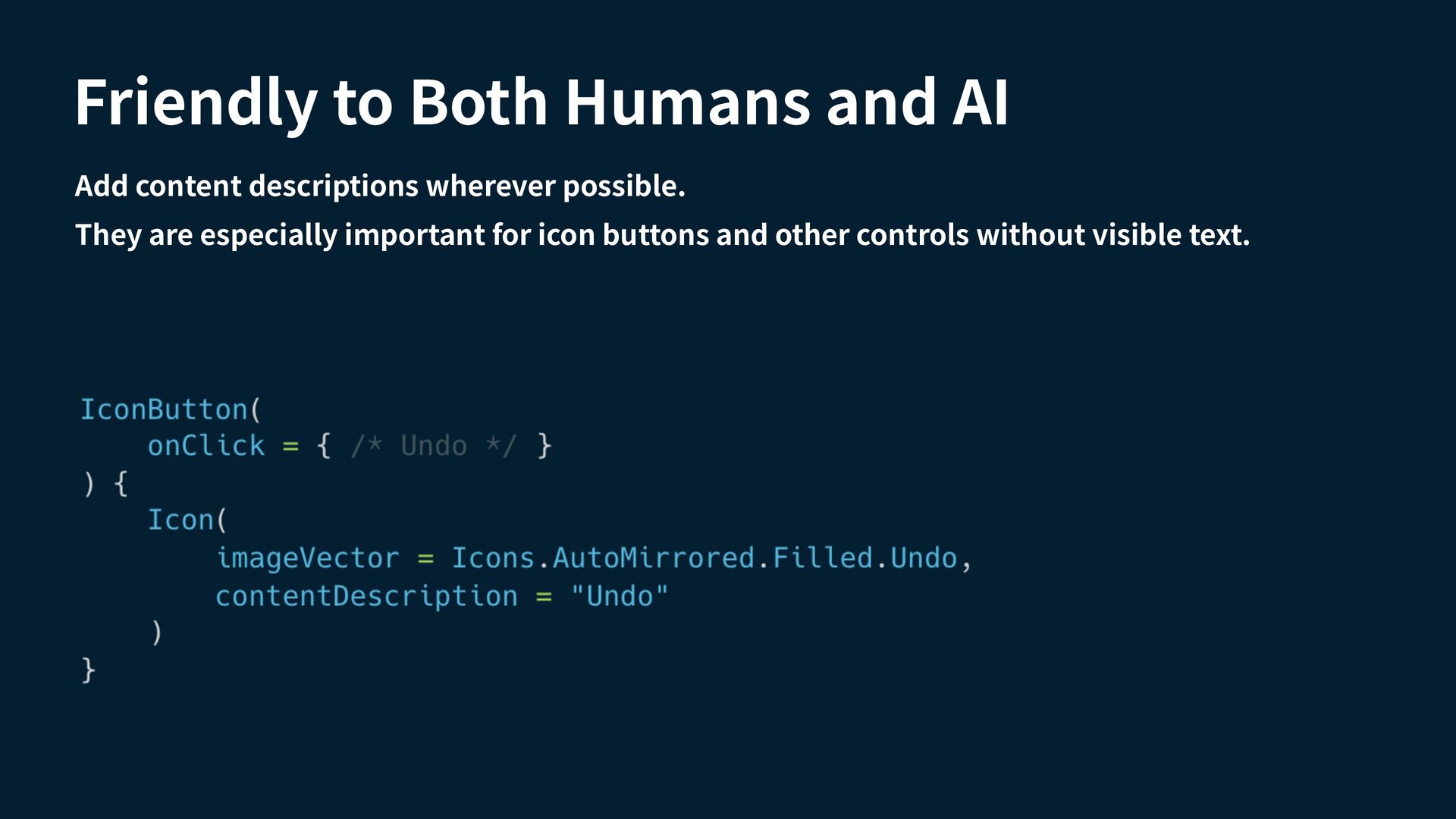
  19. Friendly to Both Humans and AI Add content descriptions wherever

    possible. They are especially important for icon buttons and other controls without visible text.
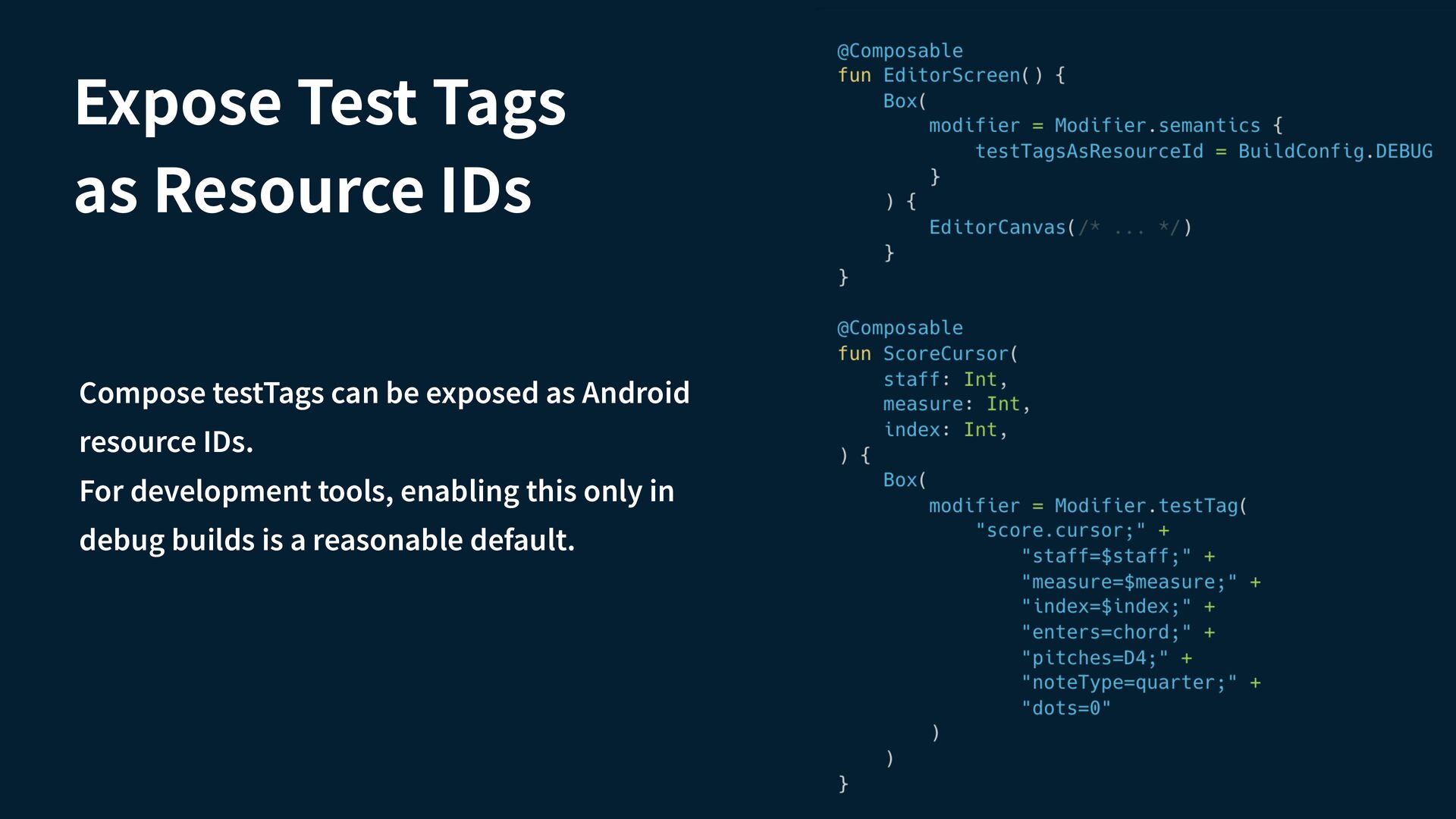
  20. Expose Test Tags as Resource IDs Compose testTags can be

    exposed as Android resource IDs. For development tools, enabling this only in debug builds is a reasonable default.
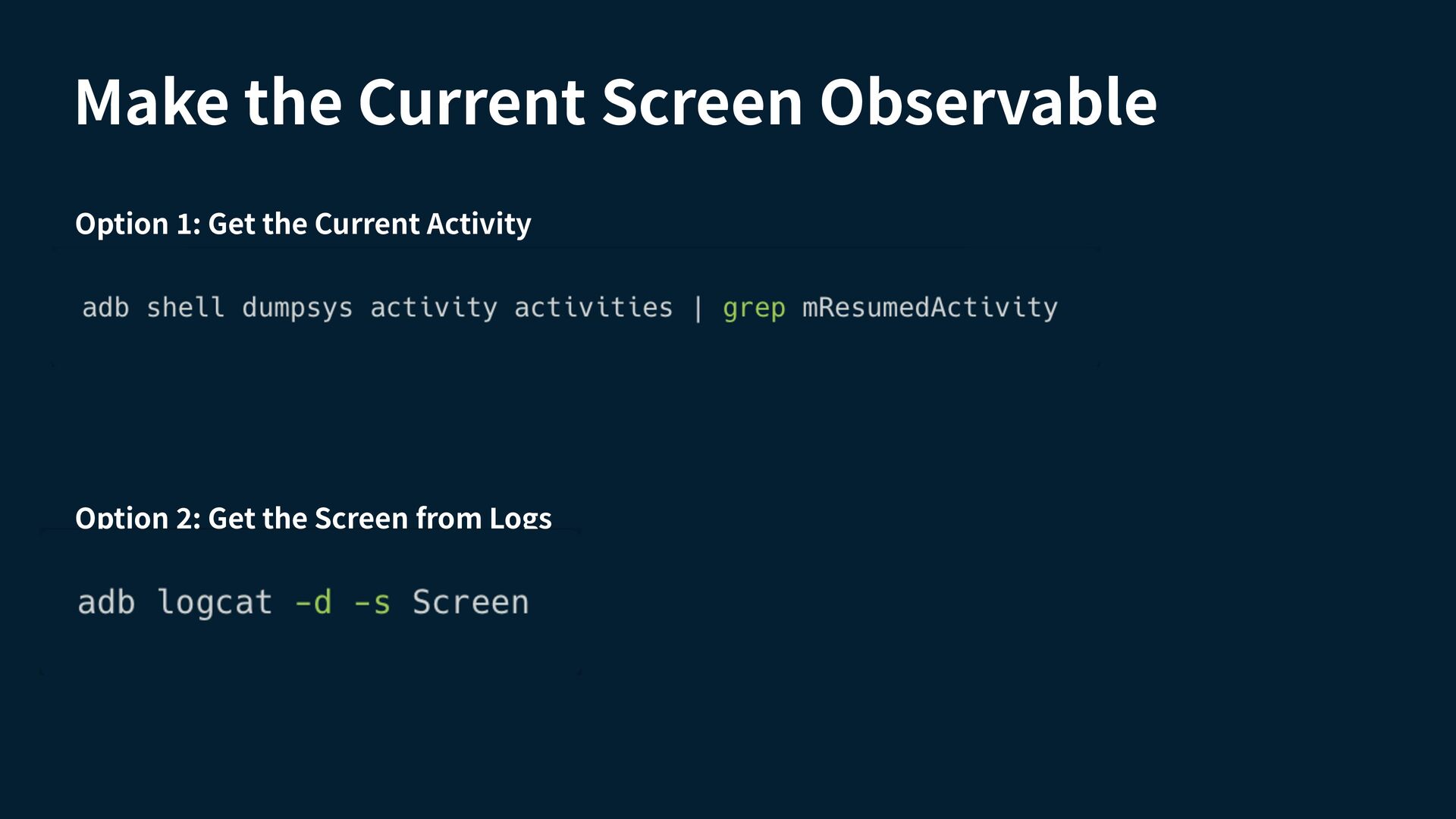
  21. Make the Current Screen Observable Option : Get the Current

    Activity 2 1 Option : Get the Screen from Logs
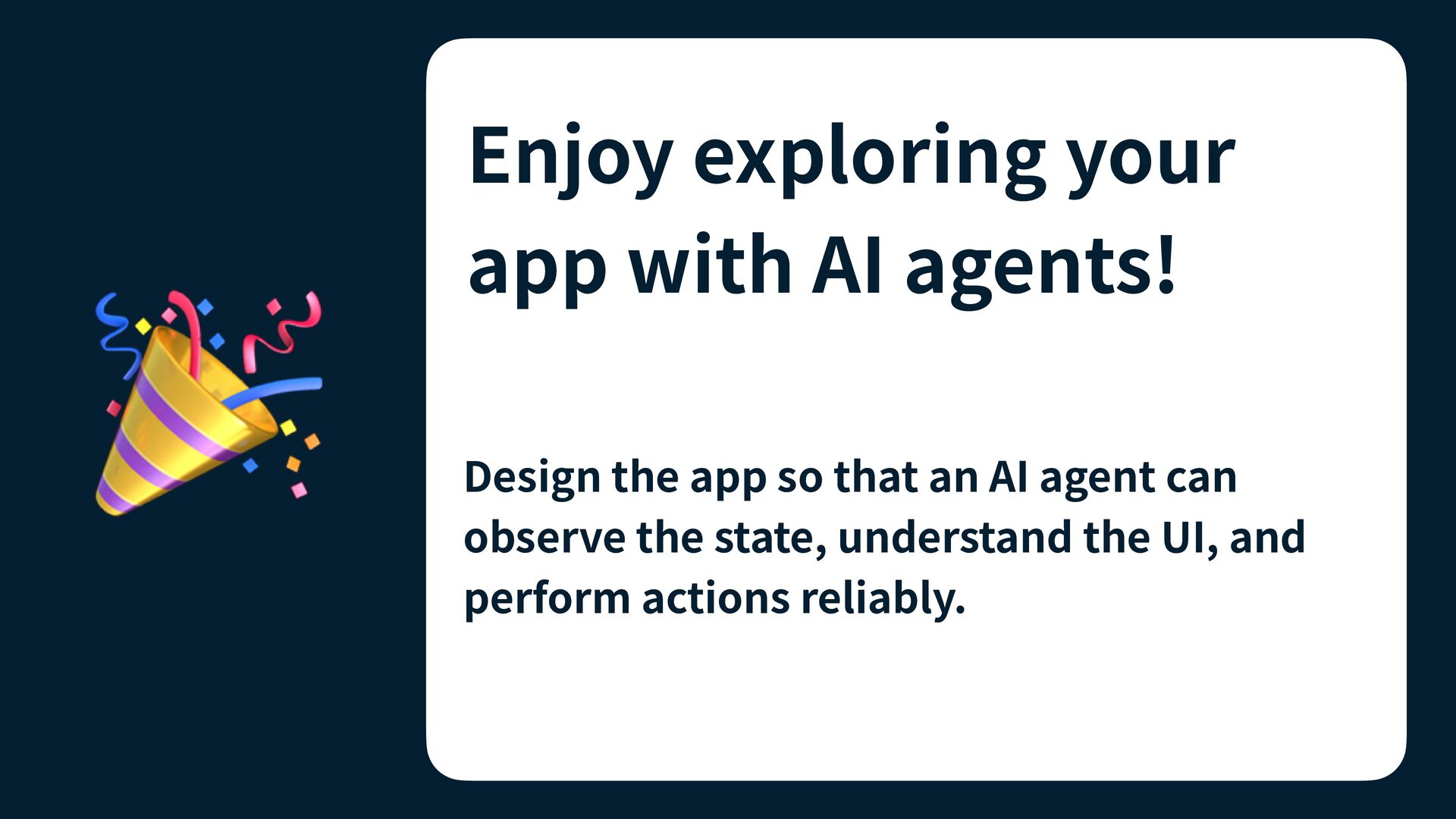
  22. 🎉 Enjoy exploring your app with AI agents! Design the

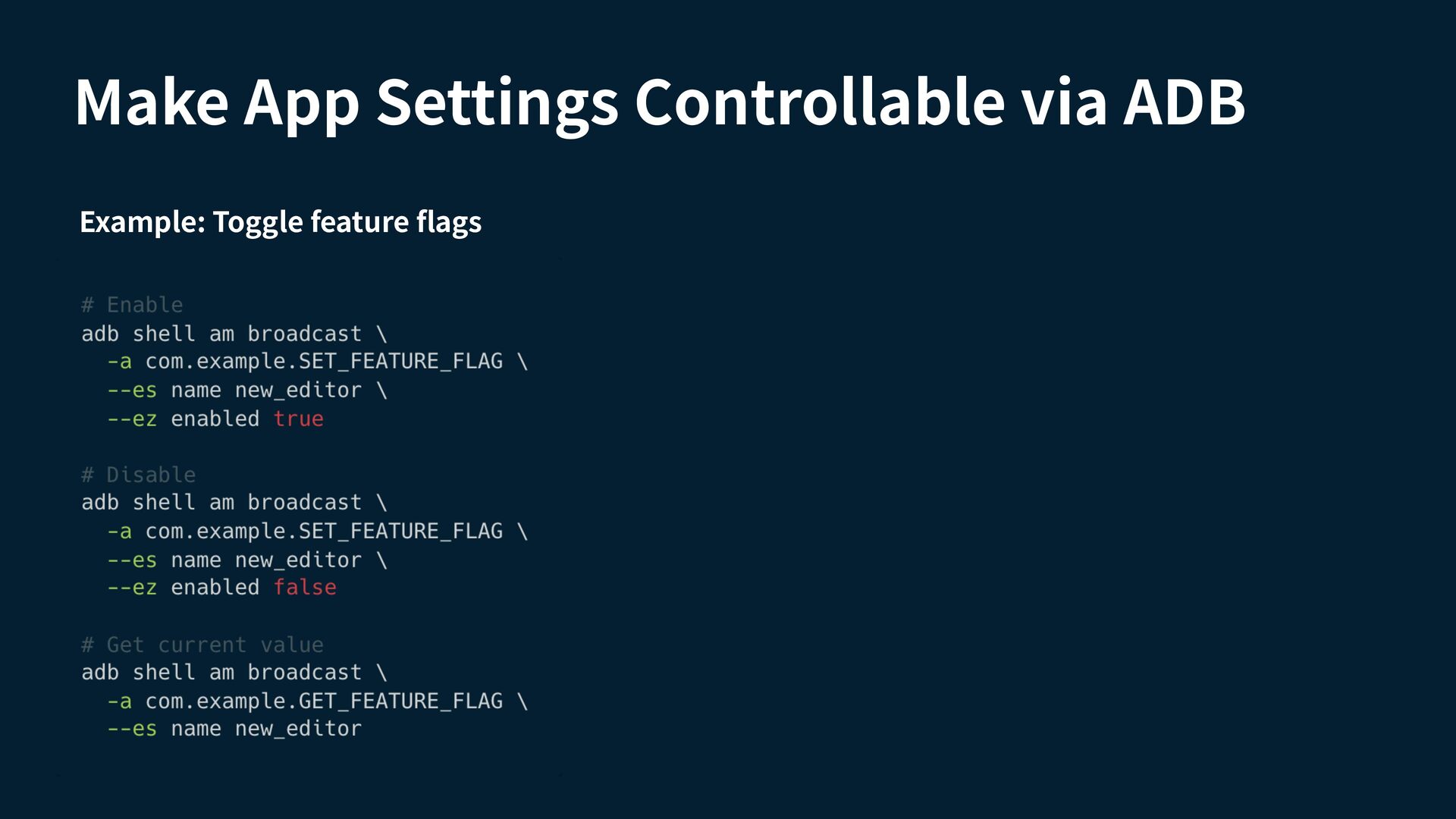
    app so that an AI agent can observe the state, understand the UI, and perform actions reliably.