Upgrade to Pro — share decks privately, control downloads, hide ads and more …

Kubernetes - the eSailors way.

Sponsored · SiteGround - Reliable hosting with speed, security, and support you can count on. →

Kubernetes - the eSailors way.

The talks was around workflows for running and maintaining microservices on multiple cloud providers transparently using Kubernetes.

Avatar for Qasim Sarfraz

Qasim Sarfraz

May 31, 2018

Other Decks in Technology

Transcript

  1. Content • Pain points • Architecture Overview • Installation and

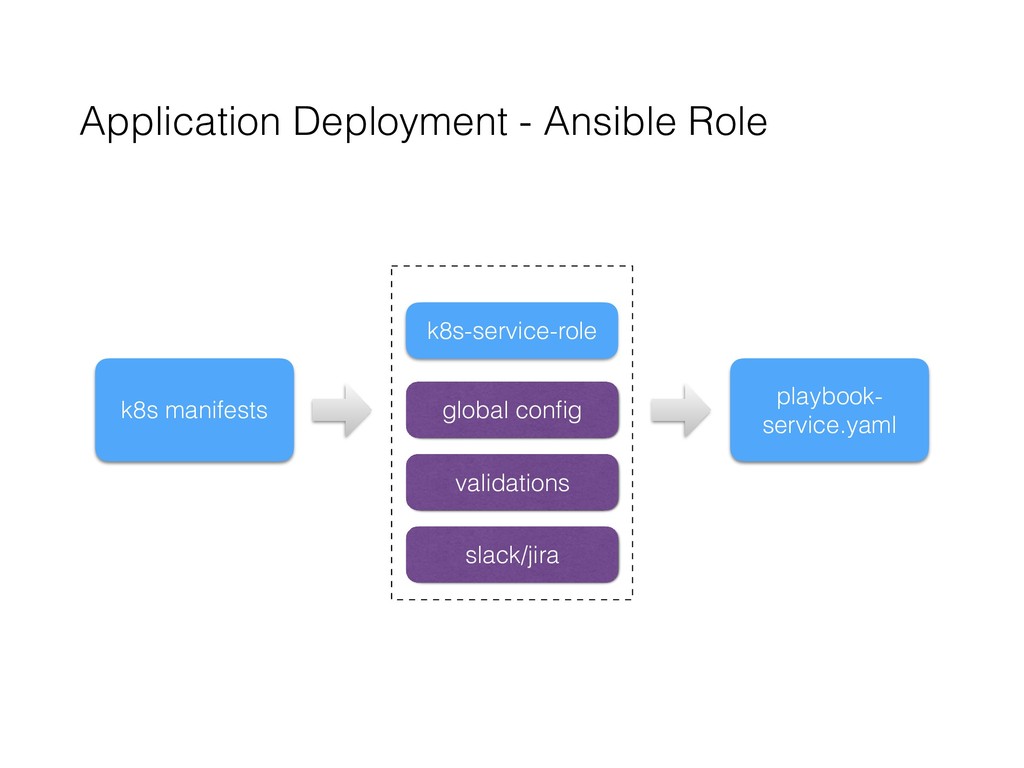
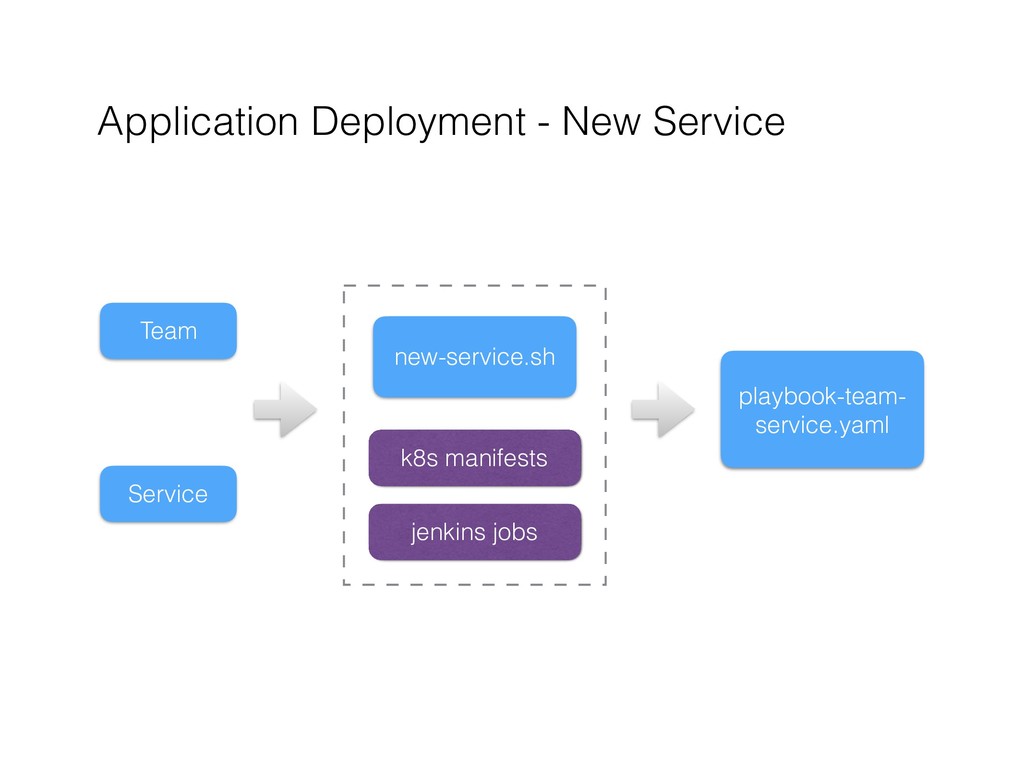
    maintenance of Kubernetes environment • Application deployment workflows • Test systems and local test environments • Demo • Summary
  2. Pain Points • Missing consistency for: • Software packaging •

    Deployment workflows • Lacking velocity for: • Setting up test systems • Releasing new services
  3. Tools To Rescue • Ansible for deployment scripts. • Docker

    for software packaging. • Kubernetes for container orchestration.
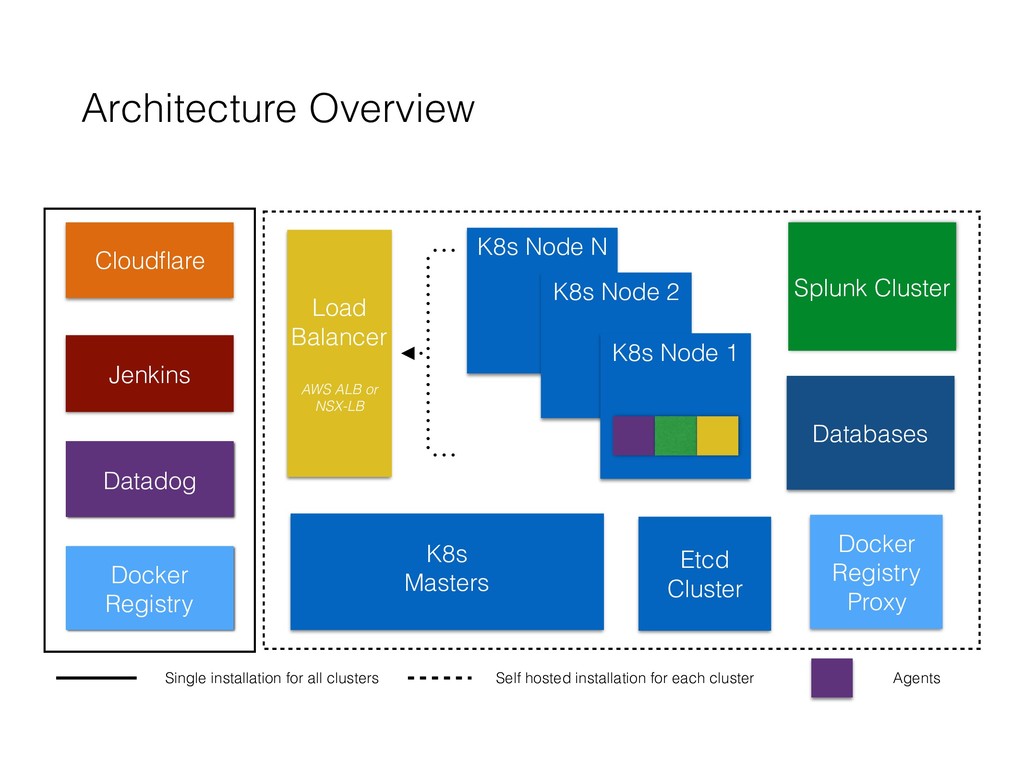
  4. Architecture Overview Splunk Cluster K8s Masters K8s Node N K8s

    Node 2 K8s Node 1 Databases Etcd Cluster Load Balancer AWS ALB or NSX-LB Cloudflare Jenkins Single installation for all clusters Self hosted installation for each cluster Agents Docker Registry Proxy Datadog Docker Registry
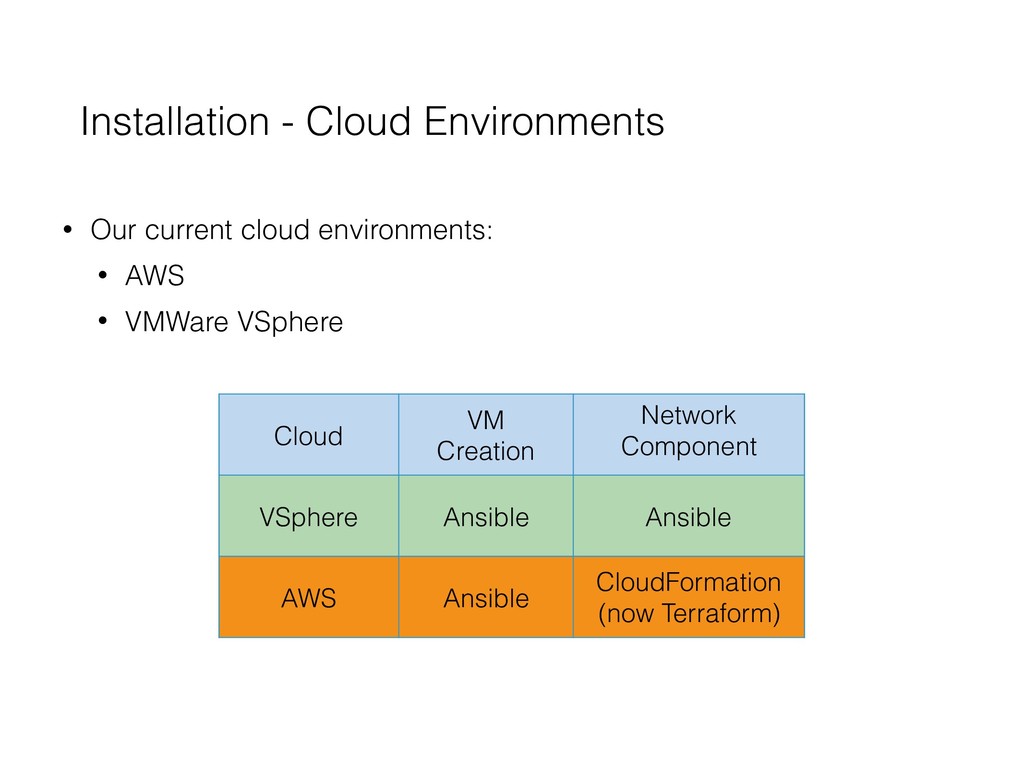
  5. Installation - Cloud Environments • Our current cloud environments: •

    AWS • VMWare VSphere Cloud VM Creation Network Component VSphere Ansible Ansible AWS Ansible CloudFormation (now Terraform)
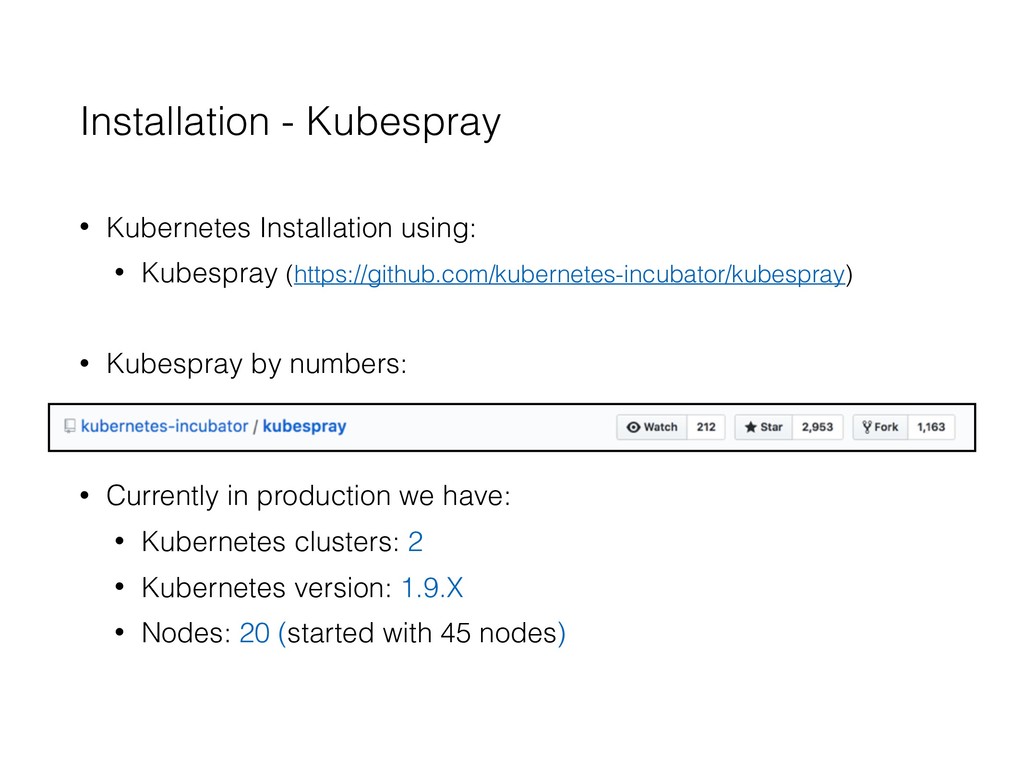
  6. Installation - Kubespray • Kubernetes Installation using: • Kubespray (https://github.com/kubernetes-incubator/kubespray)

    • Kubespray by numbers: • Currently in production we have: • Kubernetes clusters: 2 • Kubernetes version: 1.9.X • Nodes: 20 (started with 45 nodes)
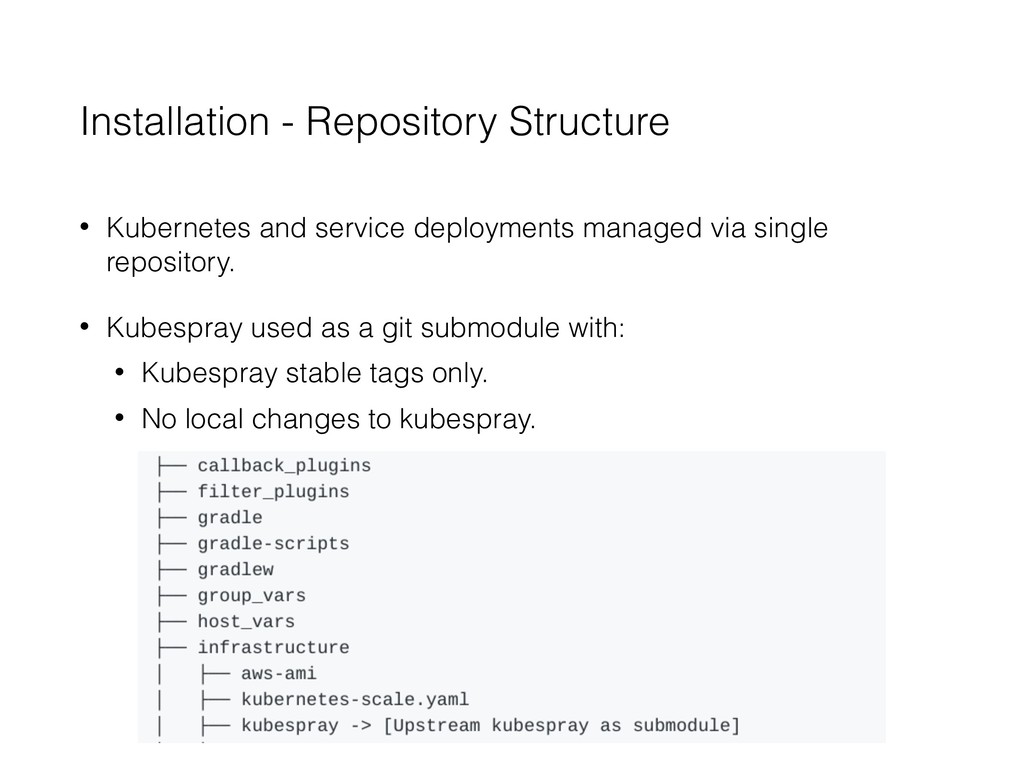
  7. Installation - Repository Structure • Kubernetes and service deployments managed

    via single repository. • Kubespray used as a git submodule with: • Kubespray stable tags only. • No local changes to kubespray.
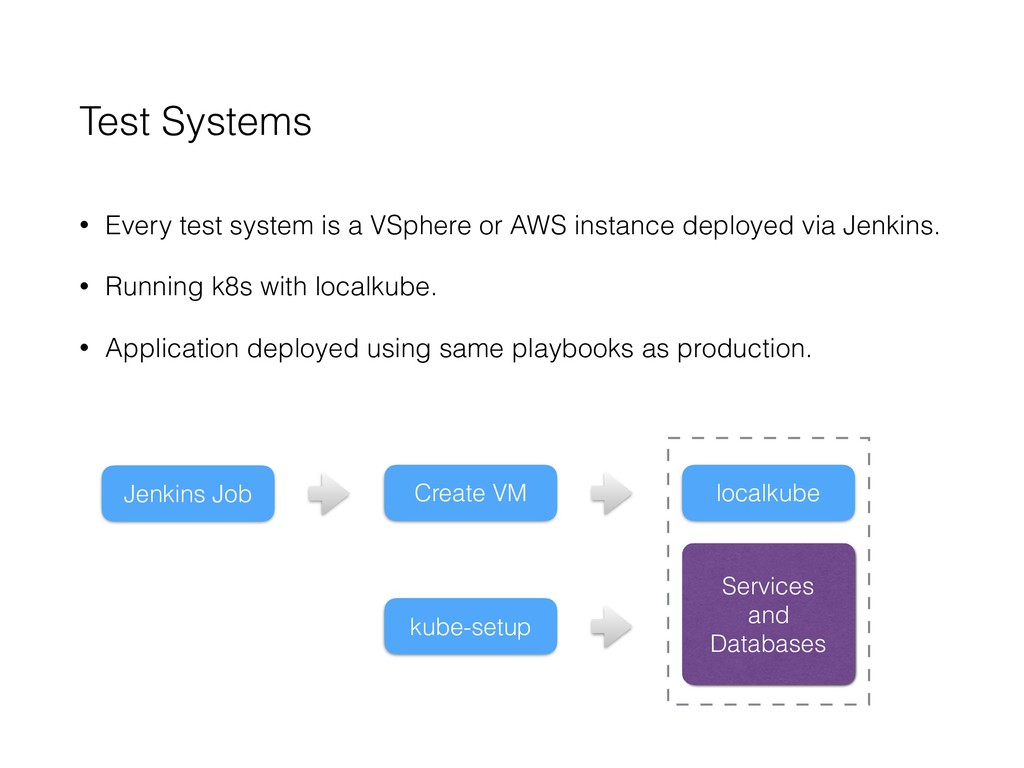
  8. Test Systems • Every test system is a VSphere or

    AWS instance deployed via Jenkins. • Running k8s with localkube. • Application deployed using same playbooks as production. Jenkins Job Create VM localkube Services and Databases kube-setup
  9. Summary • Consistent way to manage the deployment for all

    the services. • Improved velocity for setting up test systems. • K8s features e.g: self healing, service discovery, load balancing, upgrades etc. • New features via k8s community.