Upgrade to Pro
— share decks privately, control downloads, hide ads and more …
Speaker Deck
Sign up for free
Menu
Search
Features
All features
Private URLs
Password Protection
Custom URLS
Scheduled publishing
Remove Branding
Restrict embedding
Deck Collections
Notes
Features
All features
Private URLs
Password Protection
Custom URLS
Scheduled publishing
Remove Branding
Restrict embedding
Deck Collections
Notes
Explore
Featured decks
Featured speakers
Programming
Technology
Storyboards
Explore
Featured decks
Featured speakers
Programming
Technology
Storyboards
Pricing
Search
Sign in
Sign up for free
マッピングのマニュアル
Search
nanaka yamada
June 16, 2016
140
0
Share
Embed
Copy iframe code
Copy JS code
Copy link
Start on current slide
マッピングのマニュアル
授業の課題です
nanaka yamada
June 16, 2016
More Decks by nanaka yamada
See All by nanaka yamada
課題aの作業手順
nanaka710
0
200
Featured
See All Featured
Ecommerce SEO: The Keys for Success Now & Beyond - #SERPConf2024
aleyda
1
2.2k
CSS Pre-Processors: Stylus, Less & Sass
bermonpainter
360
31k
Imperfection Machines: The Place of Print at Facebook
scottboms
270
14k
StorybookのUI Testing Handbookを読んだ
zakiyama
31
7k
The B2B funnel & how to create a winning content strategy
katarinadahlin
PRO
1
570
Beyond borders and beyond the search box: How to win the global "messy middle" with AI-driven SEO
davidcarrasco
3
280
WENDY [Excerpt]
tessaabrams
14
40k
How to Align SEO within the Product Triangle To Get Buy-In & Support - #RIMC
aleyda
2
1.8k
Easily Structure & Communicate Ideas using Wireframe
afnizarnur
194
17k
[RailsConf 2023 Opening Keynote] The Magic of Rails
eileencodes
31
10k
Exploring the Power of Turbo Streams & Action Cable | RailsConf2023
kevinliebholz
37
6.6k
Put a Button on it: Removing Barriers to Going Fast.
kastner
60
4.6k
Transcript
マッピングのマニュアル 1A116229 山田菜々香
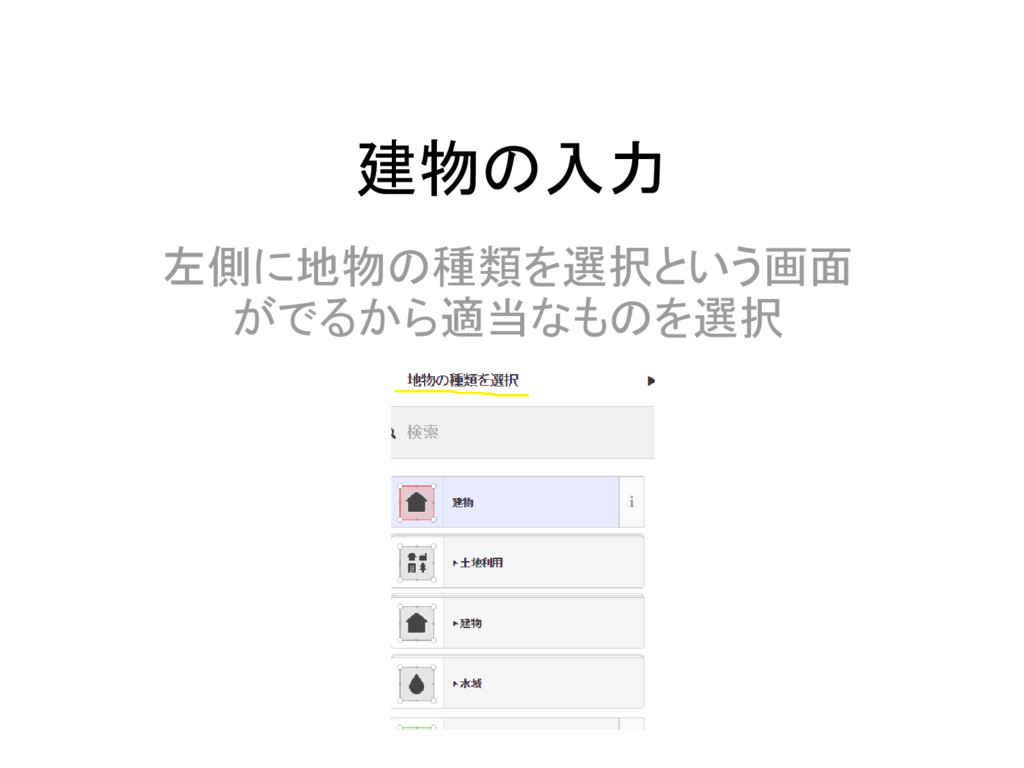
建物の入力 左側に地物の種類を選択という画面 がでるから適当なものを選択
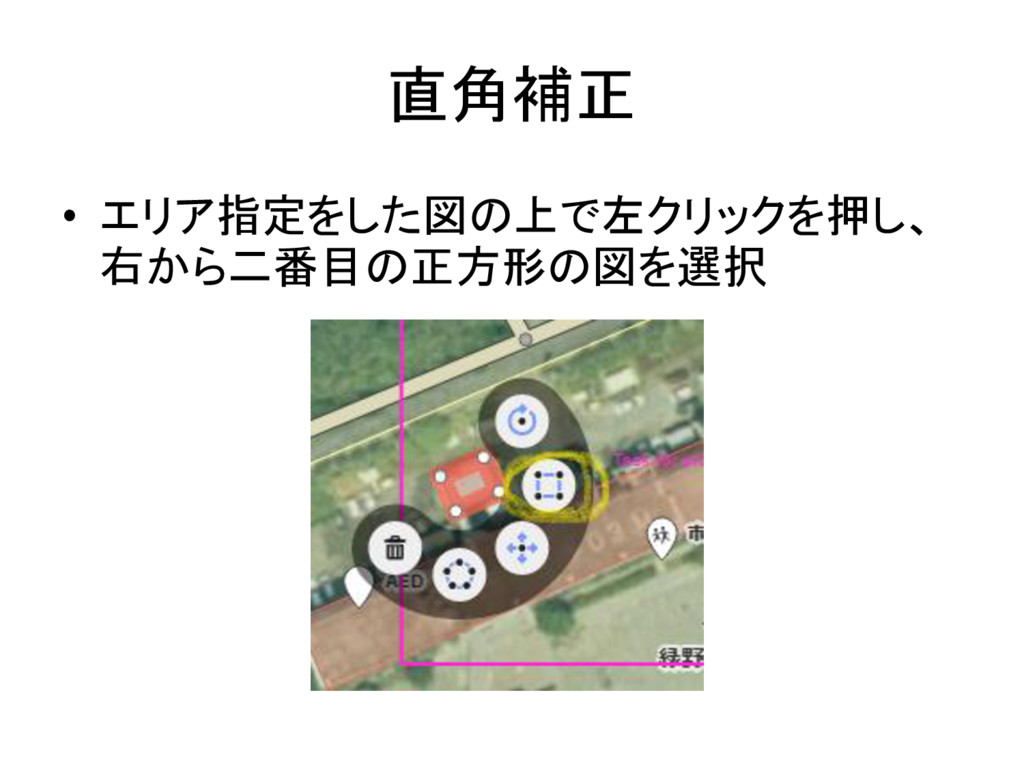
直角補正 • エリア指定をした図の上で左クリックを押し、 右から二番目の正方形の図を選択
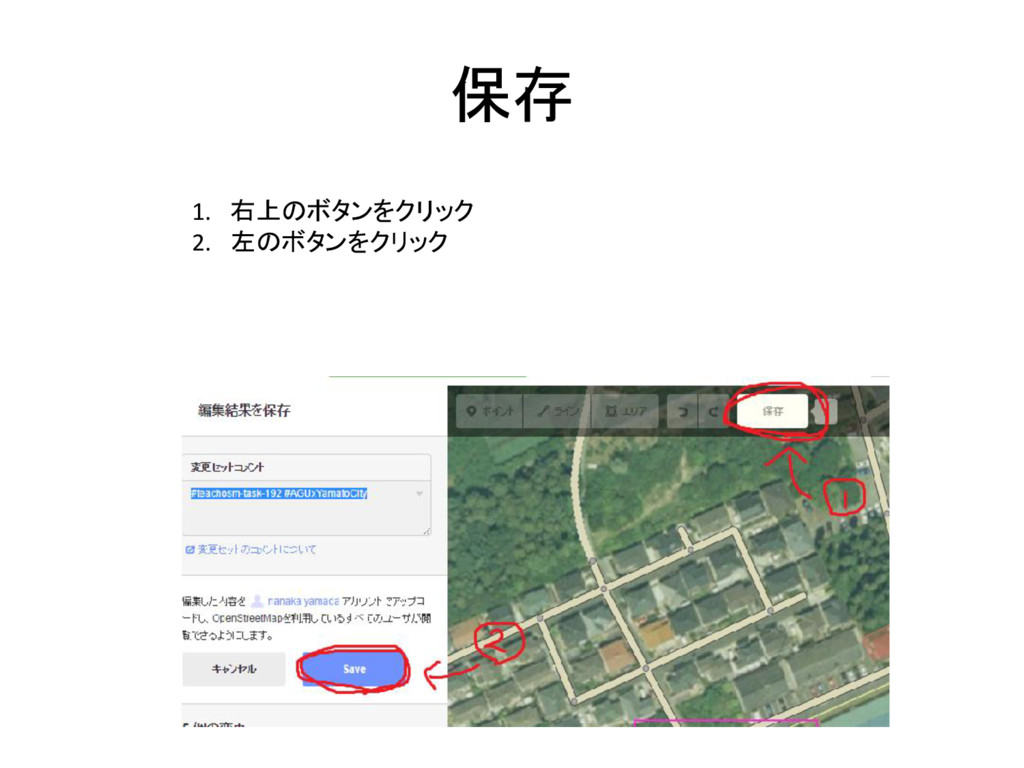
保存 1. 右上のボタンをクリック 2. 左のボタンをクリック
修正 • 囲った部分を移動するなら、左クリックし上か ら三番目を選択 • エリアを円状にするなら左から二番目を選択
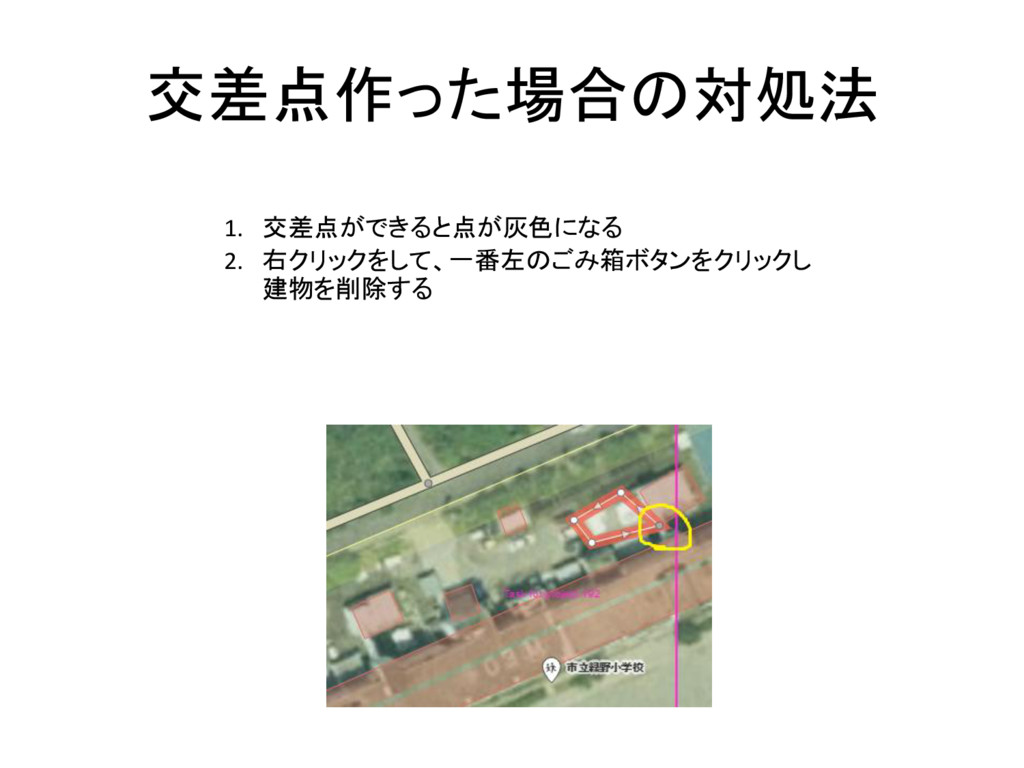
交差点作った場合の対処法 1. 交差点ができると点が灰色になる 2. 右クリックをして、一番左のごみ箱ボタンをクリックし 建物を削除する
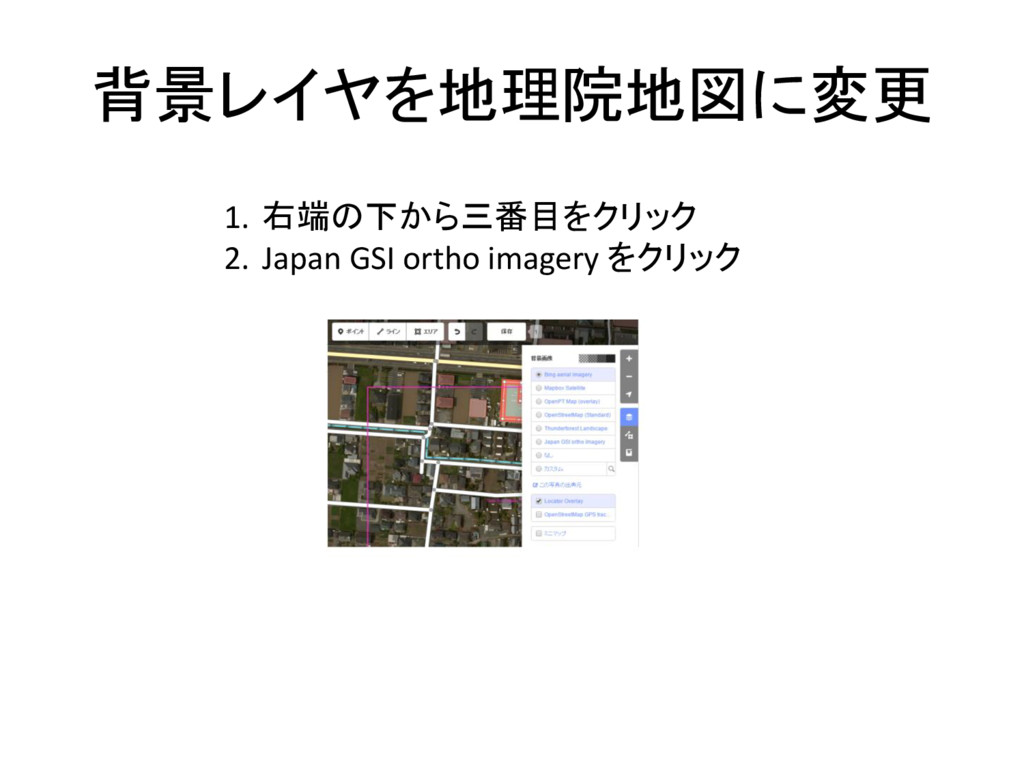
背景レイヤを地理院地図に変更 1. 右端の下から三番目をクリック 2. Japan GSI ortho imagery をクリック
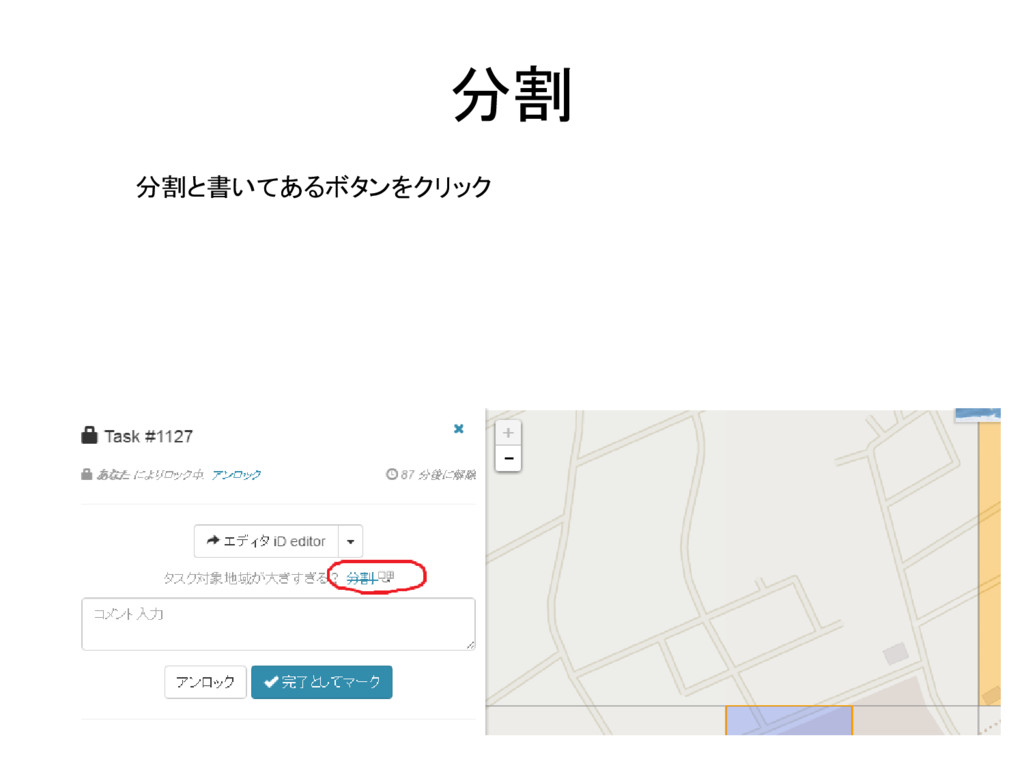
分割 分割と書いてあるボタンをクリック
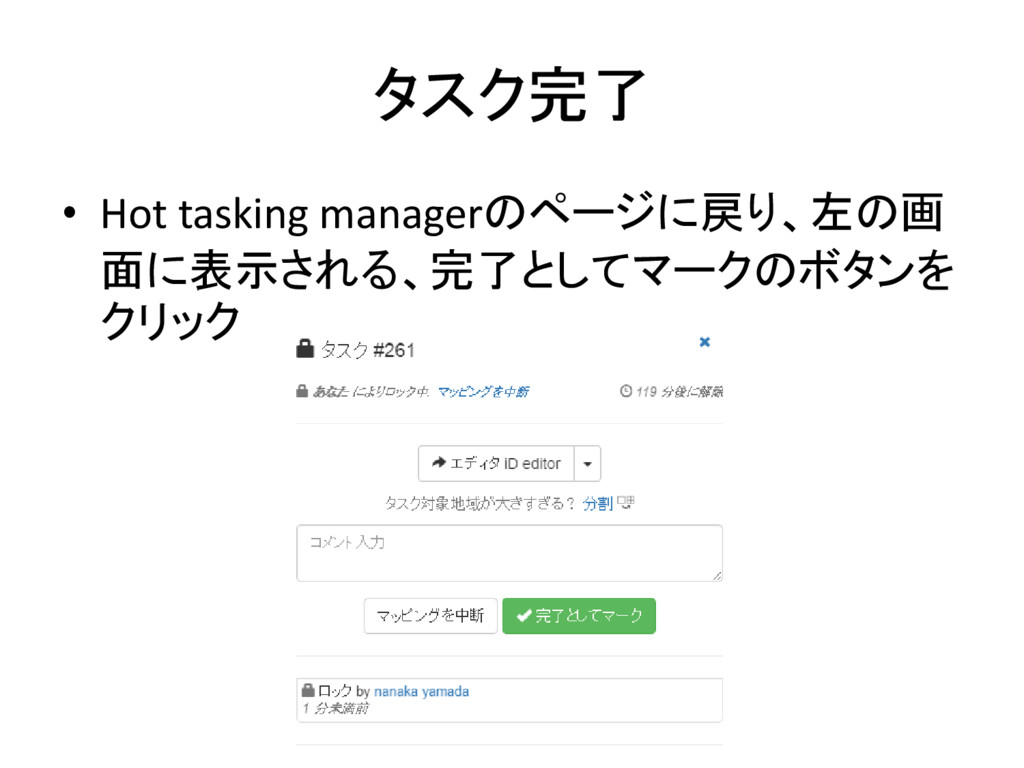
タスク完了 • Hot tasking managerのページに戻り、左の画 面に表示される、完了としてマークのボタンを クリック


 nanaka710
 aleyda
 bermonpainter
 scottboms
 zakiyama
 katarinadahlin
 davidcarrasco
 tessaabrams
 afnizarnur
 eileencodes
 kevinliebholz
 kastner