Lock in $30 Savings on PRO—Offer Ends Soon! ⏳

Anatomy of Open edX - a modern online learning ...

Avatar for Nate Aune Nate Aune
August 13, 2017

Anatomy of Open edX - a modern online learning platform

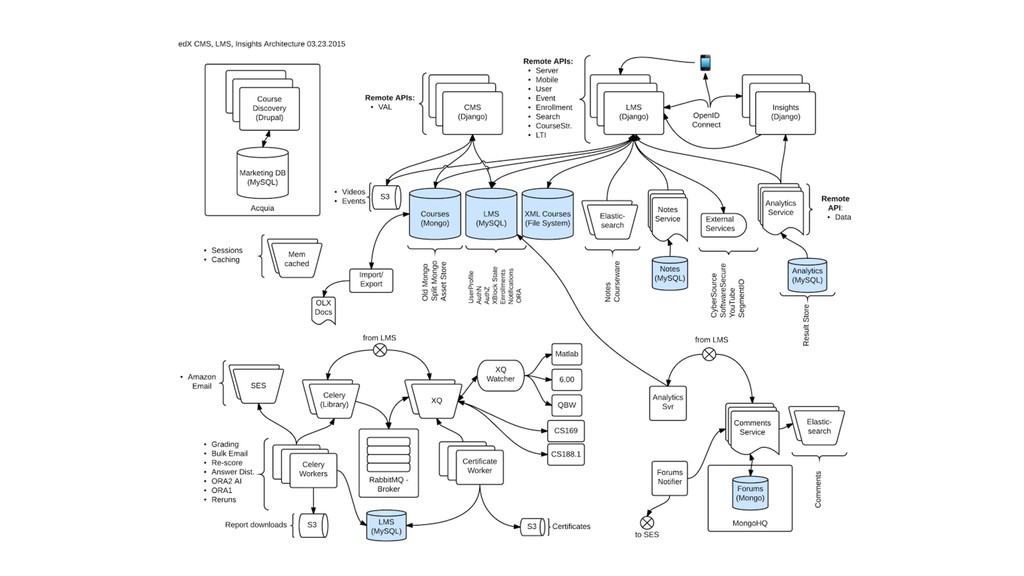
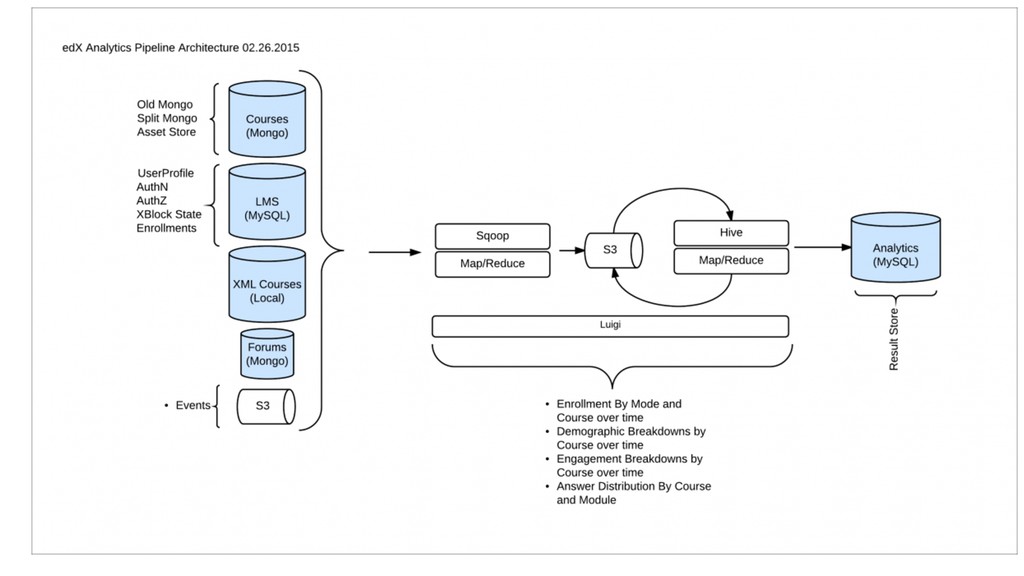
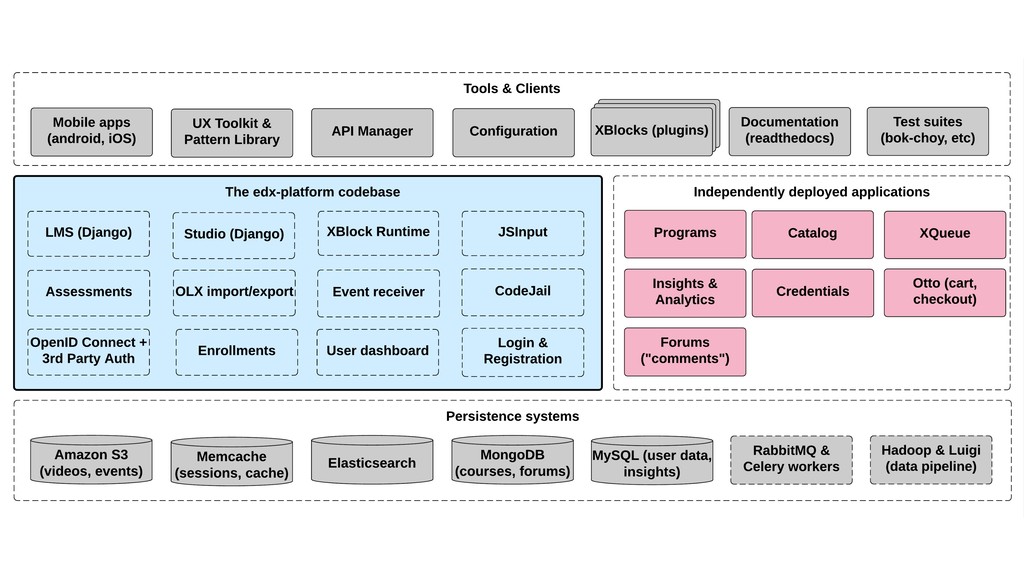
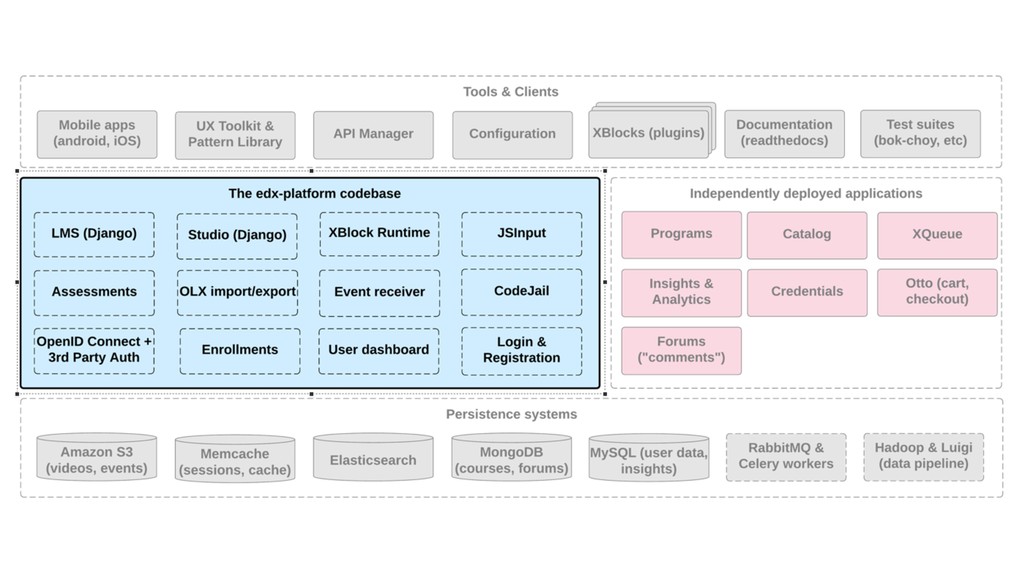
You may have heard of edX.org, the MOOC site created by Harvard and MIT, but did you know that the software powering this site is open source and written in Python? We’ll do a technical deep dive and explore how this software is built in a scalable way to serve millions of concurrent learners, and also show you how you can create your own Open edX site to deliver online courses at scale.

Watch the video of this talk here: https://youtu.be/61cahGRFnBQ

Avatar for Nate Aune

Nate Aune

August 13, 2017
Tweet

Other Decks in Technology

Transcript

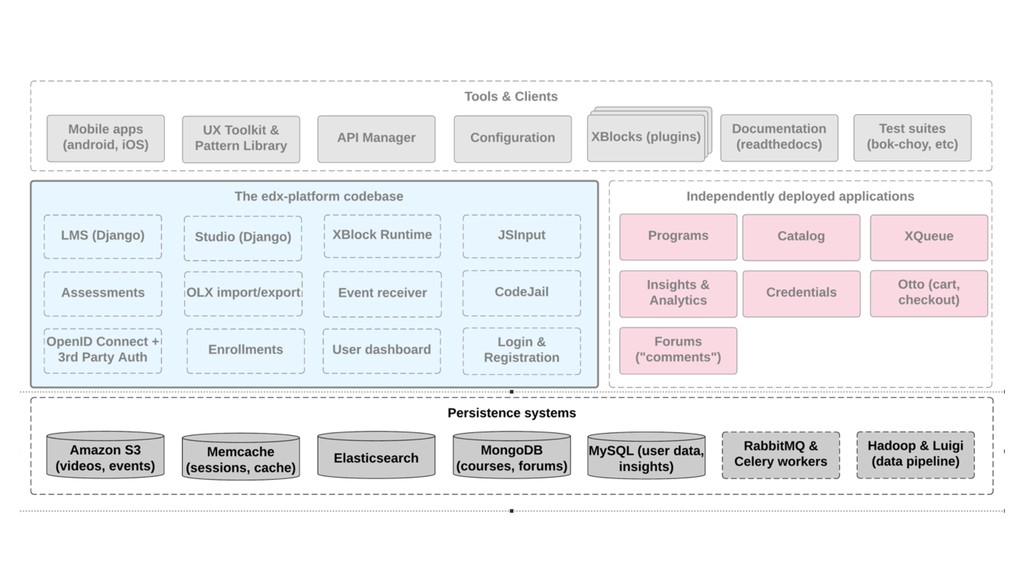
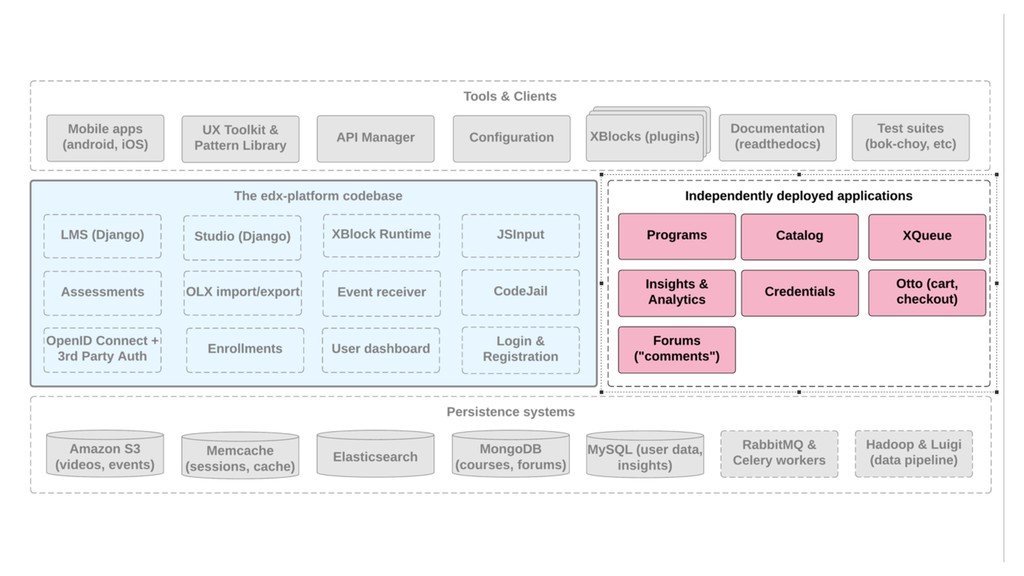
  1. The Anatomy of Open edX A modern open source online

    learning platform for delivering education at scale Nate Aune (@natea) PyBay August 13, 2017
  2. What we’ll cover What is edX? What is Open edX?

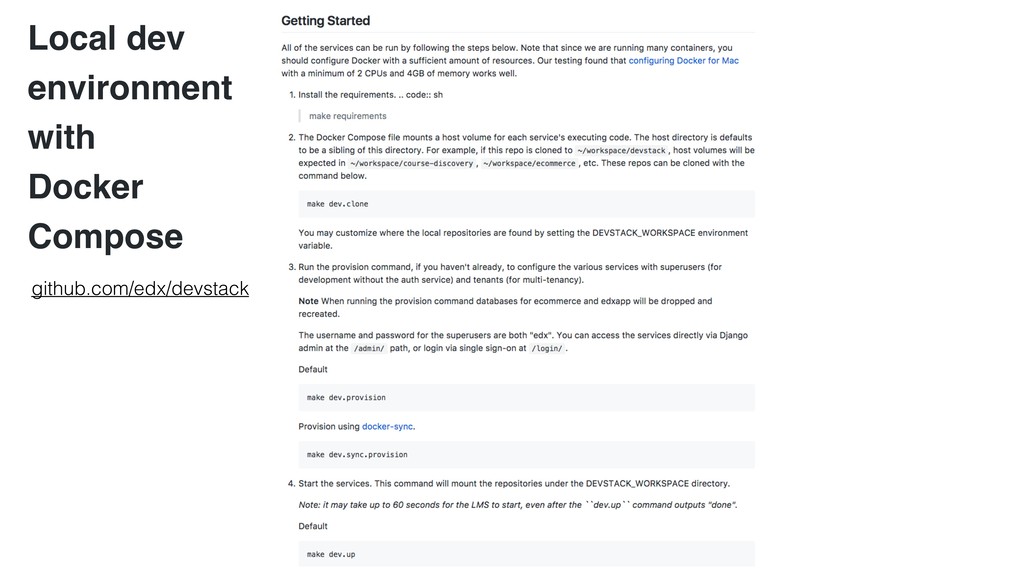
    How is Open edX architected? How do you provision & deploy Open edX? What’s going on behind the scenes? Local development with Docker compose Q&A www.appsembler.com
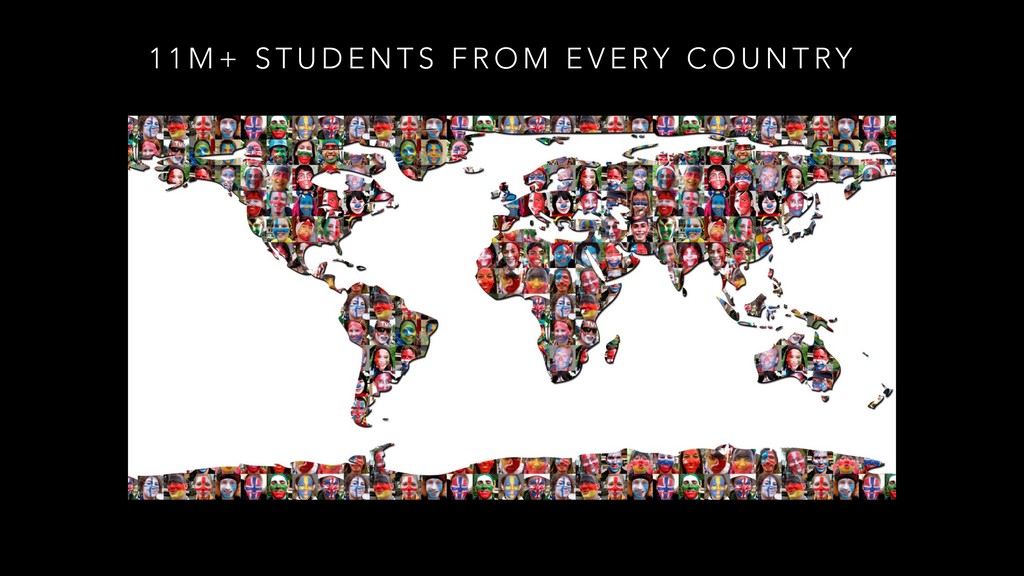
  3. 1 1 M + S T U D E N

    T S F R O M E V E RY C O U N T RY
  4. What is Open edX? •Course authoring and delivery platform •Open

    Source (AGPL licensed) •Python application (Django)
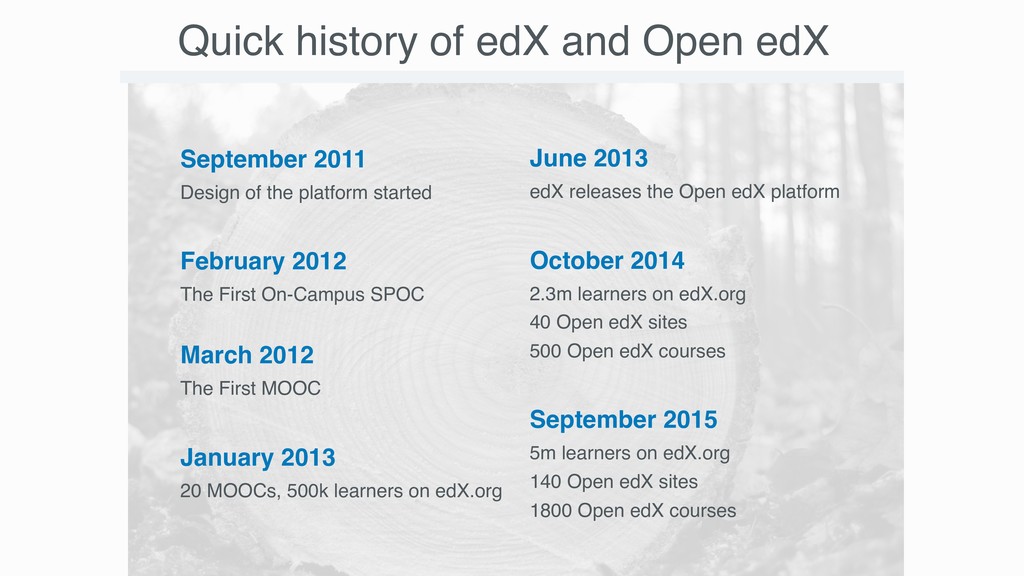
  5. September 2011
 Design of the platform started
 February 2012
 The

    First On-Campus SPOC March 2012
 The First MOOC 
 January 2013
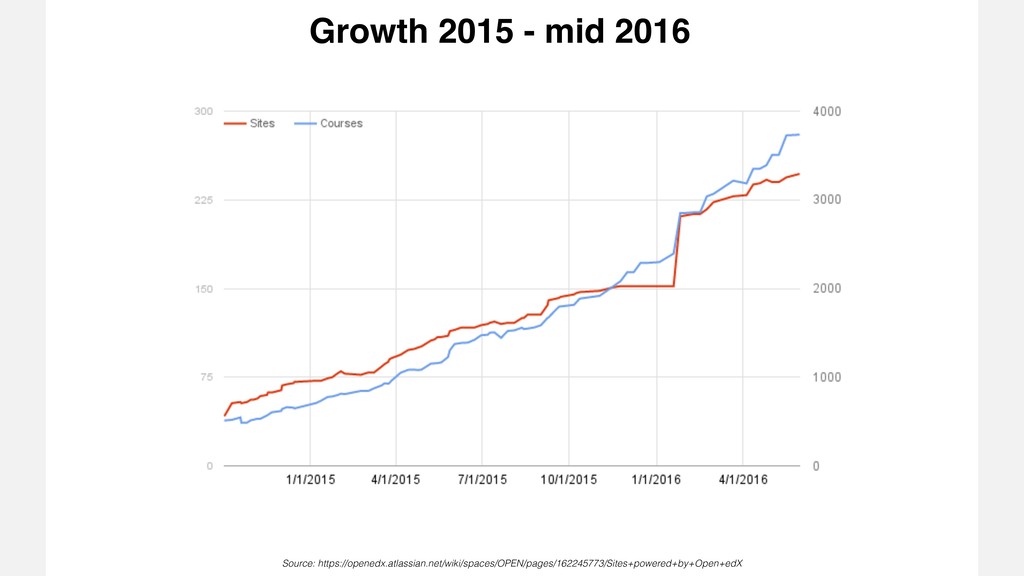
 20 MOOCs, 500k learners on edX.org Quick history of edX and Open edX June 2013 edX releases the Open edX platform 
 October 2014
 2.3m learners on edX.org 40 Open edX sites
 500 Open edX courses 
 September 2015
 5m learners on edX.org
 140 Open edX sites
 1800 Open edX courses
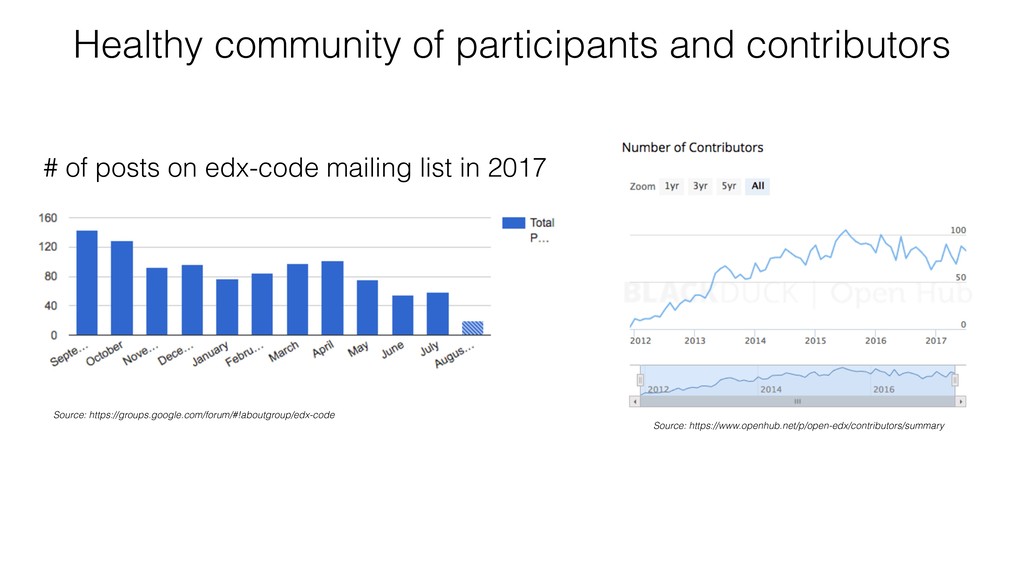
  6. # of posts on edx-code mailing list in 2017 Healthy

    community of participants and contributors Source: https://groups.google.com/forum/#!aboutgroup/edx-code Source: https://www.openhub.net/p/open-edx/contributors/summary
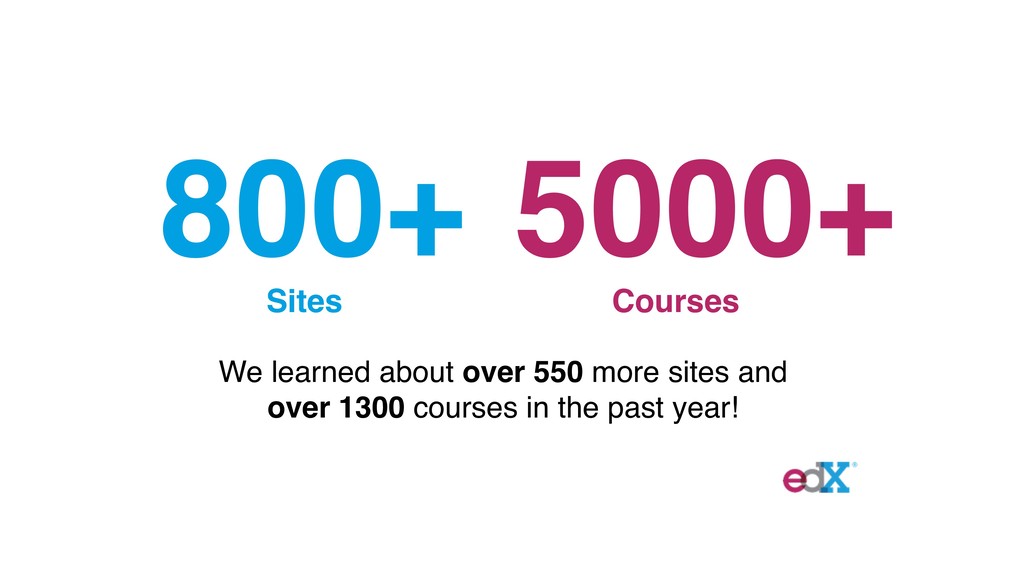
  7. 800+ 5000+ Sites Courses We learned about over 550 more

    sites and over 1300 courses in the past year!
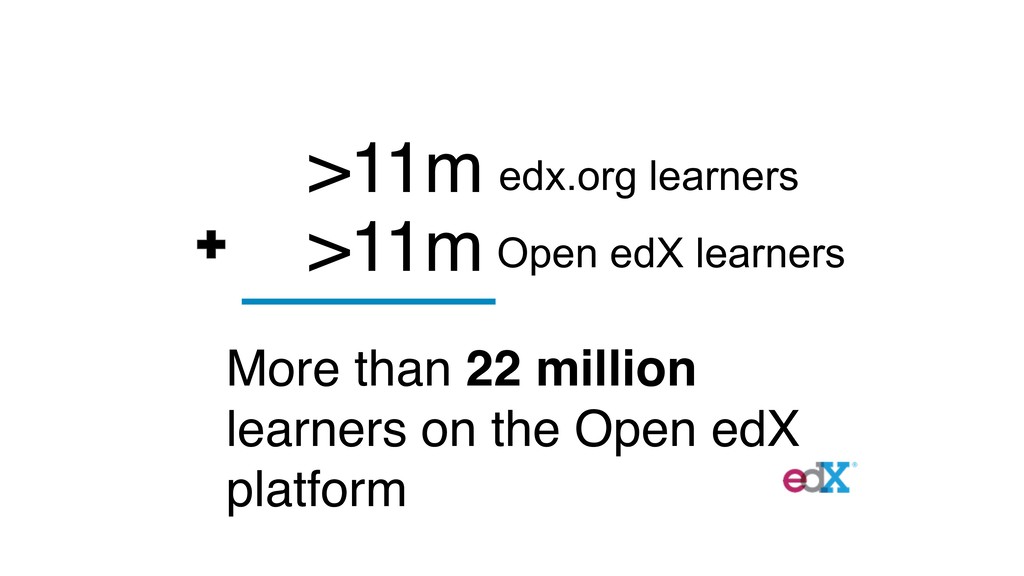
  8. >11m >11m More than 22 million learners on the Open

    edX platform edx.org learners Open edX learners
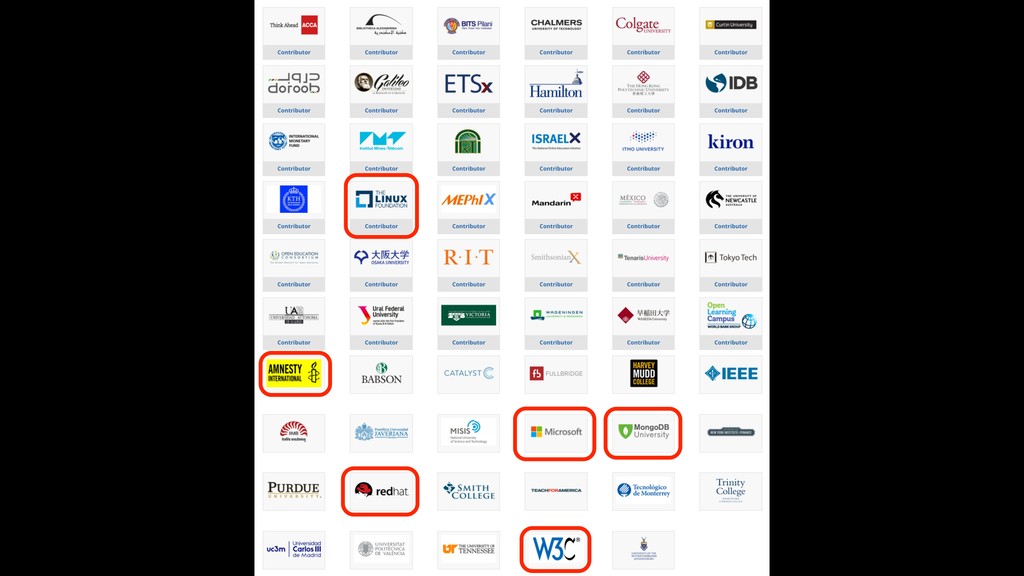
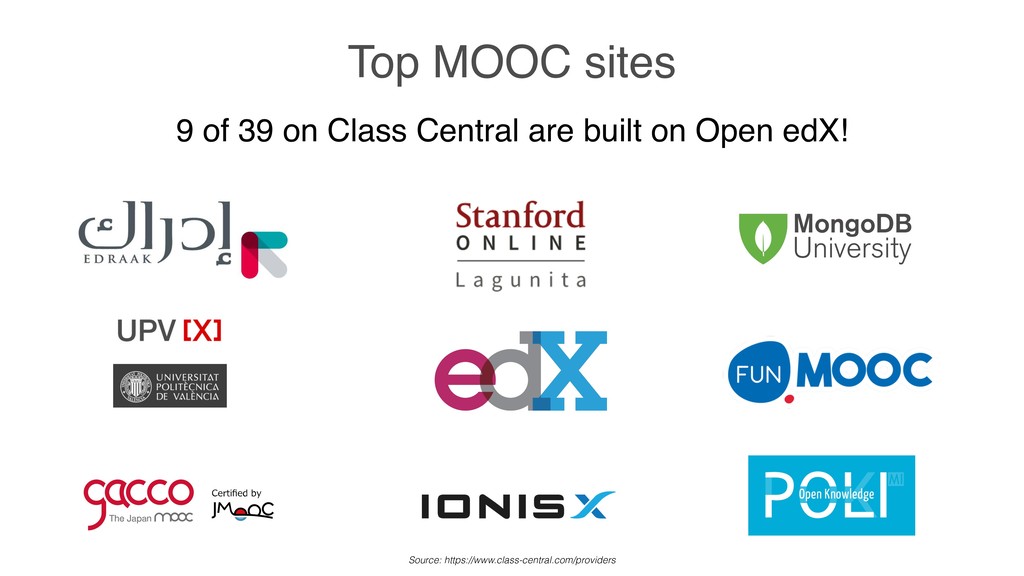
  9. Top MOOC sites 9 of 39 on Class Central are

    built on Open edX! Source: https://www.class-central.com/providers
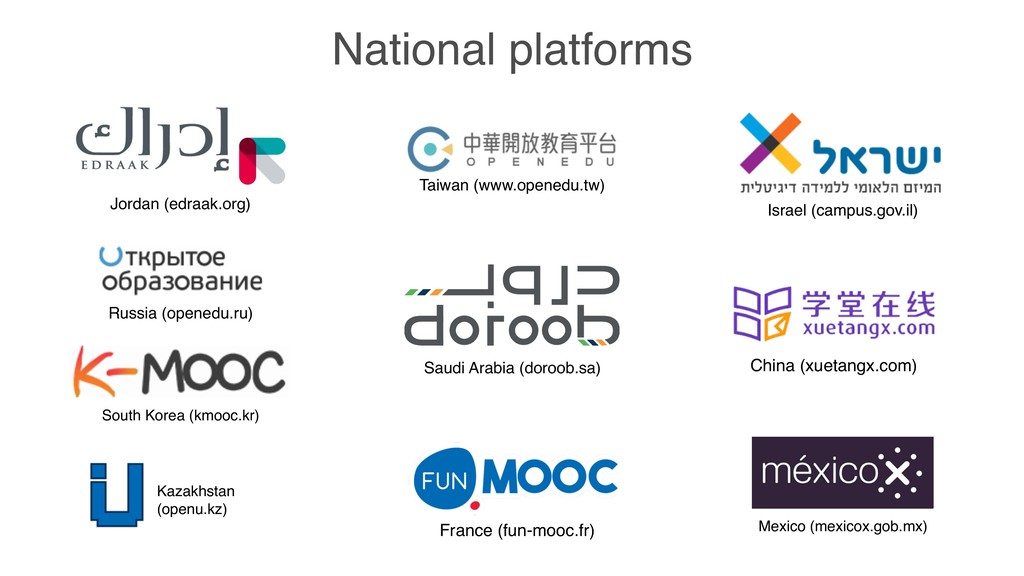
  10. National platforms Israel (campus.gov.il) Russia (openedu.ru) Taiwan (www.openedu.tw) Saudi Arabia

    (doroob.sa) South Korea (kmooc.kr) France (fun-mooc.fr) Jordan (edraak.org) China (xuetangx.com) Mexico (mexicox.gob.mx) Kazakhstan (openu.kz)
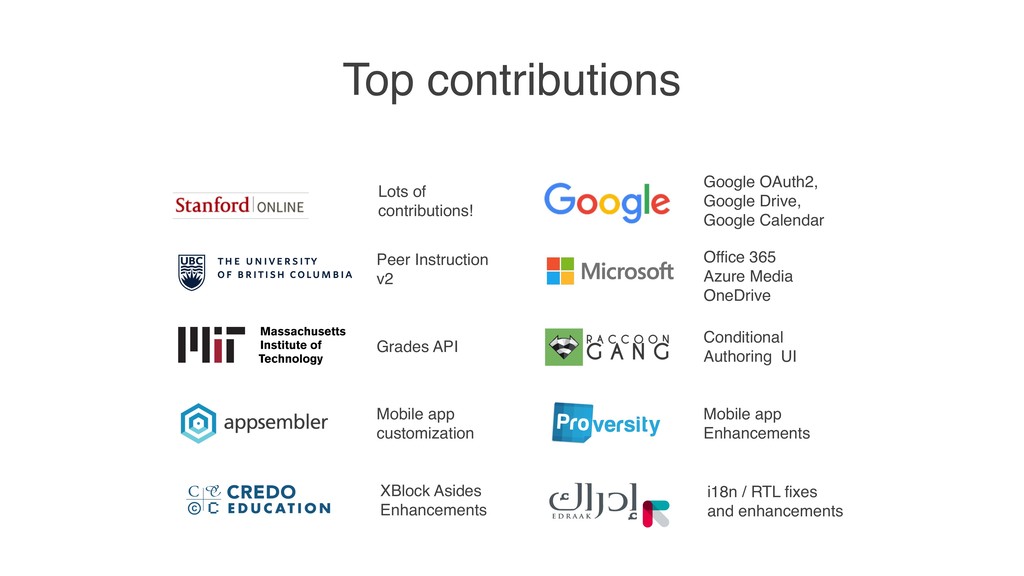
  11. Top contributions XBlock Asides Enhancements Peer Instruction v2 Grades API

    Mobile app customization i18n / RTL fixes and enhancements Office 365 
 Azure Media
 OneDrive Conditional Authoring UI Mobile app Enhancements Lots of contributions! Google OAuth2, Google Drive, Google Calendar
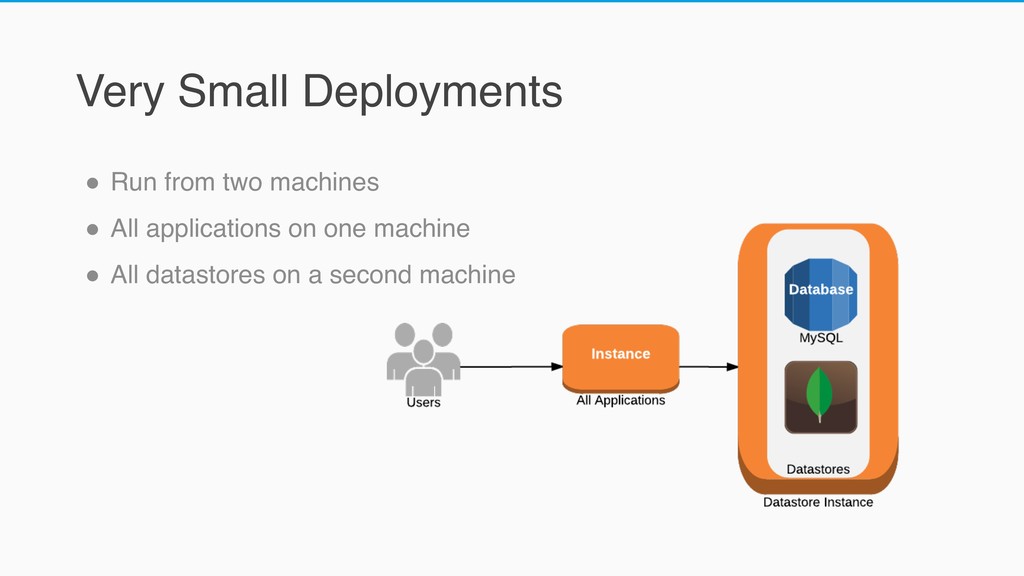
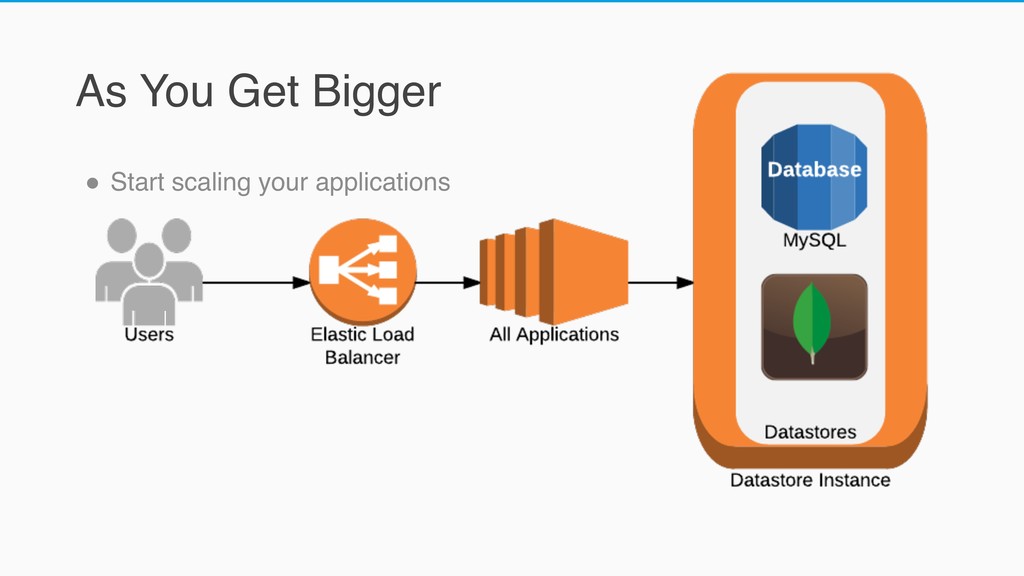
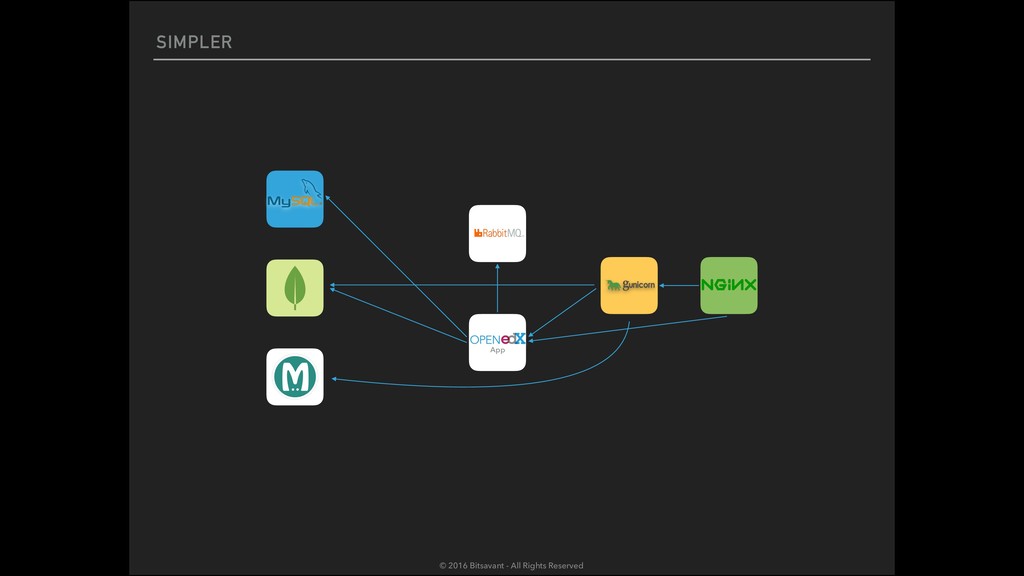
  12. Very Small Deployments " Run from two machines " All

    applications on one machine " All datastores on a second machine
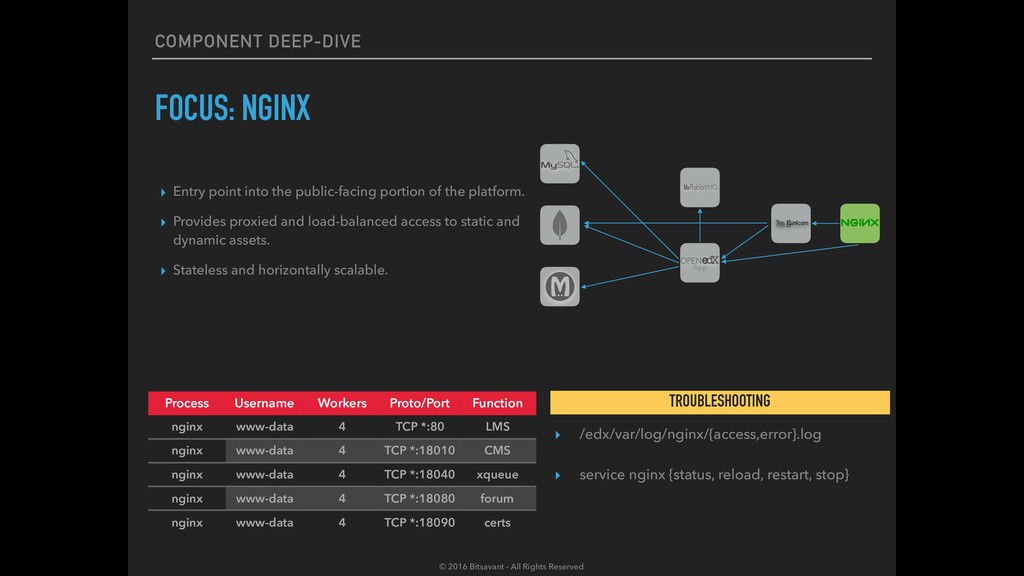
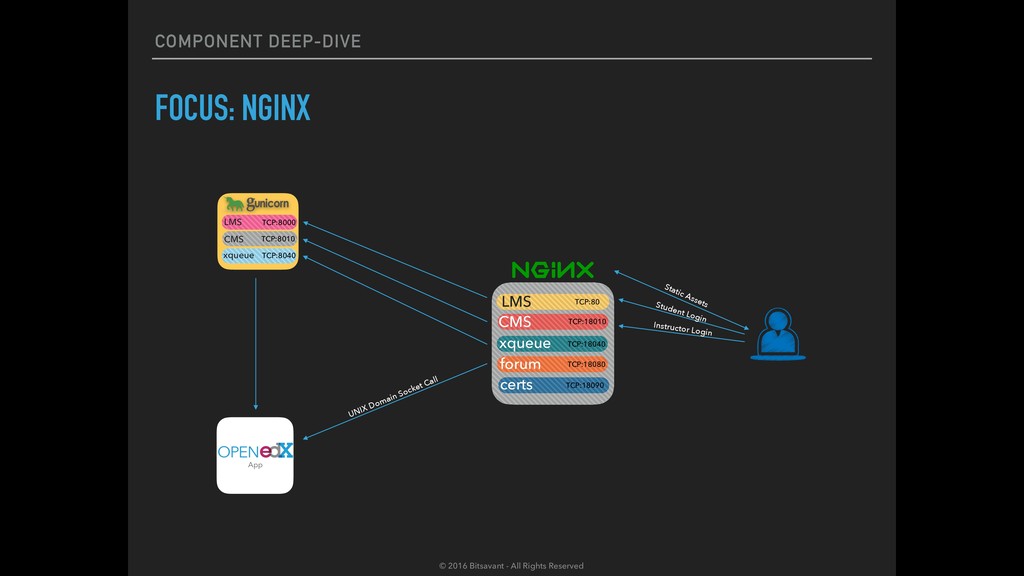
  13. COMPONENT DEEP-DIVE FOCUS: NGINX ▸ Entry point into the public-facing

    portion of the platform. ▸ Provides proxied and load-balanced access to static and dynamic assets. ▸ Stateless and horizontally scalable. Process Username Workers Proto/Port Function nginx www-data 4 TCP *:80 LMS nginx www-data 4 TCP *:18010 CMS nginx www-data 4 TCP *:18040 xqueue nginx www-data 4 TCP *:18080 forum nginx www-data 4 TCP *:18090 certs ▸ /edx/var/log/nginx/{access,error}.log ▸ service nginx {status, reload, restart, stop} TROUBLESHOOTING App © 2016 Bitsavant - All Rights Reserved
  14. COMPONENT DEEP-DIVE FOCUS: NGINX App LMS TCP:80 CMS TCP:18010 xqueue

    TCP:18040 forum TCP:18080 certs TCP:18090 LMS TCP:8000 CMS TCP:8010 xqueue TCP:8040 UNIX Domain Socket Call Static Assets Student Login Instructor Login © 2016 Bitsavant - All Rights Reserved
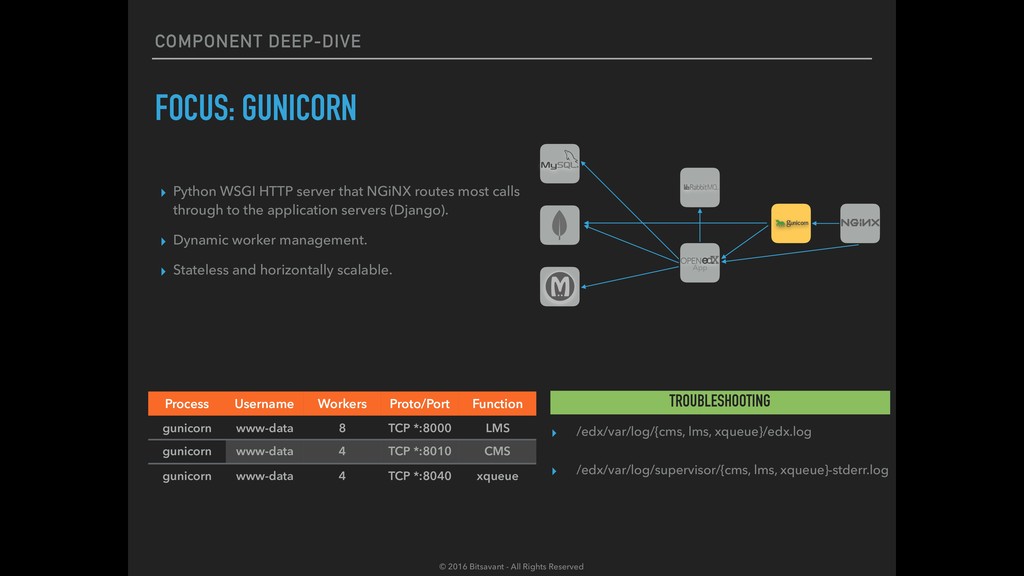
  15. COMPONENT DEEP-DIVE FOCUS: GUNICORN ▸ Python WSGI HTTP server that

    NGiNX routes most calls through to the application servers (Django). ▸ Dynamic worker management. ▸ Stateless and horizontally scalable. Process Username Workers Proto/Port Function gunicorn www-data 8 TCP *:8000 LMS gunicorn www-data 4 TCP *:8010 CMS gunicorn www-data 4 TCP *:8040 xqueue ▸ /edx/var/log/{cms, lms, xqueue}/edx.log ▸ /edx/var/log/supervisor/{cms, lms, xqueue}-stderr.log TROUBLESHOOTING App © 2016 Bitsavant - All Rights Reserved
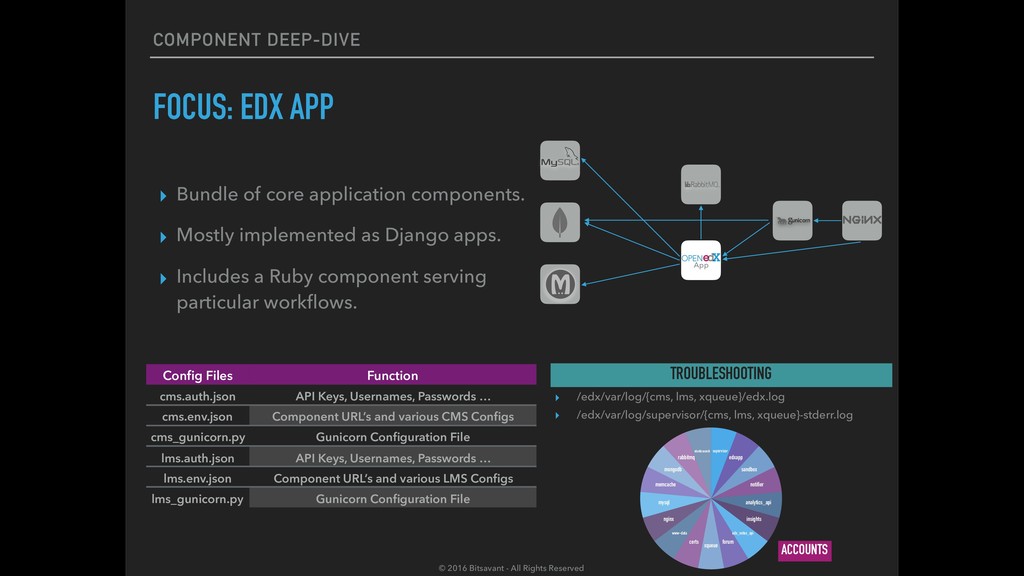
  16. COMPONENT DEEP-DIVE FOCUS: EDX APP ▸ Bundle of core application

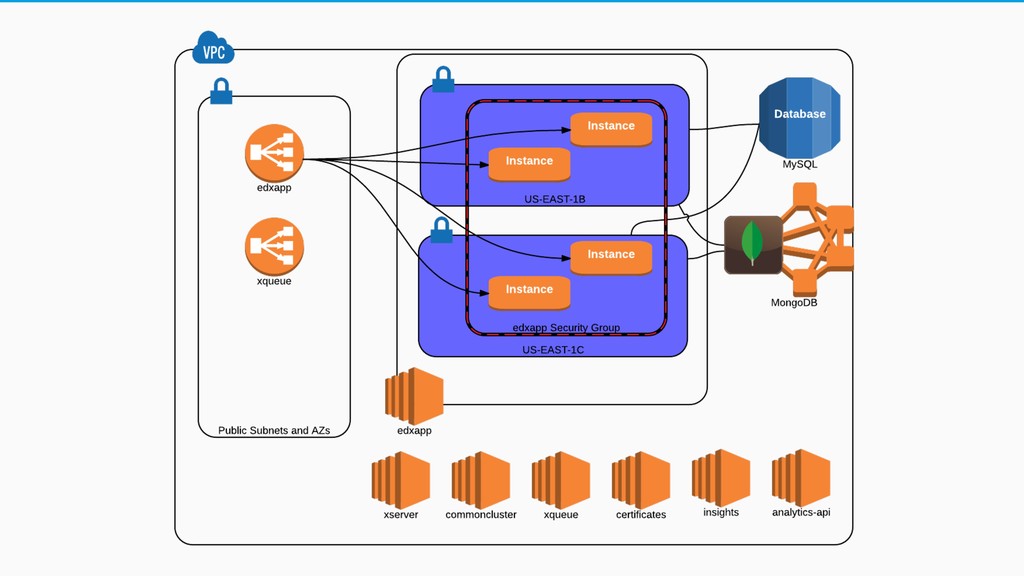
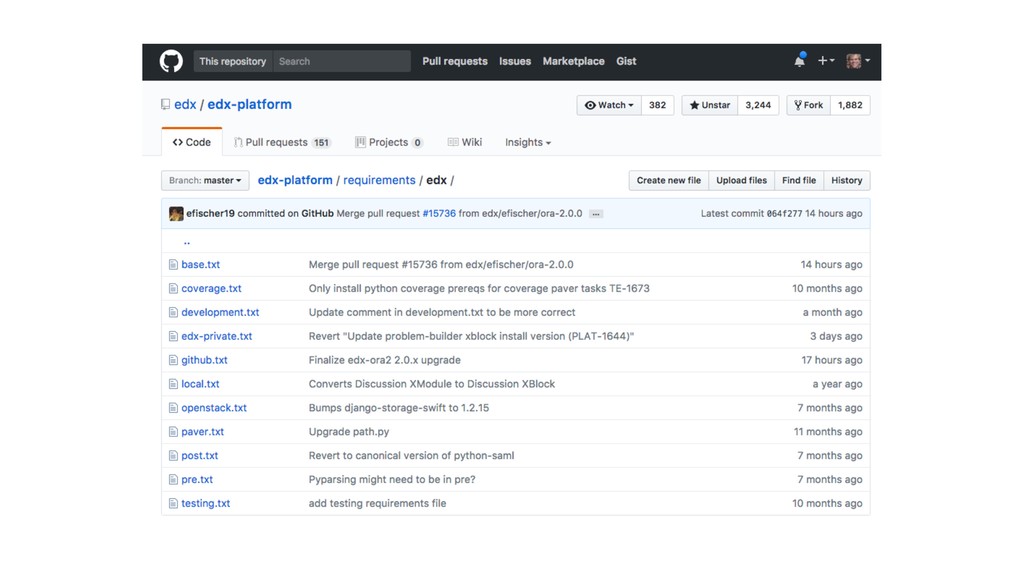
    components. ▸ Mostly implemented as Django apps. ▸ Includes a Ruby component serving particular workflows. Config Files Function cms.auth.json API Keys, Usernames, Passwords … cms.env.json Component URL’s and various CMS Configs cms_gunicorn.py Gunicorn Configuration File lms.auth.json API Keys, Usernames, Passwords … lms.env.json Component URL’s and various LMS Configs lms_gunicorn.py Gunicorn Configuration File ▸ /edx/var/log/{cms, lms, xqueue}/edx.log ▸ /edx/var/log/supervisor/{cms, lms, xqueue}-stderr.log TROUBLESHOOTING App elasticsearch rabbitmq mongodb memcache mysql nginx www-data certs xqueue forum edx_notes_api insights analytics_api notifier sandbox edxapp supervisor ACCOUNTS © 2016 Bitsavant - All Rights Reserved
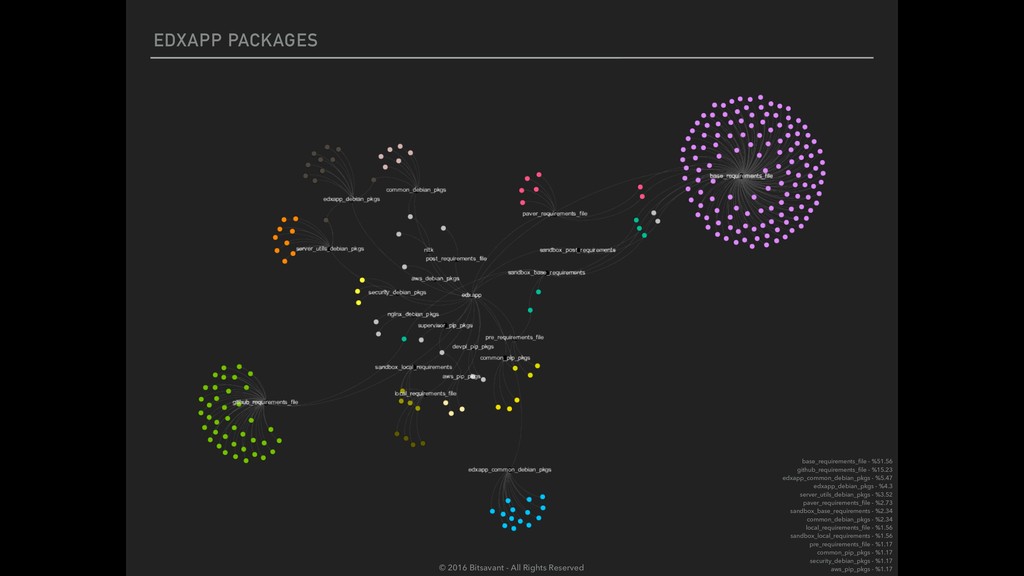
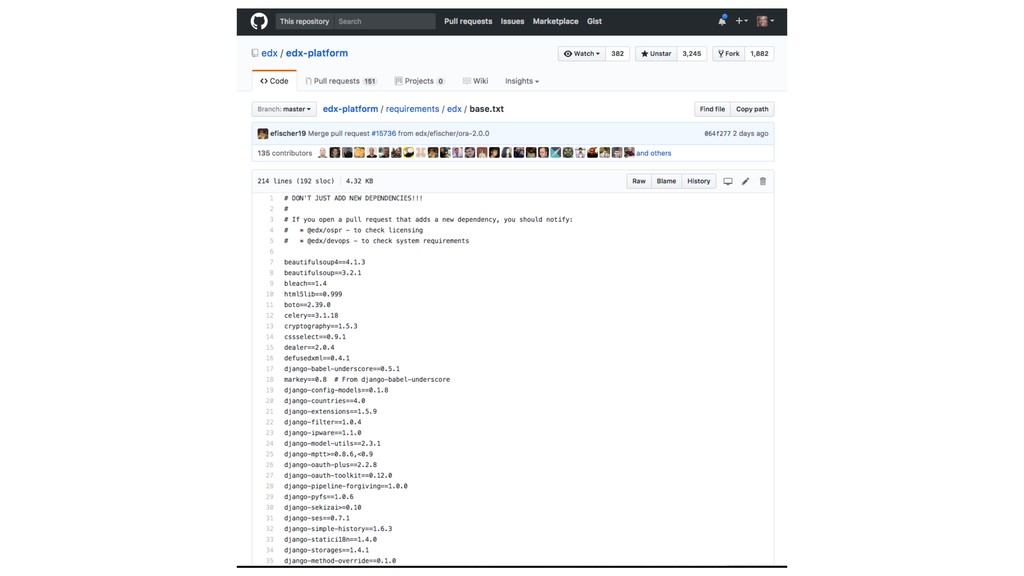
  17. EDXAPP PACKAGES base_requirements_file - %51.56 github_requirements_file - %15.23 edxapp_common_debian_pkgs -

    %5.47 edxapp_debian_pkgs - %4.3 server_utils_debian_pkgs - %3.52 paver_requirements_file - %2.73 sandbox_base_requirements - %2.34 common_debian_pkgs - %2.34 local_requirements_file - %1.56 sandbox_local_requirements - %1.56 pre_requirements_file - %1.17 common_pip_pkgs - %1.17 security_debian_pkgs - %1.17 aws_pip_pkgs - %1.17 © 2016 Bitsavant - All Rights Reserved
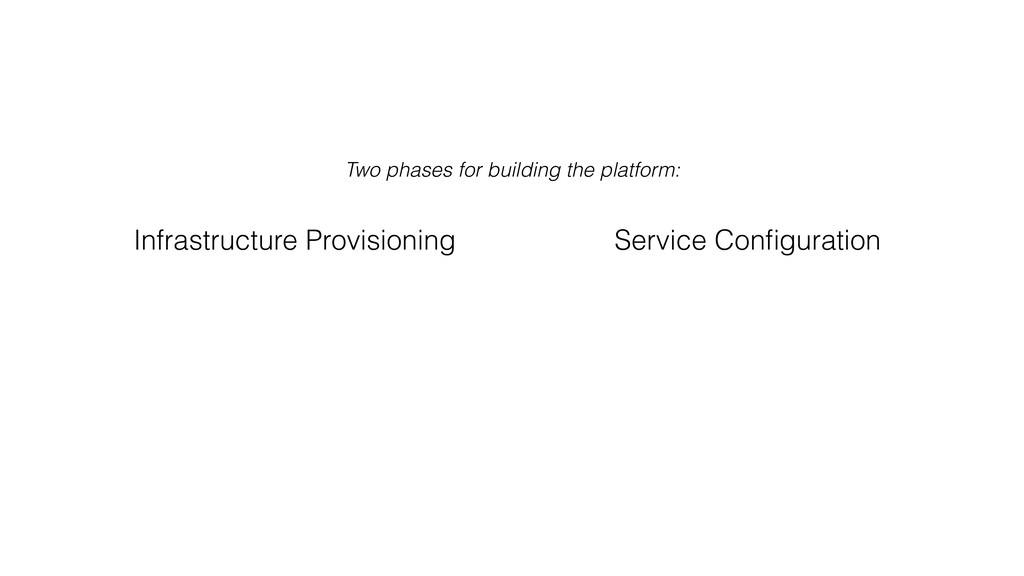
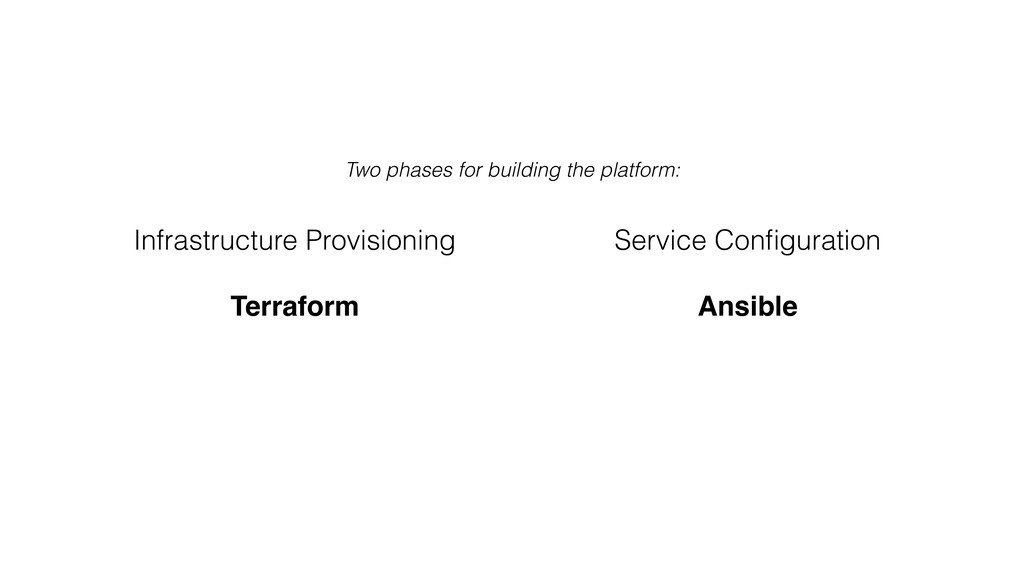
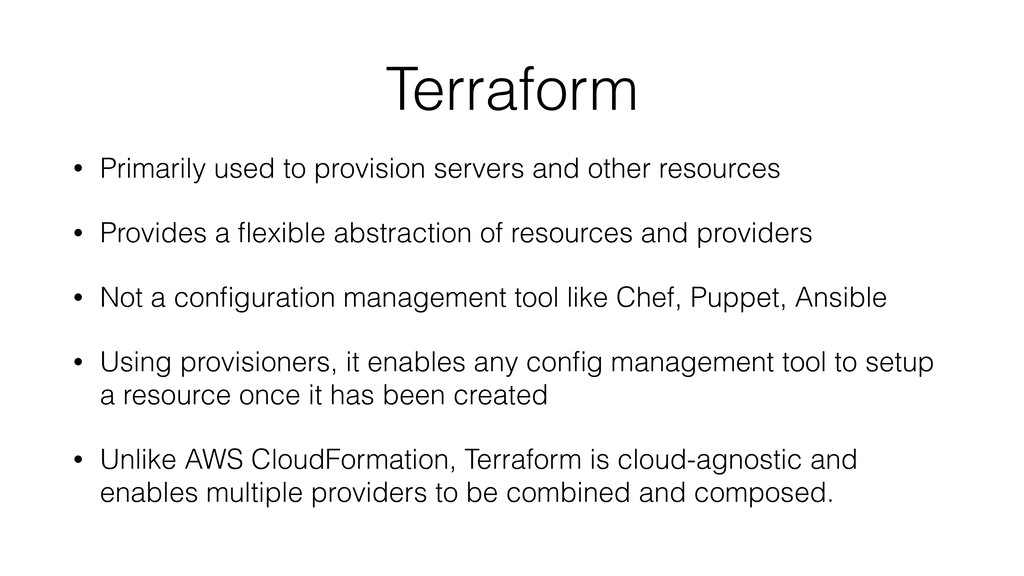
  18. Terraform • Primarily used to provision servers and other resources

    • Provides a flexible abstraction of resources and providers • Not a configuration management tool like Chef, Puppet, Ansible • Using provisioners, it enables any config management tool to setup a resource once it has been created • Unlike AWS CloudFormation, Terraform is cloud-agnostic and enables multiple providers to be combined and composed.
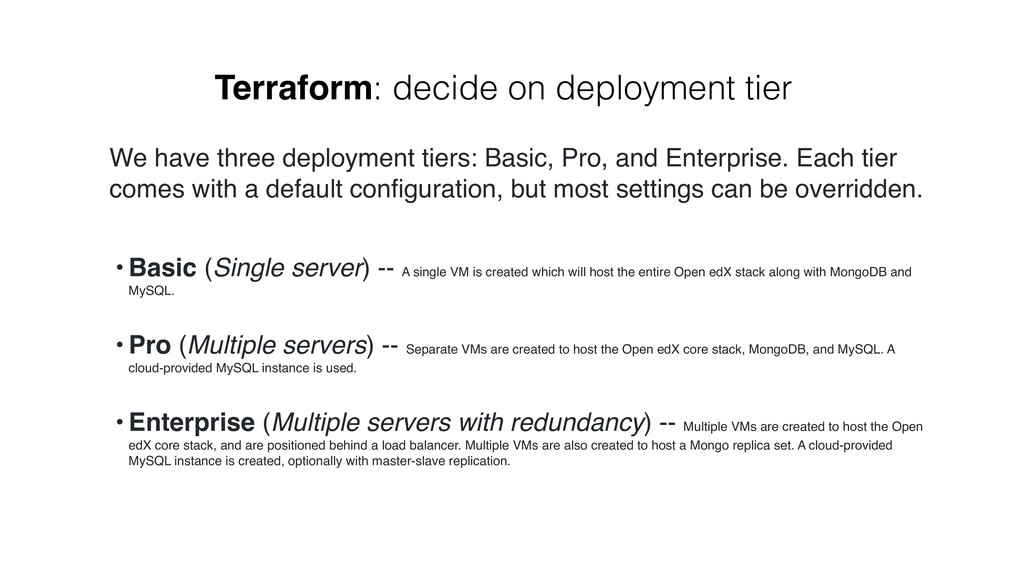
  19. We have three deployment tiers: Basic, Pro, and Enterprise. Each

    tier comes with a default configuration, but most settings can be overridden. • Basic (Single server) -- A single VM is created which will host the entire Open edX stack along with MongoDB and MySQL. • Pro (Multiple servers) -- Separate VMs are created to host the Open edX core stack, MongoDB, and MySQL. A cloud-provided MySQL instance is used. • Enterprise (Multiple servers with redundancy) -- Multiple VMs are created to host the Open edX core stack, and are positioned behind a load balancer. Multiple VMs are also created to host a Mongo replica set. A cloud-provided MySQL instance is created, optionally with master-slave replication. Terraform: decide on deployment tier
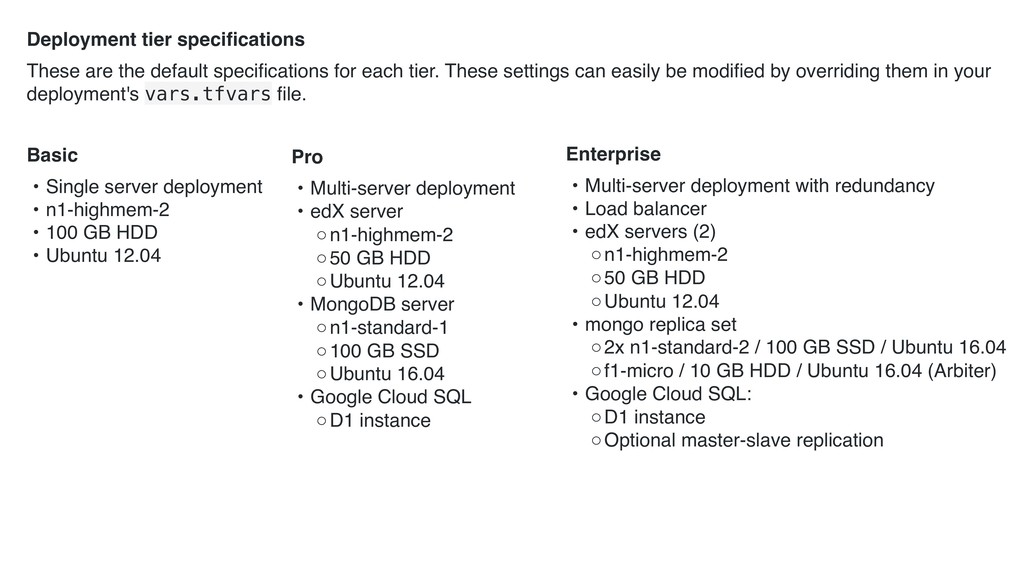
  20. Deployment tier specifications These are the default specifications for each

    tier. These settings can easily be modified by overriding them in your deployment's vars.tfvars file. Pro • Multi-server deployment • edX server ◦n1-highmem-2 ◦50 GB HDD ◦Ubuntu 12.04 • MongoDB server ◦n1-standard-1 ◦100 GB SSD ◦Ubuntu 16.04 • Google Cloud SQL ◦D1 instance Enterprise • Multi-server deployment with redundancy • Load balancer • edX servers (2) ◦n1-highmem-2 ◦50 GB HDD ◦Ubuntu 12.04 • mongo replica set ◦2x n1-standard-2 / 100 GB SSD / Ubuntu 16.04 ◦f1-micro / 10 GB HDD / Ubuntu 16.04 (Arbiter) • Google Cloud SQL: ◦D1 instance ◦Optional master-slave replication Basic • Single server deployment • n1-highmem-2 • 100 GB HDD • Ubuntu 12.04
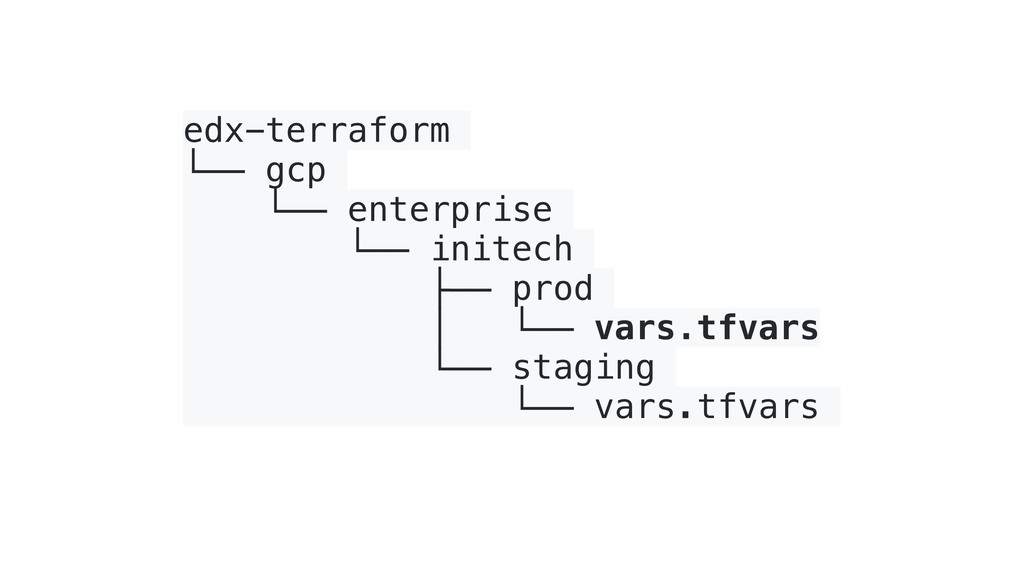
  21. edx-terraform └── gcp └── enterprise └── initech ├── prod │

    └── vars.tfvars └── staging └── vars.tfvars
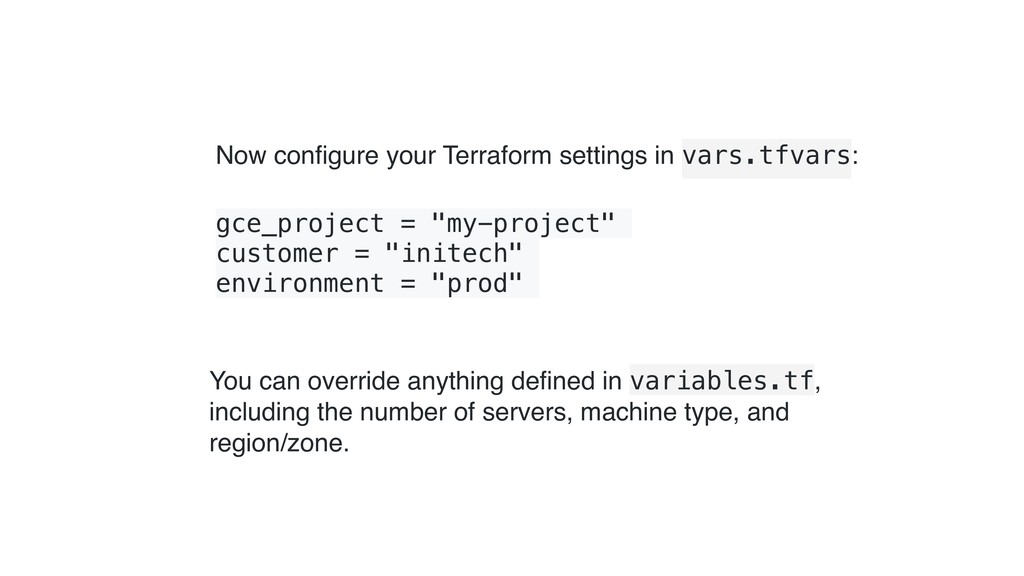
  22. Now configure your Terraform settings in vars.tfvars: gce_project = "my-project"

    customer = "initech" environment = "prod" You can override anything defined in variables.tf, including the number of servers, machine type, and region/zone.
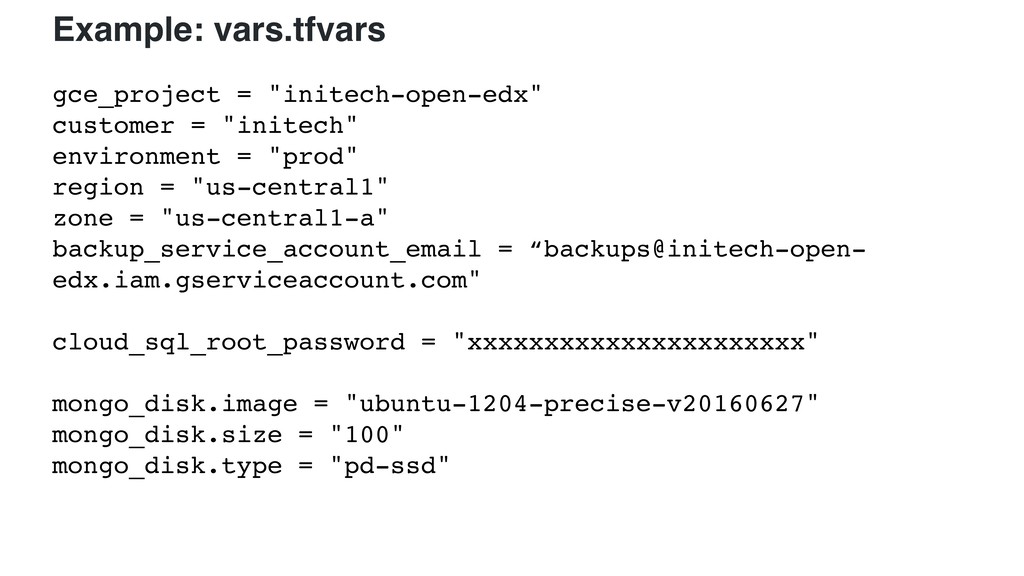
  23. gce_project = "initech-open-edx" customer = "initech" environment = "prod" region

    = "us-central1" zone = "us-central1-a" backup_service_account_email = “backups@initech-open- edx.iam.gserviceaccount.com" cloud_sql_root_password = "xxxxxxxxxxxxxxxxxxxxxx" mongo_disk.image = "ubuntu-1204-precise-v20160627" mongo_disk.size = "100" mongo_disk.type = "pd-ssd" Example: vars.tfvars
  24. variable "edxapp_extra_tags" { default = [] } variable "services_server_count" {

    default = 1 } variable "services_count_offset" { default = 0 } variable "services_machine_type" { default = "n1-standard-1" } variable "services_disk" { type = "map" default = { image = "ubuntu-1204-precise-v20160627" size = "100" type = "pd-standard" } } variable "gce_project" {} variable "region" { default = "us-central1" } variable "zone" { default = "us-central1-f" } variable "customer" {} variable "environment" {} variable "version" { default = "" } variable "edxapp_server_count" { default = 2 } variable "edxapp_count_offset" { default = 0 } variable "edxapp_machine_type" { default = "n1-highmem-2" } variable "edxapp_disk" { type = "map" default = { image = "ubuntu-1204-precise-v20160627" size = "100" type = "pd-standard" } } Example: variables.tf
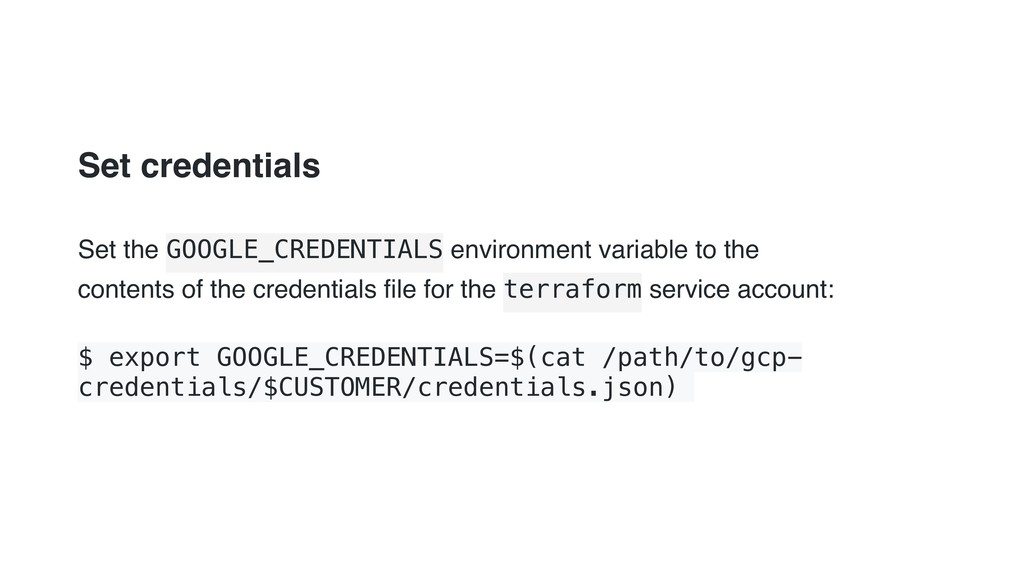
  25. Set credentials Set the GOOGLE_CREDENTIALS environment variable to the contents

    of the credentials file for the terraform service account: $ export GOOGLE_CREDENTIALS=$(cat /path/to/gcp- credentials/$CUSTOMER/credentials.json)
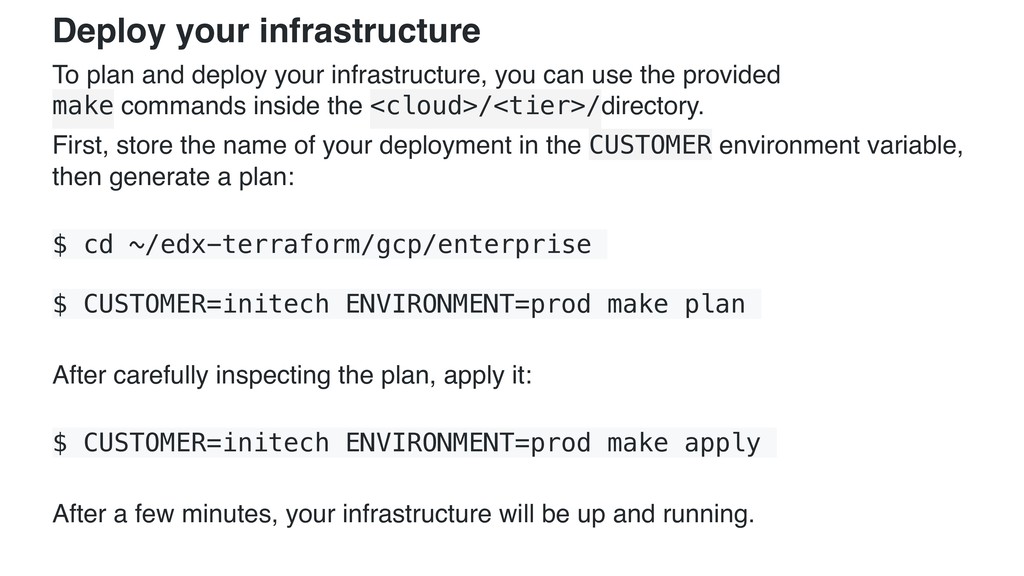
  26. Deploy your infrastructure To plan and deploy your infrastructure, you

    can use the provided
 make commands inside the <cloud>/<tier>/directory. First, store the name of your deployment in the CUSTOMER environment variable, 
 then generate a plan: $ cd ~/edx-terraform/gcp/enterprise $ CUSTOMER=initech ENVIRONMENT=prod make plan After carefully inspecting the plan, apply it: $ CUSTOMER=initech ENVIRONMENT=prod make apply After a few minutes, your infrastructure will be up and running.
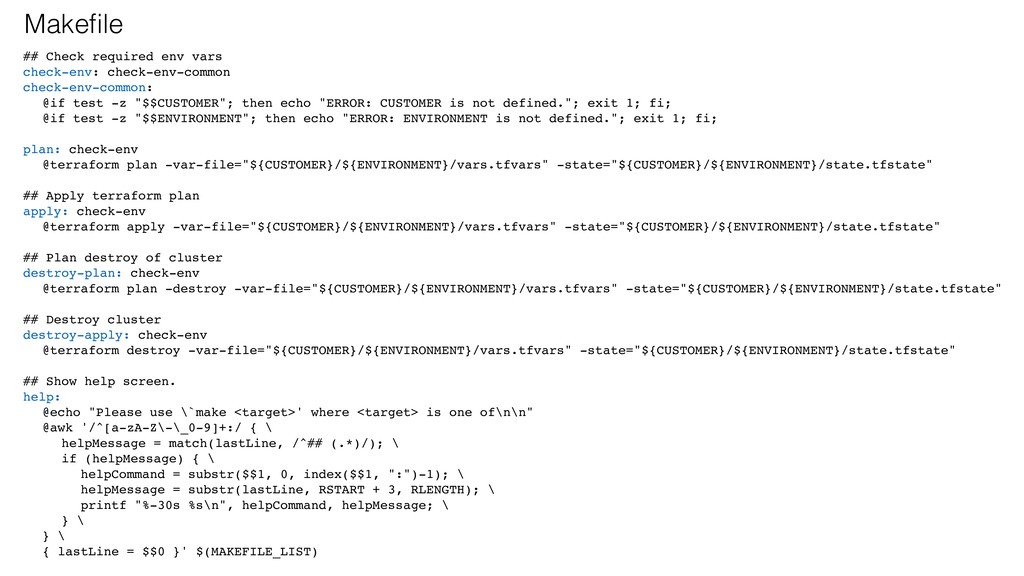
  27. ## Check required env vars check-env: check-env-common check-env-common: @if test

    -z "$$CUSTOMER"; then echo "ERROR: CUSTOMER is not defined."; exit 1; fi; @if test -z "$$ENVIRONMENT"; then echo "ERROR: ENVIRONMENT is not defined."; exit 1; fi; plan: check-env @terraform plan -var-file="${CUSTOMER}/${ENVIRONMENT}/vars.tfvars" -state="${CUSTOMER}/${ENVIRONMENT}/state.tfstate" ## Apply terraform plan apply: check-env @terraform apply -var-file="${CUSTOMER}/${ENVIRONMENT}/vars.tfvars" -state="${CUSTOMER}/${ENVIRONMENT}/state.tfstate" ## Plan destroy of cluster destroy-plan: check-env @terraform plan -destroy -var-file="${CUSTOMER}/${ENVIRONMENT}/vars.tfvars" -state="${CUSTOMER}/${ENVIRONMENT}/state.tfstate" ## Destroy cluster destroy-apply: check-env @terraform destroy -var-file="${CUSTOMER}/${ENVIRONMENT}/vars.tfvars" -state="${CUSTOMER}/${ENVIRONMENT}/state.tfstate" ## Show help screen. help: @echo "Please use \`make <target>' where <target> is one of\n\n" @awk '/^[a-zA-Z\-\_0-9]+:/ { \ helpMessage = match(lastLine, /^## (.*)/); \ if (helpMessage) { \ helpCommand = substr($$1, 0, index($$1, ":")-1); \ helpMessage = substr(lastLine, RSTART + 3, RLENGTH); \ printf "%-30s %s\n", helpCommand, helpMessage; \ } \ } \ { lastLine = $$0 }' $(MAKEFILE_LIST) Makefile
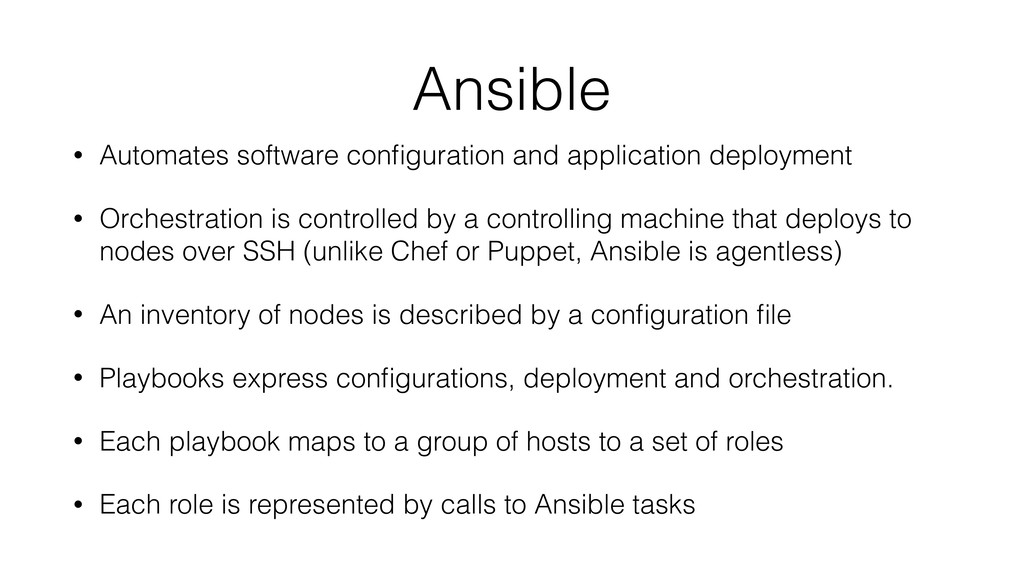
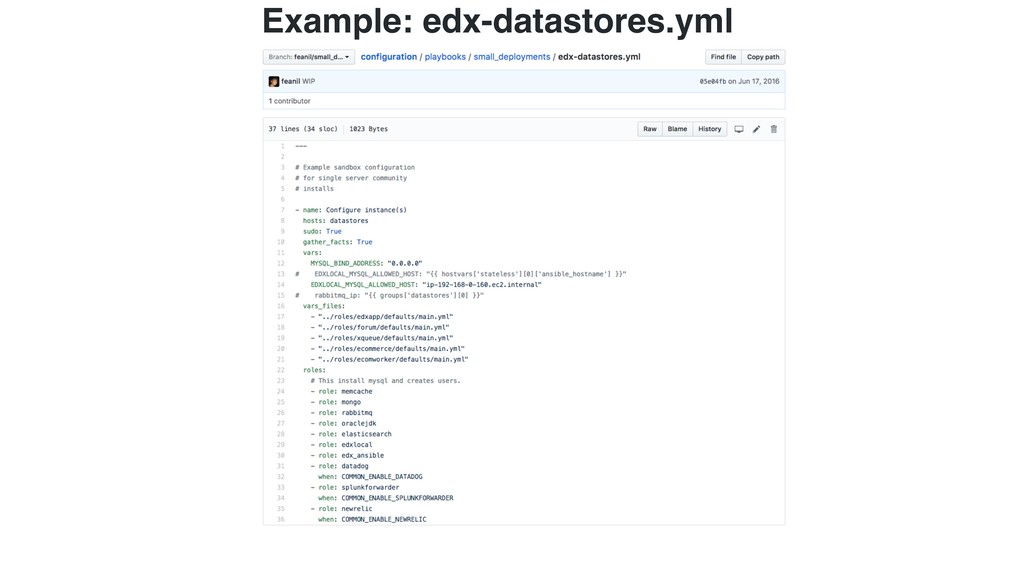
  28. Ansible • Automates software configuration and application deployment • Orchestration

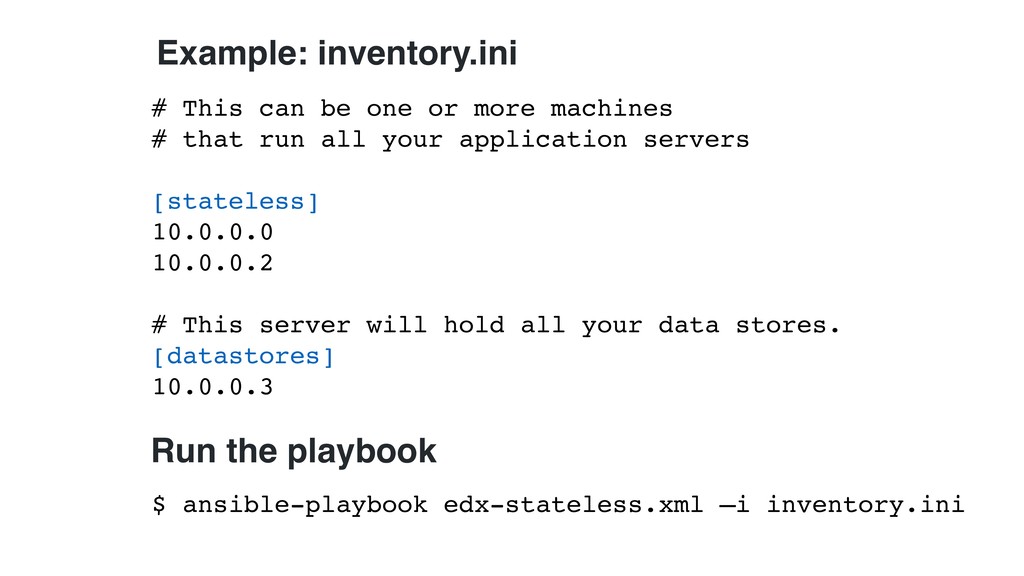
    is controlled by a controlling machine that deploys to nodes over SSH (unlike Chef or Puppet, Ansible is agentless) • An inventory of nodes is described by a configuration file • Playbooks express configurations, deployment and orchestration. • Each playbook maps to a group of hosts to a set of roles • Each role is represented by calls to Ansible tasks
  29. # This can be one or more machines # that

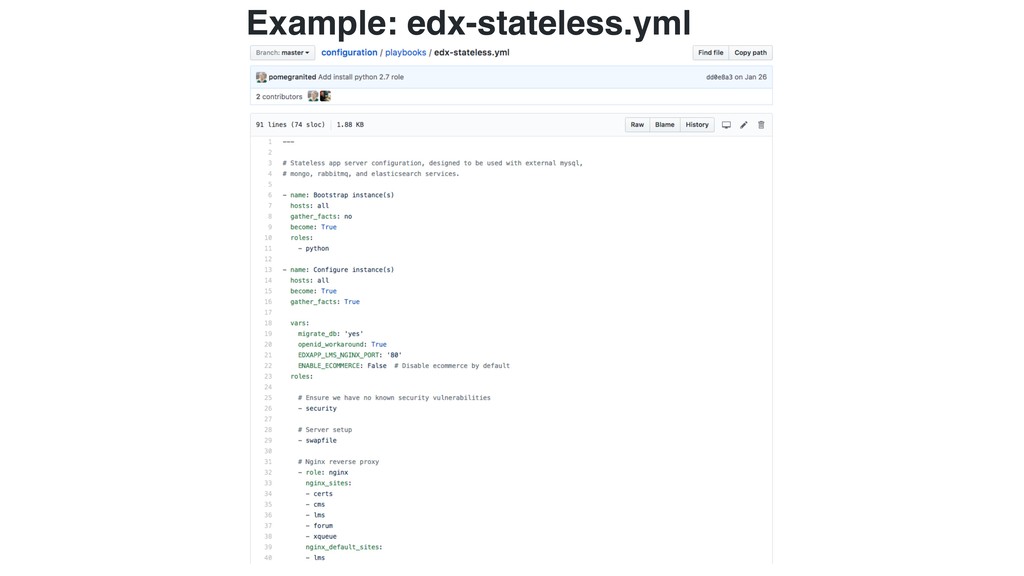
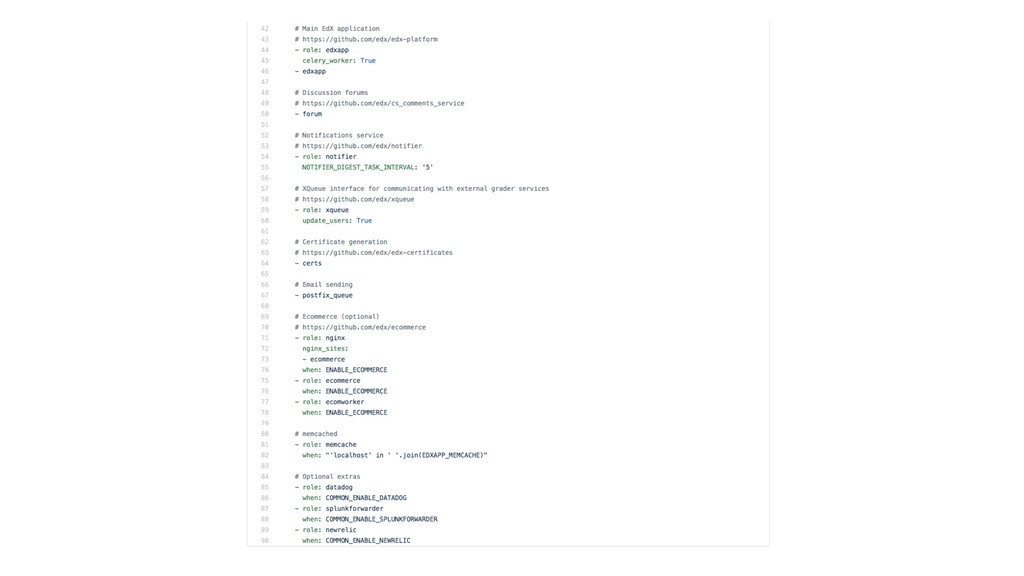
    run all your application servers [stateless] 10.0.0.0 10.0.0.2 # This server will hold all your data stores. [datastores] 10.0.0.3 Example: inventory.ini Run the playbook $ ansible-playbook edx-stateless.xml —i inventory.ini
  30. • Feanil Patel for his talk “Hosting Architecture at edX”


    http://goo.gl/5nlNqy • Wael Ghandour and Sar Haidar for their talk “Demystifying the Open edX Architecture”
 https://speakerdeck.com/bitsavant/demystifying-the-open-edx-architecture • Regis Behmo for his talk “Open edX 101: a source code review” https://regisb.github.io/openedx-conference-2016/ • And his “Open edX - Install from Scratch” instructions 
 https://github.com/regisb/openedx-install Credits and Special thanks to…
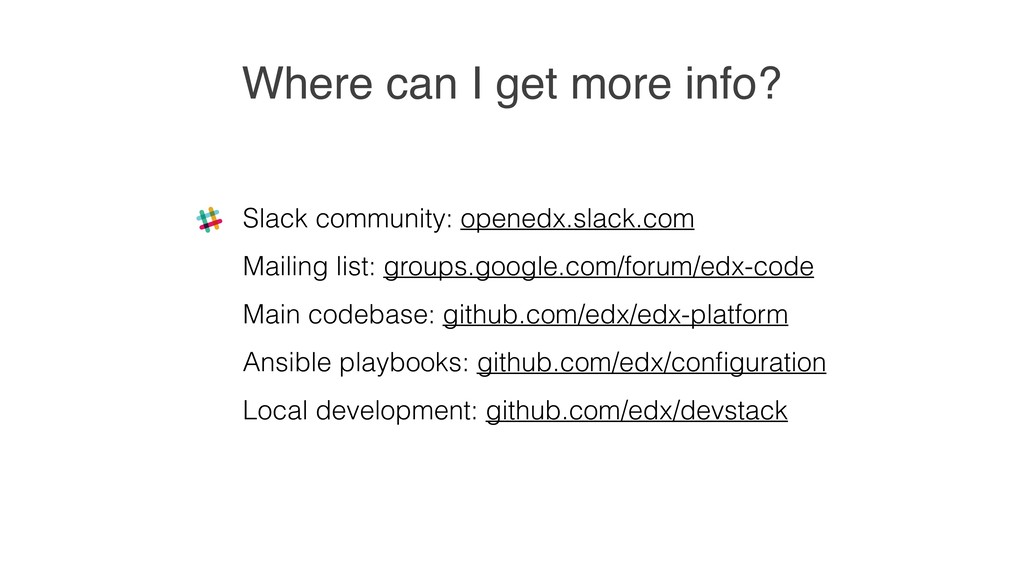
  31. Where can I get more info? Slack community: openedx.slack.com Mailing

    list: groups.google.com/forum/edx-code Main codebase: github.com/edx/edx-platform Ansible playbooks: github.com/edx/configuration Local development: github.com/edx/devstack