Upgrade to Pro
— share decks privately, control downloads, hide ads and more …
Speaker Deck
Sign up for free
Menu
Search
Features
All features
Private URLs
Password Protection
Custom URLS
Scheduled publishing
Remove Branding
Restrict embedding
Deck Collections
Notes
Features
All features
Private URLs
Password Protection
Custom URLS
Scheduled publishing
Remove Branding
Restrict embedding
Deck Collections
Notes
Explore
Featured decks
Featured speakers
Programming
Technology
Storyboards
Explore
Featured decks
Featured speakers
Programming
Technology
Storyboards
Pricing
Search
Sign in
Sign up for free
空間情報システム入門2016/6/16
Search
たいやん
June 16, 2016
30
0
Share
Embed
Copy iframe code
Copy JS code
Copy link
Start on current slide
空間情報システム入門2016/6/16
たいやん
June 16, 2016
More Decks by たいやん
See All by たいやん
空間情報システム入門2016/7/14
noharataiga
0
25
Featured
See All Featured
The agentic SEO stack - context over prompts
schlessera
0
970
Test your architecture with Archunit
thirion
2
2.4k
[RailsConf 2023] Rails as a piece of cake
palkan
59
7.1k
10 Git Anti Patterns You Should be Aware of
lemiorhan
PRO
659
62k
The Pragmatic Product Professional
lauravandoore
37
7.5k
Gemini Prompt Engineering: Practical Techniques for Tangible AI Outcomes
mfonobong
2
590
More Than Pixels: Becoming A User Experience Designer
marktimemedia
3
560
Bioeconomy Workshop: Dr. Julius Ecuru, Opportunities for a Bioeconomy in West Africa
akademiya2063
PRO
1
410
Keith and Marios Guide to Fast Websites
keithpitt
413
23k
CSS Pre-Processors: Stylus, Less & Sass
bermonpainter
360
31k
The Myth of the Modular Monolith - Day 2 Keynote - Rails World 2024
eileencodes
28
3.7k
Visualizing Your Data: Incorporating Mongo into Loggly Infrastructure
mongodb
50
10k
Transcript
None
None
None
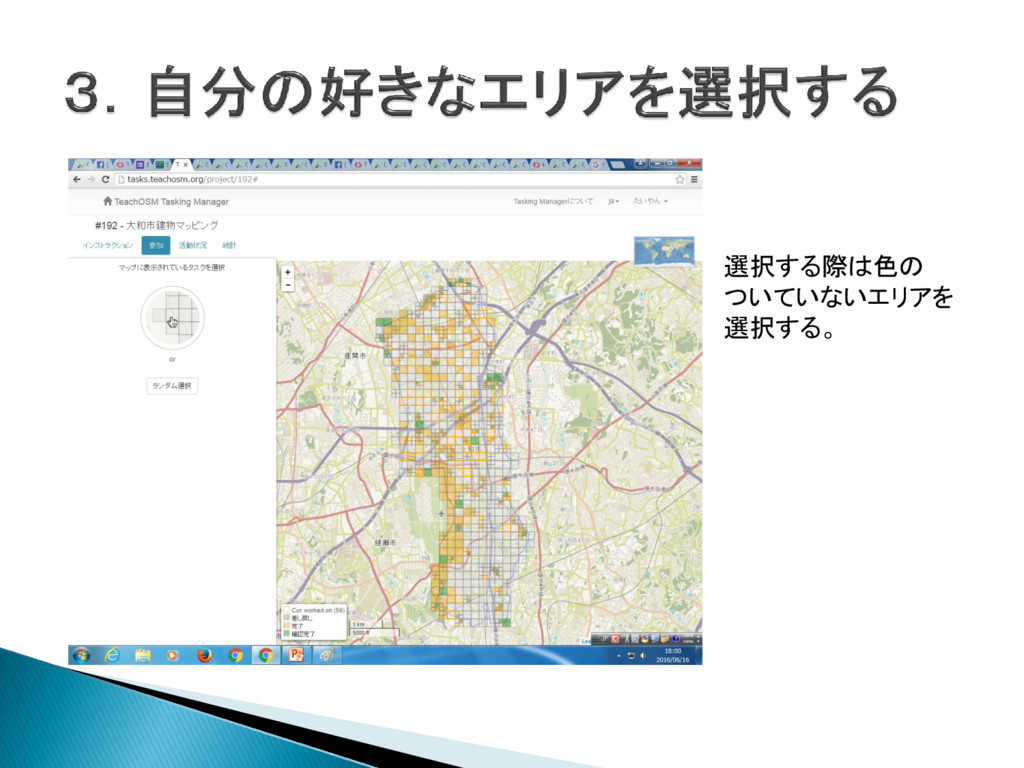
選択する際は色の ついていないエリアを 選択する。
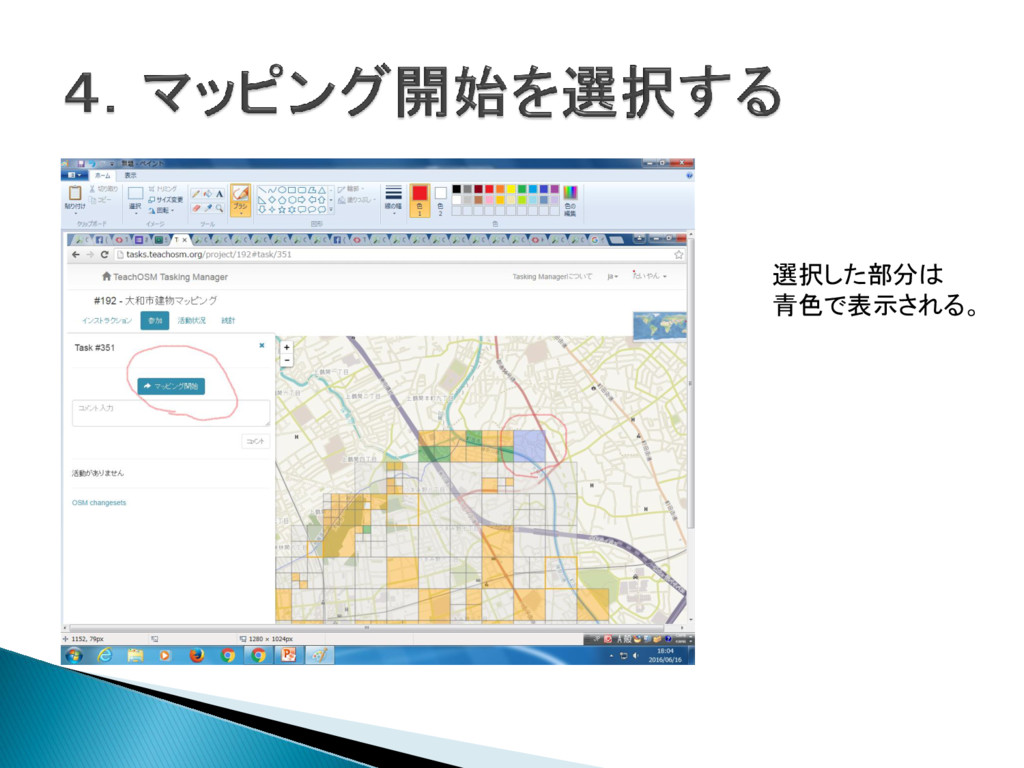
選択した部分は 青色で表示される。
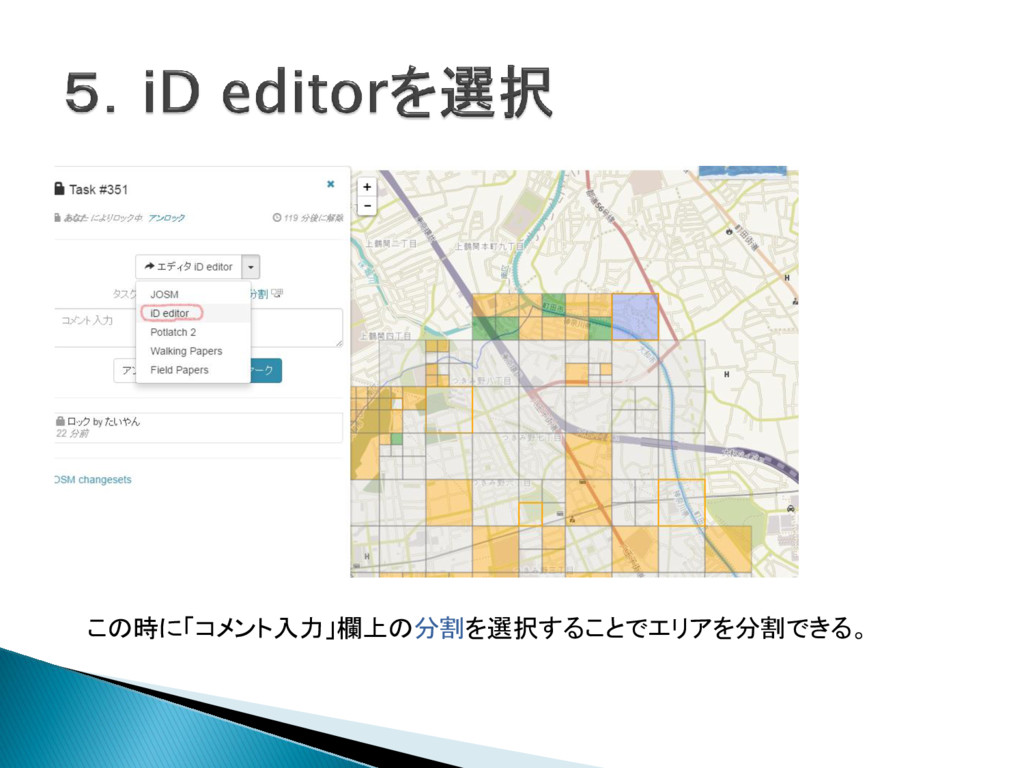
この時に「コメント入力」欄上の分割を選択することでエリアを分割できる。
None
None
None
None
None
None
None
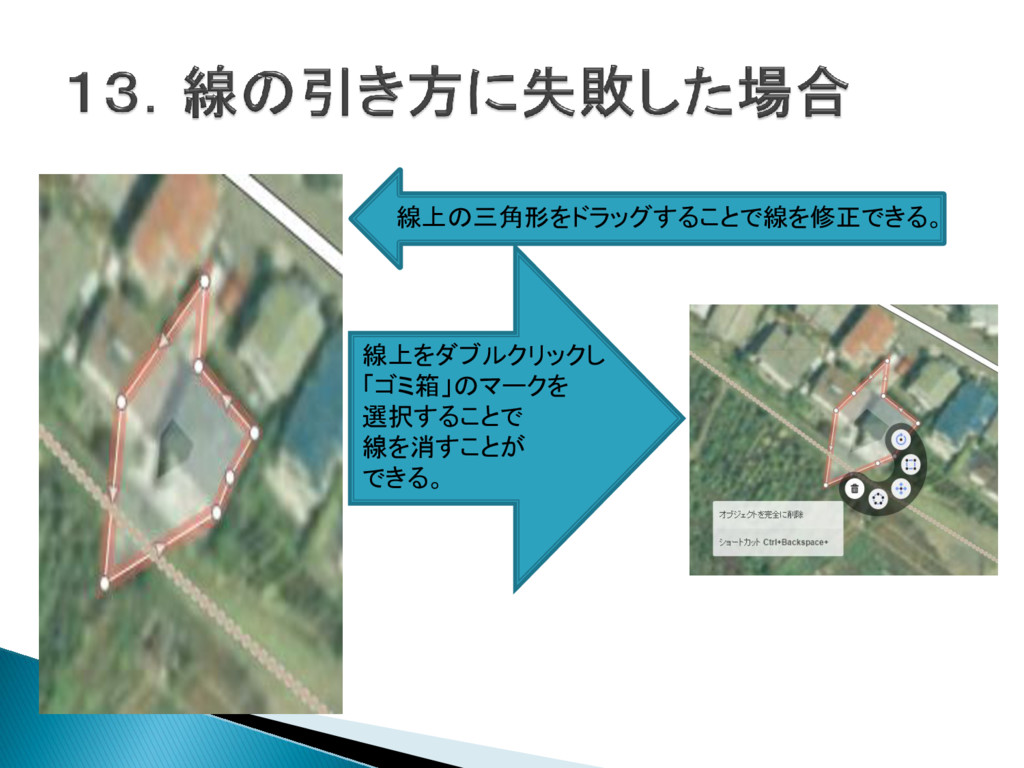
線上の三角形をドラッグすることで線を修正できる。 線上をダブルクリックし 「ゴミ箱」のマークを 選択することで 線を消すことが できる。
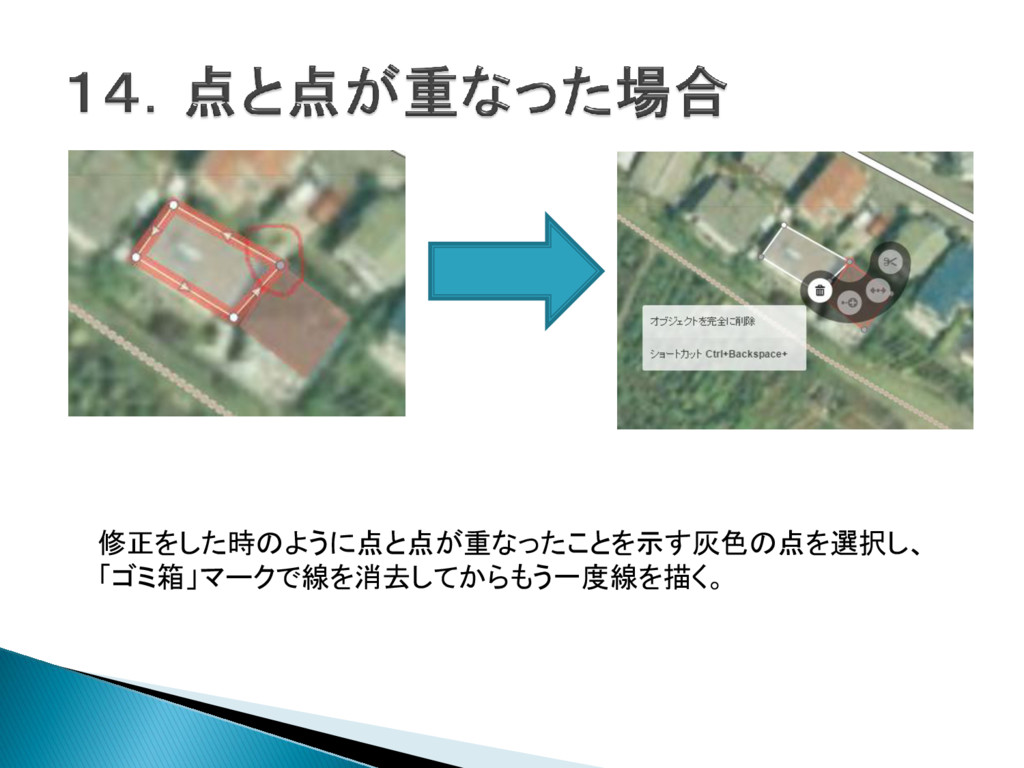
修正をした時のように点と点が重なったことを示す灰色の点を選択し、 「ゴミ箱」マークで線を消去してからもう一度線を描く。
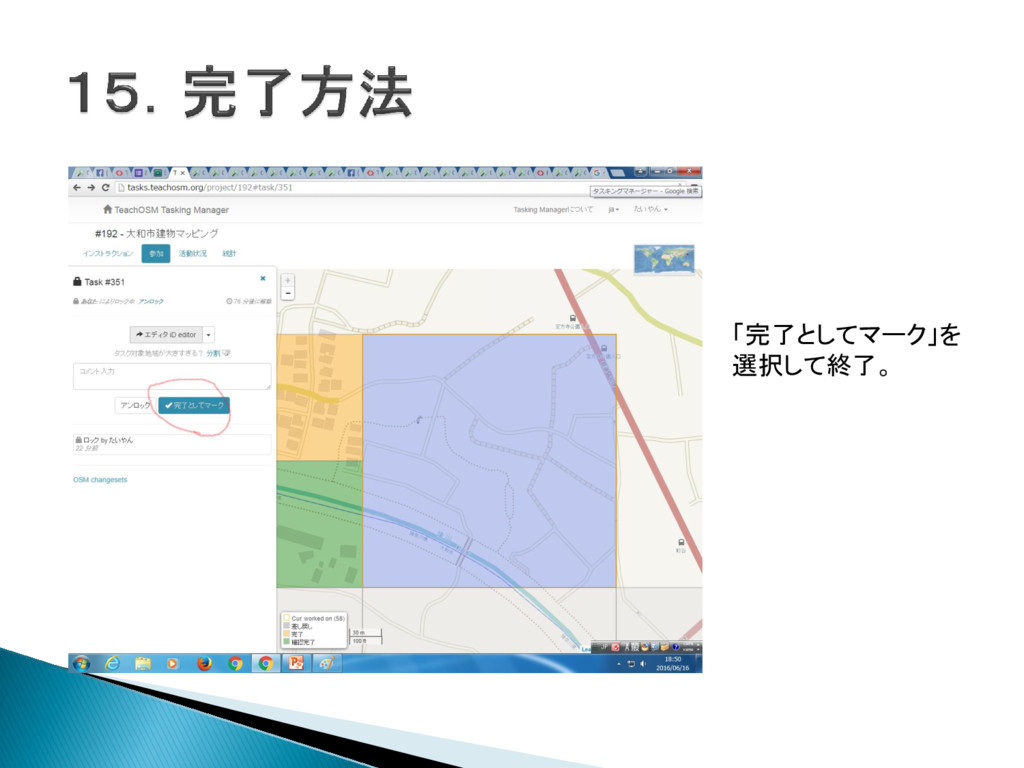
「完了としてマーク」を 選択して終了。


 noharataiga
 schlessera
 thirion
 palkan
 lemiorhan
 lauravandoore
 mfonobong
 marktimemedia
 akademiya2063
 keithpitt
 bermonpainter
 eileencodes
 mongodb