Upgrade to Pro
— share decks privately, control downloads, hide ads and more …
Speaker Deck
Sign up for free
Menu
Search
Features
All features
Private URLs
Password Protection
Custom URLS
Scheduled publishing
Remove Branding
Restrict embedding
Deck Collections
Notes
Features
All features
Private URLs
Password Protection
Custom URLS
Scheduled publishing
Remove Branding
Restrict embedding
Deck Collections
Notes
Explore
Featured decks
Featured speakers
Programming
Technology
Storyboards
Explore
Featured decks
Featured speakers
Programming
Technology
Storyboards
Pricing
Search
Sign in
Sign up for free
空間情報システム入門Ⅰ #02 2016/06/16
Search
Rima
June 16, 2016
86
0
Share
Embed
Copy iframe code
Copy JS code
Copy link
Start on current slide
空間情報システム入門Ⅰ #02 2016/06/16
Rima
June 16, 2016
Featured
See All Featured
Building the Perfect Custom Keyboard
takai
2
910
Thoughts on Productivity
jonyablonski
76
5.4k
Let's Do A Bunch of Simple Stuff to Make Websites Faster
chriscoyier
508
140k
Technical Leadership for Architectural Decision Making
baasie
3
600
Principles of Awesome APIs and How to Build Them.
keavy
128
18k
State of Search Keynote: SEO is Dead Long Live SEO
ryanjones
0
320
Introduction to Domain-Driven Design and Collaborative software design
baasie
1
1k
Lightning talk: Run Django tests with GitHub Actions
sabderemane
0
300
Build The Right Thing And Hit Your Dates
maggiecrowley
39
3.5k
Darren the Foodie - Storyboard
khoart
PRO
4
4k
Un-Boring Meetings
codingconduct
0
460
Design and Strategy: How to Deal with People Who Don’t "Get" Design
morganepeng
133
20k
Transcript
マッピングマニュアル 1A116178 馬場梨茉
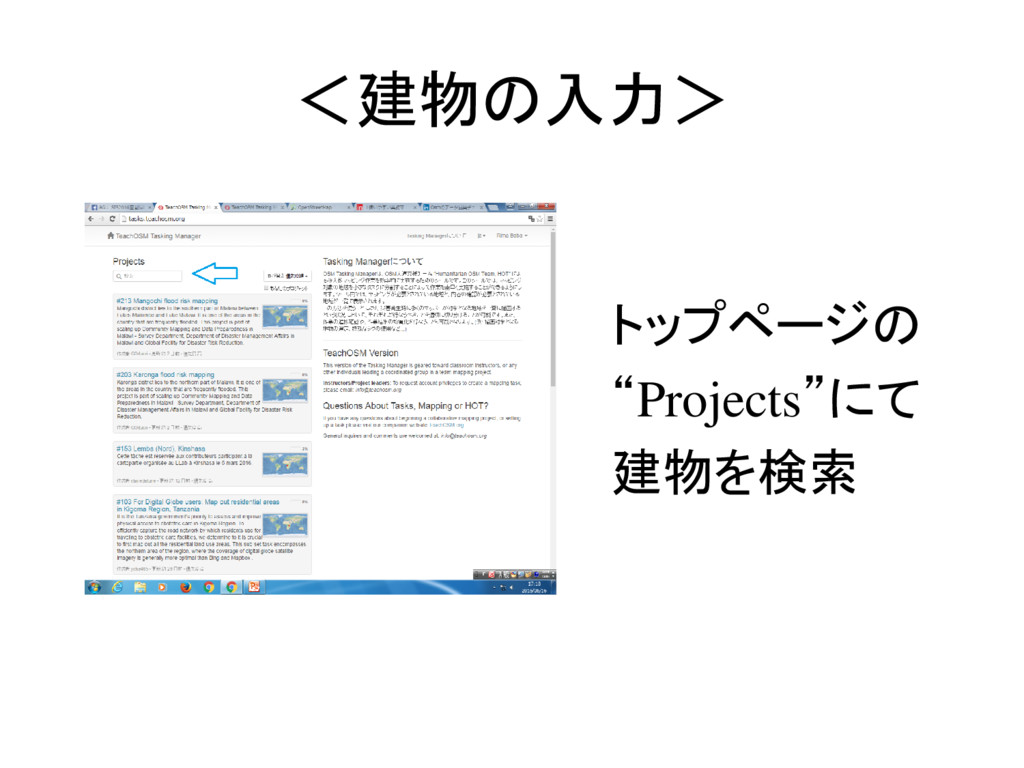
<建物の入力> トップページの “Projects”にて 建物を検索
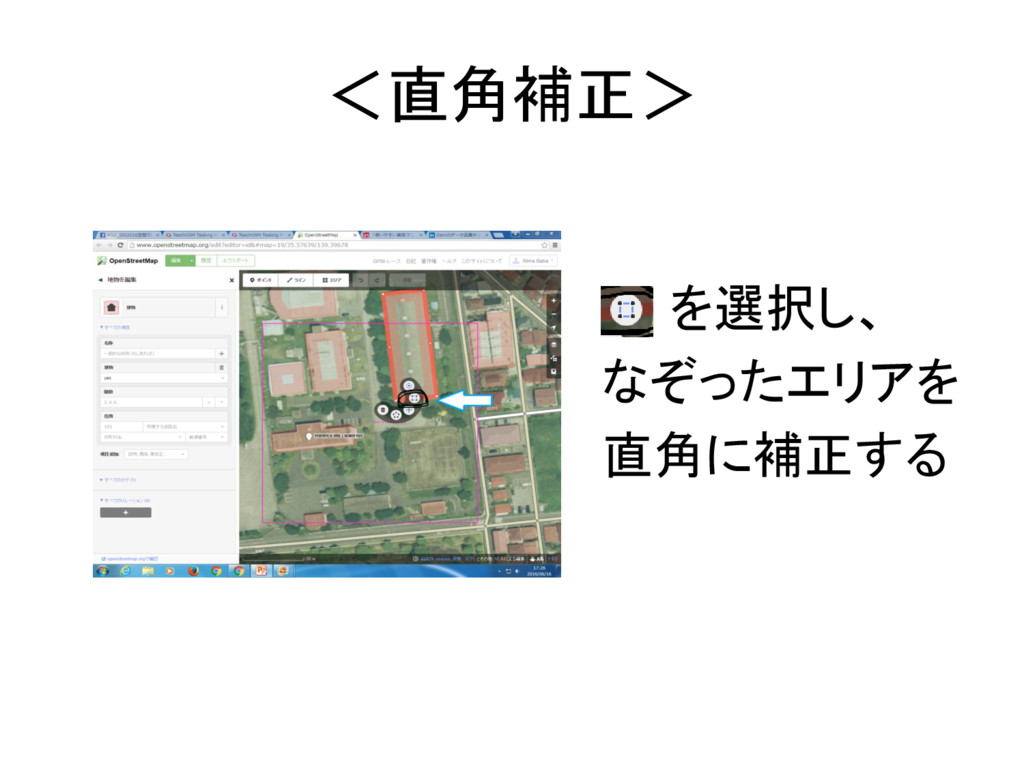
<直角補正> を選択し、 なぞったエリアを 直角に補正する
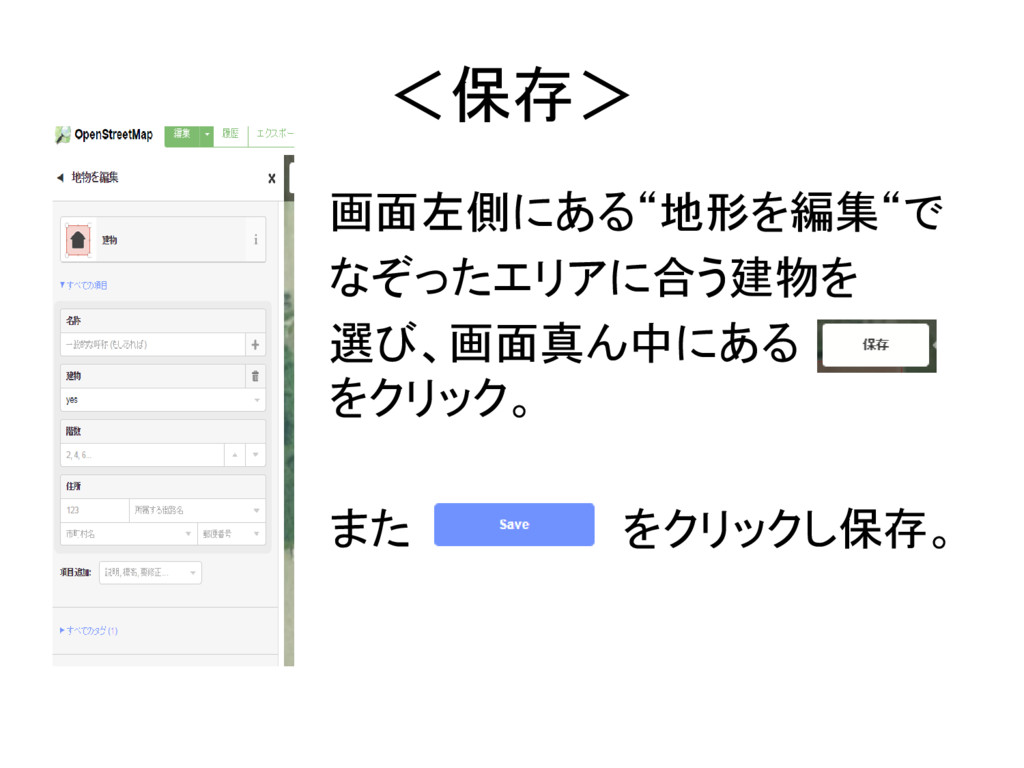
<保存> 画面左側にある“地形を編集“で なぞったエリアに合う建物を 選び、画面真ん中にある をクリック。 また をクリックし保存。
<修正> 誰かが編集した内容、また直角補正 されているかどうかチェックする。
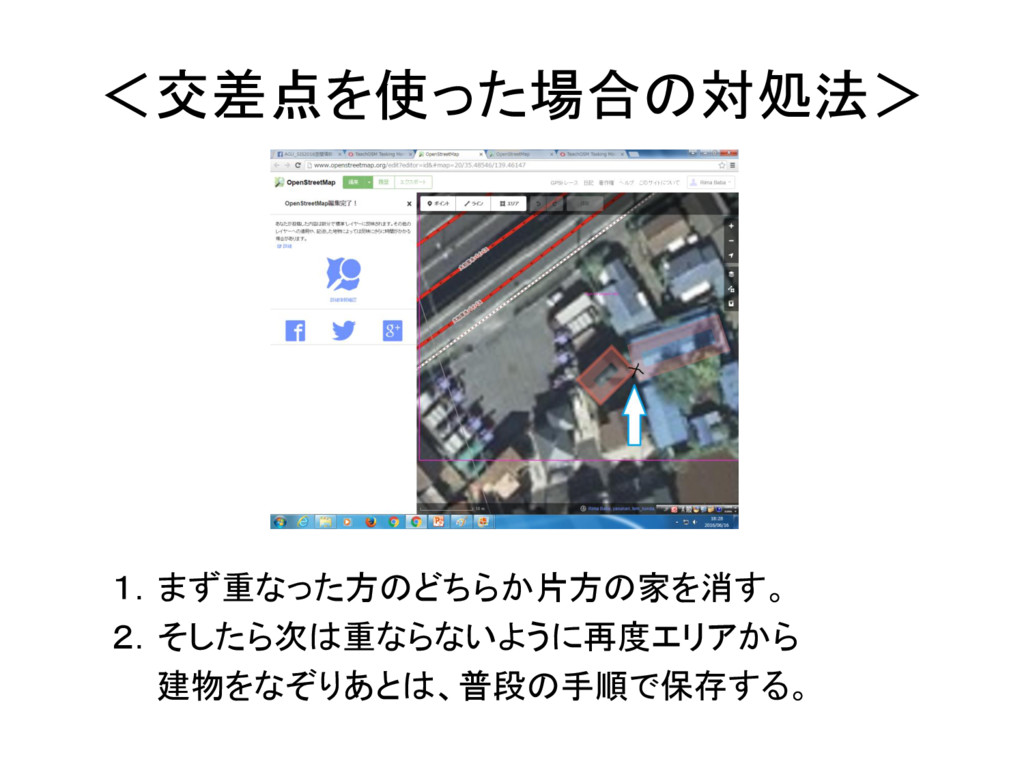
<交差点を使った場合の対処法> 1.まず重なった方のどちらか片方の家を消す。 2.そしたら次は重ならないように再度エリアから 建物をなぞりあとは、普段の手順で保存する。
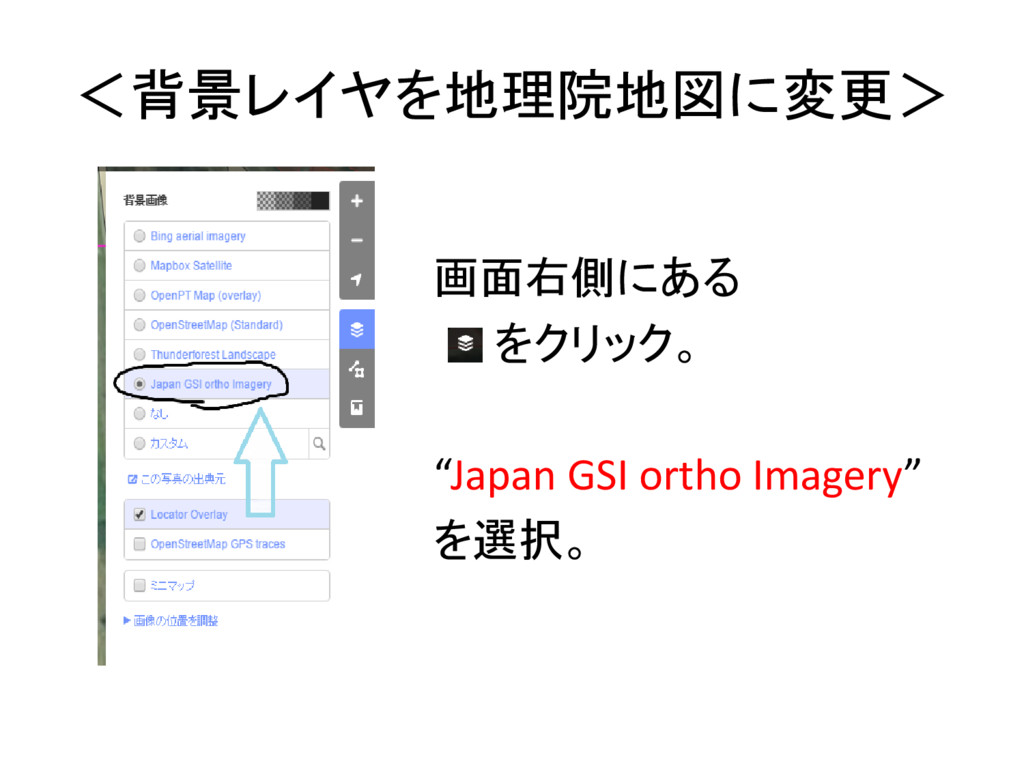
<背景レイヤを地理院地図に変更> 画面右側にある をクリック。 “Japan GSI ortho Imagery” を選択。
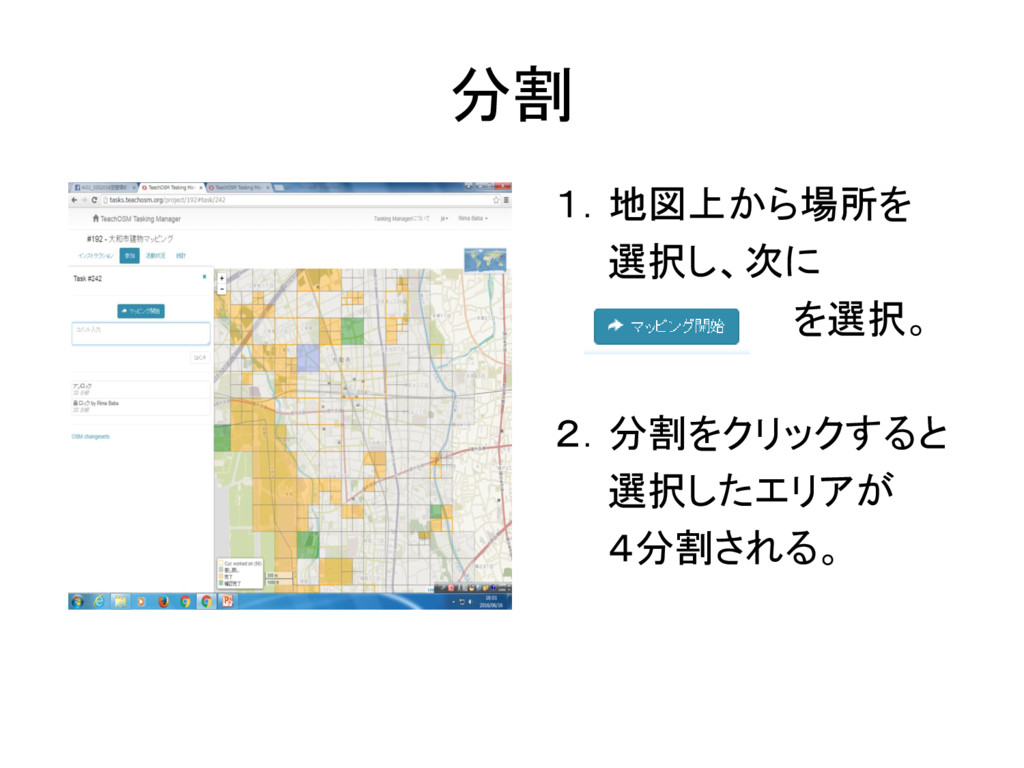
分割 1.地図上から場所を 選択し、次に を選択。 2.分割をクリックすると 選択したエリアが 4分割される。
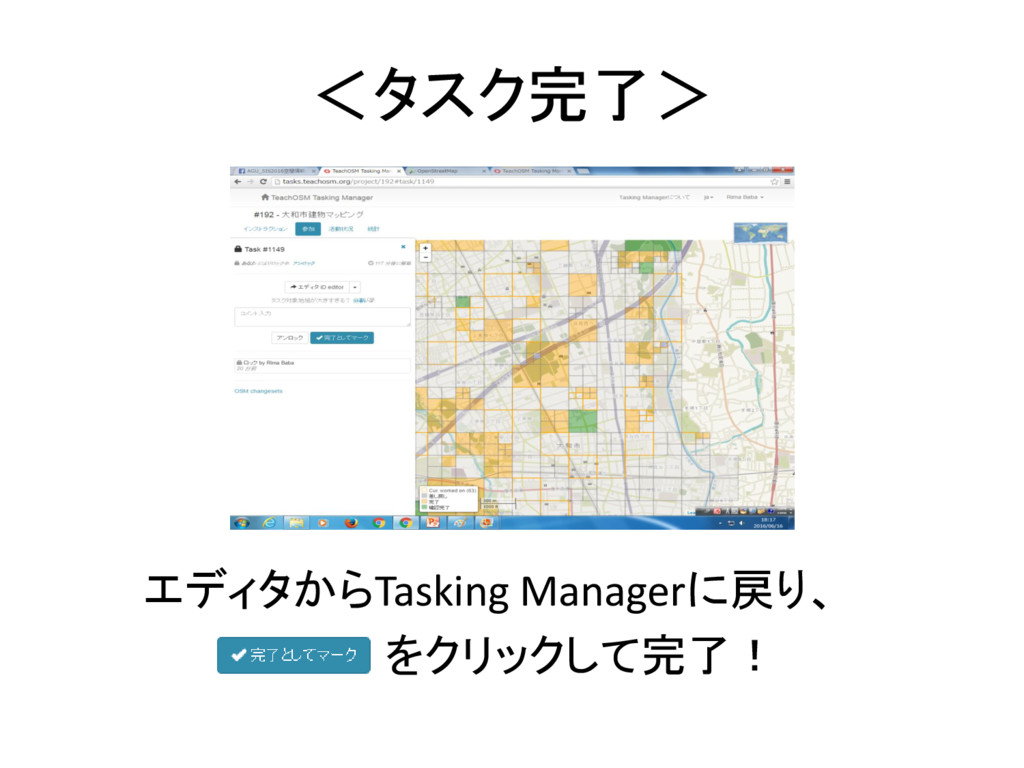
<タスク完了> エディタからTasking Managerに戻り、 をクリックして完了!


 takai
takai
 jonyablonski
 chriscoyier
 baasie
 keavy
keavy
 ryanjones
 sabderemane
 maggiecrowley
 khoart
 codingconduct
 morganepeng