Upgrade to Pro
— share decks privately, control downloads, hide ads and more …
Speaker Deck
Sign up for free
Menu
Search
Features
All features
Private URLs
Password Protection
Custom URLS
Scheduled publishing
Remove Branding
Restrict embedding
Deck Collections
Notes
Features
All features
Private URLs
Password Protection
Custom URLS
Scheduled publishing
Remove Branding
Restrict embedding
Deck Collections
Notes
Explore
Featured decks
Featured speakers
Programming
Technology
Storyboards
Explore
Featured decks
Featured speakers
Programming
Technology
Storyboards
Pricing
Search
Sign in
Sign up for free
Polymorphic Components パターンで作る、型安全でセマンティックな UI ...
Search
ryo
May 22, 2026
280
2
Share
Embed
Copy iframe code
Copy JS code
Copy link
Start on current slide
Polymorphic Components パターンで作る、型安全でセマンティックな UI コンポーネント
ryo
May 22, 2026
Featured
See All Featured
エンジニアに許された特別な時間の終わり
watany
109
250k
How To Stay Up To Date on Web Technology
chriscoyier
790
250k
Claude Code のすすめ
schroneko
67
230k
Why Your Marketing Sucks and What You Can Do About It - Sophie Logan
marketingsoph
0
430
From Legacy to Launchpad: Building Startup-Ready Communities
dugsong
0
350
Easily Structure & Communicate Ideas using Wireframe
afnizarnur
194
17k
CSS Pre-Processors: Stylus, Less & Sass
bermonpainter
360
31k
Skip the Path - Find Your Career Trail
mkilby
1
250
SEO in 2025: How to Prepare for the Future of Search
ipullrank
3
3.9k
Automating Front-end Workflow
addyosmani
1369
210k
Accessibility Awareness
sabderemane
1
250
Building Applications with DynamoDB
mza
96
7.2k
Transcript
Polymorphic Components パターン で作る、型安全でセマンティックな UI コンポーネント 2026.5.23 TSKaigi2026 ryo (
@ryohiy_ )
株式会社Belong FEE/SWE 最近は Three.js を好きで触っています ryo (@ryohiy_) 自己紹介
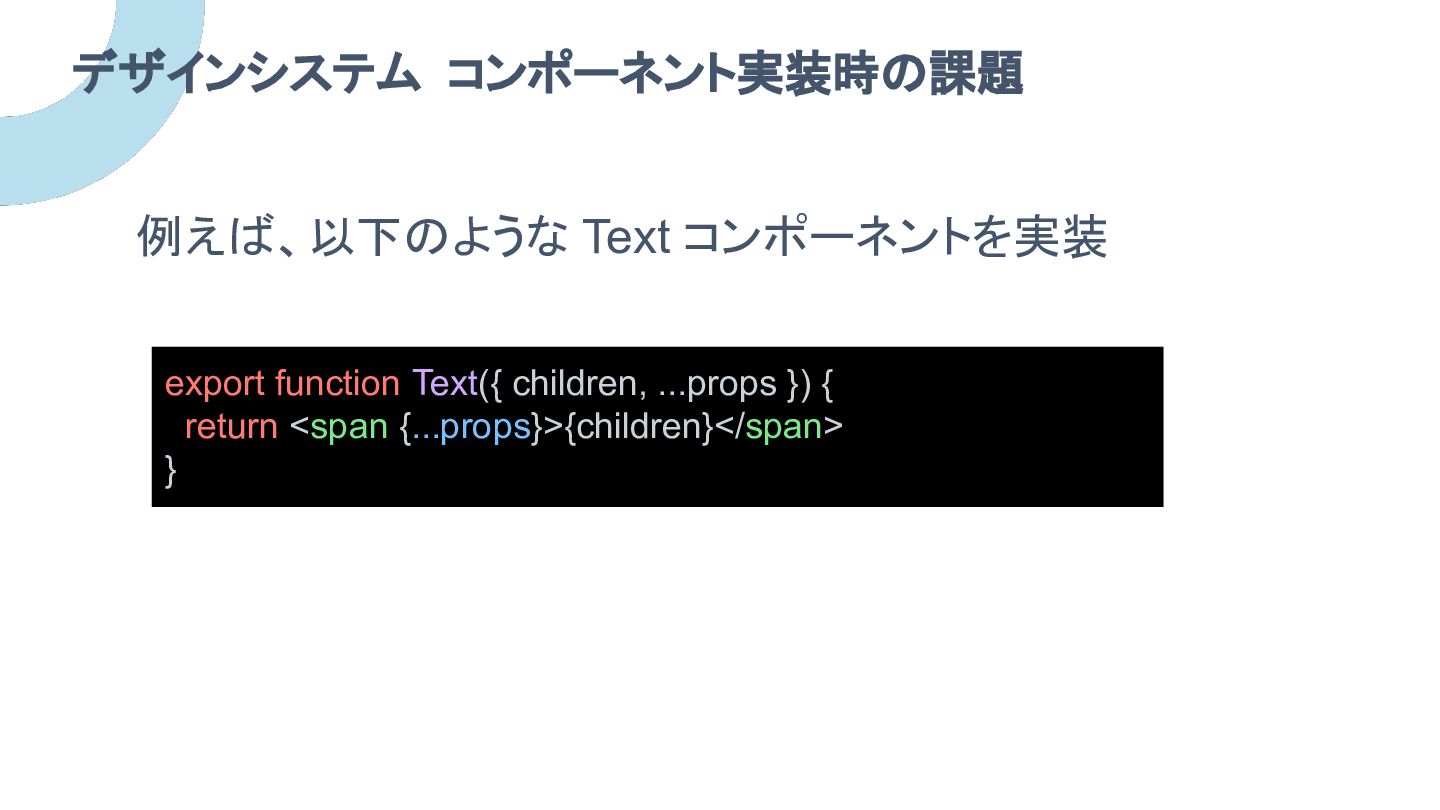
例えば、以下のような Text コンポーネントを実装 デザインシステム コンポーネント実装時の課題 export function Text({ children, ...props
}) { return <span {...props}>{children}</span> }
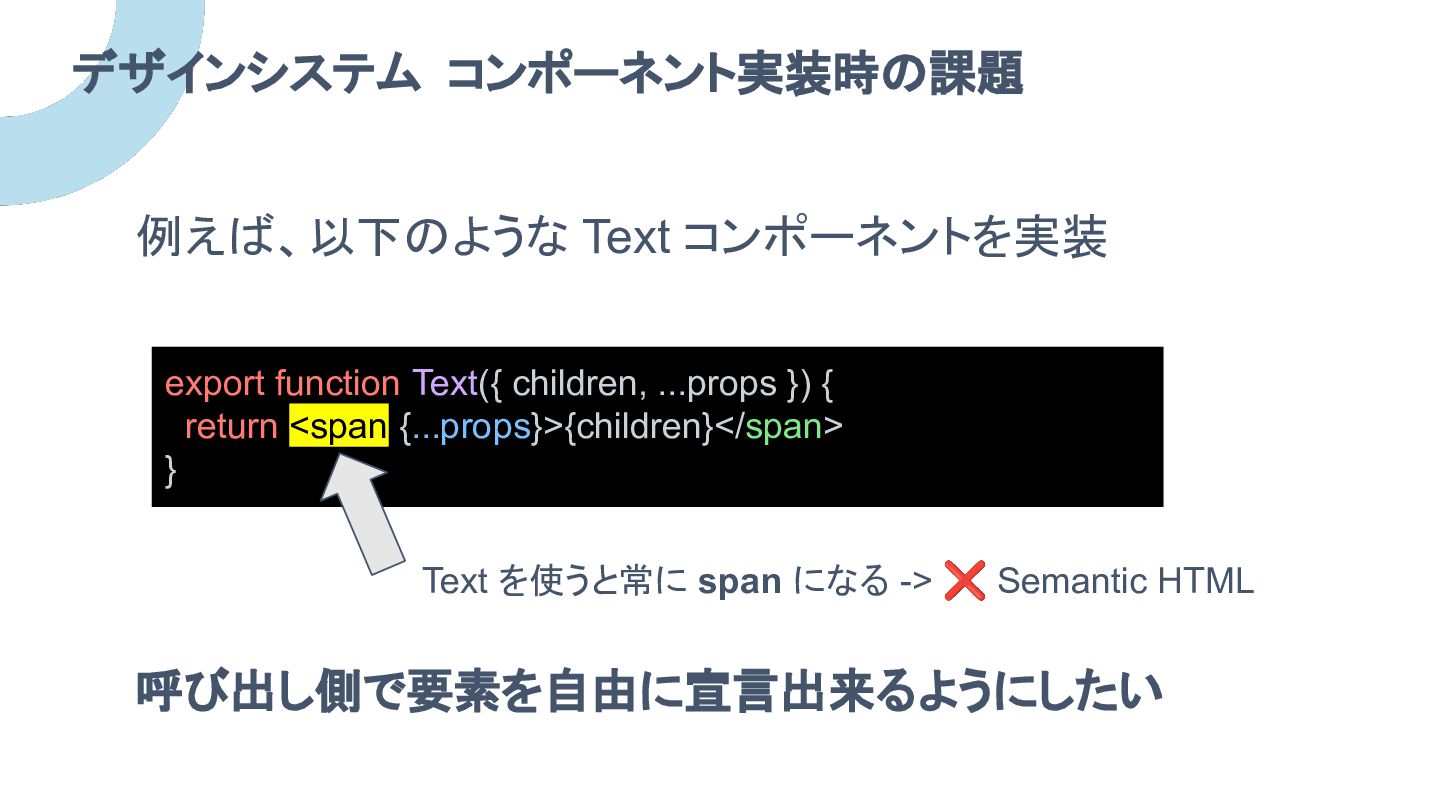
例えば、以下のような Text コンポーネントを実装 デザインシステム コンポーネント実装時の課題 export function Text({ children, ...props
}) { return <span {...props}>{children}</span> } Text を使うと常に span になる -> ❌ Semantic HTML 呼び出し側で要素を自由に宣言出来るようにしたい
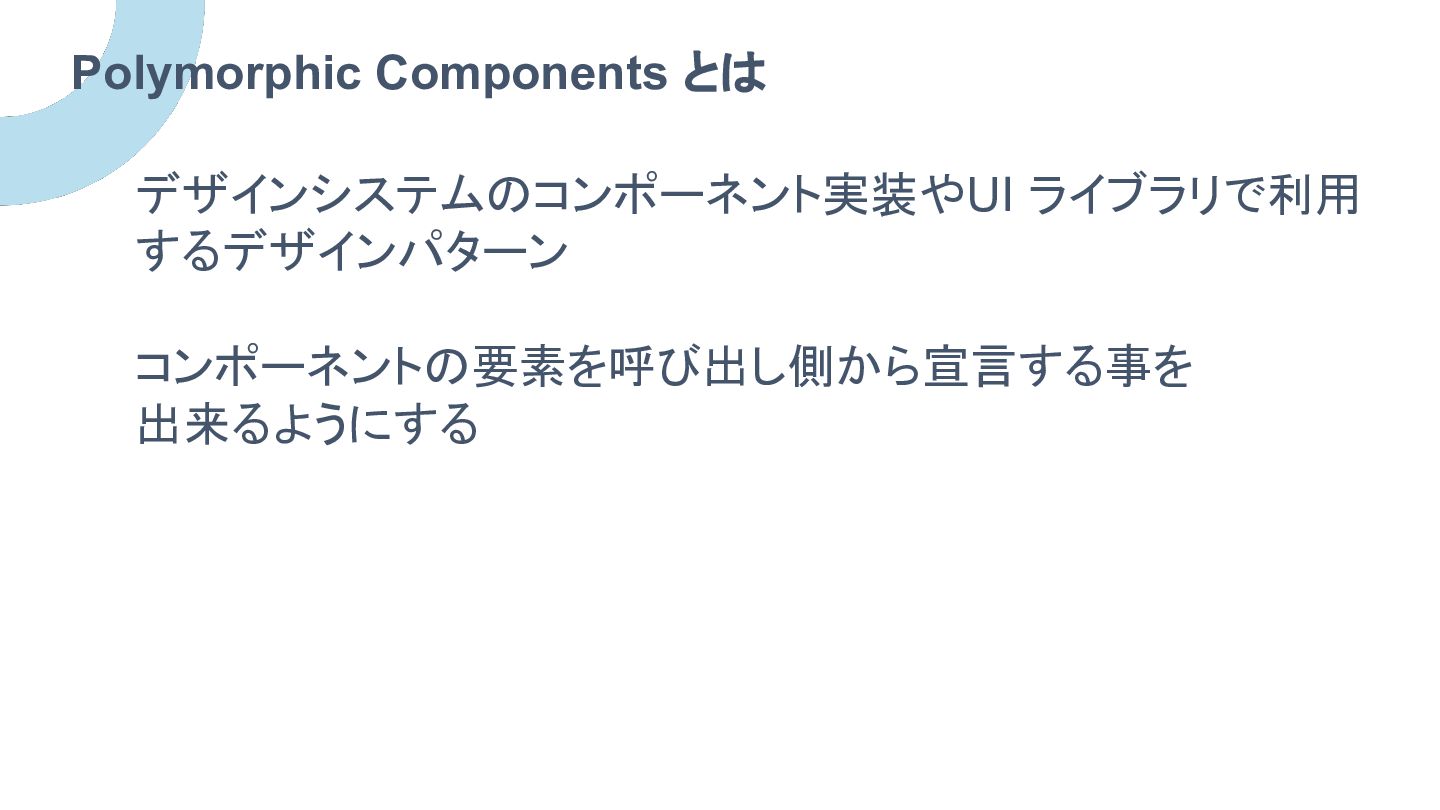
デザインシステムのコンポーネント実装やUI ライブラリで利用 するデザインパターン コンポーネントの要素を呼び出し側から宣言する事を 出来るようにする Polymorphic Components とは
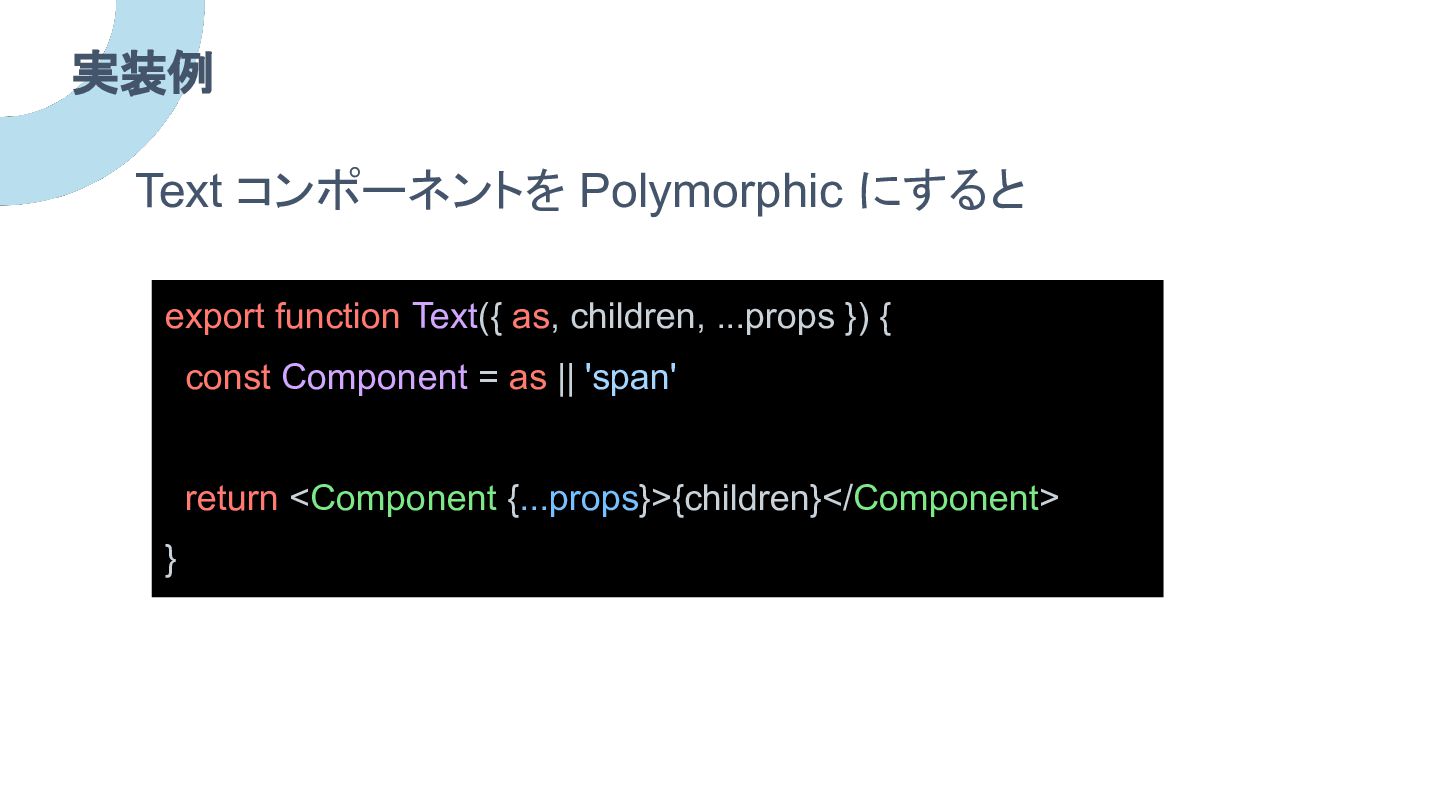
実装例 export function Text({ as, children, ...props }) { const
Component = as || 'span' return <Component {...props}>{children}</Component> } Text コンポーネントを Polymorphic にすると
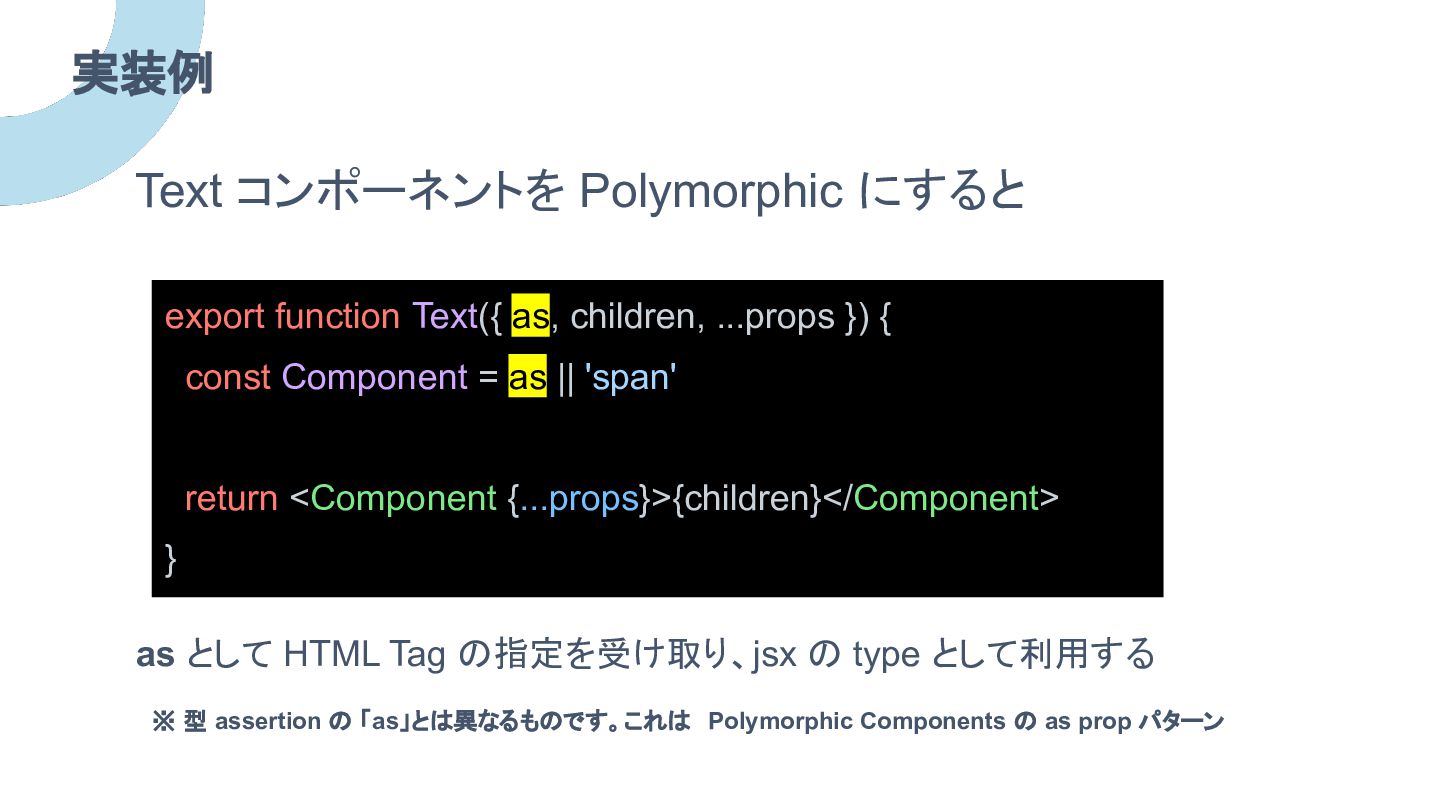
実装例 export function Text({ as, children, ...props }) { const
Component = as || 'span' return <Component {...props}>{children}</Component> } Text コンポーネントを Polymorphic にすると as として HTML Tag の指定を受け取り、jsx の type として利用する ※ 型 assertion の 「as」とは異なるものです。これは Polymorphic Components の as prop パターン
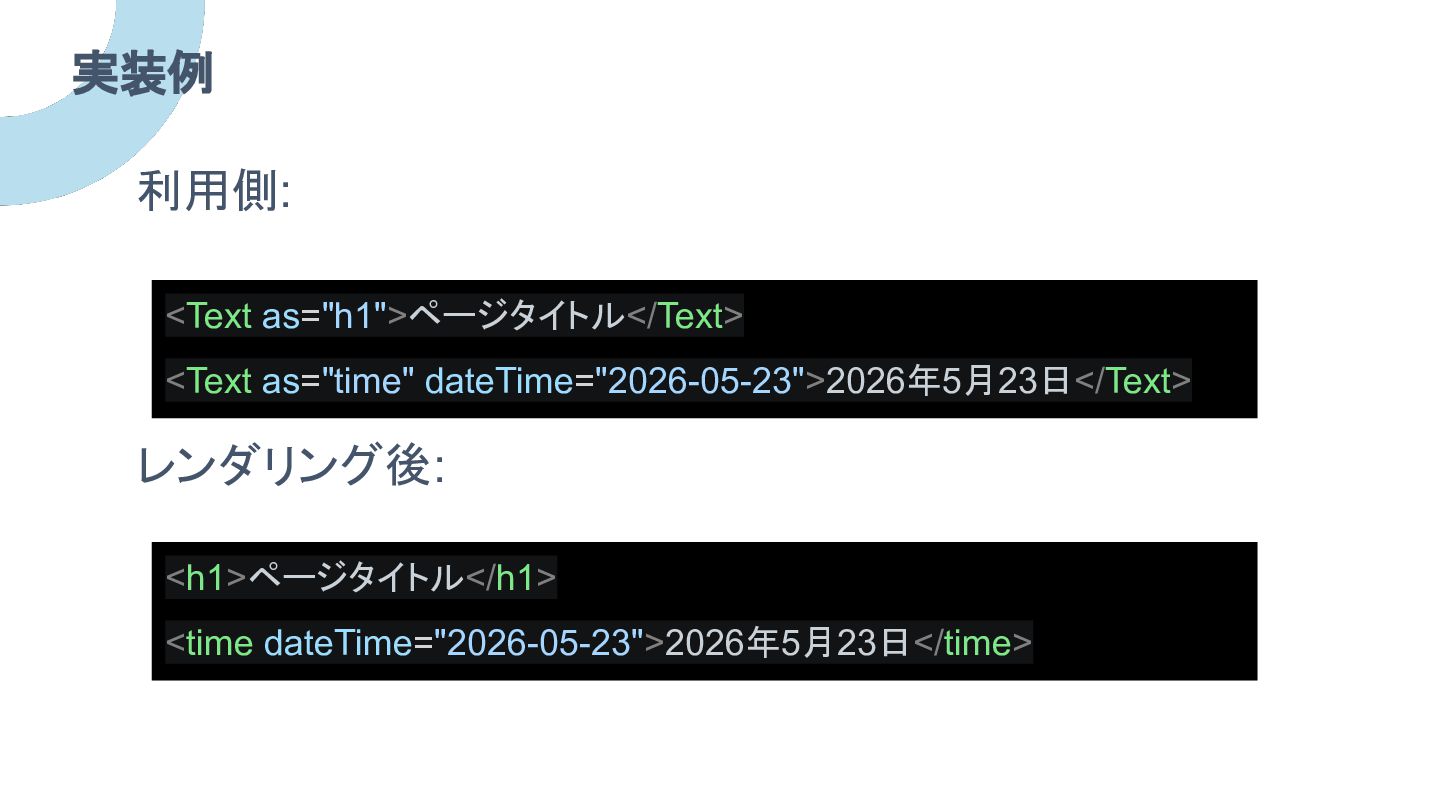
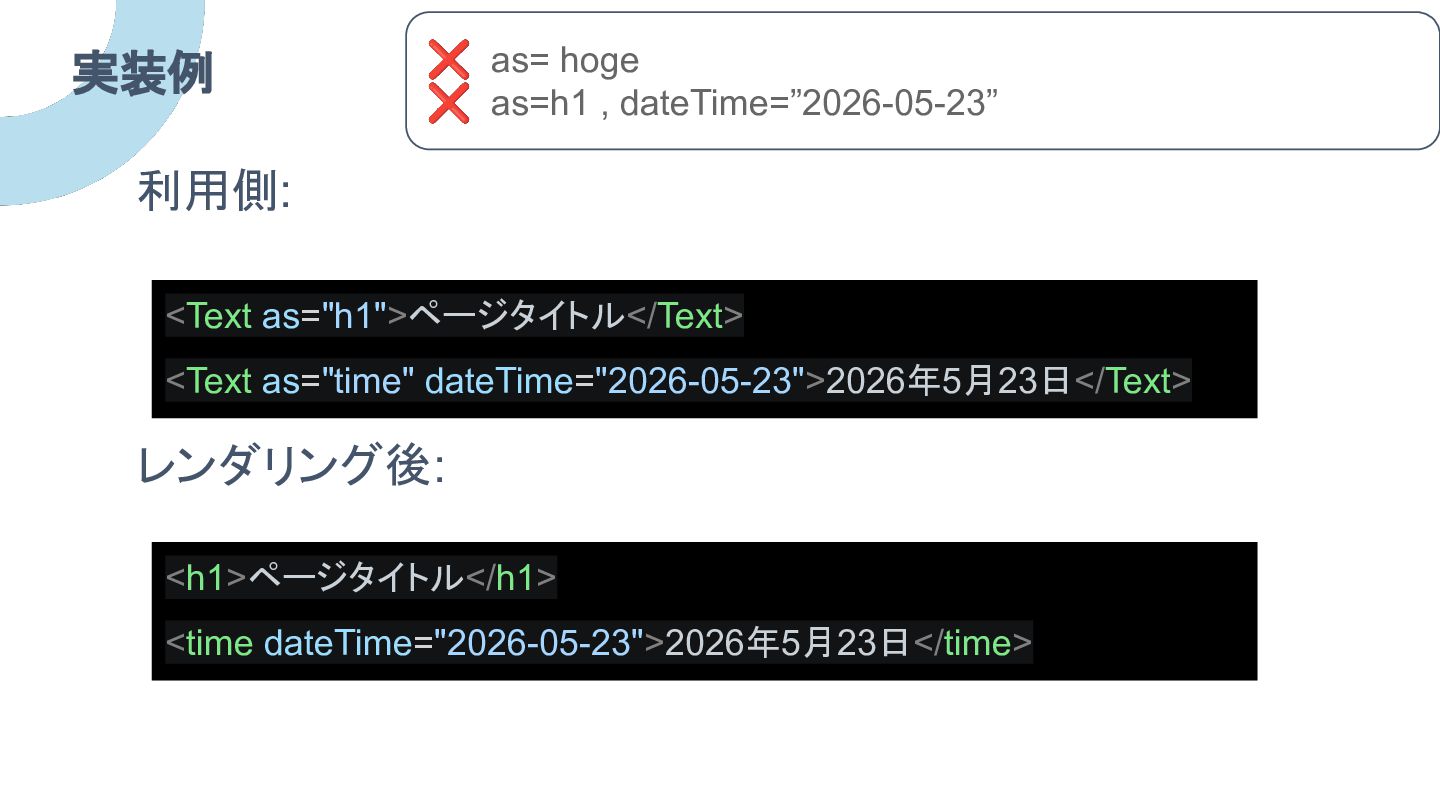
実装例 <Text as="h1">ページタイトル</Text> <Text as="time" dateTime="2026-05-23">2026年5月23日</Text> 利用側: <h1>ページタイトル</h1> <time dateTime="2026-05-23">2026年5月23日</time>
レンダリング後:
実装例 利用側: レンダリング後: ❌ as= hoge ❌ as=h1 , dateTime=”2026-05-23”
<Text as="h1">ページタイトル</Text> <Text as="time" dateTime="2026-05-23">2026年5月23日</Text> <h1>ページタイトル</h1> <time dateTime="2026-05-23">2026年5月23日</time>
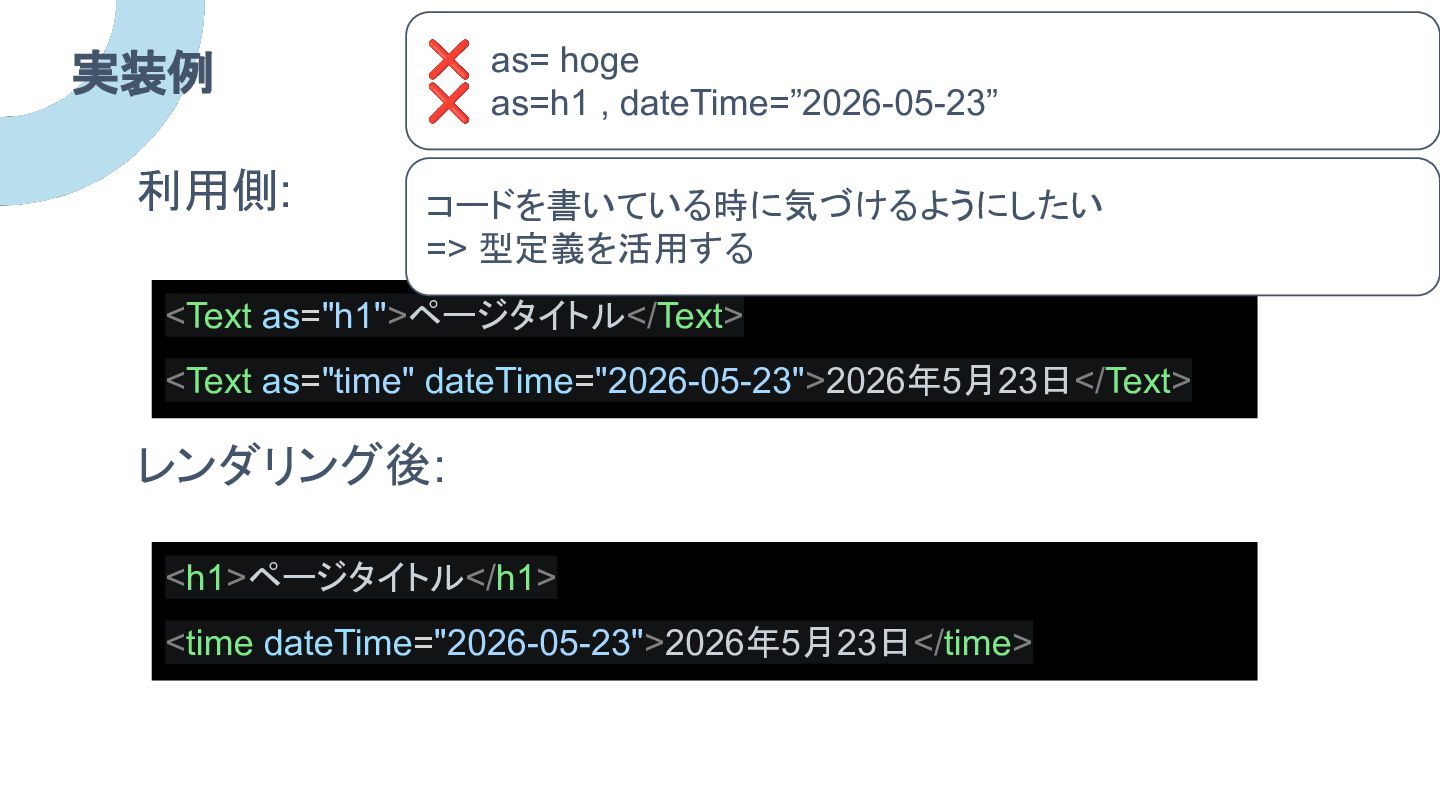
実装例 利用側: レンダリング後: ❌ as= hoge ❌ as=h1 , dateTime=”2026-05-23”
<Text as="h1">ページタイトル</Text> <Text as="time" dateTime="2026-05-23">2026年5月23日</Text> コードを書いている時に気づけるようにしたい => 型定義を活用する <h1>ページタイトル</h1> <time dateTime="2026-05-23">2026年5月23日</time>
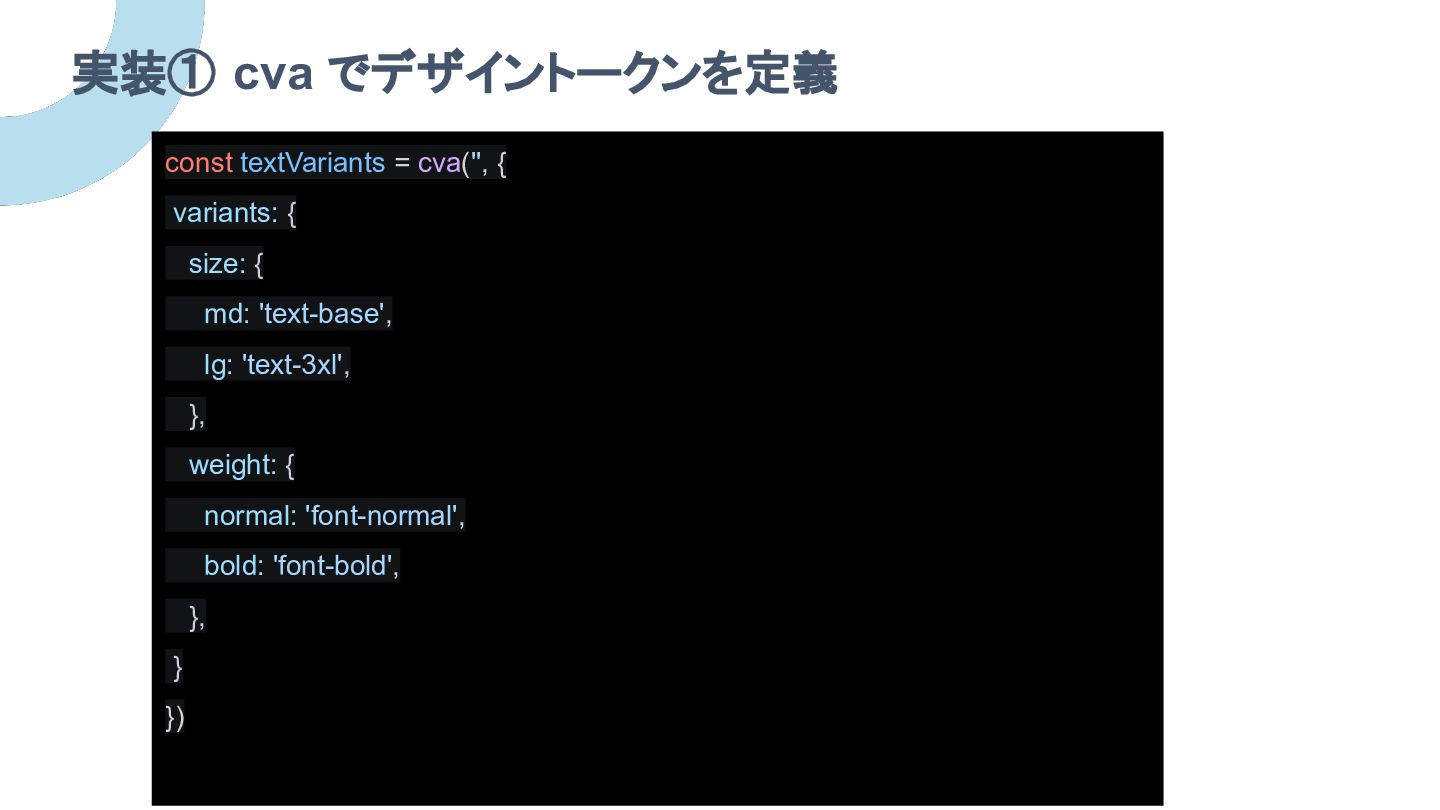
実装① cva でデザイントークンを定義 const textVariants = cva('', { variants: {
size: { md: 'text-base', lg: 'text-3xl', }, weight: { normal: 'font-normal', bold: 'font-bold', }, } })
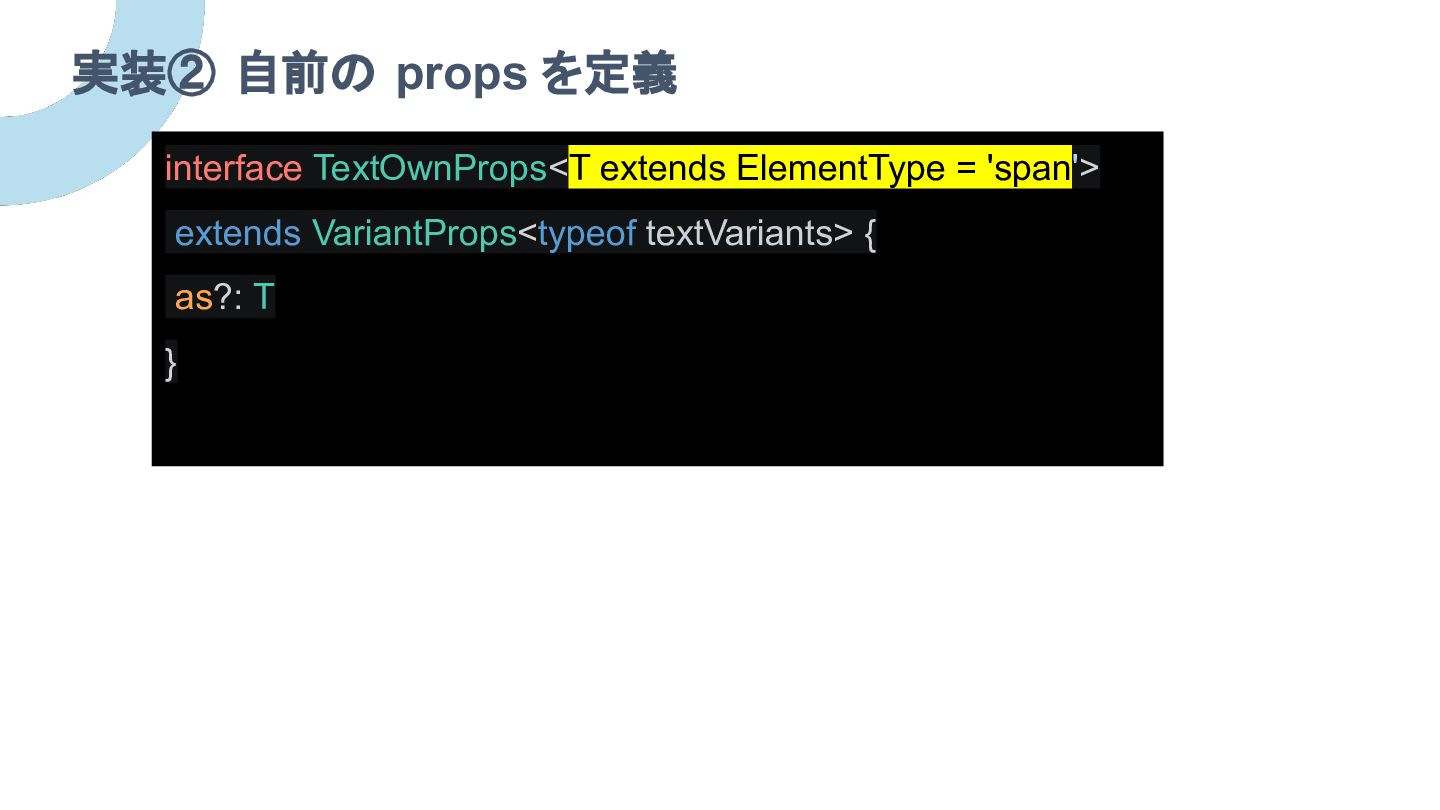
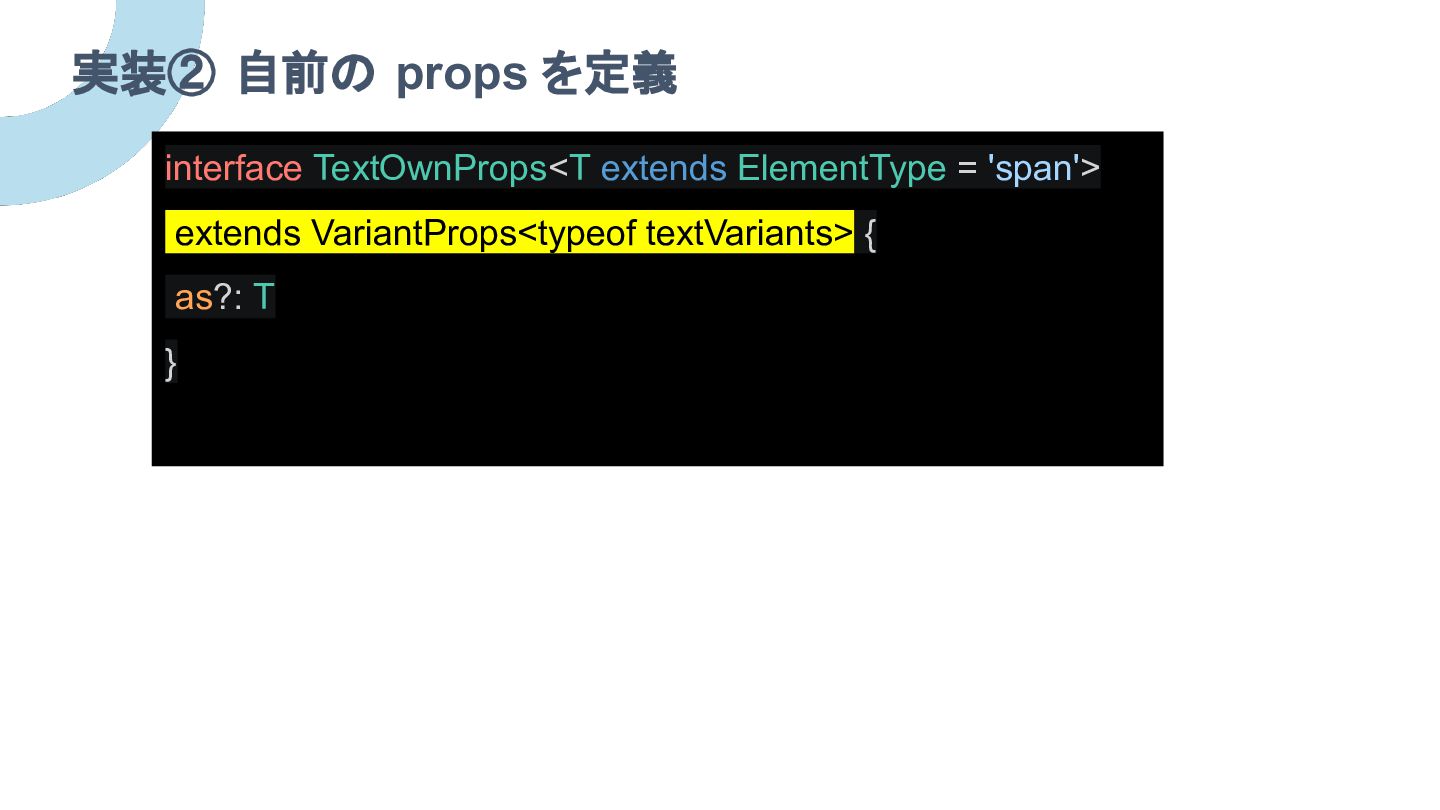
実装② 自前の props を定義 interface TextOwnProps<T extends ElementType = 'span'>
extends VariantProps<typeof textVariants> { as?: T }
実装② 自前の props を定義 interface TextOwnProps<T extends ElementType = 'span'>
extends VariantProps<typeof textVariants> { as?: T }
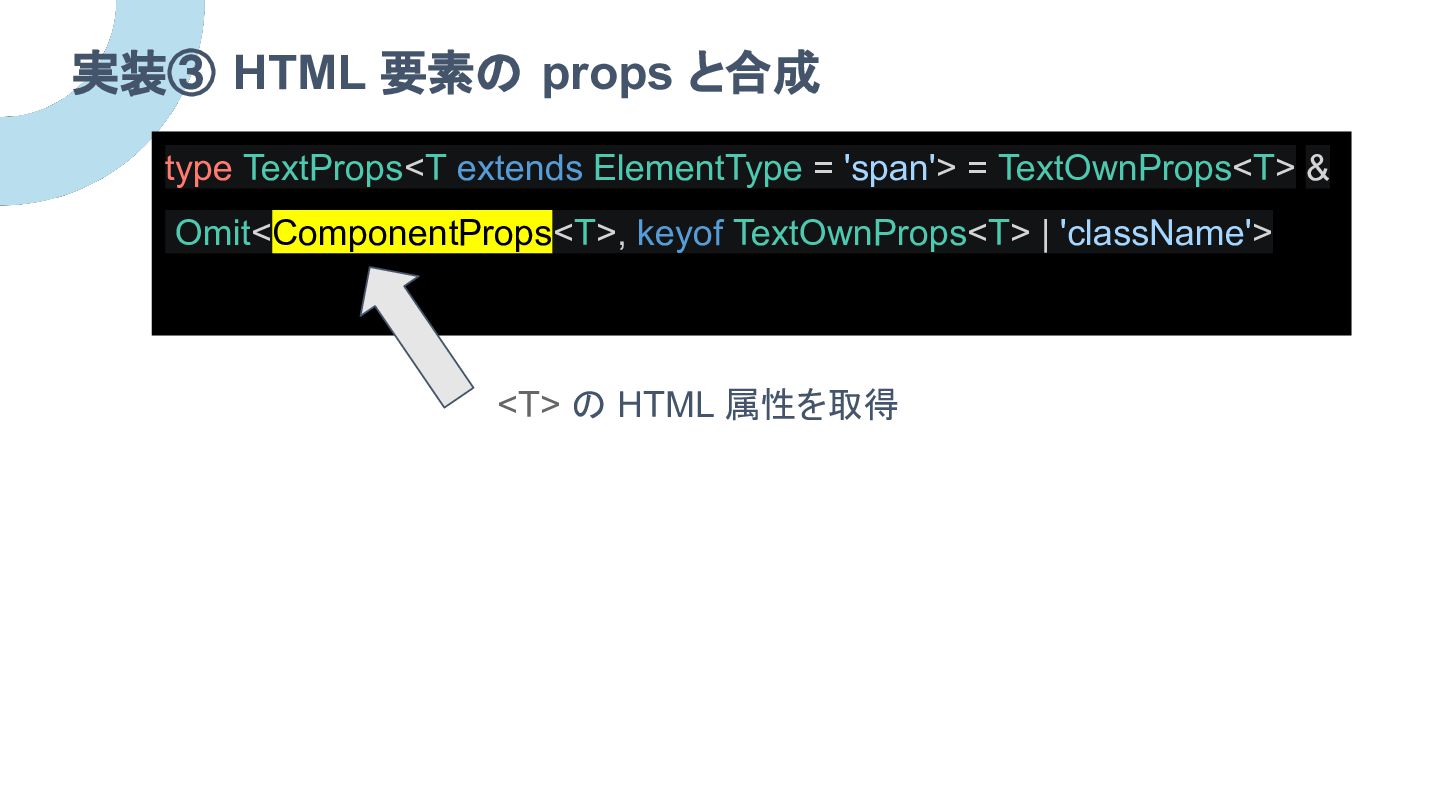
実装③ HTML 要素の props と合成 type TextProps<T extends ElementType =
'span'> = TextOwnProps<T> & Omit<ComponentProps<T>, keyof TextOwnProps<T> | 'className'> <T> の HTML 属性を取得
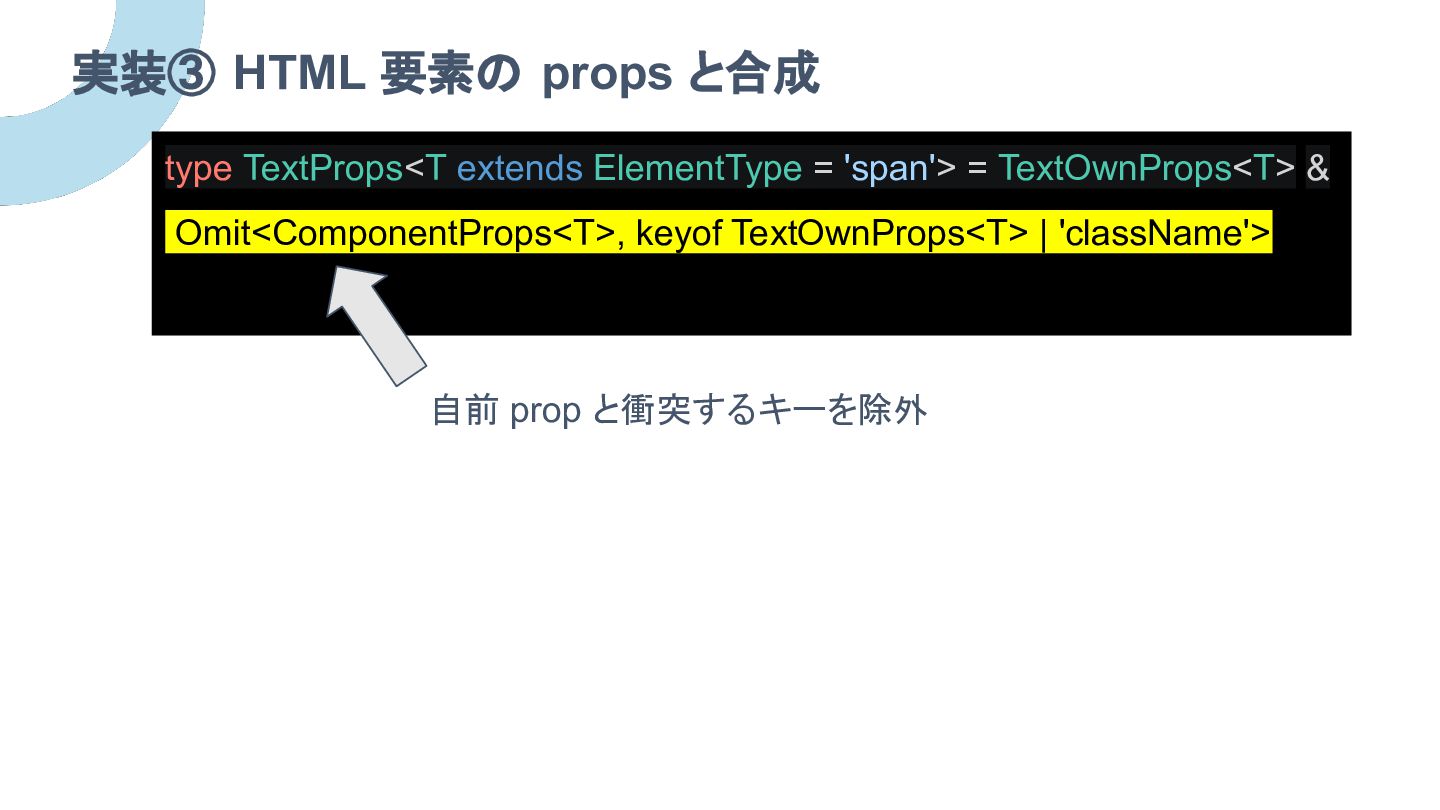
実装③ HTML 要素の props と合成 type TextProps<T extends ElementType =
'span'> = TextOwnProps<T> & Omit<ComponentProps<T>, keyof TextOwnProps<T> | 'className'> 自前 prop と衝突するキーを除外
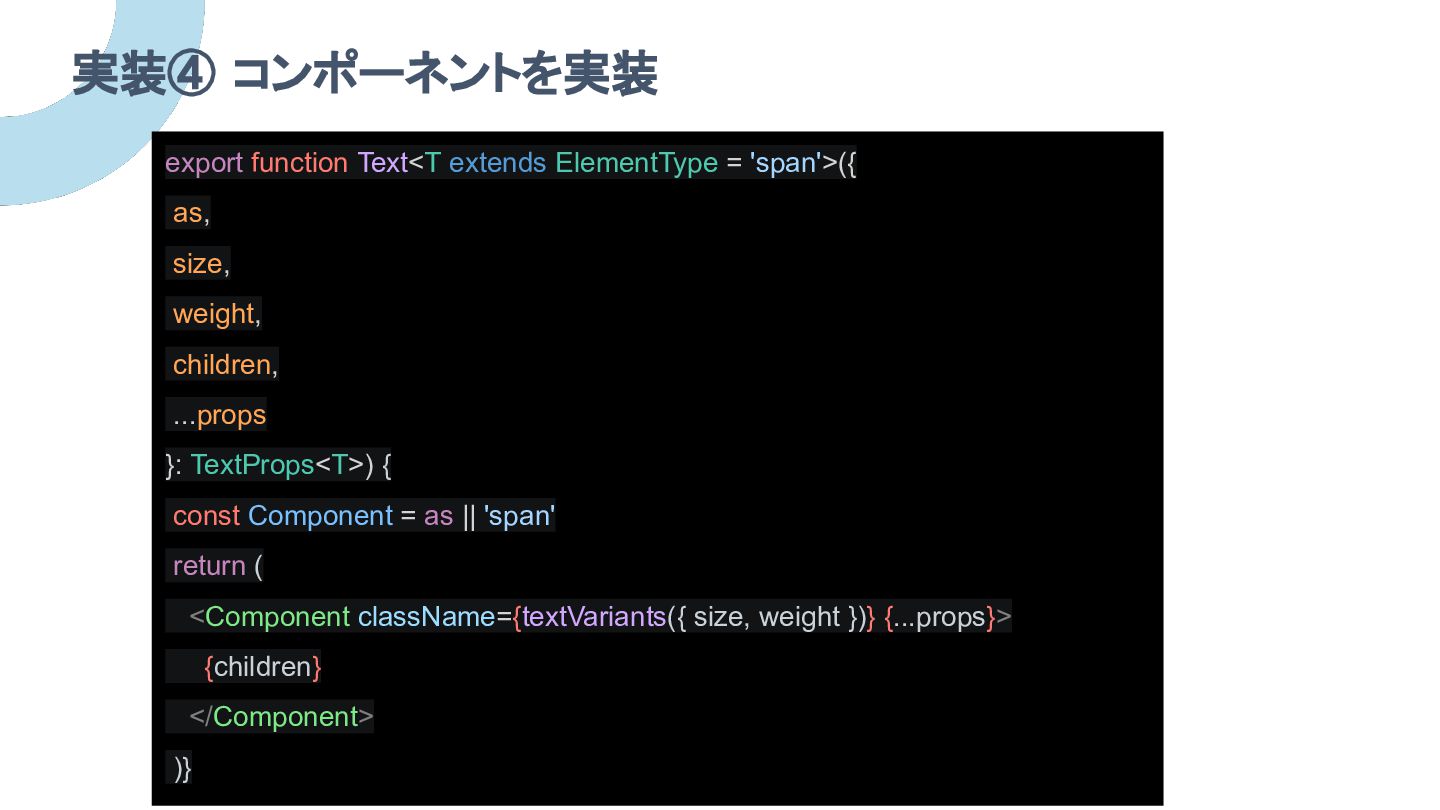
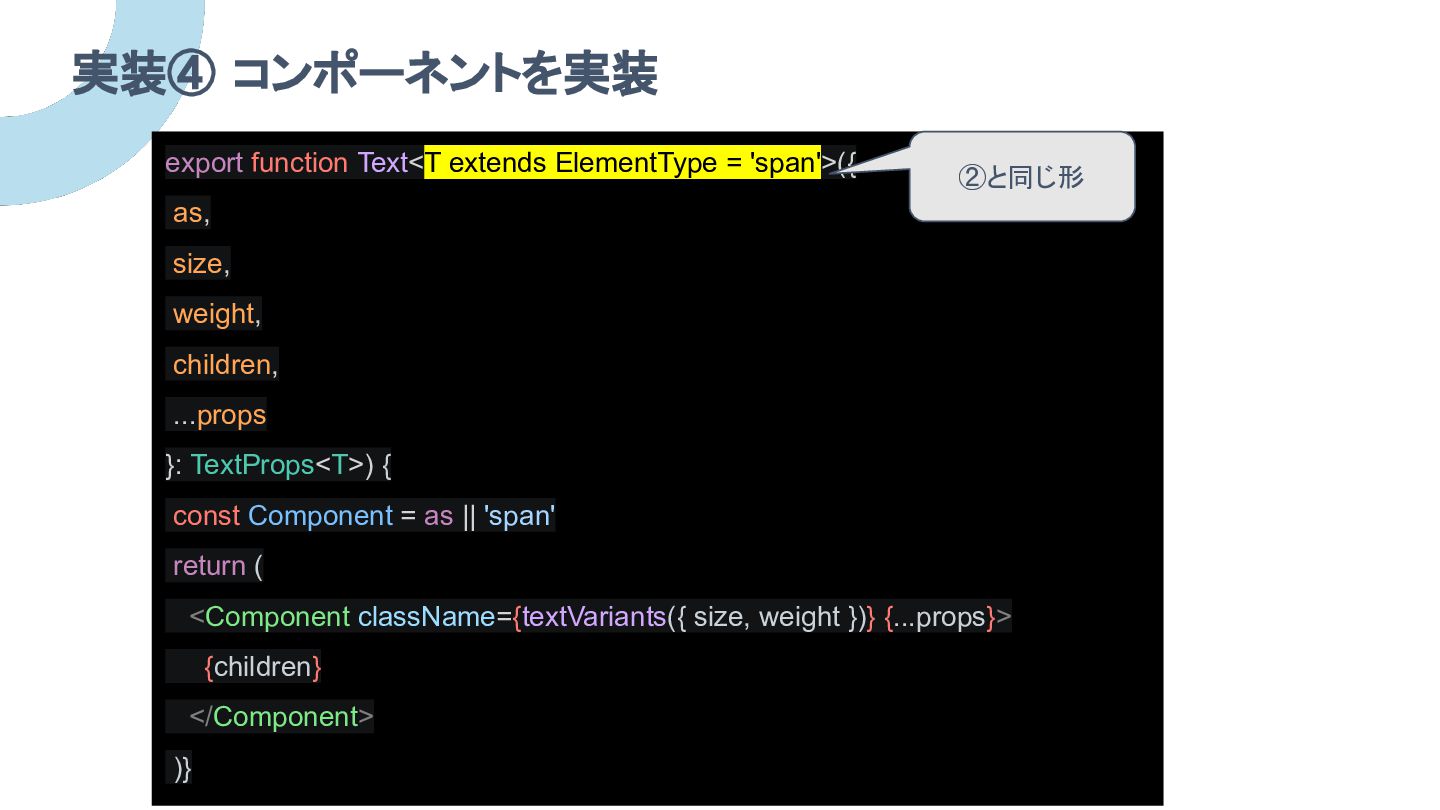
実装④ コンポーネントを実装 export function Text<T extends ElementType = 'span'>({ as,
size, weight, children, ...props }: TextProps<T>) { const Component = as || 'span' return ( <Component className={textVariants({ size, weight })} {...props}> {children} </Component> )}
実装④ コンポーネントを実装 export function Text<T extends ElementType = 'span'>({ as,
size, weight, children, ...props }: TextProps<T>) { const Component = as || 'span' return ( <Component className={textVariants({ size, weight })} {...props}> {children} </Component> )} ②と同じ形
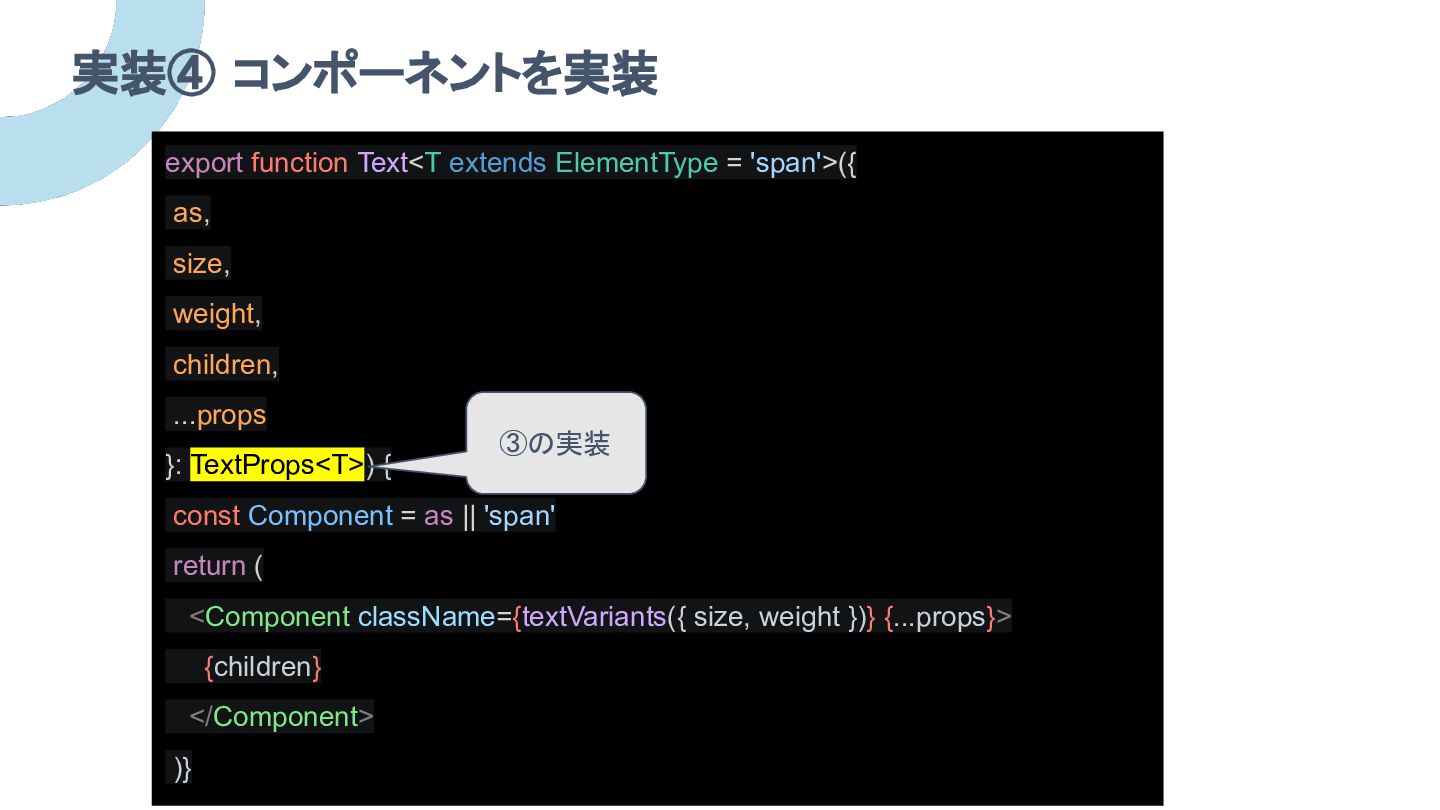
実装④ コンポーネントを実装 export function Text<T extends ElementType = 'span'>({ as,
size, weight, children, ...props }: TextProps<T>) { const Component = as || 'span' return ( <Component className={textVariants({ size, weight })} {...props}> {children} </Component> )} ③の実装
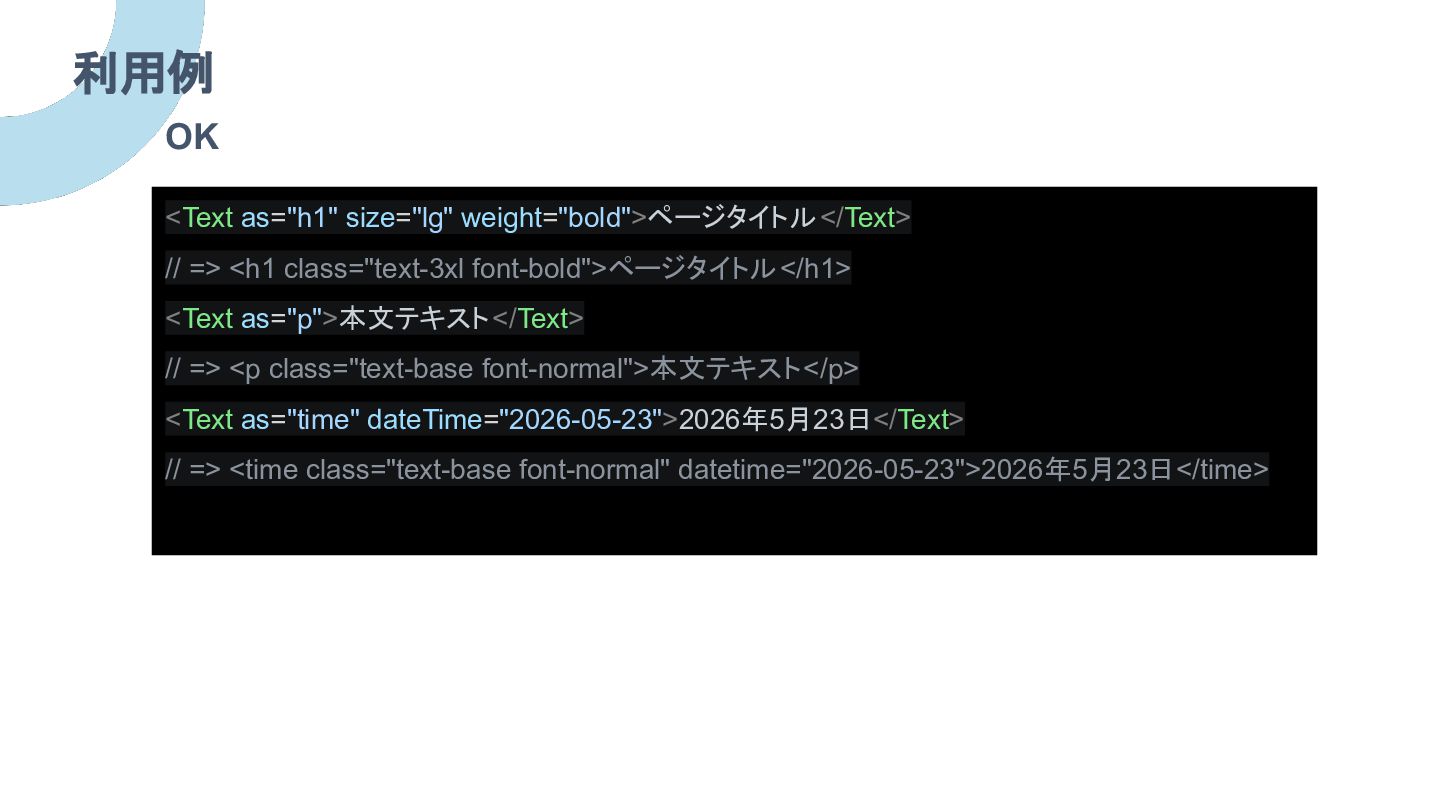
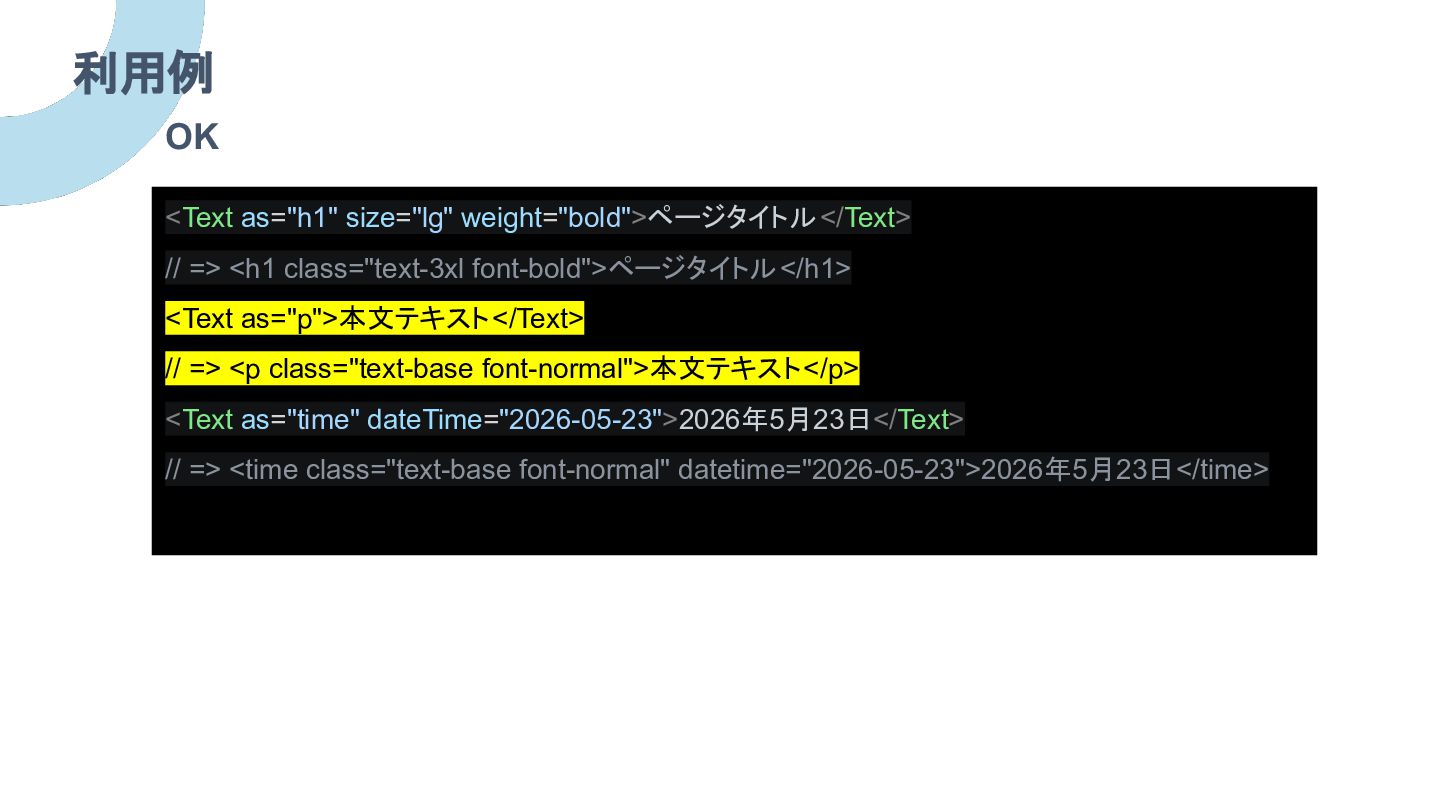
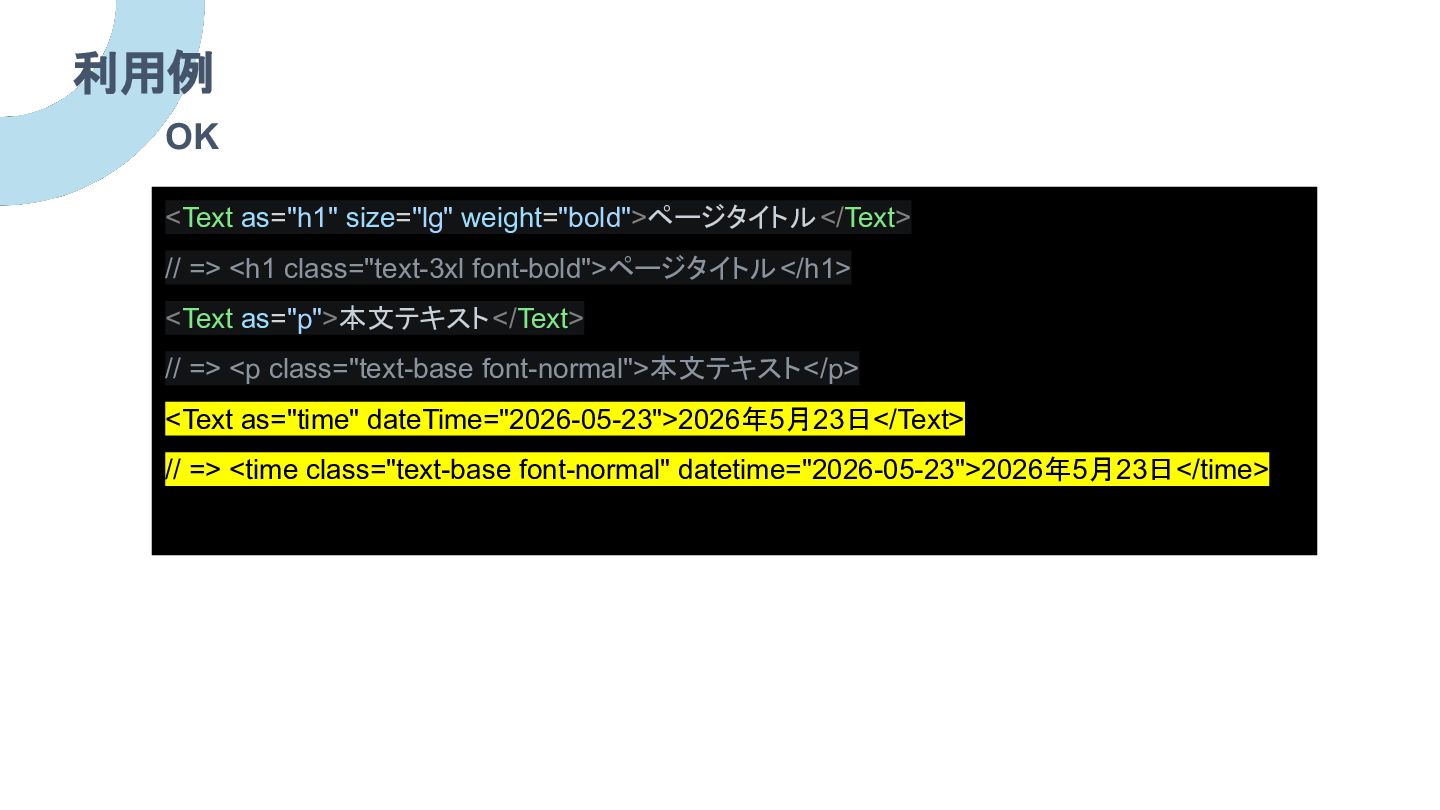
利用例 <Text as="h1" size="lg" weight="bold">ページタイトル</Text> // => <h1 class="text-3xl font-bold">ページタイトル</h1>
<Text as="p">本文テキスト</Text> // => <p class="text-base font-normal">本文テキスト</p> <Text as="time" dateTime="2026-05-23">2026年5月23日</Text> // => <time class="text-base font-normal" datetime="2026-05-23">2026年5月23日</time> OK
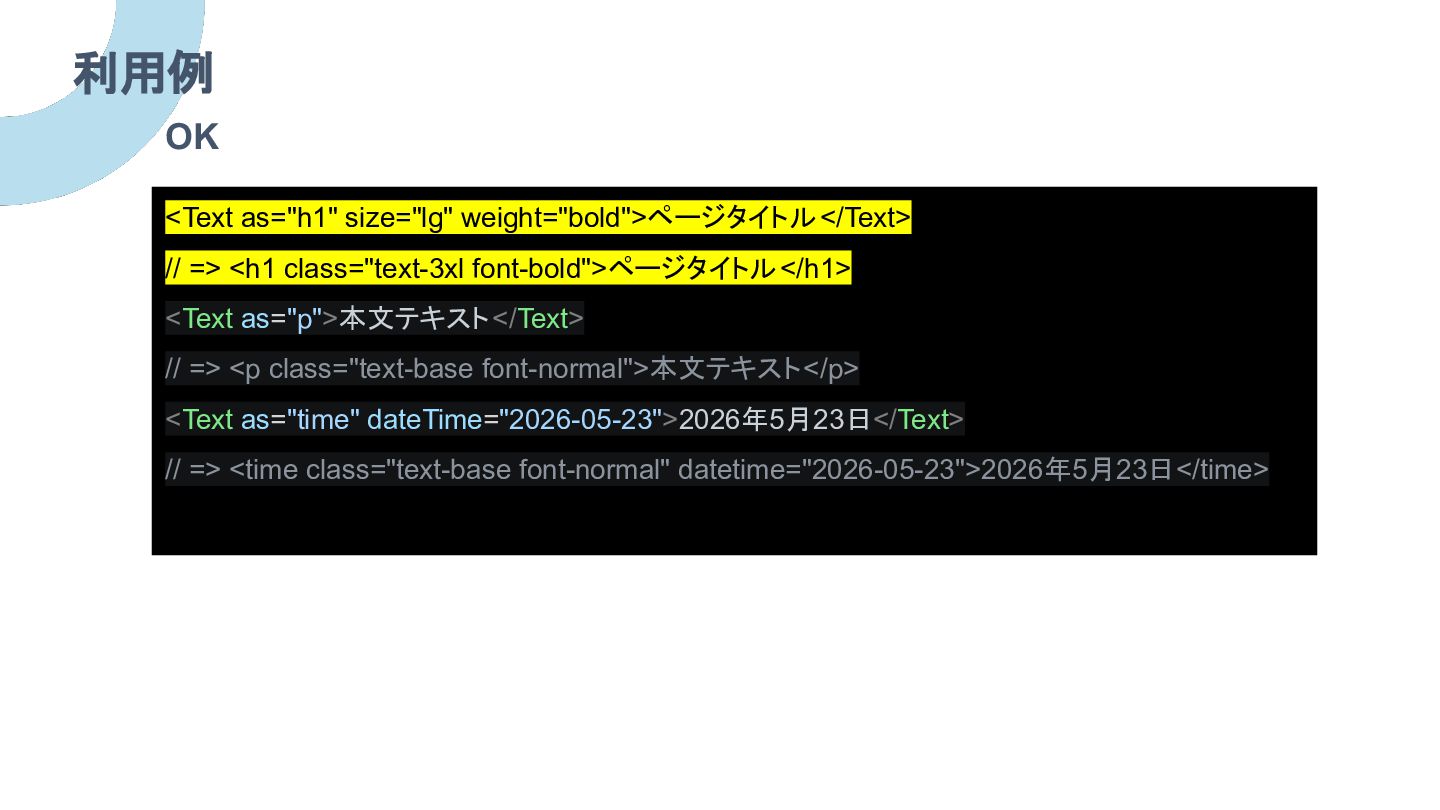
利用例 <Text as="h1" size="lg" weight="bold">ページタイトル</Text> // => <h1 class="text-3xl font-bold">ページタイトル</h1>
<Text as="p">本文テキスト</Text> // => <p class="text-base font-normal">本文テキスト</p> <Text as="time" dateTime="2026-05-23">2026年5月23日</Text> // => <time class="text-base font-normal" datetime="2026-05-23">2026年5月23日</time> OK
利用例 <Text as="h1" size="lg" weight="bold">ページタイトル</Text> // => <h1 class="text-3xl font-bold">ページタイトル</h1>
<Text as="p">本文テキスト</Text> // => <p class="text-base font-normal">本文テキスト</p> <Text as="time" dateTime="2026-05-23">2026年5月23日</Text> // => <time class="text-base font-normal" datetime="2026-05-23">2026年5月23日</time> OK
利用例 <Text as="h1" size="lg" weight="bold">ページタイトル</Text> // => <h1 class="text-3xl font-bold">ページタイトル</h1>
<Text as="p">本文テキスト</Text> // => <p class="text-base font-normal">本文テキスト</p> <Text as="time" dateTime="2026-05-23">2026年5月23日</Text> // => <time class="text-base font-normal" datetime="2026-05-23">2026年5月23日</time> OK
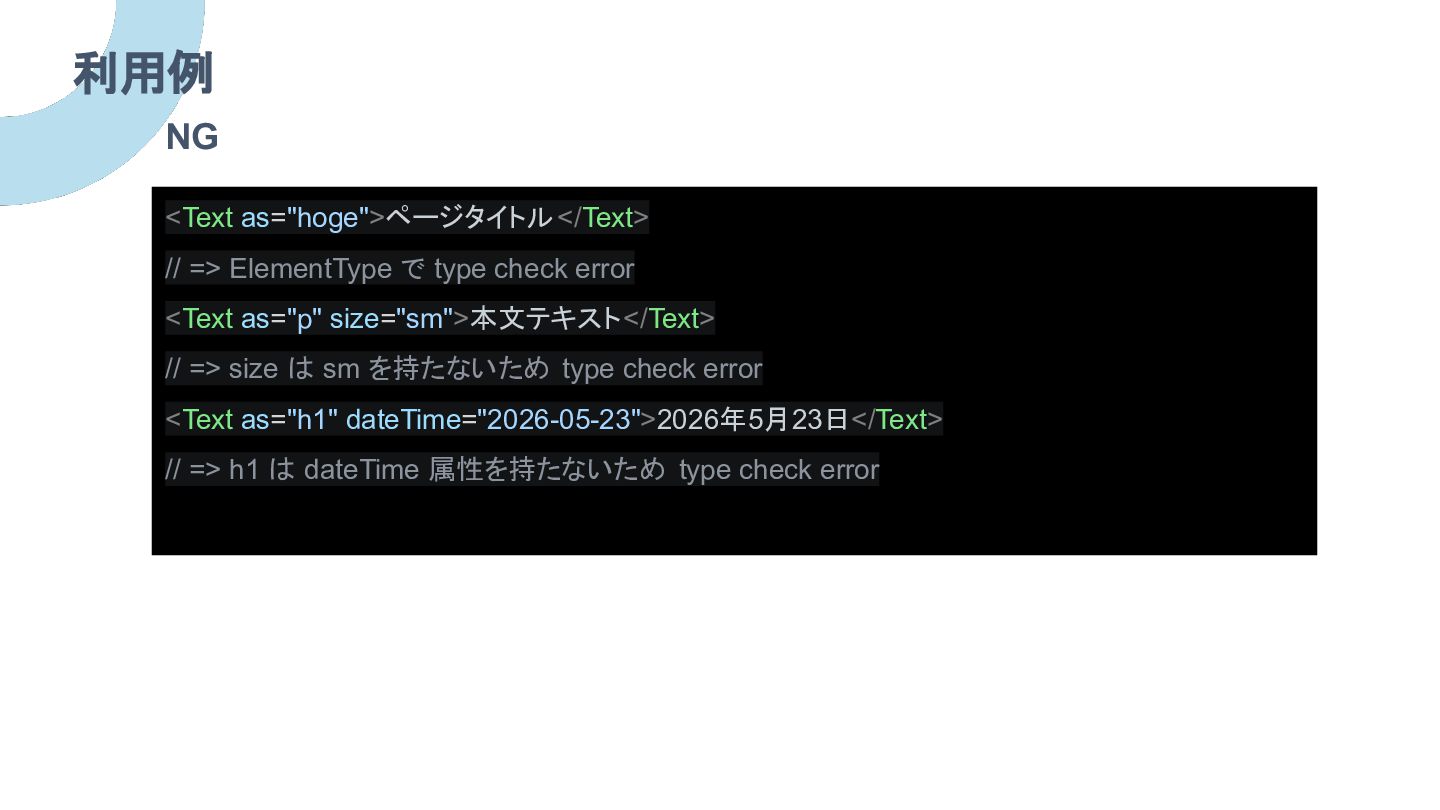
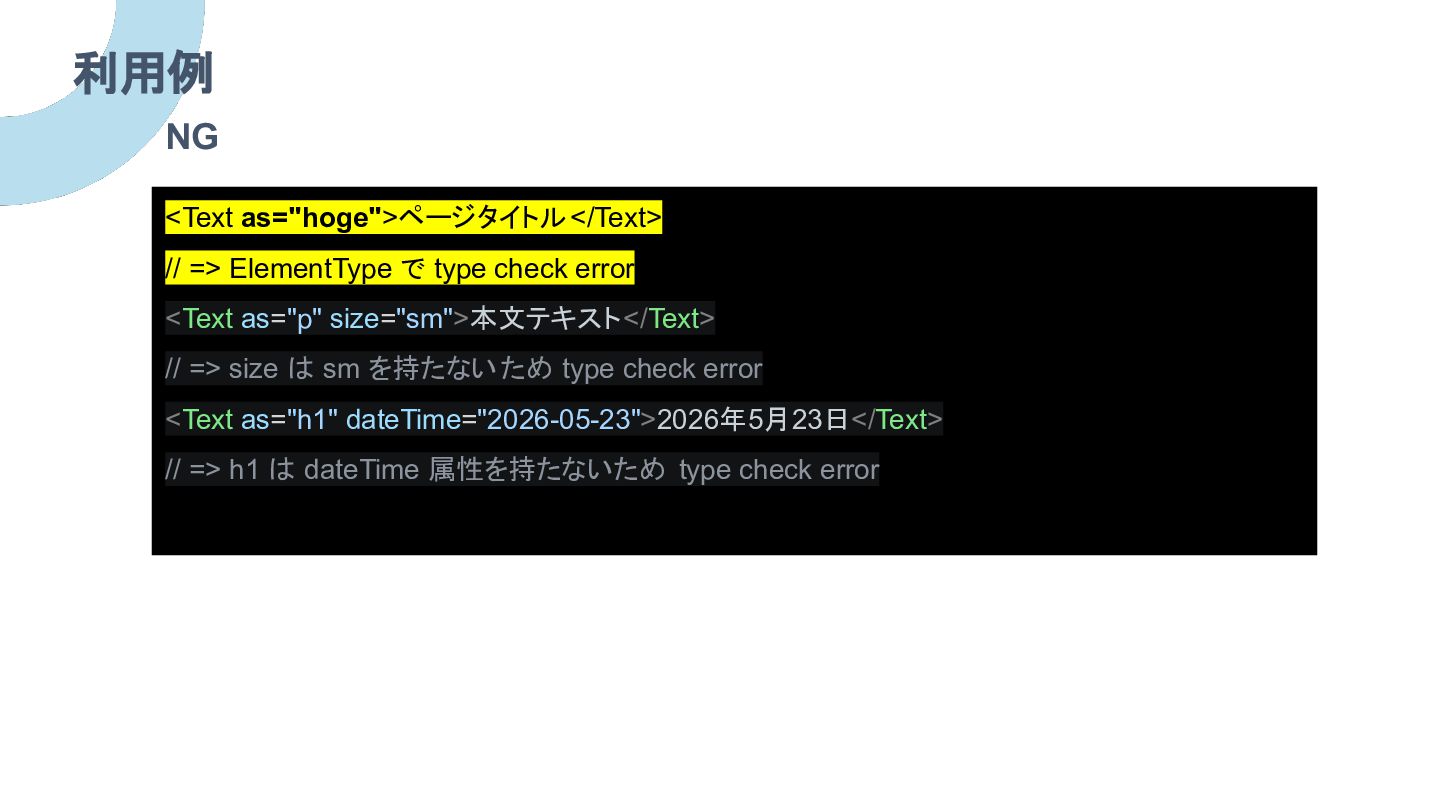
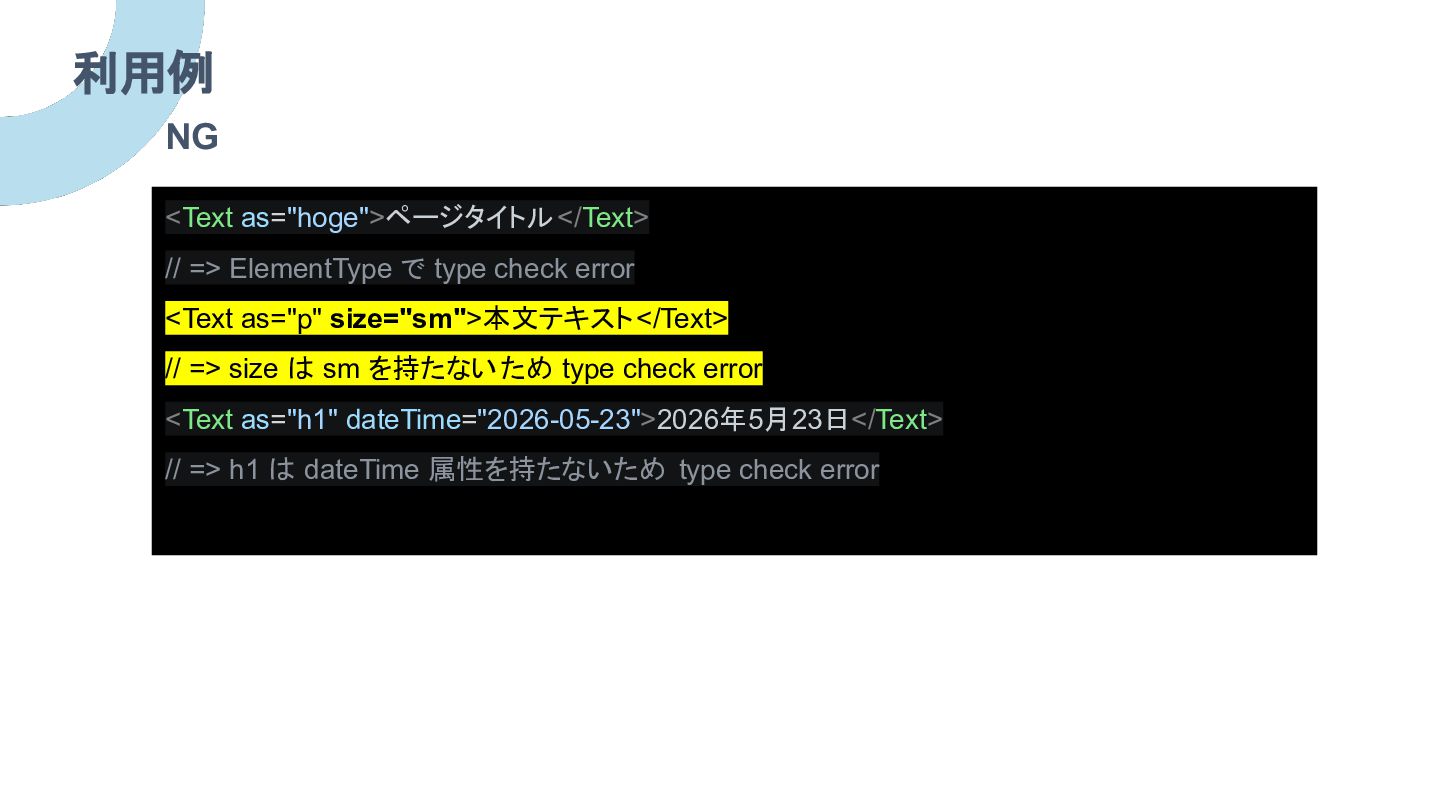
利用例 <Text as="hoge">ページタイトル</Text> // => ElementType で type check error
<Text as="p" size="sm">本文テキスト</Text> // => size は sm を持たないため type check error <Text as="h1" dateTime="2026-05-23">2026年5月23日</Text> // => h1 は dateTime 属性を持たないため type check error NG
利用例 <Text as="hoge">ページタイトル</Text> // => ElementType で type check error
<Text as="p" size="sm">本文テキスト</Text> // => size は sm を持たないため type check error <Text as="h1" dateTime="2026-05-23">2026年5月23日</Text> // => h1 は dateTime 属性を持たないため type check error NG
利用例 <Text as="hoge">ページタイトル</Text> // => ElementType で type check error
<Text as="p" size="sm">本文テキスト</Text> // => size は sm を持たないため type check error <Text as="h1" dateTime="2026-05-23">2026年5月23日</Text> // => h1 は dateTime 属性を持たないため type check error NG
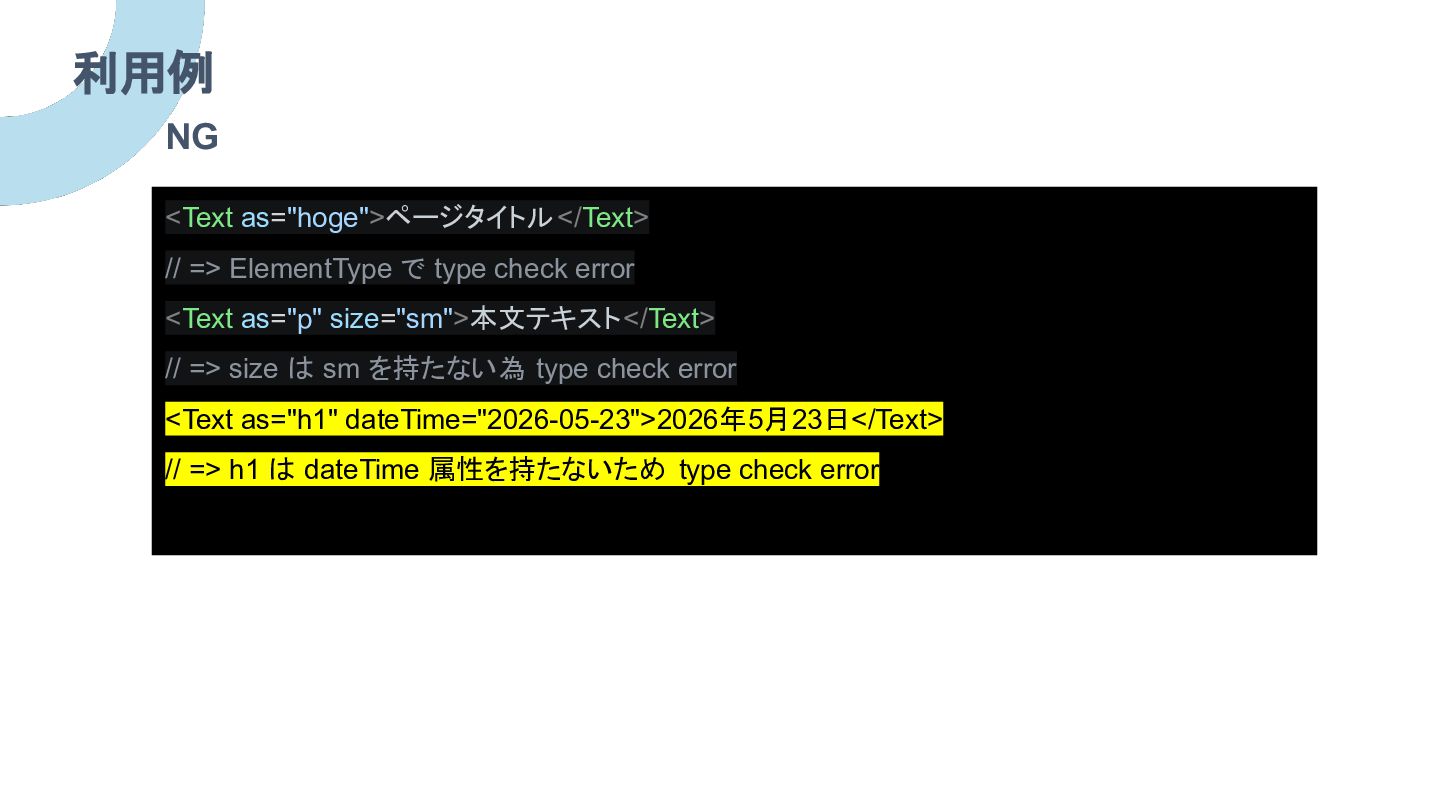
利用例 <Text as="hoge">ページタイトル</Text> // => ElementType で type check error
<Text as="p" size="sm">本文テキスト</Text> // => size は sm を持たない為 type check error <Text as="h1" dateTime="2026-05-23">2026年5月23日</Text> // => h1 は dateTime 属性を持たないため type check error NG
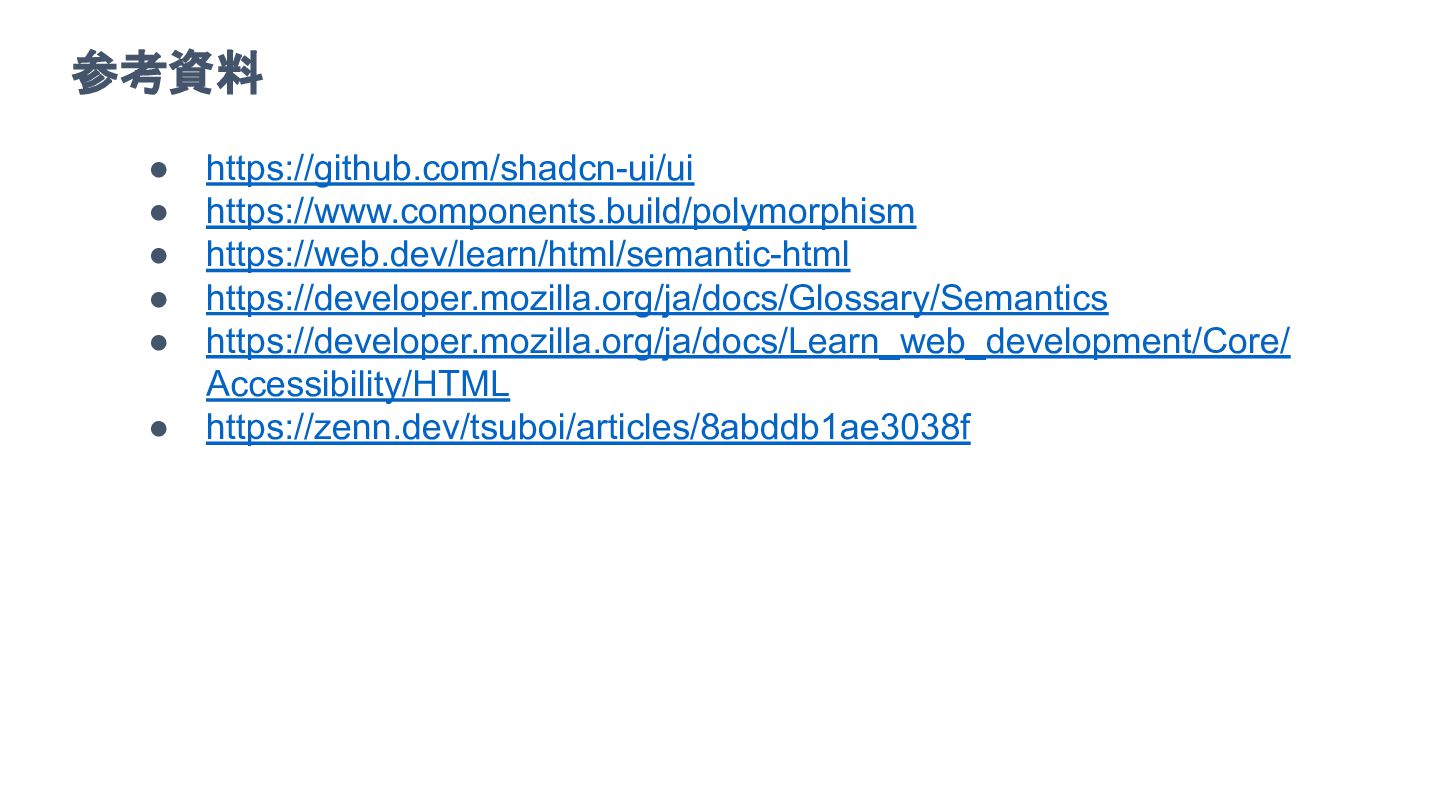
参考資料 • https://github.com/shadcn-ui/ui • https://www.components.build/polymorphism • https://web.dev/learn/html/semantic-html • https://developer.mozilla.org/ja/docs/Glossary/Semantics •
https://developer.mozilla.org/ja/docs/Learn_web_development/Core/ Accessibility/HTML • https://zenn.dev/tsuboi/articles/8abddb1ae3038f
おわりに 本題のブログ Belong 採用


 watany
 chriscoyier
 schroneko
 marketingsoph
 dugsong
 afnizarnur
 bermonpainter
 mkilby
 ipullrank
 addyosmani
 sabderemane
 mza
mza