Upgrade to Pro
— share decks privately, control downloads, hide ads and more …
Speaker Deck
Sign up for free
Menu
Search
Features
All features
Private URLs
Password Protection
Custom URLS
Scheduled publishing
Remove Branding
Restrict embedding
Deck Collections
Notes
Features
All features
Private URLs
Password Protection
Custom URLS
Scheduled publishing
Remove Branding
Restrict embedding
Deck Collections
Notes
Explore
Featured decks
Featured speakers
Programming
Technology
Storyboards
Explore
Featured decks
Featured speakers
Programming
Technology
Storyboards
Pricing
Search
Sign in
Sign up for free
空間情報システム入門 #02 2016/06/16
Search
Sayaka N
June 16, 2016
42
0
Share
Embed
Copy iframe code
Copy JS code
Copy link
Start on current slide
空間情報システム入門 #02 2016/06/16
Sayaka N
June 16, 2016
More Decks by Sayaka N
See All by Sayaka N
Pokestopに使われそうな場所MAP
saaaaaya5
0
190
Featured
See All Featured
SEO for Brand Visibility & Recognition
aleyda
0
4.8k
A Modern Web Designer's Workflow
chriscoyier
699
190k
The innovator’s Mindset - Leading Through an Era of Exponential Change - McGill University 2025
jdejongh
PRO
1
380
Exploring anti-patterns in Rails
aemeredith
4
540
The Anti-SEO Checklist Checklist. Pubcon Cyber Week
ryanjones
0
270
Have SEOs Ruined the Internet? - User Awareness of SEO in 2025
akashhashmi
0
520
Everyday Curiosity
cassininazir
0
350
Facilitating Awesome Meetings
lara
57
7.2k
Paper Plane
katiecoart
PRO
5
54k
Code Review Best Practice
trishagee
74
20k
Rails Girls Zürich Keynote
gr2m
96
14k
Data-driven link building: lessons from a $708K investment (BrightonSEO talk)
szymonslowik
1
1.4k
Transcript
HOW TO USE OpenStreetMap
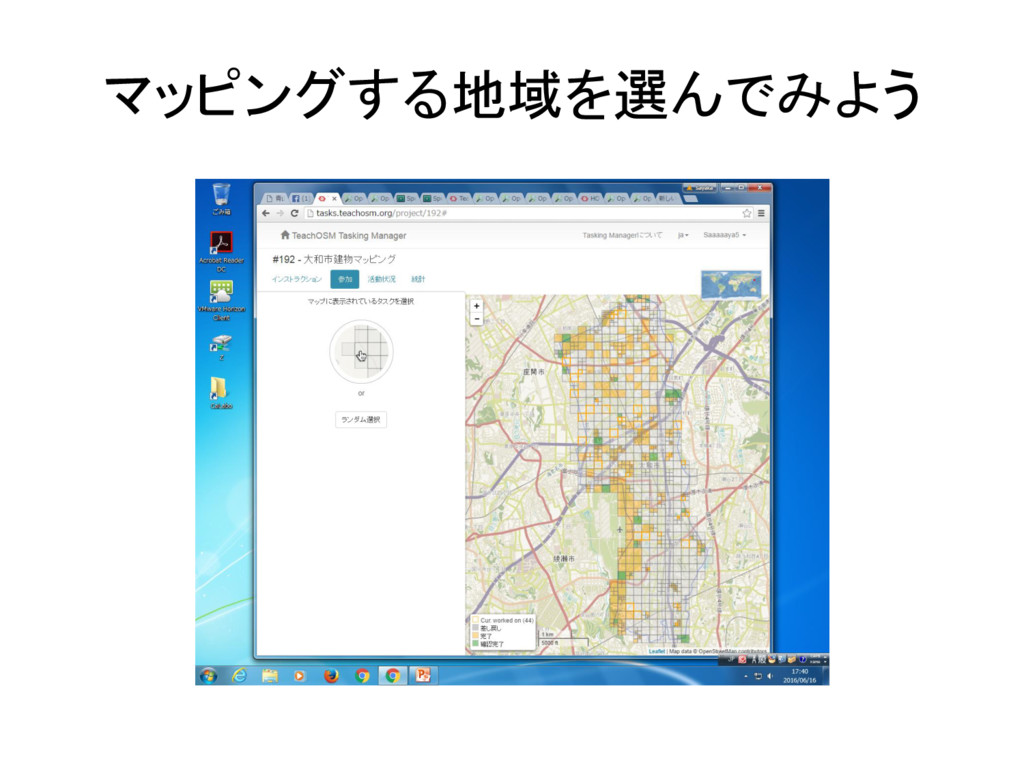
マッピングする地域を選んでみよう
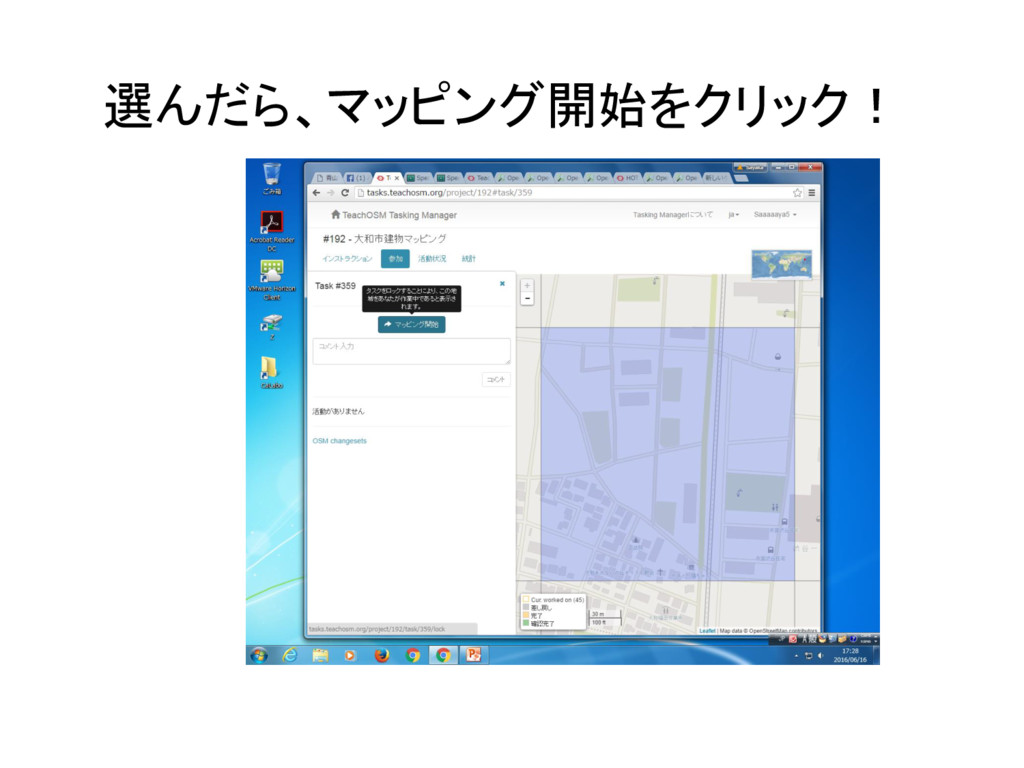
選んだら、マッピング開始をクリック!
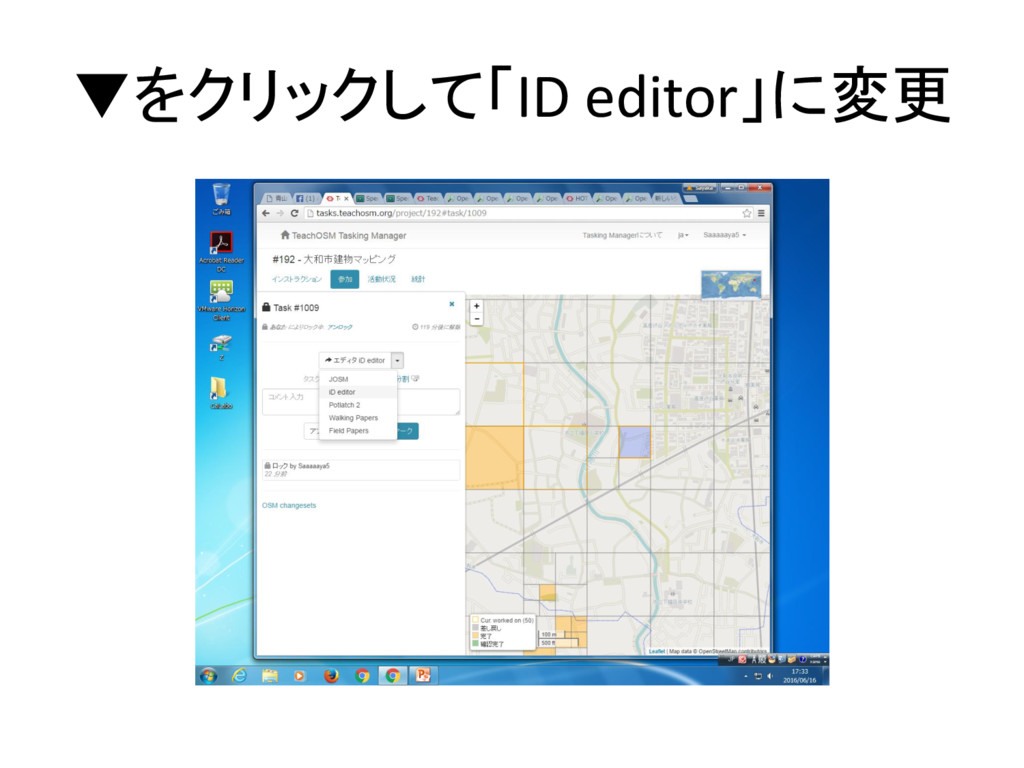
▼をクリックして「ID editor」に変更
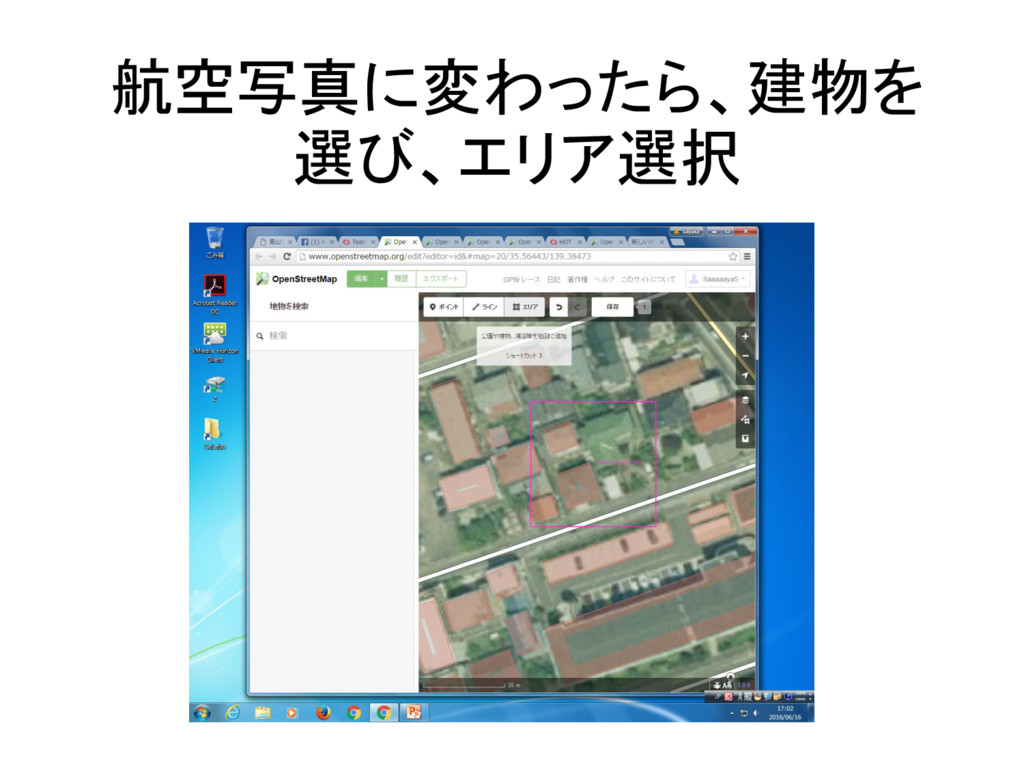
航空写真に変わったら、建物を 選び、エリア選択
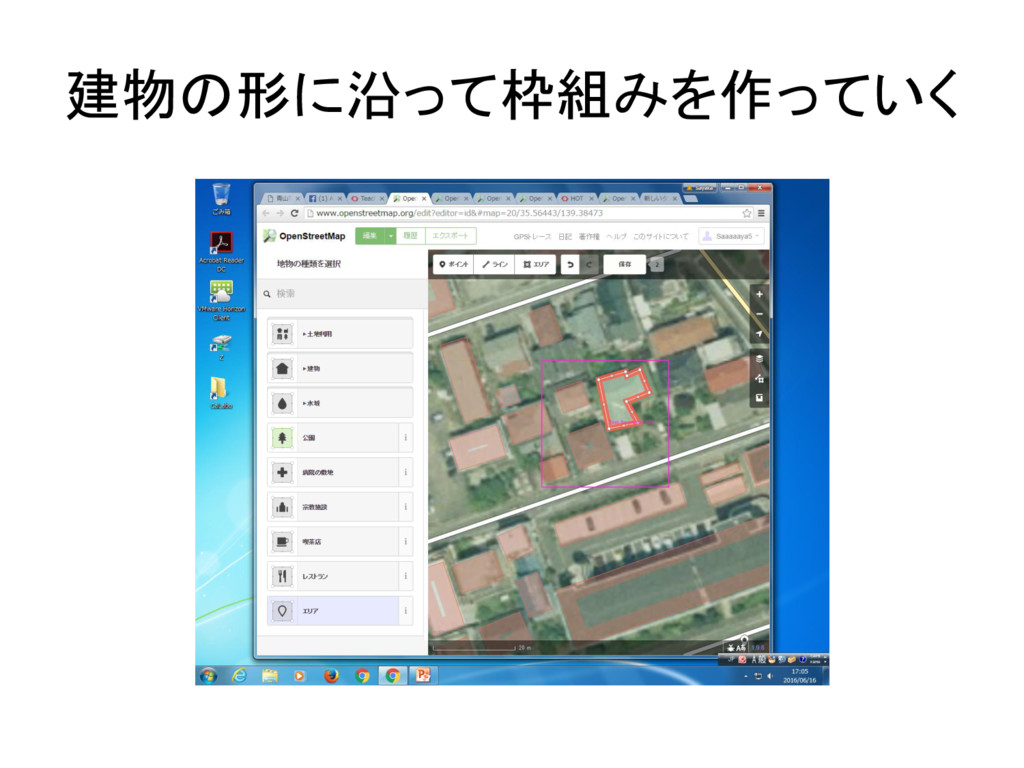
建物の形に沿って枠組みを作っていく
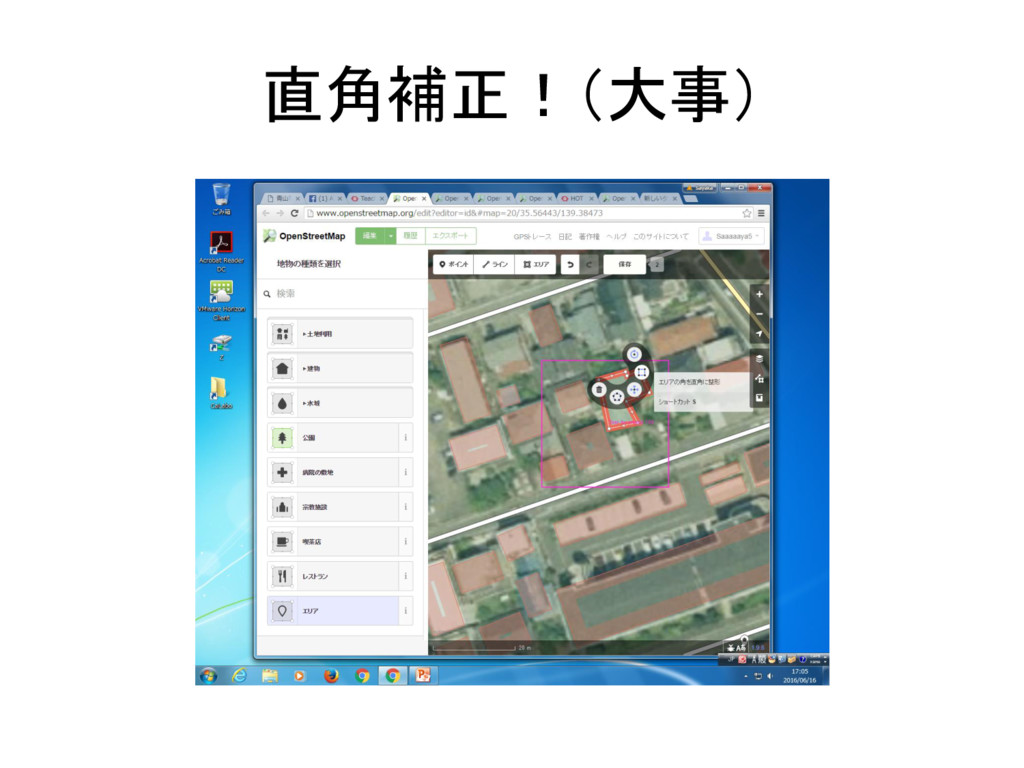
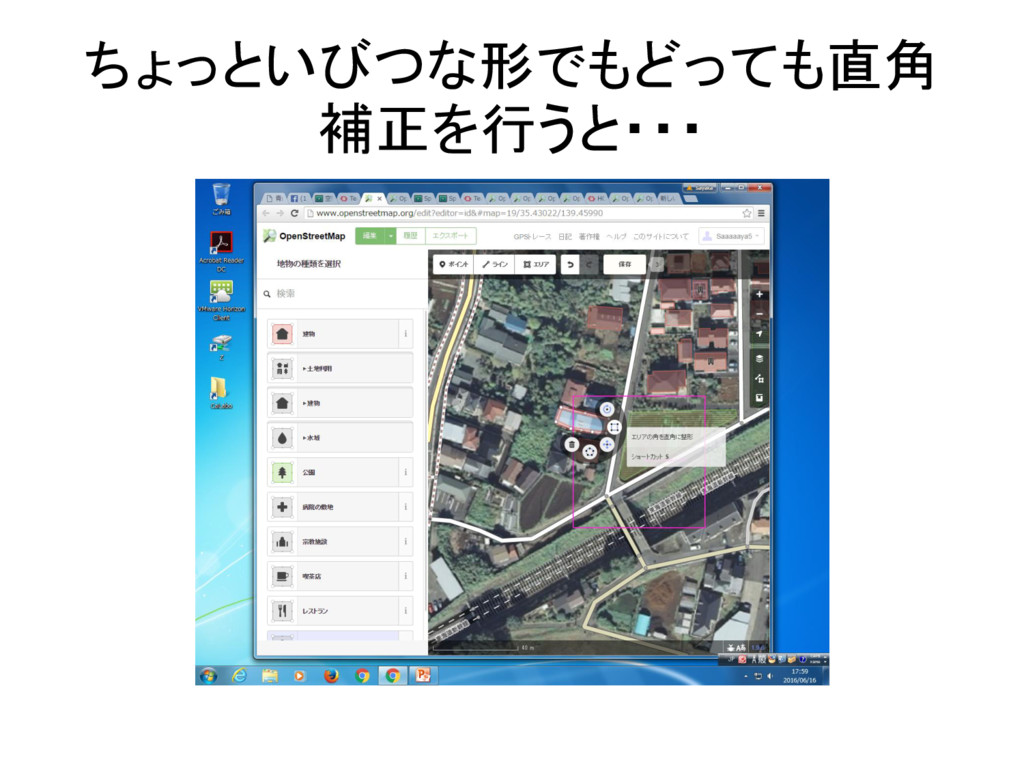
直角補正!(大事)
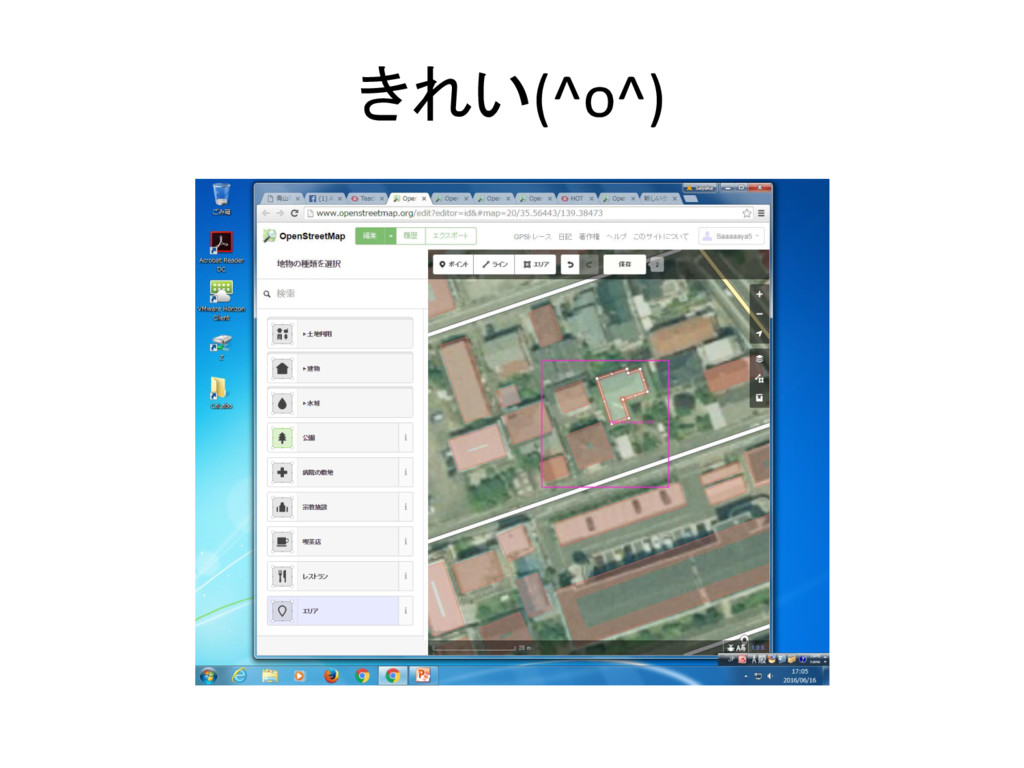
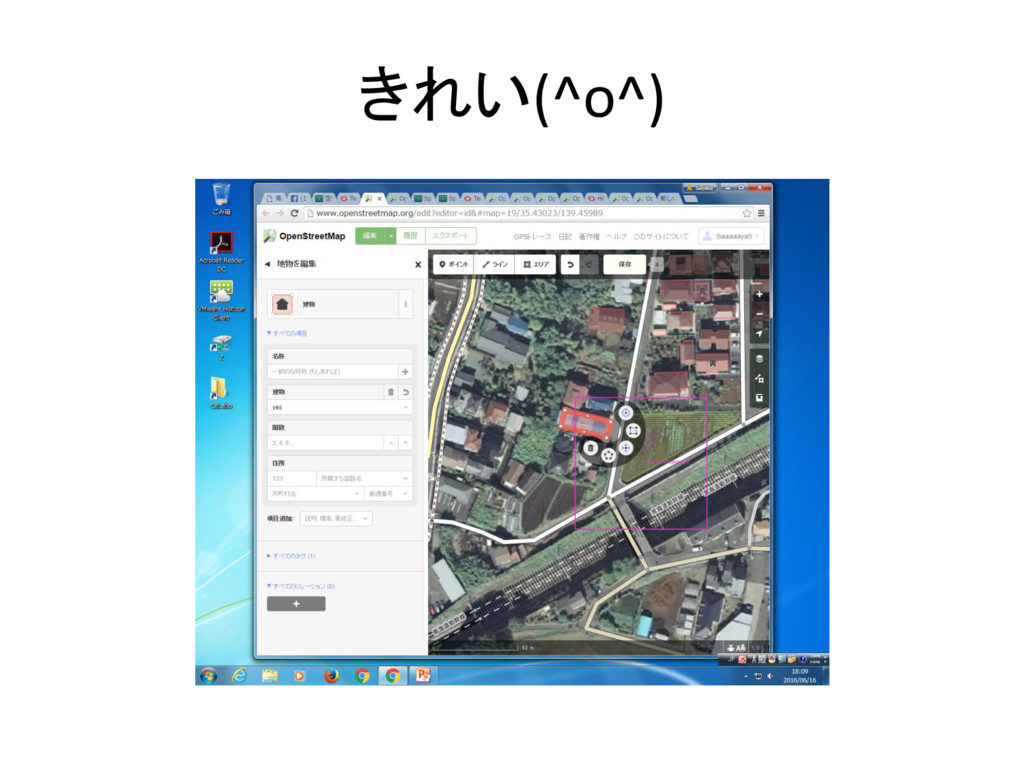
きれい(^o^)
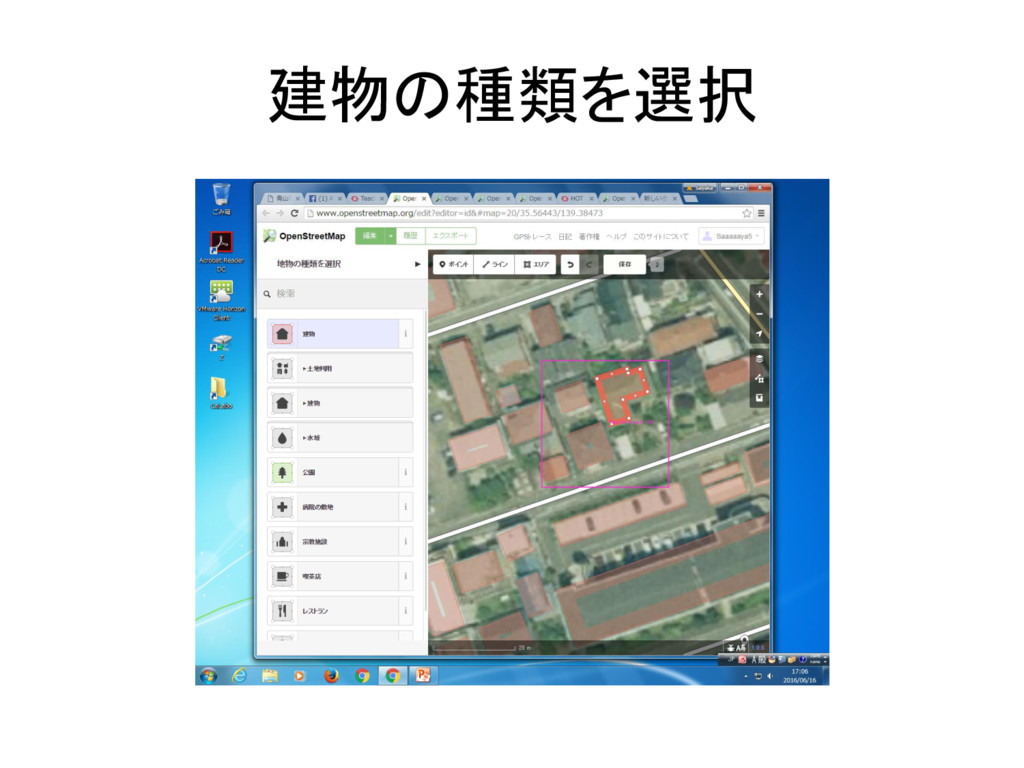
建物の種類を選択
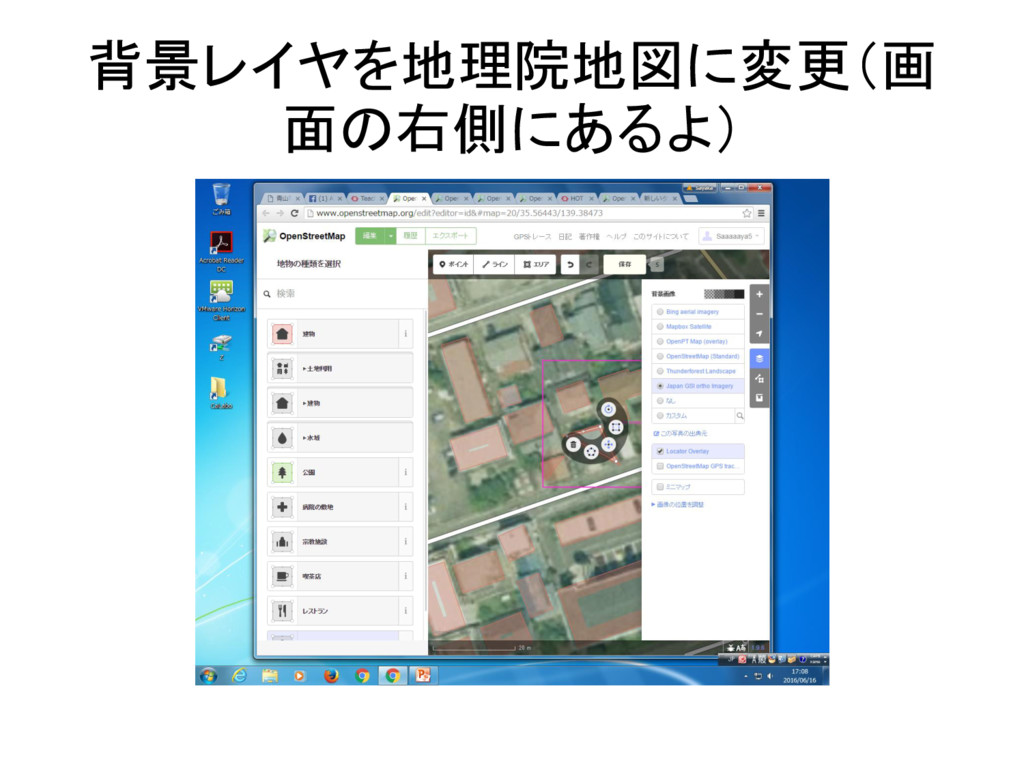
背景レイヤを地理院地図に変更(画 面の右側にあるよ)
交差点作ったときの対処法
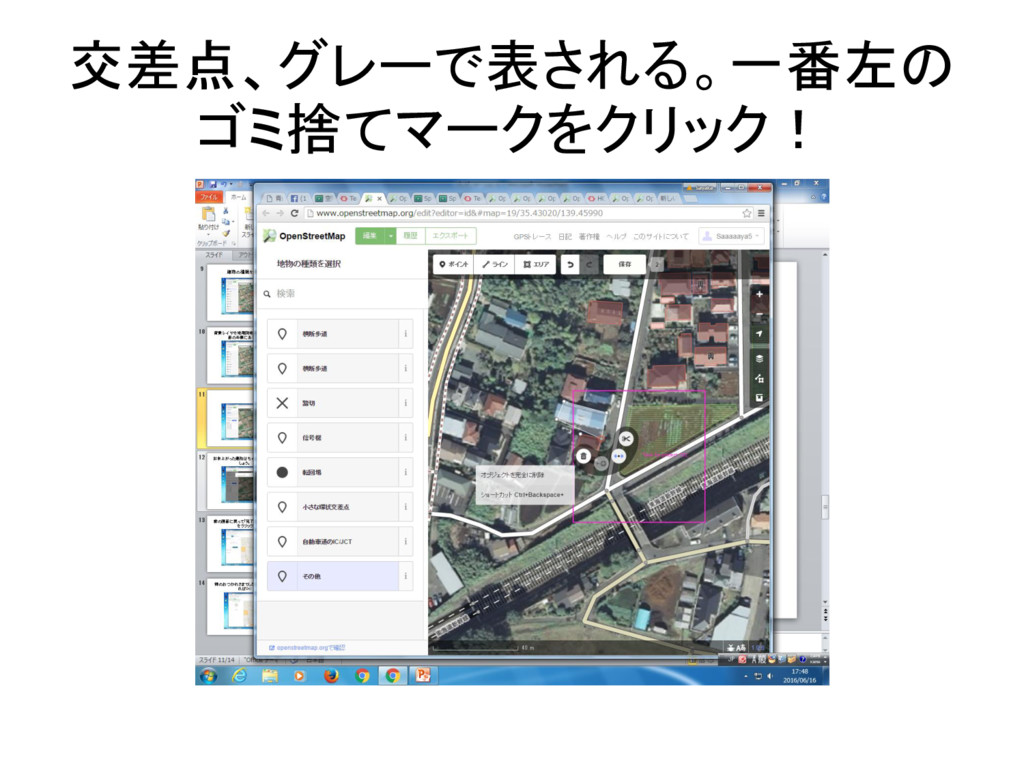
交差点、グレーで表される。一番左の ゴミ捨てマークをクリック!
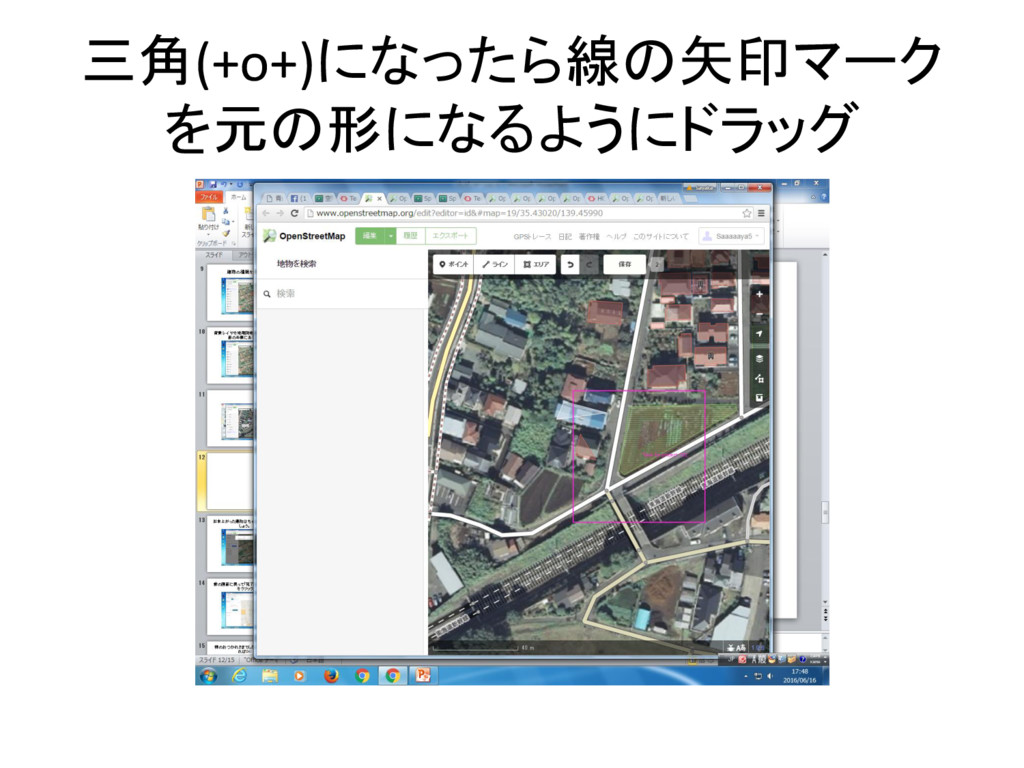
三角(+o+)になったら線の矢印マーク を元の形になるようにドラッグ
ちょっといびつな形でもどっても直角 補正を行うと・・・
きれい(^o^)
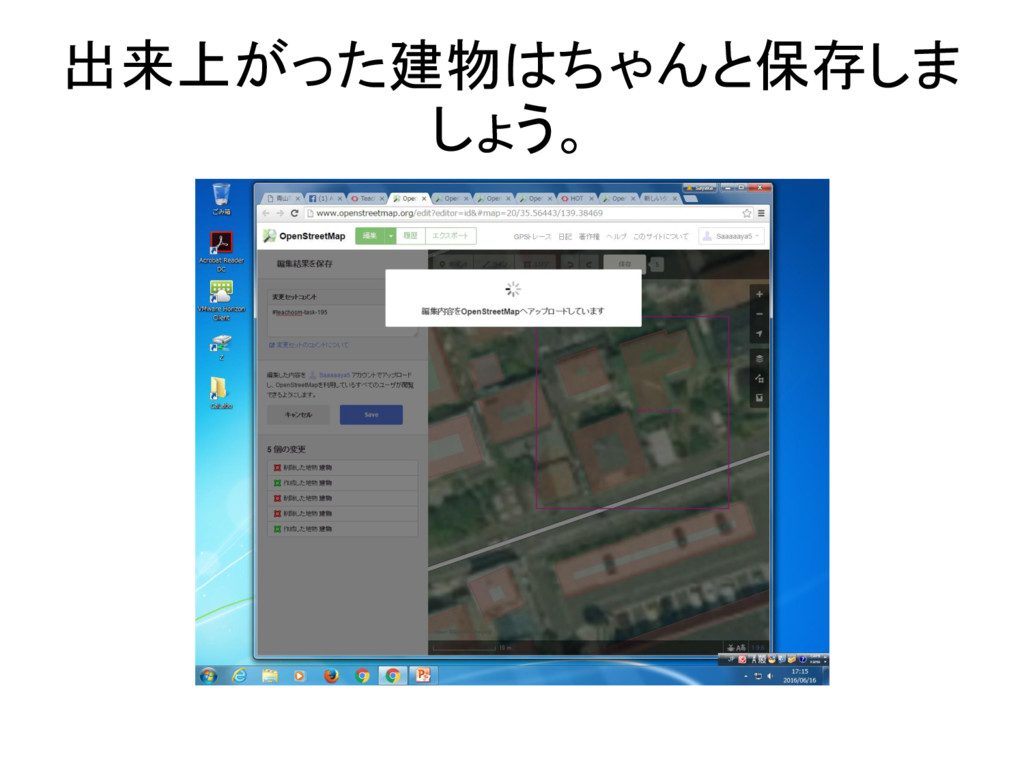
出来上がった建物はちゃんと保存しま しょう。
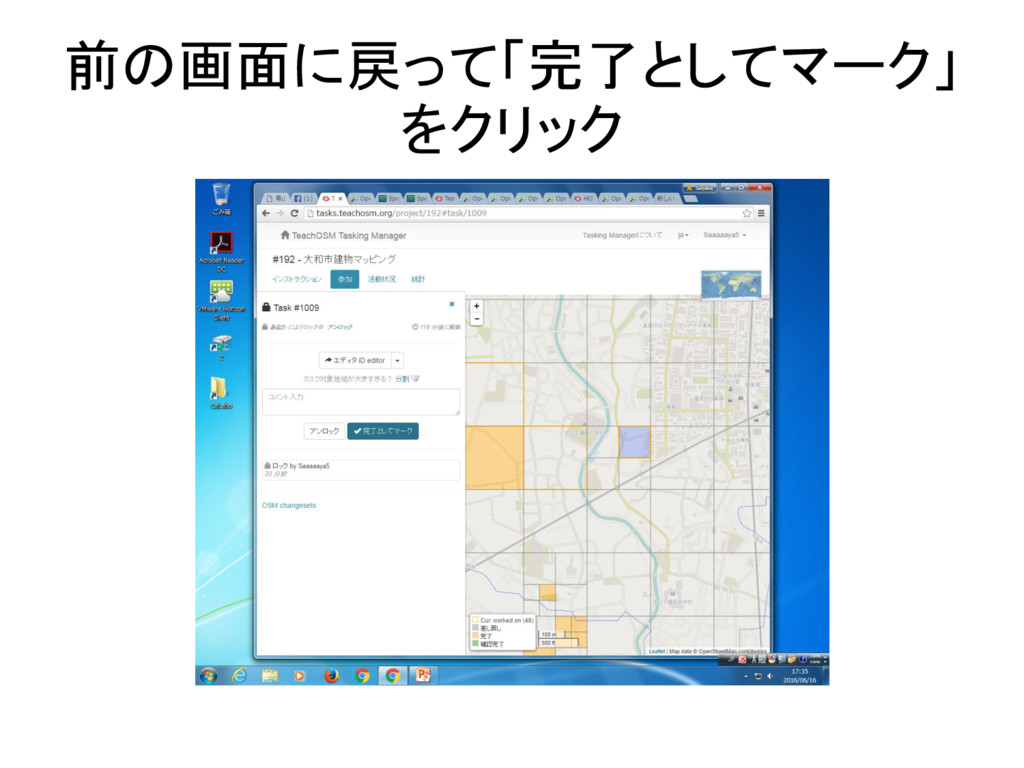
前の画面に戻って「完了としてマーク」 をクリック
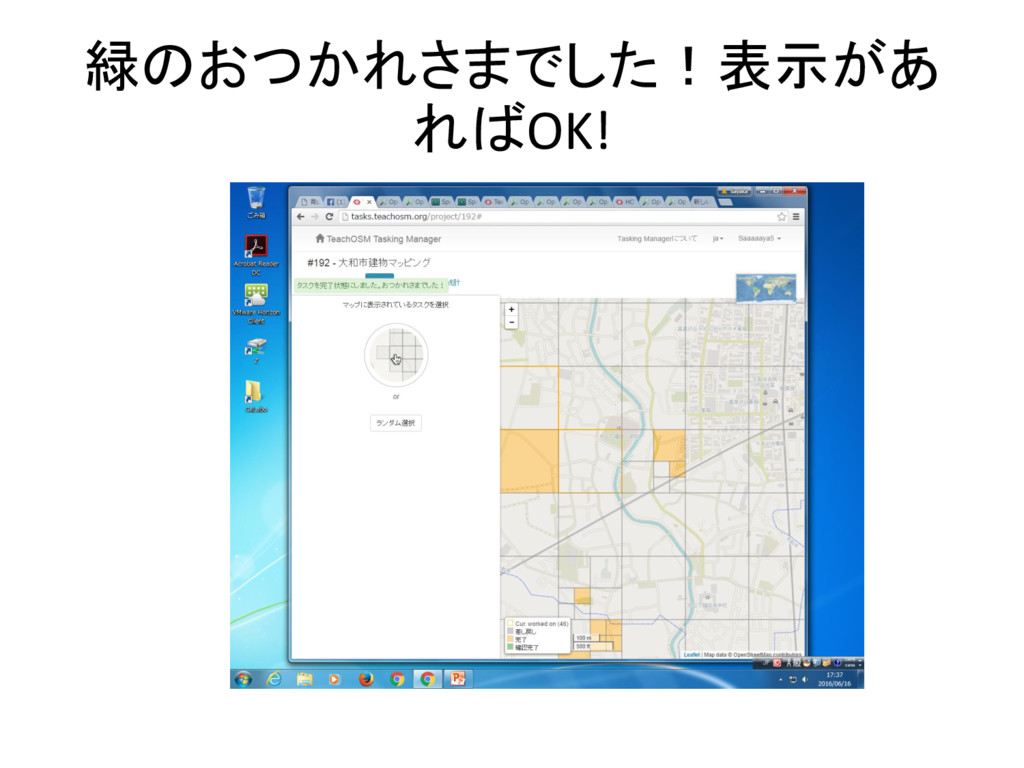
緑のおつかれさまでした!表示があ ればOK!


 saaaaaya5
 aleyda
 chriscoyier
 jdejongh
 aemeredith
 ryanjones
 akashhashmi
 cassininazir
 lara
lara
 katiecoart
 trishagee
 gr2m
gr2m
 szymonslowik