Upgrade to Pro
— share decks privately, control downloads, hide ads and more …
Speaker Deck
Sign up for free
Menu
Search
Features
All features
Private URLs
Password Protection
Custom URLS
Scheduled publishing
Remove Branding
Restrict embedding
Deck Collections
Notes
Features
All features
Private URLs
Password Protection
Custom URLS
Scheduled publishing
Remove Branding
Restrict embedding
Deck Collections
Notes
Explore
Featured decks
Featured speakers
Programming
Technology
Storyboards
Explore
Featured decks
Featured speakers
Programming
Technology
Storyboards
Pricing
Search
Sign in
Sign up for free
課題aの手順
Search
seikasmart
July 14, 2016
29
0
Share
Embed
Copy iframe code
Copy JS code
Copy link
Start on current slide
課題aの手順
seikasmart
July 14, 2016
Featured
See All Featured
Producing Creativity
orderedlist
PRO
348
41k
Exploring the relationship between traditional SERPs and Gen AI search
raygrieselhuber
PRO
4
4.4k
Navigating Weather and Climate Data
rabernat
0
560
Bootstrapping a Software Product
garrettdimon
PRO
306
120k
The agentic SEO stack - context over prompts
schlessera
0
970
How to train your dragon (web standard)
notwaldorf
96
6.9k
Keith and Marios Guide to Fast Websites
keithpitt
413
23k
The Illustrated Children's Guide to Kubernetes
chrisshort
51
53k
Crafting Experiences
bethany
1
380
GraphQLの誤解/rethinking-graphql
sonatard
75
12k
Building Better People: How to give real-time feedback that sticks.
wjessup
370
20k
Large-scale JavaScript Application Architecture
addyosmani
516
110k
Transcript
課題aの作業手順 学籍番号:1A116124 スマート 聖花
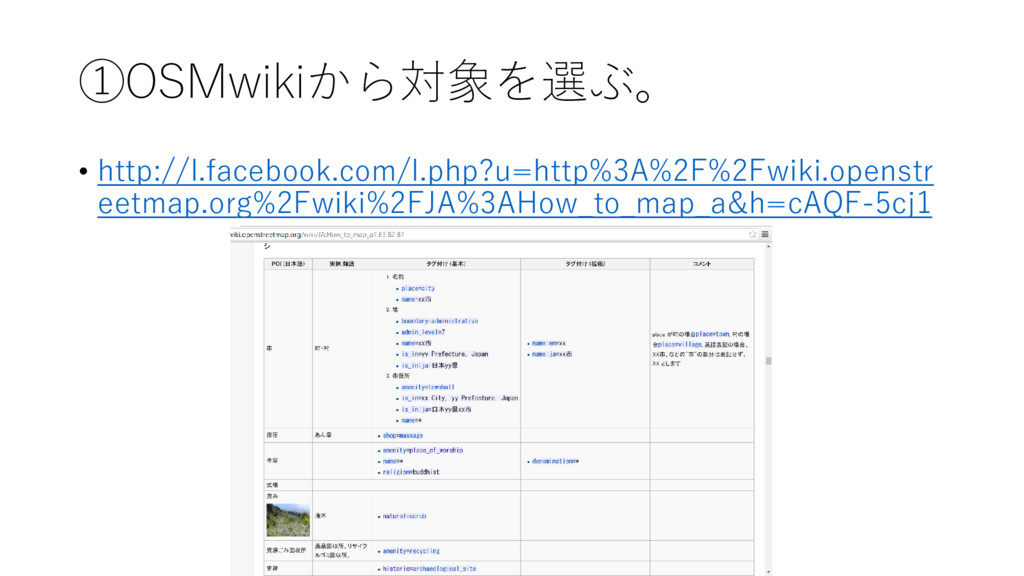
①OSMwikiから対象を選ぶ。 • http://l.facebook.com/l.php?u=http%3A%2F%2Fwiki.openstr eetmap.org%2Fwiki%2FJA%3AHow_to_map_a&h=cAQF-5cj1
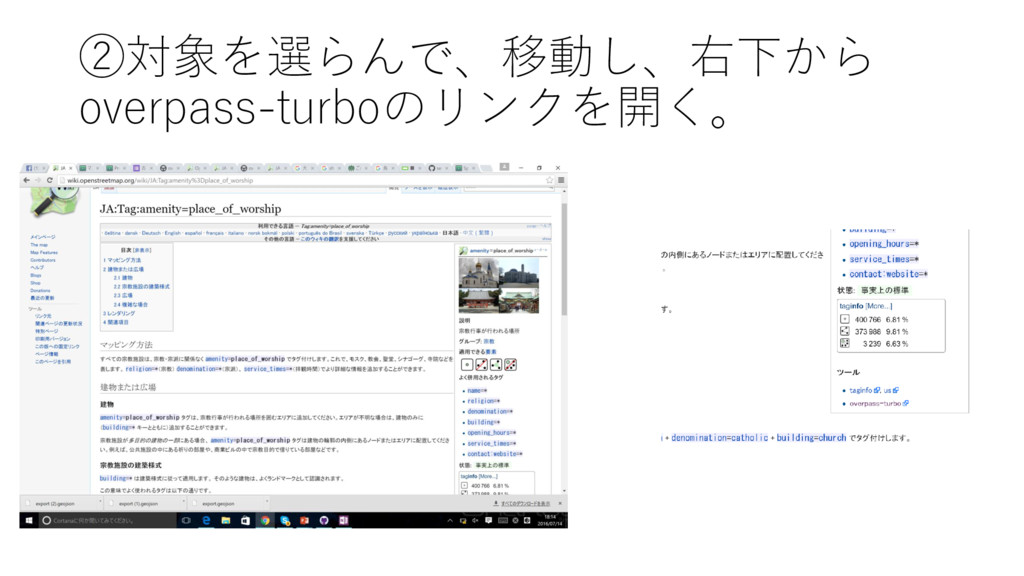
②対象を選らんで、移動し、右下から overpass-turboのリンクを開く。
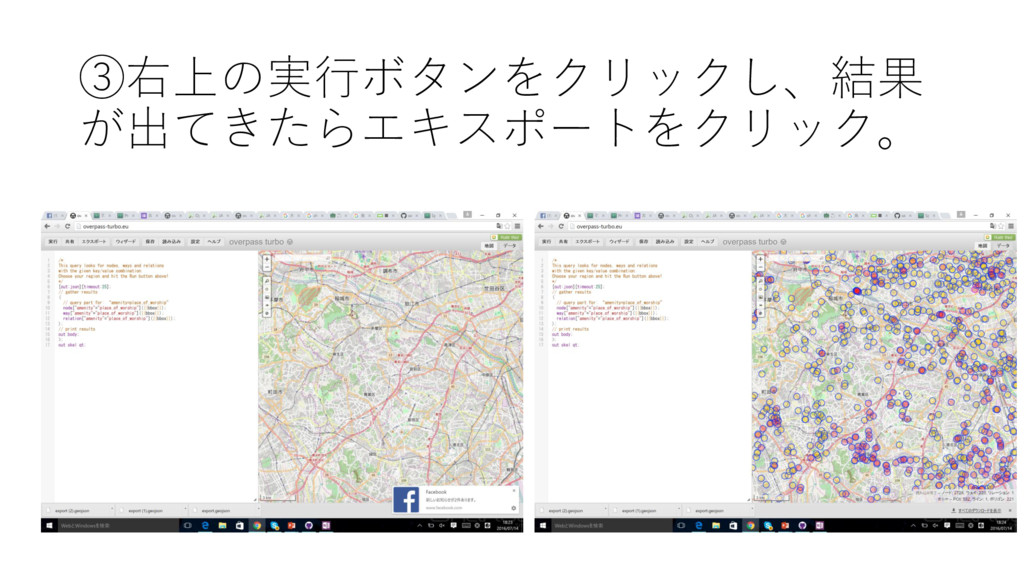
③右上の実行ボタンをクリックし、結果 が出てきたらエキスポートをクリック。
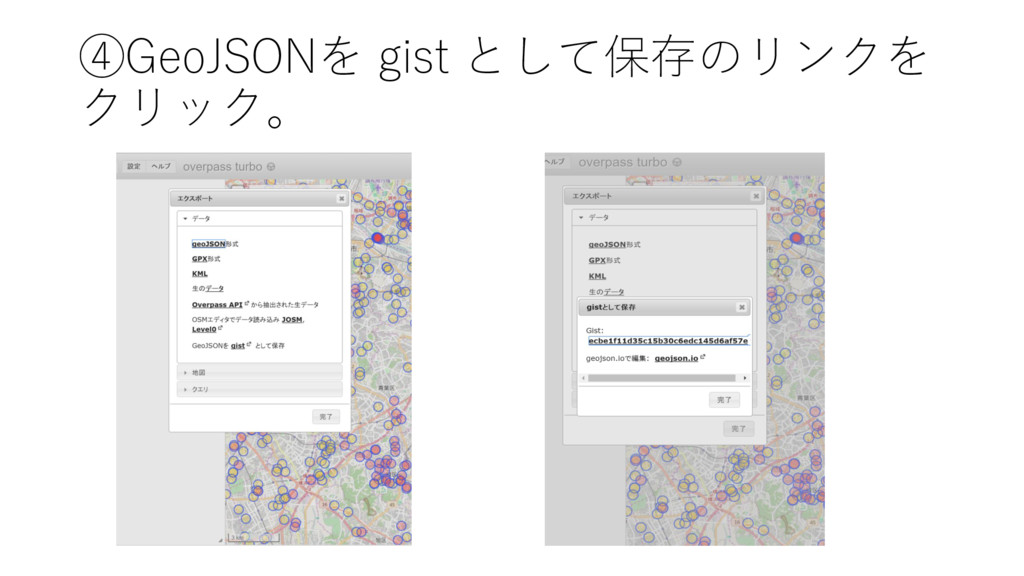
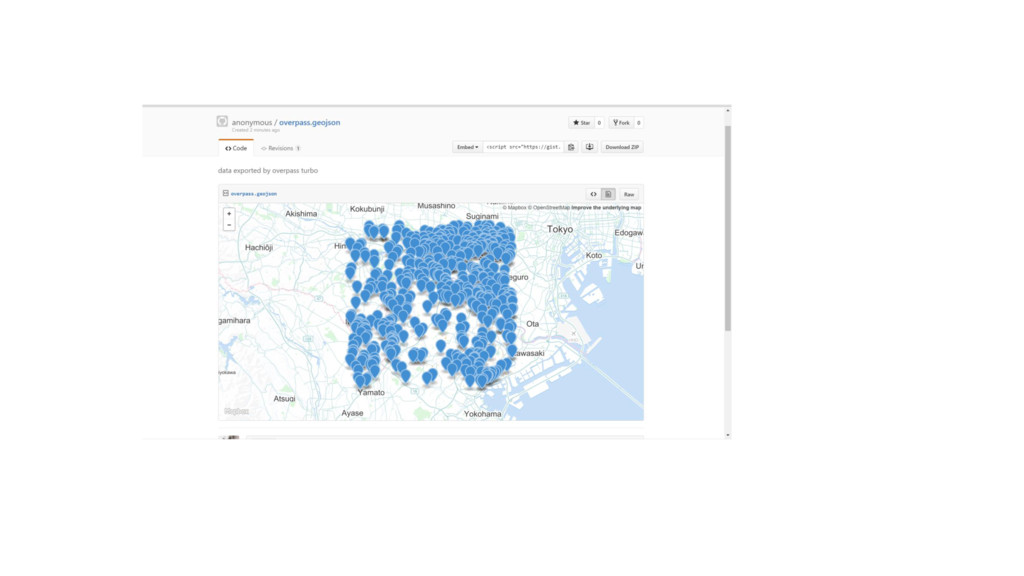
④GeoJSONを gist として保存のリンクを クリック。
None


 orderedlist
 raygrieselhuber
 rabernat
 garrettdimon
 schlessera
 notwaldorf
 keithpitt
 chrisshort
 bethany
 sonatard
 wjessup
 addyosmani