Upgrade to Pro
— share decks privately, control downloads, hide ads and more …
Speaker Deck
Sign up for free
Menu
Search
Features
All features
Private URLs
Password Protection
Custom URLS
Scheduled publishing
Remove Branding
Restrict embedding
Deck Collections
Notes
Features
All features
Private URLs
Password Protection
Custom URLS
Scheduled publishing
Remove Branding
Restrict embedding
Deck Collections
Notes
Explore
Featured decks
Featured speakers
Programming
Technology
Storyboards
Explore
Featured decks
Featured speakers
Programming
Technology
Storyboards
Pricing
Search
Sign in
Sign up for free
Jetpack Compose で SharedElementTransitionっぽい挙動を...
Search
Shun Miyazaki
May 21, 2023
210
0
Share
Embed
Copy iframe code
Copy JS code
Copy link
Start on current slide
Jetpack Compose で SharedElementTransitionっぽい挙動をやってみる
Shun Miyazaki
May 21, 2023
More Decks by Shun Miyazaki
See All by Shun Miyazaki
DroidKaigi2025アプリのスクリーンショットテストが失敗していた原因を調べてみた
shunm
0
270
DroidKaigi アプリに初コントリビュートしました
shunm
0
120
Kotlinで簡単なDSLを作ってみる
shunm
0
80
Google I/O 2024 - Gemeni API on Androidの解説
shunm
0
980
Google I/O 2023 - Debugging Jetpack Composeについて
shunm
0
1.2k
Featured
See All Featured
Templates, Plugins, & Blocks: Oh My! Creating the theme that thinks of everything
marktimemedia
31
2.9k
Cheating the UX When There Is Nothing More to Optimize - PixelPioneers
stephaniewalter
287
14k
Prompt Engineering for Job Search
mfonobong
0
520
16th Malabo Montpellier Forum Presentation
akademiya2063
PRO
0
410
My Coaching Mixtape
mlcsv
0
360
Ethics towards AI in product and experience design
skipperchong
2
430
SEOcharity - Dark patterns in SEO and UX: How to avoid them and build a more ethical web
sarafernandez
0
300
Learning to Love Humans: Emotional Interface Design
aarron
275
41k
More Than Pixels: Becoming A User Experience Designer
marktimemedia
3
560
AI Search: Where Are We & What Can We Do About It?
aleyda
0
8.1k
Automating Front-end Workflow
addyosmani
1369
210k
HDC tutorial
michielstock
2
960
Transcript
Jetpack Composeで、 SharedElementTransitionっぽい挙動やってみる 宮﨑 瞬 1
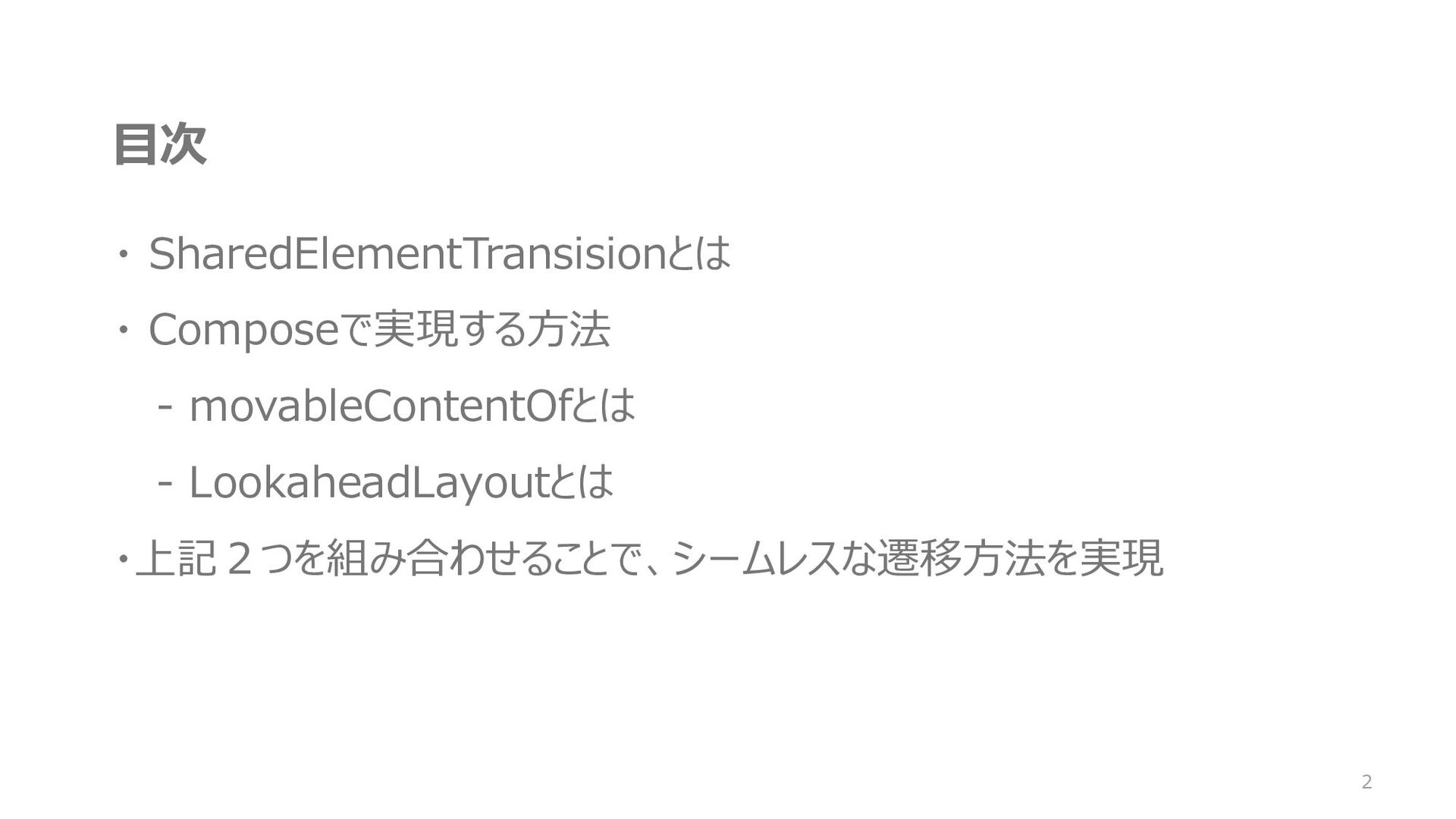
目次 ・ SharedElementTransisionとは ・ Composeで実現する方法 - movableContentOfとは - LookaheadLayoutとは ・上記2つを組み合わせることで、シームレスな遷移方法を実現
2
About Me 宮﨑 瞬 ・ Androidエンジニア ・ Github shunm-999 個人開発のAndroidアプリを、Githubで公開してます
Gitの技術書をAmazon Kindleで出版してます 3
SharedElementTransitionとは? 4
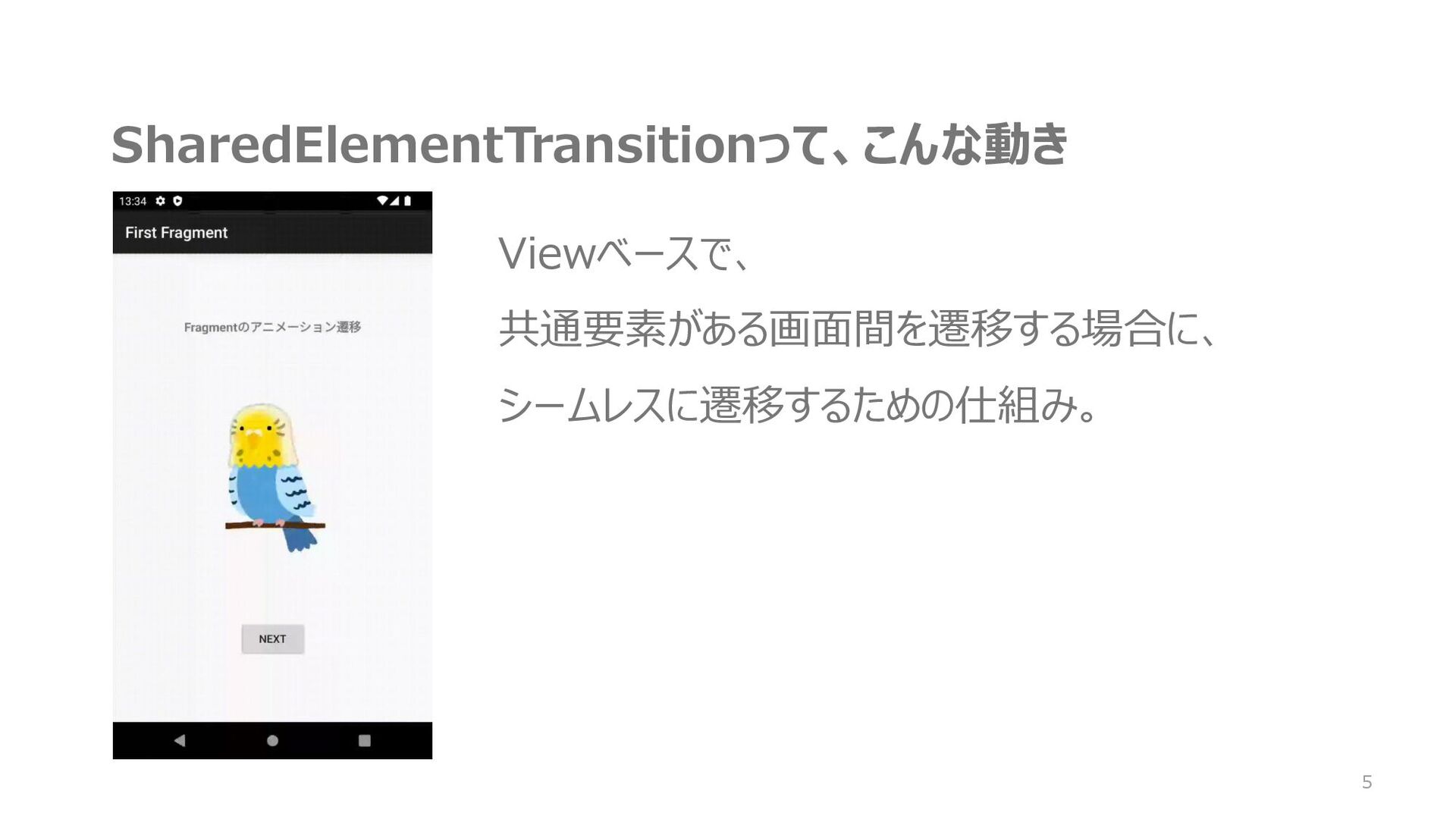
SharedElementTransitionって、こんな動き Viewベースで、 共通要素がある画面間を遷移する場合に、 シームレスに遷移するための仕組み。 5
画面構成 6 MainActivity FirstFragment SecondFragment SharedElementTransition
Composeでも、こんな動きさせたいな〜 7
できますよ!!! 8
movableContentOf & LookaheadLayout 9
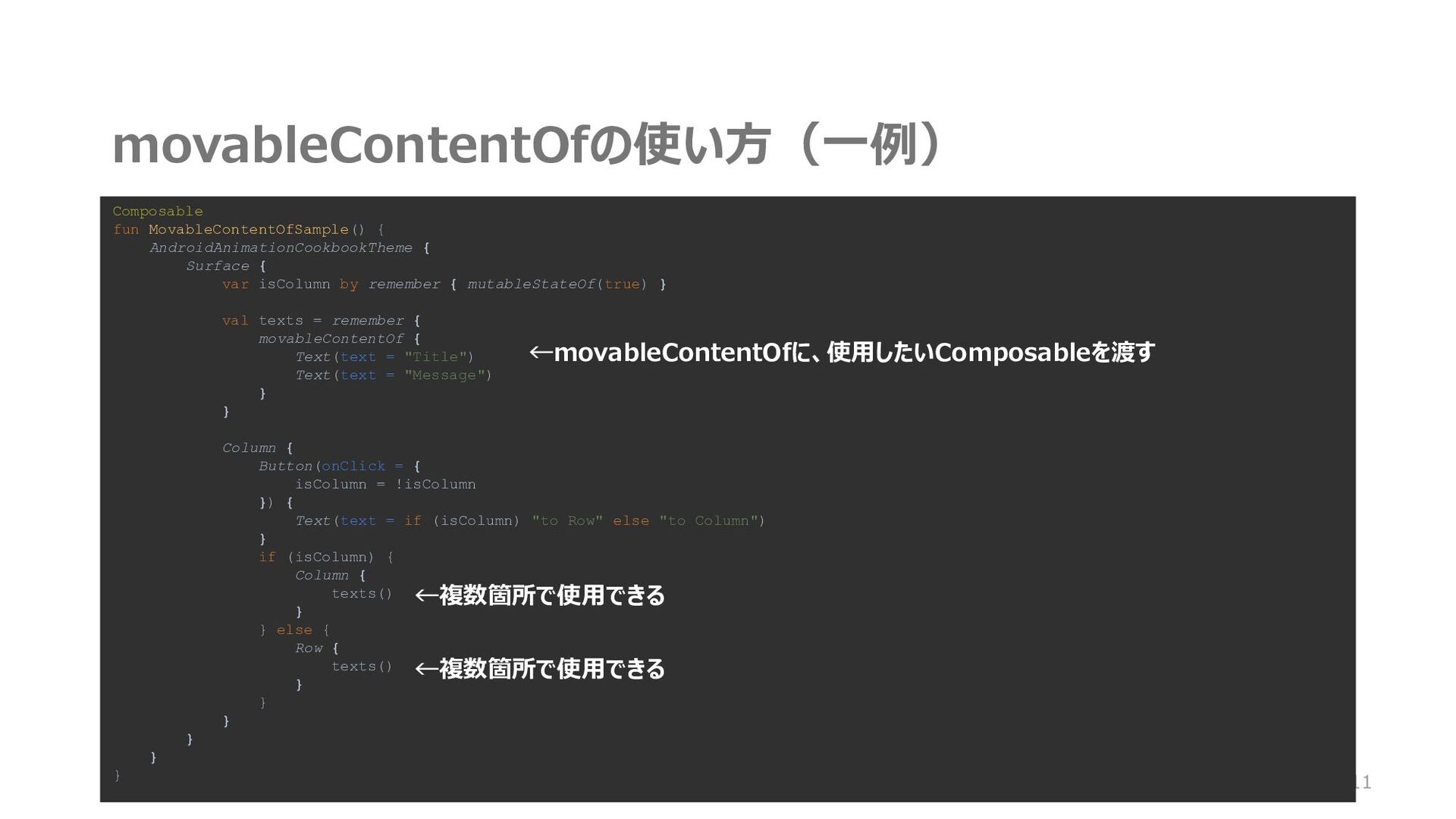
movableContentOfとは ・Recompositionの必要なく、contentを移動できる仕組み ・Composableを使い回して、不要なRecompositionを避けることがで きる 10
movableContentOfの使い方(一例) 11 Composable fun MovableContentOfSample() { AndroidAnimationCookbookTheme { Surface {
var isColumn by remember { mutableStateOf(true) } val texts = remember { movableContentOf { Text(text = "Title") Text(text = "Message") } } Column { Button(onClick = { isColumn = !isColumn }) { Text(text = if (isColumn) "to Row" else "to Column") } if (isColumn) { Column { texts() } } else { Row { texts() } } } } } } ←movableContentOfに、使用したいComposableを渡す ←複数箇所で使用できる ←複数箇所で使用できる
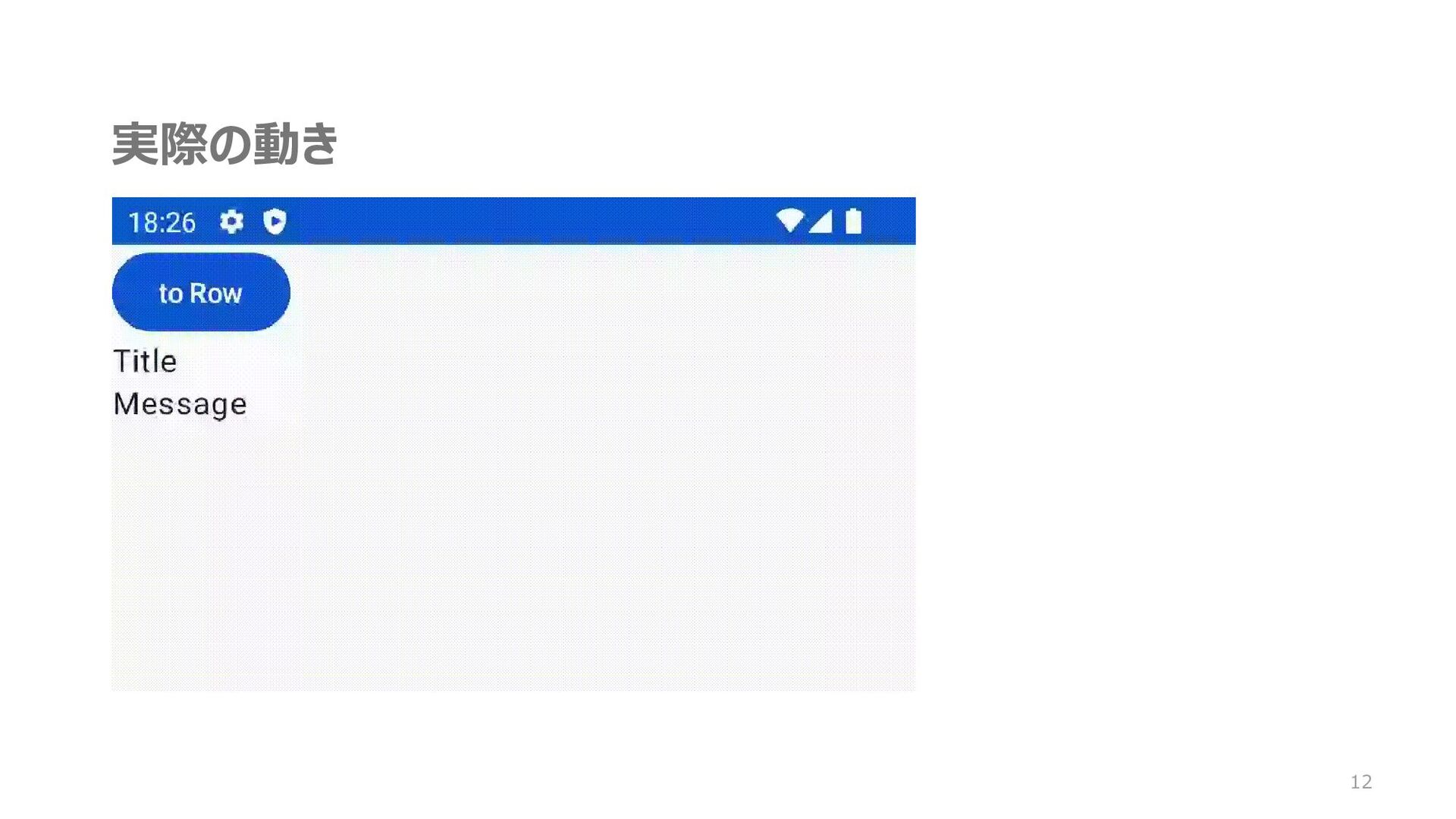
実際の動き 12 ←複数箇所で使用できる ←複数箇所で使用できる
movableContentOf使う場合/使わない場合の Recompositionの差 13 ←複数箇所で使用できる ←複数箇所で使用できる movableContentOf使わない場合 movableContentOf使う場合
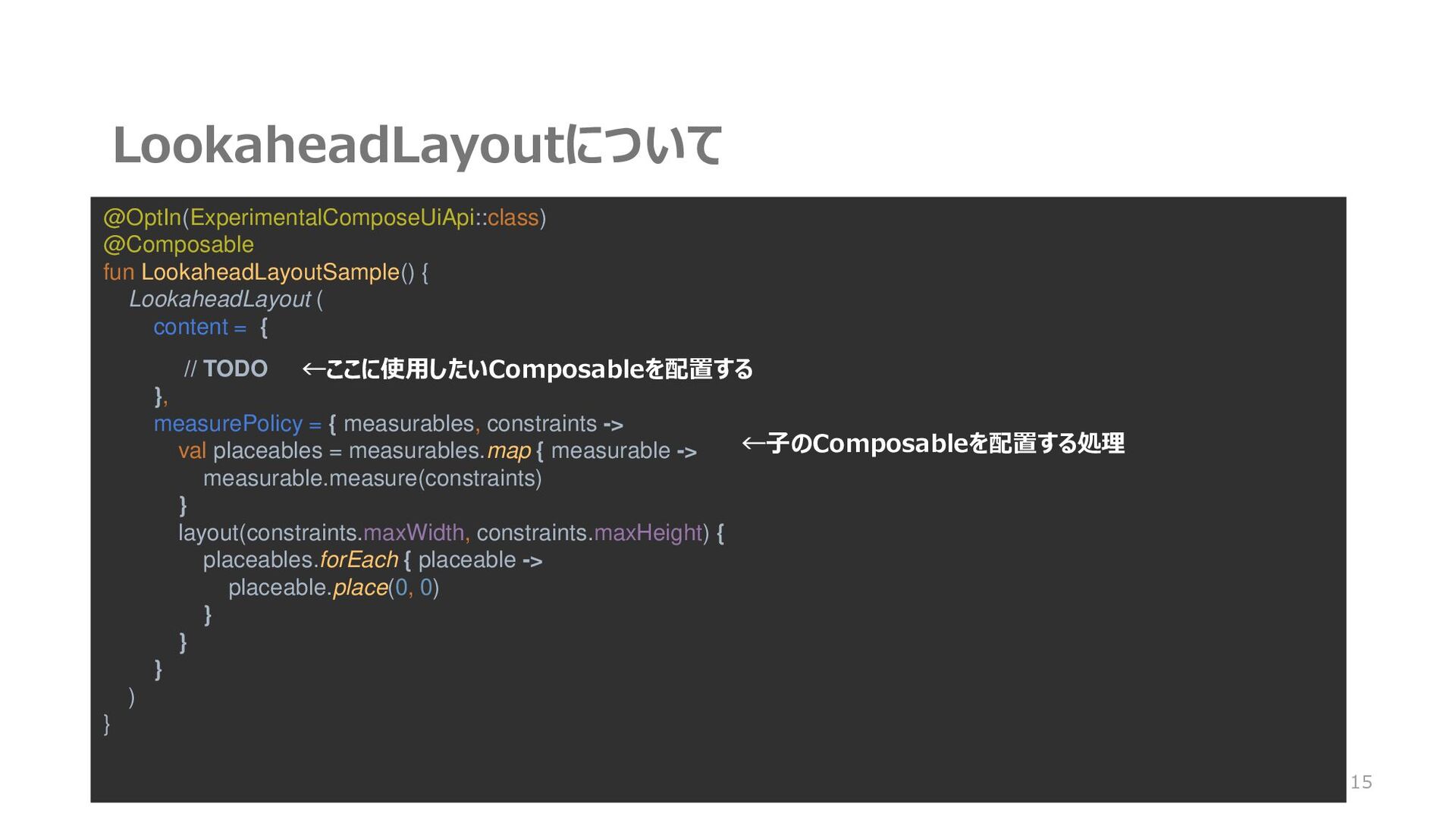
LookaheadLayoutとは ・ レイアウトが変更される時、変更後のレイアウトを先読みして、 フレームごとのサイズと位置のアニメーションができる ・ 先読みが走るのは、Composeのツリーが変更された時か、 Stateの変更時 14
LookaheadLayoutについて 15 @OptIn(ExperimentalComposeUiApi::class) @Composable fun LookaheadLayoutSample() { LookaheadLayout ( content
= { // TODO }, measurePolicy = { measurables, constraints -> val placeables = measurables.map { measurable -> measurable.measure(constraints) } layout(constraints.maxWidth, constraints.maxHeight) { placeables.forEach { placeable -> placeable.place(0, 0) } } } ) } ←ここに使用したいComposableを配置する ←子のComposableを配置する処理
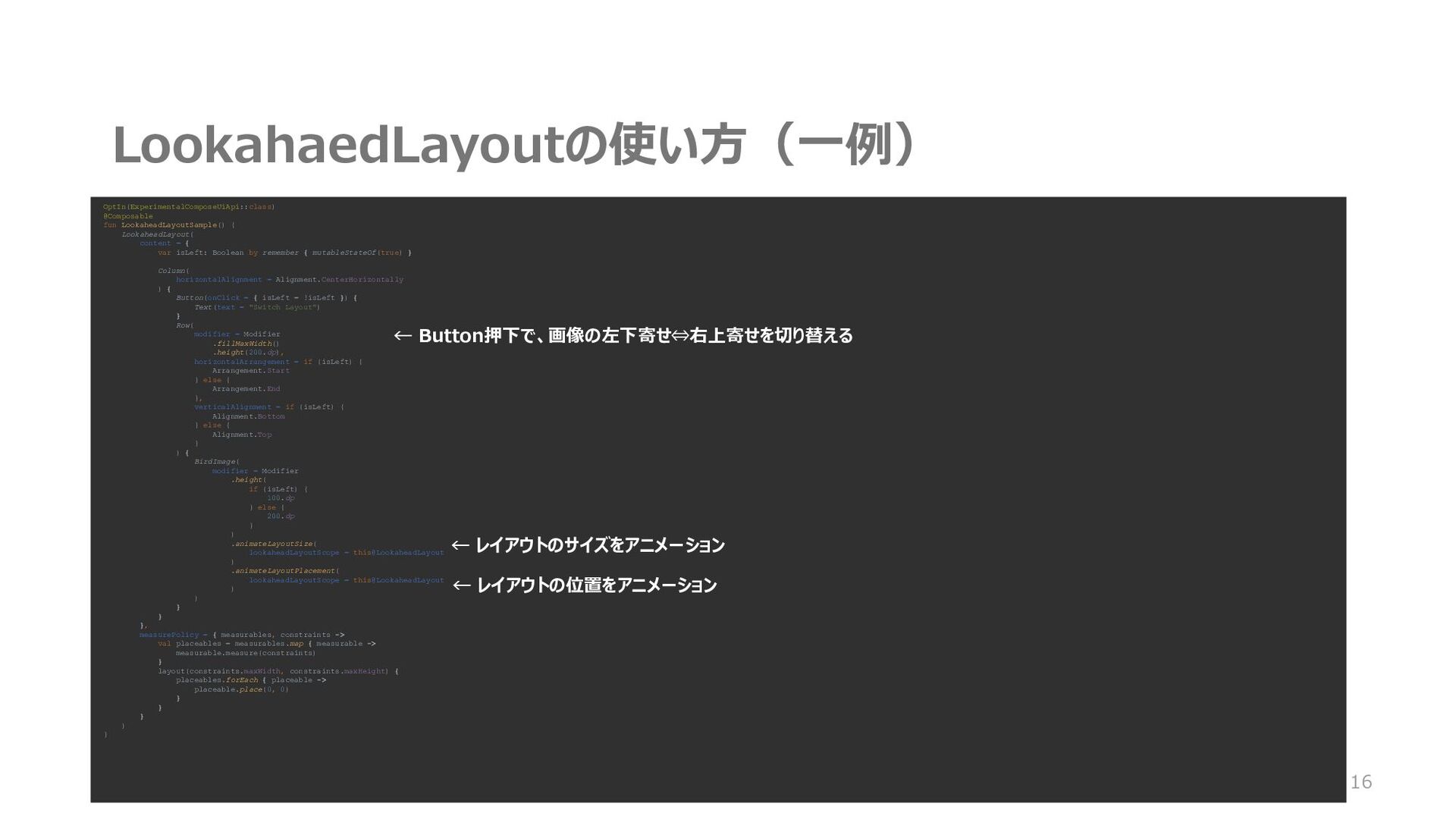
LookahaedLayoutの使い方(一例) 16 OptIn(ExperimentalComposeUiApi::class) @Composable fun LookaheadLayoutSample() { LookaheadLayout( content =
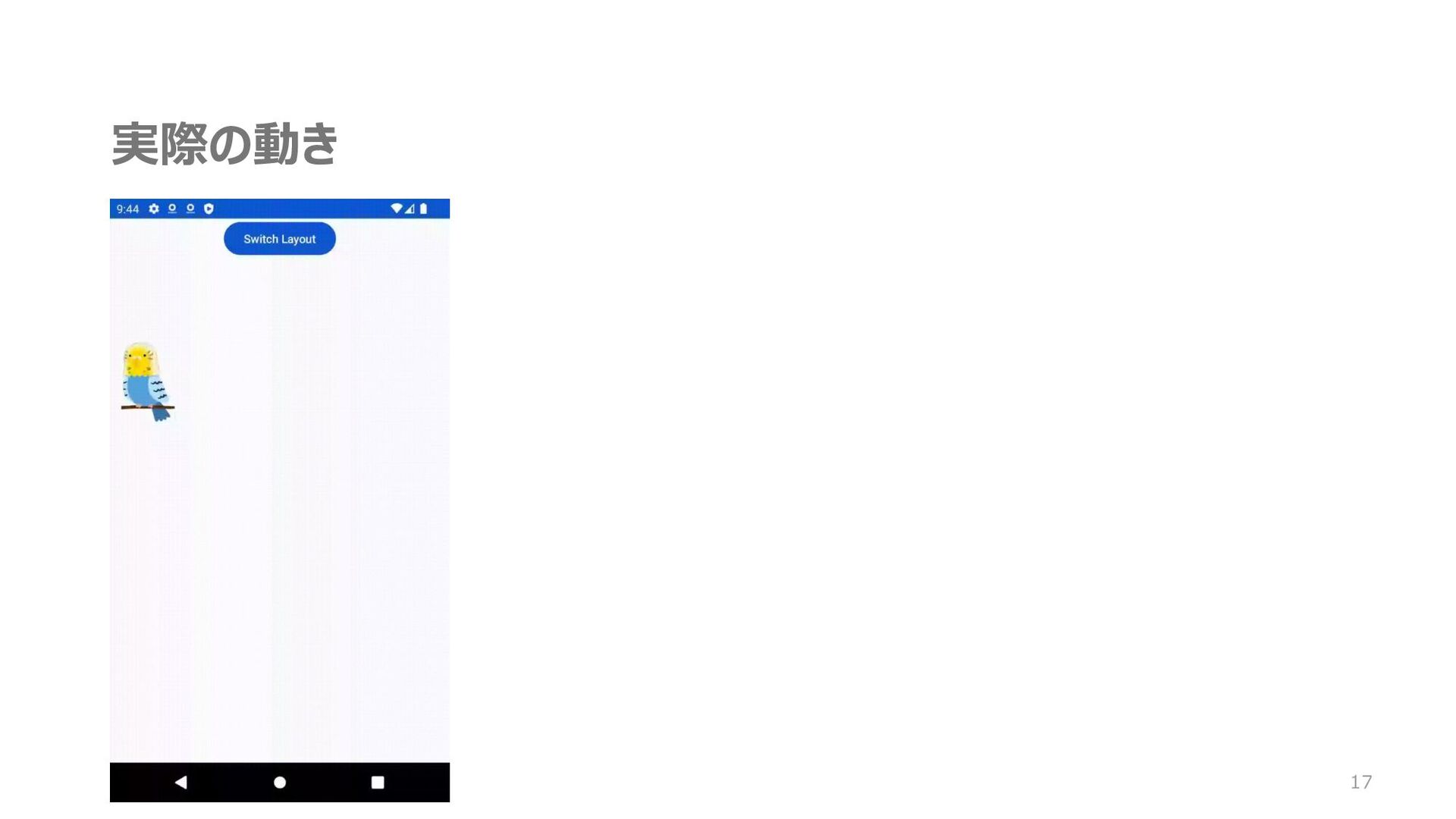
{ var isLeft: Boolean by remember { mutableStateOf(true) } Column( horizontalAlignment = Alignment.CenterHorizontally ) { Button(onClick = { isLeft = !isLeft }) { Text(text = "Switch Layout") } Row( modifier = Modifier .fillMaxWidth() .height(200.dp), horizontalArrangement = if (isLeft) { Arrangement.Start } else { Arrangement.End }, verticalAlignment = if (isLeft) { Alignment.Bottom } else { Alignment.Top } ) { BirdImage( modifier = Modifier .height( if (isLeft) { 100.dp } else { 200.dp } ) .animateLayoutSize( lookaheadLayoutScope = this@LookaheadLayout ) .animateLayoutPlacement( lookaheadLayoutScope = this@LookaheadLayout ) ) } } }, measurePolicy = { measurables, constraints -> val placeables = measurables.map { measurable -> measurable.measure(constraints) } layout(constraints.maxWidth, constraints.maxHeight) { placeables.forEach { placeable -> placeable.place(0, 0) } } } ) } ← Button押下で、画像の左下寄せ⇔右上寄せを切り替える ← レイアウトのサイズをアニメーション ← レイアウトの位置をアニメーション
実際の動き 17
組み合わせると…? movableContentOf ✖️ LookaheadLayout = 18
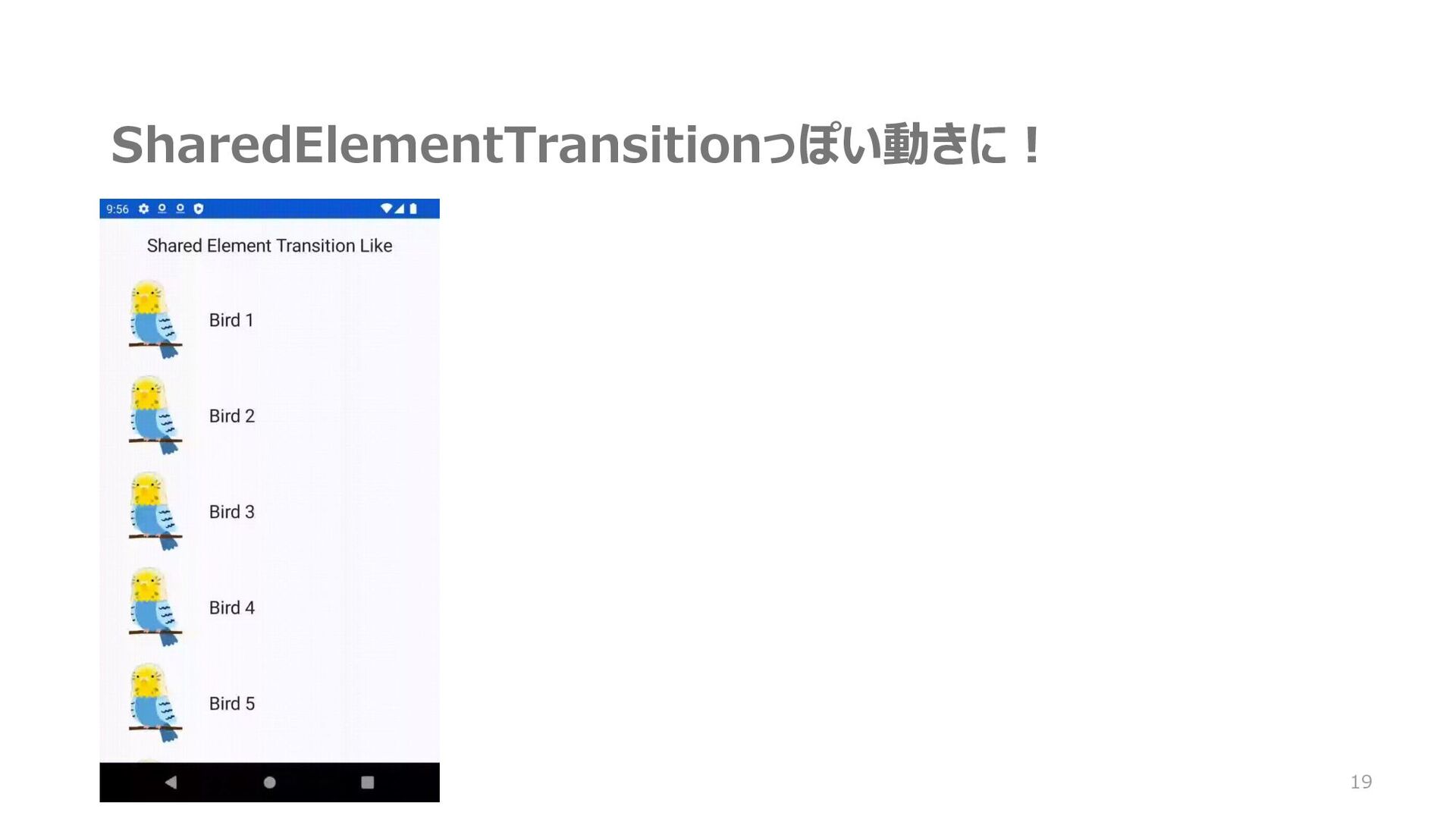
SharedElementTransitionっぽい動きに! 19
ご清聴ありがとうございました!! 20
おまけ 21
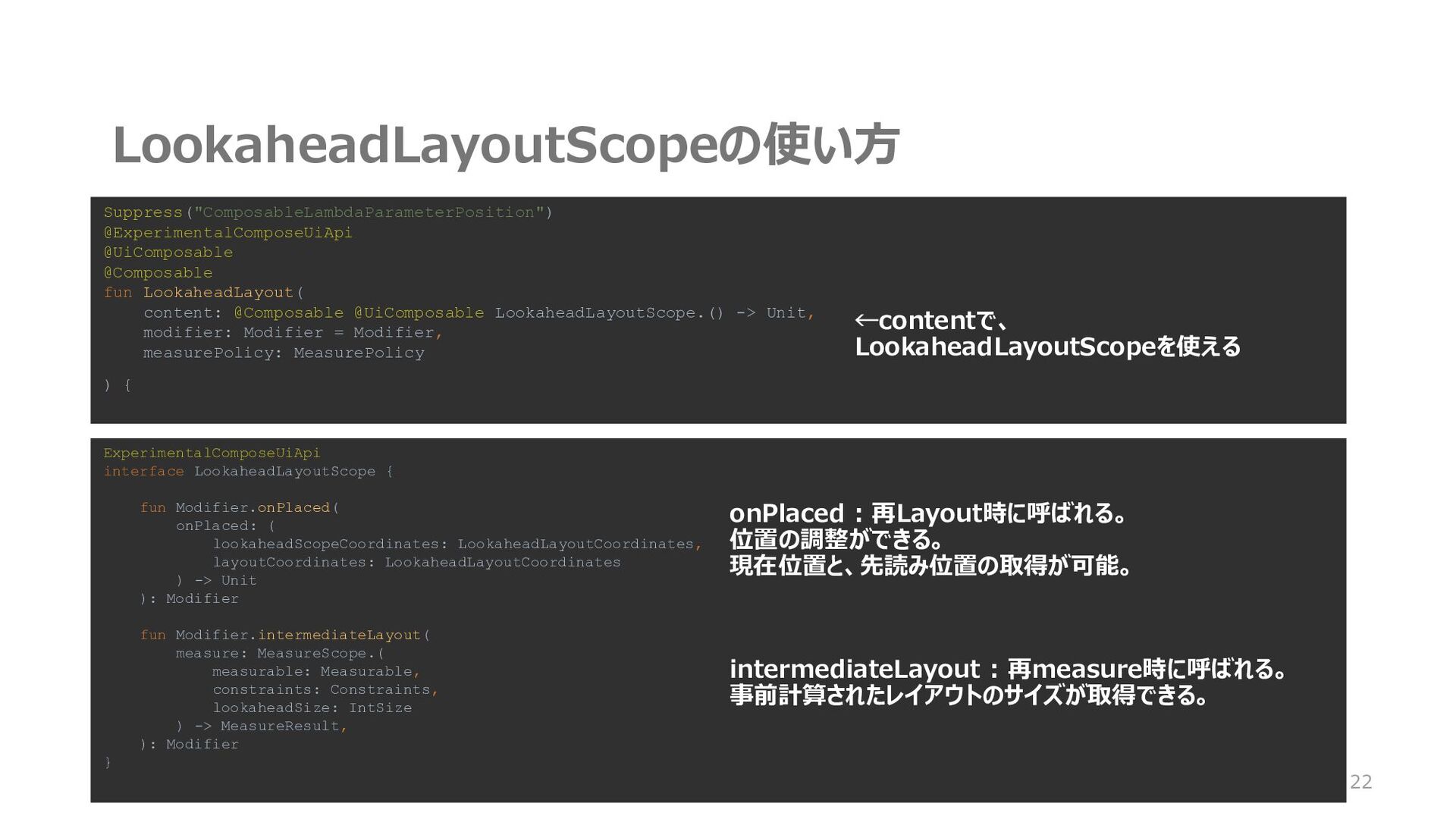
LookaheadLayoutScopeの使い方 22 Suppress("ComposableLambdaParameterPosition") @ExperimentalComposeUiApi @UiComposable @Composable fun LookaheadLayout( content: @Composable
@UiComposable LookaheadLayoutScope.() -> Unit, modifier: Modifier = Modifier, measurePolicy: MeasurePolicy ) { ExperimentalComposeUiApi interface LookaheadLayoutScope { fun Modifier.onPlaced( onPlaced: ( lookaheadScopeCoordinates: LookaheadLayoutCoordinates, layoutCoordinates: LookaheadLayoutCoordinates ) -> Unit ): Modifier fun Modifier.intermediateLayout( measure: MeasureScope.( measurable: Measurable, constraints: Constraints, lookaheadSize: IntSize ) -> MeasureResult, ): Modifier } onPlaced : 再Layout時に呼ばれる。 位置の調整ができる。 現在位置と、先読み位置の取得が可能。 ←contentで、 LookaheadLayoutScopeを使える intermediateLayout : 再measure時に呼ばれる。 事前計算されたレイアウトのサイズが取得できる。
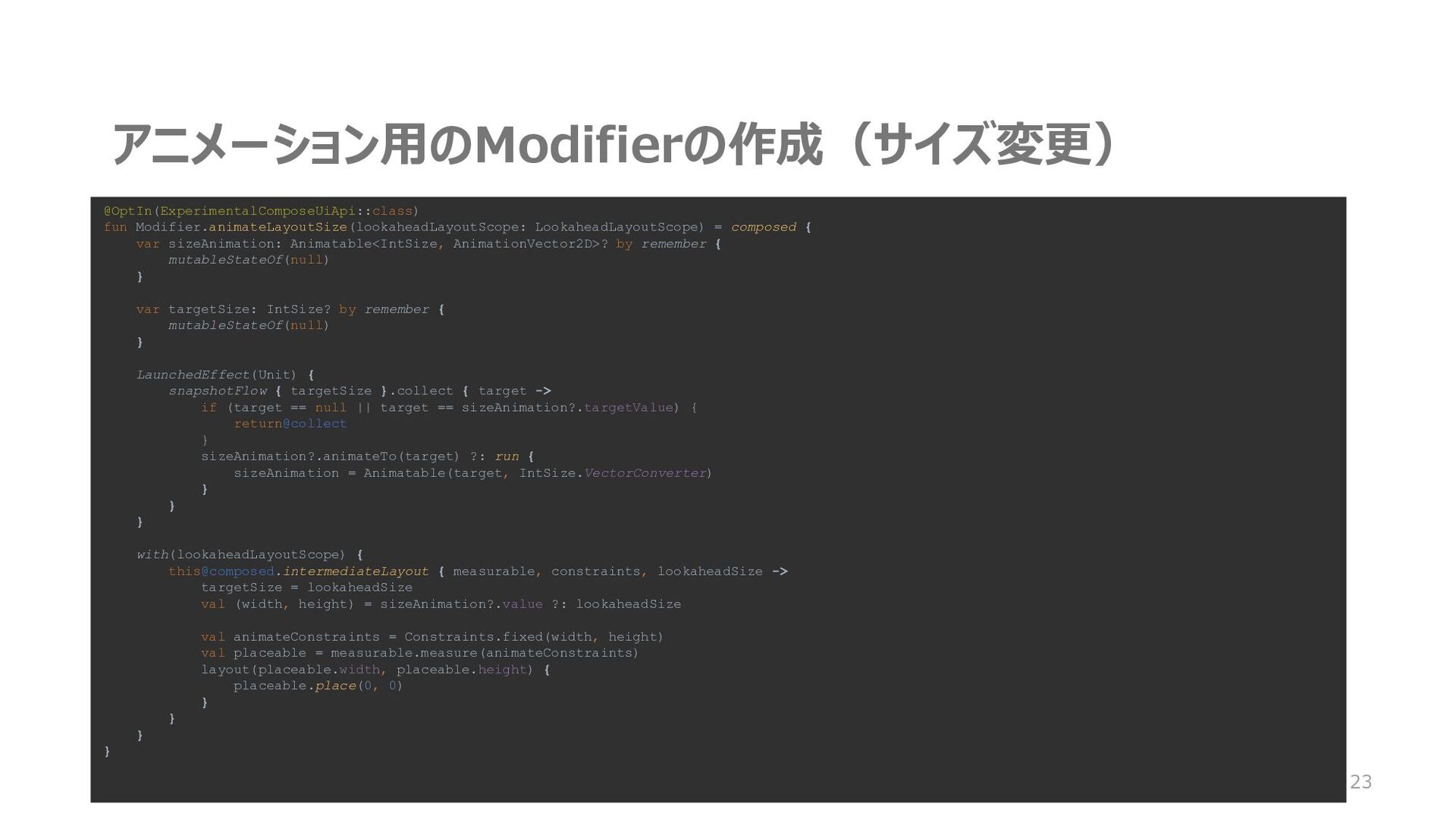
アニメーション用のModifierの作成(サイズ変更) 23 @OptIn(ExperimentalComposeUiApi::class) fun Modifier.animateLayoutSize(lookaheadLayoutScope: LookaheadLayoutScope) = composed { var
sizeAnimation: Animatable<IntSize, AnimationVector2D>? by remember { mutableStateOf(null) } var targetSize: IntSize? by remember { mutableStateOf(null) } LaunchedEffect(Unit) { snapshotFlow { targetSize }.collect { target -> if (target == null || target == sizeAnimation?.targetValue) { return@collect } sizeAnimation?.animateTo(target) ?: run { sizeAnimation = Animatable(target, IntSize.VectorConverter) } } } with(lookaheadLayoutScope) {
[email protected]
{ measurable, constraints, lookaheadSize -> targetSize = lookaheadSize val (width, height) = sizeAnimation?.value ?: lookaheadSize val animateConstraints = Constraints.fixed(width, height) val placeable = measurable.measure(animateConstraints) layout(placeable.width, placeable.height) { placeable.place(0, 0) } } } }
アニメーション用のModifierの作成(位置変更) 24 OptIn(ExperimentalComposeUiApi::class) fun Modifier.animateLayoutPlacement(lookaheadLayoutScope: LookaheadLayoutScope) = composed { var
offsetAnimation: Animatable<IntOffset, AnimationVector2D>? by remember { mutableStateOf(null) } var currentOffset: IntOffset by remember { mutableStateOf(IntOffset.Zero) } var targetOffset: IntOffset by remember { mutableStateOf(IntOffset.Zero) } LaunchedEffect(Unit) { snapshotFlow { targetOffset }.collect { target -> if (target == offsetAnimation?.targetValue) { return@collect } offsetAnimation?.animateTo(target) ?: run { offsetAnimation = Animatable(target, IntOffset.VectorConverter) } } }
アニメーション用のModifierの作成(位置変更) 25 with(lookaheadLayoutScope) { this@composed .onPlaced { lookaheadScopeCoordinates, layoutCoordinates ->
Timber.tag("LookaheadLayout").d("onPlaced") currentOffset = lookaheadScopeCoordinates .localPositionOf( sourceCoordinates = layoutCoordinates, relativeToSource = Offset.Zero ) .round() targetOffset = lookaheadScopeCoordinates .localLookaheadPositionOf( sourceCoordinates = layoutCoordinates ) .round() } .intermediateLayout { measurable, constraints, lookaheadSize -> Timber.tag("LookaheadLayout").d("intermediateLayout $targetOffset $currentOffset") val placeable = measurable.measure(constraints) layout(placeable.width, placeable.height) { val (x, y) = if (offsetAnimation == null) { targetOffset - currentOffset } else { (offsetAnimation?.value ?: IntOffset.Zero) - currentOffset } placeable.place(x, y) } } } }
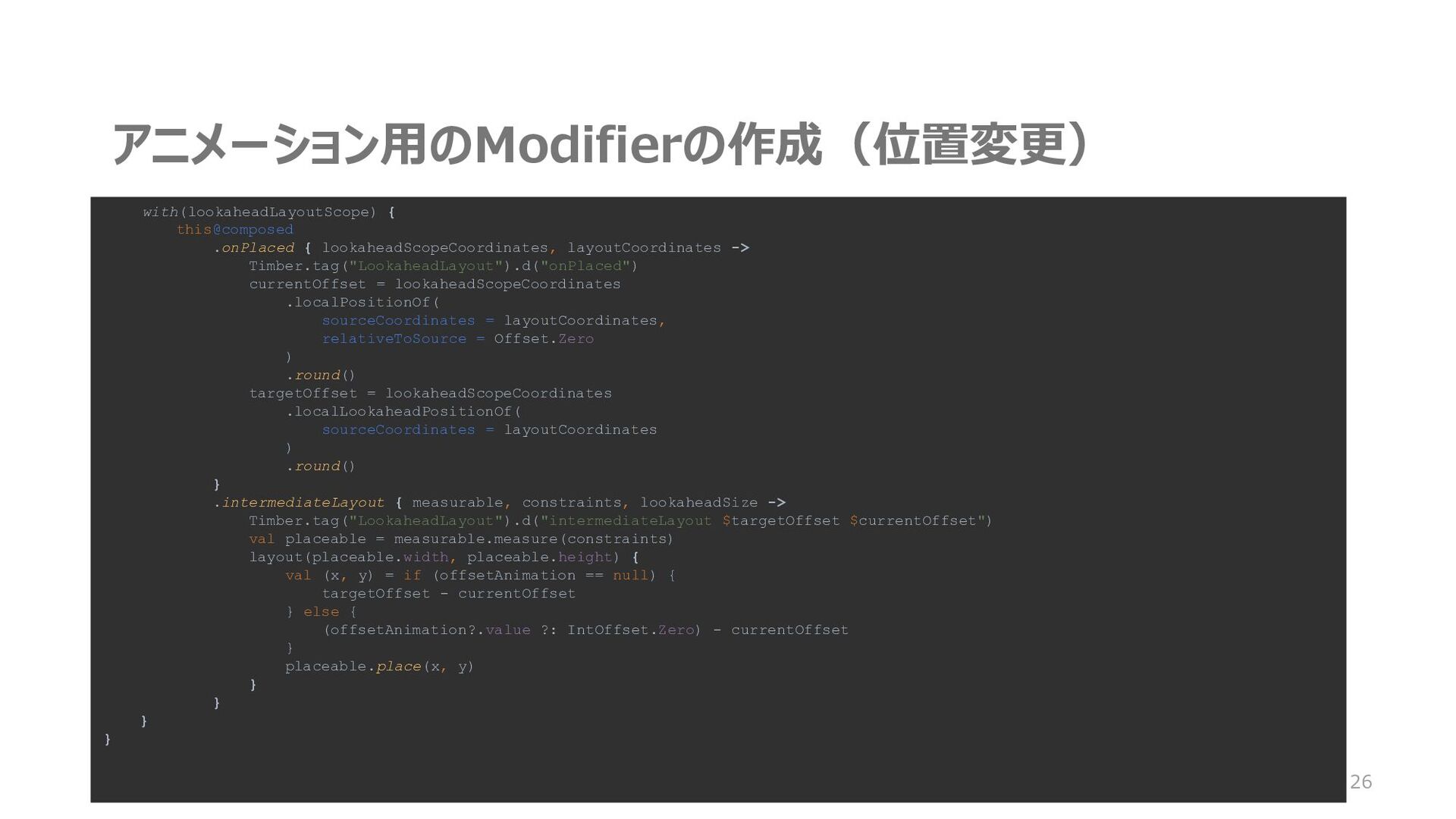
アニメーション用のModifierの作成(位置変更) 26 with(lookaheadLayoutScope) { this@composed .onPlaced { lookaheadScopeCoordinates, layoutCoordinates ->
Timber.tag("LookaheadLayout").d("onPlaced") currentOffset = lookaheadScopeCoordinates .localPositionOf( sourceCoordinates = layoutCoordinates, relativeToSource = Offset.Zero ) .round() targetOffset = lookaheadScopeCoordinates .localLookaheadPositionOf( sourceCoordinates = layoutCoordinates ) .round() } .intermediateLayout { measurable, constraints, lookaheadSize -> Timber.tag("LookaheadLayout").d("intermediateLayout $targetOffset $currentOffset") val placeable = measurable.measure(constraints) layout(placeable.width, placeable.height) { val (x, y) = if (offsetAnimation == null) { targetOffset - currentOffset } else { (offsetAnimation?.value ?: IntOffset.Zero) - currentOffset } placeable.place(x, y) } } } }


 shunm
shunm
 marktimemedia
 stephaniewalter
 mfonobong
 akademiya2063
 mlcsv
mlcsv
 skipperchong
 sarafernandez
 aarron
 aleyda
 addyosmani
 michielstock