Share
Embed
Static Code Analysis tool for Industrial Systems
Overview of the framework and tools developed while at ABB Corporate Research
Sreeja S Nair
June 21, 2017
Transcript
30 slides
-
A Static Code Analysis Tool for Industrial Control Systems Sreeja
S Nair June 21, 2017 Joint work with Raoul Jetley, Anil Nair and Stefan Hauck- Stattelmann (ABB Corporate Research) -
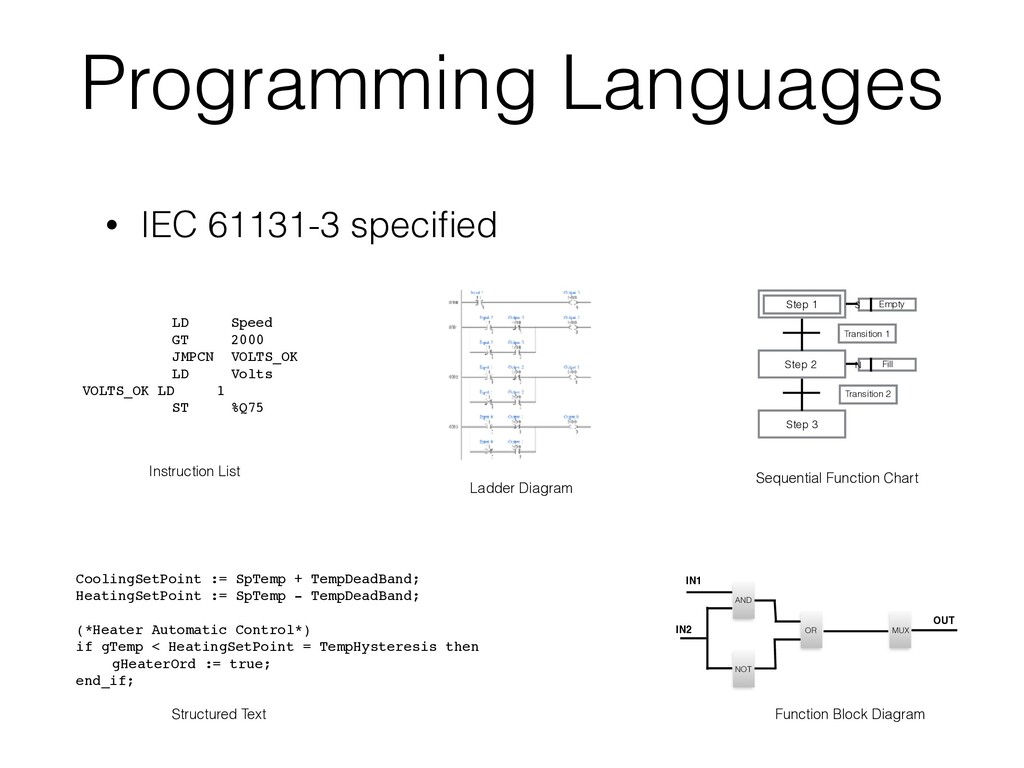
Programming Languages Instruction List Ladder Diagram Sequential Function Chart Structured
Text Function Block Diagram • IEC 61131-3 specified LD Speed GT 2000 JMPCN VOLTS_OK LD Volts VOLTS_OK LD 1 ST %Q75 Step 1 Step 2 Step 3 Transition 1 Transition 2 Empty Fill N S CoolingSetPoint := SpTemp + TempDeadBand; HeatingSetPoint := SpTemp - TempDeadBand; (*Heater Automatic Control*) if gTemp < HeatingSetPoint = TempHysteresis then gHeaterOrd := true; end_if; AND NOT OR MUX IN1 IN2 OUT -
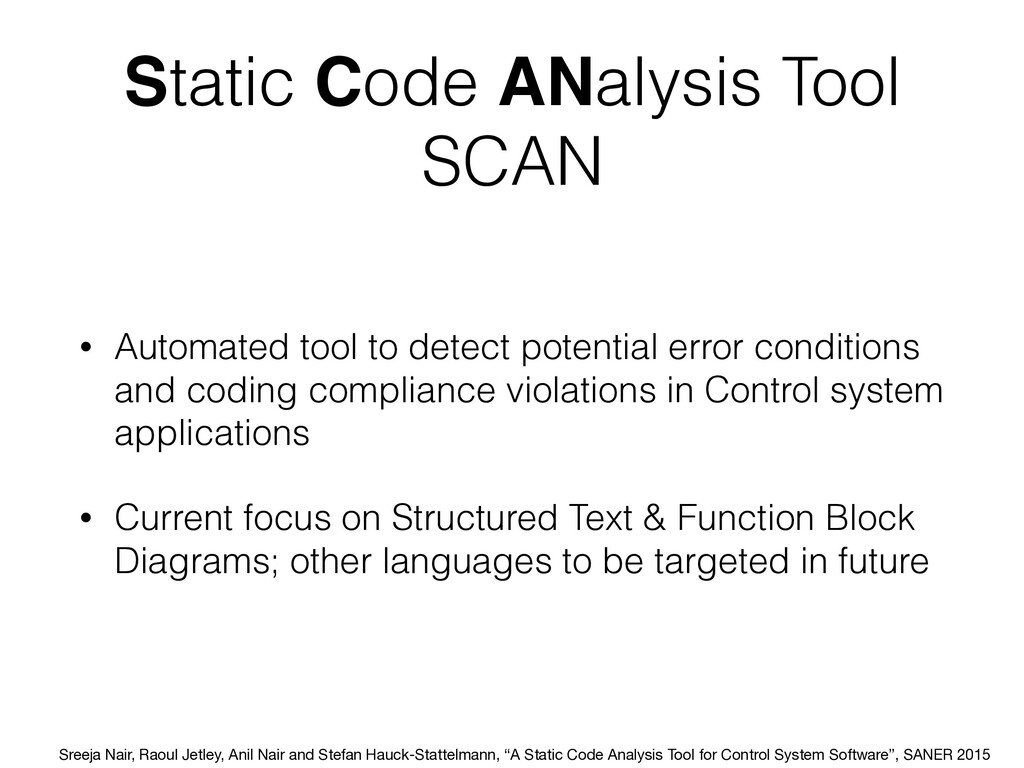
Static Code ANalysis Tool SCAN • Automated tool to detect
potential error conditions and coding compliance violations in Control system applications • Current focus on Structured Text & Function Block Diagrams; other languages to be targeted in future Sreeja Nair, Raoul Jetley, Anil Nair and Stefan Hauck-Stattelmann, “A Static Code Analysis Tool for Control System Software”, SANER 2015 -
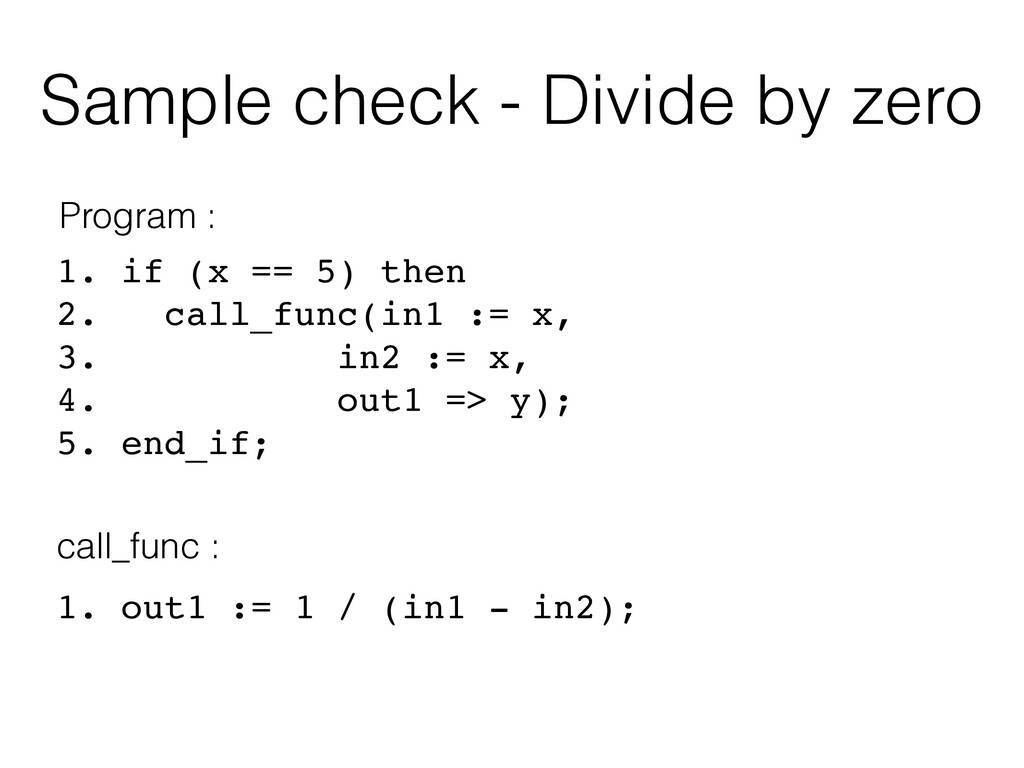
Sample check - Divide by zero 1. if (x ==
5) then 2. call_func(in1 := x, 3. in2 := x, 4. out1 => y); 5. end_if; 1. out1 := 1 / (in1 - in2); call_func : Program : -
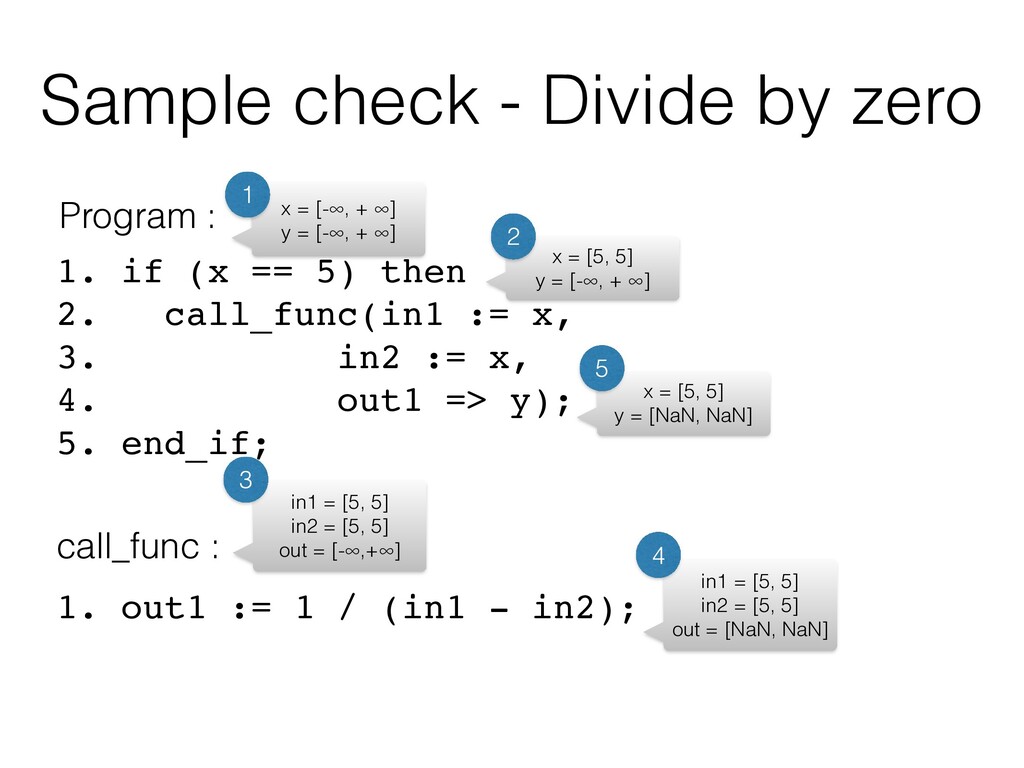
Sample check - Divide by zero 1. if (x ==
5) then 2. call_func(in1 := x, 3. in2 := x, 4. out1 => y); 5. end_if; 1. out1 := 1 / (in1 - in2); call_func : Program : x = [-∞, + ∞] y = [-∞, + ∞] x = [5, 5] y = [-∞, + ∞] in1 = [5, 5] in2 = [5, 5] out = [-∞,+∞] in1 = [5, 5] in2 = [5, 5] out = [NaN, NaN] x = [5, 5] y = [NaN, NaN] 1 2 5 3 4 -
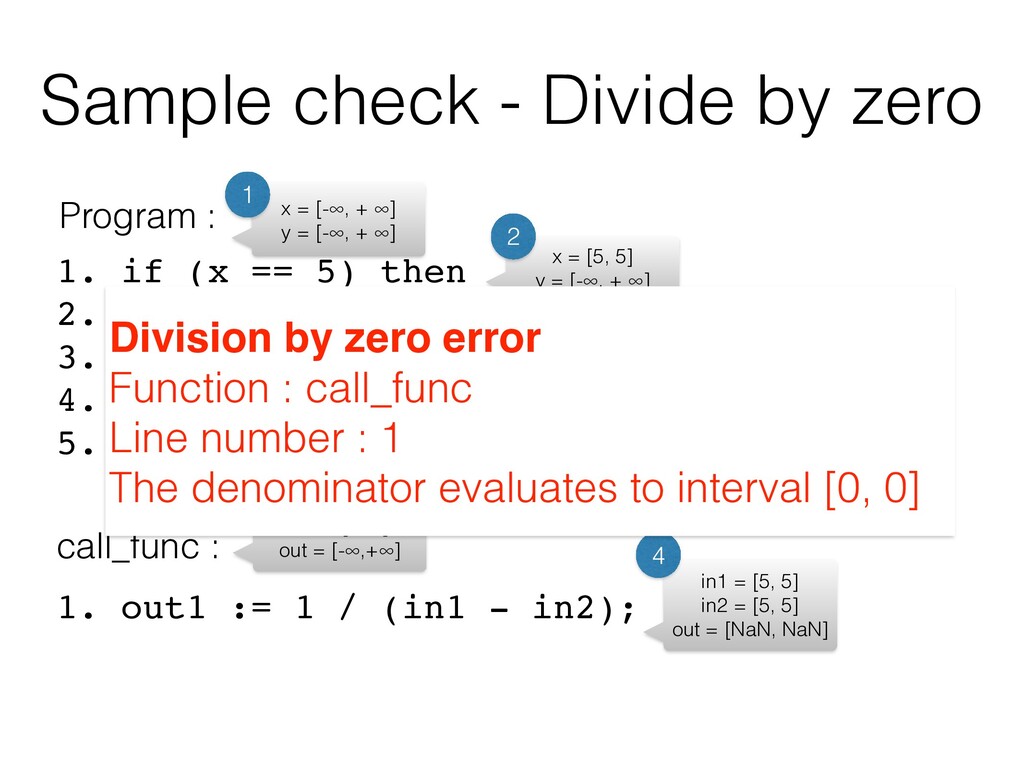
Sample check - Divide by zero 1. if (x ==
5) then 2. call_func(in1 := x, 3. in2 := x, 4. out1 => y); 5. end_if; 1. out1 := 1 / (in1 - in2); call_func : Program : x = [-∞, + ∞] y = [-∞, + ∞] x = [5, 5] y = [-∞, + ∞] in1 = [5, 5] in2 = [5, 5] out = [-∞,+∞] in1 = [5, 5] in2 = [5, 5] out = [NaN, NaN] x = [5, 5] y = [NaN, NaN] 1 2 5 3 4 Division by zero error Function : call_func Line number : 1 The denominator evaluates to interval [0, 0] -
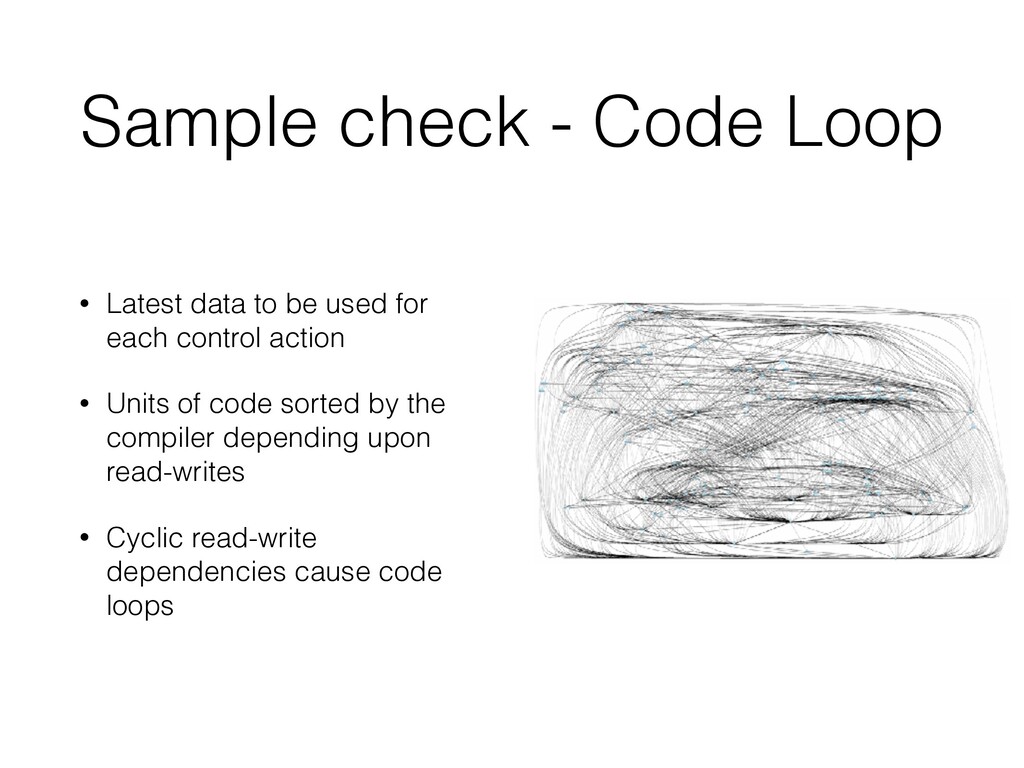
Sample check - Code Loop • Latest data to be
used for each control action • Units of code sorted by the compiler depending upon read-writes • Cyclic read-write dependencies cause code loops -
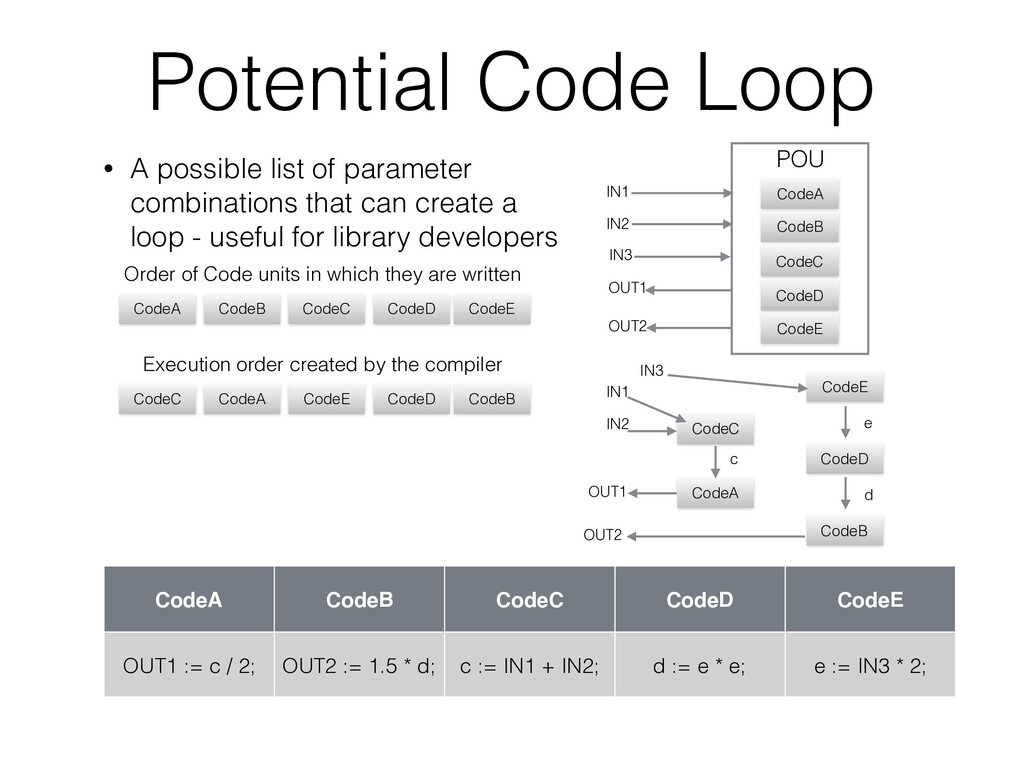
Potential Code Loop • A possible list of parameter combinations
that can create a loop - useful for library developers CodeA CodeB CodeC CodeD CodeE OUT1 := c / 2; OUT2 := 1.5 * d; c := IN1 + IN2; d := e * e; e := IN3 * 2; CodeC CodeB CodeA CodeD CodeE OUT1 IN2 IN1 IN3 OUT2 POU CodeC CodeB CodeA CodeD CodeE Order of Code units in which they are written CodeE CodeA CodeC CodeD CodeB Execution order created by the compiler CodeE CodeA CodeC CodeD CodeB OUT1 IN2 IN1 IN3 OUT2 c e d -
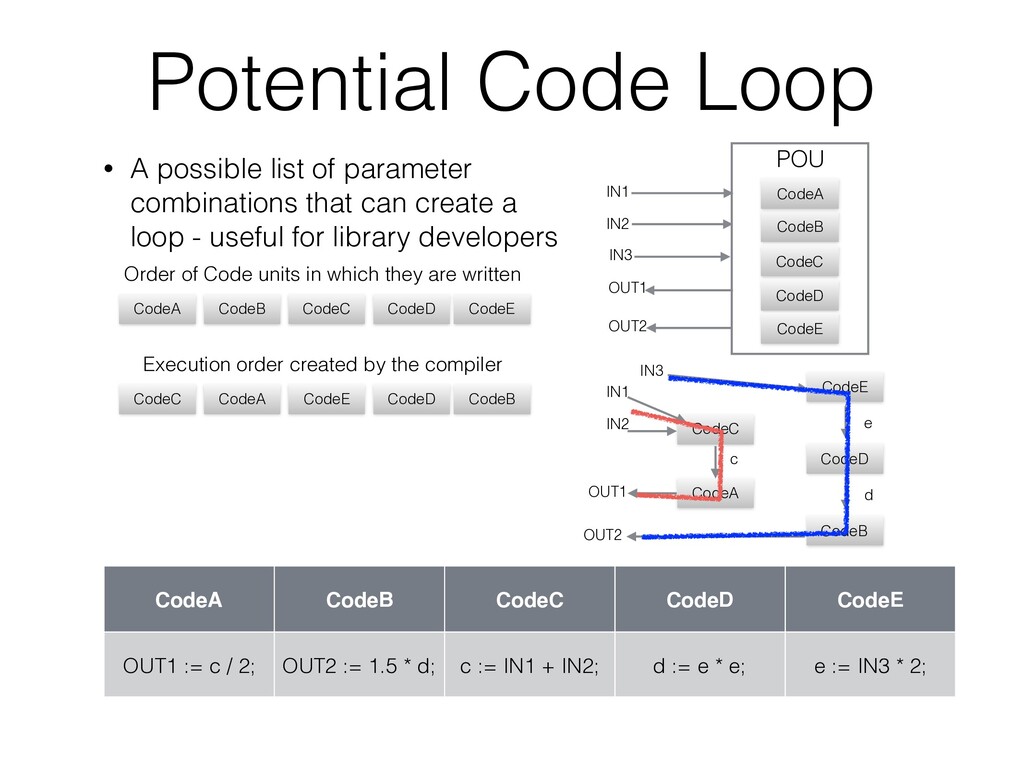
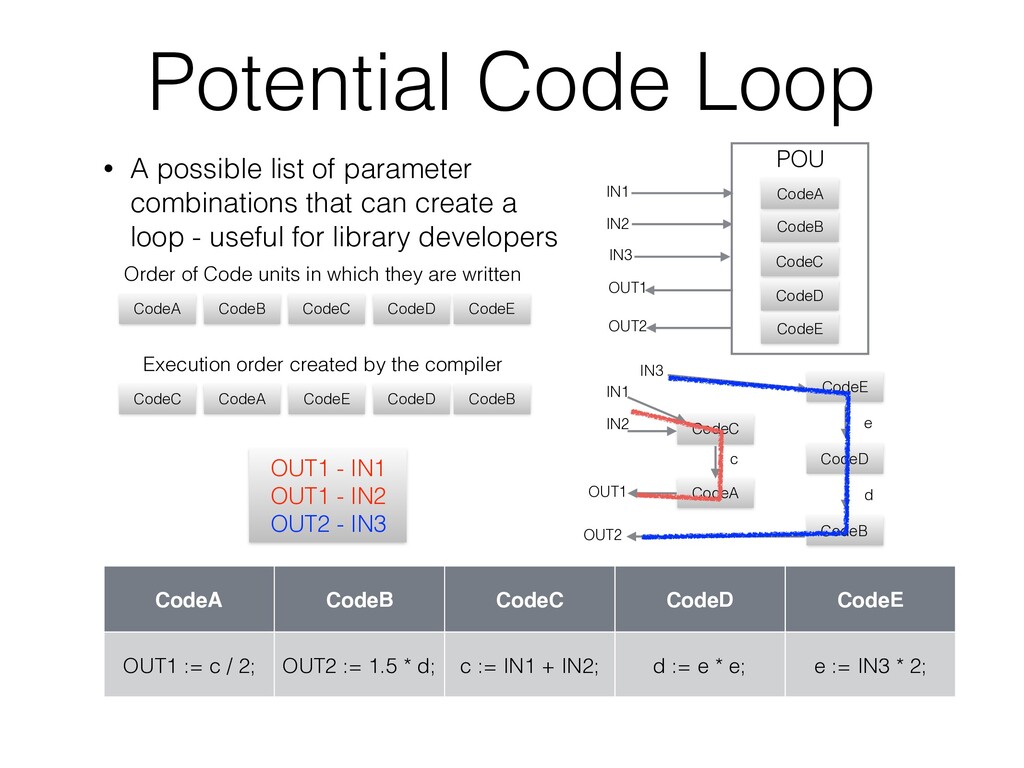
Potential Code Loop • A possible list of parameter combinations
that can create a loop - useful for library developers CodeA CodeB CodeC CodeD CodeE OUT1 := c / 2; OUT2 := 1.5 * d; c := IN1 + IN2; d := e * e; e := IN3 * 2; OUT1 - IN1 OUT1 - IN2 OUT2 - IN3 CodeC CodeB CodeA CodeD CodeE OUT1 IN2 IN1 IN3 OUT2 POU CodeC CodeB CodeA CodeD CodeE Order of Code units in which they are written CodeE CodeA CodeC CodeD CodeB Execution order created by the compiler CodeE CodeA CodeC CodeD CodeB OUT1 IN2 IN1 IN3 OUT2 c e d -
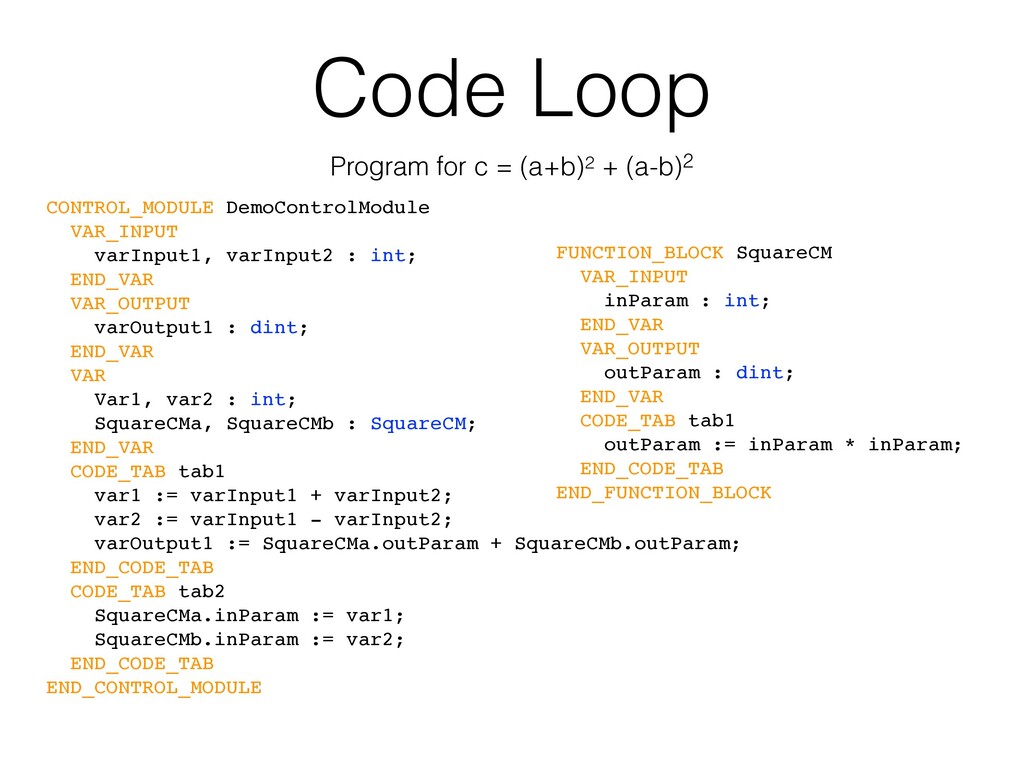
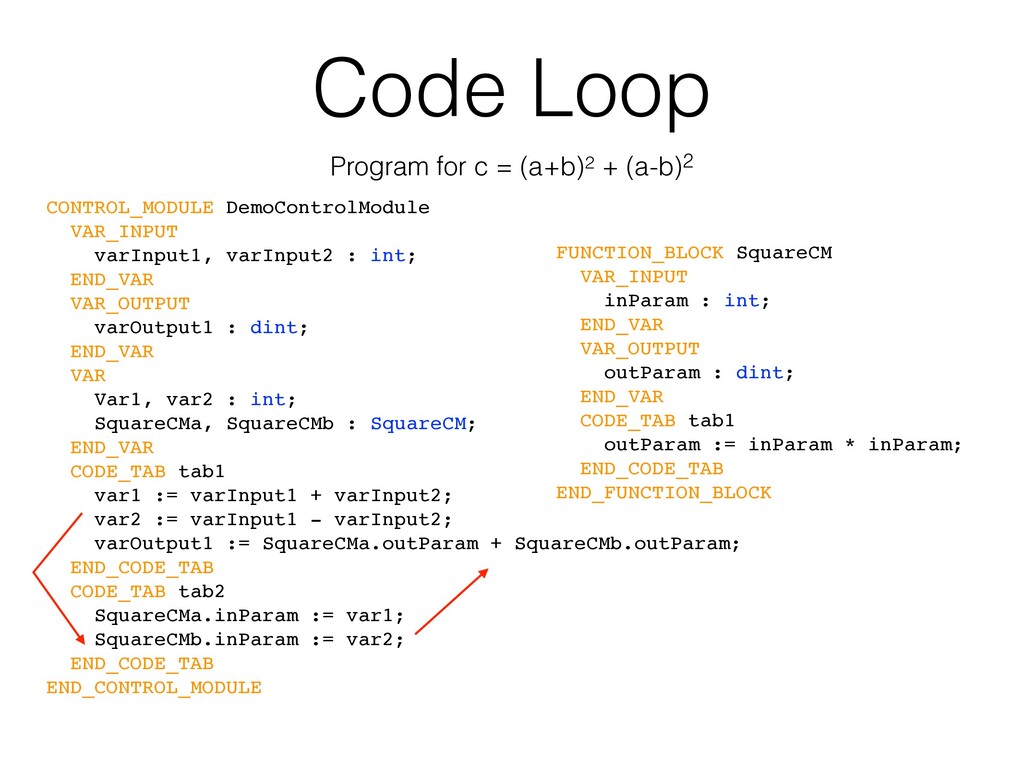
Code Loop CONTROL_MODULE DemoControlModule VAR_INPUT varInput1, varInput2 : int; END_VAR
VAR_OUTPUT varOutput1 : dint; END_VAR VAR Var1, var2 : int; SquareCMa, SquareCMb : SquareCM; END_VAR CODE_TAB tab1 var1 := varInput1 + varInput2; var2 := varInput1 - varInput2; varOutput1 := SquareCMa.outParam + SquareCMb.outParam; END_CODE_TAB CODE_TAB tab2 SquareCMa.inParam := var1; SquareCMb.inParam := var2; END_CODE_TAB END_CONTROL_MODULE FUNCTION_BLOCK SquareCM VAR_INPUT inParam : int; END_VAR VAR_OUTPUT outParam : dint; END_VAR CODE_TAB tab1 outParam := inParam * inParam; END_CODE_TAB END_FUNCTION_BLOCK Program for c = (a+b)2 + (a-b)2 -
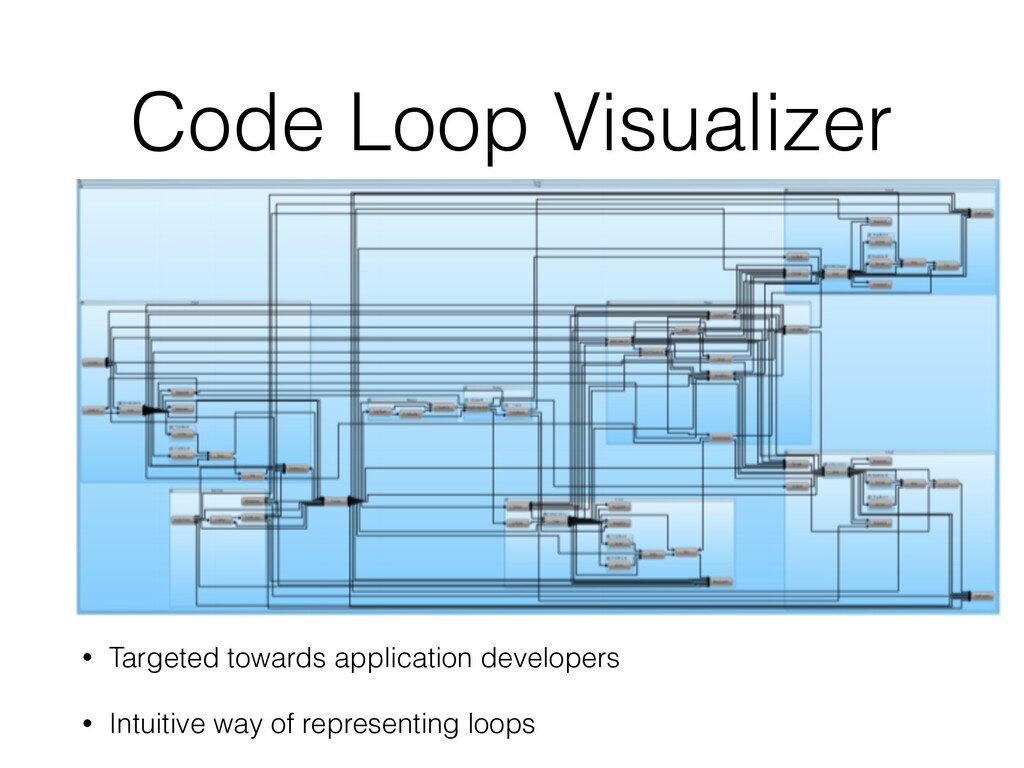
Code Loop Visualizer • Targeted towards application developers • Intuitive
way of representing loops -
Code Loop Visualizer • Targeted towards application developers • Intuitive
way of representing loops -
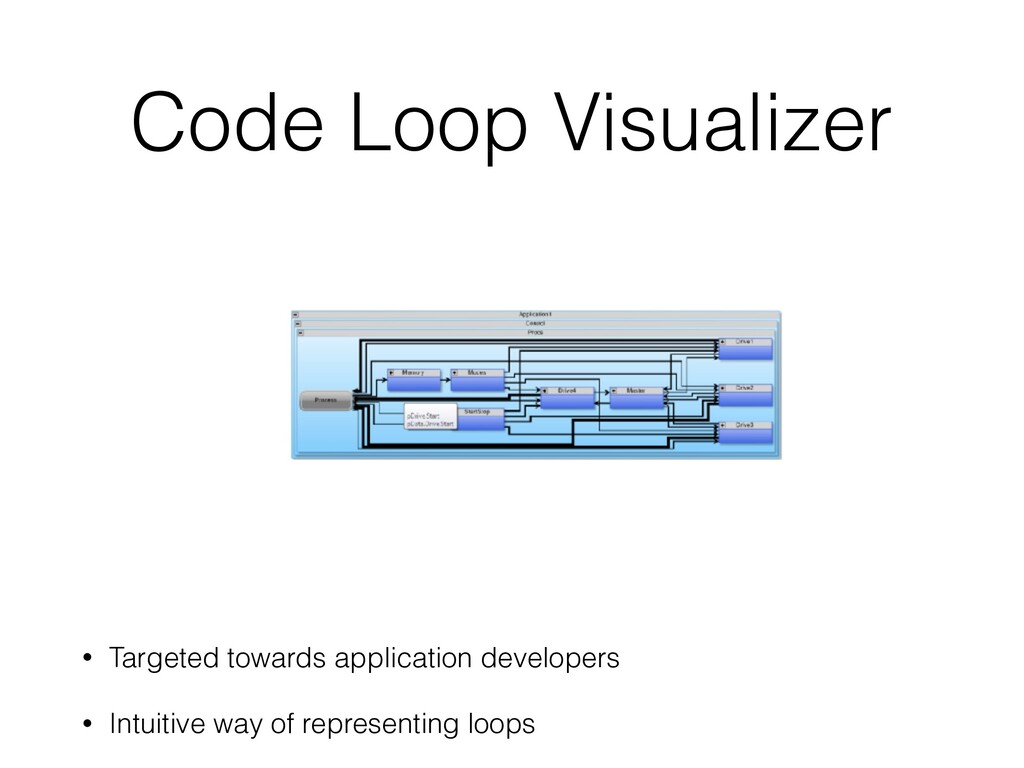
Code Loop Visualizer • Targeted towards application developers • Intuitive
way of representing loops -
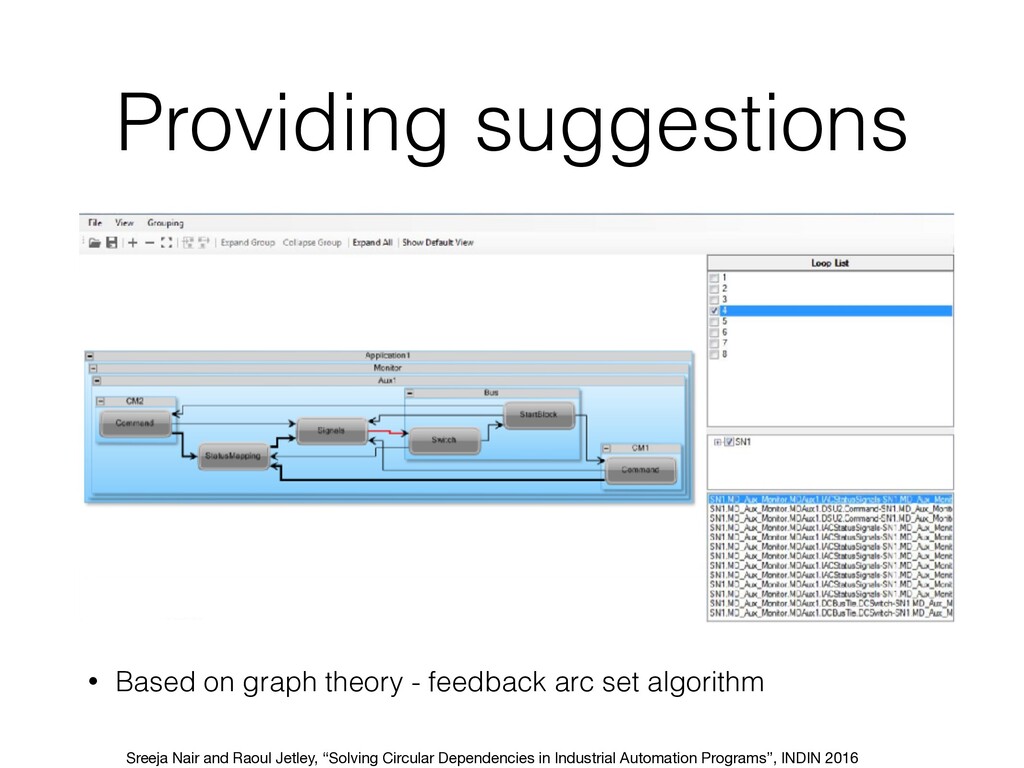
Providing suggestions • Based on graph theory - feedback arc
set algorithm Sreeja Nair and Raoul Jetley, “Solving Circular Dependencies in Industrial Automation Programs”, INDIN 2016 -
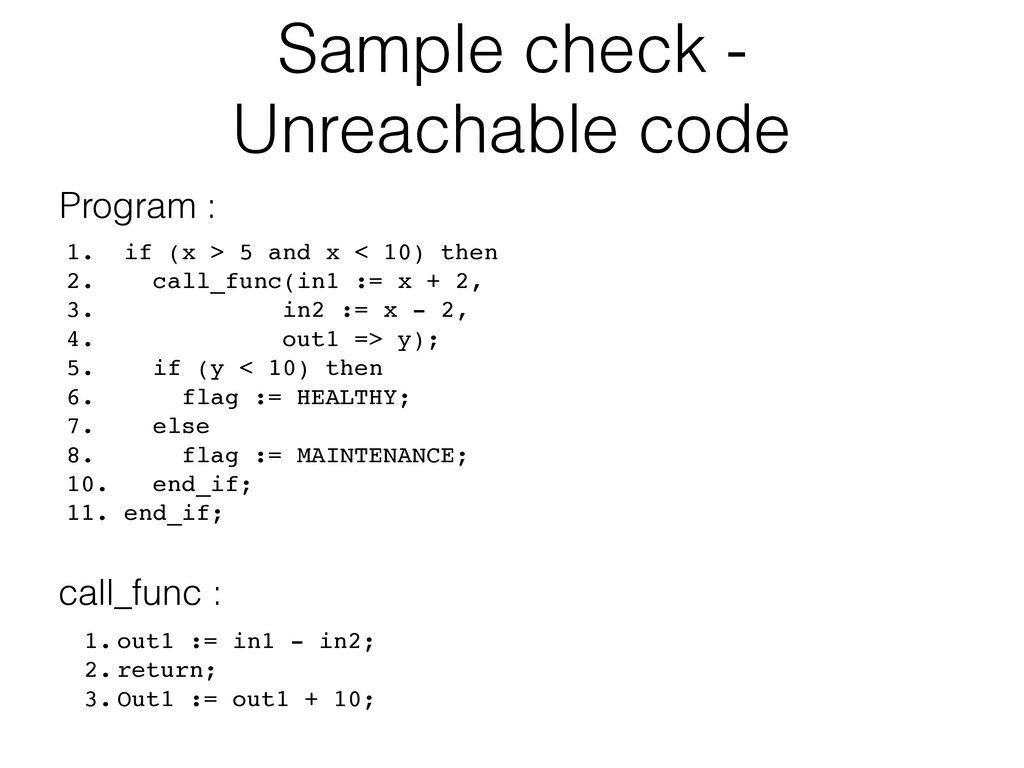
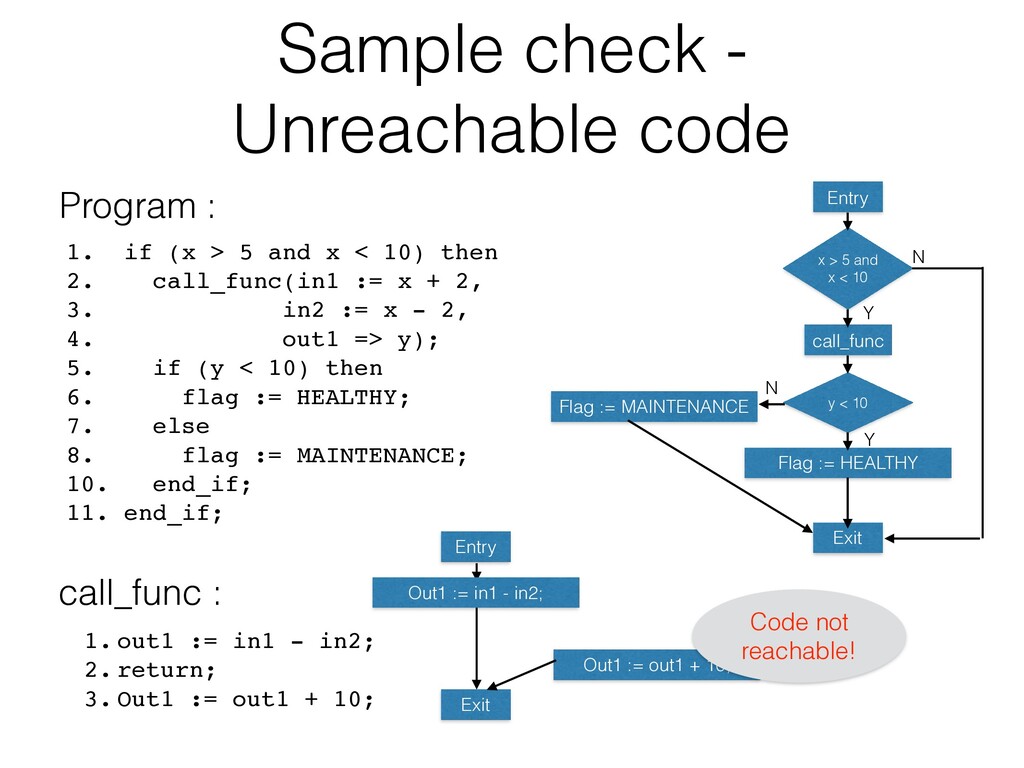
Sample check - Unreachable code 1. if (x > 5
and x < 10) then 2. call_func(in1 := x + 2, 3. in2 := x - 2, 4. out1 => y); 5. if (y < 10) then 6. flag := HEALTHY; 7. else 8. flag := MAINTENANCE; 10. end_if; 11. end_if; 1. out1 := in1 - in2; 2. return; 3. Out1 := out1 + 10; Program : call_func : -
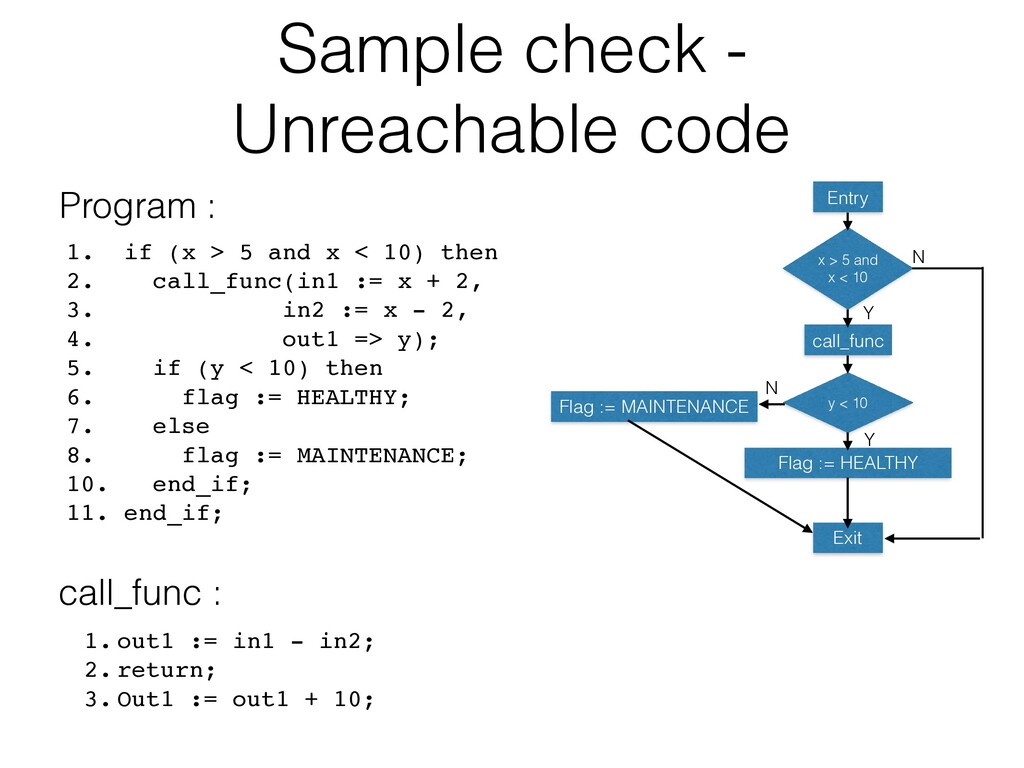
Sample check - Unreachable code 1. if (x > 5
and x < 10) then 2. call_func(in1 := x + 2, 3. in2 := x - 2, 4. out1 => y); 5. if (y < 10) then 6. flag := HEALTHY; 7. else 8. flag := MAINTENANCE; 10. end_if; 11. end_if; 1. out1 := in1 - in2; 2. return; 3. Out1 := out1 + 10; Program : call_func : Entry x > 5 and x < 10 Exit call_func y < 10 Flag := HEALTHY Flag := MAINTENANCE Y Y N N -
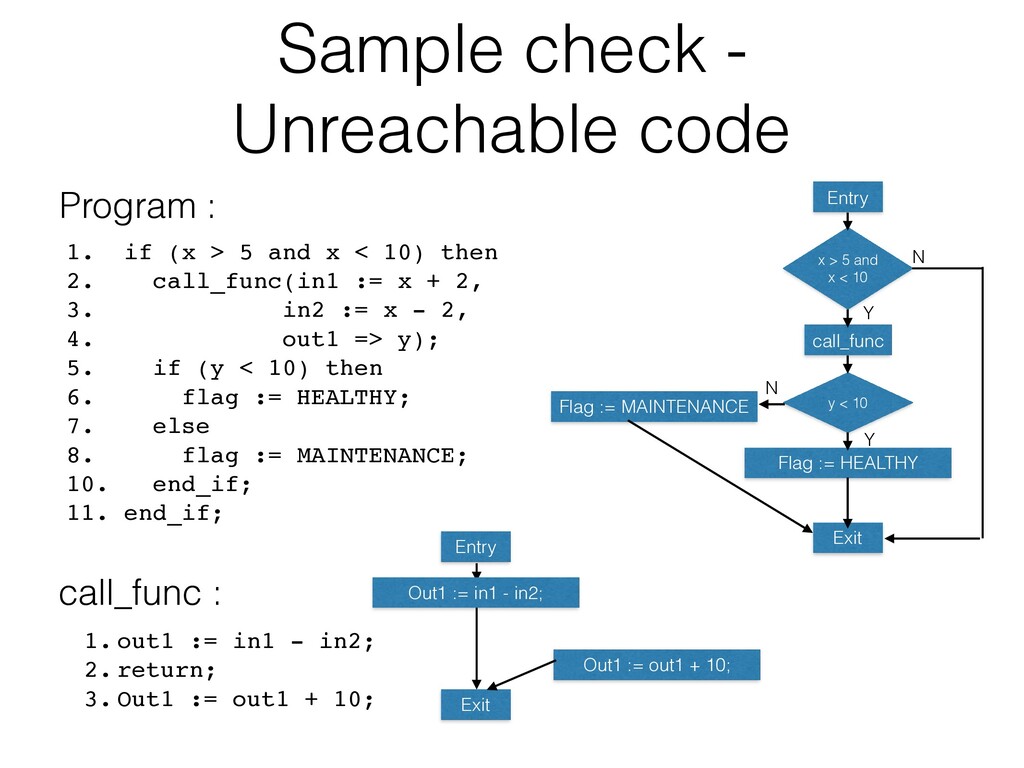
Sample check - Unreachable code 1. if (x > 5
and x < 10) then 2. call_func(in1 := x + 2, 3. in2 := x - 2, 4. out1 => y); 5. if (y < 10) then 6. flag := HEALTHY; 7. else 8. flag := MAINTENANCE; 10. end_if; 11. end_if; 1. out1 := in1 - in2; 2. return; 3. Out1 := out1 + 10; Program : call_func : Entry Exit Out1 := in1 - in2; Out1 := out1 + 10; Entry x > 5 and x < 10 Exit call_func y < 10 Flag := HEALTHY Flag := MAINTENANCE Y Y N N -
Sample check - Unreachable code 1. if (x > 5
and x < 10) then 2. call_func(in1 := x + 2, 3. in2 := x - 2, 4. out1 => y); 5. if (y < 10) then 6. flag := HEALTHY; 7. else 8. flag := MAINTENANCE; 10. end_if; 11. end_if; 1. out1 := in1 - in2; 2. return; 3. Out1 := out1 + 10; Program : call_func : Entry Exit Out1 := in1 - in2; Out1 := out1 + 10; Entry x > 5 and x < 10 Exit call_func y < 10 Flag := HEALTHY Flag := MAINTENANCE Y Y N N Code not reachable! -
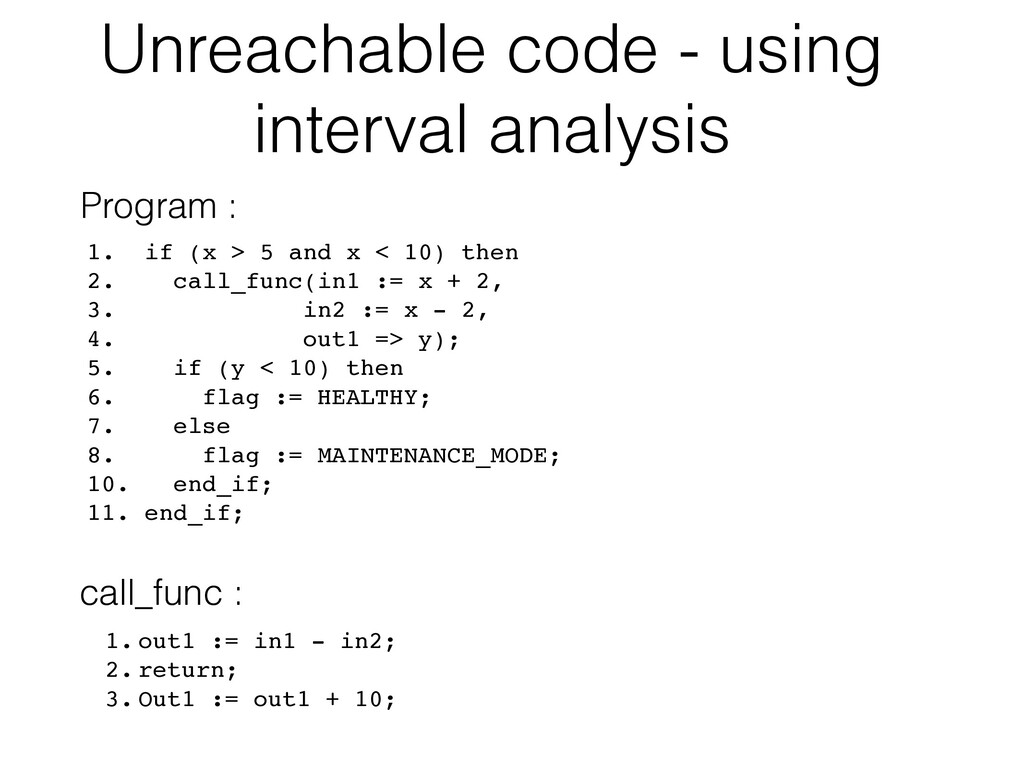
Unreachable code - using interval analysis 1. if (x >
5 and x < 10) then 2. call_func(in1 := x + 2, 3. in2 := x - 2, 4. out1 => y); 5. if (y < 10) then 6. flag := HEALTHY; 7. else 8. flag := MAINTENANCE_MODE; 10. end_if; 11. end_if; 1. out1 := in1 - in2; 2. return; 3. Out1 := out1 + 10; Program : call_func : -
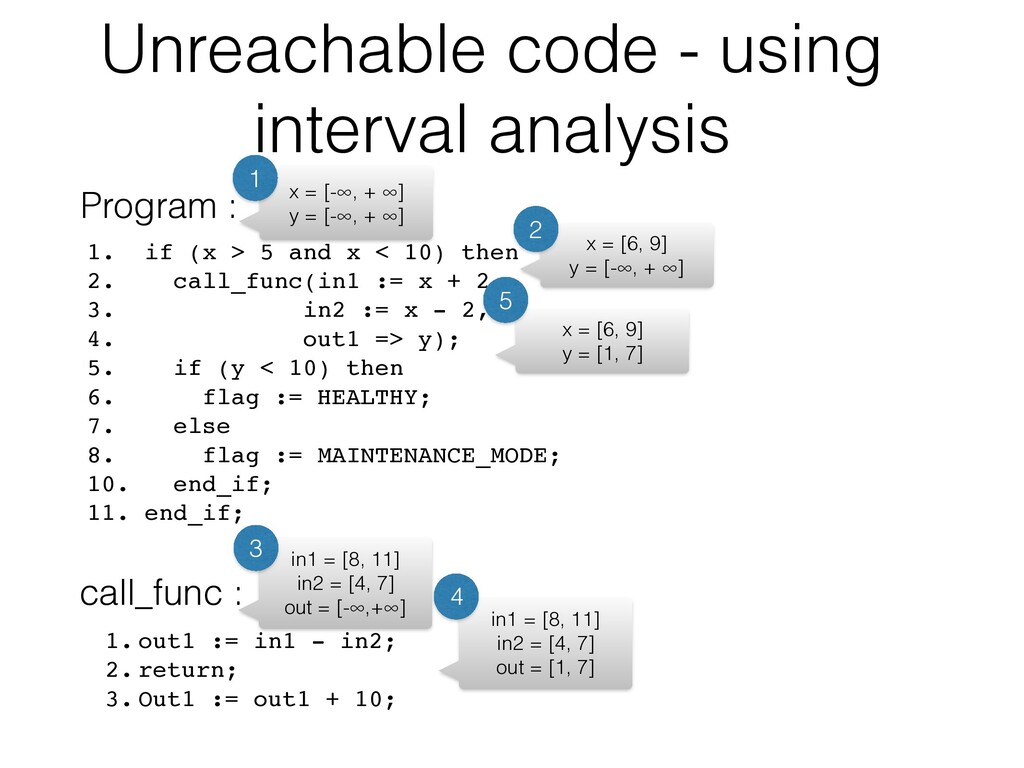
Unreachable code - using interval analysis 1. if (x >
5 and x < 10) then 2. call_func(in1 := x + 2, 3. in2 := x - 2, 4. out1 => y); 5. if (y < 10) then 6. flag := HEALTHY; 7. else 8. flag := MAINTENANCE_MODE; 10. end_if; 11. end_if; 1. out1 := in1 - in2; 2. return; 3. Out1 := out1 + 10; Program : call_func : x = [-∞, + ∞] y = [-∞, + ∞] 1 x = [6, 9] y = [-∞, + ∞] 2 x = [6, 9] y = [1, 7] 5 in1 = [8, 11] in2 = [4, 7] out = [-∞,+∞] 3 in1 = [8, 11] in2 = [4, 7] out = [1, 7] 4 -
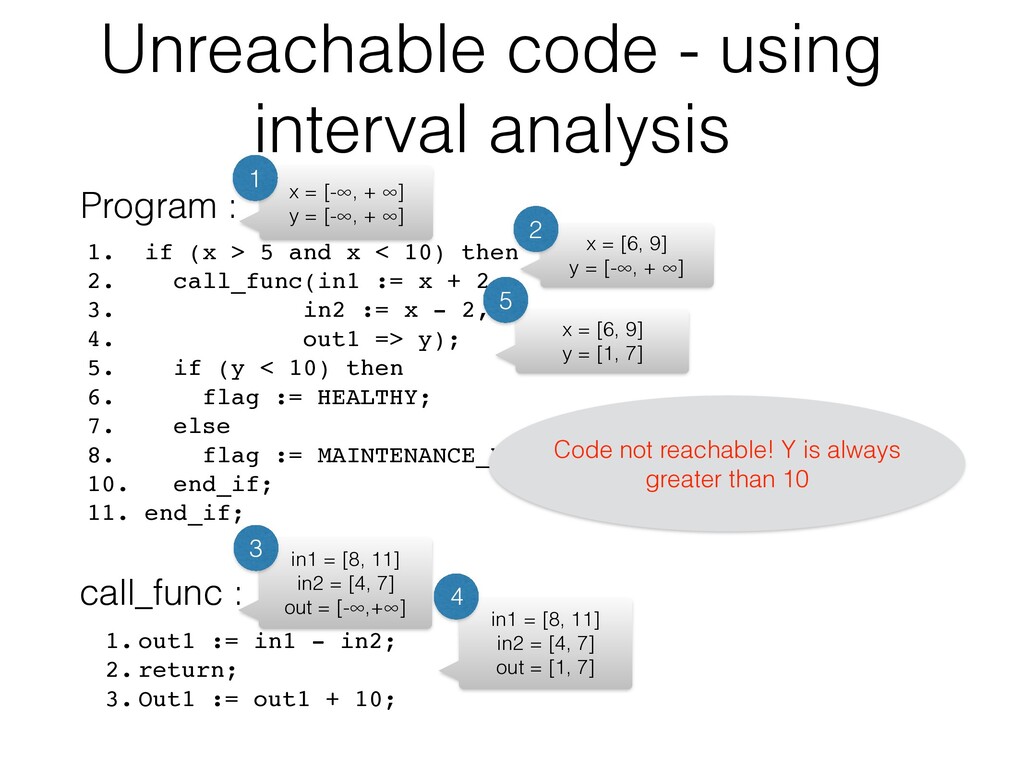
Unreachable code - using interval analysis 1. if (x >
5 and x < 10) then 2. call_func(in1 := x + 2, 3. in2 := x - 2, 4. out1 => y); 5. if (y < 10) then 6. flag := HEALTHY; 7. else 8. flag := MAINTENANCE_MODE; 10. end_if; 11. end_if; 1. out1 := in1 - in2; 2. return; 3. Out1 := out1 + 10; Program : call_func : x = [-∞, + ∞] y = [-∞, + ∞] 1 x = [6, 9] y = [-∞, + ∞] 2 x = [6, 9] y = [1, 7] 5 in1 = [8, 11] in2 = [4, 7] out = [-∞,+∞] 3 in1 = [8, 11] in2 = [4, 7] out = [1, 7] 4 Code not reachable! Y is always greater than 10 -
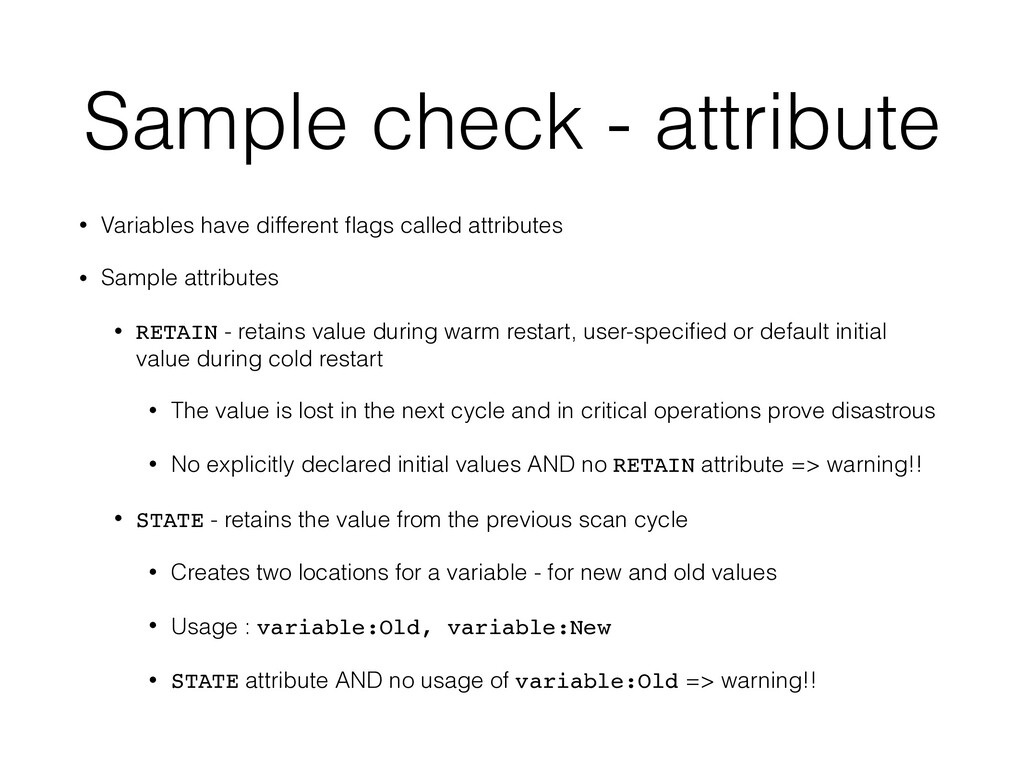
Sample check - attribute • Variables have different flags called
attributes • Sample attributes • RETAIN - retains value during warm restart, user-specified or default initial value during cold restart • The value is lost in the next cycle and in critical operations prove disastrous • No explicitly declared initial values AND no RETAIN attribute => warning!! • STATE - retains the value from the previous scan cycle • Creates two locations for a variable - for new and old values • Usage : variable:Old, variable:New • STATE attribute AND no usage of variable:Old => warning!! -
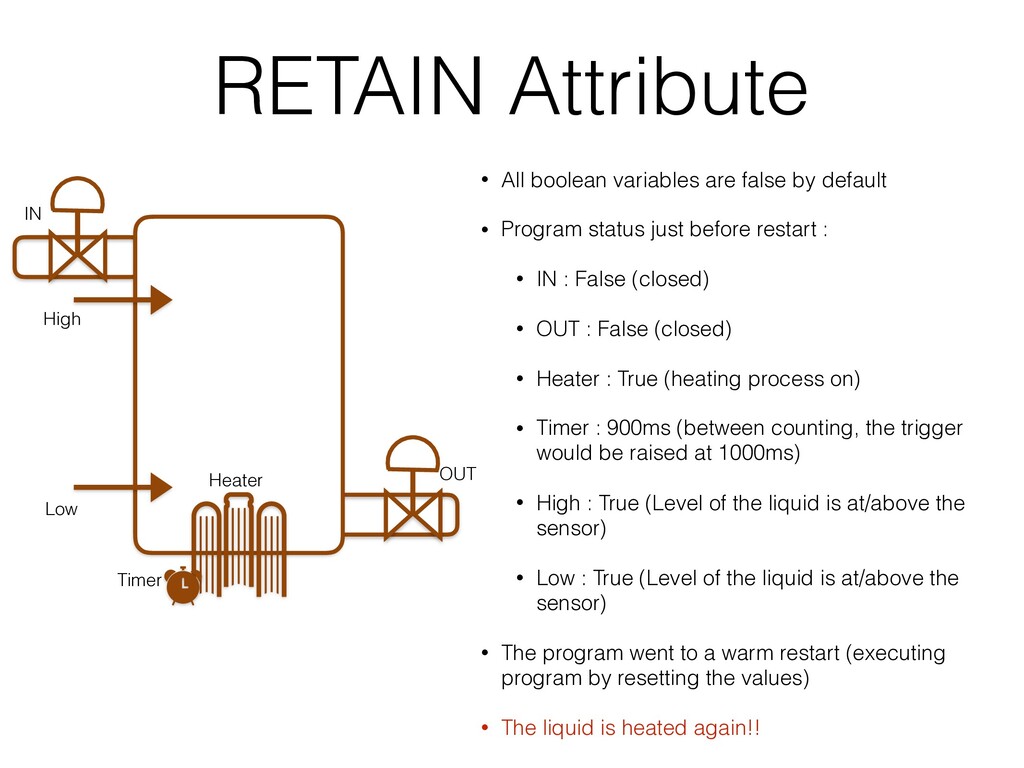
RETAIN Attribute • All boolean variables are false by default
• Program status just before restart : • IN : False (closed) • OUT : False (closed) • Heater : True (heating process on) • Timer : 900ms (between counting, the trigger would be raised at 1000ms) • High : True (Level of the liquid is at/above the sensor) • Low : True (Level of the liquid is at/above the sensor) • The program went to a warm restart (executing program by resetting the values) • The liquid is heated again!! IN OUT Heater Low High Timer -
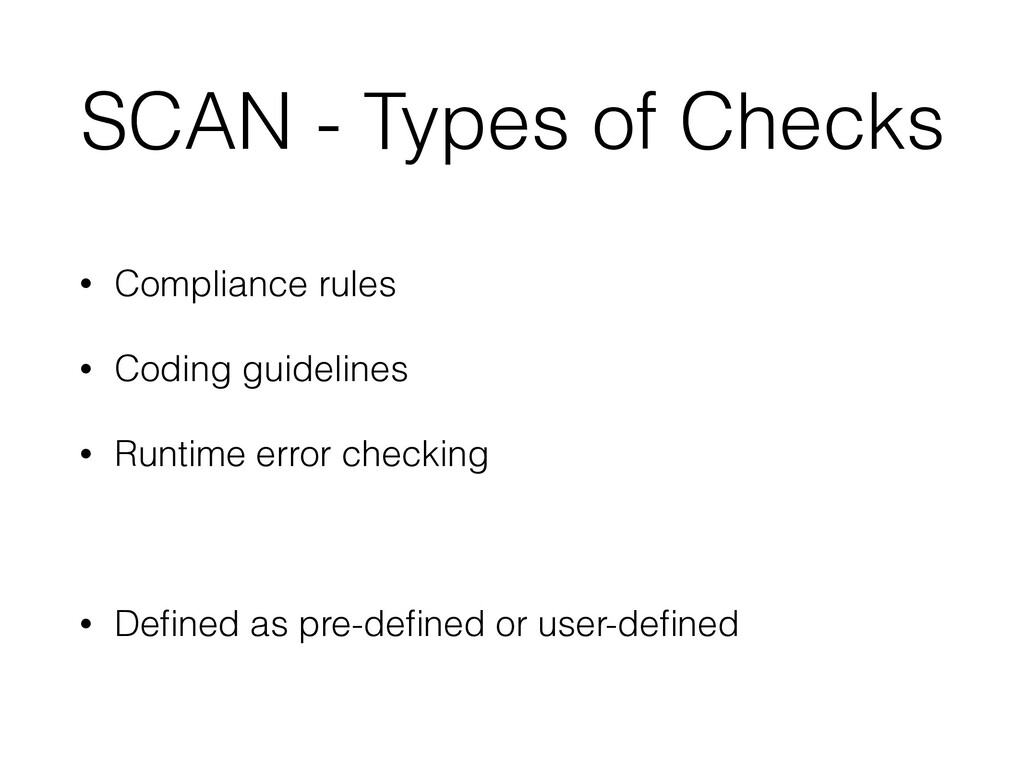
SCAN - Types of Checks • Compliance rules • Coding
guidelines • Runtime error checking • Defined as pre-defined or user-defined -
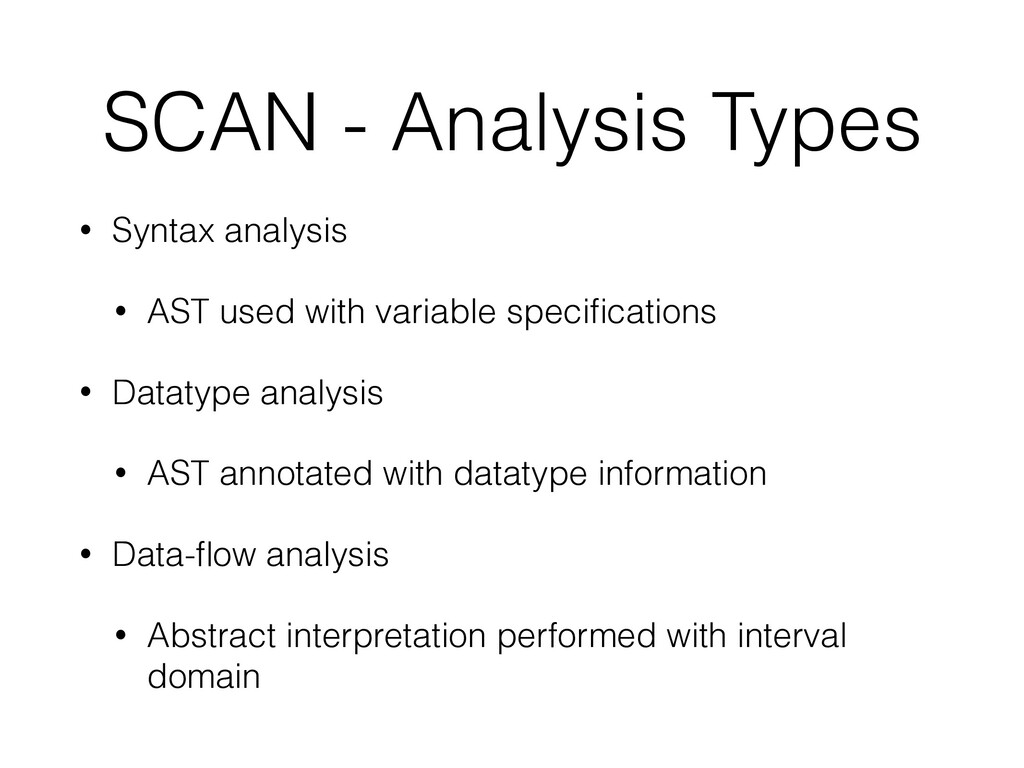
SCAN - Analysis Types • Syntax analysis • AST used
with variable specifications • Datatype analysis • AST annotated with datatype information • Data-flow analysis • Abstract interpretation performed with interval domain -
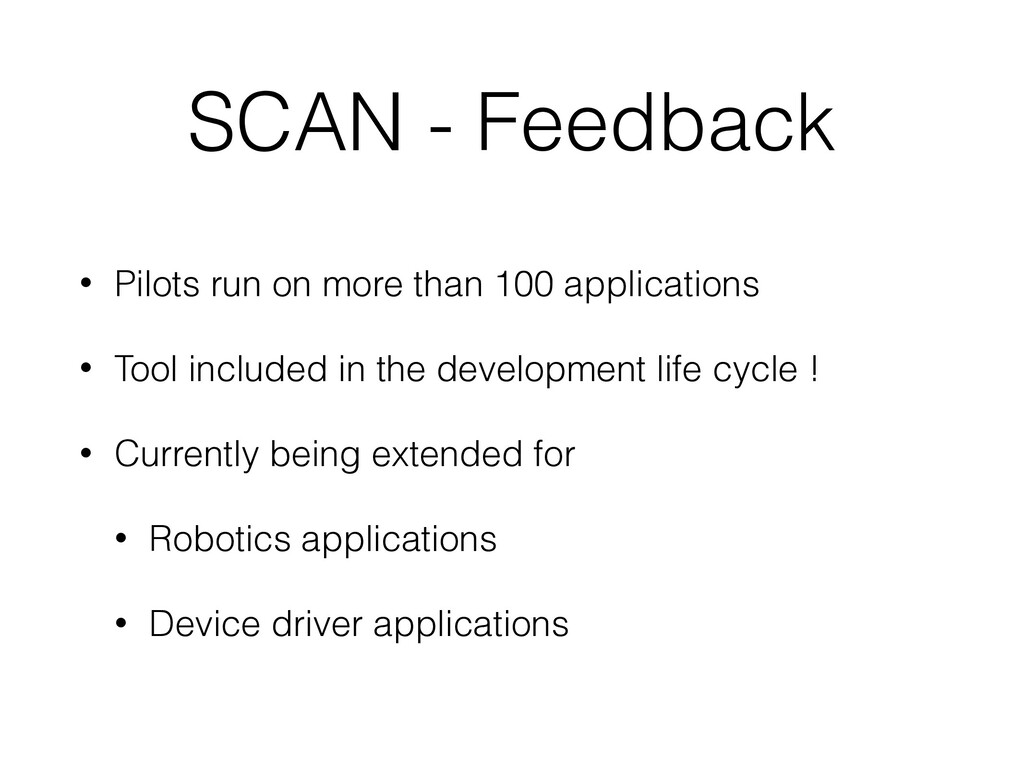
SCAN - Feedback • Pilots run on more than 100
applications • Tool included in the development life cycle ! • Currently being extended for • Robotics applications • Device driver applications -
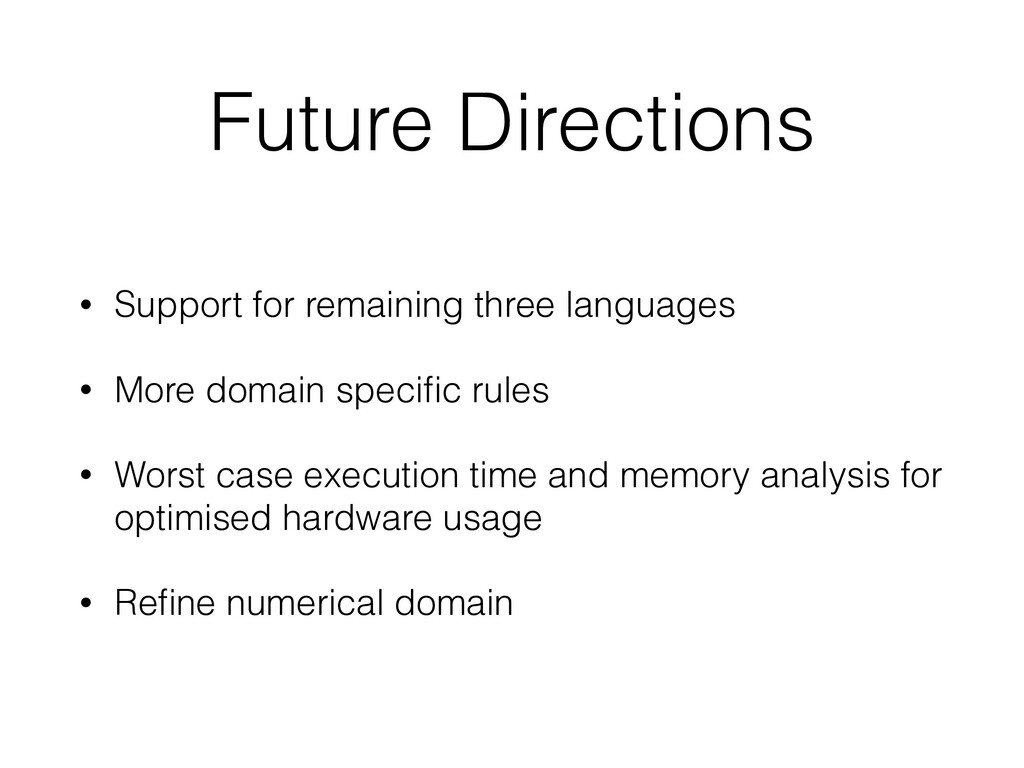
Future Directions • Support for remaining three languages • More
domain specific rules • Worst case execution time and memory analysis for optimised hardware usage • Refine numerical domain