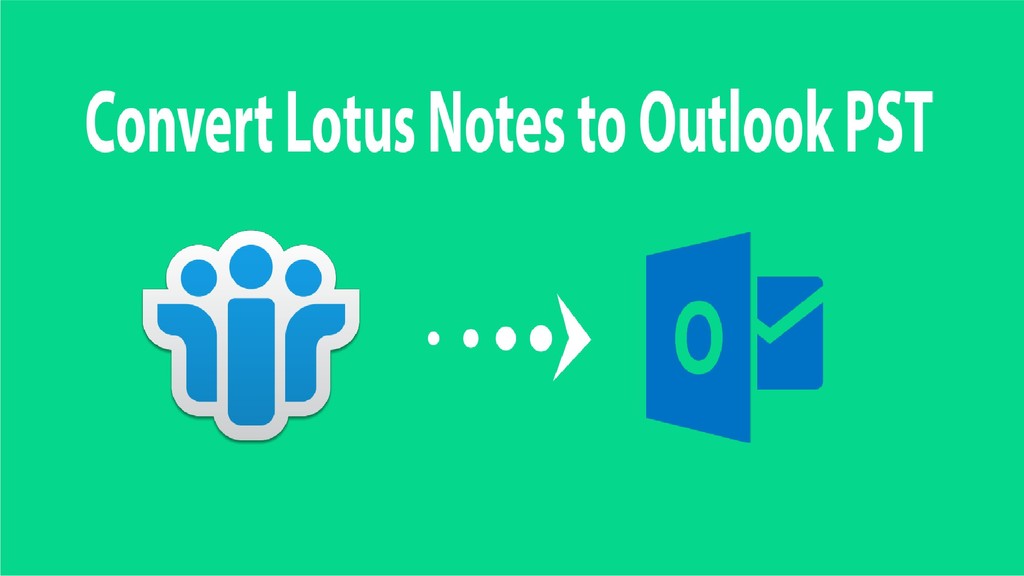
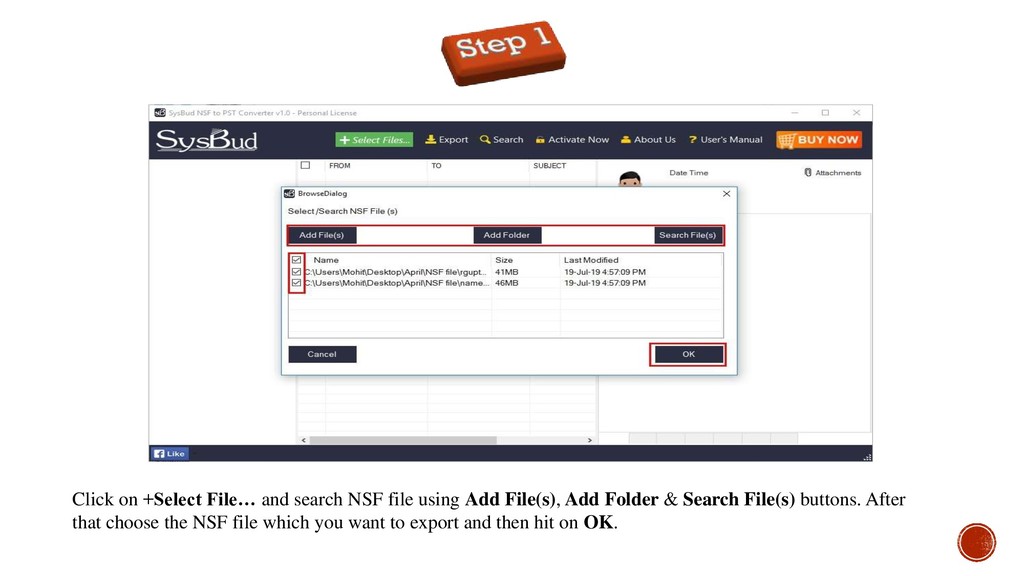
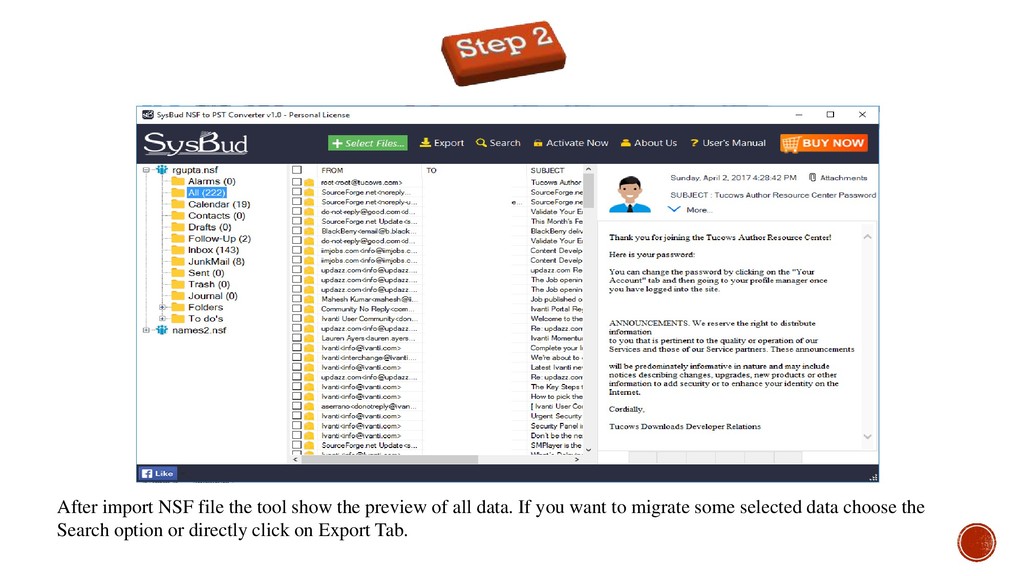
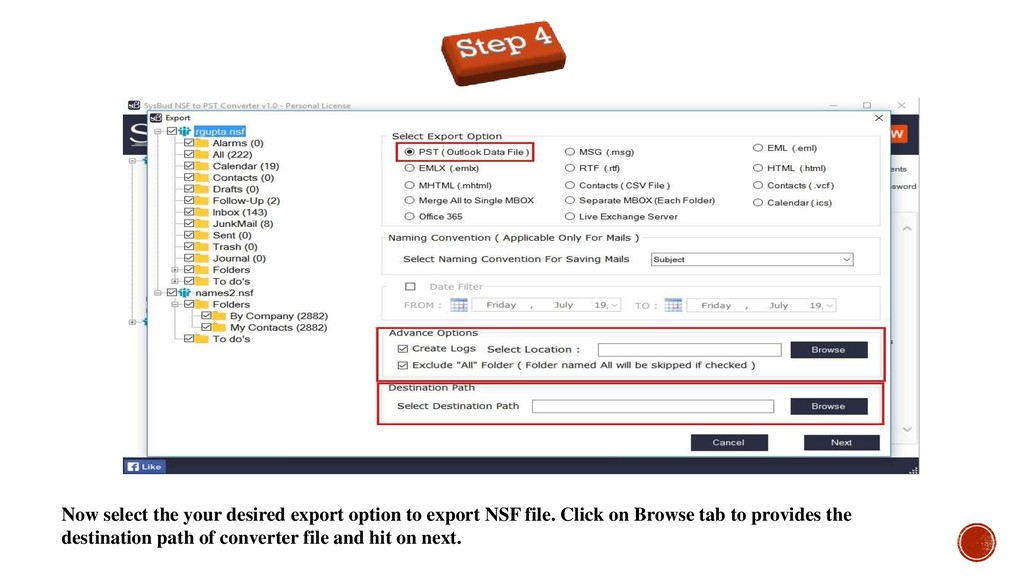
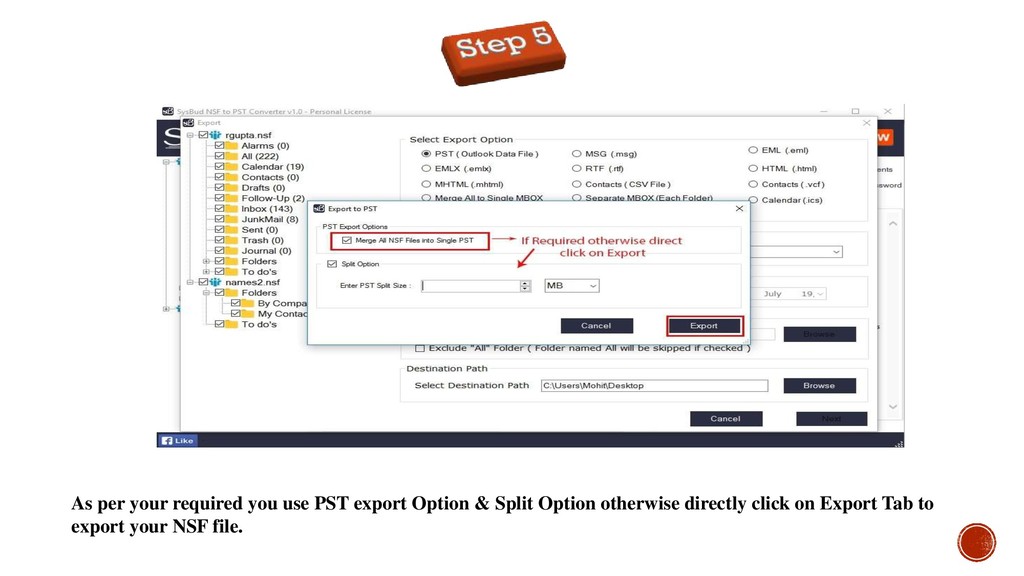
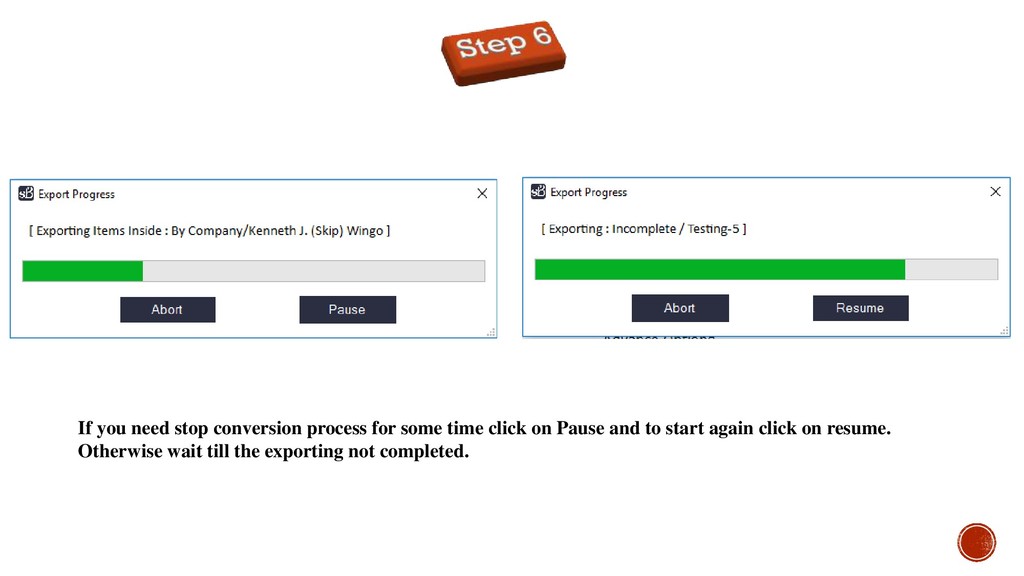
This is the presentation all about SysBud NSF to PST Converter which helps the user to export NSF file into PST, MBOX, MHTML, EML, MSG, Office 365, Live Exchange, HTML, RTF formats, as well as exports Contact to CSV and Calendar to ICS format.
the most prominent and collaborative client-server platform provided by the IBM Community and Microsoft Corporation respectively. It facilitates the users to make communication within or outside of the organization over emails. Lotus Notes provides emails, contacts, calendars, journals, to-do, etc. to save the user’s data in NSF format with No-SQL technology whereas, MS Outlook uses OST and PST format to store the user’s data in the local system. Lotus Notes is supported with Domino server and Outlook is compatible with Exchange Server. However, because of some extra features and easy to use the facility, the user prefers MS Outlook than Lotus Notes.” “A major reason that pushes organizations & personal users to move from Lotus Notes to Outlook because of Lotus Notes is quite expensive and a nontechnical person would not be able to handle it easily.” Reason behind conversion
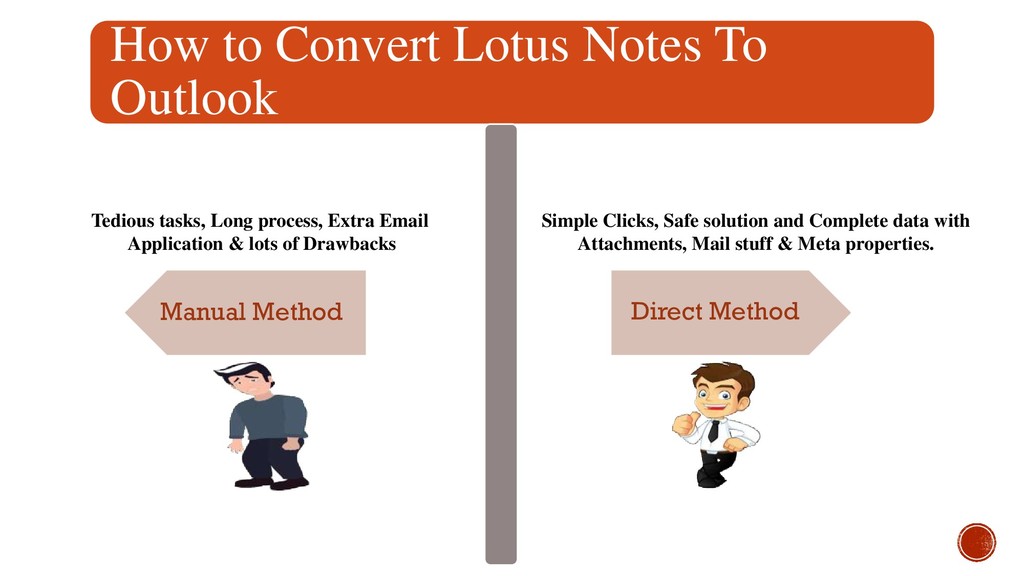
Method Tedious tasks, Long process, Extra Email Application & lots of Drawbacks Simple Clicks, Safe solution and Complete data with Attachments, Mail stuff & Meta properties.
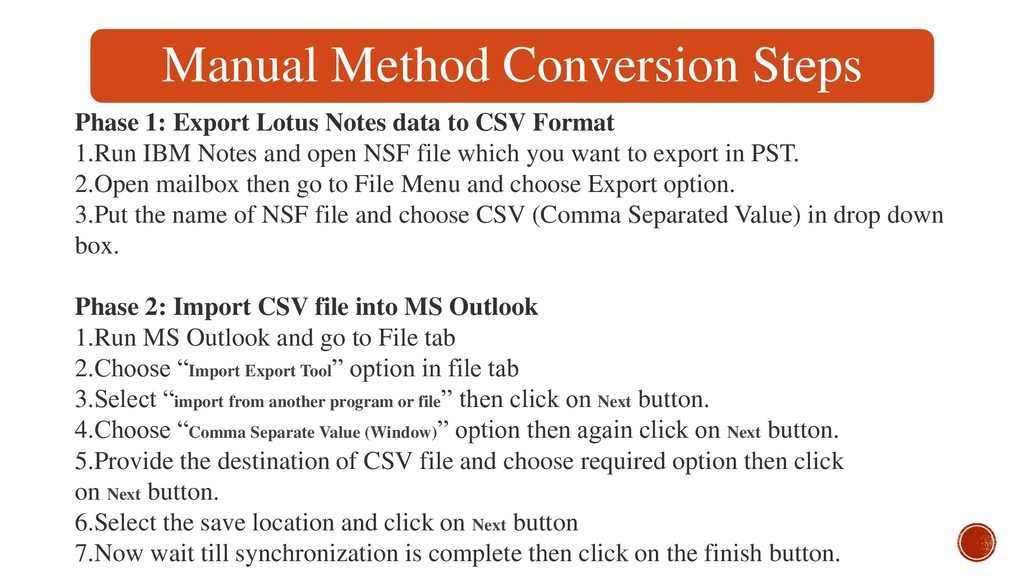
to CSV Format 1.Run IBM Notes and open NSF file which you want to export in PST. 2.Open mailbox then go to File Menu and choose Export option. 3.Put the name of NSF file and choose CSV (Comma Separated Value) in drop down box. Phase 2: Import CSV file into MS Outlook 1.Run MS Outlook and go to File tab 2.Choose “Import Export Tool” option in file tab 3.Select “import from another program or file” then click on Next button. 4.Choose “Comma Separate Value (Window)” option then again click on Next button. 5.Provide the destination of CSV file and choose required option then click on Next button. 6.Select the save location and click on Next button 7.Now wait till synchronization is complete then click on the finish button.
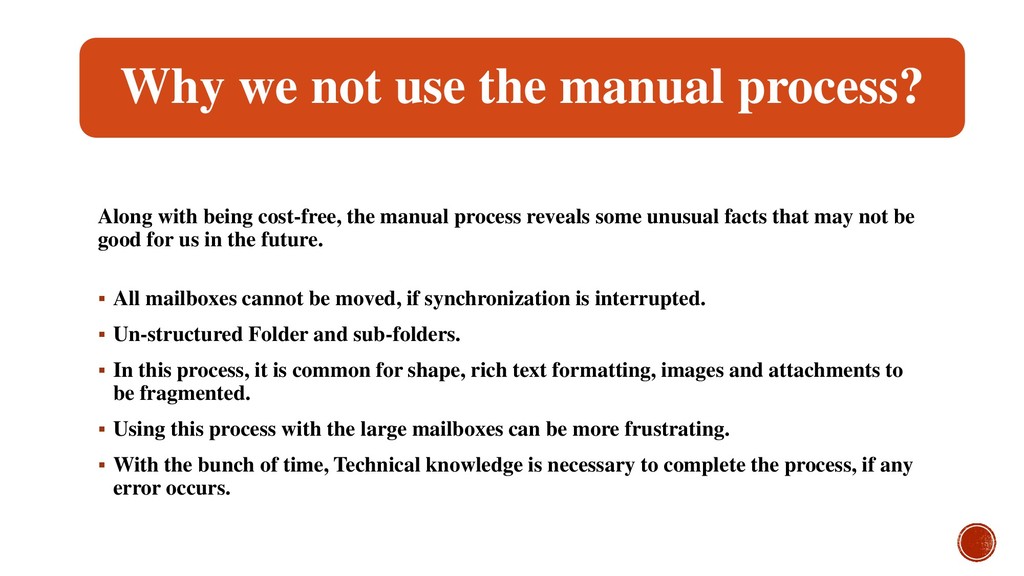
cost-free, the manual process reveals some unusual facts that may not be good for us in the future. All mailboxes cannot be moved, if synchronization is interrupted. Un-structured Folder and sub-folders. In this process, it is common for shape, rich text formatting, images and attachments to be fragmented. Using this process with the large mailboxes can be more frustrating. With the bunch of time, Technical knowledge is necessary to complete the process, if any error occurs.
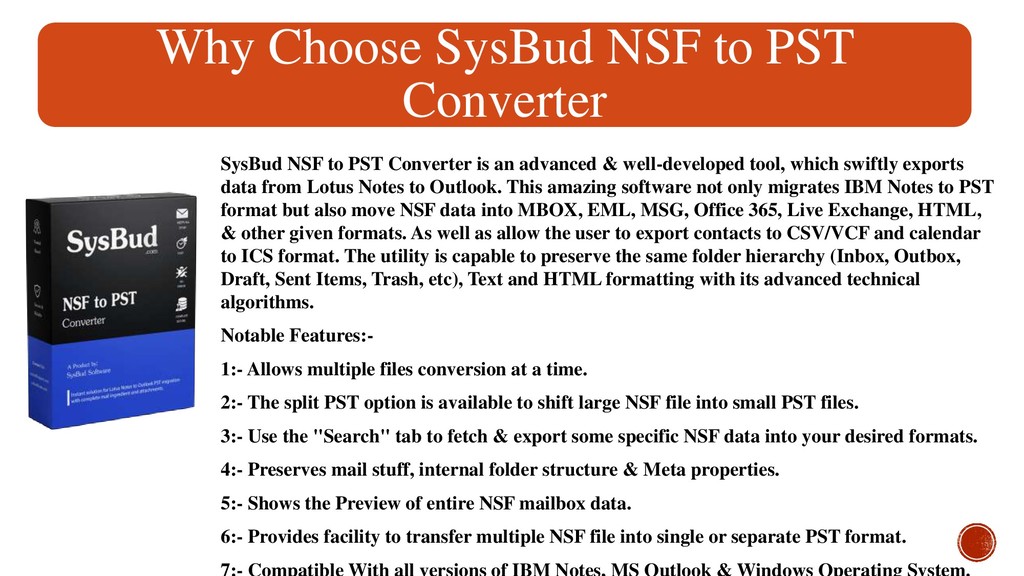
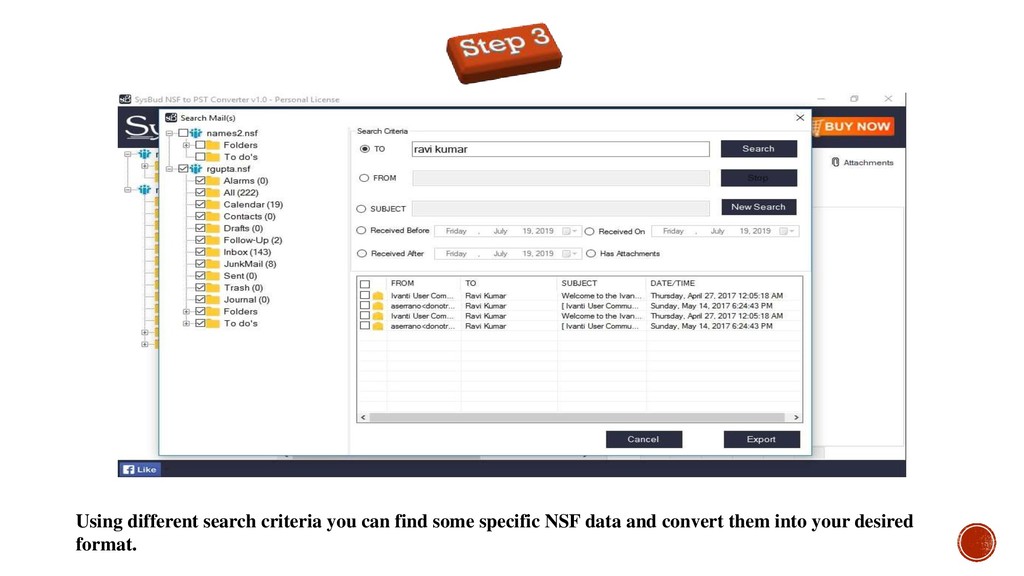
PST Converter is an advanced & well-developed tool, which swiftly exports data from Lotus Notes to Outlook. This amazing software not only migrates IBM Notes to PST format but also move NSF data into MBOX, EML, MSG, Office 365, Live Exchange, HTML, & other given formats. As well as allow the user to export contacts to CSV/VCF and calendar to ICS format. The utility is capable to preserve the same folder hierarchy (Inbox, Outbox, Draft, Sent Items, Trash, etc), Text and HTML formatting with its advanced technical algorithms. Notable Features:- 1:- Allows multiple files conversion at a time. 2:- The split PST option is available to shift large NSF file into small PST files. 3:- Use the "Search" tab to fetch & export some specific NSF data into your desired formats. 4:- Preserves mail stuff, internal folder structure & Meta properties. 5:- Shows the Preview of entire NSF mailbox data. 6:- Provides facility to transfer multiple NSF file into single or separate PST format.


 sysbud_software
.png) codatum
codatum
 kairim0
 teamlab
 shuta13
 riyaamemiya
 sansantech
 kizawa2020
 endonanana
 jtakeda
 recruitengineers
 kworkdev
 occhi
occhi
 aki_iinuma
 reverentgeek
 ammeep
 jdejongh
 tmiket
 akademiya2063
 techseoconnect
 akosma
 jct
jct
 hannesfritz
 chriscoyier
 watany