Upgrade to Pro — share decks privately, control downloads, hide ads and more …

7 Best Vidnoz AI Face Swap Alternatives in 2026

7 Best Vidnoz AI Face Swap Alternatives in 2026

Explore the 7 best Vidnoz AI Face Swap alternatives in 2026. Compare Face AI, Mango AI, Remaker AI, FaceSwapper, Pica AI, AI Face Swap, and VidMage based on face swap quality, supported formats, processing speed, free access, pricing, and key limitations. Find the right tool for photo, video, GIF, and multi-person face swapping, with practical comparisons and tips to help you choose.

Tyson Dawson

October 23, 2026

Transcript

6 slides
  1. 7 Vidnoz AI Face Swap Alternatives in 2026 A practical

    comparison of face-swapping tools for photos, videos, GIFs, and multi-person edits. Vidnoz AI Face Swap is an approachable option for quick edits, with a straightforward upload-and-generate workflow. But a tool that works well for one short clip may not be the best fit for every project. Upload limits, export quality, moderation rules, and support for GIFs or multiple faces can all affect the final result. This guide looks at seven alternatives and explains where each one may fit. The aim is not to name one universal winner for every situation, but to make the trade-offs easier to compare before you upload a file or pay for a plan. What to Check Before Choosing an Alternative A feature list only tells part of the story. The useful question is whether a tool can handle your actual source material and deliver an export that is good enough for where you plan to use it. Output realism Look for convincing facial blending, preserved detail, and fewer visible edges or smoothing artifacts.
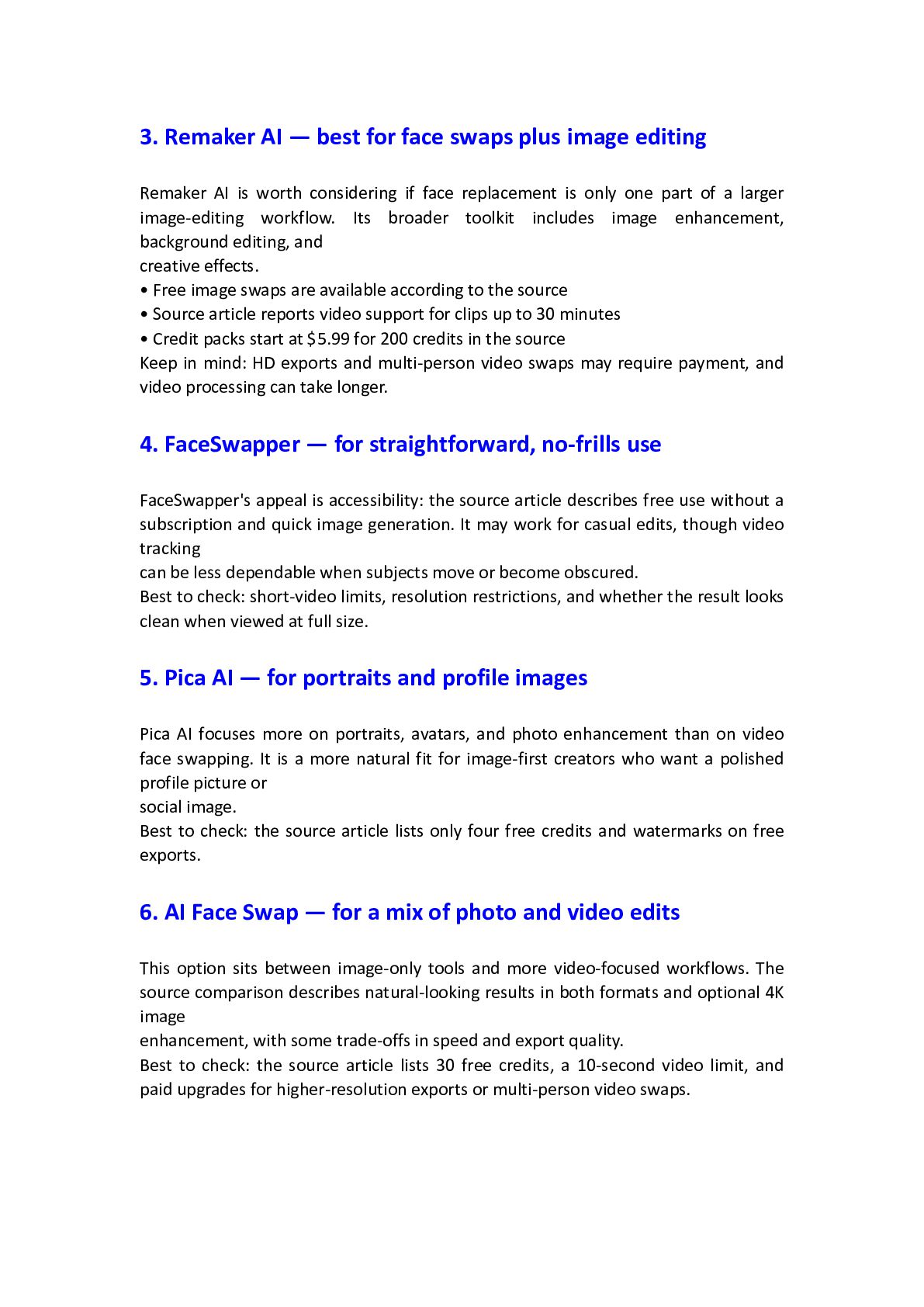
  2. Tracking and consistency For video, check whether the replacement stays

    aligned through movement, changing light, and partial obstruction. Supported formats Confirm whether the tool handles still images, video, GIFs, single-face swaps, and multi-person scenes. Speed and file limits Processing time, maximum clip length, upload size, and resolution caps can matter more than a long feature list. Free access and exports Check whether free usage includes watermarks, HD exports, daily quotas, or only a small number of credits. Privacy and rights Review the platform's terms and privacy policy, and use only source images or footage you have permission to edit. Why users may move on from Vidnoz • Some users may need higher-resolution exports without upgrading. • A 100 MB upload limit can be restrictive for larger source files. • Moderation may block certain celebrity or public-figure edits. • Longer projects can expose tracking issues or require a paid tier. • Creators who want a dedicated face-swap workflow may prefer a more specialized tool
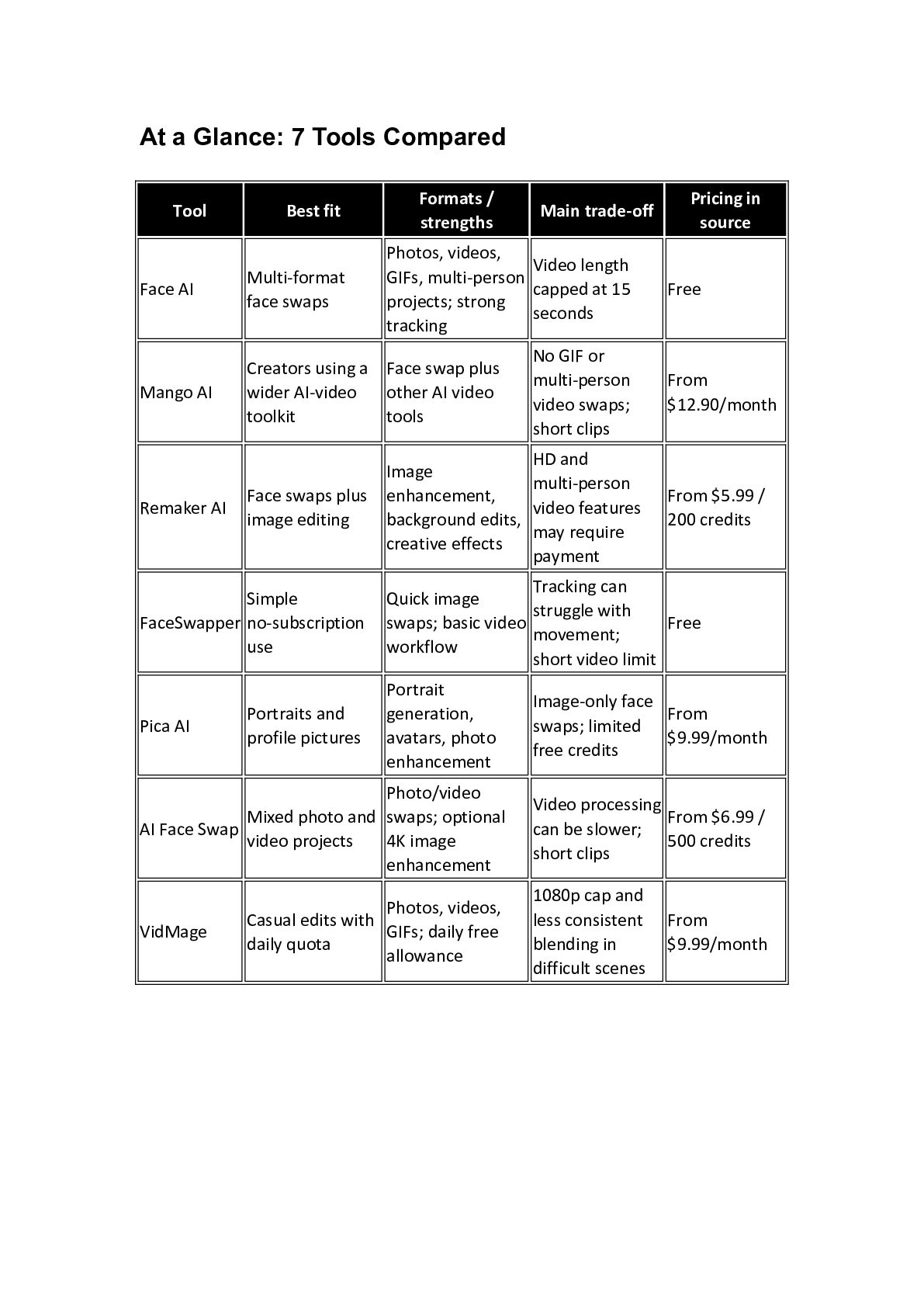
  3. At a Glance: 7 Tools Compared Tool Best fit Formats

    / strengths Photos, videos, Video length GIFs, multi-person capped at 15 projects; strong seconds tracking Face AI Multi-format face swaps Mango AI Creators using a Face swap plus wider AI-video other AI video toolkit tools Remaker AI Face swaps plus image editing Simple FaceSwapper no-subscription use Main trade-off Pricing in source Free No GIF or multi-person video swaps; short clips From $12.90/month HD and Image multi-person enhancement, video features background edits, may require creative effects payment From $5.99 / 200 credits Tracking can Quick image struggle with swaps; basic video Free movement; workflow short video limit Portrait generation, avatars, photo enhancement Image-only face From swaps; limited $9.99/month free credits Photo/video Mixed photo and swaps; optional AI Face Swap video projects 4K image enhancement Video processing From $6.99 / can be slower; 500 credits short clips Pica AI VidMage Portraits and profile pictures Photos, videos, Casual edits with GIFs; daily free daily quota allowance 1080p cap and less consistent blending in difficult scenes From $9.99/month
  4. The Alternatives: Which Tool Fits Your Workflow? 1. Face AI

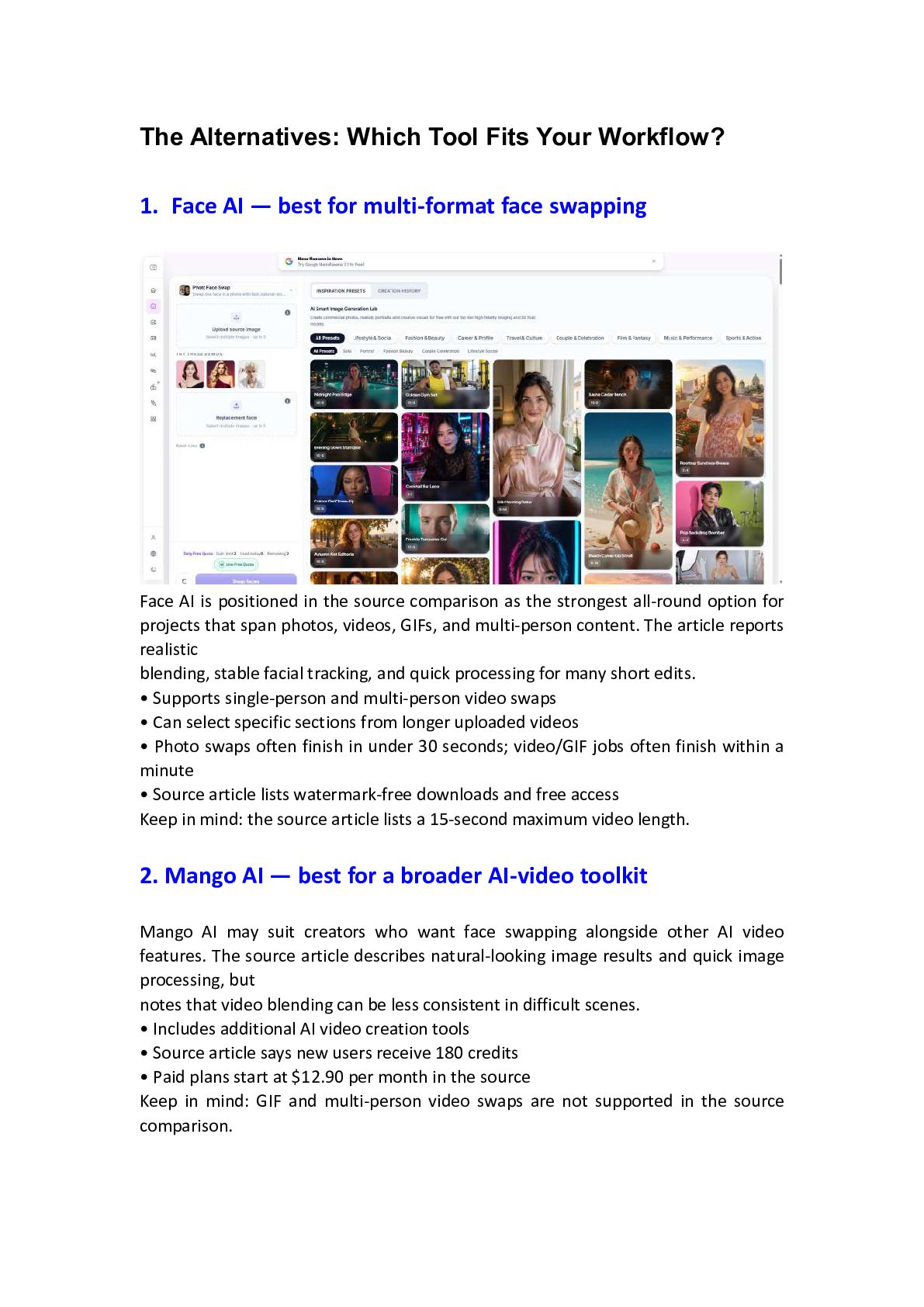
    — best for multi-format face swapping Face AI is positioned in the source comparison as the strongest all-round option for projects that span photos, videos, GIFs, and multi-person content. The article reports realistic blending, stable facial tracking, and quick processing for many short edits. • Supports single-person and multi-person video swaps • Can select specific sections from longer uploaded videos • Photo swaps often finish in under 30 seconds; video/GIF jobs often finish within a minute • Source article lists watermark-free downloads and free access Keep in mind: the source article lists a 15-second maximum video length. 2. Mango AI — best for a broader AI-video toolkit Mango AI may suit creators who want face swapping alongside other AI video features. The source article describes natural-looking image results and quick image processing, but notes that video blending can be less consistent in difficult scenes. • Includes additional AI video creation tools • Source article says new users receive 180 credits • Paid plans start at $12.90 per month in the source Keep in mind: GIF and multi-person video swaps are not supported in the source comparison.
  5. 3. Remaker AI — best for face swaps plus image

    editing Remaker AI is worth considering if face replacement is only one part of a larger image-editing workflow. Its broader toolkit includes image enhancement, background editing, and creative effects. • Free image swaps are available according to the source • Source article reports video support for clips up to 30 minutes • Credit packs start at $5.99 for 200 credits in the source Keep in mind: HD exports and multi-person video swaps may require payment, and video processing can take longer. 4. FaceSwapper — for straightforward, no-frills use FaceSwapper's appeal is accessibility: the source article describes free use without a subscription and quick image generation. It may work for casual edits, though video tracking can be less dependable when subjects move or become obscured. Best to check: short-video limits, resolution restrictions, and whether the result looks clean when viewed at full size. 5. Pica AI — for portraits and profile images Pica AI focuses more on portraits, avatars, and photo enhancement than on video face swapping. It is a more natural fit for image-first creators who want a polished profile picture or social image. Best to check: the source article lists only four free credits and watermarks on free exports. 6. AI Face Swap — for a mix of photo and video edits This option sits between image-only tools and more video-focused workflows. The source comparison describes natural-looking results in both formats and optional 4K image enhancement, with some trade-offs in speed and export quality. Best to check: the source article lists 30 free credits, a 10-second video limit, and paid upgrades for higher-resolution exports or multi-person video swaps.
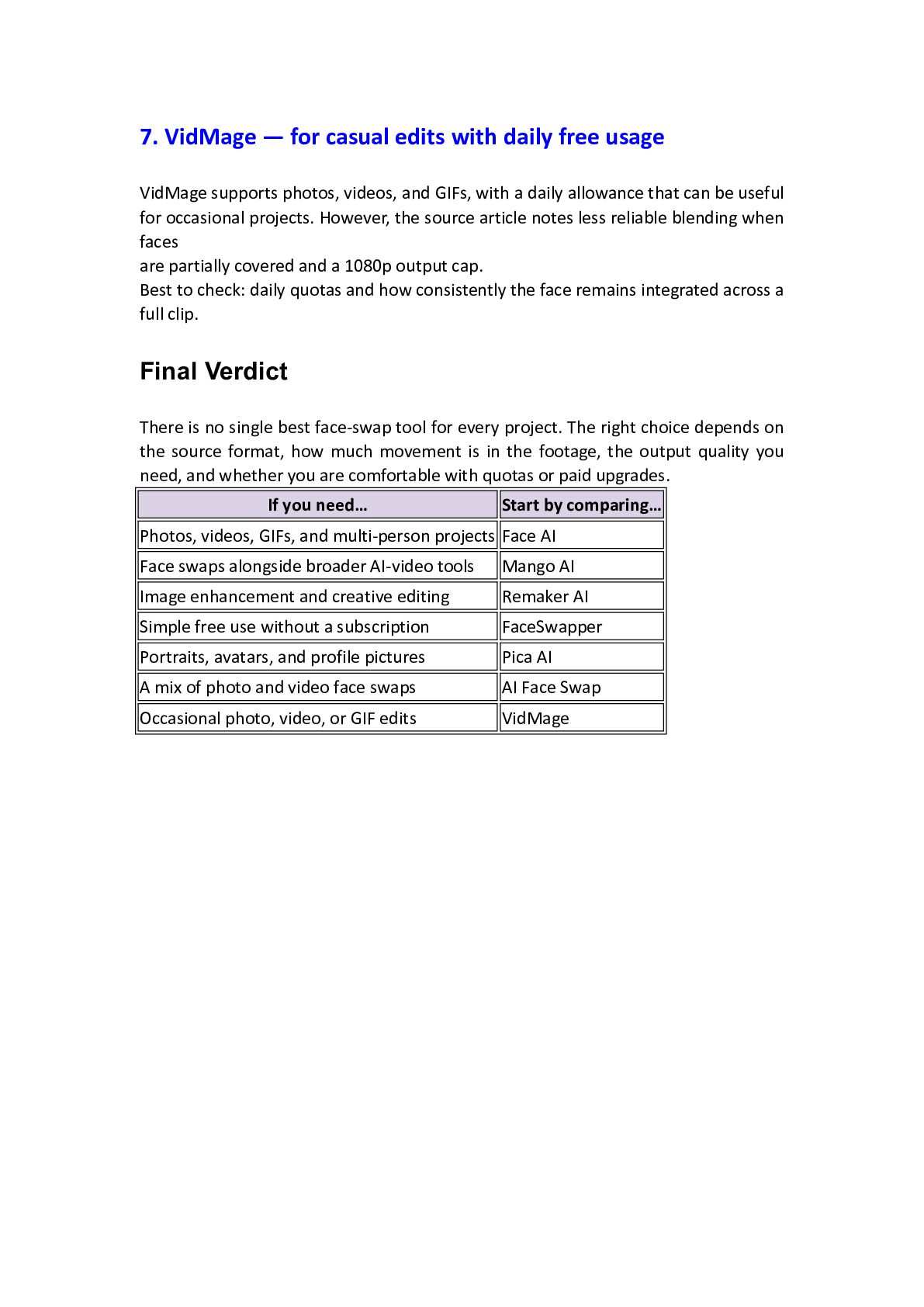
  6. 7. VidMage — for casual edits with daily free usage

    VidMage supports photos, videos, and GIFs, with a daily allowance that can be useful for occasional projects. However, the source article notes less reliable blending when faces are partially covered and a 1080p output cap. Best to check: daily quotas and how consistently the face remains integrated across a full clip. Final Verdict There is no single best face-swap tool for every project. The right choice depends on the source format, how much movement is in the footage, the output quality you need, and whether you are comfortable with quotas or paid upgrades. If you need… Start by comparing… Photos, videos, GIFs, and multi-person projects Face AI Face swaps alongside broader AI-video tools Mango AI Image enhancement and creative editing Remaker AI Simple free use without a subscription FaceSwapper Portraits, avatars, and profile pictures Pica AI A mix of photo and video face swaps AI Face Swap Occasional photo, video, or GIF edits VidMage

More Decks by Tyson Dawson

Other Decks in Technology