Share
Embed
Alice & Bob: public key cryptography 101 - IPC12
Joshua Thijssen
October 17, 2012
Transcript
70 slides
-
Alice & Bob IPC - Mainz, Germany 14-17 October 2012
Public key cryptography 101 -
Joshua Thijssen / Netherlands Freelance consultant and trainer @ NoxLogic
& TechAdemy Development in PHP, Python, C, Java Lead developer of Saffire Blog: http://adayinthelifeof.nl Email: [email protected] Twitter: @jaytaph 2 -
4 Without this there would be no internet as we
know today (really) -
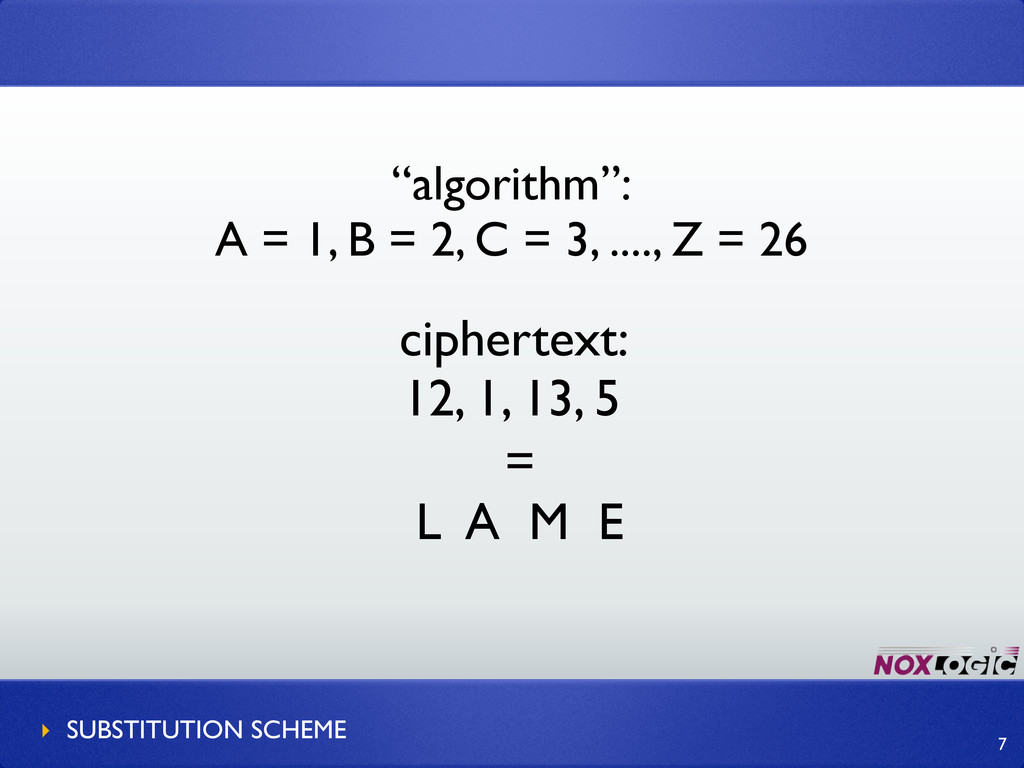
ciphertext: 12, 1, 13, 5 “algorithm”: A = 1, B
= 2, C = 3, ...., Z = 26 = L A M E ‣ SUBSTITUTION SCHEME 7 -
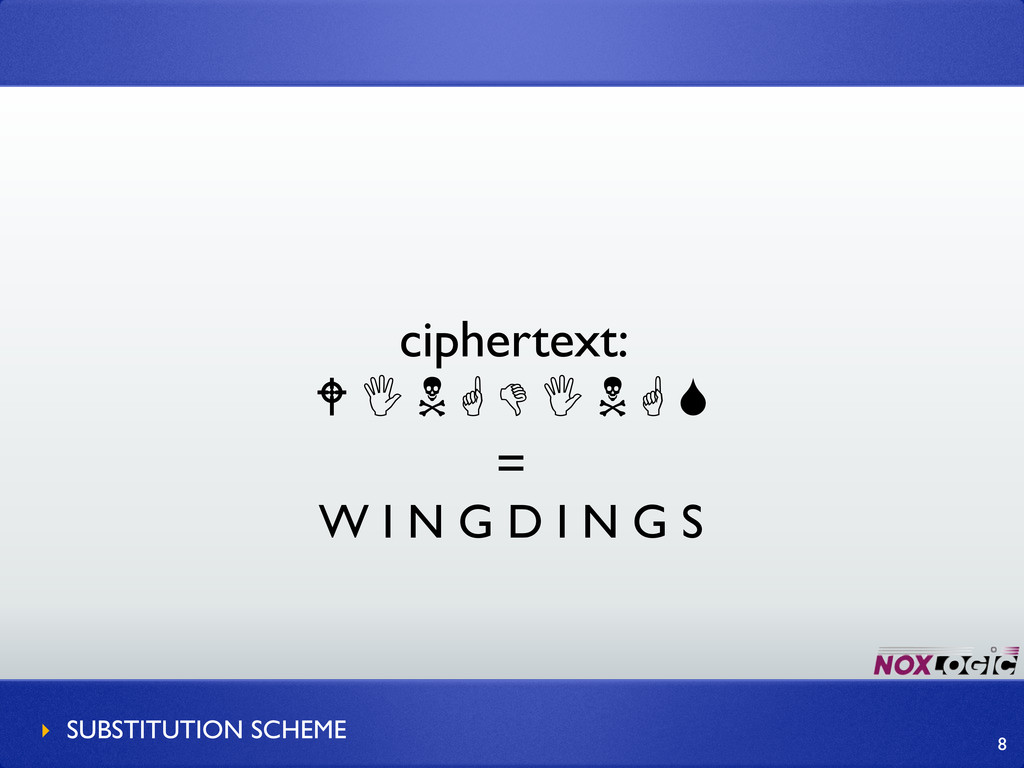
8 ciphertext:
= W I N G D I N G S ‣ SUBSTITUTION SCHEME -
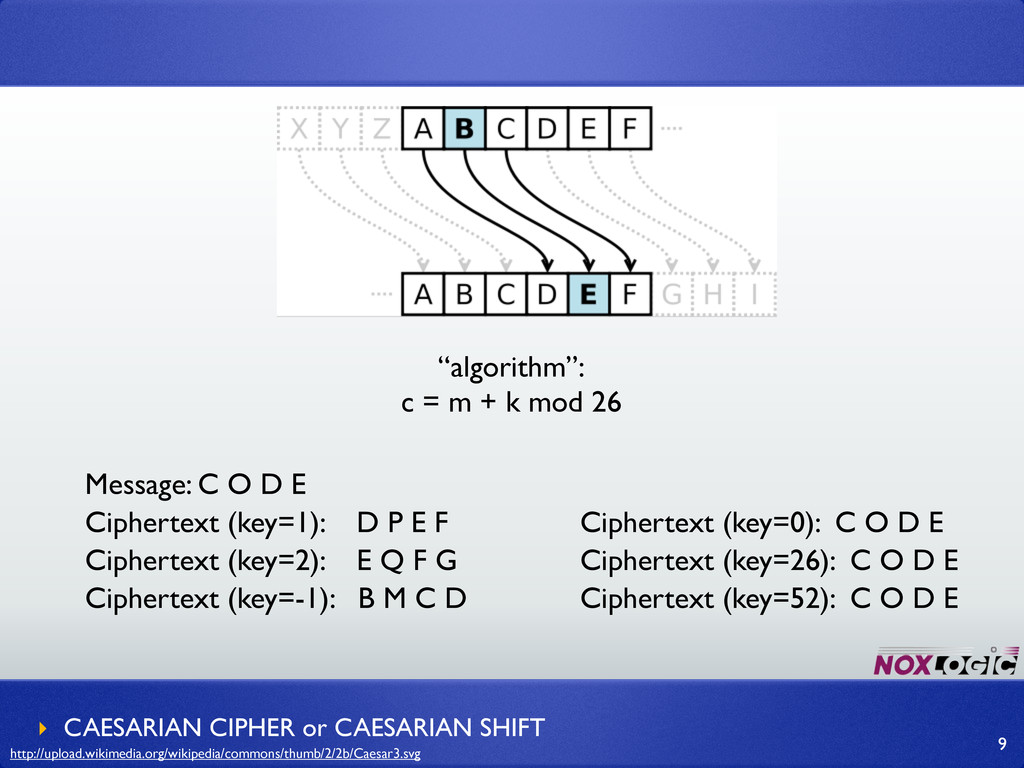
“algorithm”: c = m + k mod 26 ‣ CAESARIAN
CIPHER or CAESARIAN SHIFT 9 Message: C O D E Ciphertext (key=1): D P E F Ciphertext (key=2): E Q F G Ciphertext (key=-1): B M C D Ciphertext (key=0): C O D E Ciphertext (key=26): C O D E Ciphertext (key=52): C O D E http://upload.wikimedia.org/wikipedia/commons/thumb/2/2b/Caesar3.svg -
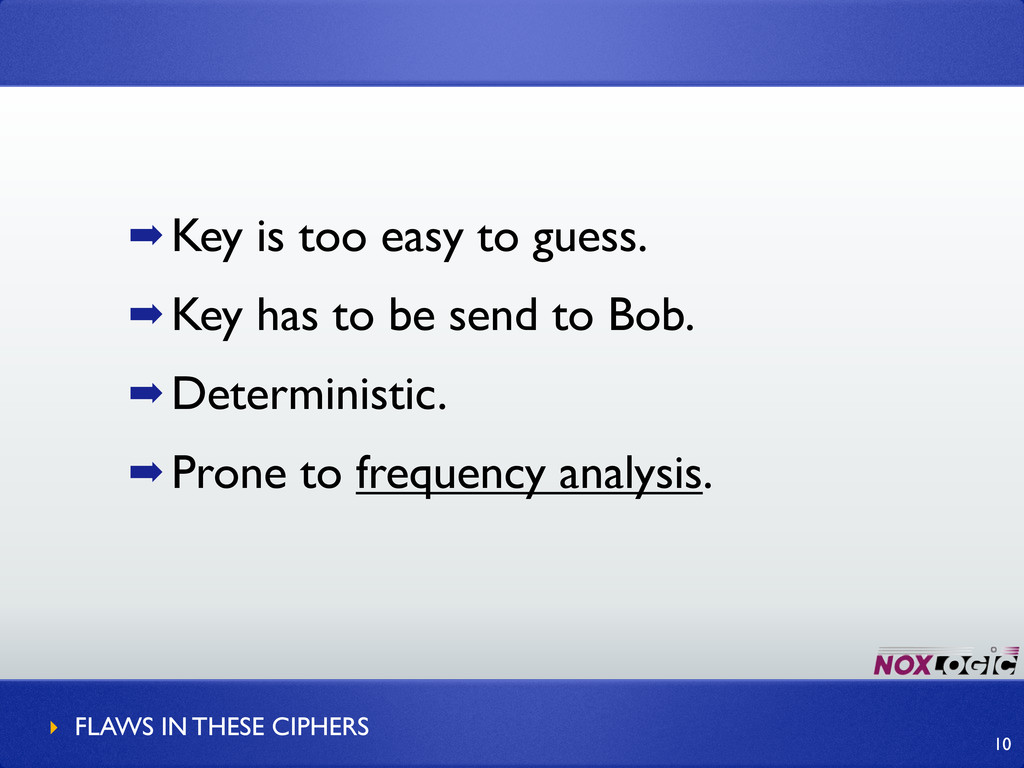
➡ Key is too easy to guess. ➡ Key has
to be send to Bob. ➡ Deterministic. ➡ Prone to frequency analysis. ‣ FLAWS IN THESE CIPHERS 10 -
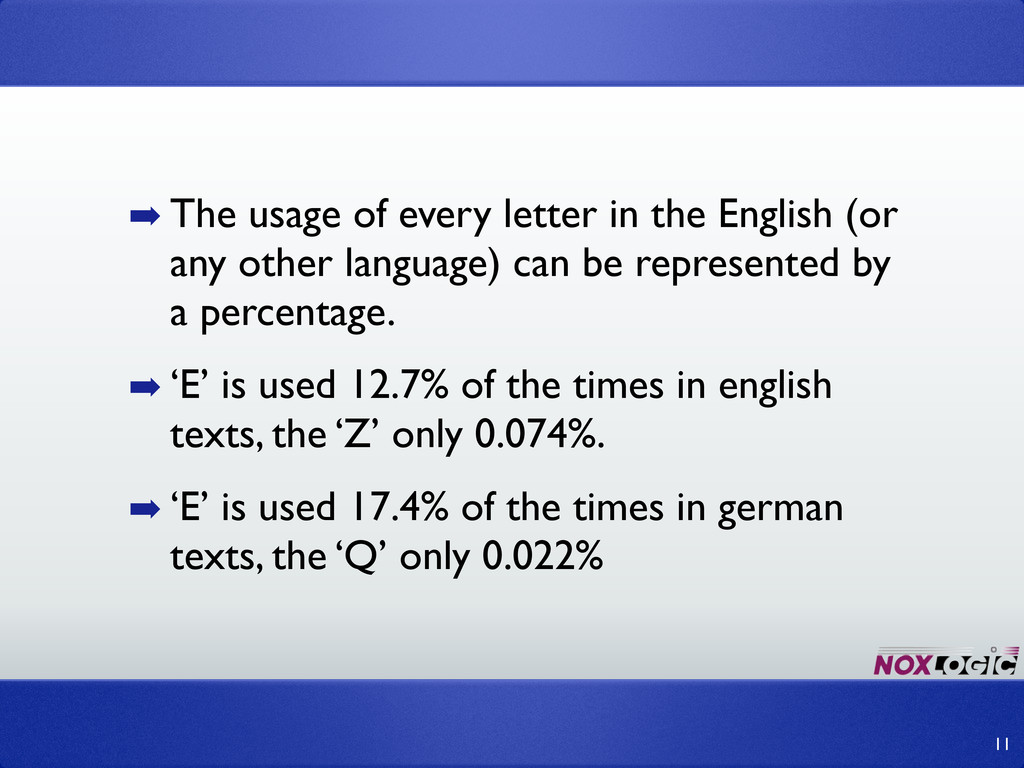
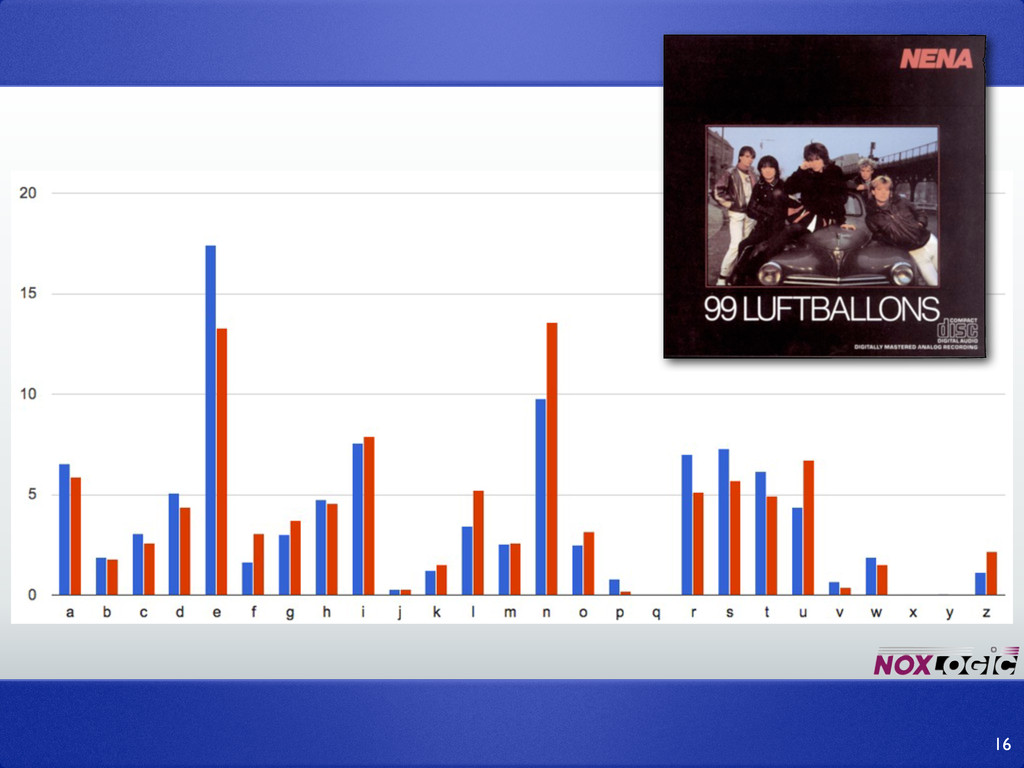
➡ The usage of every letter in the English (or
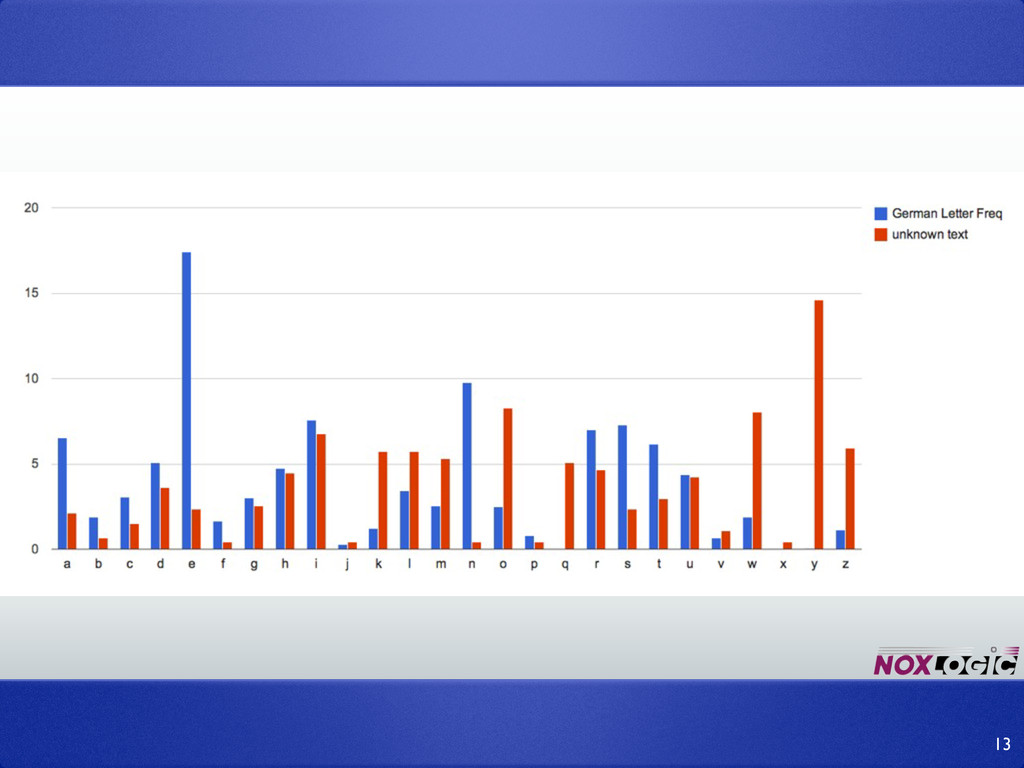
any other language) can be represented by a percentage. ➡ ‘E’ is used 12.7% of the times in english texts, the ‘Z’ only 0.074%. ➡ ‘E’ is used 17.4% of the times in german texts, the ‘Q’ only 0.022% 11 -
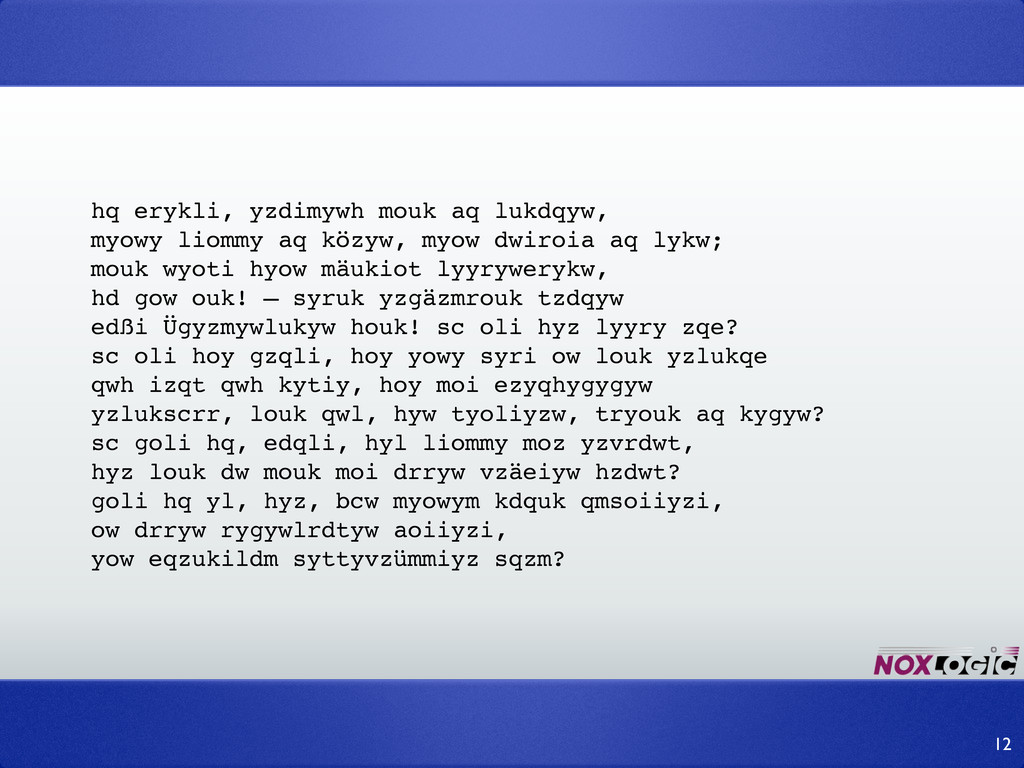
hq erykli, yzdimywh mouk aq lukdqyw, myowy liommy aq közyw,
myow dwiroia aq lykw; mouk wyoti hyow mäukiot lyyrywerykw, hd gow ouk! – syruk yzgäzmrouk tzdqyw edßi Ügyzmywlukyw houk! sc oli hyz lyyry zqe? sc oli hoy gzqli, hoy yowy syri ow louk yzlukqe qwh izqt qwh kytiy, hoy moi ezyqhygygyw yzlukscrr, louk qwl, hyw tyoliyzw, tryouk aq kygyw? sc goli hq, edqli, hyl liommy moz yzvrdwt, hyz louk dw mouk moi drryw vzäeiyw hzdwt? goli hq yl, hyz, bcw myowym kdquk qmsoiiyzi, ow drryw rygywlrdtyw aoiiyzi, yow eqzukildm syttyvzümmiyz sqzm? 12 -
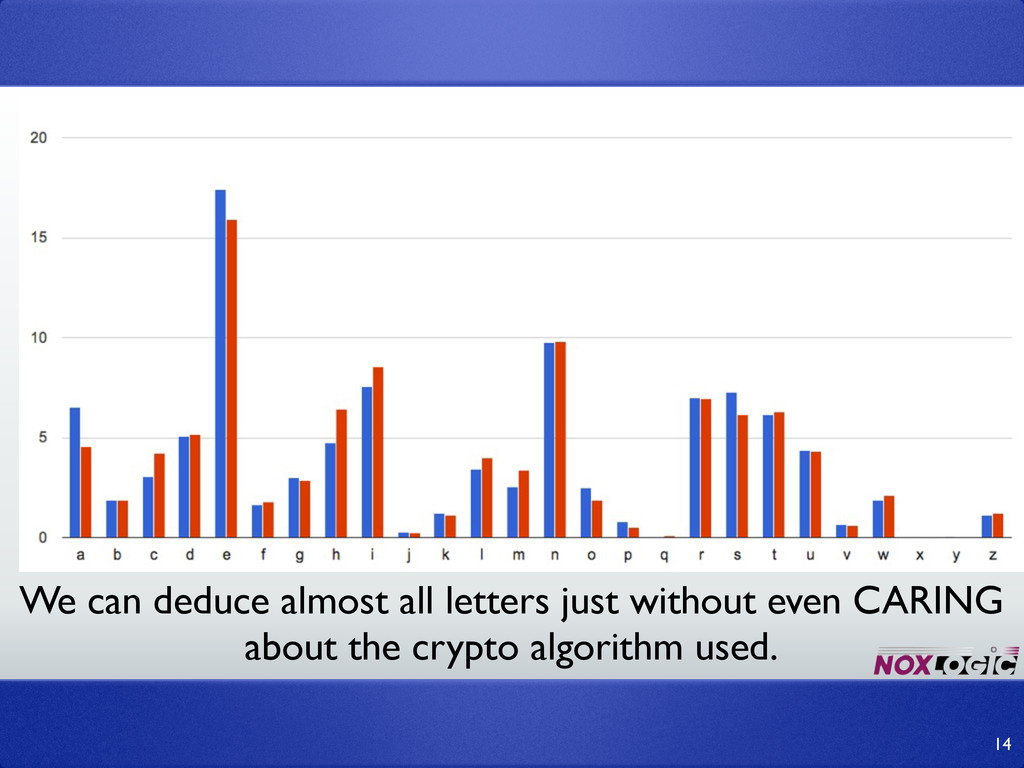
We can deduce almost all letters just without even CARING
about the crypto algorithm used. 14 -
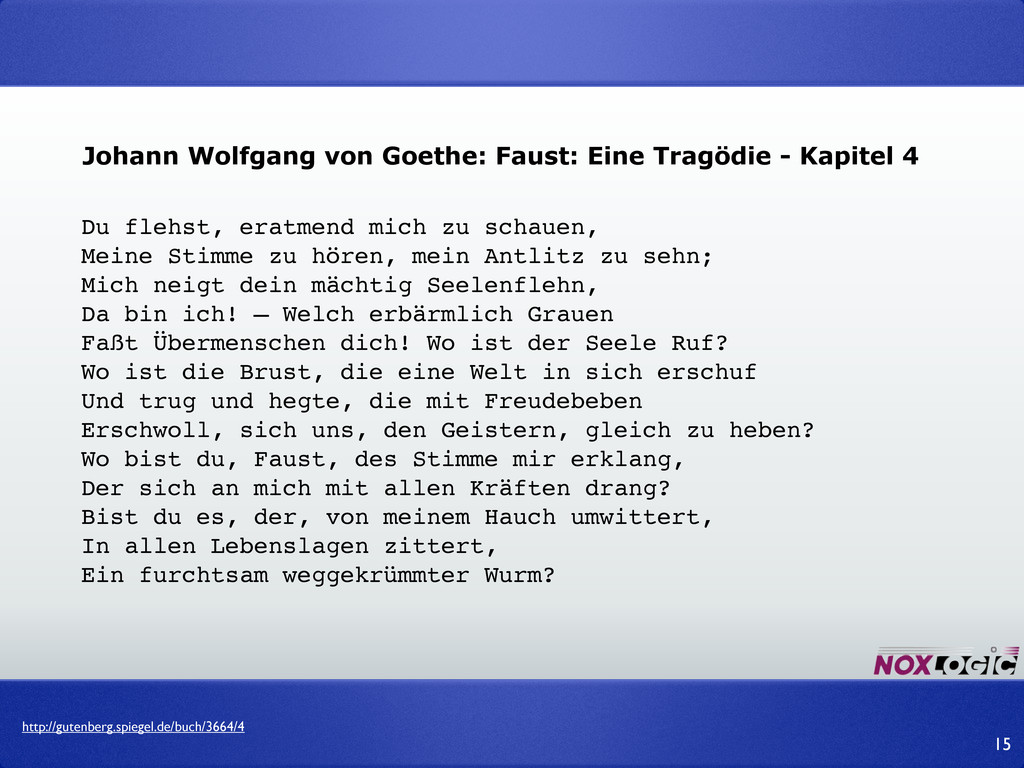
Du flehst, eratmend mich zu schauen, Meine Stimme zu hören,
mein Antlitz zu sehn; Mich neigt dein mächtig Seelenflehn, Da bin ich! – Welch erbärmlich Grauen Faßt Übermenschen dich! Wo ist der Seele Ruf? Wo ist die Brust, die eine Welt in sich erschuf Und trug und hegte, die mit Freudebeben Erschwoll, sich uns, den Geistern, gleich zu heben? Wo bist du, Faust, des Stimme mir erklang, Der sich an mich mit allen Kräften drang? Bist du es, der, von meinem Hauch umwittert, In allen Lebenslagen zittert, Ein furchtsam weggekrümmter Wurm? 15 http://gutenberg.spiegel.de/buch/3664/4 Johann Wolfgang von Goethe: Faust: Eine Tragödie - Kapitel 4 -
Determinism and the ability to apply frequency analysis are “bad
things” ‣ FLAWS IN THESE CIPHERS 17 -
➡ Previous examples were symmetrical encryptions. ➡ Same key is
used for both encryption and decryption. ➡ Good symmetrical encryptions: AES, Blowfish, (3)DES. ➡ They are fast and secure. ‣ SYMMETRICAL ALGORITHMS 18 -
Q: How does Alice send over the key securely to
Bob? Everybody’s listening! ‣ THE PROBLEM WITH SYMMETRICAL ALGORITHMS 19 -
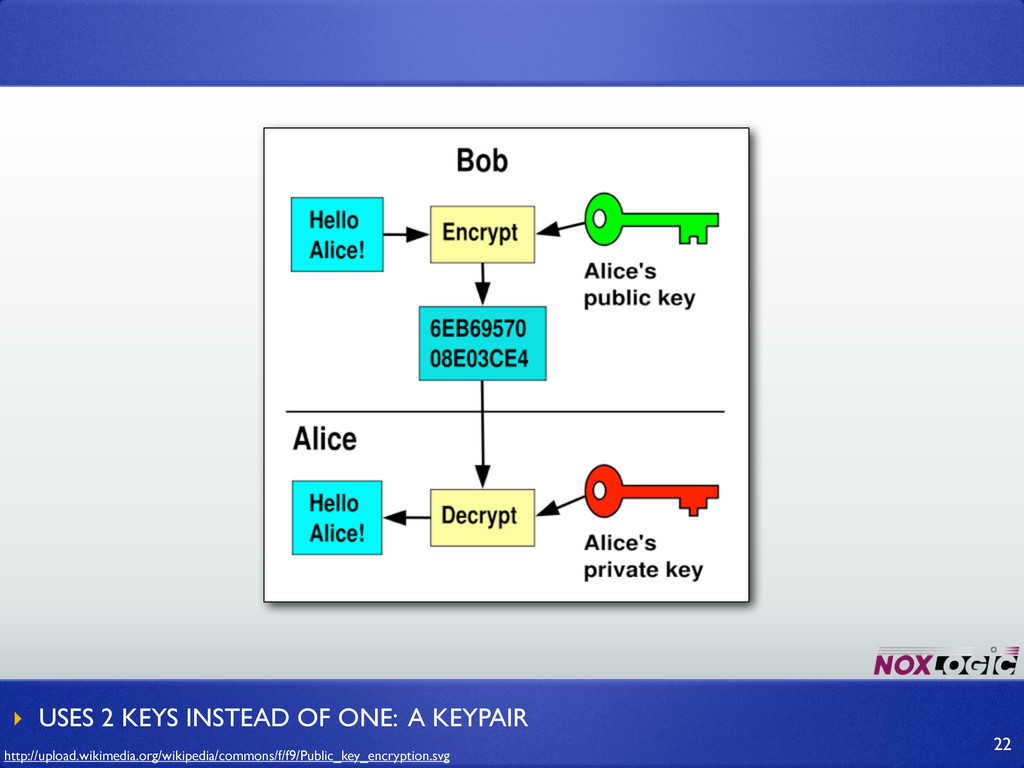
Two keys instead of one: public key - available for
everybody. Can be published on your blog. private key - For your eyes only! 21 -
It is NOT possible to decrypt the message with same
key that is used to encrypt. 23 -
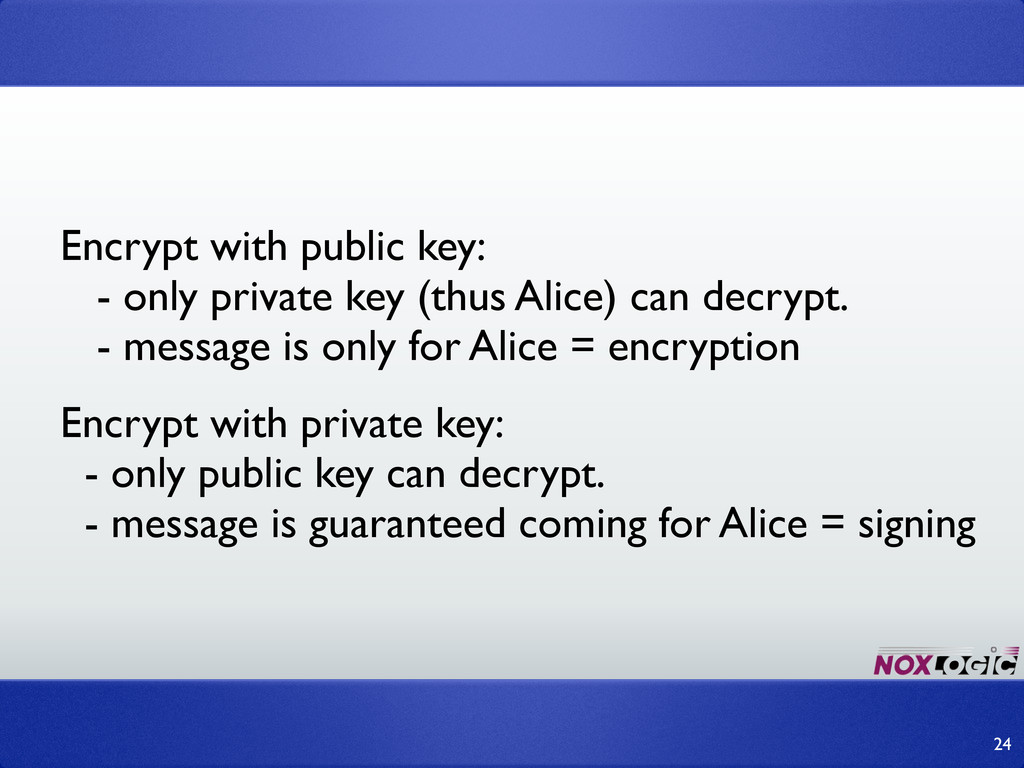
Encrypt with public key: - only private key (thus Alice)
can decrypt. - message is only for Alice = encryption 24 Encrypt with private key: - only public key can decrypt. - message is guaranteed coming for Alice = signing -
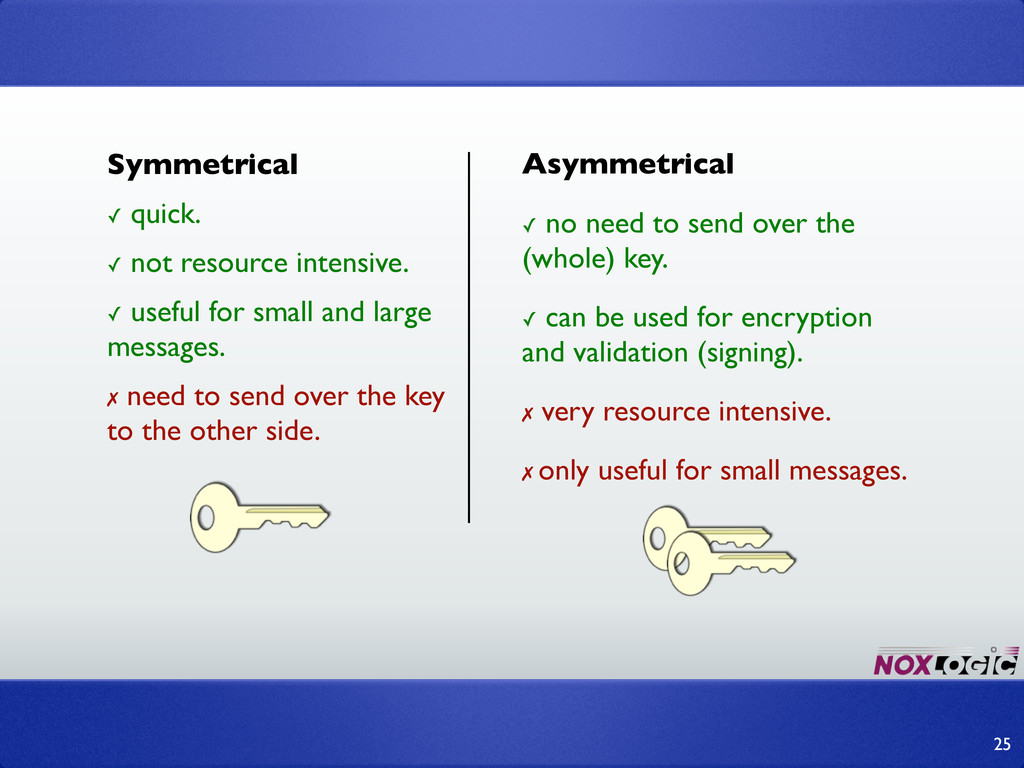
Symmetrical ✓ quick. ✓ not resource intensive. ✓ useful for
small and large messages. ✗ need to send over the key to the other side. Asymmetrical ✓ no need to send over the (whole) key. ✓ can be used for encryption and validation (signing). ✗ very resource intensive. ✗ only useful for small messages. 25 -
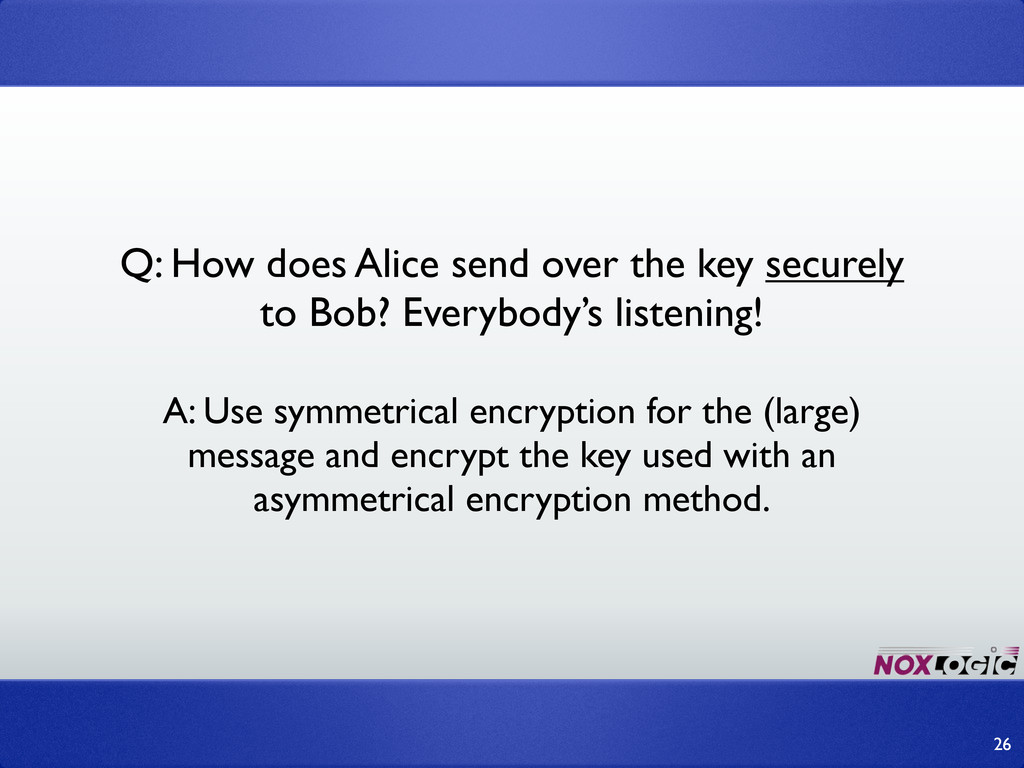
A: Use symmetrical encryption for the (large) message and encrypt
the key used with an asymmetrical encryption method. 26 Q: How does Alice send over the key securely to Bob? Everybody’s listening! -
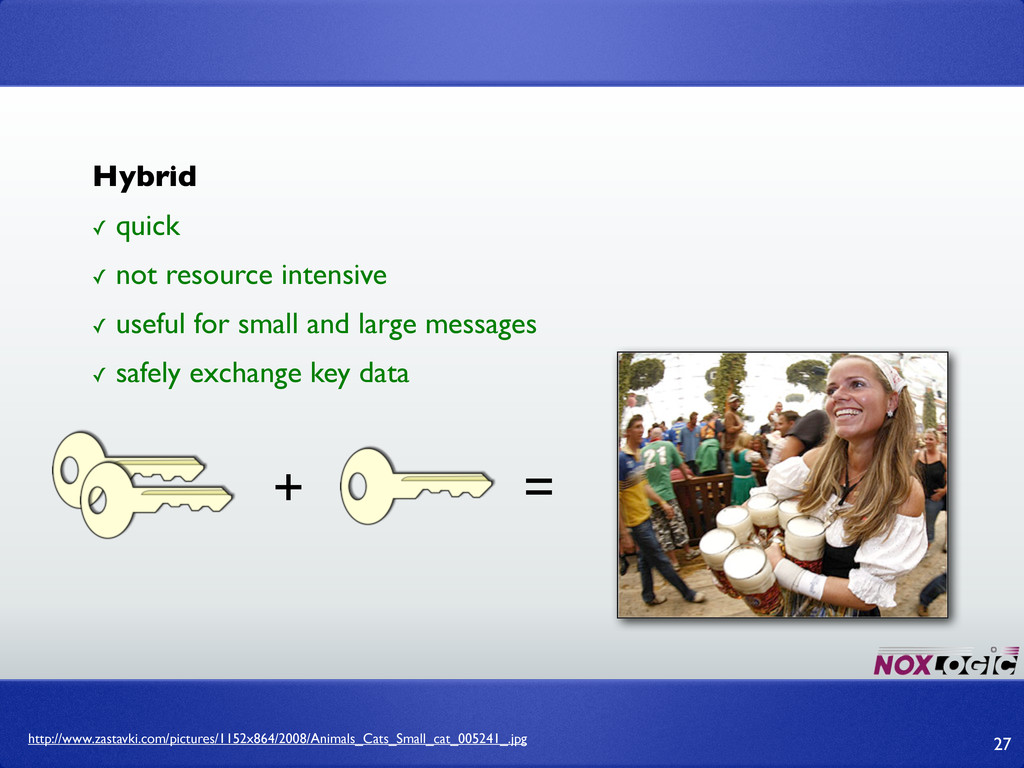
+ http://www.zastavki.com/pictures/1152x864/2008/Animals_Cats_Small_cat_005241_.jpg Hybrid ✓ quick ✓ not resource intensive ✓
useful for small and large messages ✓ safely exchange key data 27 = -
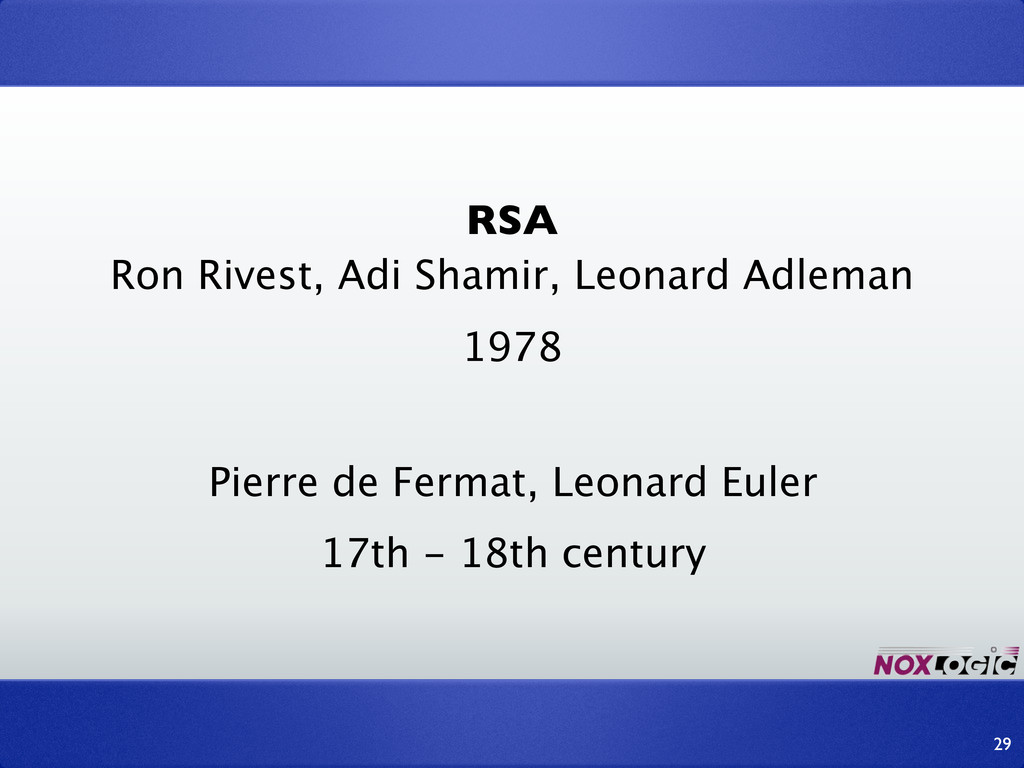
RSA Ron Rivest, Adi Shamir, Leonard Adleman 29 1978 Pierre
de Fermat, Leonard Euler 17th - 18th century -
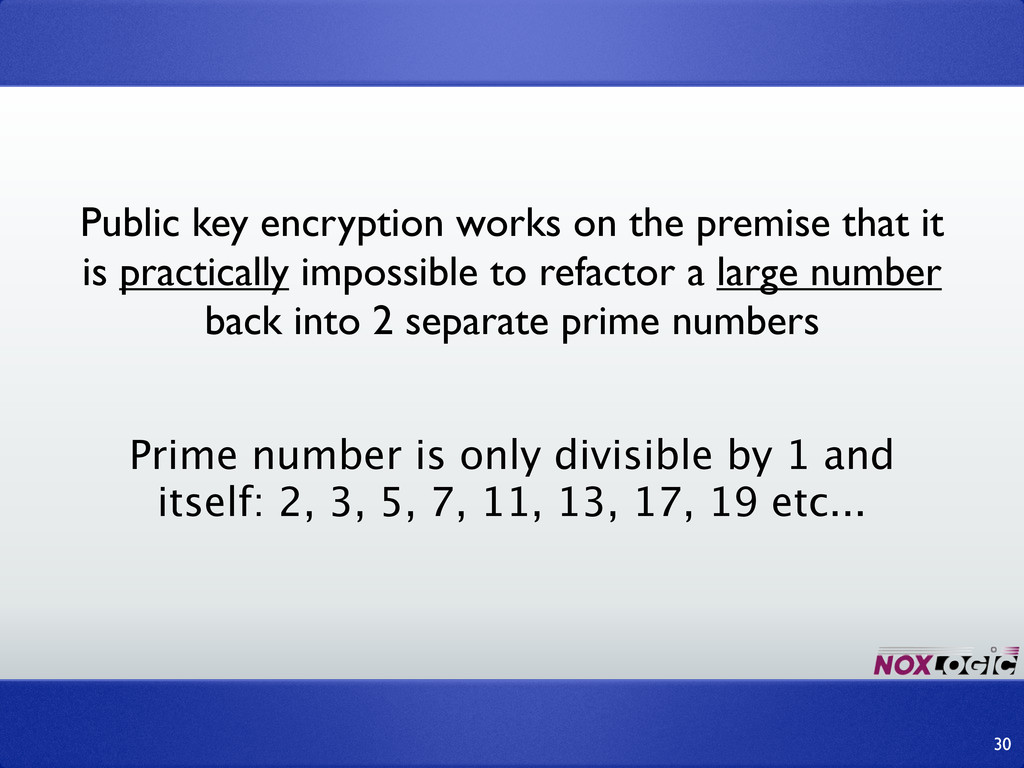
Public key encryption works on the premise that it is
practically impossible to refactor a large number back into 2 separate prime numbers Prime number is only divisible by 1 and itself: 2, 3, 5, 7, 11, 13, 17, 19 etc... 30 -
“large” number: p * q = 221 but we cannot
calculate its prime factors without brute force. There is no “formula” (like e=mc2) (13 and 17) 31 -
➡ There is no proof that it’s impossible to refactor
quickly (all tough it doesn’t look plausible) ➡ Brute-force decrypting is always lurking around (quicker machines, better algorithms). 32 -
34 ➡ p = (large) prime number ➡ q =
(large) prime number (but not too close to p) ➡ n = p . q (bit length of the RSA key) ➡ φ = (p-1) . (q-1) (the φ thingie is called phi) ➡ e = gcd(e, φ) = 1 ➡ d = (d . e) mod φ = 1 -
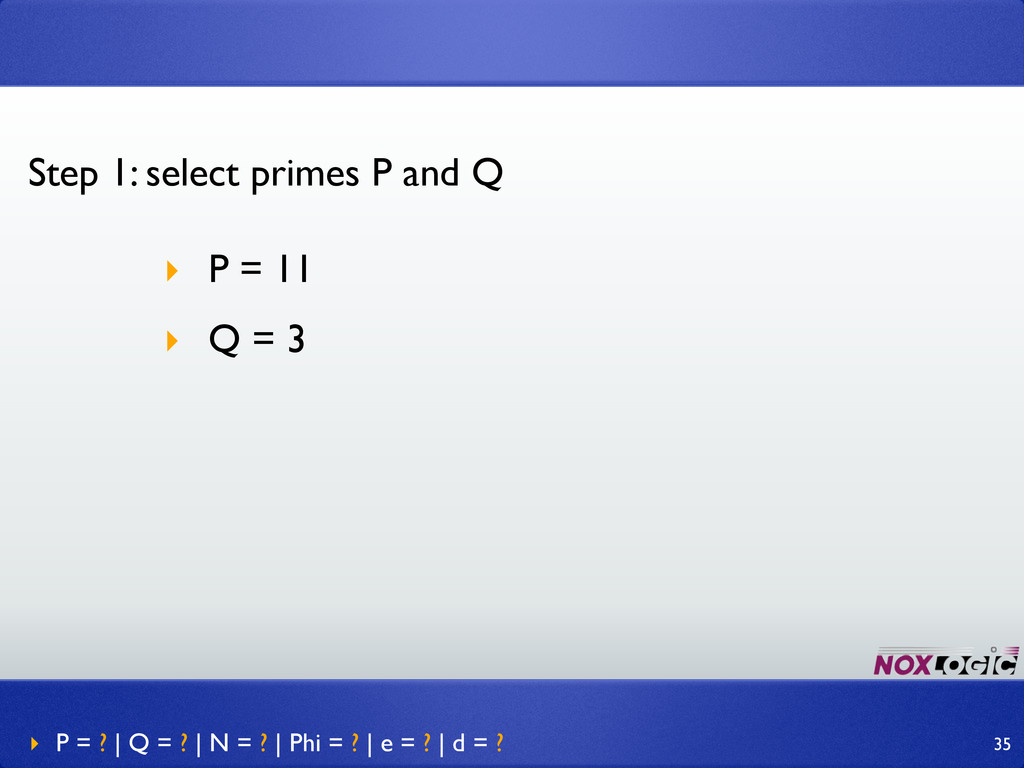
Step 1: select primes P and Q ‣ P =
11 ‣ Q = 3 ‣ P = ? | Q = ? | N = ? | Phi = ? | e = ? | d = ? 35 -
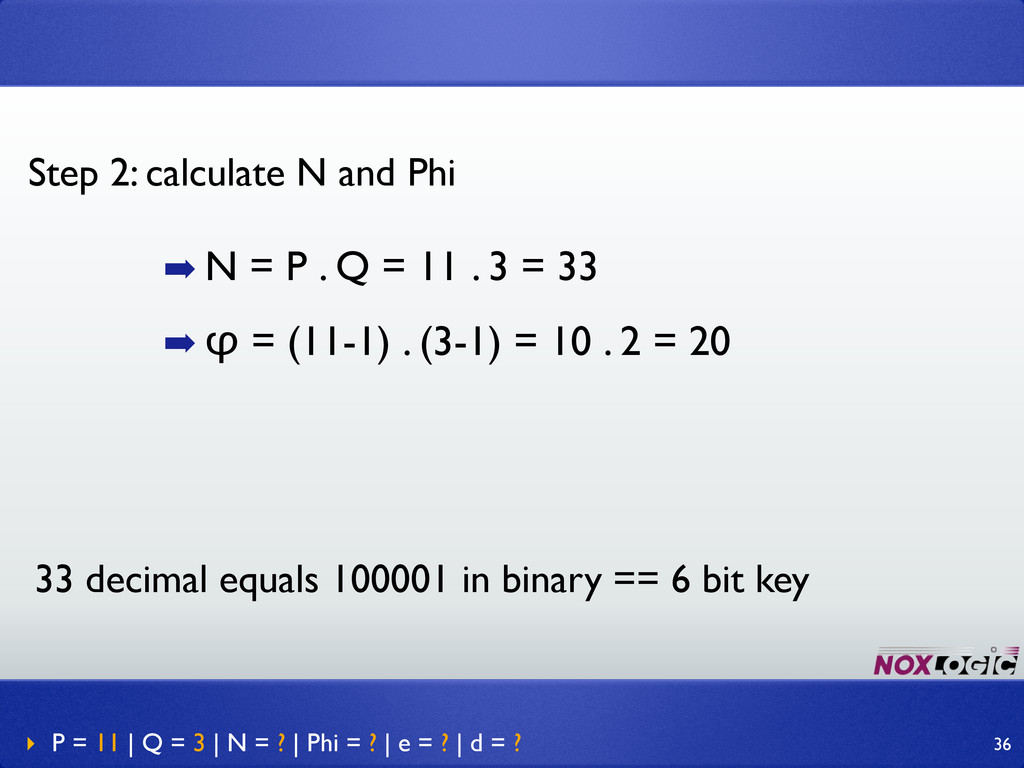
➡ N = P . Q = 11 . 3
= 33 ➡ φ = (11-1) . (3-1) = 10 . 2 = 20 Step 2: calculate N and Phi ‣ P = 11 | Q = 3 | N = ? | Phi = ? | e = ? | d = ? 36 33 decimal equals 100001 in binary == 6 bit key -
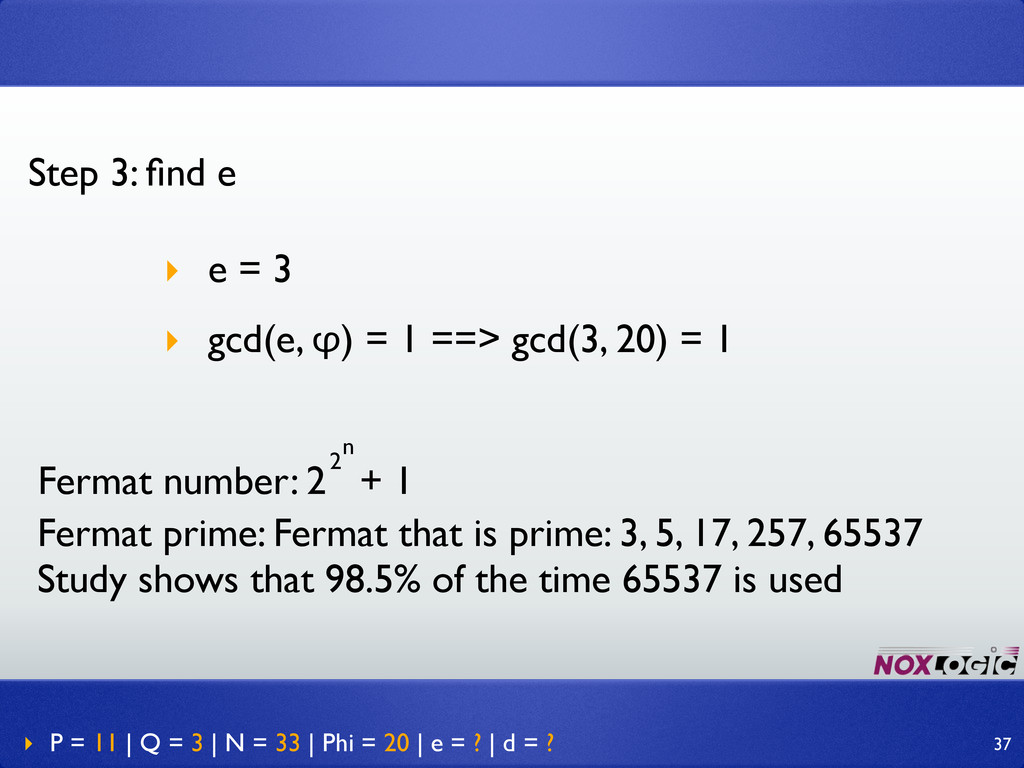
Step 3: find e ‣ e = 3 ‣ gcd(e,
φ) = 1 ==> gcd(3, 20) = 1 ‣ P = 11 | Q = 3 | N = 33 | Phi = 20 | e = ? | d = ? 37 Fermat number: 2 + 1 2 n Fermat prime: Fermat that is prime: 3, 5, 17, 257, 65537 Study shows that 98.5% of the time 65537 is used -
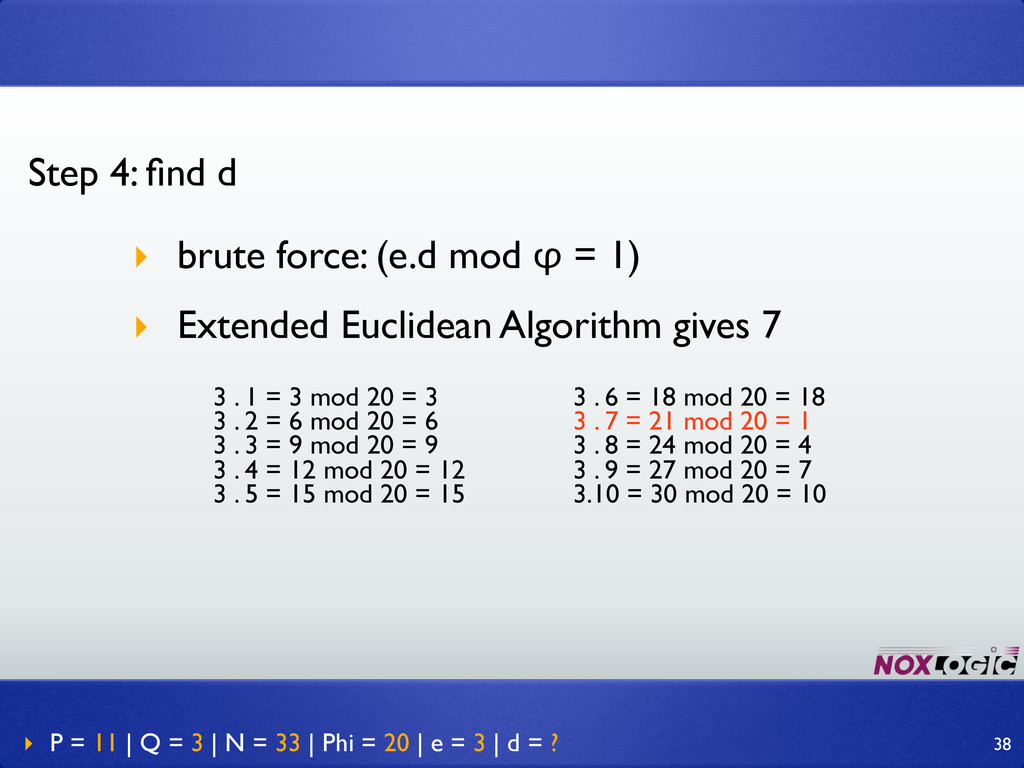
‣ P = 11 | Q = 3 | N
= 33 | Phi = 20 | e = 3 | d = ? Step 4: find d ‣ brute force: (e.d mod φ = 1) ‣ Extended Euclidean Algorithm gives 7 3 . 1 = 3 mod 20 = 3 3 . 2 = 6 mod 20 = 6 3 . 3 = 9 mod 20 = 9 3 . 4 = 12 mod 20 = 12 3 . 5 = 15 mod 20 = 15 3 . 6 = 18 mod 20 = 18 3 . 7 = 21 mod 20 = 1 3 . 8 = 24 mod 20 = 4 3 . 9 = 27 mod 20 = 7 3.10 = 30 mod 20 = 10 38 -
That’s it: ➡ public key = (n, e) = (33,
3) ➡ private key = (n, d) = (33, 7) ‣ P = 11 | Q = 3 | N = 33 | Phi = 20 | e = 3 | d = 7 39 -
The actual math is much more complex since we use
very large numbers, but it all comes down to these (relatively simple) calculations.. 40 -
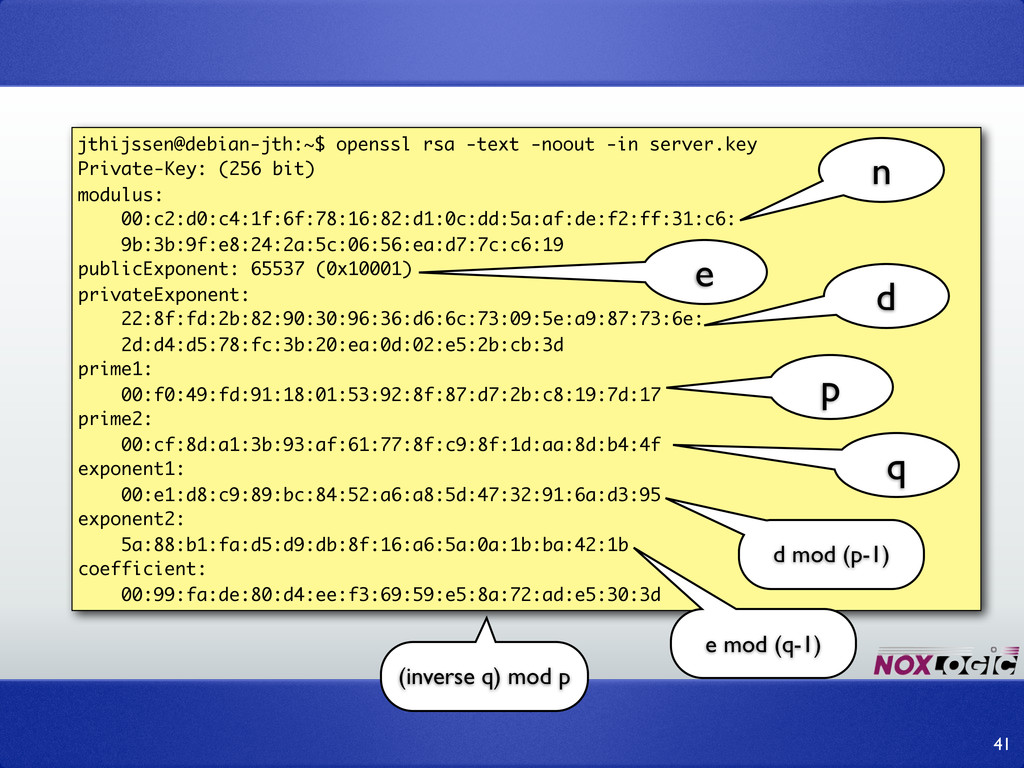
41 jthijssen@debian-jth:~$ openssl rsa -text -noout -in server.key n e
d p q d mod (p-1) e mod (q-1) (inverse q) mod p Private-Key: (256 bit) modulus: 00:c2:d0:c4:1f:6f:78:16:82:d1:0c:dd:5a:af:de:f2:ff:31:c6: 9b:3b:9f:e8:24:2a:5c:06:56:ea:d7:7c:c6:19 publicExponent: 65537 (0x10001) privateExponent: 22:8f:fd:2b:82:90:30:96:36:d6:6c:73:09:5e:a9:87:73:6e: 2d:d4:d5:78:fc:3b:20:ea:0d:02:e5:2b:cb:3d prime1: 00:f0:49:fd:91:18:01:53:92:8f:87:d7:2b:c8:19:7d:17 prime2: 00:cf:8d:a1:3b:93:af:61:77:8f:c9:8f:1d:aa:8d:b4:4f exponent1: 00:e1:d8:c9:89:bc:84:52:a6:a8:5d:47:32:91:6a:d3:95 exponent2: 5a:88:b1:fa:d5:d9:db:8f:16:a6:5a:0a:1b:ba:42:1b coefficient: 00:99:fa:de:80:d4:ee:f3:69:59:e5:8a:72:ad:e5:30:3d -
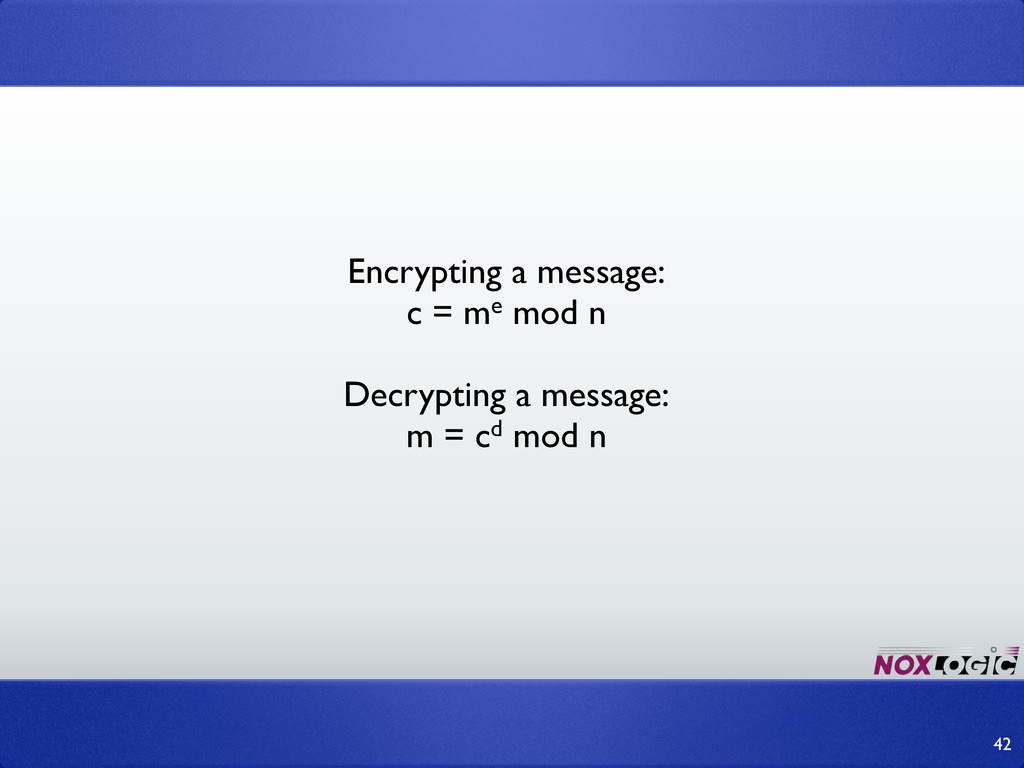
Encrypting a message: c = me mod n Decrypting a
message: m = cd mod n 42 -
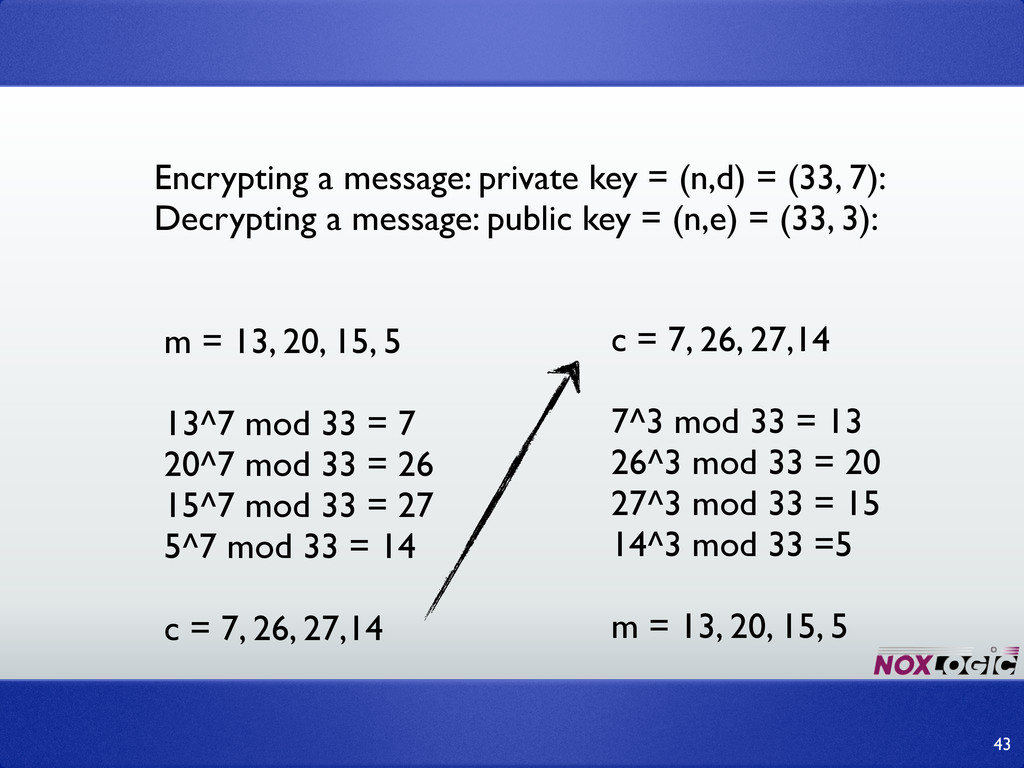
Encrypting a message: private key = (n,d) = (33, 7):
Decrypting a message: public key = (n,e) = (33, 3): m = 13, 20, 15, 5 13^7 mod 33 = 7 20^7 mod 33 = 26 15^7 mod 33 = 27 5^7 mod 33 = 14 c = 7, 26, 27,14 43 c = 7, 26, 27,14 7^3 mod 33 = 13 26^3 mod 33 = 20 27^3 mod 33 = 15 14^3 mod 33 =5 m = 13, 20, 15, 5 -
➡ A message is an “integer” ➡ A message must
be between 2 and n-1. ➡ Deterministic, so we must use a padding scheme to make it non-deterministic. 44 -
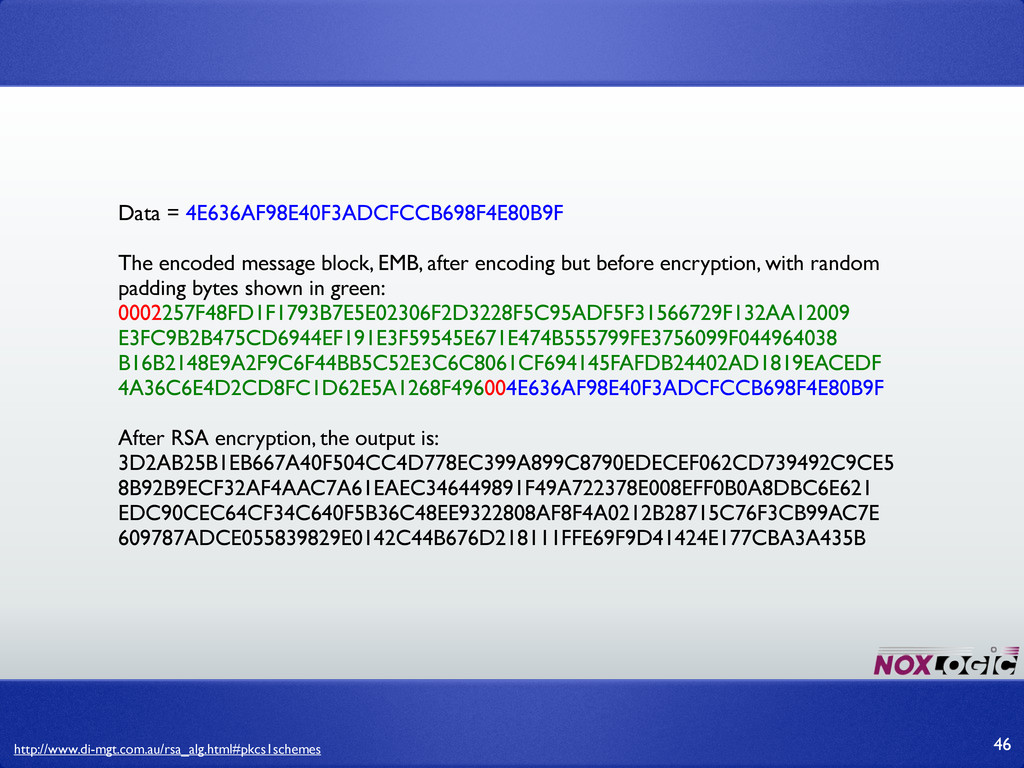
➡ Public Key Cryptography Standard #1 ➡ Pads data with
(random) bytes up to n bits in length (v1.5 or OAEP/v2.x). ➡ Got it flaws and weaknesses too. Always use the latest available version (v2.1) 45 -
Data = 4E636AF98E40F3ADCFCCB698F4E80B9F The encoded message block, EMB, after encoding
but before encryption, with random padding bytes shown in green: 0002257F48FD1F1793B7E5E02306F2D3228F5C95ADF5F31566729F132AA12009 E3FC9B2B475CD6944EF191E3F59545E671E474B555799FE3756099F044964038 B16B2148E9A2F9C6F44BB5C52E3C6C8061CF694145FAFDB24402AD1819EACEDF 4A36C6E4D2CD8FC1D62E5A1268F496004E636AF98E40F3ADCFCCB698F4E80B9F After RSA encryption, the output is: 3D2AB25B1EB667A40F504CC4D778EC399A899C8790EDECEF062CD739492C9CE5 8B92B9ECF32AF4AAC7A61EAEC346449891F49A722378E008EFF0B0A8DBC6E621 EDC90CEC64CF34C640F5B36C48EE9322808AF8F4A0212B28715C76F3CB99AC7E 609787ADCE055839829E0142C44B676D218111FFE69F9D41424E177CBA3A435B http://www.di-mgt.com.au/rsa_alg.html#pkcs1schemes 46 -
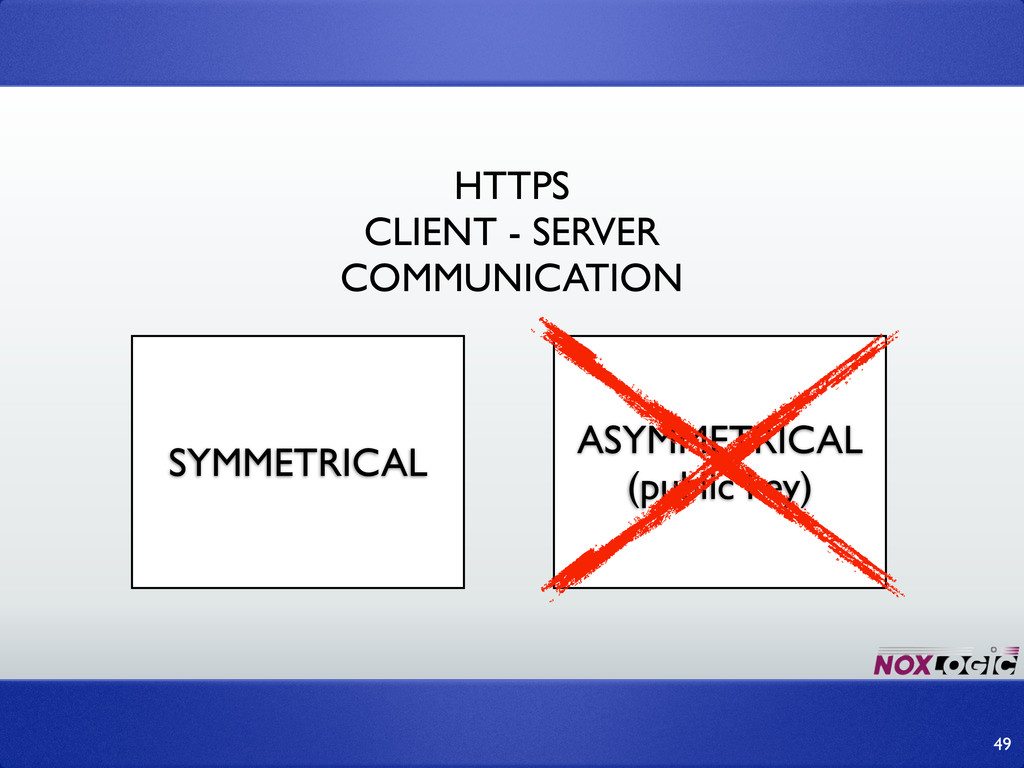
➡HTTP encapsulated by TLS (previously SSL). ➡More or less: an
encryption layer on top of http. HTTPS 48 -
➡Actual encryption methodology is decided by the browser and the
server (highest possible encryption used). ➡Symmetric encryption (AES-256, others) ➡But both sides needs the same key, so we have the same problem as before: how do we send over the key? HTTPS 50 -
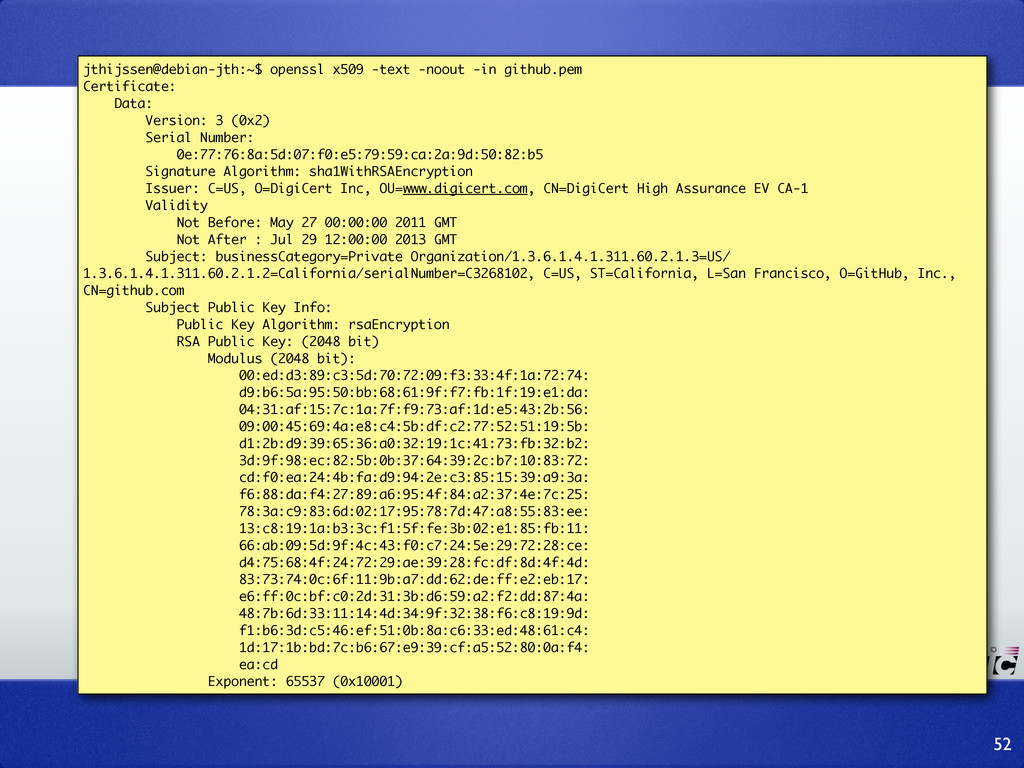
➡Key is exchanged in a public/private encrypted communication. ➡Which public
key? ➡It is stored inside the server’s SSL certificate HTTPS 51 -
52 jthijssen@debian-jth:~$ openssl x509 -text -noout -in github.pem Certificate: Data:
Version: 3 (0x2) Serial Number: 0e:77:76:8a:5d:07:f0:e5:79:59:ca:2a:9d:50:82:b5 Signature Algorithm: sha1WithRSAEncryption Issuer: C=US, O=DigiCert Inc, OU=www.digicert.com, CN=DigiCert High Assurance EV CA-1 Validity Not Before: May 27 00:00:00 2011 GMT Not After : Jul 29 12:00:00 2013 GMT Subject: businessCategory=Private Organization/1.3.6.1.4.1.311.60.2.1.3=US/ 1.3.6.1.4.1.311.60.2.1.2=California/serialNumber=C3268102, C=US, ST=California, L=San Francisco, O=GitHub, Inc., CN=github.com Subject Public Key Info: Public Key Algorithm: rsaEncryption RSA Public Key: (2048 bit) Modulus (2048 bit): 00:ed:d3:89:c3:5d:70:72:09:f3:33:4f:1a:72:74: d9:b6:5a:95:50:bb:68:61:9f:f7:fb:1f:19:e1:da: 04:31:af:15:7c:1a:7f:f9:73:af:1d:e5:43:2b:56: 09:00:45:69:4a:e8:c4:5b:df:c2:77:52:51:19:5b: d1:2b:d9:39:65:36:a0:32:19:1c:41:73:fb:32:b2: 3d:9f:98:ec:82:5b:0b:37:64:39:2c:b7:10:83:72: cd:f0:ea:24:4b:fa:d9:94:2e:c3:85:15:39:a9:3a: f6:88:da:f4:27:89:a6:95:4f:84:a2:37:4e:7c:25: 78:3a:c9:83:6d:02:17:95:78:7d:47:a8:55:83:ee: 13:c8:19:1a:b3:3c:f1:5f:fe:3b:02:e1:85:fb:11: 66:ab:09:5d:9f:4c:43:f0:c7:24:5e:29:72:28:ce: d4:75:68:4f:24:72:29:ae:39:28:fc:df:8d:4f:4d: 83:73:74:0c:6f:11:9b:a7:dd:62:de:ff:e2:eb:17: e6:ff:0c:bf:c0:2d:31:3b:d6:59:a2:f2:dd:87:4a: 48:7b:6d:33:11:14:4d:34:9f:32:38:f6:c8:19:9d: f1:b6:3d:c5:46:ef:51:0b:8a:c6:33:ed:48:61:c4: 1d:17:1b:bd:7c:b6:67:e9:39:cf:a5:52:80:0a:f4: ea:cd Exponent: 65537 (0x10001) -
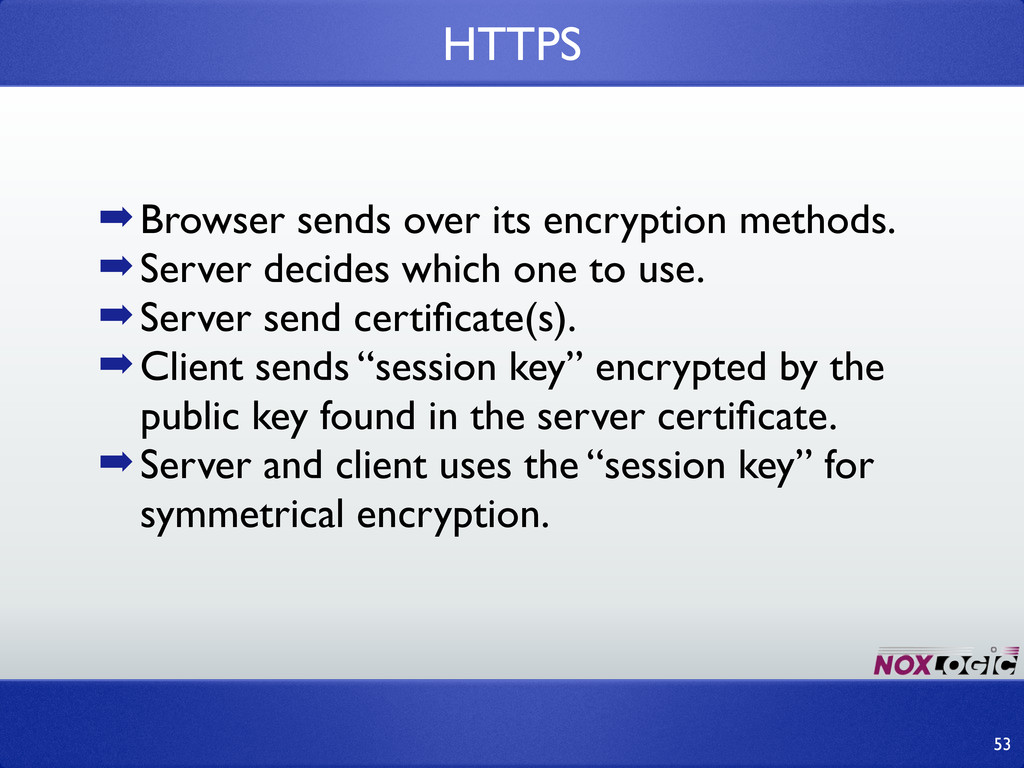
➡Browser sends over its encryption methods. ➡Server decides which one
to use. ➡Server send certificate(s). ➡Client sends “session key” encrypted by the public key found in the server certificate. ➡Server and client uses the “session key” for symmetrical encryption. HTTPS 53 -
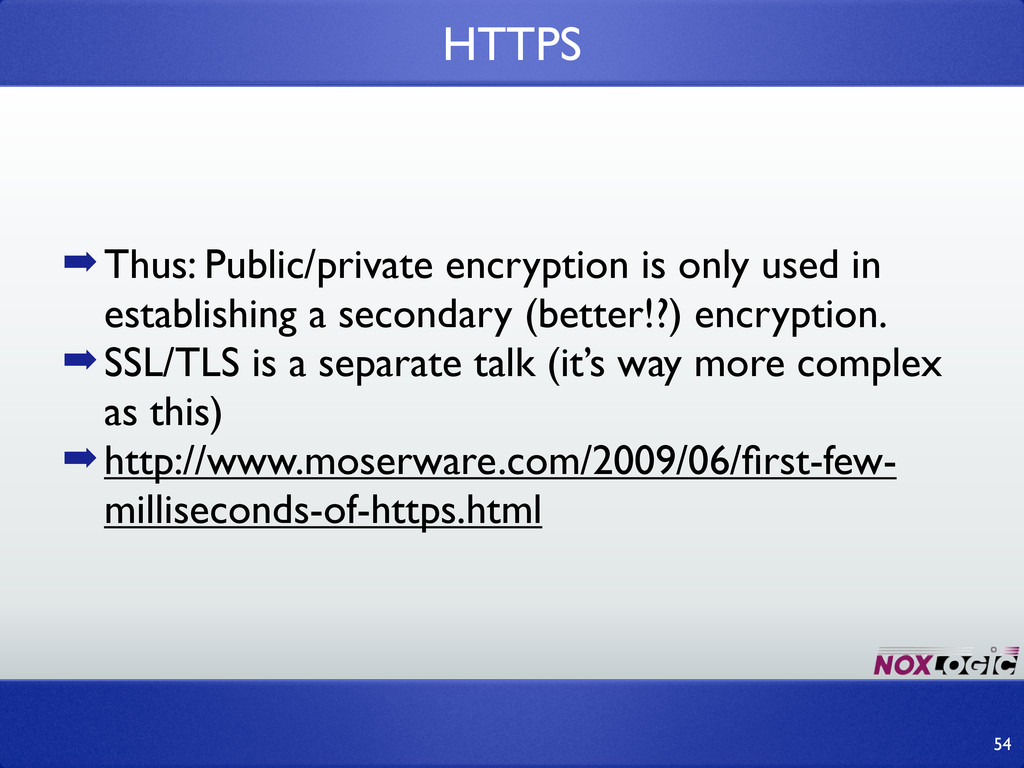
➡Thus: Public/private encryption is only used in establishing a secondary
(better!?) encryption. ➡SSL/TLS is a separate talk (it’s way more complex as this) ➡http://www.moserware.com/2009/06/first-few- milliseconds-of-https.html HTTPS 54 -
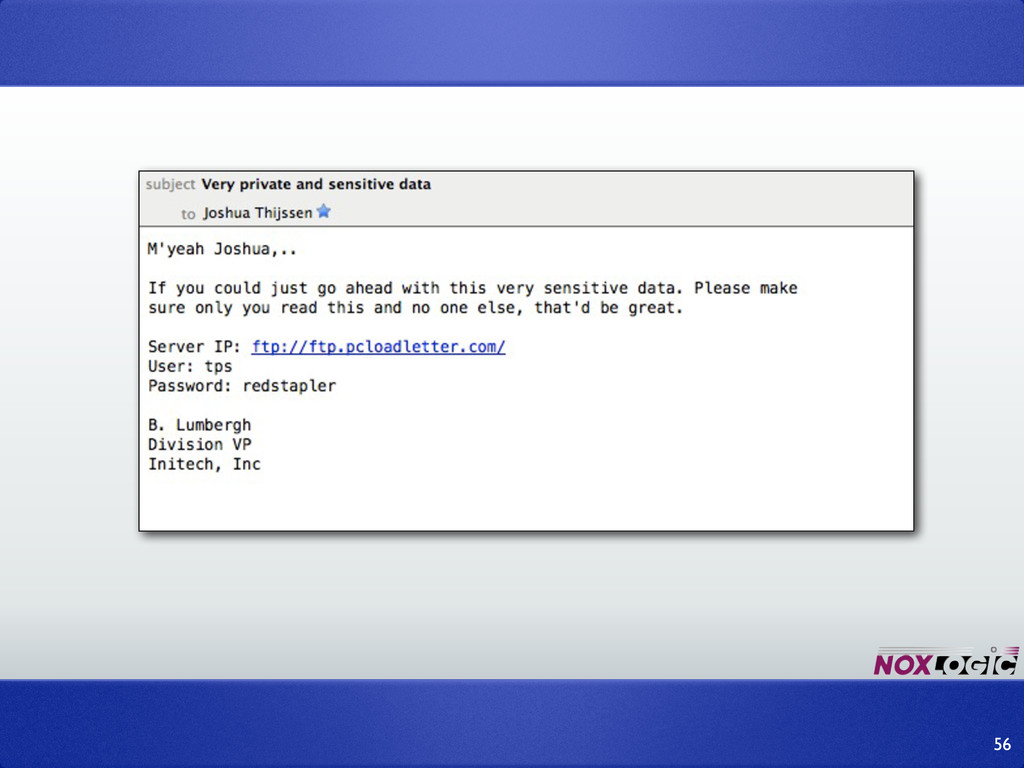
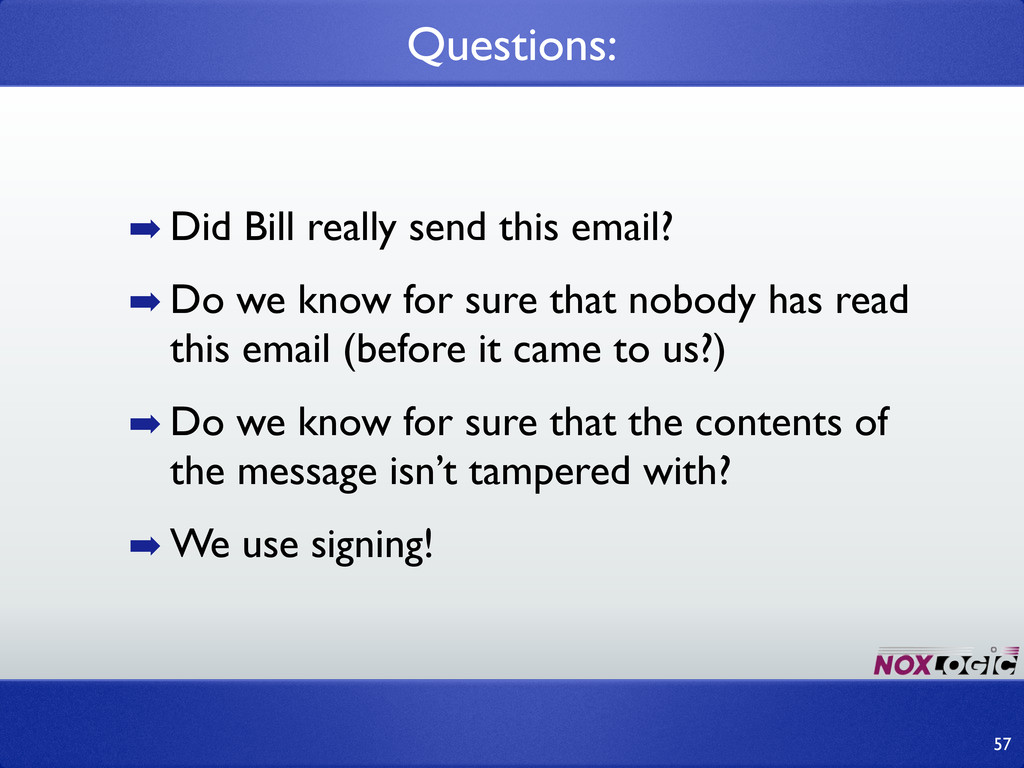
➡ Did Bill really send this email? ➡ Do we
know for sure that nobody has read this email (before it came to us?) ➡ Do we know for sure that the contents of the message isn’t tampered with? ➡ We use signing! Questions: 57 -
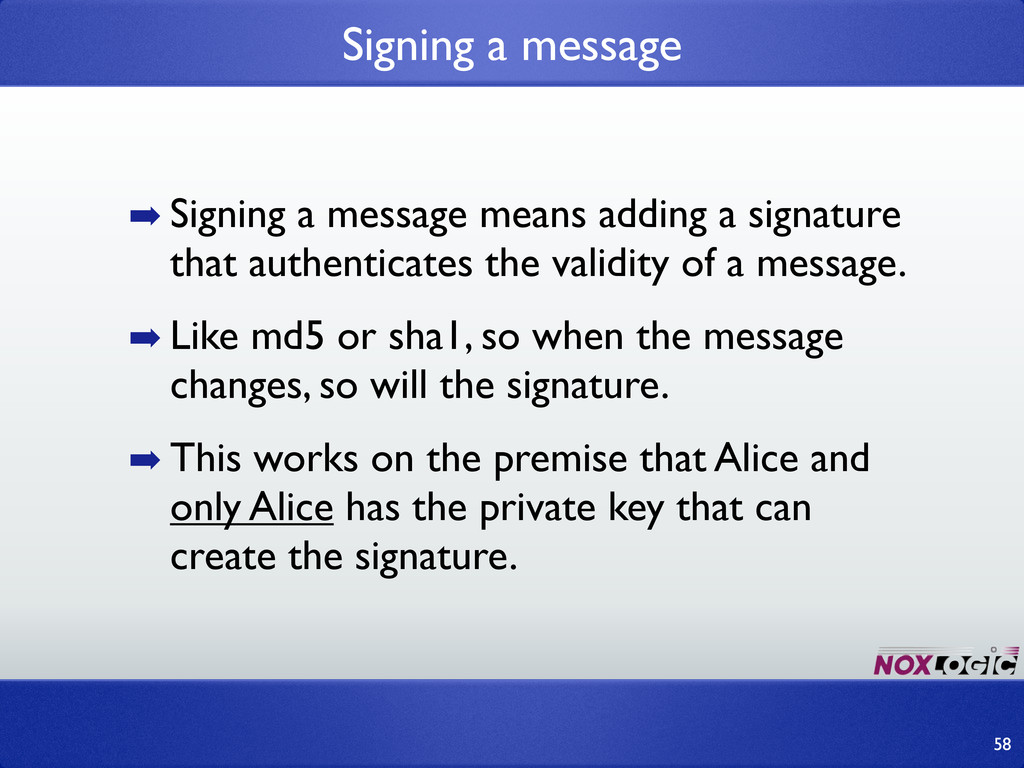
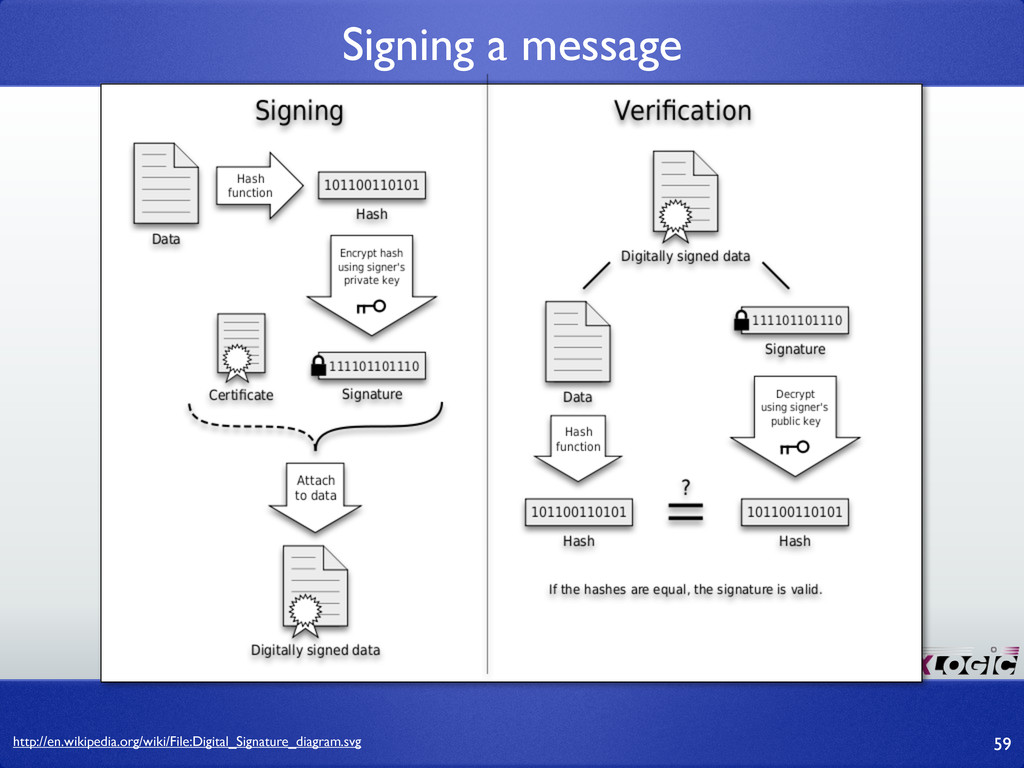
➡ Signing a message means adding a signature that authenticates
the validity of a message. ➡ Like md5 or sha1, so when the message changes, so will the signature. ➡ This works on the premise that Alice and only Alice has the private key that can create the signature. Signing a message 58 -
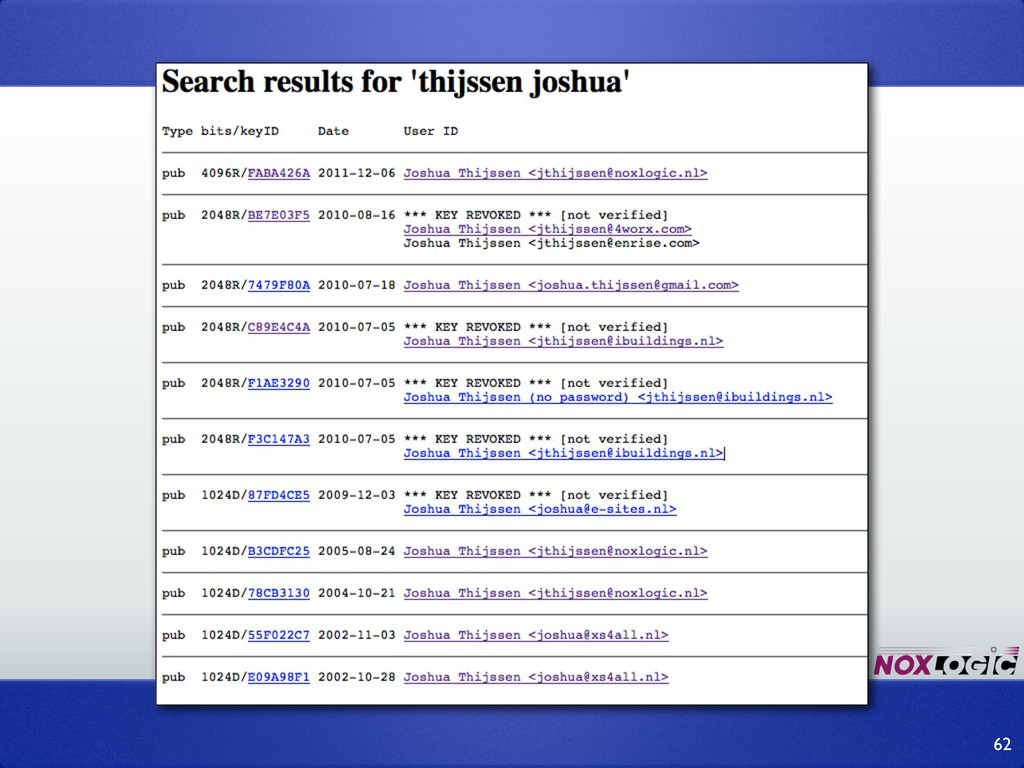
➡ GPG / PGP: Application for signing and/or encrypting data
(or emails). ➡ Try it yourself with Thunderbird’s Enigmail extension. ➡ Public keys can be send / found on PGP- servers so you don’t need to send your keys to everybody all the time. Introduction a pretty-good-privacy 60 -
61 ➡ Everybody can send emails that ONLY YOU can
read. ➡ Everybody can verify that YOU have send the email and that it is authentic. ➡ Why is this not the standard? -
63 ➡ Signing is important! ➡ apt-get / yum install
to verify/proof authenticity ➡ Does your git clone does that? Does “composer install” does that? Does PEAR do that? ➡ Think about the consequences! -
➡ Public key authentication ➡ Because you suck at creating
and/or remembering passwords SSH 64 -
➡ Run ssh-keygen ➡ copy id_rsa.pub over to server’s ~/.ssh/
authorized_keys ➡ Easy for tools / scripts to connect ➡ Easy for you (no remembering passwords) ➡ More fine grained security model. 65 -
➡ Domain Key Identified Mail (spam protection) ➡ BitCoin ➡
IPSEC / PKI ➡ DRM 66 -
➡ Don’t “invent” your own encryption. It will NOT be
secure, and it WILL fail. ➡ Encryption is as strong as the weakest link, which 9 out of 10 times will be you. ➡ Encryptions evolve. Do not use today what you used 10 years ago. ➡ Every encryption will become obsolete! ➡ Always follow the best practices. 68 -
Thank you 70 Find me on twitter: @jaytaph Find me
for development and training: www.noxlogic.nl Find me on email: [email protected] Find me for blogs: www.adayinthelifeof.nl http://joind.in/7353