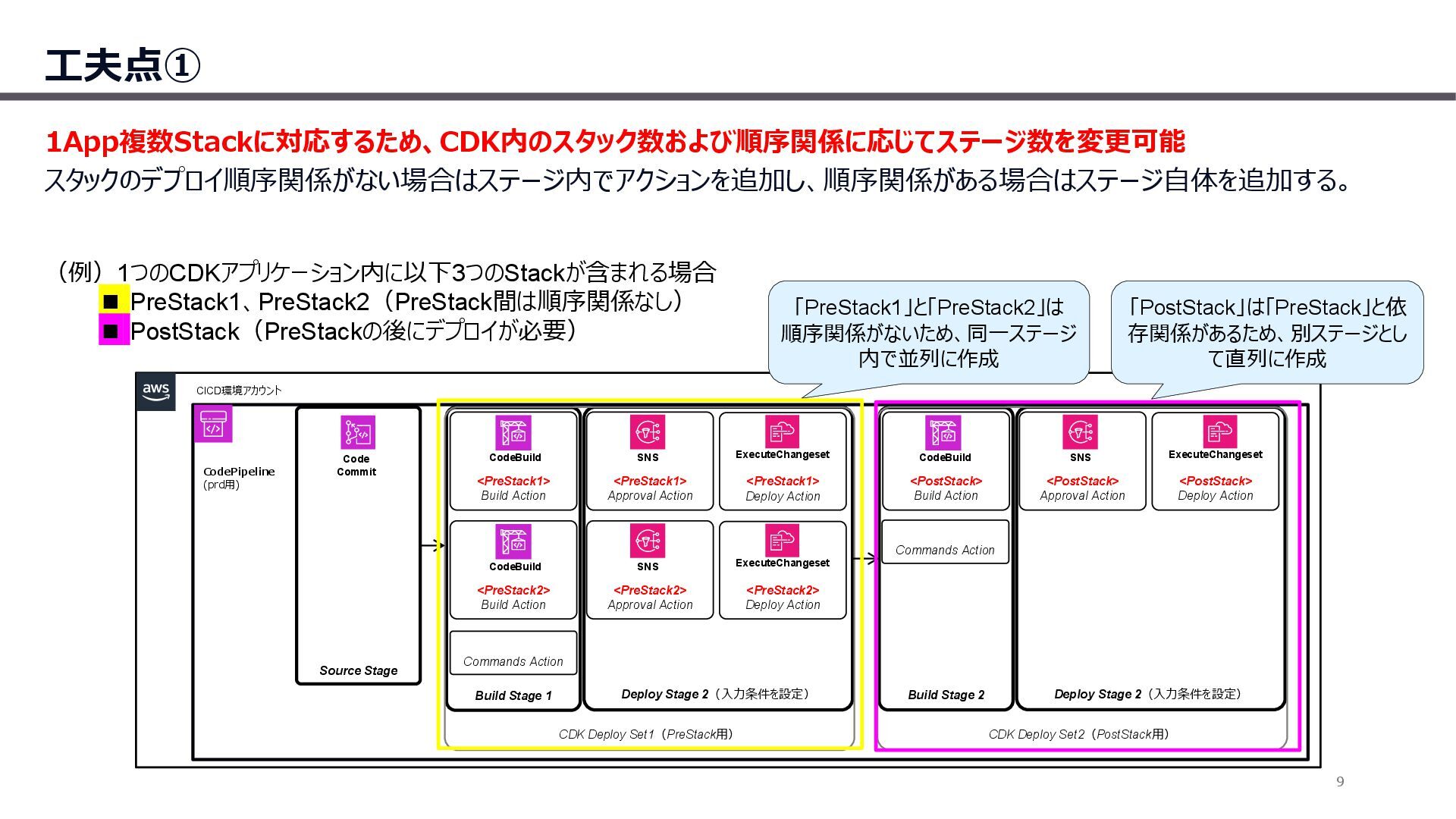
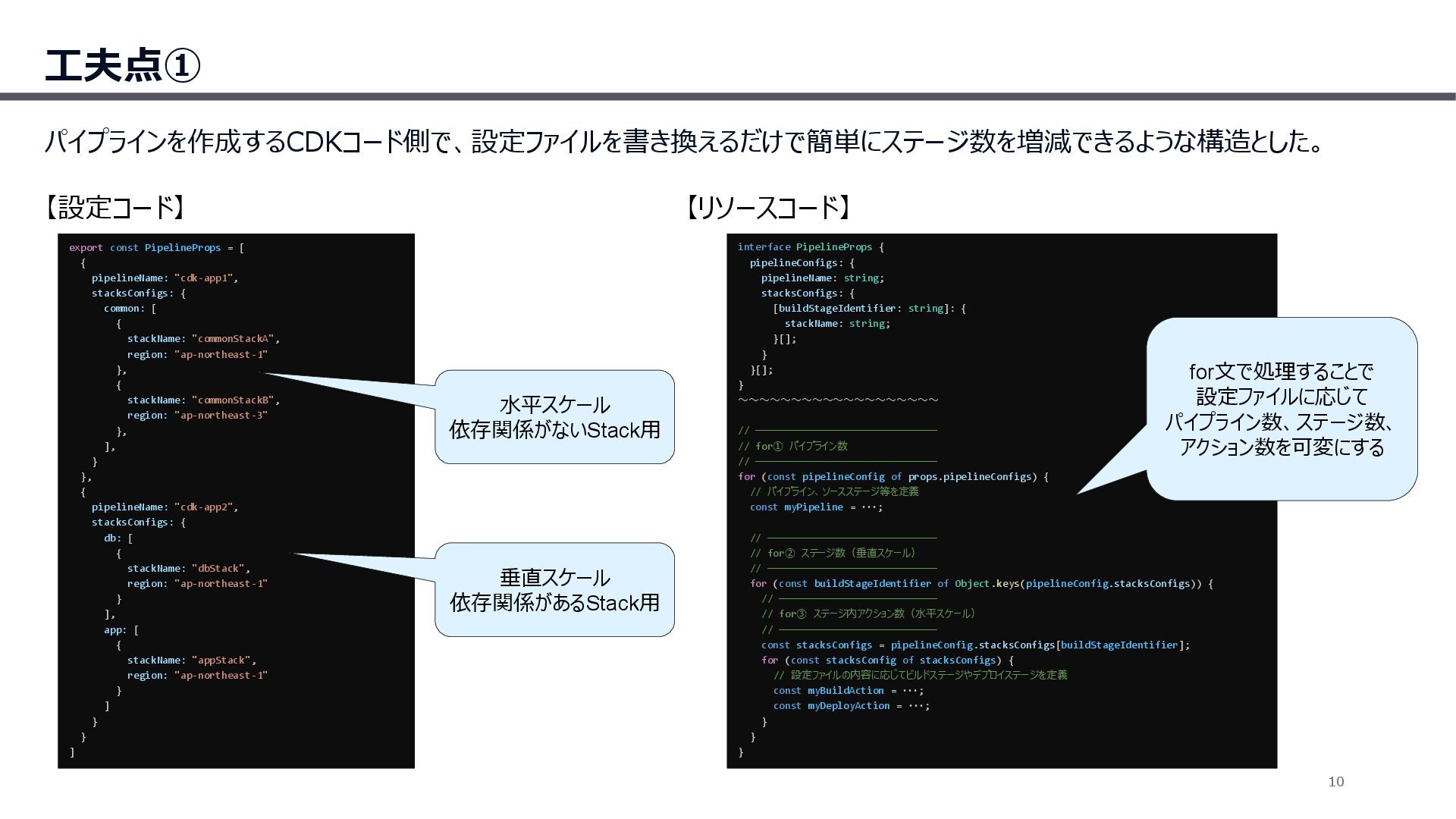
{ [buildStageIdentifier: string]: { stackName: string; }[]; } }[]; } ~~~~~~~~~~~~~~~~~~~ // ─────────────────────────────── // for① パイプライン数 // ─────────────────────────────── for (const pipelineConfig of props.pipelineConfigs) { // パイプライン、ソースステージ等を定義 const myPipeline = ・・・; // ───────────────────────────── // for② ステージ数(垂直スケール) // ───────────────────────────── for (const buildStageIdentifier of Object.keys(pipelineConfig.stacksConfigs)) { // ─────────────────────────── // for③ ステージ内アクション数(水平スケール) // ─────────────────────────── const stacksConfigs = pipelineConfig.stacksConfigs[buildStageIdentifier]; for (const stacksConfig of stacksConfigs) { // 設定ファイルの内容に応じてビルドステージやデプロイステージを定義 const myBuildAction = ・・・; const myDeployAction = ・・・; } } } export const PipelineProps = [ { pipelineName: "cdk-app1", stacksConfigs: { common: [ { stackName: "commonStackA", region: "ap-northeast-1" }, { stackName: "commonStackB", region: "ap-northeast-3" }, ], } }, { pipelineName: "cdk-app2", stacksConfigs: { db: [ { stackName: "dbStack", region: "ap-northeast-1" } ], app: [ { stackName: "appStack", region: "ap-northeast-1" } ] } } ] 【設定コード】 【リソースコード】 水平スケール 依存関係がないStack用 垂直スケール 依存関係があるStack用 for文で処理することで 設定ファイルに応じて パイプライン数、ステージ数、 アクション数を可変にする 10


 kimpetersen
 bermonpainter
 greggifford
 iamctodd
 lemiorhan
 bkeepers
 chrisshort
 frankvandijk
 eileencodes
 mfonobong
 jdejongh
 techseoconnect