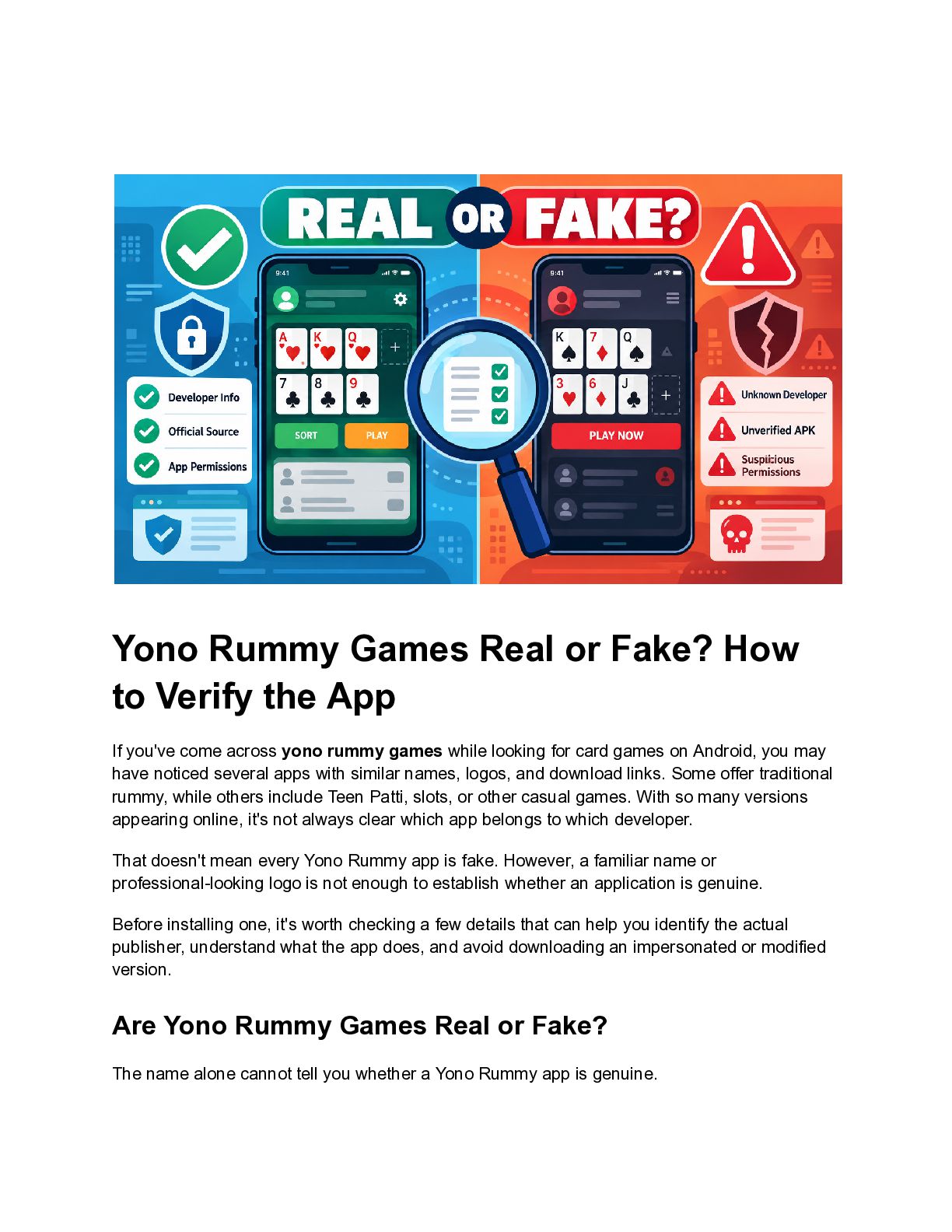
App If you've come across yono rummy games while looking for card games on Android, you may have noticed several apps with similar names, logos, and download links. Some offer traditional rummy, while others include Teen Patti, slots, or other casual games. With so many versions appearing online, it's not always clear which app belongs to which developer. That doesn't mean every Yono Rummy app is fake. However, a familiar name or professional-looking logo is not enough to establish whether an application is genuine. Before installing one, it's worth checking a few details that can help you identify the actual publisher, understand what the app does, and avoid downloading an impersonated or modified version. Are Yono Rummy Games Real or Fake? The name alone cannot tell you whether a Yono Rummy app is genuine.
same company. Some are ordinary card-game apps, while others offer multiple gaming categories or account-based features. An app can also be genuine in the sense that it was published by an identifiable developer without necessarily being safe or suitable for everyone. There are three things worth separating: • Authenticity: Does the app come from the developer it claims to represent? • Security: Does the application handle device access and personal information responsibly? • Reliability: Are its features, rules, and support information clearly explained? For example, a game might install and run normally but still lack clear information about its publisher. Another might have a verified developer listing but request permissions that don't seem necessary for gameplay. Checking these details gives you a better understanding of what you're installing. 1. Check Who Developed the App The developer's identity is one of the first things to examine. If the application is available on Google Play, open its listing and look at the developer information. You may find the publisher's name, contact details, website, and privacy policy. Compare these details with the information shown on the app's official website. Pay attention to inconsistencies such as: • • • • Different company names across official channels Missing or non-functional support contact information Websites that do not identify the application publisher Download links claiming to be official without supporting details A company name alone isn't proof of authenticity. However, consistent information makes it easier to confirm who is responsible for the software. If you cannot identify the developer, avoid sharing personal details or installing the application until its origin is clear. 2. Confirm You're Downloading the Correct App
while being completely different products. This is especially important with gaming apps because familiar branding can be copied easily. Apart from the displayed name, Android apps have a unique package identifier. Developers also sign their applications digitally. These technical details help distinguish an original application from an unrelated or modified copy. You don't need advanced technical knowledge to perform an initial check. Start by comparing the app's developer, icon, version number, and listed features across its official channels. If you're comfortable using an APK inspection tool, you can also examine the package identifier and signing certificate. A certificate comparison is useful only when you have a trusted original to compare it against. A file that looks similar to an official app is not necessarily the same application. 3. Be Careful With APK Download Links APK files are a normal part of the Android ecosystem. They're the files used to install Android applications. The problem is not the APK format itself. It's whether the file comes from a trustworthy source. You might encounter Yono Rummy download links in Telegram channels, WhatsApp groups, or websites that offer several versions of the same game. Before downloading, check whether the link genuinely belongs to the app's developer. Avoid files distributed through messages that pressure you to install immediately or claim that security settings must be disabled. Be particularly careful with modified APKs advertised as providing unlimited coins, unlocked features, or guaranteed rewards. Such claims do not establish that the application is authentic. Modified software may behave differently from the original and could expose personal information. When an application's source cannot be confirmed, the sensible choice is not to install it.
parts of your phone an application wants to access. Some permissions are necessary for particular features. For example, an app may request notification access to deliver account alerts. However, permissions should make sense for the service being provided. A basic rummy game generally does not need unrestricted access to your contacts, SMS messages, or call history simply to display cards. On Android, you can review permissions through: Settings → Apps → Select the App → Permissions The exact menu names may differ depending on your phone. Check whether the permissions match the features you actually use. If an application unexpectedly requests accessibility access, device administrator privileges, or extensive access to private information, find out why before granting it. You can also revoke permissions that are not necessary. 5. Check the App With Google Play Protect Android includes a security feature called Google Play Protect, which helps identify potentially harmful applications. To access it: 1. Open the Google Play Store. 2. Tap your profile icon. 3. Select Play Protect. 4. Run a scan if needed. Play Protect checks applications for certain security threats, including apps installed from outside Google Play. It's a useful additional check, especially when you've installed software from an unfamiliar source. However, a clean scan doesn't prove that an application's publisher is genuine or that every claim made about the app is accurate.
download source, and requested permissions. 6. Check Whether the Website and App Information Match Many gaming applications have associated websites describing their features, downloads, and account services. Look at whether the information is consistent. For example, if a website advertises a particular rummy game but its downloadable application contains completely different features, that discrepancy deserves attention. You should also examine the privacy policy and support information. A legitimate-looking website may still contain outdated or incomplete details, so don't rely entirely on its appearance. For additional background on how a gaming platform presents its features and account services, a closer look at the Yono777 platform covers its reported game categories, account access, and other platform details. When comparing applications, remember that a shared name does not prove that they belong to the same publisher. 7. Understand the Difference Between Virtual Coins and Real Money Some Yono Rummy applications feature virtual coins, in-game balances, bonuses, or payment-related options. These features should not be treated as interchangeable. A virtual coin used only for gameplay may have no monetary value. An app that accepts payments or offers monetary rewards operates under different conditions and may face additional legal requirements. Check the application's terms to understand: • • • • • Whether the coins have any monetary value Whether payments are required Whether balances can be withdrawn What restrictions apply to accounts Which age and location requirements apply
balance represents actual money. In India, the legal treatment of online gaming depends on the applicable laws and the nature of the activity. An application being accessible on a phone does not automatically establish its legal status. 8. What Should You Do if an App Looks Suspicious? If you've already installed a questionable Yono Rummy application, start by reviewing its permissions and checking where it came from. Run a Play Protect scan and remove the application if it's identified as harmful or you cannot verify its origin. If you've entered account passwords into an app you suspect is fraudulent, change those passwords through the genuine service. Avoid using links provided by the suspicious application to recover your account. If you've made a payment and notice an unauthorized transaction, contact your bank or payment provider promptly. Indian users can also report suspected cybercrime through the official National Cyber Crime Reporting Portal at cybercrime.gov.in. For financial cyber fraud, the national helpline is 1930. Keep screenshots, payment references, and relevant messages as evidence. Frequently Asked Questions Are all Yono Rummy games fake? No. Similar names don't automatically mean an app is fraudulent. Each application should be checked individually using its developer information, official distribution source, and security details. How can I identify an official Yono Rummy app? Check the publisher, official website, package identifier, and available developer contact information. These details should be consistent across trustworthy sources. Is it safe to download Yono Rummy APK files? APK files are not inherently unsafe, but files from unknown sources may be modified or harmful. Download only when you can verify the developer and file origin.
necessarily. Applications with similar names may be operated by different developers. A shared logo style or brand name is not sufficient evidence of common ownership. Can I trust an app because it has positive reviews? Reviews can provide useful feedback, but they should not be your only source of information. Check the developer's identity, permissions, update history, and support details as well. Conclusion So, are Yono Rummy games real or fake? The answer depends on the specific application you're looking at. Some apps may come from identifiable developers and provide the features they advertise. Others may use similar names or copied branding without clearly explaining who operates them. The best way to tell the difference is to verify the developer, confirm the download source, inspect app permissions, and check that the application's information is consistent. You don't need to be an Android expert to carry out these basic checks. A few minutes spent verifying an app can help you avoid installing the wrong software, exposing personal information, or trusting an unfamiliar service without knowing who's behind it.


 addyosmani
 mfonobong
 elsirapls
 techseoconnect
 maggiecrowley
 lynnandtonic
 akademiya2063
 jlugia
 tessaabrams
 lauravandoore
 lfama