Upgrade to Pro — share decks privately, control downloads, hide ads and more …

Workshop: Fundamental CSS3

Workshop: Fundamental CSS3

Workshop at MRA Printed Media, Jakarta: Fundamental CSS3

Avatar for Achmad Solichin

Achmad Solichin

July 02, 2014
Tweet

More Decks by Achmad Solichin

Other Decks in Programming

Transcript

  1. Agenda  What is CSS3 ?  CSS3 Media Queries

     CSS3 Visual Effects  CSS3 Tools
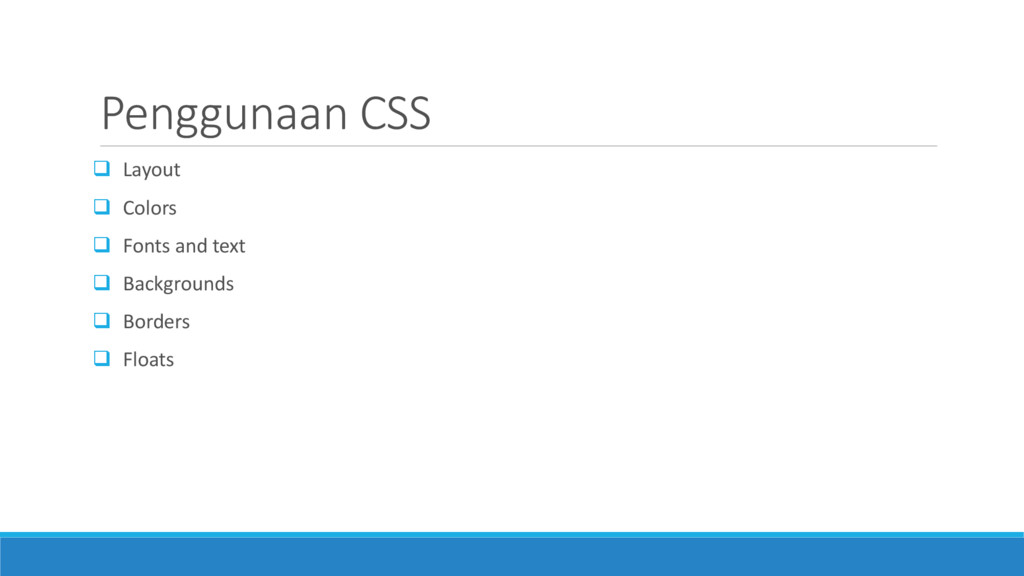
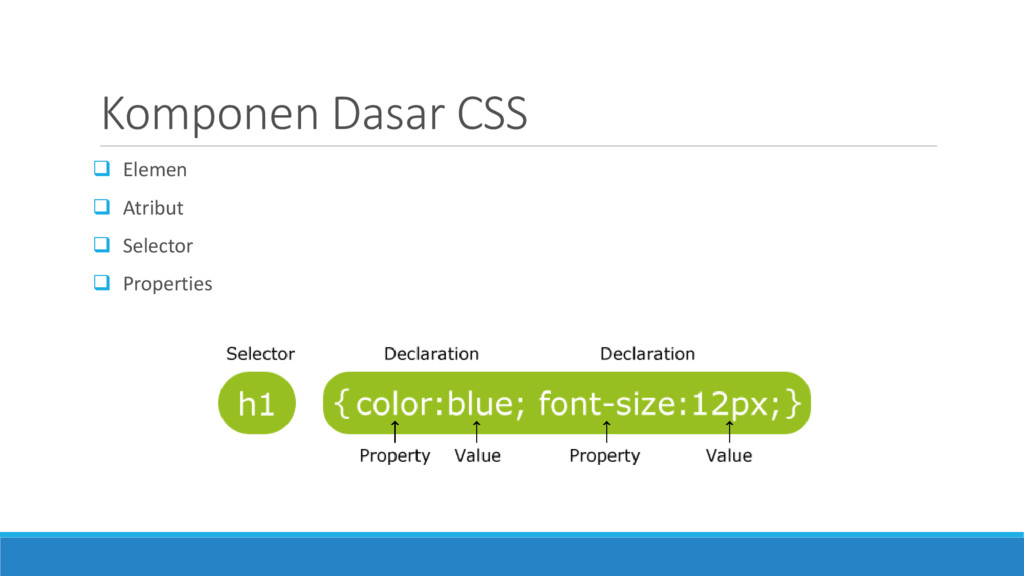
  2.  Layout  Colors  Fonts and text  Backgrounds

     Borders  Floats Penggunaan CSS
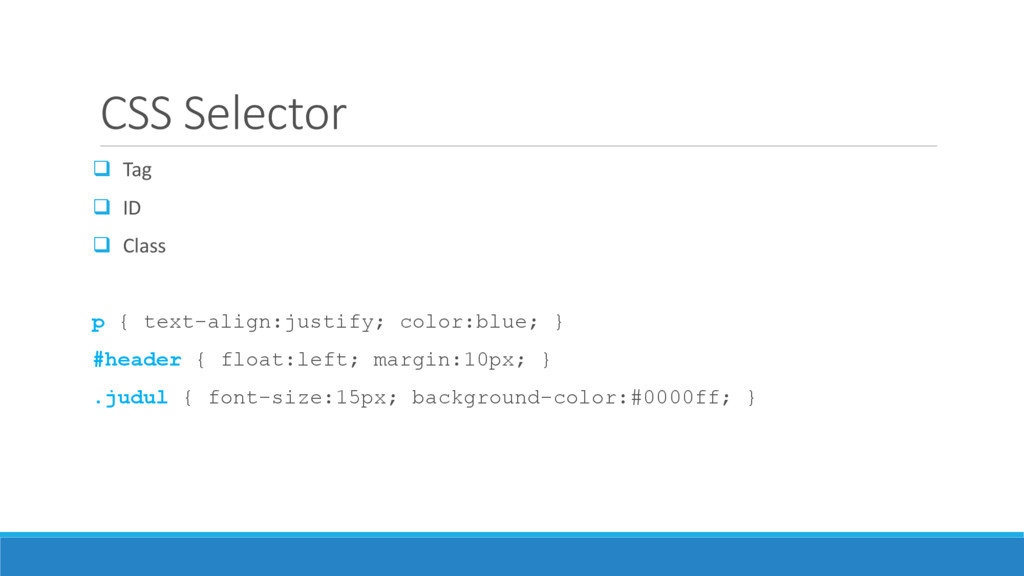
  3. CSS Selector  Tag  ID  Class p {

    text-align:justify; color:blue; } #header { float:left; margin:10px; } .judul { font-size:15px; background-color:#0000ff; }
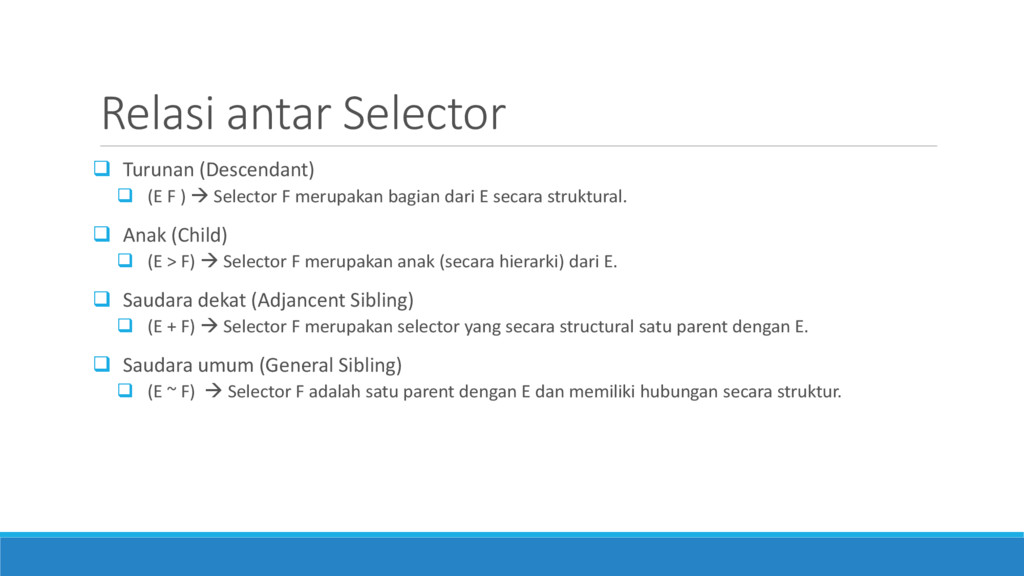
  4. Relasi antar Selector  Turunan (Descendant)  (E F )

     Selector F merupakan bagian dari E secara struktural.  Anak (Child)  (E > F)  Selector F merupakan anak (secara hierarki) dari E.  Saudara dekat (Adjancent Sibling)  (E + F)  Selector F merupakan selector yang secara structural satu parent dengan E.  Saudara umum (General Sibling)  (E ~ F)  Selector F adalah satu parent dengan E dan memiliki hubungan secara struktur.
  5. Atribute Selector  E[attr]  Seleksi semua selector E yang

    memiliki atribut ‘attr’  Contoh: input[required]  E[attr = val]  Seleksi semua selector E yang memiliki atribut ‘attr’ dengan nilai ‘val’  Contoh: input[type=checkbox]  E[attr |= val]  Seleksi semua selector E yang memiliki atribut ‘attr’ dan value sama atau diawali dengan ‘val’  Contoh: p[lang |= “en”]  E[attr ~= val]  Seleksi semua selector E yang memiliki atribut ‘attr’ dan value mengandung kata ‘val’  Contoh: .info[title ~= “more”]
  6. Atribute Selector  E[attr ^= val]  Seleksi semua selector

    E yang memiliki atribut ‘attr’ dan value diawali dengan ‘val’  E[attr $= val]  Seleksi semua selector E yang memiliki atribut ‘attr’ dan value diakhiri dengan ‘val’  E[attr *= val]  Seleksi semua selector E yang memiliki atribut ‘attr’ dan value mengandung kata ‘val’
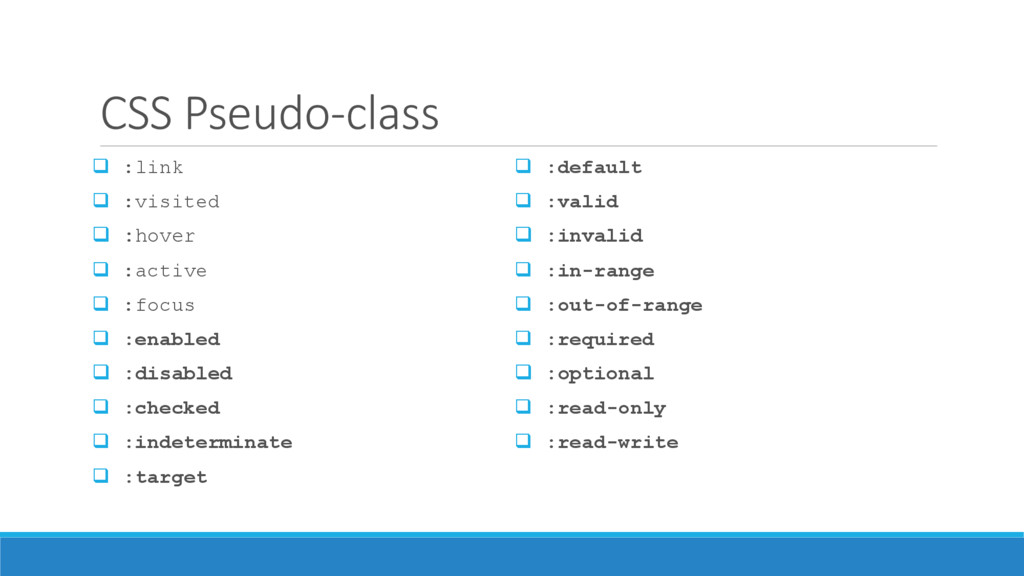
  7. CSS Pseudo-class  :link  :visited  :hover  :active

     :focus  :enabled  :disabled  :checked  :indeterminate  :target  :default  :valid  :invalid  :in-range  :out-of-range  :required  :optional  :read-only  :read-write
  8. Keunggulan CSS3  Bagian dari teknologi HTML5  Lebih cepat

     Tidak terlalu bergantung pada Javascript dan plugin.  Mempermudah pengelolaan situs.  Lebih adaptive  Responsive design
  9. Yang baru di CSS3  2D Transforms  Backgrounds &

    Borders  Color  Values and Units  Selectors  Web Fonts  Media Queries  Namespaces  3D Transforms  Animations  Gradient  CSS Exclusions (Floats)  Flexible Box (“Flexbox”) Layout  Grid Layout  Multi-column Layout  Region  SVG Filter Effects  Text Shadow  Transitions
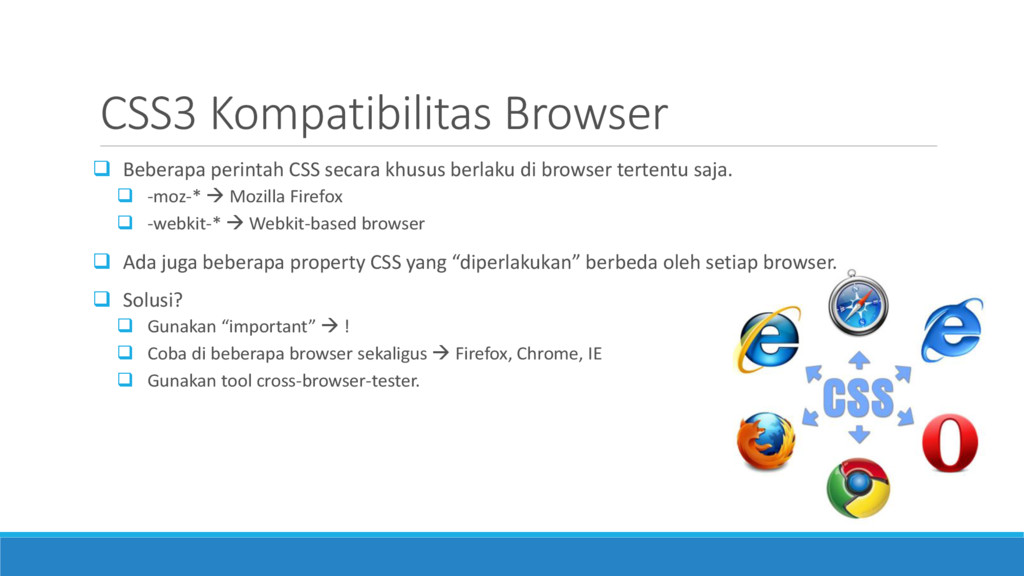
  10. CSS3 Kompatibilitas Browser  Beberapa perintah CSS secara khusus berlaku

    di browser tertentu saja.  -moz-*  Mozilla Firefox  -webkit-*  Webkit-based browser  Ada juga beberapa property CSS yang “diperlakukan” berbeda oleh setiap browser.  Solusi?  Gunakan “important”  !  Coba di beberapa browser sekaligus  Firefox, Chrome, IE  Gunakan tool cross-browser-tester.
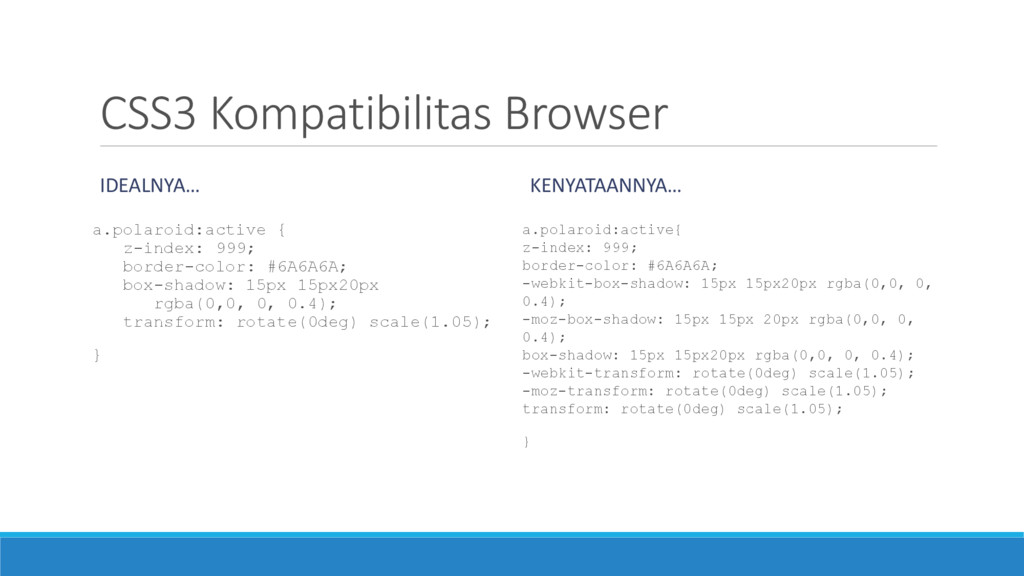
  11. CSS3 Kompatibilitas Browser IDEALNYA… a.polaroid:active { z-index: 999; border-color: #6A6A6A;

    box-shadow: 15px 15px20px rgba(0,0, 0, 0.4); transform: rotate(0deg) scale(1.05); } KENYATAANNYA… a.polaroid:active{ z-index: 999; border-color: #6A6A6A; -webkit-box-shadow: 15px 15px20px rgba(0,0, 0, 0.4); -moz-box-shadow: 15px 15px 20px rgba(0,0, 0, 0.4); box-shadow: 15px 15px20px rgba(0,0, 0, 0.4); -webkit-transform: rotate(0deg) scale(1.05); -moz-transform: rotate(0deg) scale(1.05); transform: rotate(0deg) scale(1.05); }
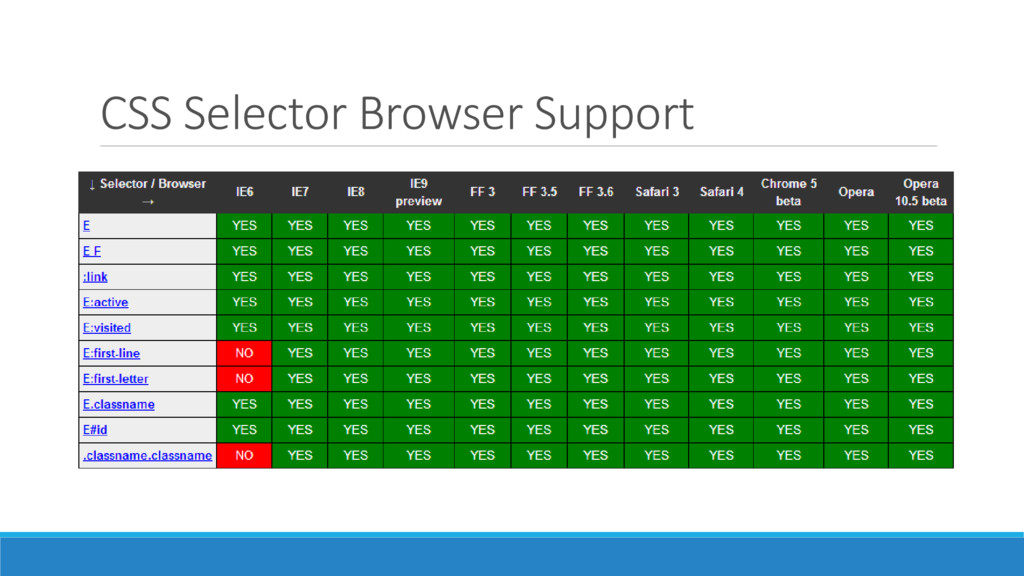
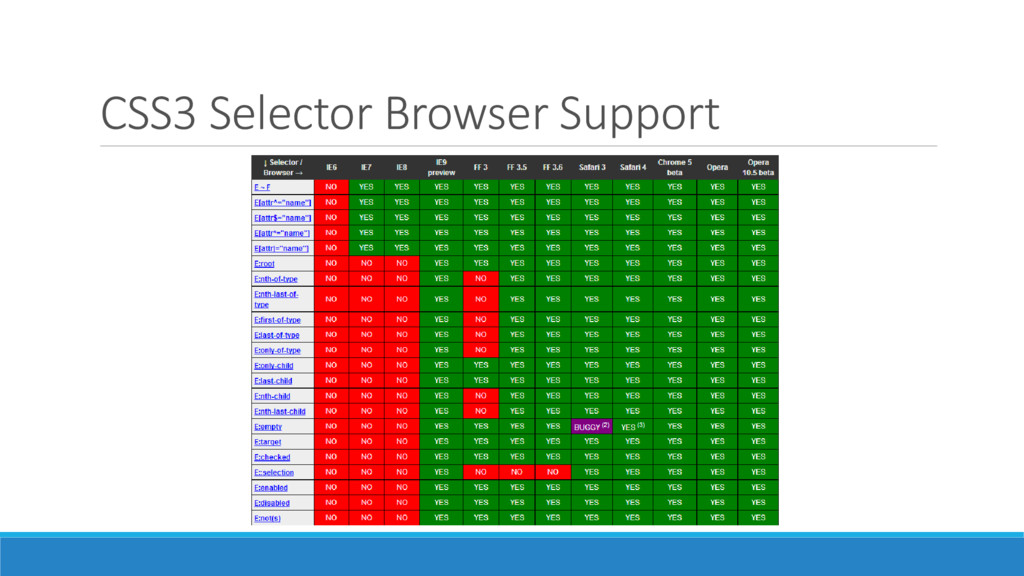
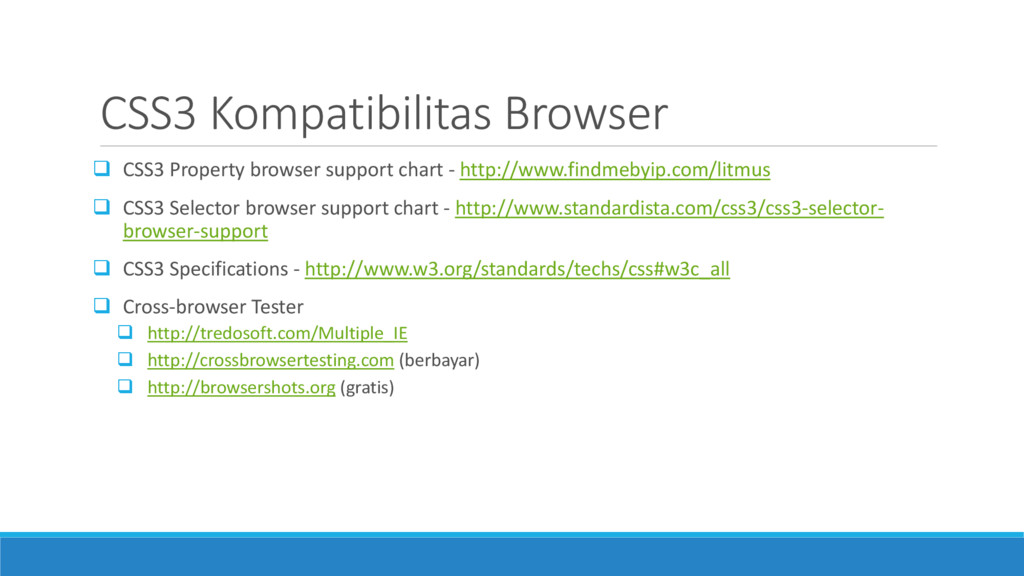
  12. CSS3 Kompatibilitas Browser  CSS3 Property browser support chart -

    http://www.findmebyip.com/litmus  CSS3 Selector browser support chart - http://www.standardista.com/css3/css3-selector- browser-support  CSS3 Specifications - http://www.w3.org/standards/techs/css#w3c_all  Cross-browser Tester  http://tredosoft.com/Multiple_IE  http://crossbrowsertesting.com (berbayar)  http://browsershots.org (gratis)
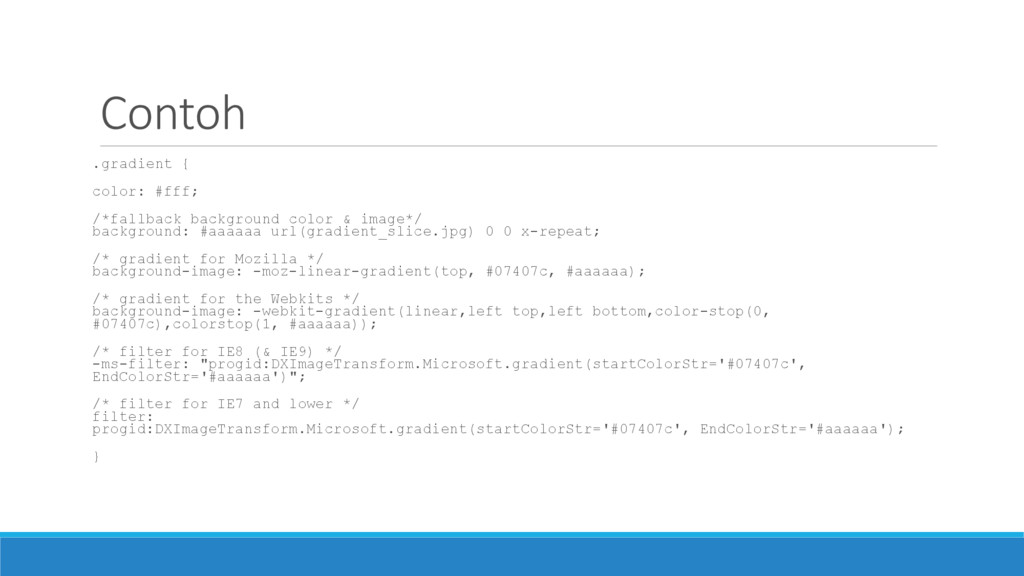
  13. Contoh .gradient { color: #fff; /*fallback background color & image*/

    background: #aaaaaa url(gradient_slice.jpg) 0 0 x-repeat; /* gradient for Mozilla */ background-image: -moz-linear-gradient(top, #07407c, #aaaaaa); /* gradient for the Webkits */ background-image: -webkit-gradient(linear,left top,left bottom,color-stop(0, #07407c),colorstop(1, #aaaaaa)); /* filter for IE8 (& IE9) */ -ms-filter: "progid:DXImageTransform.Microsoft.gradient(startColorStr='#07407c', EndColorStr='#aaaaaa')"; /* filter for IE7 and lower */ filter: progid:DXImageTransform.Microsoft.gradient(startColorStr='#07407c', EndColorStr='#aaaaaa'); }
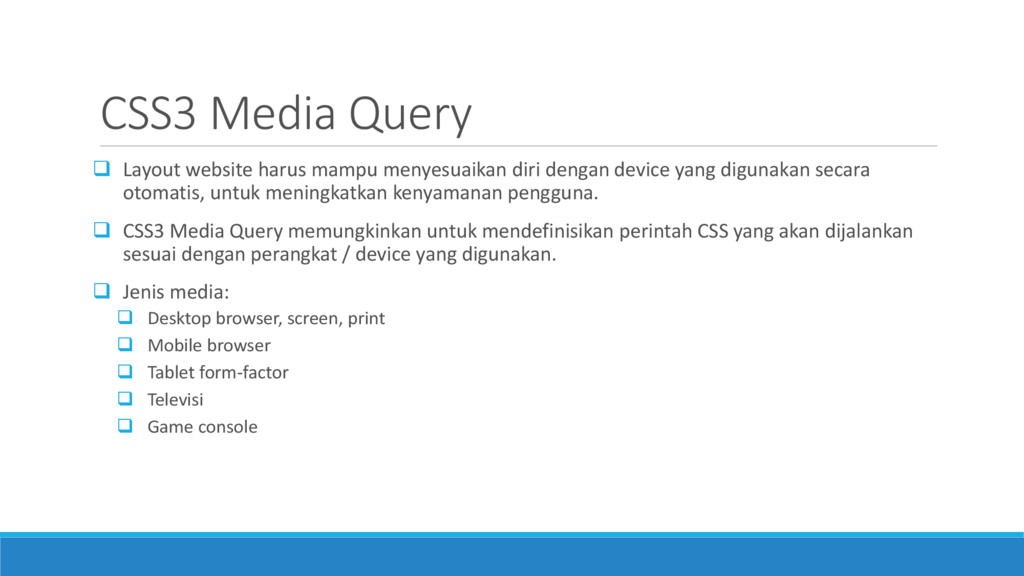
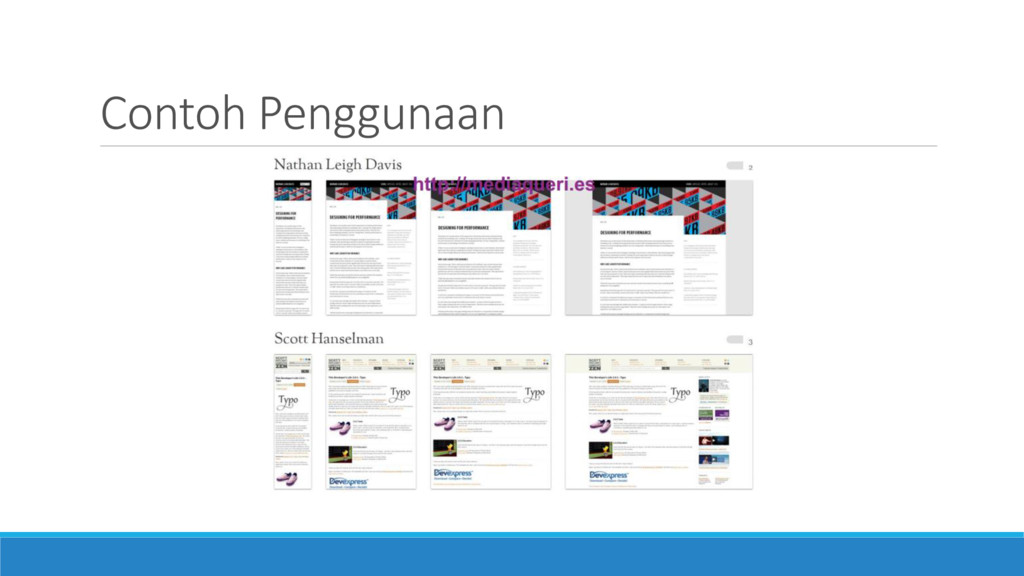
  14. CSS3 Media Query  Layout website harus mampu menyesuaikan diri

    dengan device yang digunakan secara otomatis, untuk meningkatkan kenyamanan pengguna.  CSS3 Media Query memungkinkan untuk mendefinisikan perintah CSS yang akan dijalankan sesuai dengan perangkat / device yang digunakan.  Jenis media:  Desktop browser, screen, print  Mobile browser  Tablet form-factor  Televisi  Game console
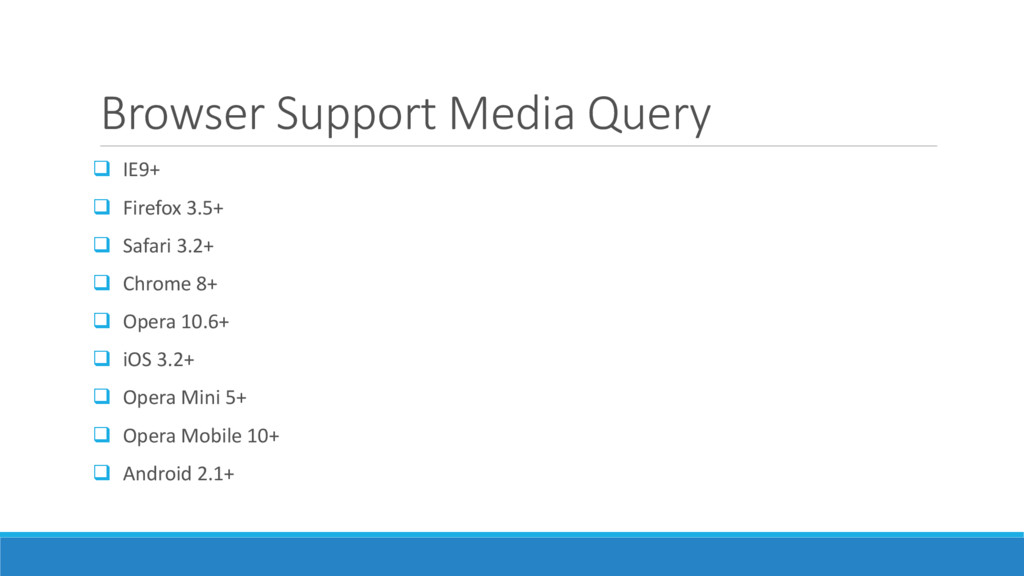
  15. Browser Support Media Query  IE9+  Firefox 3.5+ 

    Safari 3.2+  Chrome 8+  Opera 10.6+  iOS 3.2+  Opera Mini 5+  Opera Mobile 10+  Android 2.1+
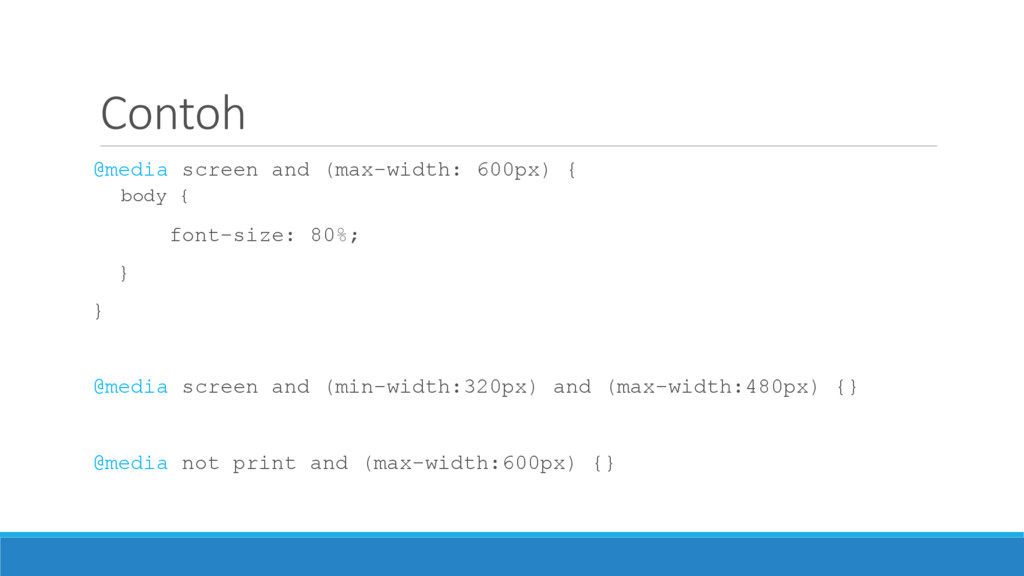
  16. Contoh @media screen and (max-width: 600px) { body { font-size:

    80%; } } @media screen and (min-width:320px) and (max-width:480px) {} @media not print and (max-width:600px) {}
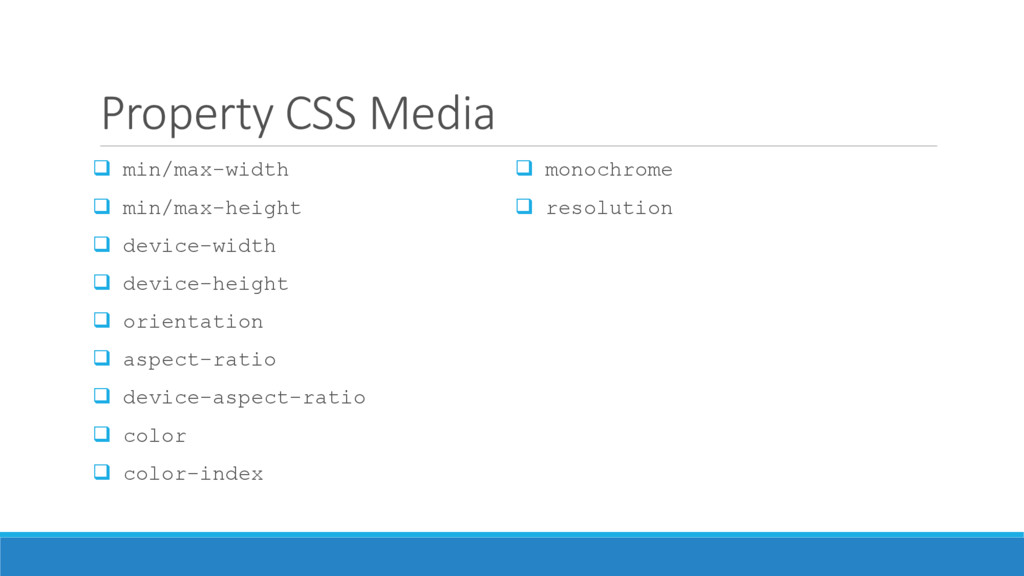
  17. Property CSS Media  min/max-width  min/max-height  device-width 

    device-height  orientation  aspect-ratio  device-aspect-ratio  color  color-index  monochrome  resolution
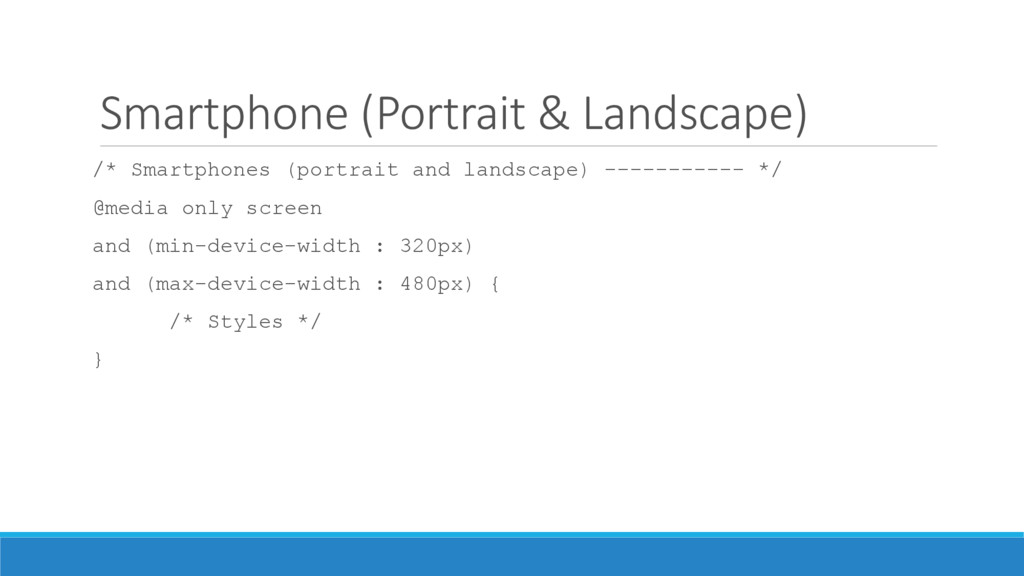
  18. Smartphone (Portrait & Landscape) /* Smartphones (portrait and landscape) -----------

    */ @media only screen and (min-device-width : 320px) and (max-device-width : 480px) { /* Styles */ }
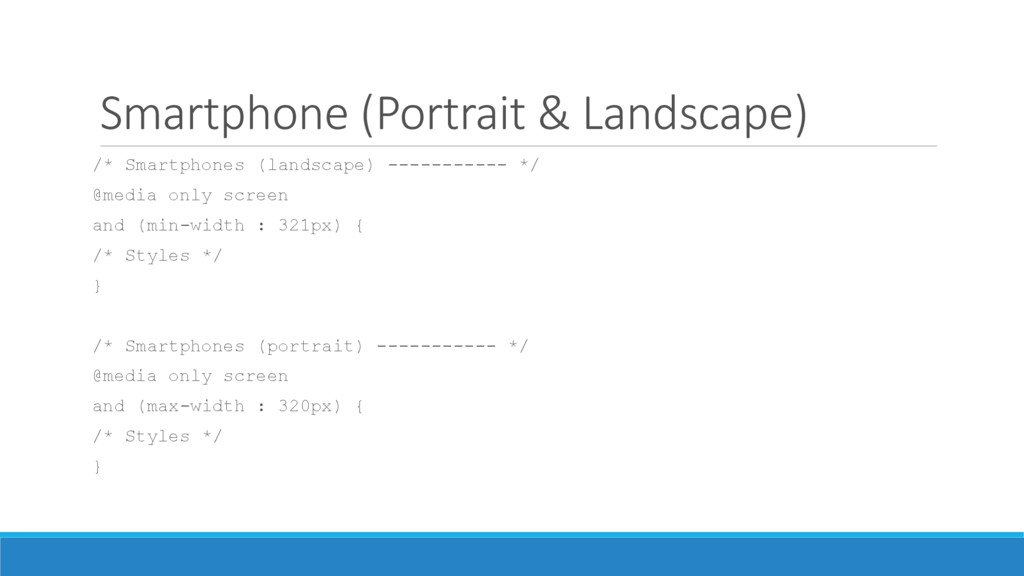
  19. Smartphone (Portrait & Landscape) /* Smartphones (landscape) ----------- */ @media

    only screen and (min-width : 321px) { /* Styles */ } /* Smartphones (portrait) ----------- */ @media only screen and (max-width : 320px) { /* Styles */ }
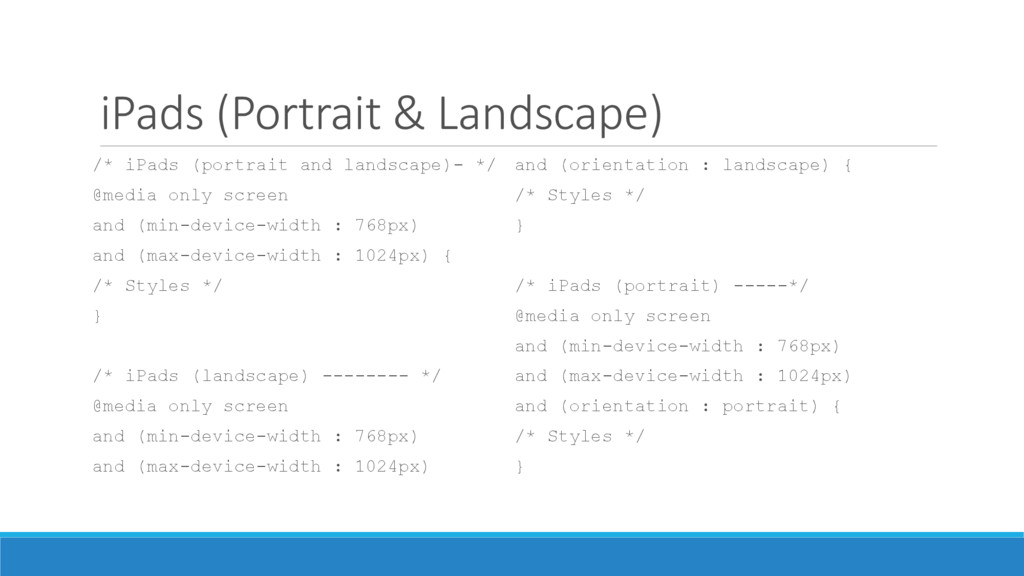
  20. iPads (Portrait & Landscape) /* iPads (portrait and landscape)- */

    @media only screen and (min-device-width : 768px) and (max-device-width : 1024px) { /* Styles */ } /* iPads (landscape) -------- */ @media only screen and (min-device-width : 768px) and (max-device-width : 1024px) and (orientation : landscape) { /* Styles */ } /* iPads (portrait) -----*/ @media only screen and (min-device-width : 768px) and (max-device-width : 1024px) and (orientation : portrait) { /* Styles */ }
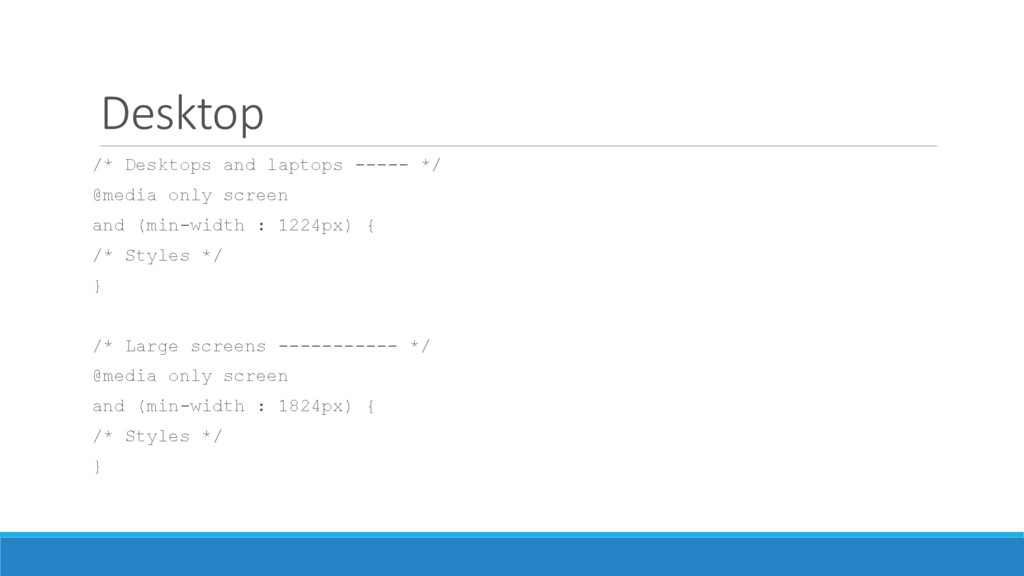
  21. Desktop /* Desktops and laptops ----- */ @media only screen

    and (min-width : 1224px) { /* Styles */ } /* Large screens ----------- */ @media only screen and (min-width : 1824px) { /* Styles */ }
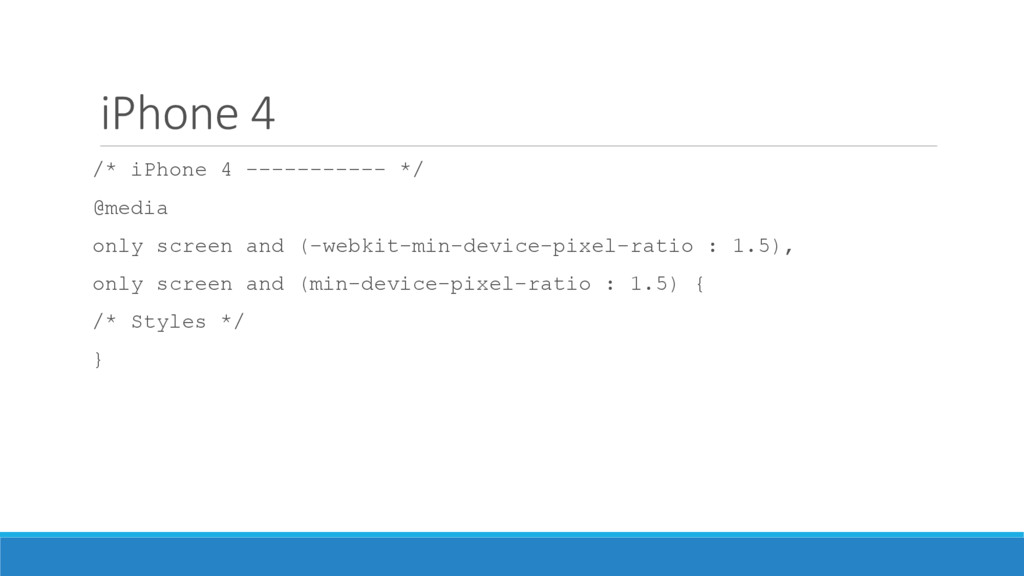
  22. iPhone 4 /* iPhone 4 ----------- */ @media only screen

    and (-webkit-min-device-pixel-ratio : 1.5), only screen and (min-device-pixel-ratio : 1.5) { /* Styles */ }
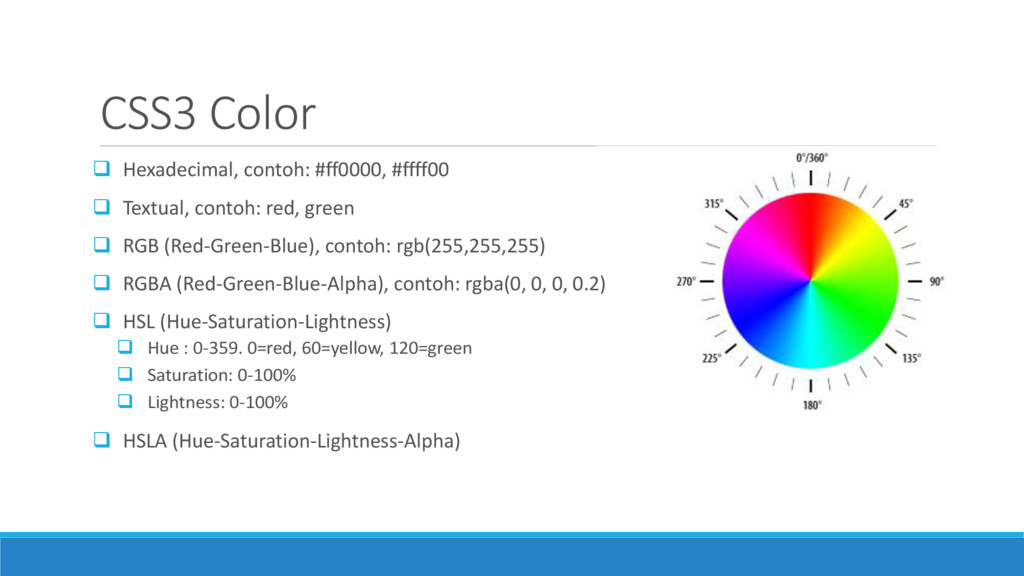
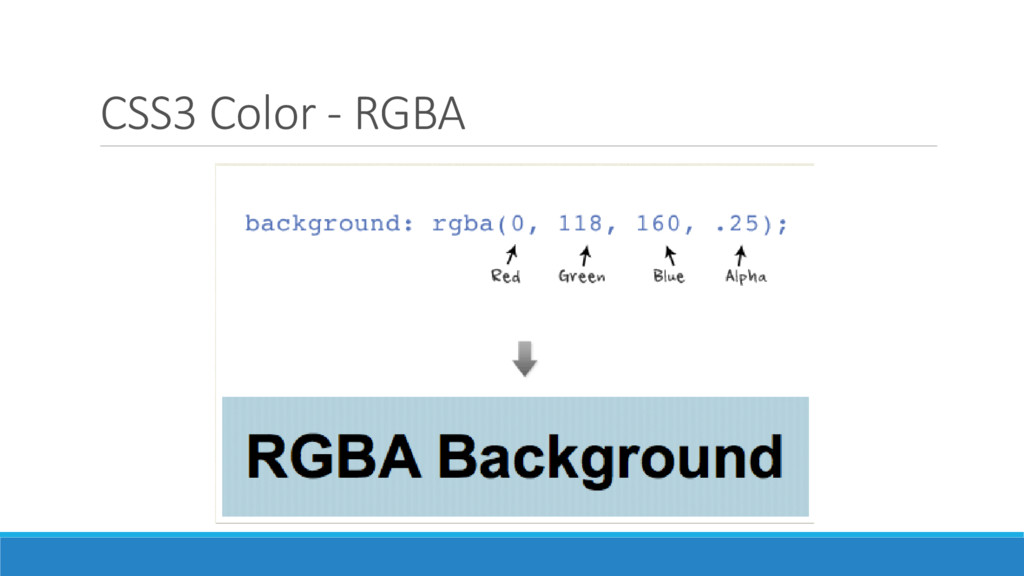
  23. CSS3 Color  Hexadecimal, contoh: #ff0000, #ffff00  Textual, contoh:

    red, green  RGB (Red-Green-Blue), contoh: rgb(255,255,255)  RGBA (Red-Green-Blue-Alpha), contoh: rgba(0, 0, 0, 0.2)  HSL (Hue-Saturation-Lightness)  Hue : 0-359. 0=red, 60=yellow, 120=green  Saturation: 0-100%  Lightness: 0-100%  HSLA (Hue-Saturation-Lightness-Alpha)
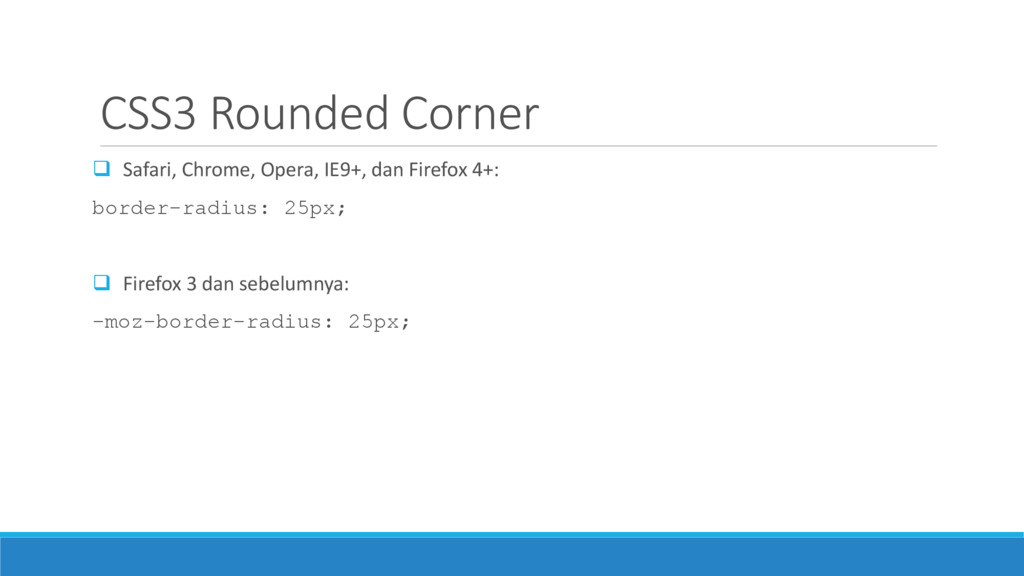
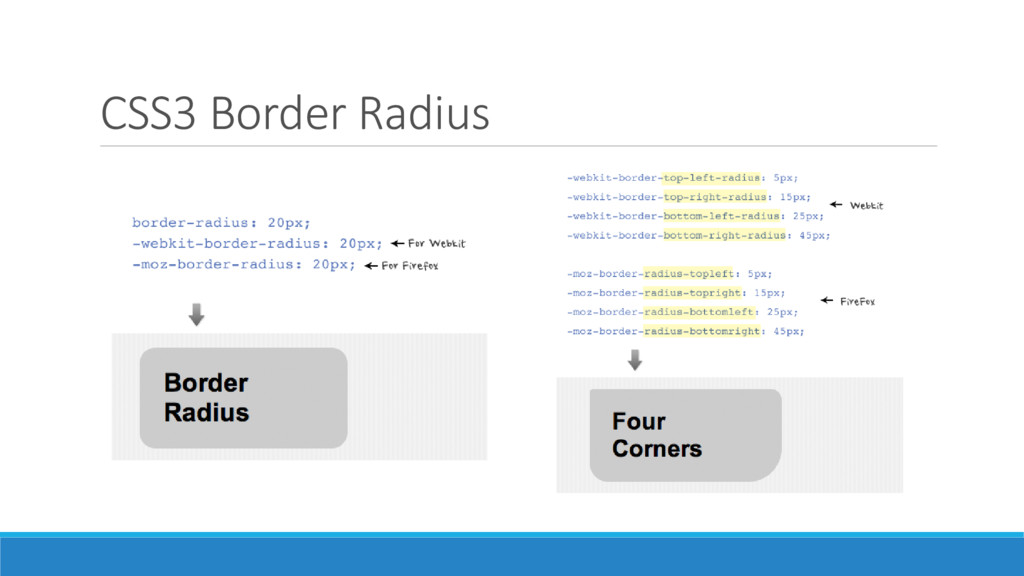
  24. CSS3 Rounded Corner  Safari, Chrome, Opera, IE9+, dan Firefox

    4+: border-radius: 25px;  Firefox 3 dan sebelumnya: -moz-border-radius: 25px;
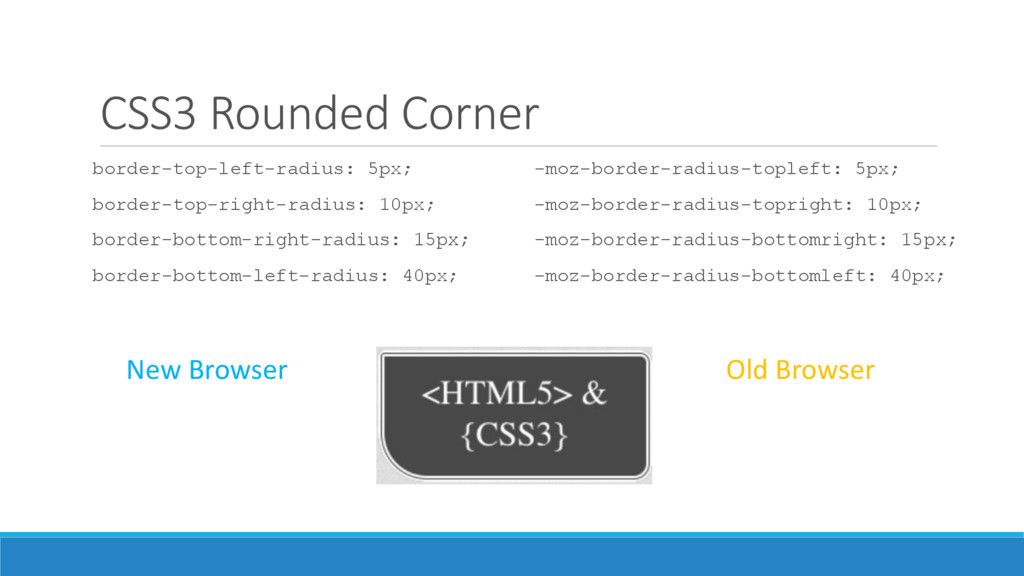
  25. CSS3 Rounded Corner border-top-left-radius: 5px; border-top-right-radius: 10px; border-bottom-right-radius: 15px; border-bottom-left-radius:

    40px; -moz-border-radius-topleft: 5px; -moz-border-radius-topright: 10px; -moz-border-radius-bottomright: 15px; -moz-border-radius-bottomleft: 40px; New Browser Old Browser
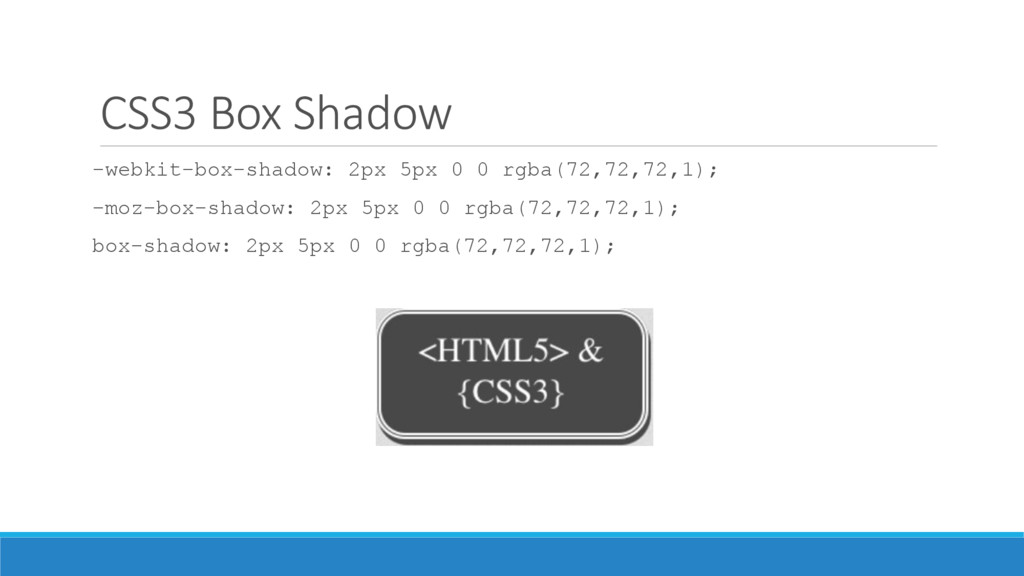
  26. CSS3 Box Shadow -webkit-box-shadow: 2px 5px 0 0 rgba(72,72,72,1); -moz-box-shadow:

    2px 5px 0 0 rgba(72,72,72,1); box-shadow: 2px 5px 0 0 rgba(72,72,72,1);
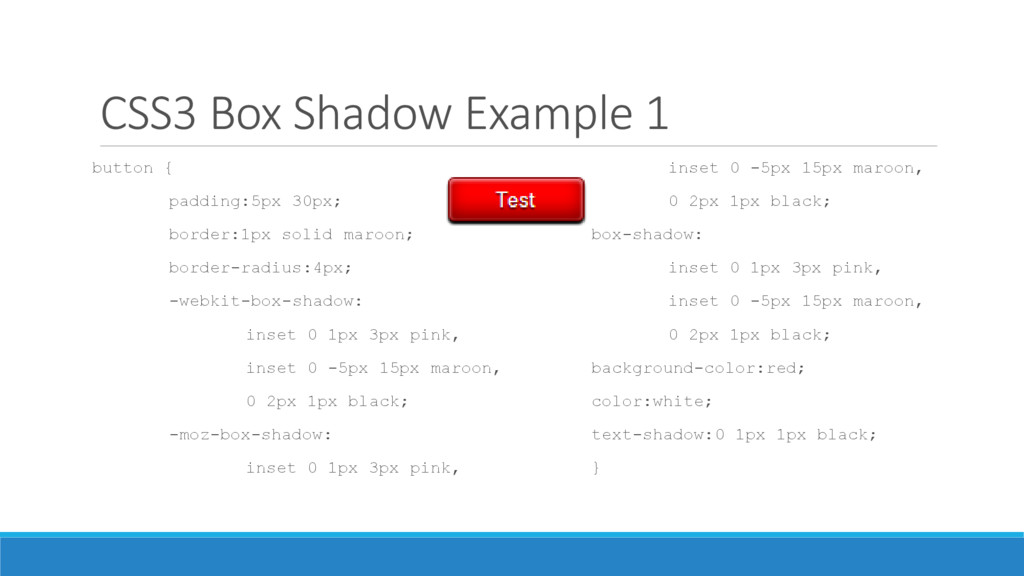
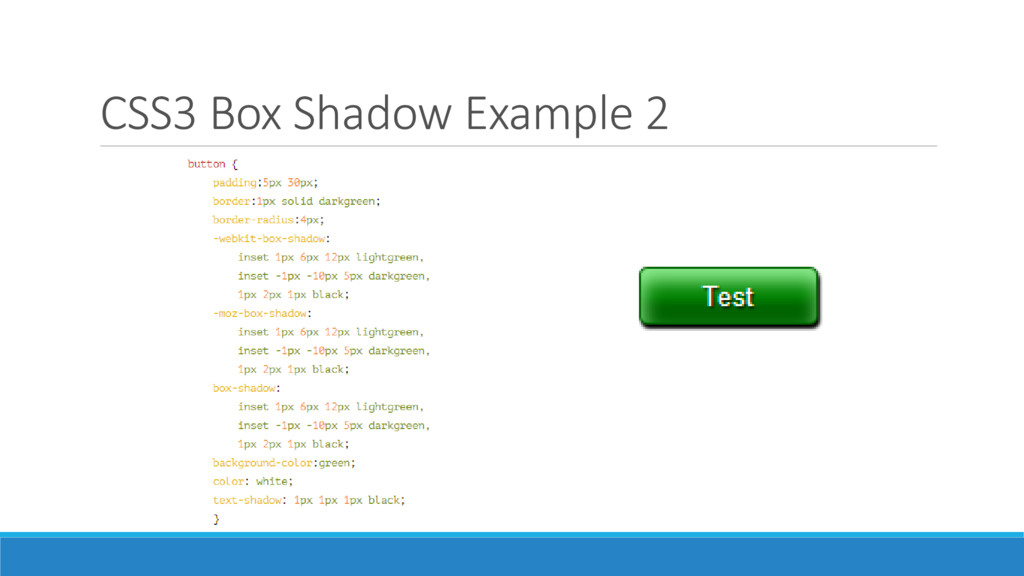
  27. CSS3 Box Shadow Example 1 button { padding:5px 30px; border:1px

    solid maroon; border-radius:4px; -webkit-box-shadow: inset 0 1px 3px pink, inset 0 -5px 15px maroon, 0 2px 1px black; -moz-box-shadow: inset 0 1px 3px pink, inset 0 -5px 15px maroon, 0 2px 1px black; box-shadow: inset 0 1px 3px pink, inset 0 -5px 15px maroon, 0 2px 1px black; background-color:red; color:white; text-shadow:0 1px 1px black; }
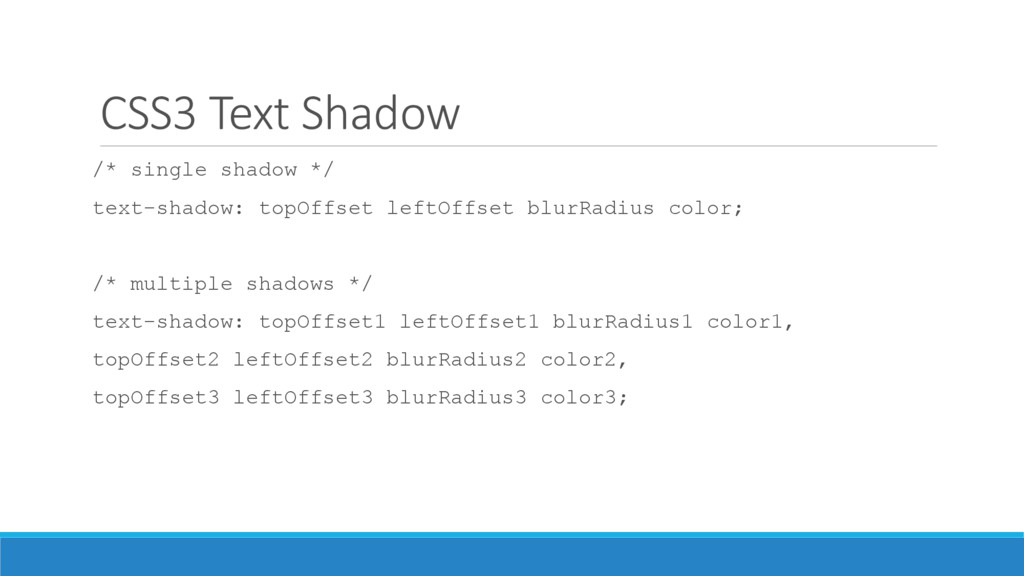
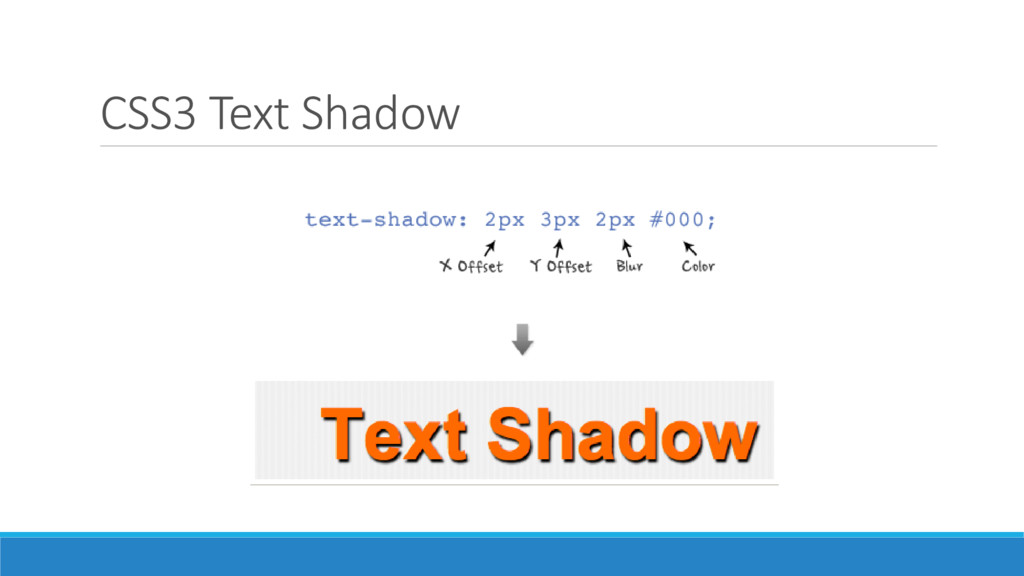
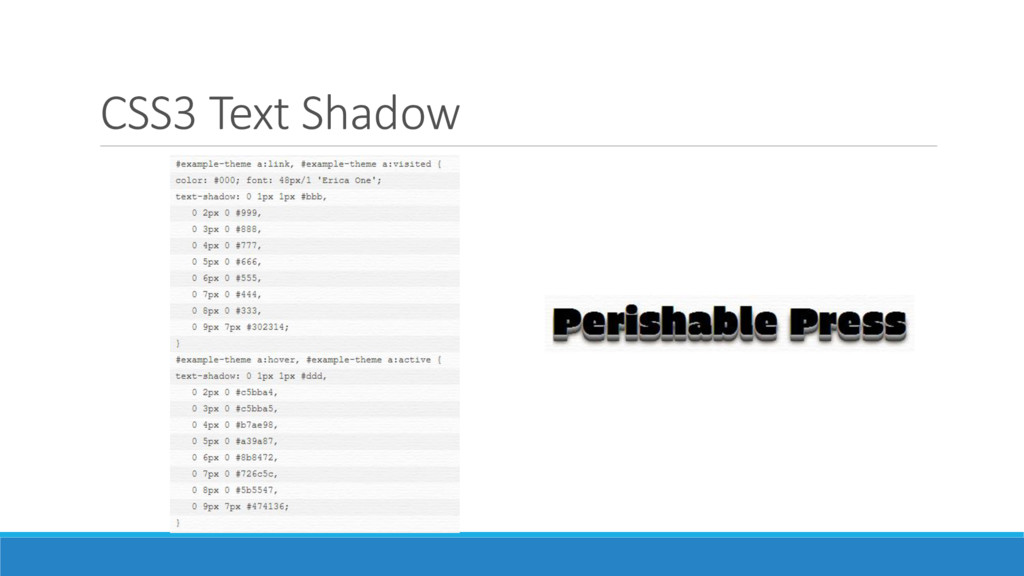
  28. CSS3 Text Shadow /* single shadow */ text-shadow: topOffset leftOffset

    blurRadius color; /* multiple shadows */ text-shadow: topOffset1 leftOffset1 blurRadius1 color1, topOffset2 leftOffset2 blurRadius2 color2, topOffset3 leftOffset3 blurRadius3 color3;
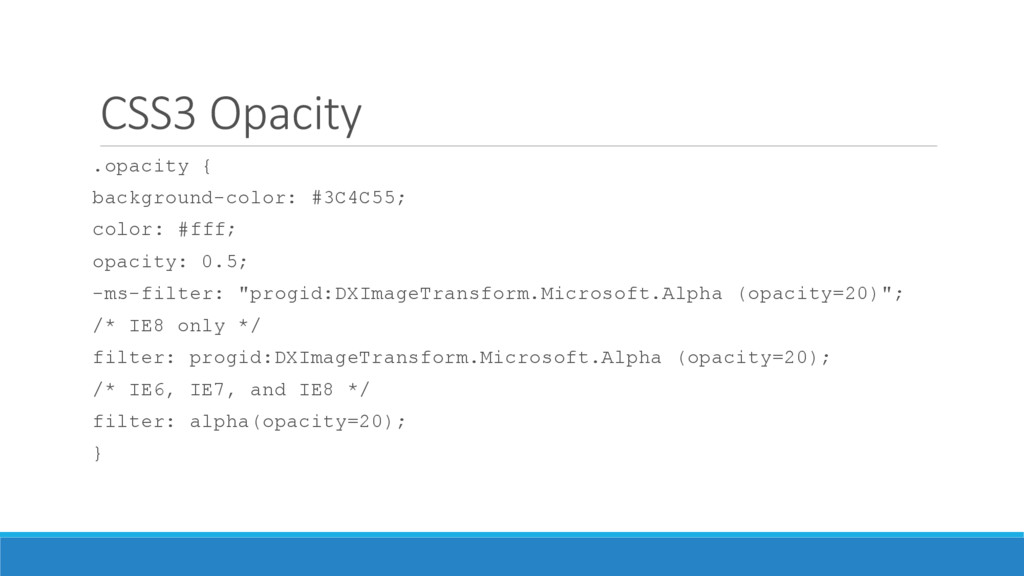
  29. CSS3 Opacity .opacity { background-color: #3C4C55; color: #fff; opacity: 0.5;

    -ms-filter: "progid:DXImageTransform.Microsoft.Alpha (opacity=20)"; /* IE8 only */ filter: progid:DXImageTransform.Microsoft.Alpha (opacity=20); /* IE6, IE7, and IE8 */ filter: alpha(opacity=20); }
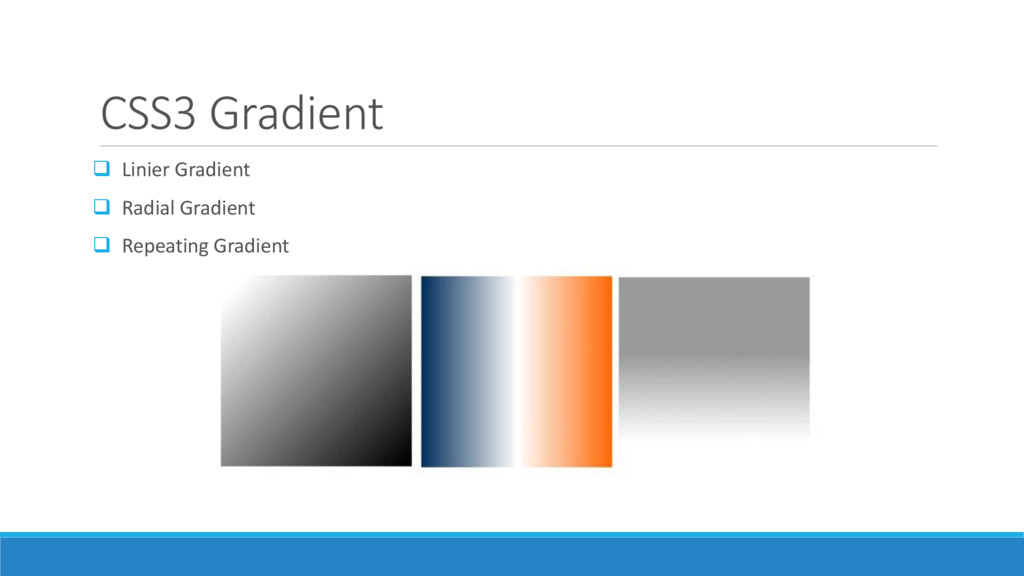
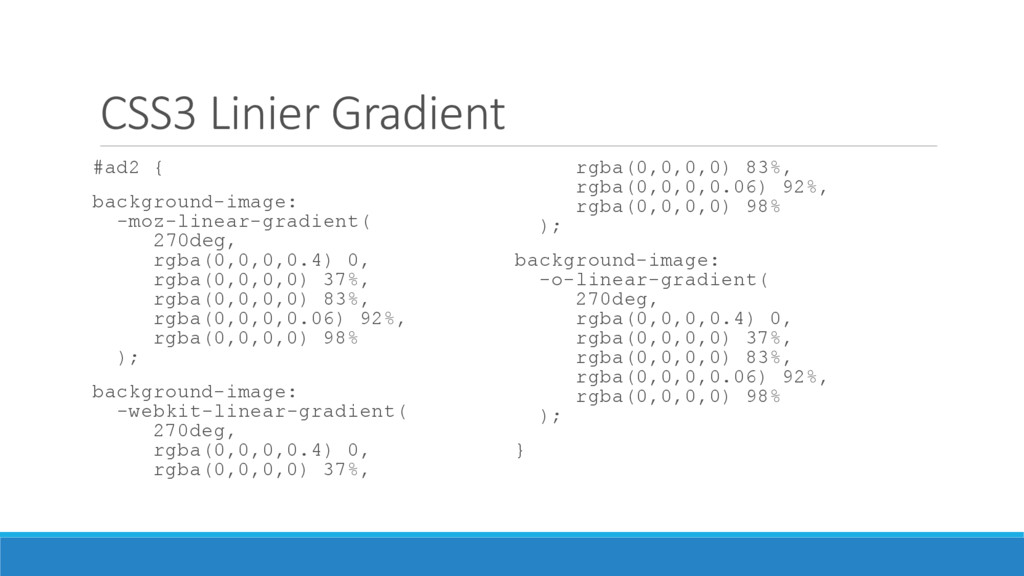
  30. CSS3 Linier Gradient #ad2 { background-image: -moz-linear-gradient( 270deg, rgba(0,0,0,0.4) 0,

    rgba(0,0,0,0) 37%, rgba(0,0,0,0) 83%, rgba(0,0,0,0.06) 92%, rgba(0,0,0,0) 98% ); background-image: -webkit-linear-gradient( 270deg, rgba(0,0,0,0.4) 0, rgba(0,0,0,0) 37%, rgba(0,0,0,0) 83%, rgba(0,0,0,0.06) 92%, rgba(0,0,0,0) 98% ); background-image: -o-linear-gradient( 270deg, rgba(0,0,0,0.4) 0, rgba(0,0,0,0) 37%, rgba(0,0,0,0) 83%, rgba(0,0,0,0.06) 92%, rgba(0,0,0,0) 98% ); }
  31. CSS3 Radial Gradient input[type=submit] { background-color: #333; /* Old WebKit

    */ background-image: -webkit- gradient(radial, 30% 120%, 0, 30% 120%, 100, color-stop(0,rgba(144,144,144,1)), color-stop(1,rgba(72,72,72,1))); /* W3C for Mozilla */ background-image: -moz-radial- gradient(30% 120%, circle, rgba(144,144,144,1) 0%, rgba(72,72,72,1) 50%); /* W3C for new WebKit */ background-image: -webkit-radial- gradient(30% 120%, circle, rgba(144,144,144,1) 0%, rgba(72,72,72,1) 50%); /* W3C unprefixed */ background-image: radial- gradient(30% 120%, circle, rgba(144,144,144,1) 0%, rgba(72,72,72,1) 50%); }
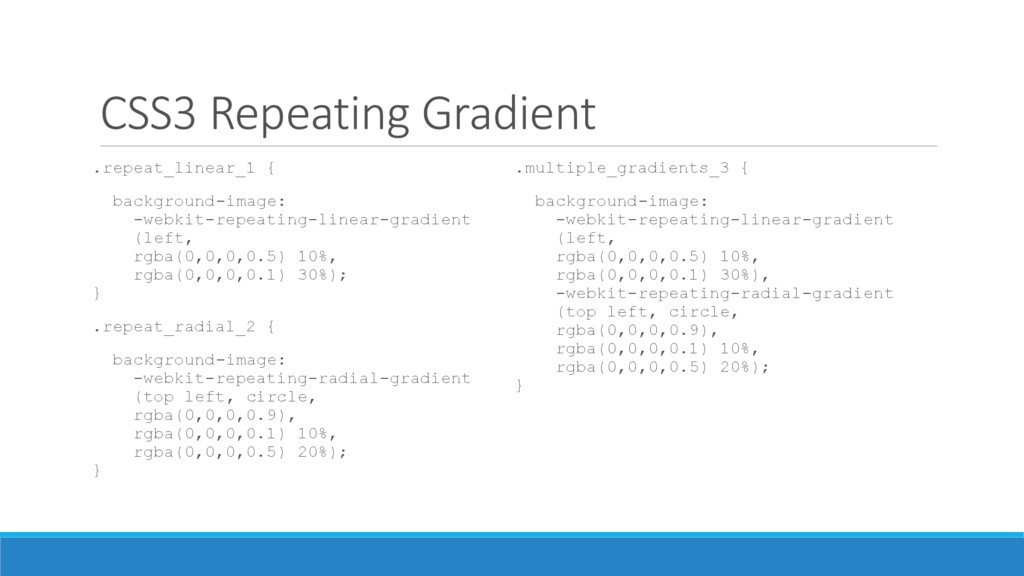
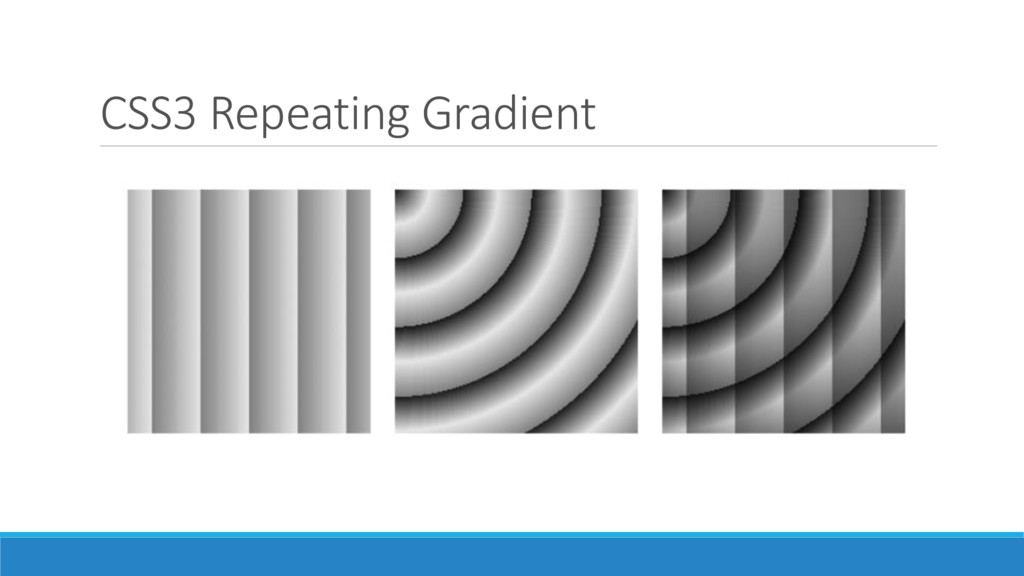
  32. CSS3 Repeating Gradient .repeat_linear_1 { background-image: -webkit-repeating-linear-gradient (left, rgba(0,0,0,0.5) 10%,

    rgba(0,0,0,0.1) 30%); } .repeat_radial_2 { background-image: -webkit-repeating-radial-gradient (top left, circle, rgba(0,0,0,0.9), rgba(0,0,0,0.1) 10%, rgba(0,0,0,0.5) 20%); } .multiple_gradients_3 { background-image: -webkit-repeating-linear-gradient (left, rgba(0,0,0,0.5) 10%, rgba(0,0,0,0.1) 30%), -webkit-repeating-radial-gradient (top left, circle, rgba(0,0,0,0.9), rgba(0,0,0,0.1) 10%, rgba(0,0,0,0.5) 20%); }
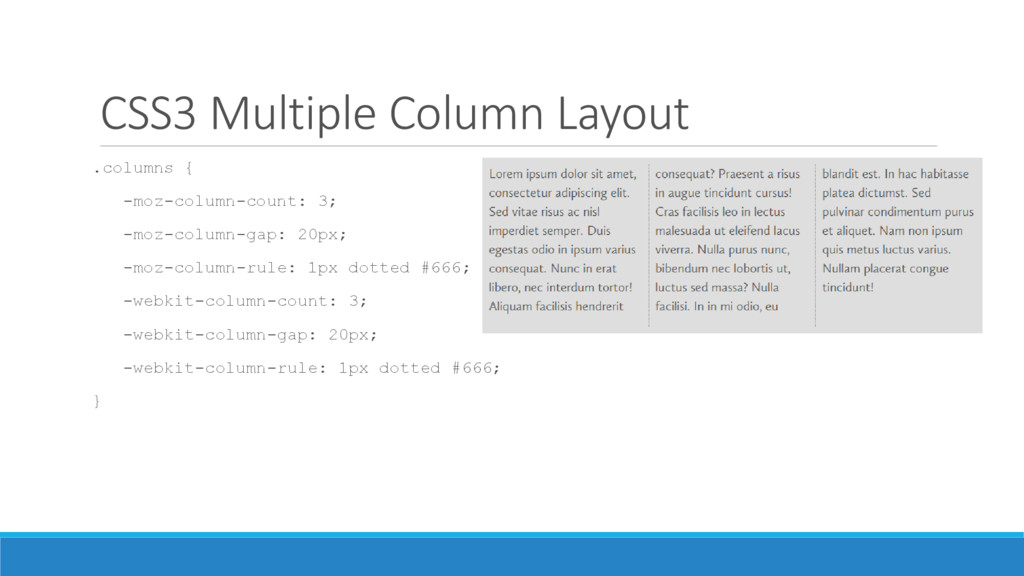
  33. CSS3 Multiple Column Layout .columns { -moz-column-count: 3; -moz-column-gap: 20px;

    -moz-column-rule: 1px dotted #666; -webkit-column-count: 3; -webkit-column-gap: 20px; -webkit-column-rule: 1px dotted #666; }
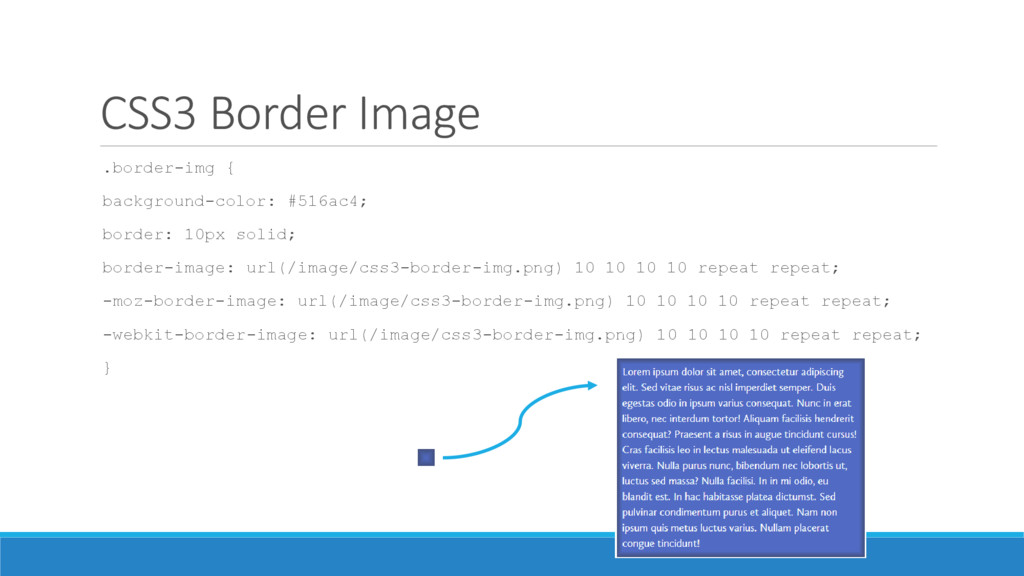
  34. CSS3 Border Image .border-img { background-color: #516ac4; border: 10px solid;

    border-image: url(/image/css3-border-img.png) 10 10 10 10 repeat repeat; -moz-border-image: url(/image/css3-border-img.png) 10 10 10 10 repeat repeat; -webkit-border-image: url(/image/css3-border-img.png) 10 10 10 10 repeat repeat; }
  35. CSS3 Background Size .background-size { background-image: url(http://domain.tld/path/bg.png); -webkit-background-size: 50% 50%;

    /* Safari */ -khtml-background-size: 50% 50%; /* Konquer */ -moz-background-size: 50% 50%; /* Firefox */ -o-background-size: 50% 50%; /* Opera */ background-size: 50% 50%; /* CSS3 */ }
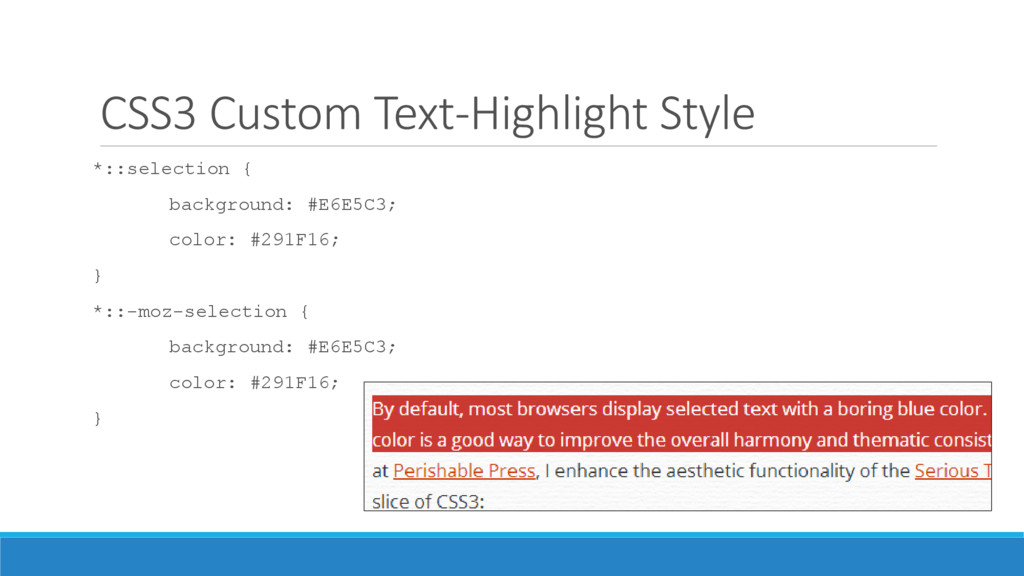
  36. CSS3 Custom Text-Highlight Style *::selection { background: #E6E5C3; color: #291F16;

    } *::-moz-selection { background: #E6E5C3; color: #291F16; }
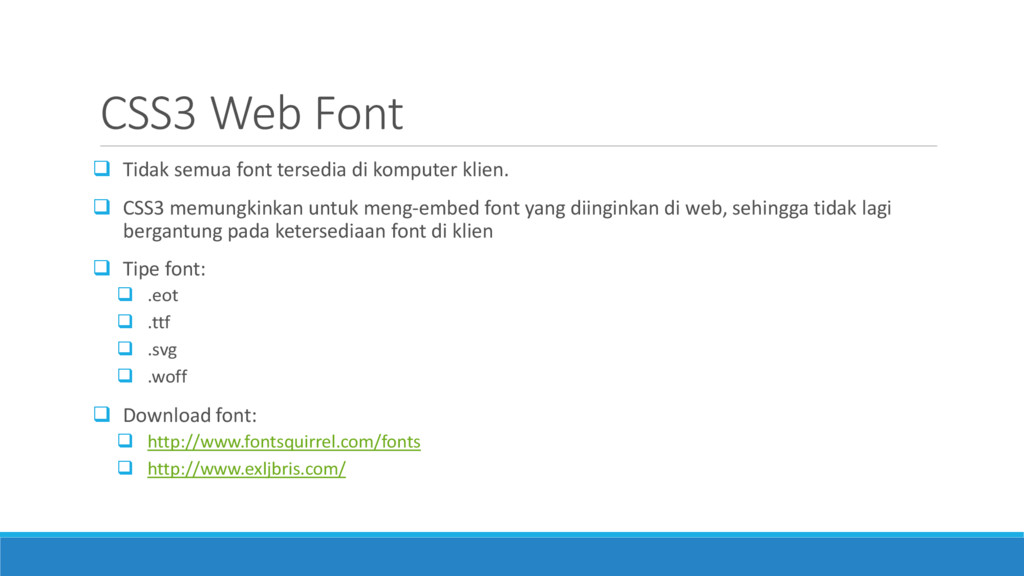
  37. CSS3 Web Font  Tidak semua font tersedia di komputer

    klien.  CSS3 memungkinkan untuk meng-embed font yang diinginkan di web, sehingga tidak lagi bergantung pada ketersediaan font di klien  Tipe font:  .eot  .ttf  .svg  .woff  Download font:  http://www.fontsquirrel.com/fonts  http://www.exljbris.com/
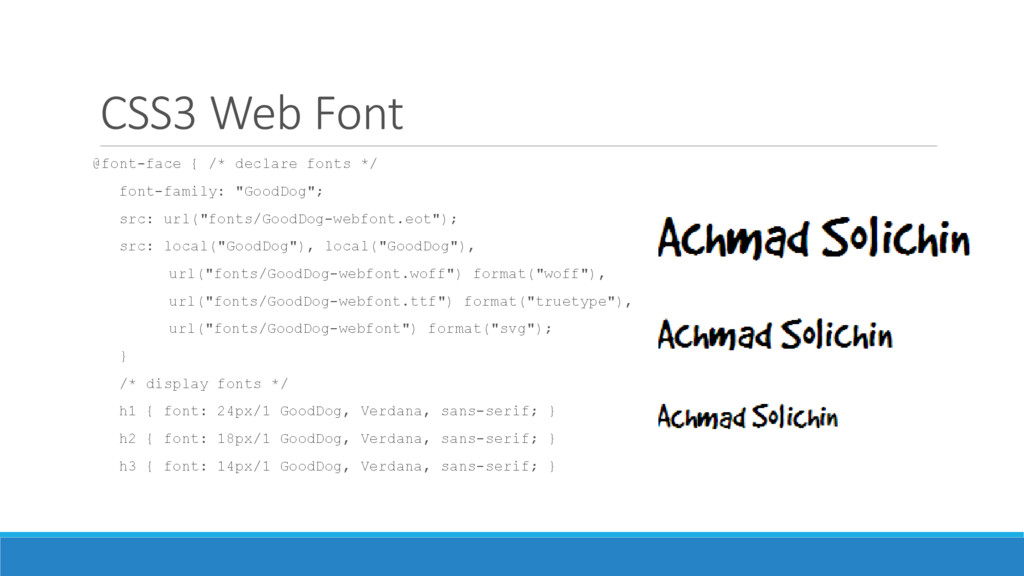
  38. CSS3 Web Font @font-face { /* declare fonts */ font-family:

    "GoodDog"; src: url("fonts/GoodDog-webfont.eot"); src: local("GoodDog"), local("GoodDog"), url("fonts/GoodDog-webfont.woff") format("woff"), url("fonts/GoodDog-webfont.ttf") format("truetype"), url("fonts/GoodDog-webfont") format("svg"); } /* display fonts */ h1 { font: 24px/1 GoodDog, Verdana, sans-serif; } h2 { font: 18px/1 GoodDog, Verdana, sans-serif; } h3 { font: 14px/1 GoodDog, Verdana, sans-serif; }
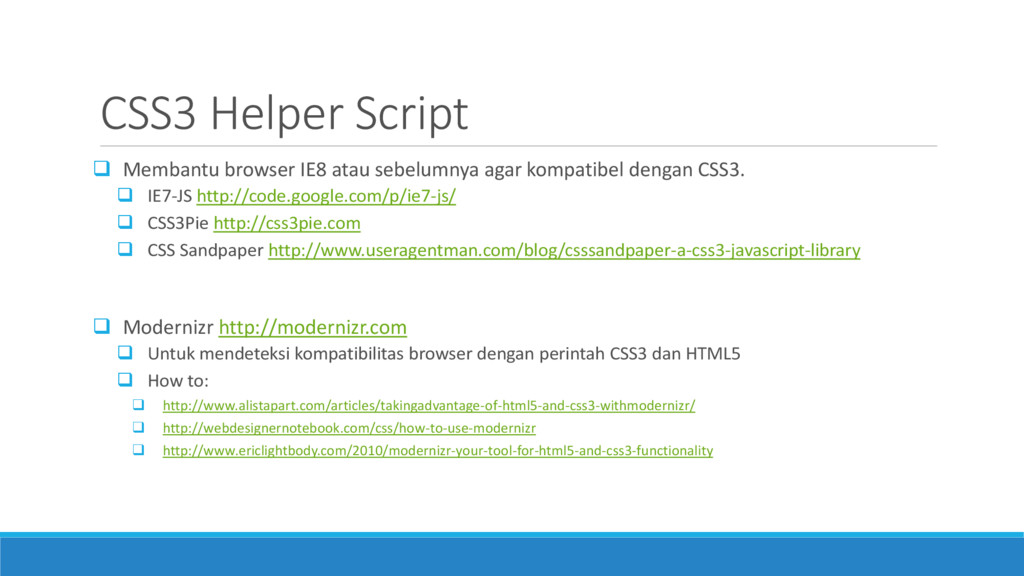
  39. CSS3 Helper Script  Membantu browser IE8 atau sebelumnya agar

    kompatibel dengan CSS3.  IE7-JS http://code.google.com/p/ie7-js/  CSS3Pie http://css3pie.com  CSS Sandpaper http://www.useragentman.com/blog/csssandpaper-a-css3-javascript-library  Modernizr http://modernizr.com  Untuk mendeteksi kompatibilitas browser dengan perintah CSS3 dan HTML5  How to:  http://www.alistapart.com/articles/takingadvantage-of-html5-and-css3-withmodernizr/  http://webdesignernotebook.com/css/how-to-use-modernizr  http://www.ericlightbody.com/2010/modernizr-your-tool-for-html5-and-css3-functionality
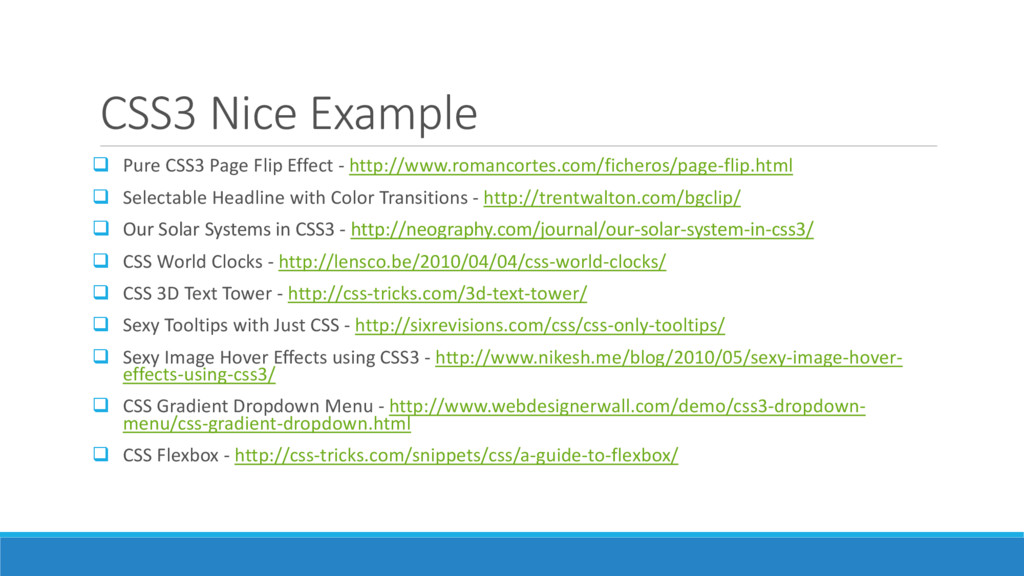
  40. CSS3 Nice Example  Pure CSS3 Page Flip Effect -

    http://www.romancortes.com/ficheros/page-flip.html  Selectable Headline with Color Transitions - http://trentwalton.com/bgclip/  Our Solar Systems in CSS3 - http://neography.com/journal/our-solar-system-in-css3/  CSS World Clocks - http://lensco.be/2010/04/04/css-world-clocks/  CSS 3D Text Tower - http://css-tricks.com/3d-text-tower/  Sexy Tooltips with Just CSS - http://sixrevisions.com/css/css-only-tooltips/  Sexy Image Hover Effects using CSS3 - http://www.nikesh.me/blog/2010/05/sexy-image-hover- effects-using-css3/  CSS Gradient Dropdown Menu - http://www.webdesignerwall.com/demo/css3-dropdown- menu/css-gradient-dropdown.html  CSS Flexbox - http://css-tricks.com/snippets/css/a-guide-to-flexbox/
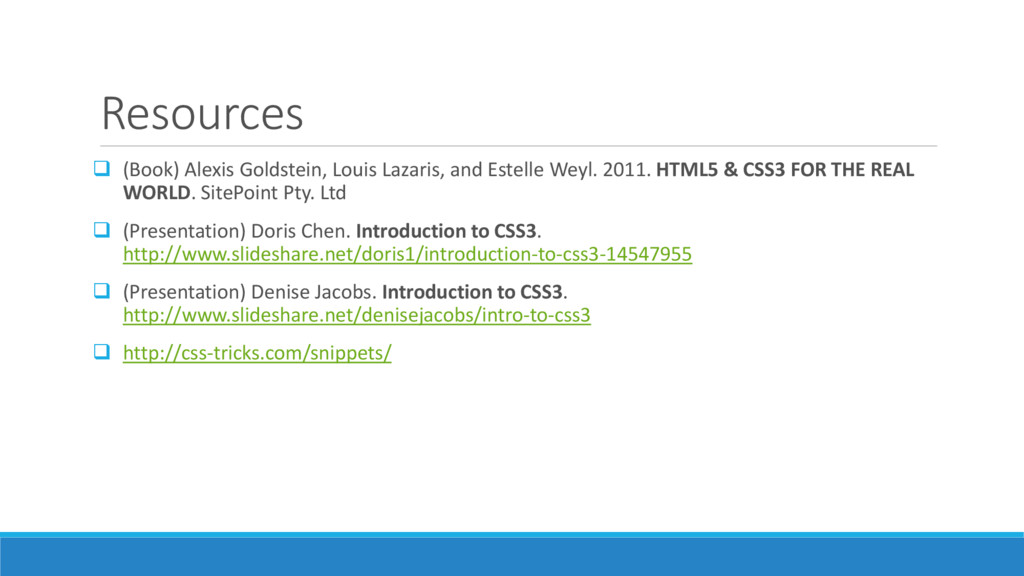
  41. Resources  (Book) Alexis Goldstein, Louis Lazaris, and Estelle Weyl.

    2011. HTML5 & CSS3 FOR THE REAL WORLD. SitePoint Pty. Ltd  (Presentation) Doris Chen. Introduction to CSS3. http://www.slideshare.net/doris1/introduction-to-css3-14547955  (Presentation) Denise Jacobs. Introduction to CSS3. http://www.slideshare.net/denisejacobs/intro-to-css3  http://css-tricks.com/snippets/