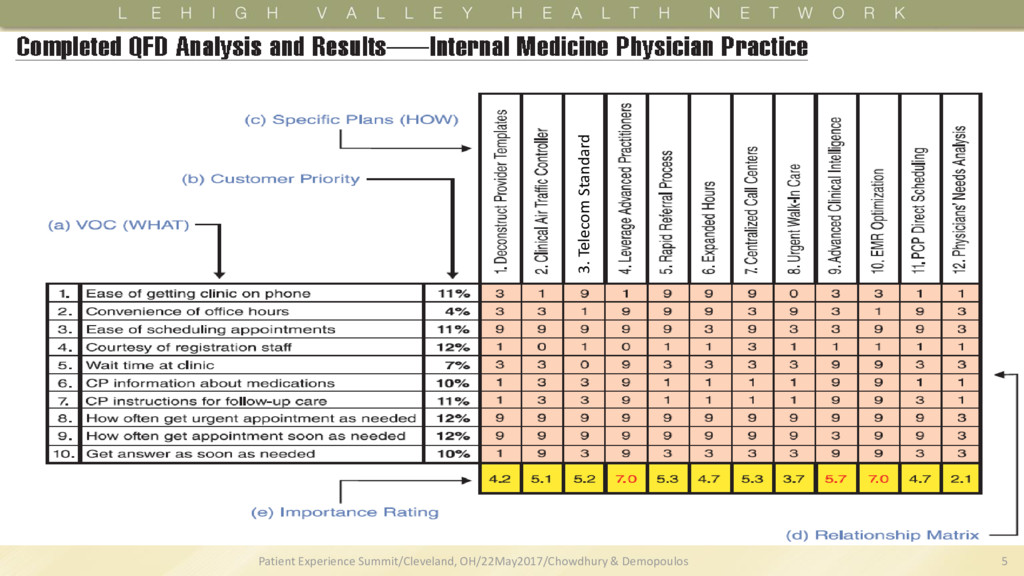
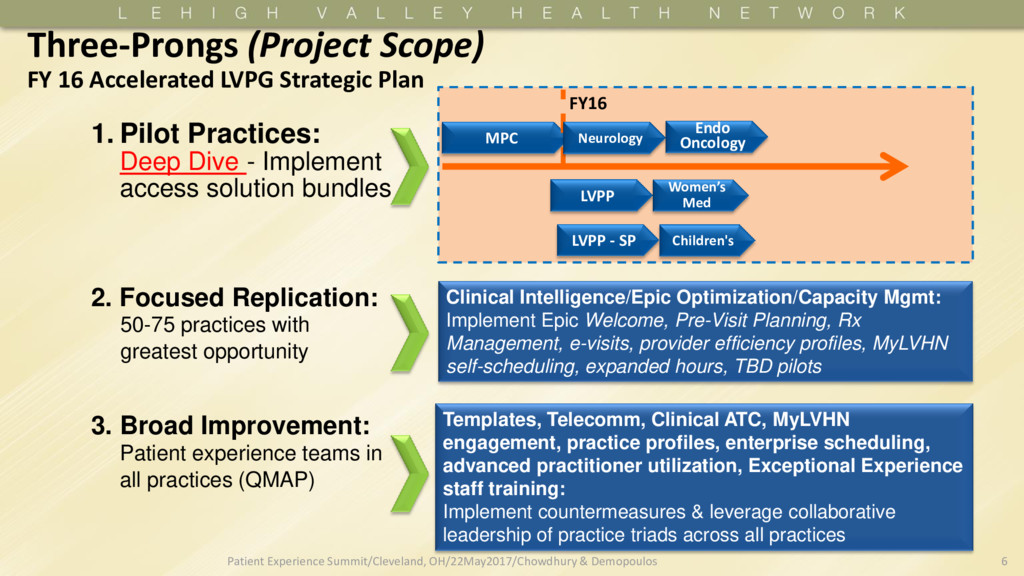
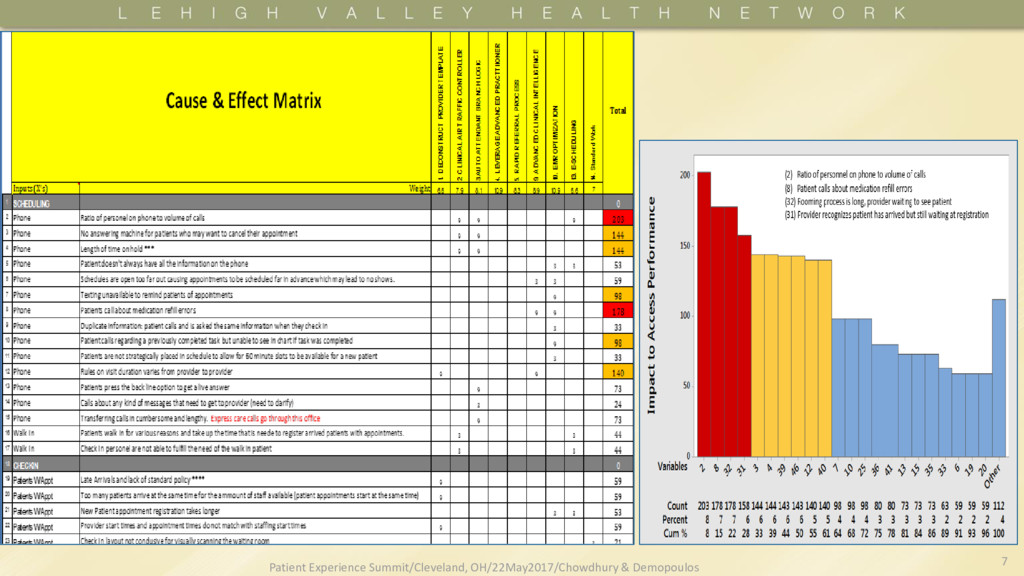
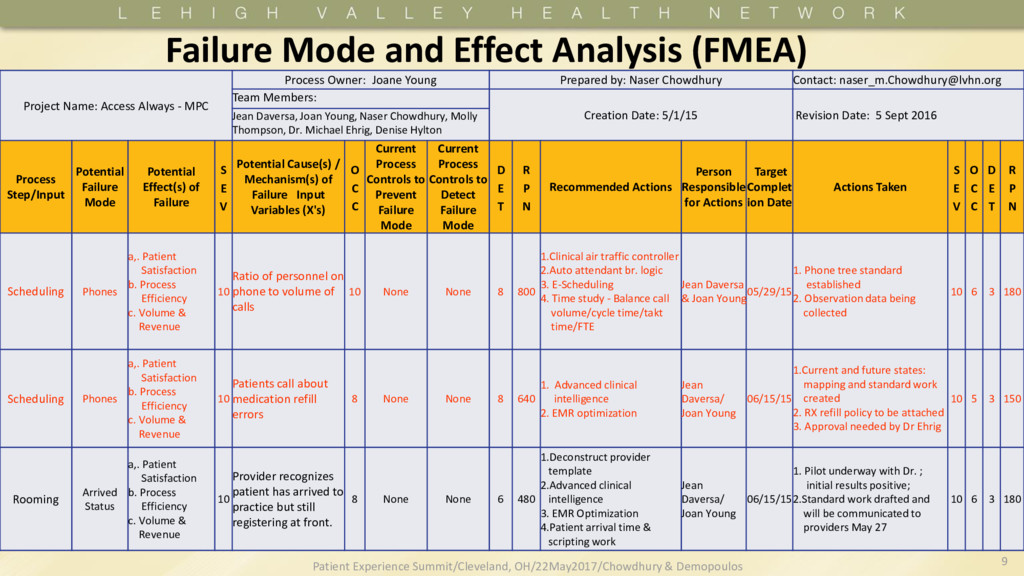
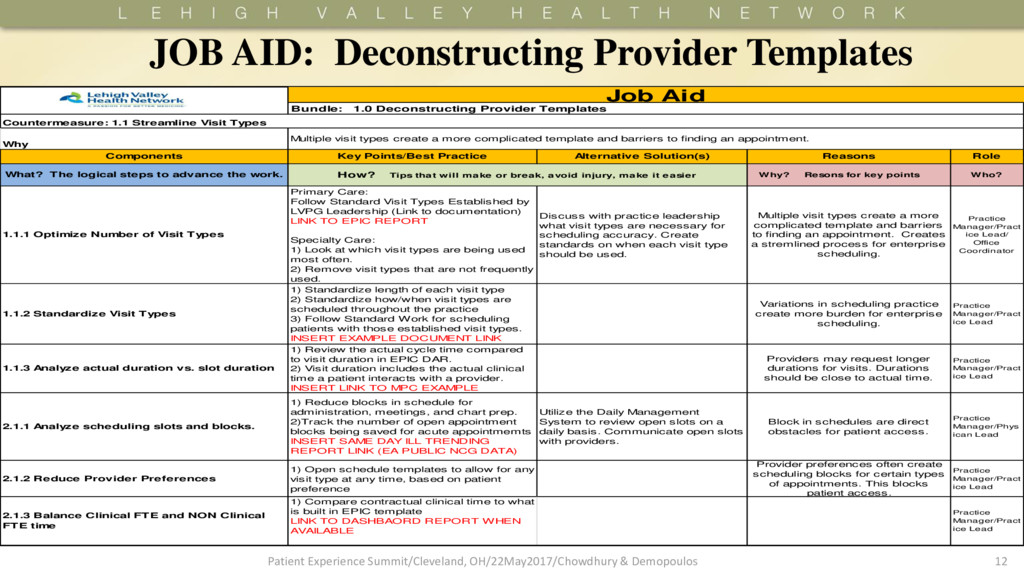
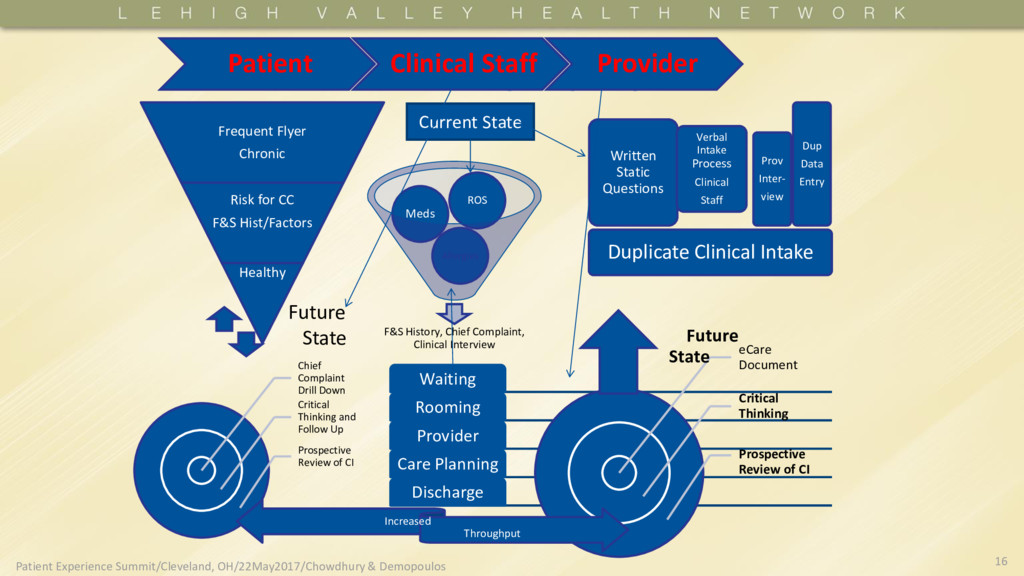
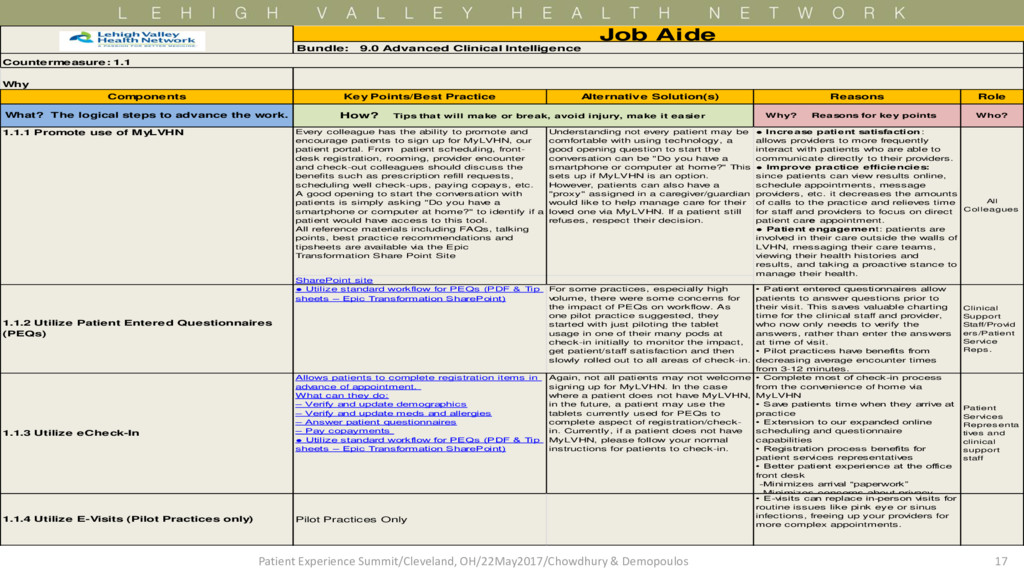
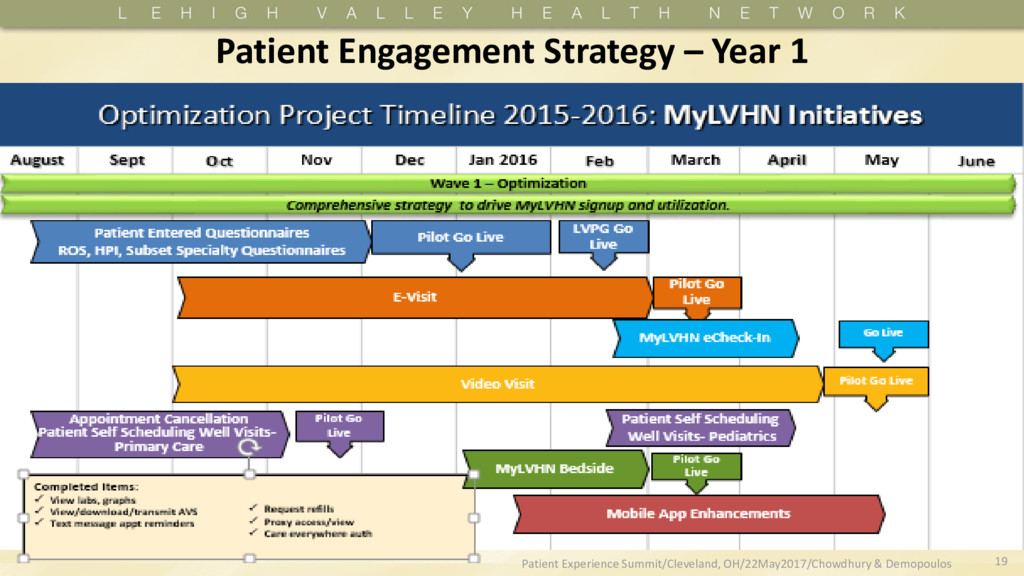
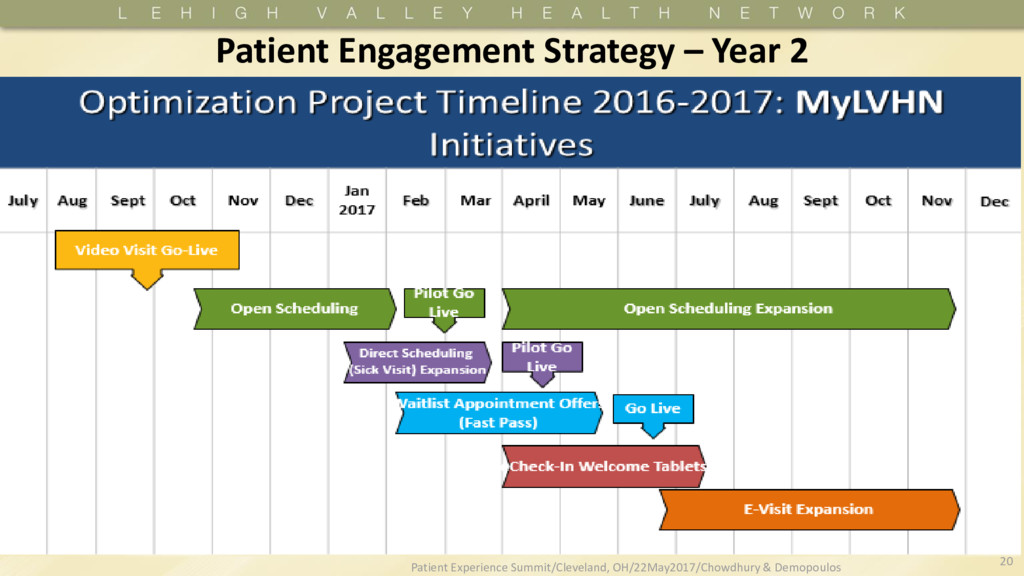
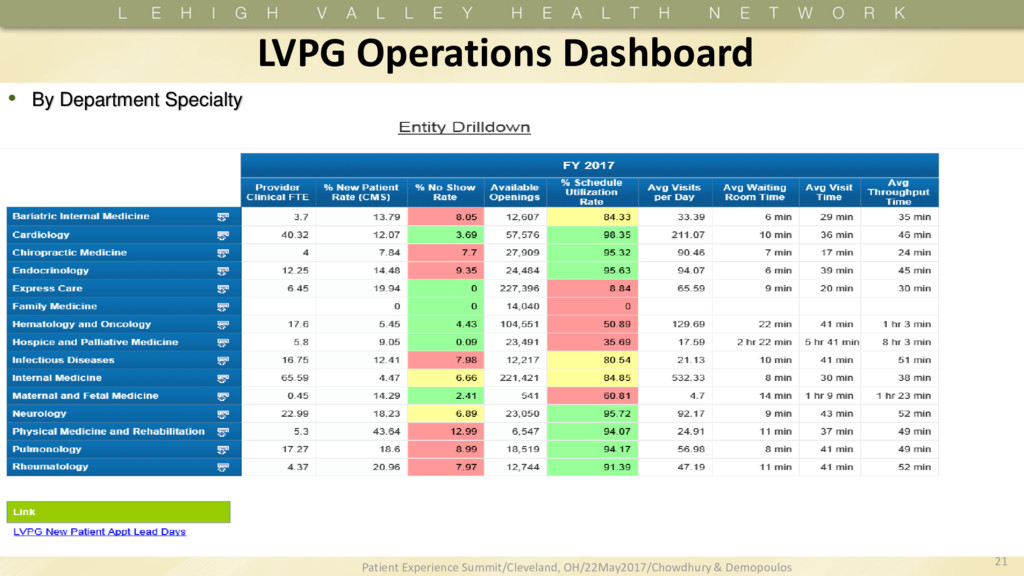
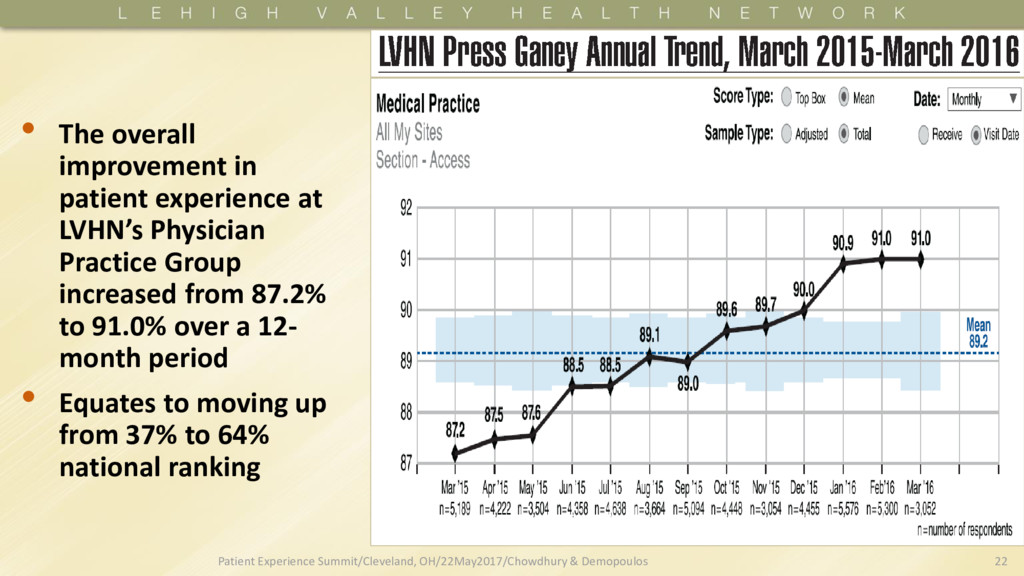
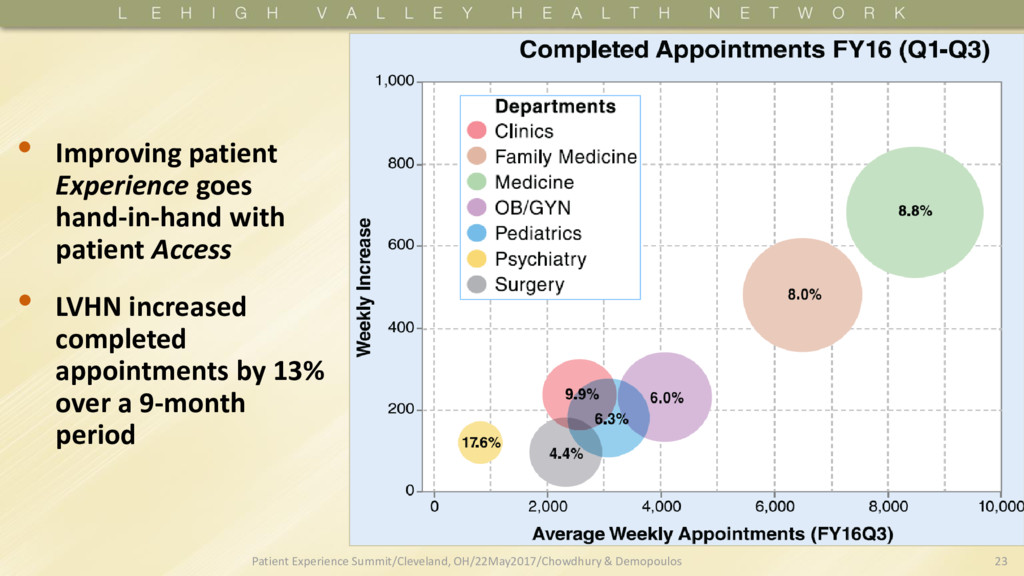
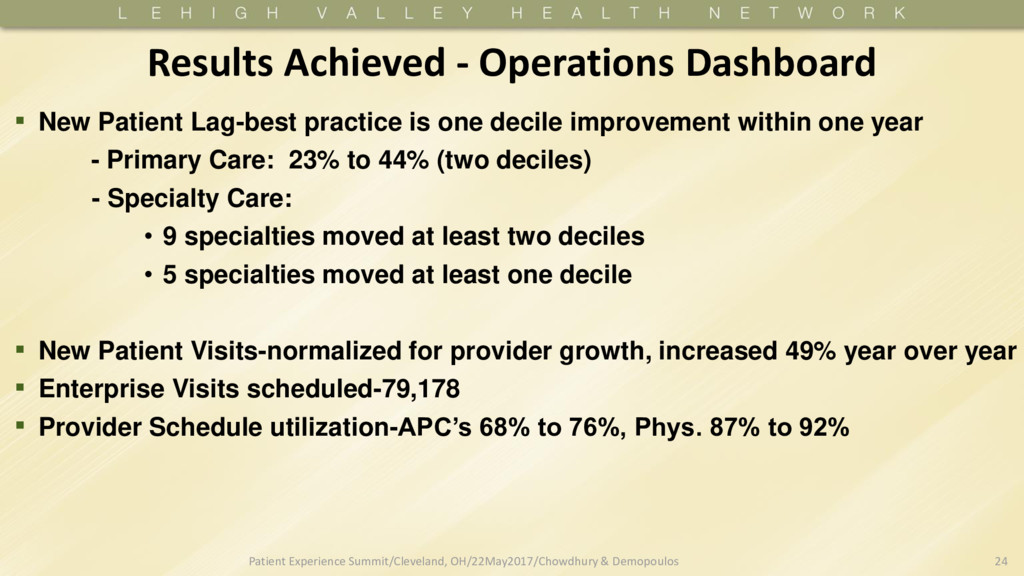
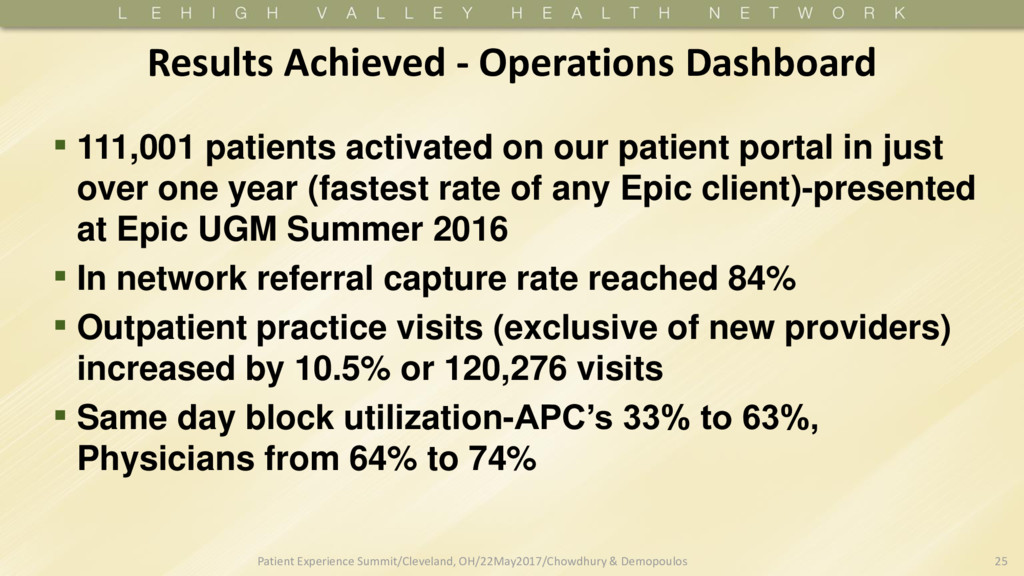
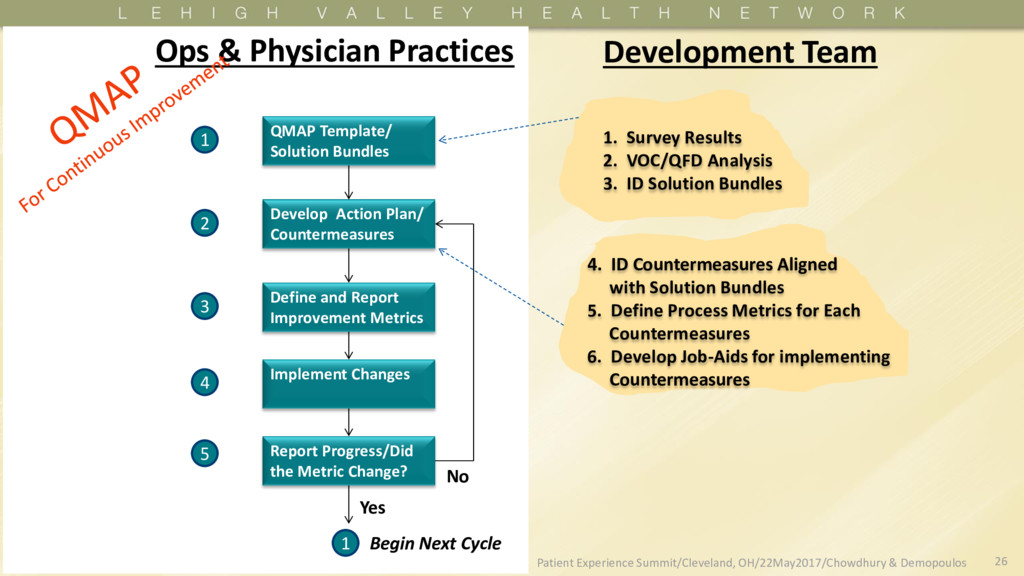
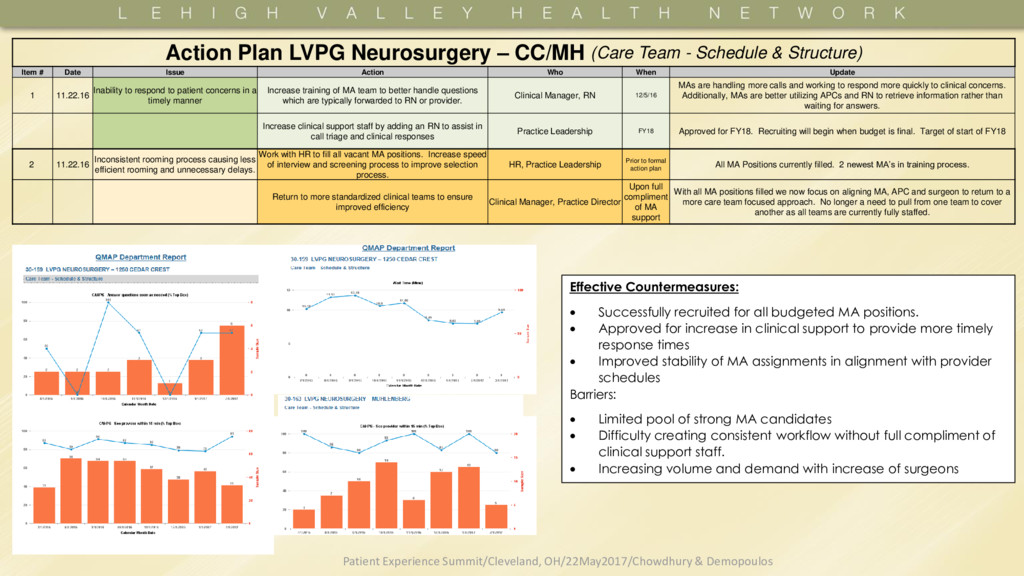
Who? Every colleague has the ability to promote and encourage patients to sign up for MyLVHN, our patient portal. From patient scheduling, front- desk registration, rooming, provider encounter and check-out colleagues should discuss the benefits such as prescription refill requests, scheduling well check-ups, paying copays, etc. A good opening to start the conversation with patients is simply asking "Do you have a smartphone or computer at home?" to identify if a patient would have access to this tool. All reference materials including FAQs, talking points, best practice recommendations and tipsheets are available via the Epic Transformation Share Point Site Understanding not every patient may be comfortable with using technology, a good opening question to start the conversation can be "Do you have a smartphone or computer at home?" This sets up if MyLVHN is an option. However, patients can also have a "proxy" assigned in a caregiver/guardian would like to help manage care for their loved one via MyLVHN. If a patient still refuses, respect their decision. SharePoint site • Utilize standard workflow for PEQs (PDF & Tip sheets – Epic Transformation SharePoint) For some practices, especially high volume, there were some concerns for the impact of PEQs on workflow. As one pilot practice suggested, they started with just piloting the tablet usage in one of their many pods at check-in initially to monitor the impact, get patient/staff satisfaction and then slowly rolled out to all areas of check-in. Clinical Support Staff/Provid ers/Patient Service Reps. Allows patients to complete registration items in advance of appointment. What can they do: – Verify and update demographics – Verify and update meds and allergies – Answer patient questionnaires – Pay copayments • Utilize standard workflow for PEQs (PDF & Tip sheets – Epic Transformation SharePoint) Again, not all patients may not welcome signing up for MyLVHN. In the case where a patient does not have MyLVHN, in the future, a patient may use the tablets currently used for PEQs to complete aspect of registration/check- in. Currently, if a patient does not have MyLVHN, please follow your normal instructions for patients to check-in. Patient Services Representa tives and clinical support staff Pilot Practices Only • E-visits can replace in-person visits for routine issues like pink eye or sinus infections, freeing up your providers for more complex appointments. Role Why • Complete most of check-in process from the convenience of home via MyLVHN • Save patients time when they arrive at practice • Extension to our expanded online scheduling and questionnaire capabilities • Registration process benefits for patient services representatives • Better patient experience at the office front desk -Minimizes arrival “paperwork” -Minimizes concerns about privacy 1.1.4 Utilize E-Visits (Pilot Practices only) • Patient entered questionnaires allow patients to answer questions prior to their visit. This saves valuable charting time for the clinical staff and provider, who now only needs to verify the answers, rather than enter the answers at time of visit. • Pilot practices have benefits from decreasing average encounter times from 3-12 minutes. How? Tips that will make or break, avoid injury, make it easier Reasons Key Points/Best Practice Components • Increase patient satisfaction: allows providers to more frequently interact with patients who are able to communicate directly to their providers. • Improve practice efficiencies: since patients can view results online, schedule appointments, message providers, etc. it decreases the amounts of calls to the practice and relieves time for staff and providers to focus on direct patient care appointment. • Patient engagement: patients are involved in their care outside the walls of LVHN, messaging their care teams, viewing their health histories and results, and taking a proactive stance to manage their health. A lternative Solution(s) 1.1.3 Utilize eCheck-In Job Aide Bundle: 9.0 Advanced Clinical Intelligence Countermeasure: 1.1 What? The logical steps to advance the work. 1.1.2 Utilize Patient Entered Questionnaires (PEQs) 1.1.1 Promote use of MyLVHN All Colleagues 17 Patient Experience Summit/Cleveland, OH/22May2017/Chowdhury & Demopoulos


 akmane
 matthewcrist
 uxyall
 katiecoart
 wayneb77
 mongodb
 gurzu
gurzu
 inesmontani
 danielanewman
 tonyrice
 twada
twada
 ks91
ks91
 marktimemedia