Upgrade to Pro
— share decks privately, control downloads, hide ads and more …
Speaker Deck
Sign up for free
Menu
Search
Features
All features
Private URLs
Password Protection
Custom URLS
Scheduled publishing
Remove Branding
Restrict embedding
Deck Collections
Notes
Features
All features
Private URLs
Password Protection
Custom URLS
Scheduled publishing
Remove Branding
Restrict embedding
Deck Collections
Notes
Explore
Featured decks
Featured speakers
Programming
Technology
Storyboards
Explore
Featured decks
Featured speakers
Programming
Technology
Storyboards
Pricing
Search
Sign in
Sign up for free
6月16日提出課題
Search
Kouki_T
June 16, 2016
27
0
Share
Embed
Copy iframe code
Copy JS code
Copy link
Start on current slide
6月16日提出課題
Kouki_T
June 16, 2016
More Decks by Kouki_T
See All by Kouki_T
How to use overpass
au_earth148
0
27
Featured
See All Featured
Visualizing Your Data: Incorporating Mongo into Loggly Infrastructure
mongodb
50
10k
Ethics towards AI in product and experience design
skipperchong
2
440
CSS Pre-Processors: Stylus, Less & Sass
bermonpainter
360
31k
Leveraging LLMs for student feedback in introductory data science courses - posit::conf(2025)
minecr
1
440
The World Runs on Bad Software
bkeepers
PRO
72
12k
Are puppies a ranking factor?
jonoalderson
2
4.1k
Practical Orchestrator
shlominoach
192
12k
Marketing Yourself as an Engineer | Alaka | Gurzu
gurzu
0
330
How to Think Like a Performance Engineer
csswizardry
28
2.9k
Helping Users Find Their Own Way: Creating Modern Search Experiences
danielanewman
31
3.4k
個人開発の失敗を避けるイケてる考え方 / tips for indie hackers
panda_program
123
22k
AI Search: Implications for SEO and How to Move Forward - #ShenzhenSEOConference
aleyda
1
1.4k
Transcript
OSM建物追加マニュアル 地球社会共生学科 1年A組148番 武末 康輝
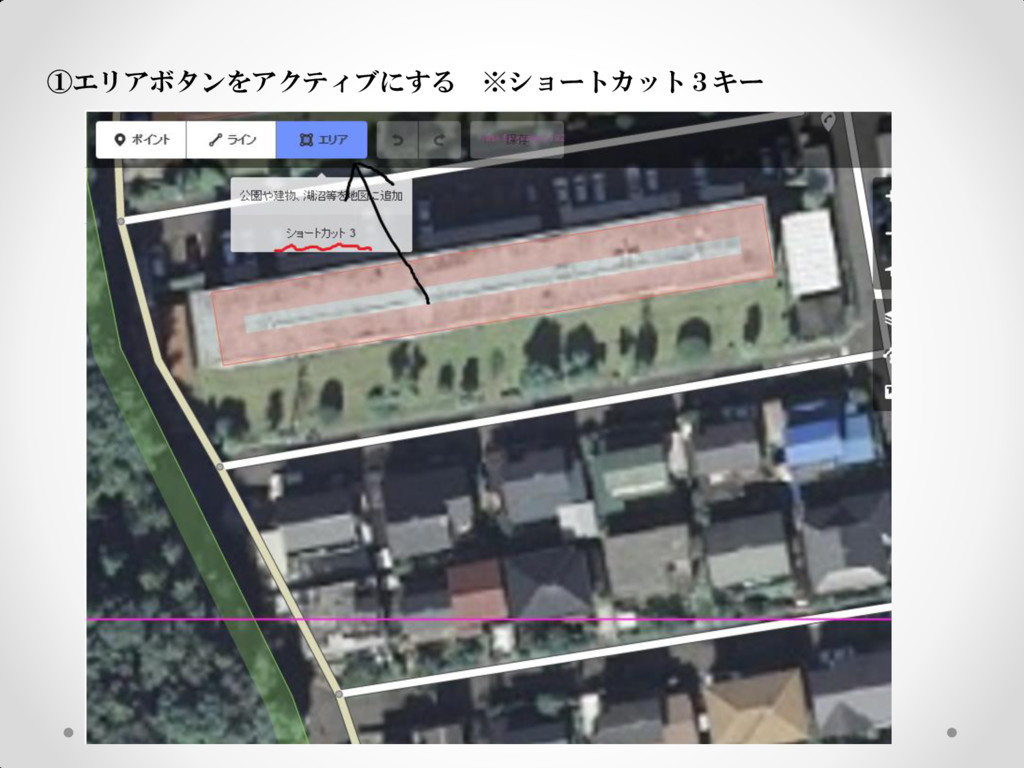
①エリアボタンをアクティブにする ※ショートカット3キー
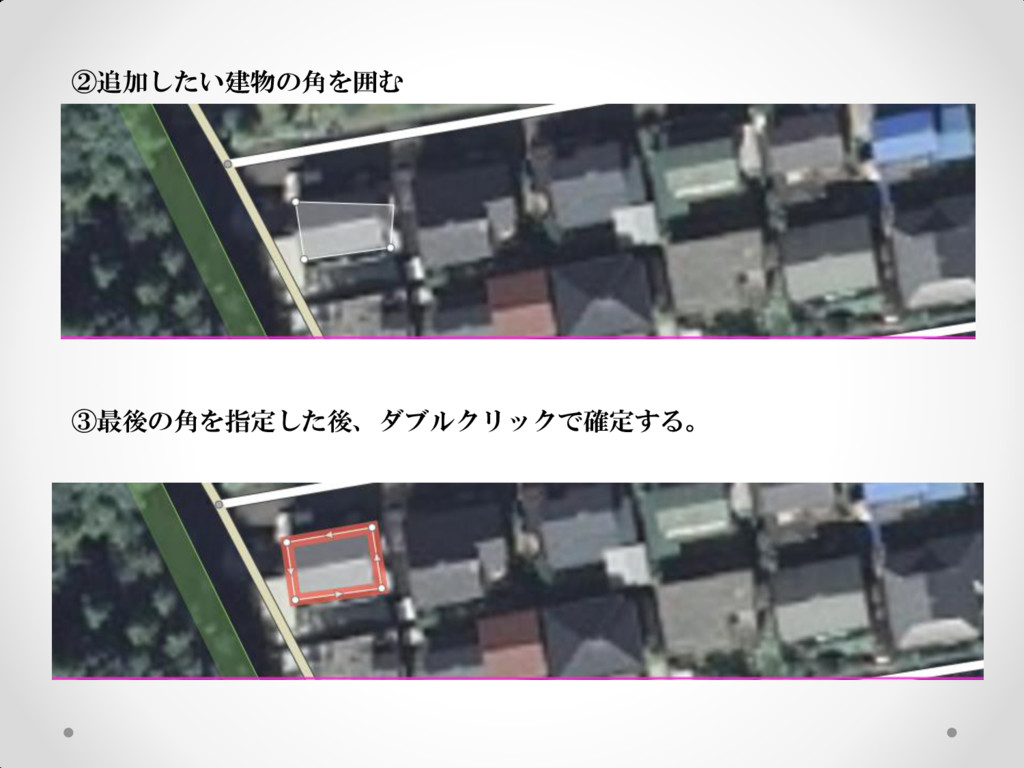
②追加したい建物の角を囲む ③最後の角を指定した後、ダブルクリックで確定する。
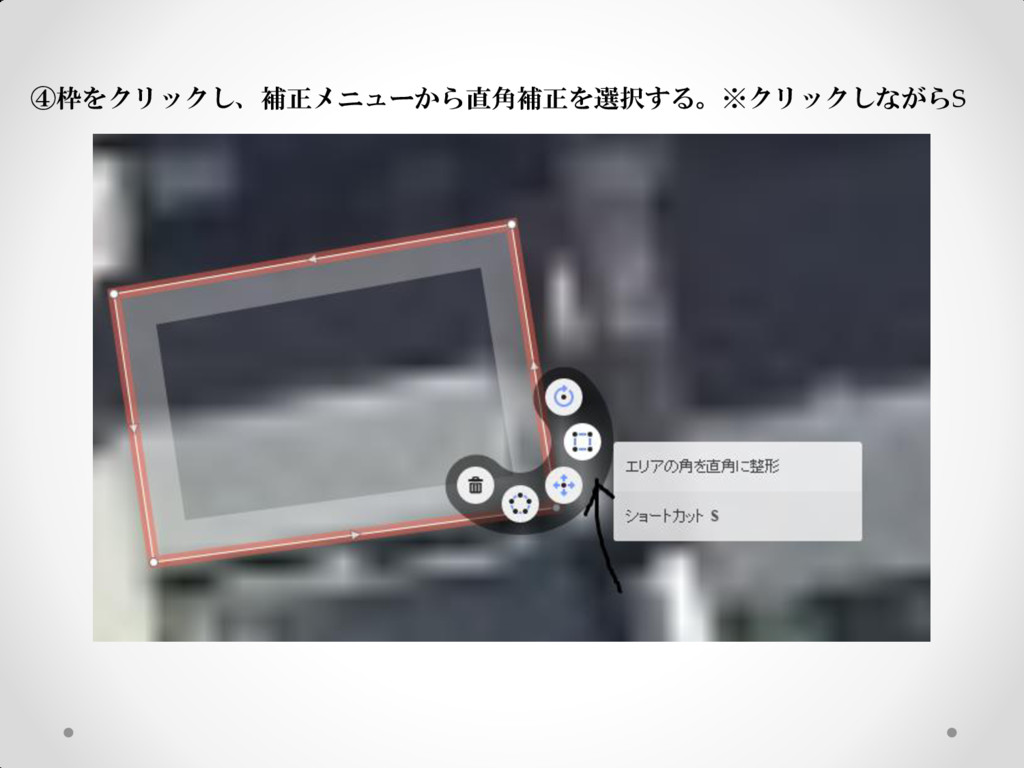
④枠をクリックし、補正メニューから直角補正を選択する。※クリックしながらS
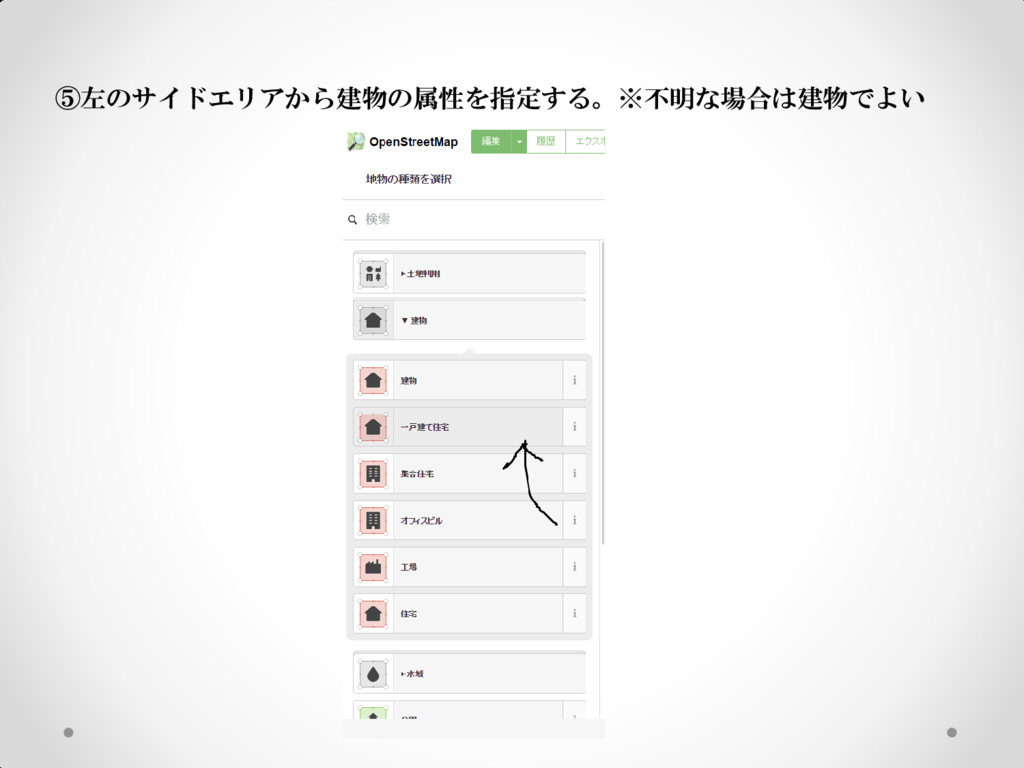
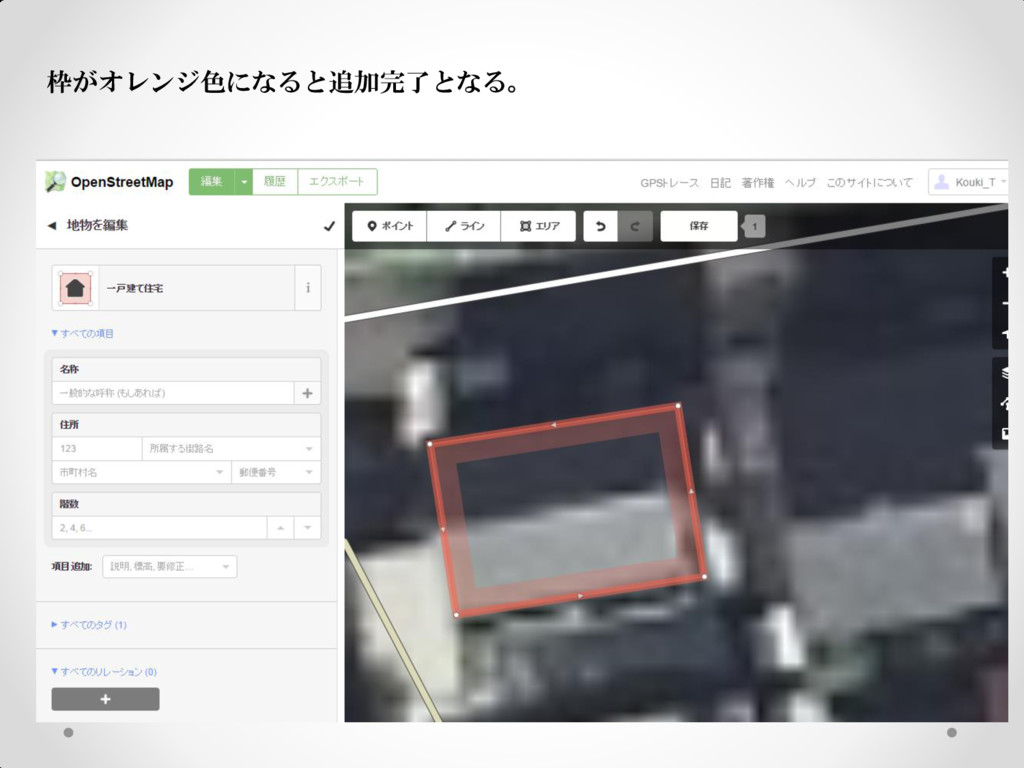
⑤左のサイドエリアから建物の属性を指定する。※不明な場合は建物でよい
枠がオレンジ色になると追加完了となる。
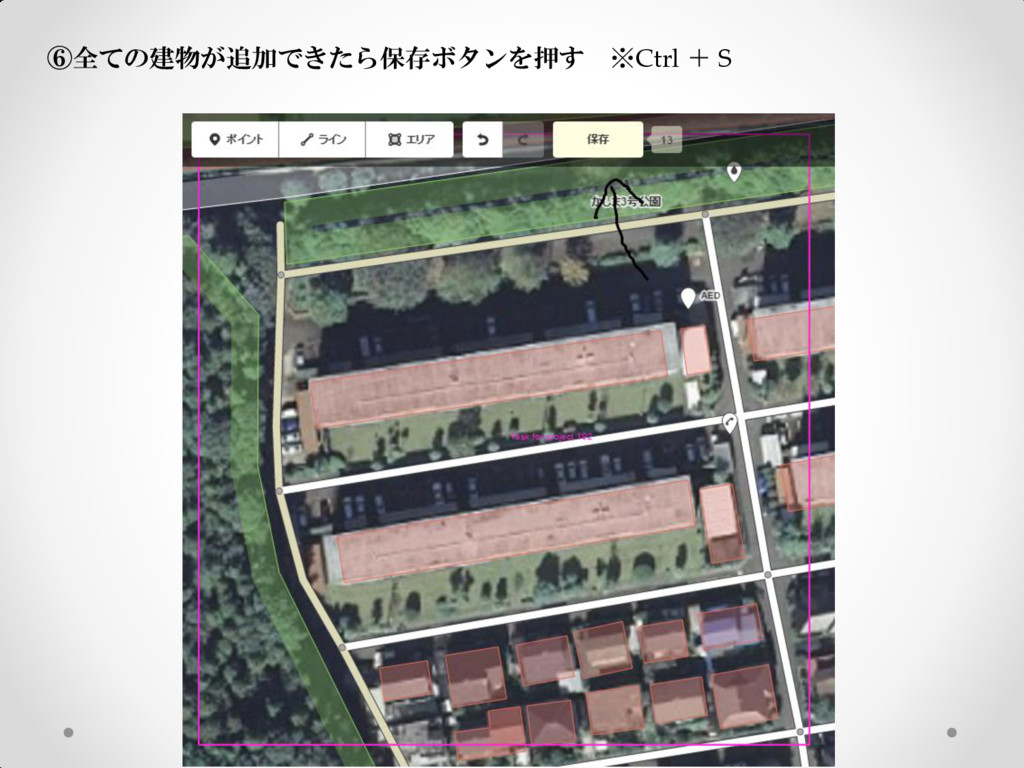
⑥全ての建物が追加できたら保存ボタンを押す ※Ctrl + S
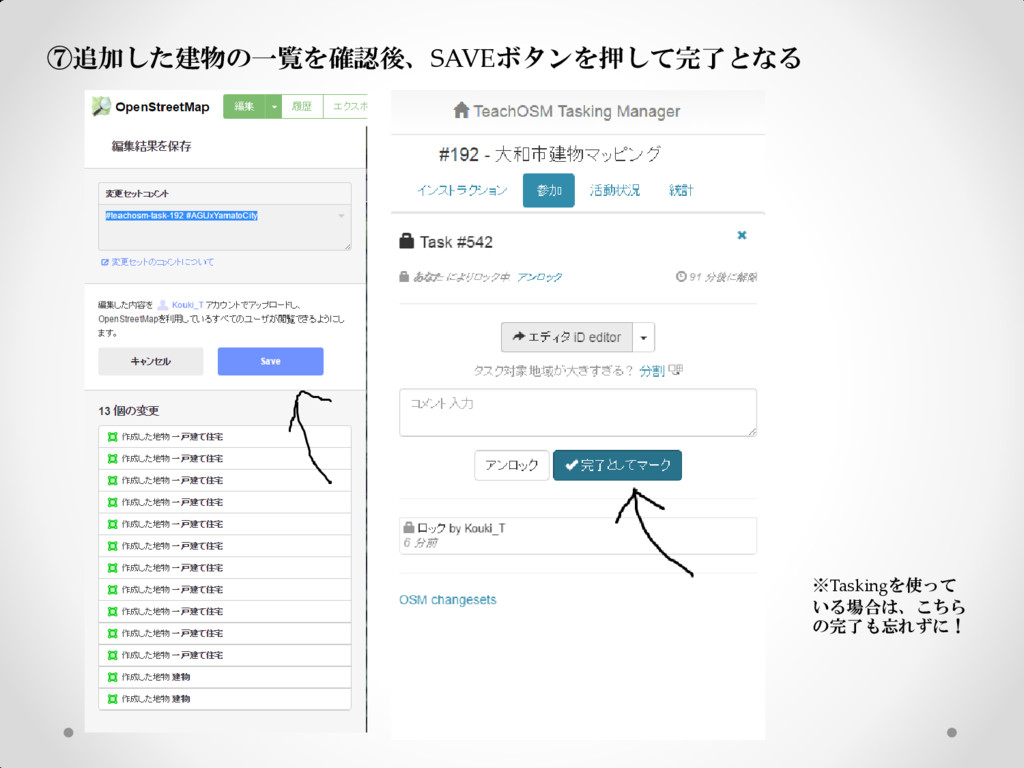
⑦追加した建物の一覧を確認後、SAVEボタンを押して完了となる ※Taskingを使って いる場合は、こちら の完了も忘れずに!
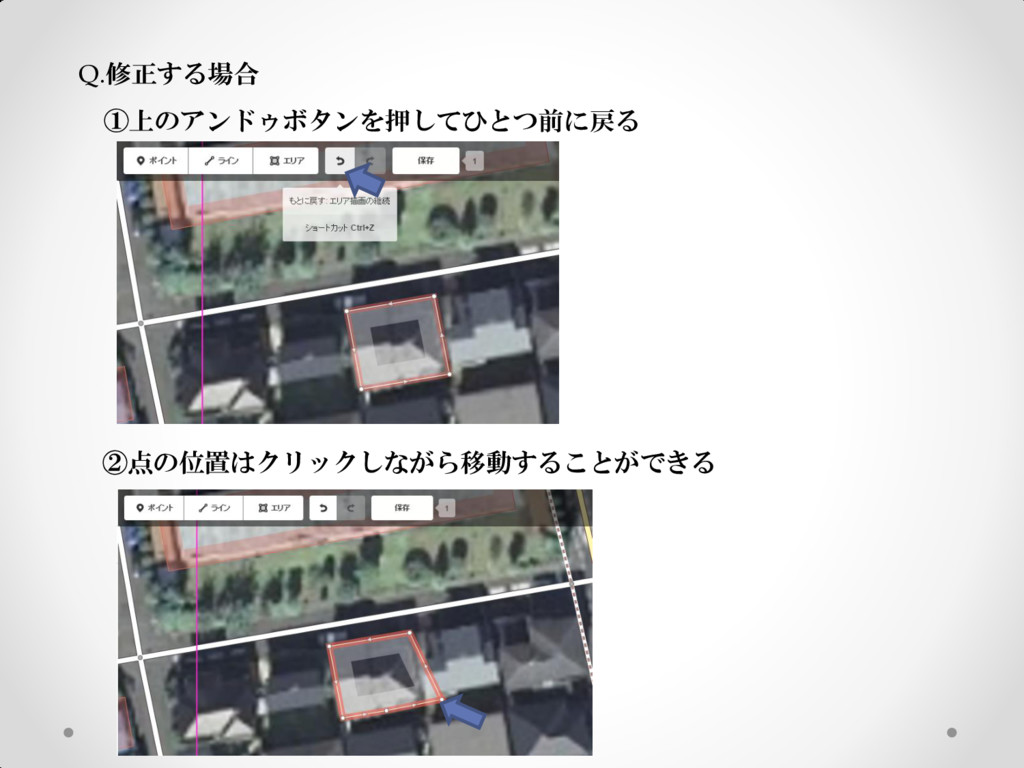
Q.修正する場合 ①上のアンドゥボタンを押してひとつ前に戻る ②点の位置はクリックしながら移動することができる
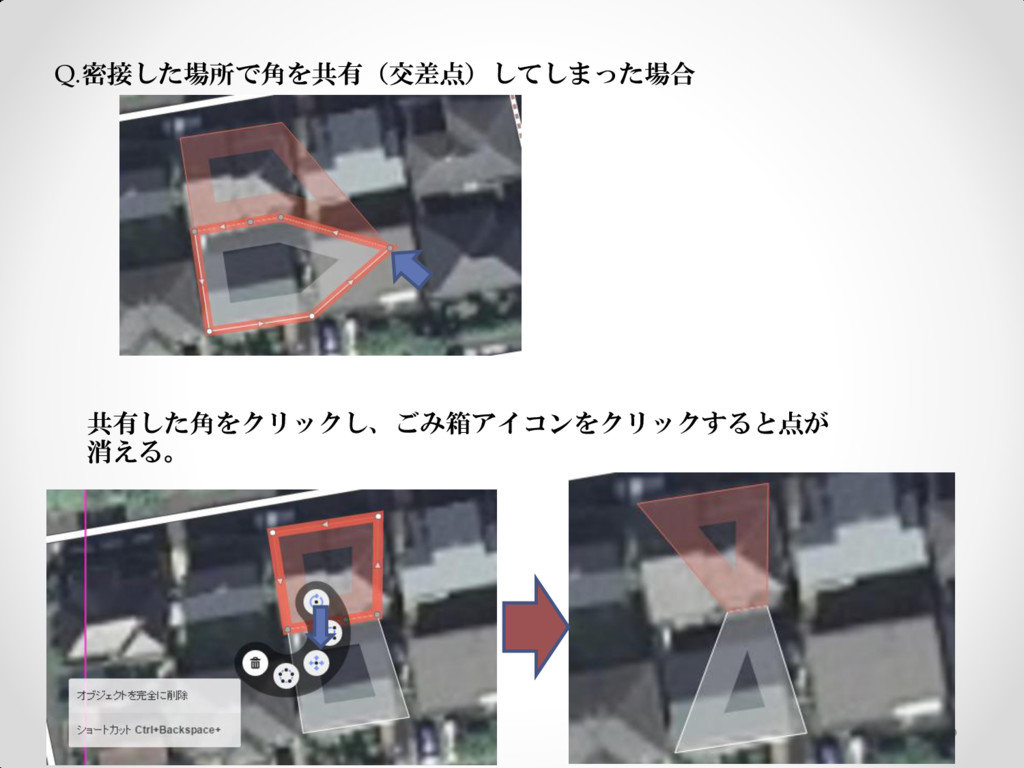
Q.密接した場所で角を共有(交差点)してしまった場合 共有した角をクリックし、ごみ箱アイコンをクリックすると点が 消える。
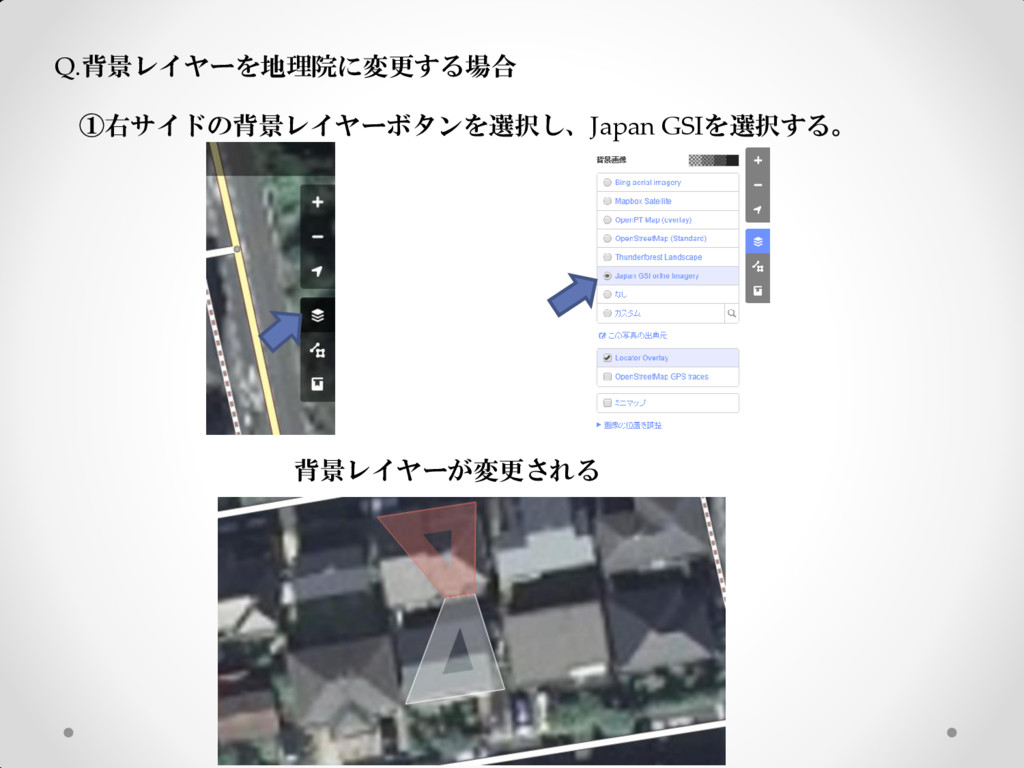
Q.背景レイヤーを地理院に変更する場合 ①右サイドの背景レイヤーボタンを選択し、Japan GSIを選択する。 背景レイヤーが変更される
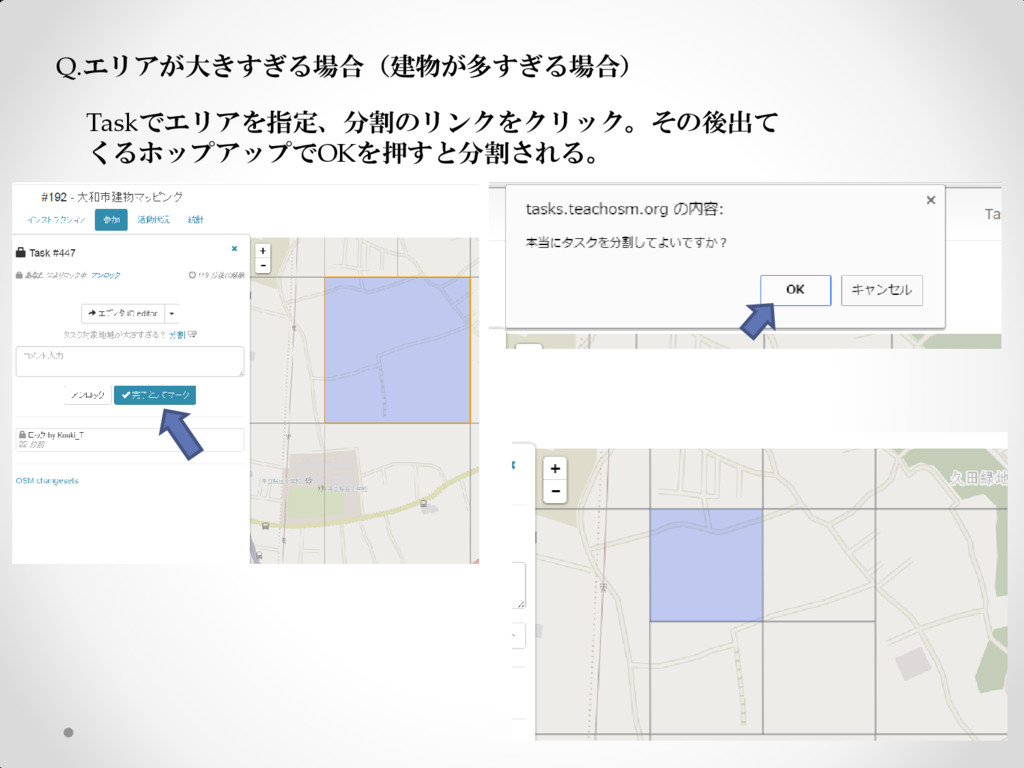
Q.エリアが大きすぎる場合(建物が多すぎる場合) Taskでエリアを指定、分割のリンクをクリック。その後出て くるホップアップでOKを押すと分割される。


 au_earth148
 mongodb
 skipperchong
 bermonpainter
 minecr
 bkeepers
 jonoalderson
 shlominoach
 gurzu
gurzu
 csswizardry
 danielanewman
 panda_program
 aleyda