Upgrade to Pro
— share decks privately, control downloads, hide ads and more …
Speaker Deck
Sign up for free
Menu
Search
Features
All features
Private URLs
Password Protection
Custom URLS
Scheduled publishing
Remove Branding
Restrict embedding
Deck Collections
Notes
Features
All features
Private URLs
Password Protection
Custom URLS
Scheduled publishing
Remove Branding
Restrict embedding
Deck Collections
Notes
Explore
Featured decks
Featured speakers
Programming
Technology
Storyboards
Explore
Featured decks
Featured speakers
Programming
Technology
Storyboards
Pricing
Search
Sign in
Sign up for free
空間情報システム入門Ⅰ#02 2016/06/16
Search
ayano ito
June 16, 2016
45
0
Share
Embed
Copy iframe code
Copy JS code
Copy link
Start on current slide
空間情報システム入門Ⅰ#02 2016/06/16
ayano ito
June 16, 2016
More Decks by ayano ito
See All by ayano ito
ポケモンGOで採用されそうな場所
ayaaaaaaaa
0
44
Featured
See All Featured
Collaborative Software Design: How to facilitate domain modelling decisions
baasie
1
340
Large-scale JavaScript Application Architecture
addyosmani
516
110k
Practical Orchestrator
shlominoach
192
12k
Reflections from 52 weeks, 52 projects
jeffersonlam
356
22k
RailsConf & Balkan Ruby 2019: The Past, Present, and Future of Rails at GitHub
eileencodes
141
35k
Designing for Timeless Needs
cassininazir
1
530
世界の人気アプリ100個を分析して見えたペイウォール設計の心得
akihiro_kokubo
PRO
74
43k
A Tale of Four Properties
chriscoyier
163
24k
A Guide to Academic Writing Using Generative AI - A Workshop
ks91
PRO
1
520
The browser strikes back
jonoalderson
0
1.8k
It's Worth the Effort
3n
188
29k
HU Berlin: Industrial-Strength Natural Language Processing with spaCy and Prodigy
inesmontani
PRO
0
750
Transcript
Tasking Manager によるマッピング作業のマ ニュアル作成方法 1A116023 伊藤 彩乃
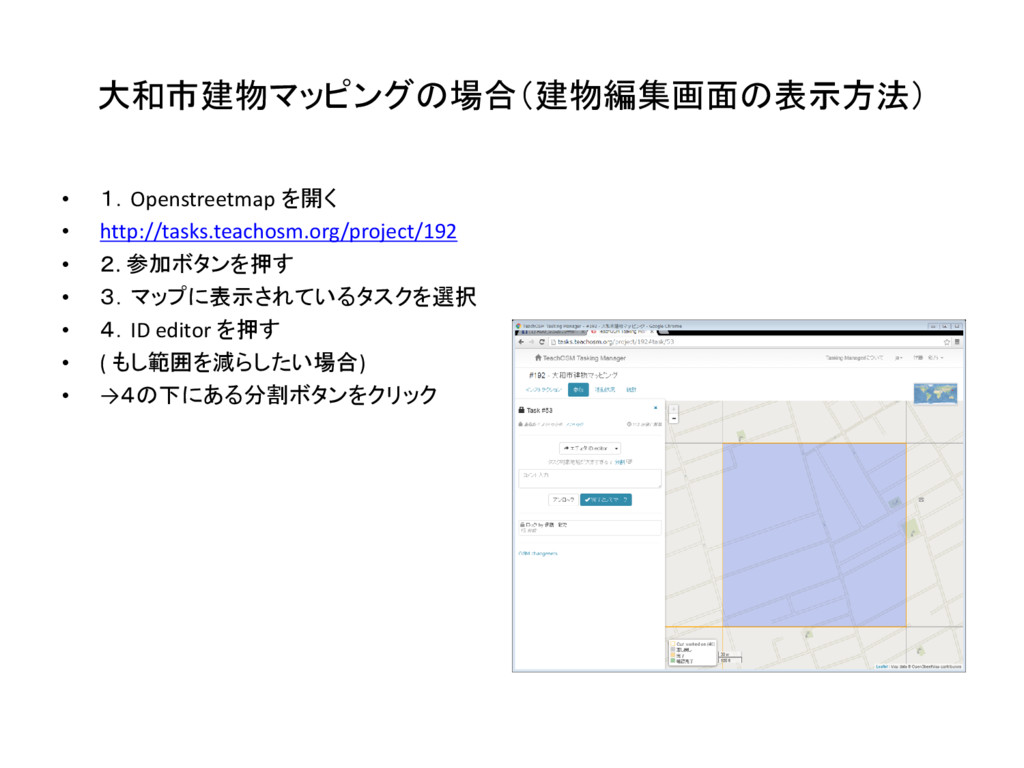
大和市建物マッピングの場合(建物編集画面の表示方法) • 1.Openstreetmap を開く • http://tasks.teachosm.org/project/192 • 2. 参加ボタンを押す •
3.マップに表示されているタスクを選択 • 4.ID editor を押す • ( もし範囲を減らしたい場合) • →4の下にある分割ボタンをクリック
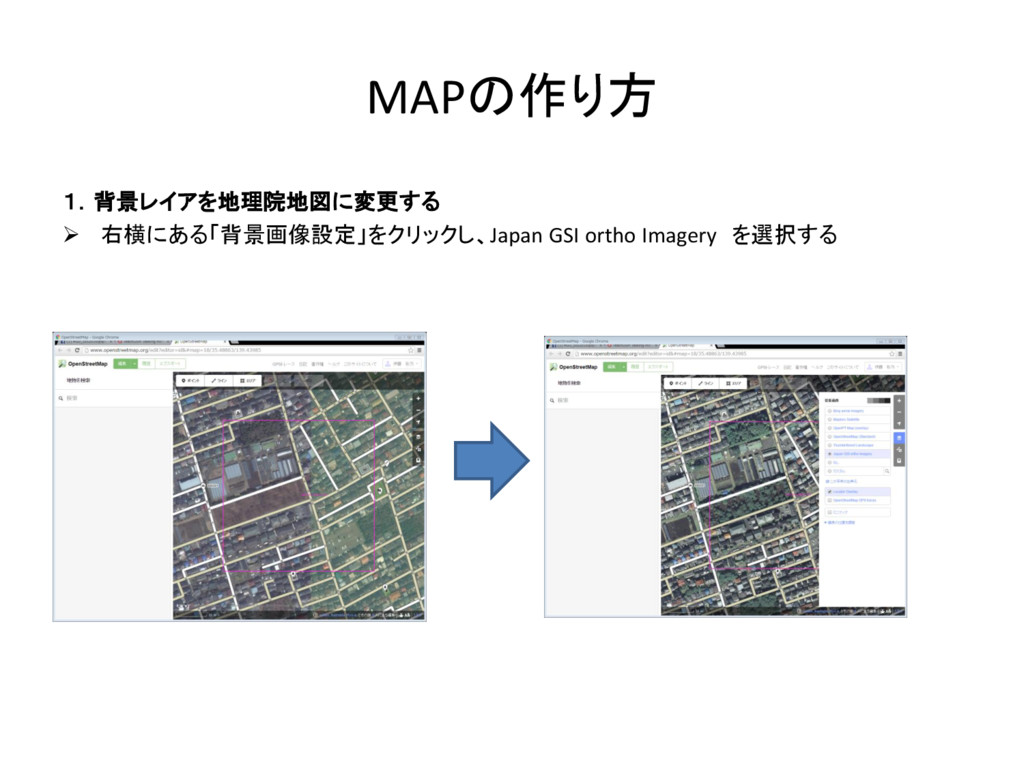
MAPの作り方 1.背景レイアを地理院地図に変更する 右横にある「背景画像設定」をクリックし、Japan GSI ortho Imagery を選択する
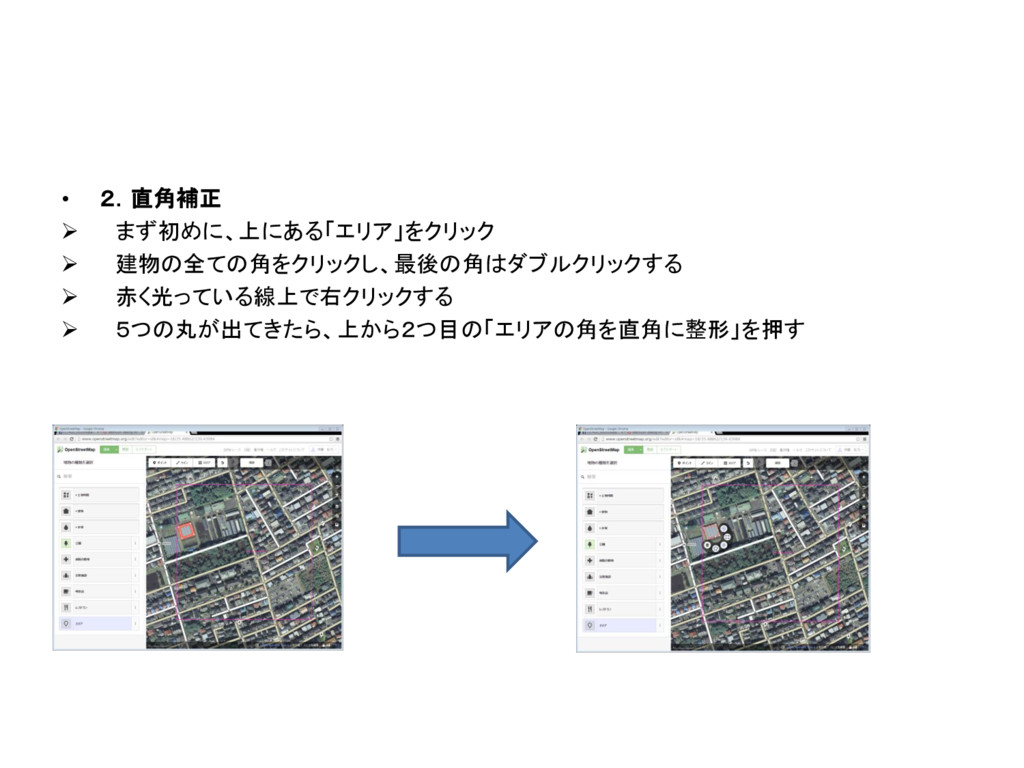
• 2.直角補正 まず初めに、上にある「エリア」をクリック 建物の全ての角をクリックし、最後の角はダブルクリックする 赤く光っている線上で右クリックする 5つの丸が出てきたら、上から2つ目の「エリアの角を直角に整形」を押す
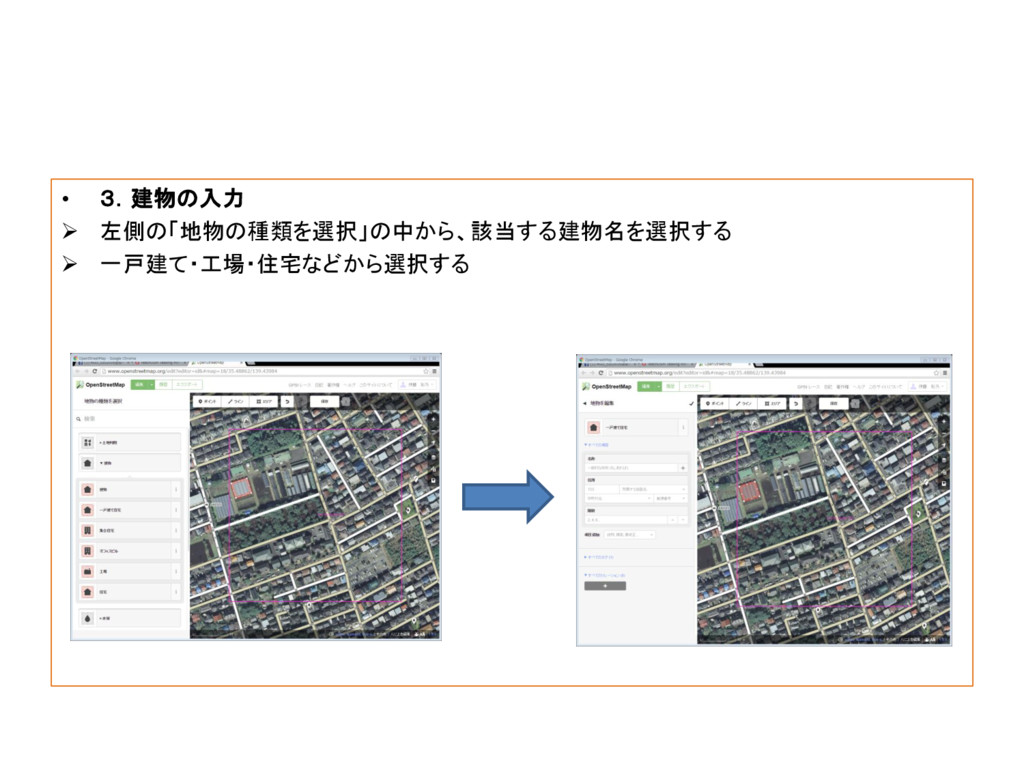
• 3.建物の入力 左側の「地物の種類を選択」の中から、該当する建物名を選択する 一戸建て・工場・住宅などから選択する
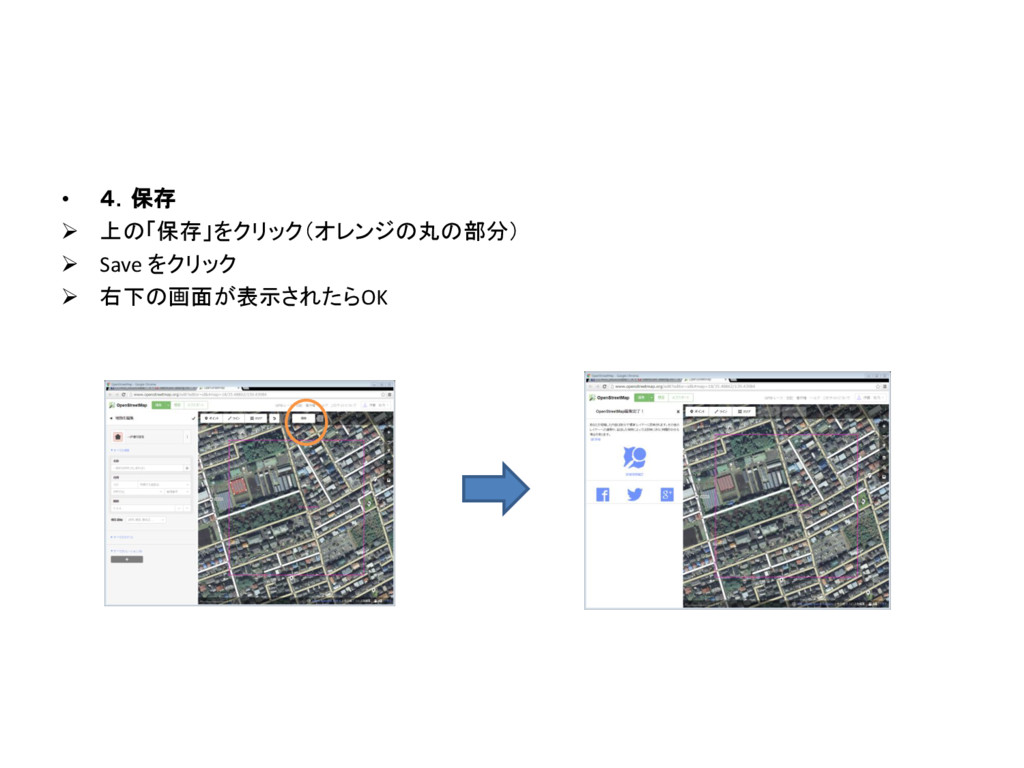
• 4.保存 上の「保存」をクリック(オレンジの丸の部分) Save をクリック 右下の画面が表示されたらOK
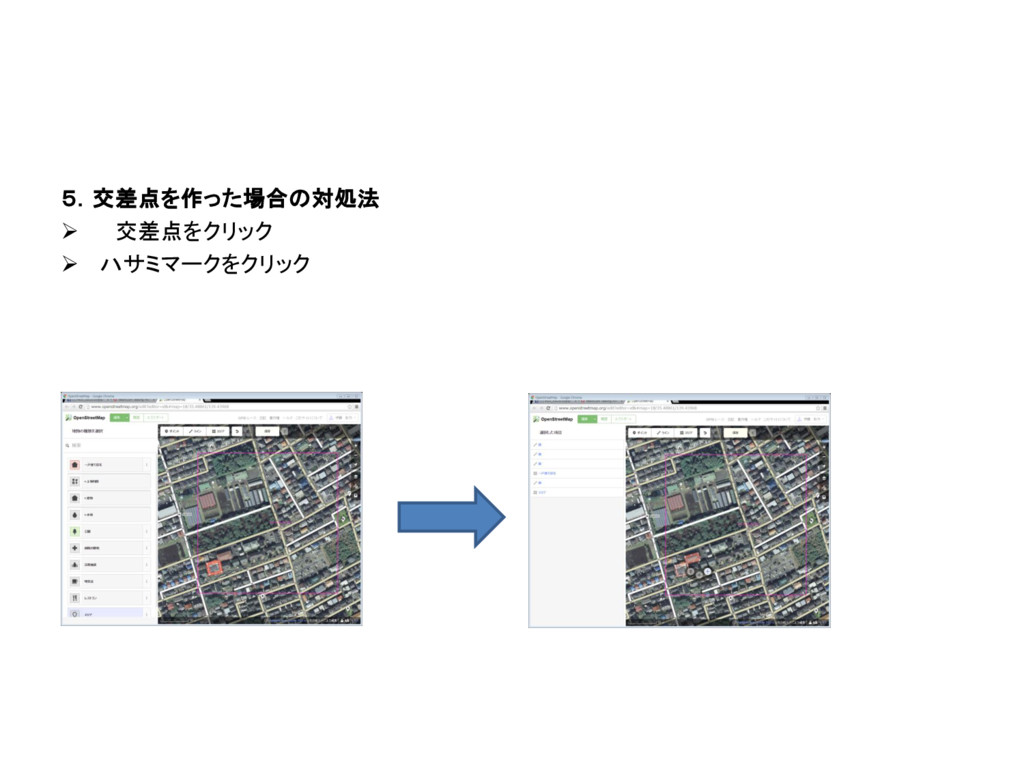
5.交差点を作った場合の対処法 交差点をクリック ハサミマークをクリック
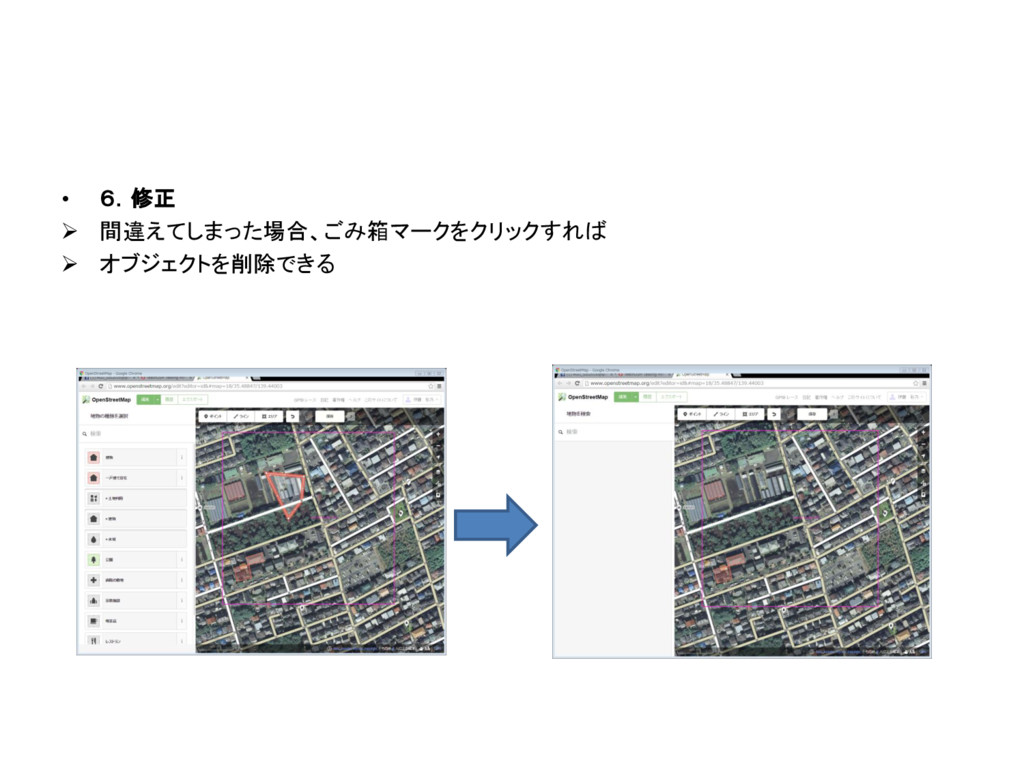
• 6.修正 間違えてしまった場合、ごみ箱マークをクリックすれば オブジェクトを削除できる
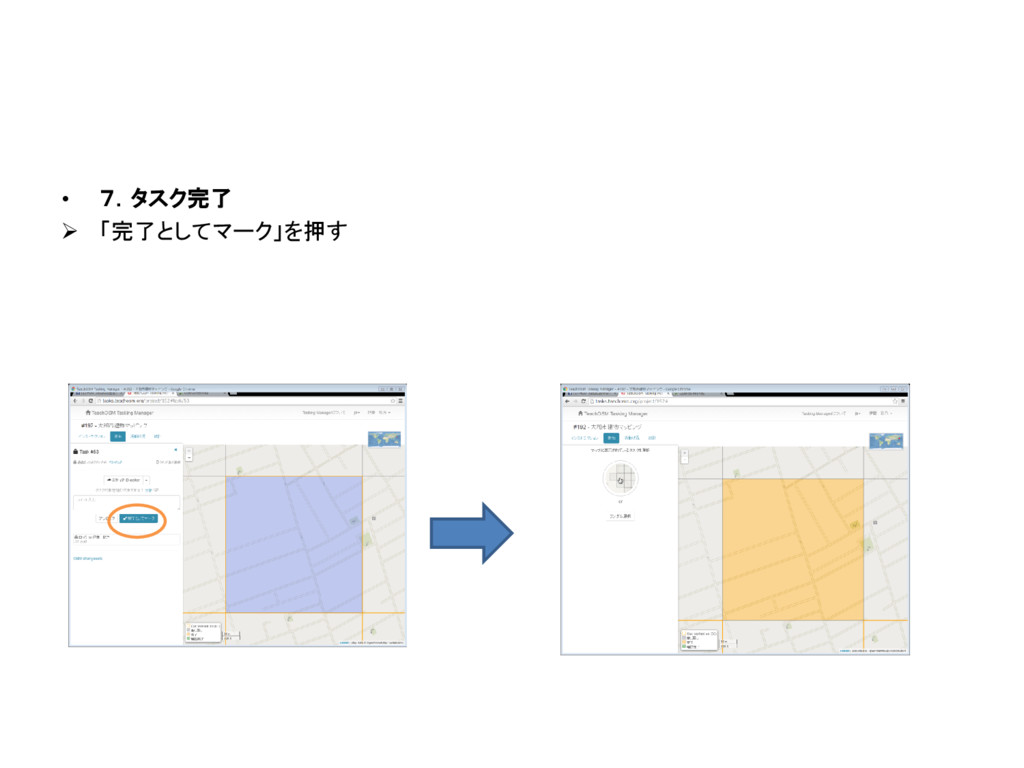
• 7.タスク完了 「完了としてマーク」を押す


 ayaaaaaaaa
 baasie
 addyosmani
 shlominoach
 jeffersonlam
 eileencodes
 cassininazir
 akihiro_kokubo
 chriscoyier
 ks91
ks91
 jonoalderson
 3n
3n
 inesmontani