Upgrade to Pro — share decks privately, control downloads, hide ads and more …

Git Gud

Git Gud

Avatar for Anthony Todd

Anthony Todd

June 01, 2020
Tweet

Other Decks in Programming

Transcript

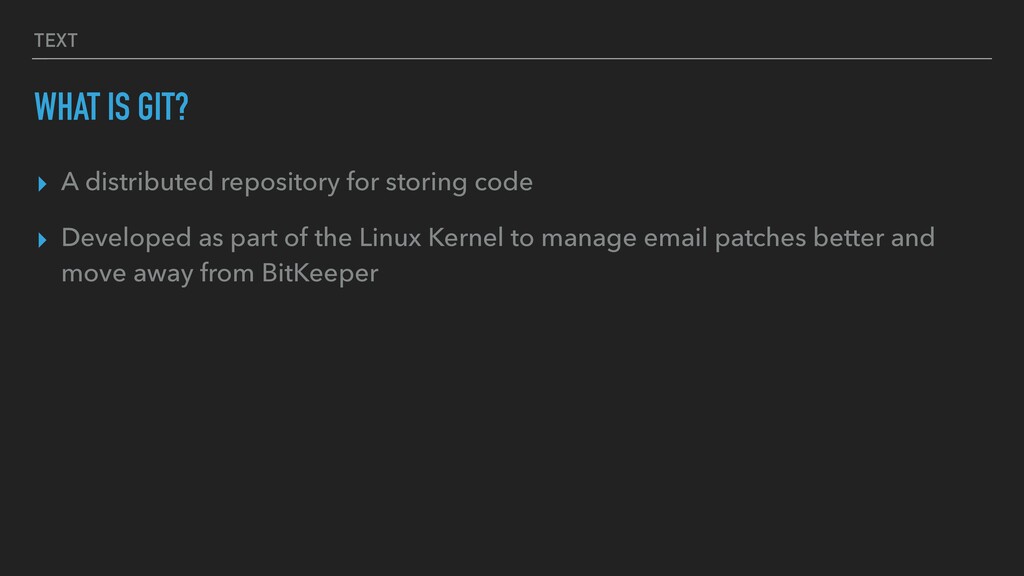
  1. TEXT WHAT IS GIT? ▸ A distributed repository for storing

    code ▸ Developed as part of the Linux Kernel to manage email patches better and move away from BitKeeper
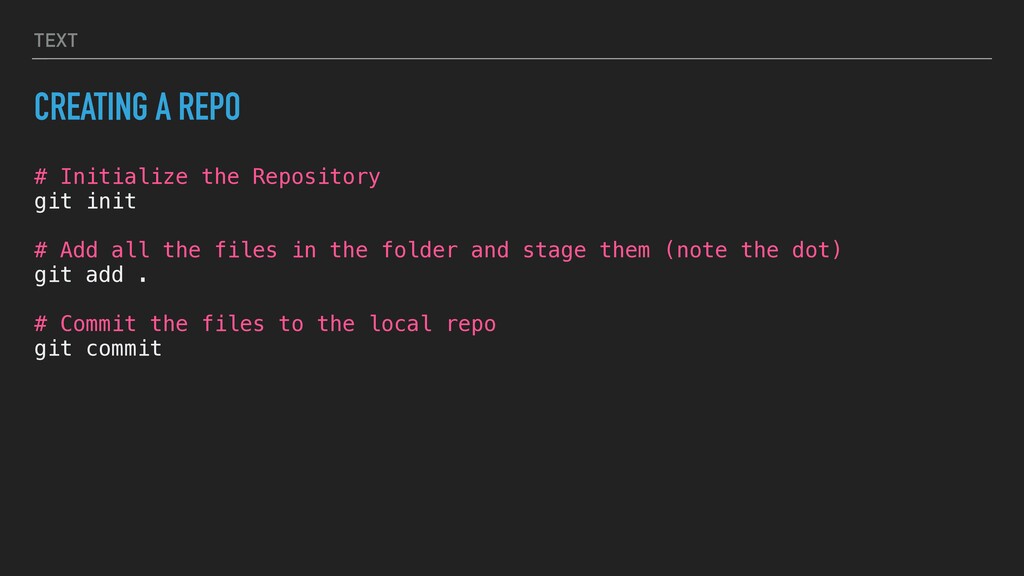
  2. TEXT CREATING A REPO # Initialize the Repository git init

    # Add all the files in the folder and stage them (note the dot) git add . # Commit the files to the local repo git commit
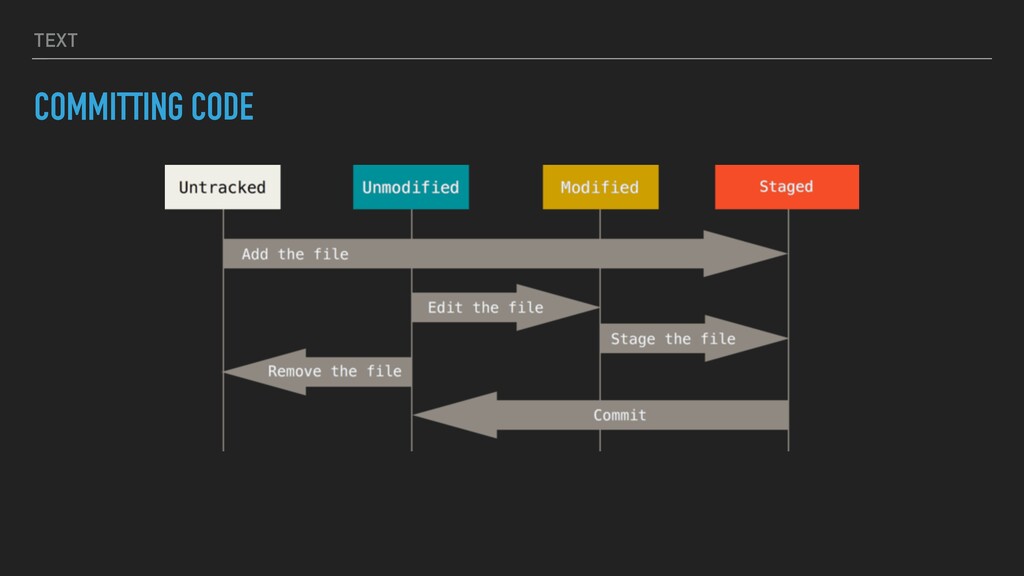
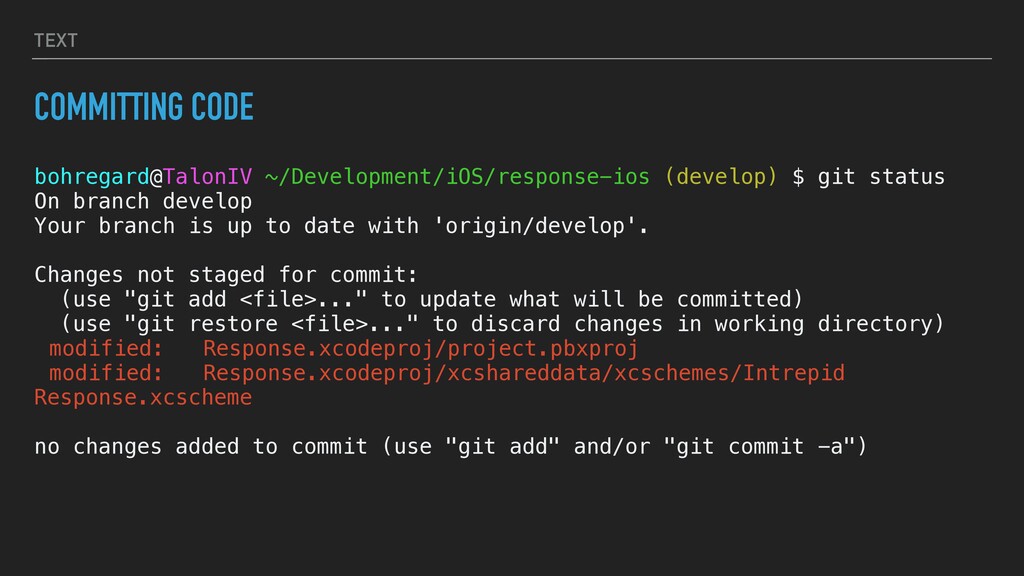
  3. TEXT COMMITTING CODE bohregard@TalonIV ~/Development/iOS/response-ios (develop) $ git status On

    branch develop Your branch is up to date with 'origin/develop'. Changes not staged for commit: (use "git add <file>..." to update what will be committed) (use "git restore <file>..." to discard changes in working directory) modified: Response.xcodeproj/project.pbxproj modified: Response.xcodeproj/xcshareddata/xcschemes/Intrepid Response.xcscheme no changes added to commit (use "git add" and/or "git commit -a")
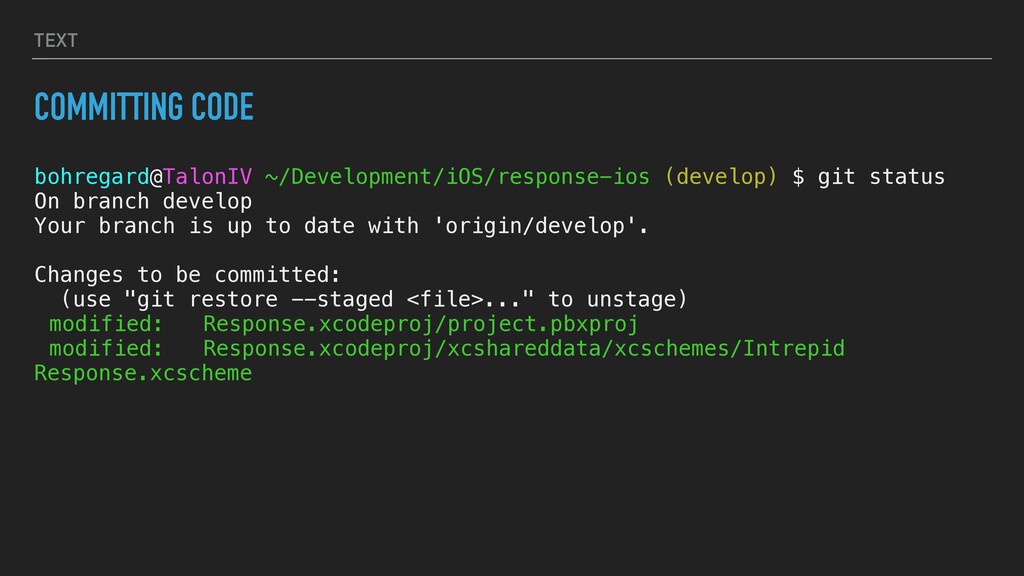
  4. TEXT COMMITTING CODE bohregard@TalonIV ~/Development/iOS/response-ios (develop) $ git status On

    branch develop Your branch is up to date with 'origin/develop'. Changes to be committed: (use "git restore --staged <file>..." to unstage) modified: Response.xcodeproj/project.pbxproj modified: Response.xcodeproj/xcshareddata/xcschemes/Intrepid Response.xcscheme
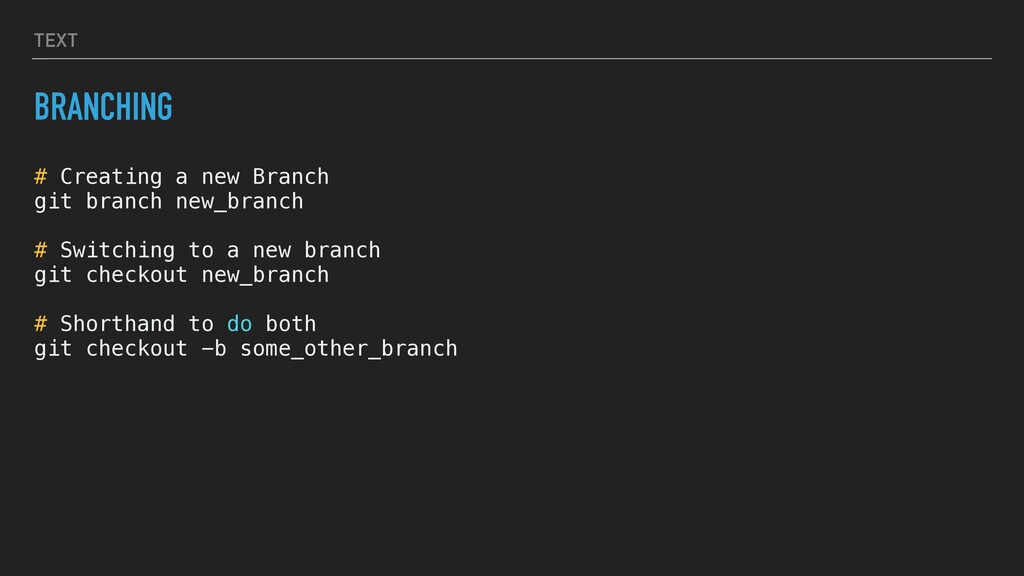
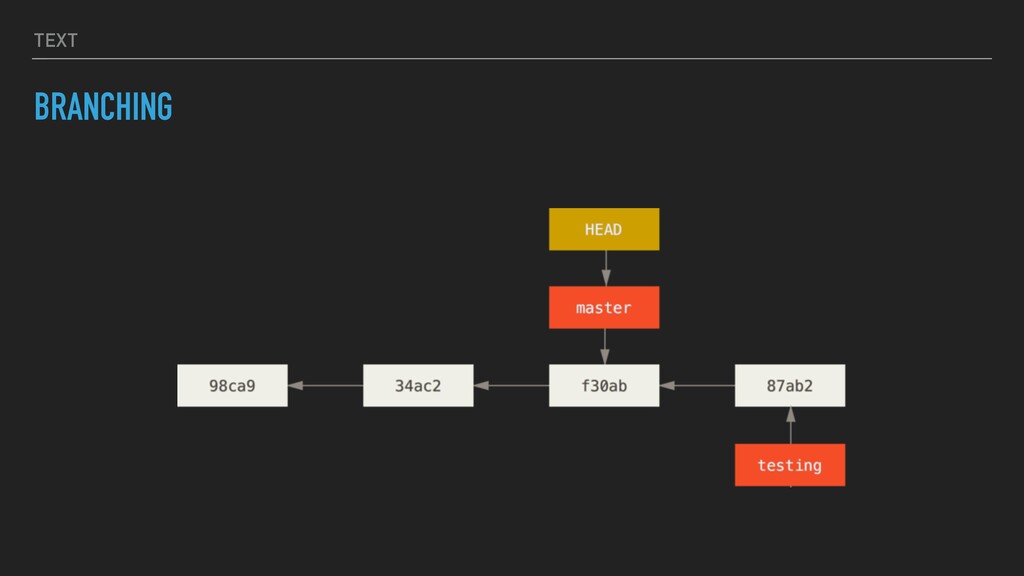
  5. TEXT BRANCHING # Creating a new Branch git branch new_branch

    # Switching to a new branch git checkout new_branch # Shorthand to do both git checkout -b some_other_branch
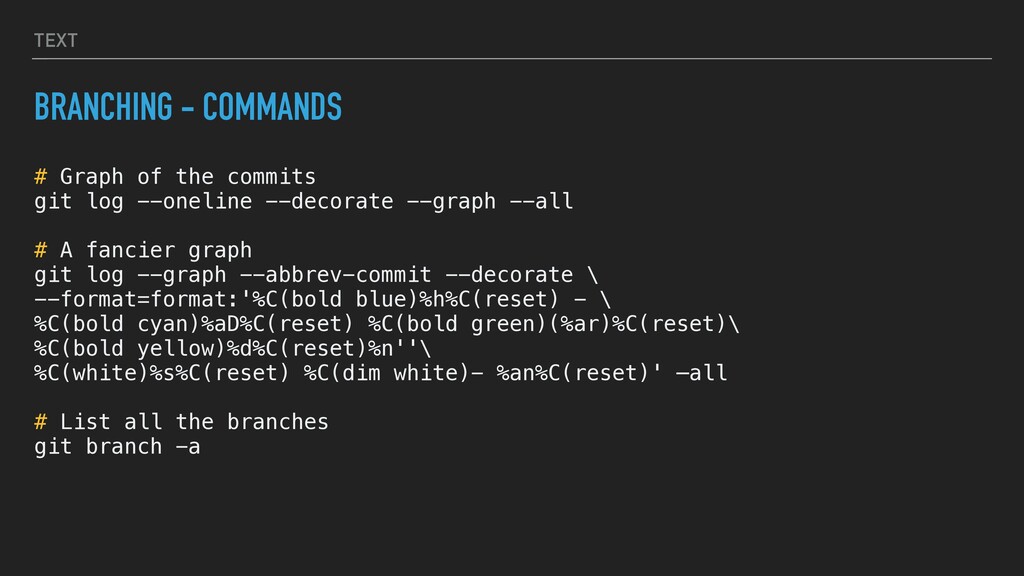
  6. TEXT BRANCHING - COMMANDS # Graph of the commits git

    log --oneline --decorate --graph --all # A fancier graph git log --graph --abbrev-commit --decorate \ --format=format:'%C(bold blue)%h%C(reset) - \ %C(bold cyan)%aD%C(reset) %C(bold green)(%ar)%C(reset)\ %C(bold yellow)%d%C(reset)%n''\ %C(white)%s%C(reset) %C(dim white)- %an%C(reset)' —all # List all the branches git branch -a
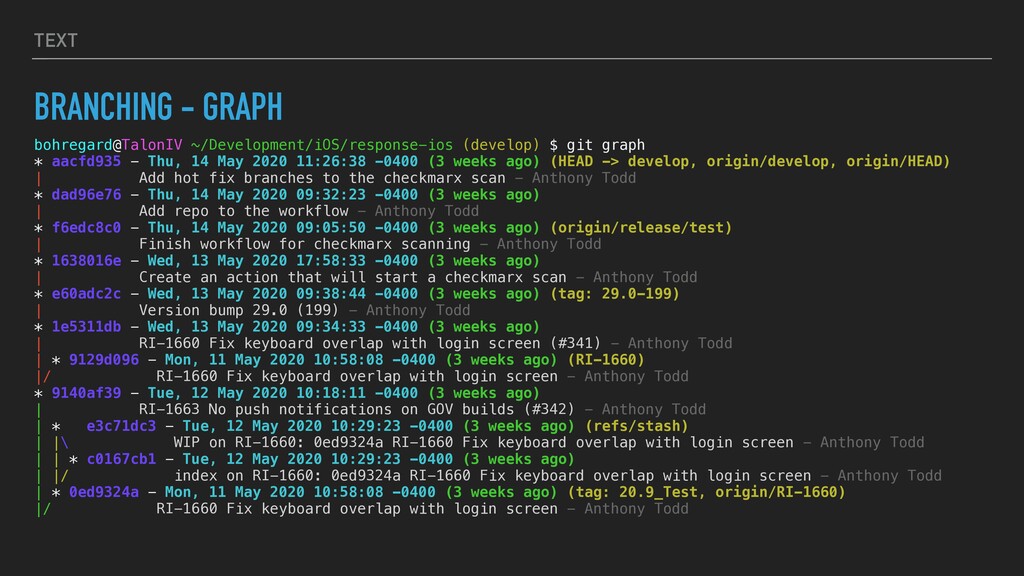
  7. TEXT BRANCHING - GRAPH bohregard@TalonIV ~/Development/iOS/response-ios (develop) $ git graph

    * aacfd935 - Thu, 14 May 2020 11:26:38 -0400 (3 weeks ago) (HEAD -> develop, origin/develop, origin/HEAD) | Add hot fix branches to the checkmarx scan - Anthony Todd * dad96e76 - Thu, 14 May 2020 09:32:23 -0400 (3 weeks ago) | Add repo to the workflow - Anthony Todd * f6edc8c0 - Thu, 14 May 2020 09:05:50 -0400 (3 weeks ago) (origin/release/test) | Finish workflow for checkmarx scanning - Anthony Todd * 1638016e - Wed, 13 May 2020 17:58:33 -0400 (3 weeks ago) | Create an action that will start a checkmarx scan - Anthony Todd * e60adc2c - Wed, 13 May 2020 09:38:44 -0400 (3 weeks ago) (tag: 29.0-199) | Version bump 29.0 (199) - Anthony Todd * 1e5311db - Wed, 13 May 2020 09:34:33 -0400 (3 weeks ago) | RI-1660 Fix keyboard overlap with login screen (#341) - Anthony Todd | * 9129d096 - Mon, 11 May 2020 10:58:08 -0400 (3 weeks ago) (RI-1660) |/ RI-1660 Fix keyboard overlap with login screen - Anthony Todd * 9140af39 - Tue, 12 May 2020 10:18:11 -0400 (3 weeks ago) | RI-1663 No push notifications on GOV builds (#342) - Anthony Todd | * e3c71dc3 - Tue, 12 May 2020 10:29:23 -0400 (3 weeks ago) (refs/stash) | |\ WIP on RI-1660: 0ed9324a RI-1660 Fix keyboard overlap with login screen - Anthony Todd | | * c0167cb1 - Tue, 12 May 2020 10:29:23 -0400 (3 weeks ago) | |/ index on RI-1660: 0ed9324a RI-1660 Fix keyboard overlap with login screen - Anthony Todd | * 0ed9324a - Mon, 11 May 2020 10:58:08 -0400 (3 weeks ago) (tag: 20.9_Test, origin/RI-1660) |/ RI-1660 Fix keyboard overlap with login screen - Anthony Todd
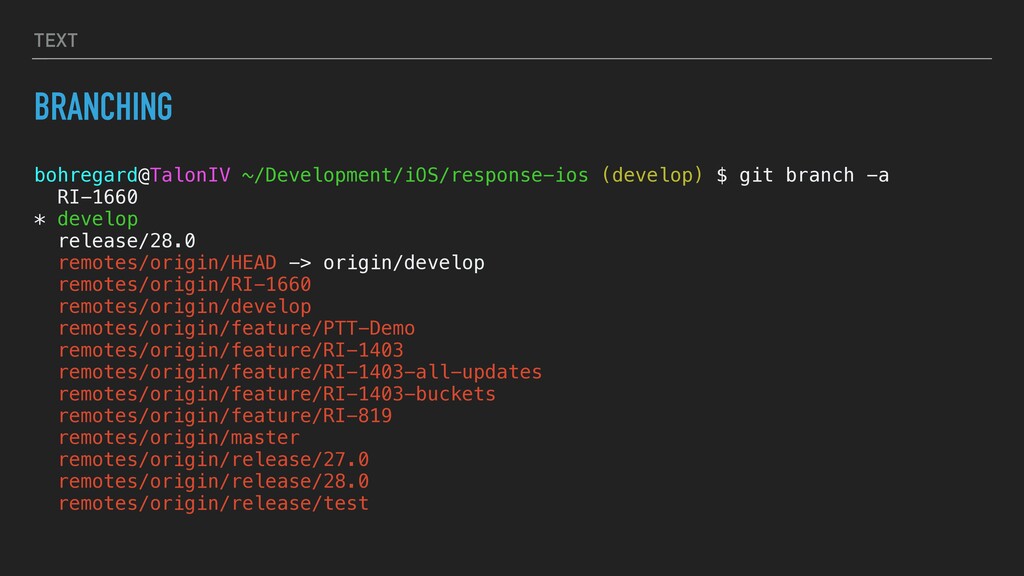
  8. TEXT BRANCHING bohregard@TalonIV ~/Development/iOS/response-ios (develop) $ git branch -a RI-1660

    * develop release/28.0 remotes/origin/HEAD -> origin/develop remotes/origin/RI-1660 remotes/origin/develop remotes/origin/feature/PTT-Demo remotes/origin/feature/RI-1403 remotes/origin/feature/RI-1403-all-updates remotes/origin/feature/RI-1403-buckets remotes/origin/feature/RI-819 remotes/origin/master remotes/origin/release/27.0 remotes/origin/release/28.0 remotes/origin/release/test
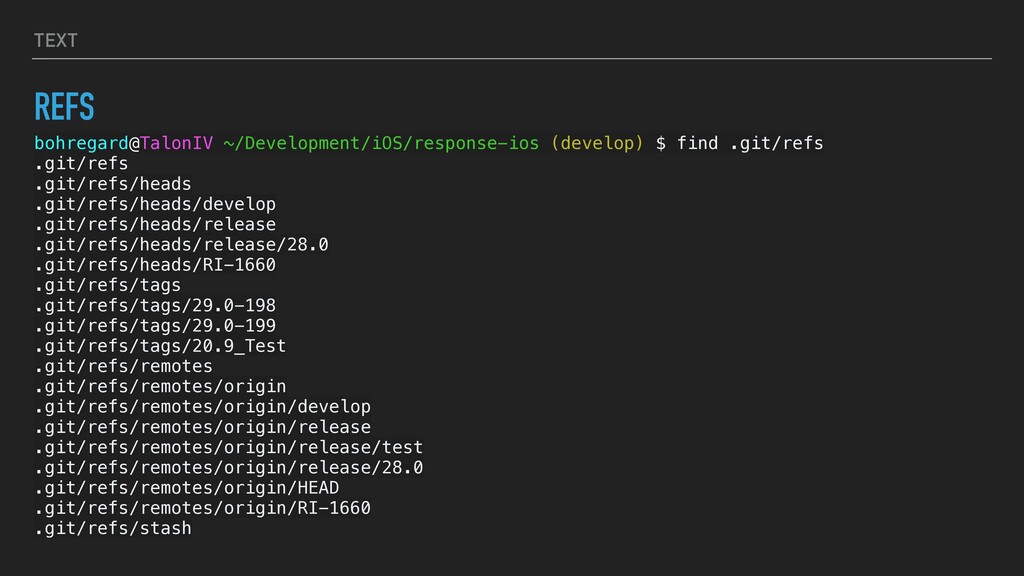
  9. TEXT REFS bohregard@TalonIV ~/Development/iOS/response-ios (develop) $ find .git/refs .git/refs .git/refs/heads

    .git/refs/heads/develop .git/refs/heads/release .git/refs/heads/release/28.0 .git/refs/heads/RI-1660 .git/refs/tags .git/refs/tags/29.0-198 .git/refs/tags/29.0-199 .git/refs/tags/20.9_Test .git/refs/remotes .git/refs/remotes/origin .git/refs/remotes/origin/develop .git/refs/remotes/origin/release .git/refs/remotes/origin/release/test .git/refs/remotes/origin/release/28.0 .git/refs/remotes/origin/HEAD .git/refs/remotes/origin/RI-1660 .git/refs/stash
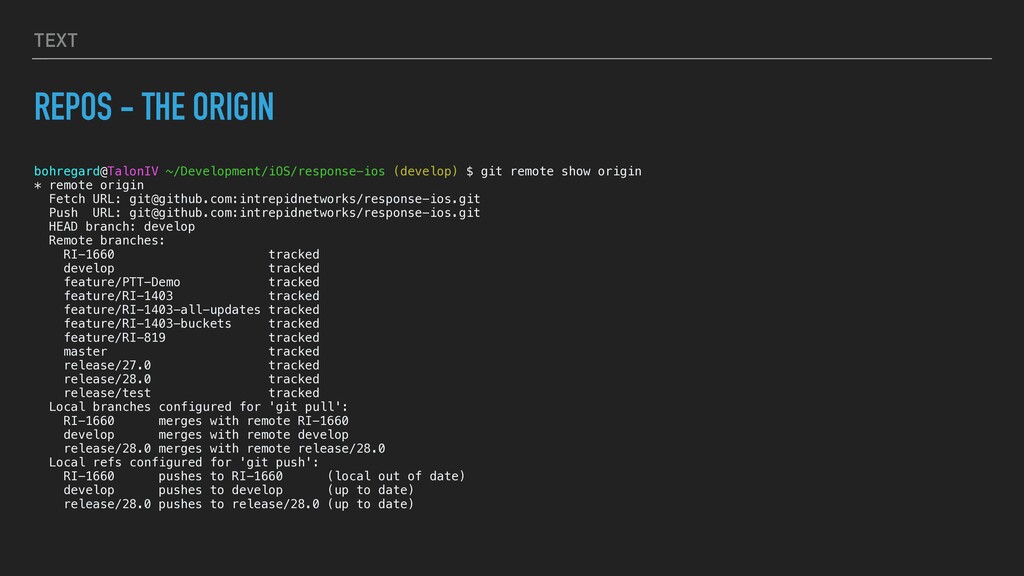
  10. TEXT REPOS - THE ORIGIN bohregard@TalonIV ~/Development/iOS/response-ios (develop) $ git

    remote show origin * remote origin Fetch URL: [email protected]:intrepidnetworks/response-ios.git Push URL: [email protected]:intrepidnetworks/response-ios.git HEAD branch: develop Remote branches: RI-1660 tracked develop tracked feature/PTT-Demo tracked feature/RI-1403 tracked feature/RI-1403-all-updates tracked feature/RI-1403-buckets tracked feature/RI-819 tracked master tracked release/27.0 tracked release/28.0 tracked release/test tracked Local branches configured for 'git pull': RI-1660 merges with remote RI-1660 develop merges with remote develop release/28.0 merges with remote release/28.0 Local refs configured for 'git push': RI-1660 pushes to RI-1660 (local out of date) develop pushes to develop (up to date) release/28.0 pushes to release/28.0 (up to date)
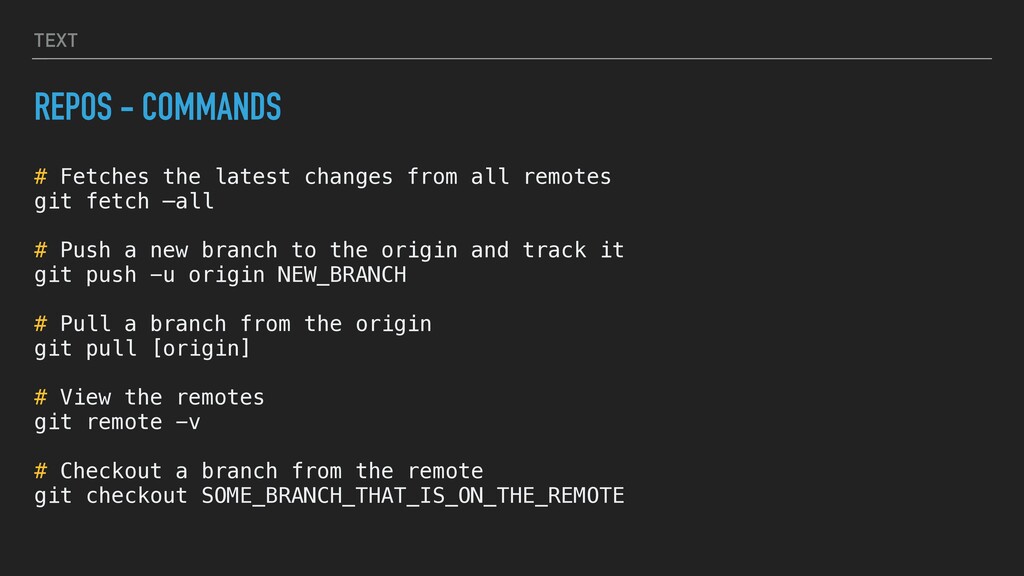
  11. TEXT REPOS - COMMANDS # Fetches the latest changes from

    all remotes git fetch —all # Push a new branch to the origin and track it git push -u origin NEW_BRANCH # Pull a branch from the origin git pull [origin] # View the remotes git remote -v # Checkout a branch from the remote git checkout SOME_BRANCH_THAT_IS_ON_THE_REMOTE
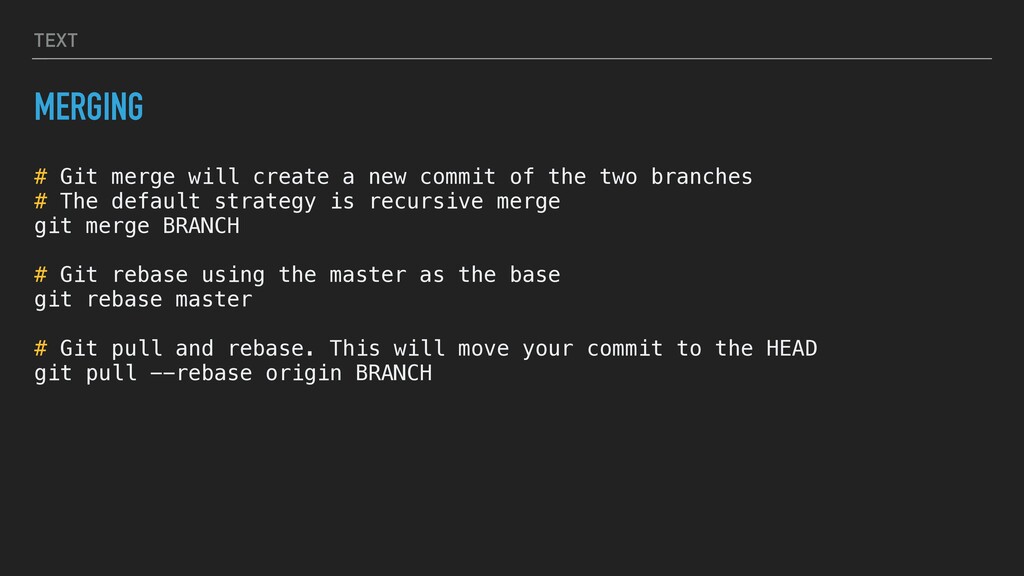
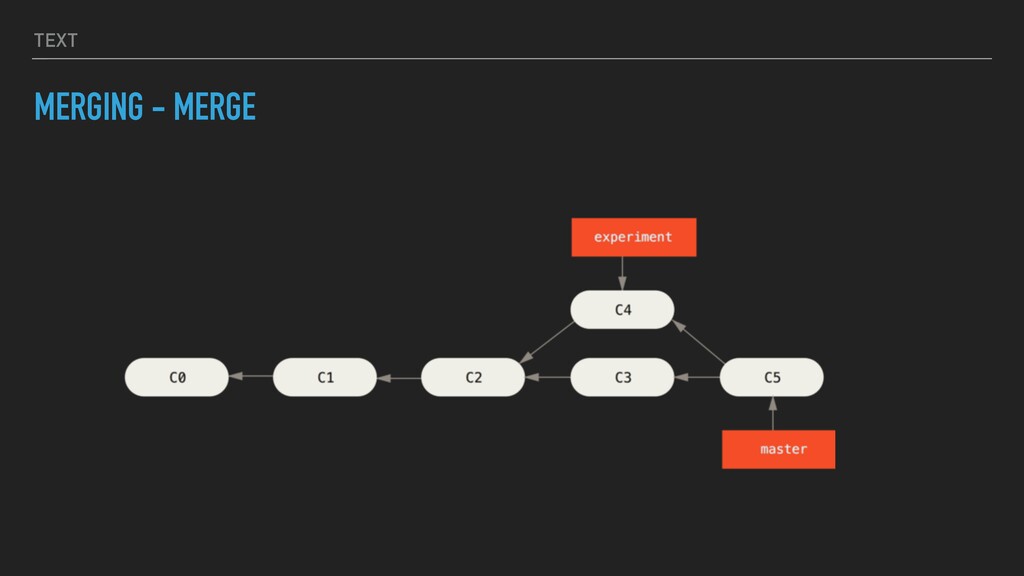
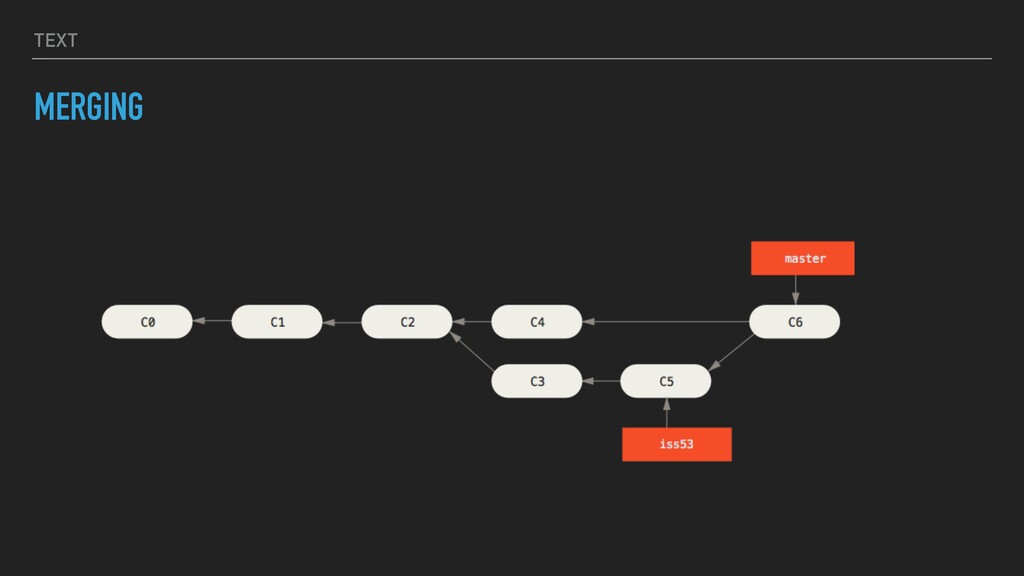
  12. TEXT MERGING # Git merge will create a new commit

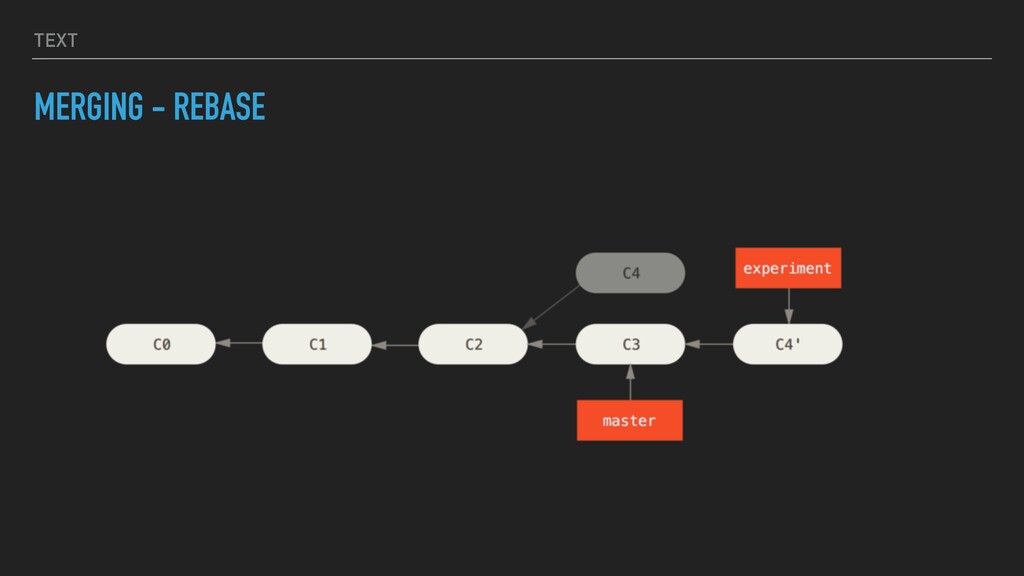
    of the two branches # The default strategy is recursive merge git merge BRANCH # Git rebase using the master as the base git rebase master # Git pull and rebase. This will move your commit to the HEAD git pull --rebase origin BRANCH
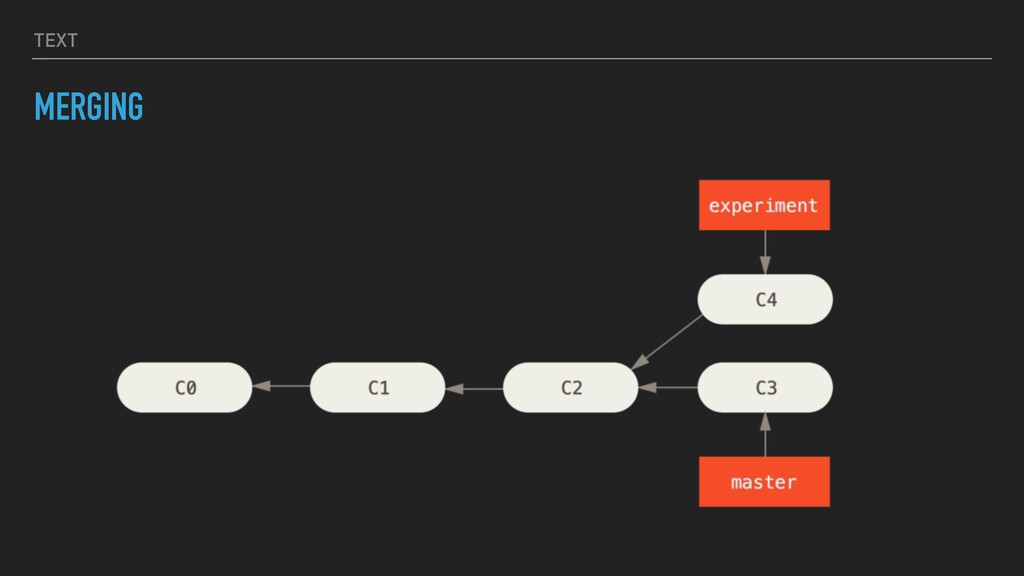
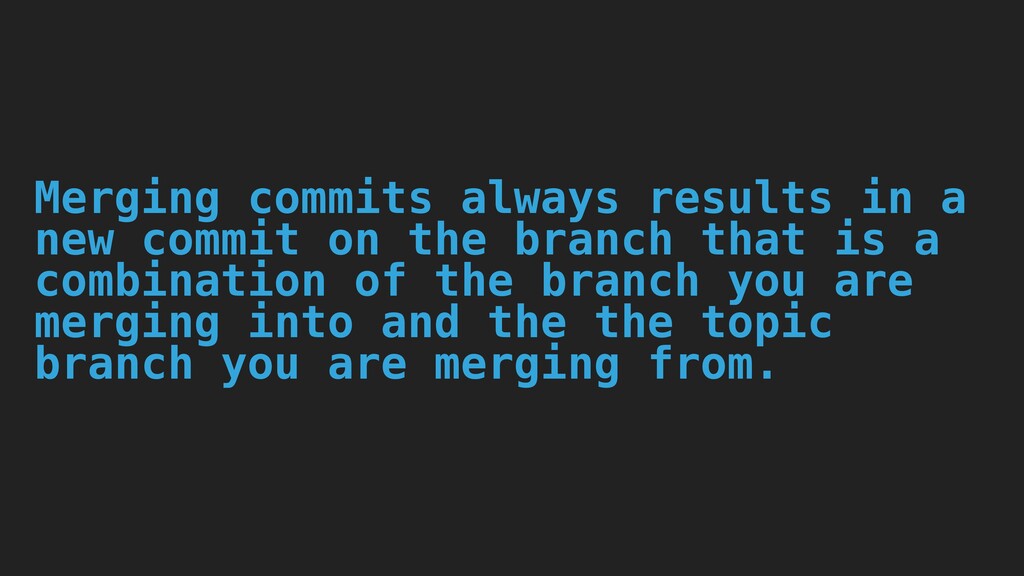
  13. Merging commits always results in a new commit on the

    branch that is a combination of the branch you are merging into and the the topic branch you are merging from.
  14. TEXT MERGING - CONFLICTS <<<<<<< HEAD:index.html <div id="footer">contact : [email protected]</div>

    ======= <div id="footer"> please contact us at [email protected] </div> >>>>>>> iss53:index.html
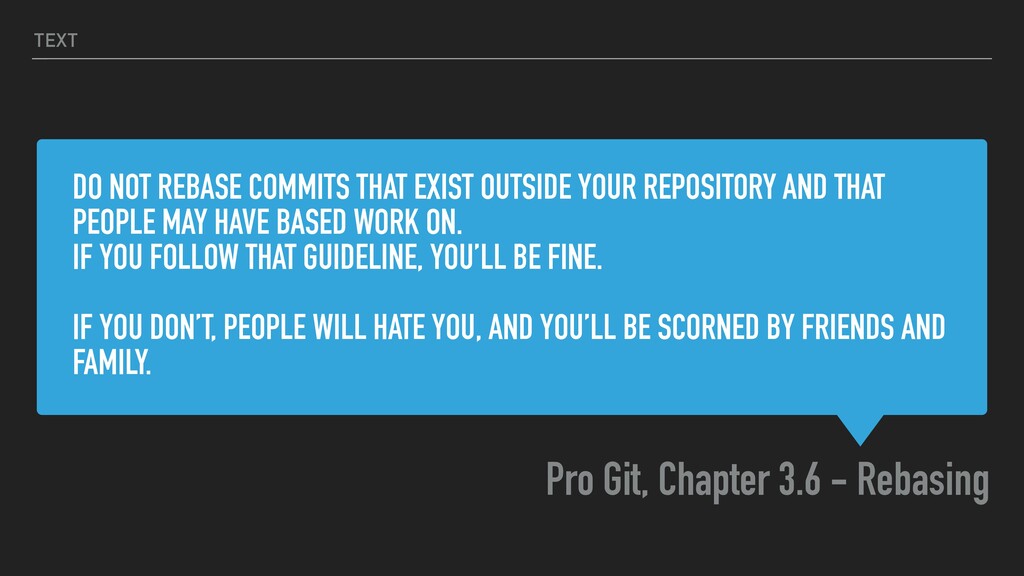
  15. DO NOT REBASE COMMITS THAT EXIST OUTSIDE YOUR REPOSITORY AND

    THAT PEOPLE MAY HAVE BASED WORK ON. IF YOU FOLLOW THAT GUIDELINE, YOU’LL BE FINE. IF YOU DON’T, PEOPLE WILL HATE YOU, AND YOU’LL BE SCORNED BY FRIENDS AND FAMILY. Pro Git, Chapter 3.6 - Rebasing TEXT
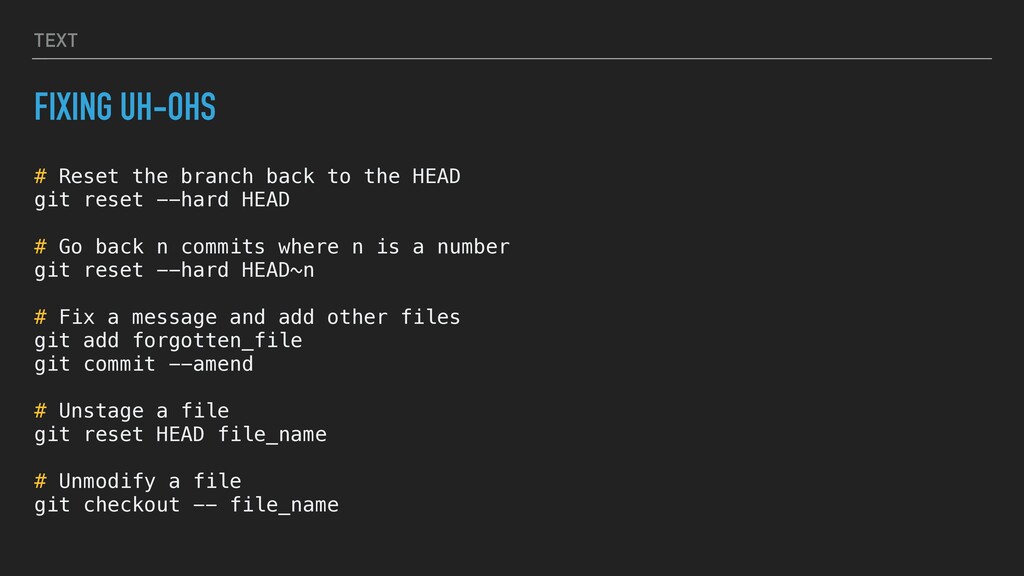
  16. TEXT FIXING UH-OHS # Reset the branch back to the

    HEAD git reset --hard HEAD # Go back n commits where n is a number git reset --hard HEAD~n # Fix a message and add other files git add forgotten_file git commit --amend # Unstage a file git reset HEAD file_name # Unmodify a file git checkout -- file_name
  17. TEXT SOURCES ▸ Pro Git, Scott Chacon and Ben Straub:

    https://git-scm.com/book/en/v2 ▸ Jetbrains Git Integration: https://www.jetbrains.com/help/idea/using-git- integration.html