Upgrade to Pro — share decks privately, control downloads, hide ads and more …

Developing Serverless Applications on Kubernete...

Developing Serverless Applications on Kubernetes with Knative - OSCON 2019

There's too much fragmentation for developers when it comes to deciding the right open source FaaS solution. Bryan Friedman and Brian McClain detail Knative, an open source project from Google, Pivotal, and other industry leaders that provides a set of common tooling on top of Kubernetes to help developers build functions.

Avatar for Brian McClain

Brian McClain

July 17, 2019

Other Decks in Technology

Transcript

  1. © Copyright 2019 Pivotal Software, Inc. All rights Reserved. Developing

    Serverless Applications on Kubernetes with Knative Brian McClain @BrianMMcClain Bryan Friedman @bryanfriedman
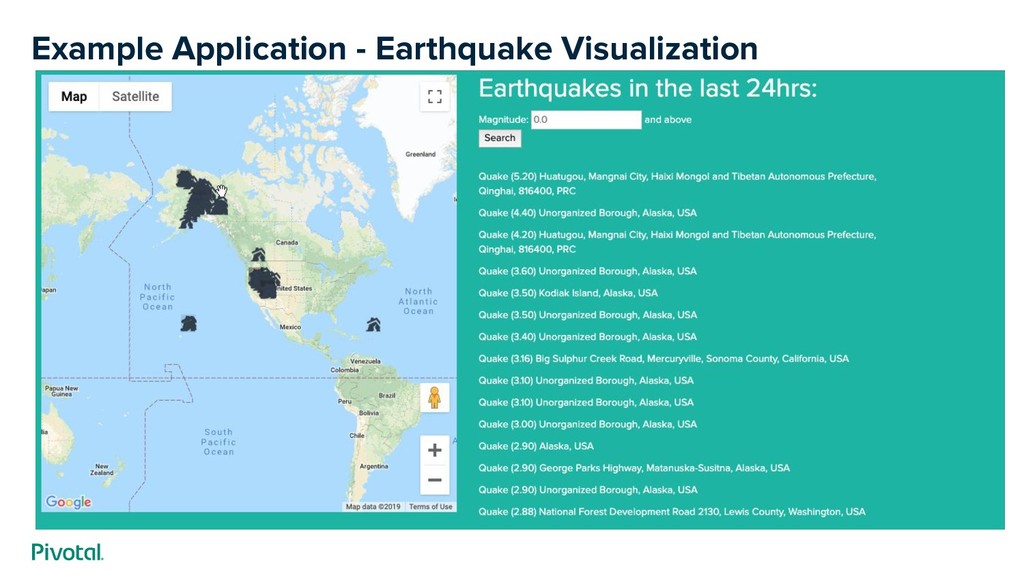
  2. Cover w/ Image Agenda ▪ What is Knative? ▪ Example

    Application ◦ Walkthrough on Knative ◦ Demo ▪ Project riff ▪ Q+A
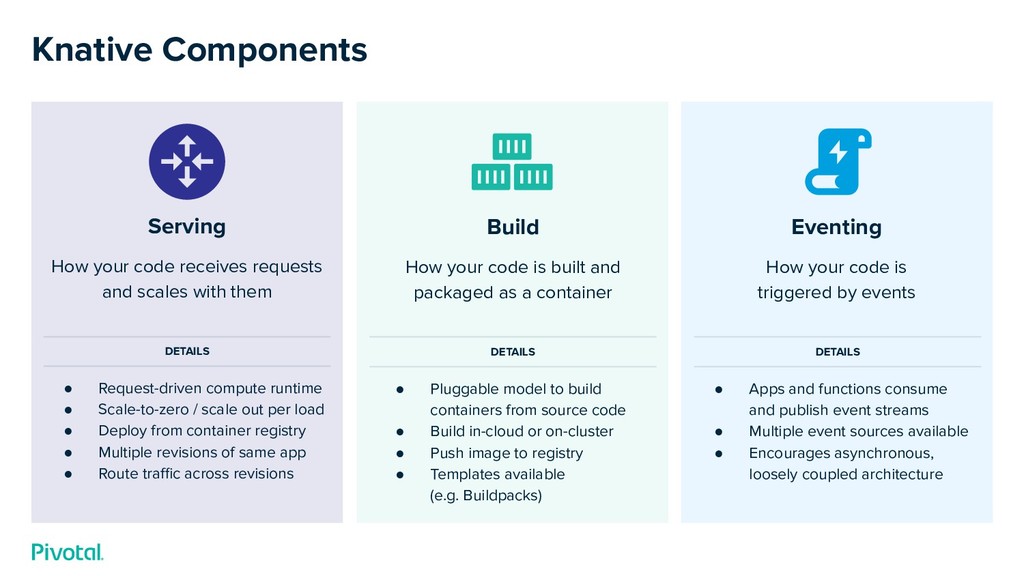
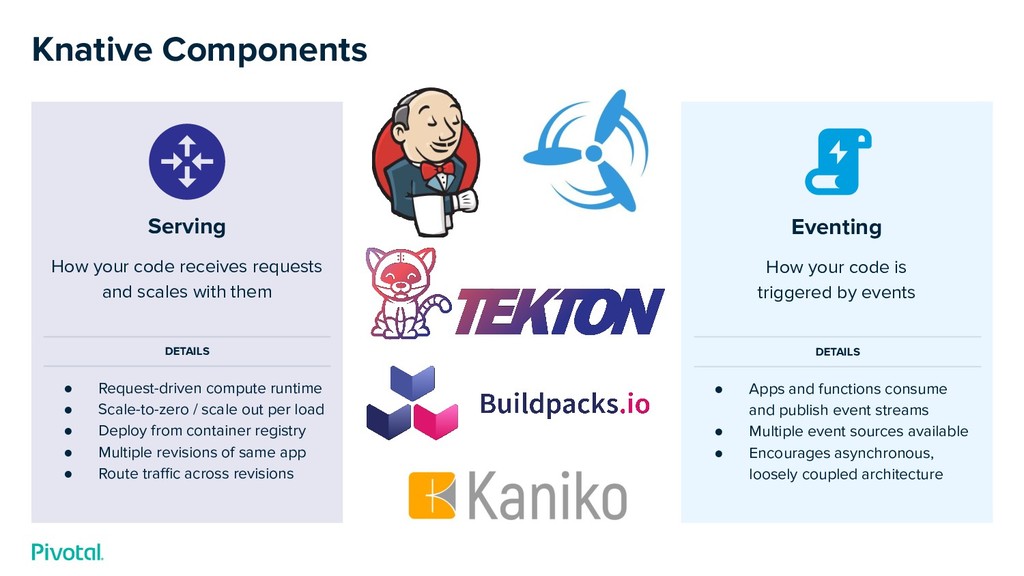
  3. Eventing How your code is triggered by events • Apps

    and functions consume and publish event streams • Multiple event sources available • Encourages asynchronous, loosely coupled architecture Build How your code is built and packaged as a container • Pluggable model to build containers from source code • Build in-cloud or on-cluster • Push image to registry • Templates available (e.g. Buildpacks) Serving How your code receives requests and scales with them • Request-driven compute runtime • Scale-to-zero / scale out per load • Deploy from container registry • Multiple revisions of same app • Route traffic across revisions DETAILS DETAILS DETAILS Knative Components
  4. Eventing How your code is triggered by events • Apps

    and functions consume and publish event streams • Multiple event sources available • Encourages asynchronous, loosely coupled architecture Serving How your code receives requests and scales with them • Request-driven compute runtime • Scale-to-zero / scale out per load • Deploy from container registry • Multiple revisions of same app • Route traffic across revisions DETAILS DETAILS Knative Components
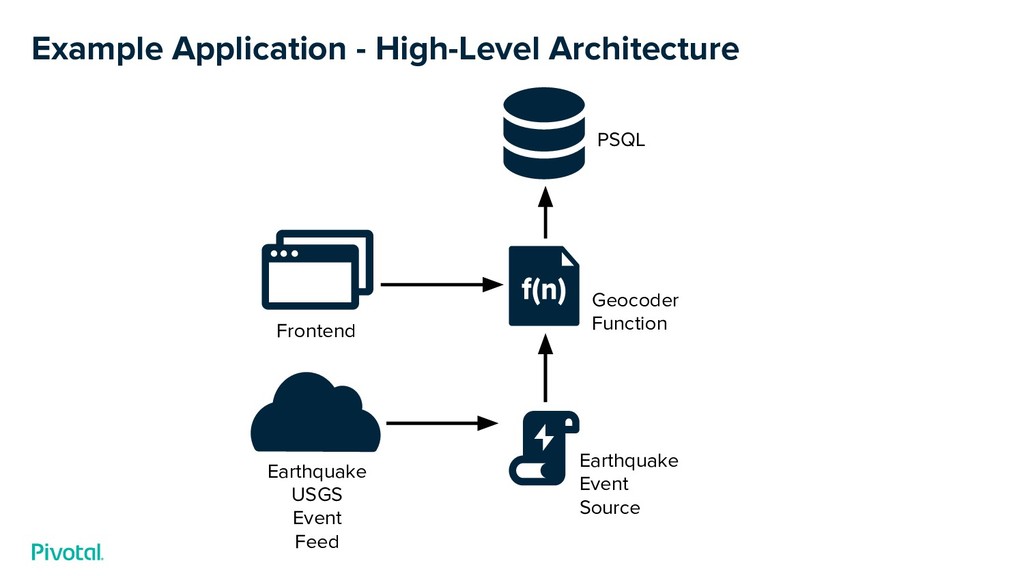
  5. PSQL Frontend Earthquake Event Source Earthquake USGS Event Feed Example

    Application - High-Level Architecture Geocoder Function
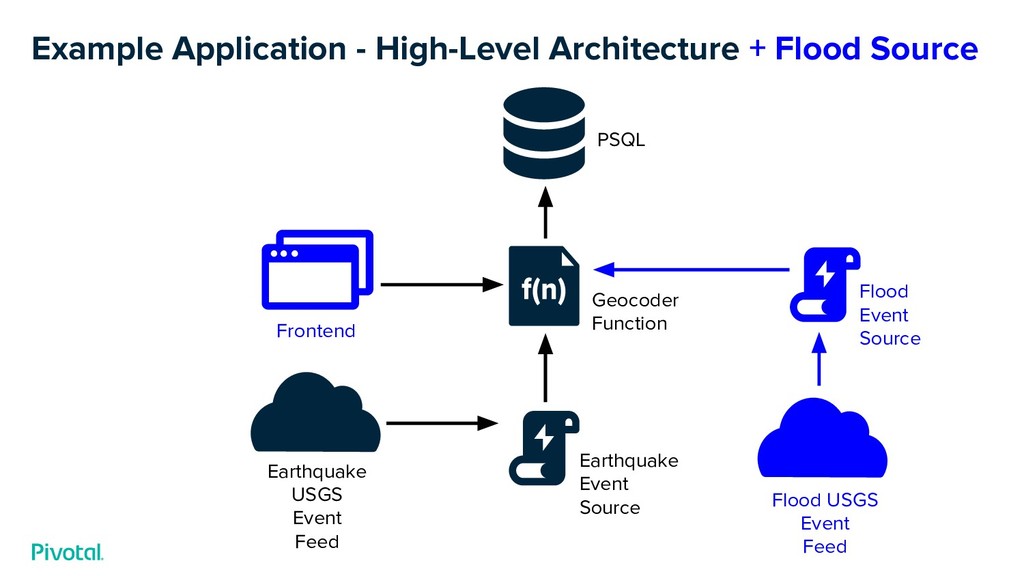
  6. PSQL Geocoder Function Frontend Earthquake Event Source Earthquake USGS Event

    Feed Example Application - High-Level Architecture + Flood Source Flood USGS Event Feed Flood Event Source
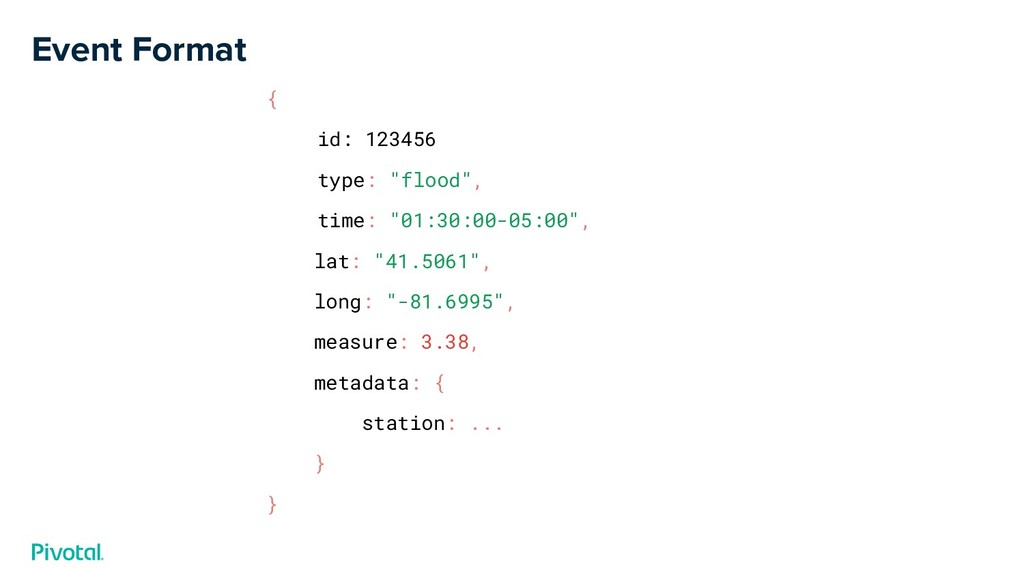
  7. Event Format { id: 123456 type: "flood", time: "01:30:00-05:00", lat:

    "41.5061", long: "-81.6995", measure: 3.38, metadata: { station: ... } }
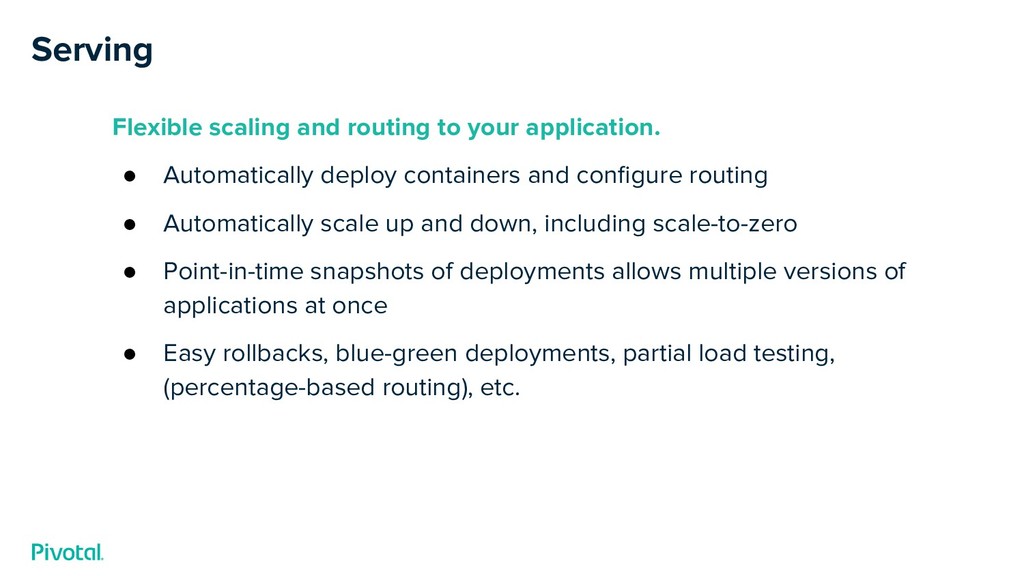
  8. Serving Flexible scaling and routing to your application. • Automatically

    deploy containers and configure routing • Automatically scale up and down, including scale-to-zero • Point-in-time snapshots of deployments allows multiple versions of applications at once • Easy rollbacks, blue-green deployments, partial load testing, (percentage-based routing), etc.
  9. © 2019 PIVOTAL SOFTWARE, INC. All Rights Reserved. Confidential &

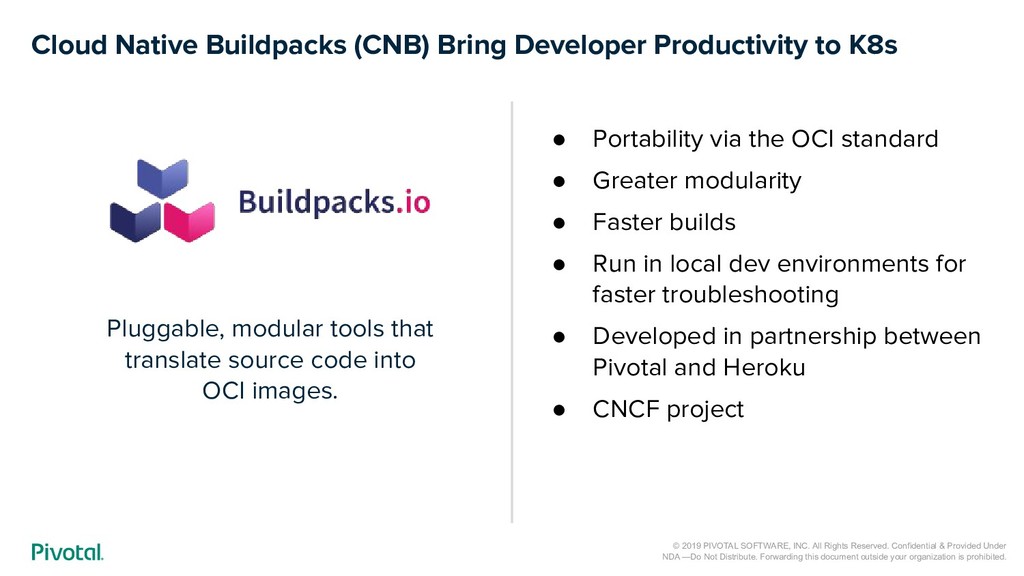
    Provided Under NDA —Do Not Distribute. Forwarding this document outside your organization is prohibited. Cloud Native Buildpacks (CNB) Bring Developer Productivity to K8s Pluggable, modular tools that translate source code into OCI images. • Portability via the OCI standard • Greater modularity • Faster builds • Run in local dev environments for faster troubleshooting • Developed in partnership between Pivotal and Heroku • CNCF project
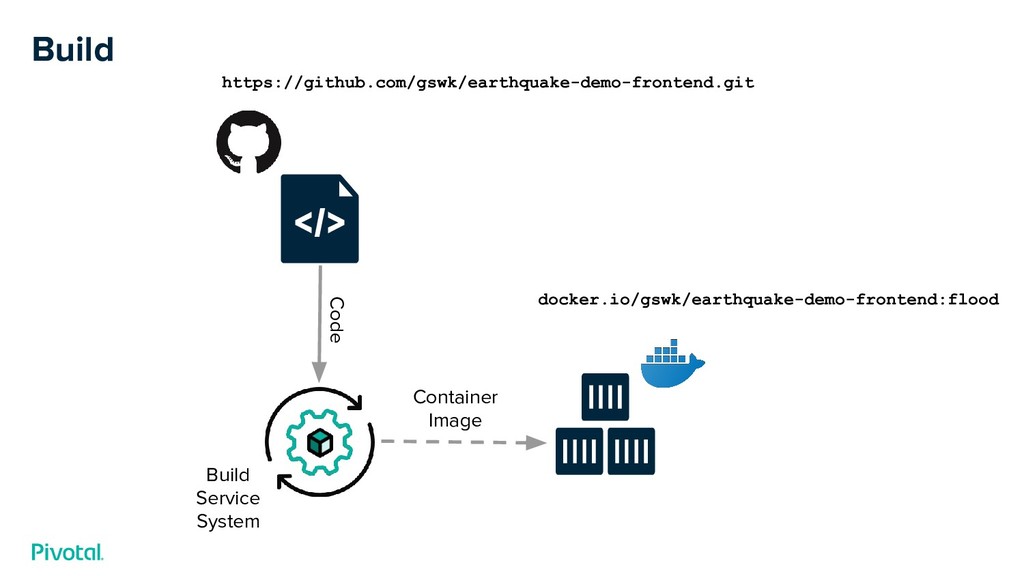
  10. Pivotal Build Service System Build and package code on-cluster. •

    Builds are run completely within Kubernetes • Code is pulled from git at build time • Uses Cloud Native Buildpacks • Packaged as container images; pushed to a registry of your choice • Underlying CRDs for Build Service to be open source soon!
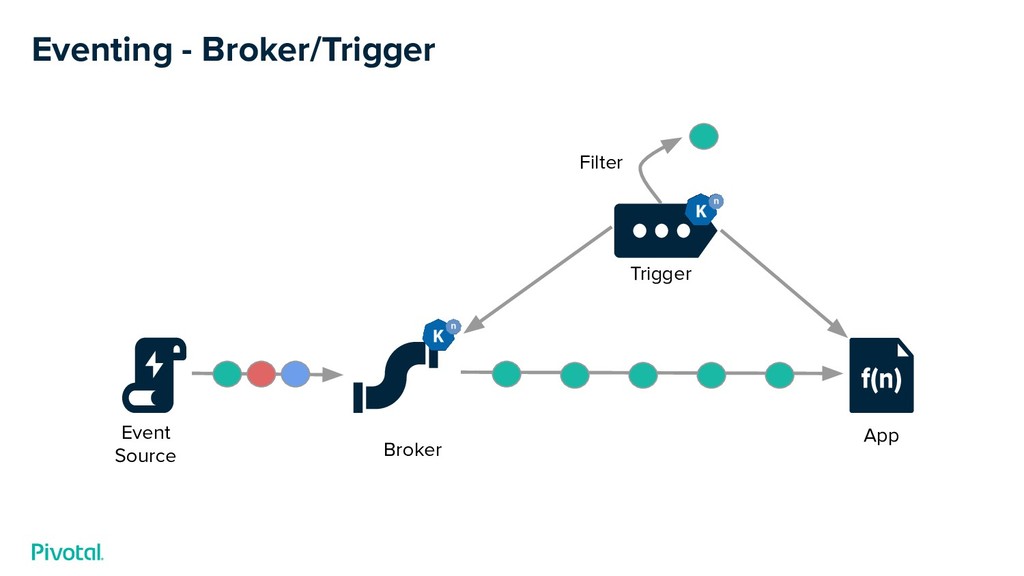
  11. Eventing Robust eventing support that abstracts away the messaging layer.

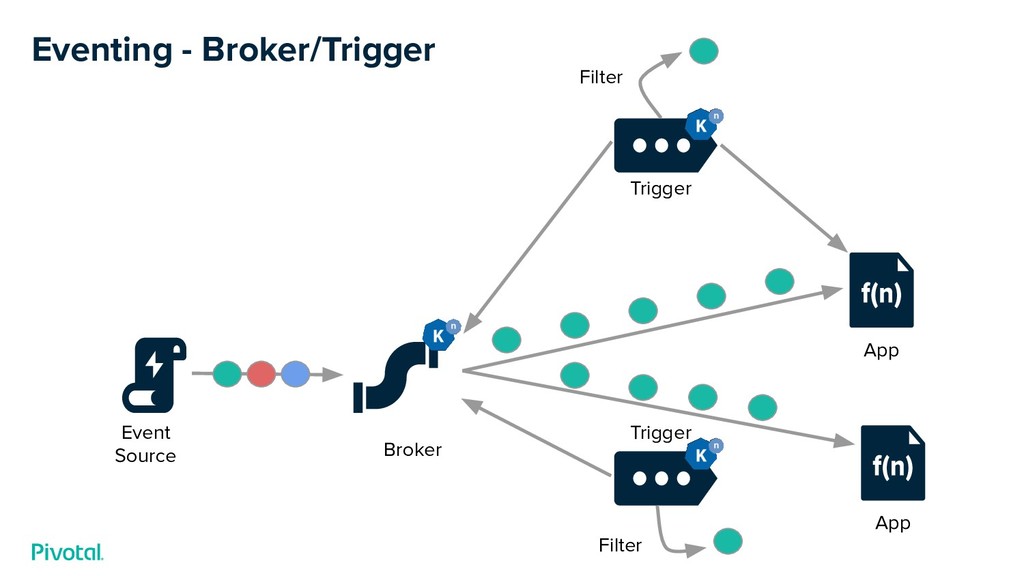
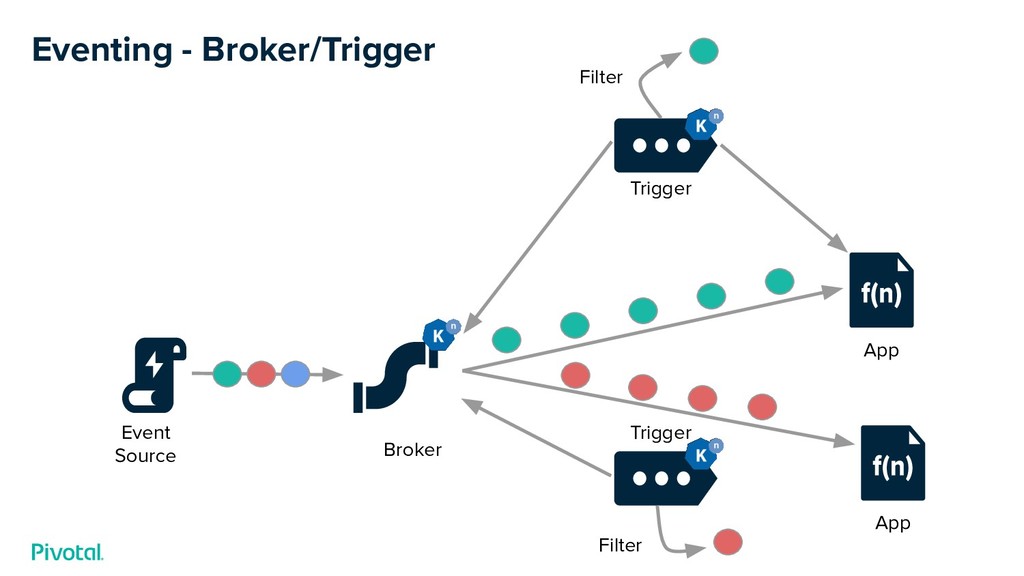
    • Easy for developers to consume events - No messaging-specific code • Messaging layer is abstracted from the developer and pluggable for the operator • Brokers provide a place to send events, Triggers direct them where to go • Pluggable, Customizable Event Sources
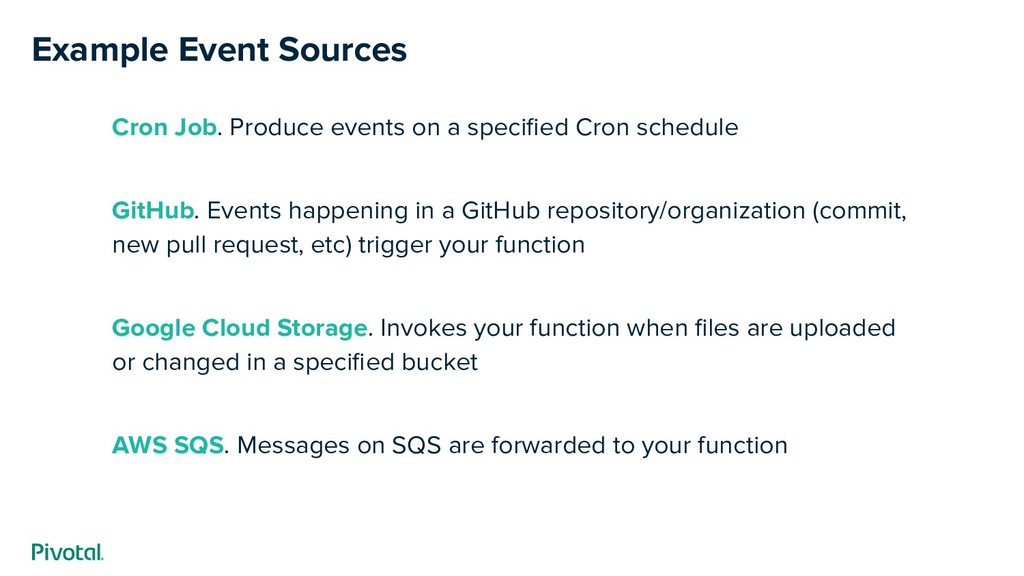
  12. Example Event Sources Cron Job. Produce events on a specified

    Cron schedule GitHub. Events happening in a GitHub repository/organization (commit, new pull request, etc) trigger your function Google Cloud Storage. Invokes your function when files are uploaded or changed in a specified bucket AWS SQS. Messages on SQS are forwarded to your function
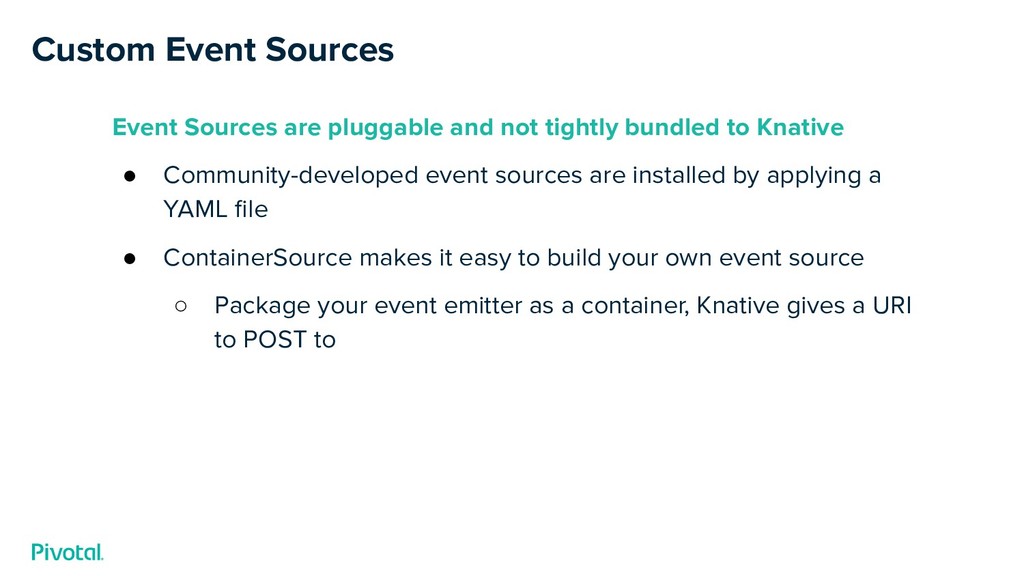
  13. Custom Event Sources Event Sources are pluggable and not tightly

    bundled to Knative • Community-developed event sources are installed by applying a YAML file • ContainerSource makes it easy to build your own event source ◦ Package your event emitter as a container, Knative gives a URI to POST to
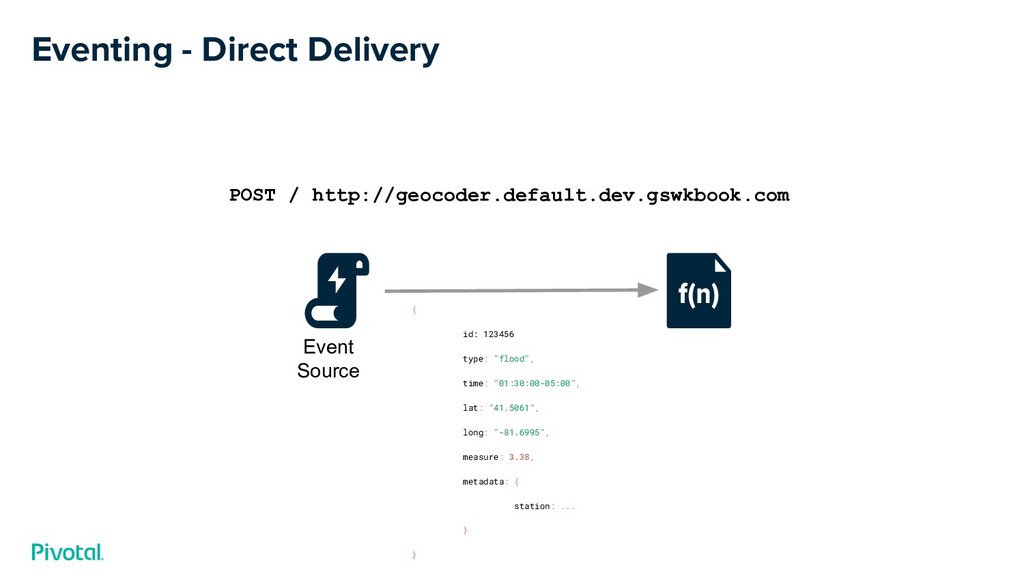
  14. Eventing - Direct Delivery Event Source POST / http://geocoder.default.dev.gswkbook.com {

    id: 123456 type: "flood", time: "01:30:00-05:00", lat: "41.5061", long: "-81.6995", measure: 3.38, metadata: { station: ... } }
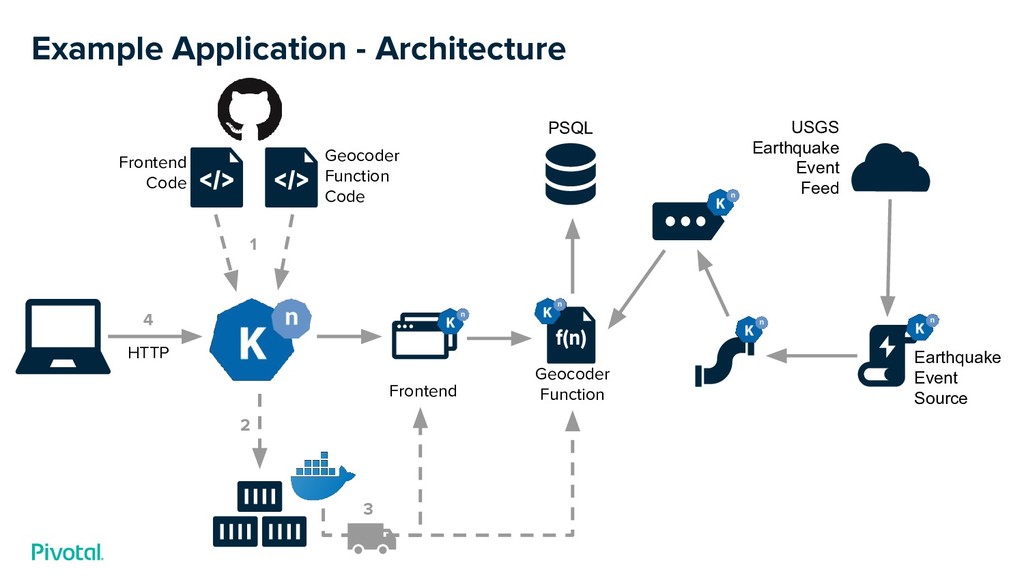
  15. Example Application - Architecture Geocoder Function Code Frontend Code HTTP

    1 2 3 4 Frontend Geocoder Function USGS Earthquake Event Feed PSQL Earthquake Event Source
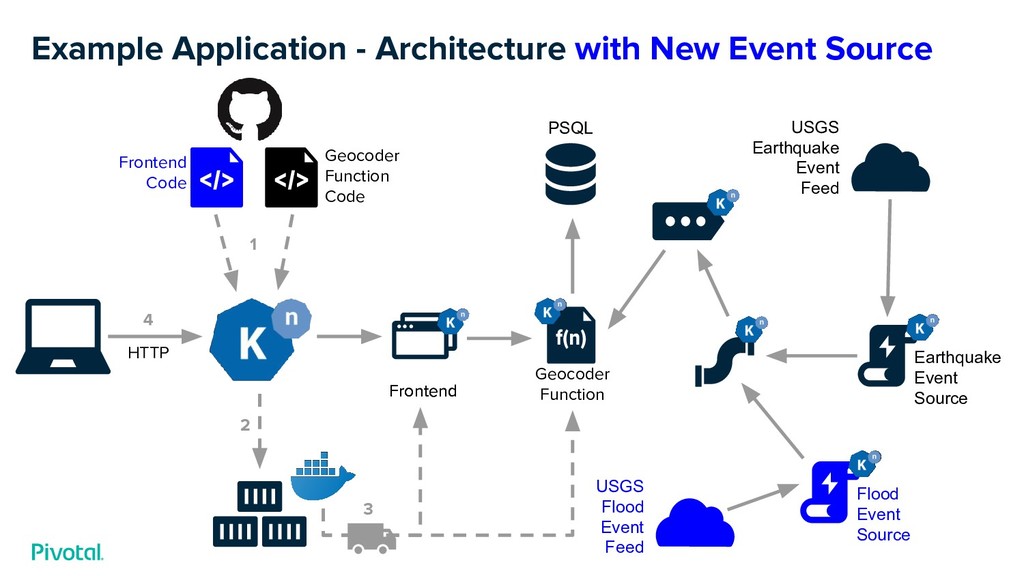
  16. Example Application - Architecture with New Event Source Geocoder Function

    Code Frontend Code HTTP 1 2 3 4 Frontend Geocoder Function USGS Earthquake Event Feed PSQL Earthquake Event Source Flood Event Source USGS Flood Event Feed Frontend
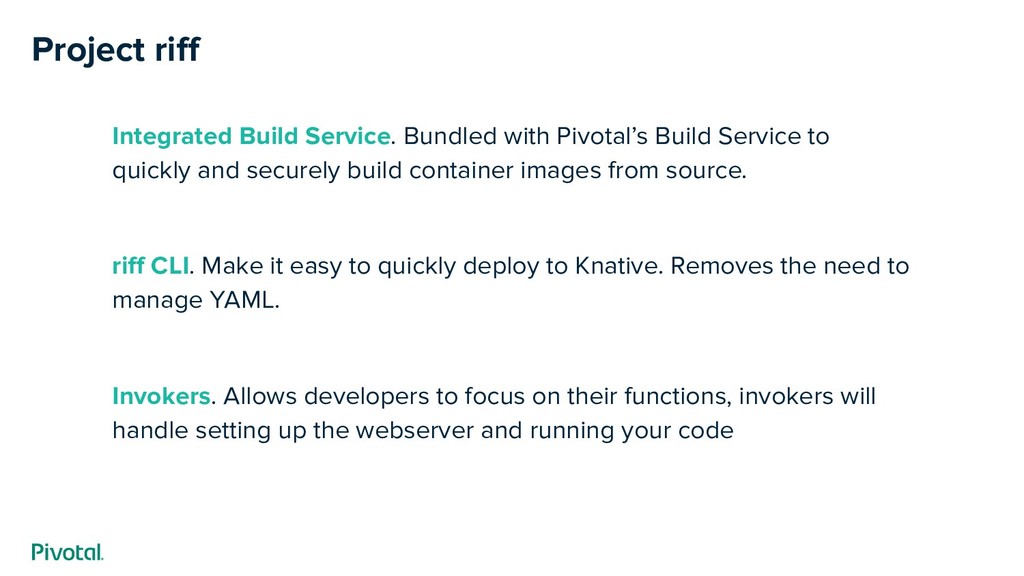
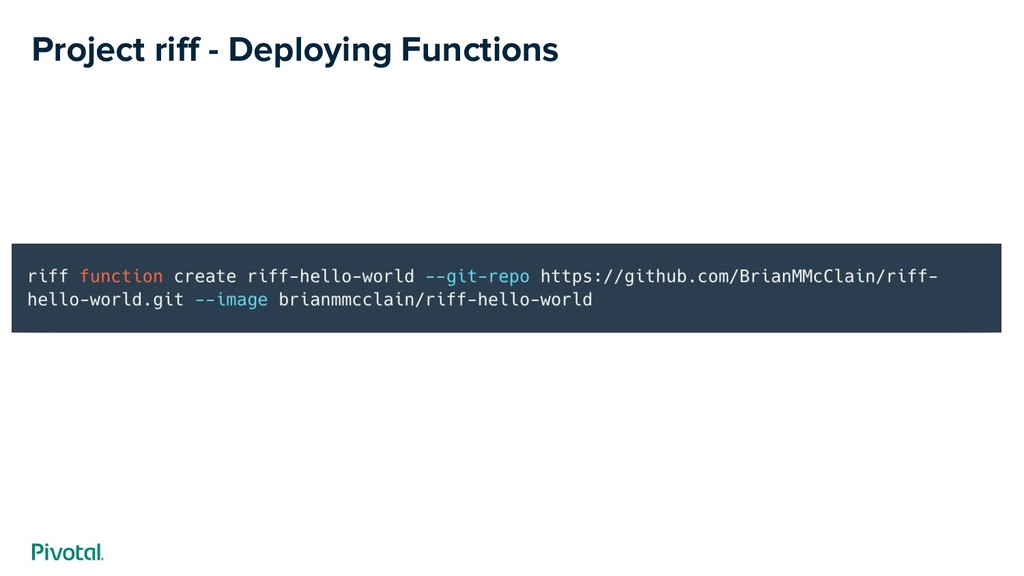
  17. Project riff Integrated Build Service. Bundled with Pivotal’s Build Service

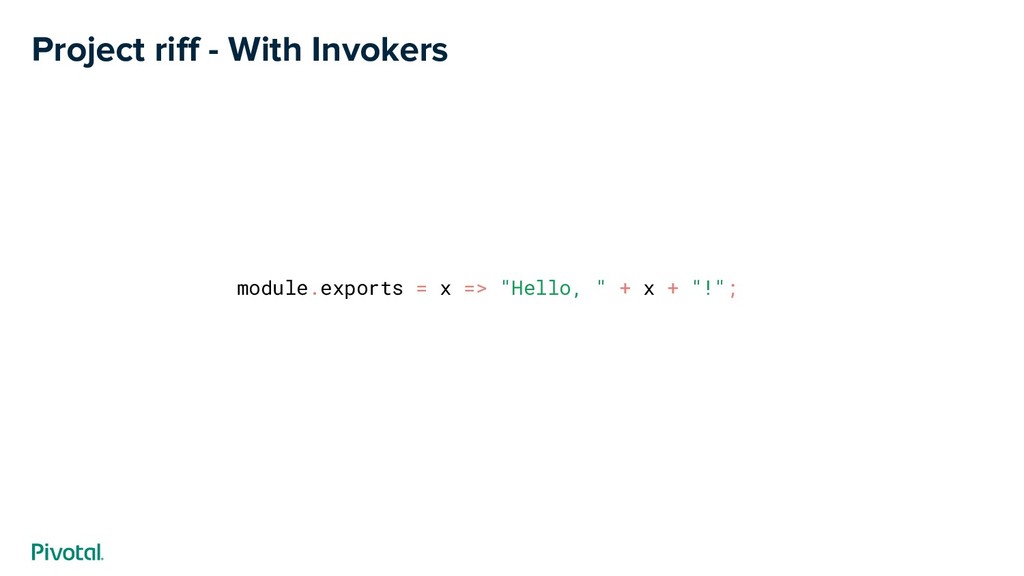
    to quickly and securely build container images from source. riff CLI. Make it easy to quickly deploy to Knative. Removes the need to manage YAML. Invokers. Allows developers to focus on their functions, invokers will handle setting up the webserver and running your code
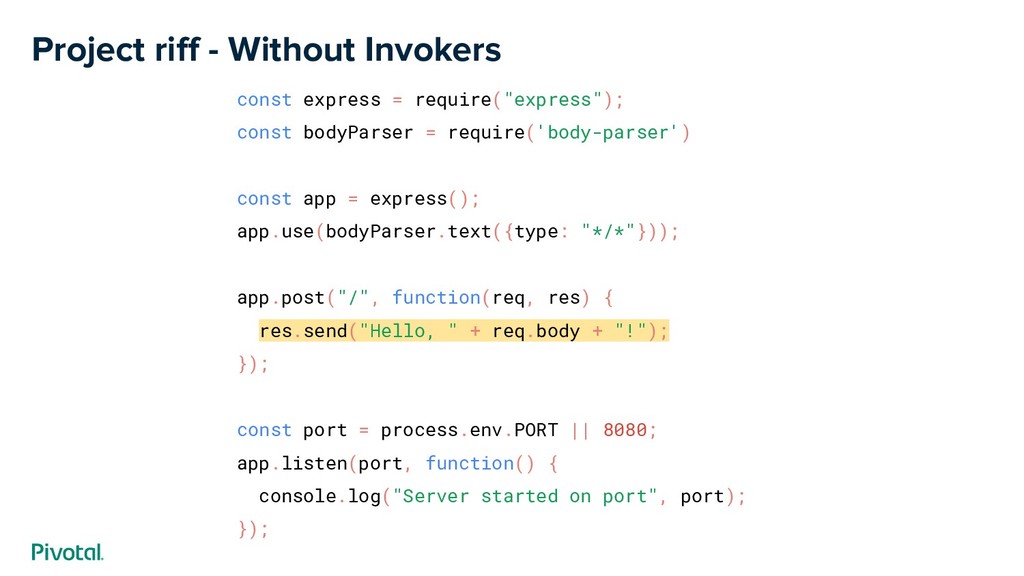
  18. Project riff - Without Invokers const express = require("express"); const

    bodyParser = require('body-parser') const app = express(); app.use(bodyParser.text({type: "*/*"})); app.post("/", function(req, res) { res.send("Hello, " + req.body + "!"); }); const port = process.env.PORT || 8080; app.listen(port, function() { console.log("Server started on port", port); });