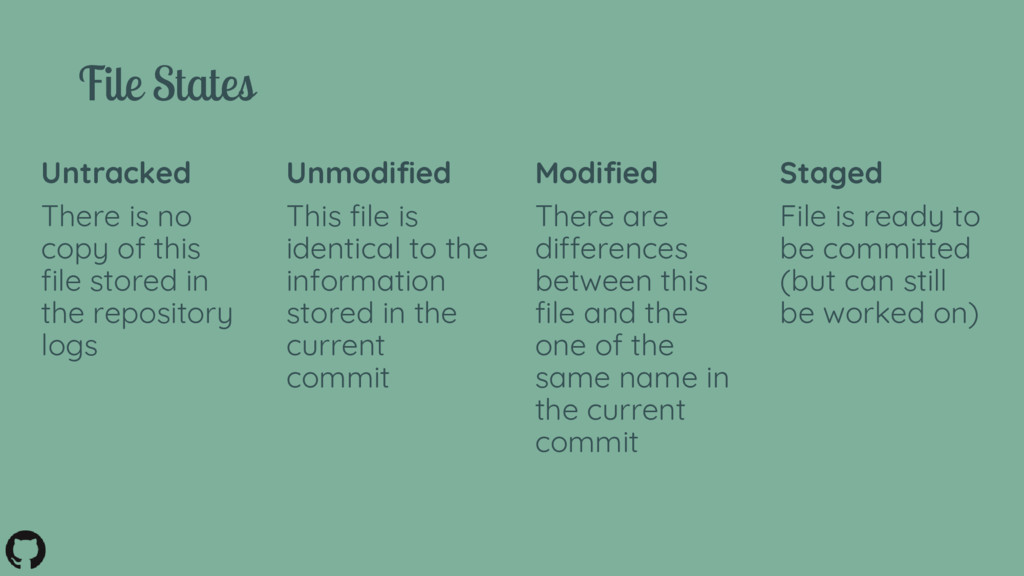
the current commit Staged File is ready to be committed (but can still be worked on) File States Modified There are differences between this file and the one of the same name in the current commit Untracked There is no copy of this file stored in the repository logs
git - https://git-scm.com/about/ • GitHub windows GUI - https://desktop.github.com/ • Give git and GitHub a try - https://try.github.io • How and why you should make good commit messages - https://chris.beams.io/posts/git-commit/ • If you’ve really messed up - http://ohshitgit.com/


 bgpat
bgpat
 maimyyym
 tomokusaba
 satomasahiro2005
 ivry_presentationmaterials
 mhrtech
 nttcom
 kash1064
 odashi
 makocchi
 ishikawa_satoru
 shumei_ito
 addyosmani
.jpg) cargoodrich
cargoodrich
 techseoconnect
 tammyeverts
 inesmontani
 aleyda
 bermonpainter
 codingconduct
 apolaine
 marktimemedia







![Branching commands • git branch • git checkout [-b] {branch_name}](https://files.speakerdeck.com/presentations/2cfe8ea99d32450eab3dc9ff239516b6/slide_19.jpg)
![Advanced commands • git reset [--soft/hard] {commit_reference} • git tag](https://files.speakerdeck.com/presentations/2cfe8ea99d32450eab3dc9ff239516b6/slide_20.jpg)