Upgrade to Pro
— share decks privately, control downloads, hide ads and more …
Speaker Deck
Sign up for free
Menu
Search
Features
All features
Private URLs
Password Protection
Custom URLS
Scheduled publishing
Remove Branding
Restrict embedding
Deck Collections
Notes
Features
All features
Private URLs
Password Protection
Custom URLS
Scheduled publishing
Remove Branding
Restrict embedding
Deck Collections
Notes
Explore
Featured decks
Featured speakers
Programming
Technology
Storyboards
Explore
Featured decks
Featured speakers
Programming
Technology
Storyboards
Pricing
Search
Sign in
Sign up for free
MS SQL 2012 BI Update
Search
Sponsored
·
Ship Features Fearlessly
Turn features on and off without deploys. Used by thousands of Ruby developers.
→
Andy Cheng
October 25, 2012
Technology
53
0
Share
Embed
Copy iframe code
Copy JS code
Copy link
Start on current slide
MS SQL 2012 BI Update
Andy Cheng
October 25, 2012
More Decks by Andy Cheng
See All by Andy Cheng
第一次自建雲端服務就上手
ccjeng
0
82
The Clean Coder
ccjeng
0
4.5k
Android Backup
ccjeng
0
58
Android Backup Demo
ccjeng
0
48
No SQL
ccjeng
0
84
.NET Framework update
ccjeng
0
66
Book Sharing 2013
ccjeng
0
68
Other Decks in Technology
See All in Technology
日本語に強いオープンな大規模言語モデル「LLM-jp」
odashi
4
1.1k
10年後、Engineering 行為を剥奪されるとして、わたしたちは、どう、何を創ればいいだろうか。 / If Engineering Is Taken Away in 10 Years, How and What Should We Create?
bitkey
PRO
1
190
Rust で関数型ドメインモデリング
takonda
0
140
Rustuna: Rustによる高速なOptuna実装
pfn
PRO
0
190
hackers_champloo_2026_tidb
makocchi
0
160
Claude の新機能を、 出た日に触って社内に届けるまで
rfdnxbro
1
180
AI駆動開発の時代になったのでトヨタ生産方式から見直す
terurou
7
6k
AIカンパニーへの転換を支えた、エンジニアの仕事の再定義
kworkdev
PRO
2
1.2k
Tofu-Controller lightning talk @ Containerday 2026
gionn
0
110
遠藤な_めぐろLT #38 「社内のAI活用推進」@麻布台_20261009
endonanana
0
130
Browser Spec: Testing Hotwire with Ruby
takahashim
1
120
Refining Active Record
shugo
0
160
Featured
See All Featured
Lightning Talk: Beautiful Slides for Beginners
inesmontani
PRO
2
730
The Power of CSS Pseudo Elements
geoffreycrofte
82
6.6k
What Being in a Rock Band Can Teach Us About Real World SEO
427marketing
0
1.1k
How to Think Like a Performance Engineer
csswizardry
28
2.9k
The SEO Collaboration Effect
kristinabergwall1
1
590
Mobile First: as difficult as doing things right
swwweet
225
10k
Design of three-dimensional binary manipulators for pick-and-place task avoiding obstacles (IECON2024)
konakalab
0
620
How to Create Impact in a Changing Tech Landscape [PerfNow 2023]
tammyeverts
56
3.5k
From π to Pie charts
rasagy
1
400
Leading Effective Engineering Teams in the AI Era
addyosmani
9
2.7k
Marketing Yourself as an Engineer | Alaka | Gurzu
gurzu
0
330
Lightning talk: Run Django tests with GitHub Actions
sabderemane
0
300
Transcript
Microsoft SQL Server 2012 BI Update
Is OLAP Dead? Source: http://elasticube.blogspot.tw/2010/11/microsofts-bi-roadmap-says-no-to-olap.html
現行商業智慧架構不足之處 • 導入複雜,企業僅能部分主題使用到商業智慧技 術,難以全面推廣 • 難以處理高階主管即興式的分析需求 • 企業內部幕僚人員相關分析技能難以傳承 • 明細分析與彙總分析難以一次兼得
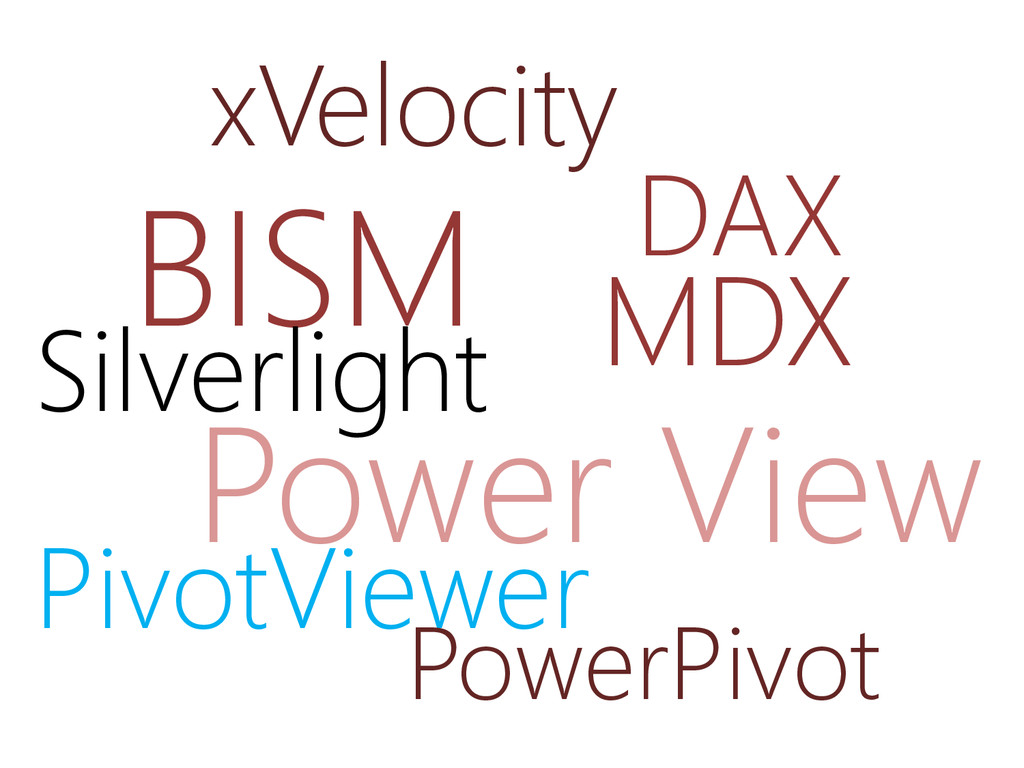
BISM Power View xVelocity PivotViewer DAX Silverlight MDX PowerPivot
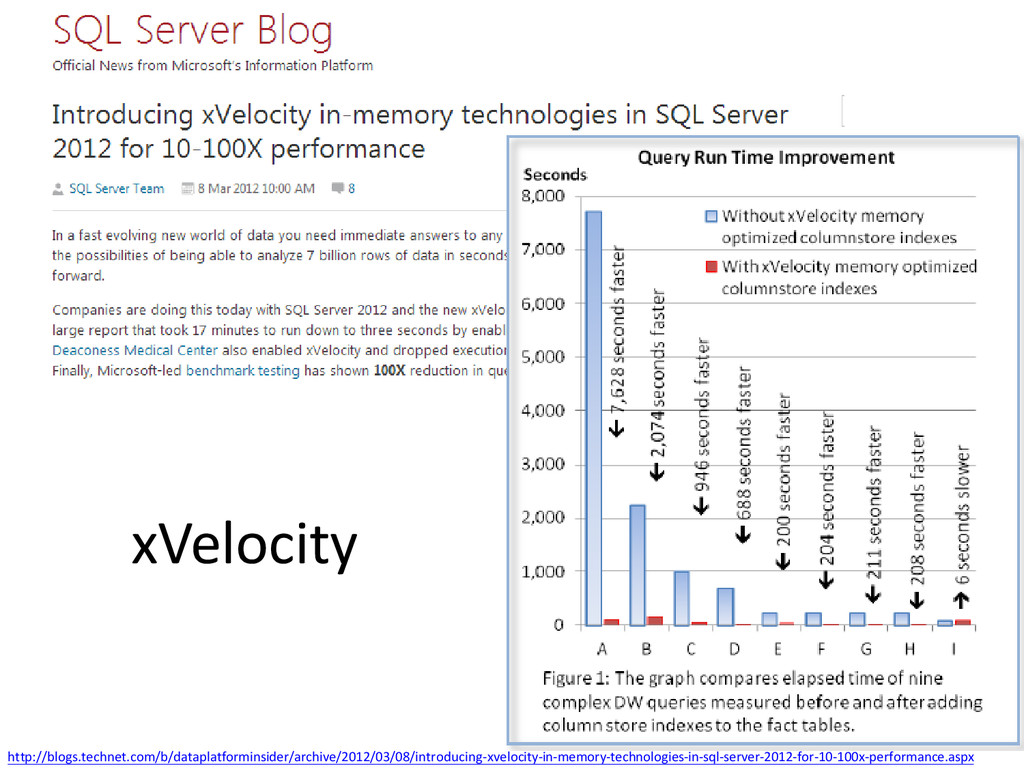
xVelocity http://blogs.technet.com/b/dataplatforminsider/archive/2012/03/08/introducing-xvelocity-in-memory-technologies-in-sql-server-2012-for-10-100x-performance.aspx
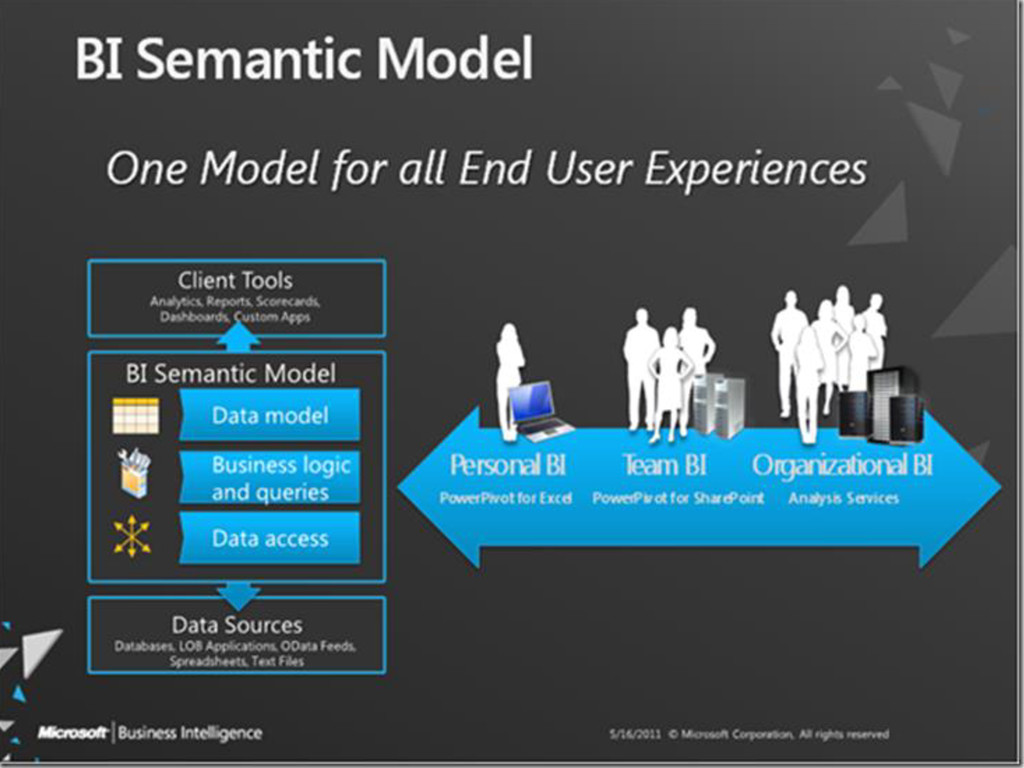
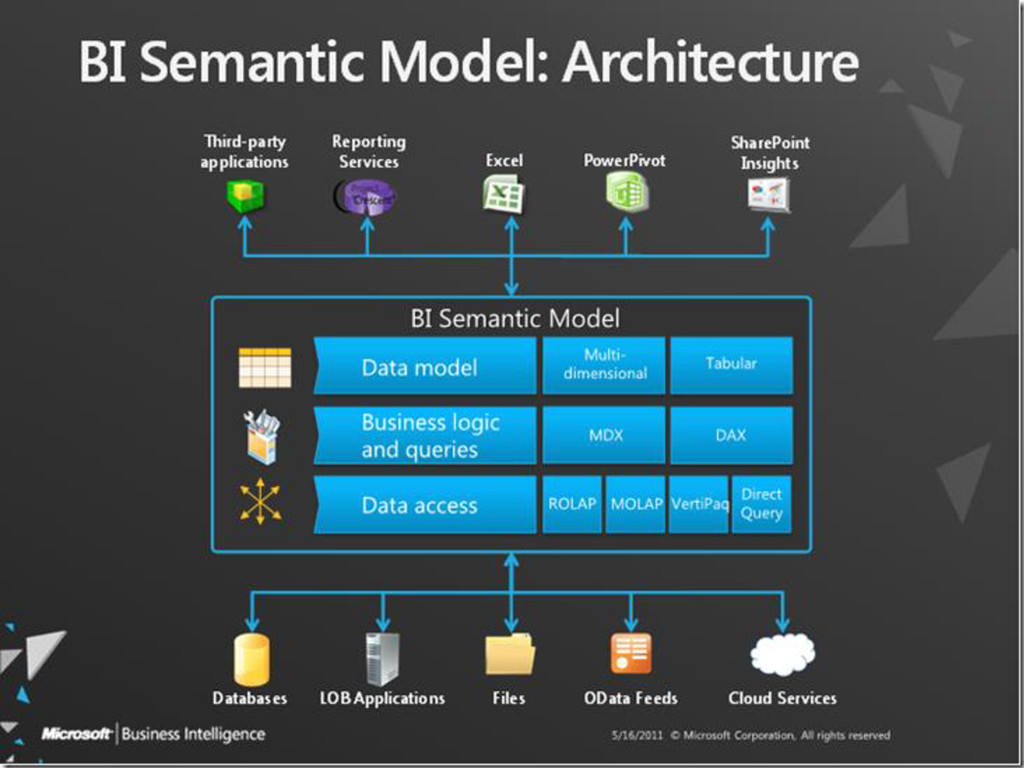
BISM – BI Sematic Model
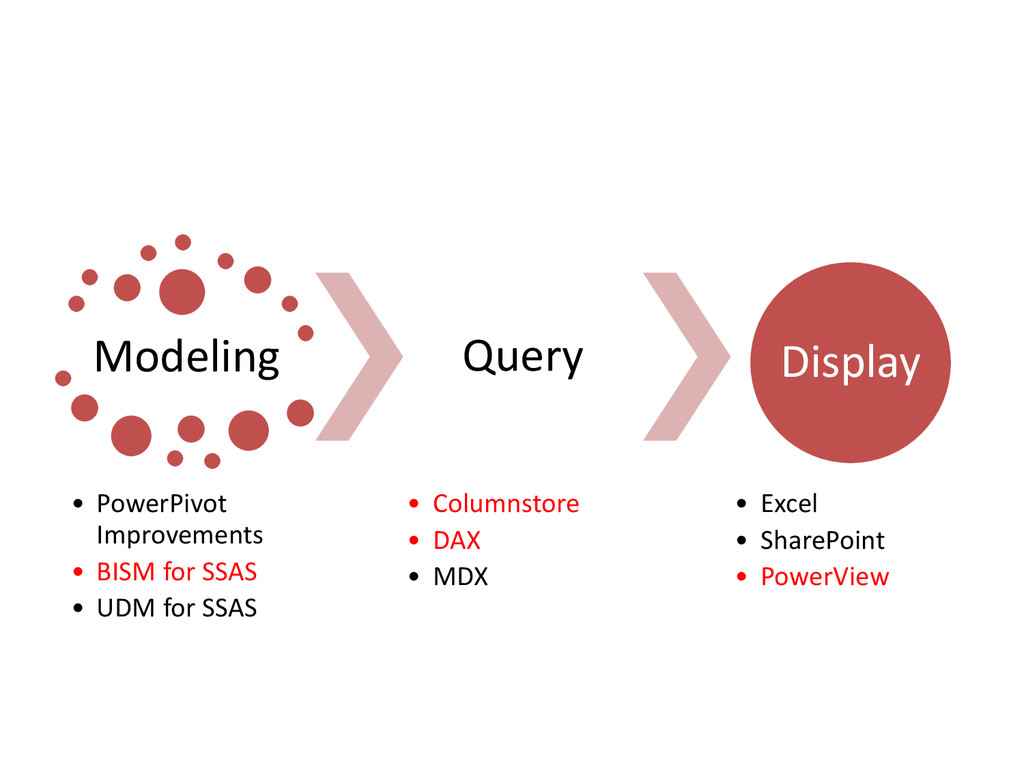
Modeling • PowerPivot Improvements • BISM for SSAS • UDM
for SSAS Query • Columnstore • DAX • MDX Display • Excel • SharePoint • PowerView
None
None
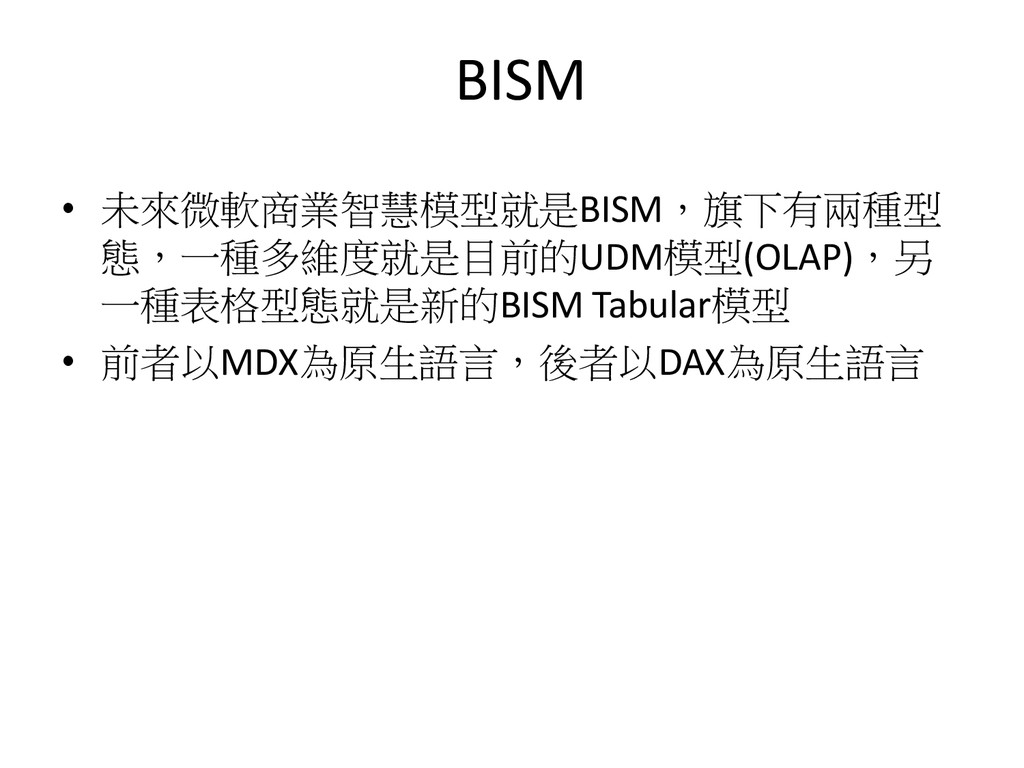
BISM • 未來微軟商業智慧模型就是BISM,旗下有兩種型 態,一種多維度就是目前的UDM模型(OLAP),另 一種表格型態就是新的BISM Tabular模型 • 前者以MDX為原生語言,後者以DAX為原生語言
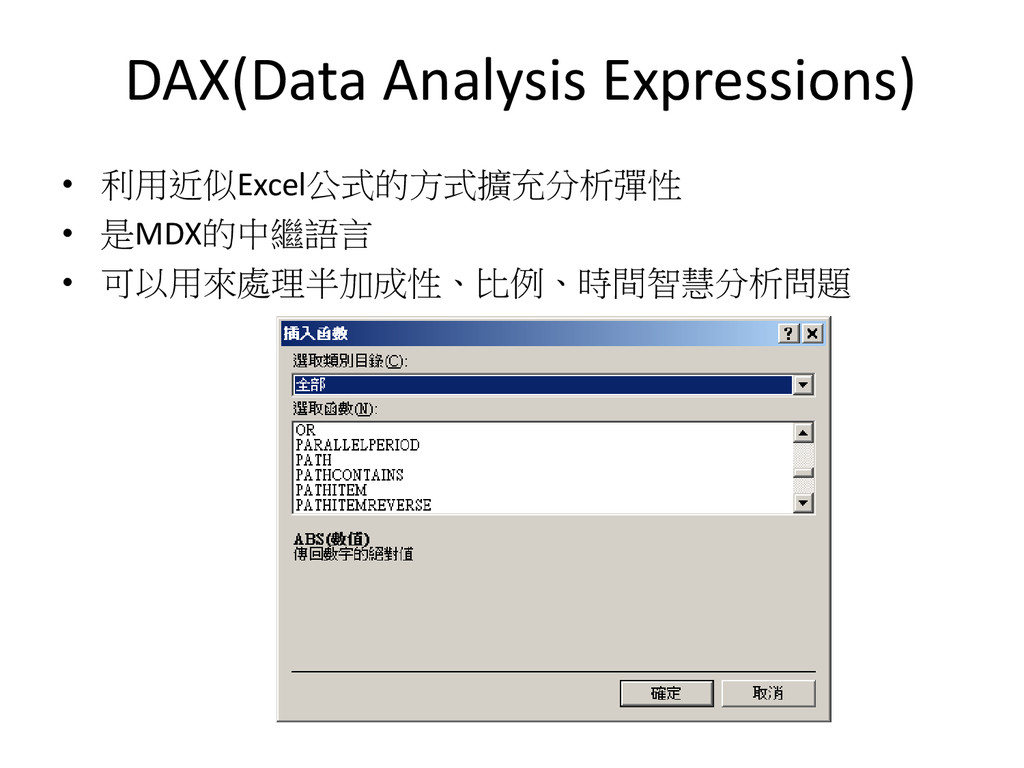
DAX(Data Analysis Expressions) • 利用近似Excel公式的方式擴充分析彈性 • 是MDX的中繼語言 • 可以用來處理半加成性、比例、時間智慧分析問題
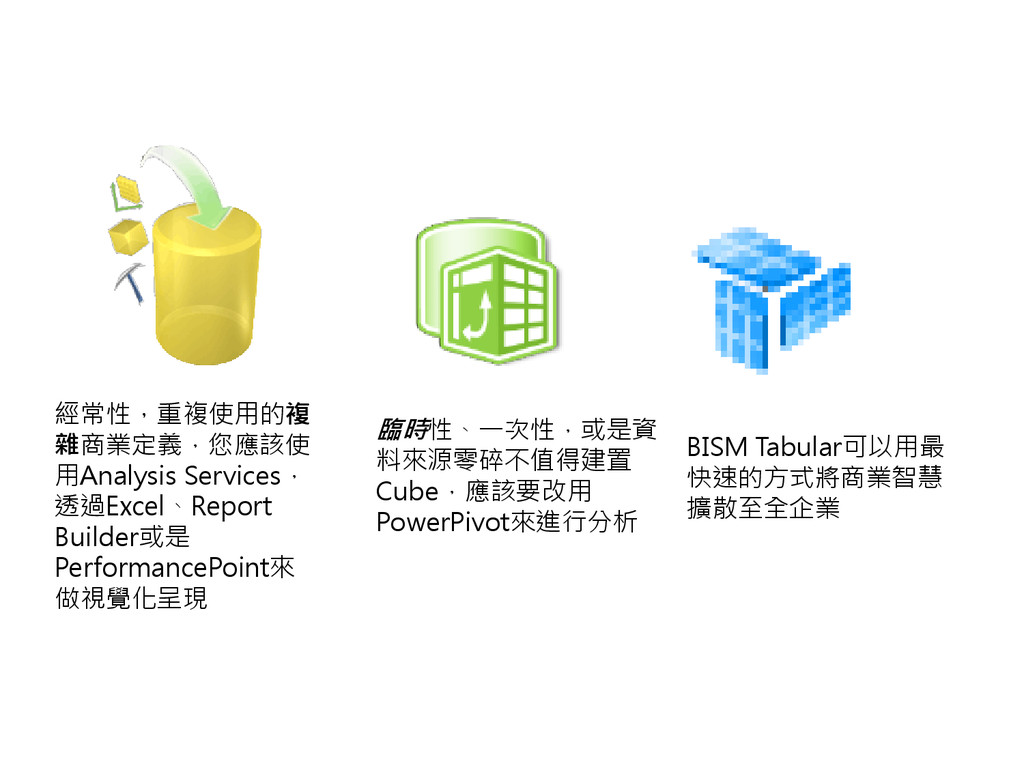
經常性,重複使用的複 雜商業定義,您應該使 用Analysis Services, 透過Excel、Report Builder或是 PerformancePoint來 做視覺化呈現 臨時性、一次性,或是資 料來源零碎不值得建置
Cube,應該要改用 PowerPivot來進行分析 BISM Tabular可以用最 快速的方式將商業智慧 擴散至全企業
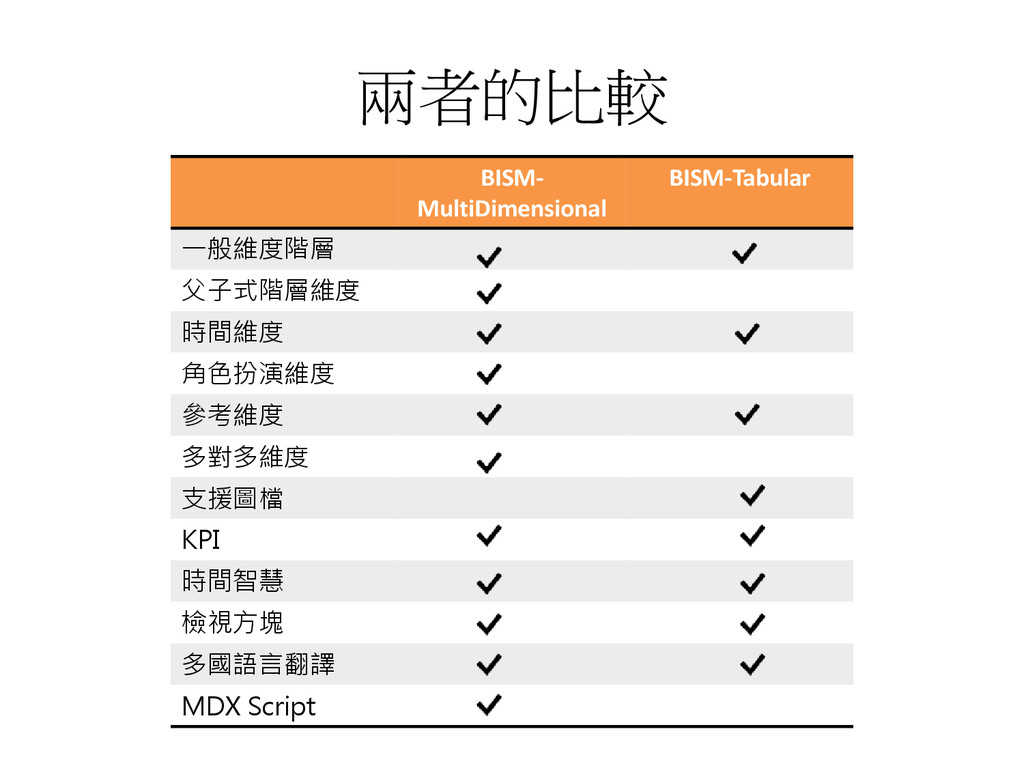
兩者的比較 BISM- MultiDimensional BISM-Tabular 一般維度階層 父子式階層維度 時間維度 角色扮演維度 參考維度 多對多維度
支援圖檔 KPI 時間智慧 檢視方塊 多國語言翻譯 MDX Script
PowerPivot
PowerPivot機制 • Excel端工具可以用來協助分析者依照最熟 悉的方式來存取、分析資料,運用記憶體 基礎虛擬Cube以強化處理速度 • SharePoint端展現協助佈署、分享分析成果、 並且將資料轉換為實體Cube,並可日後更 新資料
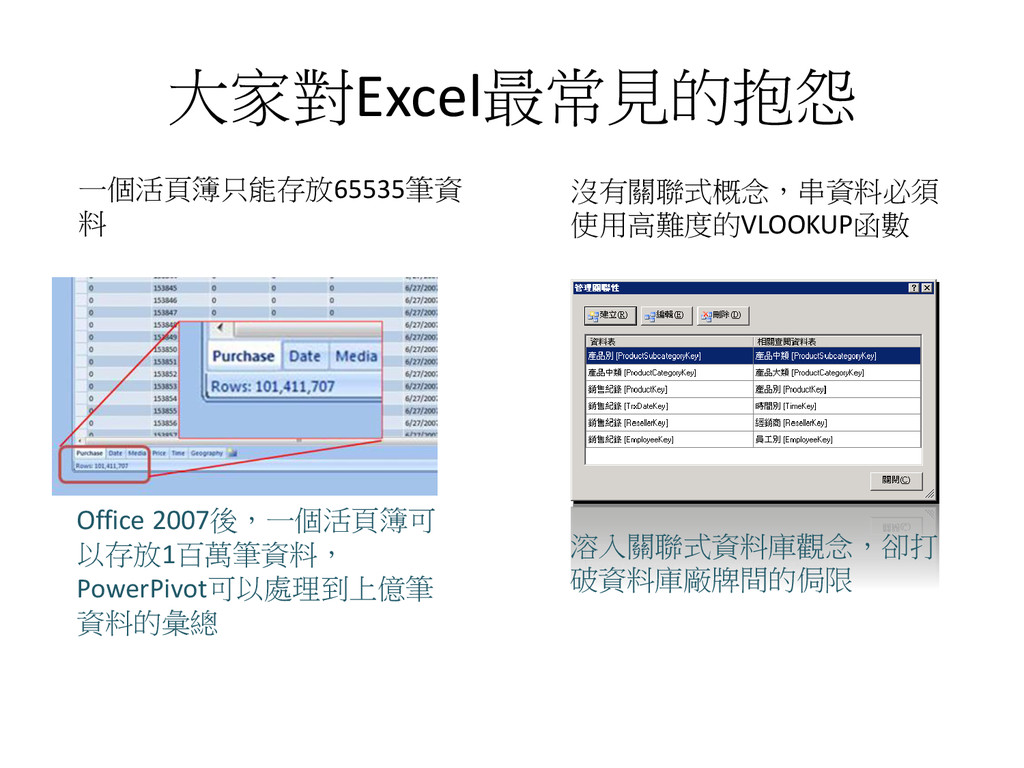
大家對Excel最常見的抱怨 一個活頁簿只能存放65535筆資 料 沒有關聯式概念,串資料必須 使用高難度的VLOOKUP函數 Office 2007後,一個活頁簿可 以存放1百萬筆資料, PowerPivot可以處理到上億筆 資料的彙總
溶入關聯式資料庫觀念,卻打 破資料庫廠牌間的侷限
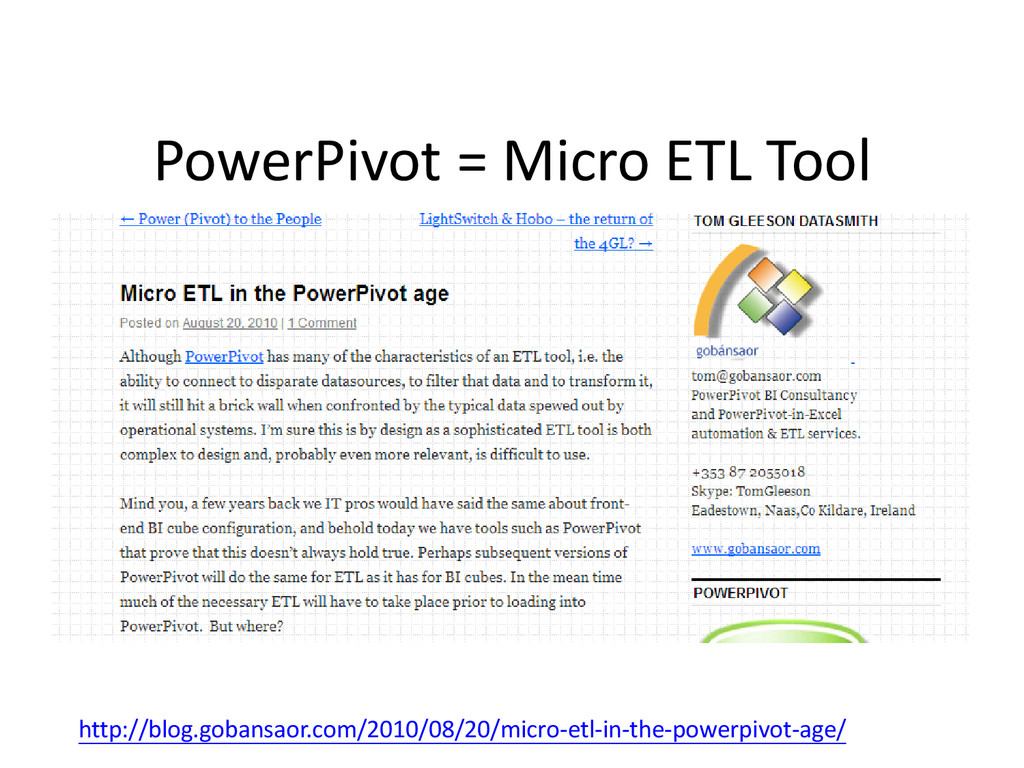
PowerPivot = Micro ETL Tool http://blog.gobansaor.com/2010/08/20/micro-etl-in-the-powerpivot-age/
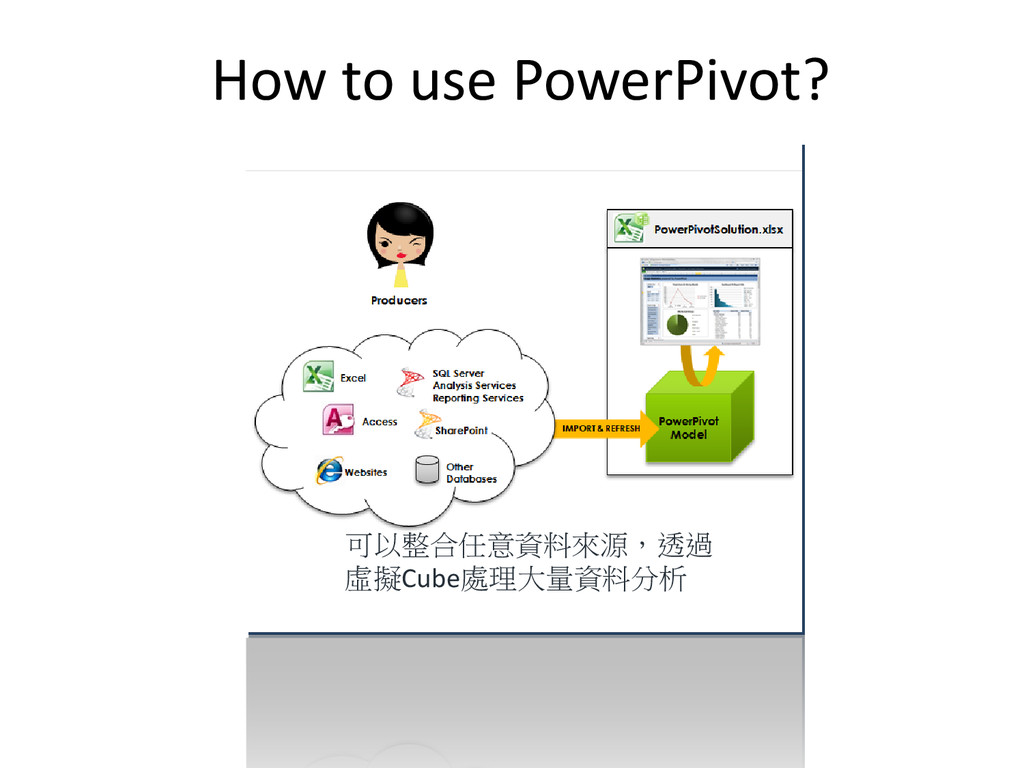
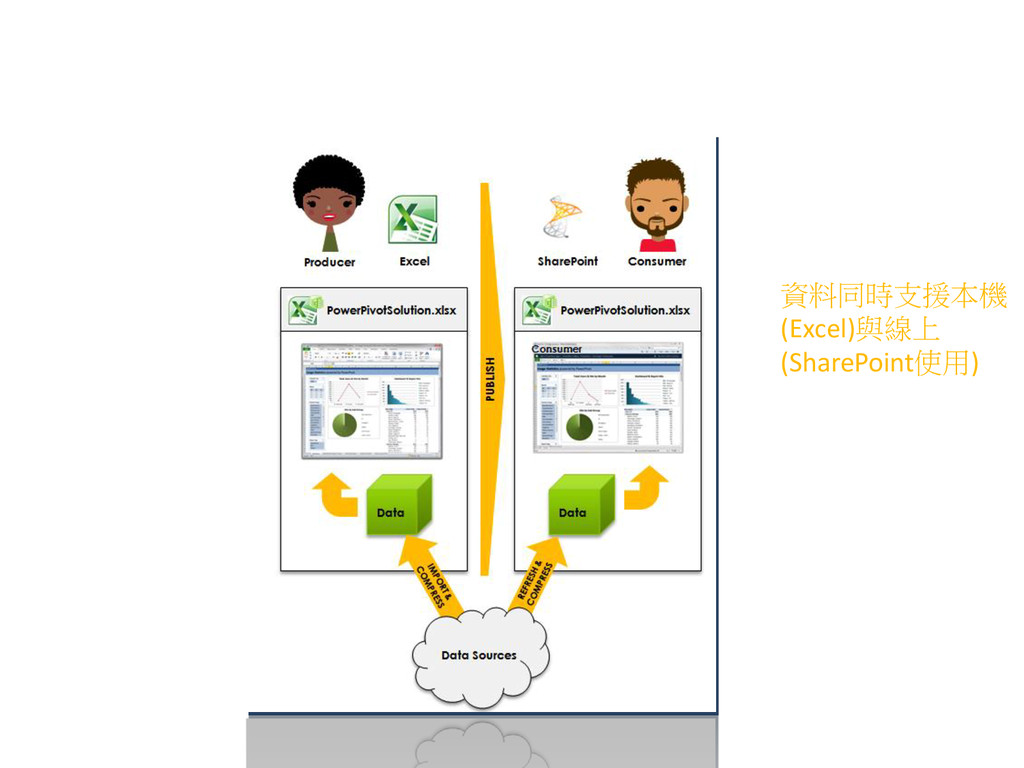
How to use PowerPivot? 可以整合任意資料來源,透過 虛擬Cube處理大量資料分析
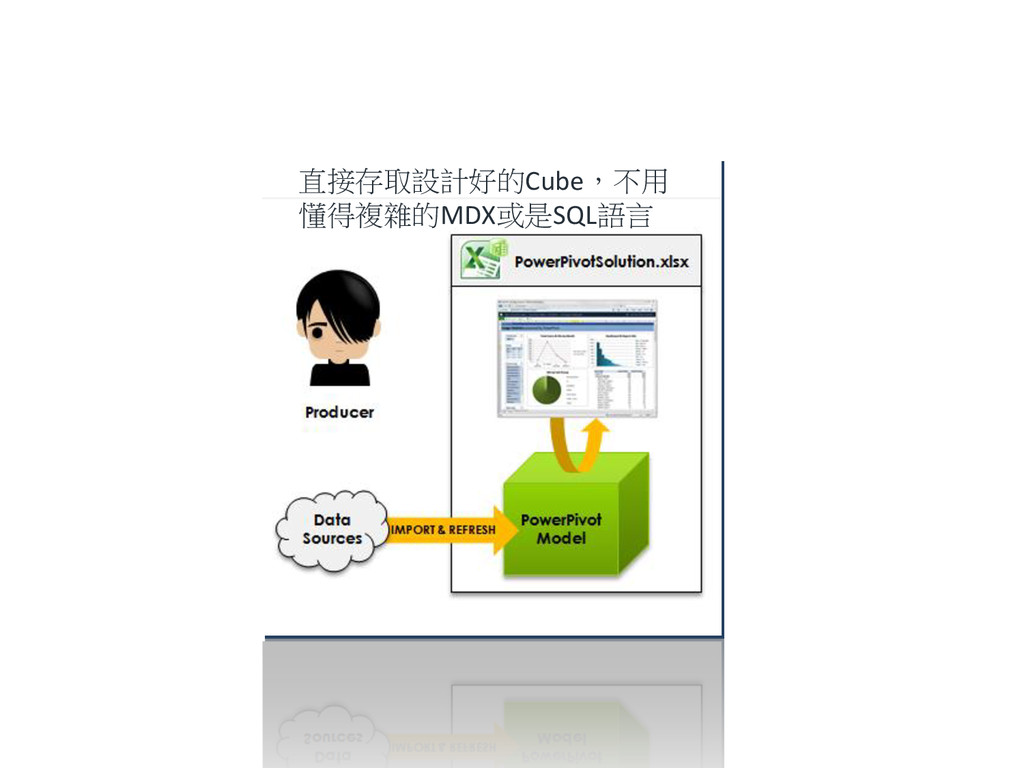
直接存取設計好的Cube,不用 懂得複雜的MDX或是SQL語言
資料同時支援本機 (Excel)與線上 (SharePoint使用)
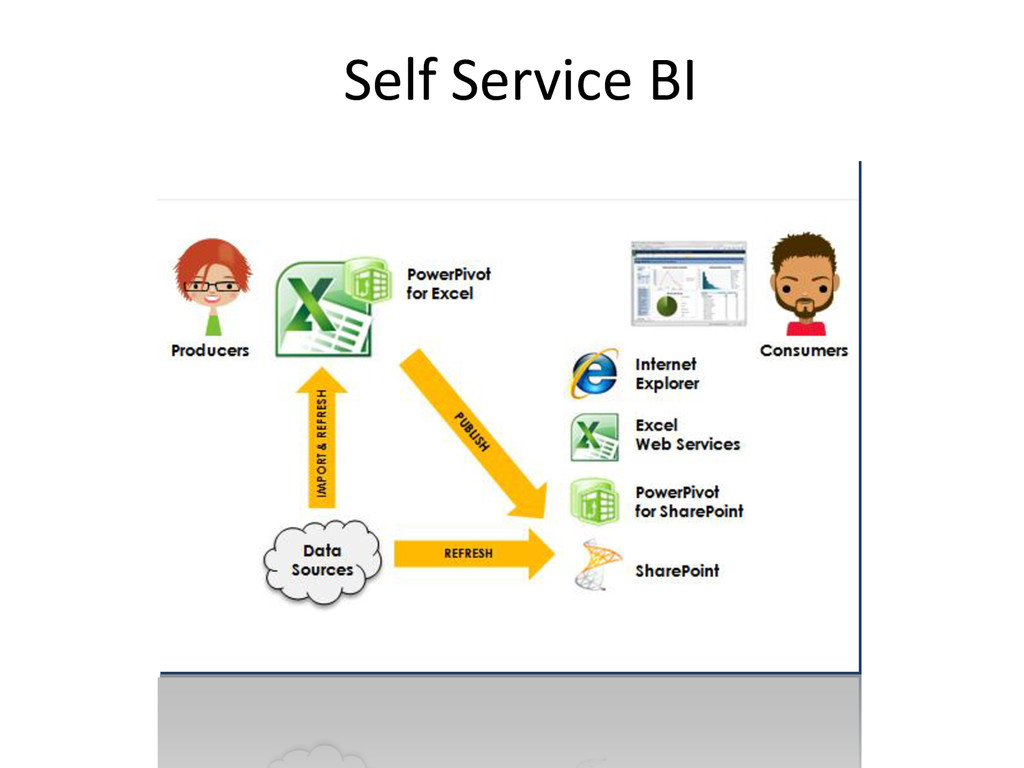
Self Service BI
Power View
None
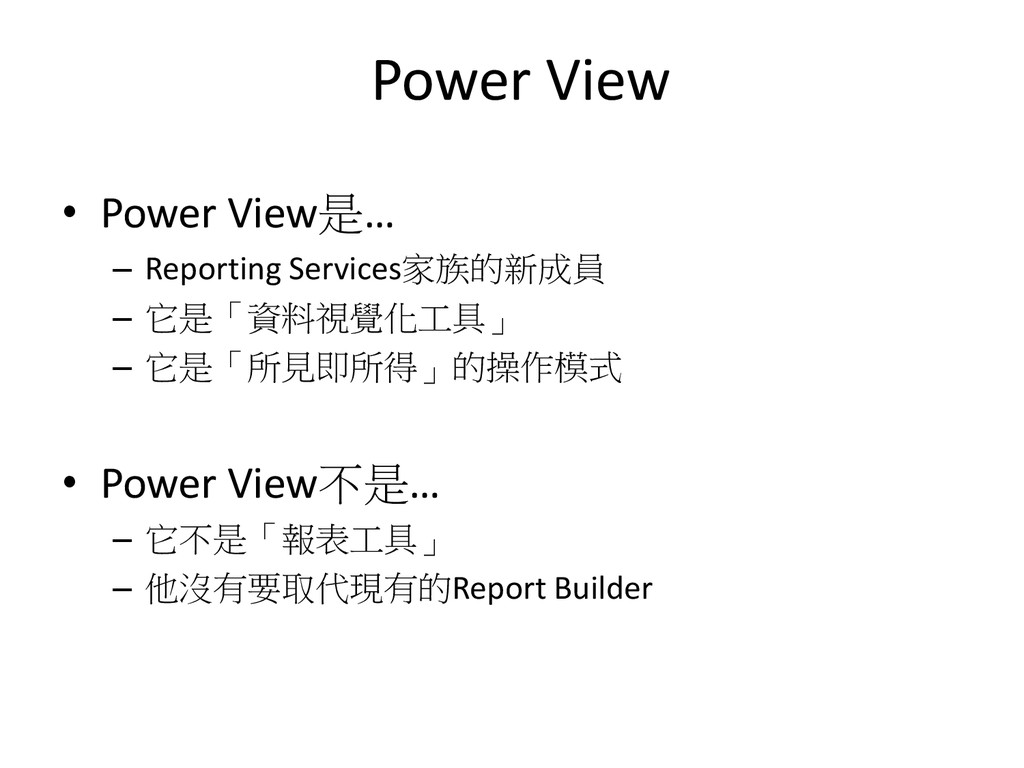
Power View • Power View是… – Reporting Services家族的新成員 – 它是「資料視覺化工具」
– 它是「所見即所得」的操作模式 • Power View不是… – 它不是「報表工具」 – 他沒有要取代現有的Report Builder
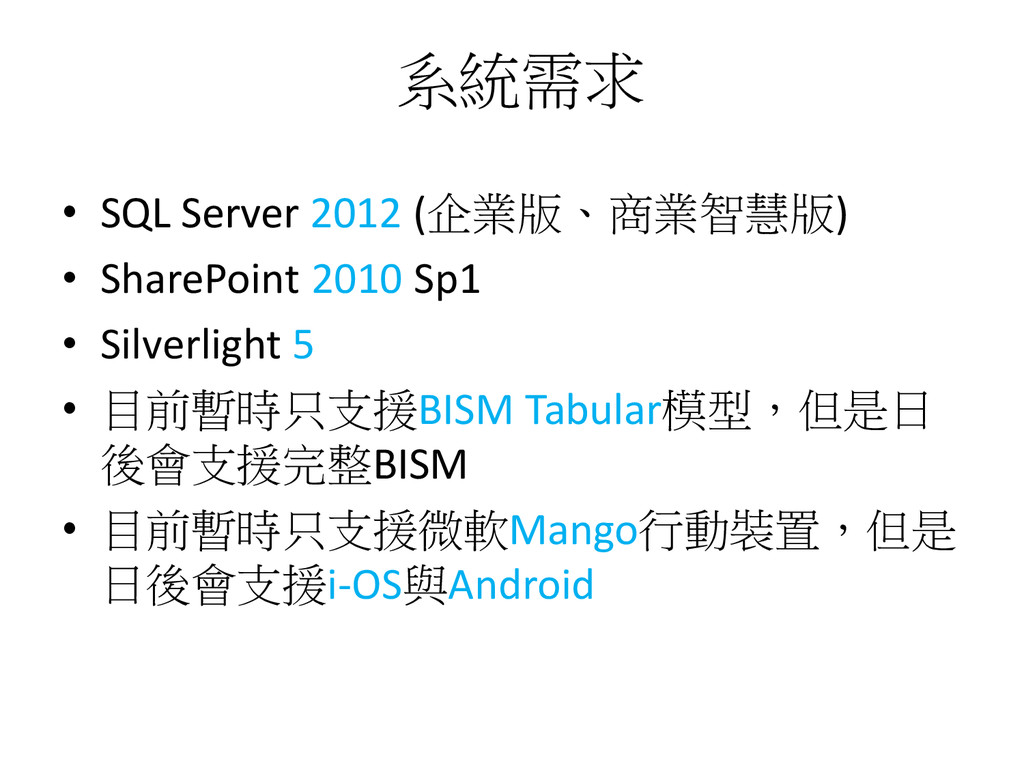
系統需求 • SQL Server 2012 (企業版、商業智慧版) • SharePoint 2010 Sp1
• Silverlight 5 • 目前暫時只支援BISM Tabular模型,但是日 後會支援完整BISM • 目前暫時只支援微軟Mango行動裝置,但是 日後會支援i-OS與Android
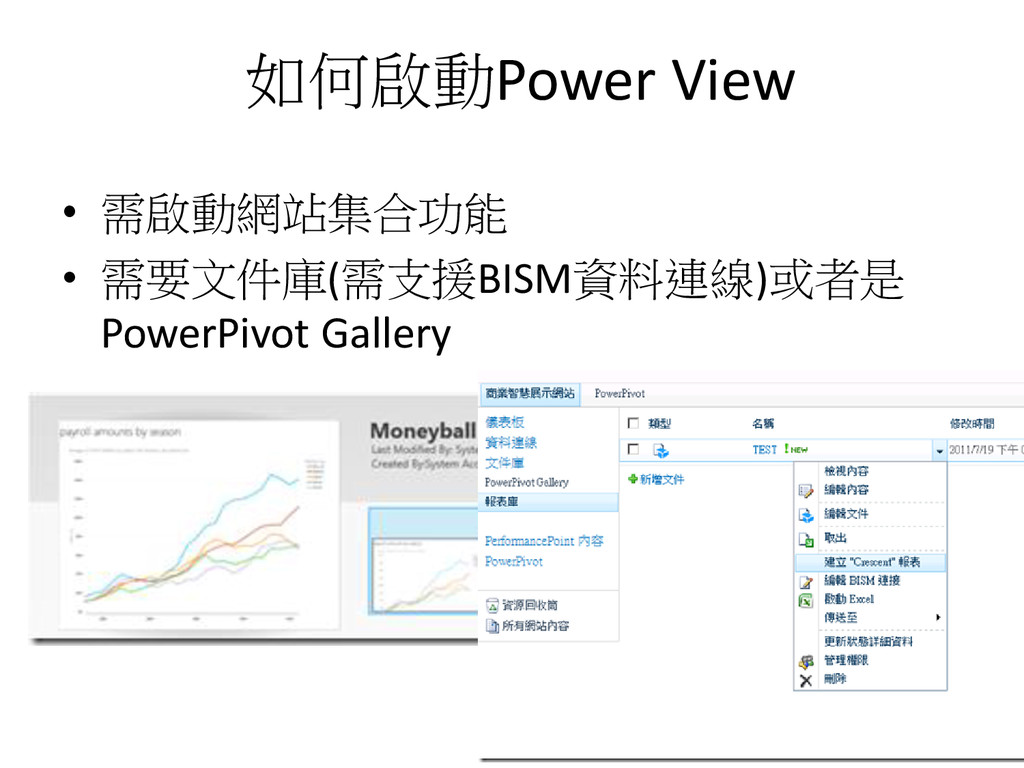
如何啟動Power View • 需啟動網站集合功能 • 需要文件庫(需支援BISM資料連線)或者是 PowerPivot Gallery
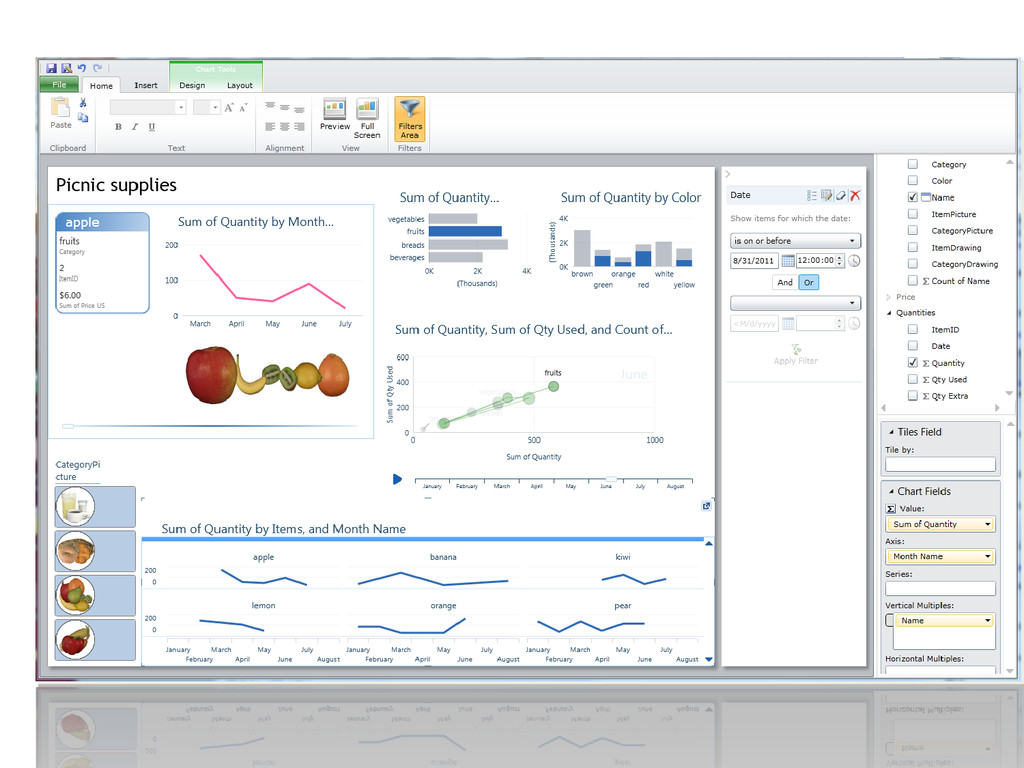
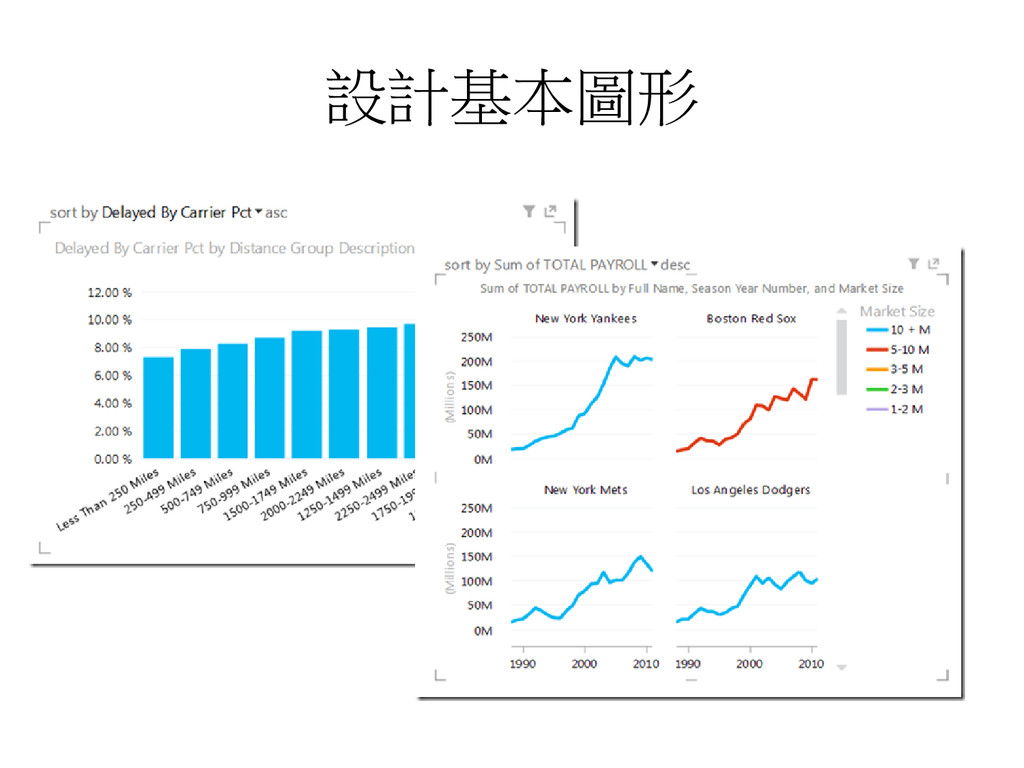
設計基本圖形
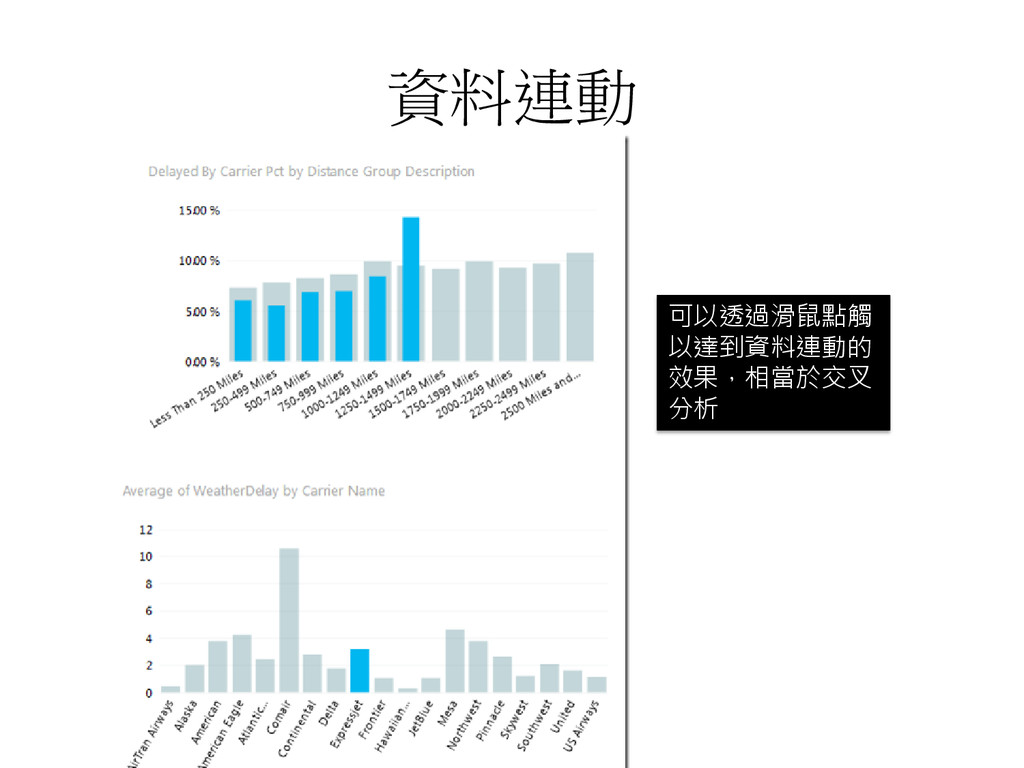
資料連動 可以透過滑鼠點觸 以達到資料連動的 效果,相當於交叉 分析
None


 ccjeng
 odashi
 bitkey
 takonda
 pfn
pfn
 makocchi
 rfdnxbro
 terurou
 kworkdev
 gionn
gionn
 endonanana
 takahashim
 shugo
shugo
 inesmontani
 geoffreycrofte
 427marketing
 csswizardry
 kristinabergwall1
 swwweet
 konakalab
 tammyeverts
 rasagy
 addyosmani
 gurzu
gurzu
 sabderemane