Share
MCP - iPlayground
Want LLMs to use your own tools to get things done?
Want LLMs to help you accelerate tedious processes in development in the way you want?
Or are you looking at the dazzling array of MCP services on GitHub, wanting to download them but worried about hidden security risks or data-stealing logic? Then it's time to write your own.
This sharing will take you through understanding what the Model Context Protocol (MCP) defines and how it works from an iOS engineer's perspective.
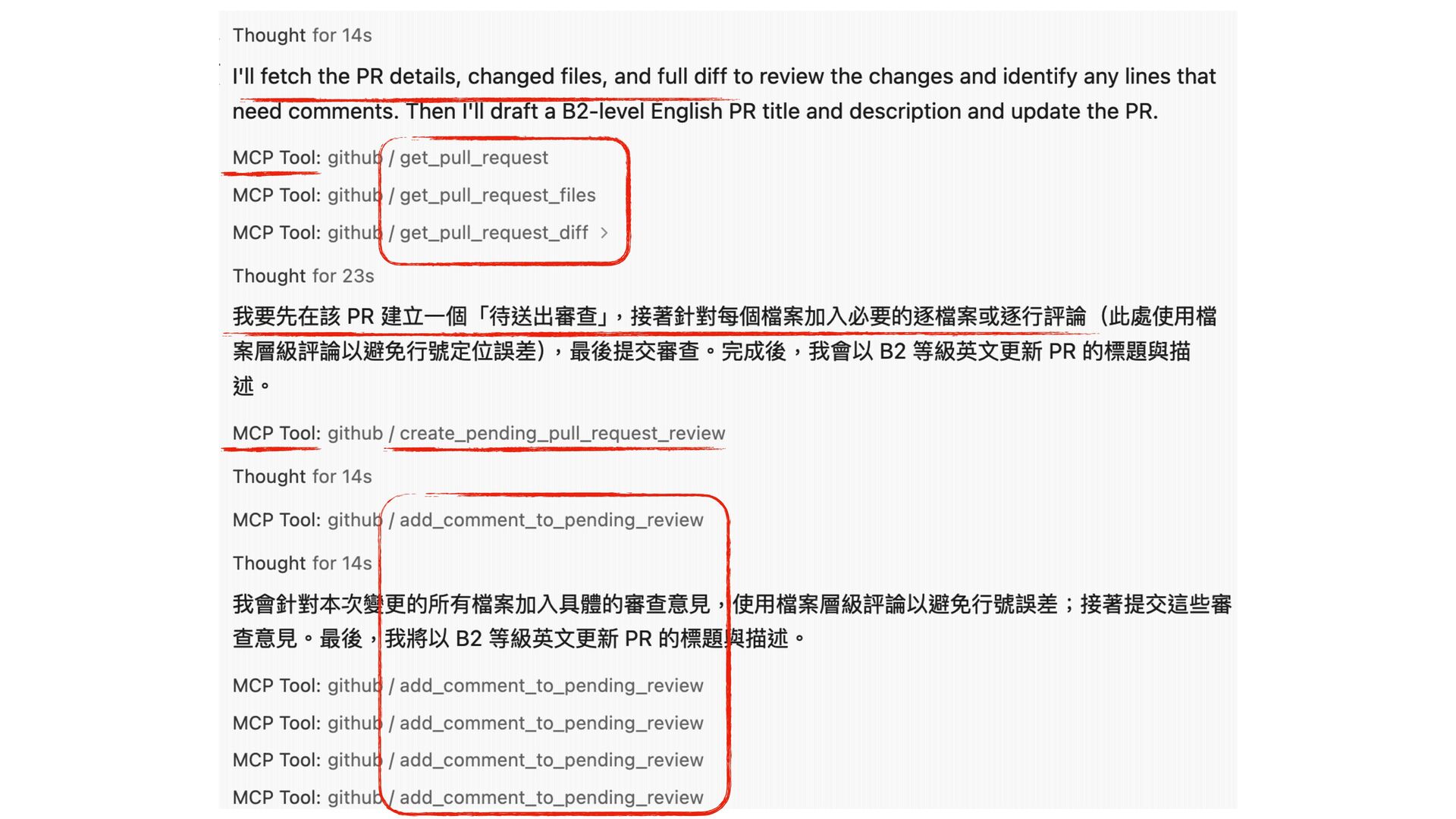
We'll demonstrate with simple examples how to build your own MCP Tool, allowing AI assistants like Cursor and Windsurf to directly communicate with your own tools, eliminating the need to manually copy and paste your API results to AI.
Welcome all friends interested in automation, AI collaboration, and Swift implementation to join the discussion.
Chiaote Ni
Transcript
119 slides
-
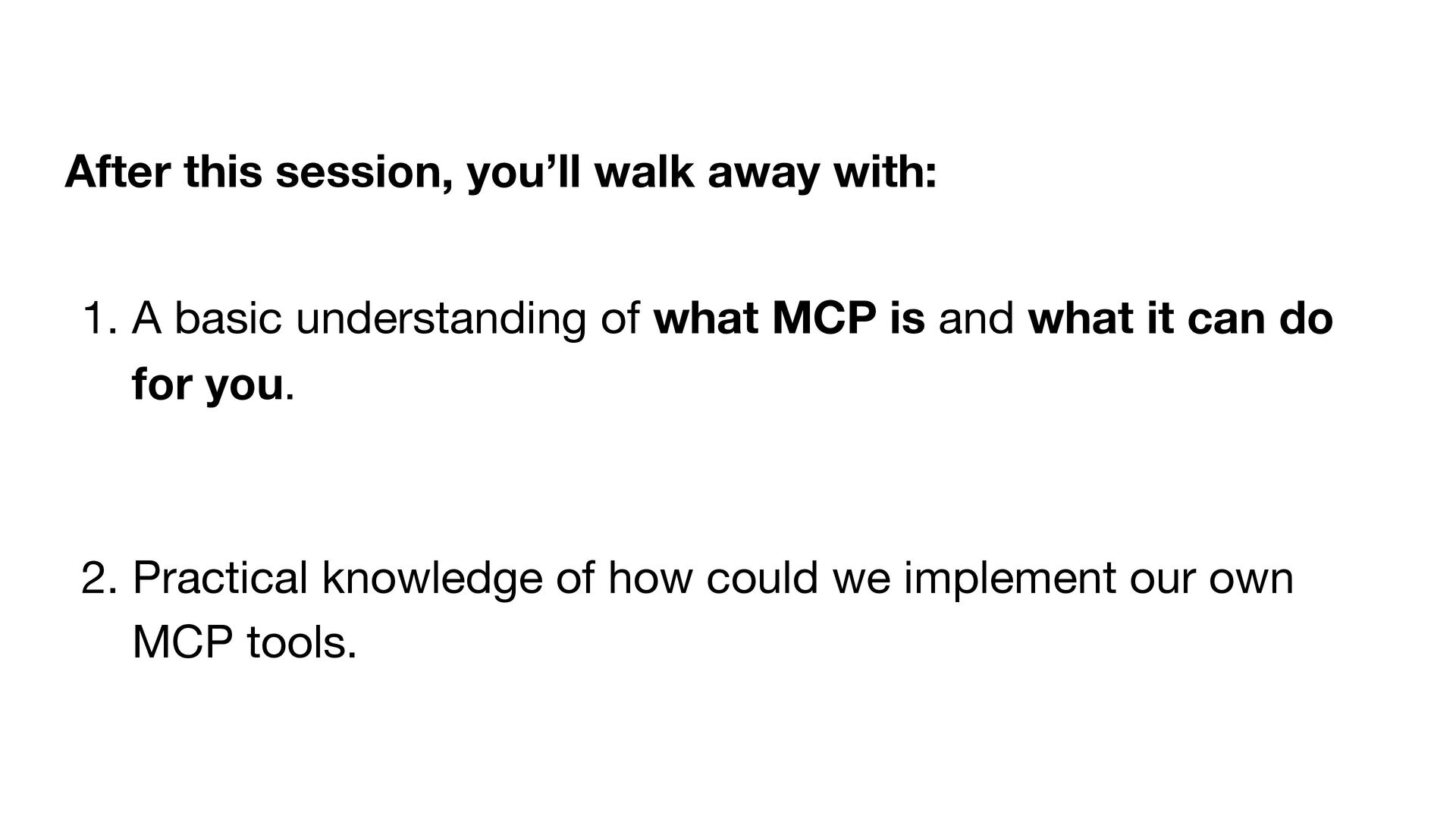
1. A basic understanding of what MCP is and what
it can do for you. 2. Practical knowledge of how could we implement our own MCP tools. After this session, you’ll walk away with: -
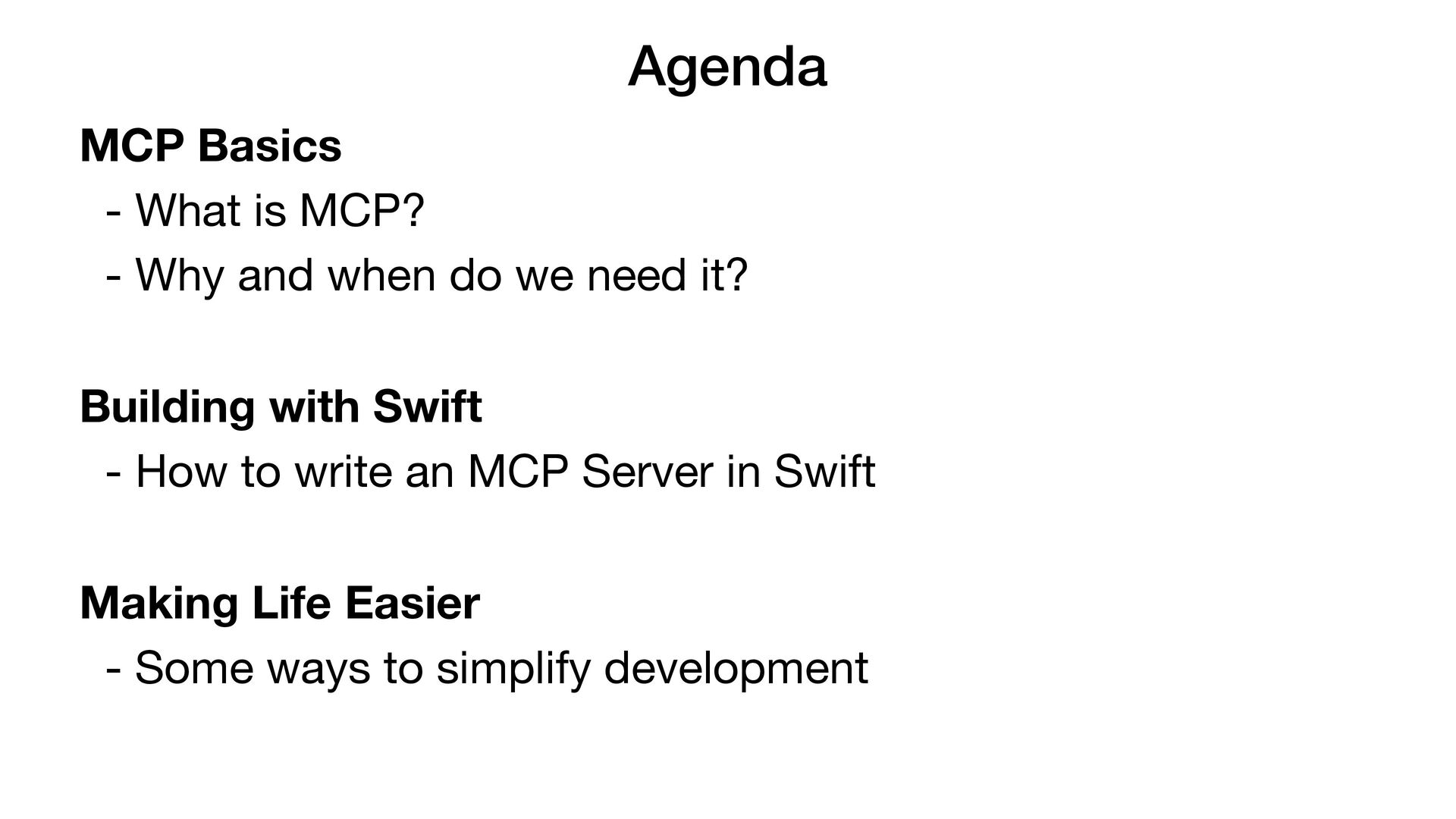
Agenda MCP Basics - What is MCP? - Why and
when do we need it? Building with Swift - How to write an MCP Server in Swift Making Life Easier - Some ways to simplify development -
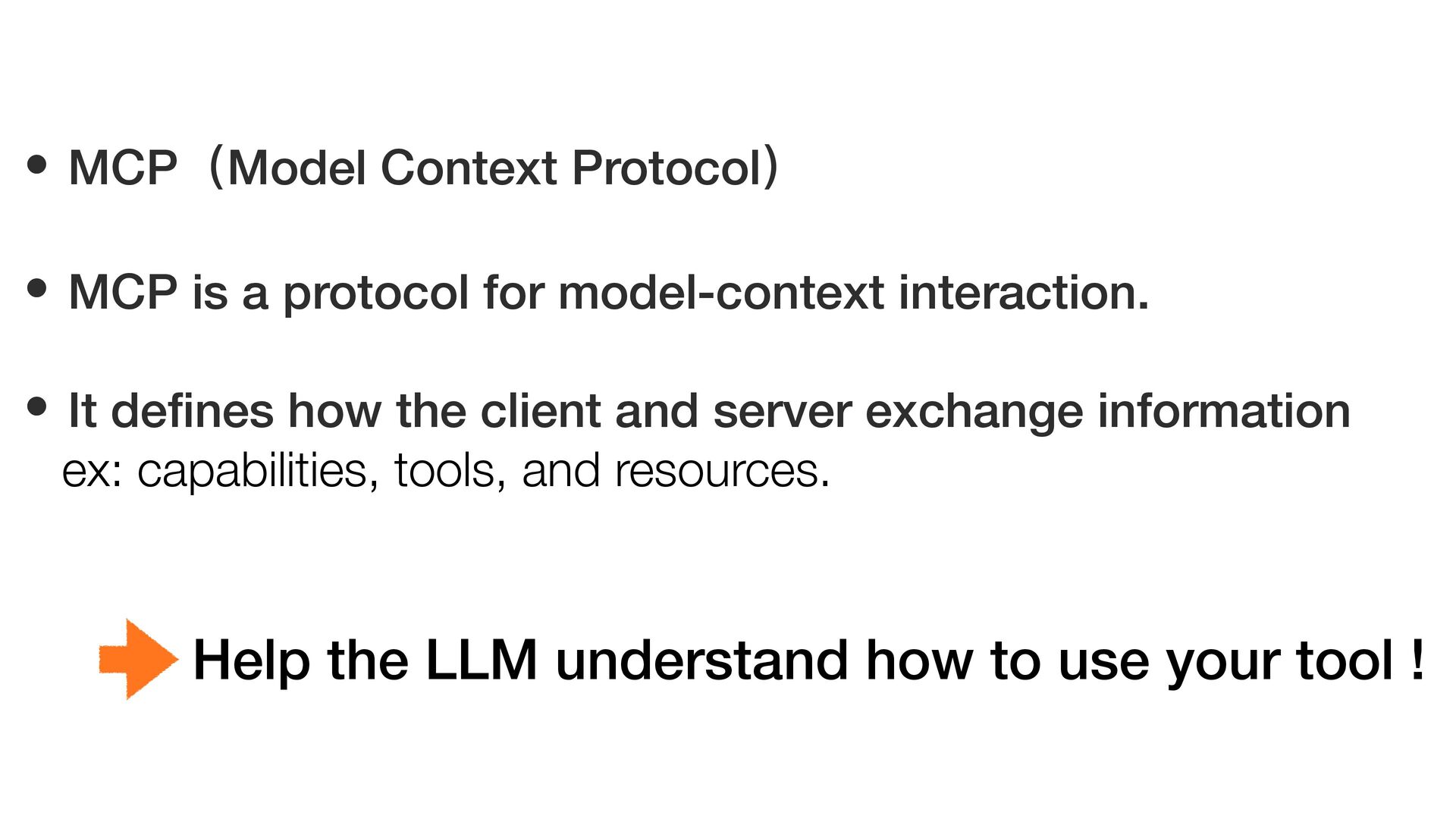
• MCP(Model Context Protocol) • MCP is a protocol for
model-context interaction. • It de fi nes how the client and server exchange information ex: capabilities, tools, and resources. Help the LLM understand how to use your tool ! -
Why do we need to learn this protocol? Why do
we need to make our own MCP server? -
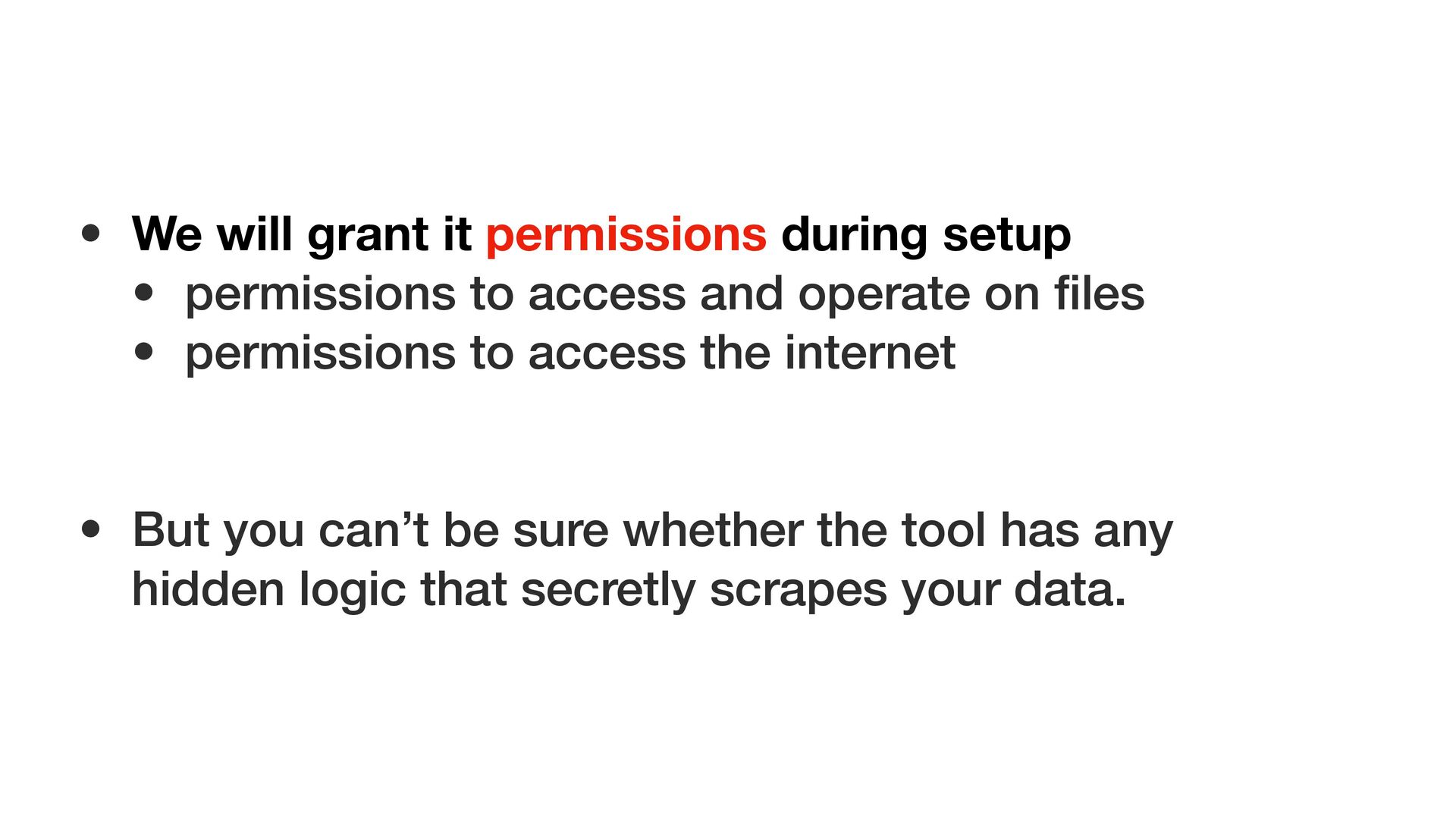
• We will grant it permissions during setup • permissions
to access and operate on fi les • permissions to access the internet • But you can’t be sure whether the tool has any hidden logic that secretly scrapes your data. -
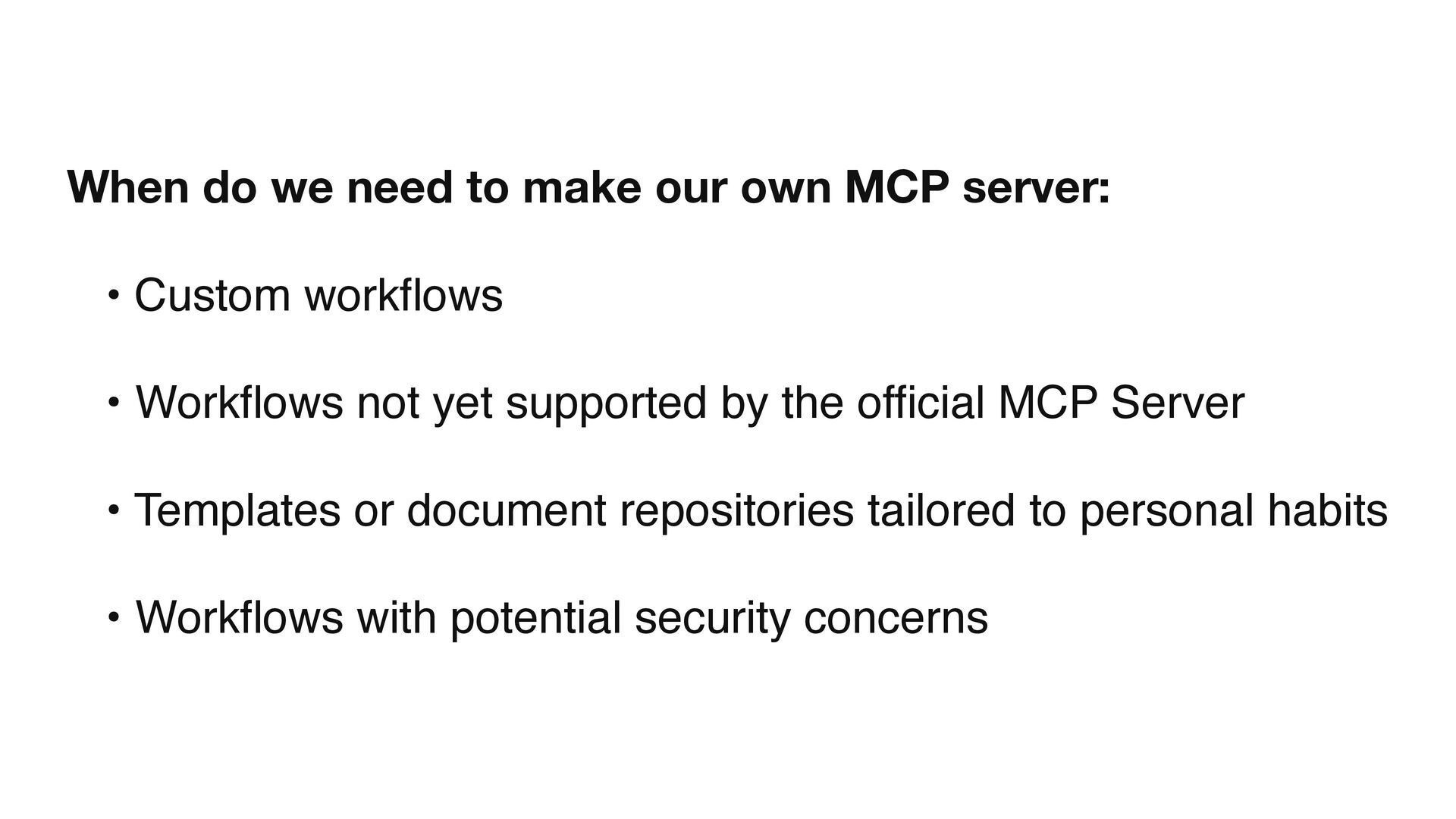
When do we need to make our own MCP server:
• Custom workflows • Workflows not yet supported by the official MCP Server • Templates or document repositories tailored to personal habits • Workflows with potential security concerns -
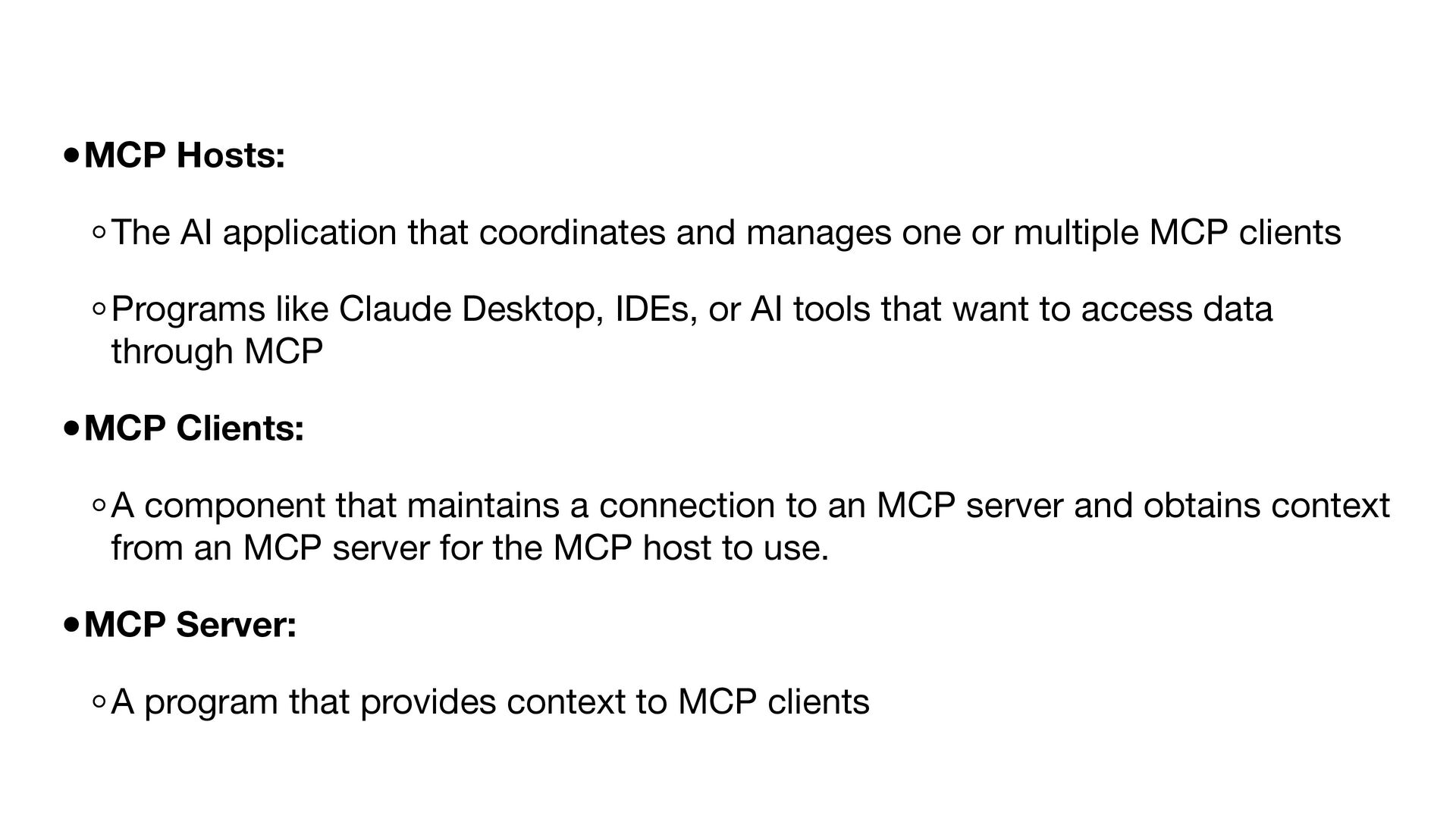
•MCP Hosts: ◦The AI application that coordinates and manages one
or multiple MCP clients ◦Programs like Claude Desktop, IDEs, or AI tools that want to access data through MCP •MCP Clients: ◦A component that maintains a connection to an MCP server and obtains context from an MCP server for the MCP host to use. •MCP Server: ◦A program that provides context to MCP clients -
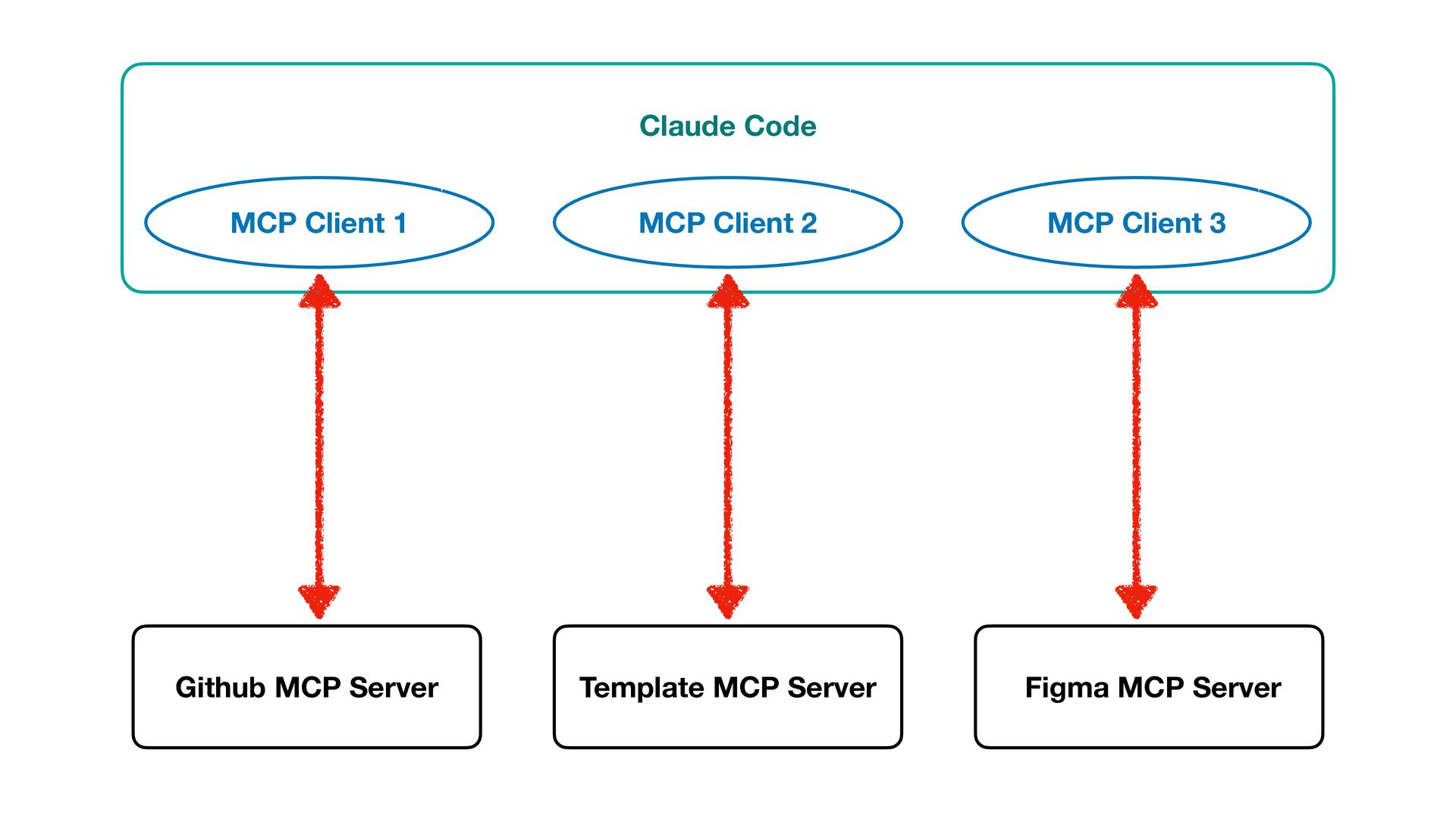
Claude Code Github MCP Server Template MCP Server Figma MCP
Server MCP Client 1 MCP Client 2 MCP Client 3 -
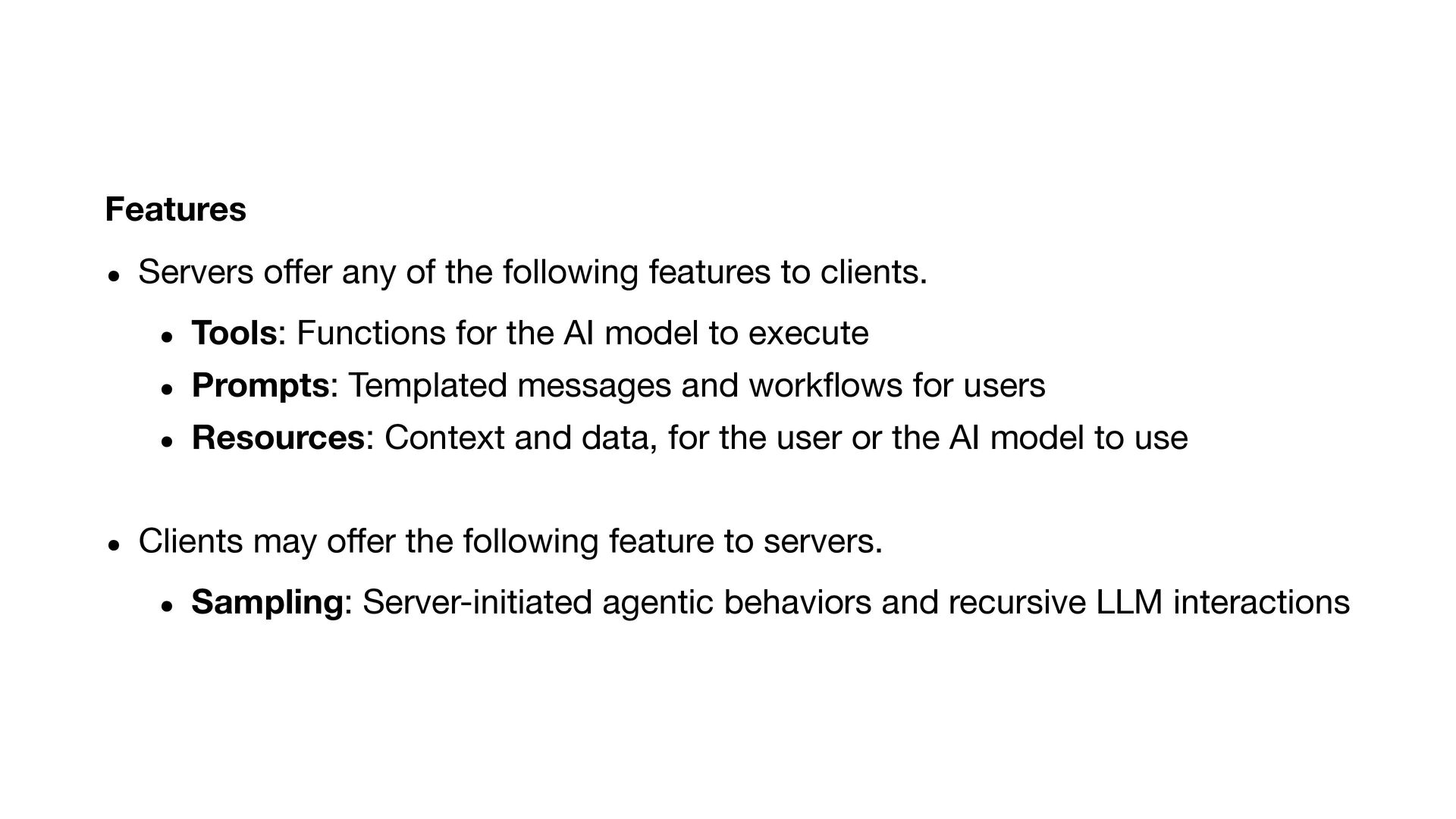
Features • Servers o ff er any of the following
features to clients. • Tools: Functions for the AI model to execute • Prompts: Templated messages and work fl ows for users • Resources: Context and data, for the user or the AI model to use • Clients may o ff er the following feature to servers. • Sampling: Server-initiated agentic behaviors and recursive LLM interactions -
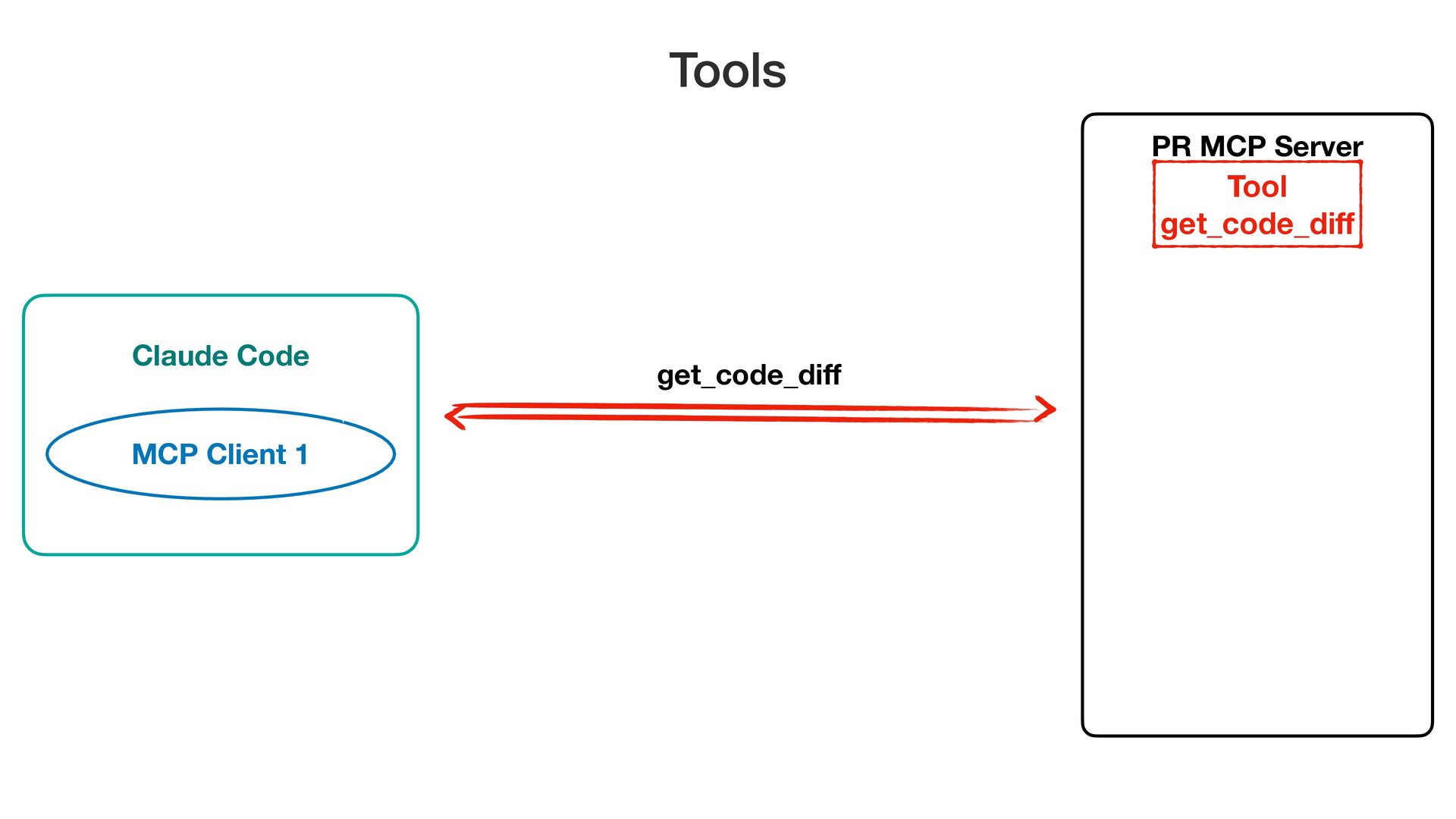
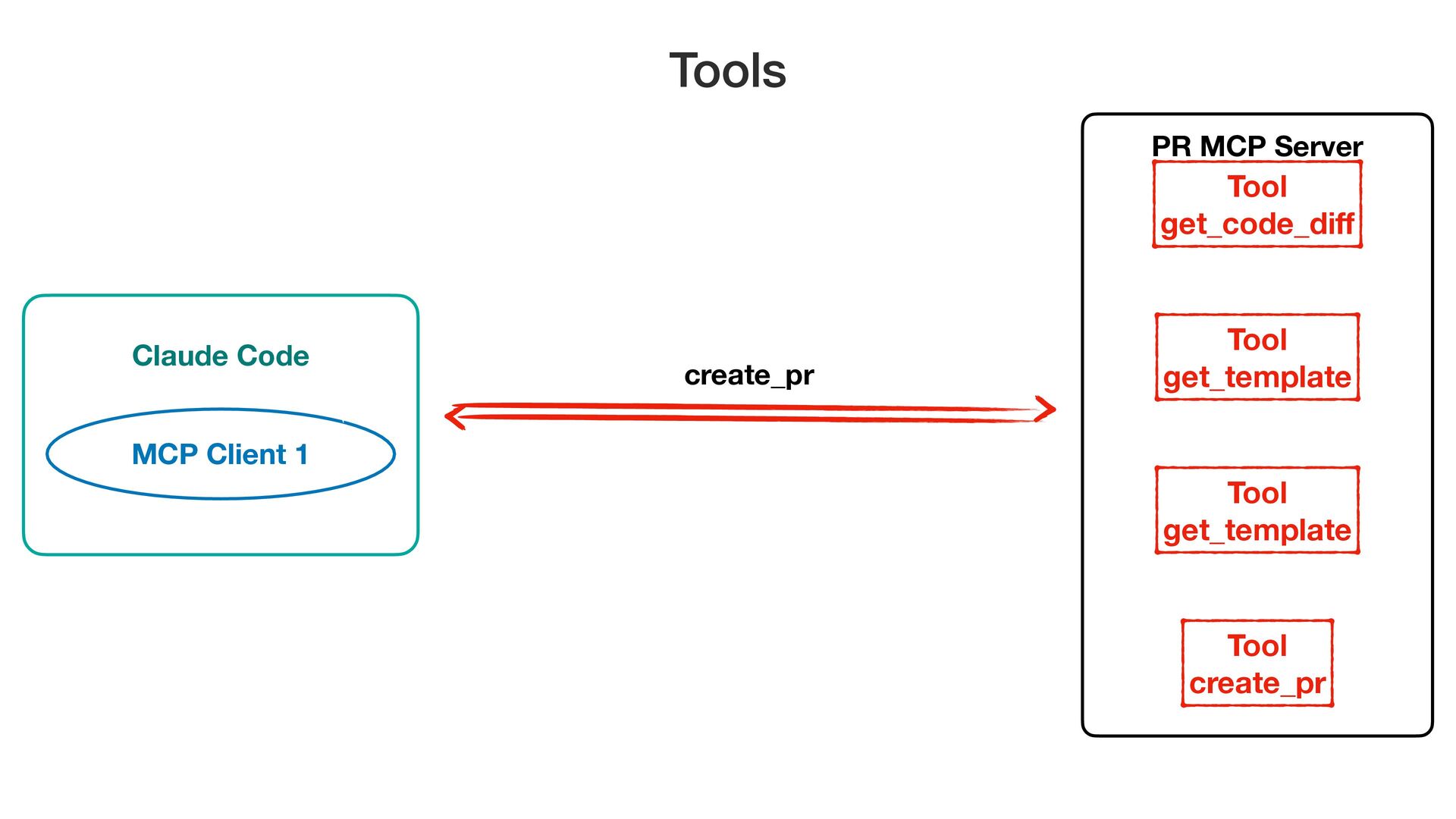
get_code_di f Tools MCP Client 1 Claude Code PR MCP
Server Tool get_code_di f -
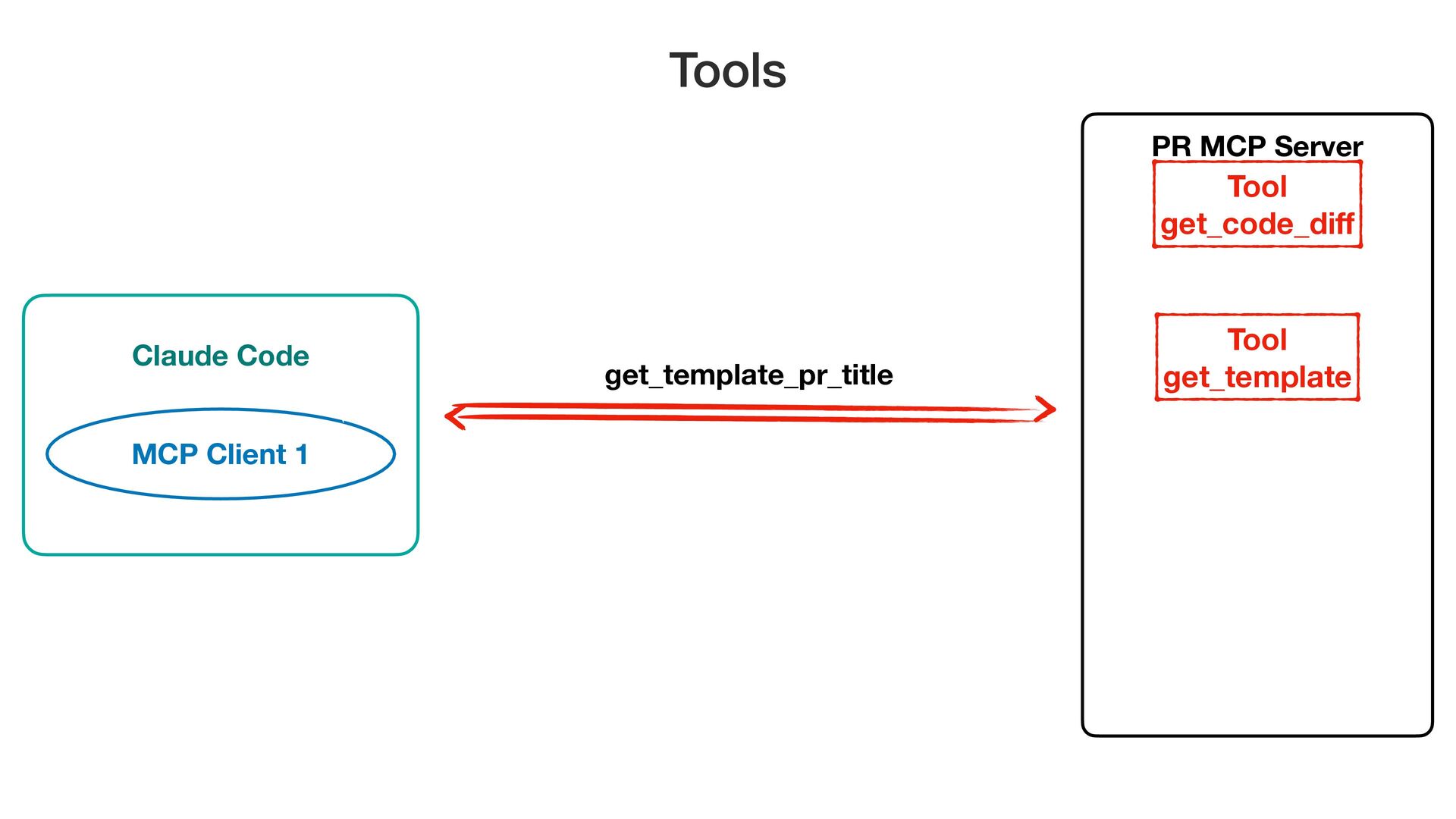
get_template_pr_title Tools MCP Client 1 Claude Code PR MCP Server
Tool get_code_di f Tool get_template -
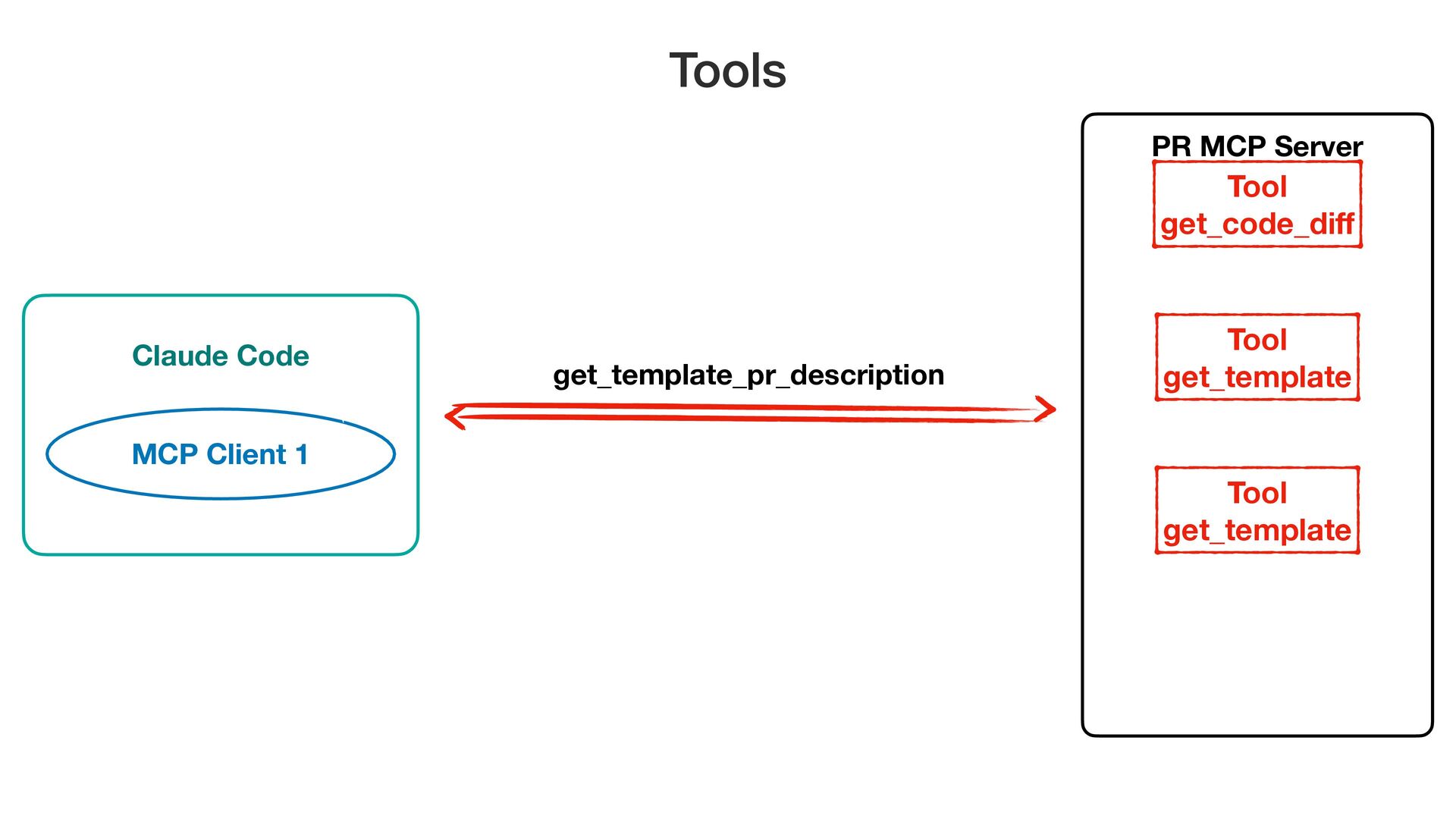
get_template_pr_description Tools MCP Client 1 Claude Code PR MCP Server
Tool get_code_di f Tool get_template Tool get_template -
MCP Client 1 create_pr Tools Claude Code PR MCP Server
Tool get_code_di f Tool get_template Tool get_template Tool create_pr -
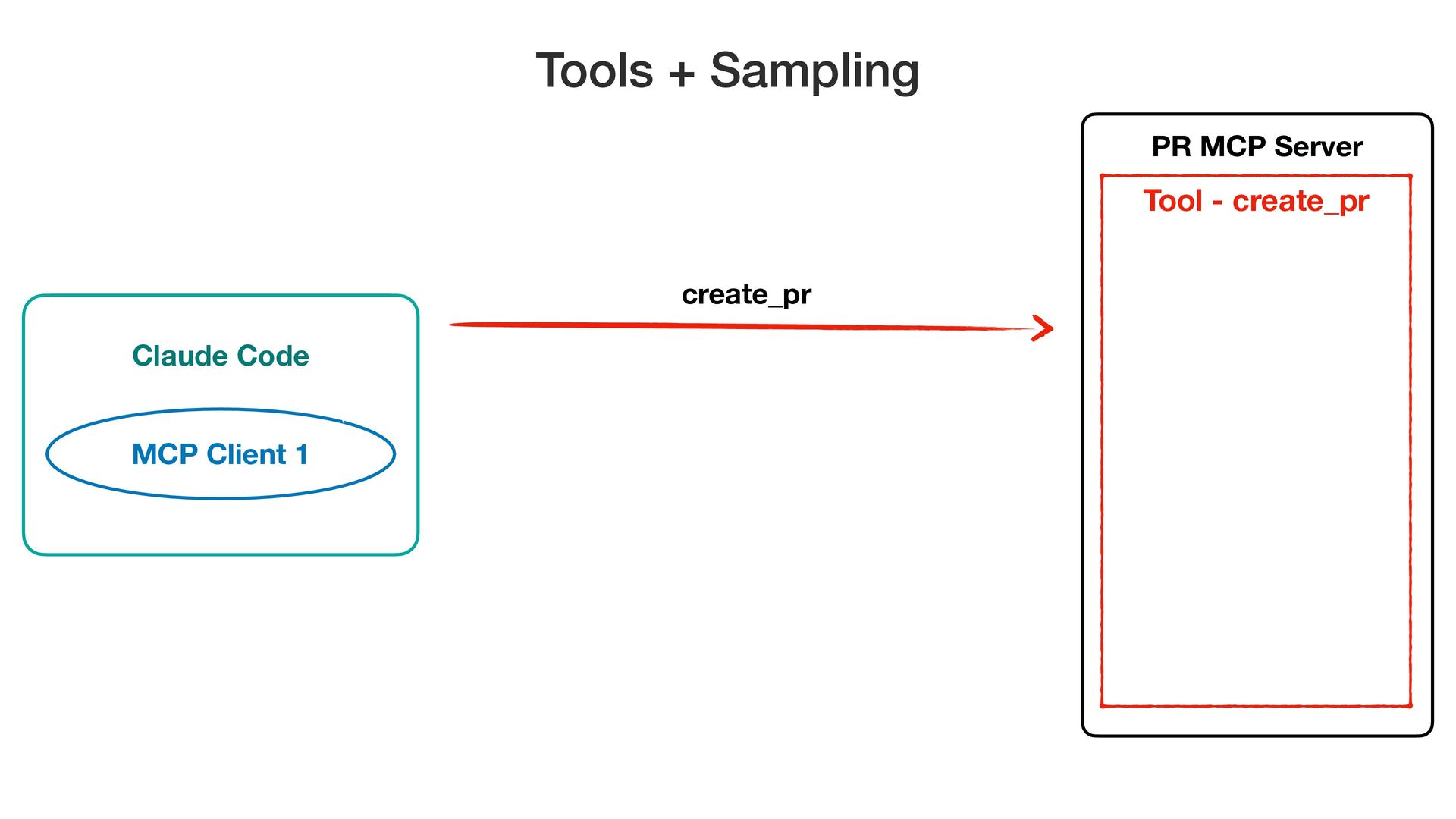
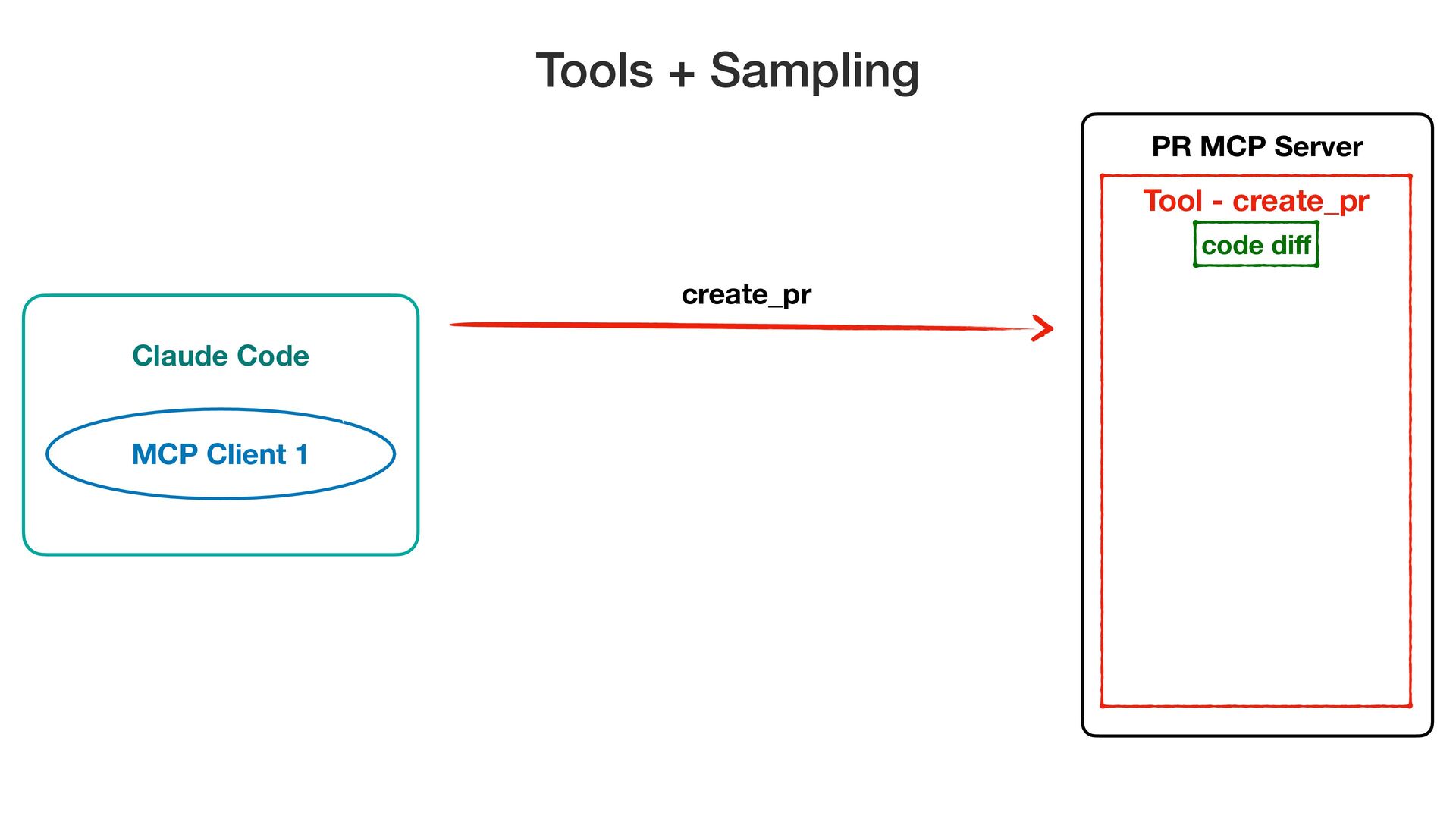
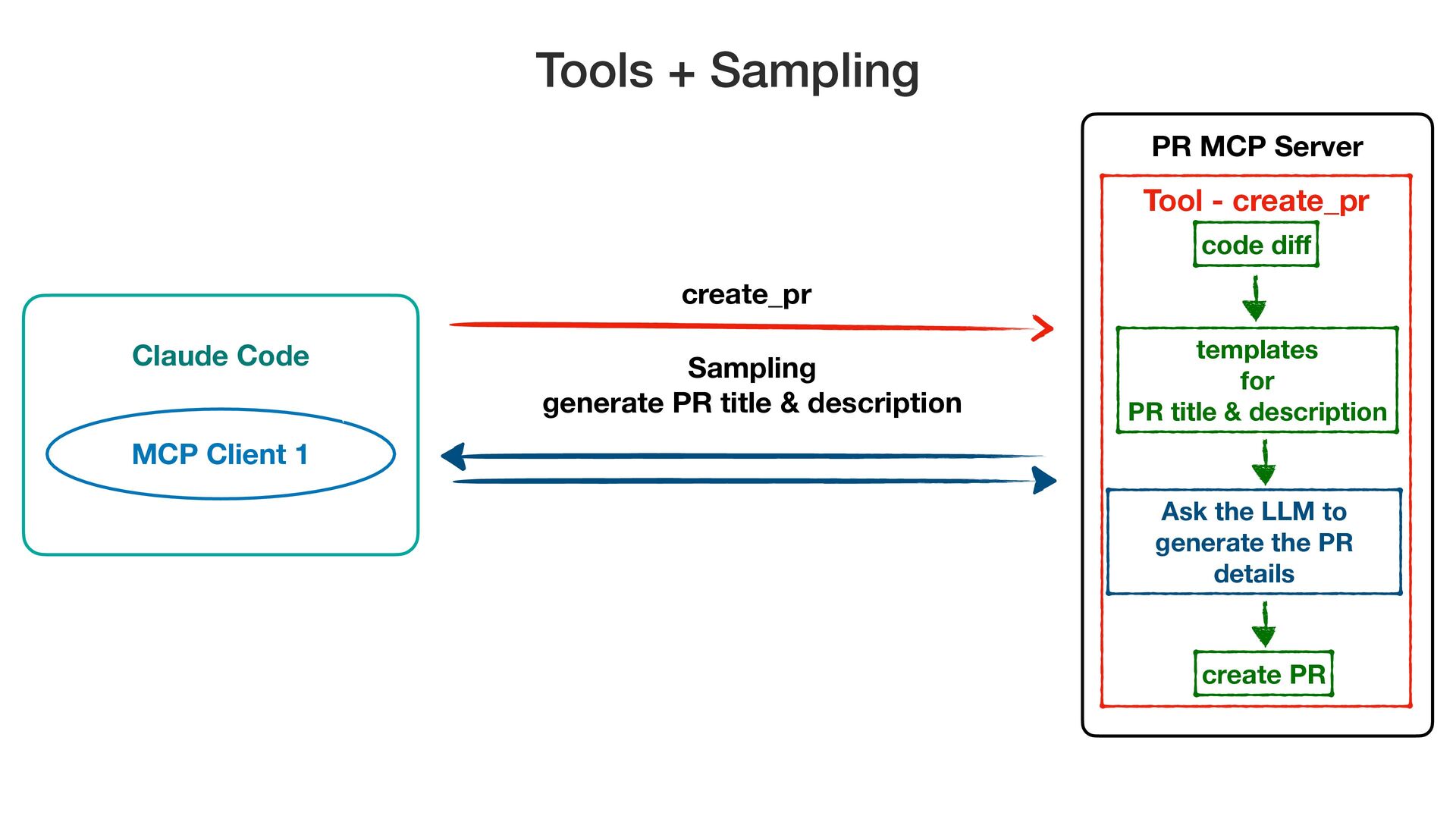
Claude Code PR MCP Server MCP Client 1 create_pr Tools
+ Sampling Tool - create_pr -
Claude Code PR MCP Server MCP Client 1 create_pr Tools
+ Sampling Tool - create_pr code di f -
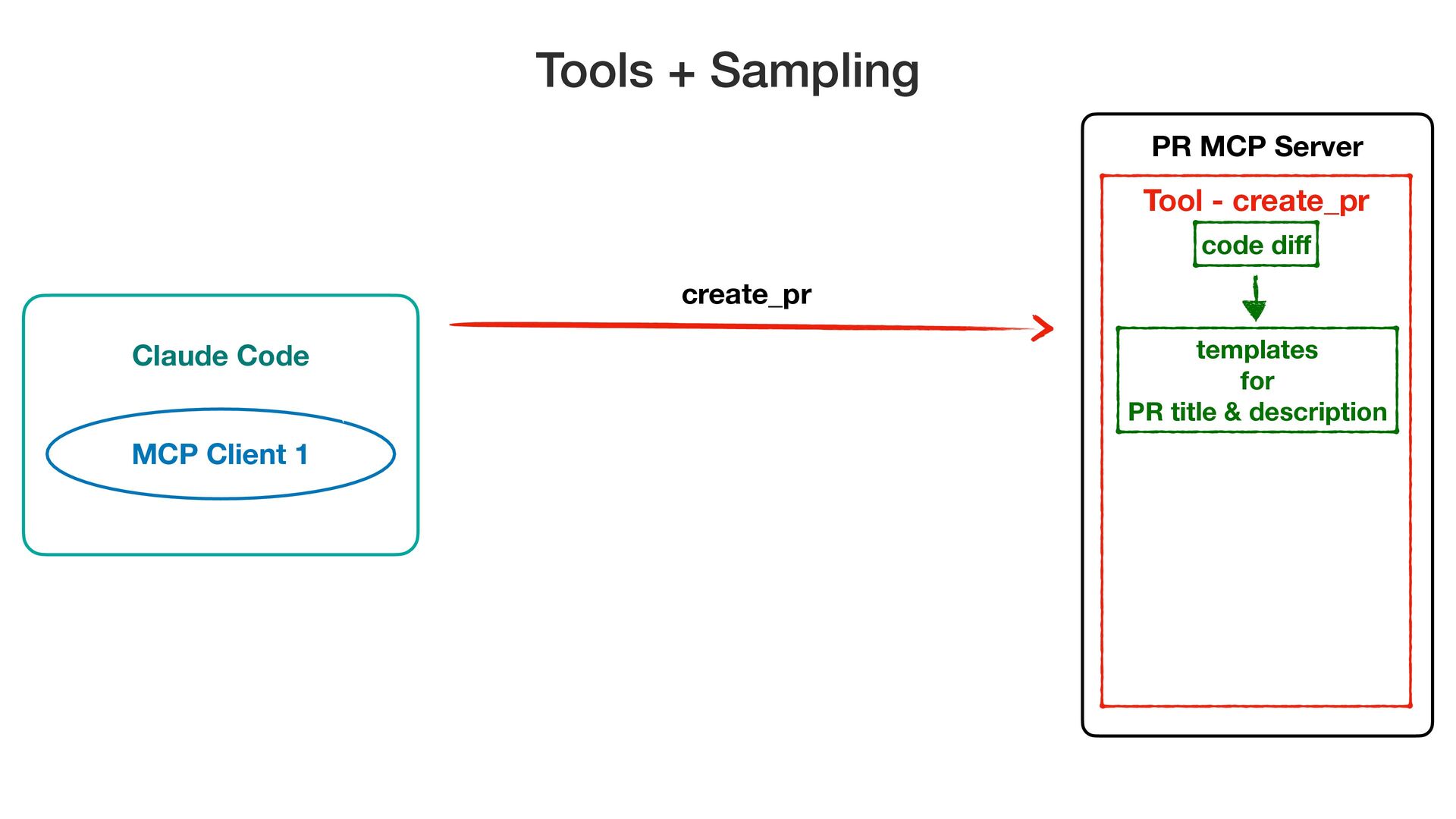
Claude Code PR MCP Server MCP Client 1 create_pr Tools
+ Sampling Tool - create_pr templates for PR title & description code di f -
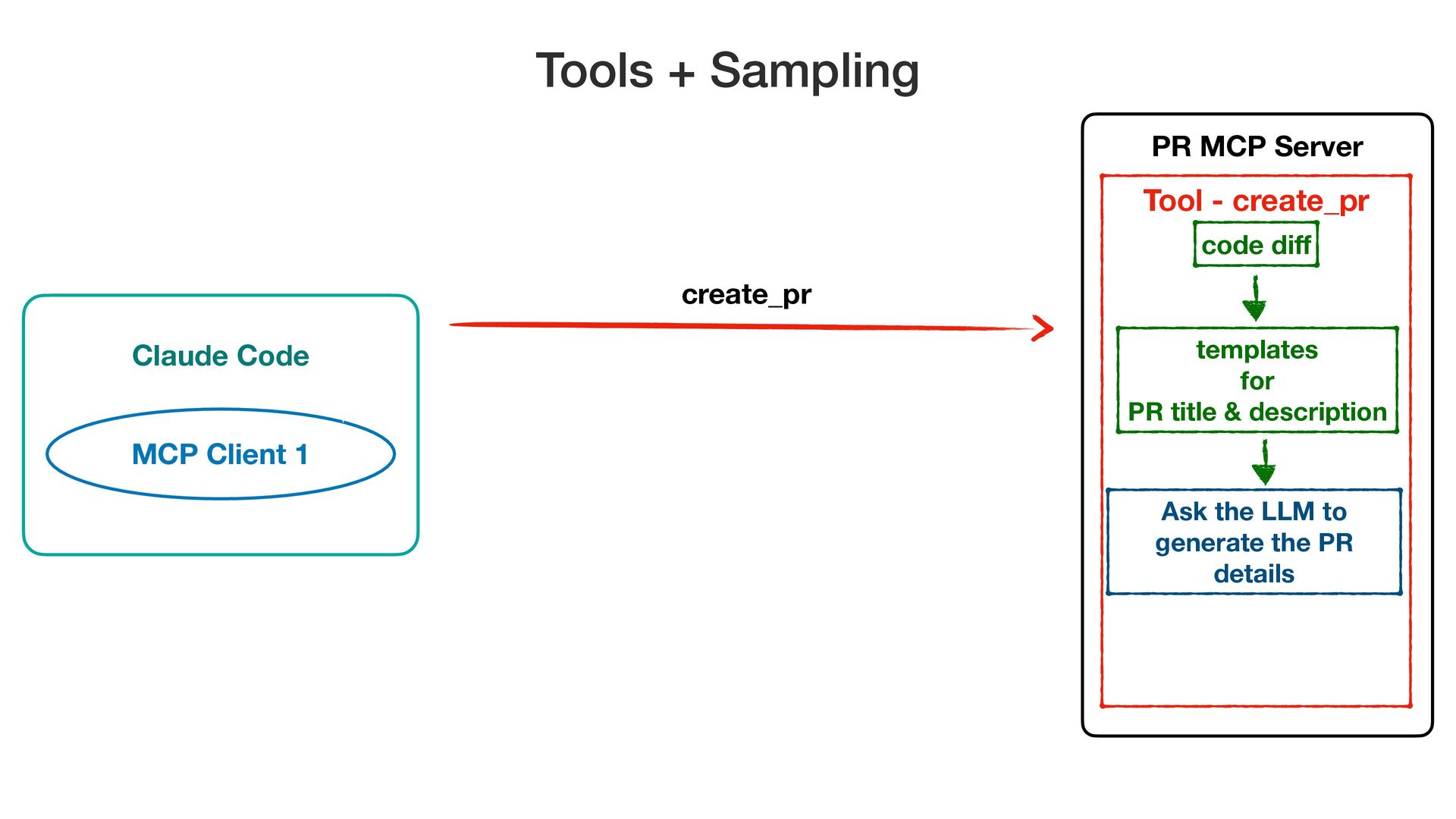
Claude Code PR MCP Server MCP Client 1 create_pr Tools
+ Sampling Tool - create_pr Ask the LLM to generate the PR details templates for PR title & description code di f -
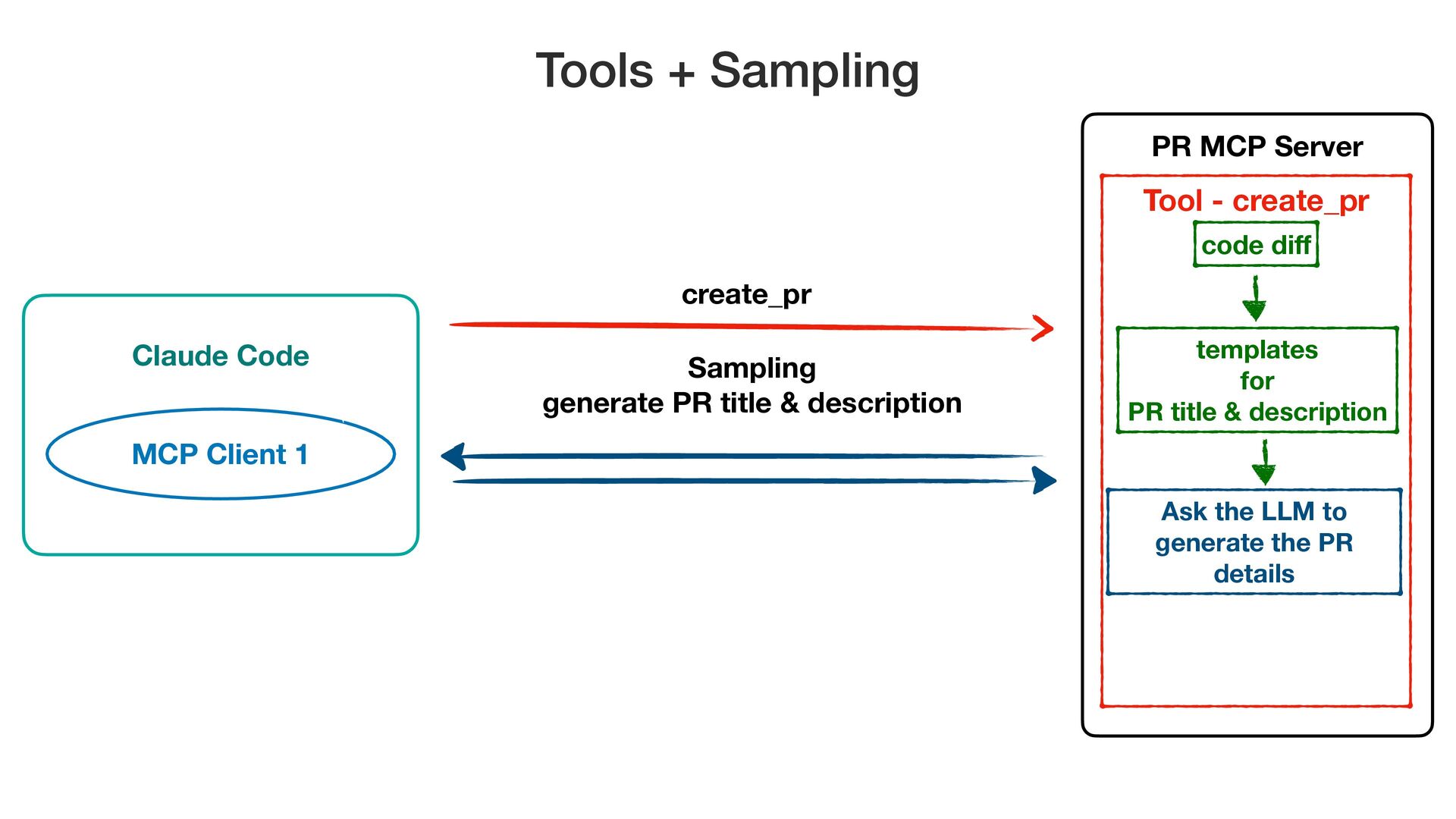
Claude Code PR MCP Server MCP Client 1 create_pr Tools
+ Sampling Tool - create_pr Sampling generate PR title & description Ask the LLM to generate the PR details templates for PR title & description code di f -
Claude Code PR MCP Server MCP Client 1 create_pr Tools
+ Sampling Tool - create_pr Sampling generate PR title & description Ask the LLM to generate the PR details templates for PR title & description code di f create PR -
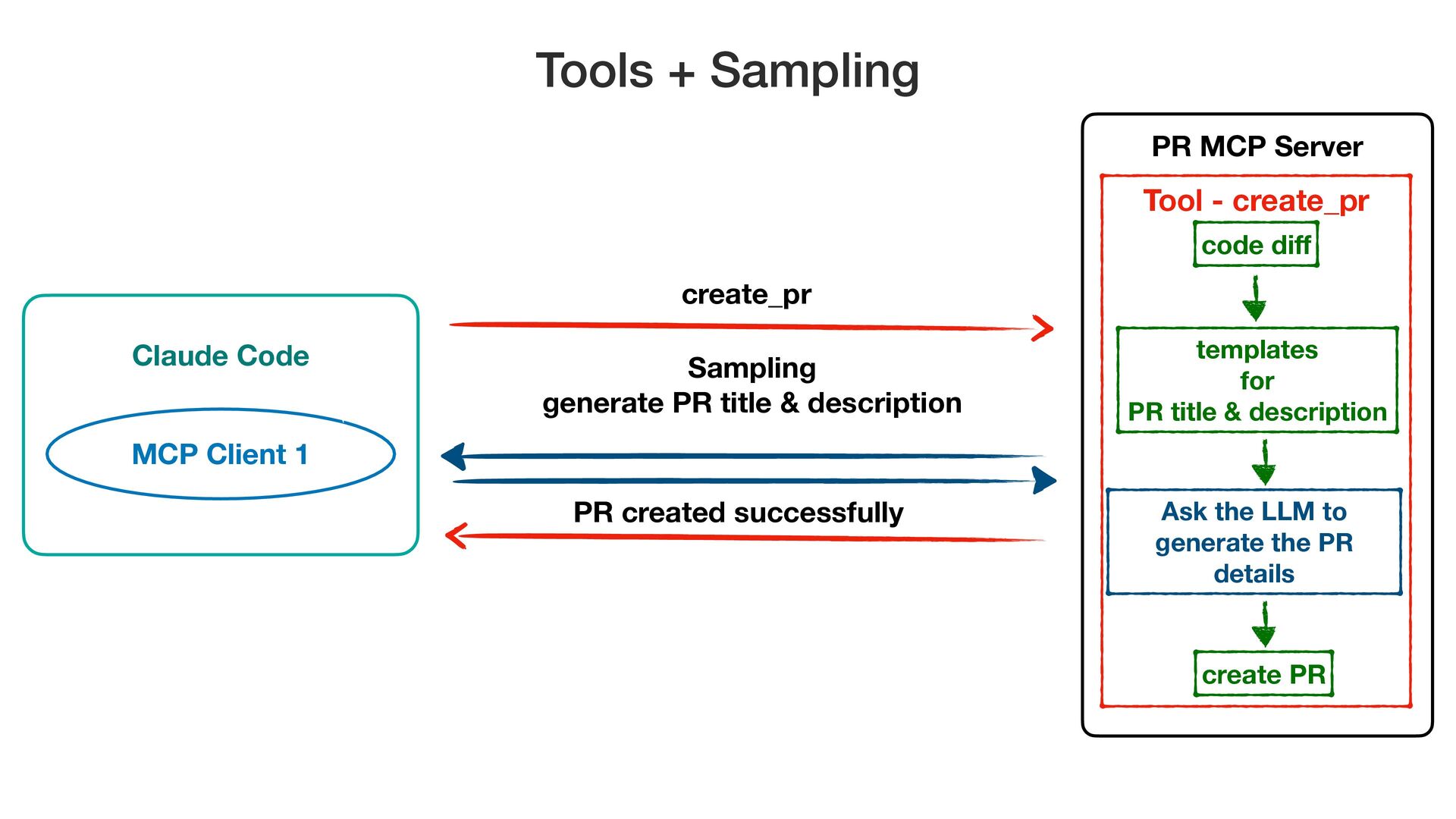
Claude Code PR MCP Server MCP Client 1 create_pr Tools
+ Sampling Tool - create_pr Sampling generate PR title & description Ask the LLM to generate the PR details PR created successfully templates for PR title & description code di f create PR -
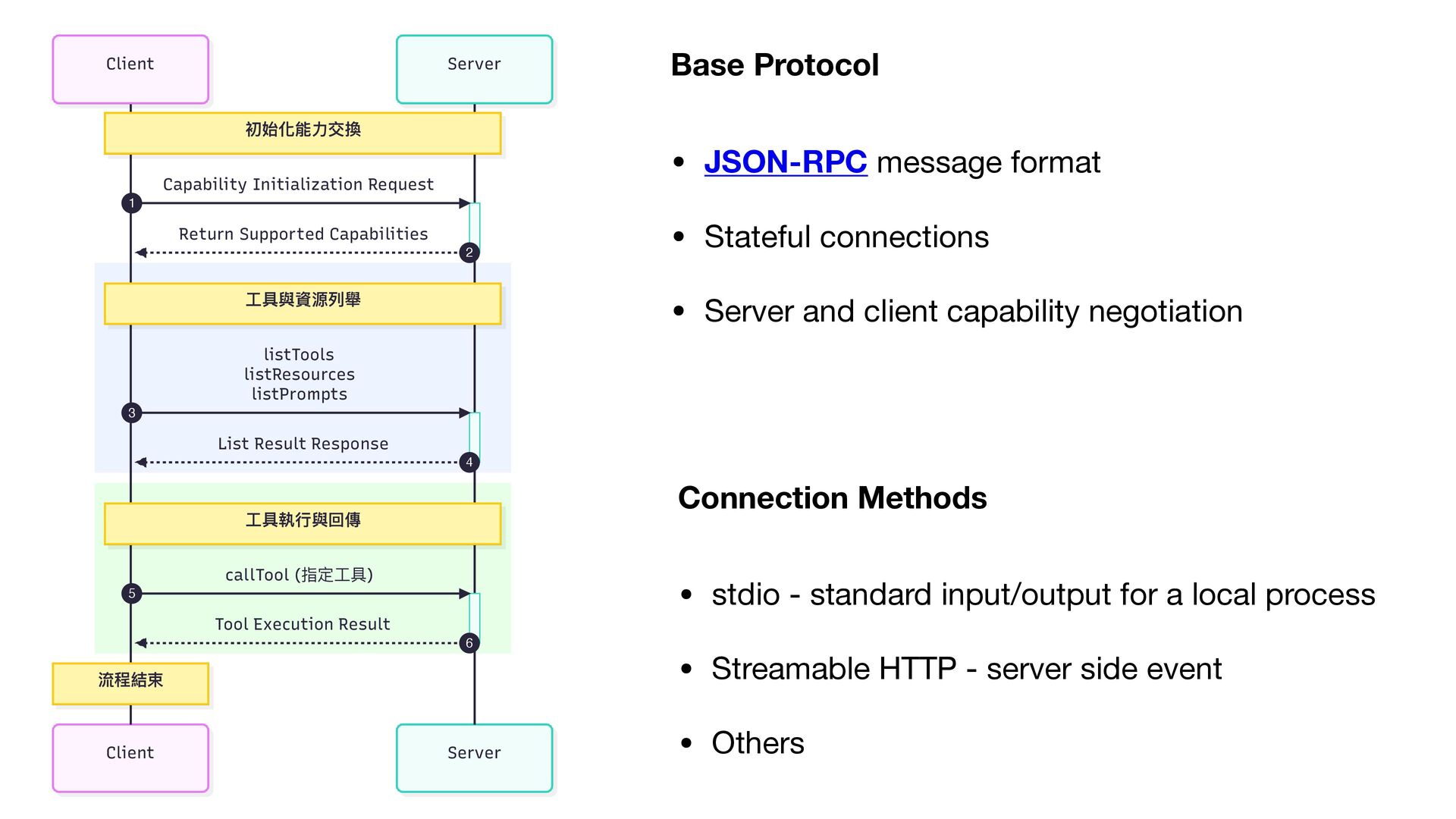
Connection Methods • stdio - standard input/output for a local
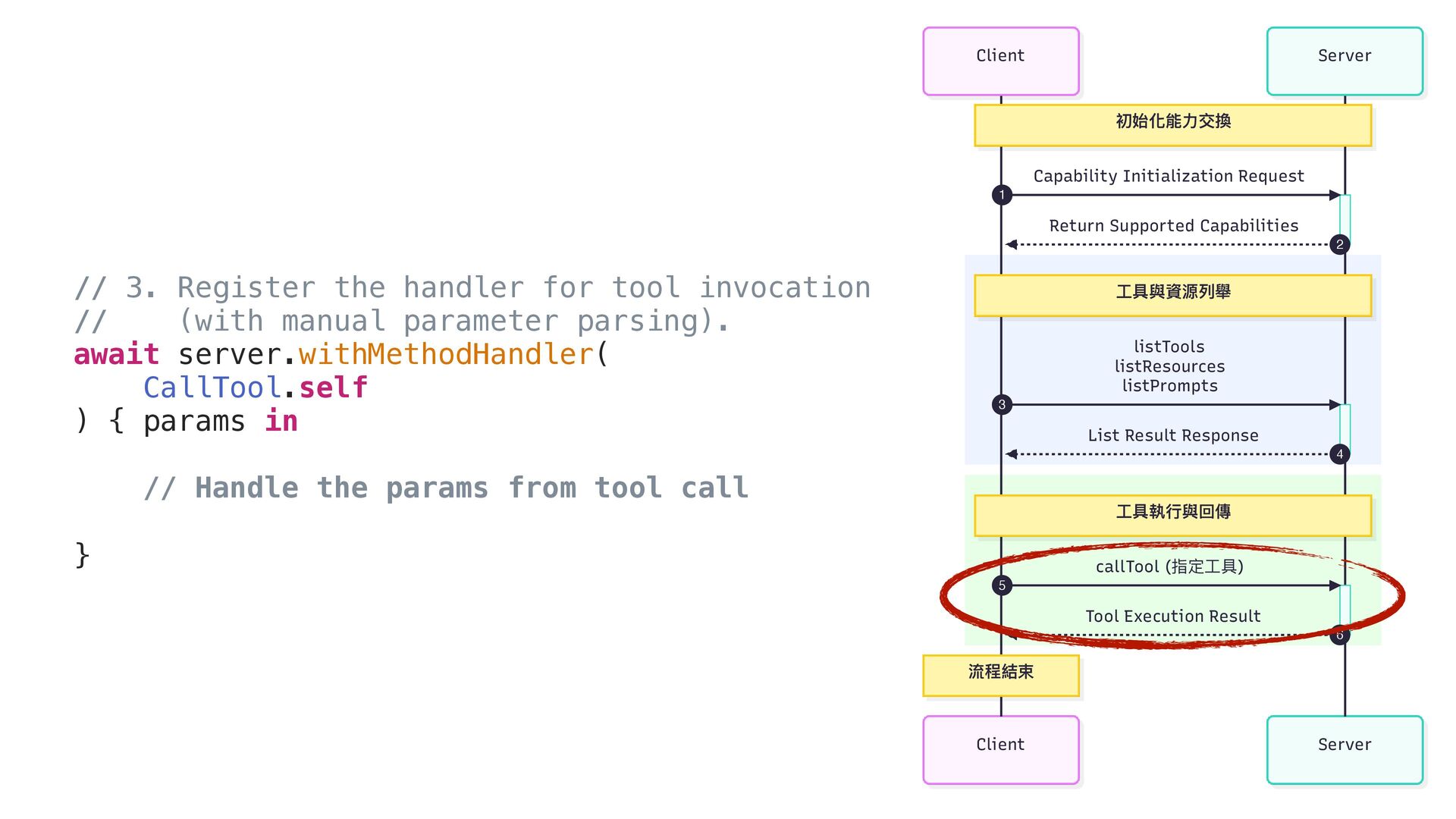
process • Streamable HTTP - server side event • Others Base Protocol • JSON-RPC message format • Stateful connections • Server and client capability negotiation Server Client Server Client 初始化能⼒交換 ⼯具與資源列舉 ⼯具執⾏與回傳 流程結束 Capability Initialization Request 1 Return Supported Capabilities 2 listTools listResources listPrompts 3 List Result Response 4 callTool (指定⼯具) 5 Tool Execution Result 6 -
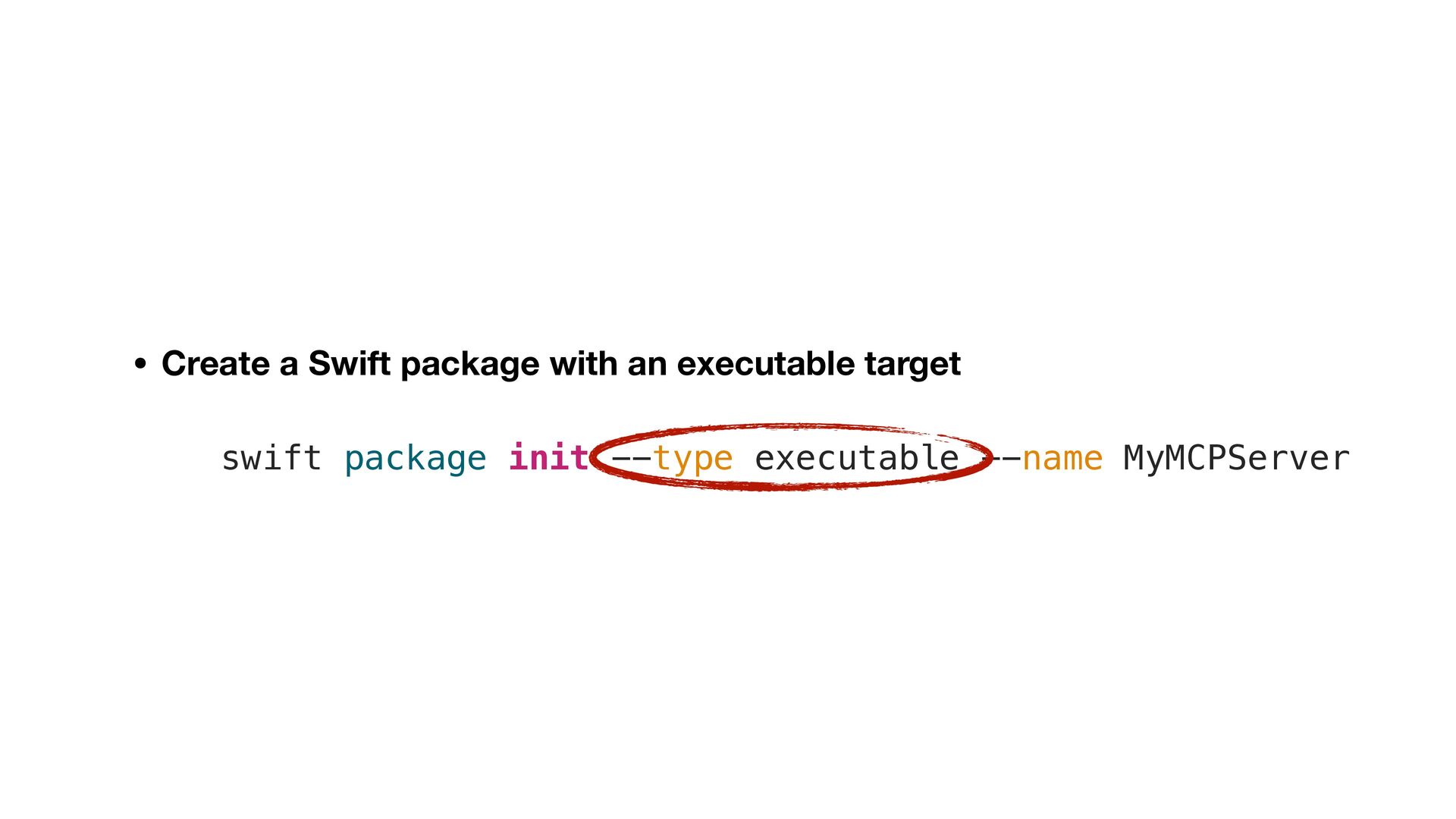
• Create a Swift package with an executable target swift
package init --type executable --name MyMCPServer -
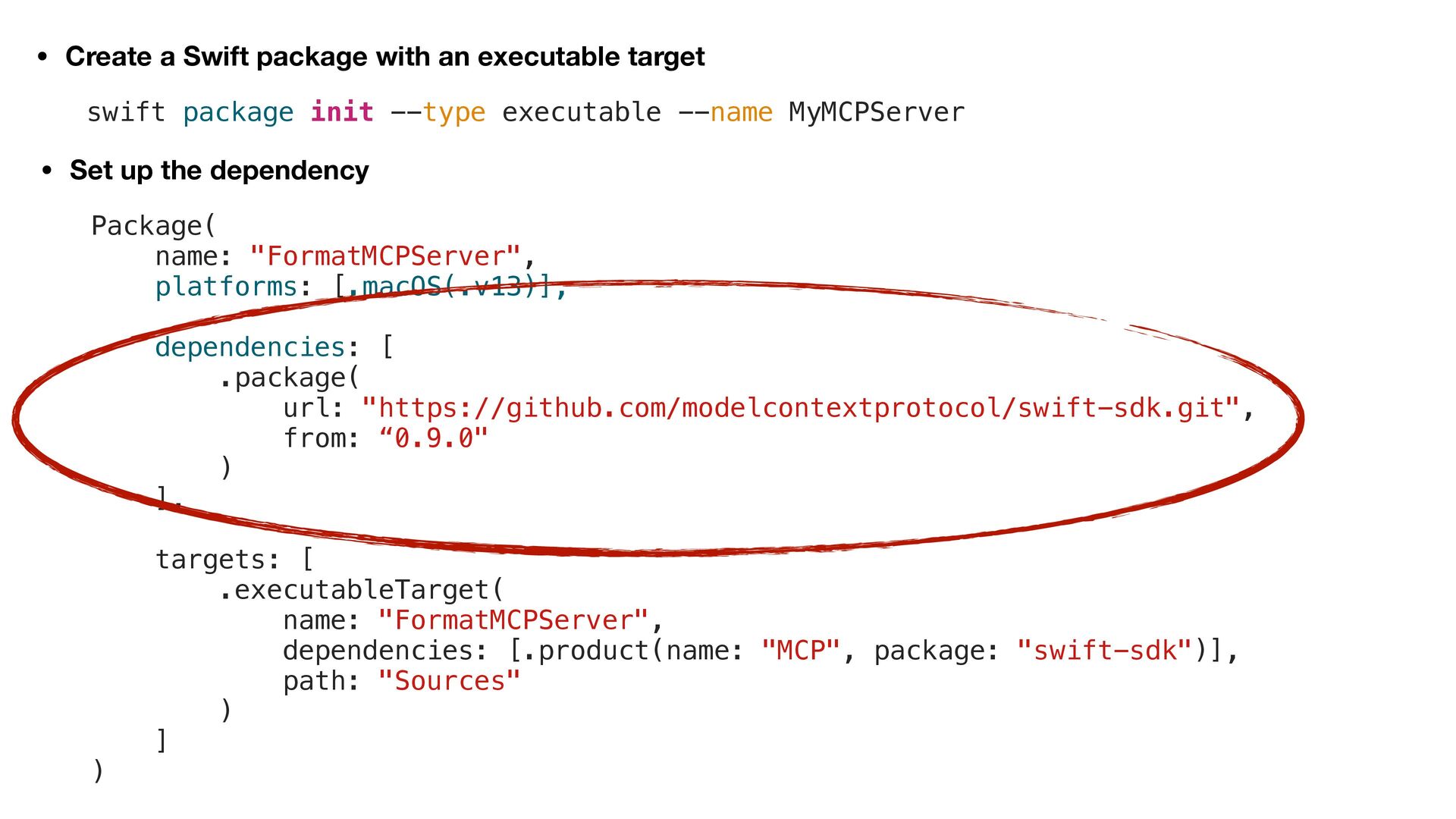
• Create a Swift package with an executable target •
Set up the dependency Package( name: "FormatMCPServer", platforms: [.macOS(.v13)], dependencies: [ .package( url: "https://github.com/modelcontextprotocol/swift-sdk.git", from: “0.9.0" ) ], targets: [ .executableTarget( name: "FormatMCPServer", dependencies: [.product(name: "MCP", package: "swift-sdk")], path: "Sources" ) ] ) swift package init --type executable --name MyMCPServer -
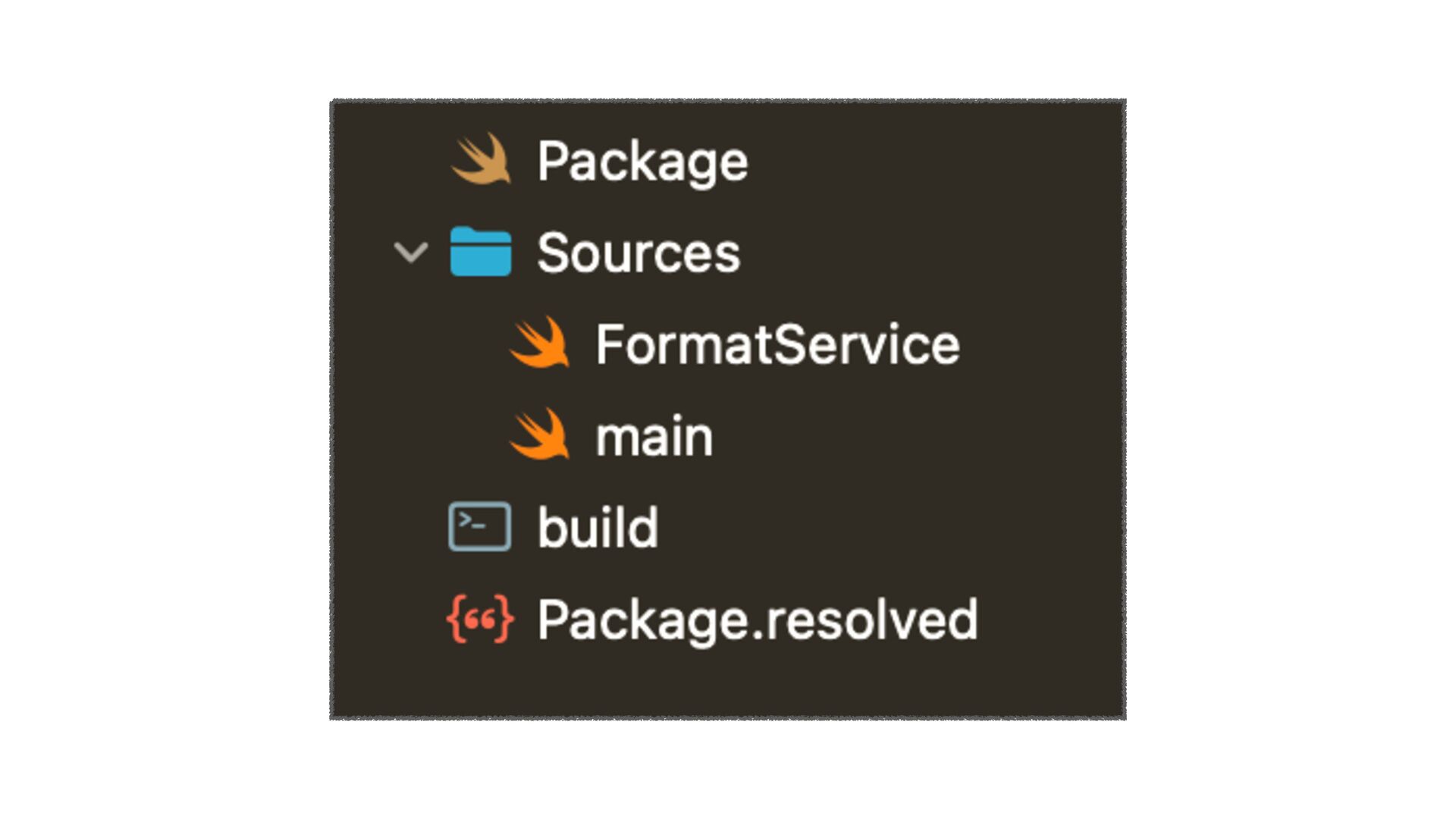
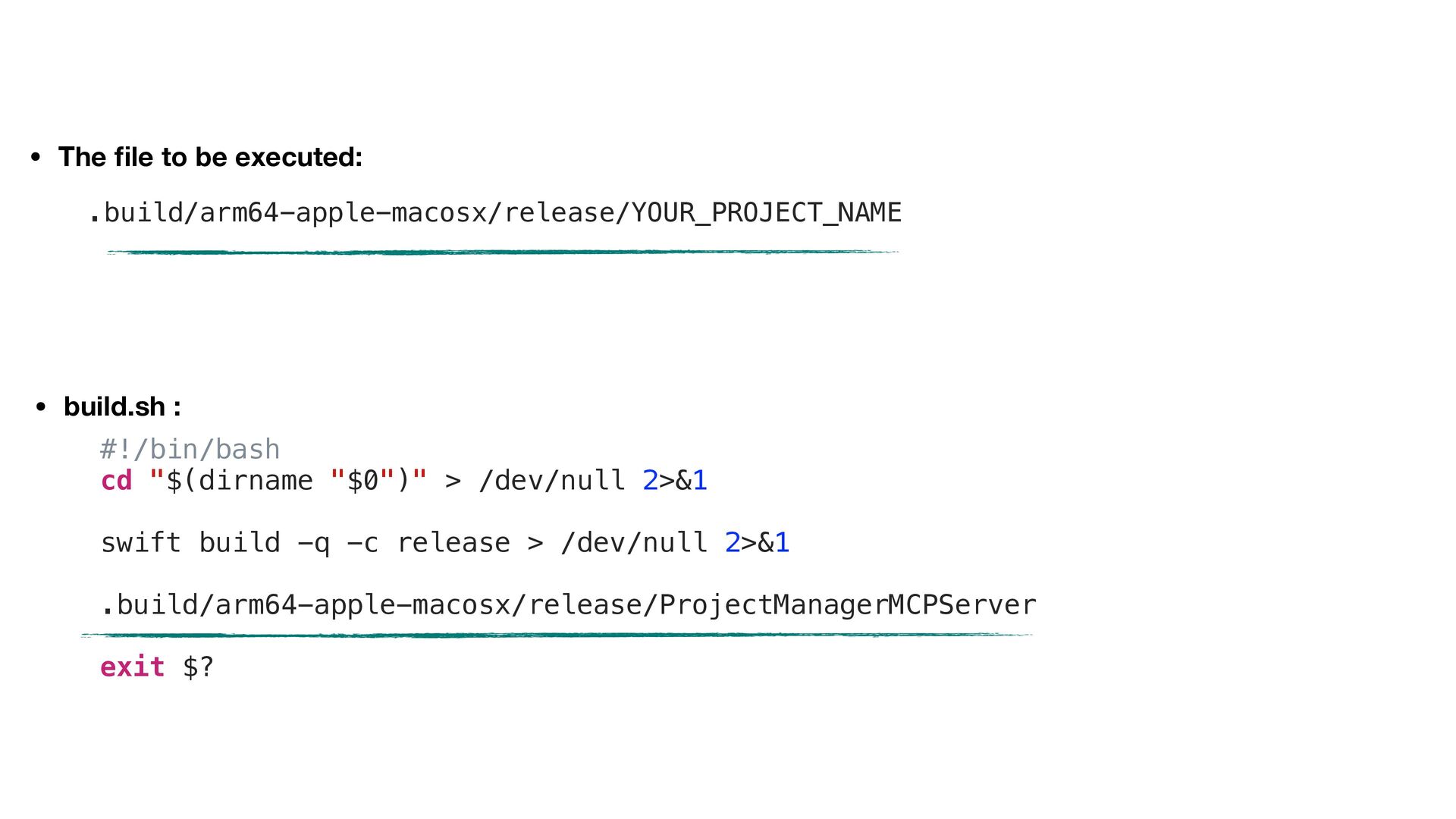
• The fi le to be executed: • build.sh :
#!/bin/bash cd "$(dirname "$0")" > /dev/null 2>&1 swift build -q -c release > /dev/null 2>&1 .build/arm64-apple-macosx/release/ProjectManagerMCPServer exit $? .build/arm64-apple-macosx/release/YOUR_PROJECT_NAME -
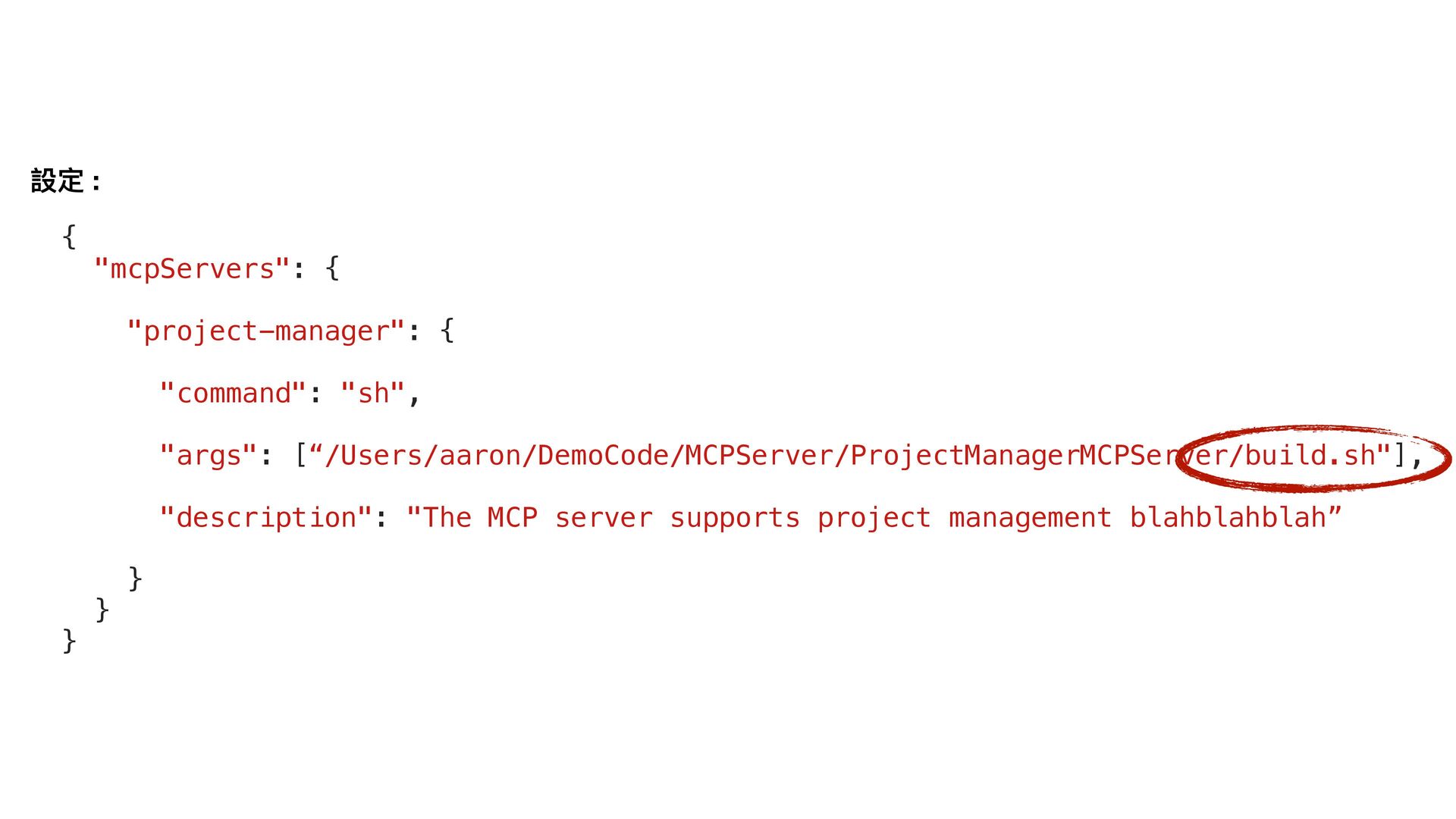
{ "mcpServers": { "project-manager": { "command": "sh", "args": [“/Users/aaron/DemoCode/MCPServer/ProjectManagerMCPServer/build.sh"], "description":
"The MCP server supports project management blahblahblah” } } } 設定 : -
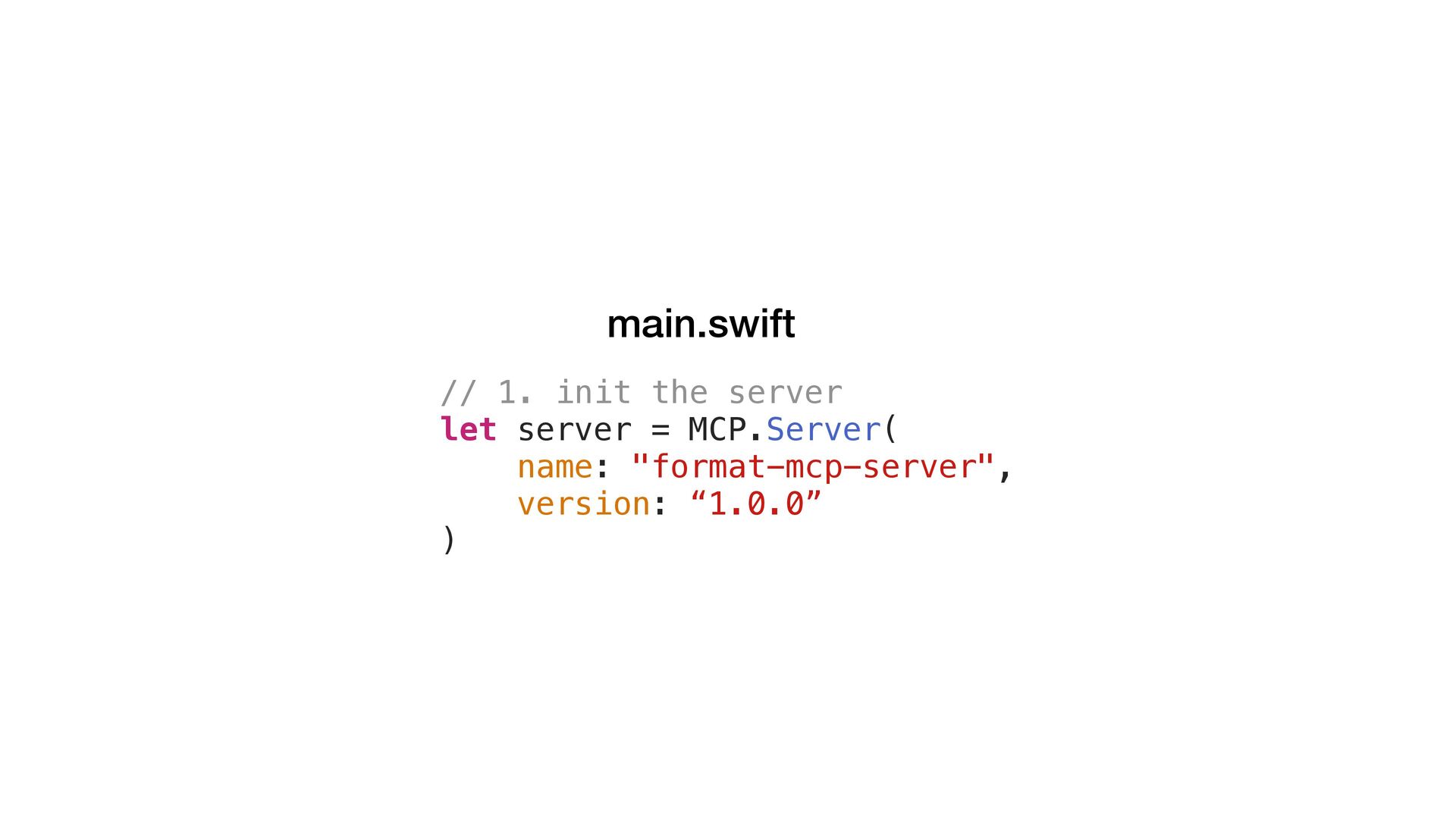
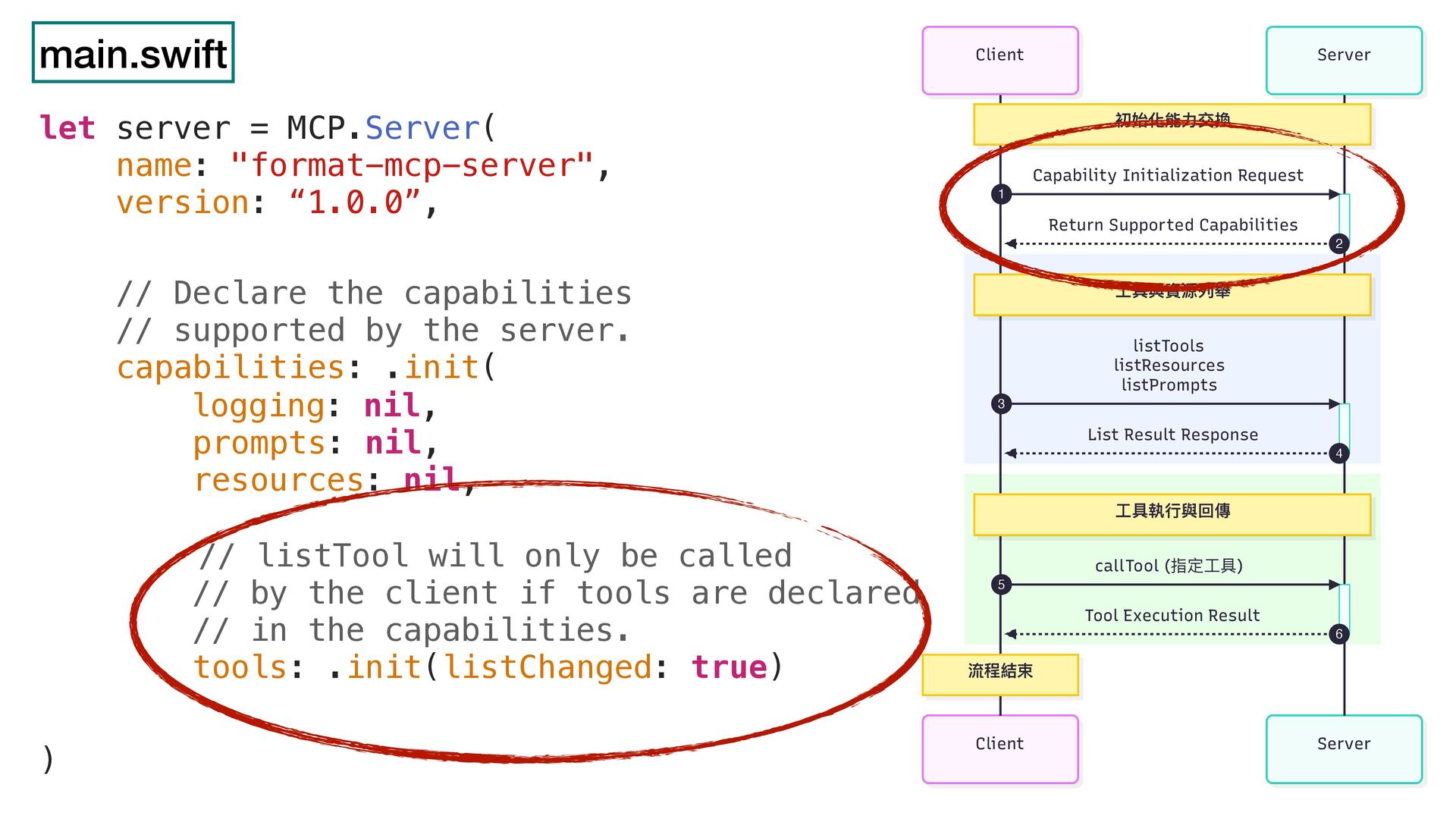
main.swift // 1. init the server let server = MCP.Server(
name: "format-mcp-server", version: “1.0.0” ) -
main.swift // Declare the capabilities // supported by the server.
capabilities: .init( logging: nil, prompts: nil, resources: nil, // listTool will only be called // by the client if tools are declared // in the capabilities. tools: .init(listChanged: true) Server Client Server Client 初始化能⼒交換 ⼯具與資源列舉 ⼯具執⾏與回傳 流程結束 Capability Initialization Request 1 Return Supported Capabilities 2 listTools listResources listPrompts 3 List Result Response 4 callTool (指定⼯具) 5 Tool Execution Result 6 let server = MCP.Server( name: "format-mcp-server", version: “1.0.0”, ) -
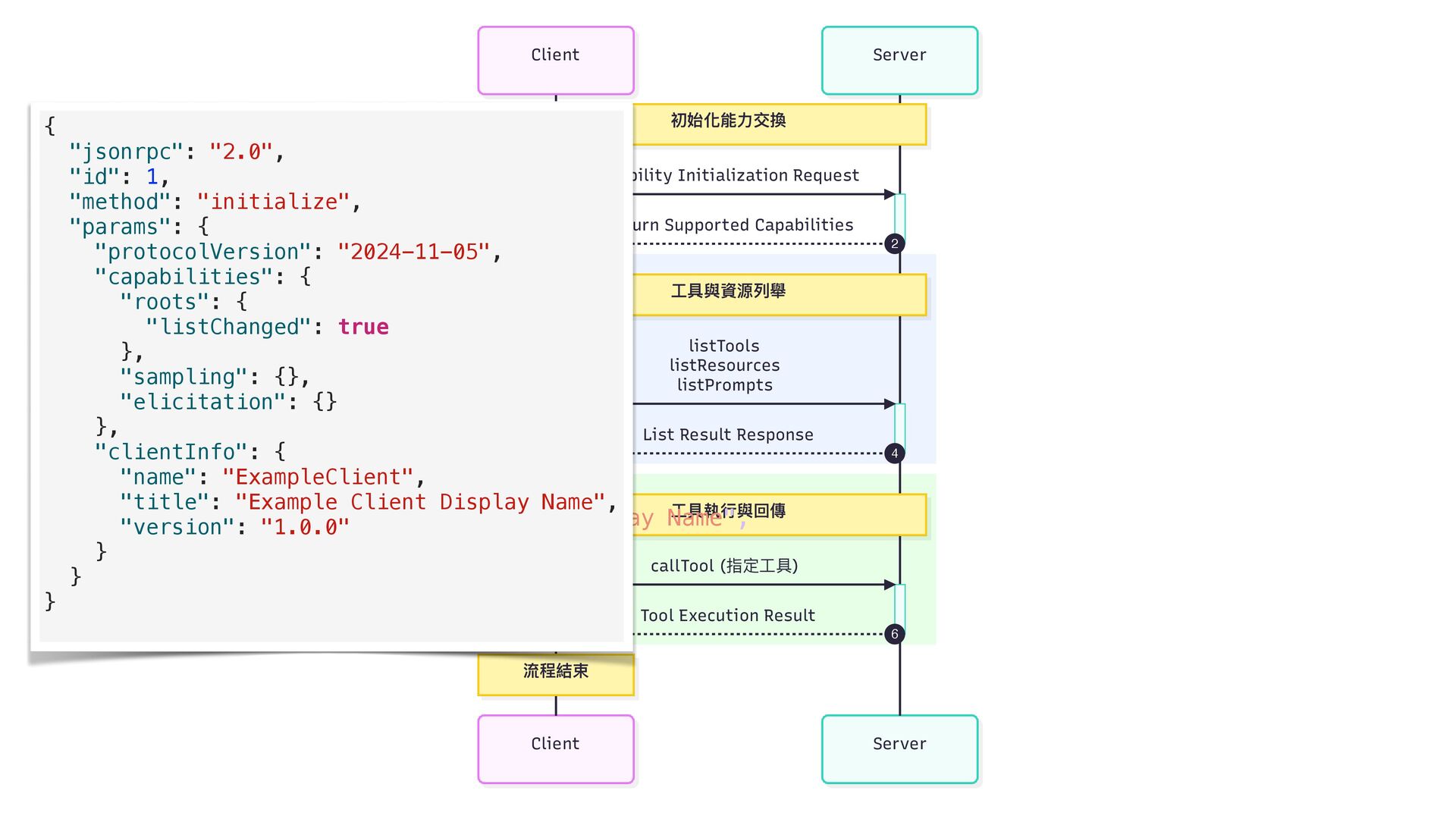
Server Client Server Client 初始化能⼒交換 ⼯具與資源列舉 ⼯具執⾏與回傳 流程結束 Capability Initialization
Request 1 Return Supported Capabilities 2 listTools listResources listPrompts 3 List Result Response 4 callTool (指定⼯具) 5 Tool Execution Result 6 { "jsonrpc": "2.0", "id": 1, "method": "initialize", "params": { "protocolVersion": "2024-11-05", "capabilities": { "roots": { "listChanged": true }, "sampling": {}, "elicitation": {} }, "clientInfo": { "name": "ExampleClient", "title": "Example Client Display Name", "version": "1.0.0" } } } { "jsonrpc": "2.0", "id": 1, "method": "initialize", "params": { "protocolVersion": "2024-11-05", "capabilities": { "roots": { "listChanged": true }, "sampling": {}, "elicitation": {} }, "clientInfo": { "name": "ExampleClient", "title": "Example Client Display Name", "version": "1.0.0" } } } -
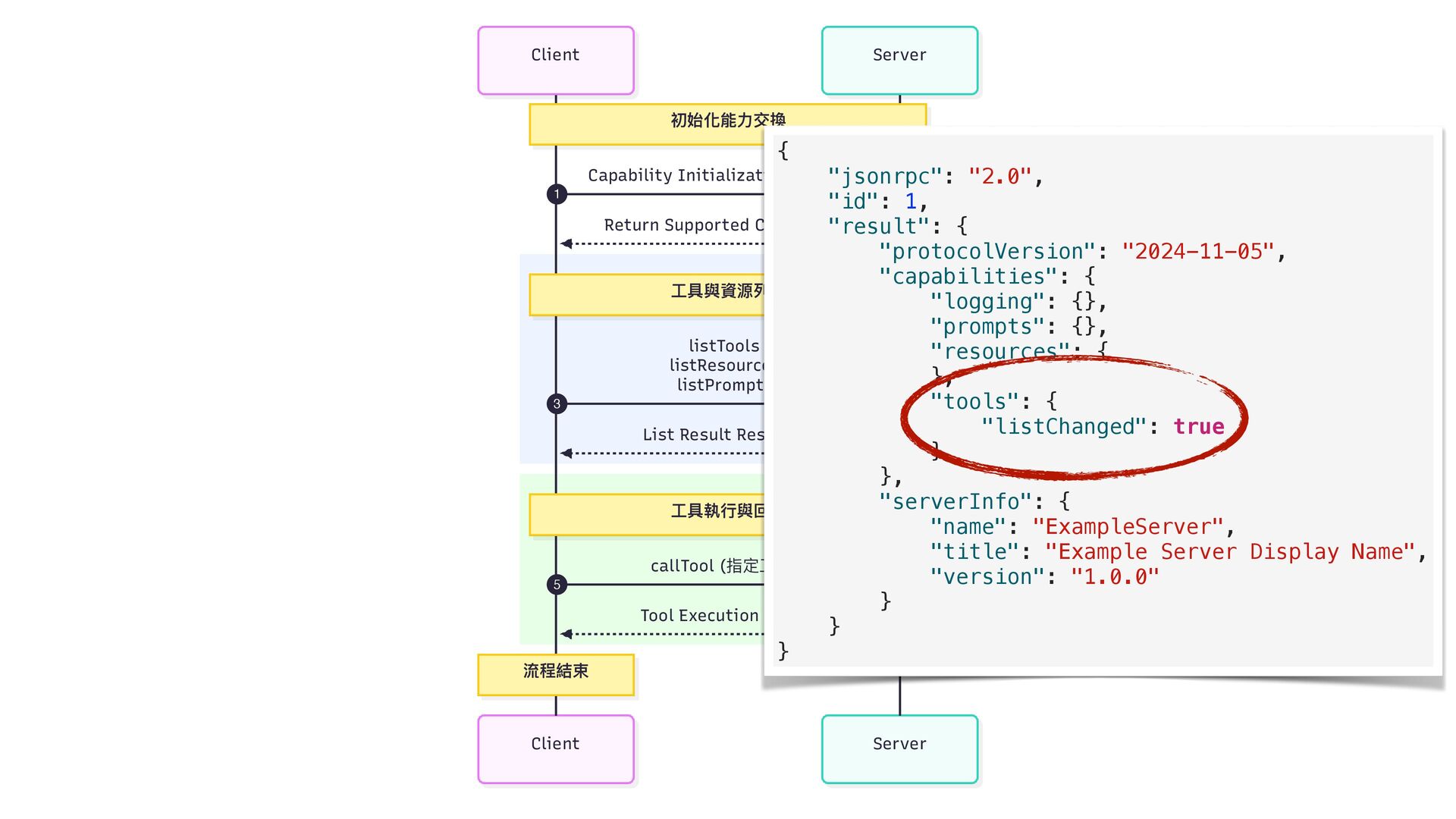
Server Client Server Client 初始化能⼒交換 ⼯具與資源列舉 ⼯具執⾏與回傳 流程結束 Capability Initialization
Request 1 Return Supported Capabilities 2 listTools listResources listPrompts 3 List Result Response 4 callTool (指定⼯具) 5 Tool Execution Result 6 { "jsonrpc": "2.0", "id": 1, "result": { "protocolVersion": "2024-11-05", "capabilities": { "logging": {}, "prompts": {}, "resources": { }, "tools": { "listChanged": true } }, "serverInfo": { "name": "ExampleServer", "title": "Example Server Display Name", "version": "1.0.0" } } } -
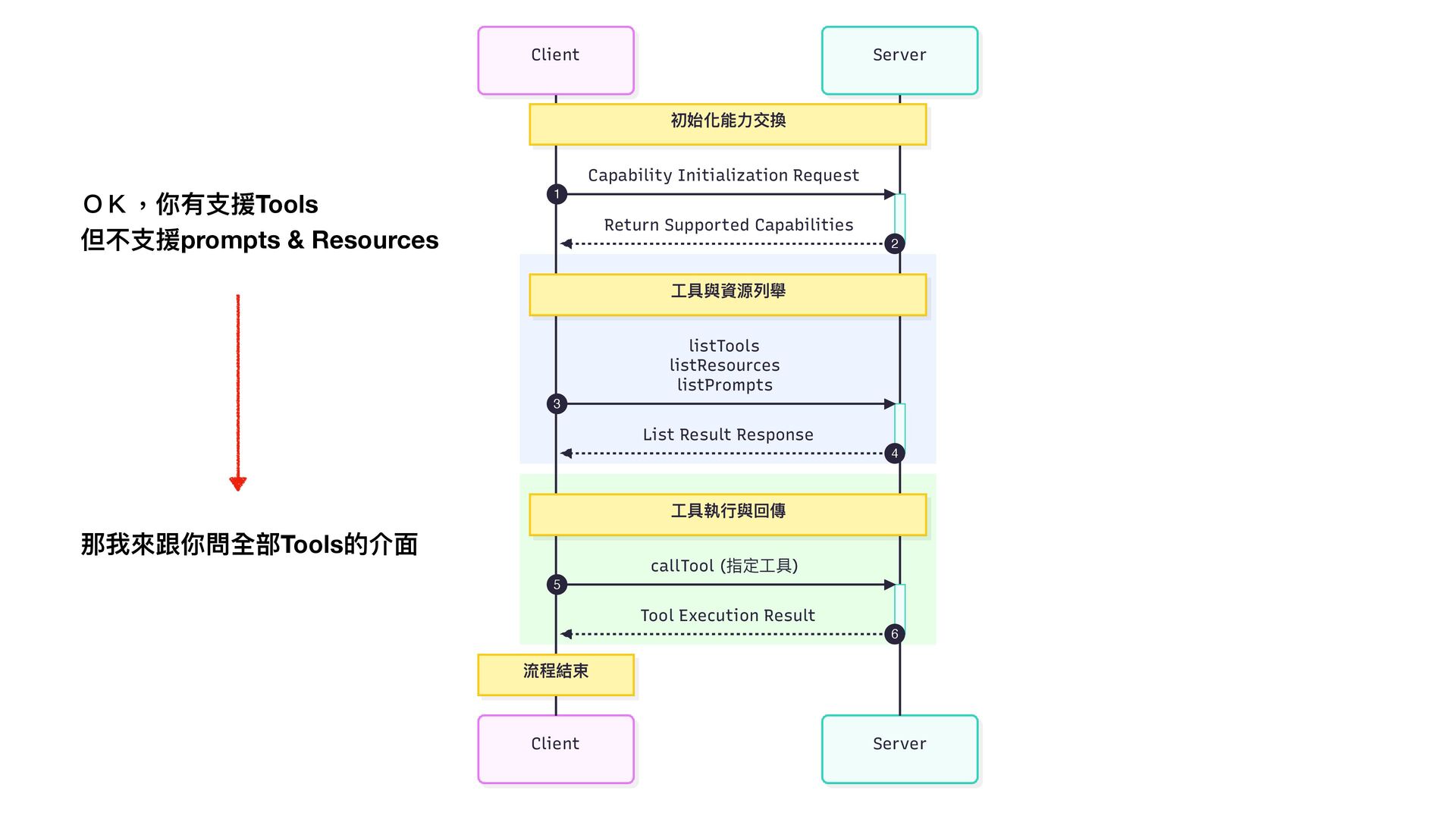
Server Client Server Client 初始化能⼒交換 ⼯具與資源列舉 ⼯具執⾏與回傳 流程結束 Capability Initialization
Request 1 Return Supported Capabilities 2 listTools listResources listPrompts 3 List Result Response 4 callTool (指定⼯具) 5 Tool Execution Result 6 OK,你有 支 援Tools 但不 支 援prompts & Resources 那我來跟你問全部Tools的介 面 -
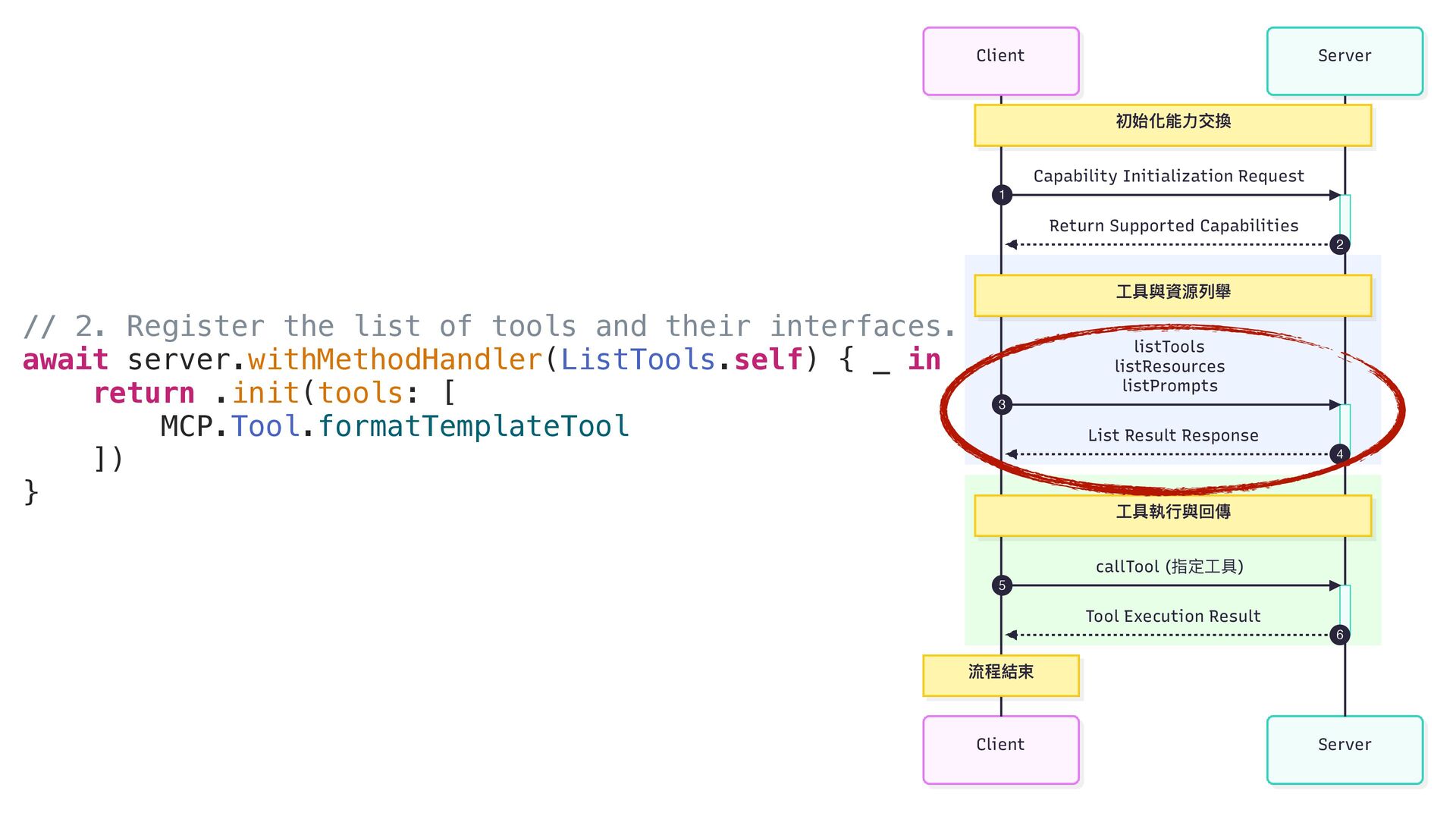
Server Client Server Client 初始化能⼒交換 ⼯具與資源列舉 ⼯具執⾏與回傳 流程結束 Capability Initialization
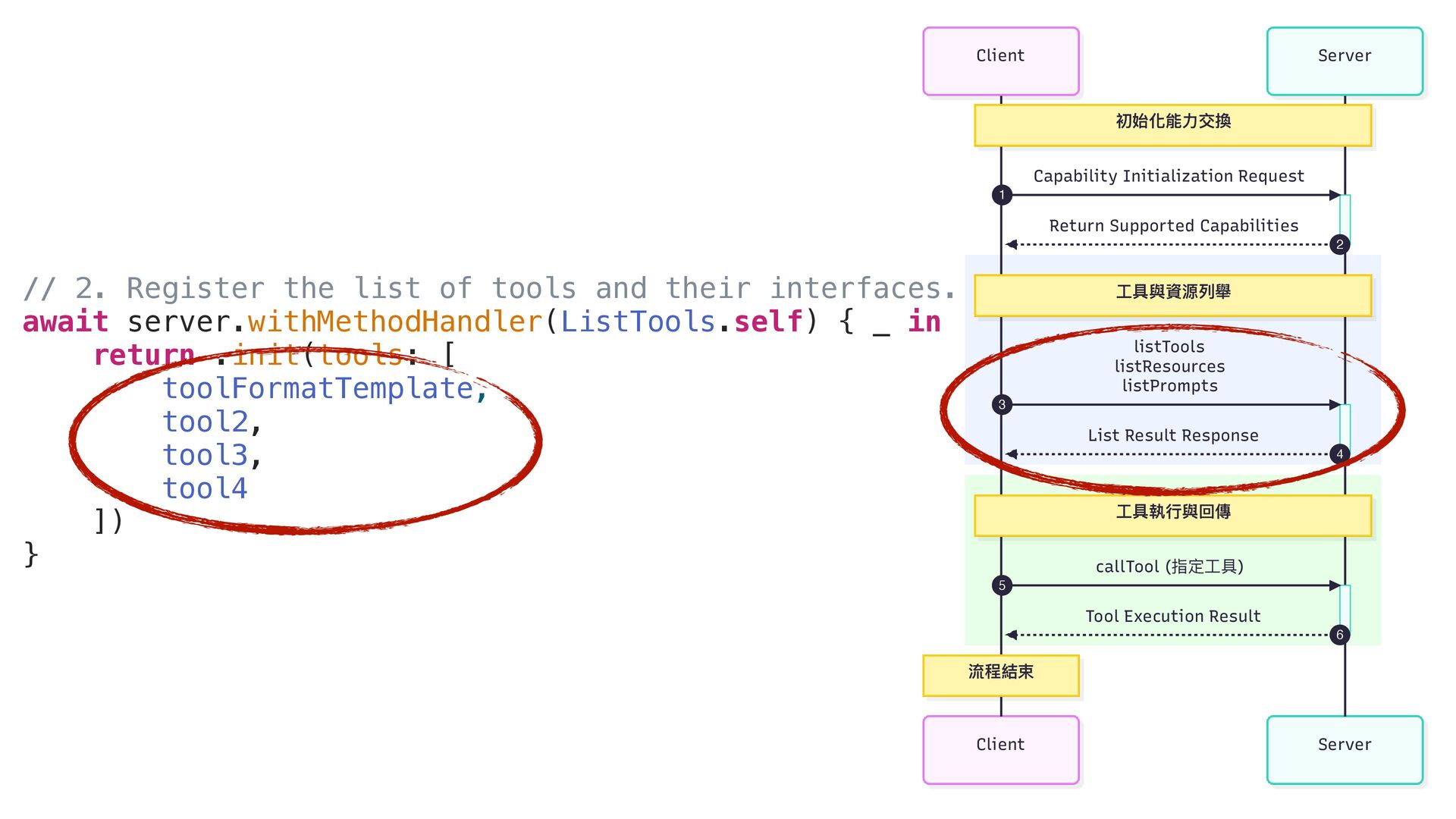
Request 1 Return Supported Capabilities 2 listTools listResources listPrompts 3 List Result Response 4 callTool (指定⼯具) 5 Tool Execution Result 6 // 2. Register the list of tools and their interfaces. await server.withMethodHandler(ListTools.self) { _ in return .init(tools: [ MCP.Tool.formatTemplateTool ]) } -
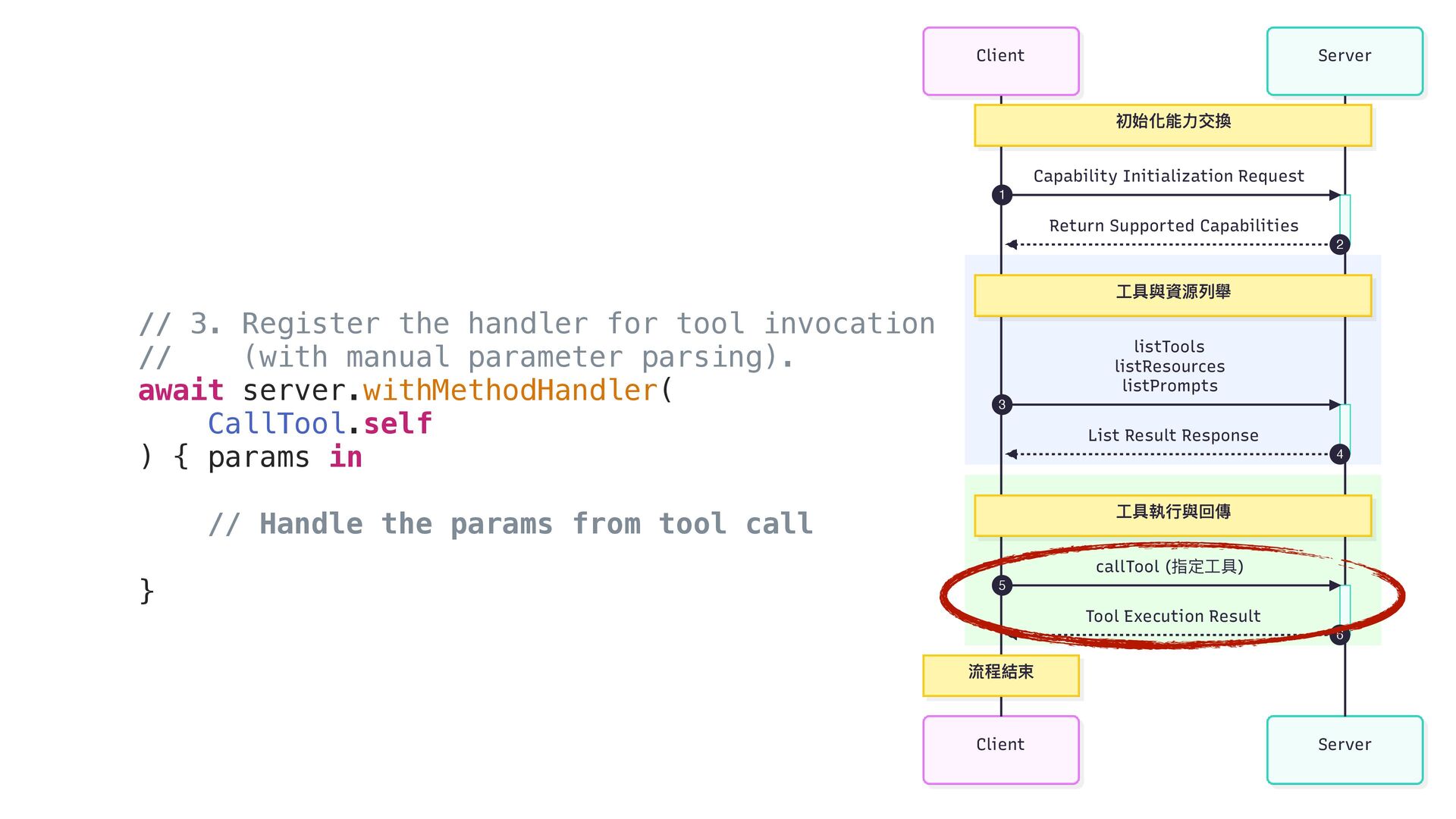
Server Client Server Client 初始化能⼒交換 ⼯具與資源列舉 ⼯具執⾏與回傳 流程結束 Capability Initialization
Request 1 Return Supported Capabilities 2 listTools listResources listPrompts 3 List Result Response 4 callTool (指定⼯具) 5 Tool Execution Result 6 // 3. Register the handler for tool invocation // (with manual parameter parsing). await server.withMethodHandler( CallTool.self ) { params in // Handle the params from tool call } -
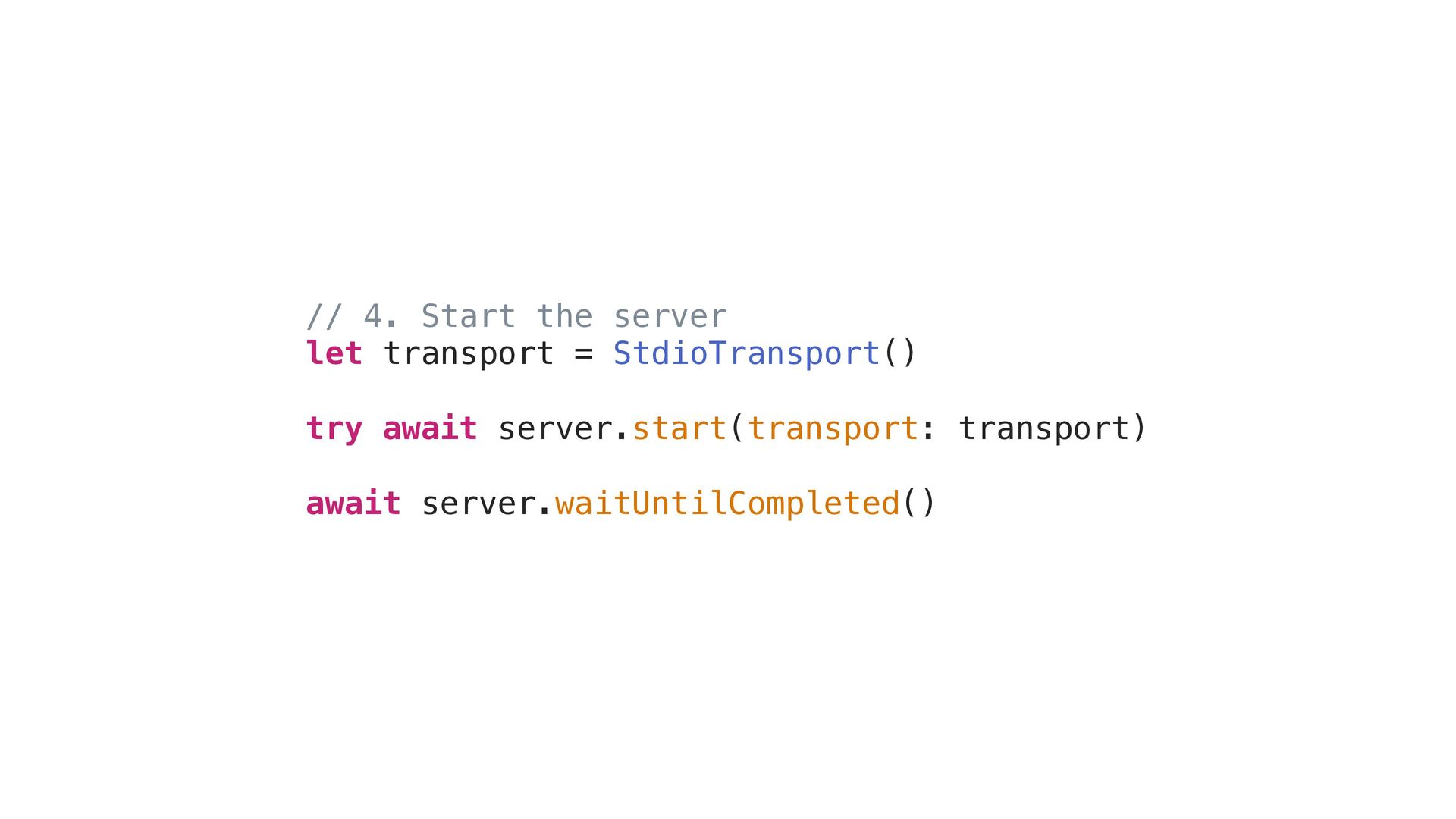
// 4. Start the server let transport = StdioTransport() try
await server.start(transport: transport) await server.waitUntilCompleted() -
1. init the server 2. Register the list of tools
and their interfaces. 3. Register the handler for call_tool 4. Start the server -
Server Client Server Client 初始化能⼒交換 ⼯具與資源列舉 ⼯具執⾏與回傳 流程結束 Capability Initialization
Request 1 Return Supported Capabilities 2 listTools listResources listPrompts 3 List Result Response 4 callTool (指定⼯具) 5 Tool Execution Result 6 // 2. Register the list of tools and their interfaces. await server.withMethodHandler(ListTools.self) { _ in return .init(tools: [ toolFormatTemplate, tool2, tool3, tool4 ]) } -
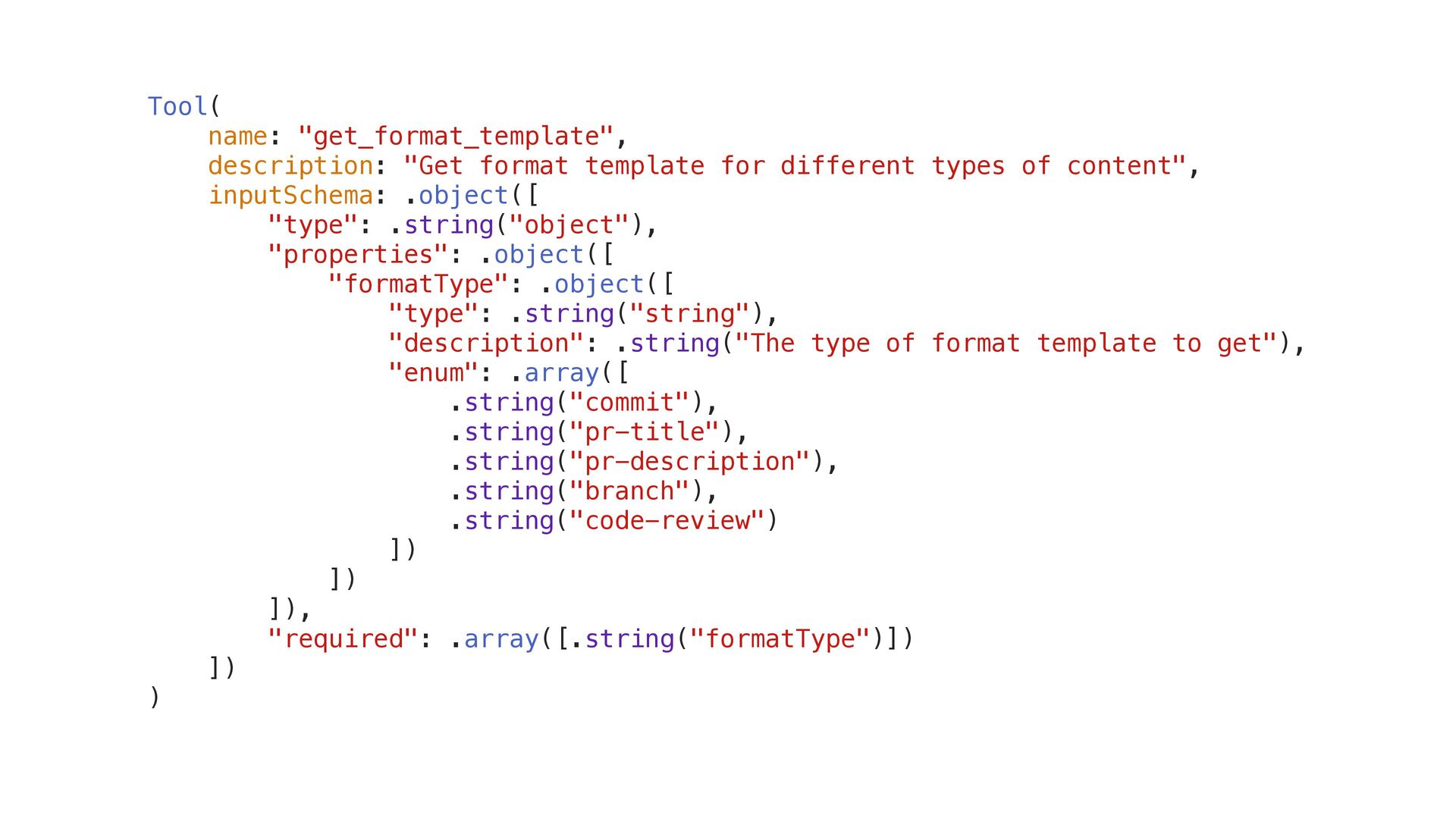
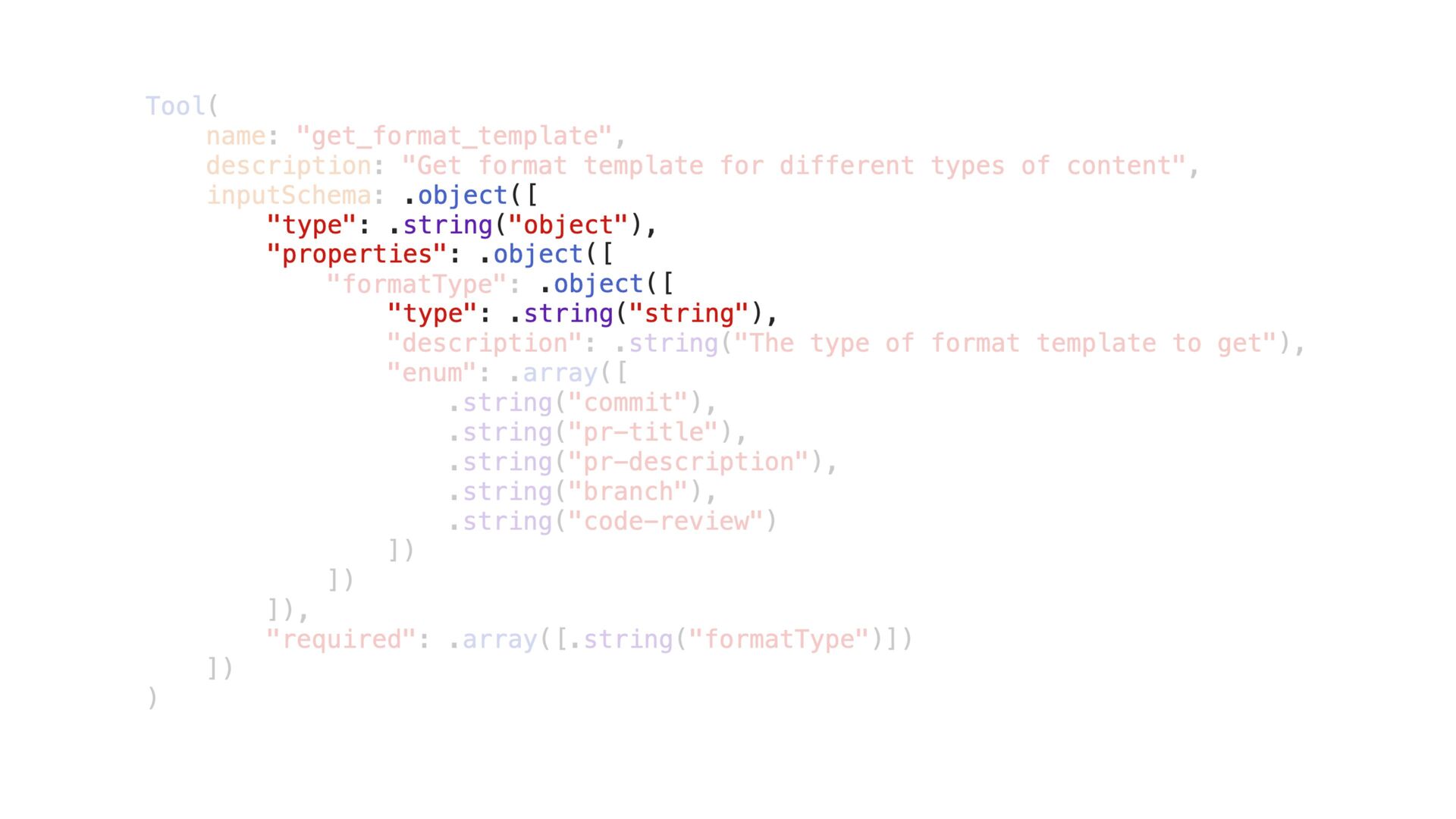
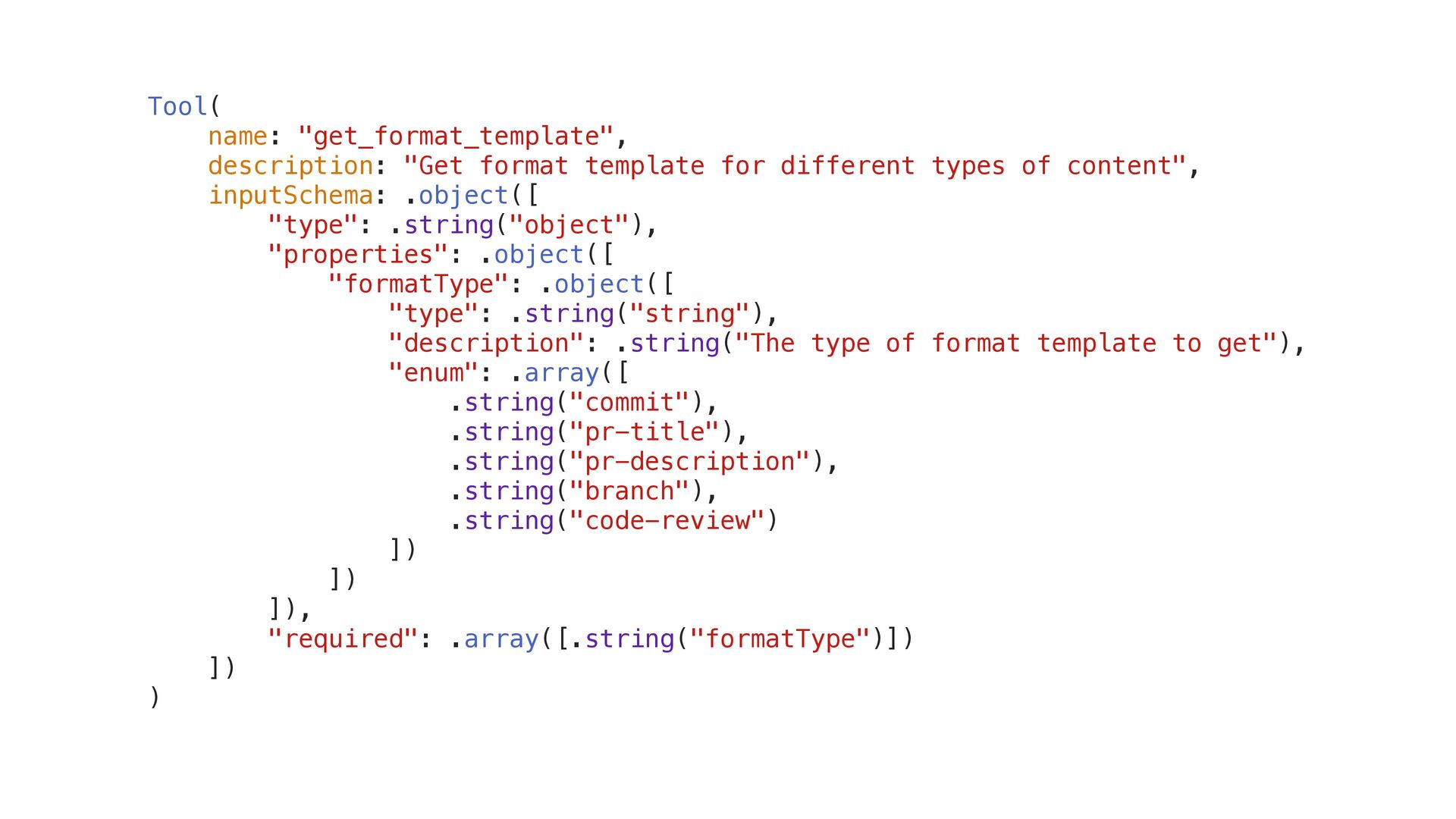
Tool( name: "get_format_template", description: "Get format template for different types
of content", inputSchema: .object([ "type": .string("object"), "properties": .object([ "formatType": .object([ "type": .string("string"), "description": .string("The type of format template to get"), "enum": .array([ .string("commit"), .string("pr-title"), .string("pr-description"), .string("branch"), .string("code-review") ]) ]) ]), "required": .array([.string("formatType")]) ]) ) -
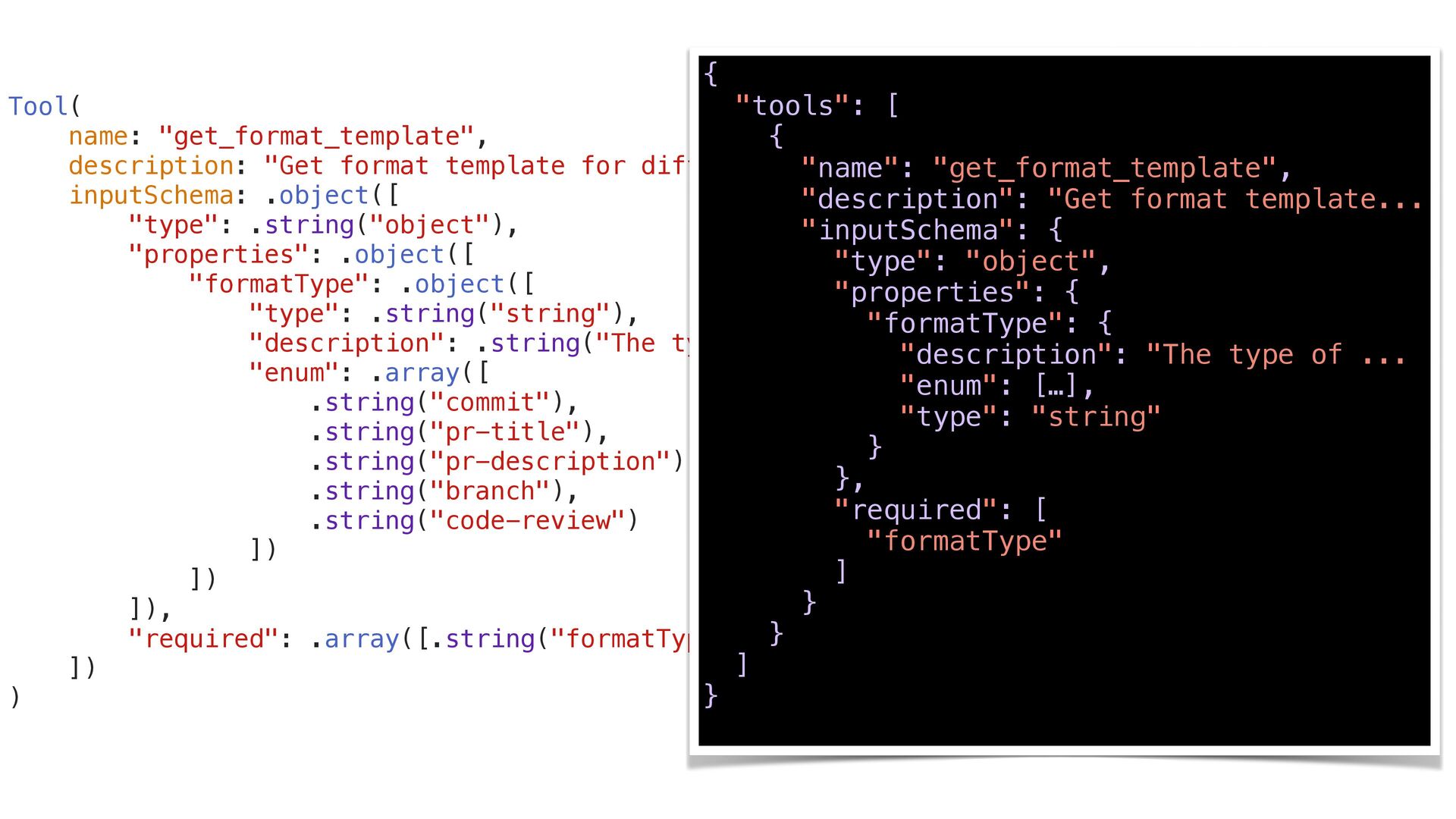
Tool( name: "get_format_template", description: "Get format template for different types
of content", inputSchema: .object([ "type": .string("object"), "properties": .object([ "formatType": .object([ "type": .string("string"), "description": .string("The type of format template to get"), "enum": .array([ .string("commit"), .string("pr-title"), .string("pr-description"), .string("branch"), .string("code-review") ]) ]) ]), "required": .array([.string("formatType")]) ]) ) { "tools": [ { "name": "get_format_template", "description": "Get format template... "inputSchema": { "type": "object", "properties": { "formatType": { "description": "The type of ... "enum": […], "type": "string" } }, "required": [ "formatType" ] } } ] } -
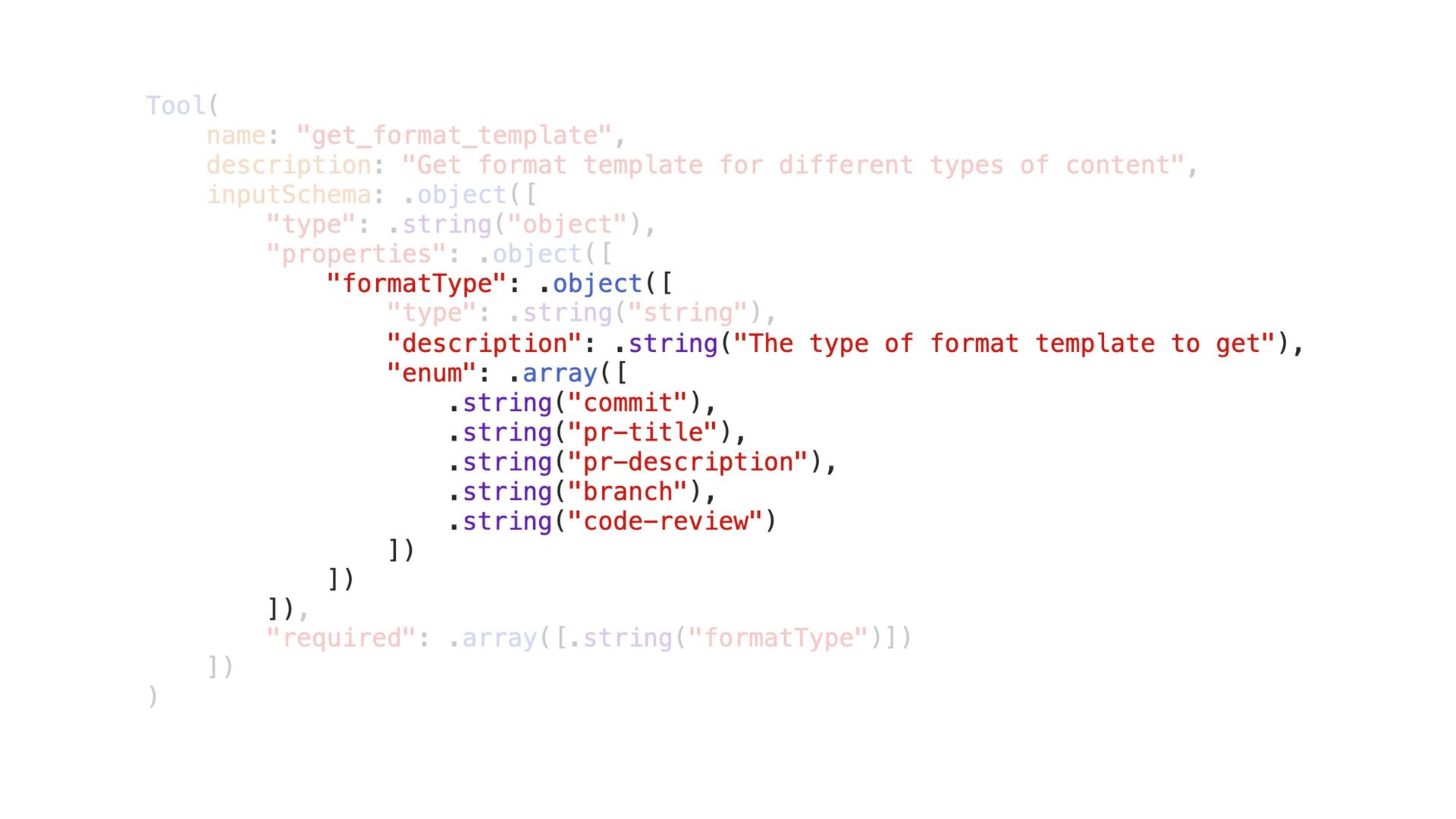
Tool( name: "get_format_template", description: "Get format template for different types
of content", inputSchema: .object([ "type": .string("object"), "properties": .object([ "formatType": .object([ "type": .string("string"), "description": .string("The type of format template to get"), "enum": .array([ .string("commit"), .string("pr-title"), .string("pr-description"), .string("branch"), .string("code-review") ]) ]) ]), "required": .array([.string("formatType")]) ]) ) "formatType": .object([ "description": .string("The type of format template to get"), "enum": .array([ .string("commit"), .string("pr-title"), .string("pr-description"), .string("branch"), .string("code-review") ]) ]) ]) -
Tool( name: "get_format_template", description: "Get format template for different types
of content", inputSchema: .object([ "type": .string("object"), "properties": .object([ "formatType": .object([ "type": .string("string"), "description": .string("The type of format template to get"), "enum": .array([ .string("commit"), .string("pr-title"), .string("pr-description"), .string("branch"), .string("code-review") ]) ]) ]), "required": .array([.string("formatType")]) ]) ) .object([ "type": .string("object"), "properties": .object([ .object([ "type": .string("string"), -
Server Client Server Client 初始化能⼒交換 ⼯具與資源列舉 ⼯具執⾏與回傳 流程結束 Capability Initialization
Request 1 Return Supported Capabilities 2 listTools listResources listPrompts 3 List Result Response 4 callTool (指定⼯具) 5 Tool Execution Result 6 // 3. Register the handler for tool invocation // (with manual parameter parsing). await server.withMethodHandler( CallTool.self ) { params in // Handle the params from tool call } -
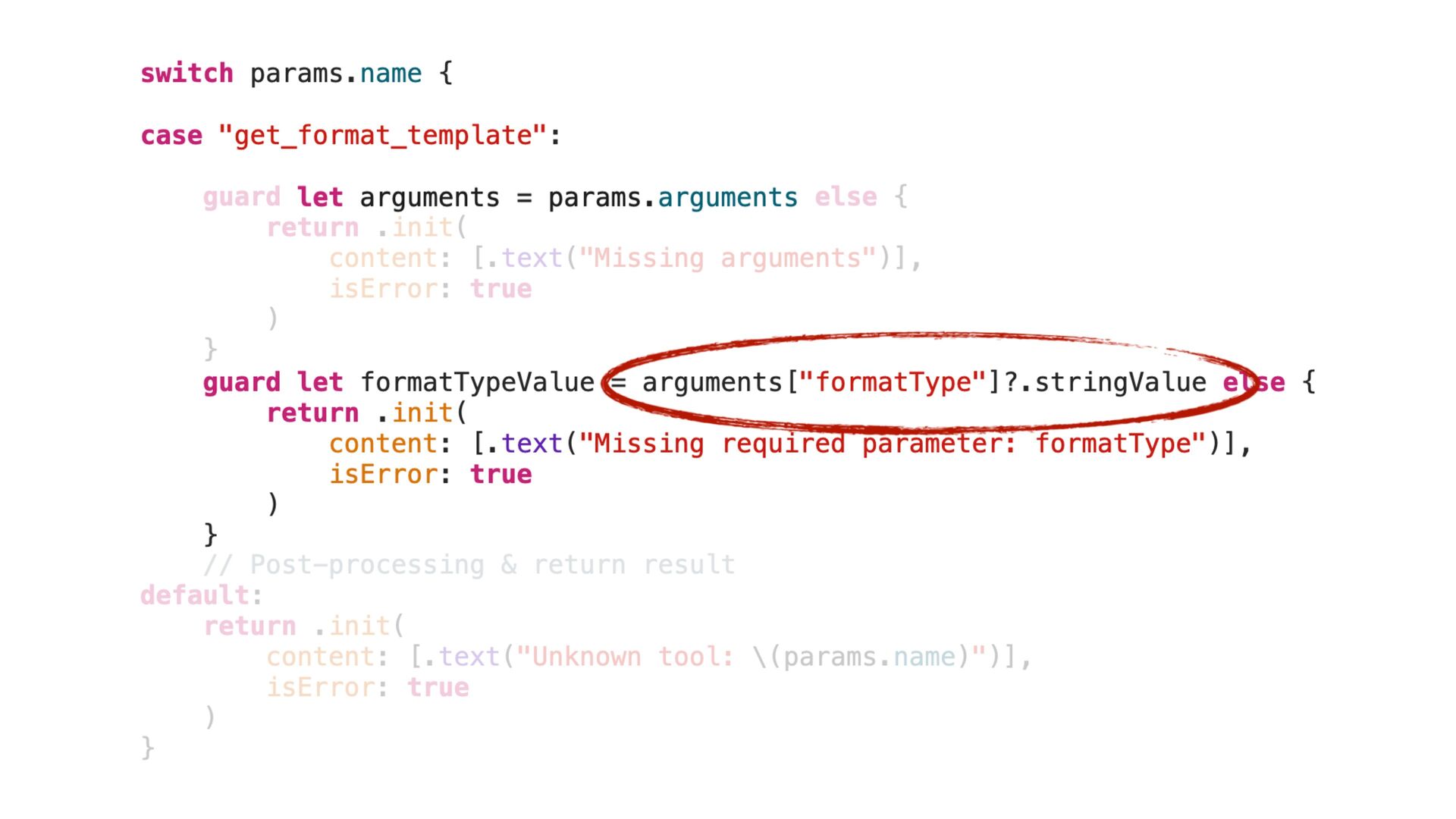
switch params.name { case "get_format_template": guard let arguments = params.arguments
else { return .init( content: [.text("Missing arguments")], isError: true ) } guard let formatTypeValue = arguments["formatType"]?.stringValue else { return .init( content: [.text("Missing required parameter: formatType")], isError: true ) } // Post-processing & return result default: return .init( content: [.text("Unknown tool: \(params.name)")], isError: true ) } switch params.name { case "get_format_template": let arguments = params.arguments guard let formatTypeValue = arguments["formatType"]?.stringValue else { return .init( content: [.text("Missing required parameter: formatType")], isError: true ) } -
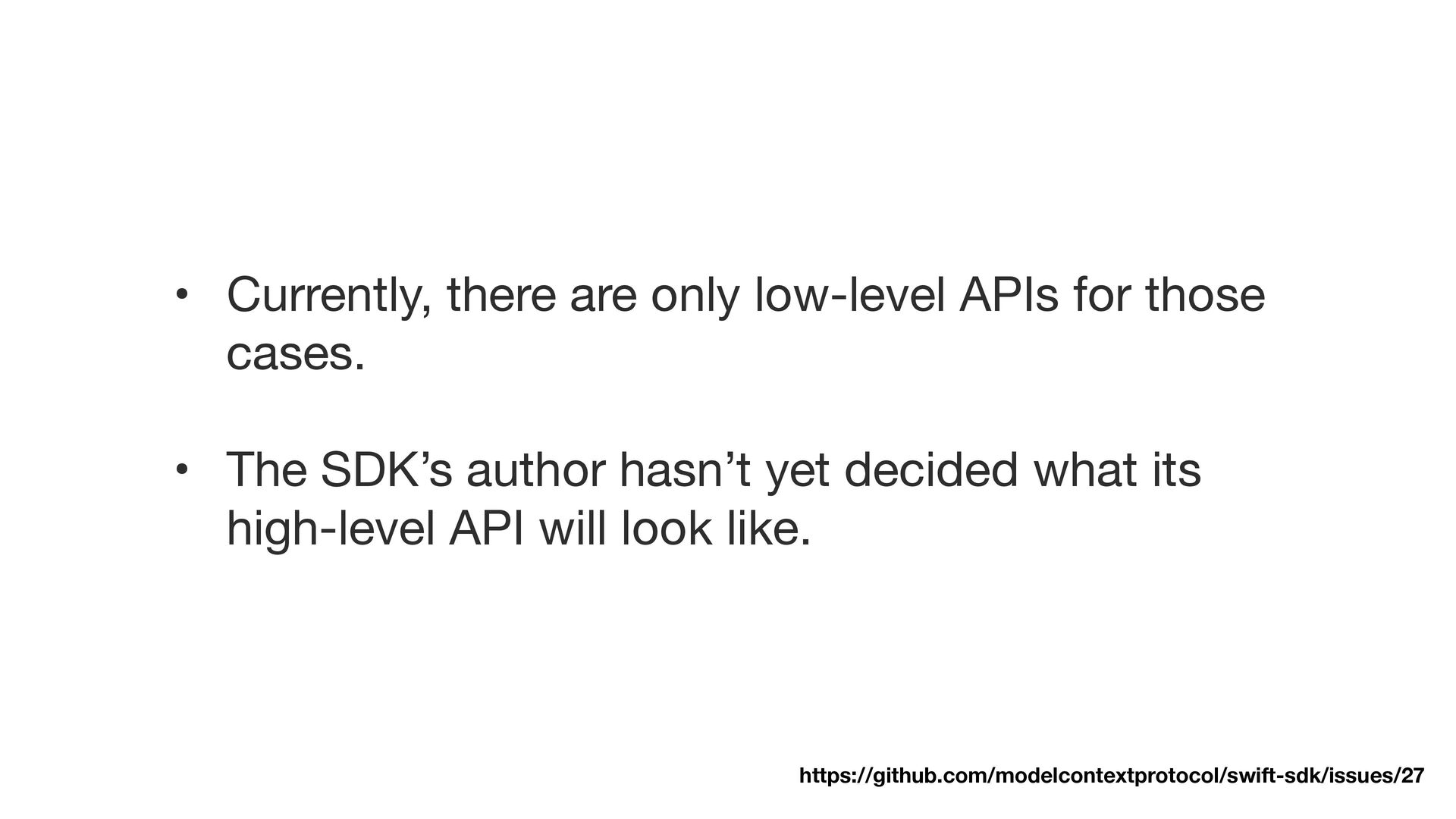
• Currently, there are only low-level APIs for those cases.
• The SDK’s author hasn’t yet decided what its high-level API will look like. https://github.com/modelcontextprotocol/swift-sdk/issues/27 -
Tool( name: "get_format_template", description: "Get format template for different types
of content", inputSchema: .object([ "type": .string("object"), "properties": .object([ "formatType": .object([ "type": .string("string"), "description": .string("The type of format template to get"), "enum": .array([ .string("commit"), .string("pr-title"), .string("pr-description"), .string("branch"), .string("code-review") ]) ]) ]), "required": .array([.string("formatType")]) ]) ) -
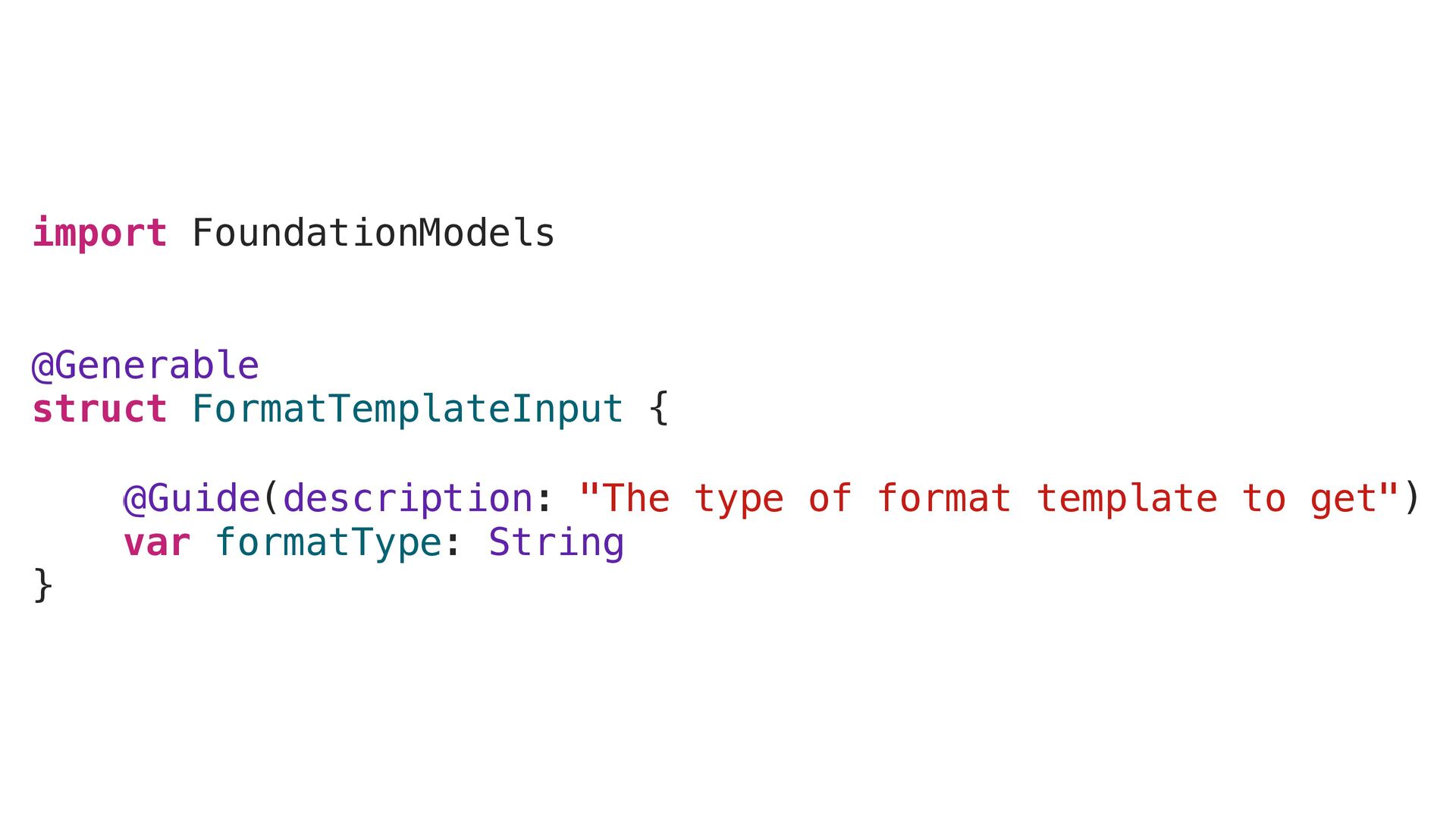
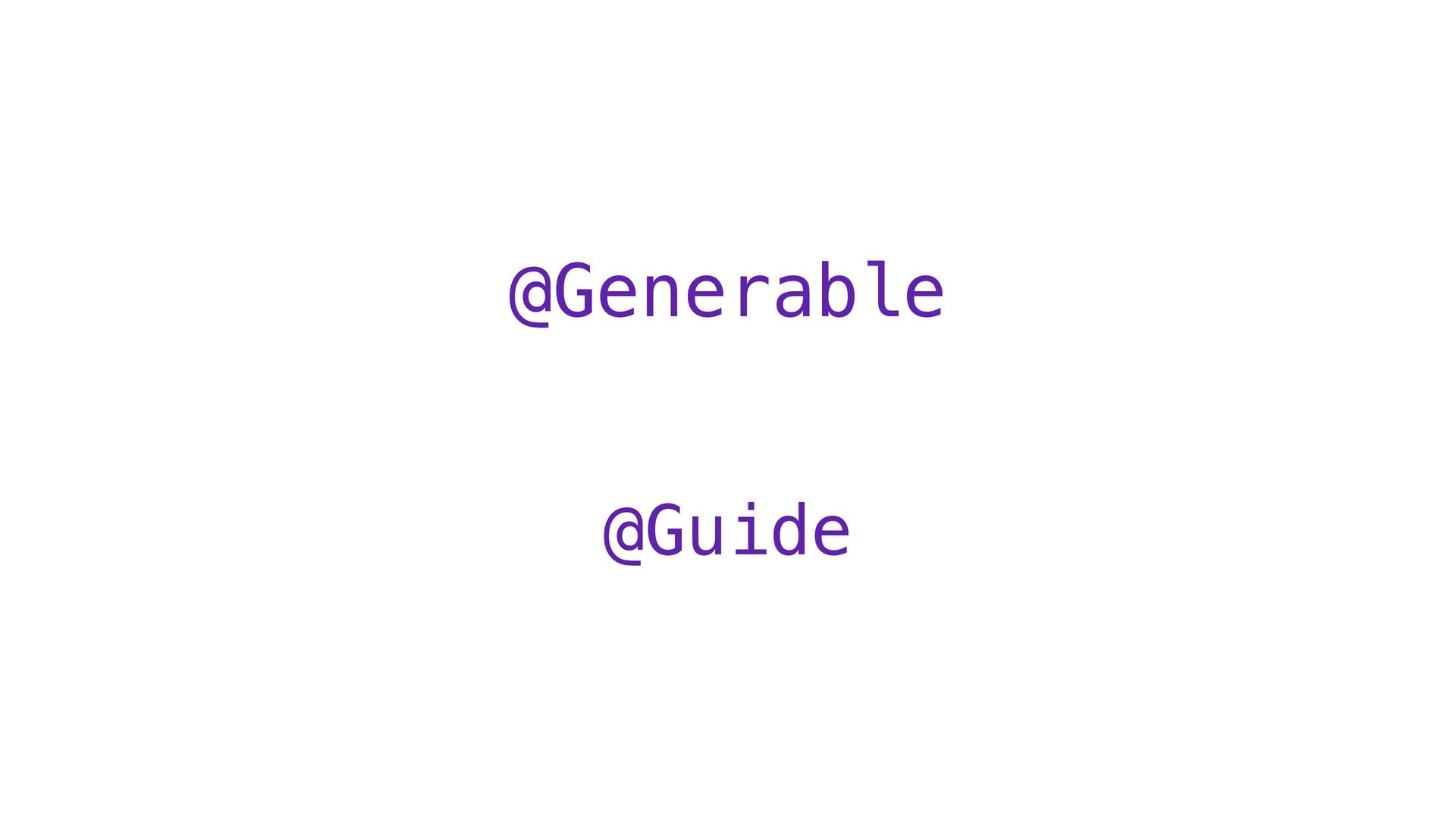
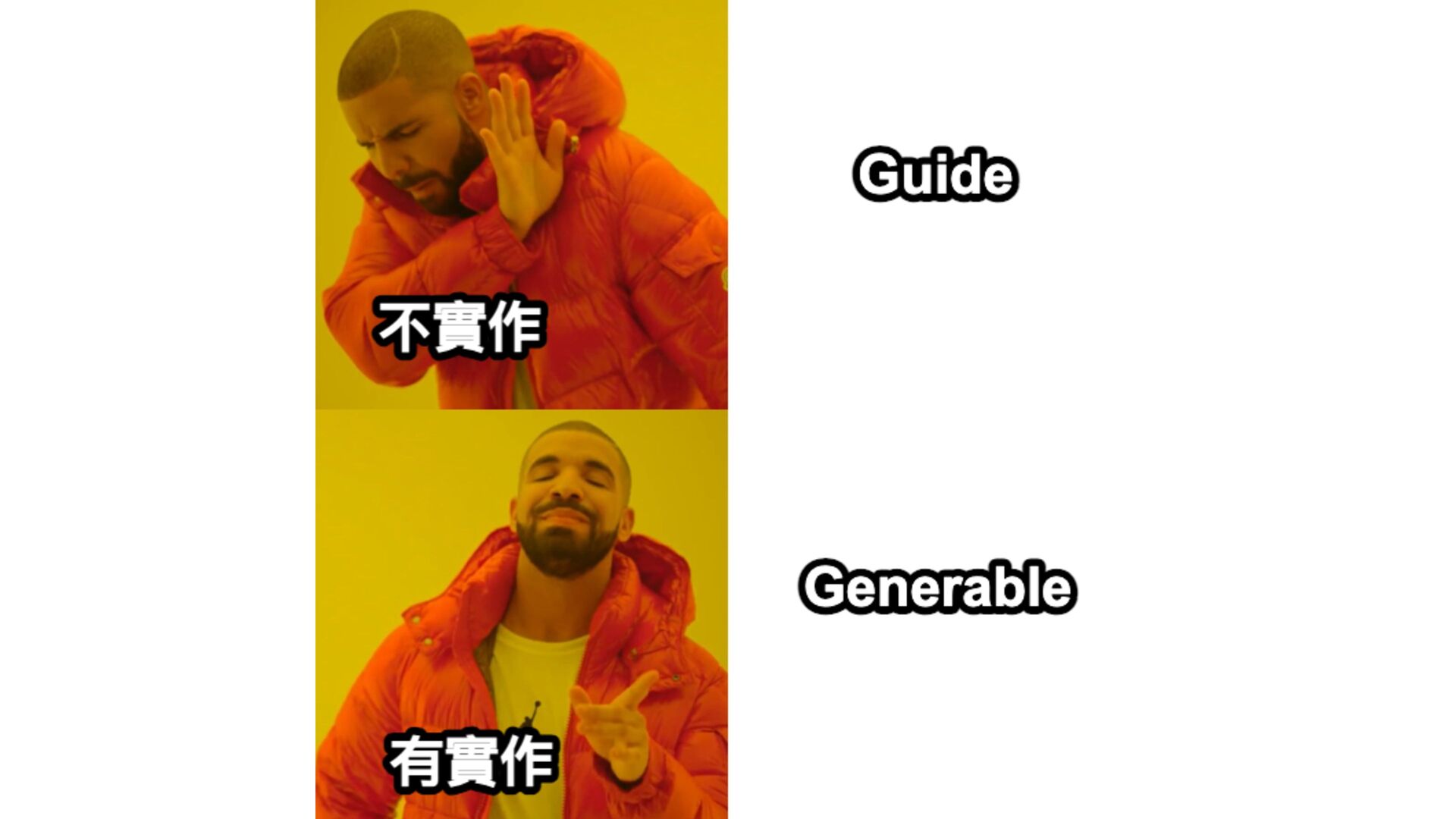
import FoundationModels @Generable struct FormatTemplateInput { @Guide(description: "The type of
format template to get") var formatType: String } @Guide @Generable -
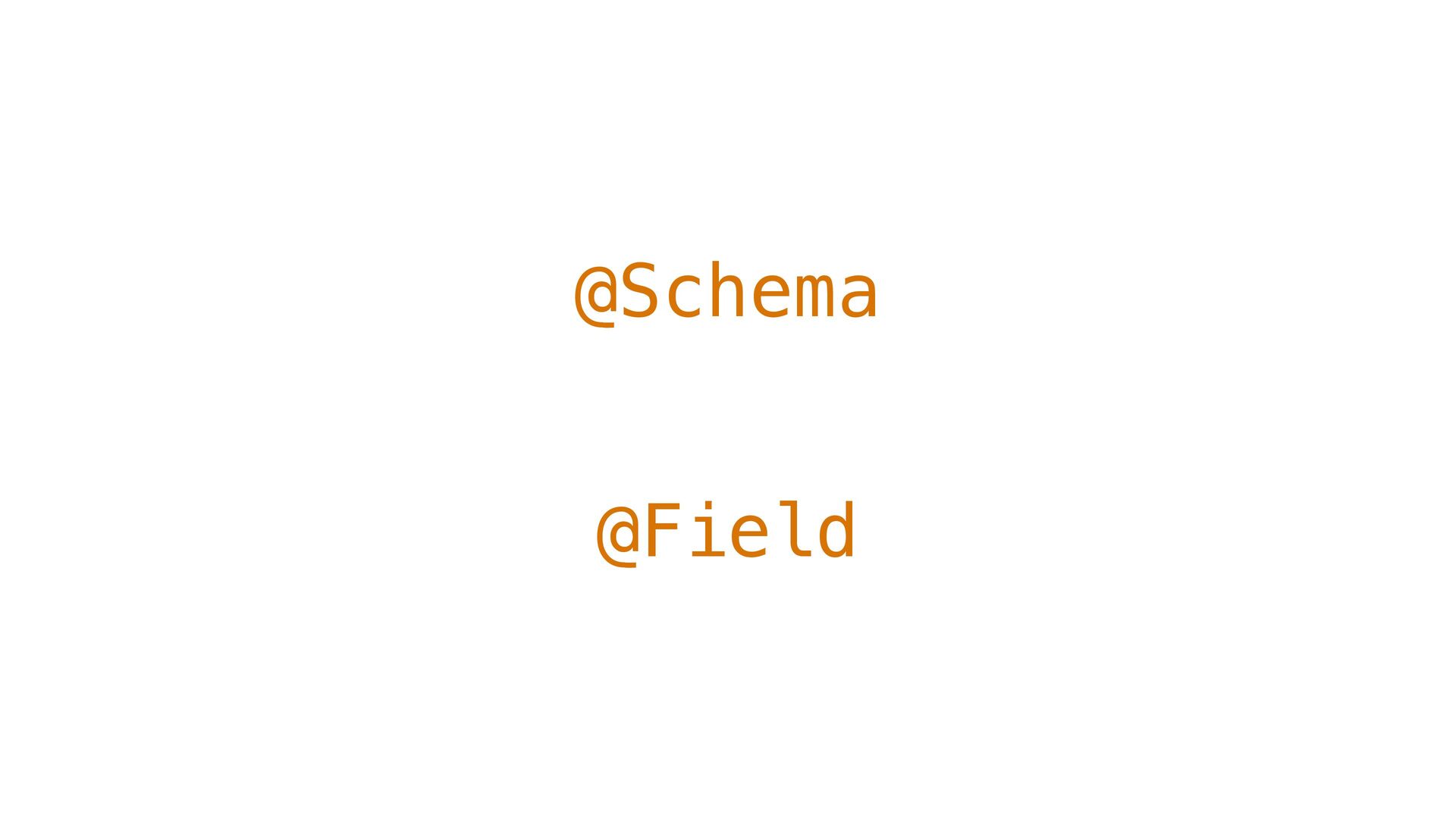
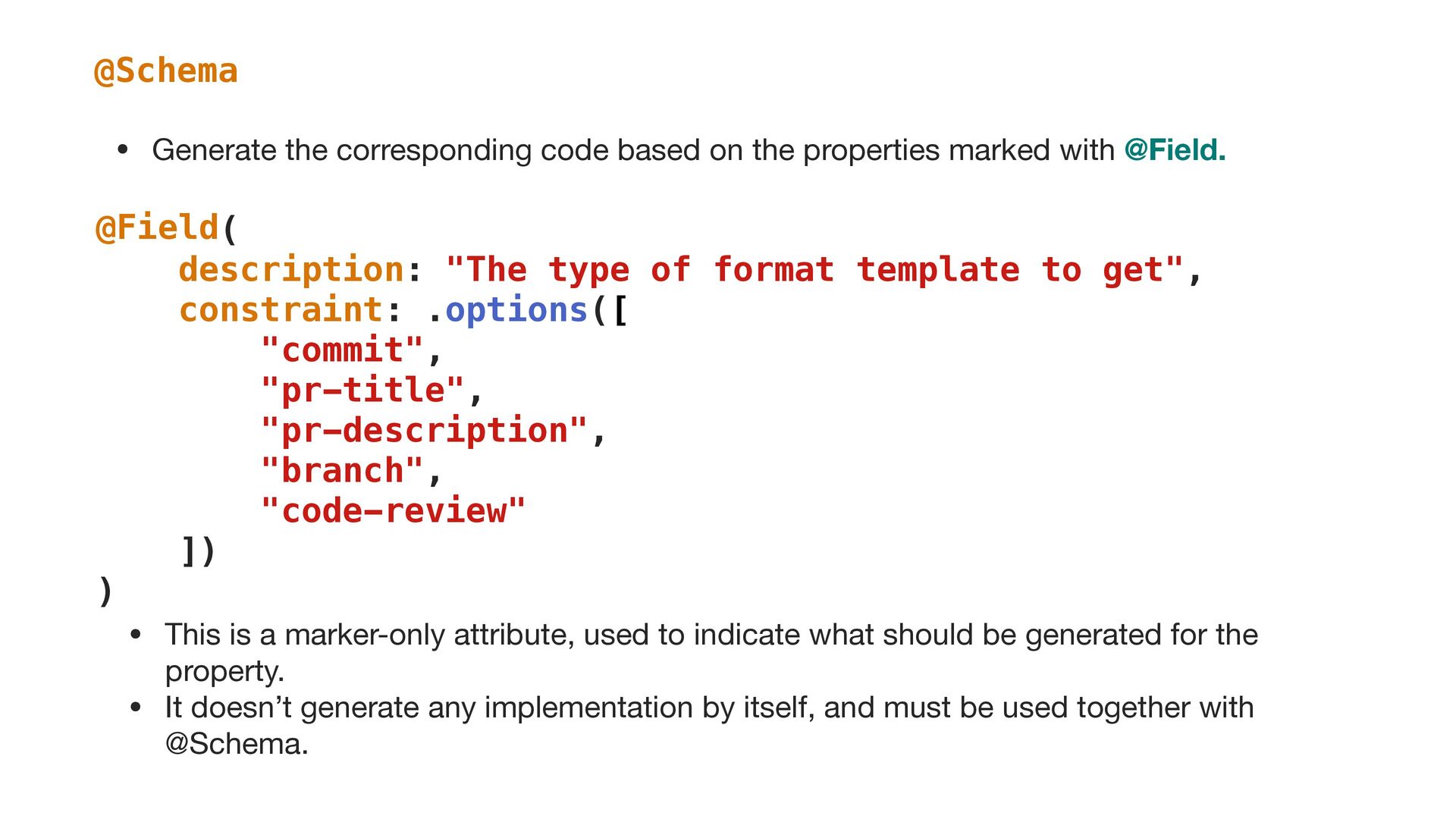
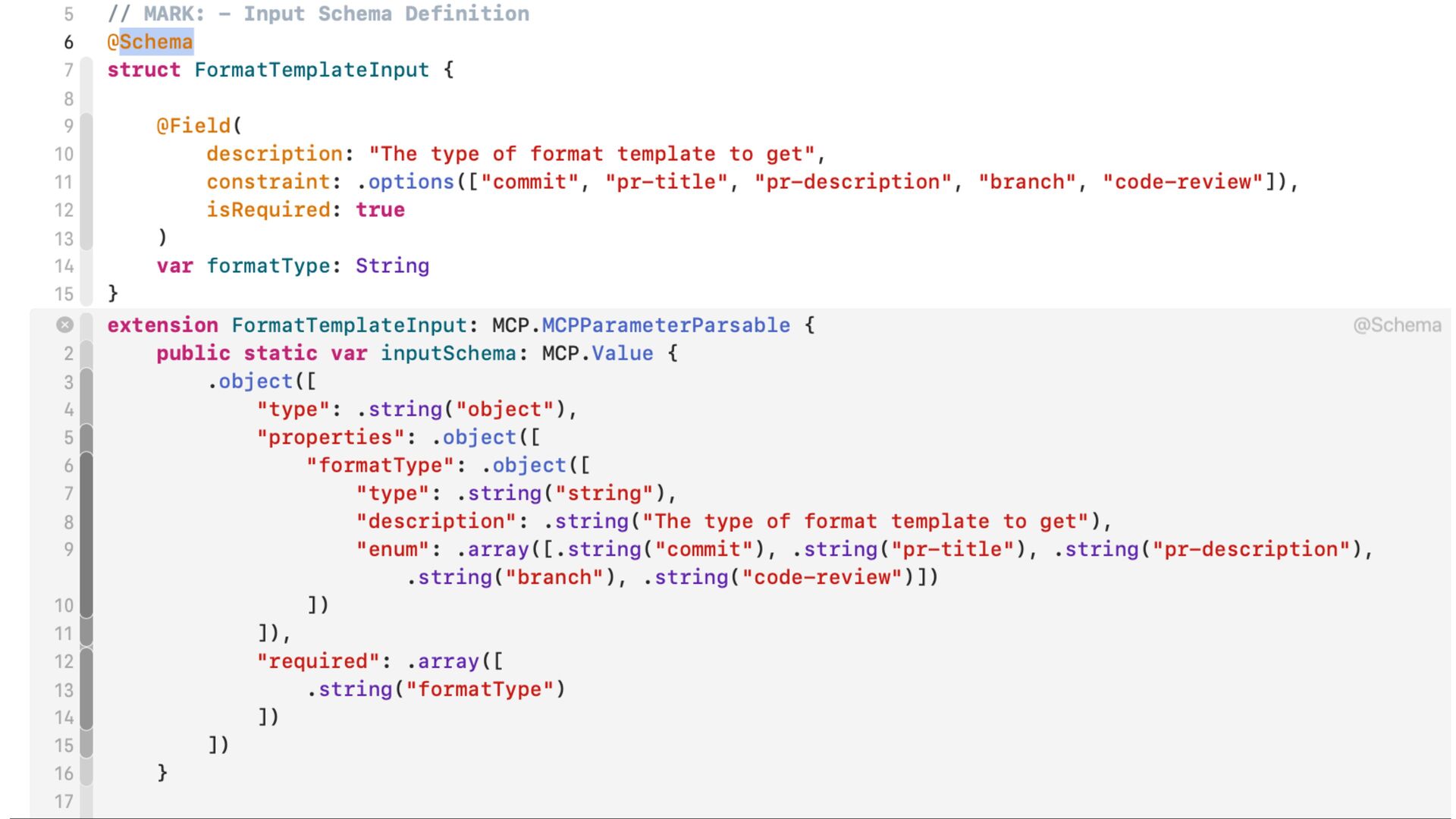
@Schema @Field( description: "The type of format template to get",
constraint: .options([ "commit", "pr-title", "pr-description", "branch", "code-review" ]) ) • This is a marker-only attribute, used to indicate what should be generated for the property. • It doesn’t generate any implementation by itself, and must be used together with @Schema. • Generate the corresponding code based on the properties marked with @Field. @Field -
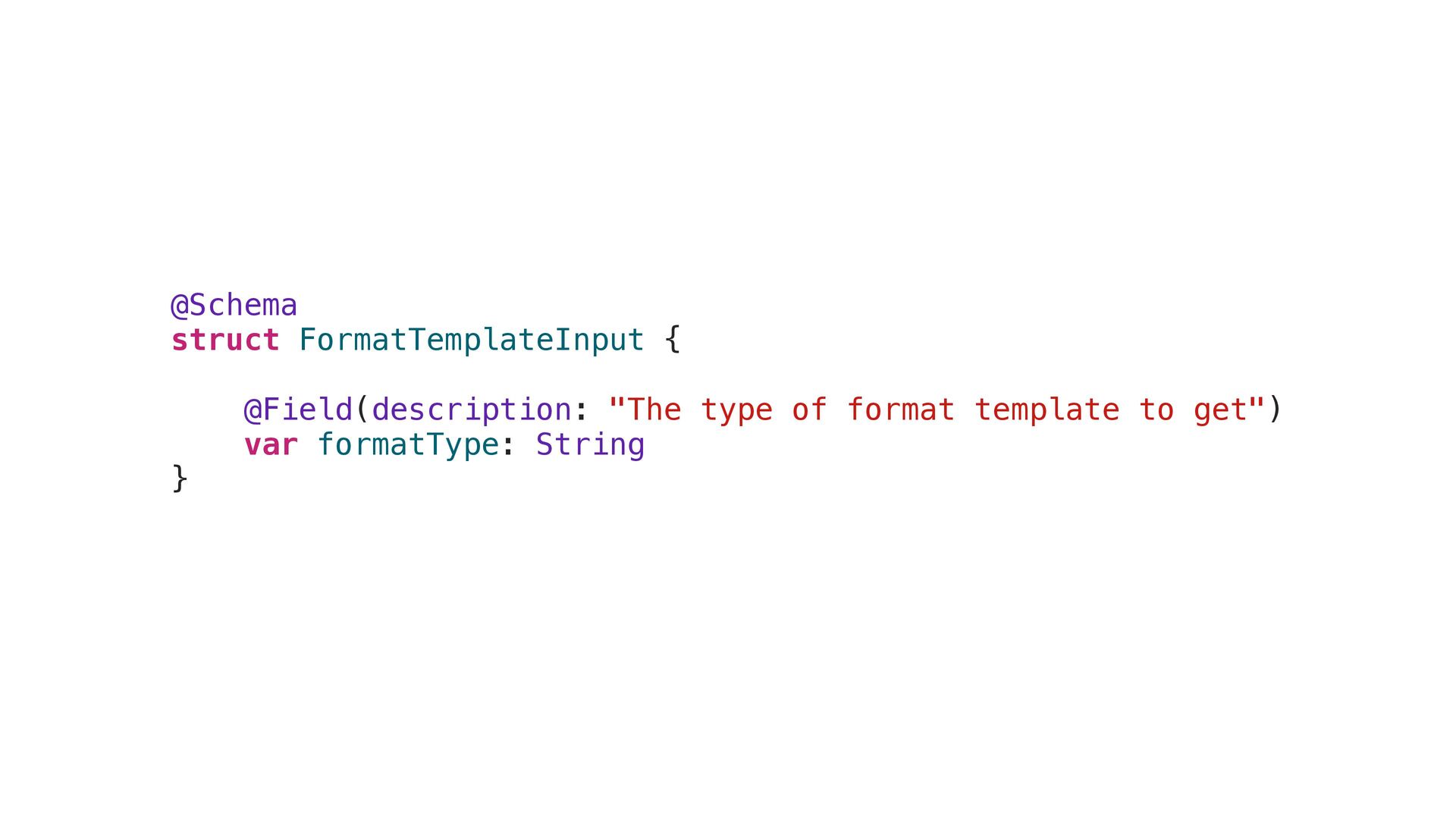
@Schema struct FormatTemplateInput { @Field(description: "The type of format template
to get") var formatType: String } -
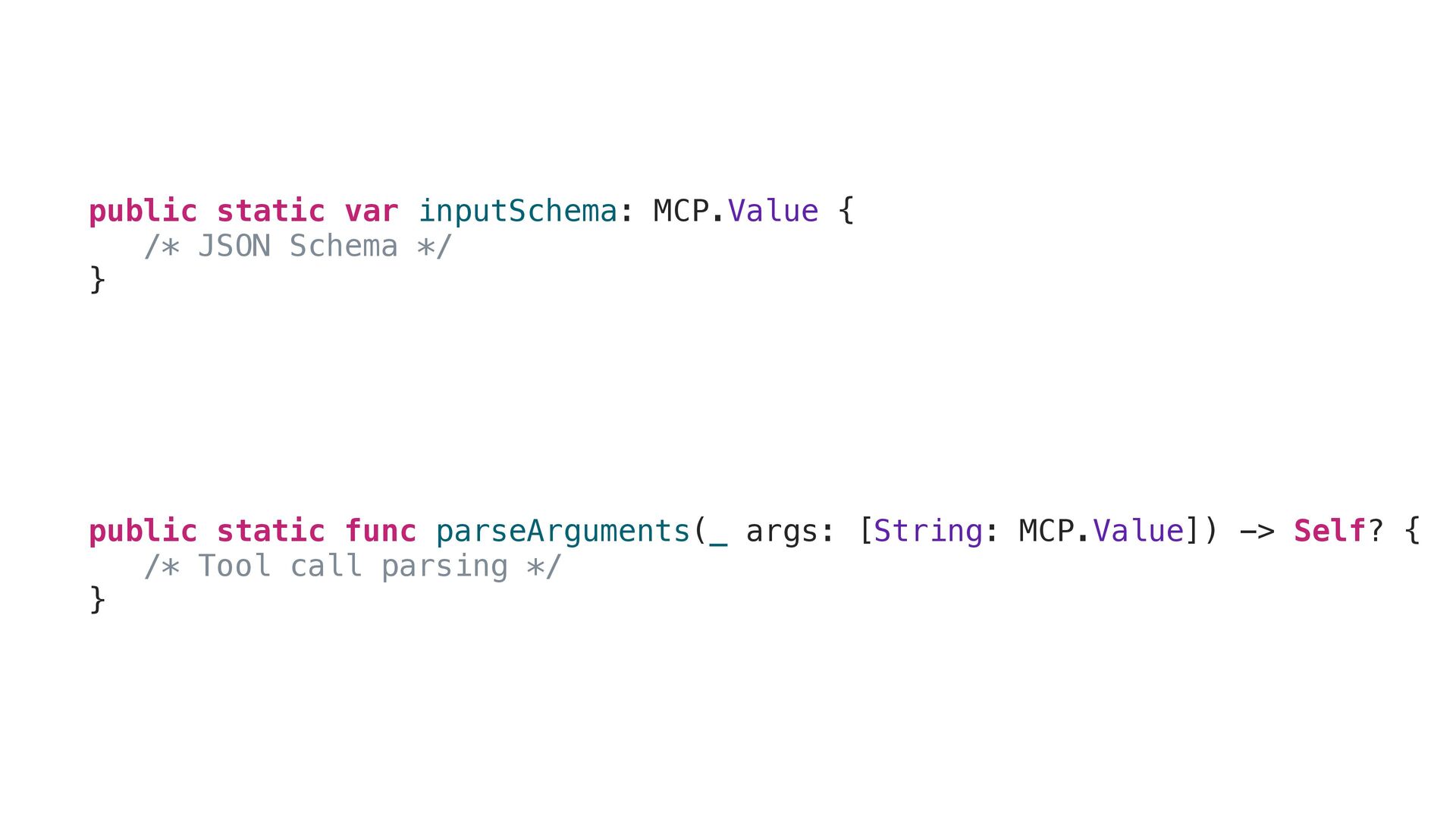
public static func parseArguments(_ args: [String: MCP.Value]) -> Self? {
/* Tool call parsing */ } public static var inputSchema: MCP.Value { /* JSON Schema */ } -
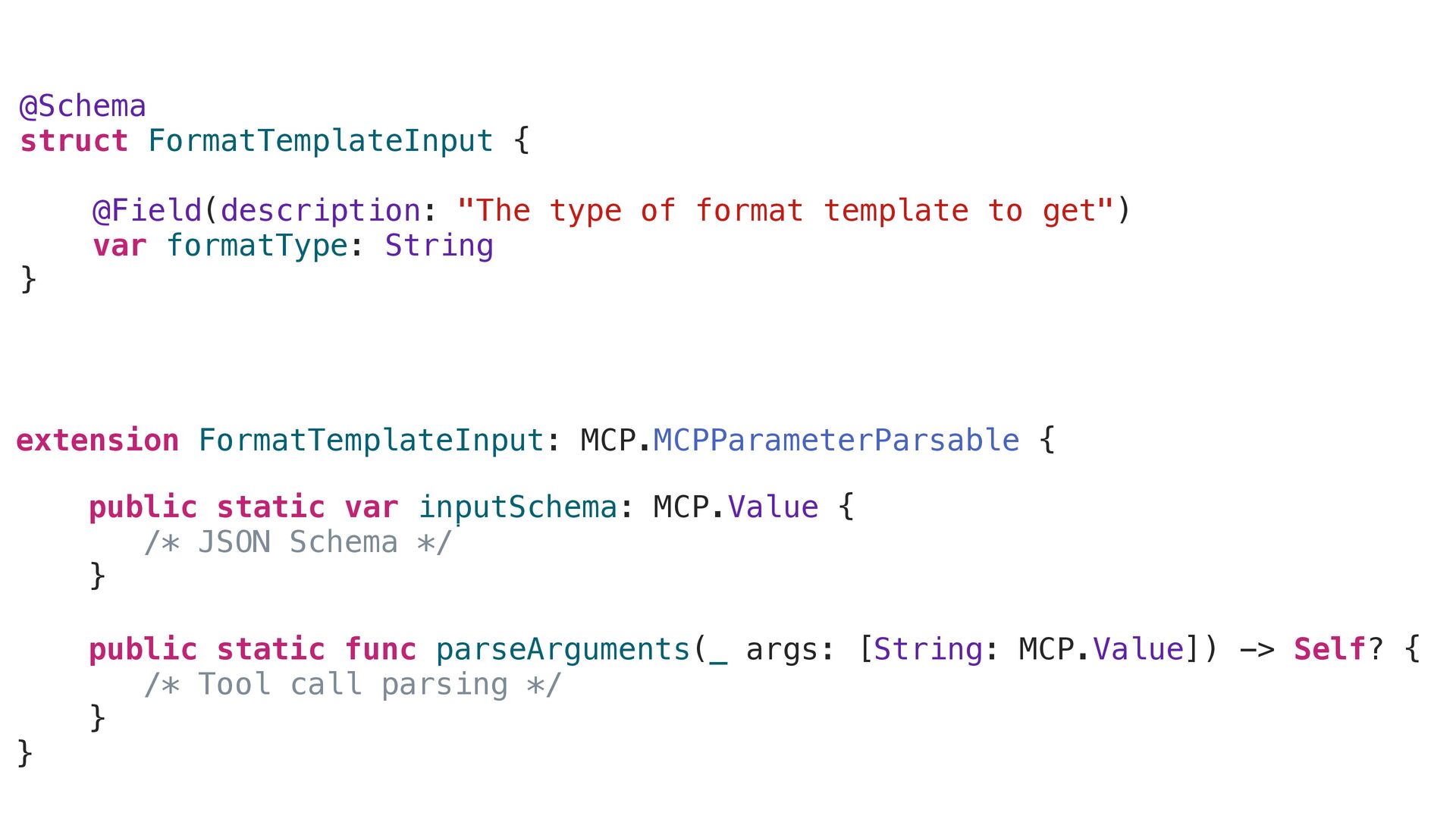
extension FormatTemplateInput: MCP.MCPParameterParsable { public static var inputSchema: MCP.Value {
/* JSON Schema */ } public static func parseArguments(_ args: [String: MCP.Value]) -> Self? { /* Tool call parsing */ } } public static func parseArguments(_ args: [String: MCP.Value]) -> Self? { /* Tool call parsing */ } public static var inputSchema: MCP.Value { /* JSON Schema */ } @Schema struct FormatTemplateInput { @Field(description: "The type of format template to get") var formatType: String } -
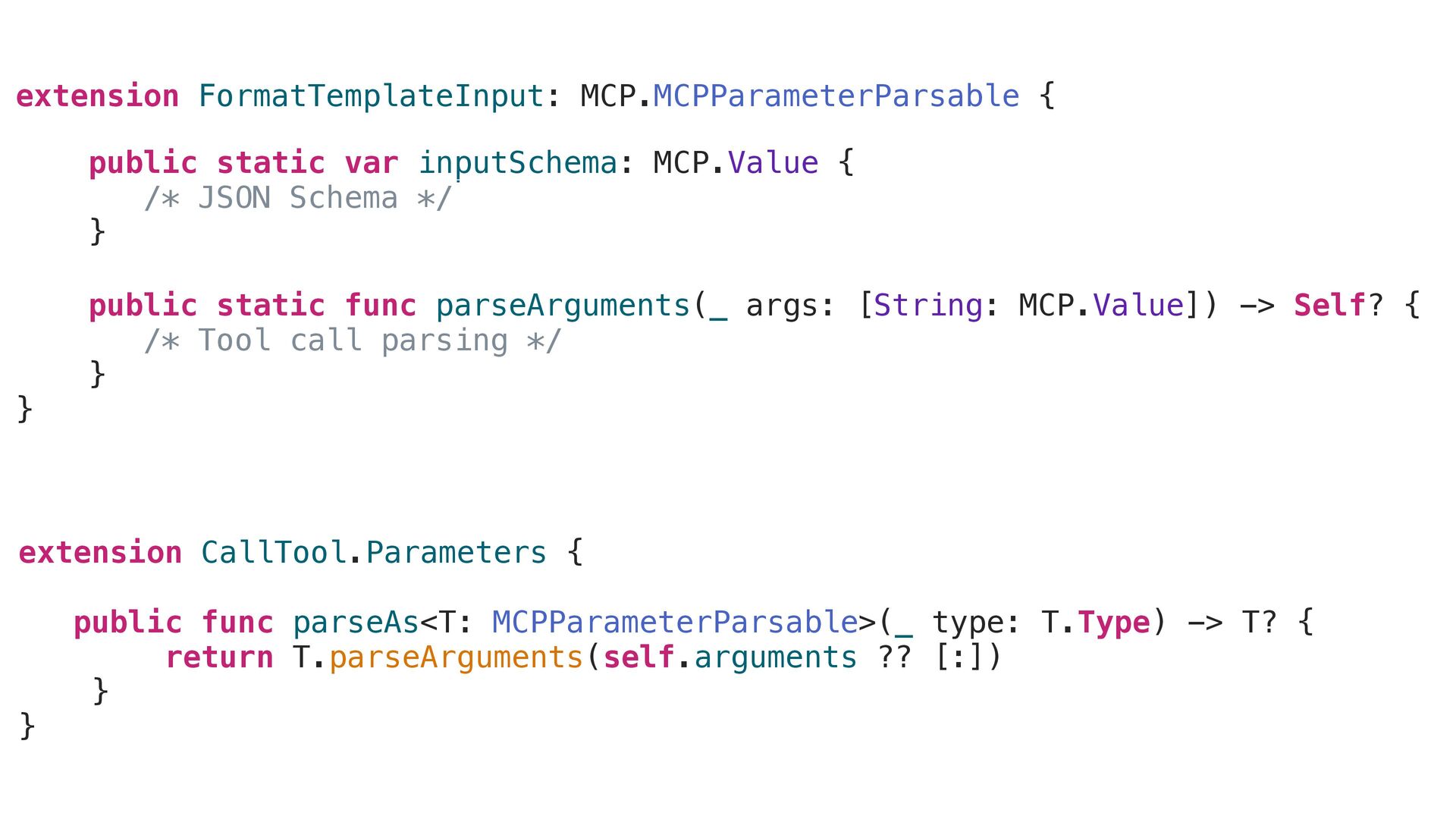
extension CallTool.Parameters { public func parseAs<T: MCPParameterParsable>(_ type: T.Type) ->
T? { return T.parseArguments(self.arguments ?? [:]) } } extension FormatTemplateInput: MCP.MCPParameterParsable { public static var inputSchema: MCP.Value { /* JSON Schema */ } public static func parseArguments(_ args: [String: MCP.Value]) -> Self? { /* Tool call parsing */ } } public static func parseArguments(_ args: [String: MCP.Value]) -> Self? { /* Tool call parsing */ } public static var inputSchema: MCP.Value { /* JSON Schema */ } -
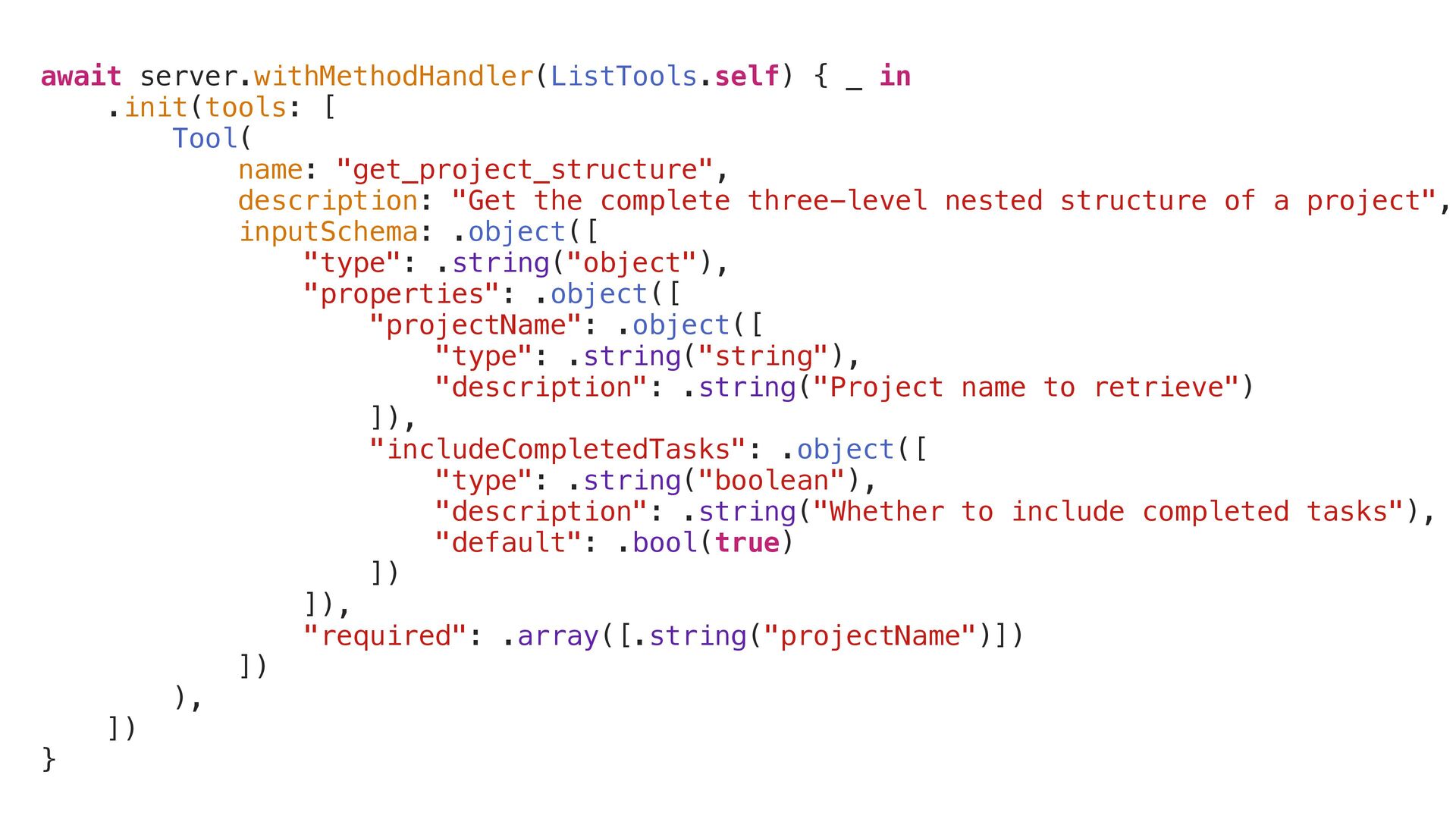
await server.withMethodHandler(ListTools.self) { _ in .init(tools: [ Tool( name: "get_project_structure",
description: "Get the complete three-level nested structure of a project", inputSchema: .object([ "type": .string("object"), "properties": .object([ "projectName": .object([ "type": .string("string"), "description": .string("Project name to retrieve") ]), "includeCompletedTasks": .object([ "type": .string("boolean"), "description": .string("Whether to include completed tasks"), "default": .bool(true) ]) ]), "required": .array([.string("projectName")]) ]) ), ]) } -
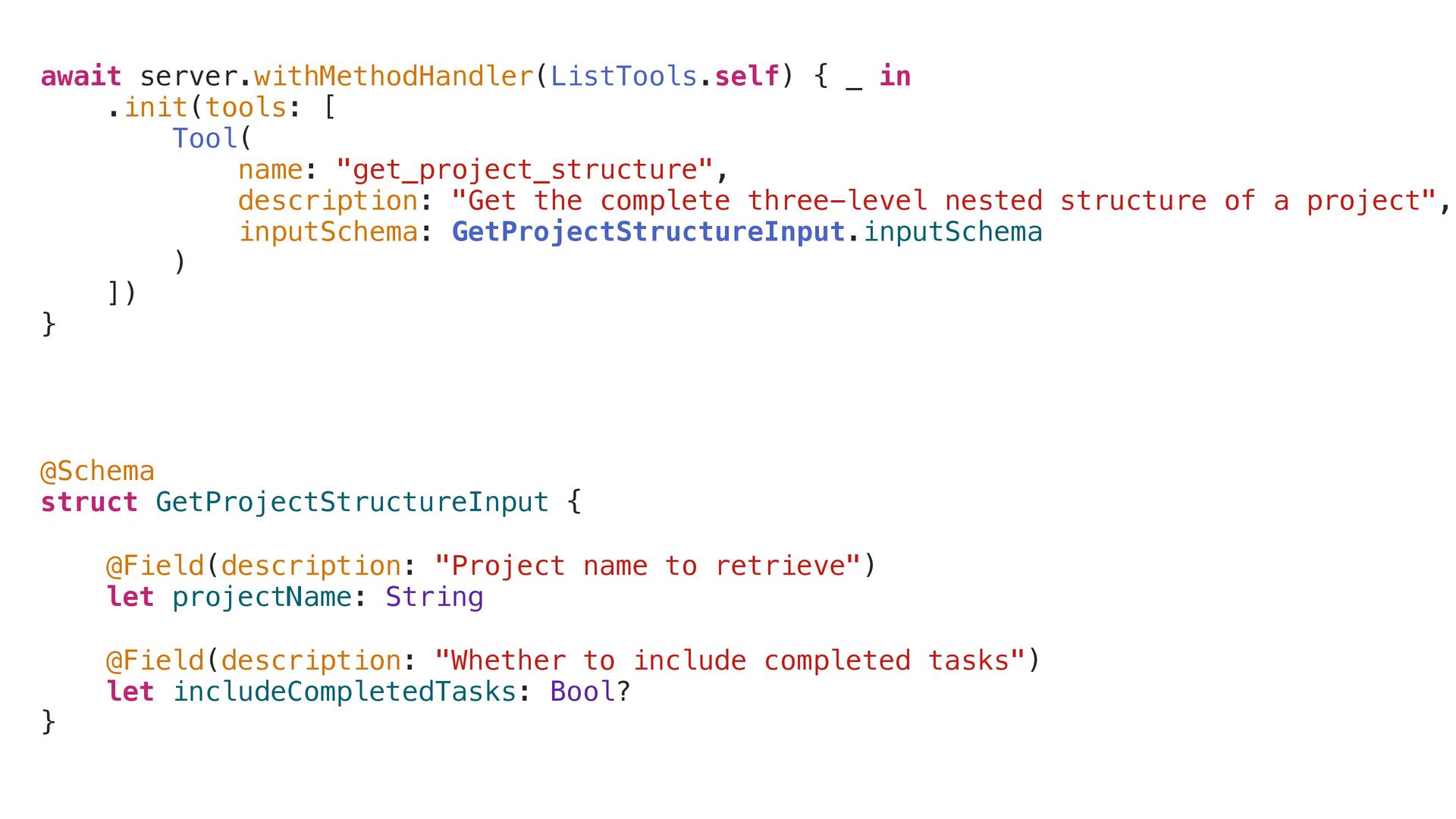
await server.withMethodHandler(ListTools.self) { _ in .init(tools: [ Tool( name: "get_project_structure",
description: "Get the complete three-level nested structure of a project", inputSchema: GetProjectStructureInput.inputSchema ) ]) } @Schema struct GetProjectStructureInput { @Field(description: "Project name to retrieve") let projectName: String @Field(description: "Whether to include completed tasks") let includeCompletedTasks: Bool? } -
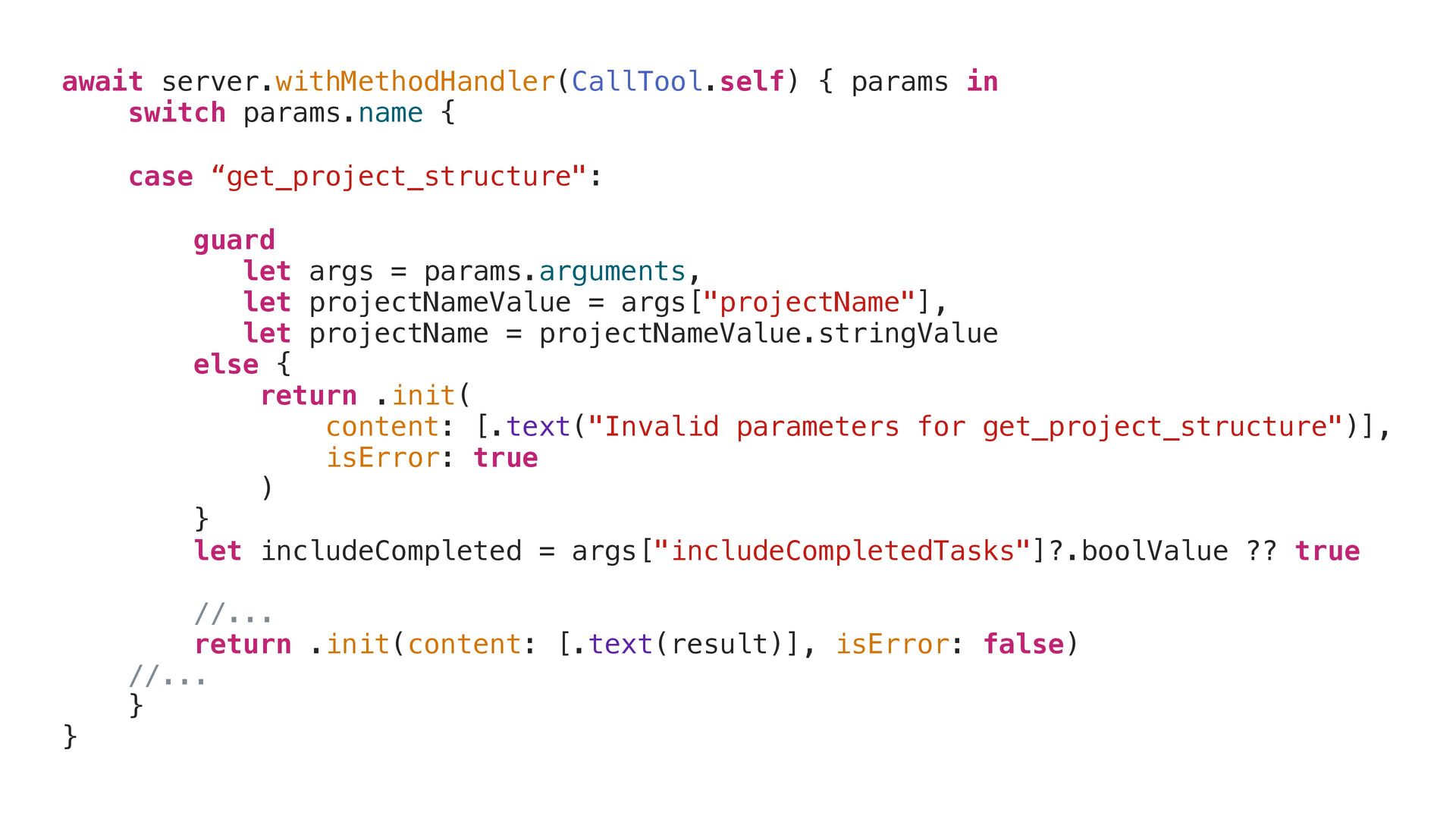
await server.withMethodHandler(CallTool.self) { params in switch params.name { case “get_project_structure":
guard let args = params.arguments, let projectNameValue = args["projectName"], let projectName = projectNameValue.stringValue else { return .init( content: [.text("Invalid parameters for get_project_structure")], isError: true ) } let includeCompleted = args["includeCompletedTasks"]?.boolValue ?? true //... return .init(content: [.text(result)], isError: false) //... } } -
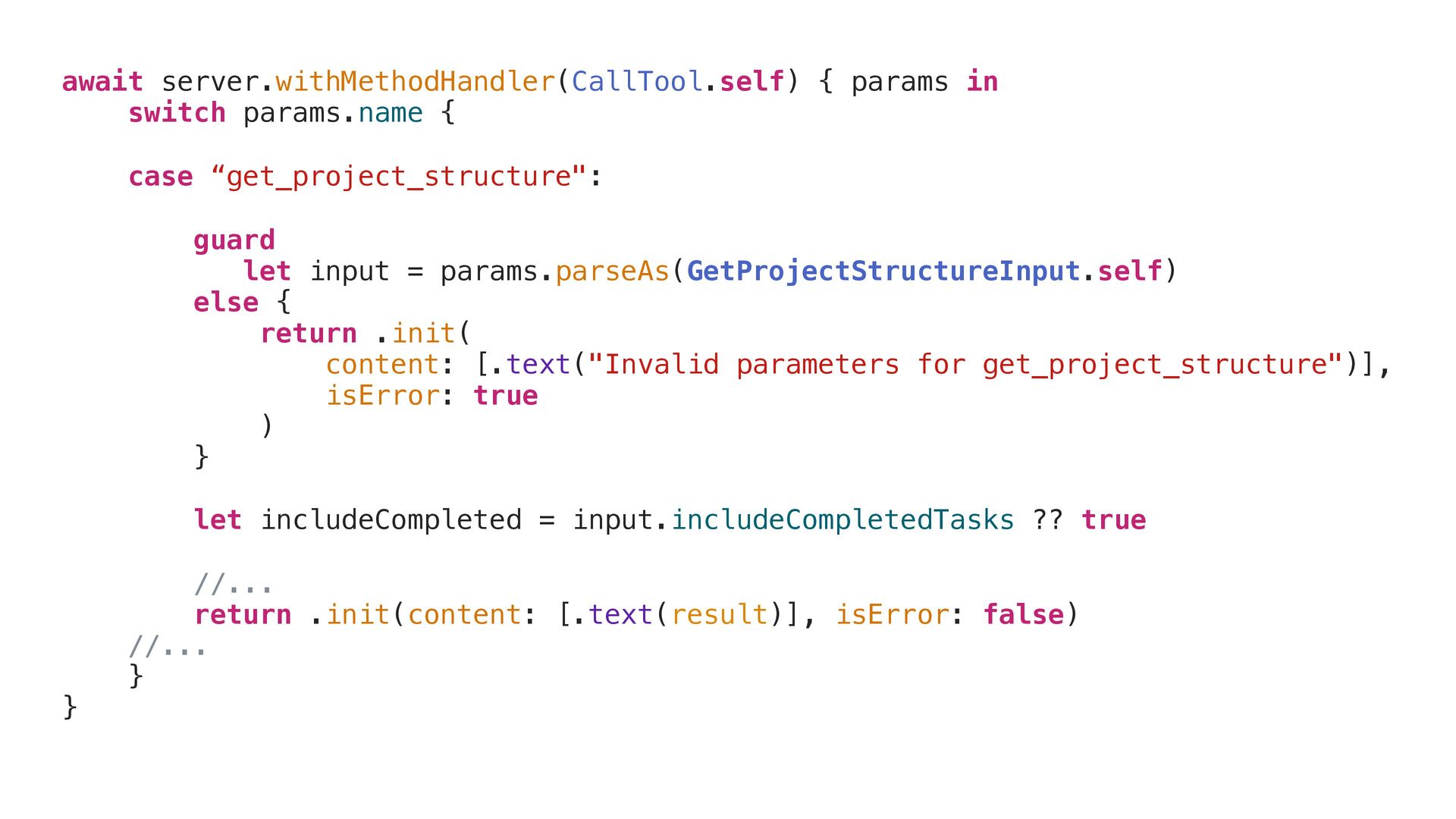
await server.withMethodHandler(CallTool.self) { params in switch params.name { case “get_project_structure":
guard let input = params.parseAs(GetProjectStructureInput.self) else { return .init( content: [.text("Invalid parameters for get_project_structure")], isError: true ) } let includeCompleted = input.includeCompletedTasks ?? true //... return .init(content: [.text(result)], isError: false) //... } } -
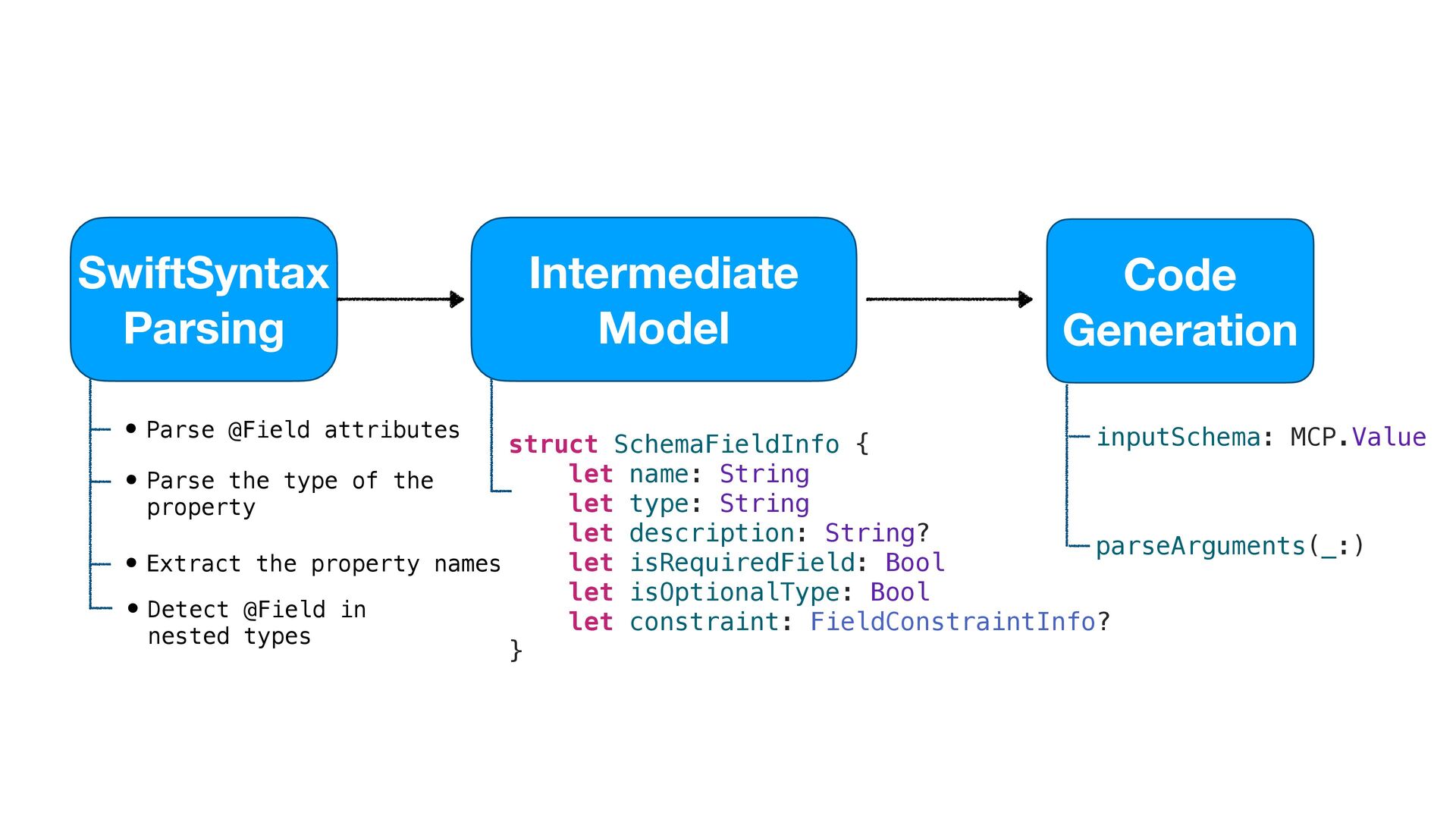
struct SchemaFieldInfo { let name: String let type: String let
description: String? let isRequiredField: Bool let isOptionalType: Bool let constraint: FieldConstraintInfo? } Intermediate Model SwiftSyntax Parsing Code Generation inputSchema: MCP.Value parseArguments(_:) • Parse @Field attributes • Parse the type of the property • Extract the property names • Detect @Field in nested types -
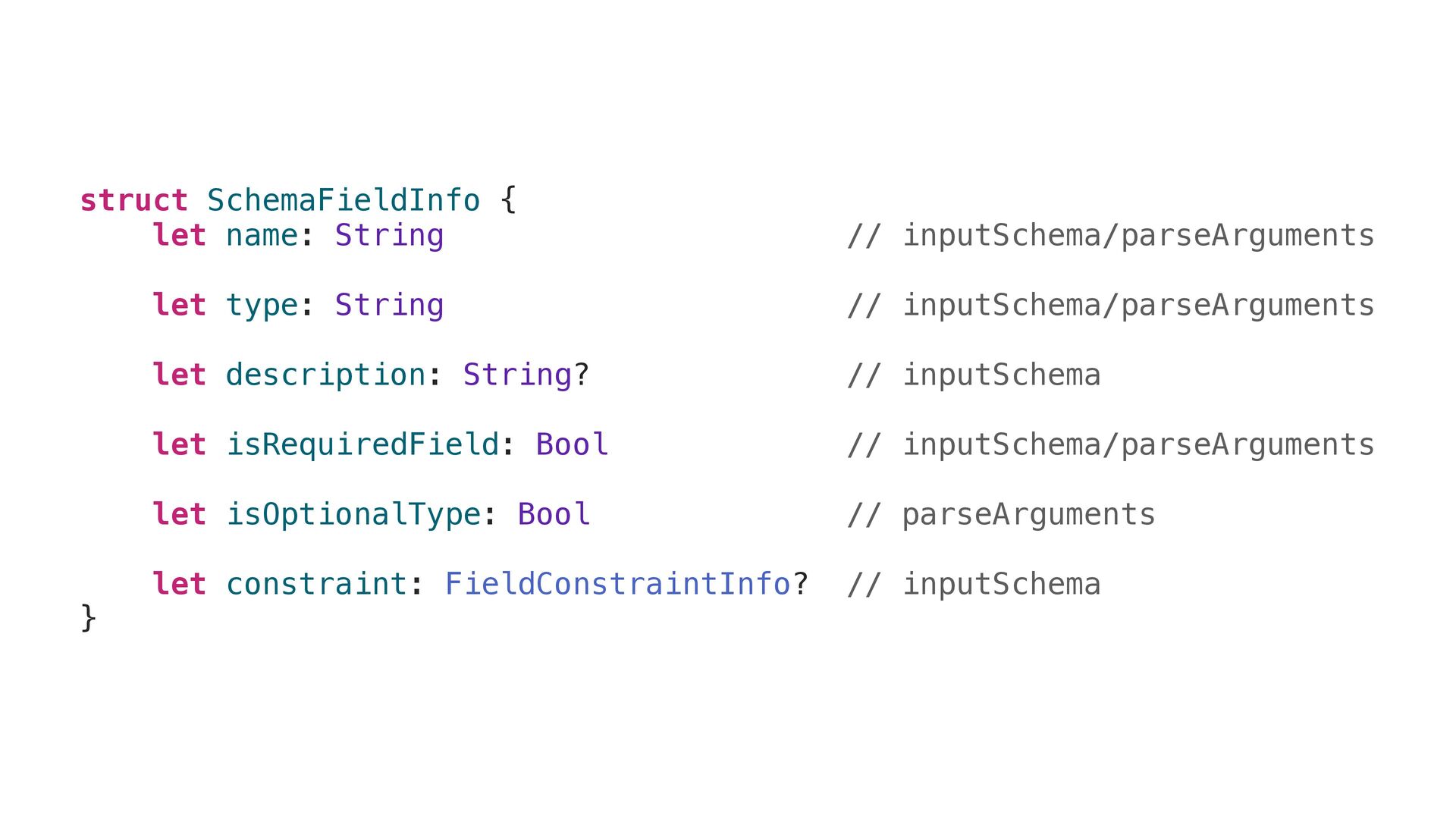
struct SchemaFieldInfo { let name: String // inputSchema/parseArguments let type:
String // inputSchema/parseArguments let description: String? // inputSchema let isRequiredField: Bool // inputSchema/parseArguments let isOptionalType: Bool // parseArguments let constraint: FieldConstraintInfo? // inputSchema } -
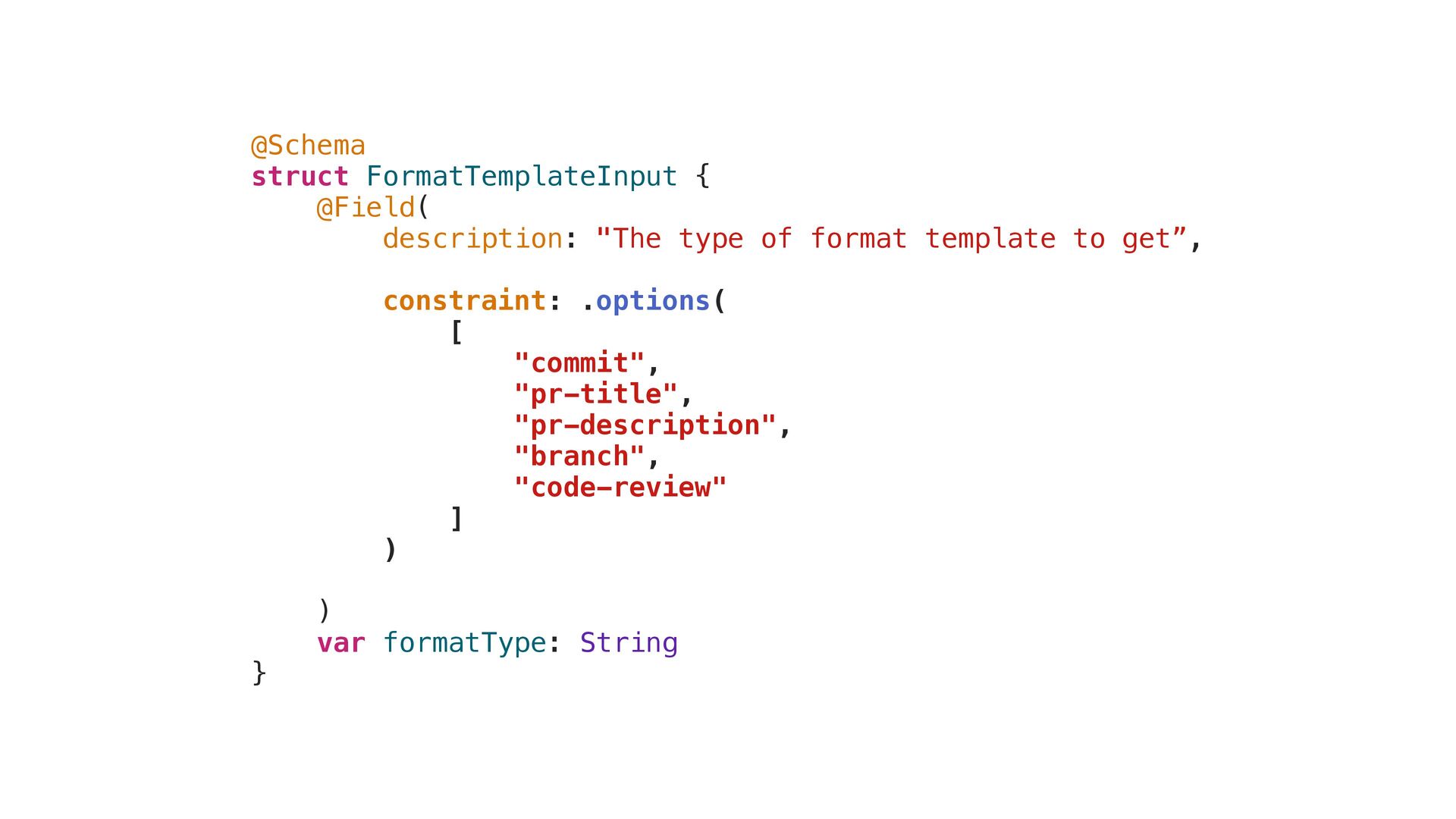
@Schema struct FormatTemplateInput { @Field( description: "The type of format
template to get”, constraint: .options( [ "commit", "pr-title", "pr-description", "branch", "code-review" ] ) ) var formatType: String } constraint: .options( [ "commit", "pr-title", "pr-description", "branch", "code-review" ] ) -
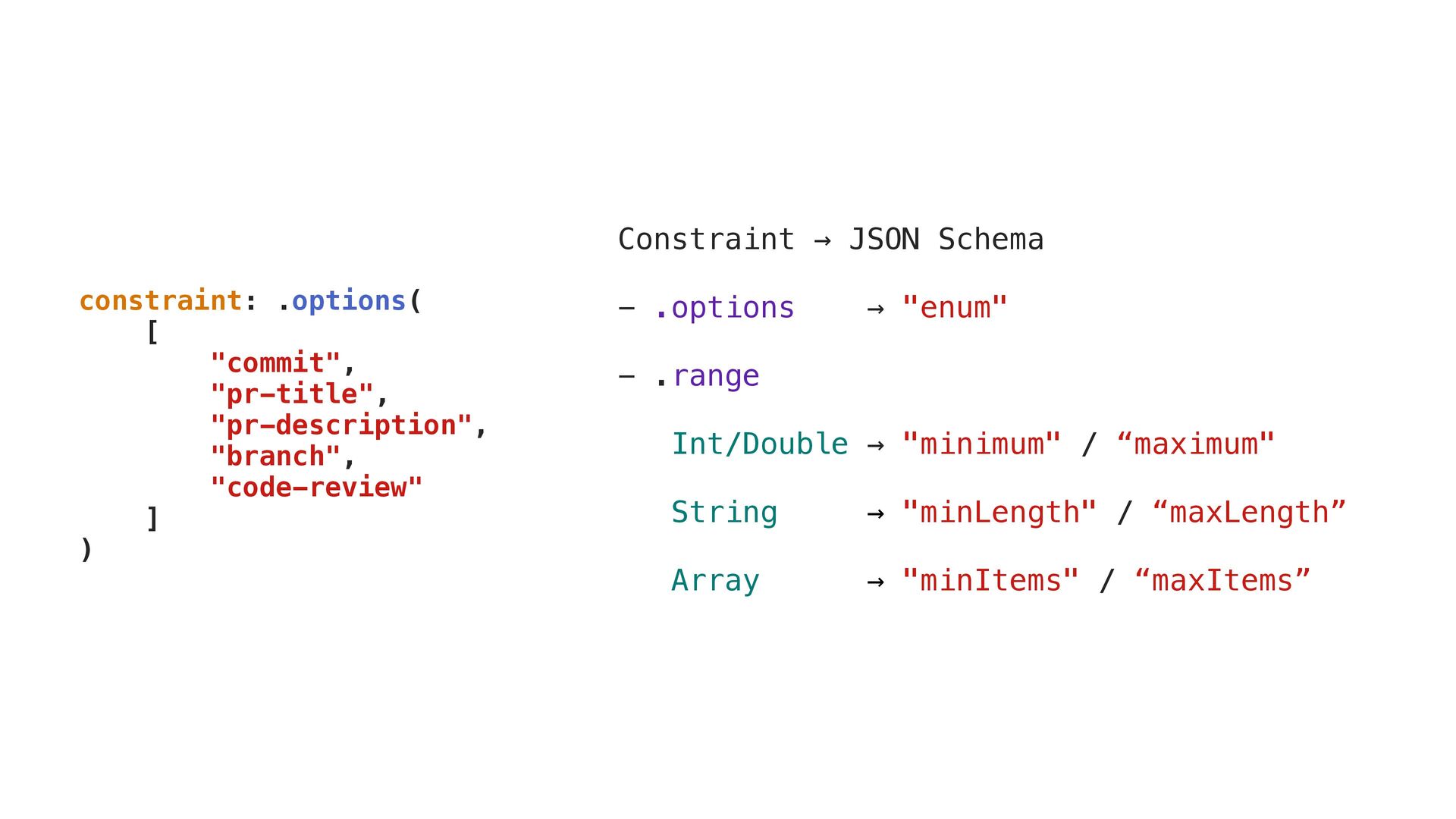
constraint: .options( [ "commit", "pr-title", "pr-description", "branch", "code-review" ] )
Constraint → JSON Schema - .options → "enum" - .range Int/Double → "minimum" / “maximum" String → "minLength" / “maxLength” Array → "minItems" / “maxItems” -
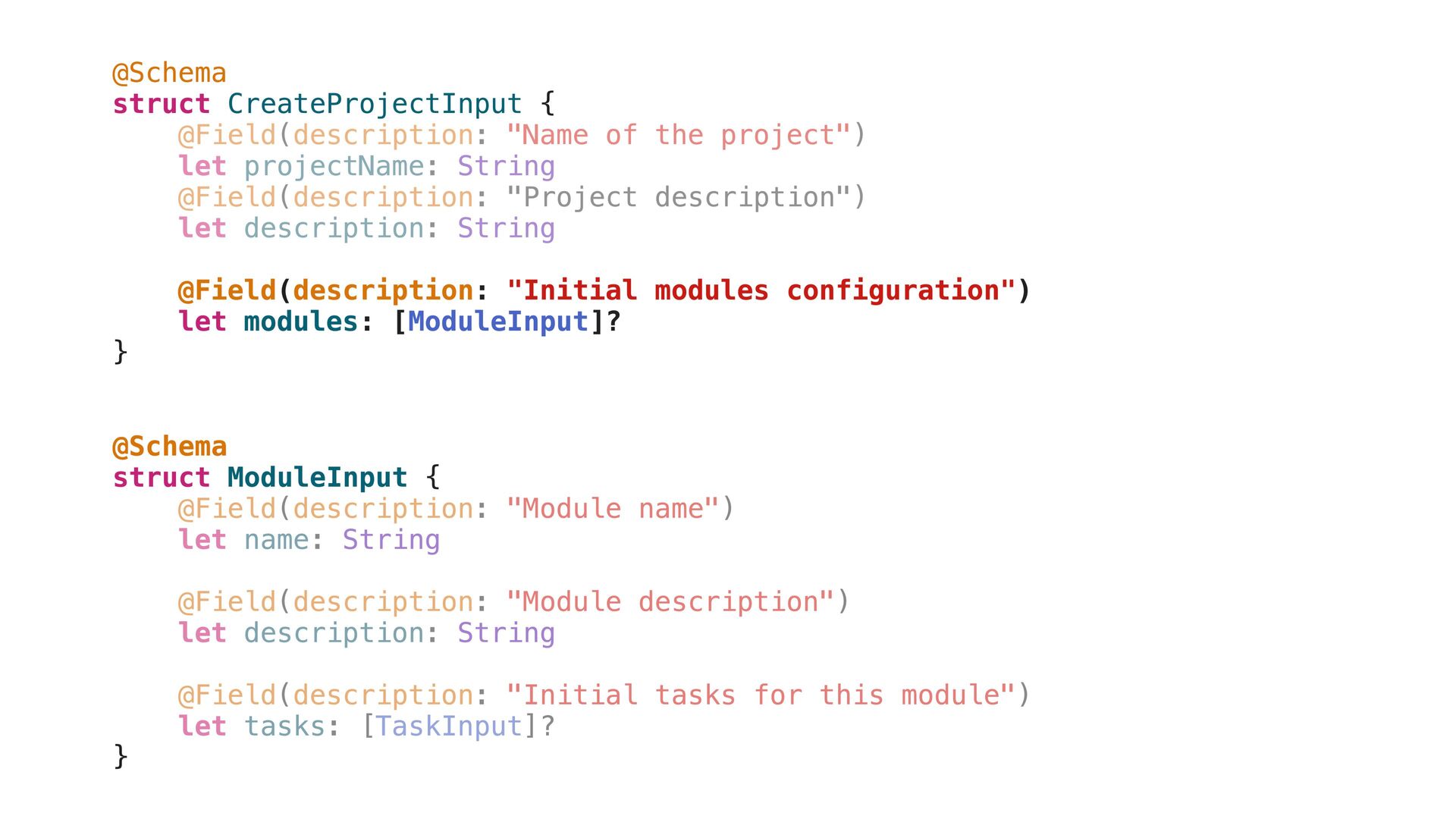
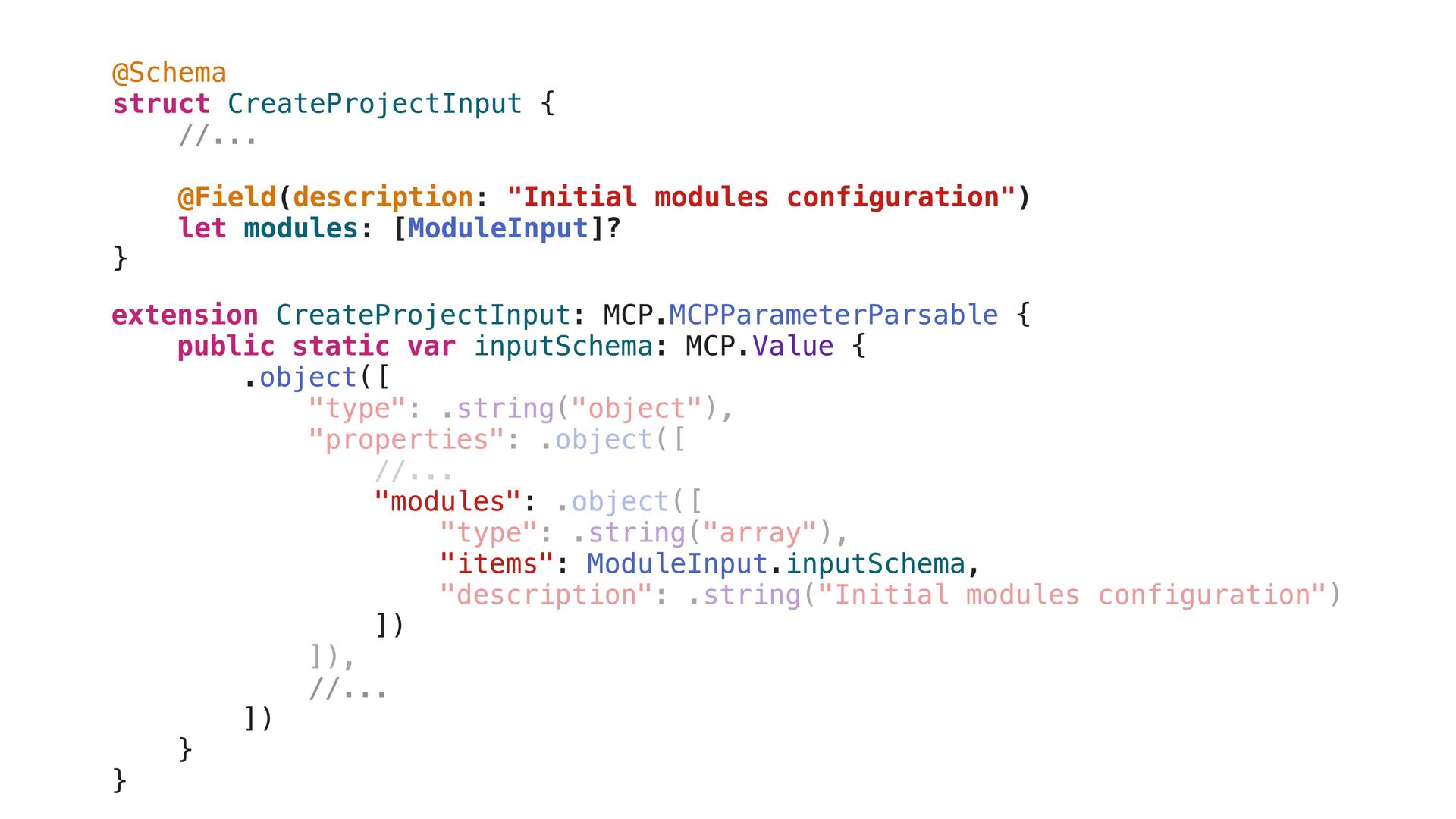
@Schema struct CreateProjectInput { @Field(description: "Name of the project") let
projectName: String @Field(description: "Project description") let description: String @Field(description: "Initial modules configuration") let modules: [ModuleInput]? } @Schema struct ModuleInput { @Field(description: "Module name") let name: String @Field(description: "Module description") let description: String @Field(description: "Initial tasks for this module") let tasks: [TaskInput]? } @Schema struct CreateProjectInput { @Field(description: "Initial modules configuration") let modules: [ModuleInput]? } @Schema struct ModuleInput { } -
@Schema struct CreateProjectInput { //... @Field(description: "Initial modules configuration") let
modules: [ModuleInput]? } extension CreateProjectInput: MCP.MCPParameterParsable { public static var inputSchema: MCP.Value { .object([ "type": .string("object"), "properties": .object([ //... "modules": .object([ "type": .string("array"), "items": ModuleInput.inputSchema, "description": .string("Initial modules configuration") ]) ]), //... ]) } extension CreateProjectInput: MCP.MCPParameterParsable { public static var inputSchema: MCP.Value { .object([ "modules": "items": ModuleInput.inputSchema, ]) //... ]) } } -
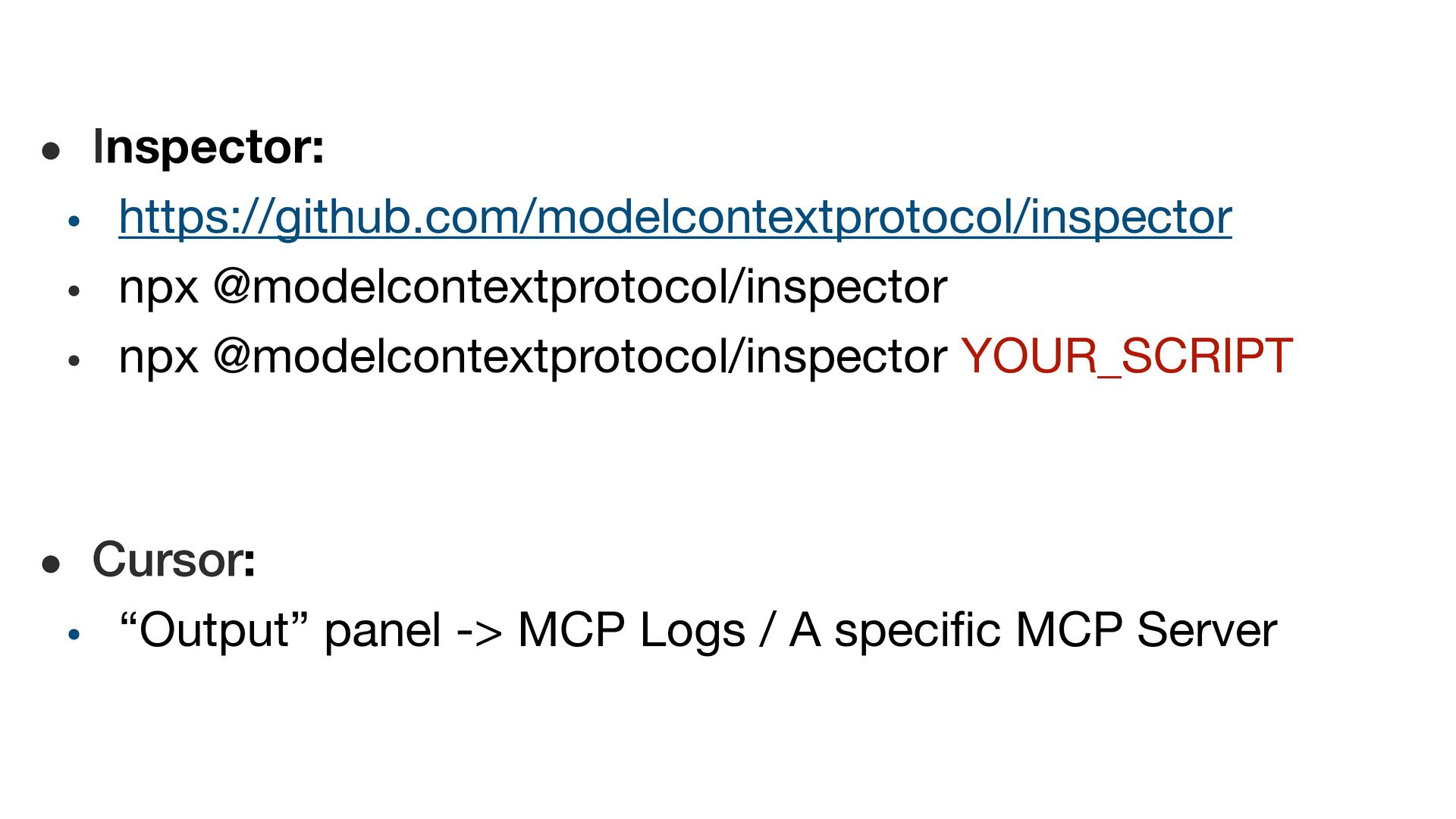
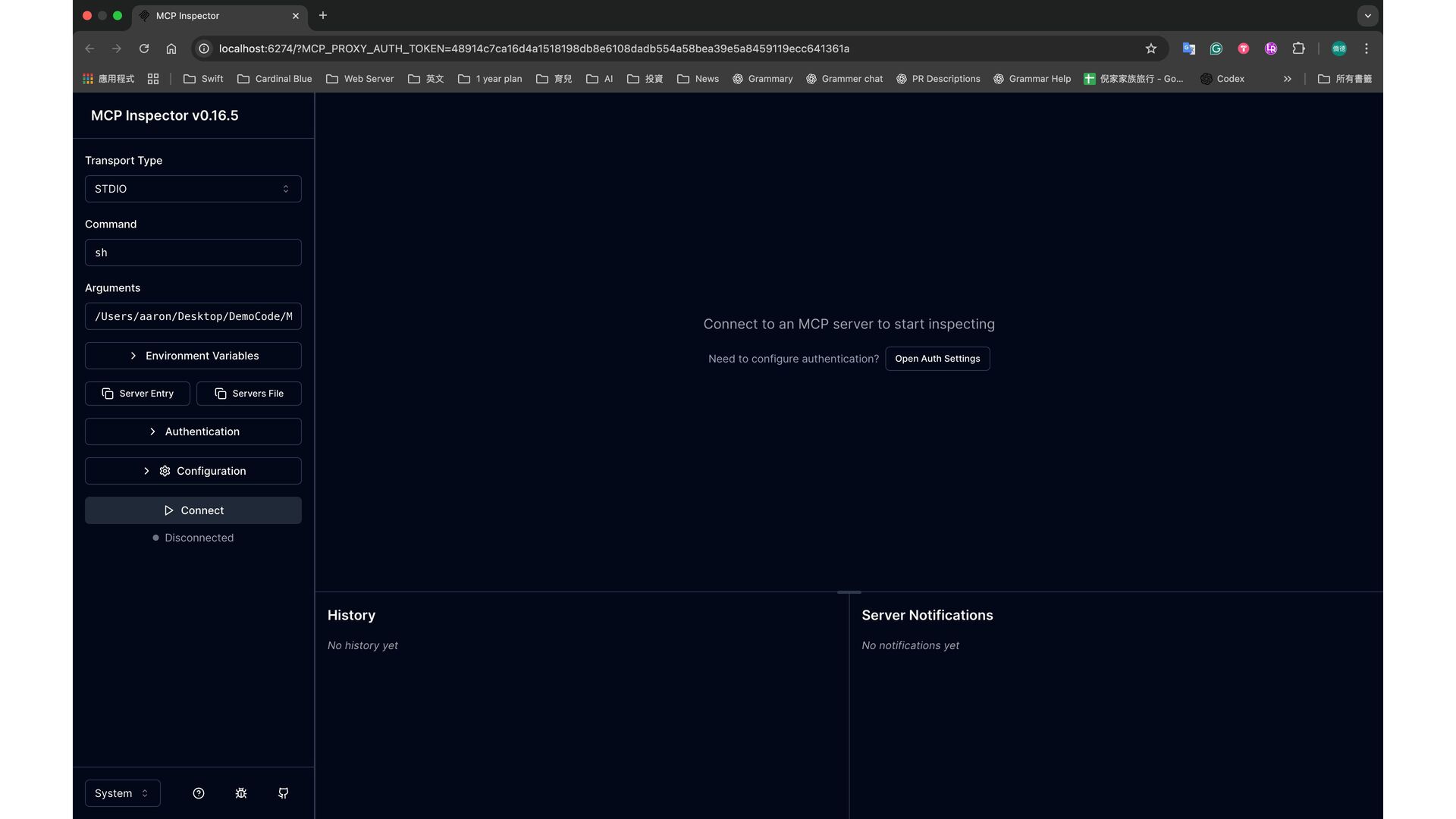
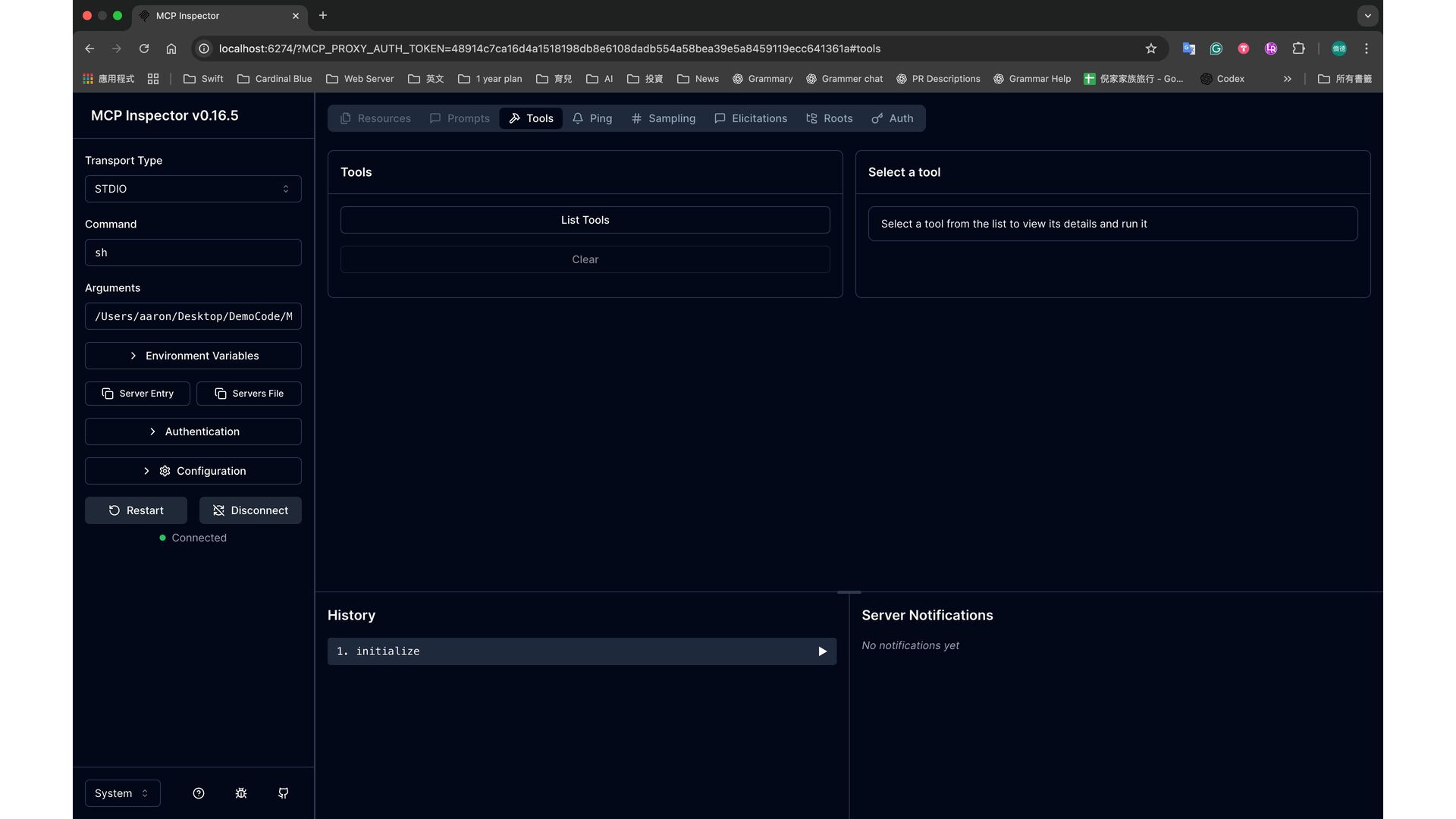
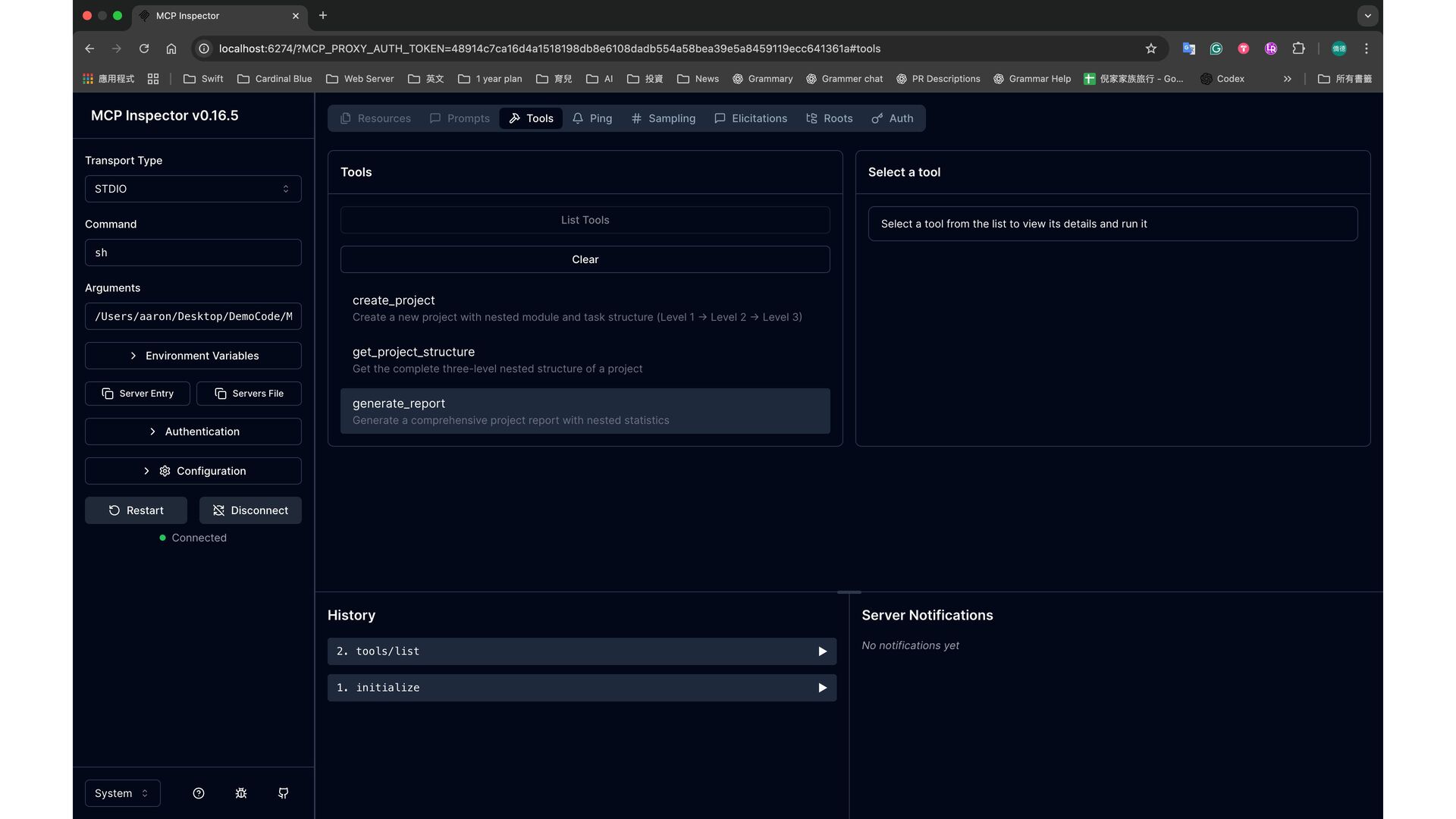
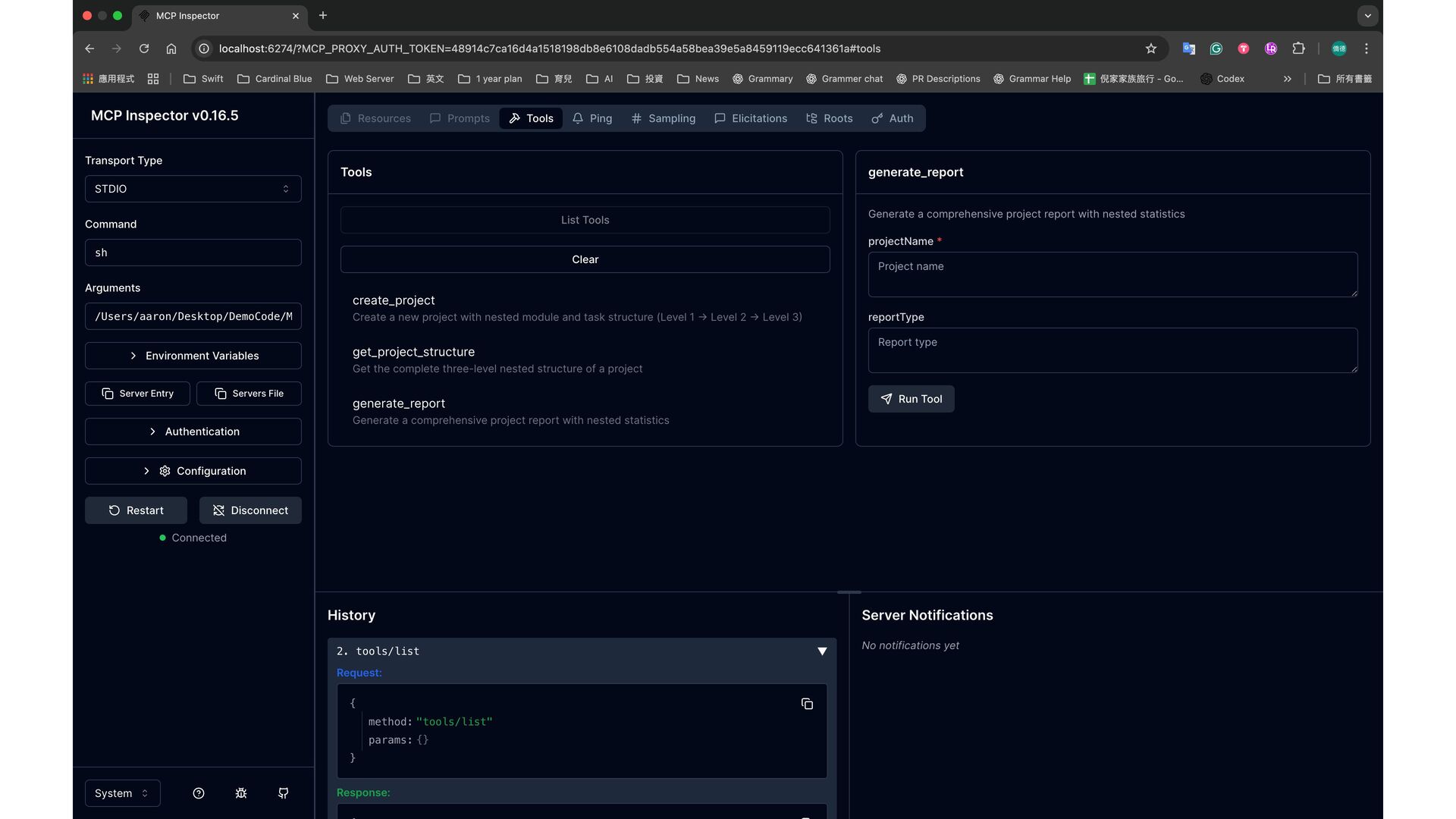
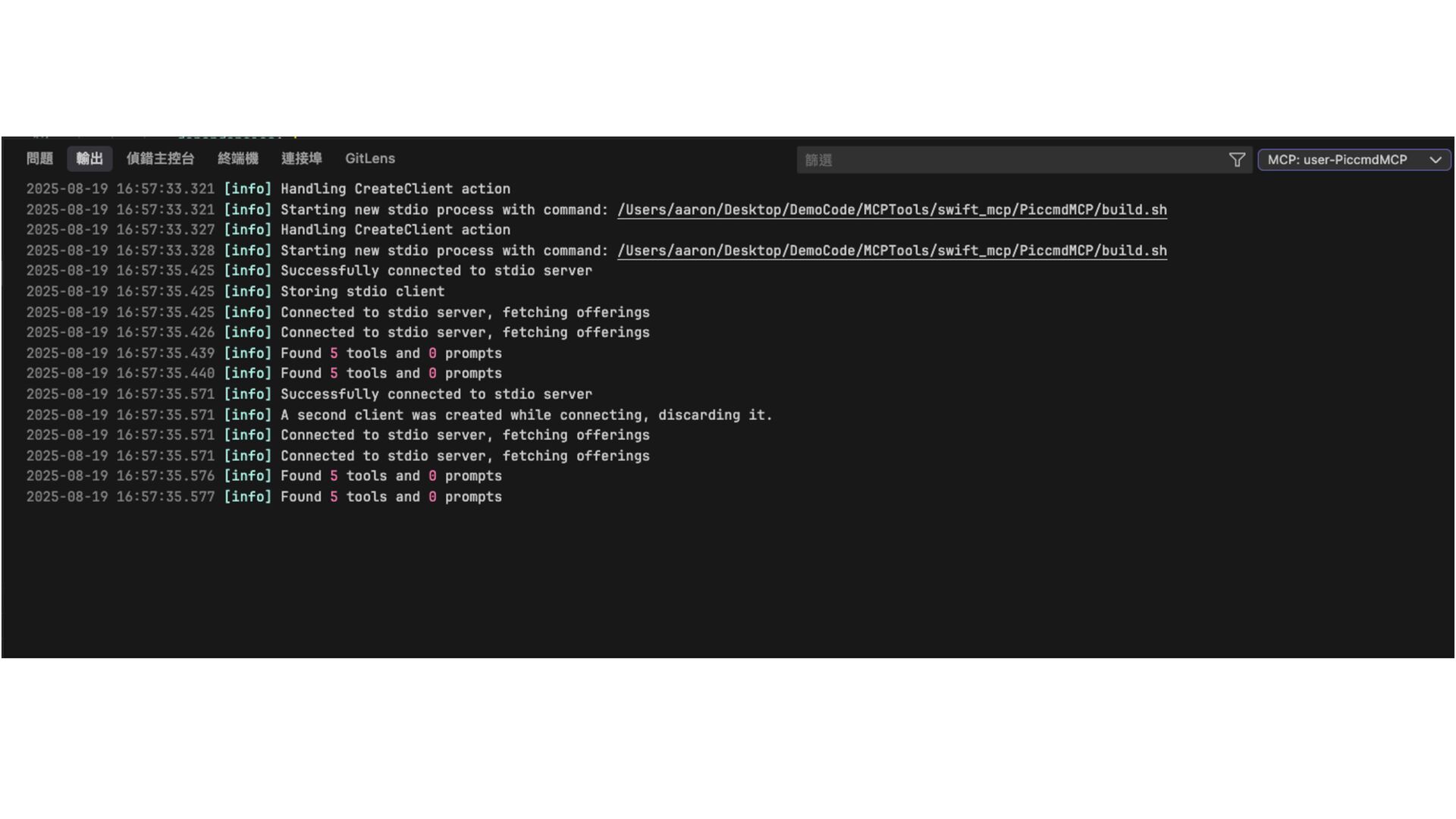
• Inspector: • https://github.com/modelcontextprotocol/inspector • npx @modelcontextprotocol/inspector • npx @modelcontextprotocol/inspector
YOUR_SCRIPT • Cursor: • “Output” panel -> MCP Logs / A specific MCP Server -
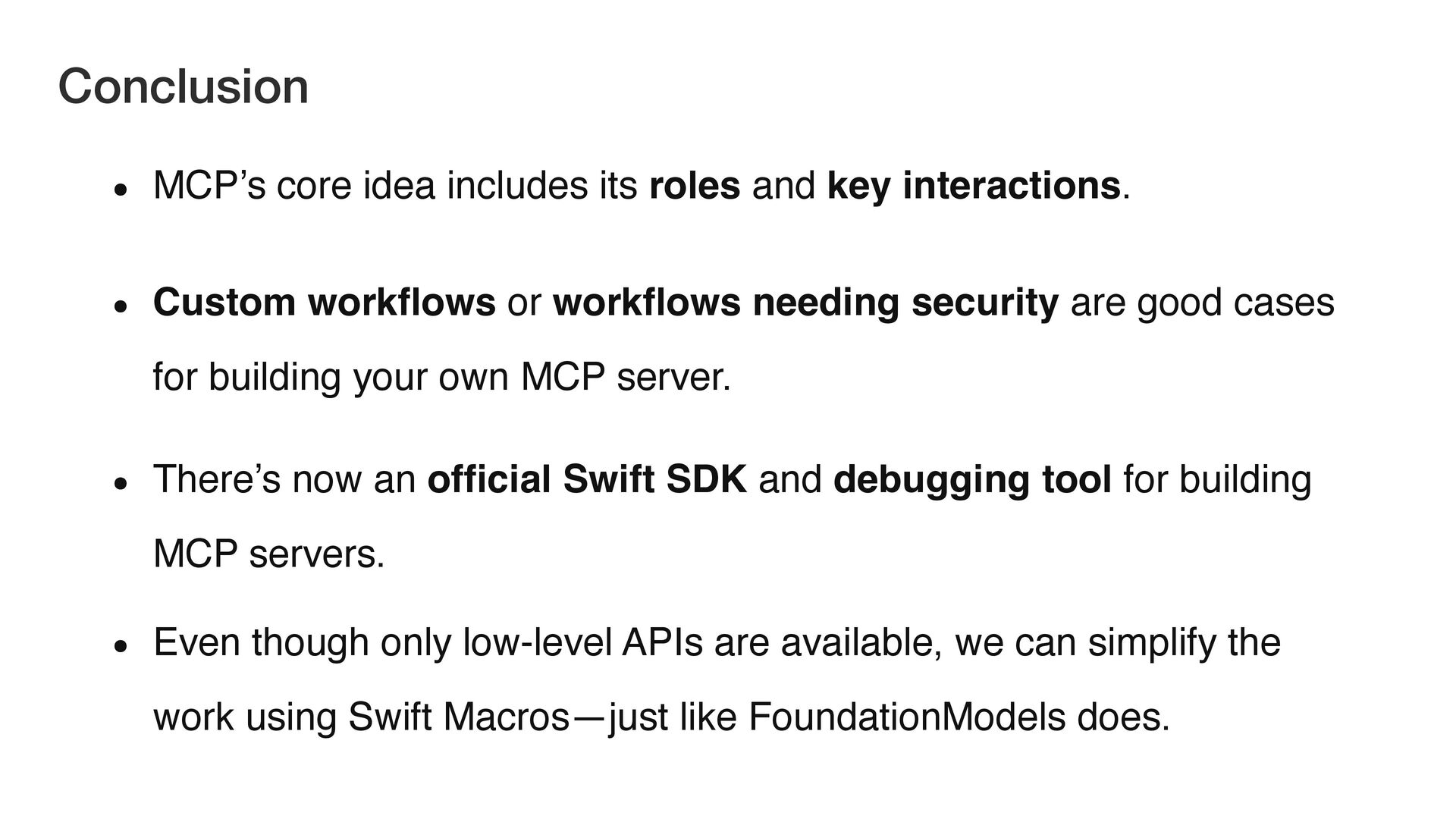
• MCP’s core idea includes its roles and key interactions.
• Custom work fl ows or work fl ows needing security are good cases for building your own MCP server. • There’s now an of fi cial Swift SDK and debugging tool for building MCP servers. • Even though only low-level APIs are available, we can simplify the work using Swift Macros—just like FoundationModels does. Conclusion -
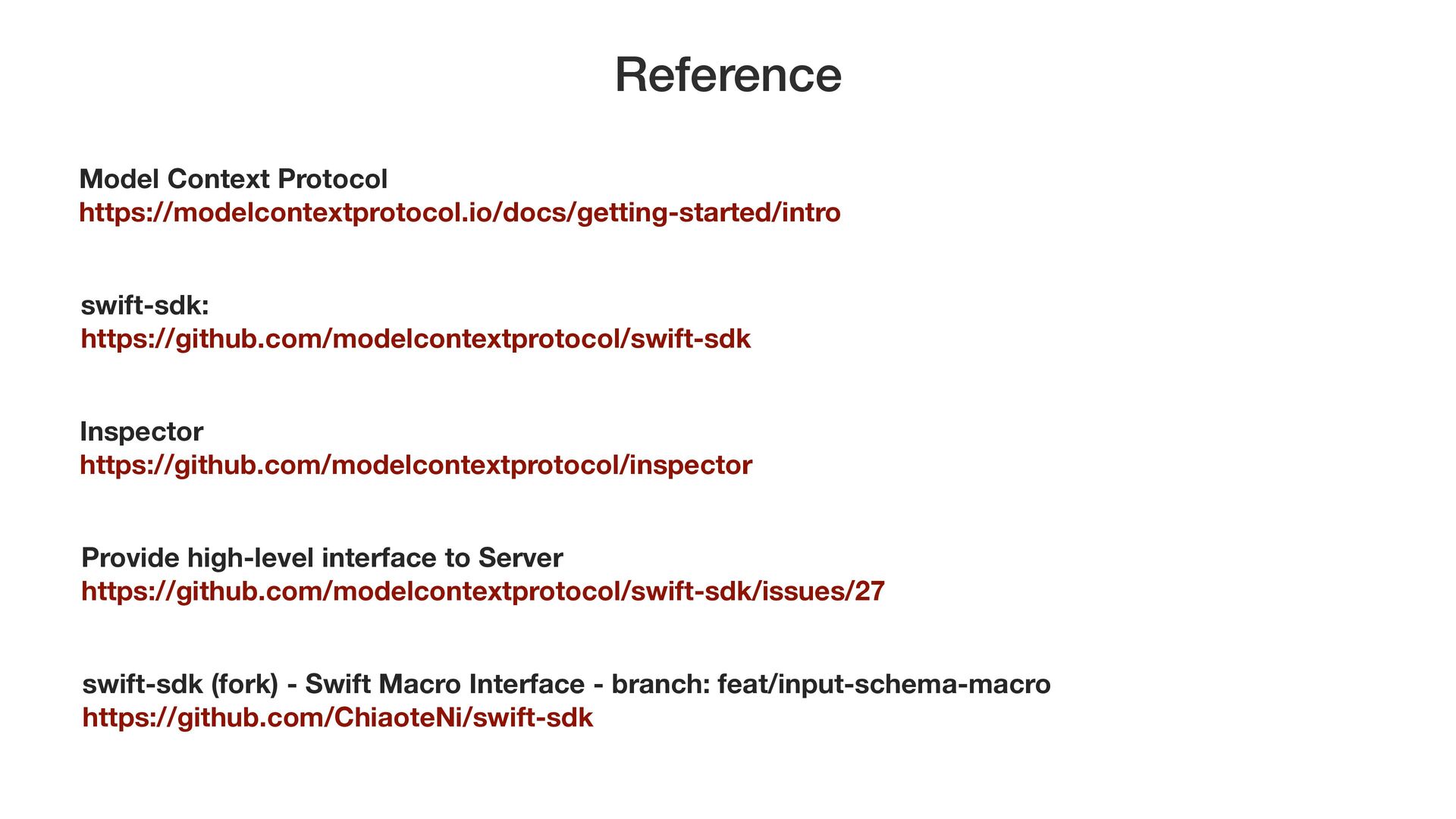
swift-sdk: https://github.com/modelcontextprotocol/swift-sdk Provide high-level interface to Server https://github.com/modelcontextprotocol/swift-sdk/issues/27 Inspector https://github.com/modelcontextprotocol/inspector
Model Context Protocol https://modelcontextprotocol.io/docs/getting-started/intro Reference swift-sdk (fork) - Swift Macro Interface - branch: feat/input-schema-macro https://github.com/ChiaoteNi/swift-sdk -
一 般活動時間: 每 月 第 一 個週 二 pm: 21:30
~ 10:00 下次活動時間:10 / 7 (以FB公告 & KK-ticket時間為準) FB GitHub KK-ticket