Upgrade to Pro — share decks privately, control downloads, hide ads and more …

Healthy Emailing Habits

Sponsored · SiteGround - Reliable hosting with speed, security, and support you can count on. →

Healthy Emailing Habits

Leann how your own emailing habits effect you, and effect you co-workers. Then learns some methods to improve how you email, the effect that email has on you.

Avatar for coburnicus

coburnicus

May 19, 2016

More Decks by coburnicus

Other Decks in Technology

Transcript

  1. “The first step to solving a problem, is recognizing there

    is one.” ´ -Abe Lincoln, maybe, but probably not. I don’t know, I’m not great with history.
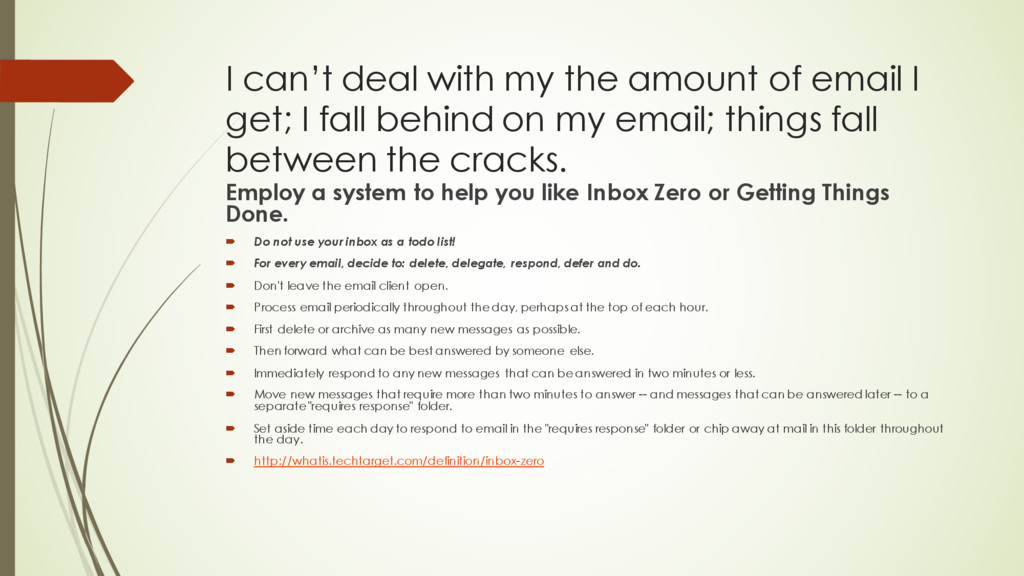
  2. I can’t deal with my the amount of email I

    get; I fall behind on my email; things fall between the cracks. Employ a system to help you like Inbox Zero or Getting Things Done. ´ Do not use your inbox as a todo list! ´ For every email, decide to: delete, delegate, respond, defer and do. ´ Don't leave the email client open. ´ Process email periodically throughout the day, perhaps at the top of each hour. ´ First delete or archive as many new messages as possible. ´ Then forward what can be best answered by someone else. ´ Immediately respond to any new messages that can be answered in two minutes or less. ´ Move new messages that require more than two minutes to answer -- and messages that can be answered later -- to a separate "requires response" folder. ´ Set aside time each day to respond to email in the "requires response" folder or chip away at mail in this folder throughout the day. ´ http://whatis.techtarget.com/definition/inbox-zero
  3. Email is a distraction ´ Turn off email or at

    least turn off email notifications. Deal with email during set times.
  4. I can’t turn off email, my boss needs to reach

    me Are you sure? ´ Yes. OK ´ Keep email on but no notifications. Then set a “rule” that your boss’s email will notify you. ´ http://www.howtogeek.com/239131/how-to-get-outlook-notifications-for- important-emails-only/
  5. I get too much spam/junk/useless email. Try using tools to

    help you out: ´ Clutter (new outlook tool https://support.office.com/en-us/article/Use- Clutter-to-sort-low-priority-messages-in-Outlook-7b50c5db-7704-4e55-8a1b- dfc7bf1eafa0) ´ https://unroll.me/ ´ Change basecamp/teamwork messages to “digest” ´ Use filters to batch less important emails into a folder to be dealt with you later.
  6. Emails ruin my weekend/vacation Don’t look at your email on

    the weekend. You deserve to enjoy your weekend. Be kind to yourself.
  7. There is too much noise. ´ Do I need to

    send this email? (Am I just piling on) ´ Do I need to reply all? (Am I saying something to everyone that should only go to one person).
  8. This email thread is 439 emails long ´ Perhaps this

    email should have a been a conversation or online chat (skype).
  9. Emailing a Word Document around and using track changes is

    a nightmare. ´ Yes it is. Rather than pass a document around, perhaps you should have one version of the document in a central place, and then invite your collaborators to edit it. ´ https://support.office.com/en-us/article/Collaborate-on-Word-documents- with-real-time-co-authoring-7dd3040c-3f30-4fdd-bab0-8586492a1f1d
  10. People are aggressive in emails. There are fights on my

    team. ´ Am I “angry emailing”? Should I cool off first and reread/rewrite this email.
  11. Schedule meetings sucks ´ If you often schedule meetings with

    the same people (your team) perhaps you should be using Outlook’s shared calendar. ´ Use reasonable Doodle polls. I’m not sure 40 choices is very helpful. ´ Schedule the next meeting at the end of the current meetings.
  12. Those aren’t even words. ´ E-mailing from mobile devices can

    cause typos; maybe take a second to check if what you wrote actually makes the slightest sense, before you hit send.