Upgrade to Pro
— share decks privately, control downloads, hide ads and more …
Speaker Deck
Sign up for free
Menu
Search
Features
All features
Private URLs
Password Protection
Custom URLS
Scheduled publishing
Remove Branding
Restrict embedding
Deck Collections
Notes
Features
All features
Private URLs
Password Protection
Custom URLS
Scheduled publishing
Remove Branding
Restrict embedding
Deck Collections
Notes
Explore
Featured decks
Featured speakers
Programming
Technology
Storyboards
Explore
Featured decks
Featured speakers
Programming
Technology
Storyboards
Pricing
Search
Sign in
Sign up for free
空間情報システム入門
Search
dai saito
June 17, 2016
63
0
Share
Embed
Copy iframe code
Copy JS code
Copy link
Start on current slide
空間情報システム入門
dai saito
June 17, 2016
More Decks by dai saito
See All by dai saito
空間情報のOverpass-turbo
dai0220xx
0
30
Featured
See All Featured
Visualizing Your Data: Incorporating Mongo into Loggly Infrastructure
mongodb
50
10k
How to audit for AI Accessibility on your Front & Back End
davetheseo
0
600
Building AI with AI
inesmontani
PRO
1
1.3k
The Hidden Cost of Media on the Web [PixelPalooza 2025]
tammyeverts
2
530
The Invisible Side of Design
smashingmag
301
52k
Jess Joyce - The Pitfalls of Following Frameworks
techseoconnect
PRO
1
450
Faster Mobile Websites
deanohume
310
32k
Ten Tips & Tricks for a 🌱 transition
stuffmc
1
270
What Being in a Rock Band Can Teach Us About Real World SEO
427marketing
0
1.1k
End of SEO as We Know It (SMX Advanced Version)
ipullrank
3
4.4k
The Curious Case for Waylosing
cassininazir
1
570
Ethics towards AI in product and experience design
skipperchong
2
440
Transcript
~Open street mapのマニュアル~ 1A116096 斎藤 大
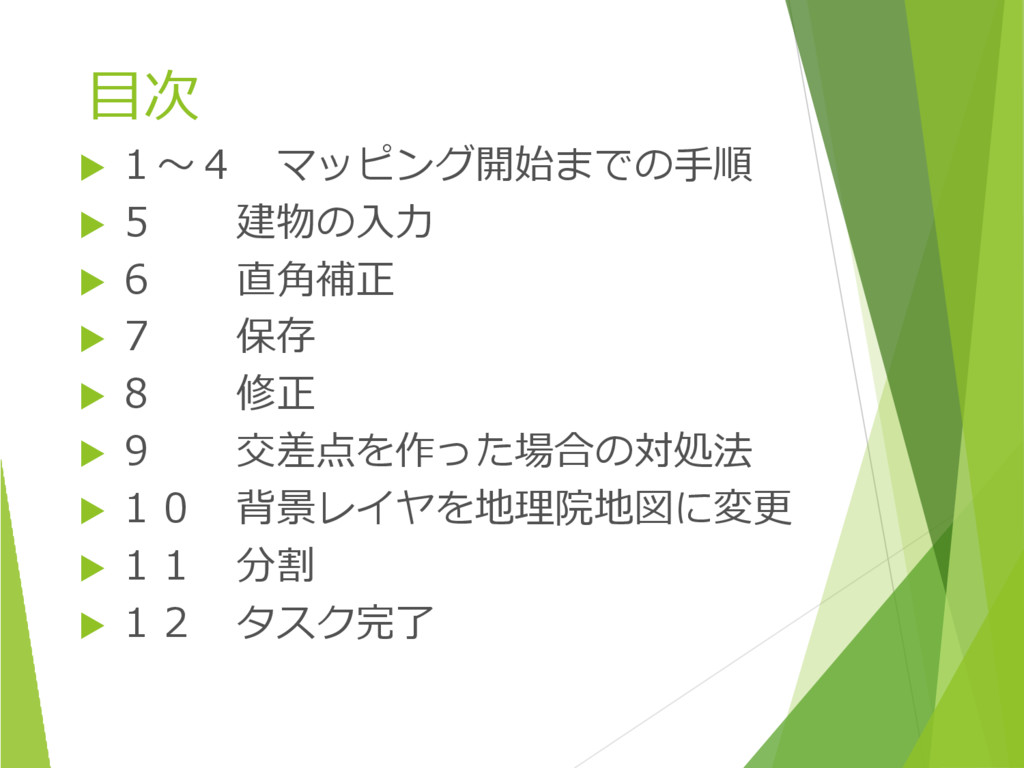
目次 1~4 マッピング開始までの手順 5 建物の入力 6 直角補正
7 保存 8 修正 9 交差点を作った場合の対処法 10 背景レイヤを地理院地図に変更 11 分割 12 タスク完了
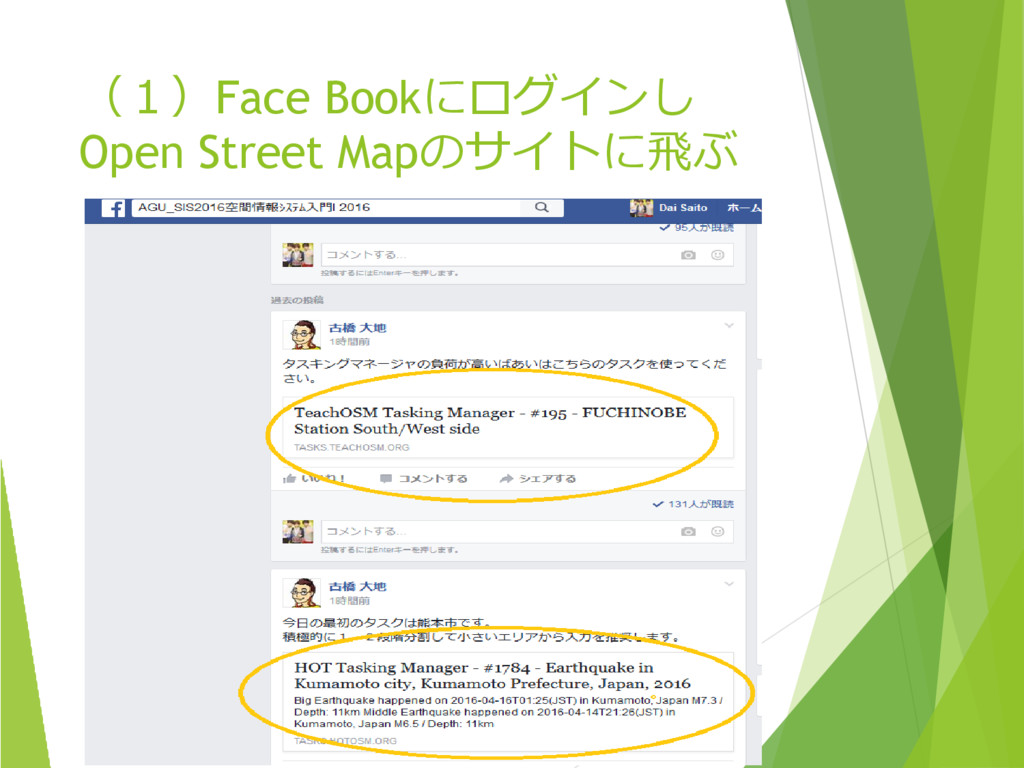
(1)Face Bookにログインし Open Street Mapのサイトに飛ぶ
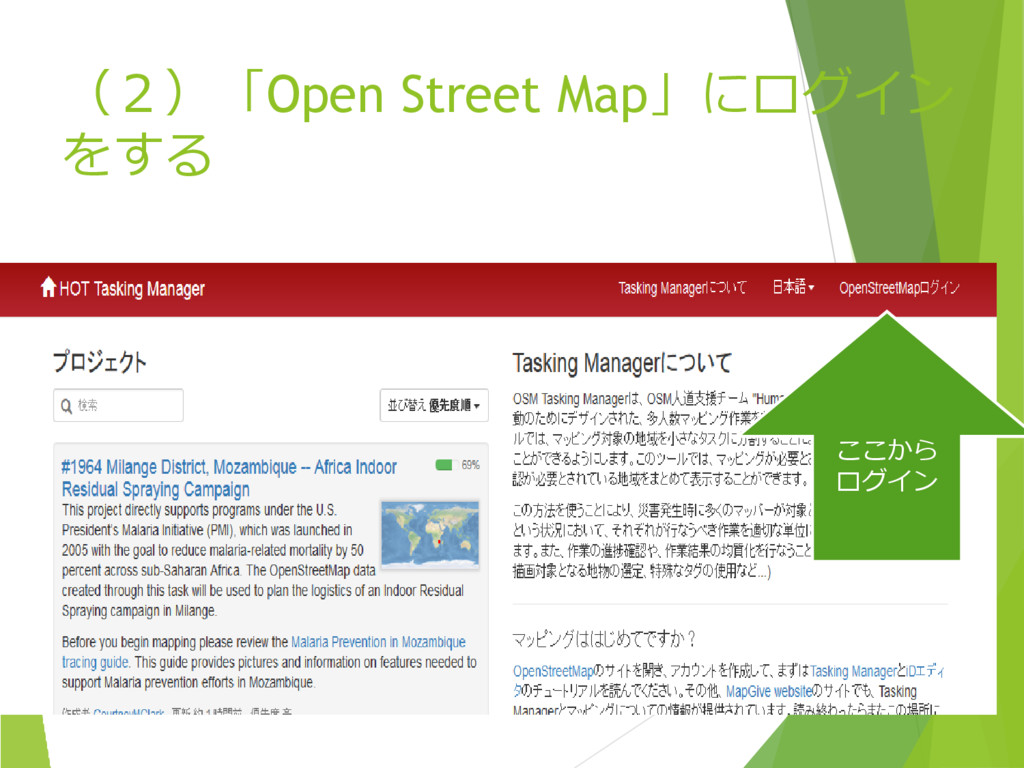
(2)「Open Street Map」にログイン をする ここから ログイン
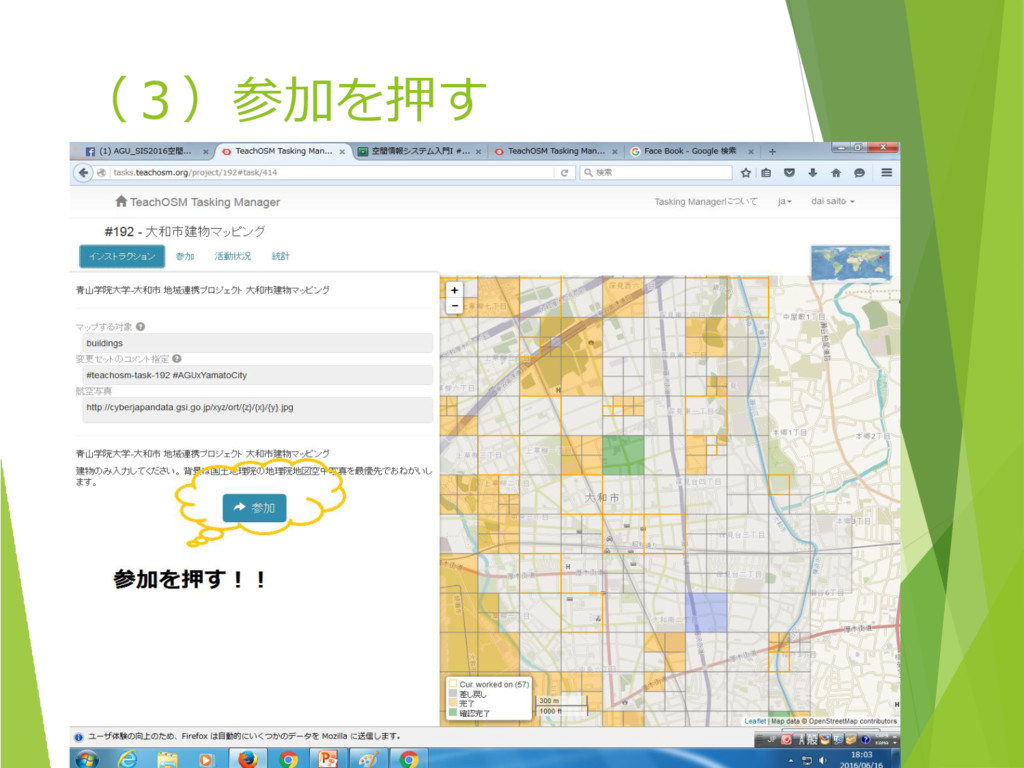
(3)参加を押す
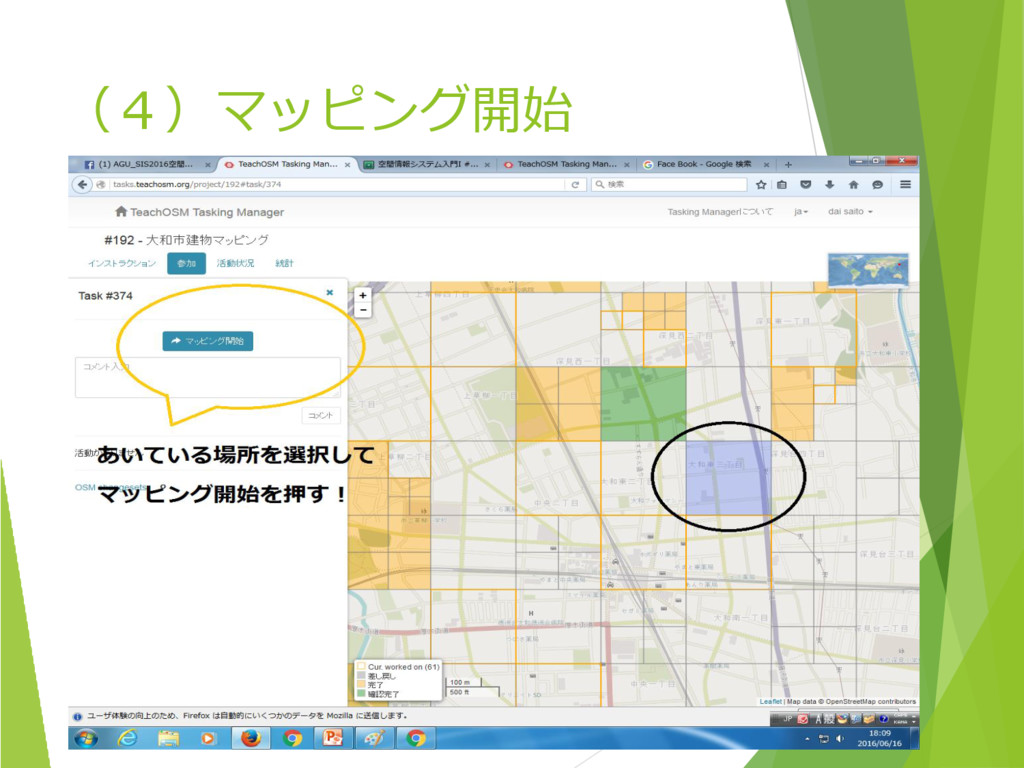
(4)マッピング開始
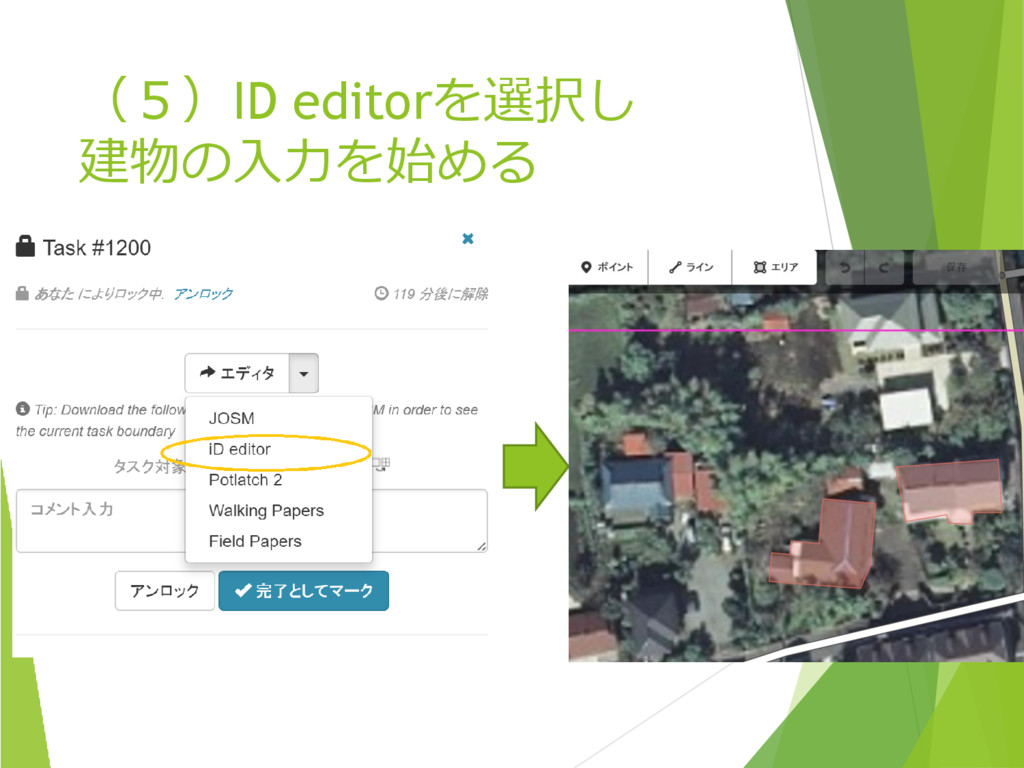
(5)ID editorを選択し 建物の入力を始める
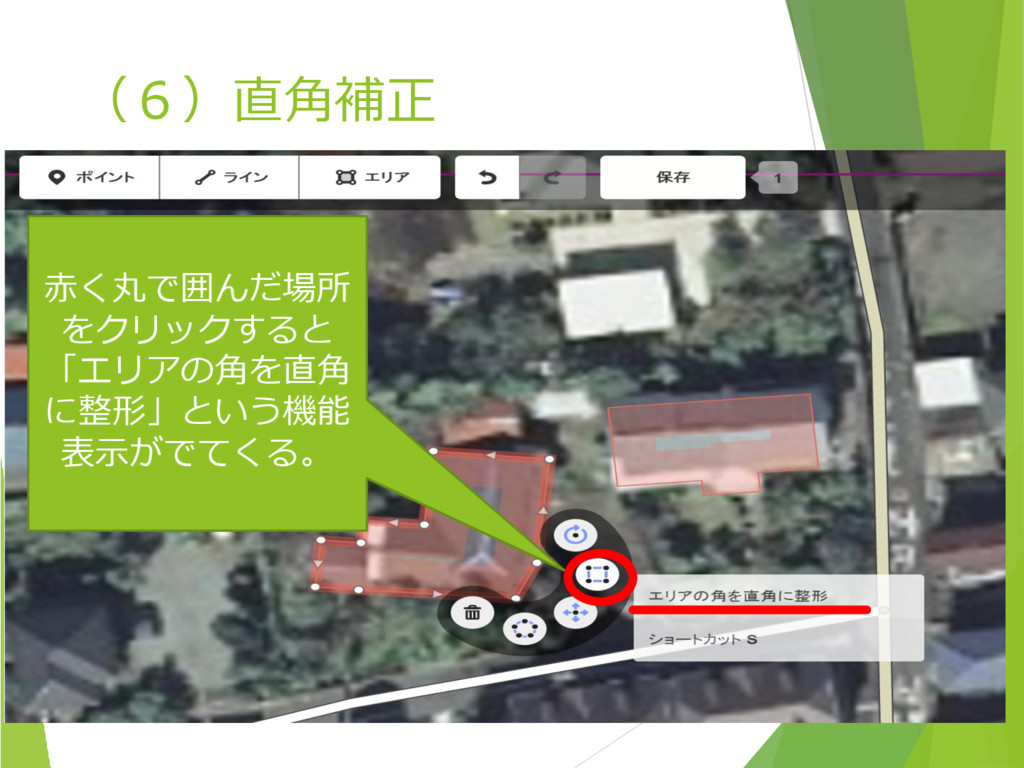
(6)直角補正 赤く丸で囲んだ場所 をクリックすると 「エリアの角を直角 に整形」という機能 表示がでてくる。
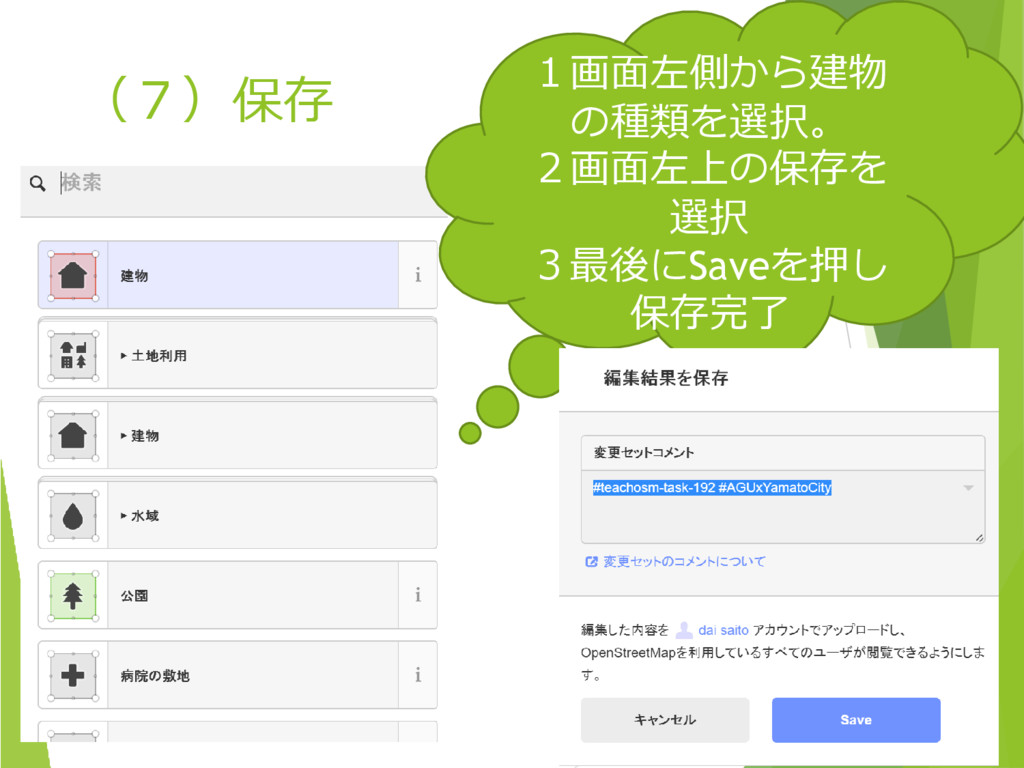
(7)保存 1画面左側から建物 の種類を選択。 2画面左上の保存を 選択 3最後にSaveを押し 保存完了
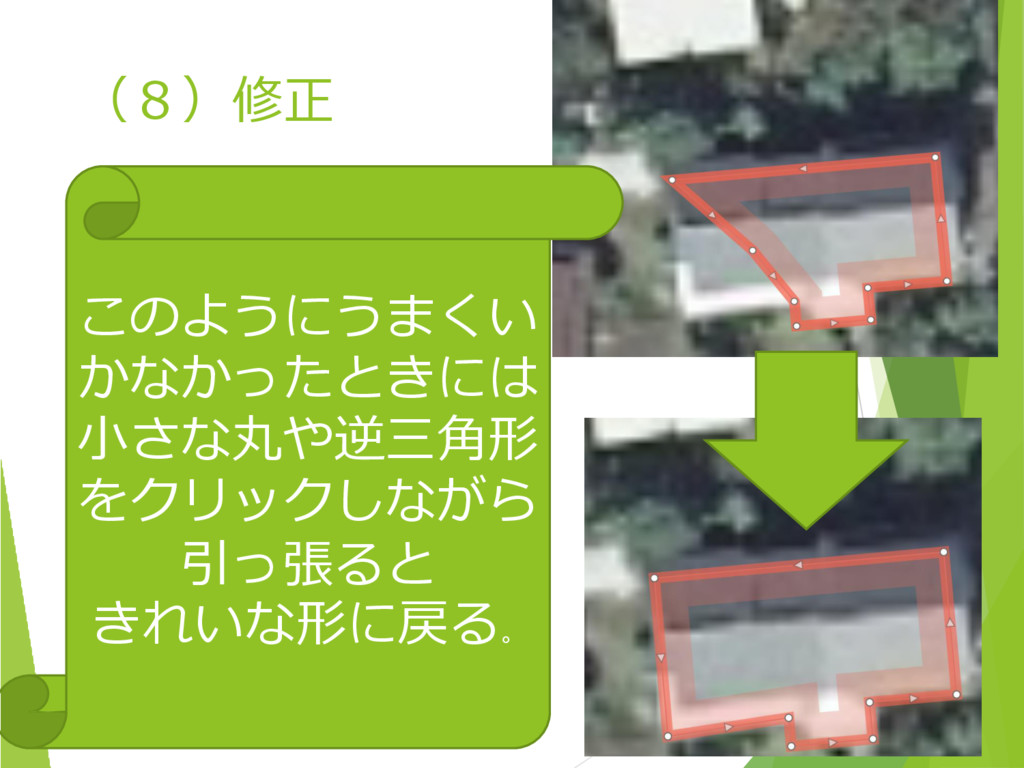
(8)修正 このようにうまくい かなかったときには 小さな丸や逆三角形 をクリックしながら 引っ張ると きれいな形に戻る。
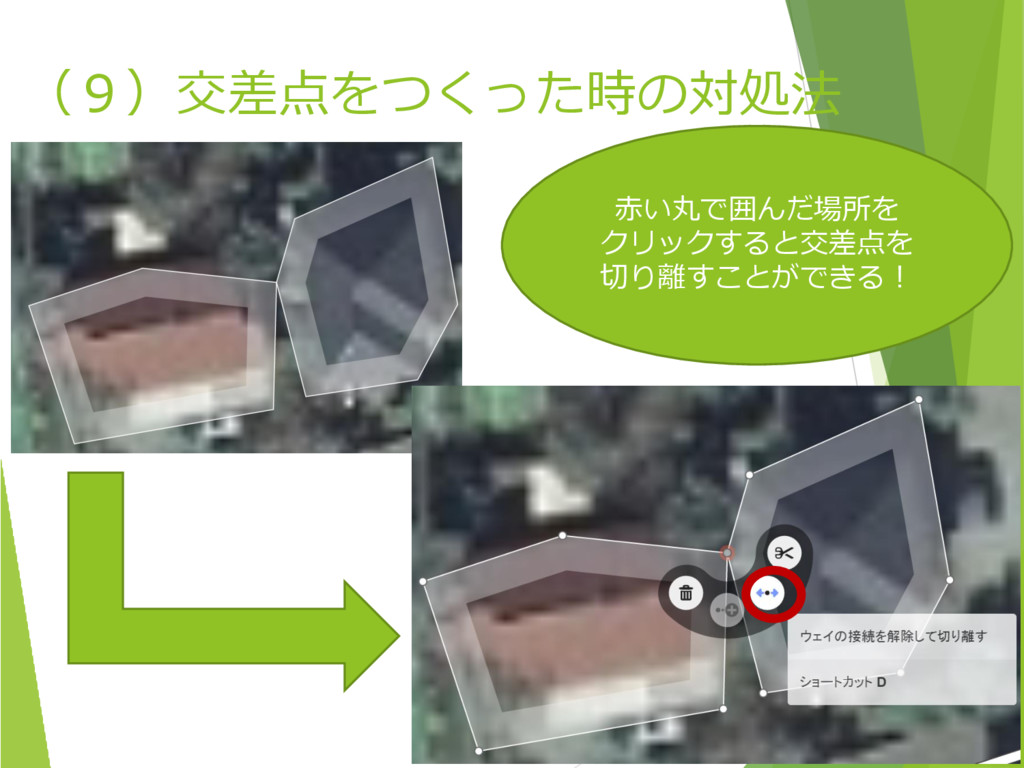
(9)交差点をつくった時の対処法 赤い丸で囲んだ場所を クリックすると交差点を 切り離すことができる!
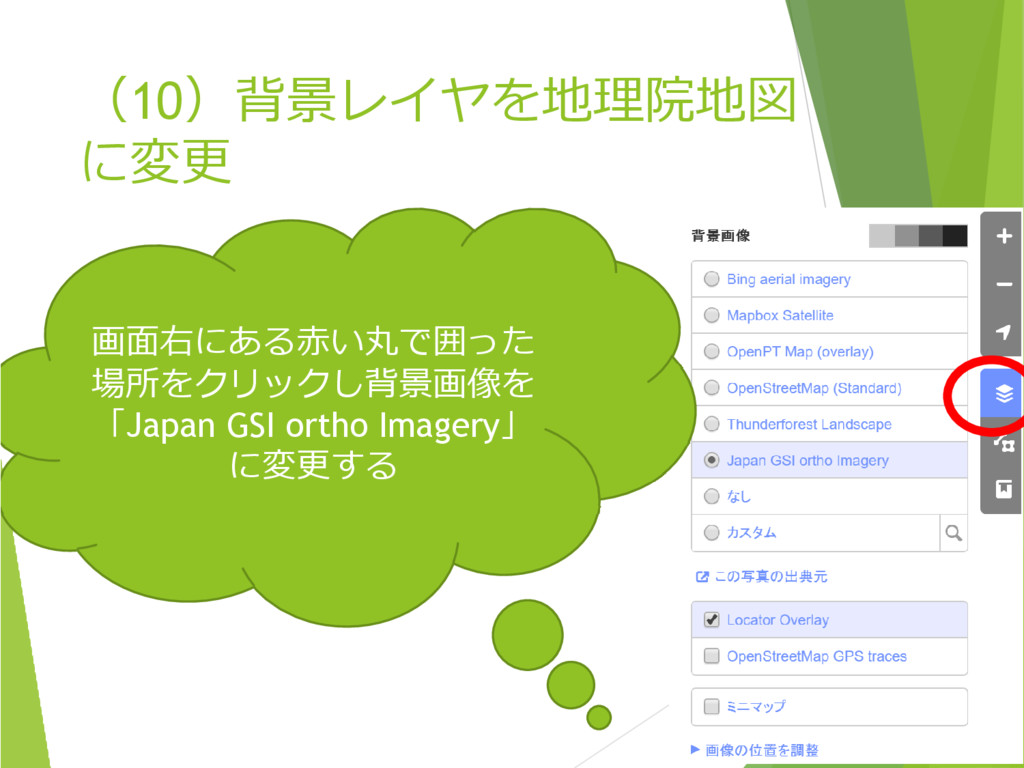
(10)背景レイヤを地理院地図 に変更 画面右にある赤い丸で囲った 場所をクリックし背景画像を 「Japan GSI ortho Imagery」 に変更する
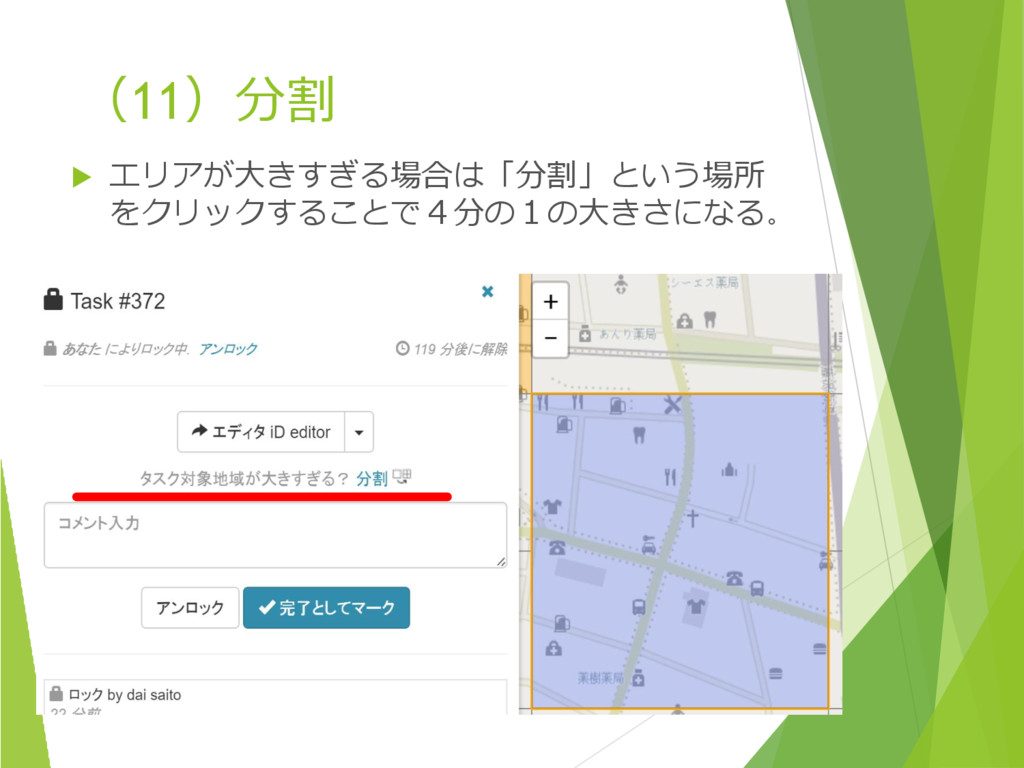
(11)分割 エリアが大きすぎる場合は「分割」という場所 をクリックすることで4分の1の大きさになる。
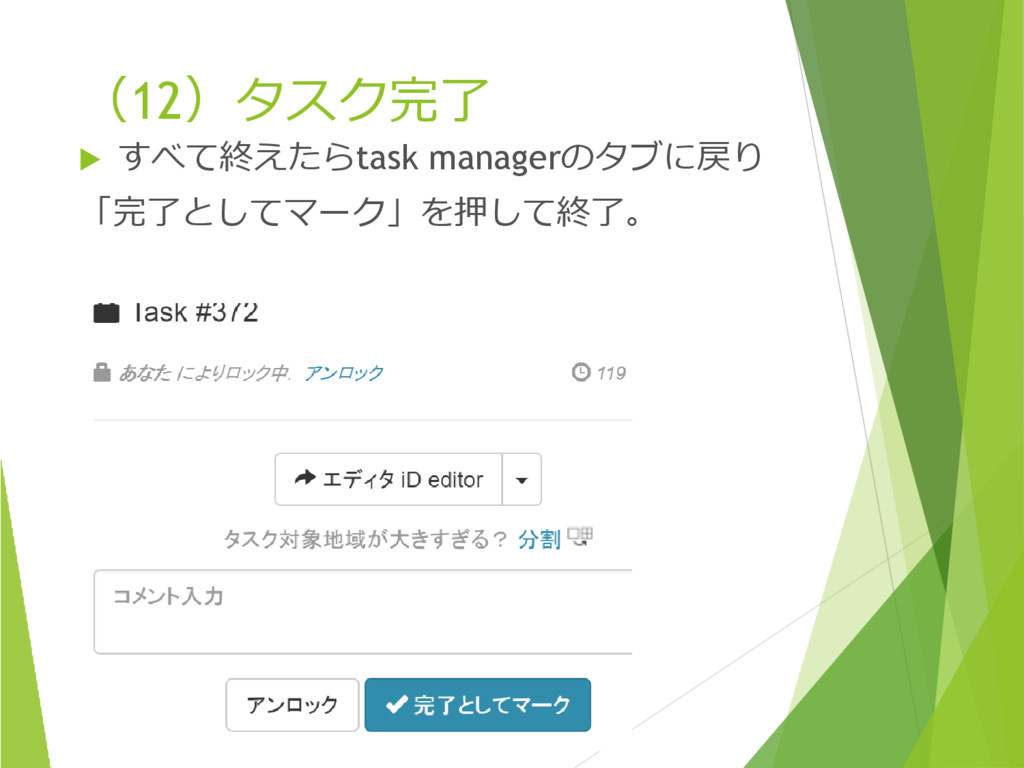
(12)タスク完了 すべて終えたらtask managerのタブに戻り 「完了としてマーク」を押して終了。


 dai0220xx
 mongodb
 davetheseo
 inesmontani
 tammyeverts
 smashingmag
 techseoconnect
 deanohume
 stuffmc
 427marketing
 ipullrank
 cassininazir
 skipperchong