AI Masterclass | AI Poland 2026
Sponsored
·
 Your Podcast. Everywhere. Effortlessly.
Share. Educate. Inspire. Entertain. You do you. We'll handle the rest.
→
Your Podcast. Everywhere. Effortlessly.
Share. Educate. Inspire. Entertain. You do you. We'll handle the rest.
→

Share
Embed
AI Masterclass | AI Poland 2026

Daniel Sogl PRO
November 20, 2026
Transcript
68 slides
-
AI for Developer Productivity – Master Class Engineering the harness
around AI coding agents Daniel Sogl Director of AI Engineering · SHI GmbH AI for Developer Productivity – Master Class 2026 -
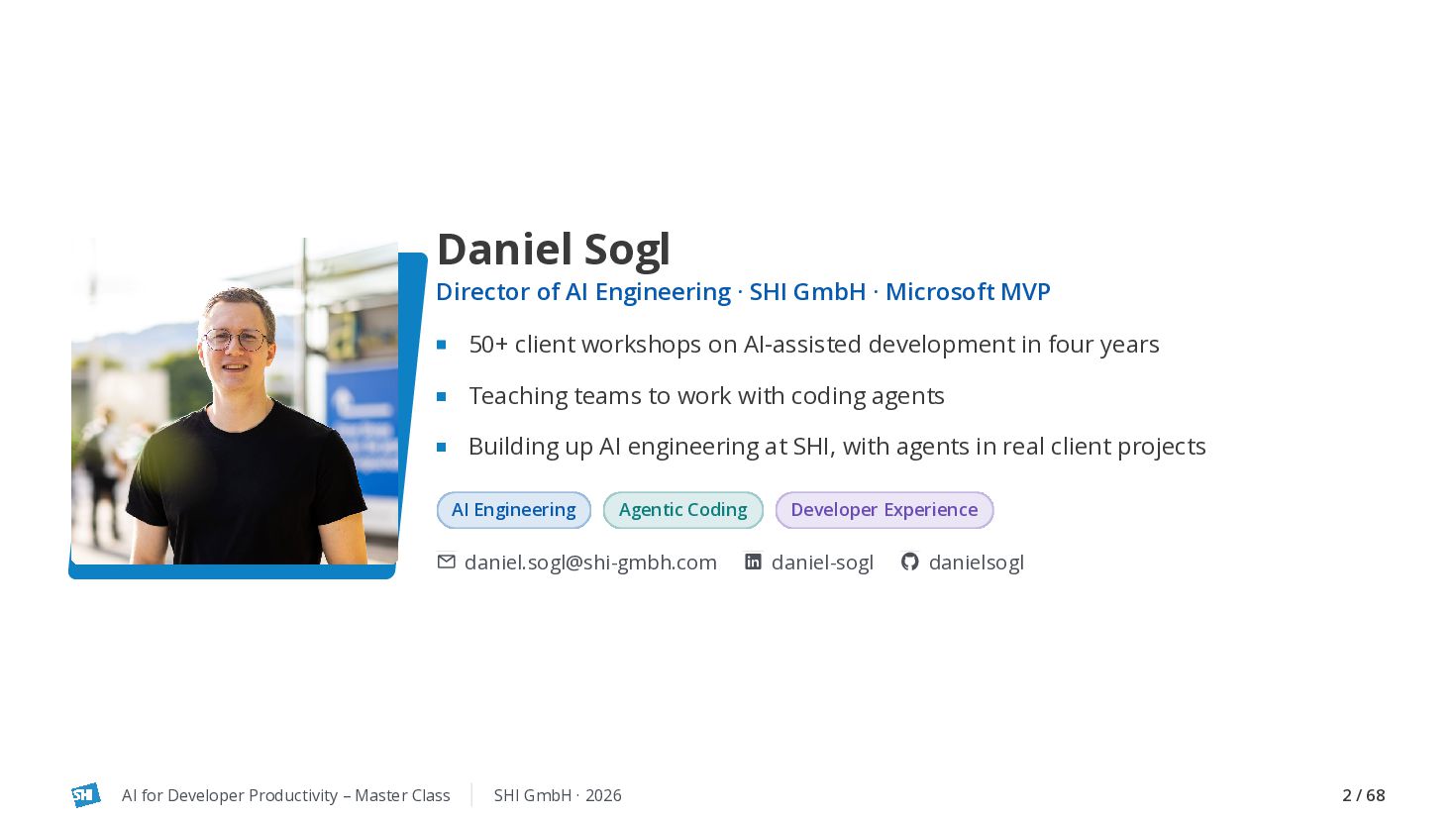
Daniel Sogl Director of AI Engineering · SHI GmbH ·
Microsoft MVP 50+ client workshops on AI-assisted development in four years Teaching teams to work with coding agents Building up AI engineering at SHI, with agents in real client projects AI Engineering Agentic Coding [email protected] AI for Developer Productivity – Master Class SHI GmbH · 2026 Developer Experience daniel-sogl danielsogl 2 / 68 -
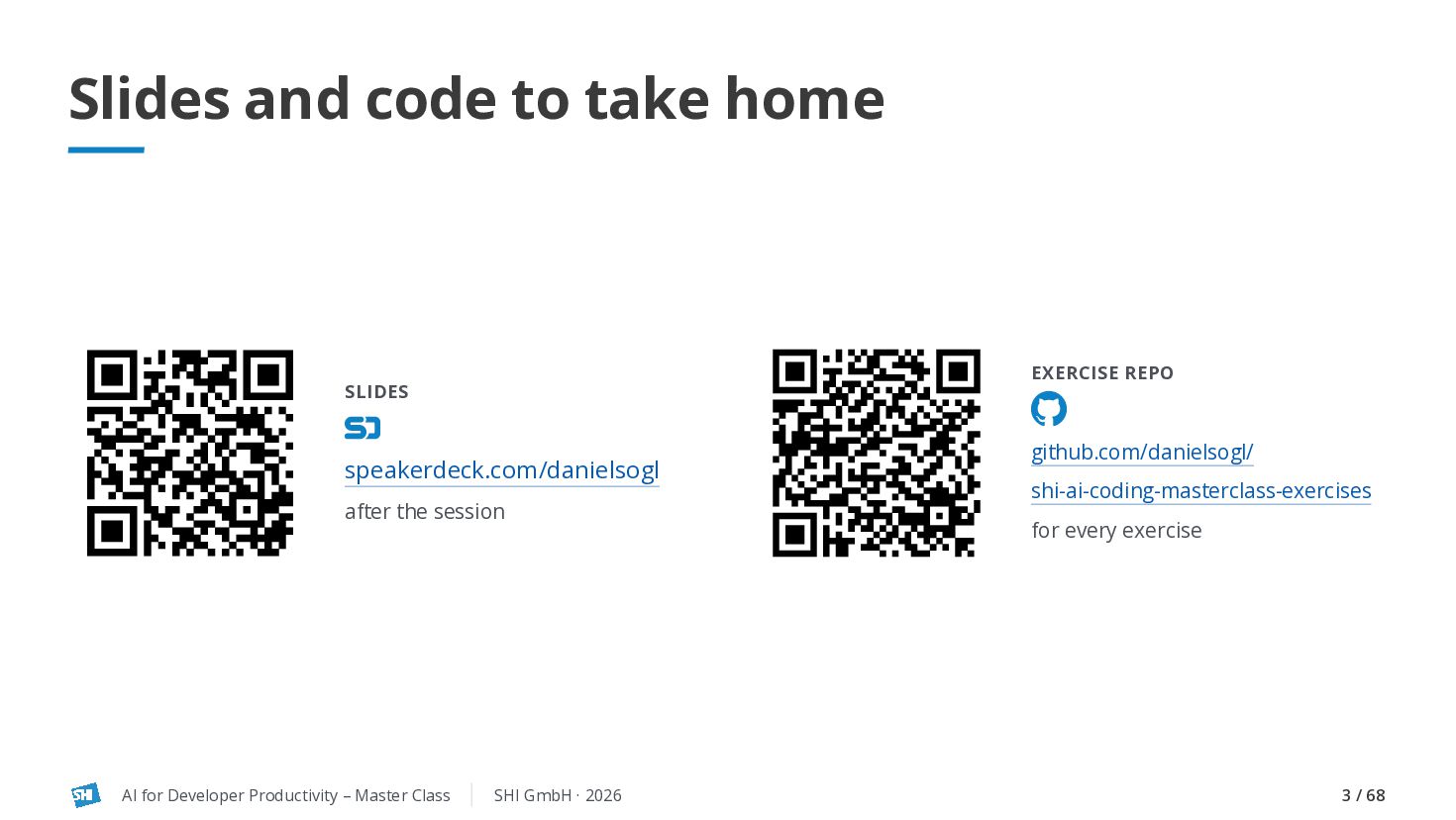
Slides and code to take home EXERCISE REPO SLIDES speakerdeck.com/danielsogl
after the session AI for Developer Productivity – Master Class SHI GmbH · 2026 github.com/danielsogl/ shi-ai-coding-masterclass-exercises for every exercise 3 / 68 -
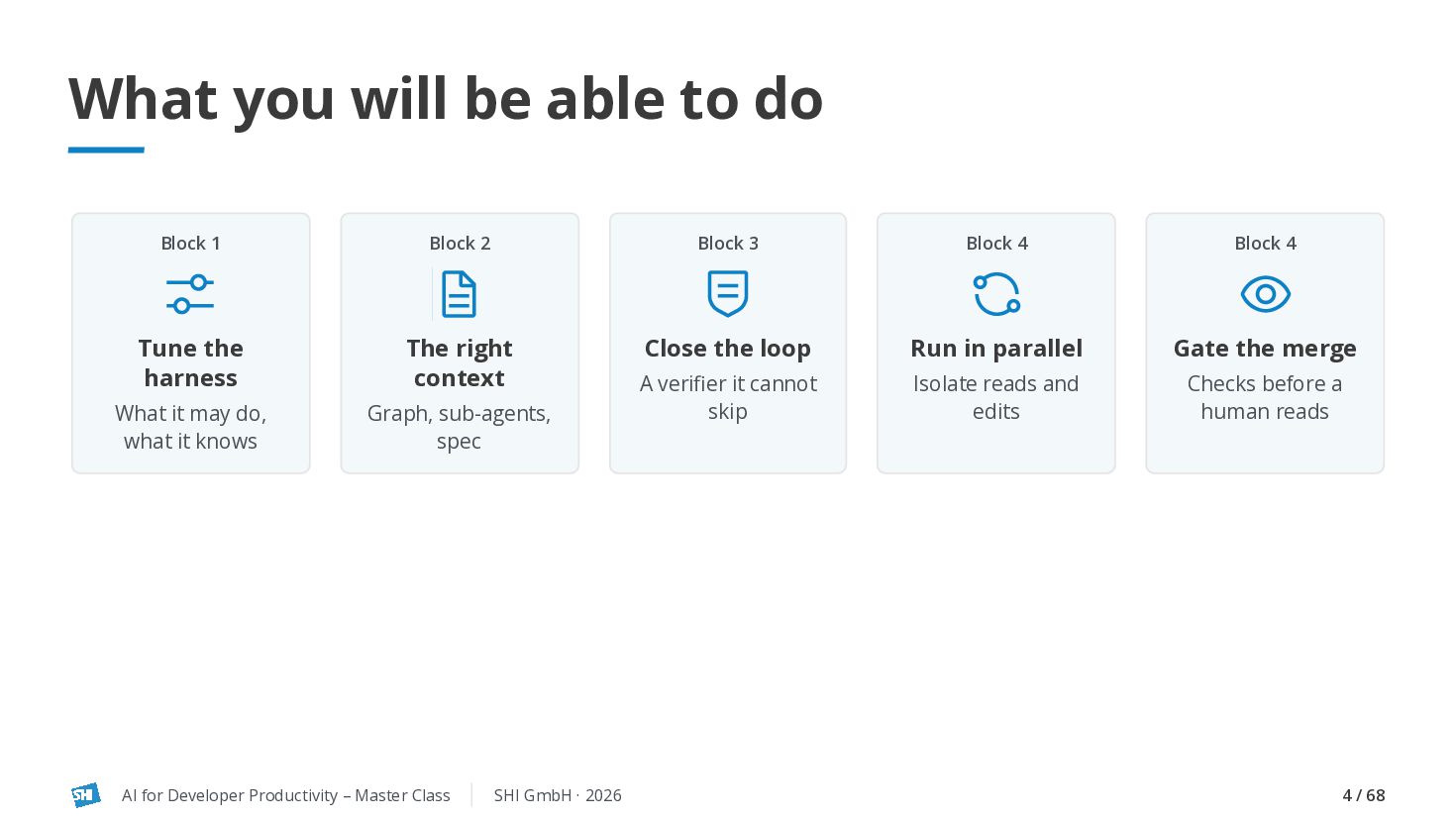
What you will be able to do Block 1 Block
2 Block 3 Block 4 Block 4 Tune the harness The right context Close the loop Run in parallel Gate the merge What it may do, what it knows Graph, sub-agents, spec A verifier it cannot skip Isolate reads and edits Checks before a human reads AI for Developer Productivity – Master Class SHI GmbH · 2026 4 / 68 -
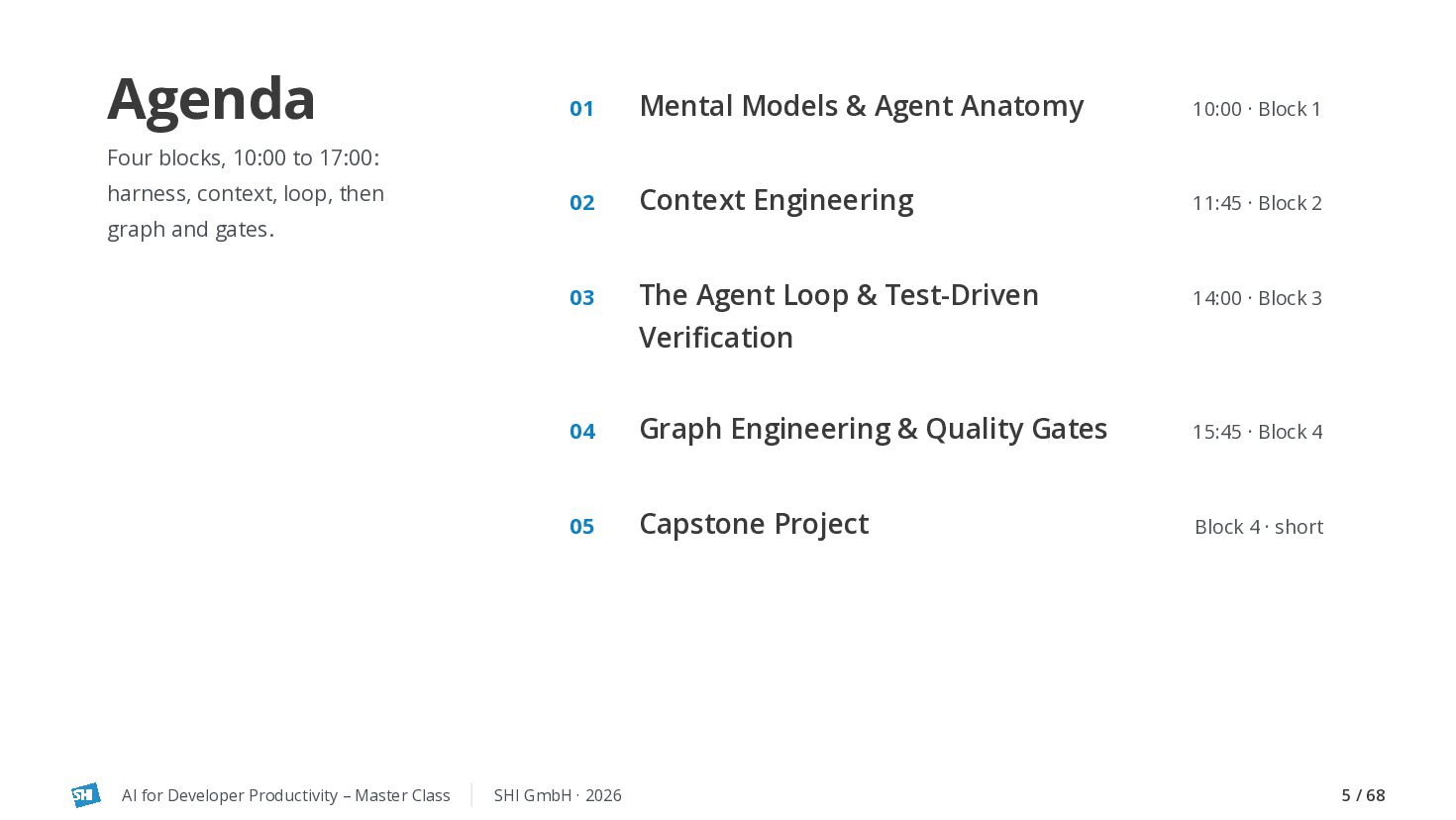
Agenda 01 Mental Models & Agent Anatomy 10:00 · Block
1 02 Context Engineering 11:45 · Block 2 03 The Agent Loop & Test-Driven 14:00 · Block 3 Four blocks, 10:00 to 17:00: harness, context, loop, then graph and gates. Verification AI for Developer Productivity – Master Class 04 Graph Engineering & Quality Gates 15:45 · Block 4 05 Capstone Project Block 4 · short SHI GmbH · 2026 5 / 68 -
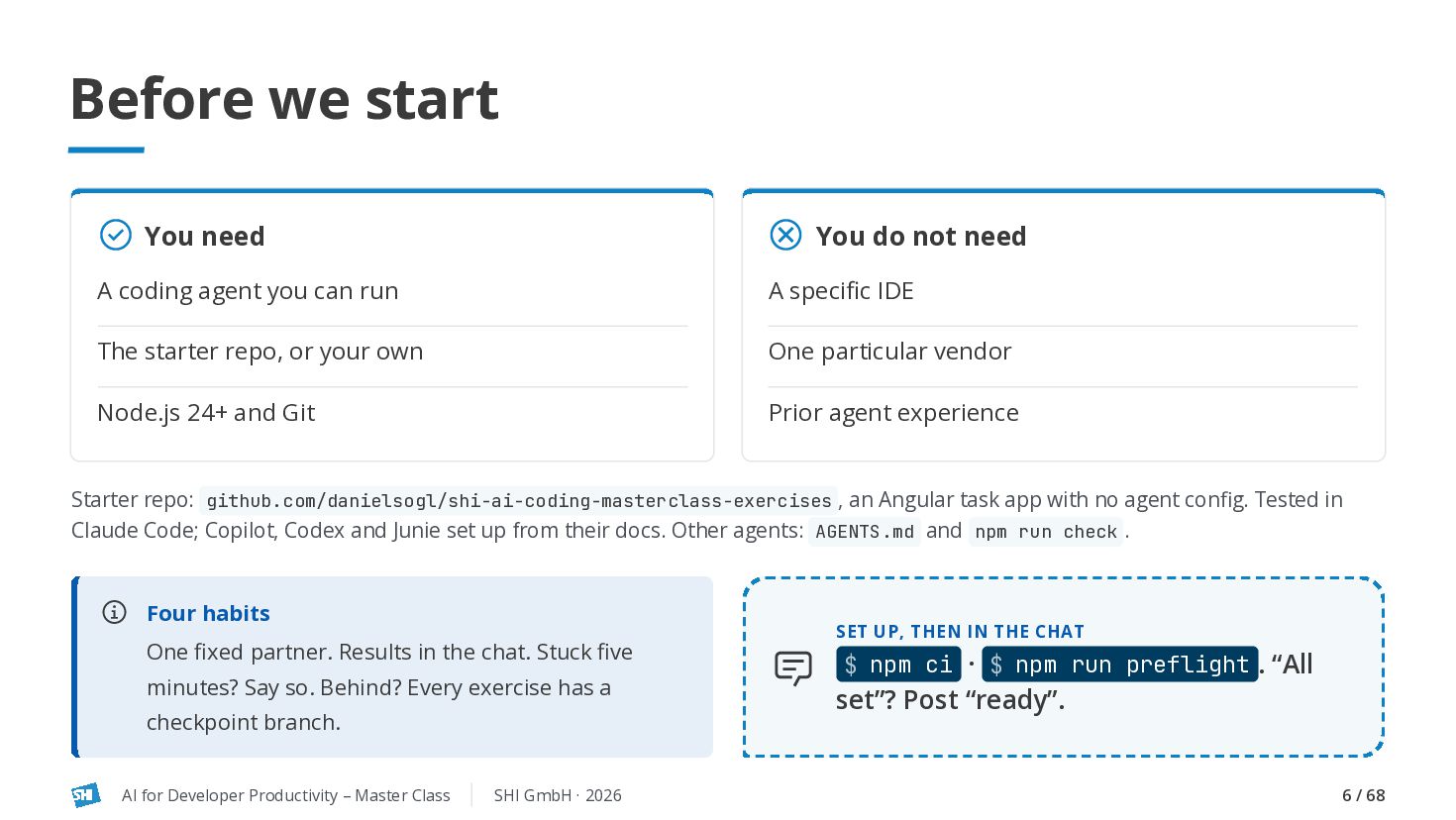
Before we start You need You do not need A
coding agent you can run A specific IDE The starter repo, or your own One particular vendor Node.js 24+ and Git Prior agent experience Starter repo: github.com/danielsogl/shi-ai-coding-masterclass-exercises , an Angular task app with no agent config. Tested in Claude Code; Copilot, Codex and Junie set up from their docs. Other agents: AGENTS.md and npm run check . Four habits One fixed partner. Results in the chat. Stuck five minutes? Say so. Behind? Every exercise has a checkpoint branch. AI for Developer Productivity – Master Class SHI GmbH · 2026 SET UP, THEN IN THE CHAT $ npm ci · $ npm run preflight . “All set”? Post “ready”. 6 / 68 -
01 Mental Models & Agent Anatomy From autocomplete to agents:
what a harness is, why it fails, and the table we return to all class. -
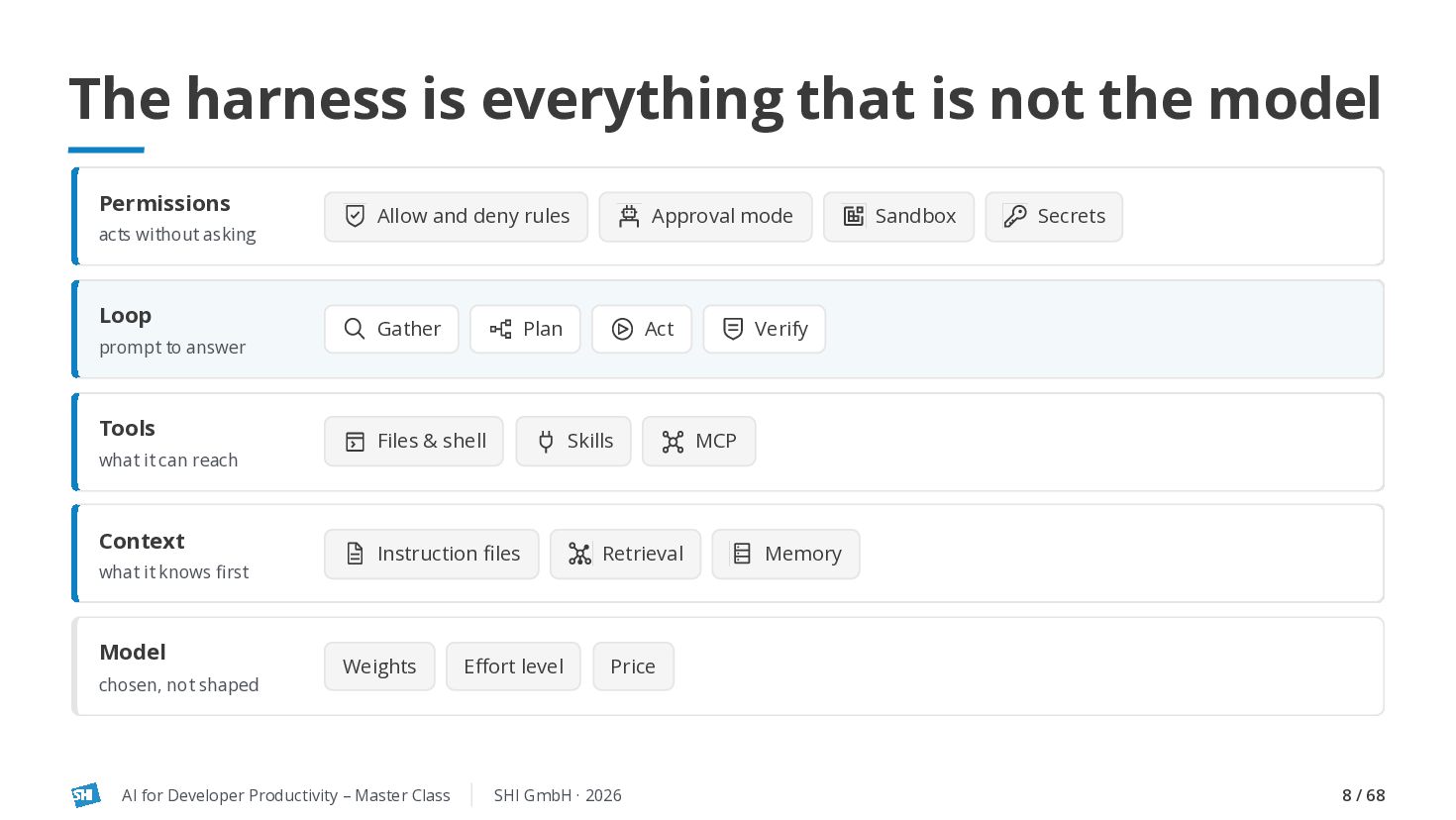
The harness is everything that is not the model Permissions
acts without asking Loop prompt to answer Tools what it can reach Context what it knows first Model chosen, not shaped Allow and deny rules Approval mode Gather Act Plan Files & shell Skills Instruction files Weights AI for Developer Productivity – Master Class Effort level Retrieval Sandbox Secrets Verify MCP Memory Price SHI GmbH · 2026 8 / 68 -
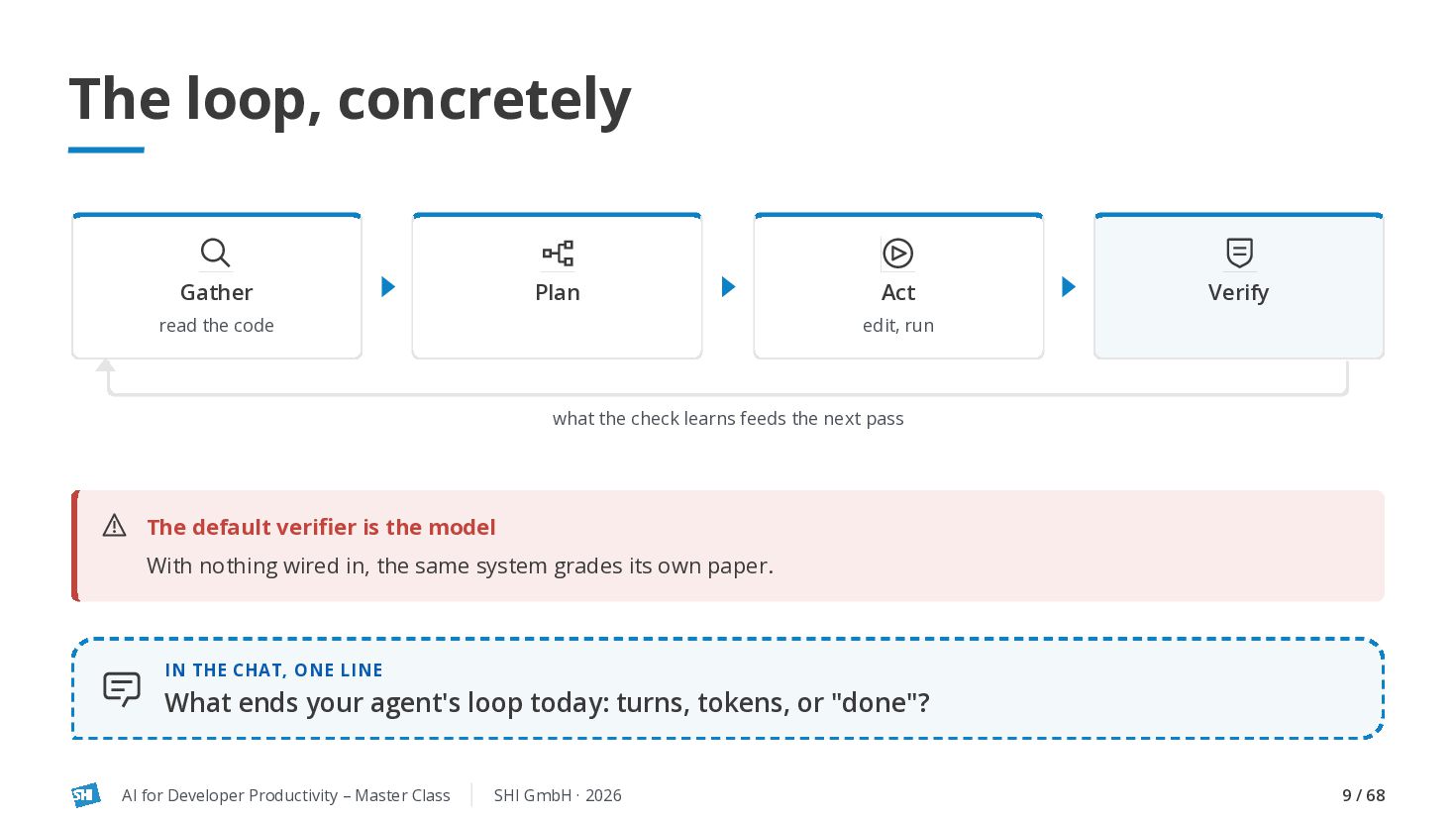
The loop, concretely Gather Plan read the code Act Verify
edit, run what the check learns feeds the next pass The default verifier is the model With nothing wired in, the same system grades its own paper. IN THE CHAT, ONE LINE What ends your agent's loop today: turns, tokens, or "done"? AI for Developer Productivity – Master Class SHI GmbH · 2026 9 / 68 -
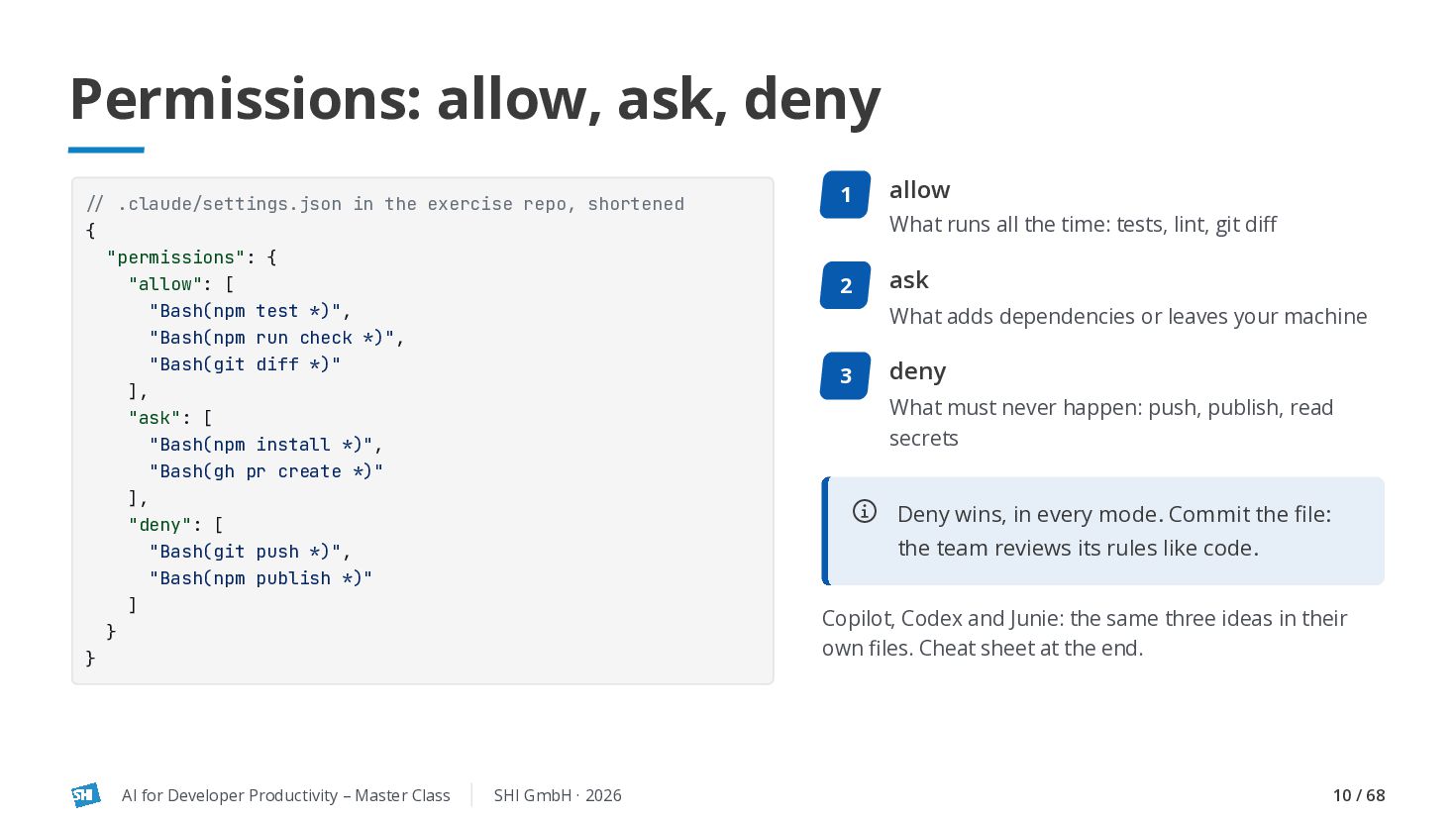
Permissions: allow, ask, deny // .claude/settings.json in the exercise repo,
shortened { "permissions": { "allow": [ "Bash(npm test *)", "Bash(npm run check *)", "Bash(git diff *)" ], "ask": [ "Bash(npm install *)", "Bash(gh pr create *)" ], "deny": [ "Bash(git push *)", "Bash(npm publish *)" allow What runs all the time: tests, lint, git diff 2 ask What adds dependencies or leaves your machine 3 deny What must never happen: push, publish, read secrets Deny wins, in every mode. Commit the file: the team reviews its rules like code. ] Copilot, Codex and Junie: the same three ideas in their own files. Cheat sheet at the end. } } AI for Developer Productivity – Master Class 1 SHI GmbH · 2026 10 / 68 -
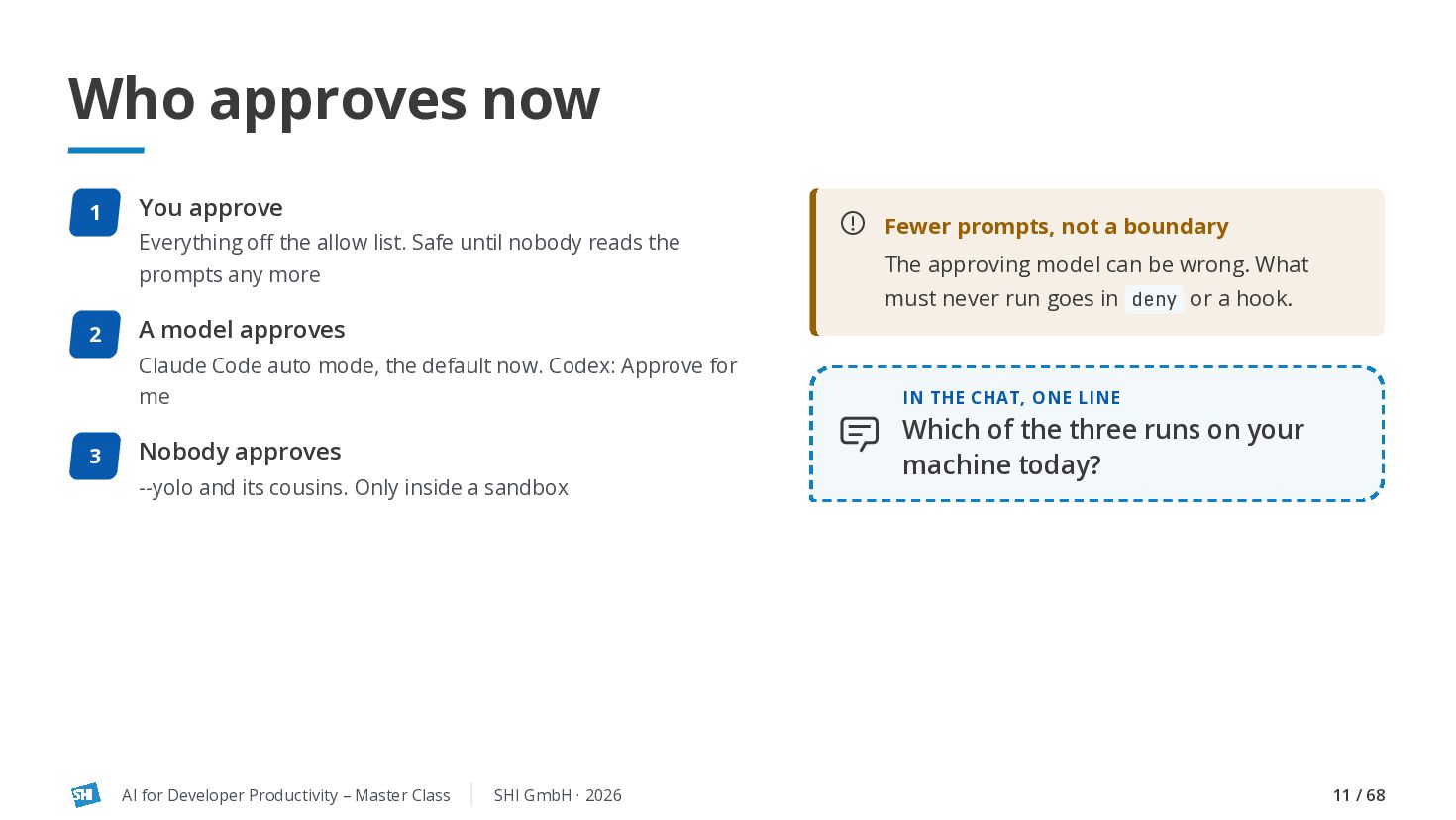
Who approves now 1 You approve Everything off the allow
list. Safe until nobody reads the prompts any more 2 A model approves Nobody approves --yolo and its cousins. Only inside a sandbox AI for Developer Productivity – Master Class The approving model can be wrong. What must never run goes in deny or a hook. Claude Code auto mode, the default now. Codex: Approve for me 3 Fewer prompts, not a boundary SHI GmbH · 2026 IN THE CHAT, ONE LINE Which of the three runs on your machine today? 11 / 68 -
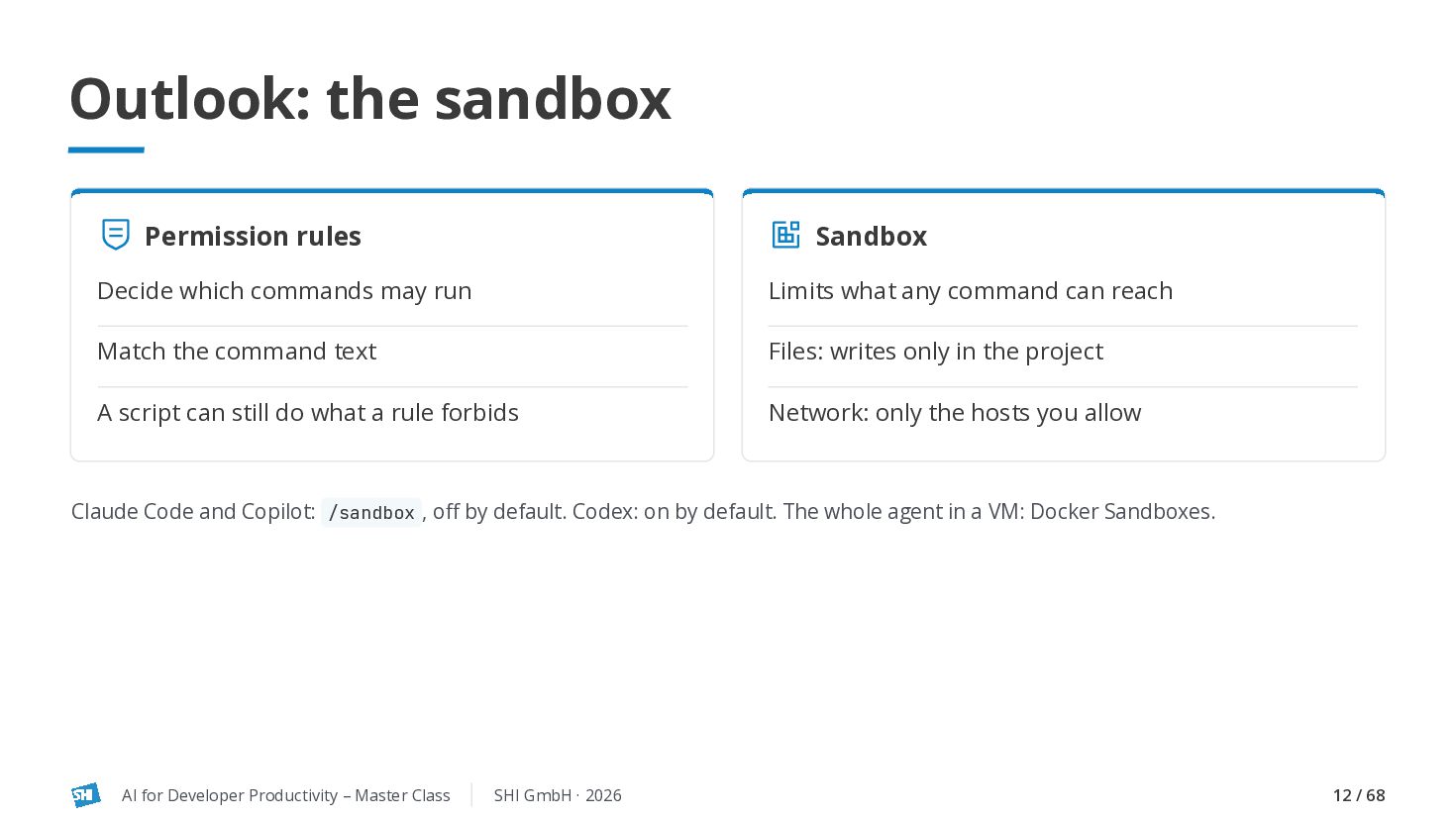
Outlook: the sandbox Permission rules Sandbox Decide which commands may
run Limits what any command can reach Match the command text Files: writes only in the project A script can still do what a rule forbids Network: only the hosts you allow Claude Code and Copilot: /sandbox , off by default. Codex: on by default. The whole agent in a VM: Docker Sandboxes. AI for Developer Productivity – Master Class SHI GmbH · 2026 12 / 68 -
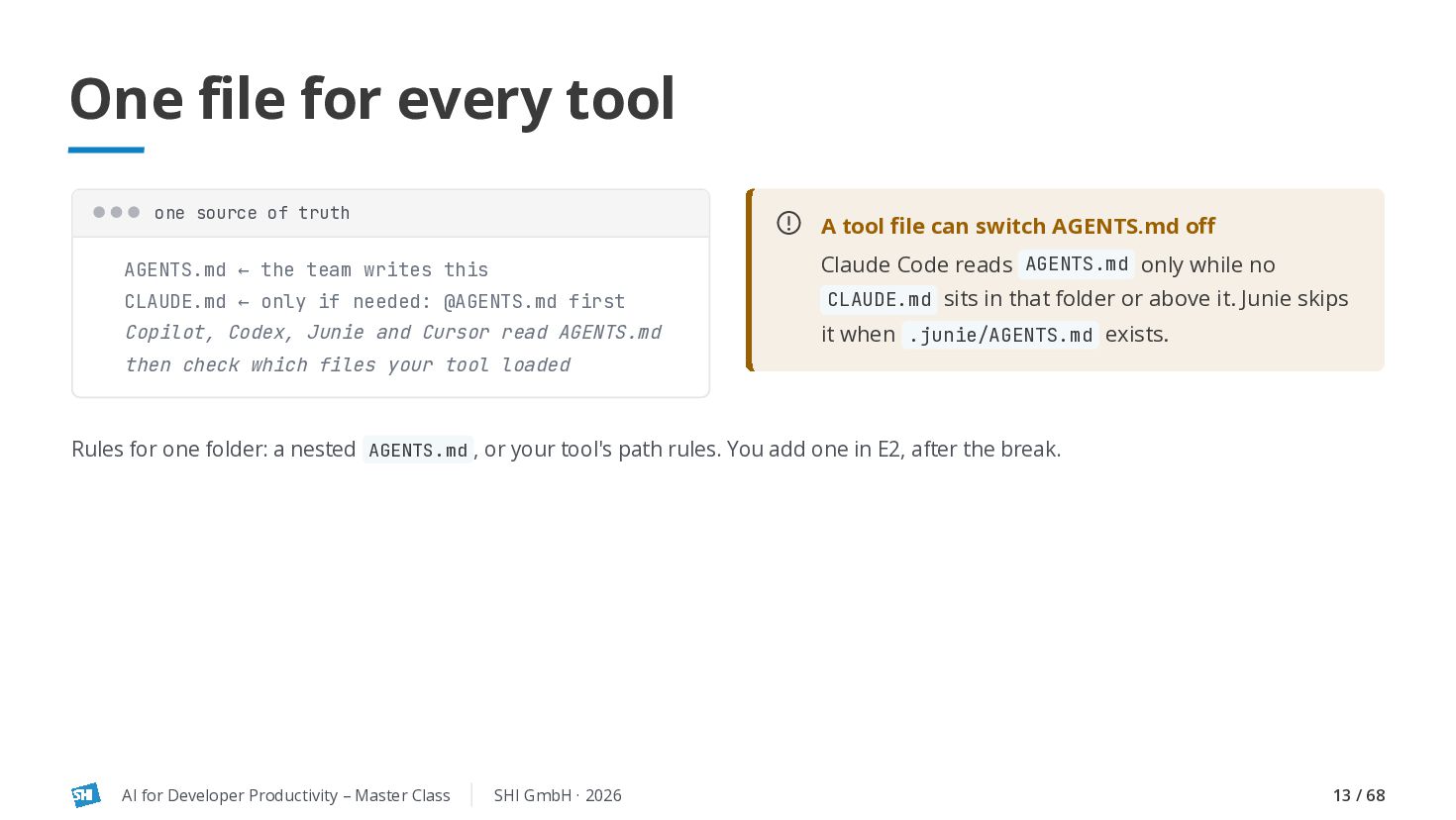
One file for every tool one source of truth A
tool file can switch AGENTS.md off AGENTS.md ← the team writes this Claude Code reads AGENTS.md only while no CLAUDE.md ← only if needed: @AGENTS.md first CLAUDE.md sits in that folder or above it. Junie skips Copilot, Codex, Junie and Cursor read AGENTS.md it when .junie/AGENTS.md exists. then check which files your tool loaded Rules for one folder: a nested AGENTS.md , or your tool's path rules. You add one in E2, after the break. AI for Developer Productivity – Master Class SHI GmbH · 2026 13 / 68 -
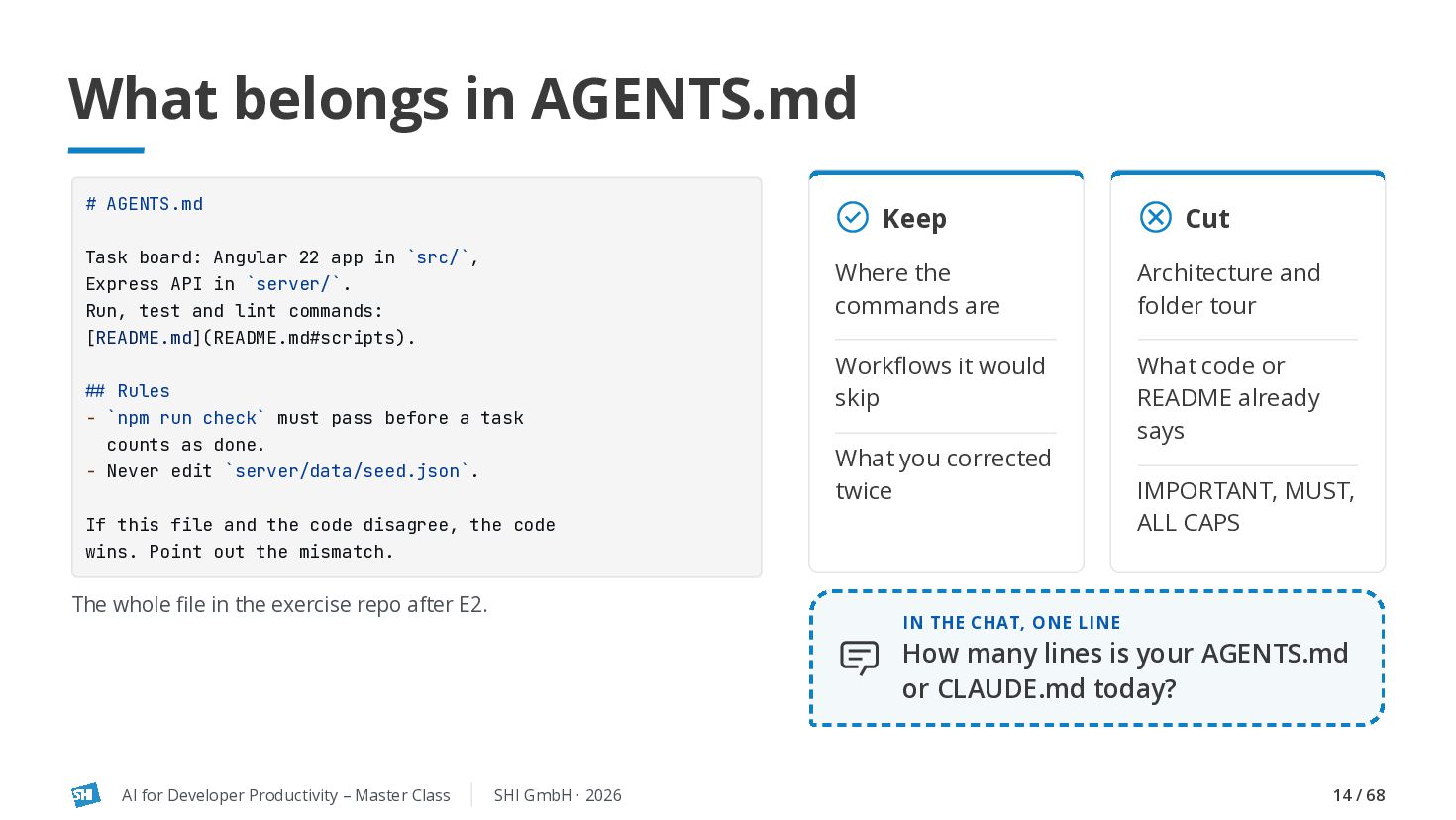
What belongs in AGENTS.md # AGENTS.md Keep Task board: Angular
22 app in `src/`, Express API in `server/`. Run, test and lint commands: [README.md](README.md#scripts). ## Rules - `npm run check` must pass before a task counts as done. - Never edit `server/data/seed.json`. Where the commands are Architecture and folder tour Workflows it would skip What code or README already says What you corrected twice If this file and the code disagree, the code wins. Point out the mismatch. The whole file in the exercise repo after E2. Cut IMPORTANT, MUST, ALL CAPS IN THE CHAT, ONE LINE How many lines is your AGENTS.md or CLAUDE.md today? AI for Developer Productivity – Master Class SHI GmbH · 2026 14 / 68 -
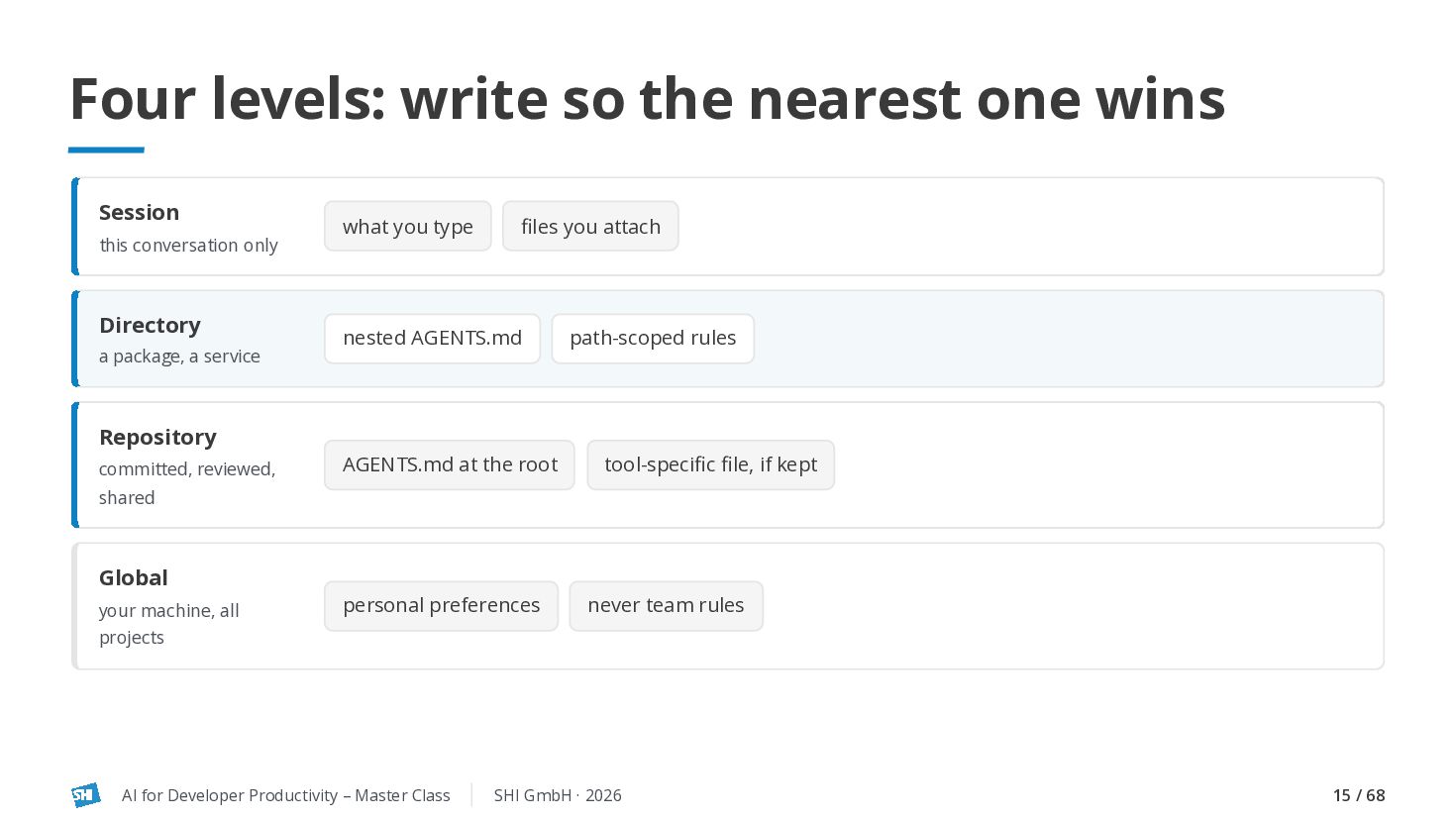
Four levels: write so the nearest one wins Session this
conversation only Directory a package, a service Repository committed, reviewed, what you type files you attach nested AGENTS.md AGENTS.md at the root path-scoped rules tool-specific file, if kept shared Global your machine, all personal preferences never team rules projects AI for Developer Productivity – Master Class SHI GmbH · 2026 15 / 68 -
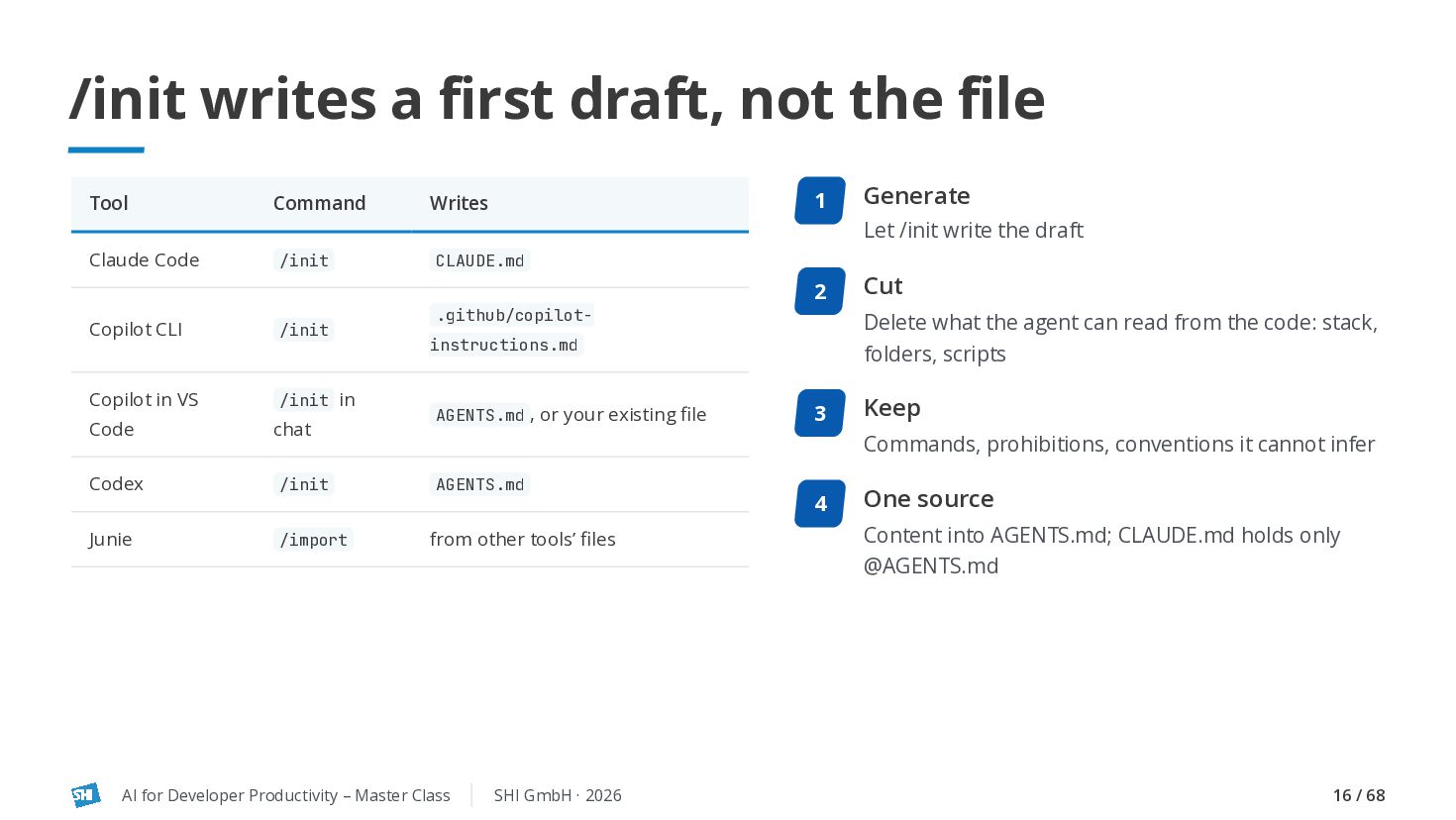
/init writes a first draft, not the file Tool Command
1 Writes Generate Let /init write the draft Claude Code Copilot CLI /init /init CLAUDE.md .github/copilot- 2 Delete what the agent can read from the code: stack, folders, scripts instructions.md Copilot in VS /init in Code chat Codex /init AGENTS.md Junie /import from other tools’ files AGENTS.md , or your existing file Cut 3 Keep Commands, prohibitions, conventions it cannot infer AI for Developer Productivity – Master Class SHI GmbH · 2026 4 One source Content into AGENTS.md; CLAUDE.md holds only @AGENTS.md 16 / 68 -
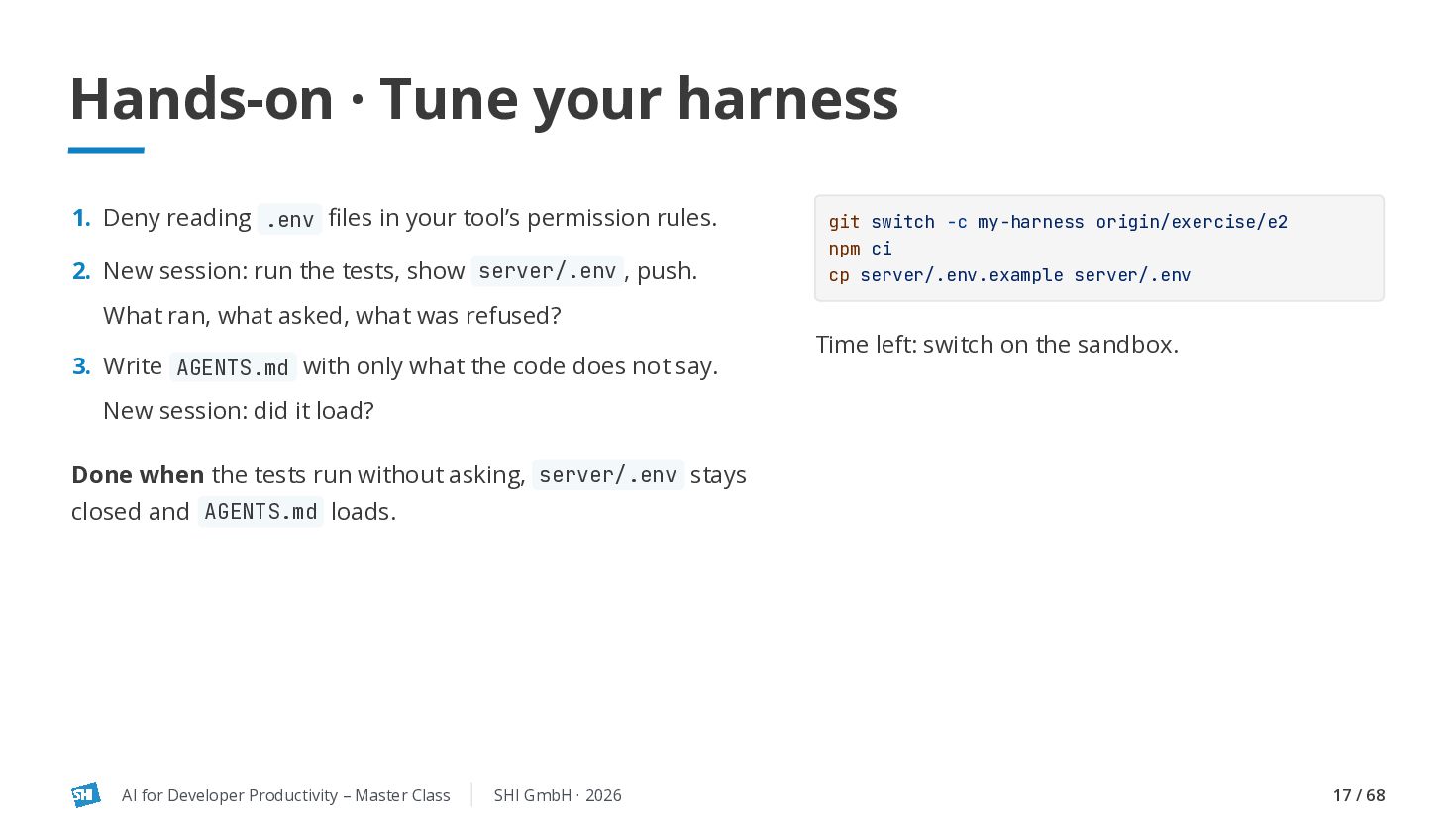
Hands-on · Tune your harness 1. Deny reading .env files
in your tool’s permission rules. 2. New session: run the tests, show server/.env , push. What ran, what asked, what was refused? 3. Write AGENTS.md with only what the code does not say. git switch -c my-harness origin/exercise/e2 npm ci cp server/.env.example server/.env Time left: switch on the sandbox. New session: did it load? Done when the tests run without asking, server/.env stays closed and AGENTS.md loads. AI for Developer Productivity – Master Class SHI GmbH · 2026 17 / 68 -
Your agent knows the rules, and what it may do
without asking. End of block 1 -
Break 15 minutes · back at 11:45 Next: context engineering
AI for Developer Productivity – Master Class SHI GmbH · 2026 19 / 68 -
02 Context Engineering Treat the window as a budget, and
write the rules down where the agent reads them. -
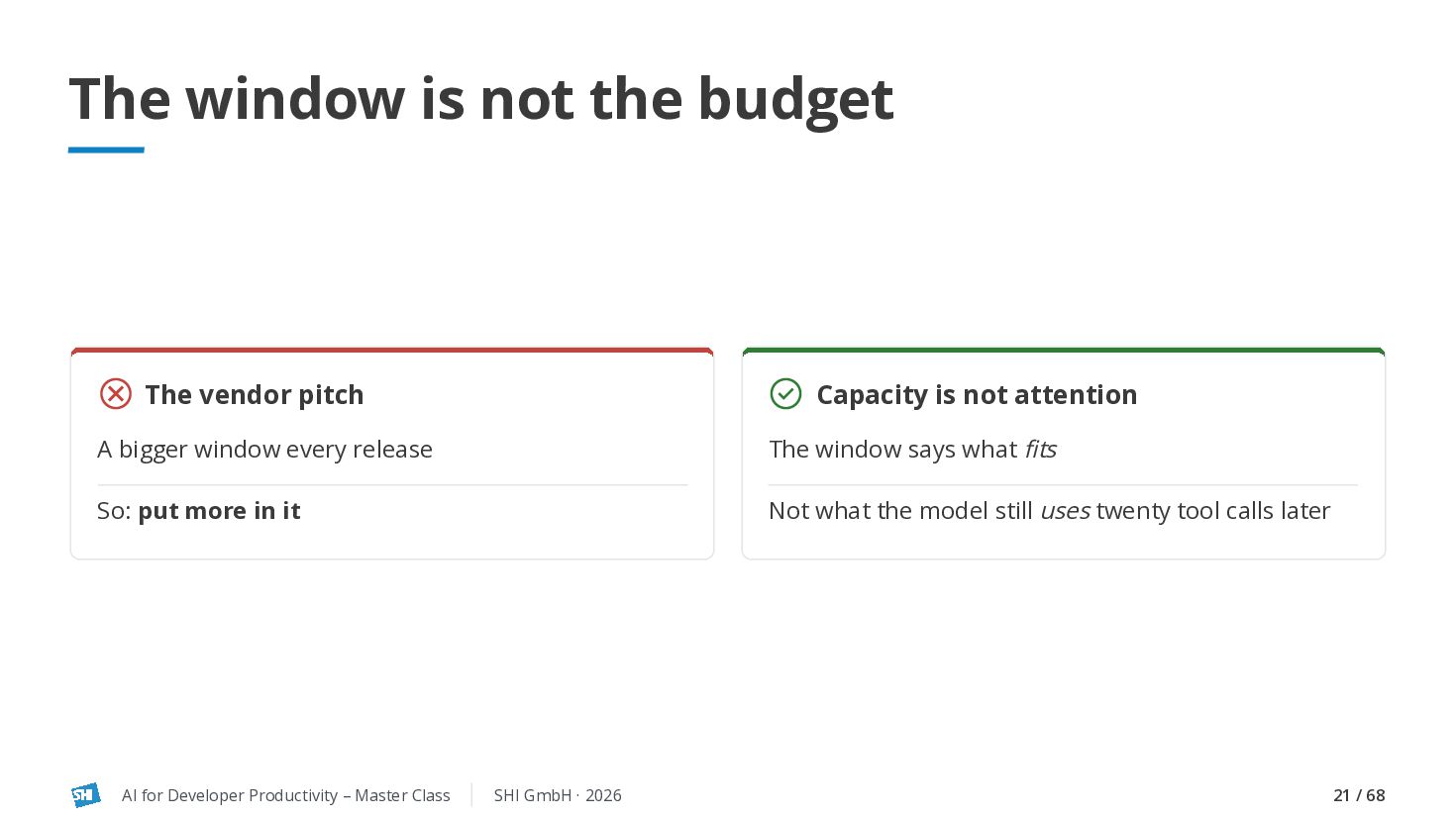
The window is not the budget The vendor pitch Capacity
is not attention A bigger window every release The window says what fits So: put more in it Not what the model still uses twenty tool calls later AI for Developer Productivity – Master Class SHI GmbH · 2026 21 / 68 -
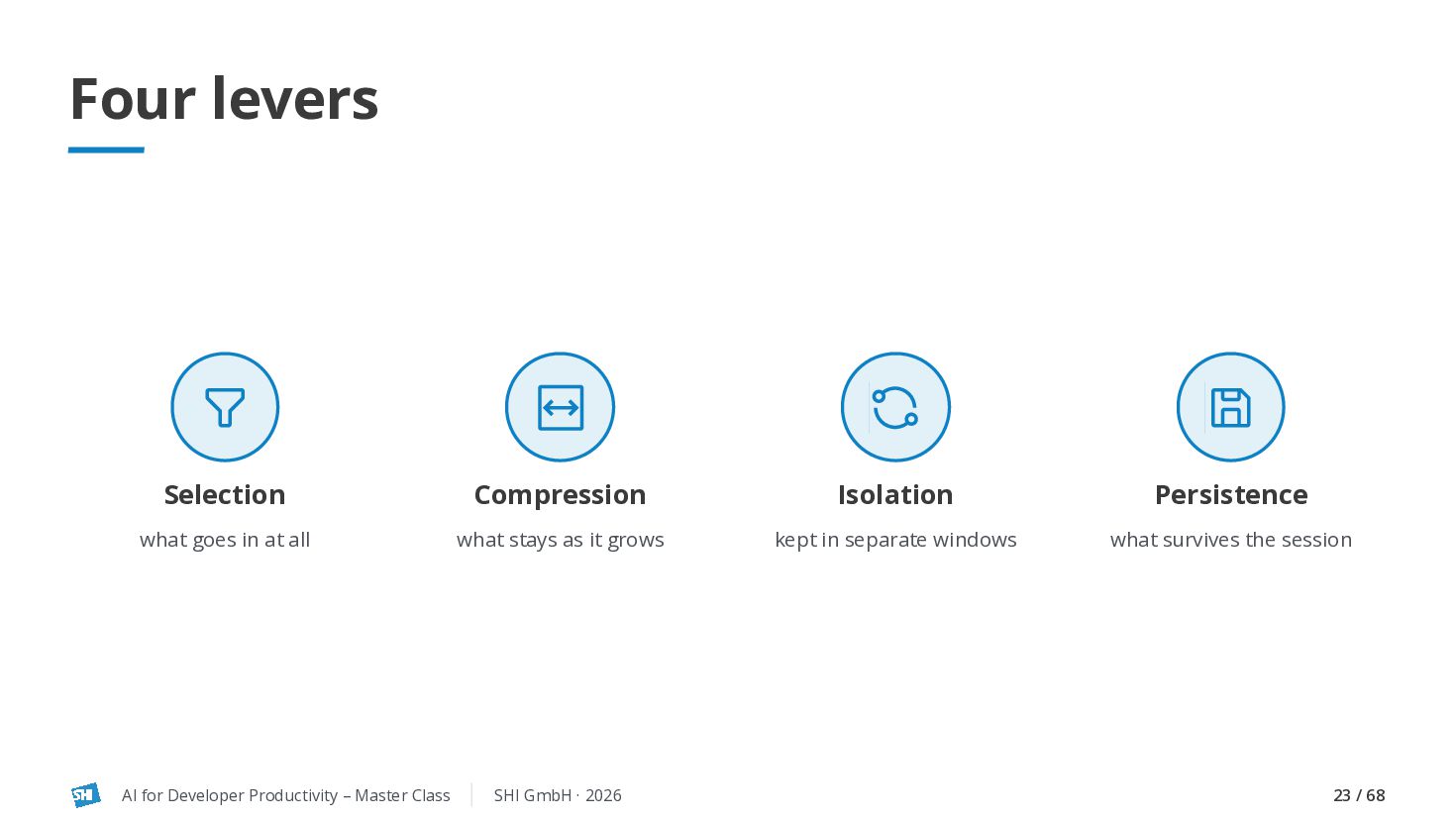
Four levers Selection Compression Isolation Persistence what goes in at
all what stays as it grows kept in separate windows what survives the session AI for Developer Productivity – Master Class SHI GmbH · 2026 23 / 68 -
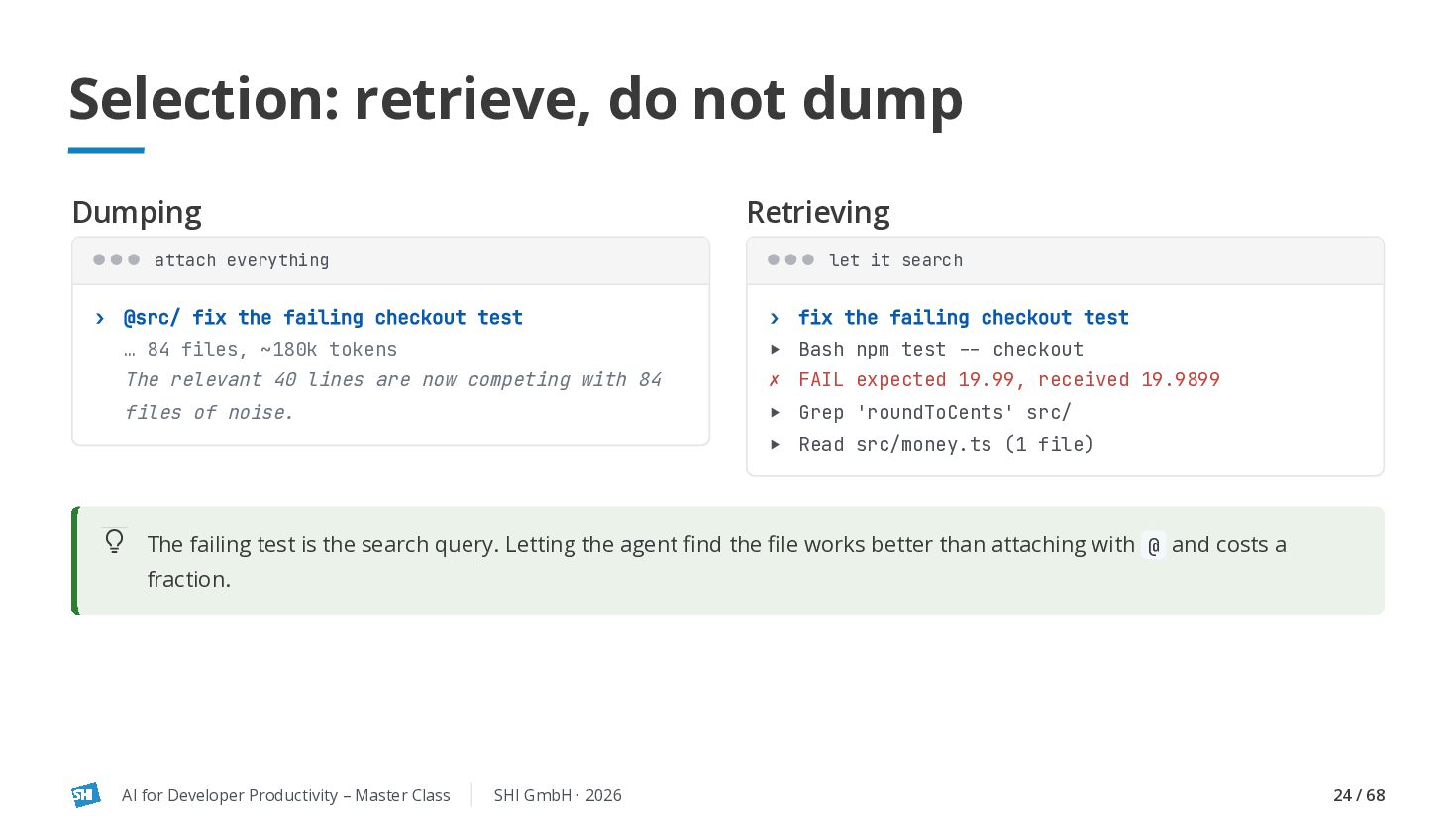
Selection: retrieve, do not dump Dumping Retrieving attach everything let
it search › @src/ fix the failing checkout test … 84 files, ~180k tokens › fix the failing checkout test ⏵ Bash npm test -- checkout The relevant 40 lines are now competing with 84 ✗ FAIL expected 19.99, received 19.9899 files of noise. ⏵ Grep 'roundToCents' src/ ⏵ Read src/money.ts (1 file) The failing test is the search query. Letting the agent find the file works better than attaching with @ and costs a fraction. AI for Developer Productivity – Master Class SHI GmbH · 2026 24 / 68 -
LIVE · D3 Selection by structure: a code graph Text
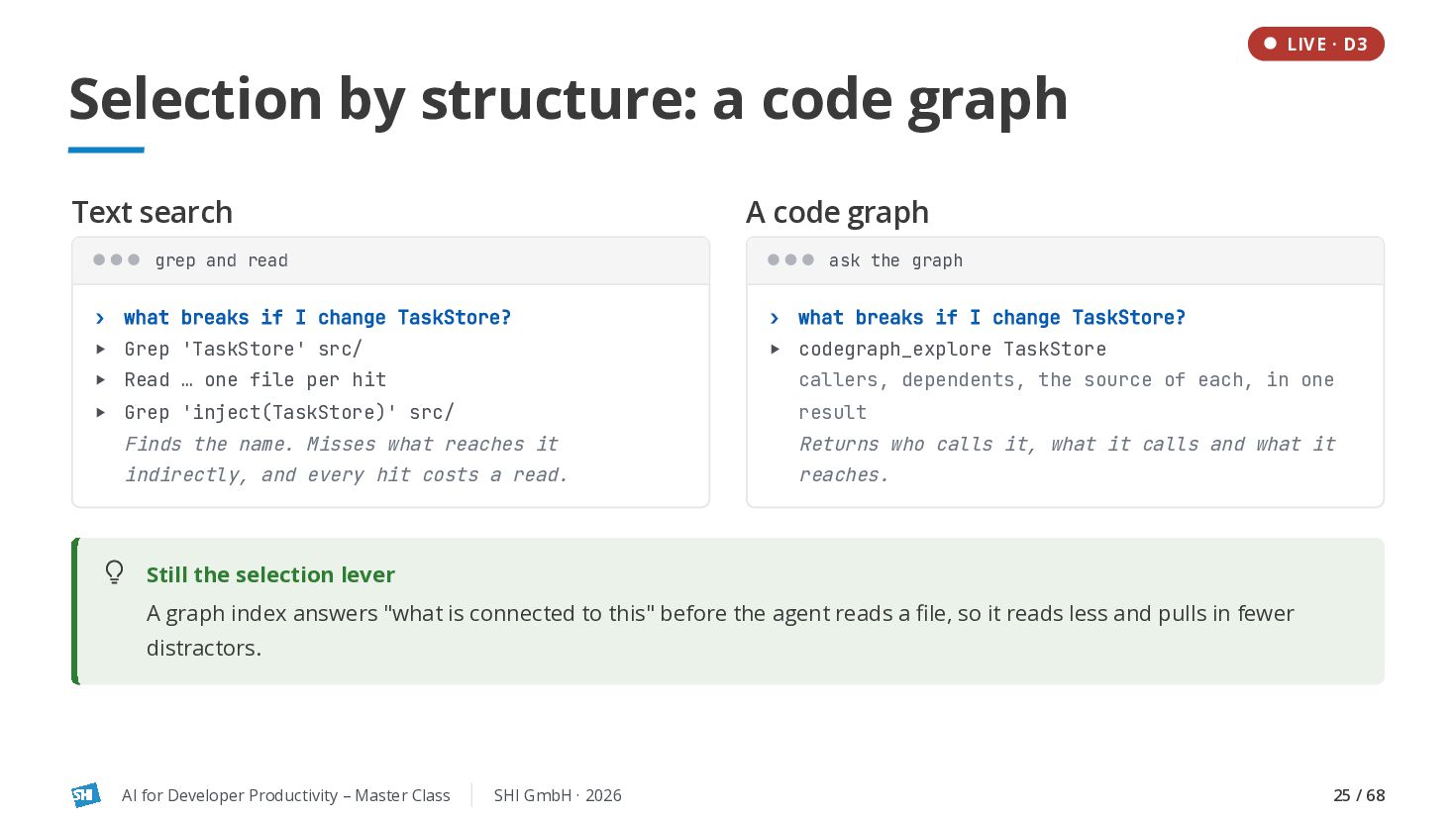
search A code graph grep and read › ⏵ ⏵ ⏵ ask the graph what breaks if I change TaskStore? Grep 'TaskStore' src/ › what breaks if I change TaskStore? ⏵ codegraph_explore TaskStore Read … one file per hit callers, dependents, the source of each, in one Grep 'inject(TaskStore)' src/ result Finds the name. Misses what reaches it Returns who calls it, what it calls and what it indirectly, and every hit costs a read. reaches. Still the selection lever A graph index answers "what is connected to this" before the agent reads a file, so it reads less and pulls in fewer distractors. AI for Developer Productivity – Master Class SHI GmbH · 2026 25 / 68 -
Live: a local code graph 1 exercise repo Local One
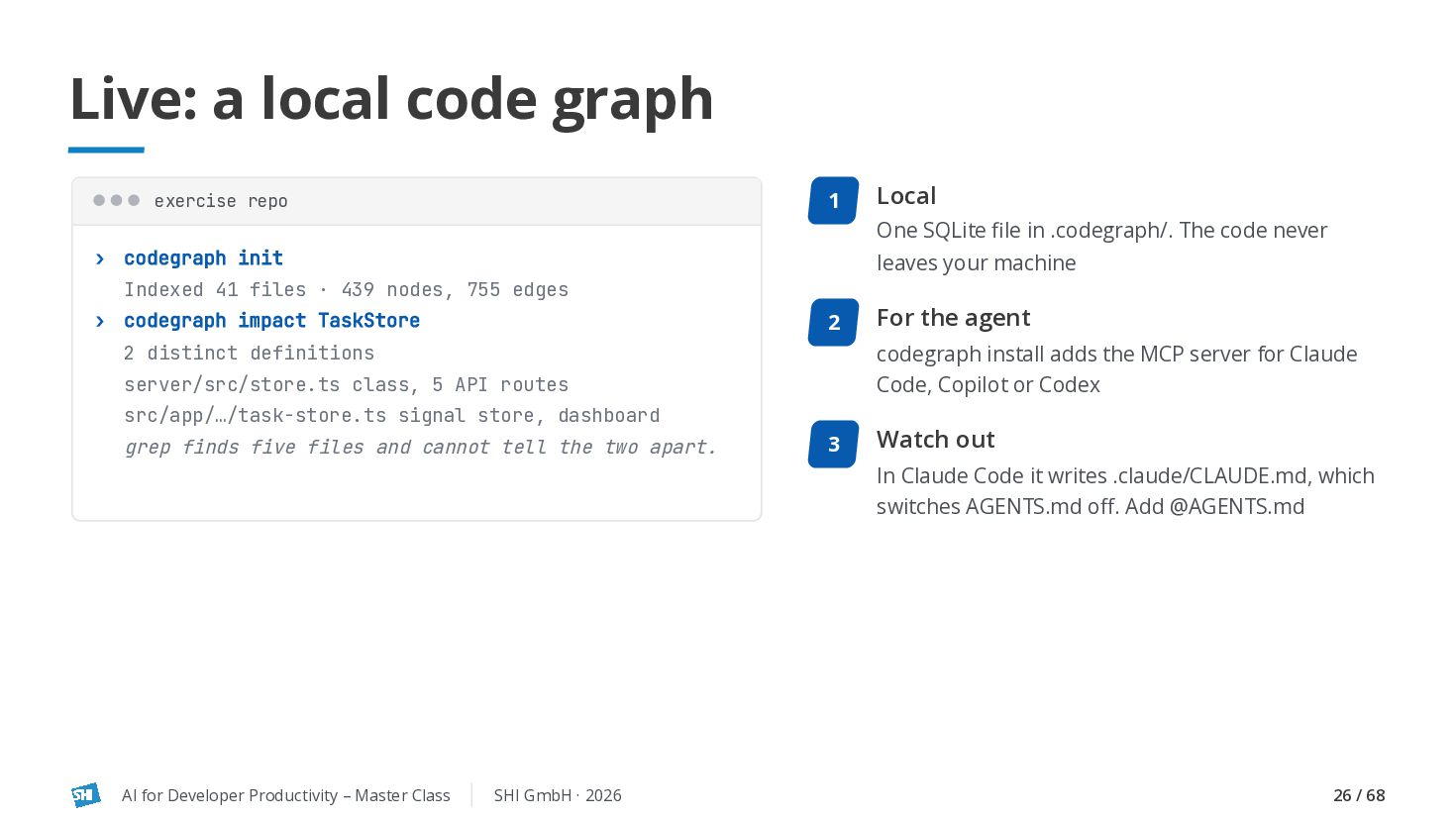
SQLite file in .codegraph/. The code never › codegraph init leaves your machine Indexed 41 files · 439 nodes, 755 edges › codegraph impact TaskStore 2 codegraph install adds the MCP server for Claude Code, Copilot or Codex 2 distinct definitions server/src/store.ts class, 5 API routes src/app/…/task-store.ts signal store, dashboard grep finds five files and cannot tell the two apart. For the agent 3 Watch out In Claude Code it writes .claude/CLAUDE.md, which switches AGENTS.md off. Add @AGENTS.md AI for Developer Productivity – Master Class SHI GmbH · 2026 26 / 68 -
The language server checks every edit What it adds How
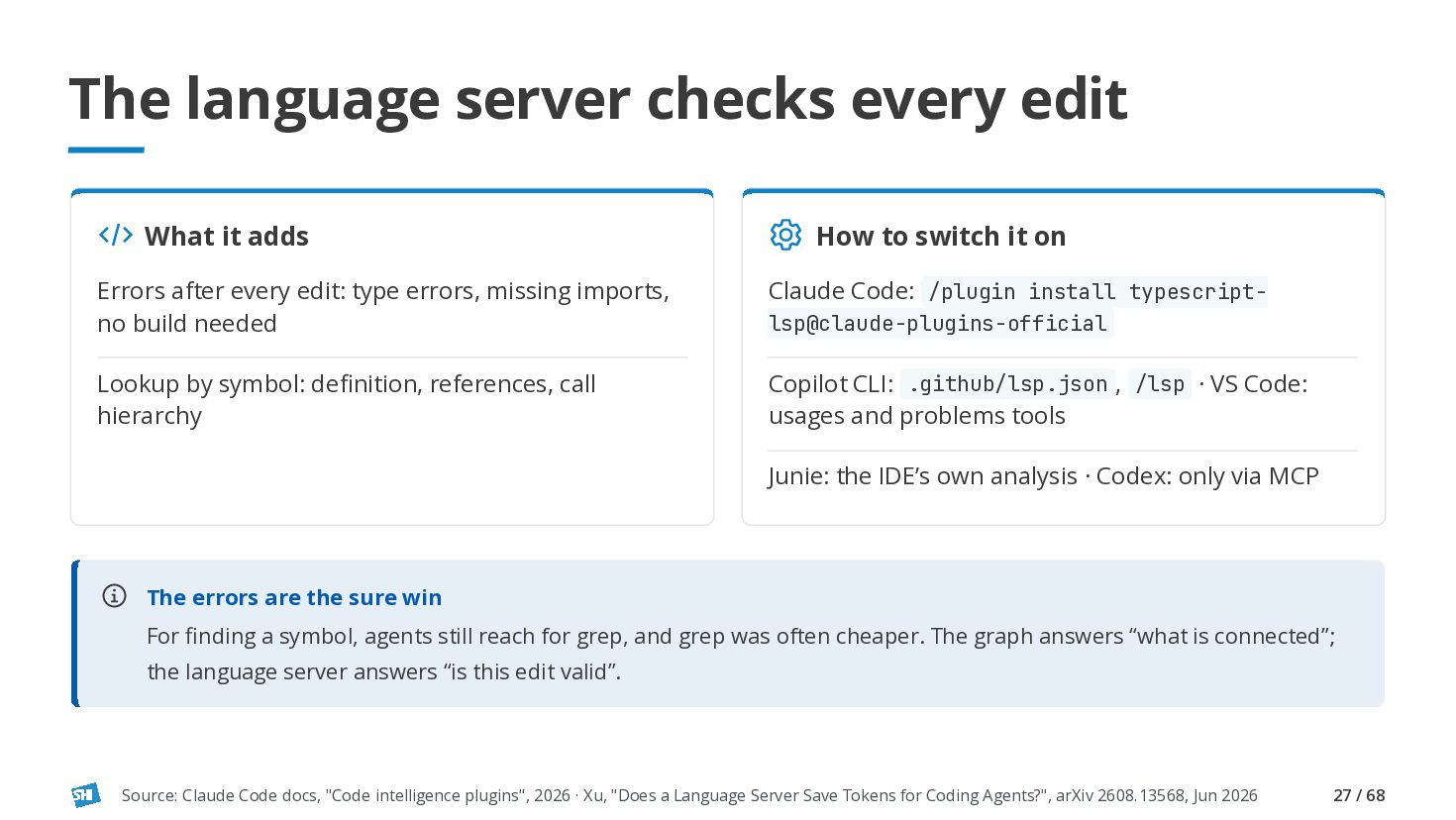
to switch it on Errors after every edit: type errors, missing imports, no build needed Claude Code: /plugin install typescript- Lookup by symbol: definition, references, call hierarchy Copilot CLI: .github/lsp.json , /lsp · VS Code: usages and problems tools lsp@claude-plugins-official Junie: the IDE’s own analysis · Codex: only via MCP The errors are the sure win For finding a symbol, agents still reach for grep, and grep was often cheaper. The graph answers “what is connected”; the language server answers “is this edit valid”. Source: Claude Code docs, "Code intelligence plugins", 2026 · Xu, "Does a Language Server Save Tokens for Coding Agents?", arXiv 2608.13568, Jun 2026 27 / 68 -
Compression and isolation Compression Isolation A long history The main
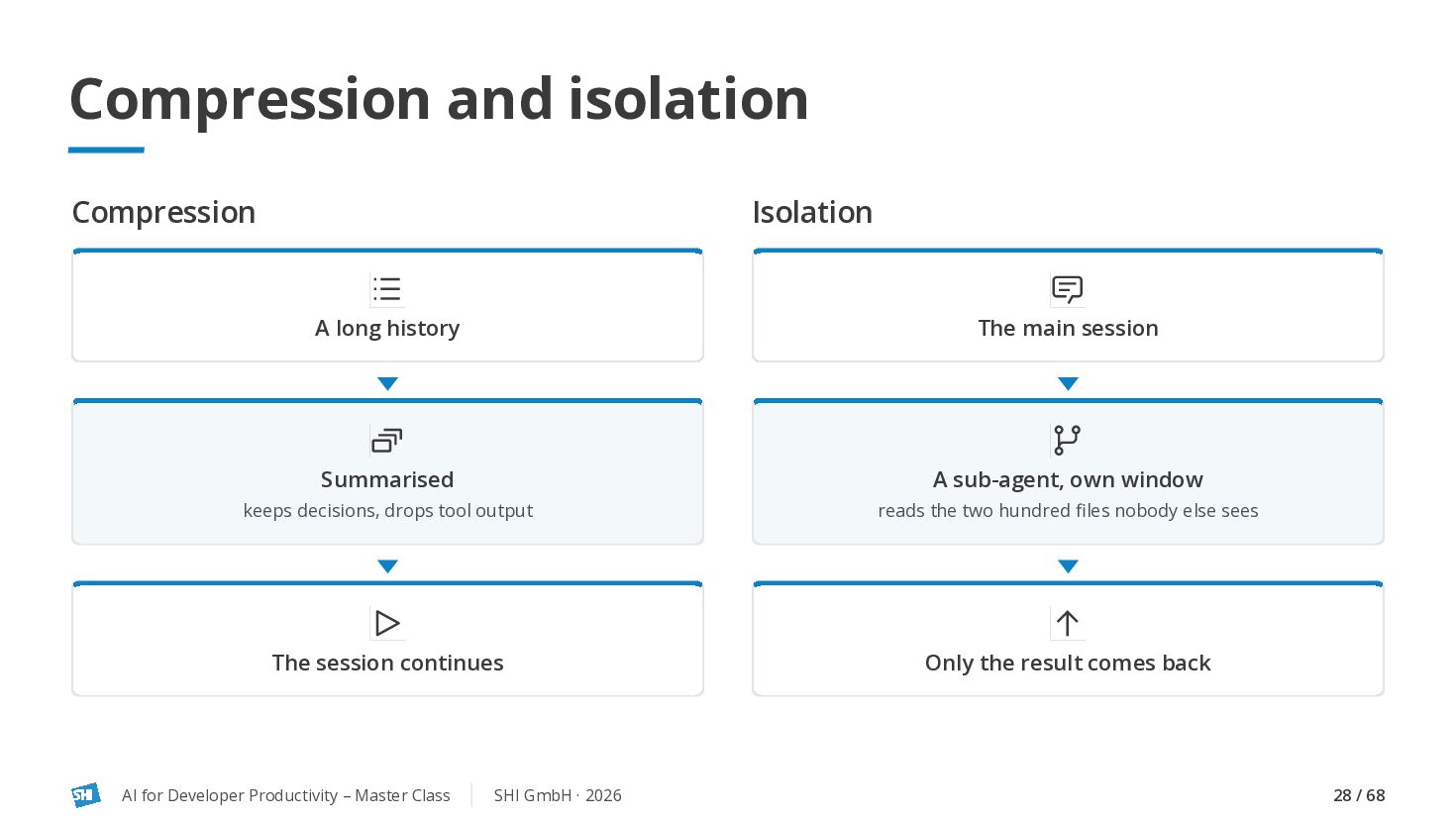
session Summarised A sub-agent, own window keeps decisions, drops tool output reads the two hundred files nobody else sees The session continues Only the result comes back AI for Developer Productivity – Master Class SHI GmbH · 2026 28 / 68 -
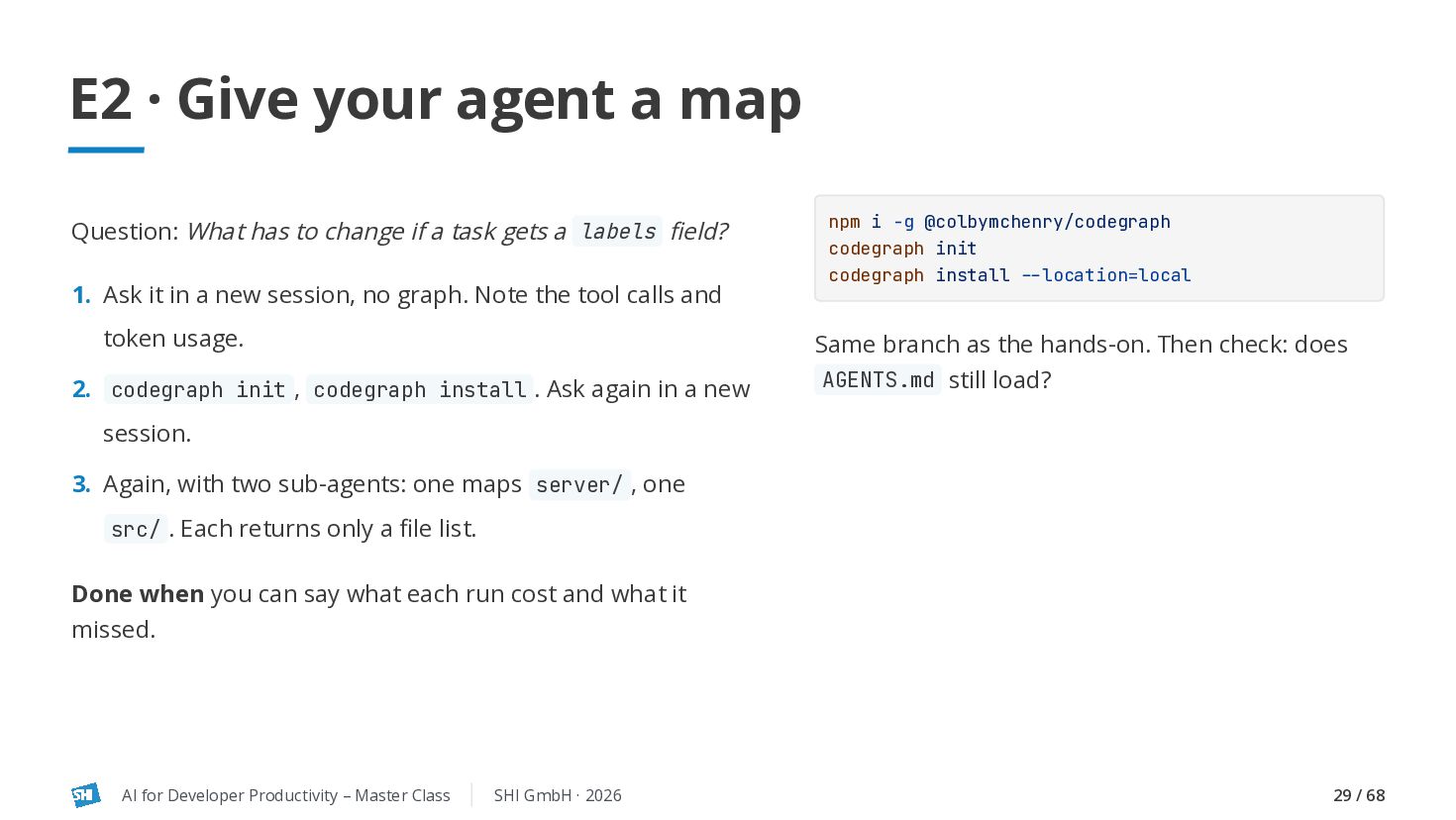
E2 · Give your agent a map Question: What has
to change if a task gets a labels field? 1. Ask it in a new session, no graph. Note the tool calls and token usage. 2. codegraph init , codegraph install . Ask again in a new npm i -g @colbymchenry/codegraph codegraph init codegraph install --location=local Same branch as the hands-on. Then check: does AGENTS.md still load? session. 3. Again, with two sub-agents: one maps server/ , one src/ . Each returns only a file list. Done when you can say what each run cost and what it missed. AI for Developer Productivity – Master Class SHI GmbH · 2026 29 / 68 -
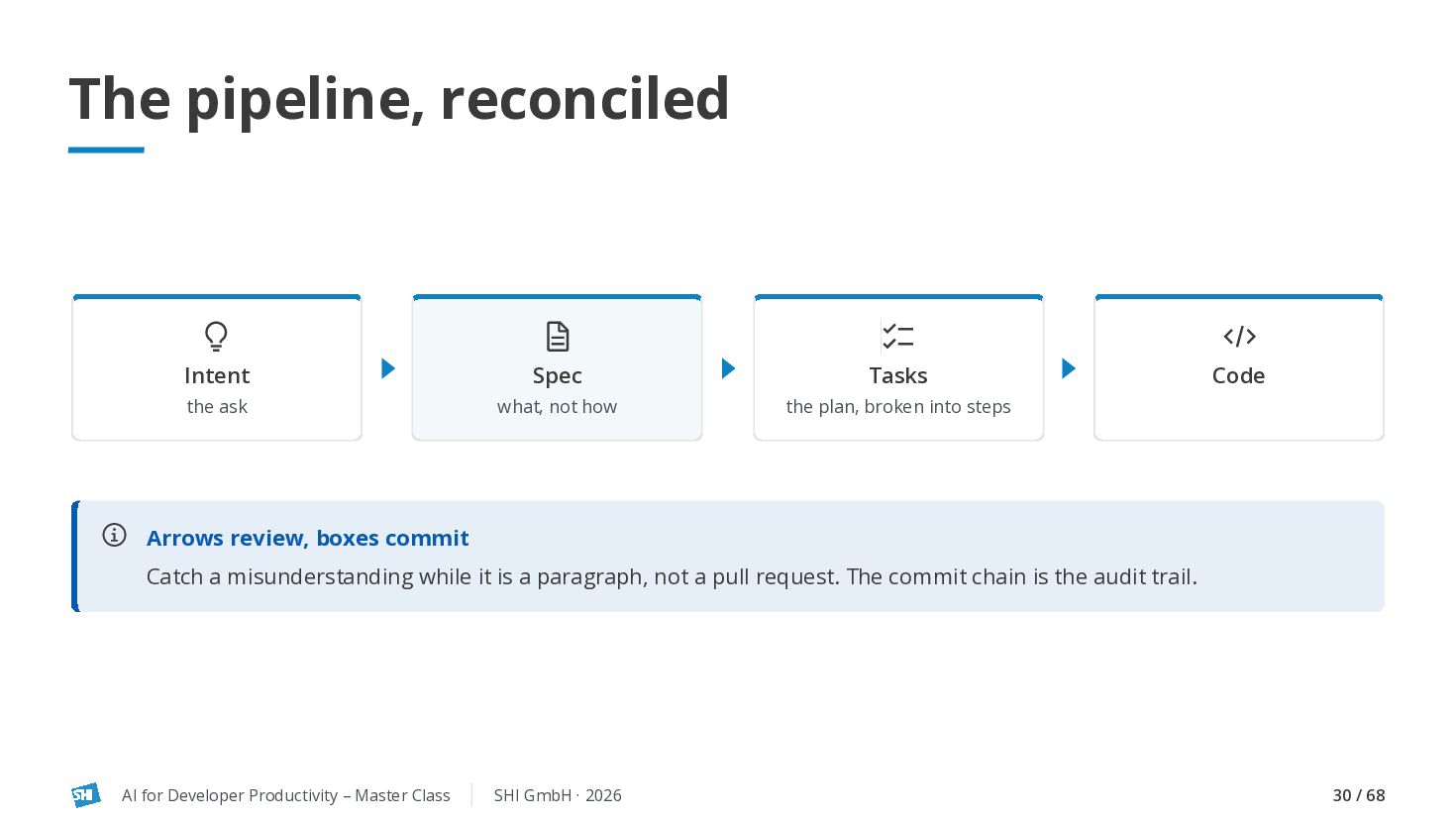
The pipeline, reconciled Intent Spec Tasks the ask what, not
how the plan, broken into steps Code Arrows review, boxes commit Catch a misunderstanding while it is a paragraph, not a pull request. The commit chain is the audit trail. AI for Developer Productivity – Master Class SHI GmbH · 2026 30 / 68 -
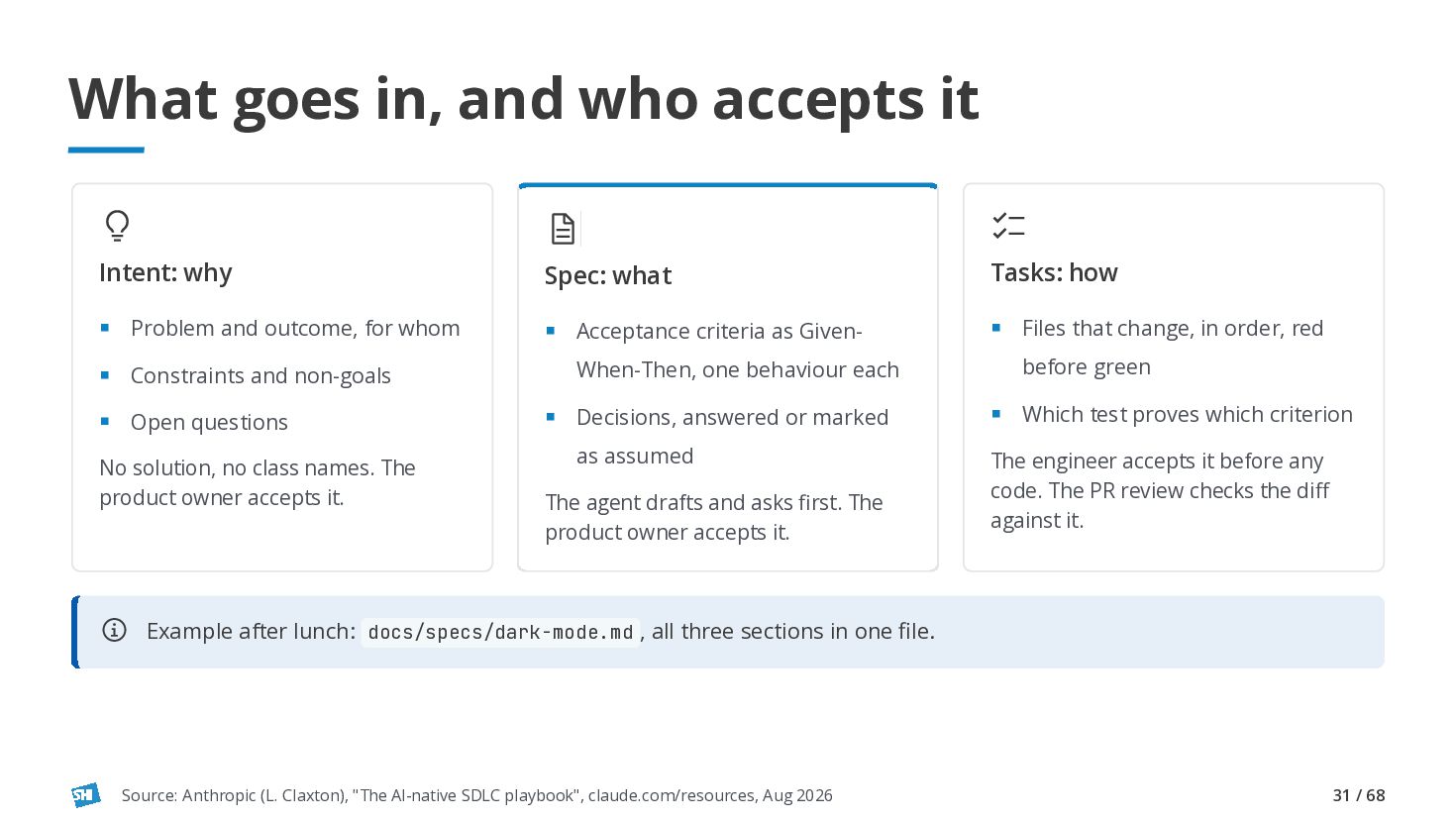
What goes in, and who accepts it Intent: why Spec:
what Tasks: how Problem and outcome, for whom Acceptance criteria as Given- Files that change, in order, red Constraints and non-goals When-Then, one behaviour each before green Open questions Decisions, answered or marked Which test proves which criterion No solution, no class names. The product owner accepts it. as assumed The agent drafts and asks first. The product owner accepts it. The engineer accepts it before any code. The PR review checks the diff against it. Example after lunch: docs/specs/dark-mode.md , all three sections in one file. Source: Anthropic (L. Claxton), "The AI-native SDLC playbook", claude.com/resources, Aug 2026 31 / 68 -
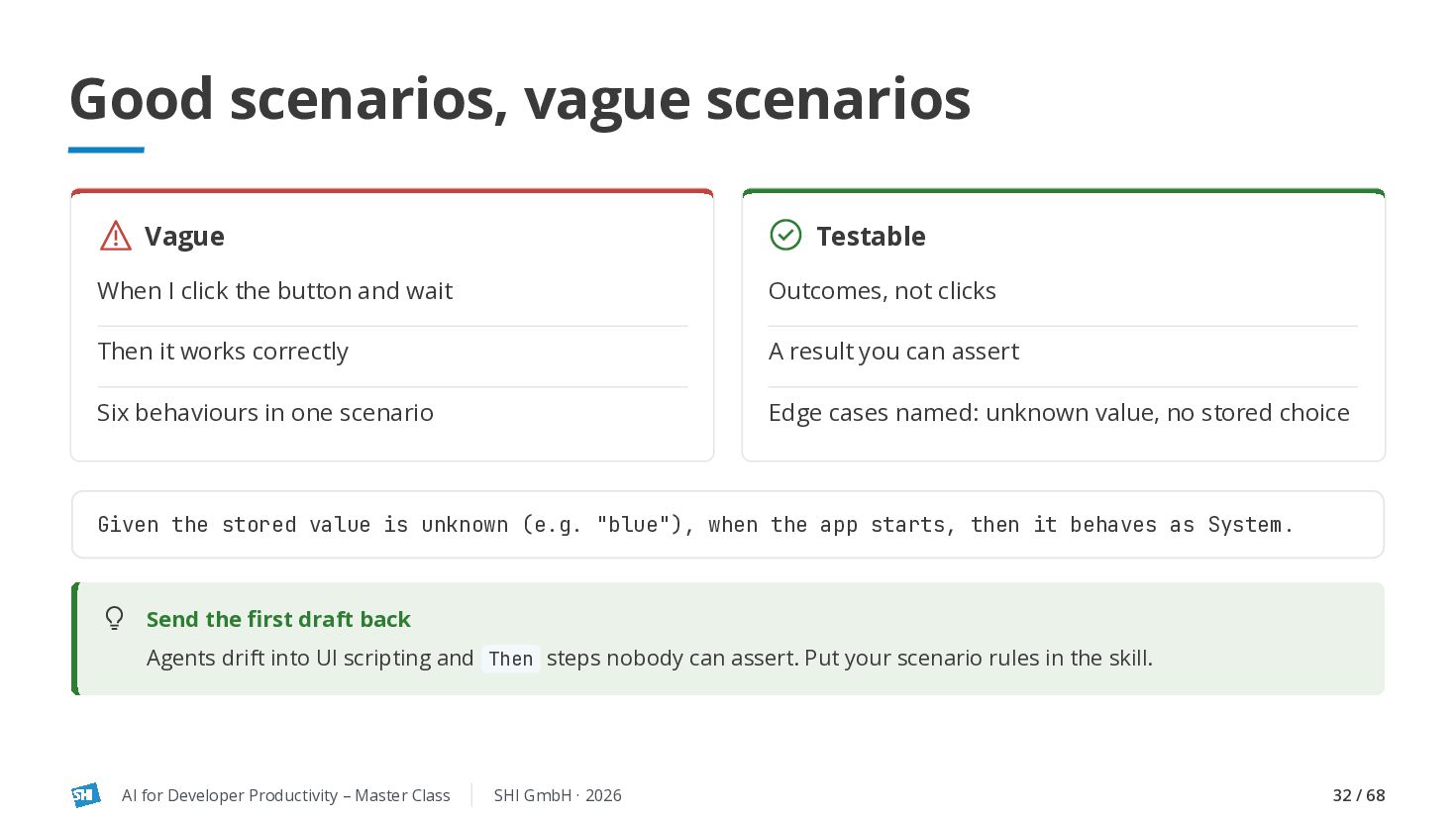
Good scenarios, vague scenarios Vague Testable When I click the
button and wait Outcomes, not clicks Then it works correctly A result you can assert Six behaviours in one scenario Edge cases named: unknown value, no stored choice Given the stored value is unknown (e.g. "blue"), when the app starts, then it behaves as System. Send the first draft back Agents drift into UI scripting and Then steps nobody can assert. Put your scenario rules in the skill. AI for Developer Productivity – Master Class SHI GmbH · 2026 32 / 68 -
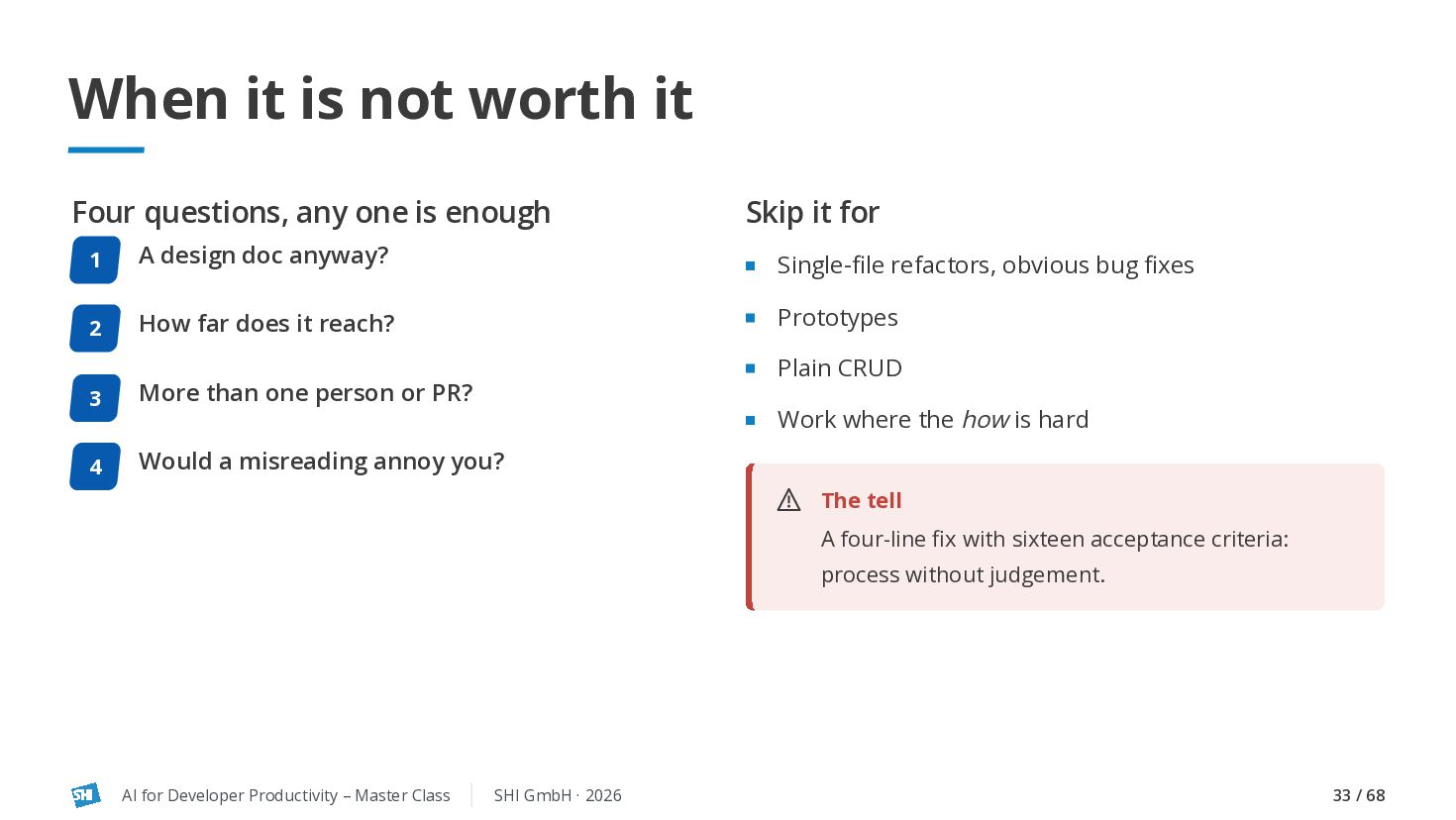
When it is not worth it Four questions, any one
is enough Skip it for 1 A design doc anyway? Single-file refactors, obvious bug fixes 2 How far does it reach? Prototypes 3 More than one person or PR? 4 Would a misreading annoy you? Plain CRUD Work where the how is hard The tell A four-line fix with sixteen acceptance criteria: process without judgement. AI for Developer Productivity – Master Class SHI GmbH · 2026 33 / 68 -
A prompt is a message and a spec is an
artefact. Context engineering decides what surrounds both. You can now write all three on purpose. -
The agent finds what it needs, and the spec says
what done means. End of block 2 -
Lunch break 60 minutes · back at 14:00 Next: the
agent loop and tests as the agent's check AI for Developer Productivity – Master Class SHI GmbH · 2026 36 / 68 -
03 The Agent Loop & TestDriven Verification Gather, plan, act,
verify, plus the one rule that keeps the verifier honest. -
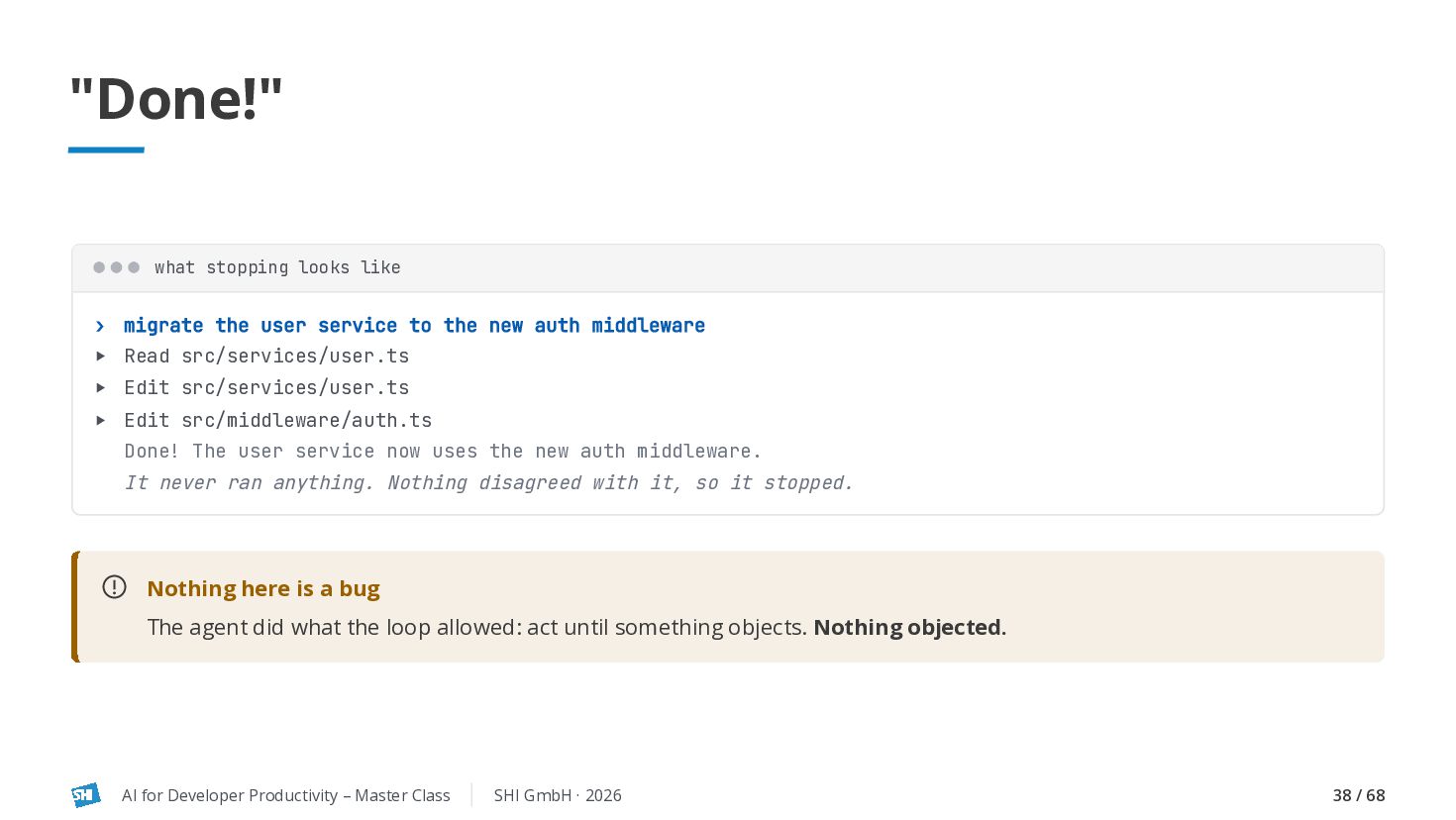
"Done!" what stopping looks like › ⏵ ⏵ ⏵ migrate
the user service to the new auth middleware Read src/services/user.ts Edit src/services/user.ts Edit src/middleware/auth.ts Done! The user service now uses the new auth middleware. It never ran anything. Nothing disagreed with it, so it stopped. Nothing here is a bug The agent did what the loop allowed: act until something objects. Nothing objected. AI for Developer Productivity – Master Class SHI GmbH · 2026 38 / 68 -
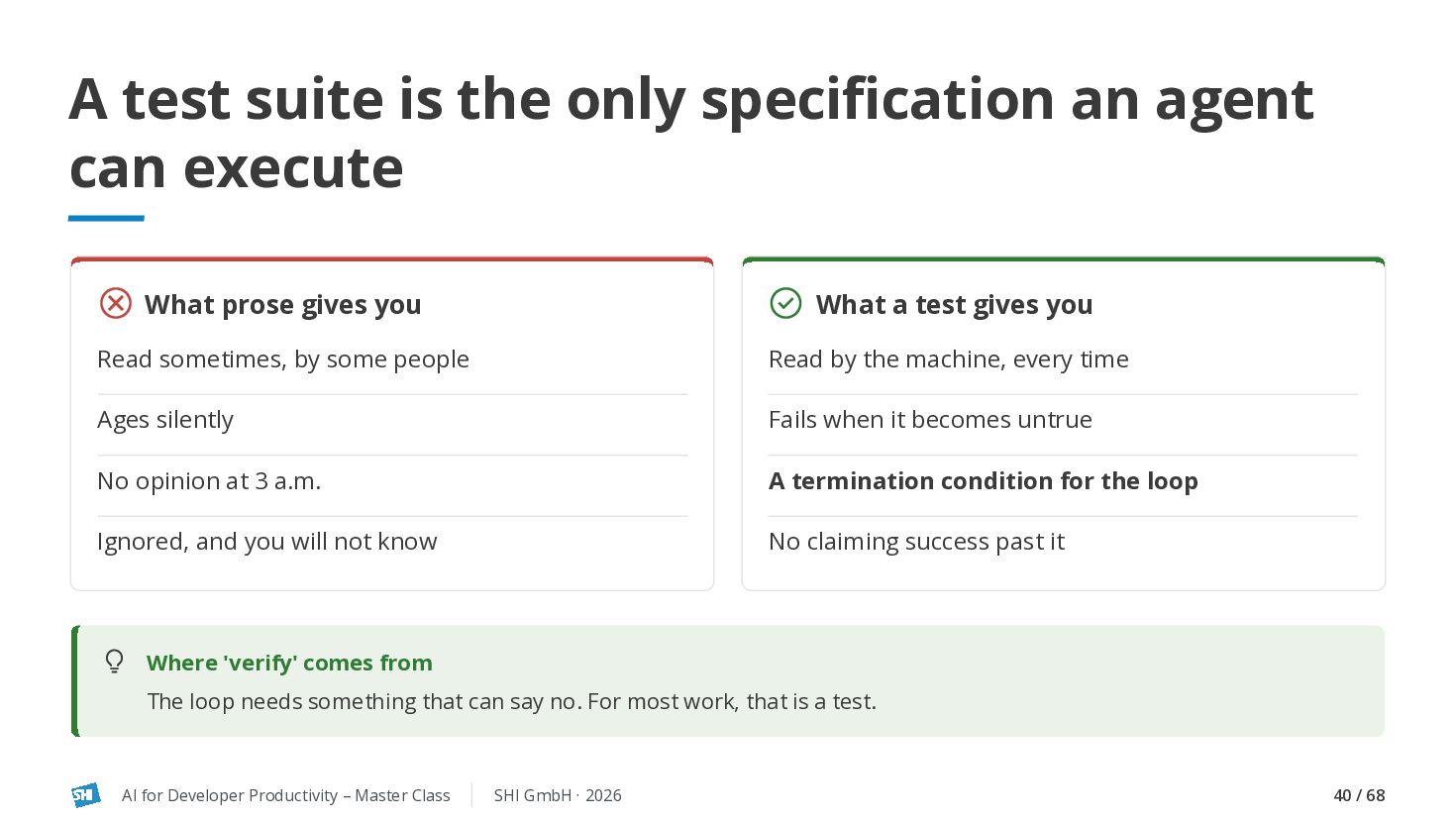
A test suite is the only specification an agent can
execute What prose gives you What a test gives you Read sometimes, by some people Read by the machine, every time Ages silently Fails when it becomes untrue No opinion at 3 a.m. A termination condition for the loop Ignored, and you will not know No claiming success past it Where 'verify' comes from The loop needs something that can say no. For most work, that is a test. AI for Developer Productivity – Master Class SHI GmbH · 2026 40 / 68 -
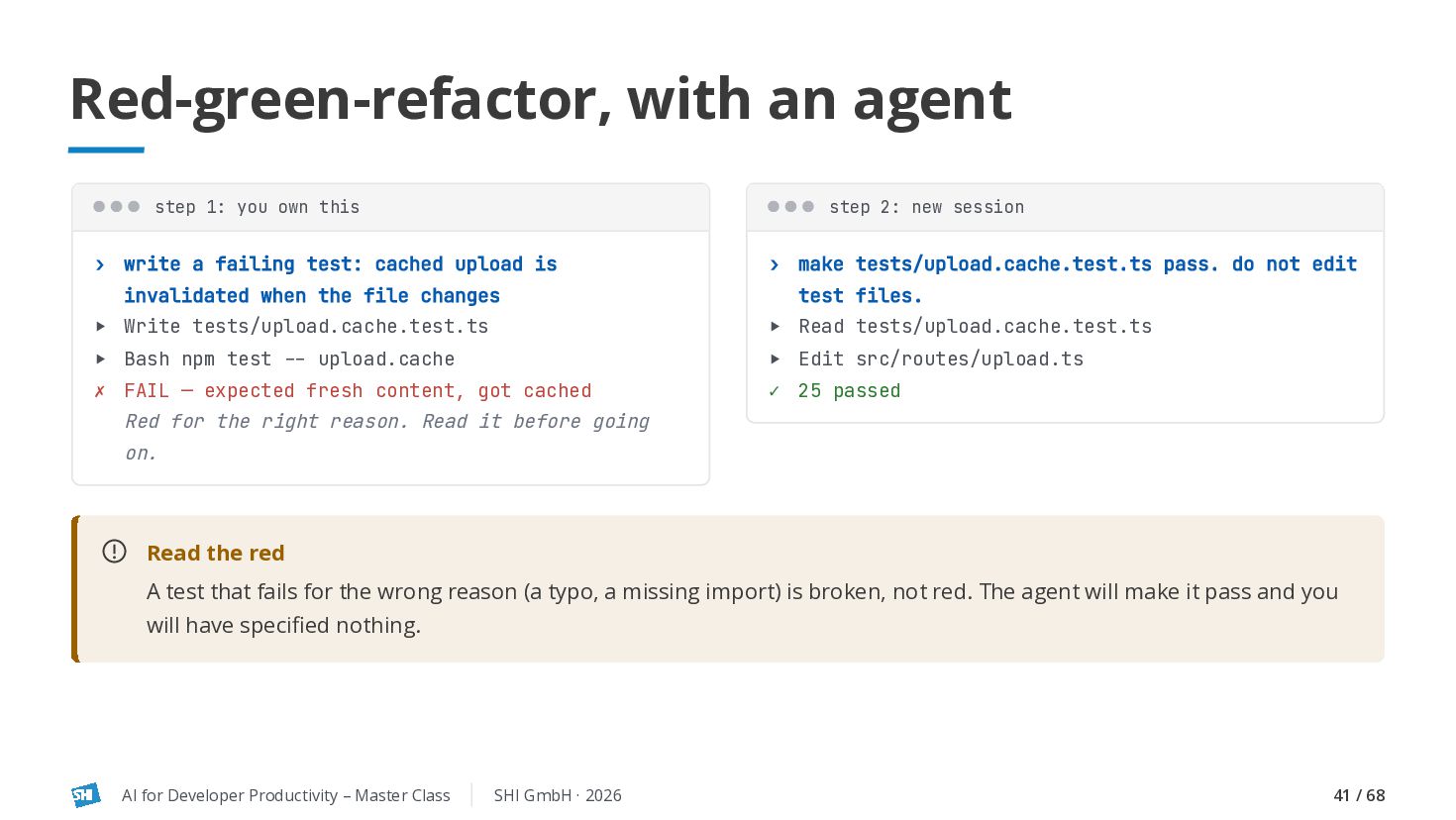
Red-green-refactor, with an agent step 1: you own this step
2: new session › write a failing test: cached upload is invalidated when the file changes ⏵ Write tests/upload.cache.test.ts ⏵ Bash npm test -- upload.cache › make tests/upload.cache.test.ts pass. do not edit test files. ⏵ Read tests/upload.cache.test.ts ⏵ Edit src/routes/upload.ts ✗ FAIL — expected fresh content, got cached ✓ 25 passed Red for the right reason. Read it before going on. Read the red A test that fails for the wrong reason (a typo, a missing import) is broken, not red. The agent will make it pass and you will have specified nothing. AI for Developer Productivity – Master Class SHI GmbH · 2026 41 / 68 -
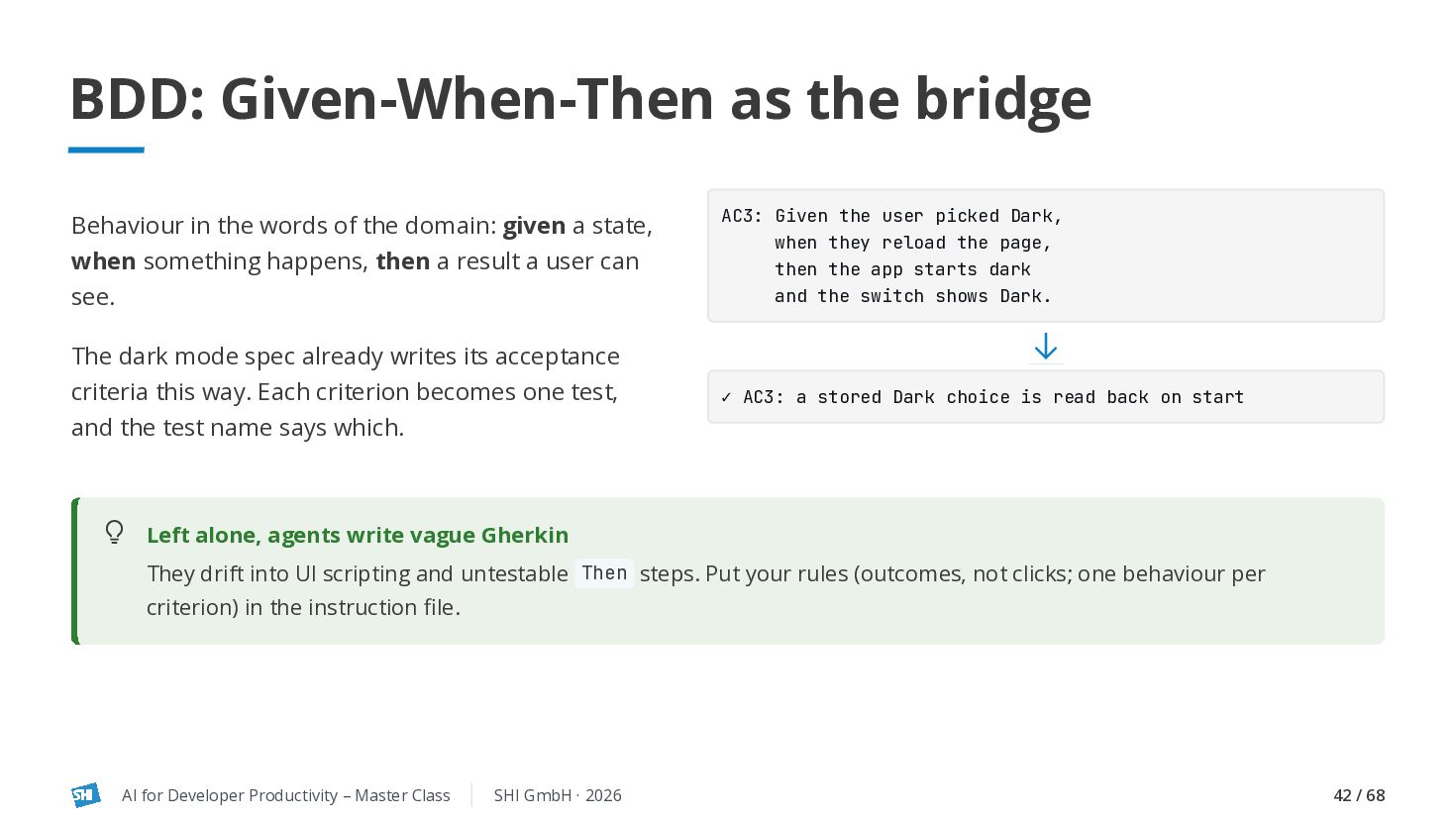
BDD: Given-When-Then as the bridge Behaviour in the words of
the domain: given a state, when something happens, then a result a user can see. AC3: Given the user picked Dark, when they reload the page, then the app starts dark and the switch shows Dark. The dark mode spec already writes its acceptance criteria this way. Each criterion becomes one test, and the test name says which. ✓ AC3: a stored Dark choice is read back on start Left alone, agents write vague Gherkin They drift into UI scripting and untestable Then steps. Put your rules (outcomes, not clicks; one behaviour per criterion) in the instruction file. AI for Developer Productivity – Master Class SHI GmbH · 2026 42 / 68 -
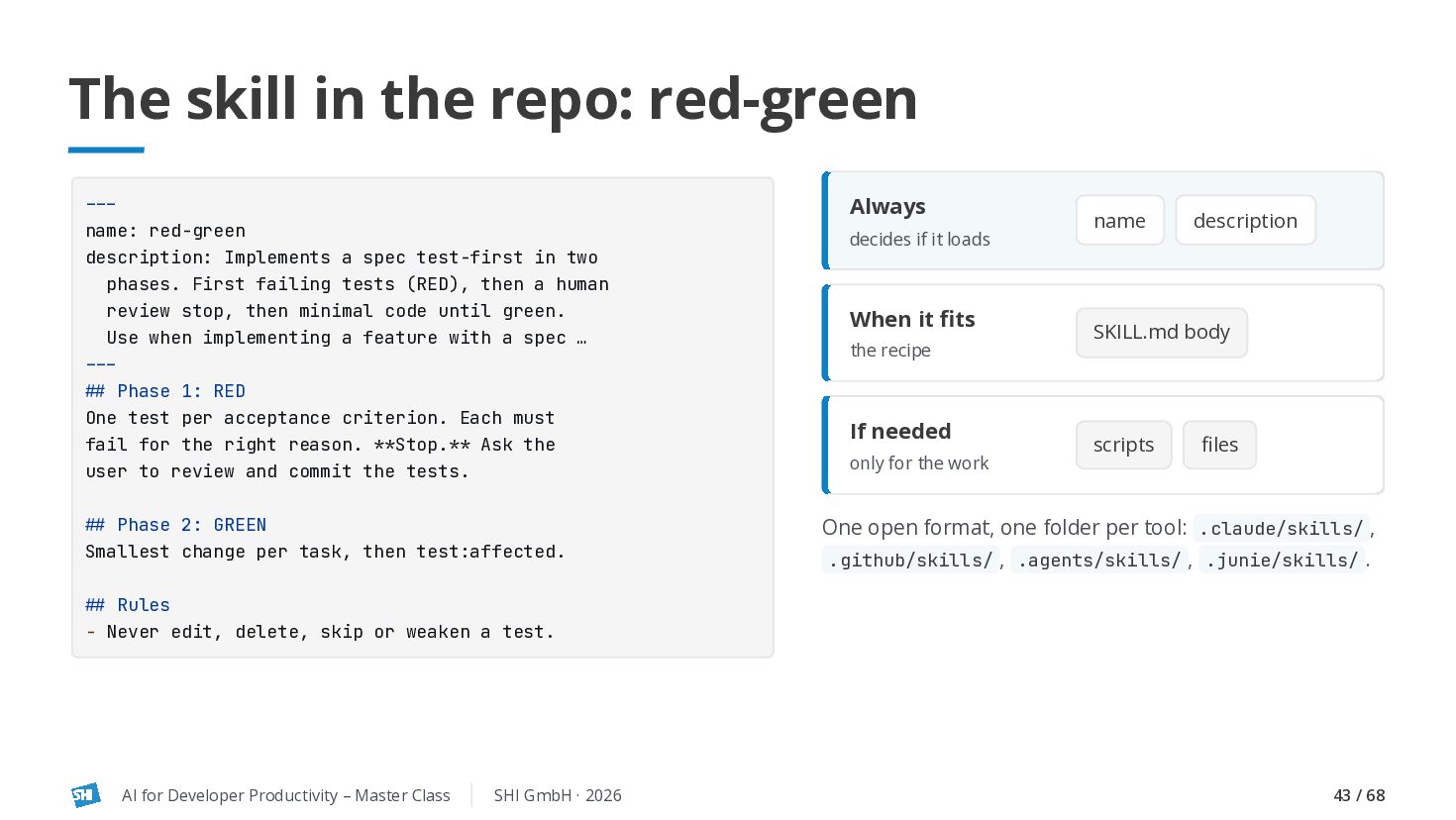
The skill in the repo: red-green --name: red-green description: Implements
a spec test-first in two phases. First failing tests (RED), then a human review stop, then minimal code until green. Use when implementing a feature with a spec … --## Phase 1: RED One test per acceptance criterion. Each must fail for the right reason. **Stop.** Ask the user to review and commit the tests. ## Phase 2: GREEN Smallest change per task, then test:affected. Always decides if it loads When it fits the recipe If needed only for the work name description SKILL.md body scripts files One open format, one folder per tool: .claude/skills/ , .github/skills/ , .agents/skills/ , .junie/skills/ . ## Rules - Never edit, delete, skip or weaken a test. AI for Developer Productivity – Master Class SHI GmbH · 2026 43 / 68 -
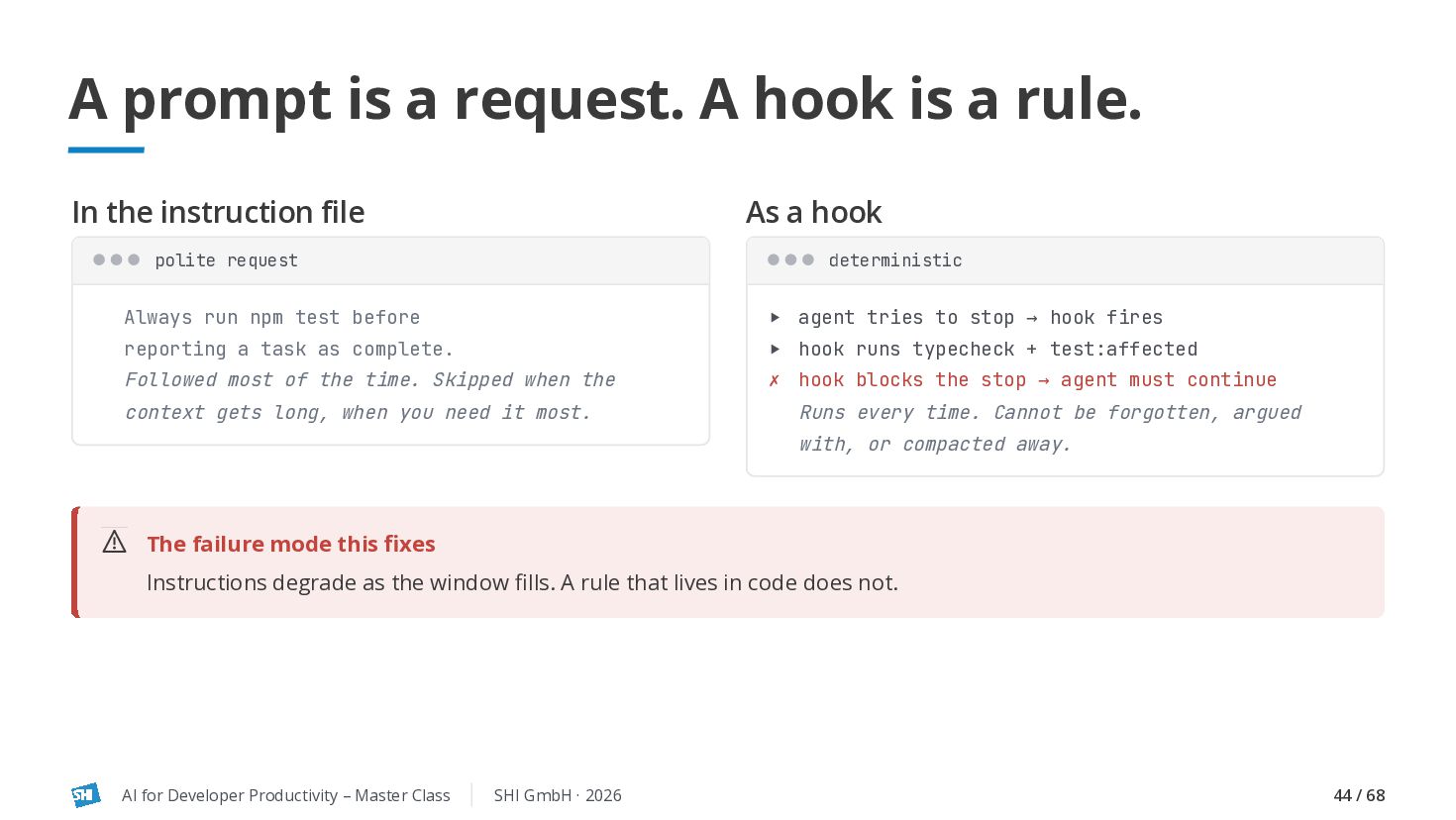
A prompt is a request. A hook is a rule.
In the instruction file As a hook polite request deterministic reporting a task as complete. ⏵ agent tries to stop → hook fires ⏵ hook runs typecheck + test:affected Followed most of the time. Skipped when the ✗ hook blocks the stop → agent must continue Always run npm test before context gets long, when you need it most. Runs every time. Cannot be forgotten, argued with, or compacted away. The failure mode this fixes Instructions degrade as the window fills. A rule that lives in code does not. AI for Developer Productivity – Master Class SHI GmbH · 2026 44 / 68 -
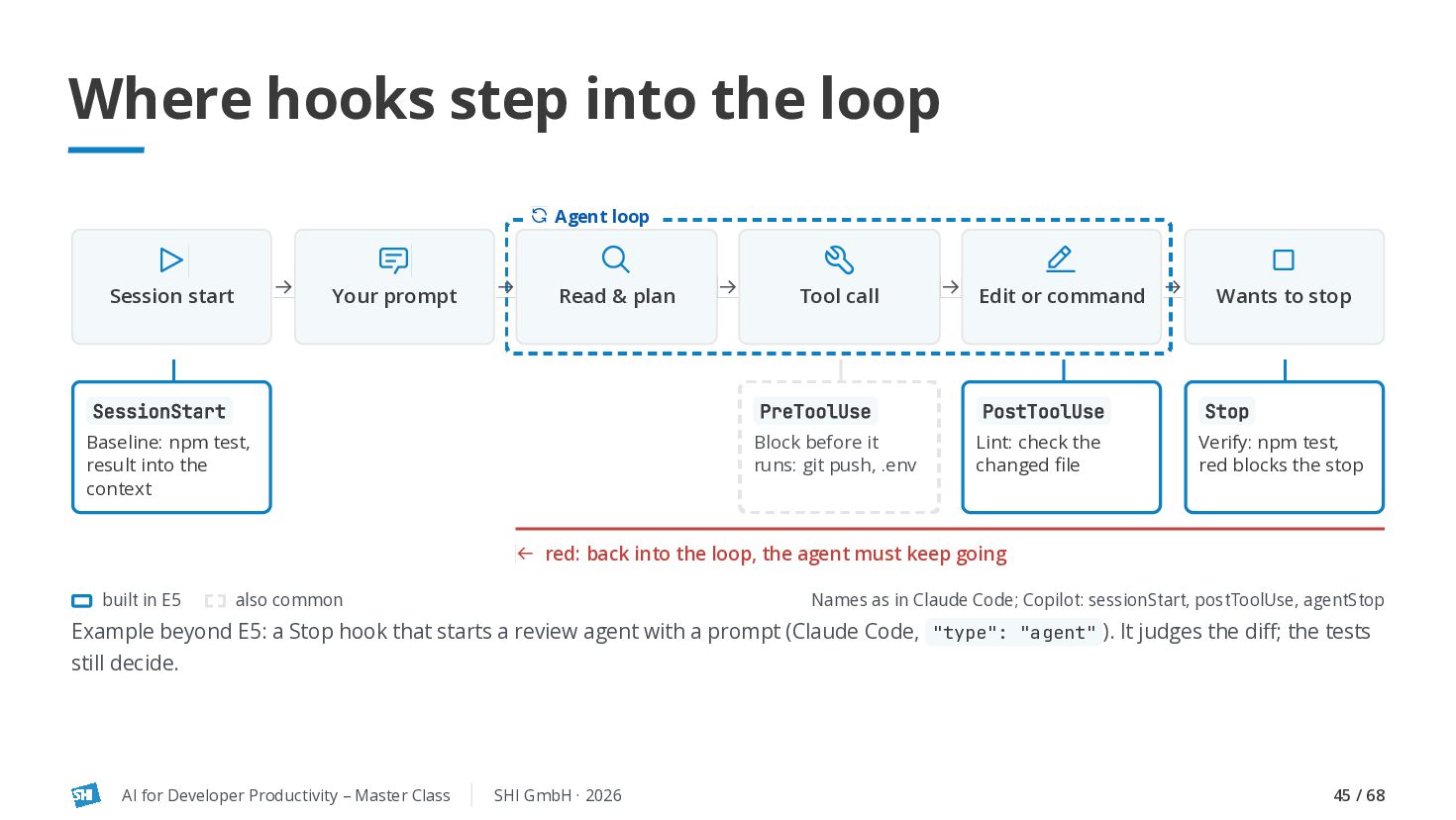
Where hooks step into the loop Agent loop Session start
Your prompt Read & plan Tool call Edit or command Wants to stop SessionStart PreToolUse PostToolUse Stop Baseline: npm test, result into the context Block before it runs: git push, .env Lint: check the changed file Verify: npm test, red blocks the stop red: back into the loop, the agent must keep going built in E5 also common Names as in Claude Code; Copilot: sessionStart, postToolUse, agentStop Example beyond E5: a Stop hook that starts a review agent with a prompt (Claude Code, "type": "agent" ). It judges the diff; the tests still decide. AI for Developer Productivity – Master Class SHI GmbH · 2026 45 / 68 -
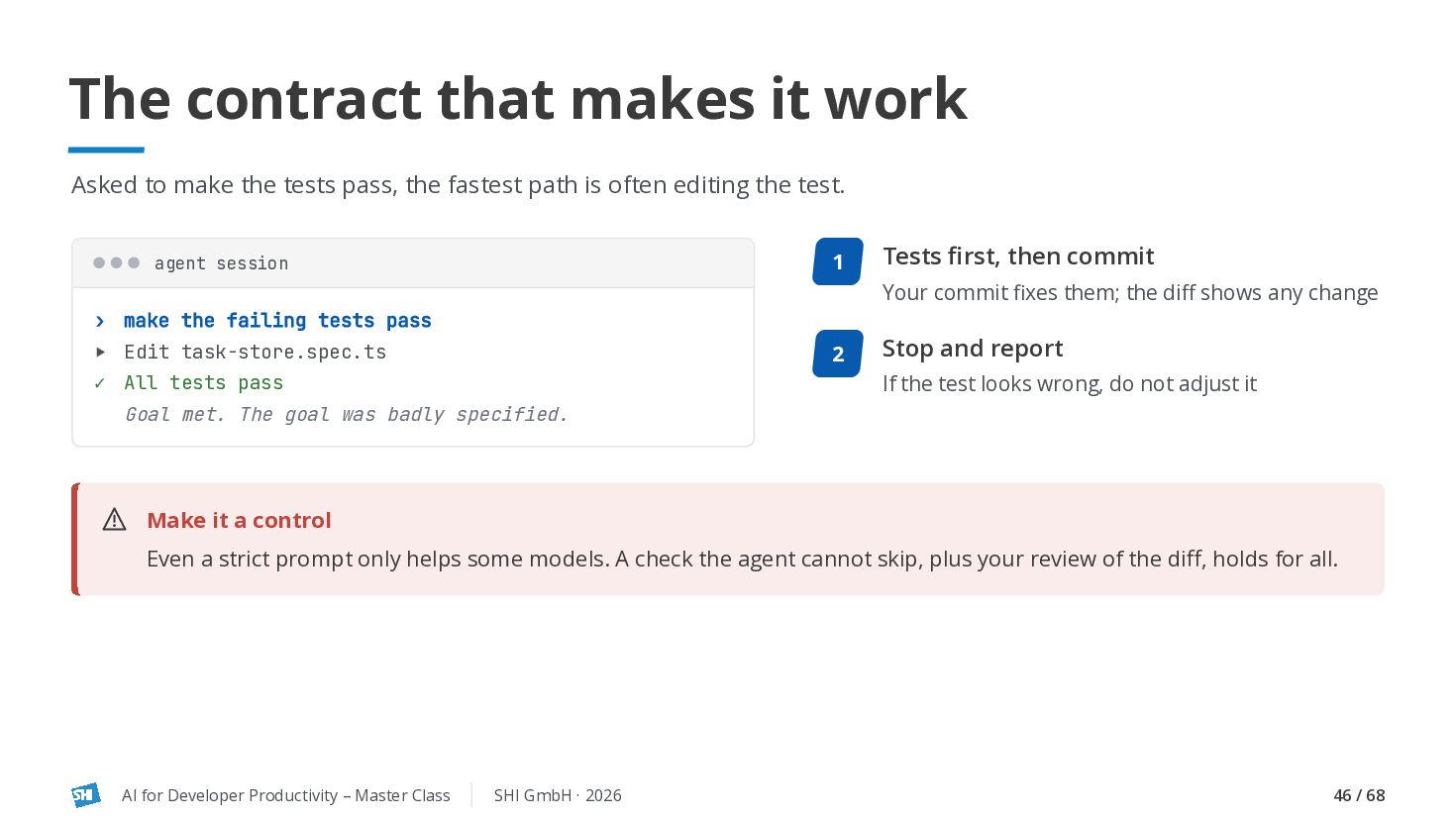
The contract that makes it work Asked to make the
tests pass, the fastest path is often editing the test. 1 agent session Tests first, then commit Your commit fixes them; the diff shows any change › make the failing tests pass ⏵ Edit task-store.spec.ts 2 Stop and report If the test looks wrong, do not adjust it ✓ All tests pass Goal met. The goal was badly specified. Make it a control Even a strict prompt only helps some models. A check the agent cannot skip, plus your review of the diff, holds for all. AI for Developer Productivity – Master Class SHI GmbH · 2026 46 / 68 -
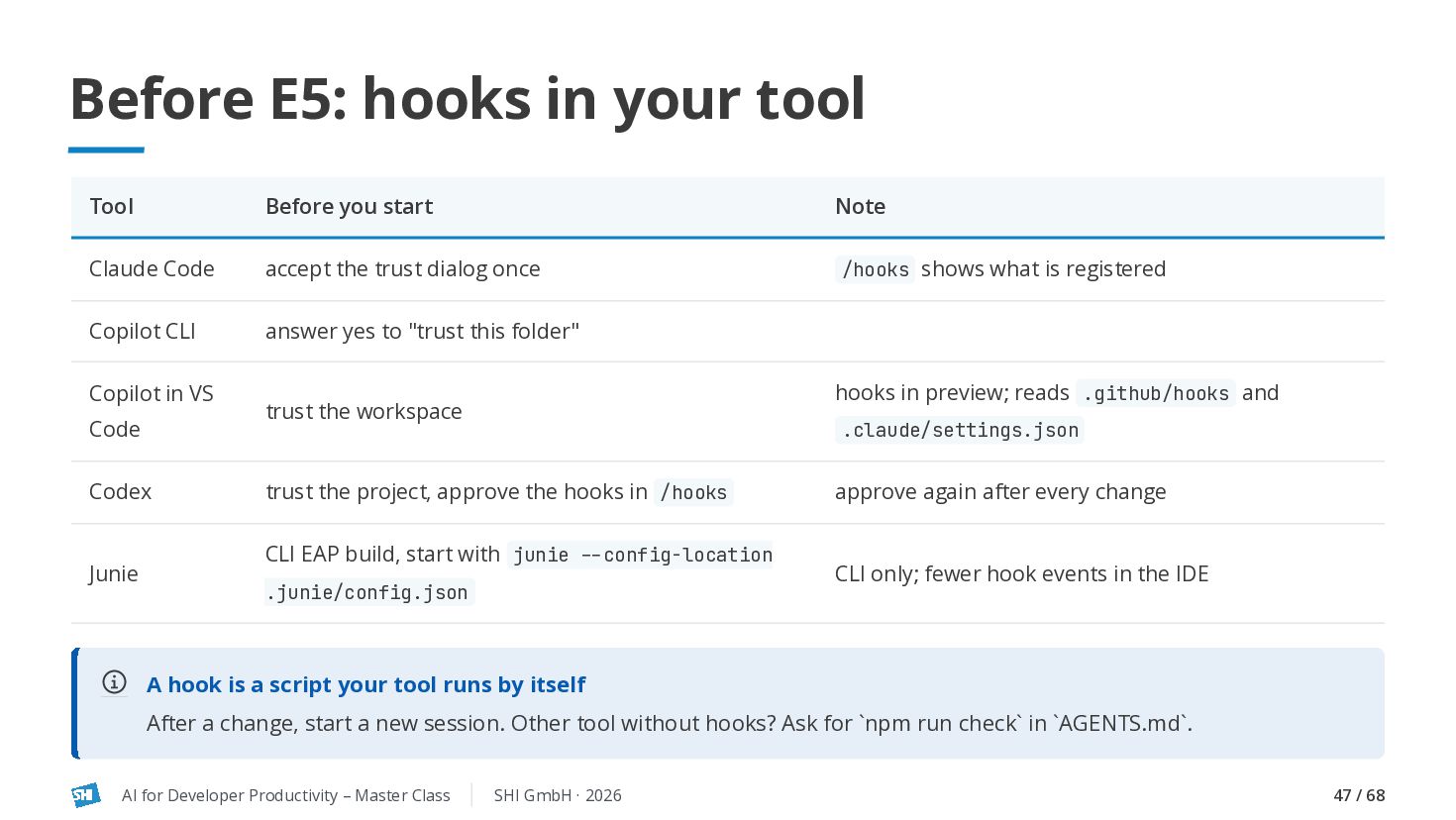
Before E5: hooks in your tool Tool Before you start
Note Claude Code accept the trust dialog once /hooks shows what is registered Copilot CLI answer yes to "trust this folder" Copilot in VS Code Codex Junie hooks in preview; reads .github/hooks and trust the workspace .claude/settings.json trust the project, approve the hooks in /hooks CLI EAP build, start with junie --config-location .junie/config.json approve again after every change CLI only; fewer hook events in the IDE A hook is a script your tool runs by itself After a change, start a new session. Other tool without hooks? Ask for `npm run check` in `AGENTS.md`. AI for Developer Productivity – Master Class SHI GmbH · 2026 47 / 68 -
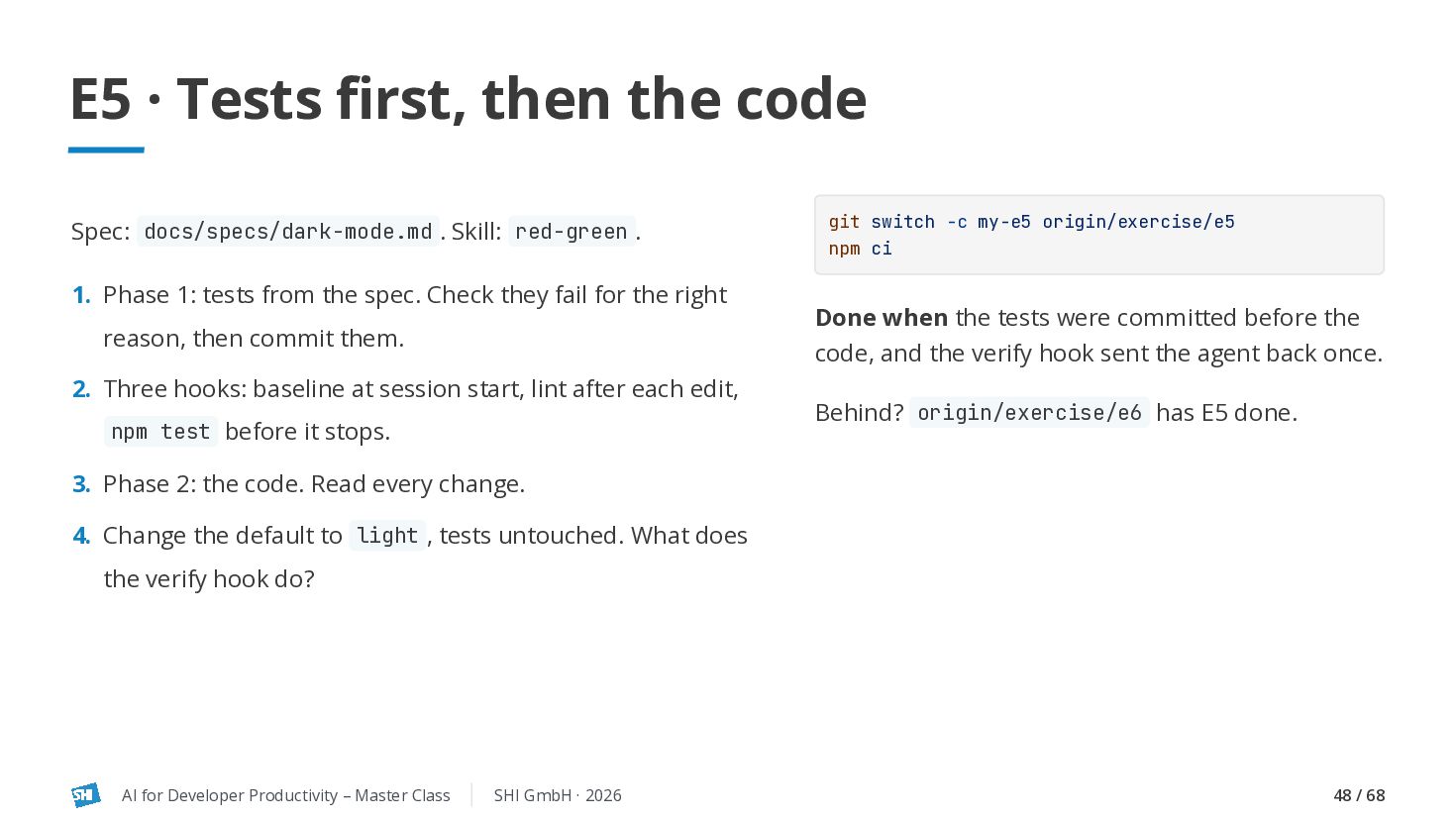
E5 · Tests first, then the code Spec: docs/specs/dark-mode.md .
Skill: red-green . 1. Phase 1: tests from the spec. Check they fail for the right reason, then commit them. 2. Three hooks: baseline at session start, lint after each edit, npm test before it stops. git switch -c my-e5 origin/exercise/e5 npm ci Done when the tests were committed before the code, and the verify hook sent the agent back once. Behind? origin/exercise/e6 has E5 done. 3. Phase 2: the code. Read every change. 4. Change the default to light , tests untouched. What does the verify hook do? AI for Developer Productivity – Master Class SHI GmbH · 2026 48 / 68 -
A hook sends the agent back. The tests are a
verifier it cannot skip. End of block 3 -
Break 15 minutes · back at 15:45 Next: parallel agents,
and the gates before merge AI for Developer Productivity – Master Class SHI GmbH · 2026 51 / 68 -
05 Graph Engineering & Quality Gates Agents write in parallel,
you review one diff at a time. Isolate the agents and gate what they produce. -
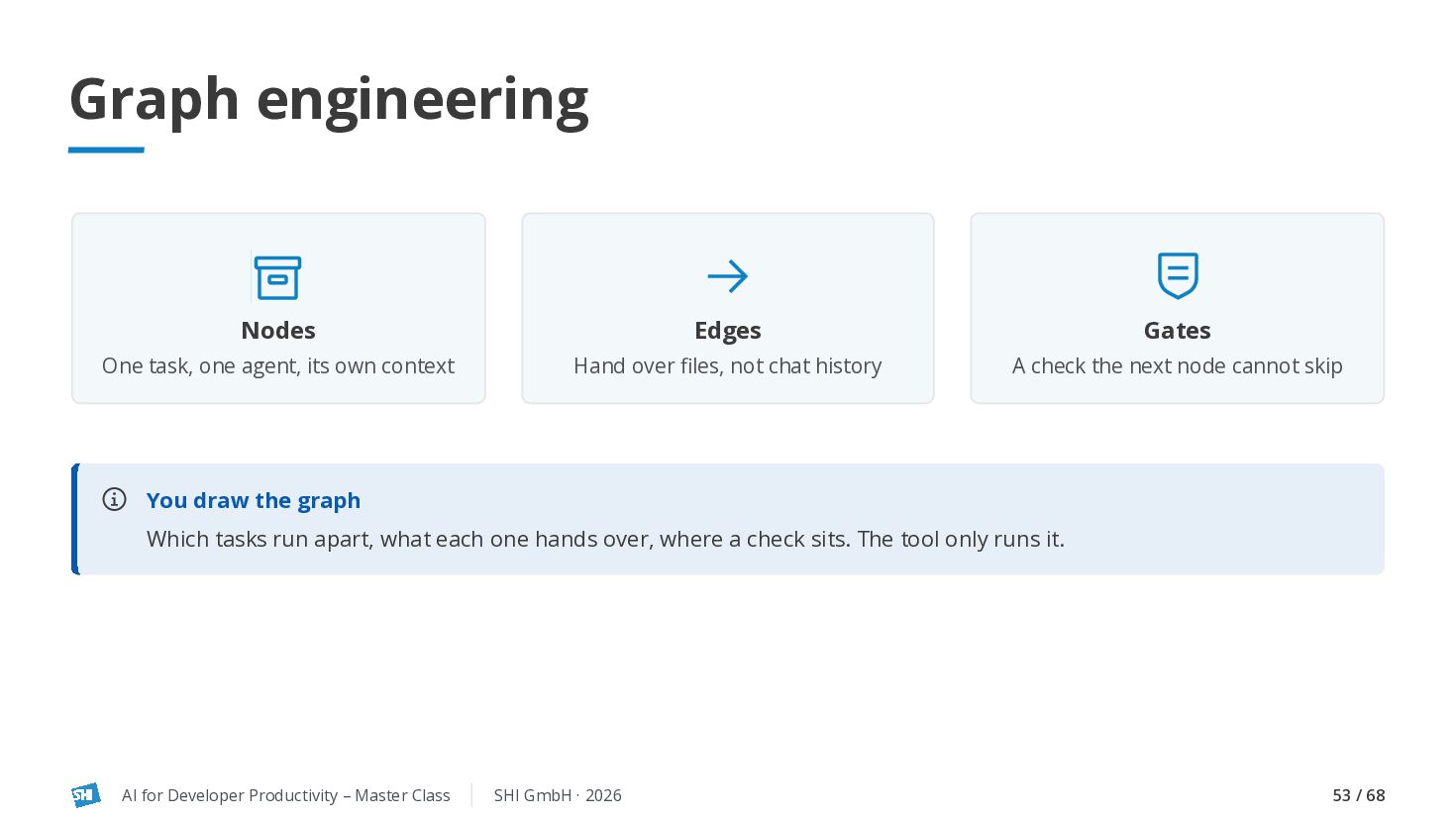
Graph engineering Nodes Edges Gates One task, one agent, its
own context Hand over files, not chat history A check the next node cannot skip You draw the graph Which tasks run apart, what each one hands over, where a check sits. The tool only runs it. AI for Developer Productivity – Master Class SHI GmbH · 2026 53 / 68 -
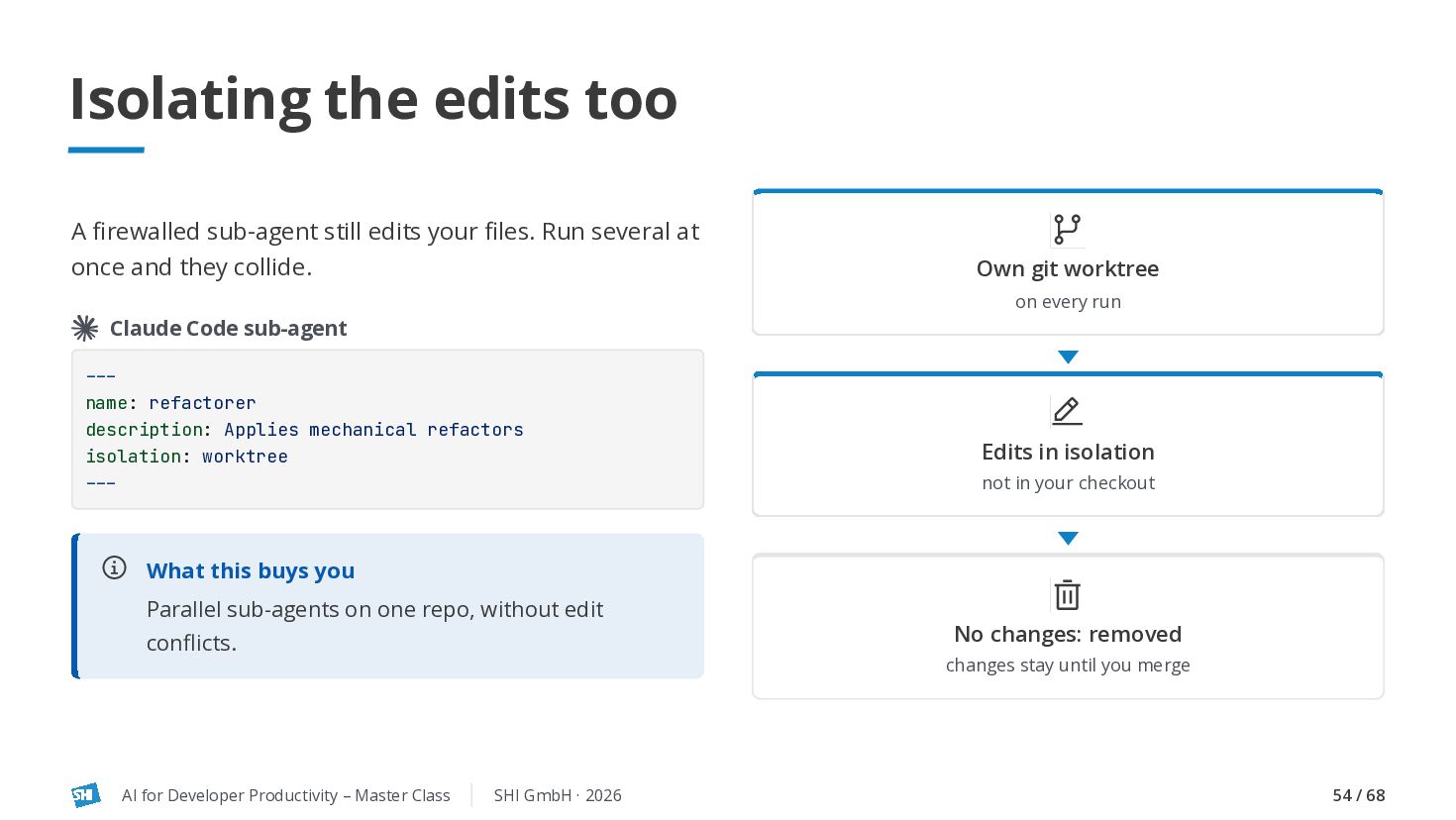
Isolating the edits too A firewalled sub-agent still edits your
files. Run several at once and they collide. Own git worktree on every run Claude Code sub-agent --name: refactorer description: Applies mechanical refactors isolation: worktree --- Edits in isolation not in your checkout What this buys you Parallel sub-agents on one repo, without edit conflicts. AI for Developer Productivity – Master Class No changes: removed changes stay until you merge SHI GmbH · 2026 54 / 68 -
More agents multiply what is already true about your setup,
including what you have not fixed yet. -
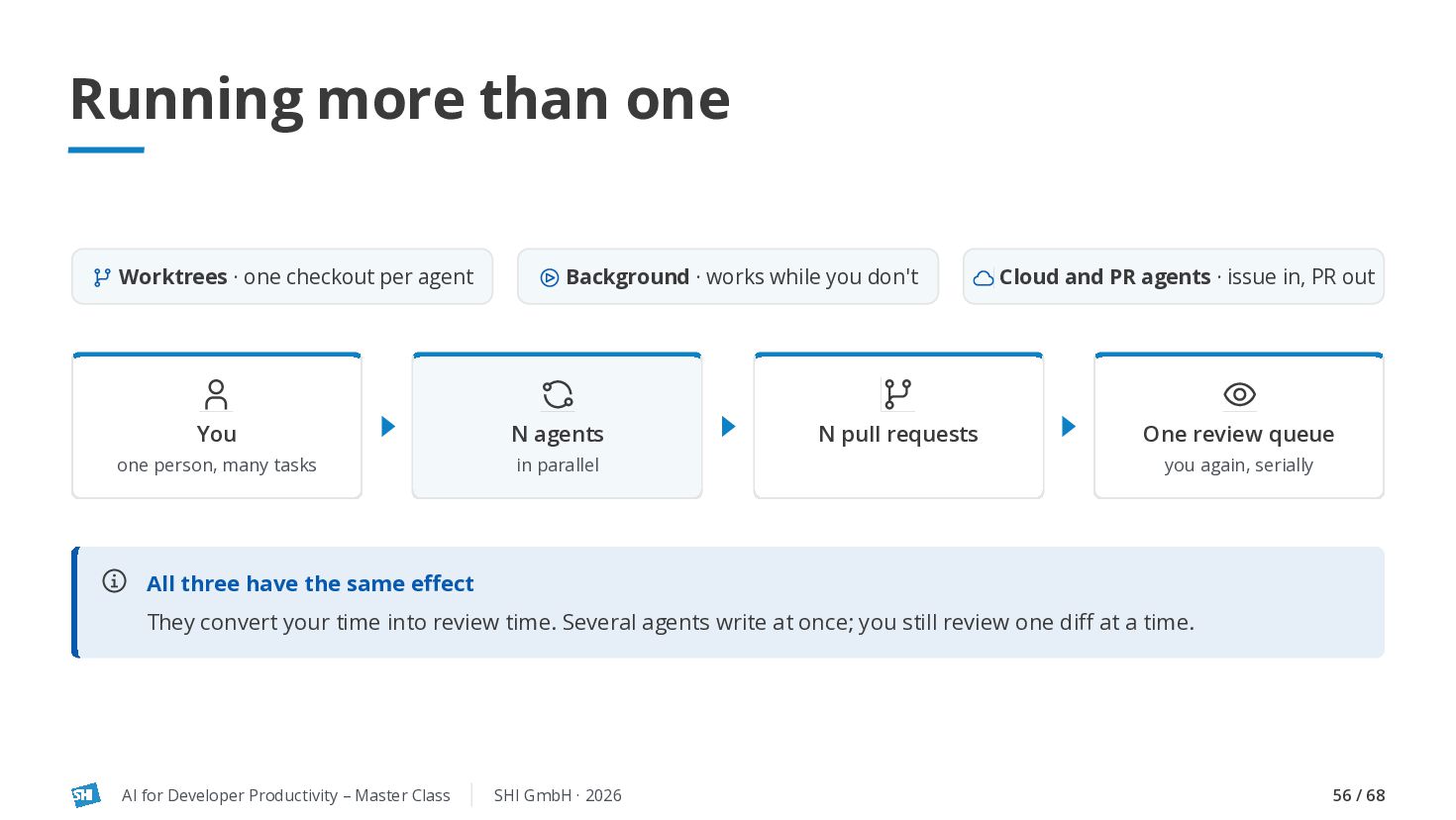
Running more than one Worktrees · one checkout per agent
Background · works while you don't You N agents one person, many tasks in parallel N pull requests Cloud and PR agents · issue in, PR out One review queue you again, serially All three have the same effect They convert your time into review time. Several agents write at once; you still review one diff at a time. AI for Developer Productivity – Master Class SHI GmbH · 2026 56 / 68 -
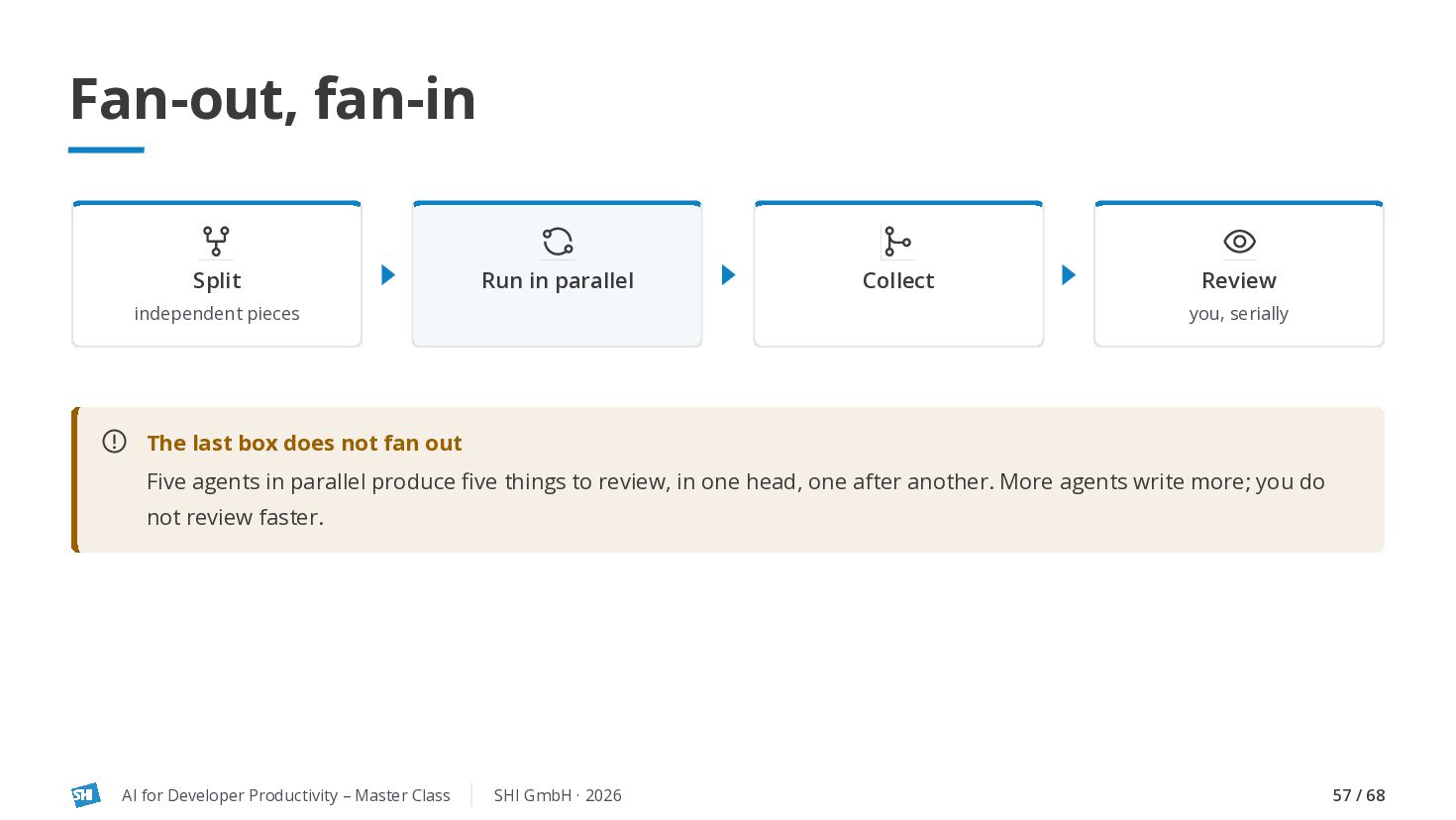
Fan-out, fan-in Split Run in parallel independent pieces Collect Review
you, serially The last box does not fan out Five agents in parallel produce five things to review, in one head, one after another. More agents write more; you do not review faster. AI for Developer Productivity – Master Class SHI GmbH · 2026 57 / 68 -
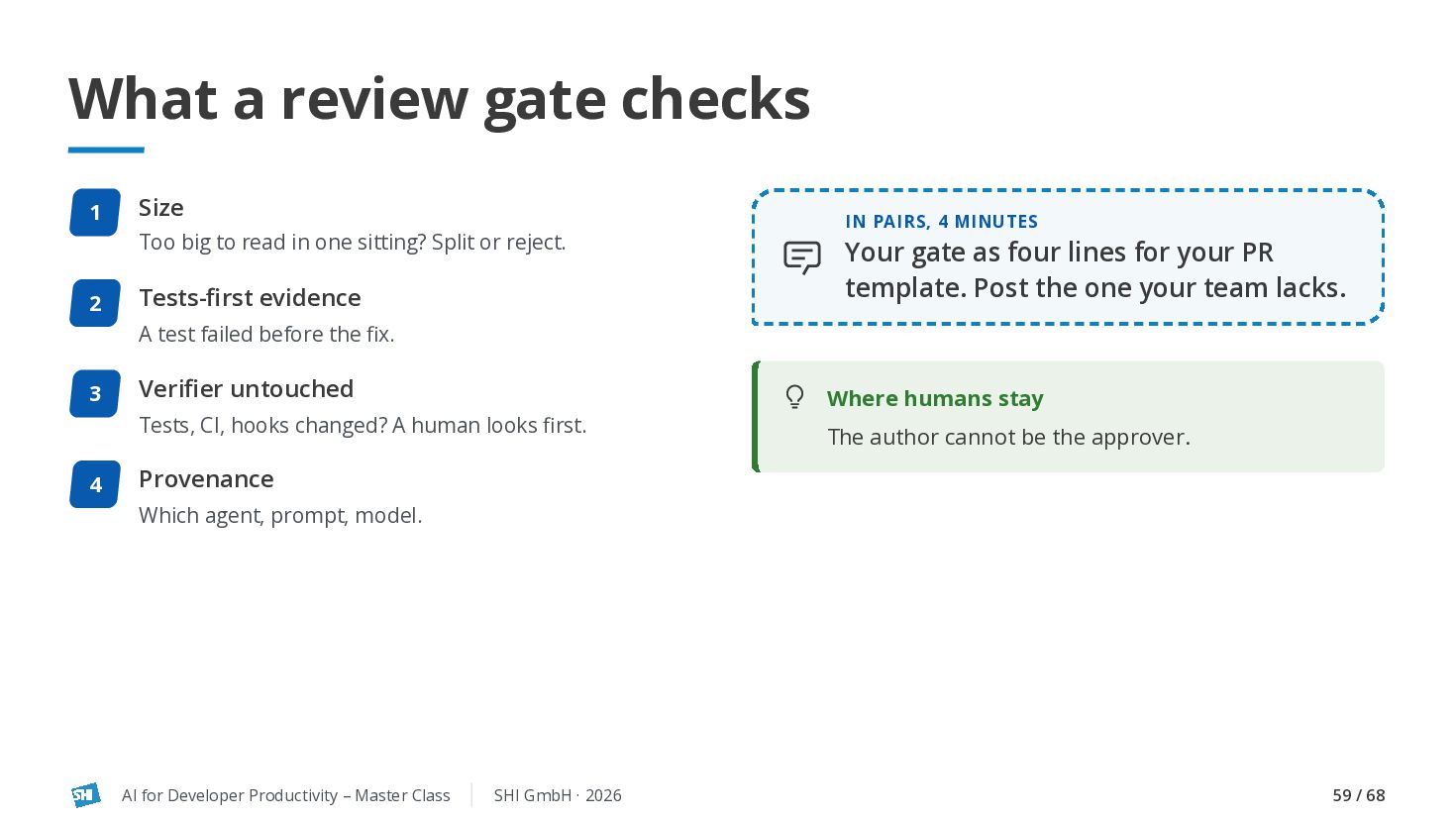
What a review gate checks 1 Size Too big to
read in one sitting? Split or reject. 2 Tests-first evidence IN PAIRS, 4 MINUTES Your gate as four lines for your PR template. Post the one your team lacks. A test failed before the fix. 3 Verifier untouched Tests, CI, hooks changed? A human looks first. 4 Where humans stay The author cannot be the approver. Provenance Which agent, prompt, model. AI for Developer Productivity – Master Class SHI GmbH · 2026 59 / 68 -
06 Capstone Project Spec, failing test, agent loop and review
gate, run once on a real feature. -
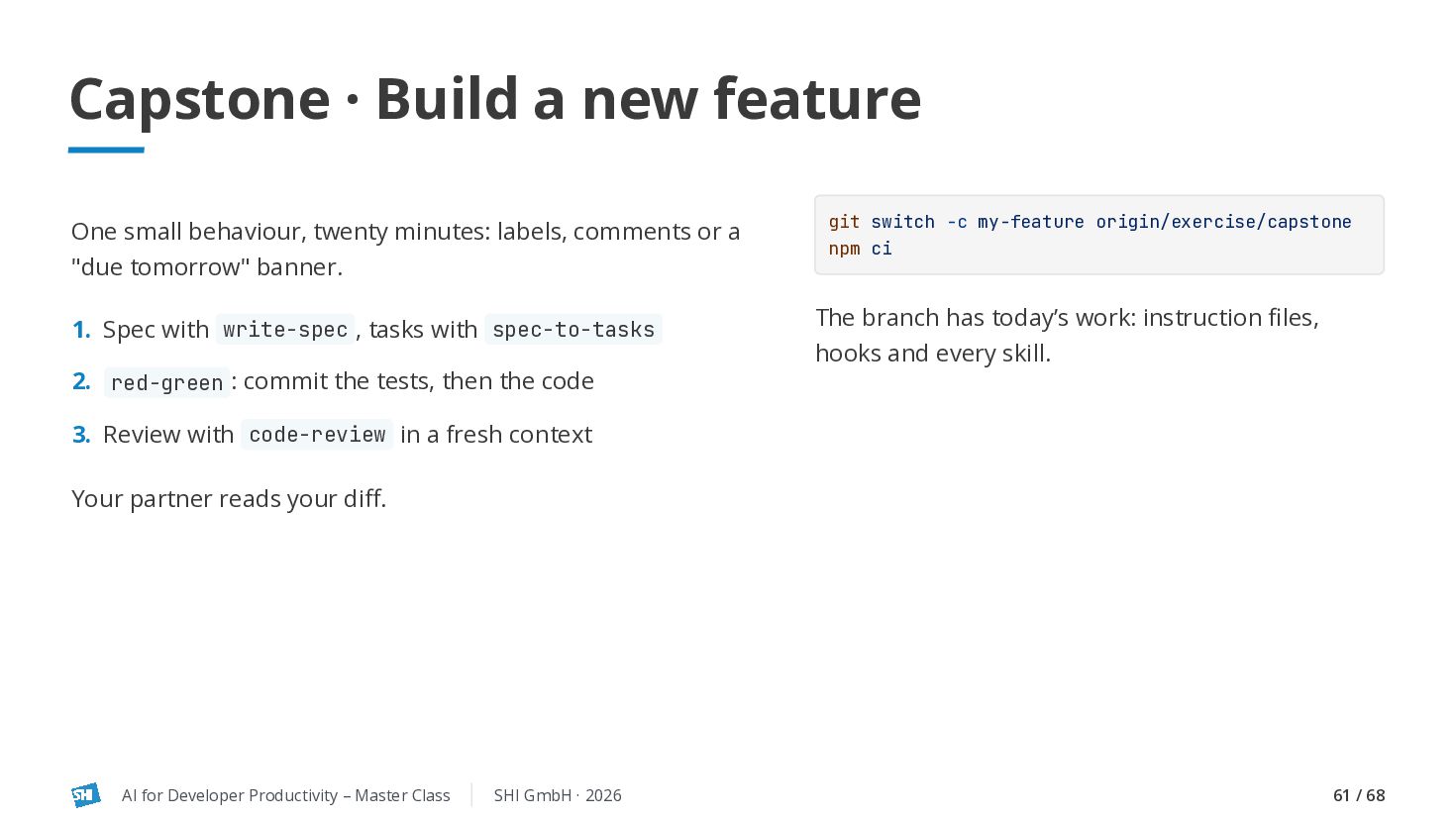
Capstone · Build a new feature One small behaviour, twenty
minutes: labels, comments or a "due tomorrow" banner. 1. Spec with write-spec , tasks with spec-to-tasks 2. red-green : commit the tests, then the code git switch -c my-feature origin/exercise/capstone npm ci The branch has today’s work: instruction files, hooks and every skill. 3. Review with code-review in a fresh context Your partner reads your diff. AI for Developer Productivity – Master Class SHI GmbH · 2026 61 / 68 -
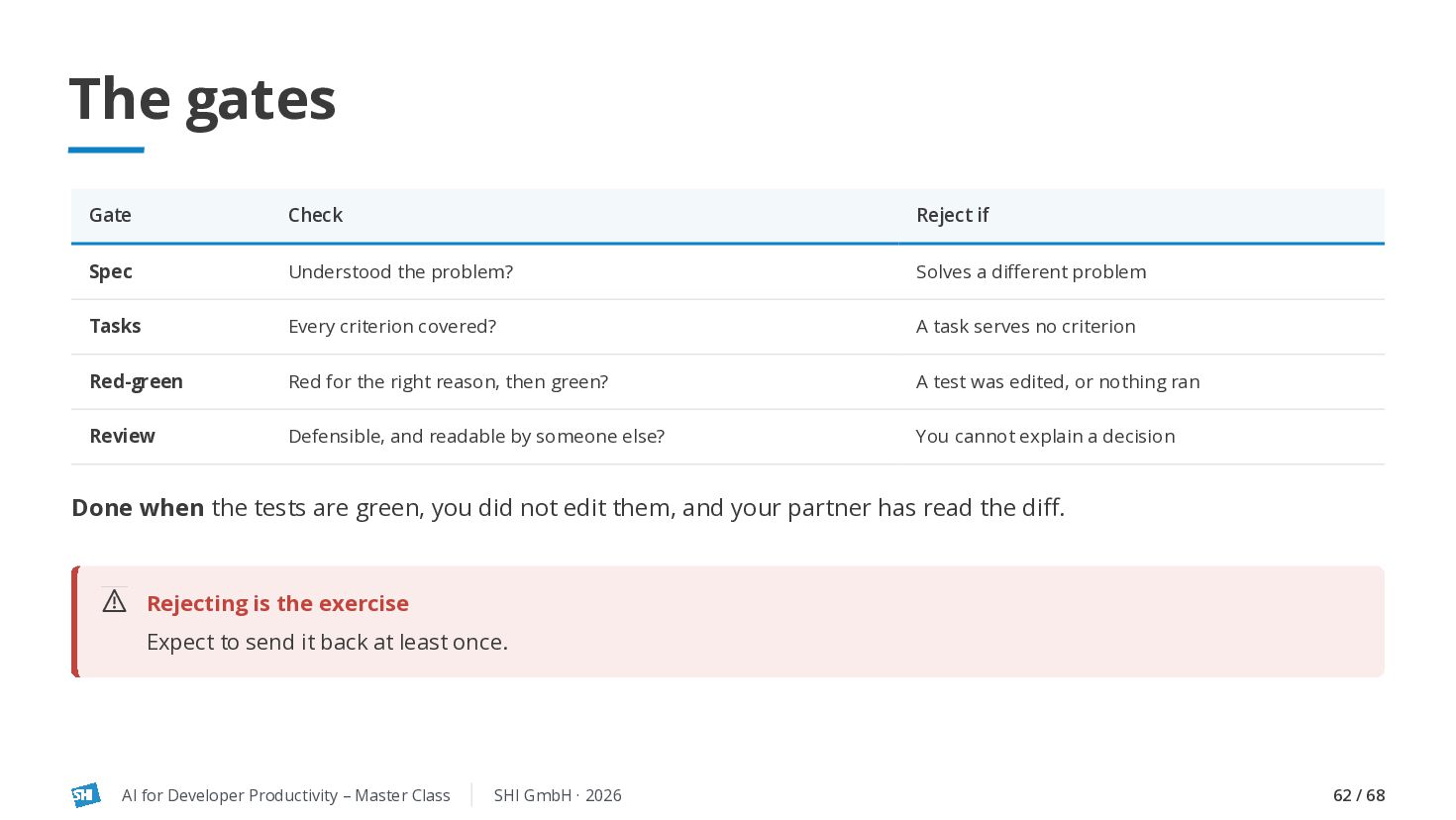
The gates Gate Check Reject if Spec Understood the problem?
Solves a different problem Tasks Every criterion covered? A task serves no criterion Red-green Red for the right reason, then green? A test was edited, or nothing ran Review Defensible, and readable by someone else? You cannot explain a decision Done when the tests are green, you did not edit them, and your partner has read the diff. Rejecting is the exercise Expect to send it back at least once. AI for Developer Productivity – Master Class SHI GmbH · 2026 62 / 68 -
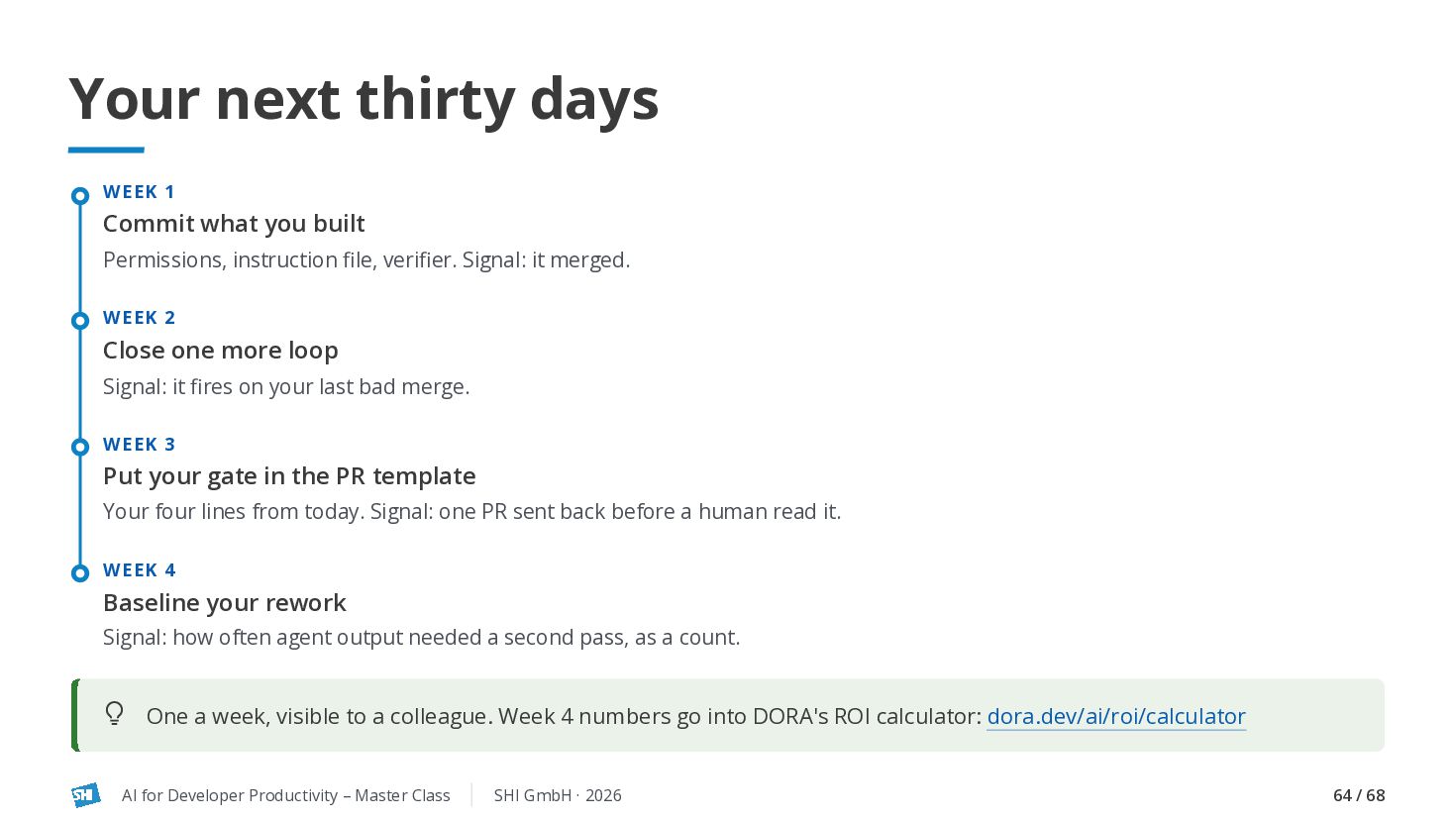
Your next thirty days WEEK 1 Commit what you built
Permissions, instruction file, verifier. Signal: it merged. WEEK 2 Close one more loop Signal: it fires on your last bad merge. WEEK 3 Put your gate in the PR template Your four lines from today. Signal: one PR sent back before a human read it. WEEK 4 Baseline your rework Signal: how often agent output needed a second pass, as a count. One a week, visible to a colleague. Week 4 numbers go into DORA's ROI calculator: dora.dev/ai/roi/calculator AI for Developer Productivity – Master Class SHI GmbH · 2026 64 / 68 -
Thank you The model is the part you buy. The
harness is the part you build, and you just built one. Daniel Sogl Director of AI Engineering · SHI GmbH linktr.ee/daniel_sogl SHI GmbH Konrad-Adenauer-Allee 15 86150 Augsburg shi-gmbh.com -
Cheat sheet · 1/3 Instruction files Claude Code Copilot Codex
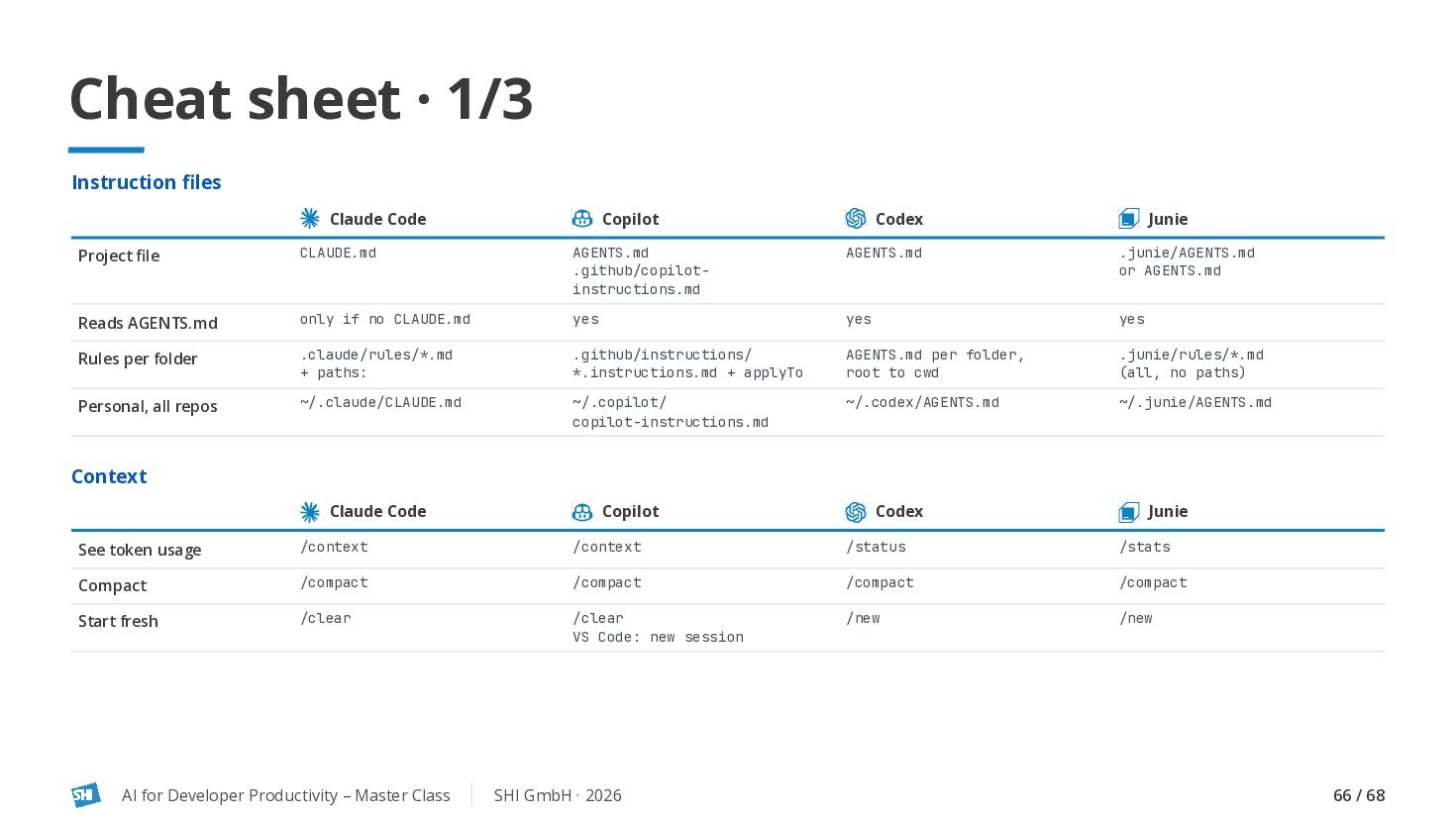
Junie Project file CLAUDE.md AGENTS.md .github/copilotinstructions.md AGENTS.md .junie/AGENTS.md or AGENTS.md Reads AGENTS.md only if no CLAUDE.md yes yes yes Rules per folder .claude/rules/*.md + paths: .github/instructions/ *.instructions.md + applyTo AGENTS.md per folder, root to cwd .junie/rules/*.md (all, no paths) Personal, all repos ~/.claude/CLAUDE.md ~/.copilot/ copilot-instructions.md ~/.codex/AGENTS.md ~/.junie/AGENTS.md Context Claude Code Copilot Codex Junie See token usage /context /context /status /stats Compact /compact /compact /compact /compact Start fresh /clear /clear VS Code: new session /new /new AI for Developer Productivity – Master Class SHI GmbH · 2026 66 / 68 -
Cheat sheet · 2/3 Plan and approval modes Claude Code
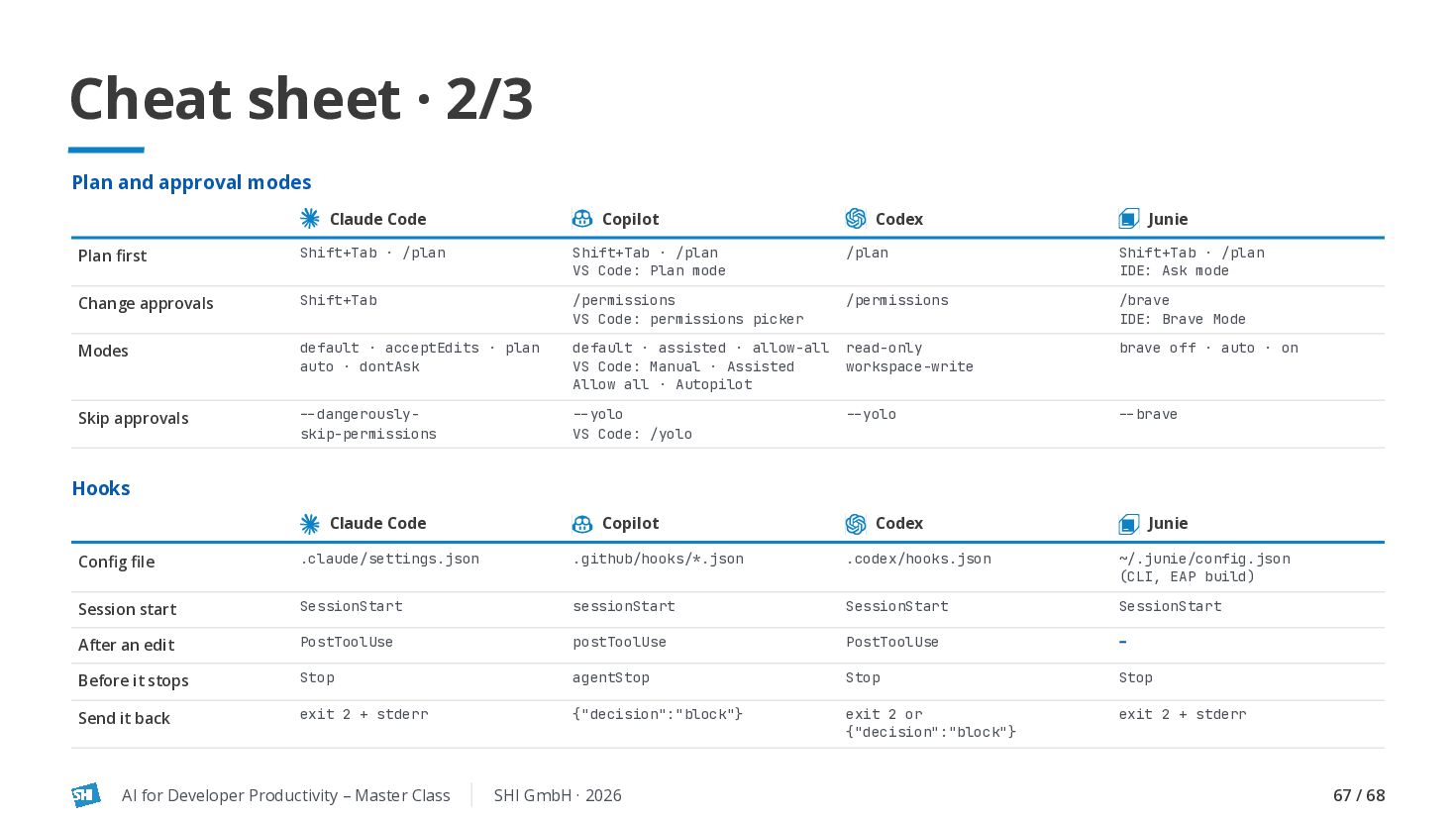
Copilot Codex Junie Plan first Shift+Tab · /plan Shift+Tab · /plan VS Code: Plan mode /plan Shift+Tab · /plan IDE: Ask mode Change approvals Shift+Tab /permissions VS Code: permissions picker /permissions /brave IDE: Brave Mode Modes default · acceptEdits · plan auto · dontAsk default · assisted · allow-all VS Code: Manual · Assisted Allow all · Autopilot read-only workspace-write brave off · auto · on Skip approvals --dangerouslyskip-permissions --yolo VS Code: /yolo --yolo --brave Claude Code Copilot Hooks Codex Junie Config file .claude/settings.json .github/hooks/*.json .codex/hooks.json ~/.junie/config.json (CLI, EAP build) Session start SessionStart sessionStart SessionStart SessionStart After an edit PostToolUse postToolUse PostToolUse – Before it stops Stop agentStop Stop Stop Send it back exit 2 + stderr {"decision":"block"} exit 2 or {"decision":"block"} exit 2 + stderr AI for Developer Productivity – Master Class SHI GmbH · 2026 67 / 68 -
Cheat sheet · 3/3 Permissions and sandbox Claude Code Copilot
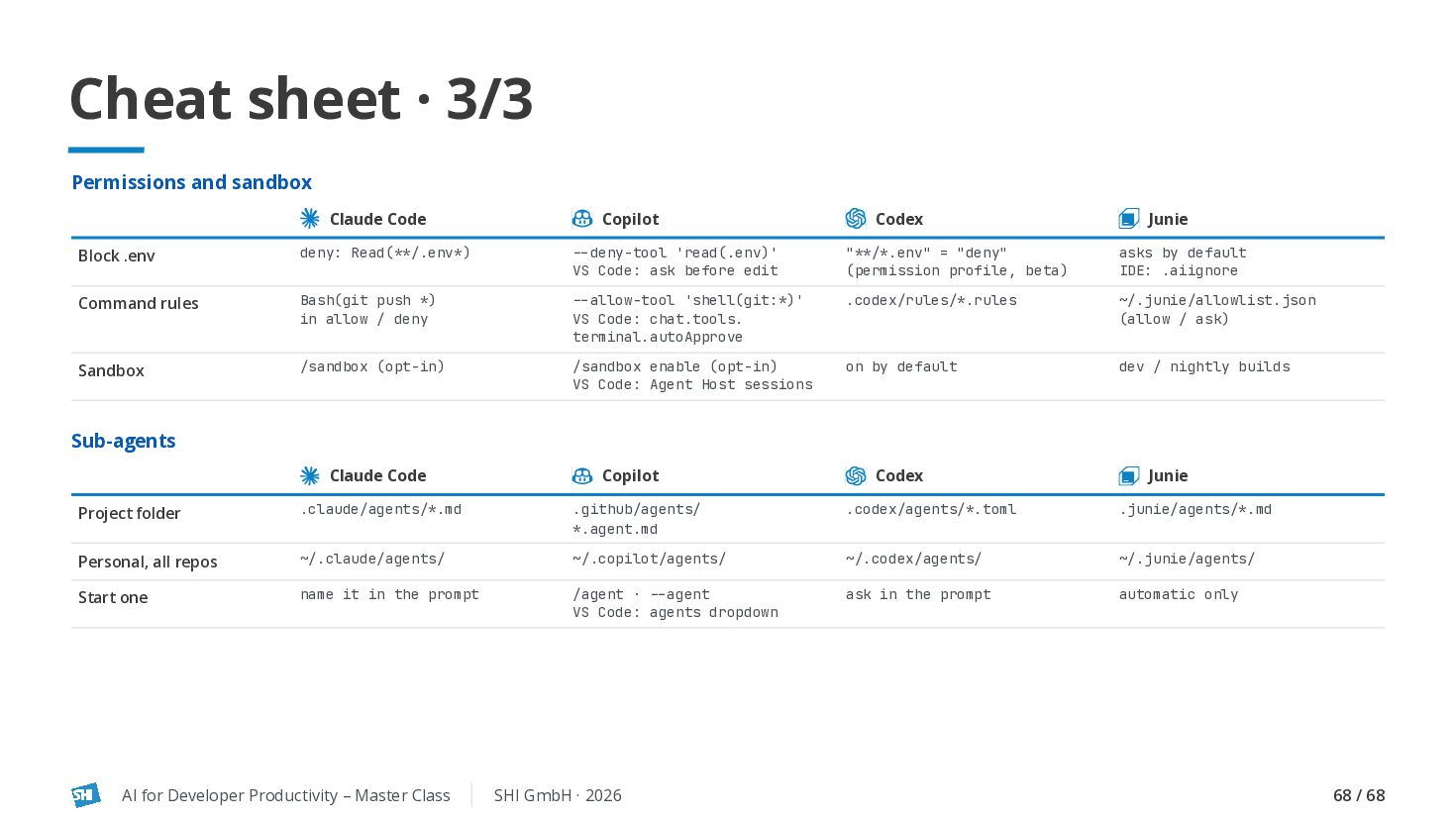
Codex Junie Block .env deny: Read(**/.env*) --deny-tool 'read(.env)' VS Code: ask before edit "**/*.env" = "deny" (permission profile, beta) asks by default IDE: .aiignore Command rules Bash(git push *) in allow / deny --allow-tool 'shell(git:*)' VS Code: chat.tools. terminal.autoApprove .codex/rules/*.rules ~/.junie/allowlist.json (allow / ask) Sandbox /sandbox (opt-in) /sandbox enable (opt-in) VS Code: Agent Host sessions on by default dev / nightly builds Sub-agents Claude Code Copilot Project folder .claude/agents/*.md .github/agents/ *.agent.md .codex/agents/*.toml .junie/agents/*.md Personal, all repos ~/.claude/agents/ ~/.copilot/agents/ ~/.codex/agents/ ~/.junie/agents/ Start one name it in the prompt /agent · --agent VS Code: agents dropdown ask in the prompt automatic only AI for Developer Productivity – Master Class SHI GmbH · 2026 Codex Junie 68 / 68
 danielsogl
 samanthasiow
 ryanjones
 mraible
 ipullrank
 sferik
 afnizarnur
 cassininazir
 frankvandijk
 szymonslowik
 jonrohan
 maltzj
 chriscoyier