Upgrade to Pro — share decks privately, control downloads, hide ads and more …

Databases, l2

Avatar for Dilyara Akhmetova Dilyara Akhmetova
July 26, 2024
10

Databases, l2

Avatar for Dilyara Akhmetova

Dilyara Akhmetova

July 26, 2024

Transcript

  1. 2 WHY POSTGRESQL? PostgreSQL is an advanced object-relational database management

    system that supports an extended subset of the SQL standard, including transactions, foreign keys, subqueries, triggers, user-defined types and functions.
  2. 3 WHY POSTGRESQL? • Completely Open source • Comprehensive documentation

    and active discussion forums • PostgreSQL performance is utilized best in systems requiring execution of complex queries • PostgreSQL is best suited for Data Warehousing and data analysis applications that require fast read/write speeds • Supported by all major cloud service providers, including Amazon, Google, & Microsoft
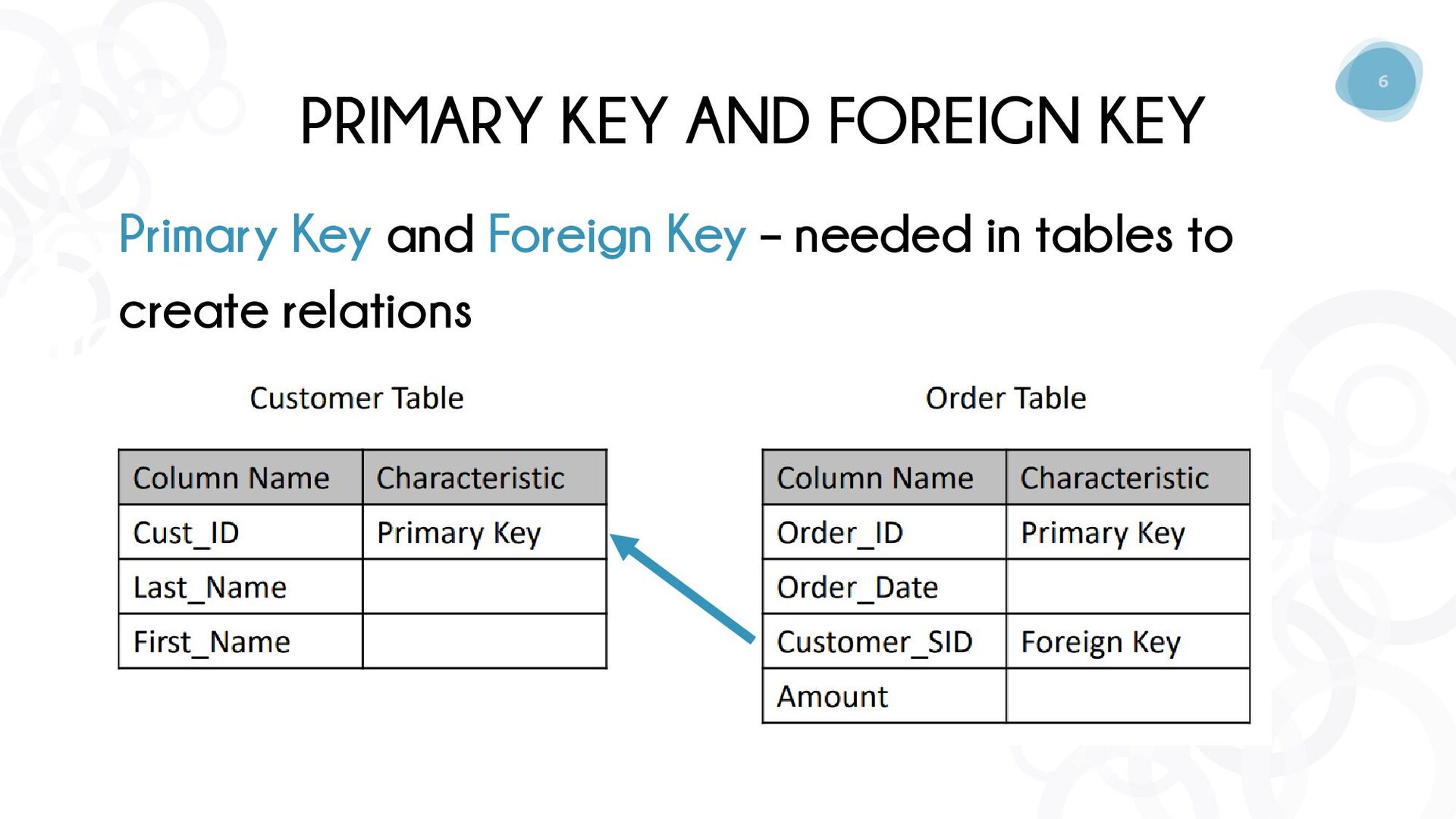
  3. 6 PRIMARY KEY AND FOREIGN KEY Primary Key and Foreign

    Key – needed in tables to create relations
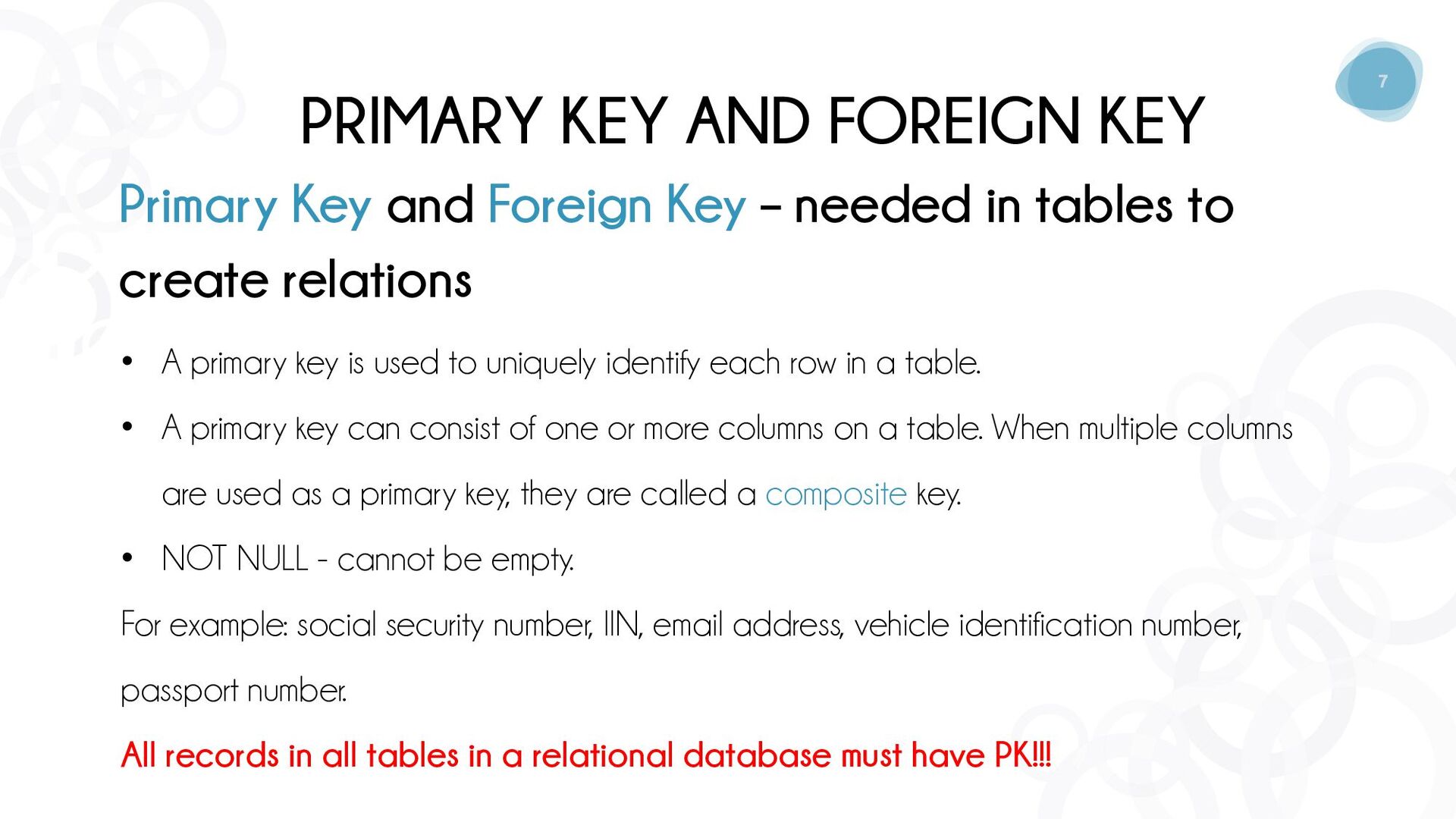
  4. 7 PRIMARY KEY AND FOREIGN KEY Primary Key and Foreign

    Key – needed in tables to create relations • A primary key is used to uniquely identify each row in a table. • A primary key can consist of one or more columns on a table. When multiple columns are used as a primary key, they are called a composite key. • NOT NULL - cannot be empty. For example: social security number, IIN, email address, vehicle identification number, passport number. All records in all tables in a relational database must have PK!!!
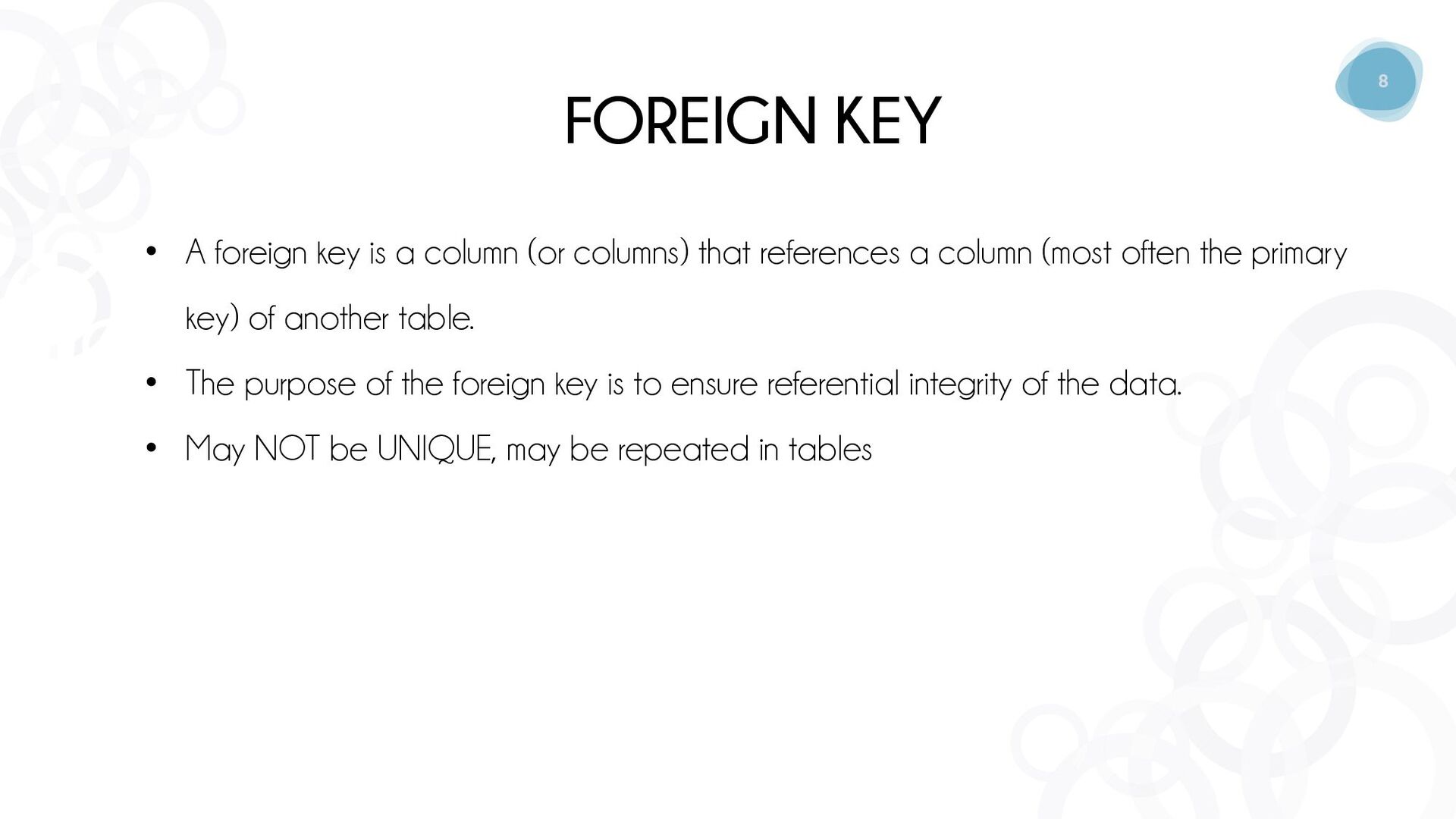
  5. 8 FOREIGN KEY • A foreign key is a column

    (or columns) that references a column (most often the primary key) of another table. • The purpose of the foreign key is to ensure referential integrity of the data. • May NOT be UNIQUE, may be repeated in tables
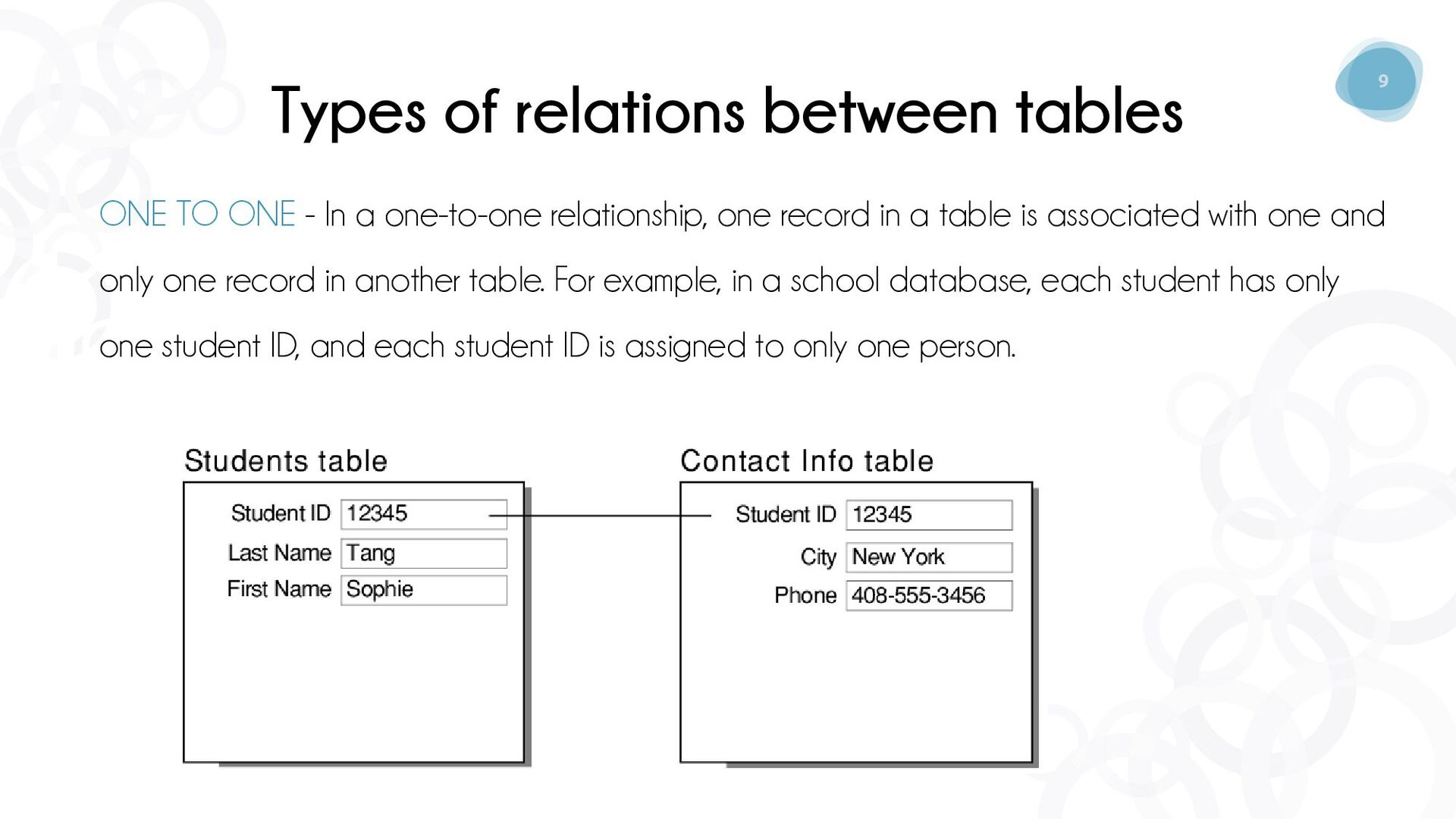
  6. 9 Types of relations between tables ONE TO ONE -

    In a one-to-one relationship, one record in a table is associated with one and only one record in another table. For example, in a school database, each student has only one student ID, and each student ID is assigned to only one person.
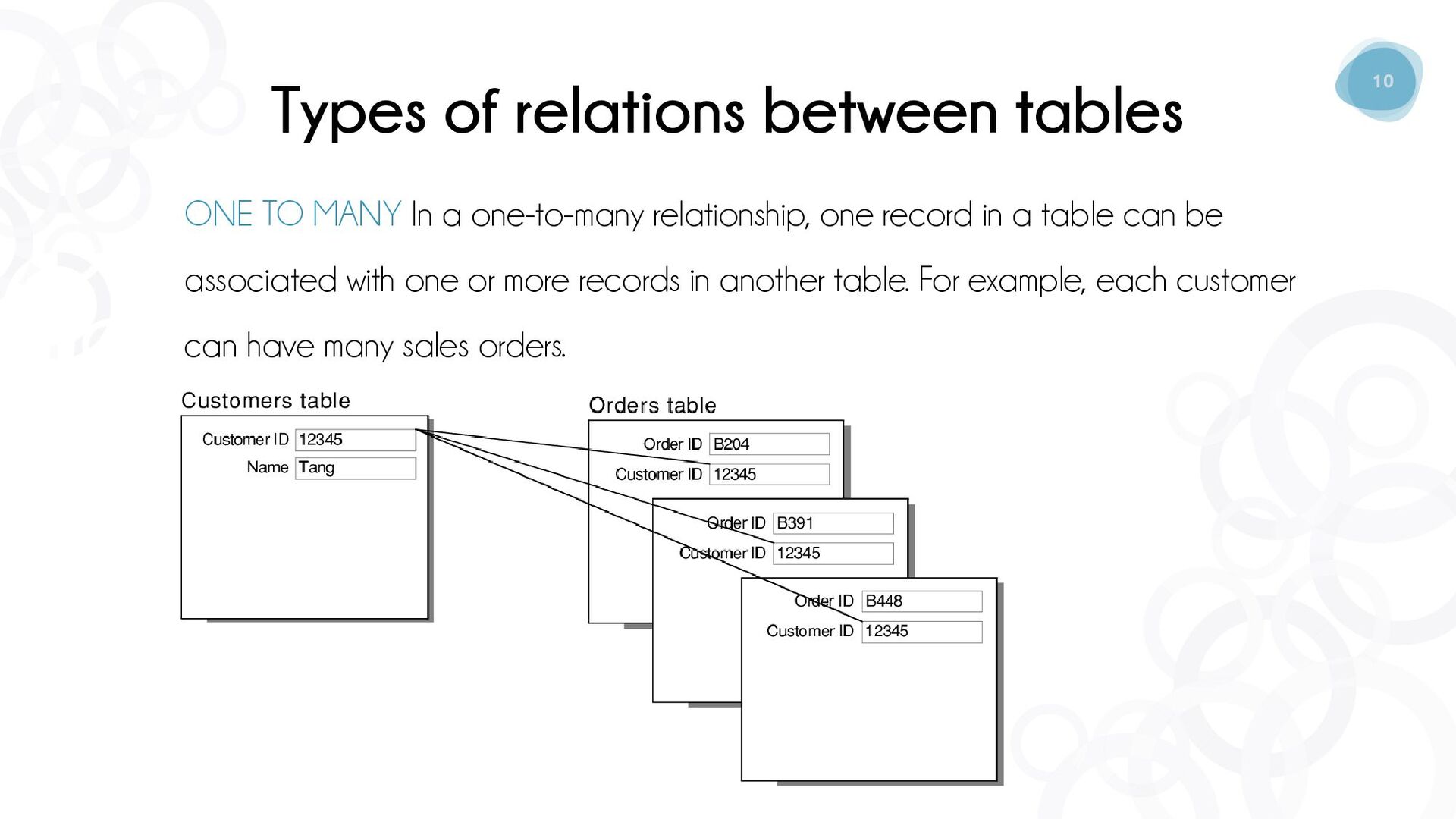
  7. 10 Types of relations between tables ONE TO MANY In

    a one-to-many relationship, one record in a table can be associated with one or more records in another table. For example, each customer can have many sales orders.
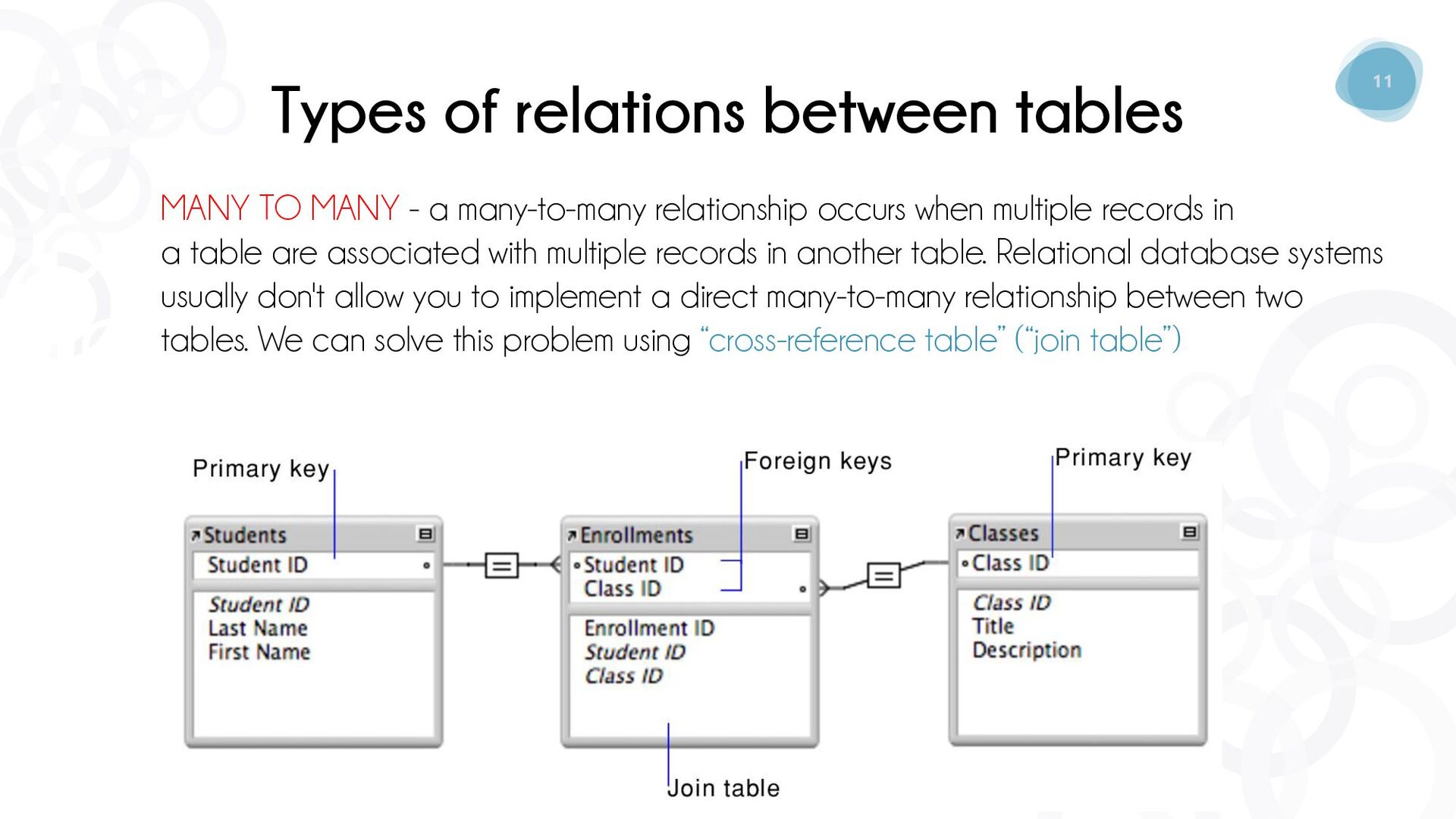
  8. 11 Types of relations between tables MANY TO MANY -

    a many-to-many relationship occurs when multiple records in a table are associated with multiple records in another table. Relational database systems usually don't allow you to implement a direct many-to-many relationship between two tables. We can solve this problem using “cross-reference table” (“join table”)
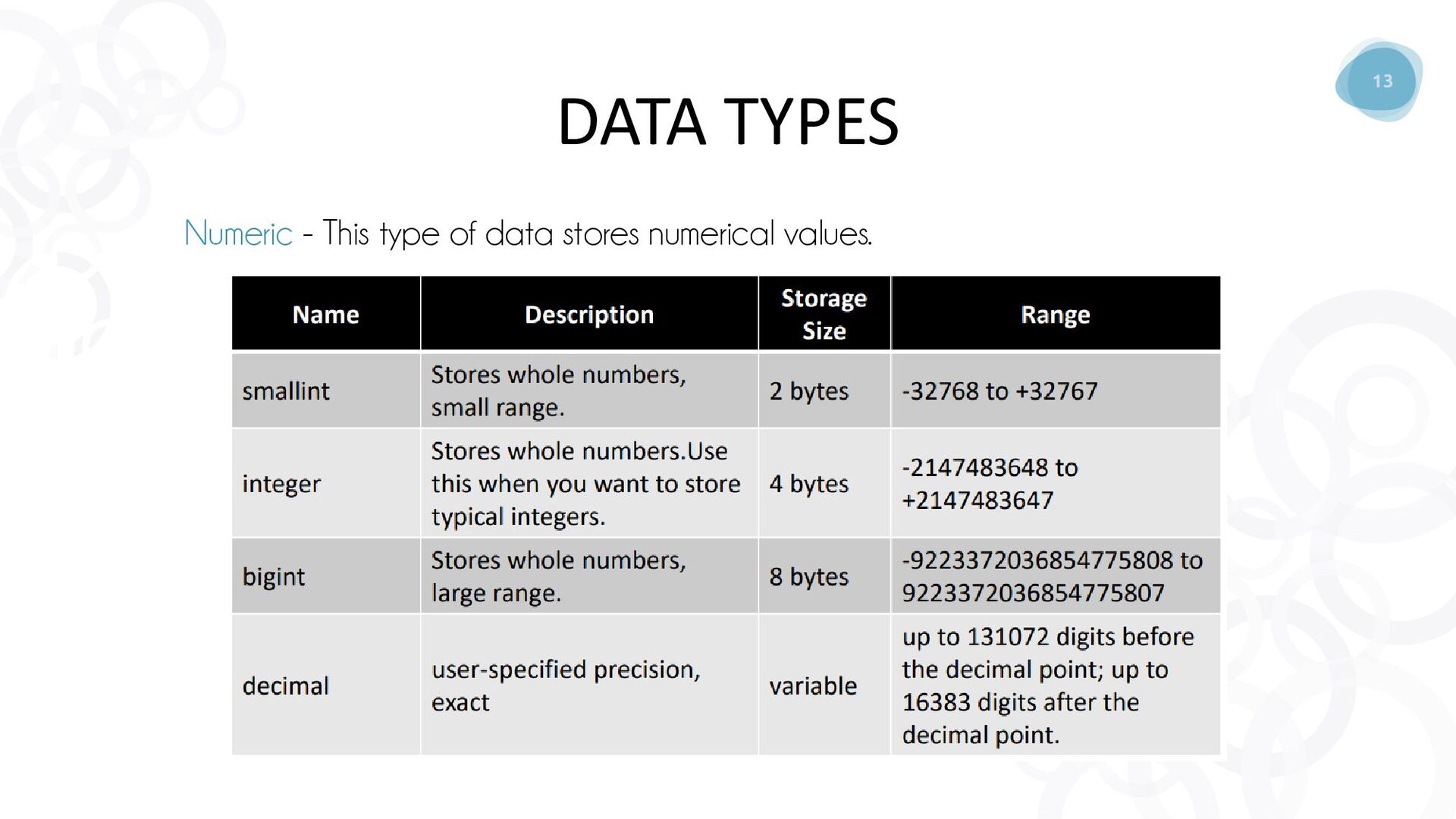
  9. 12 • Numeric - This type of data stores numerical

    values. Following Data types fall in this category: Integer, Float, Real, Numeric, or Decimal. • Character String - This type of data stores character values. The two common types are CHAR(n) and VARCHAR(n). • Date/Datetime - This type of data allows us to store date or datetime in a database table DATA TYPES
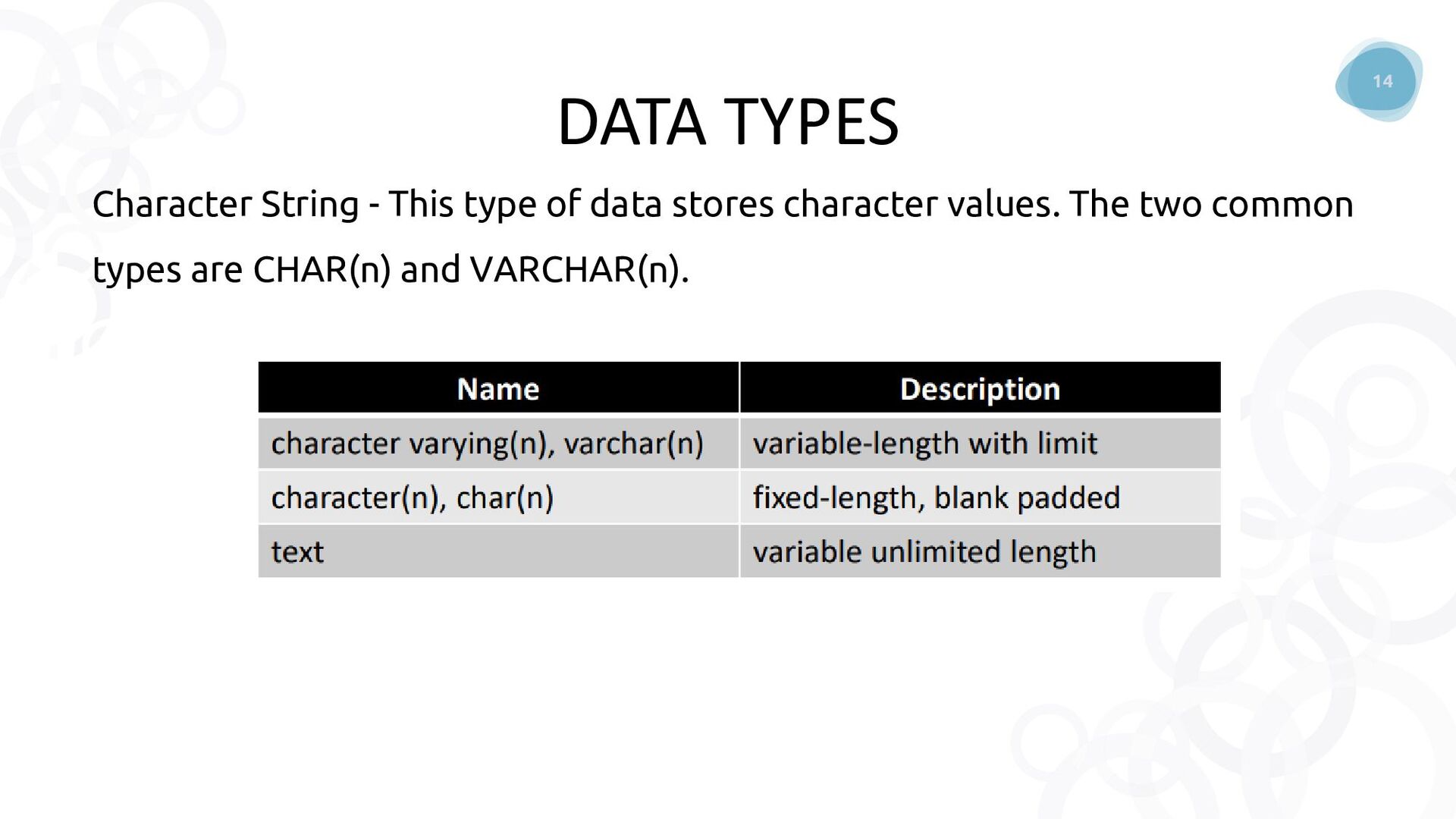
  10. 14 Character String - This type of data stores character

    values. The two common types are CHAR(n) and VARCHAR(n). DATA TYPES
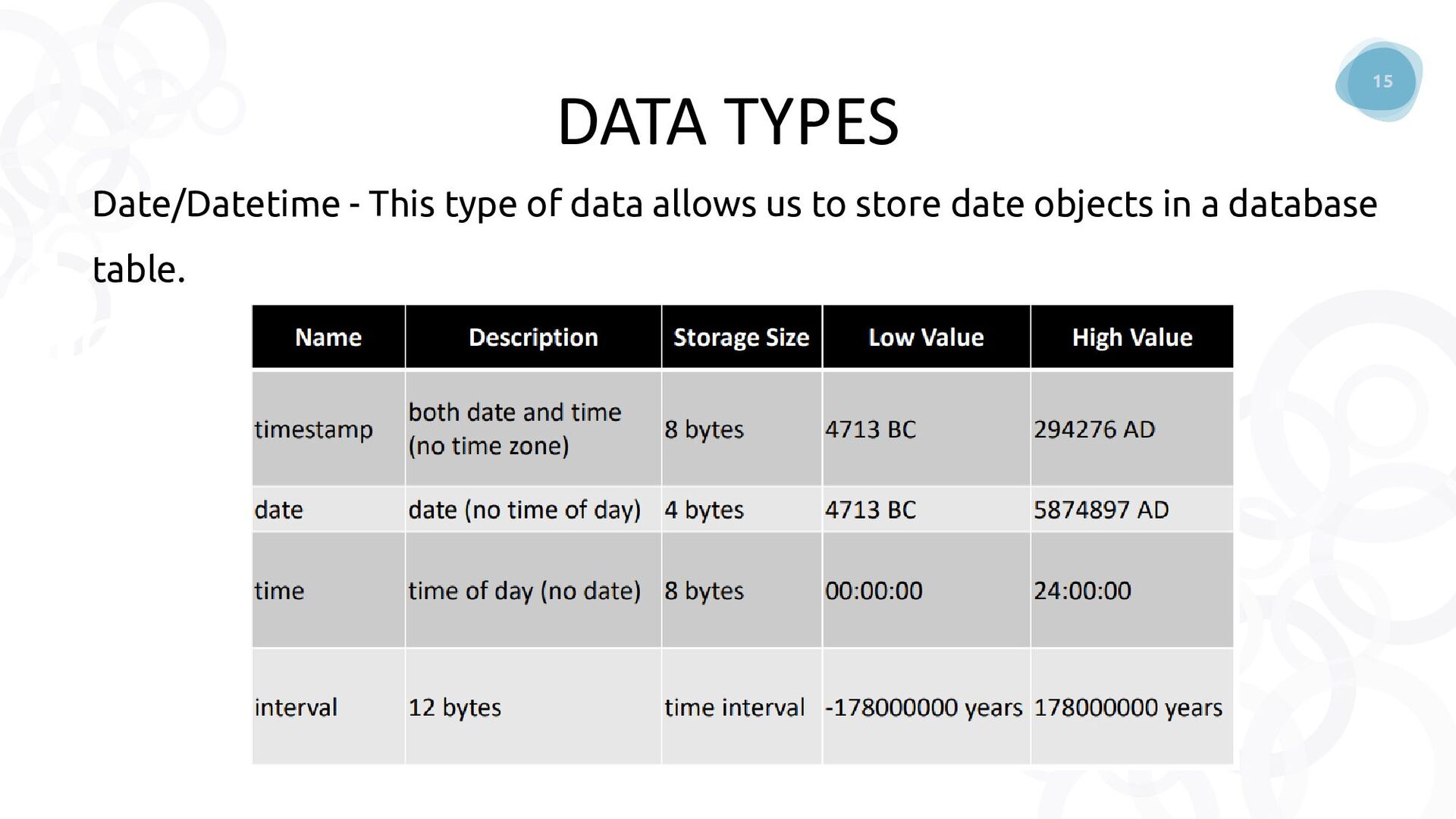
  11. 15 Date/Datetime - This type of data allows us to

    store date objects in a database table. DATA TYPES
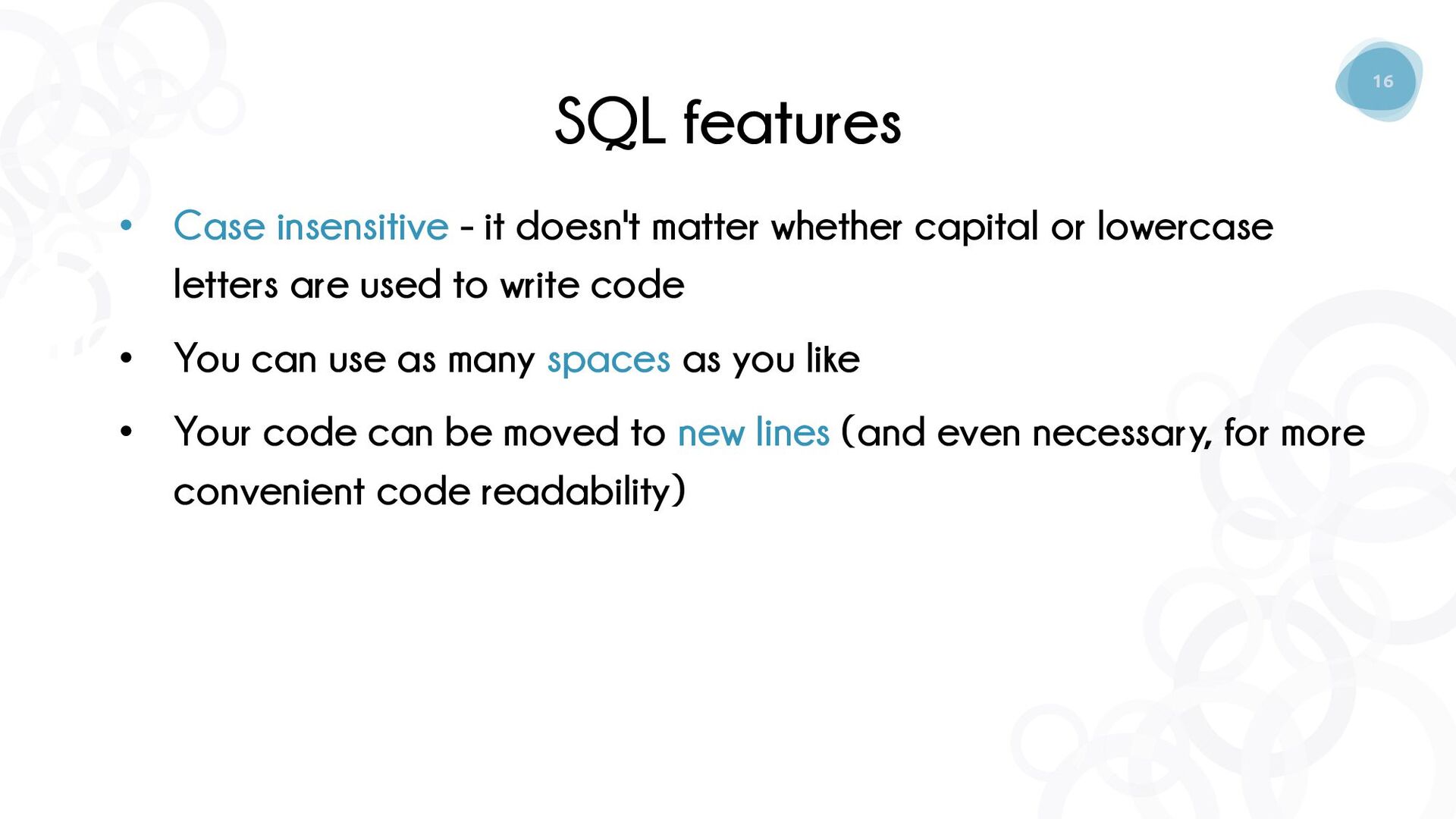
  12. 16 SQL features • Case insensitive - it doesn't matter

    whether capital or lowercase letters are used to write code • You can use as many spaces as you like • Your code can be moved to new lines (and even necessary, for more convenient code readability)
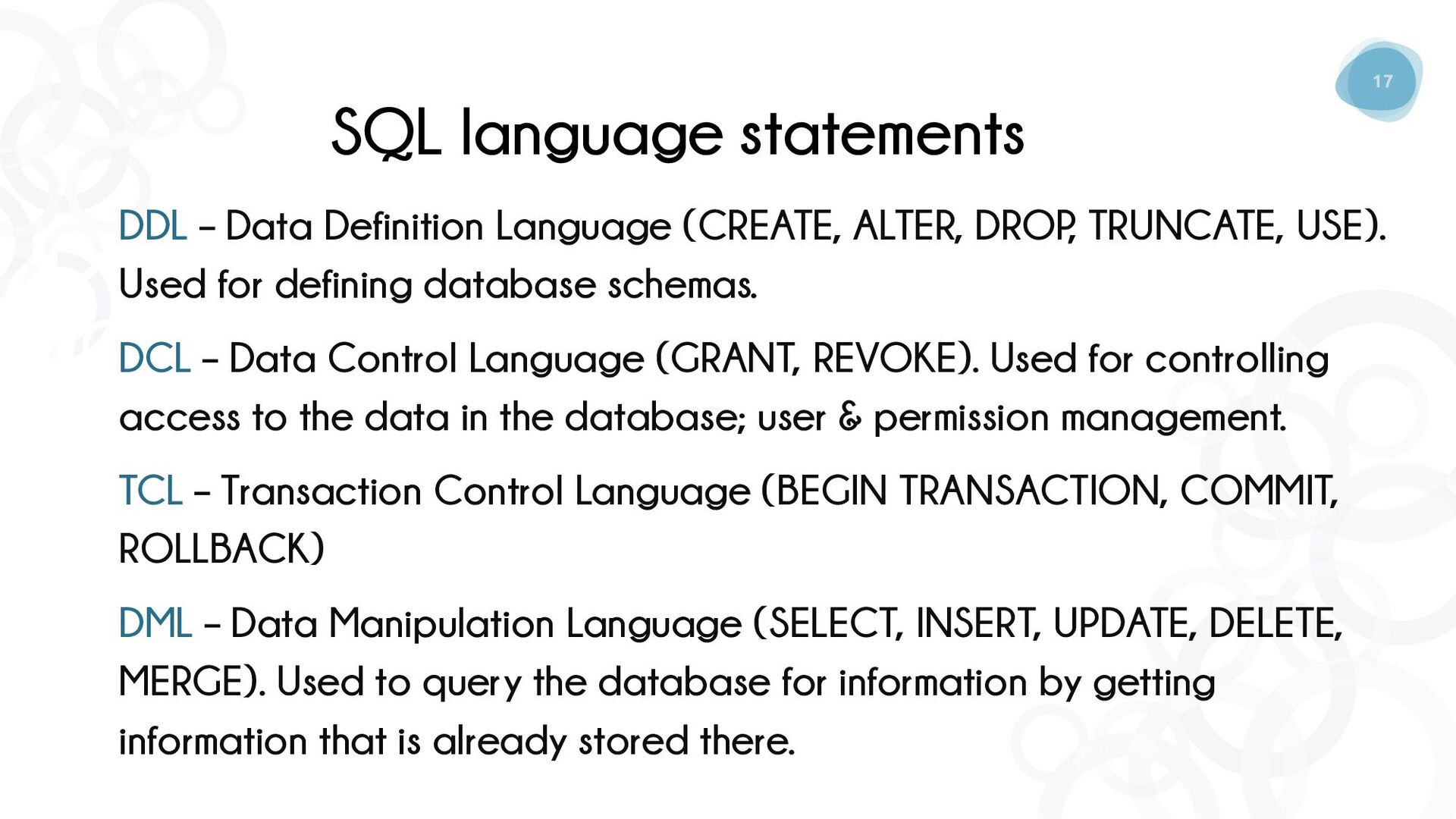
  13. 17 SQL language statements DDL – Data Definition Language (CREATE,

    ALTER, DROP , TRUNCATE, USE). Used for defining database schemas. DСL – Data Control Language (GRANT, REVOKE). Used for controlling access to the data in the database; user & permission management. TCL – Transaction Control Language (BEGIN TRANSACTION, COMMIT, ROLLBACK) DML – Data Manipulation Language (SELECT, INSERT, UPDATE, DELETE, MERGE). Used to query the database for information by getting information that is already stored there.
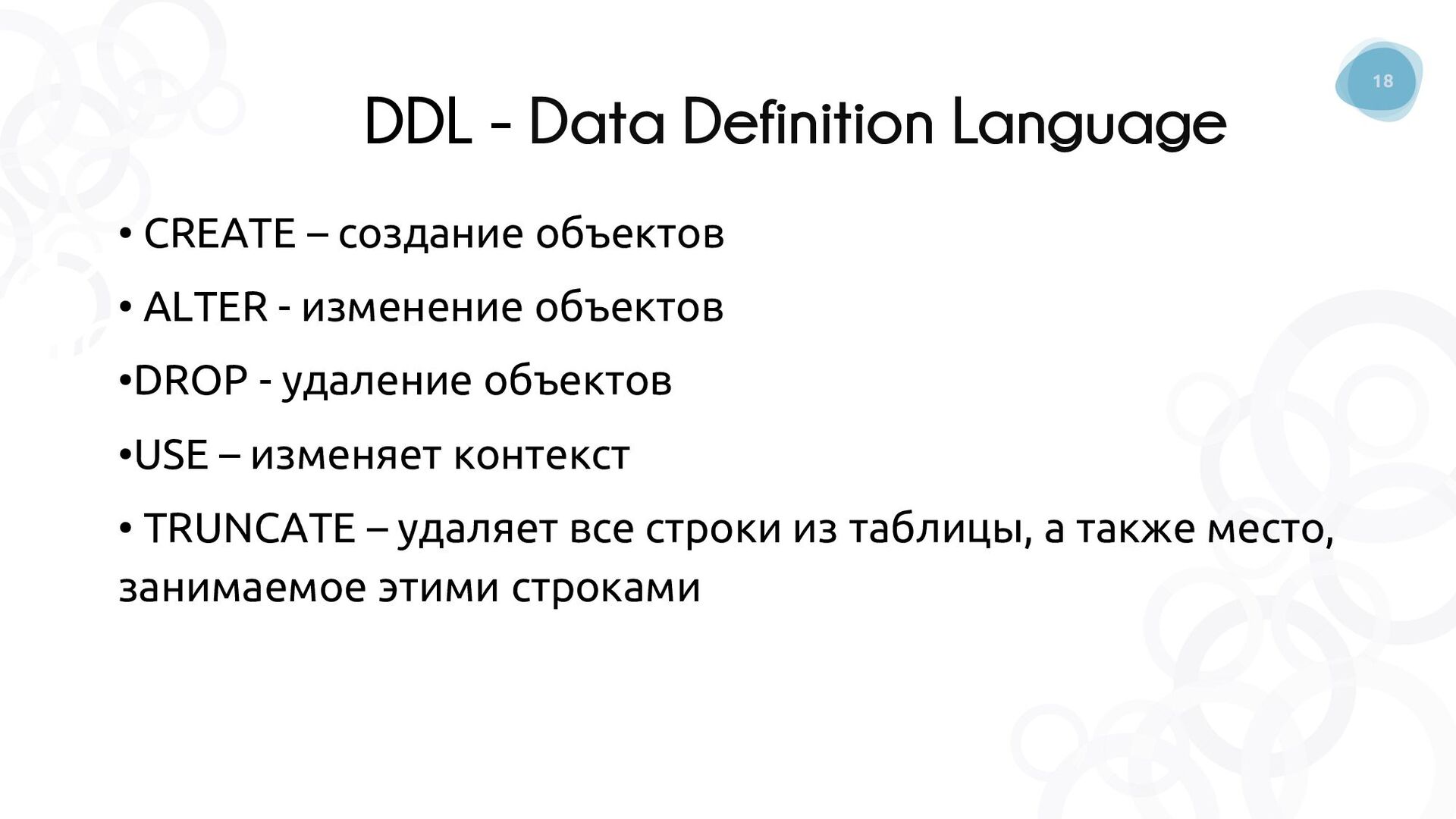
  14. 18 DDL - Data Definition Language • CREATE – создание

    объектов • ALTER - изменение объектов •DROP - удаление объектов •USE – изменяет контекст • TRUNCATE – удаляет все строки из таблицы, а также место, занимаемое этими строками
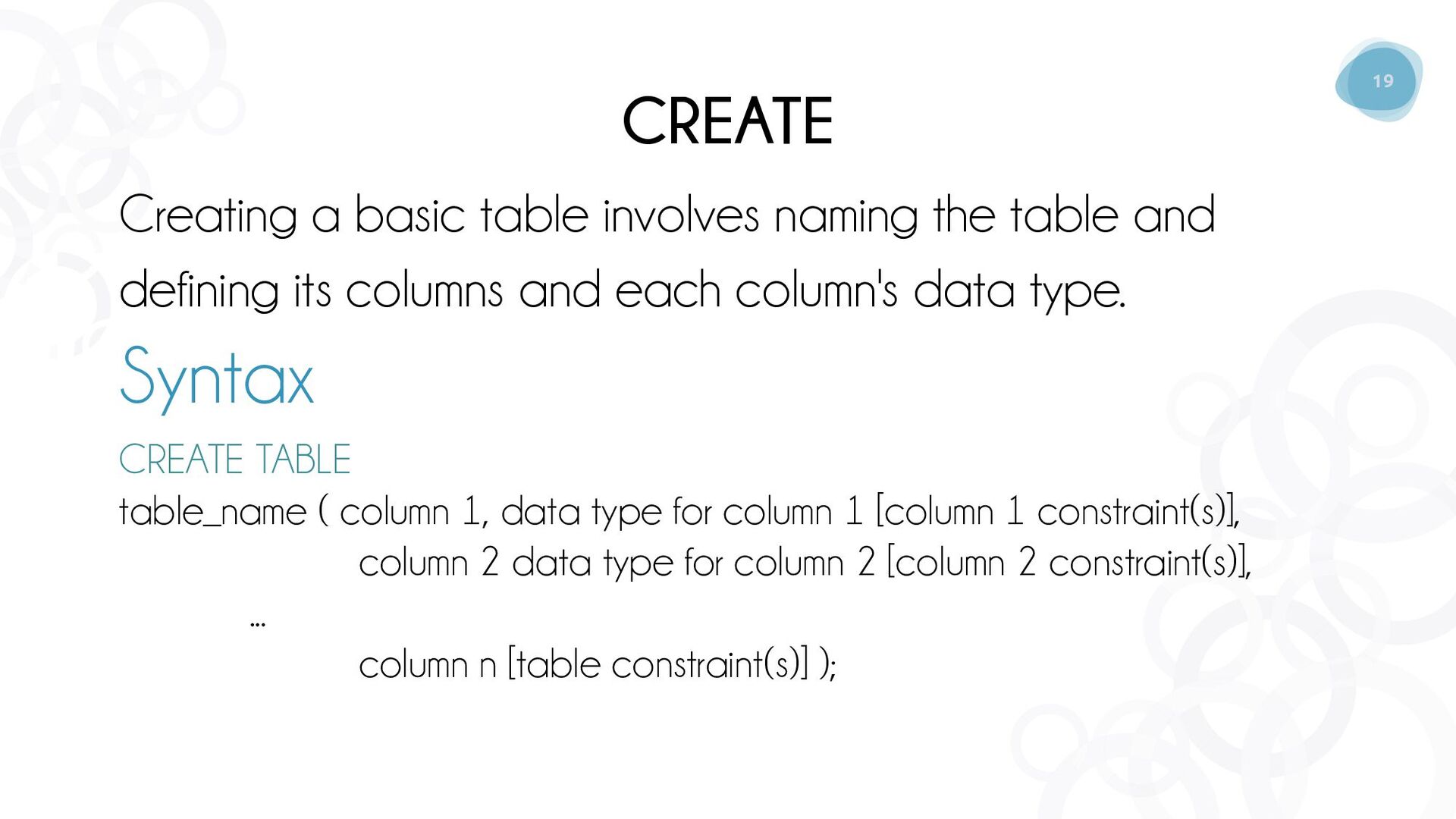
  15. 19 CREATE Creating a basic table involves naming the table

    and defining its columns and each column's data type. Syntax CREATE TABLE table_name ( column 1, data type for column 1 [column 1 constraint(s)], column 2 data type for column 2 [column 2 constraint(s)], ... column n [table constraint(s)] );
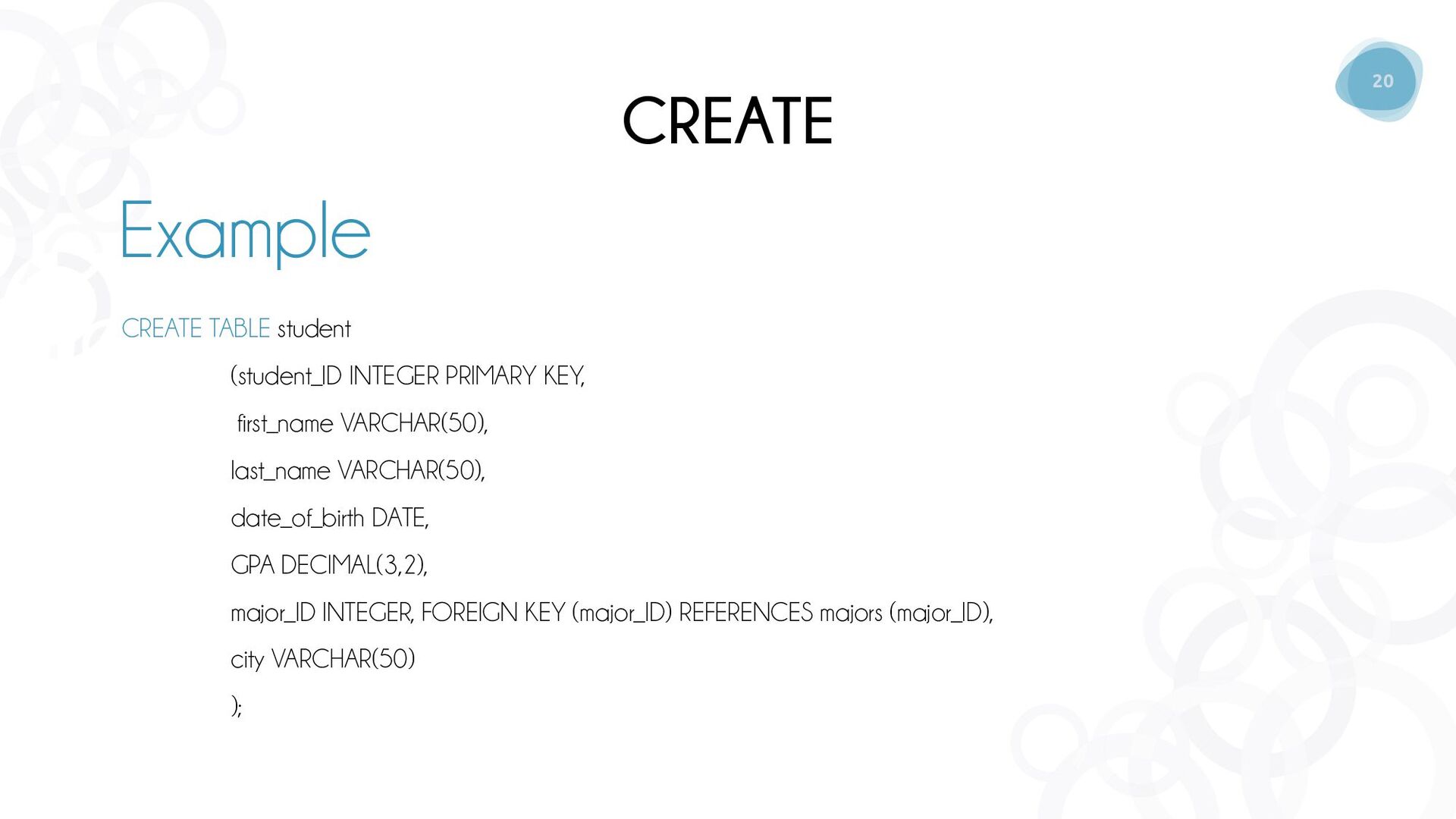
  16. 20 CREATE Example CREATE TABLE student (student_ID INTEGER PRIMARY KEY,

    first_name VARCHAR(50), last_name VARCHAR(50), date_of_birth DATE, GPA DECIMAL(3,2), major_ID INTEGER, FOREIGN KEY (major_ID) REFERENCES majors (major_ID), city VARCHAR(50) );
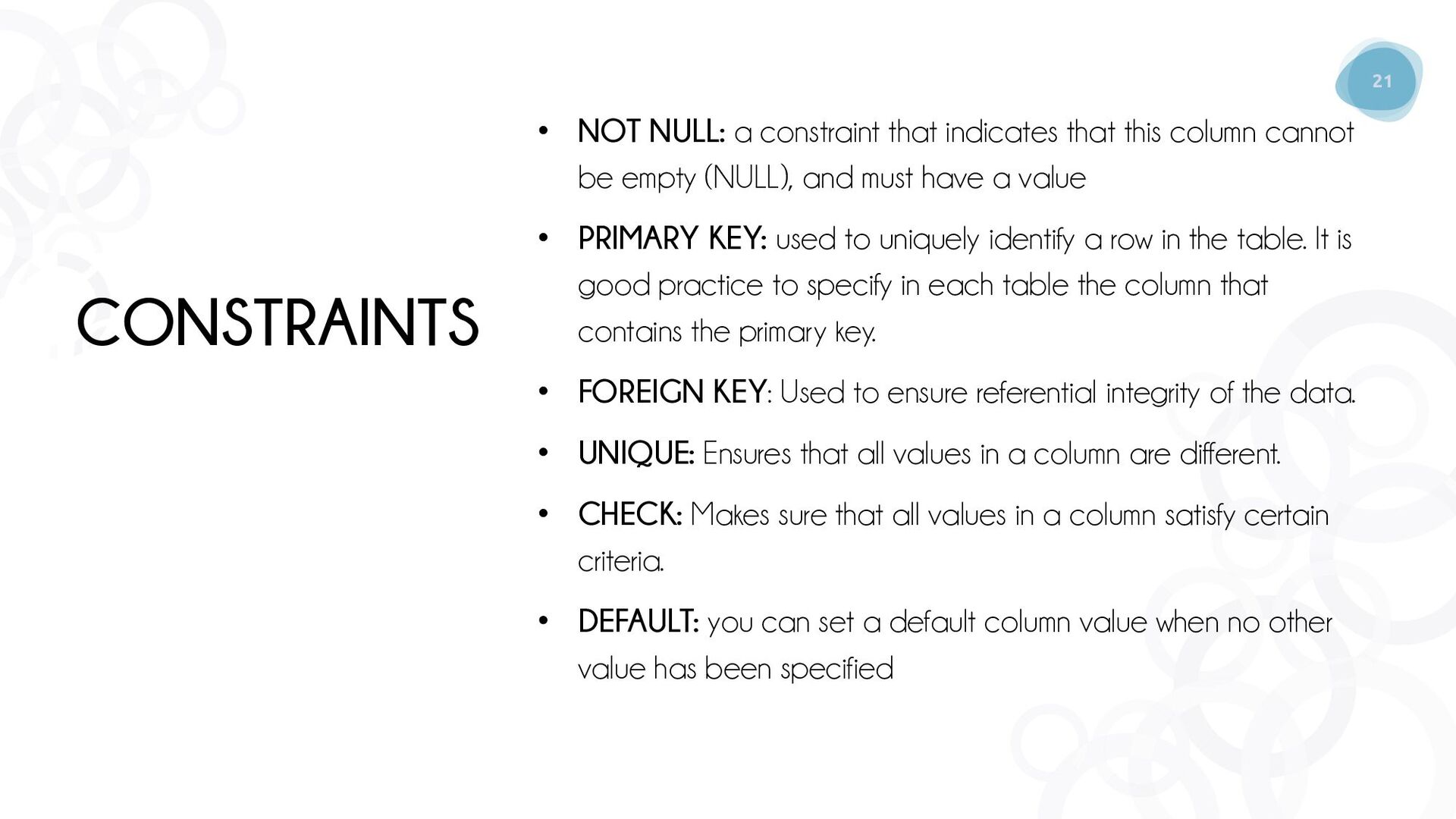
  17. 21 CONSTRAINTS • NOT NULL: a constraint that indicates that

    this column cannot be empty (NULL), and must have a value • PRIMARY KEY: used to uniquely identify a row in the table. It is good practice to specify in each table the column that contains the primary key. • FOREIGN KEY: Used to ensure referential integrity of the data. • UNIQUE: Ensures that all values in a column are different. • CHECK: Makes sure that all values in a column satisfy certain criteria. • DEFAULT: you can set a default column value when no other value has been specified
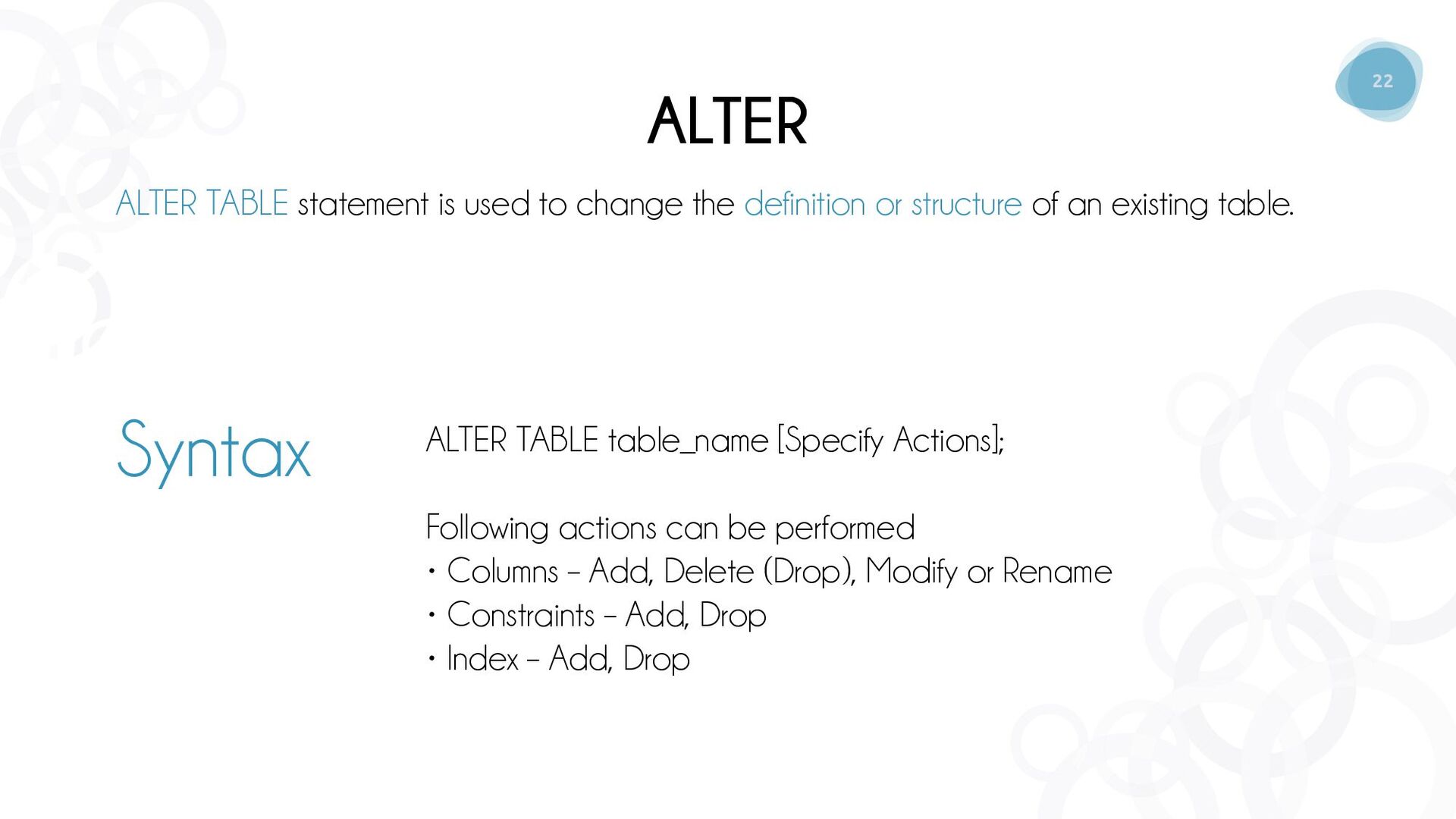
  18. 22 ALTER ALTER TABLE statement is used to change the

    definition or structure of an existing table. ALTER TABLE table_name [Specify Actions]; Following actions can be performed • Columns – Add, Delete (Drop), Modify or Rename • Constraints – Add, Drop • Index – Add, Drop Syntax
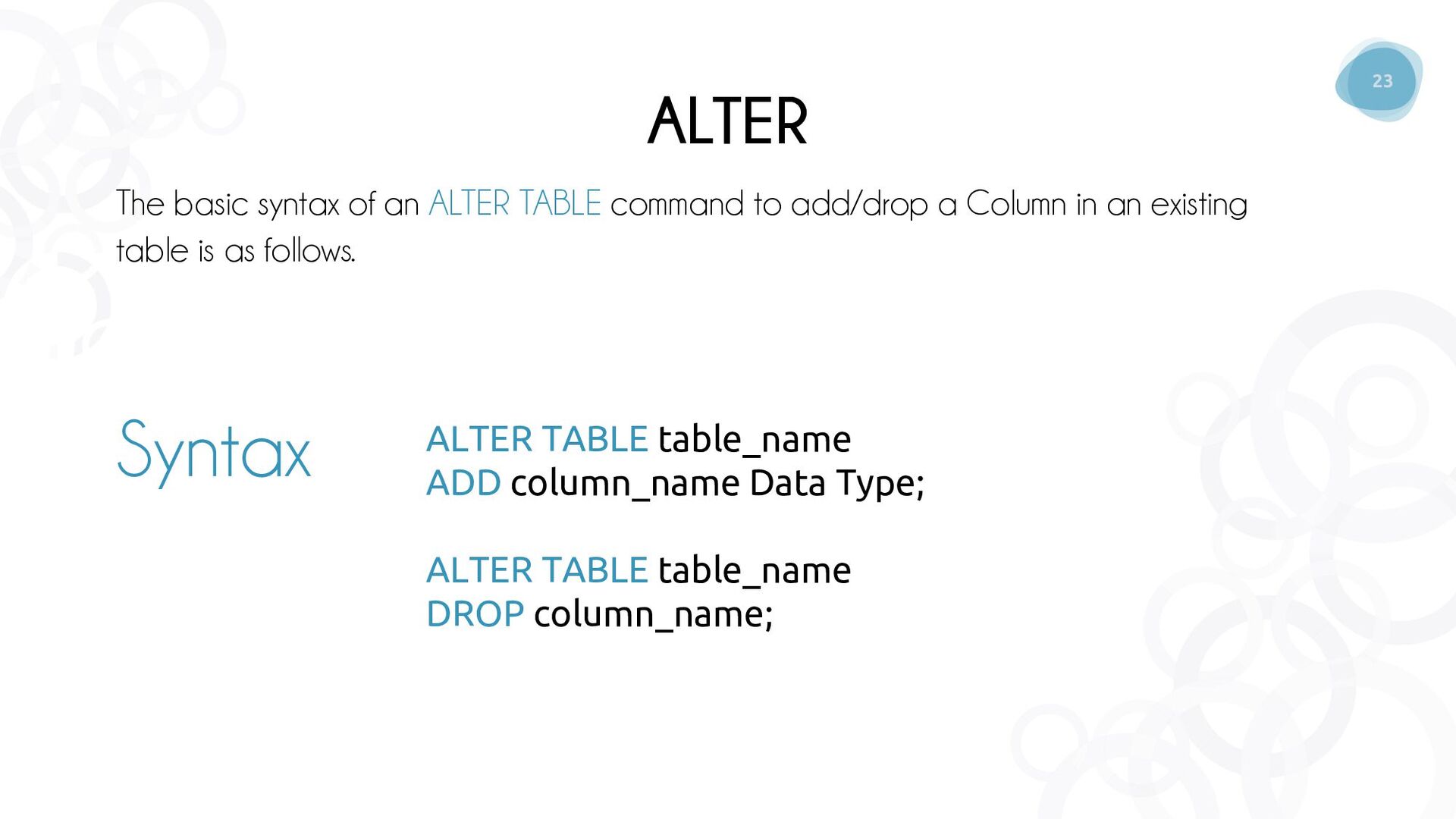
  19. 23 ALTER The basic syntax of an ALTER TABLE command

    to add/drop a Column in an existing table is as follows. ALTER TABLE table_name ADD column_name Data Type; ALTER TABLE table_name DROP column_name; Syntax
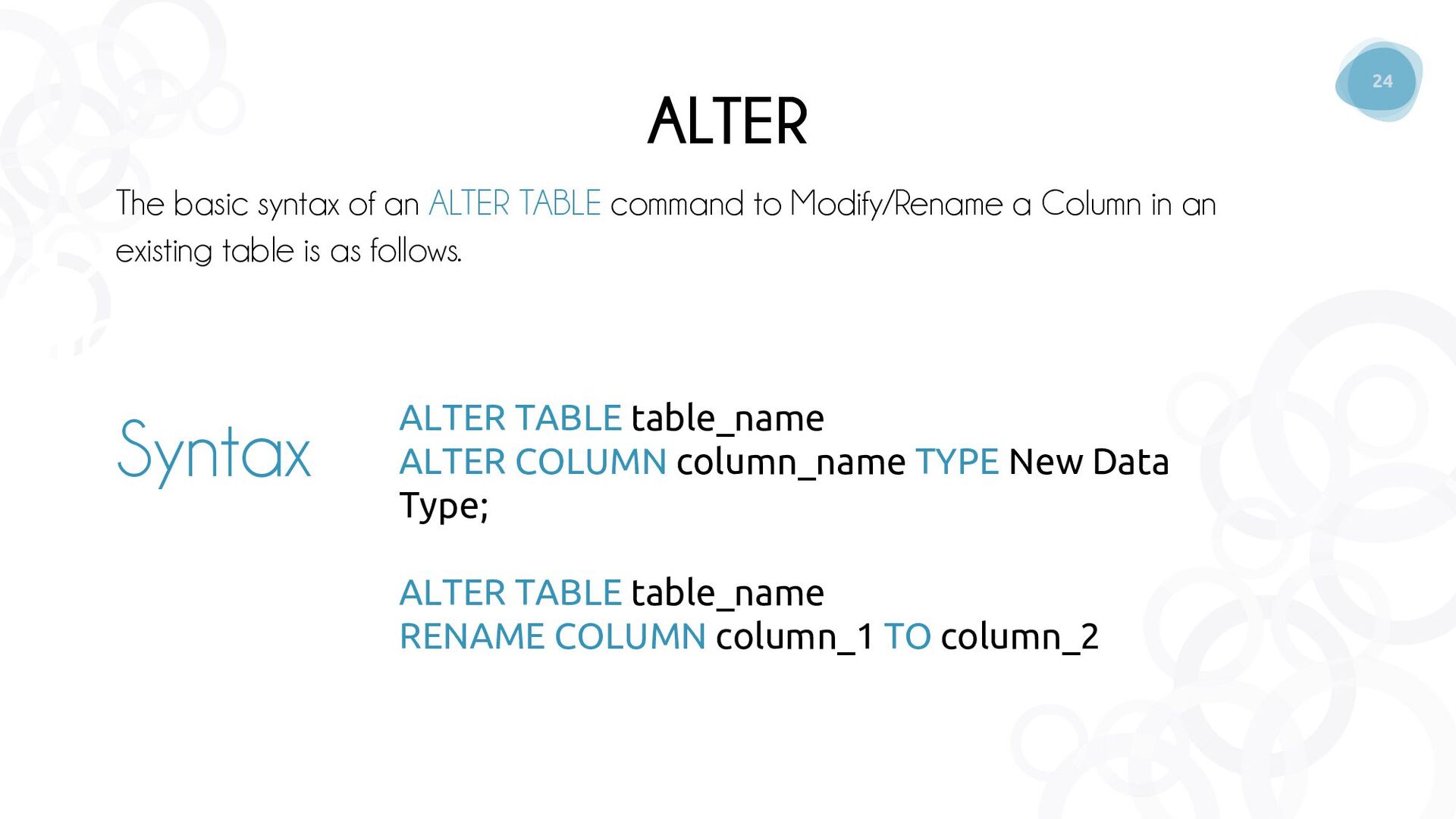
  20. 24 ALTER The basic syntax of an ALTER TABLE command

    to Modify/Rename a Column in an existing table is as follows. ALTER TABLE table_name ALTER COLUMN column_name TYPE New Data Type; ALTER TABLE table_name RENAME COLUMN column_1 TO column_2 Syntax
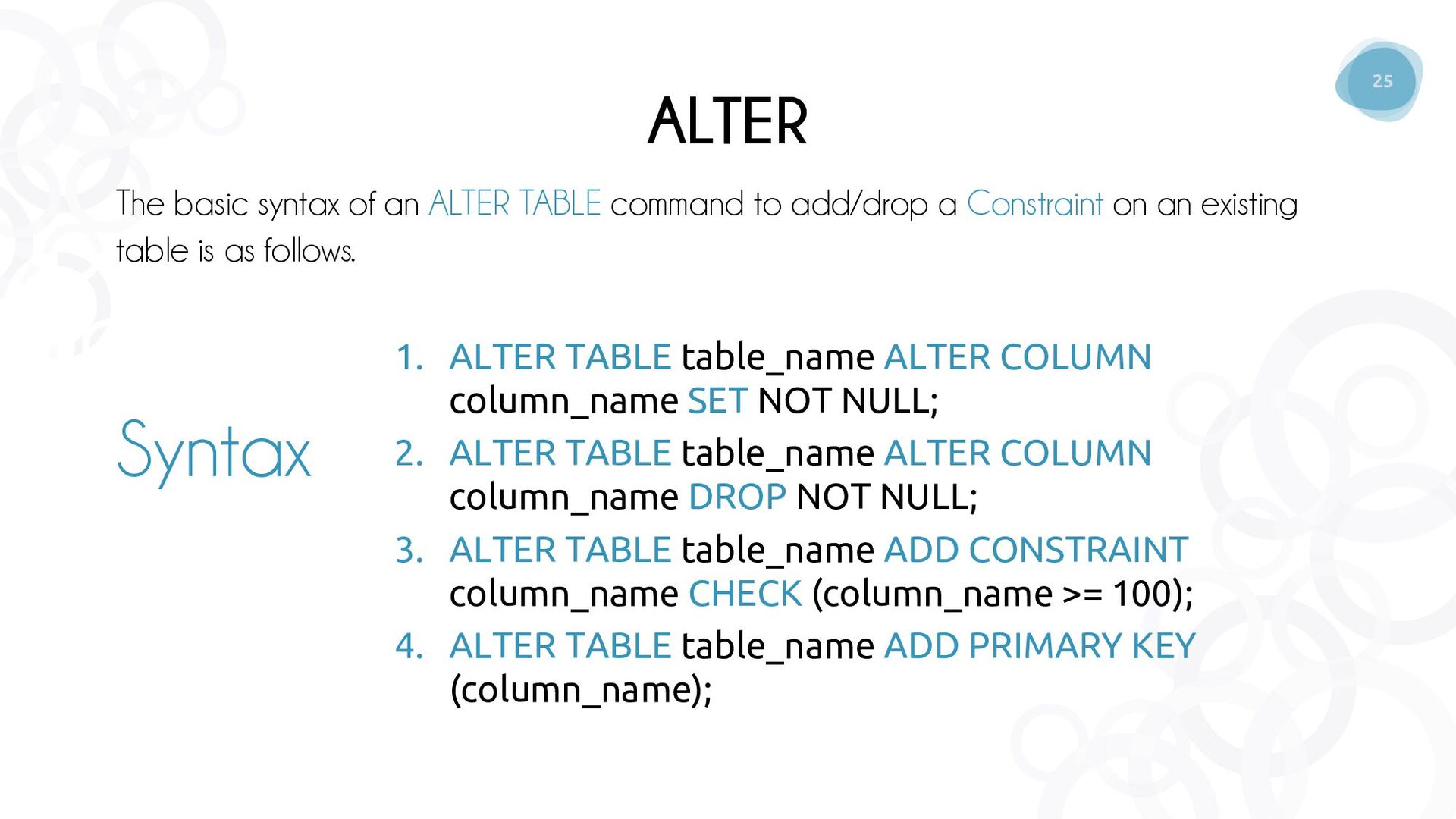
  21. 25 ALTER The basic syntax of an ALTER TABLE command

    to add/drop a Constraint on an existing table is as follows. 1. ALTER TABLE table_name ALTER COLUMN column_name SET NOT NULL; 2. ALTER TABLE table_name ALTER COLUMN column_name DROP NOT NULL; 3. ALTER TABLE table_name ADD CONSTRAINT column_name CHECK (column_name >= 100); 4. ALTER TABLE table_name ADD PRIMARY KEY (column_name); Syntax
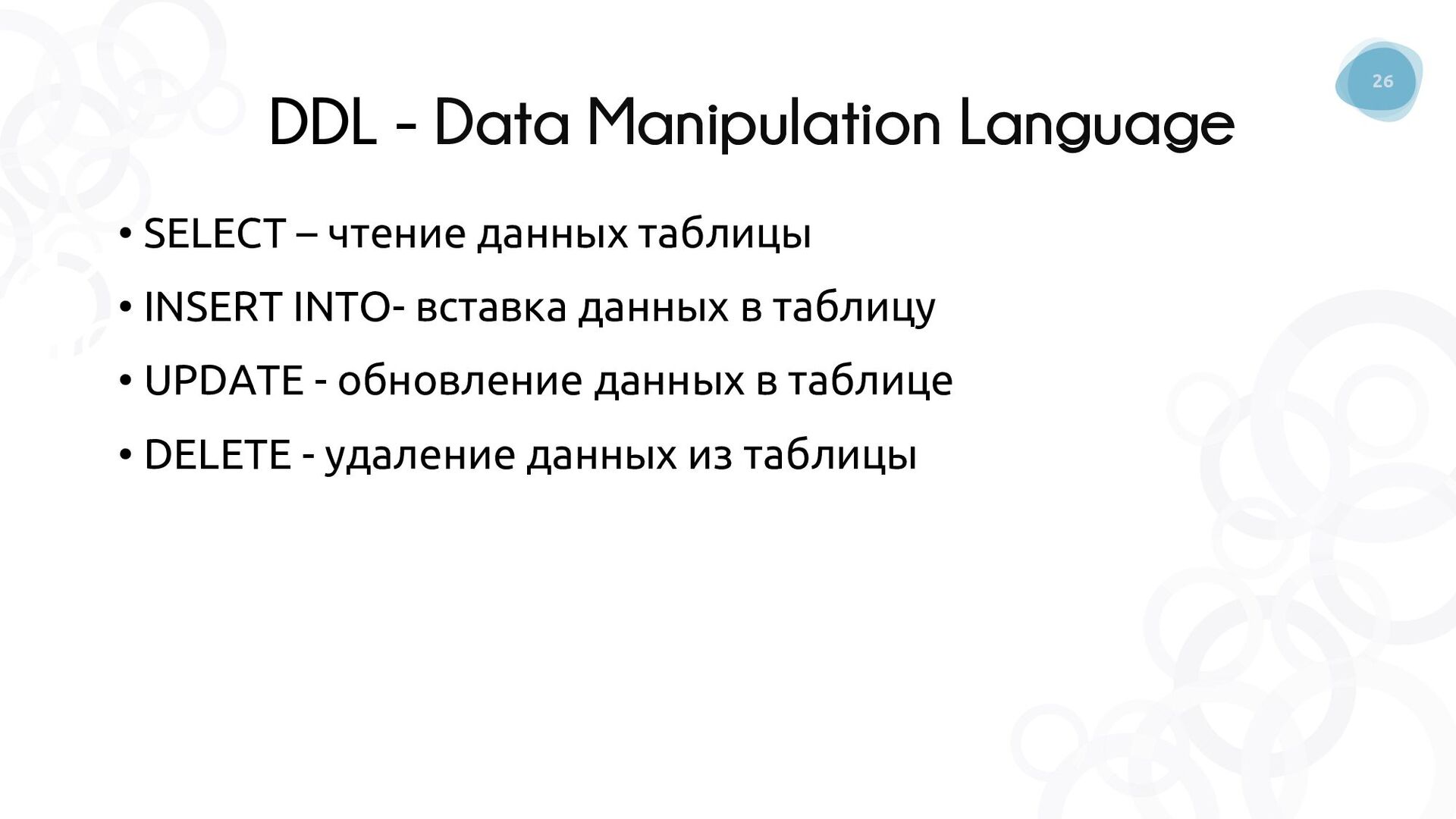
  22. 26 DDL - Data Manipulation Language • SELECT – чтение

    данных таблицы • INSERT INTO- вставка данных в таблицу • UPDATE - обновление данных в таблице • DELETE - удаление данных из таблицы
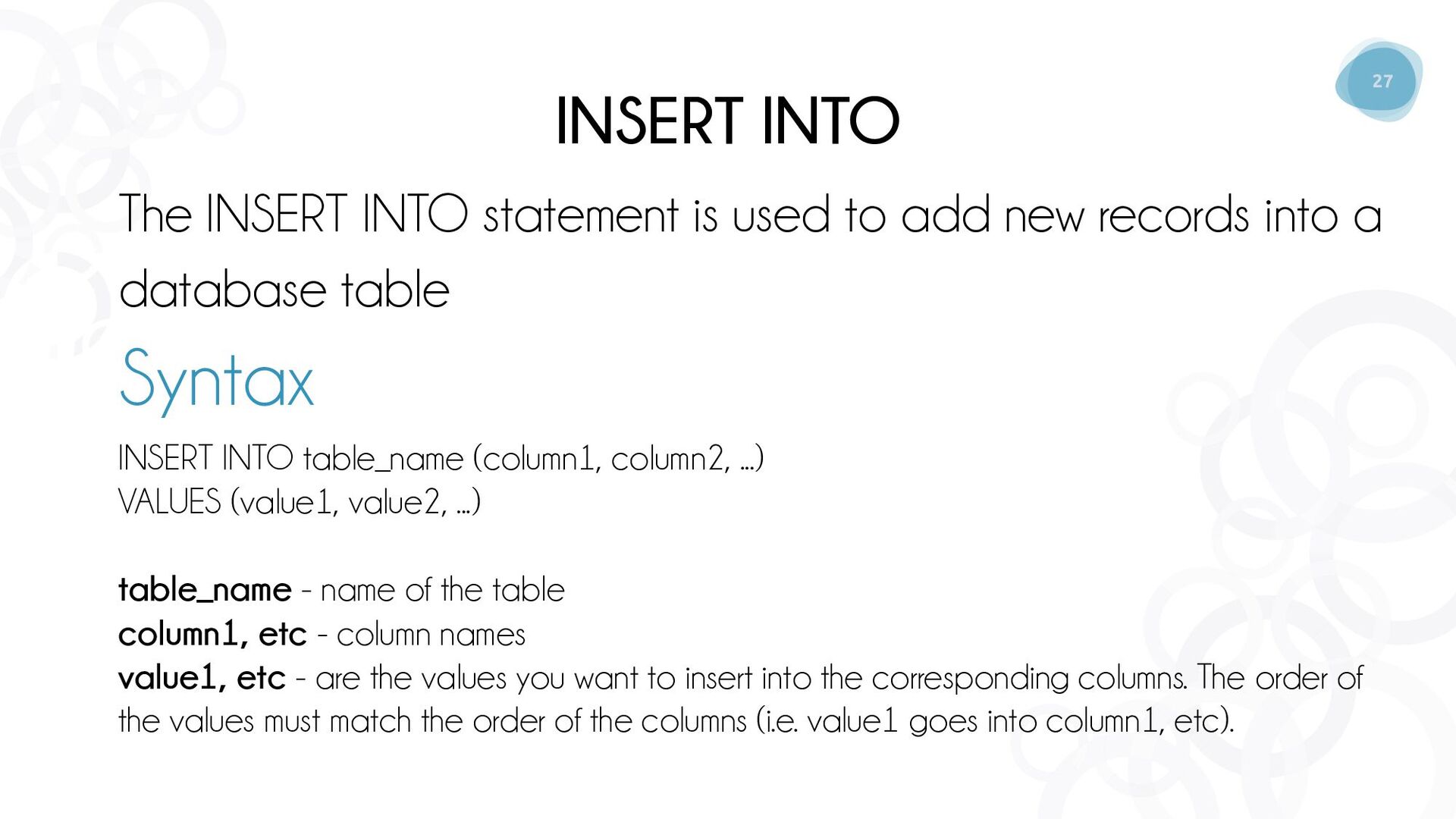
  23. 27 INSERT INTO The INSERT INTO statement is used to

    add new records into a database table Syntax INSERT INTO table_name (column1, column2, ...) VALUES (value1, value2, ...) table_name - name of the table column1, etc - column names value1, etc - are the values you want to insert into the corresponding columns. The order of the values must match the order of the columns (i.e. value1 goes into column1, etc).
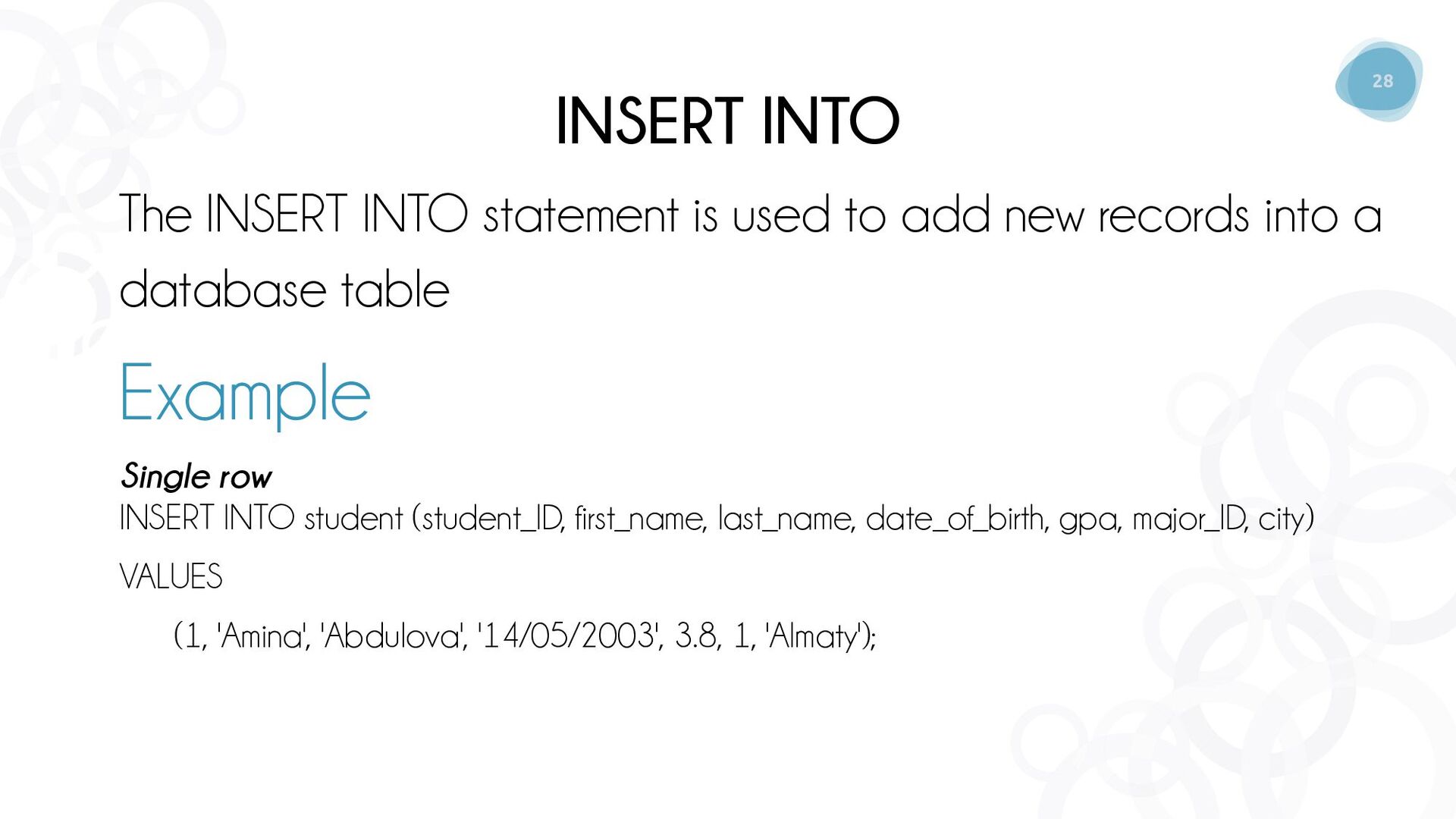
  24. 28 INSERT INTO The INSERT INTO statement is used to

    add new records into a database table Example Single row INSERT INTO student (student_ID, first_name, last_name, date_of_birth, gpa, major_ID, city) VALUES (1, 'Amina', 'Abdulova', '14/05/2003', 3.8, 1, 'Almaty');
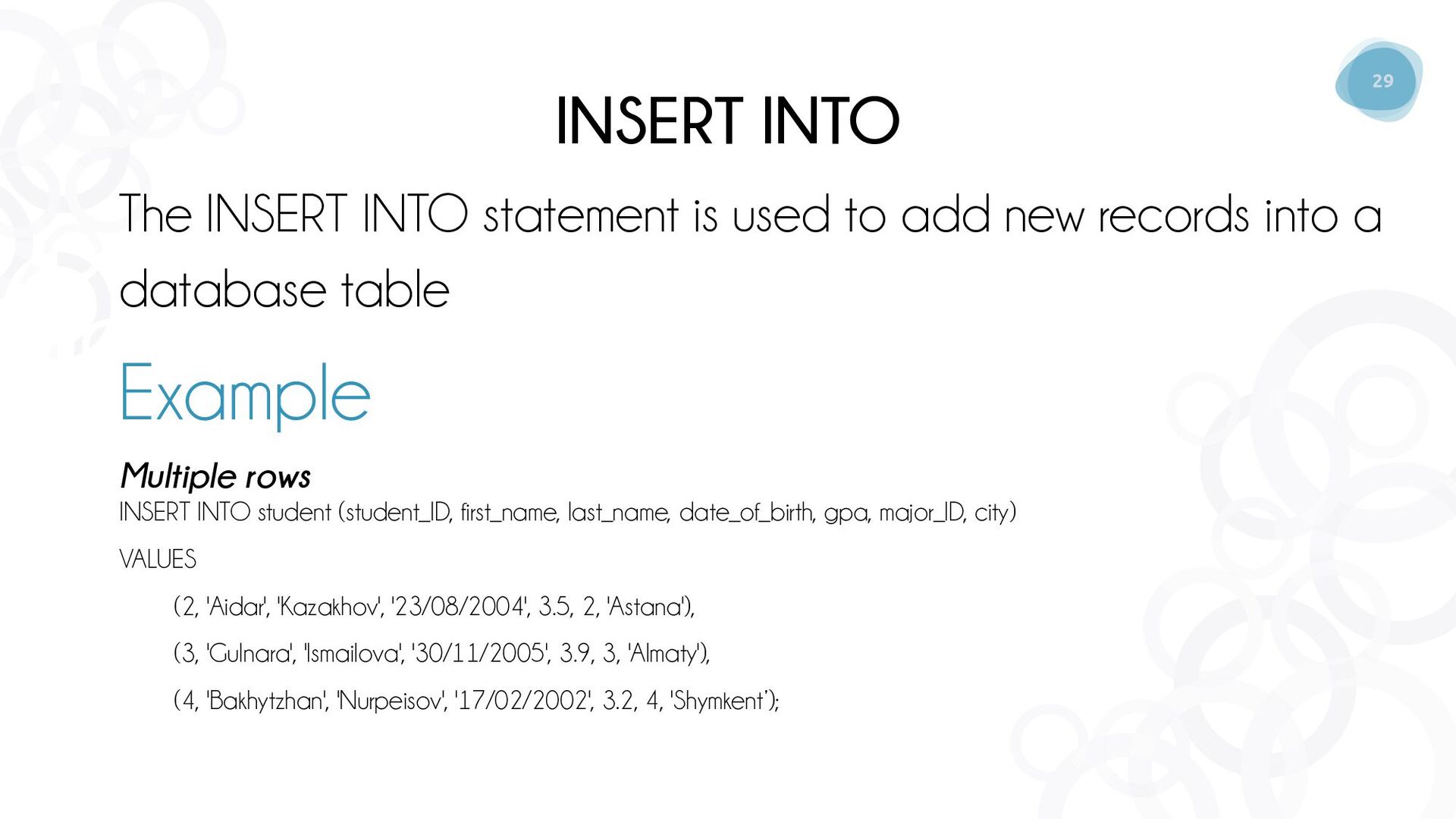
  25. 29 INSERT INTO The INSERT INTO statement is used to

    add new records into a database table Example Multiple rows INSERT INTO student (student_ID, first_name, last_name, date_of_birth, gpa, major_ID, city) VALUES (2, 'Aidar', 'Kazakhov', '23/08/2004', 3.5, 2, 'Astana'), (3, 'Gulnara', 'Ismailova', '30/11/2005', 3.9, 3, 'Almaty'), (4, 'Bakhytzhan', 'Nurpeisov', '17/02/2002', 3.2, 4, 'Shymkent’);
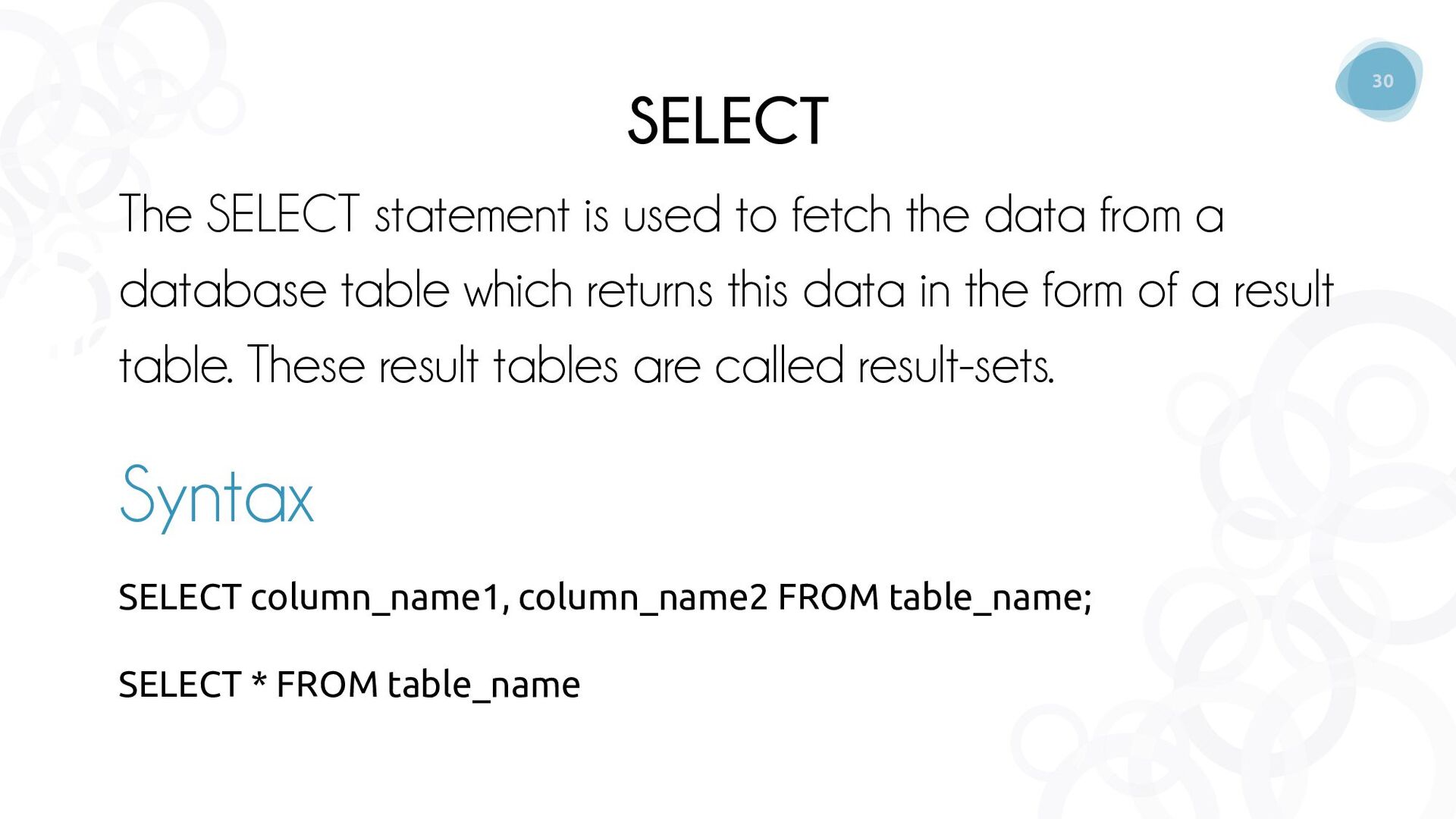
  26. 30 SELECT The SELECT statement is used to fetch the

    data from a database table which returns this data in the form of a result table. These result tables are called result-sets. Syntax SELECT column_name1, column_name2 FROM table_name; SELECT * FROM table_name
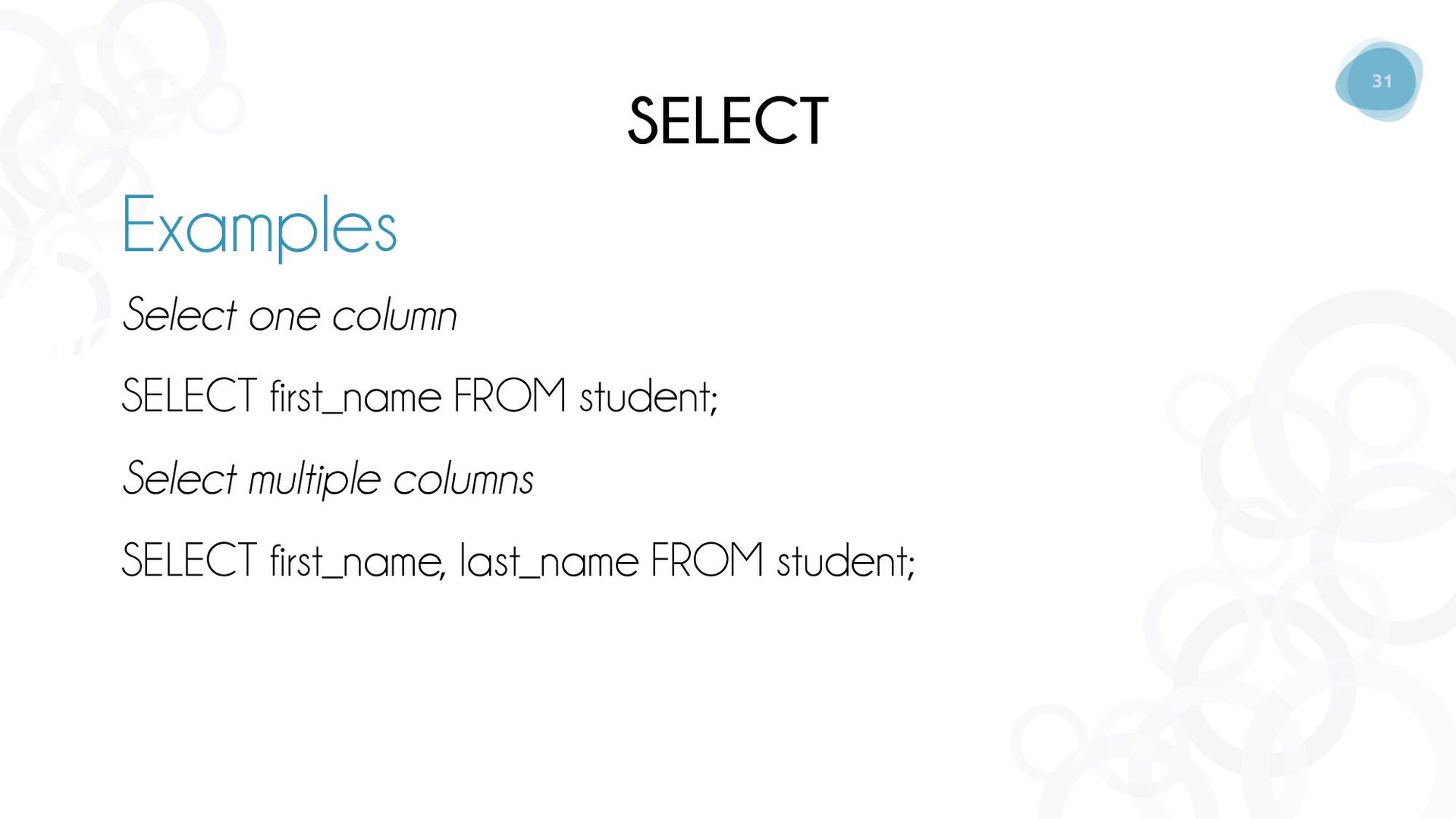
  27. 31 SELECT Select one column SELECT first_name FROM student; Select

    multiple columns SELECT first_name, last_name FROM student; Examples
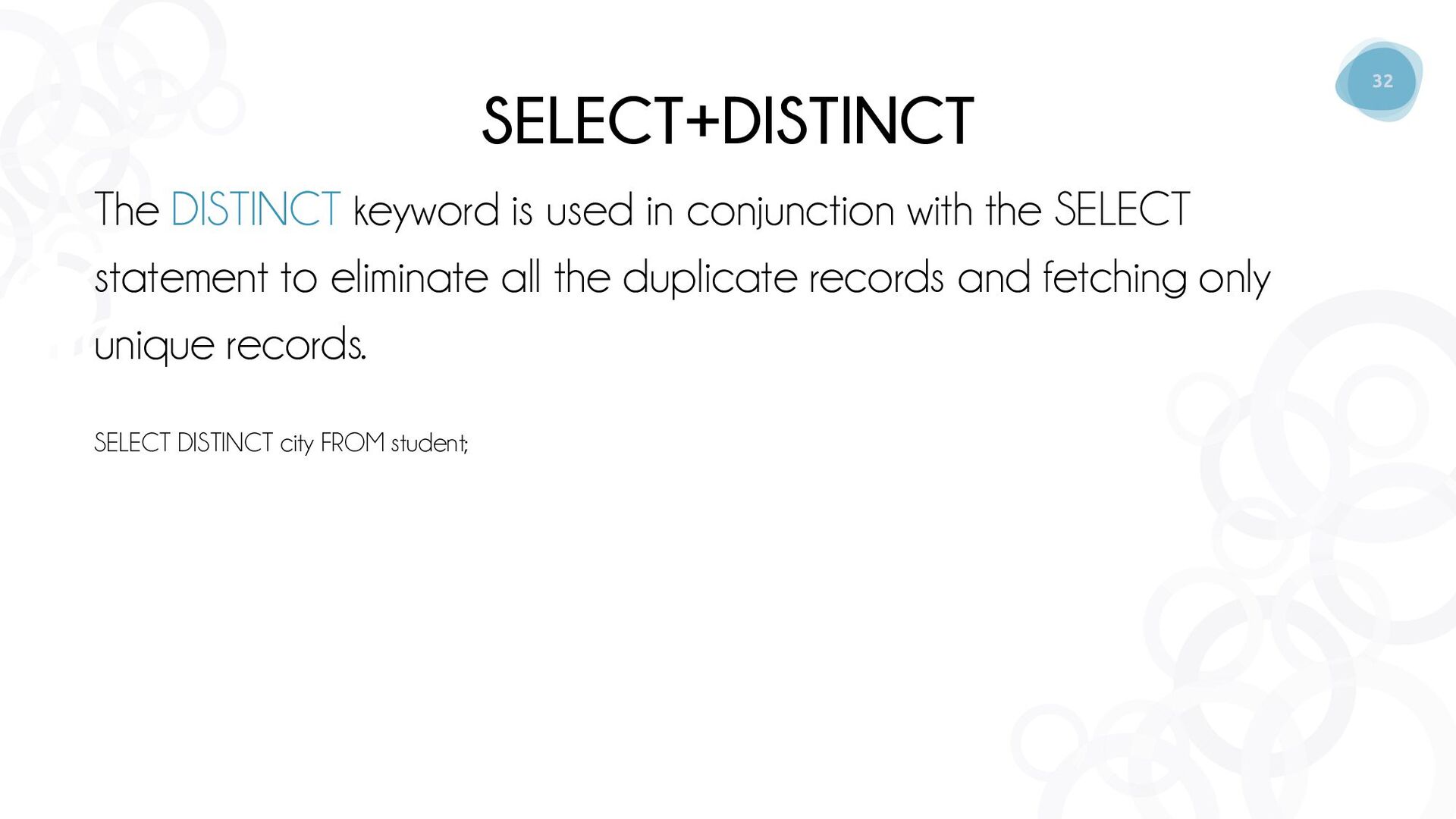
  28. 32 SELECT+DISTINCT The DISTINCT keyword is used in conjunction with

    the SELECT statement to eliminate all the duplicate records and fetching only unique records. SELECT DISTINCT city FROM student;
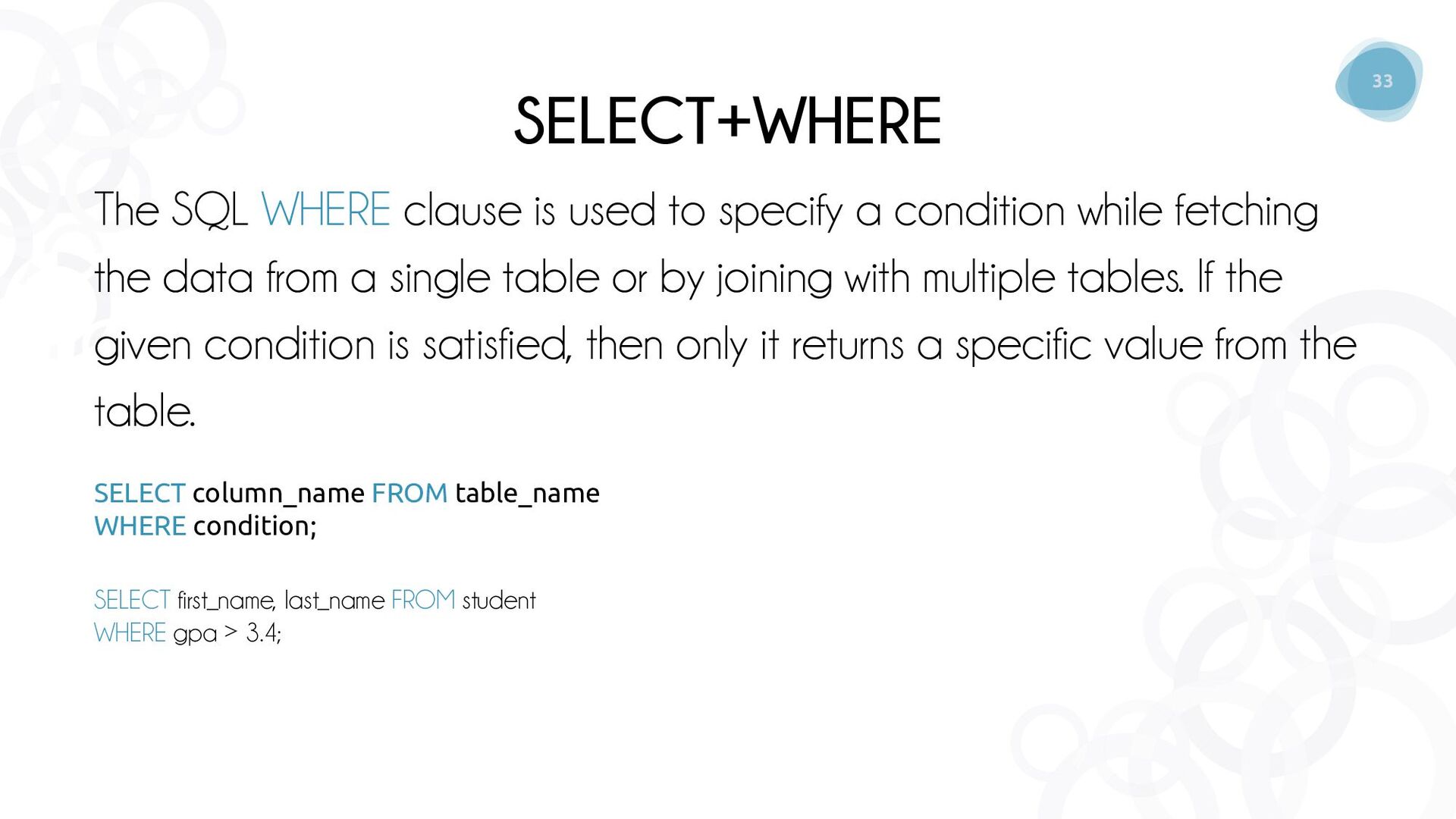
  29. 33 SELECT+WHERE The SQL WHERE clause is used to specify

    a condition while fetching the data from a single table or by joining with multiple tables. If the given condition is satisfied, then only it returns a specific value from the table. SELECT column_name FROM table_name WHERE condition; SELECT first_name, last_name FROM student WHERE gpa > 3.4;
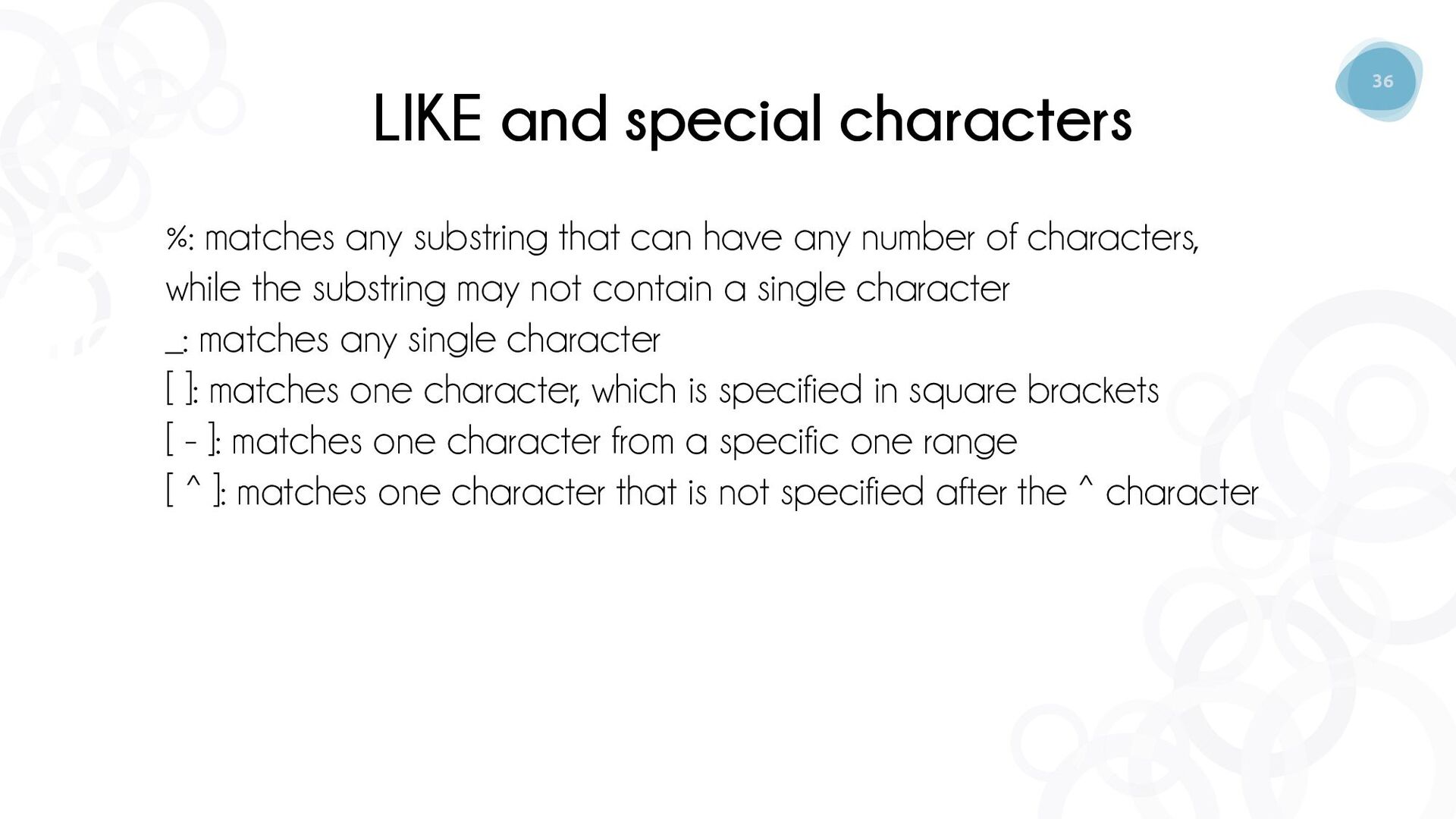
  30. 36 LIKE and special characters %: matches any substring that

    can have any number of characters, while the substring may not contain a single character _: matches any single character [ ]: matches one character, which is specified in square brackets [ - ]: matches one character from a specific one range [ ^ ]: matches one character that is not specified after the ^ character