Upgrade to Pro — share decks privately, control downloads, hide ads and more …

Cloud_Services_and_Deployment_Models

Sponsored · Your Podcast. Everywhere. Effortlessly. Share. Educate. Inspire. Entertain. You do you. We'll handle the rest. →
Avatar for C  Deepa C Deepa
October 20, 2026
3

 Cloud_Services_and_Deployment_Models

Cloud service models define the level of abstraction and management responsibility you share with a provider, while deployment models define where the infrastructure lives and who owns or manages it.

Avatar for C  Deepa

C Deepa

October 20, 2026

Transcript

  1. Cloud Services & Deployment Models Textbook: Cloud Computing — Master

    the Concepts, Architecture and Applications with Real-world Examples and Case Studies Kamal Kant Hiran · Ruchi Doshi · Temitayo Fagbola · Mehul Mahrishi | BPB Publications, First Edition ☁
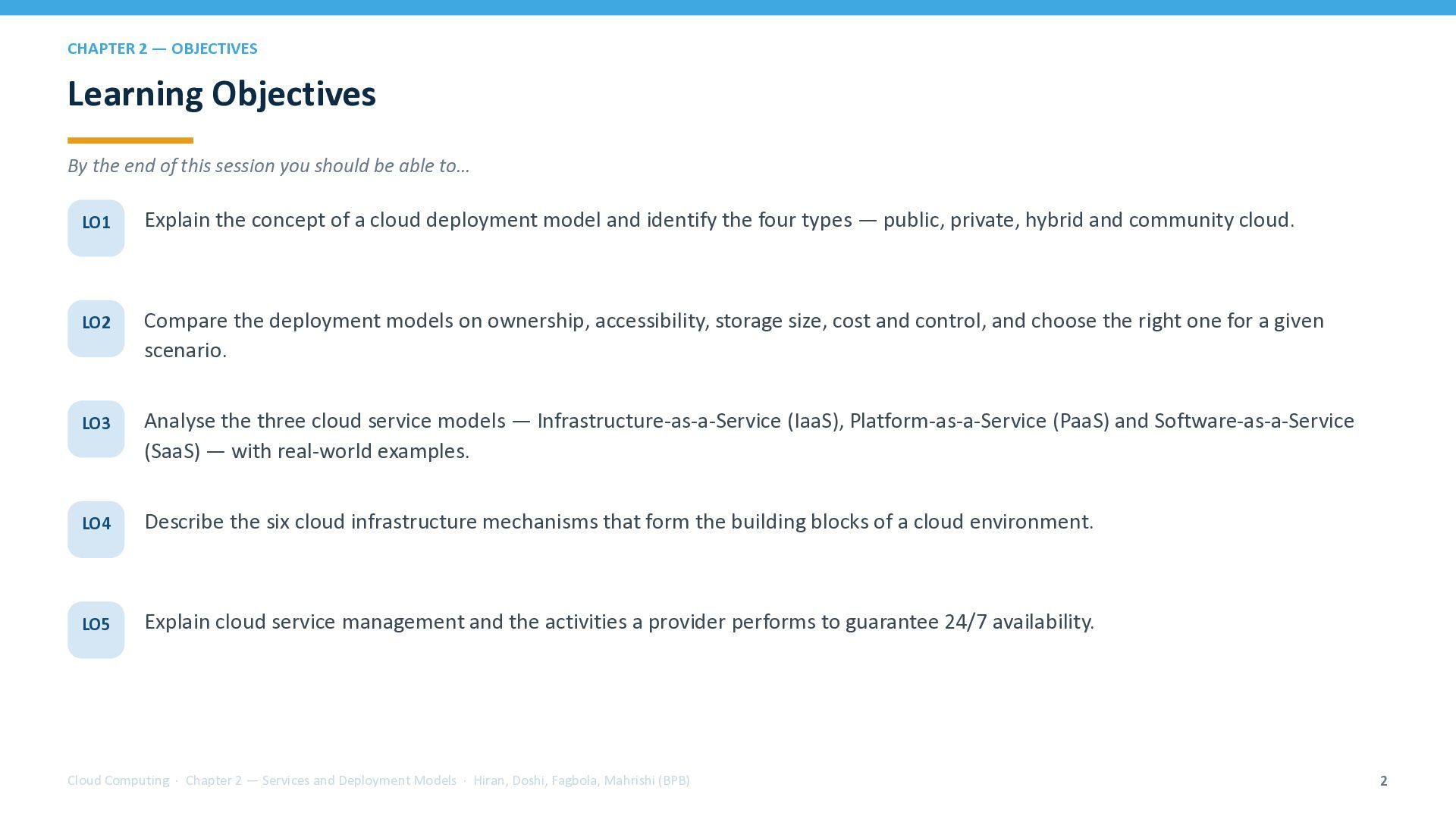
  2. CHAPTER 2 — OBJECTIVES Learning Objectives By the end of

    this session you should be able to… LO1 Explain the concept of a cloud deployment model and identify the four types — public, private, hybrid and community cloud. LO2 Compare the deployment models on ownership, accessibility, storage size, cost and control, and choose the right one for a given scenario. LO3 Analyse the three cloud service models — Infrastructure-as-a-Service (IaaS), Platform-as-a-Service (PaaS) and Software-as-a-Service (SaaS) — with real-world examples. LO4 Describe the six cloud infrastructure mechanisms that form the building blocks of a cloud environment. LO5 Explain cloud service management and the activities a provider performs to guarantee 24/7 availability. Cloud Computing · Chapter 2 — Services and Deployment Models · Hiran, Doshi, Fagbola, Mahrishi (BPB) 2
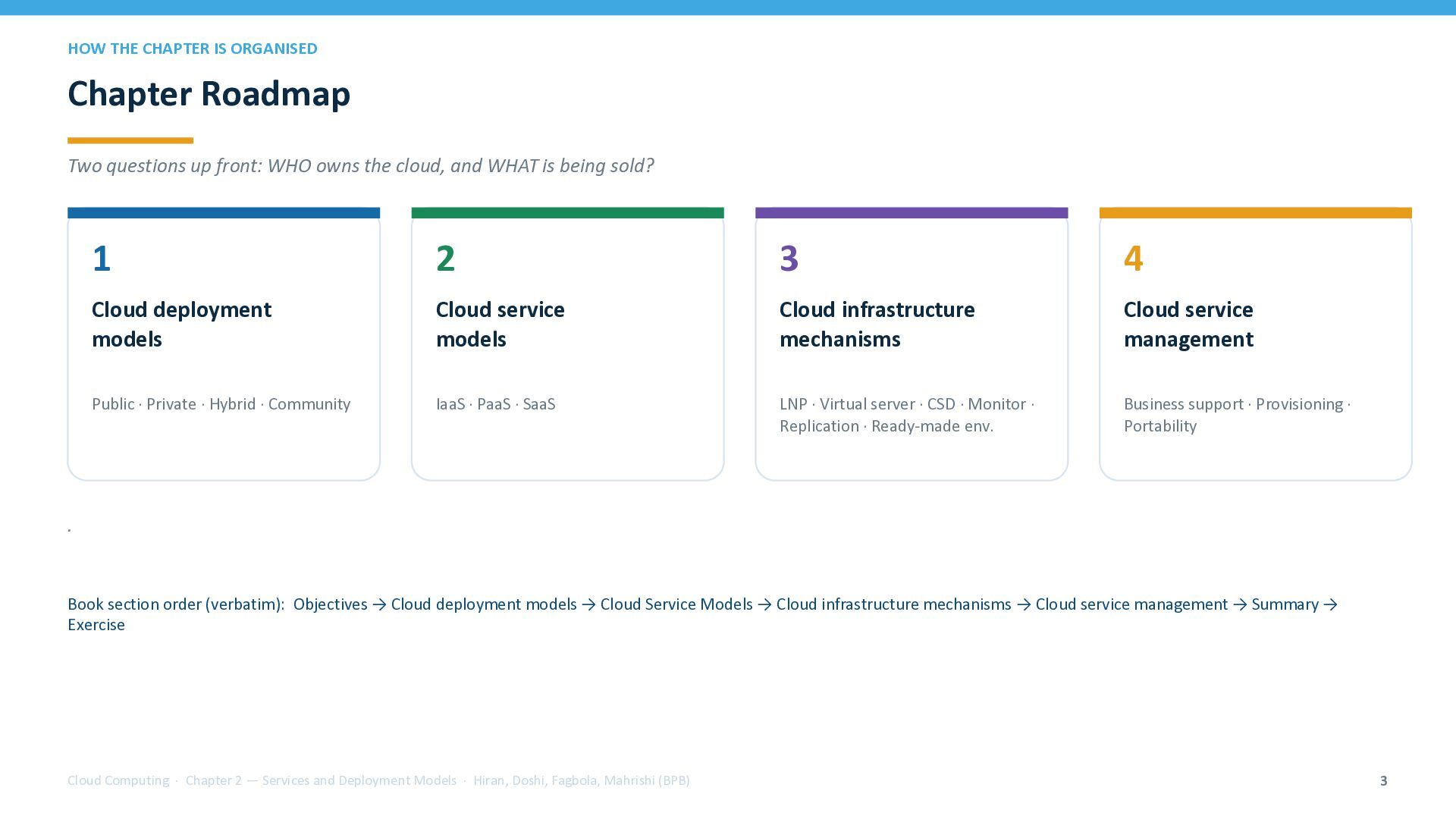
  3. HOW THE CHAPTER IS ORGANISED Chapter Roadmap Two questions up

    front: WHO owns the cloud, and WHAT is being sold? 1 2 3 4 Cloud deployment models Cloud service models Cloud infrastructure mechanisms Cloud service management Public · Private · Hybrid · Community IaaS · PaaS · SaaS LNP · Virtual server · CSD · Monitor · Replication · Ready-made env. Business support · Provisioning · Portability . Book section order (verbatim): Objectives → Cloud deployment models → Cloud Service Models → Cloud infrastructure mechanisms → Cloud service management → Summary → Exercise Cloud Computing · Chapter 2 — Services and Deployment Models · Hiran, Doshi, Fagbola, Mahrishi (BPB) 3
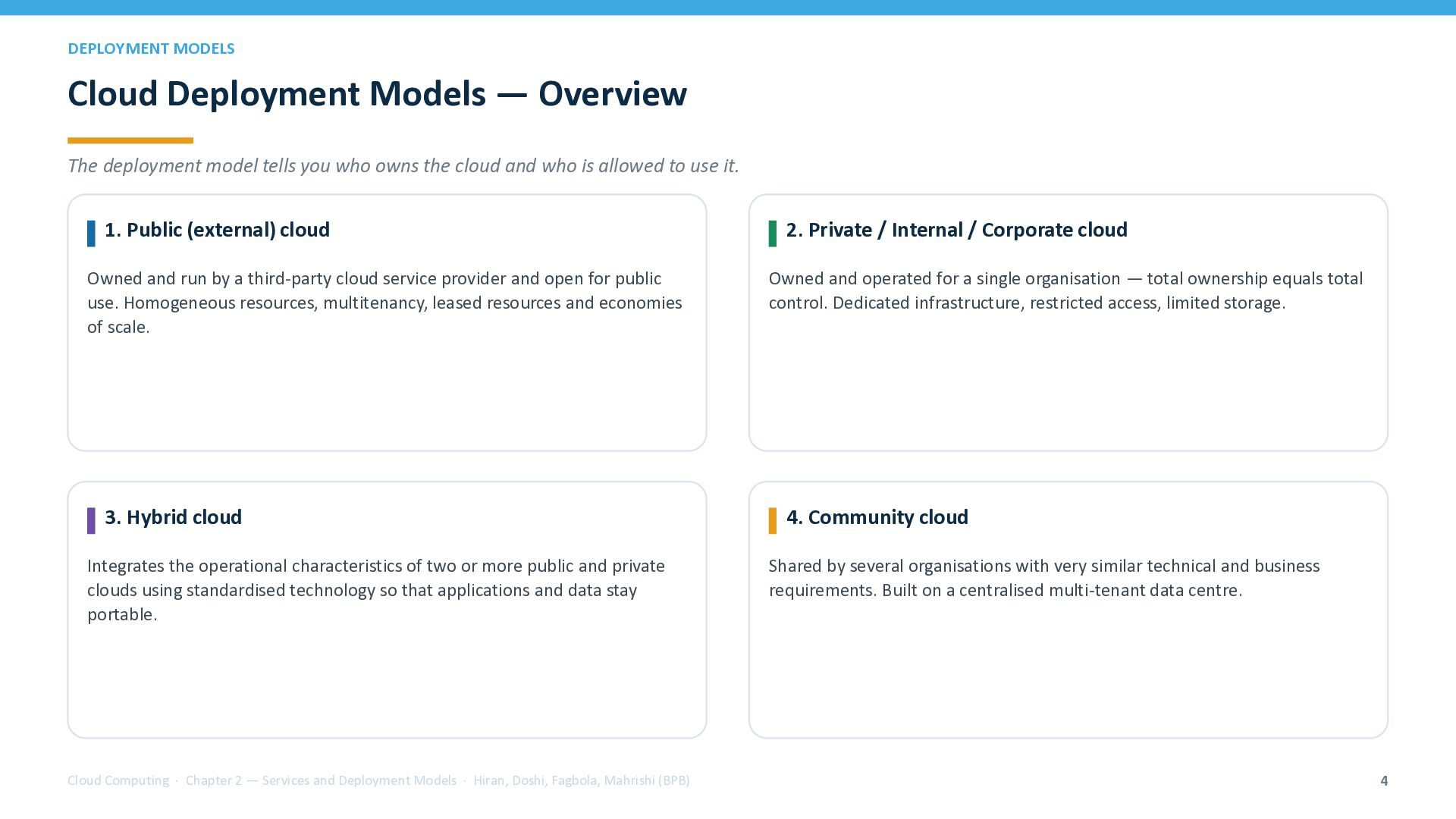
  4. DEPLOYMENT MODELS Cloud Deployment Models — Overview The deployment model

    tells you who owns the cloud and who is allowed to use it. 1. Public (external) cloud Owned and run by a third-party cloud service provider and open for public use. Homogeneous resources, multitenancy, leased resources and economies of scale. 3. Hybrid cloud Integrates the operational characteristics of two or more public and private clouds using standardised technology so that applications and data stay portable. Cloud Computing · Chapter 2 — Services and Deployment Models · Hiran, Doshi, Fagbola, Mahrishi (BPB) 2. Private / Internal / Corporate cloud Owned and operated for a single organisation — total ownership equals total control. Dedicated infrastructure, restricted access, limited storage. 4. Community cloud Shared by several organisations with very similar technical and business requirements. Built on a centralised multi-tenant data centre. 4
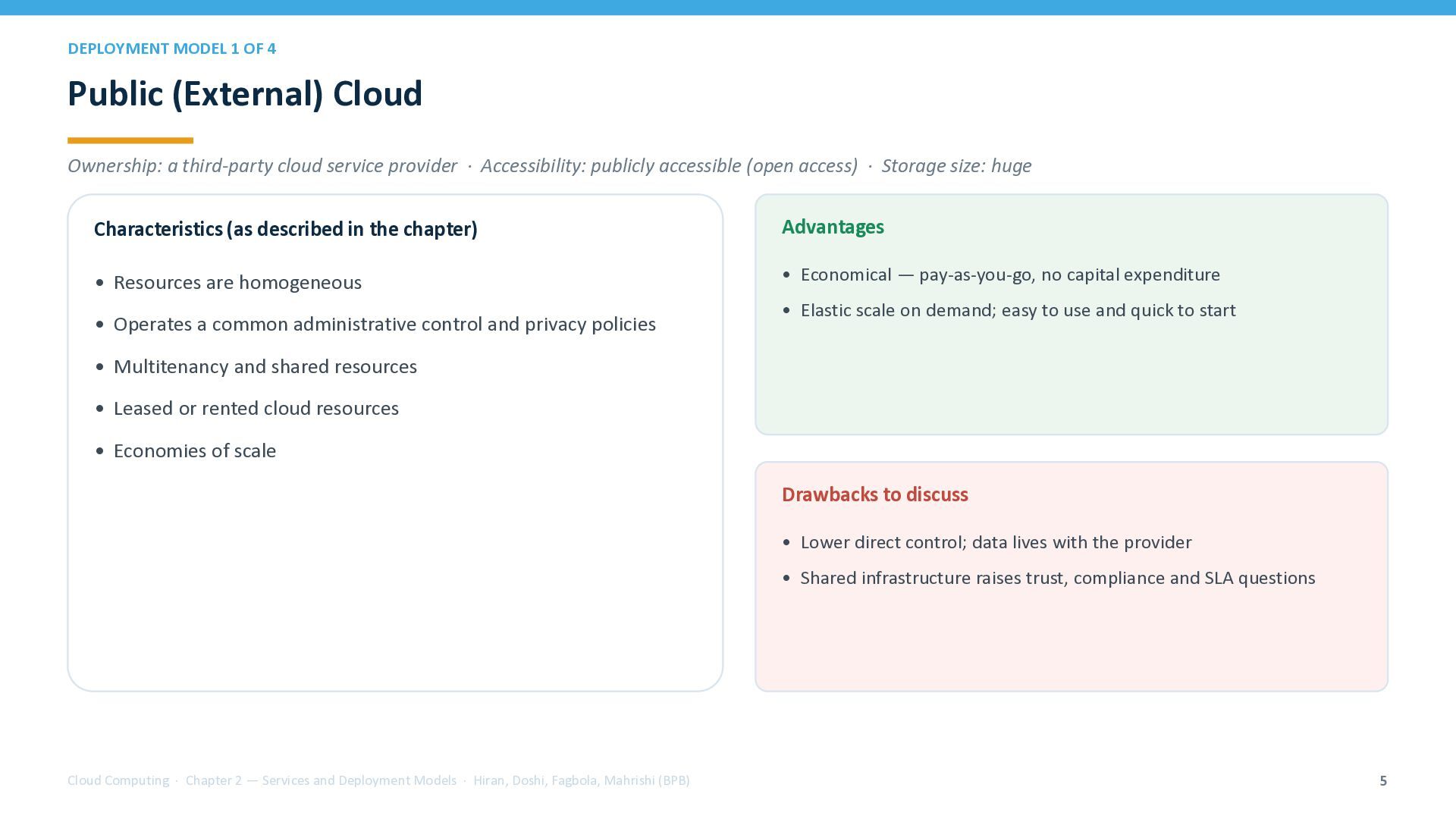
  5. DEPLOYMENT MODEL 1 OF 4 Public (External) Cloud Ownership: a

    third-party cloud service provider · Accessibility: publicly accessible (open access) · Storage size: huge Characteristics (as described in the chapter) Advantages • Resources are homogeneous • Economical — pay-as-you-go, no capital expenditure • Operates a common administrative control and privacy policies • Elastic scale on demand; easy to use and quick to start • Multitenancy and shared resources • Leased or rented cloud resources • Economies of scale Drawbacks to discuss • Lower direct control; data lives with the provider • Shared infrastructure raises trust, compliance and SLA questions Cloud Computing · Chapter 2 — Services and Deployment Models · Hiran, Doshi, Fagbola, Mahrishi (BPB) 5
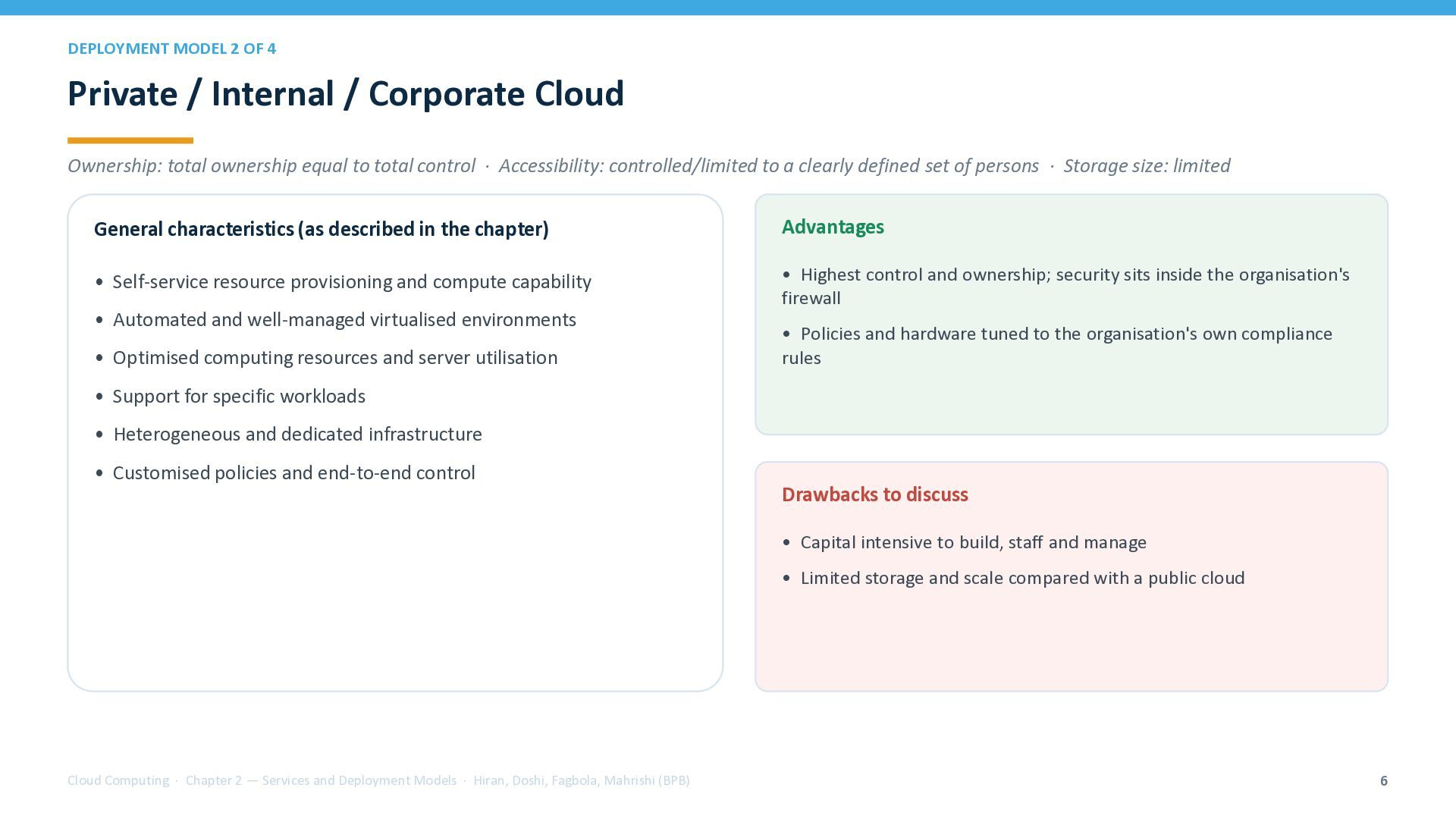
  6. DEPLOYMENT MODEL 2 OF 4 Private / Internal / Corporate

    Cloud Ownership: total ownership equal to total control · Accessibility: controlled/limited to a clearly defined set of persons · Storage size: limited General characteristics (as described in the chapter) Advantages • Self-service resource provisioning and compute capability • Highest control and ownership; security sits inside the organisation's firewall • Automated and well-managed virtualised environments • Optimised computing resources and server utilisation • Policies and hardware tuned to the organisation's own compliance rules • Support for specific workloads • Heterogeneous and dedicated infrastructure • Customised policies and end-to-end control Drawbacks to discuss • Capital intensive to build, staff and manage • Limited storage and scale compared with a public cloud Cloud Computing · Chapter 2 — Services and Deployment Models · Hiran, Doshi, Fagbola, Mahrishi (BPB) 6
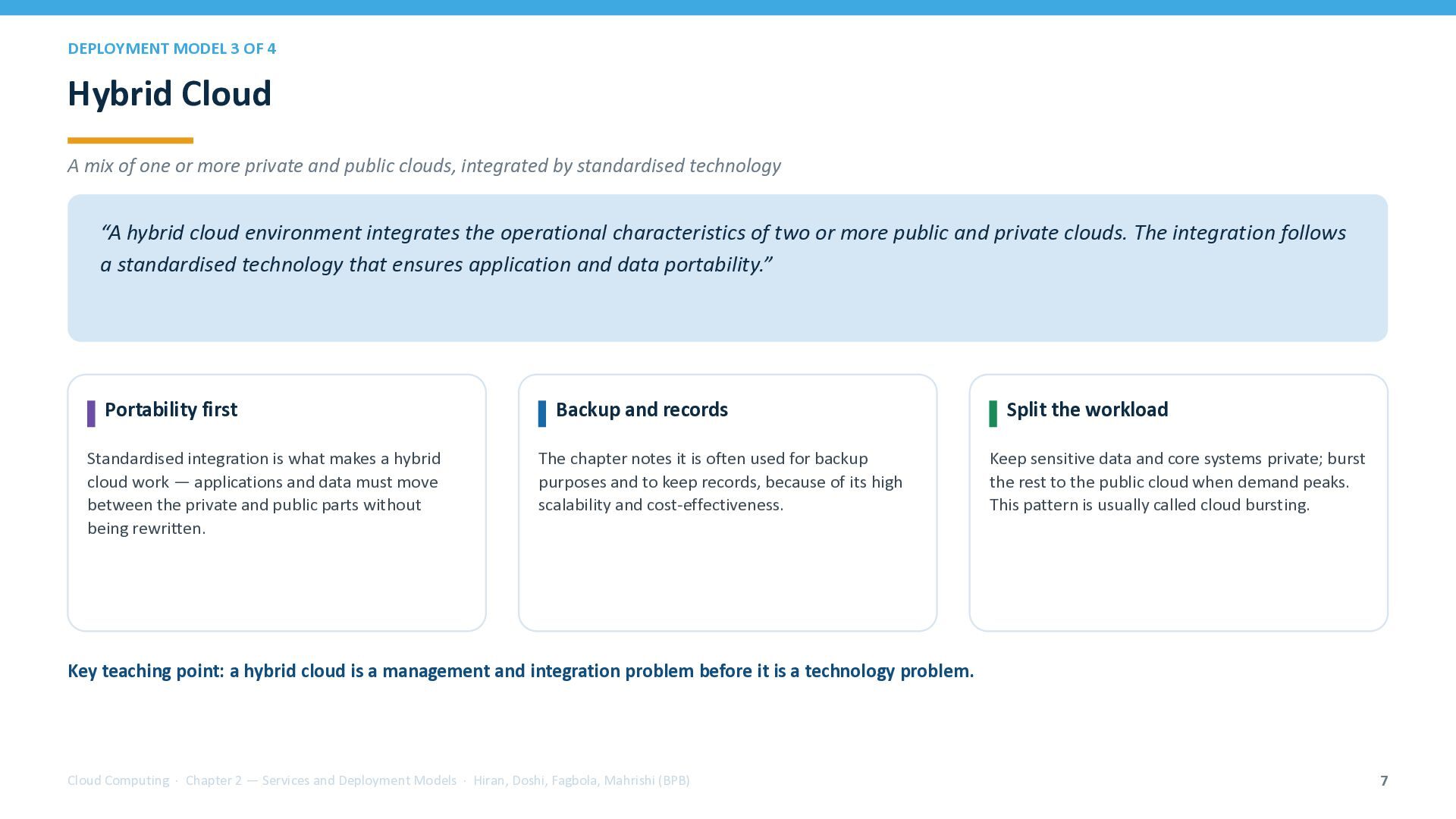
  7. DEPLOYMENT MODEL 3 OF 4 Hybrid Cloud A mix of

    one or more private and public clouds, integrated by standardised technology “A hybrid cloud environment integrates the operational characteristics of two or more public and private clouds. The integration follows a standardised technology that ensures application and data portability.” Portability first Standardised integration is what makes a hybrid cloud work — applications and data must move between the private and public parts without being rewritten. Backup and records The chapter notes it is often used for backup purposes and to keep records, because of its high scalability and cost-effectiveness. Split the workload Keep sensitive data and core systems private; burst the rest to the public cloud when demand peaks. This pattern is usually called cloud bursting. Key teaching point: a hybrid cloud is a management and integration problem before it is a technology problem. Cloud Computing · Chapter 2 — Services and Deployment Models · Hiran, Doshi, Fagbola, Mahrishi (BPB) 7
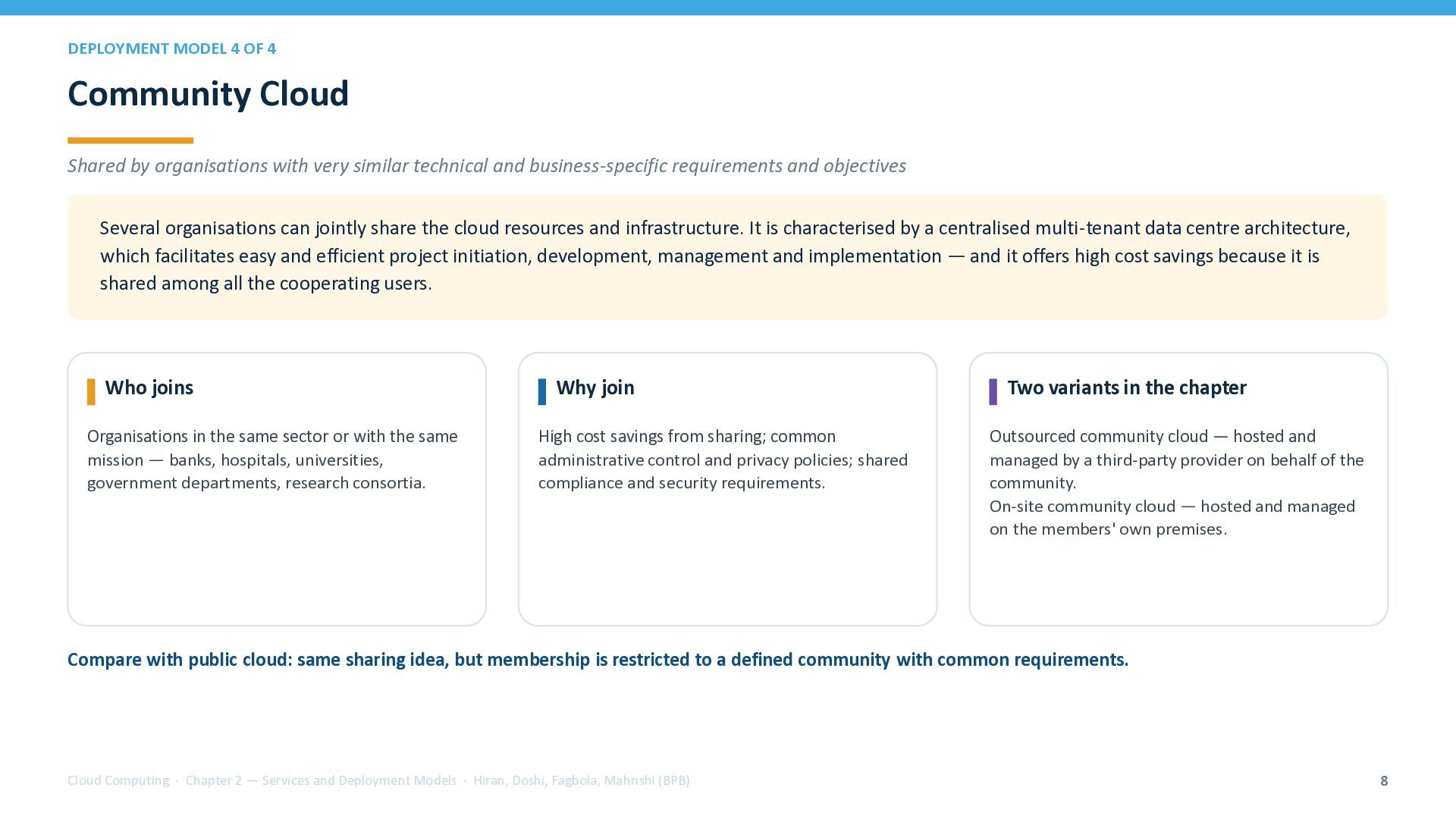
  8. DEPLOYMENT MODEL 4 OF 4 Community Cloud Shared by organisations

    with very similar technical and business-specific requirements and objectives Several organisations can jointly share the cloud resources and infrastructure. It is characterised by a centralised multi-tenant data centre architecture, which facilitates easy and efficient project initiation, development, management and implementation — and it offers high cost savings because it is shared among all the cooperating users. Who joins Organisations in the same sector or with the same mission — banks, hospitals, universities, government departments, research consortia. Why join High cost savings from sharing; common administrative control and privacy policies; shared compliance and security requirements. Two variants in the chapter Outsourced community cloud — hosted and managed by a third-party provider on behalf of the community. On-site community cloud — hosted and managed on the members' own premises. Compare with public cloud: same sharing idea, but membership is restricted to a defined community with common requirements. Cloud Computing · Chapter 2 — Services and Deployment Models · Hiran, Doshi, Fagbola, Mahrishi (BPB) 8
  9. COMPARISON Deployment Models — Side-by-Side Use this table for exam

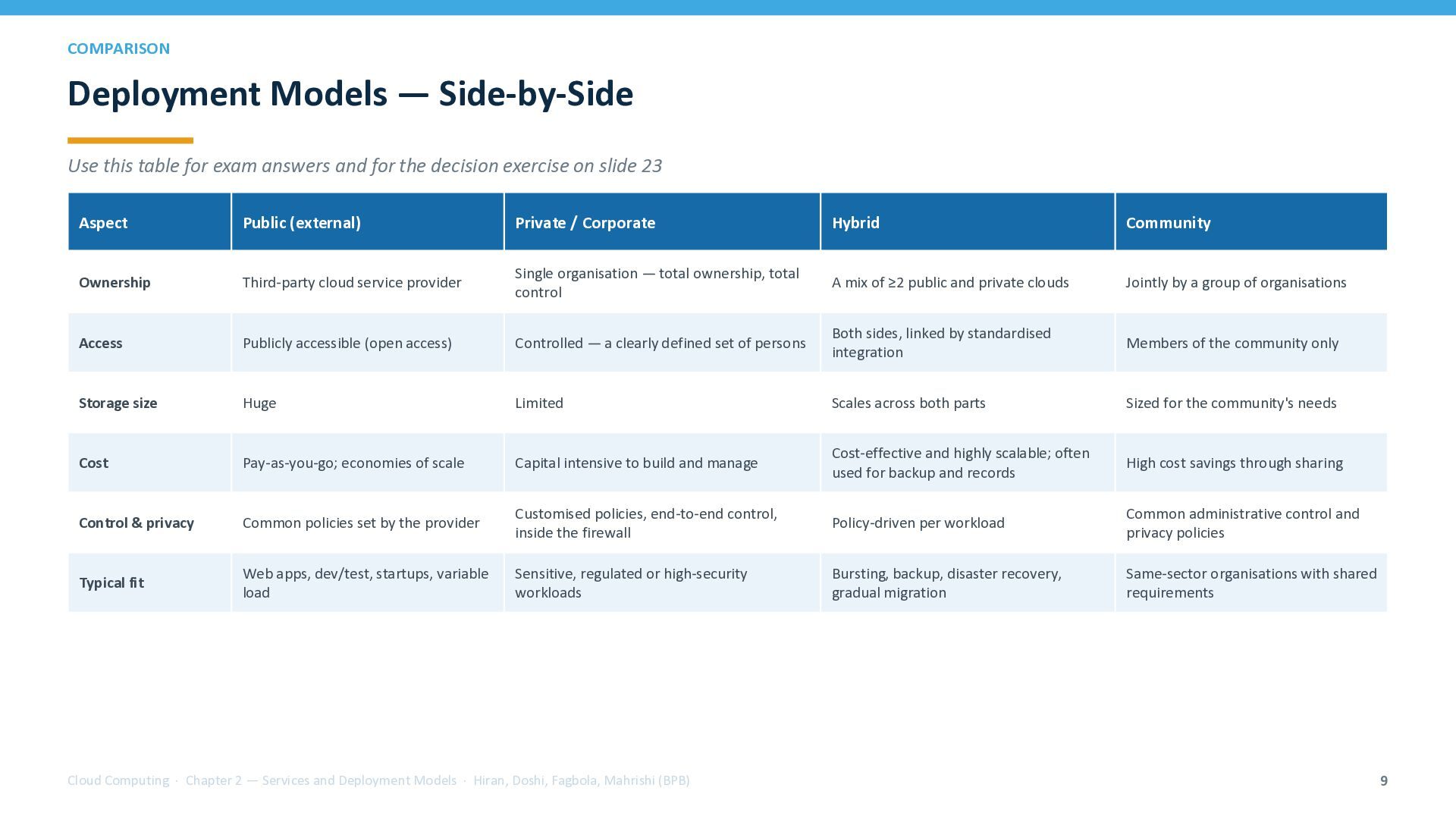
    answers and for the decision exercise on slide 23 Aspect Public (external) Private / Corporate Hybrid Community Ownership Third-party cloud service provider Single organisation — total ownership, total control A mix of ≥2 public and private clouds Jointly by a group of organisations Access Publicly accessible (open access) Controlled — a clearly defined set of persons Both sides, linked by standardised integration Members of the community only Storage size Huge Limited Scales across both parts Sized for the community's needs Cost Pay-as-you-go; economies of scale Capital intensive to build and manage Cost-effective and highly scalable; often used for backup and records High cost savings through sharing Control & privacy Common policies set by the provider Customised policies, end-to-end control, inside the firewall Policy-driven per workload Common administrative control and privacy policies Typical fit Web apps, dev/test, startups, variable load Sensitive, regulated or high-security workloads Bursting, backup, disaster recovery, gradual migration Same-sector organisations with shared requirements Cloud Computing · Chapter 2 — Services and Deployment Models · Hiran, Doshi, Fagbola, Mahrishi (BPB) 9
  10. SERVICE MODELS Cloud Service Models — The SPI Stack The

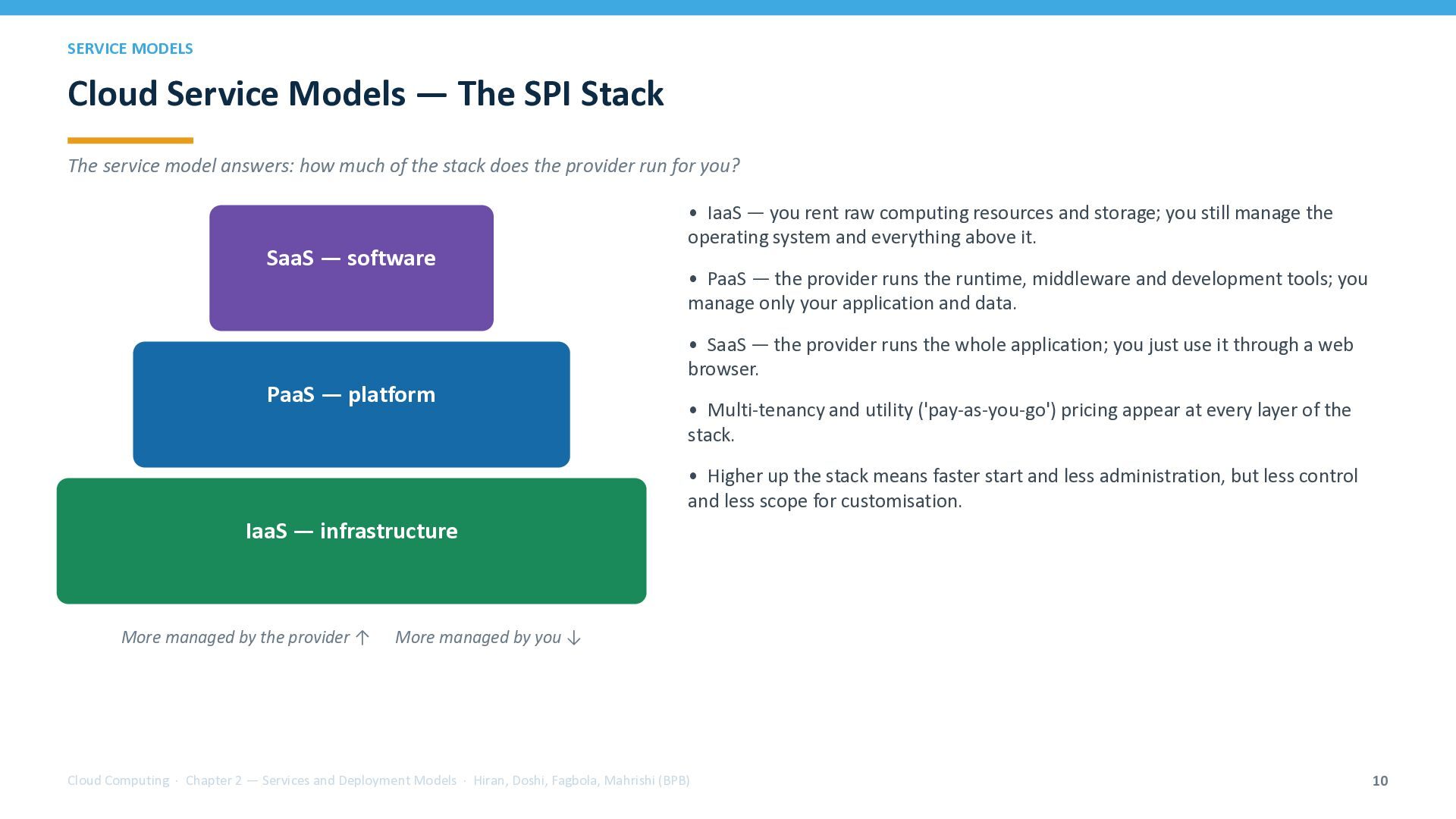
    service model answers: how much of the stack does the provider run for you? SaaS — software • IaaS — you rent raw computing resources and storage; you still manage the operating system and everything above it. • PaaS — the provider runs the runtime, middleware and development tools; you manage only your application and data. • SaaS — the provider runs the whole application; you just use it through a web browser. PaaS — platform • Multi-tenancy and utility ('pay-as-you-go') pricing appear at every layer of the stack. • Higher up the stack means faster start and less administration, but less control and less scope for customisation. IaaS — infrastructure More managed by the provider ↑ More managed by you ↓ Cloud Computing · Chapter 2 — Services and Deployment Models · Hiran, Doshi, Fagbola, Mahrishi (BPB) 10
  11. SERVICE MODEL 1 OF 3 Infrastructure-as-a-Service (IaaS) The lowest layer:

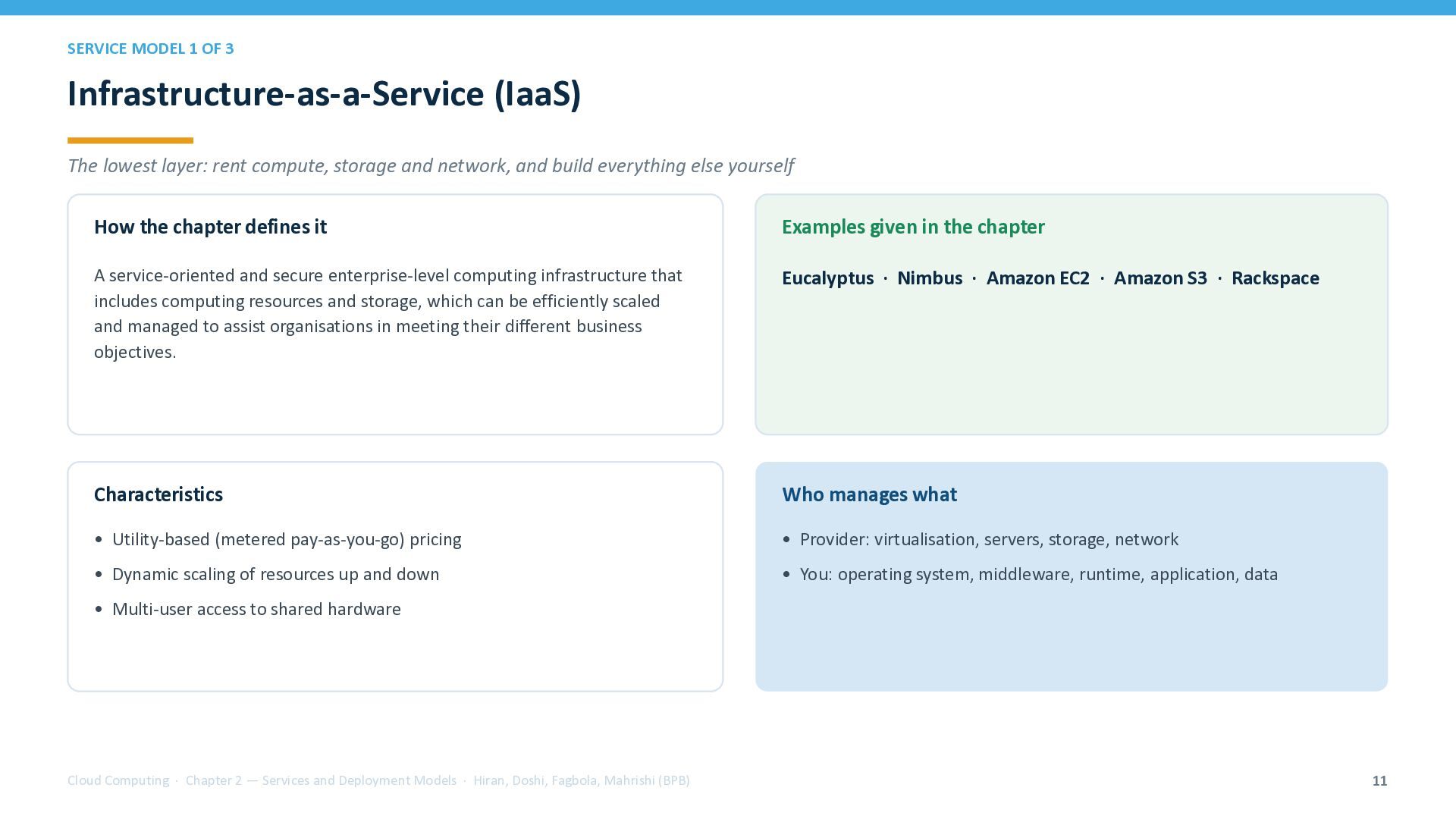
    rent compute, storage and network, and build everything else yourself How the chapter defines it Examples given in the chapter A service-oriented and secure enterprise-level computing infrastructure that includes computing resources and storage, which can be efficiently scaled and managed to assist organisations in meeting their different business objectives. Eucalyptus · Nimbus · Amazon EC2 · Amazon S3 · Rackspace Characteristics Who manages what • Utility-based (metered pay-as-you-go) pricing • Provider: virtualisation, servers, storage, network • Dynamic scaling of resources up and down • You: operating system, middleware, runtime, application, data • Multi-user access to shared hardware Cloud Computing · Chapter 2 — Services and Deployment Models · Hiran, Doshi, Fagbola, Mahrishi (BPB) 11
  12. SERVICE MODEL 2 OF 3 Platform-as-a-Service (PaaS) A development-oriented model:

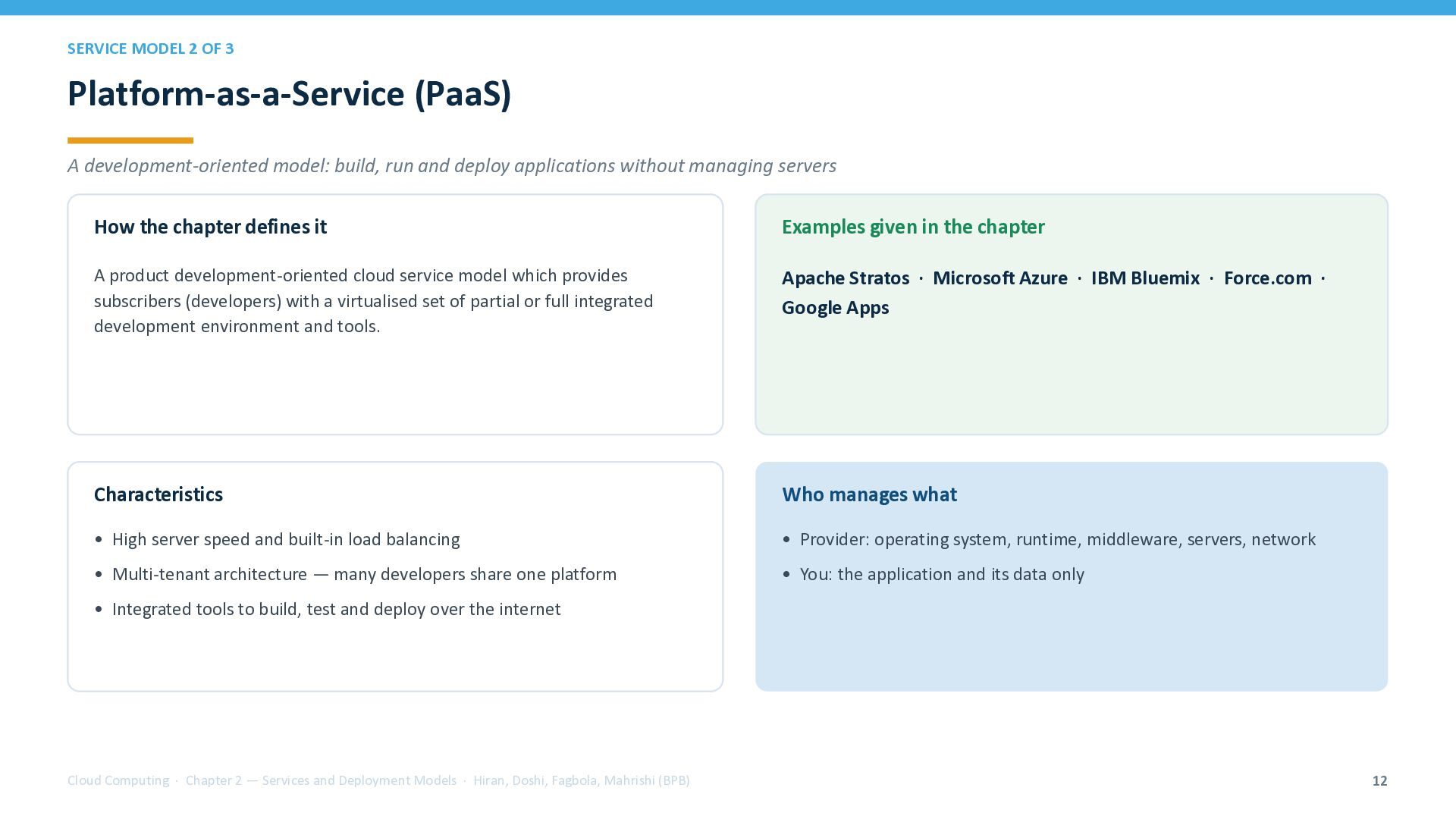
    build, run and deploy applications without managing servers How the chapter defines it Examples given in the chapter A product development-oriented cloud service model which provides subscribers (developers) with a virtualised set of partial or full integrated development environment and tools. Apache Stratos · Microsoft Azure · IBM Bluemix · Force.com · Google Apps Characteristics Who manages what • High server speed and built-in load balancing • Provider: operating system, runtime, middleware, servers, network • Multi-tenant architecture — many developers share one platform • You: the application and its data only • Integrated tools to build, test and deploy over the internet Cloud Computing · Chapter 2 — Services and Deployment Models · Hiran, Doshi, Fagbola, Mahrishi (BPB) 12
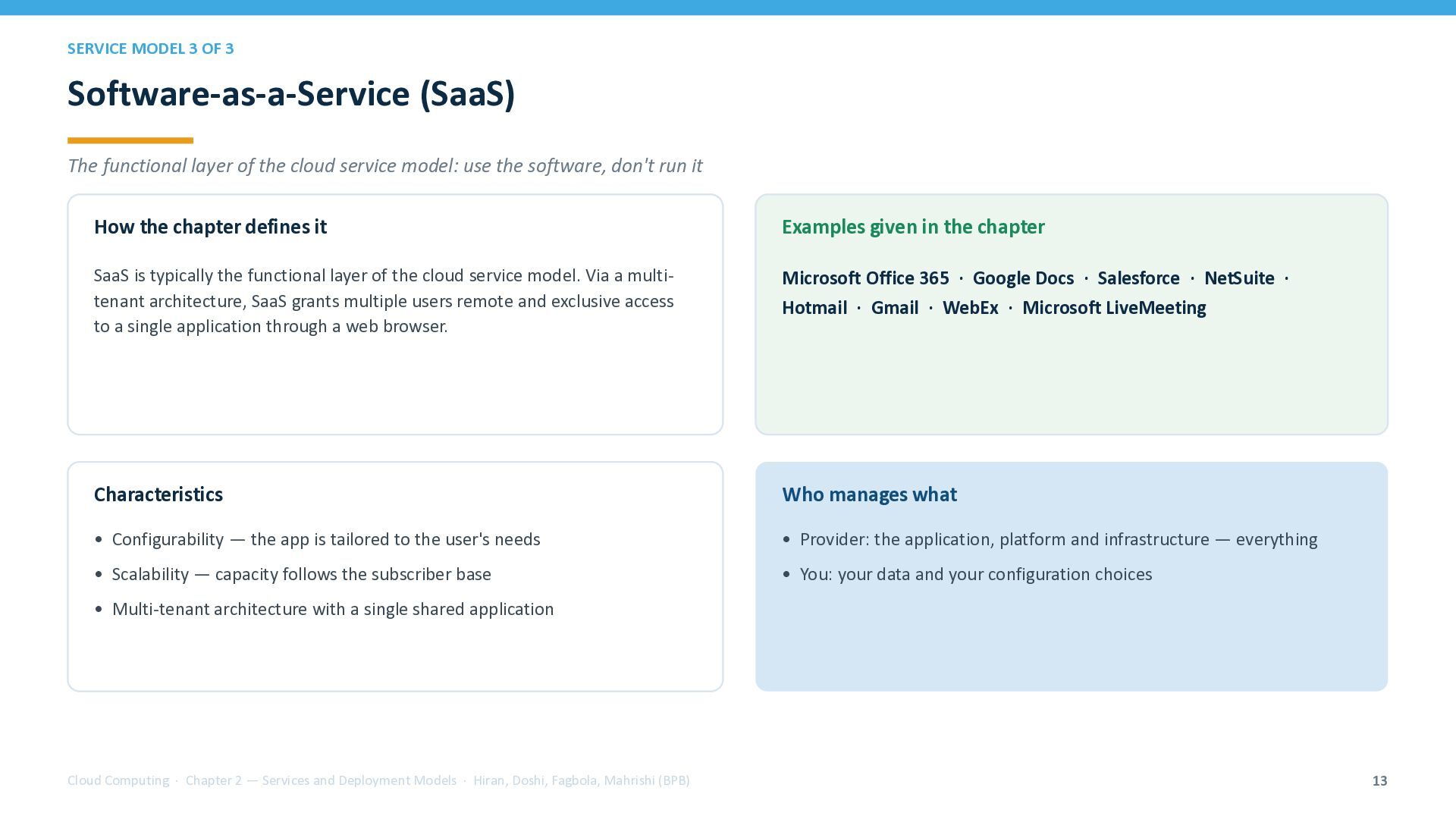
  13. SERVICE MODEL 3 OF 3 Software-as-a-Service (SaaS) The functional layer

    of the cloud service model: use the software, don't run it How the chapter defines it Examples given in the chapter SaaS is typically the functional layer of the cloud service model. Via a multitenant architecture, SaaS grants multiple users remote and exclusive access to a single application through a web browser. Microsoft Office 365 · Google Docs · Salesforce · NetSuite · Hotmail · Gmail · WebEx · Microsoft LiveMeeting Characteristics Who manages what • Configurability — the app is tailored to the user's needs • Provider: the application, platform and infrastructure — everything • Scalability — capacity follows the subscriber base • You: your data and your configuration choices • Multi-tenant architecture with a single shared application Cloud Computing · Chapter 2 — Services and Deployment Models · Hiran, Doshi, Fagbola, Mahrishi (BPB) 13
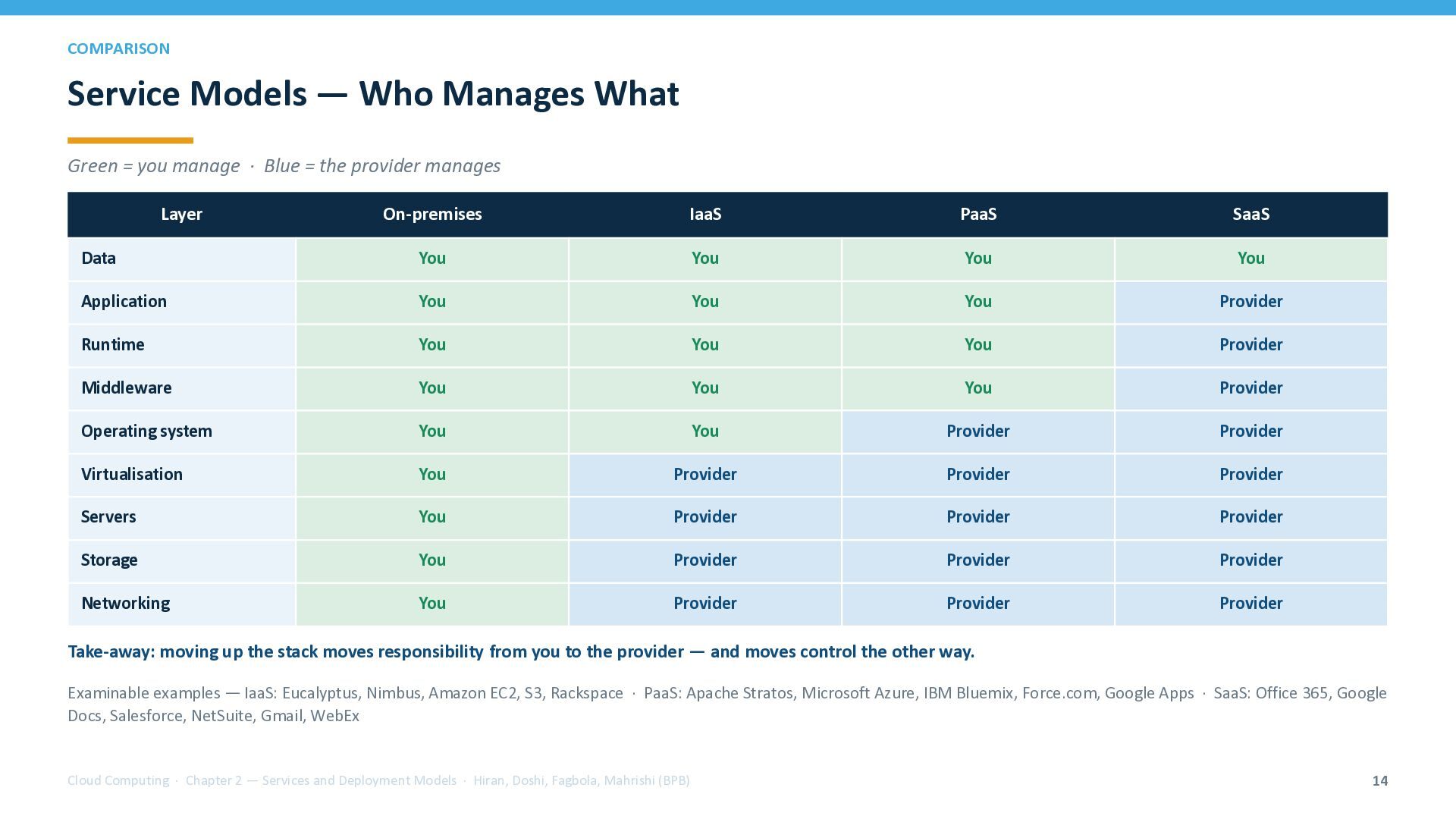
  14. COMPARISON Service Models — Who Manages What Green = you

    manage · Blue = the provider manages Layer On-premises IaaS PaaS SaaS Data You You You You Application You You You Provider Runtime You You You Provider Middleware You You You Provider Operating system You You Provider Provider Virtualisation You Provider Provider Provider Servers You Provider Provider Provider Storage You Provider Provider Provider Networking You Provider Provider Provider Take-away: moving up the stack moves responsibility from you to the provider — and moves control the other way. Examinable examples — IaaS: Eucalyptus, Nimbus, Amazon EC2, S3, Rackspace · PaaS: Apache Stratos, Microsoft Azure, IBM Bluemix, Force.com, Google Apps · SaaS: Office 365, Google Docs, Salesforce, NetSuite, Gmail, WebEx Cloud Computing · Chapter 2 — Services and Deployment Models · Hiran, Doshi, Fagbola, Mahrishi (BPB) 14
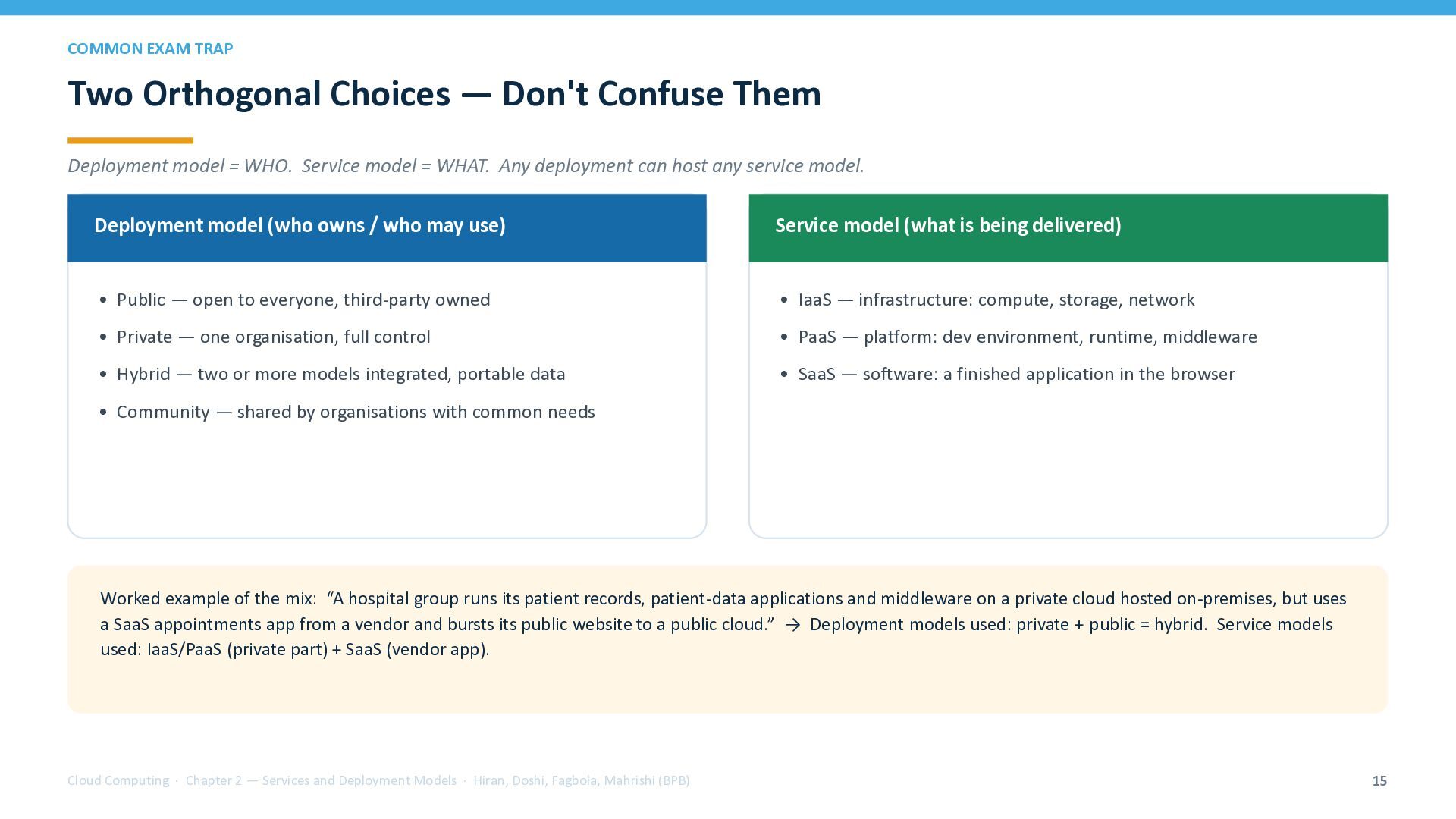
  15. COMMON EXAM TRAP Two Orthogonal Choices — Don't Confuse Them

    Deployment model = WHO. Service model = WHAT. Any deployment can host any service model. Deployment model (who owns / who may use) Service model (what is being delivered) • Public — open to everyone, third-party owned • IaaS — infrastructure: compute, storage, network • Private — one organisation, full control • PaaS — platform: dev environment, runtime, middleware • Hybrid — two or more models integrated, portable data • SaaS — software: a finished application in the browser • Community — shared by organisations with common needs Worked example of the mix: “A hospital group runs its patient records, patient-data applications and middleware on a private cloud hosted on-premises, but uses a SaaS appointments app from a vendor and bursts its public website to a public cloud.” → Deployment models used: private + public = hybrid. Service models used: IaaS/PaaS (private part) + SaaS (vendor app). Cloud Computing · Chapter 2 — Services and Deployment Models · Hiran, Doshi, Fagbola, Mahrishi (BPB) 15
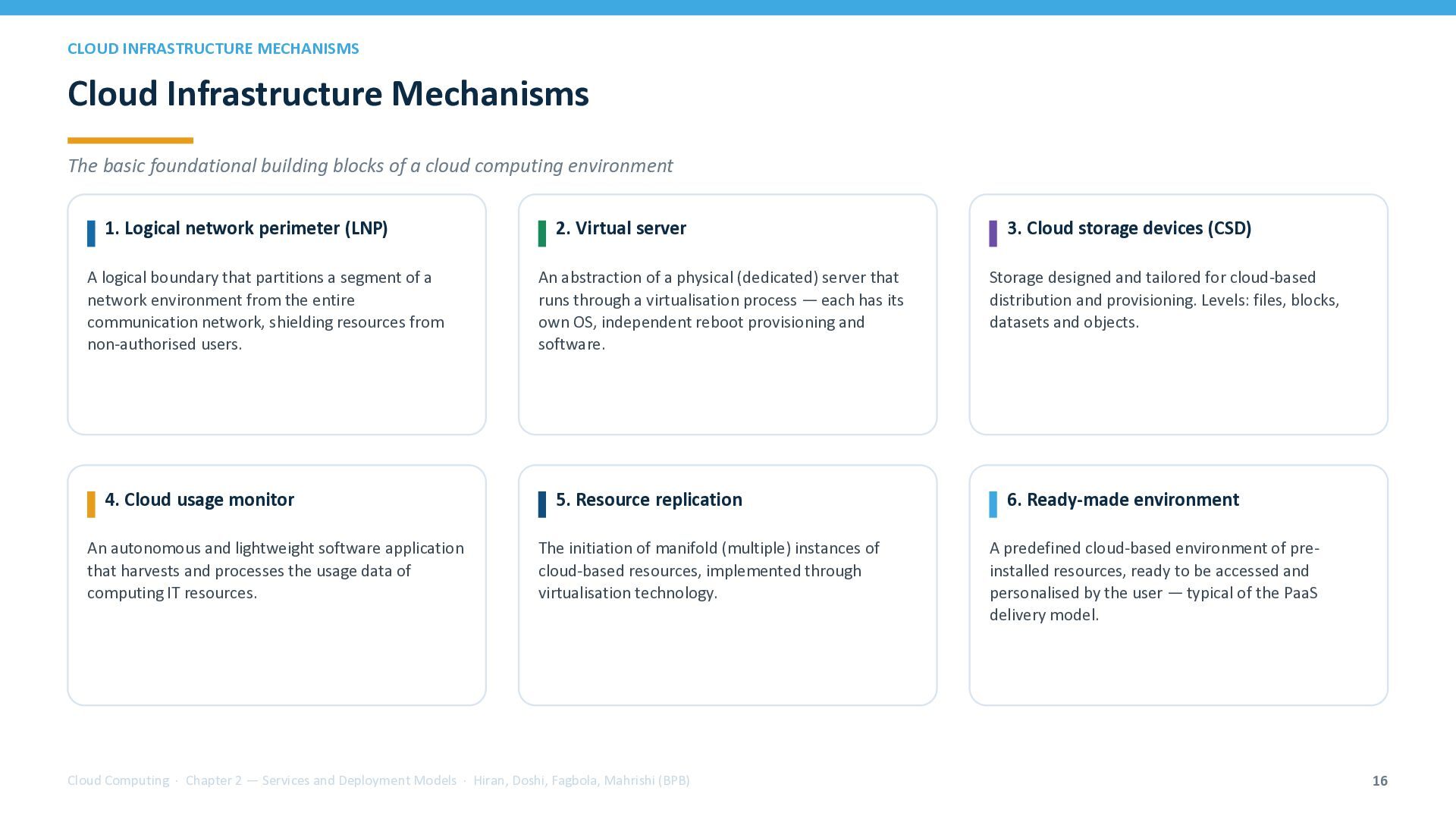
  16. CLOUD INFRASTRUCTURE MECHANISMS Cloud Infrastructure Mechanisms The basic foundational building

    blocks of a cloud computing environment 1. Logical network perimeter (LNP) A logical boundary that partitions a segment of a network environment from the entire communication network, shielding resources from non-authorised users. 4. Cloud usage monitor An autonomous and lightweight software application that harvests and processes the usage data of computing IT resources. 2. Virtual server An abstraction of a physical (dedicated) server that runs through a virtualisation process — each has its own OS, independent reboot provisioning and software. 5. Resource replication The initiation of manifold (multiple) instances of cloud-based resources, implemented through virtualisation technology. Cloud Computing · Chapter 2 — Services and Deployment Models · Hiran, Doshi, Fagbola, Mahrishi (BPB) 3. Cloud storage devices (CSD) Storage designed and tailored for cloud-based distribution and provisioning. Levels: files, blocks, datasets and objects. 6. Ready-made environment A predefined cloud-based environment of preinstalled resources, ready to be accessed and personalised by the user — typical of the PaaS delivery model. 16
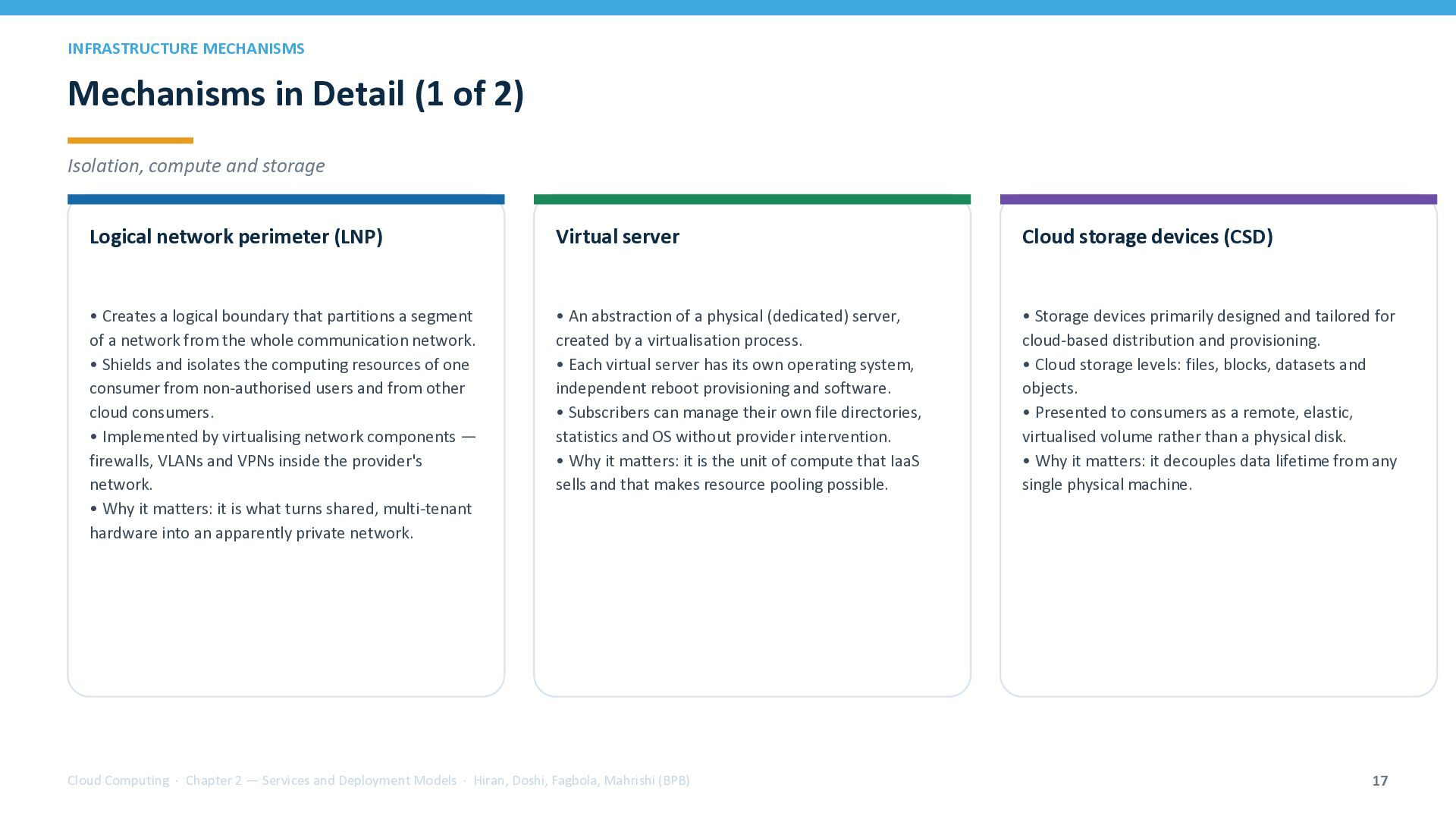
  17. INFRASTRUCTURE MECHANISMS Mechanisms in Detail (1 of 2) Isolation, compute

    and storage Logical network perimeter (LNP) Virtual server Cloud storage devices (CSD) • Creates a logical boundary that partitions a segment of a network from the whole communication network. • Shields and isolates the computing resources of one consumer from non-authorised users and from other cloud consumers. • Implemented by virtualising network components — firewalls, VLANs and VPNs inside the provider's network. • Why it matters: it is what turns shared, multi-tenant hardware into an apparently private network. • An abstraction of a physical (dedicated) server, created by a virtualisation process. • Each virtual server has its own operating system, independent reboot provisioning and software. • Subscribers can manage their own file directories, statistics and OS without provider intervention. • Why it matters: it is the unit of compute that IaaS sells and that makes resource pooling possible. • Storage devices primarily designed and tailored for cloud-based distribution and provisioning. • Cloud storage levels: files, blocks, datasets and objects. • Presented to consumers as a remote, elastic, virtualised volume rather than a physical disk. • Why it matters: it decouples data lifetime from any single physical machine. Cloud Computing · Chapter 2 — Services and Deployment Models · Hiran, Doshi, Fagbola, Mahrishi (BPB) 17
  18. INFRASTRUCTURE MECHANISMS Mechanisms in Detail (2 of 2) Metering, resilience

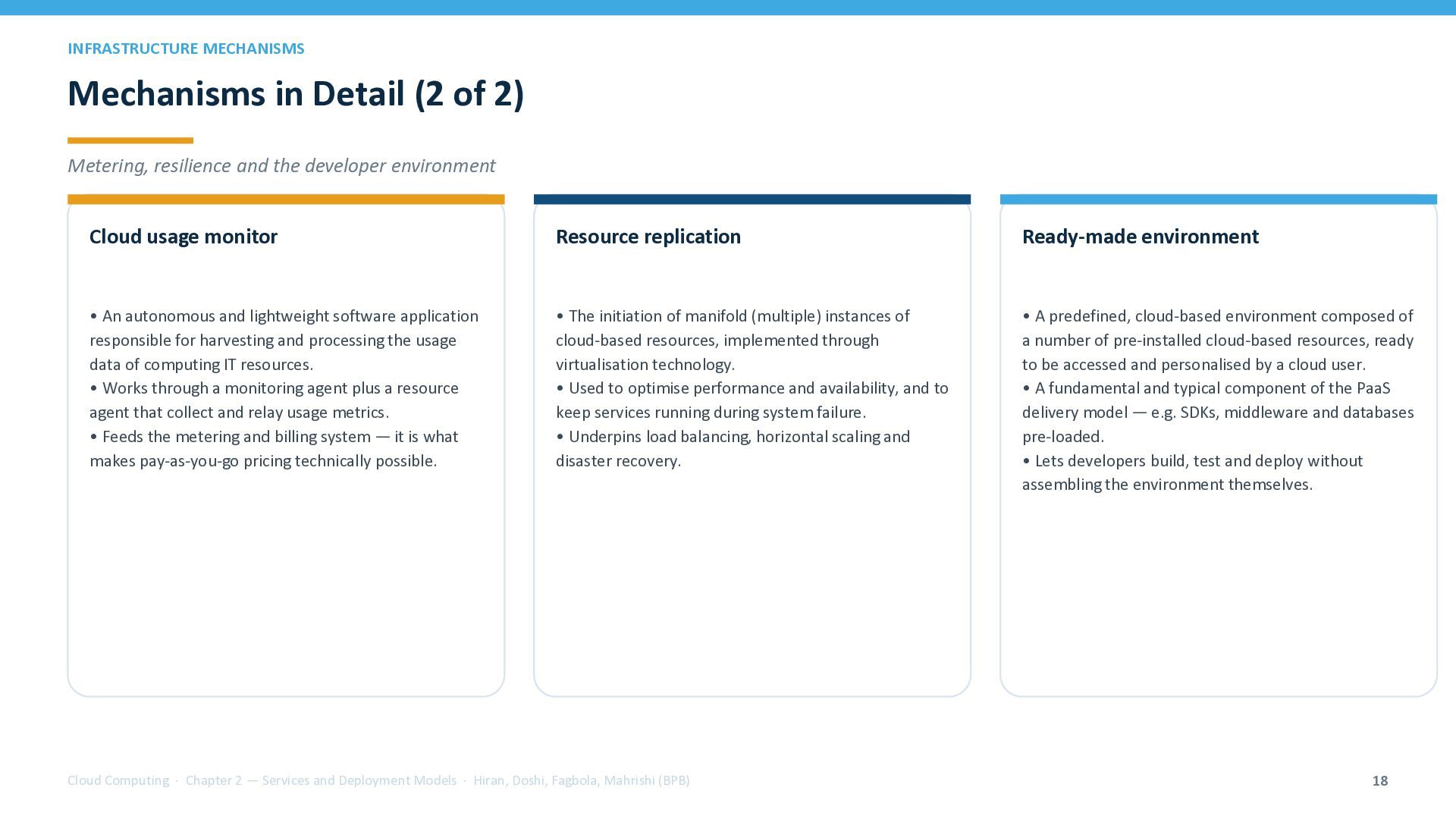
    and the developer environment Cloud usage monitor Resource replication Ready-made environment • An autonomous and lightweight software application responsible for harvesting and processing the usage data of computing IT resources. • Works through a monitoring agent plus a resource agent that collect and relay usage metrics. • Feeds the metering and billing system — it is what makes pay-as-you-go pricing technically possible. • The initiation of manifold (multiple) instances of cloud-based resources, implemented through virtualisation technology. • Used to optimise performance and availability, and to keep services running during system failure. • Underpins load balancing, horizontal scaling and disaster recovery. • A predefined, cloud-based environment composed of a number of pre-installed cloud-based resources, ready to be accessed and personalised by a cloud user. • A fundamental and typical component of the PaaS delivery model — e.g. SDKs, middleware and databases pre-loaded. • Lets developers build, test and deploy without assembling the environment themselves. Cloud Computing · Chapter 2 — Services and Deployment Models · Hiran, Doshi, Fagbola, Mahrishi (BPB) 18
  19. CLOUD SERVICE MANAGEMENT Cloud Service Management All activities a cloud

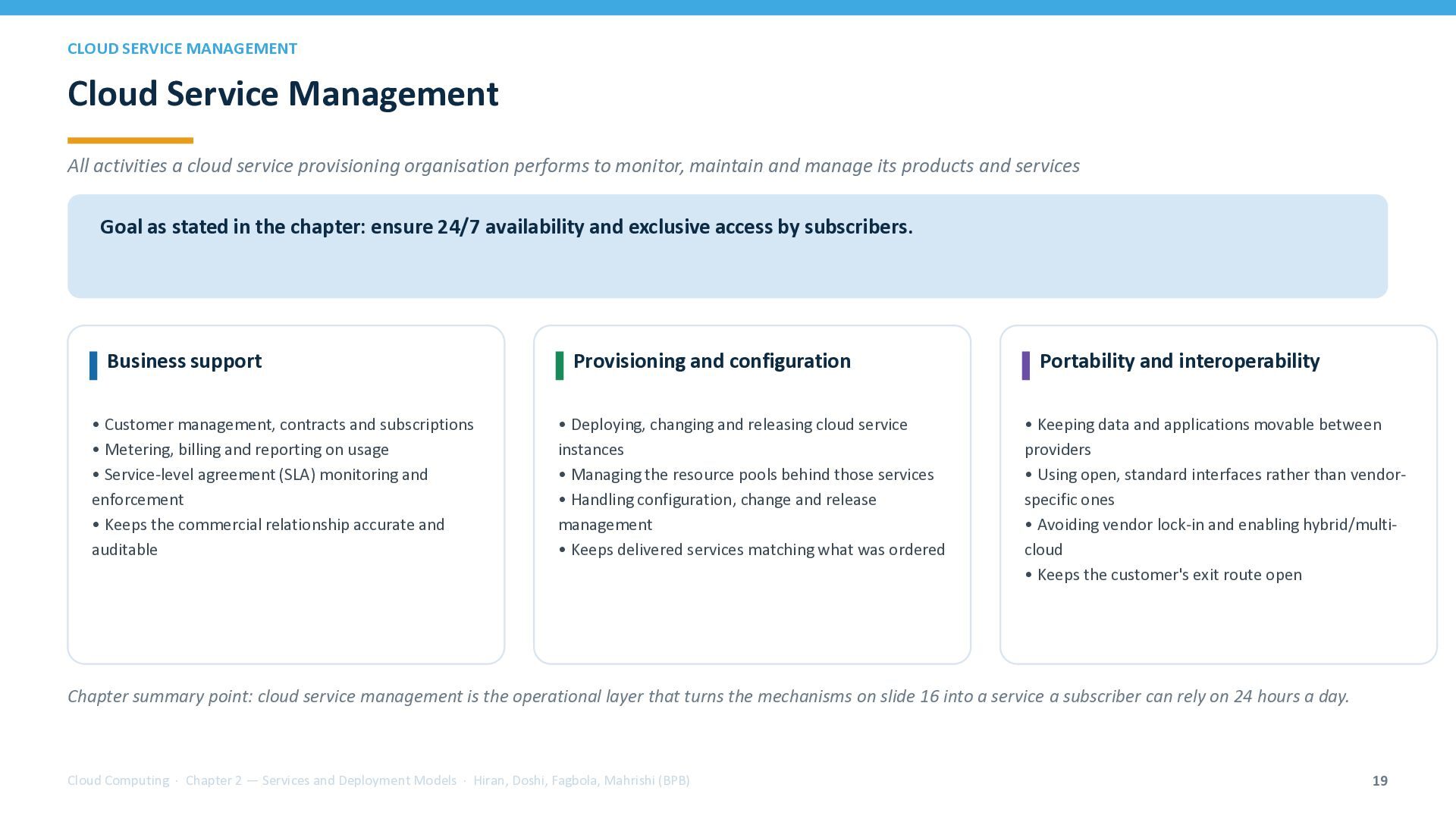
    service provisioning organisation performs to monitor, maintain and manage its products and services Goal as stated in the chapter: ensure 24/7 availability and exclusive access by subscribers. Business support • Customer management, contracts and subscriptions • Metering, billing and reporting on usage • Service-level agreement (SLA) monitoring and enforcement • Keeps the commercial relationship accurate and auditable Provisioning and configuration • Deploying, changing and releasing cloud service instances • Managing the resource pools behind those services • Handling configuration, change and release management • Keeps delivered services matching what was ordered Portability and interoperability • Keeping data and applications movable between providers • Using open, standard interfaces rather than vendorspecific ones • Avoiding vendor lock-in and enabling hybrid/multicloud • Keeps the customer's exit route open Chapter summary point: cloud service management is the operational layer that turns the mechanisms on slide 16 into a service a subscriber can rely on 24 hours a day. Cloud Computing · Chapter 2 — Services and Deployment Models · Hiran, Doshi, Fagbola, Mahrishi (BPB) 19
  20. EXAMPLES AND APPLIED MAPPING Chapter Concepts in the Real World

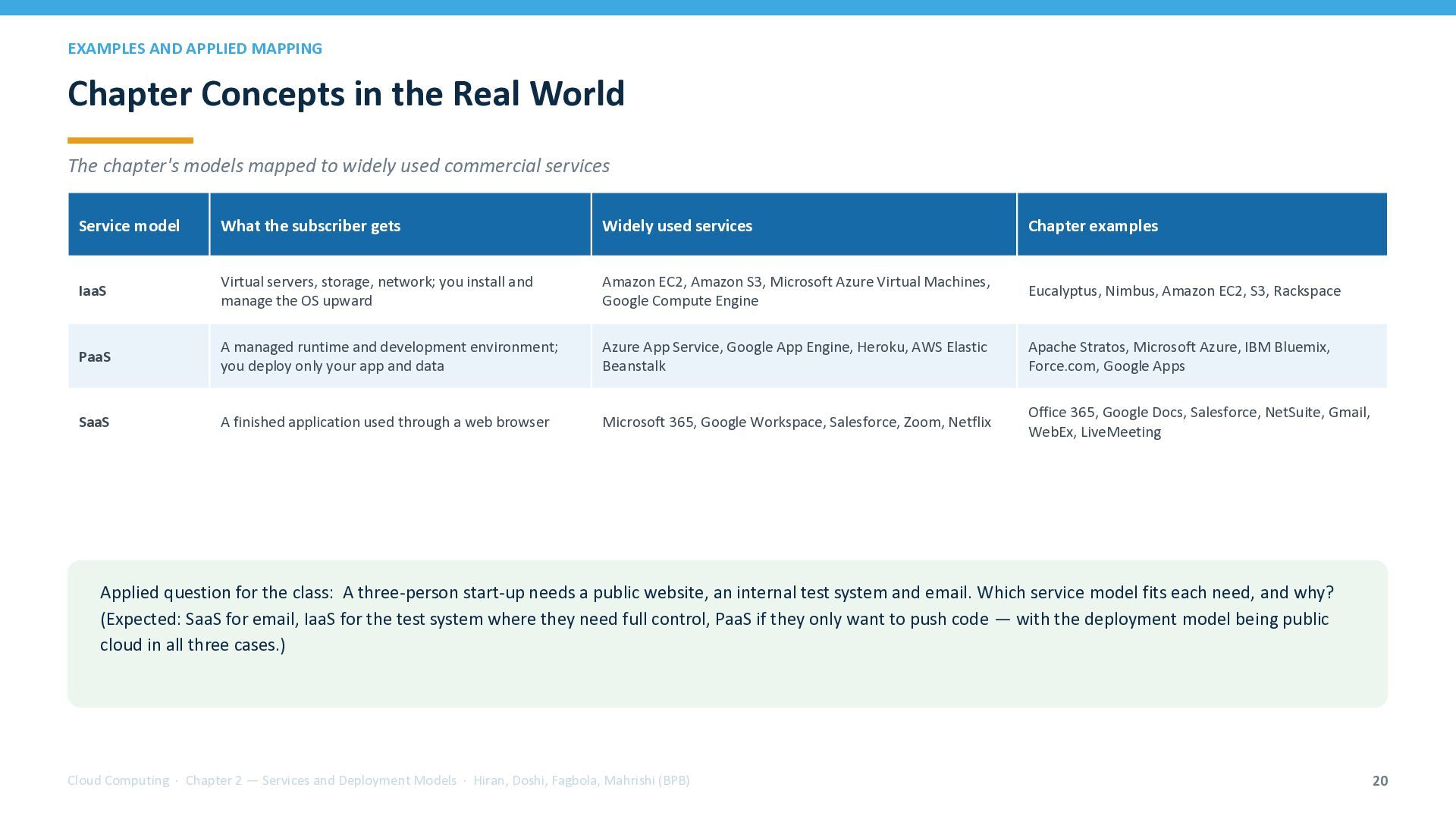
    The chapter's models mapped to widely used commercial services Service model What the subscriber gets Widely used services Chapter examples IaaS Virtual servers, storage, network; you install and manage the OS upward Amazon EC2, Amazon S3, Microsoft Azure Virtual Machines, Google Compute Engine Eucalyptus, Nimbus, Amazon EC2, S3, Rackspace PaaS A managed runtime and development environment; you deploy only your app and data Azure App Service, Google App Engine, Heroku, AWS Elastic Beanstalk Apache Stratos, Microsoft Azure, IBM Bluemix, Force.com, Google Apps SaaS A finished application used through a web browser Microsoft 365, Google Workspace, Salesforce, Zoom, Netflix Office 365, Google Docs, Salesforce, NetSuite, Gmail, WebEx, LiveMeeting Applied question for the class: A three-person start-up needs a public website, an internal test system and email. Which service model fits each need, and why? (Expected: SaaS for email, IaaS for the test system where they need full control, PaaS if they only want to push code — with the deployment model being public cloud in all three cases.) Cloud Computing · Chapter 2 — Services and Deployment Models · Hiran, Doshi, Fagbola, Mahrishi (BPB) 20
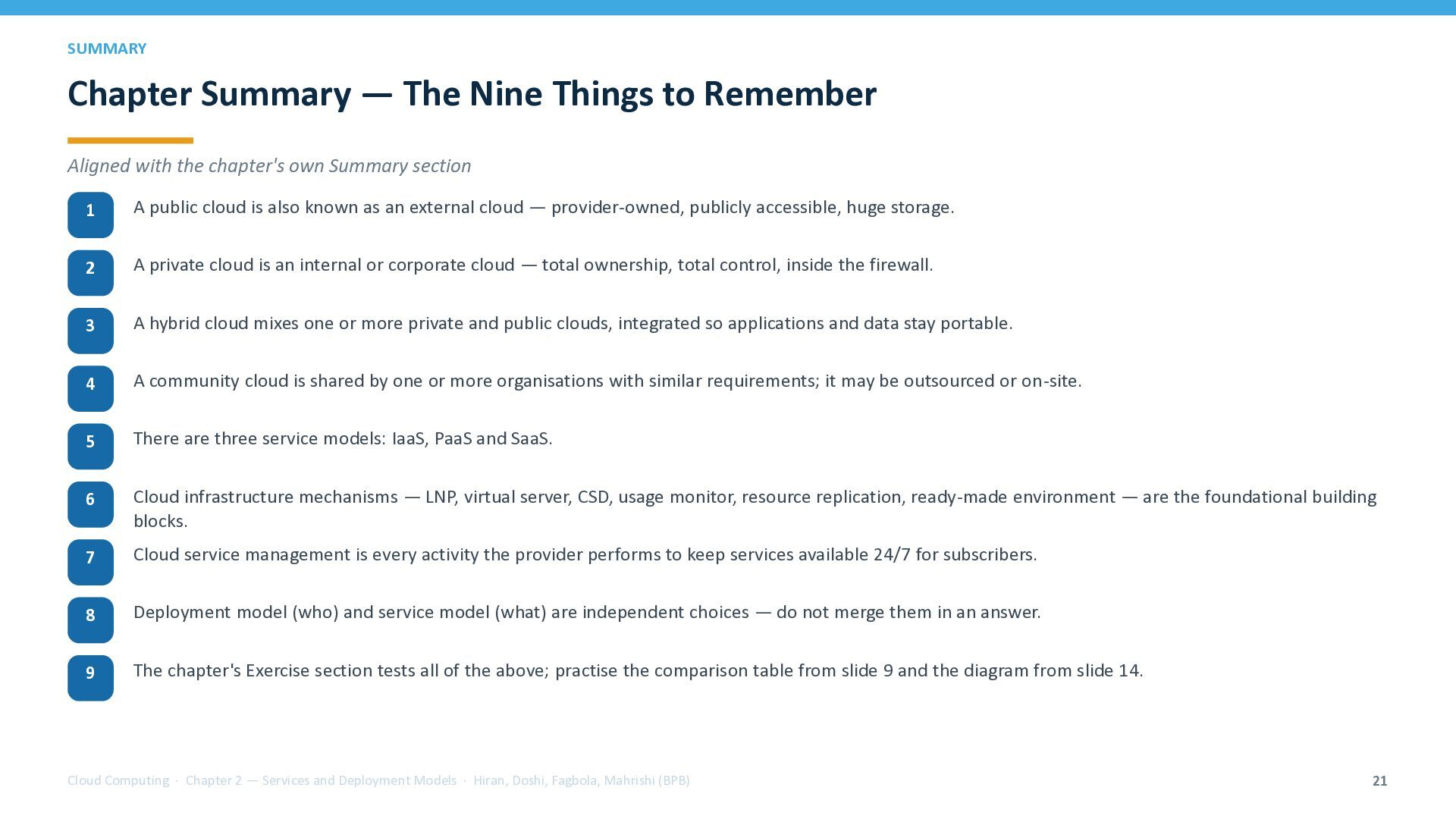
  21. SUMMARY Chapter Summary — The Nine Things to Remember Aligned

    with the chapter's own Summary section 1 A public cloud is also known as an external cloud — provider-owned, publicly accessible, huge storage. 2 A private cloud is an internal or corporate cloud — total ownership, total control, inside the firewall. 3 A hybrid cloud mixes one or more private and public clouds, integrated so applications and data stay portable. 4 A community cloud is shared by one or more organisations with similar requirements; it may be outsourced or on-site. 5 There are three service models: IaaS, PaaS and SaaS. 6 Cloud infrastructure mechanisms — LNP, virtual server, CSD, usage monitor, resource replication, ready-made environment — are the foundational building blocks. 7 Cloud service management is every activity the provider performs to keep services available 24/7 for subscribers. 8 Deployment model (who) and service model (what) are independent choices — do not merge them in an answer. 9 The chapter's Exercise section tests all of the above; practise the comparison table from slide 9 and the diagram from slide 14. Cloud Computing · Chapter 2 — Services and Deployment Models · Hiran, Doshi, Fagbola, Mahrishi (BPB) 21
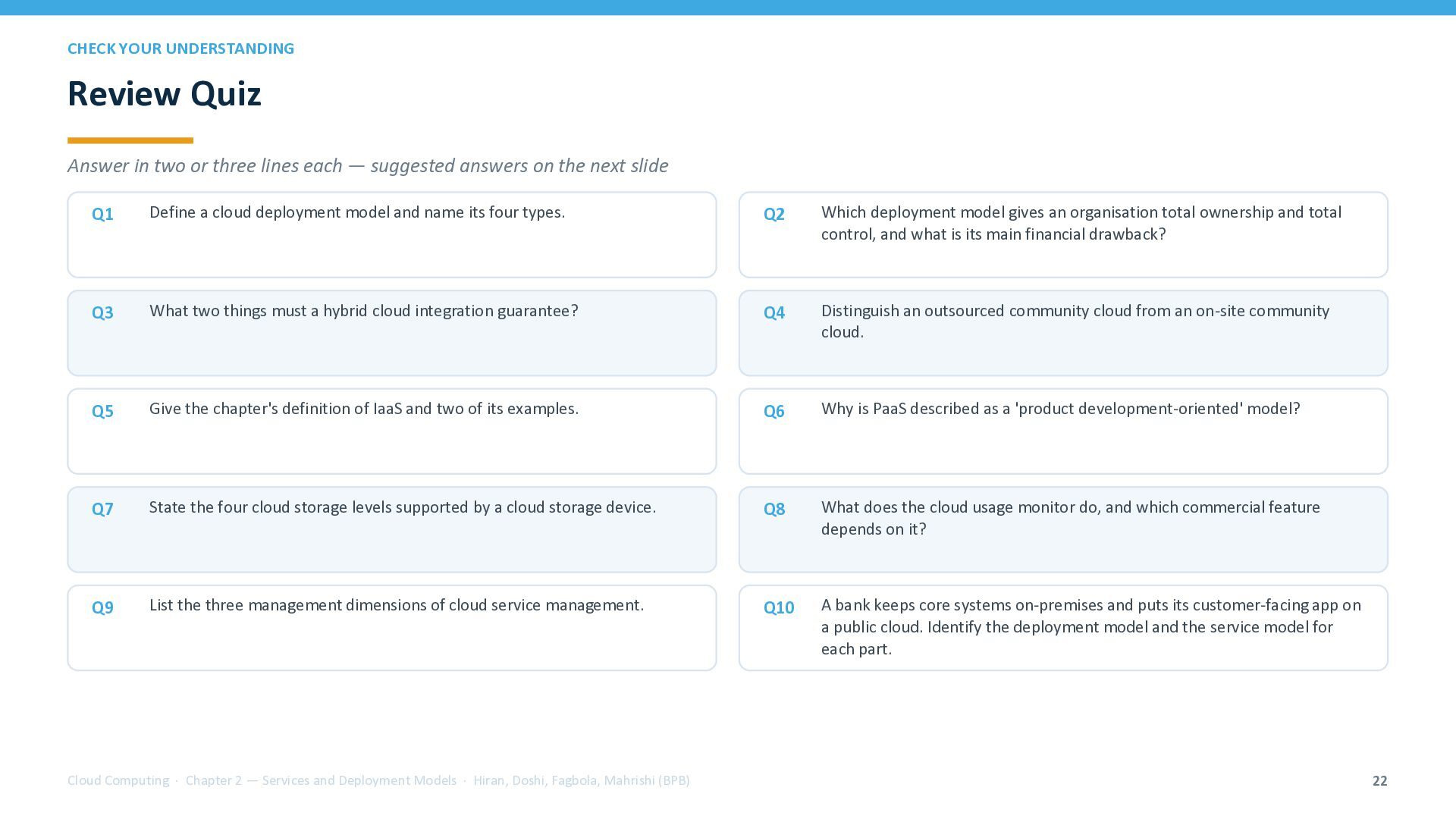
  22. CHECK YOUR UNDERSTANDING Review Quiz Answer in two or three

    lines each — suggested answers on the next slide Q1 Define a cloud deployment model and name its four types. Q2 Which deployment model gives an organisation total ownership and total control, and what is its main financial drawback? Q3 What two things must a hybrid cloud integration guarantee? Q4 Distinguish an outsourced community cloud from an on-site community cloud. Q5 Give the chapter's definition of IaaS and two of its examples. Q6 Why is PaaS described as a 'product development-oriented' model? Q7 State the four cloud storage levels supported by a cloud storage device. Q8 What does the cloud usage monitor do, and which commercial feature depends on it? Q9 List the three management dimensions of cloud service management. Q10 A bank keeps core systems on-premises and puts its customer-facing app on a public cloud. Identify the deployment model and the service model for each part. Cloud Computing · Chapter 2 — Services and Deployment Models · Hiran, Doshi, Fagbola, Mahrishi (BPB) 22
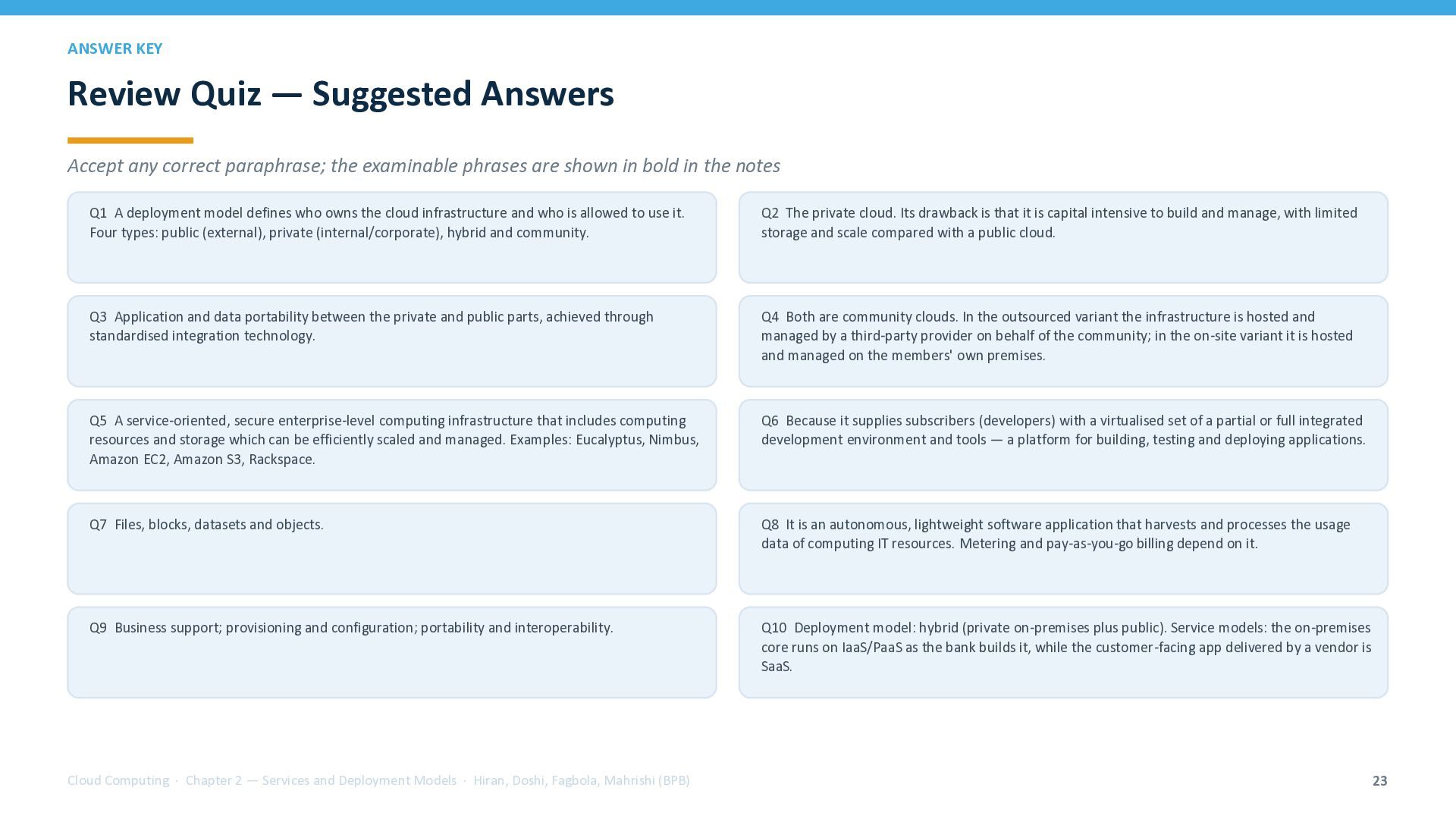
  23. ANSWER KEY Review Quiz — Suggested Answers Accept any correct

    paraphrase; the examinable phrases are shown in bold in the notes Q1 A deployment model defines who owns the cloud infrastructure and who is allowed to use it. Four types: public (external), private (internal/corporate), hybrid and community. Q2 The private cloud. Its drawback is that it is capital intensive to build and manage, with limited storage and scale compared with a public cloud. Q3 Application and data portability between the private and public parts, achieved through standardised integration technology. Q4 Both are community clouds. In the outsourced variant the infrastructure is hosted and managed by a third-party provider on behalf of the community; in the on-site variant it is hosted and managed on the members' own premises. Q5 A service-oriented, secure enterprise-level computing infrastructure that includes computing resources and storage which can be efficiently scaled and managed. Examples: Eucalyptus, Nimbus, Amazon EC2, Amazon S3, Rackspace. Q6 Because it supplies subscribers (developers) with a virtualised set of a partial or full integrated development environment and tools — a platform for building, testing and deploying applications. Q7 Files, blocks, datasets and objects. Q8 It is an autonomous, lightweight software application that harvests and processes the usage data of computing IT resources. Metering and pay-as-you-go billing depend on it. Q9 Business support; provisioning and configuration; portability and interoperability. Q10 Deployment model: hybrid (private on-premises plus public). Service models: the on-premises core runs on IaaS/PaaS as the bank builds it, while the customer-facing app delivered by a vendor is SaaS. Cloud Computing · Chapter 2 — Services and Deployment Models · Hiran, Doshi, Fagbola, Mahrishi (BPB) 23
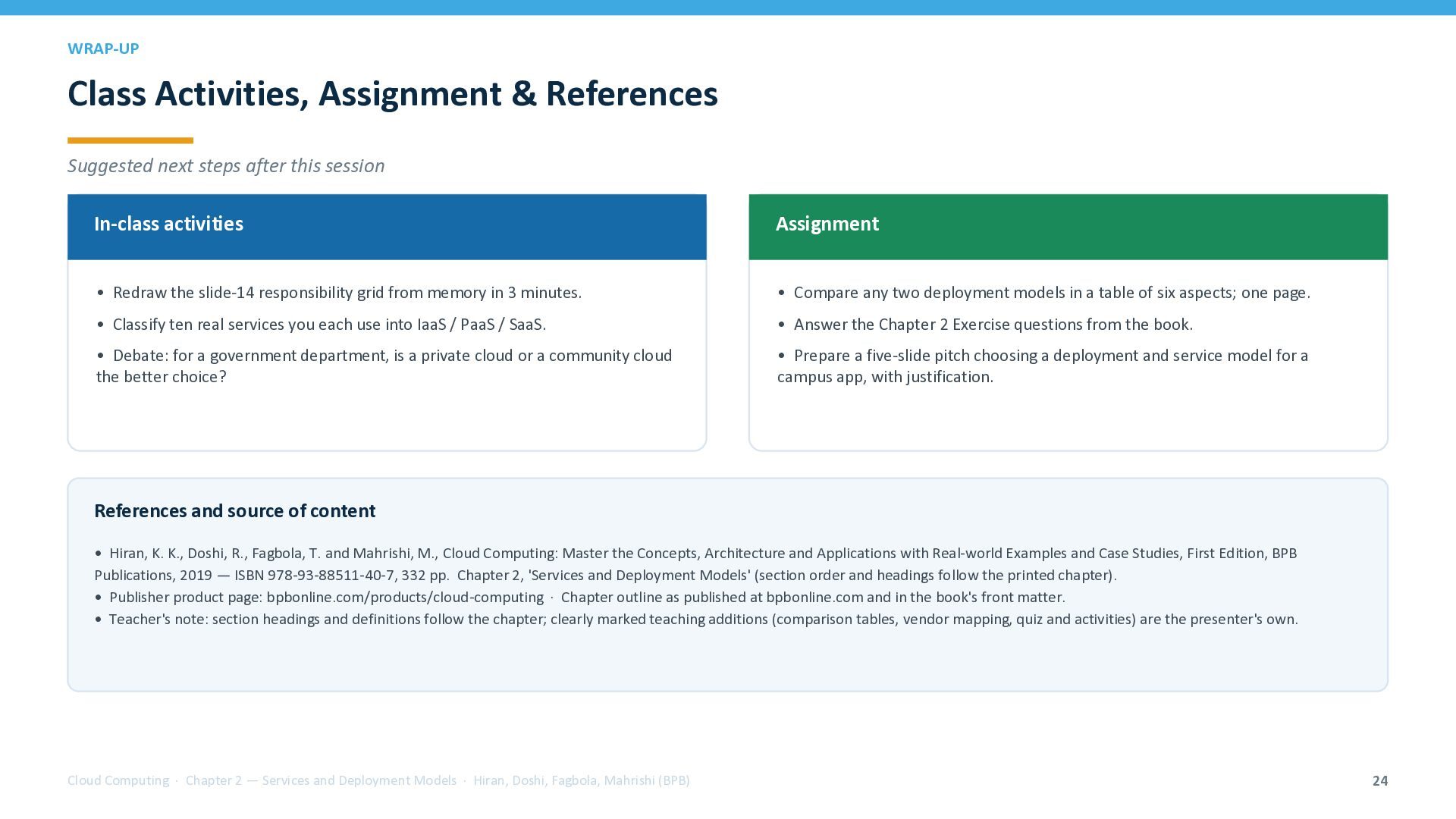
  24. WRAP-UP Class Activities, Assignment & References Suggested next steps after

    this session In-class activities Assignment • Redraw the slide-14 responsibility grid from memory in 3 minutes. • Compare any two deployment models in a table of six aspects; one page. • Classify ten real services you each use into IaaS / PaaS / SaaS. • Answer the Chapter 2 Exercise questions from the book. • Debate: for a government department, is a private cloud or a community cloud the better choice? • Prepare a five-slide pitch choosing a deployment and service model for a campus app, with justification. References and source of content • Hiran, K. K., Doshi, R., Fagbola, T. and Mahrishi, M., Cloud Computing: Master the Concepts, Architecture and Applications with Real-world Examples and Case Studies, First Edition, BPB Publications, 2019 — ISBN 978-93-88511-40-7, 332 pp. Chapter 2, 'Services and Deployment Models' (section order and headings follow the printed chapter). • Publisher product page: bpbonline.com/products/cloud-computing · Chapter outline as published at bpbonline.com and in the book's front matter. • Teacher's note: section headings and definitions follow the chapter; clearly marked teaching additions (comparison tables, vendor mapping, quiz and activities) are the presenter's own. Cloud Computing · Chapter 2 — Services and Deployment Models · Hiran, Doshi, Fagbola, Mahrishi (BPB) 24