Upgrade to Pro — share decks privately, control downloads, hide ads and more …

Intro to Building Decentralized (P2P) Applicati...

Sponsored · Your Podcast. Everywhere. Effortlessly. Share. Educate. Inspire. Entertain. You do you. We'll handle the rest. →

Intro to Building Decentralized (P2P) Applications - SFNode

Most people think peer-to-peer (P2P) networks are just for file sharing, but it turns out you can also build other types of P2P applications with advantages like enhanced privacy and security. We’ll walk through the process of building an increasingly complex P2P cloud file storage system (think Dropbox), and touch on the challenges you’d run into and some of their possible solutions. Topics include efficiently locating data within a large network and building a system where we can trust random people on the internet with our personal files.

Avatar for Dylan Barnard

Dylan Barnard

July 13, 2018

More Decks by Dylan Barnard

Other Decks in Technology

Transcript

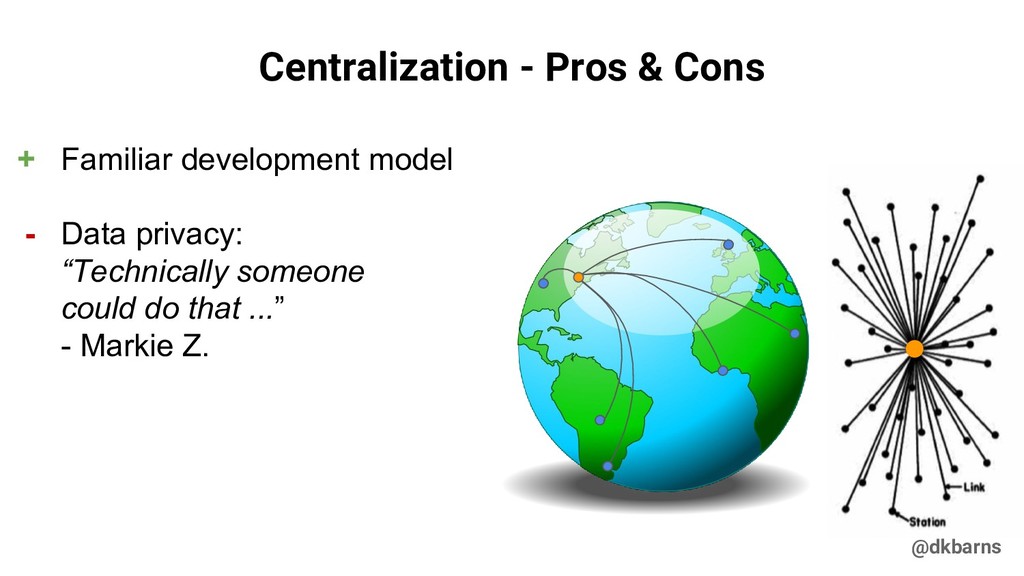
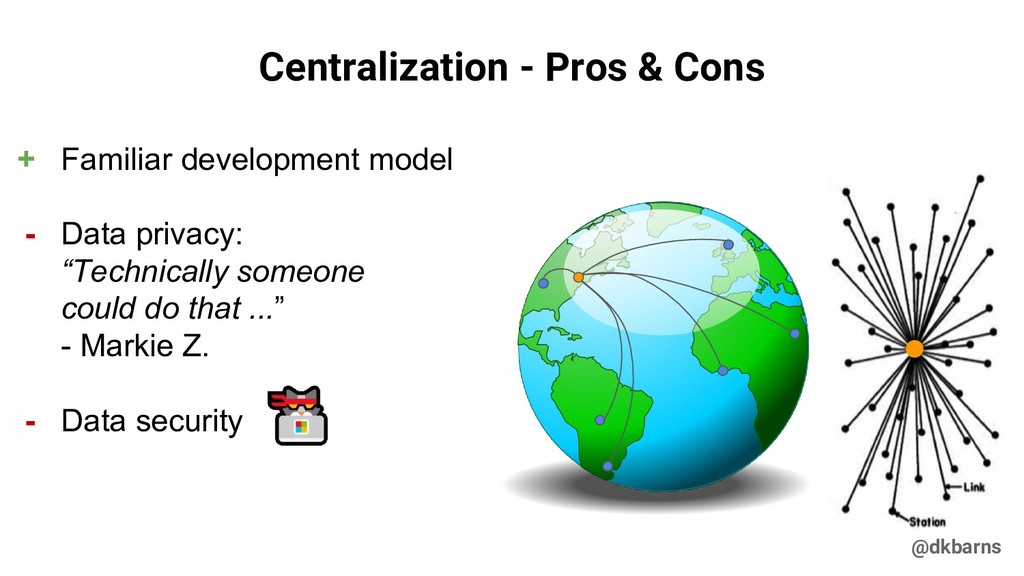
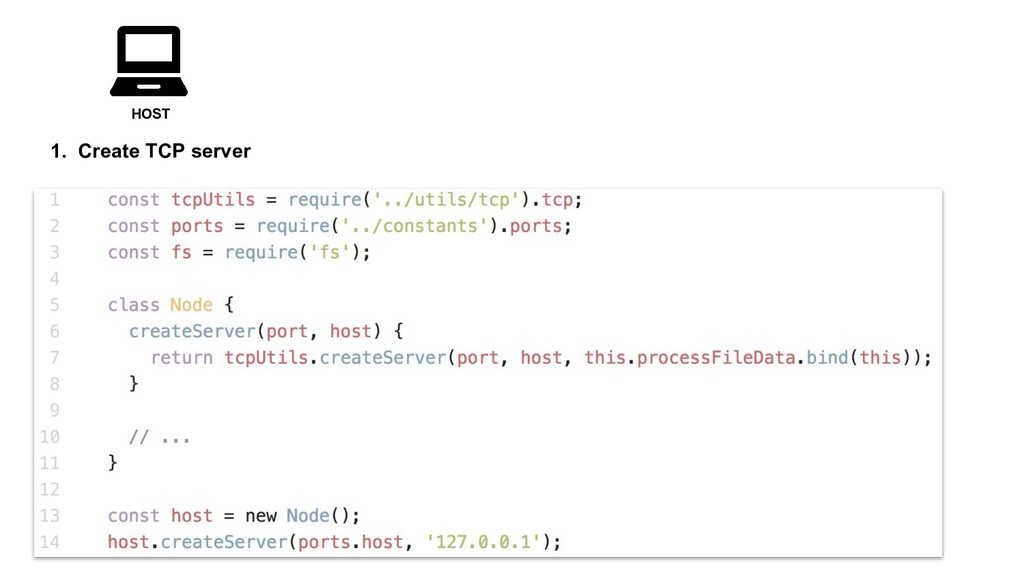
  1. @dkbarns - Data privacy: “Technically someone could do that ...”

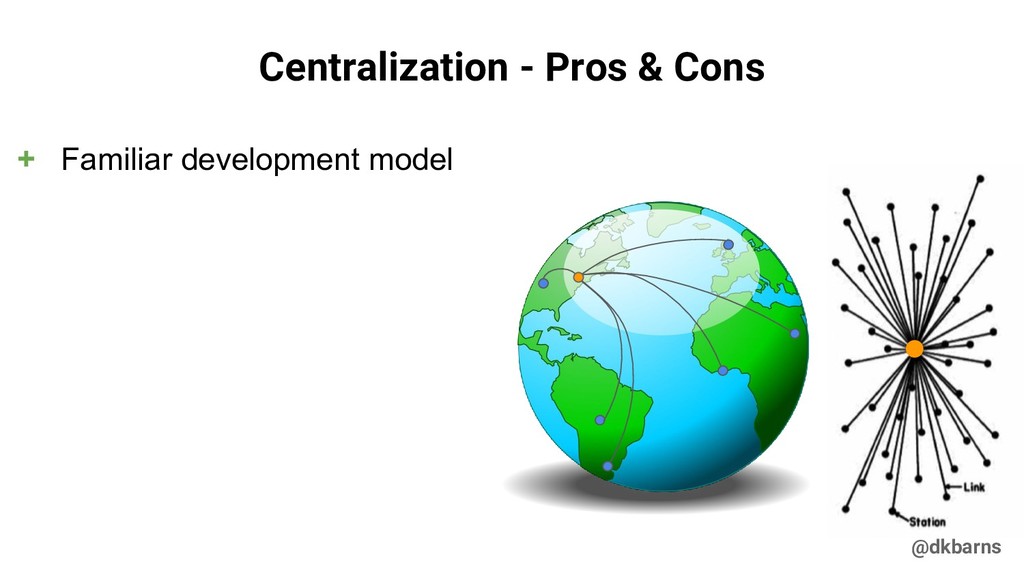
    - Markie Z. Centralization - Pros & Cons + Familiar development model
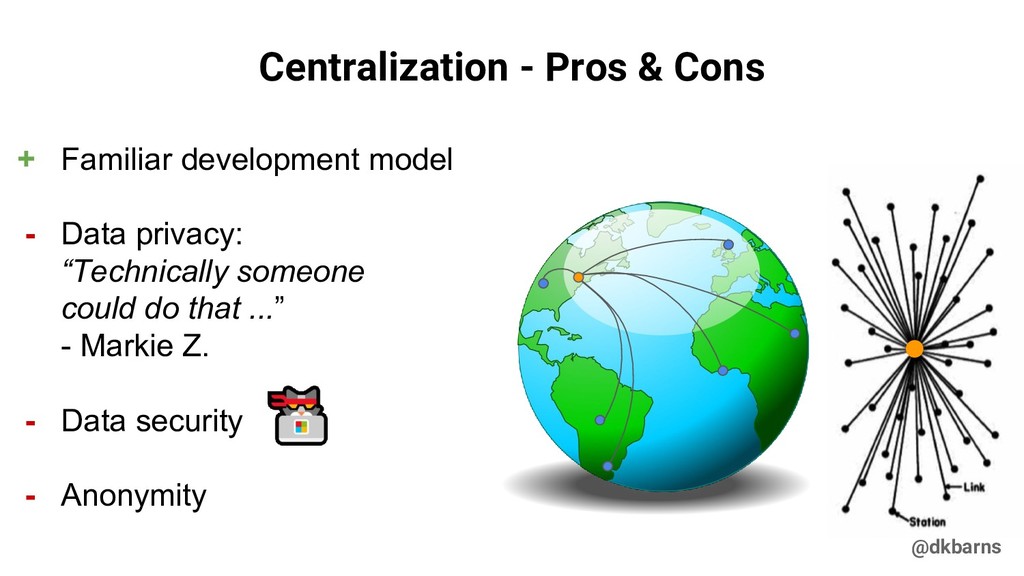
  2. @dkbarns - Data privacy: “Technically someone could do that ...”

    - Markie Z. - Data security Centralization - Pros & Cons + Familiar development model
  3. @dkbarns - Data privacy: “Technically someone could do that ...”

    - Markie Z. - Data security - Anonymity Centralization - Pros & Cons + Familiar development model
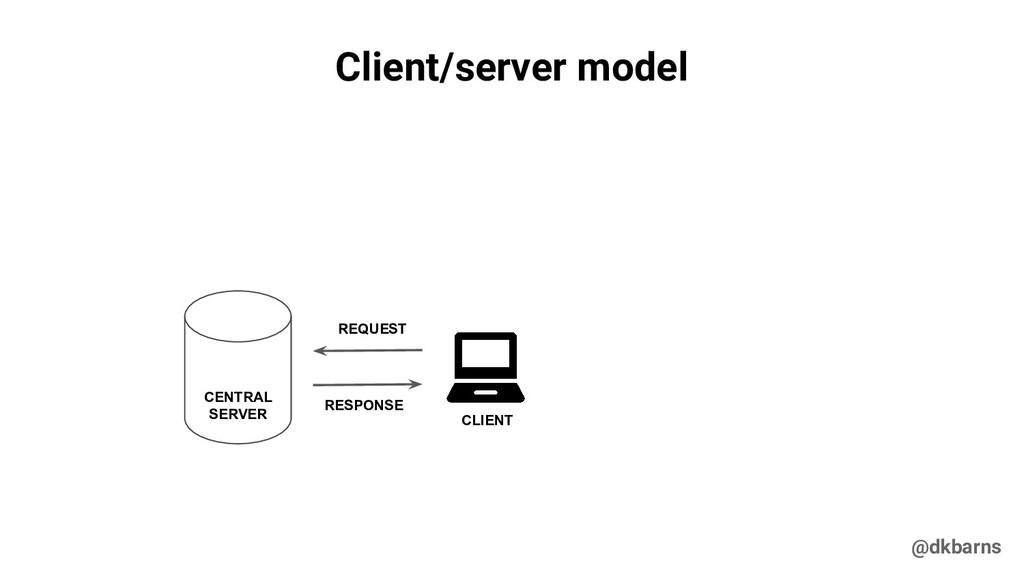
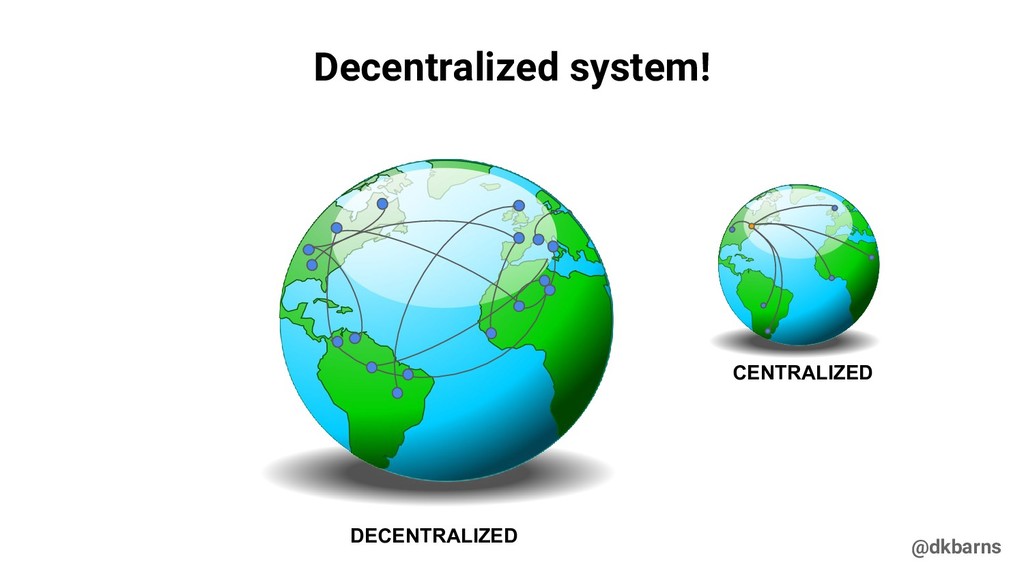
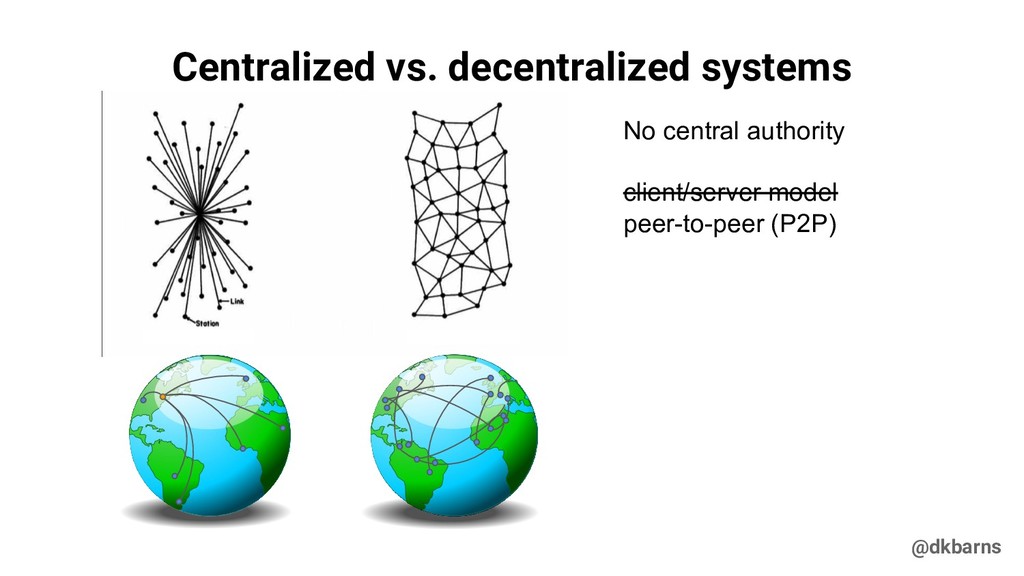
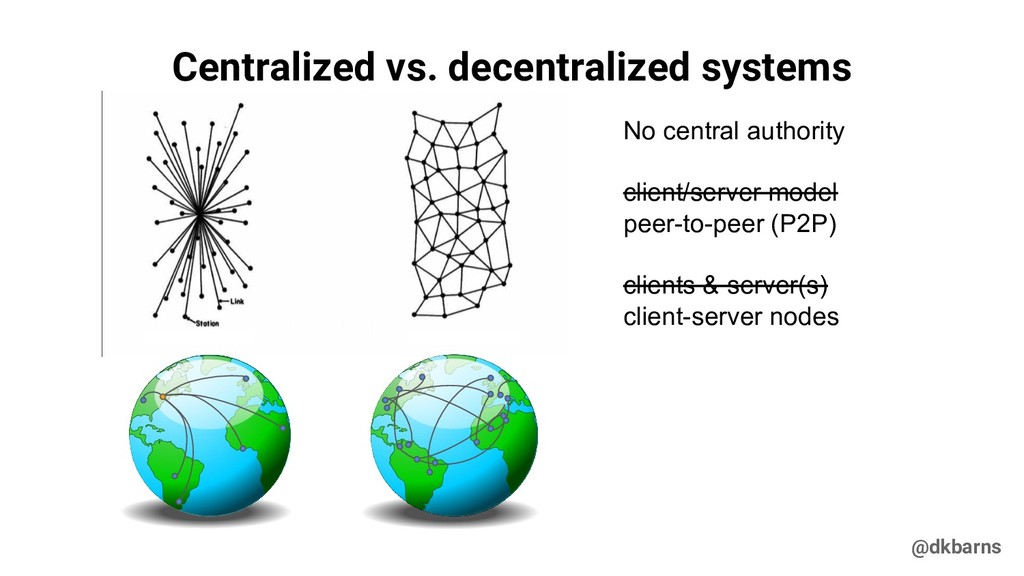
  4. @dkbarns Centralized vs. decentralized systems No central authority client/server model

    peer-to-peer (P2P) clients & server(s) client-server nodes
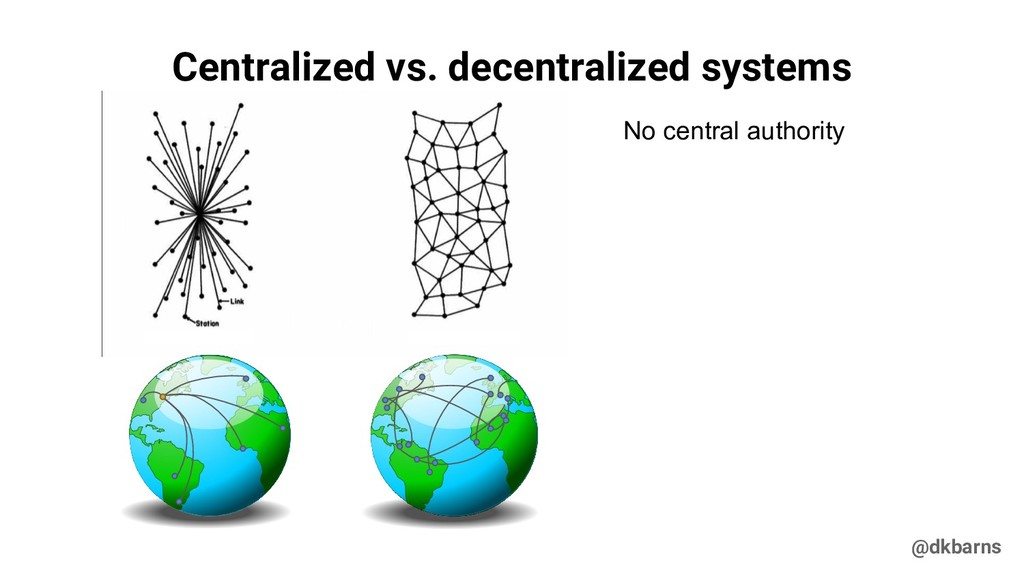
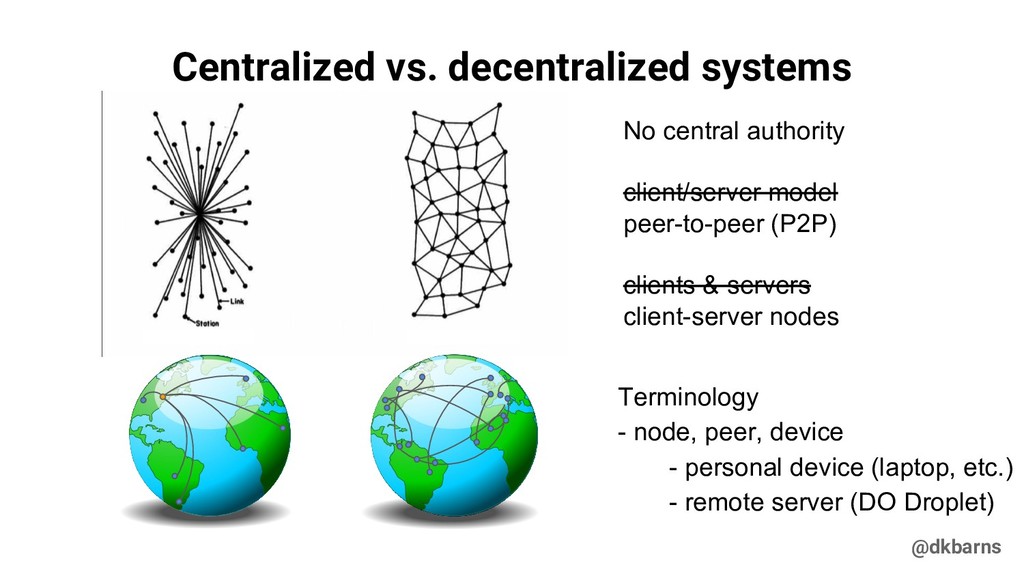
  5. @dkbarns Centralized vs. decentralized systems No central authority client/server model

    peer-to-peer (P2P) clients & servers client-server nodes Terminology - node, peer, device - personal device (laptop, etc.) - remote server (DO Droplet)
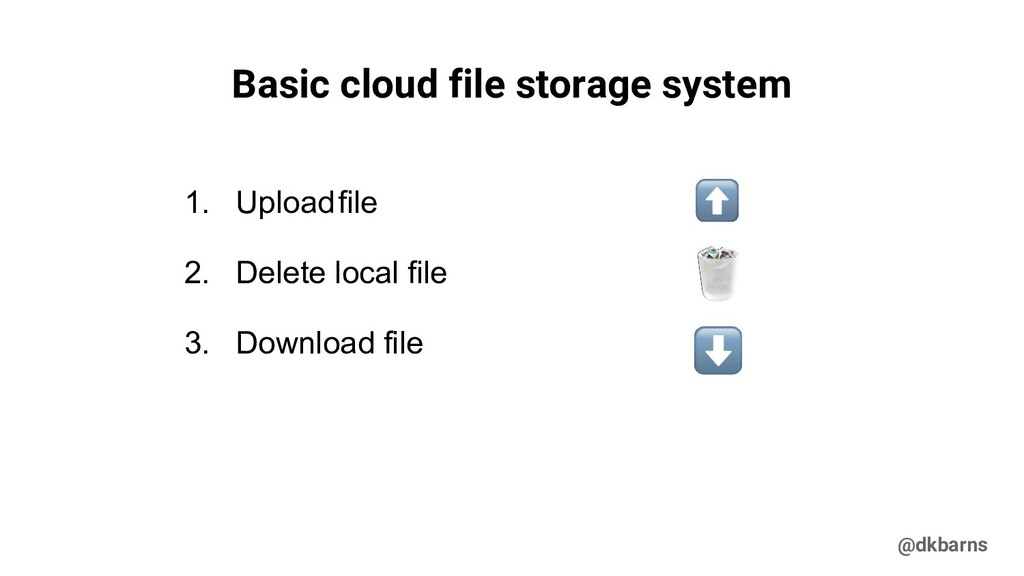
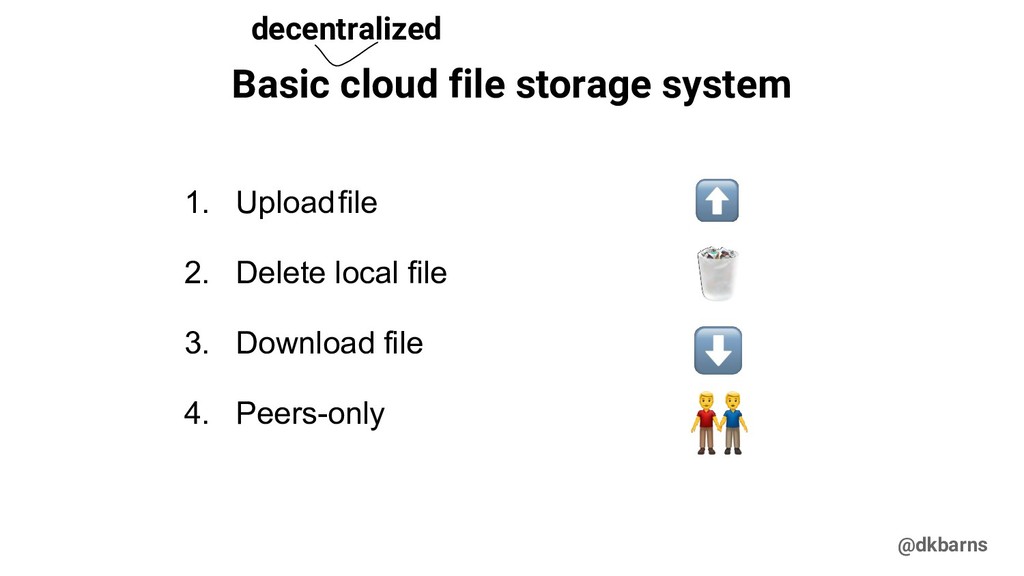
  6. @dkbarns Basic cloud file storage system 1. Uploadfile 2. Delete

    local file 3. Download file 4. Peers-only decentralized
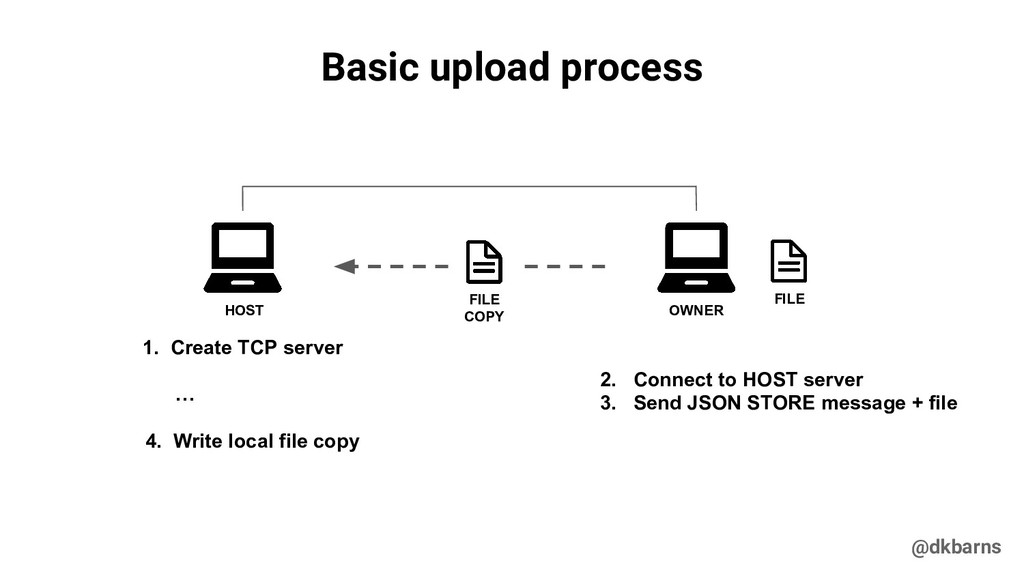
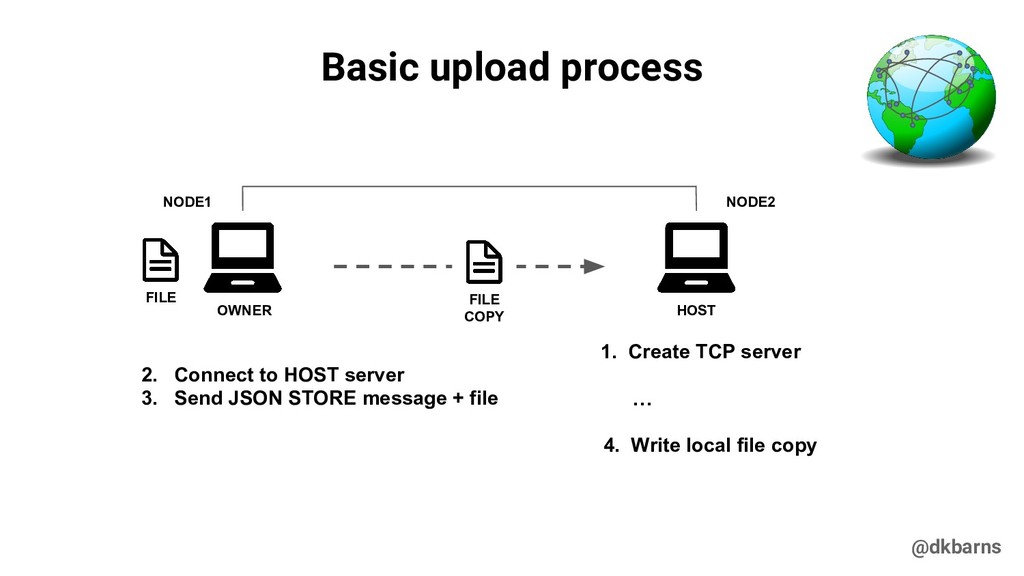
  7. @dkbarns 2. Connect to HOST server 3. Send JSON STORE

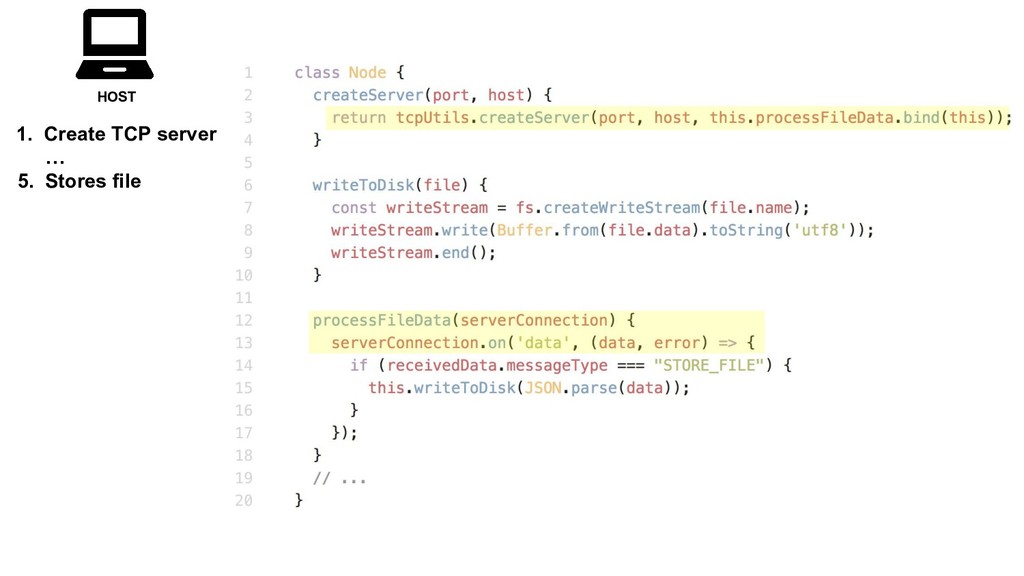
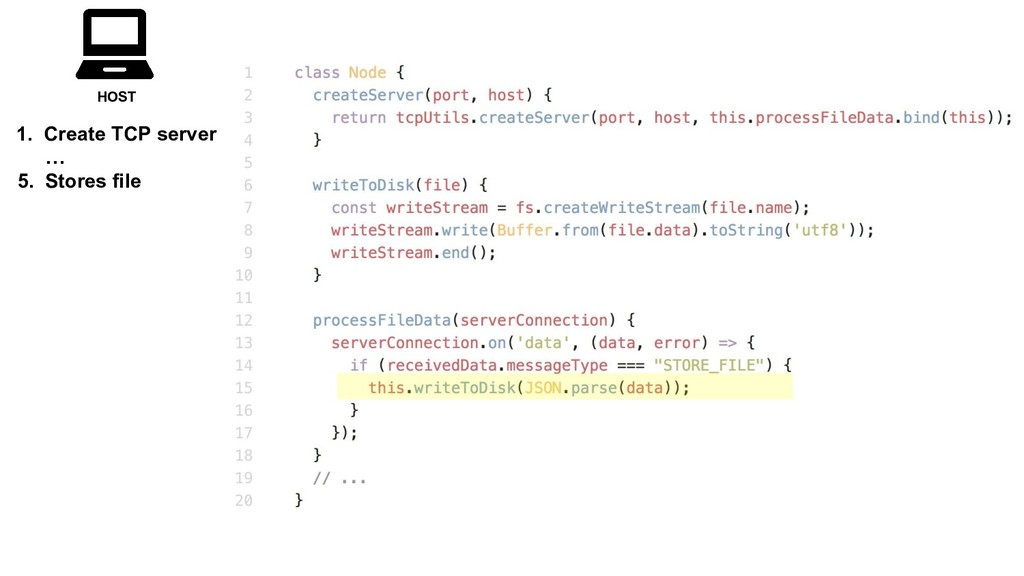
    message + file Basic upload process OWNER HOST 1. Create TCP server … 4. Write local file copy FILE FILE COPY
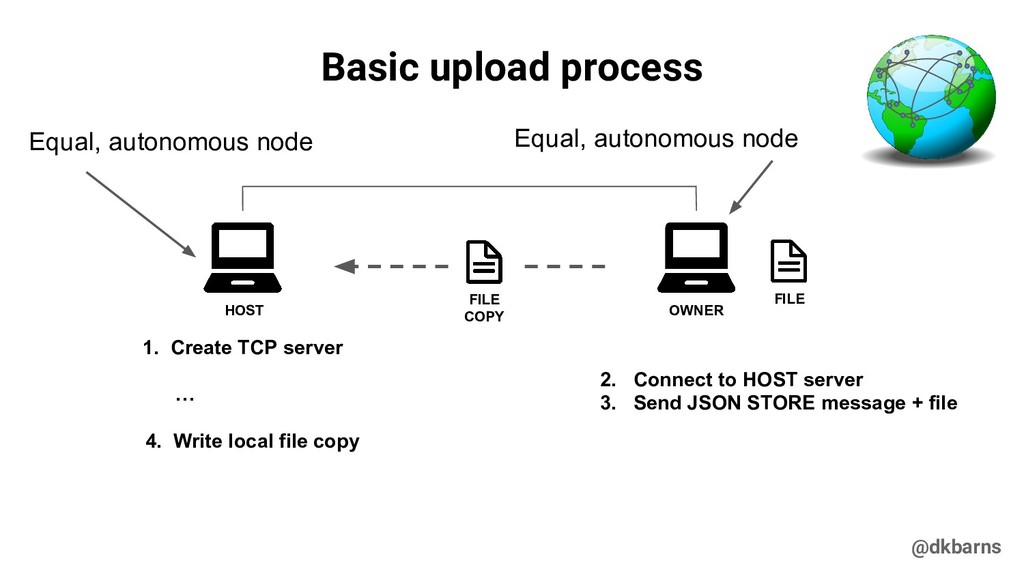
  8. @dkbarns Equal, autonomous node 2. Connect to HOST server 3.

    Send JSON STORE message + file Basic upload process OWNER HOST 1. Create TCP server … 4. Write local file copy FILE FILE COPY Equal, autonomous node
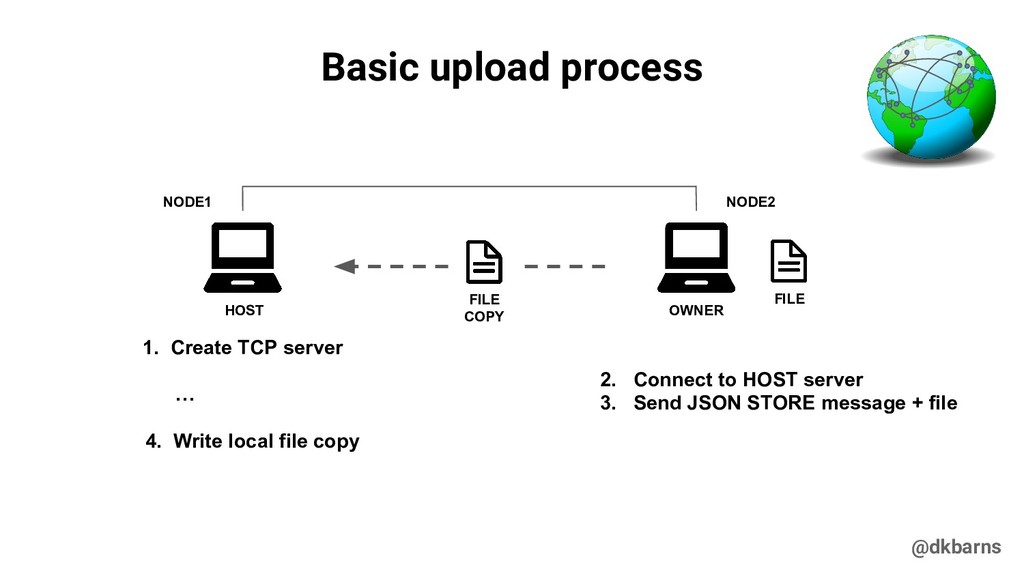
  9. @dkbarns 2. Connect to HOST server 3. Send JSON STORE

    message + file Basic upload process OWNER HOST 1. Create TCP server … 4. Write local file copy FILE FILE COPY NODE1 NODE2
  10. @dkbarns Basic upload process HOST OWNER FILE FILE COPY NODE2

    NODE1 1. Create TCP server … 4. Write local file copy 2. Connect to HOST server 3. Send JSON STORE message + file
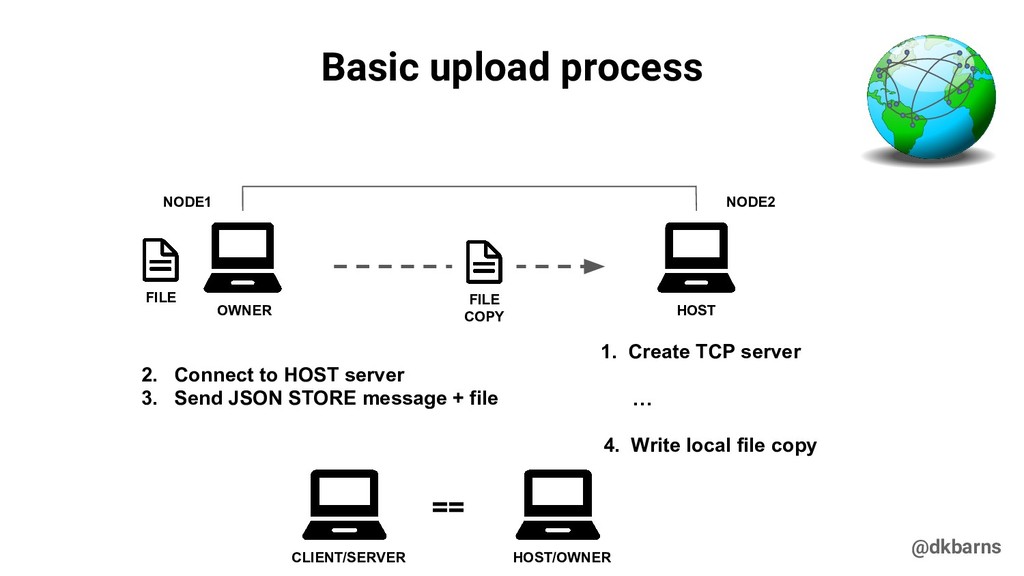
  11. @dkbarns Basic upload process HOST OWNER FILE FILE COPY NODE2

    NODE1 1. Create TCP server … 4. Write local file copy 2. Connect to HOST server 3. Send JSON STORE message + file CLIENT/SERVER == HOST/OWNER
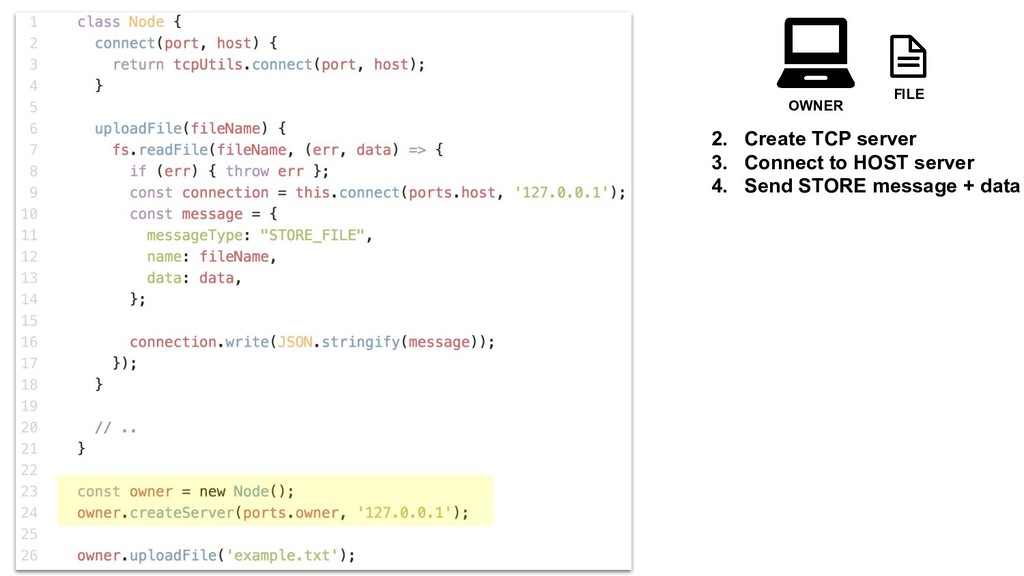
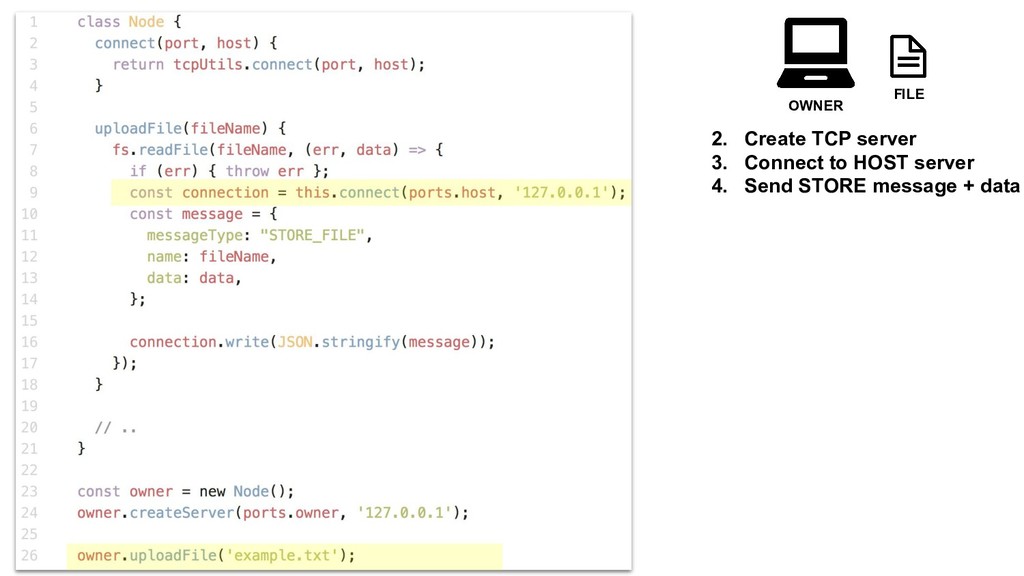
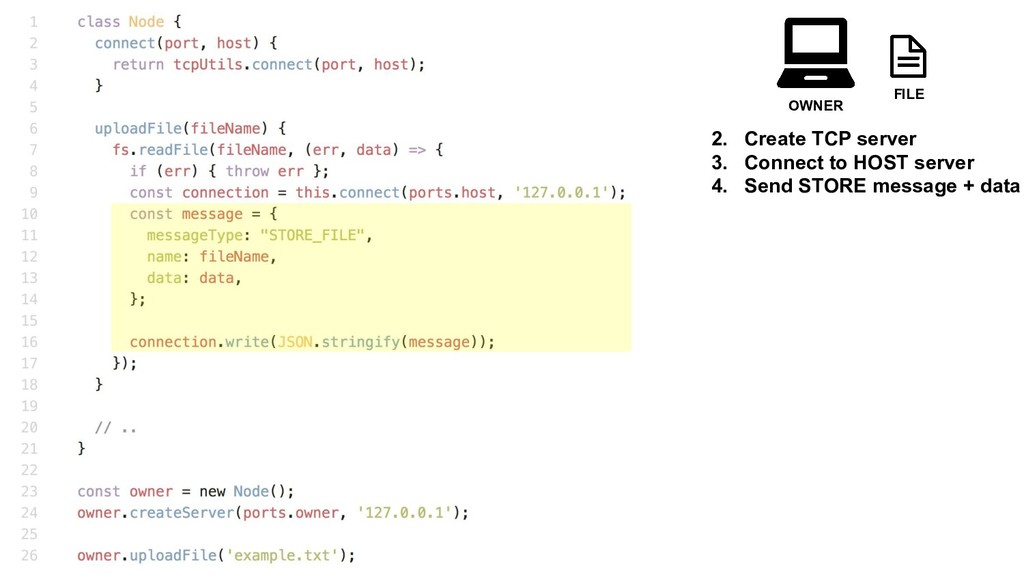
  12. OWNER FILE 2. Create TCP server 3. Connect to HOST

    server 4. Send STORE message + data
  13. OWNER FILE 2. Create TCP server 3. Connect to HOST

    server 4. Send STORE message + data
  14. OWNER FILE 2. Create TCP server 3. Connect to HOST

    server 4. Send STORE message + data
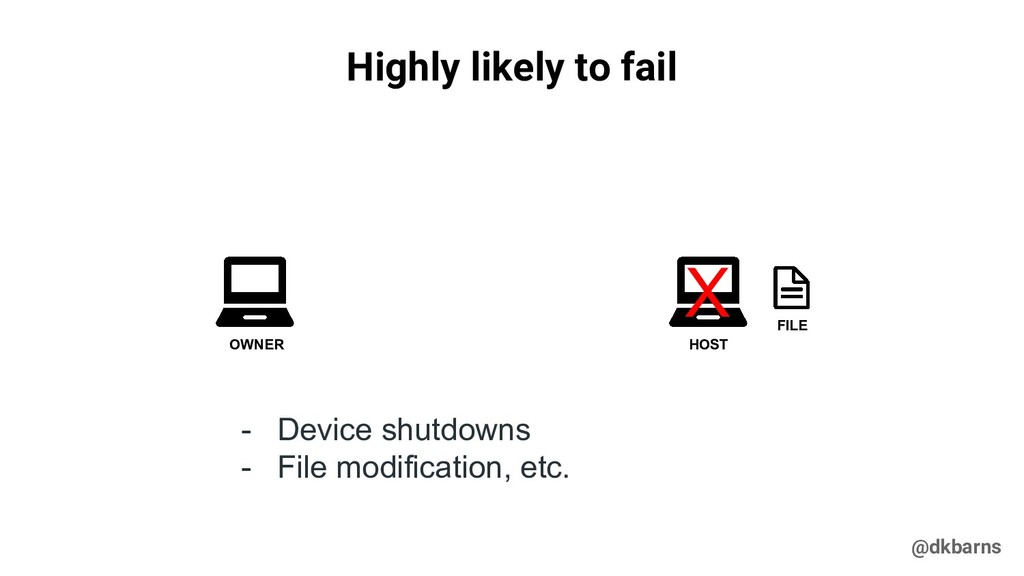
  15. @dkbarns Highly likely to fail OWNER FILE HOST X -

    Device shutdowns - File modification, etc.
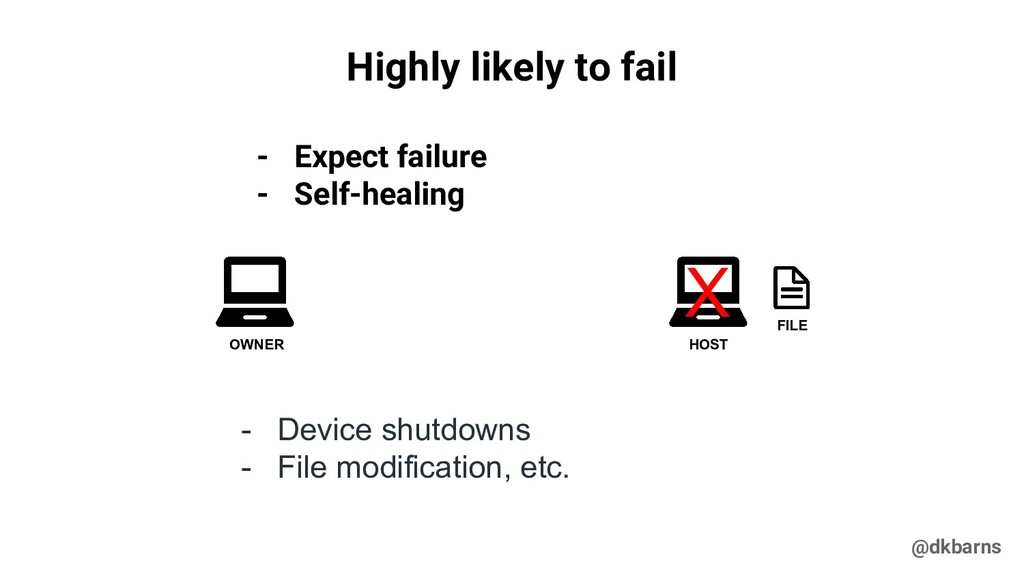
  16. @dkbarns Highly likely to fail OWNER FILE HOST X -

    Device shutdowns - File modification, etc. - Expect failure - Self-healing
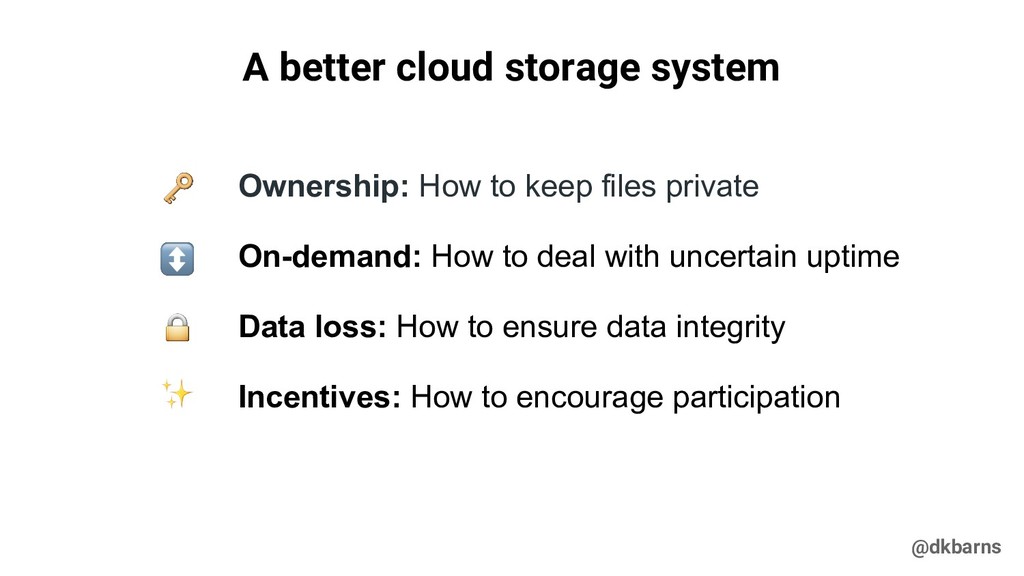
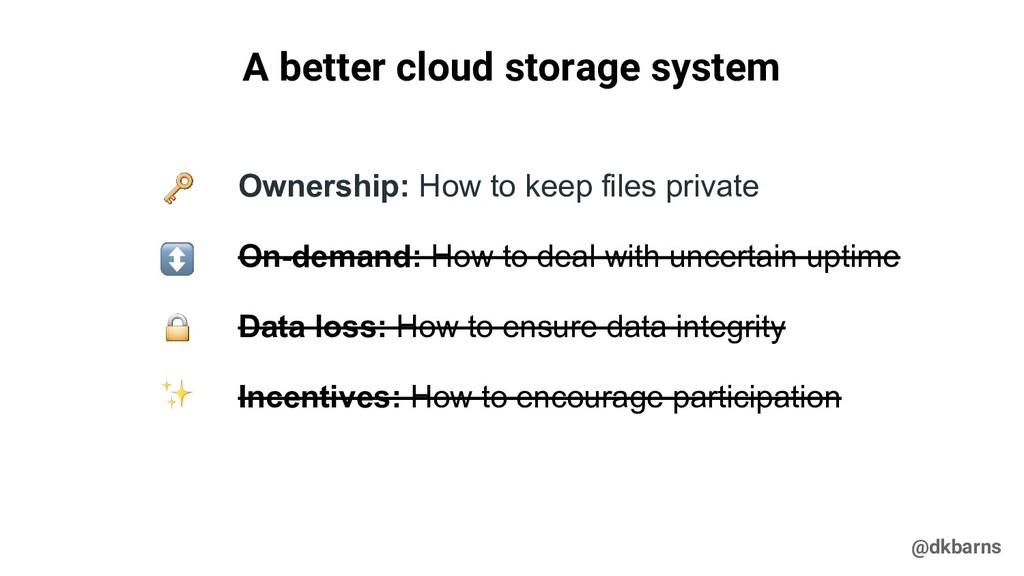
  17. @dkbarns A better cloud storage system Ownership: How to keep

    files private On-demand: How to deal with uncertain uptime Data loss: How to ensure data integrity Incentives: How to encourage participation
  18. @dkbarns A better cloud storage system Ownership: How to keep
    files private On-demand: How to deal with uncertain uptime Data loss: How to ensure data integrity Incentives: How to encourage participation
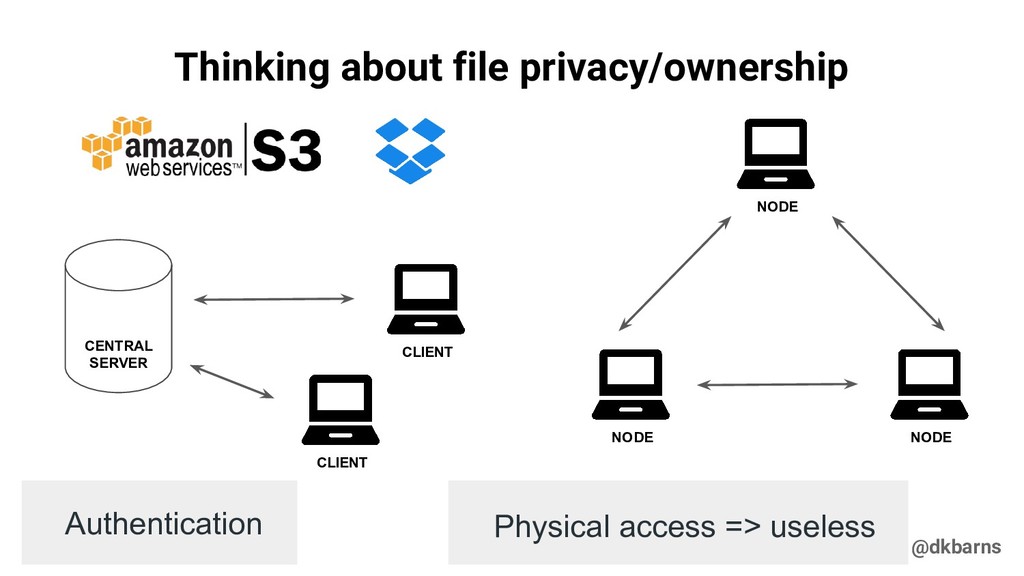
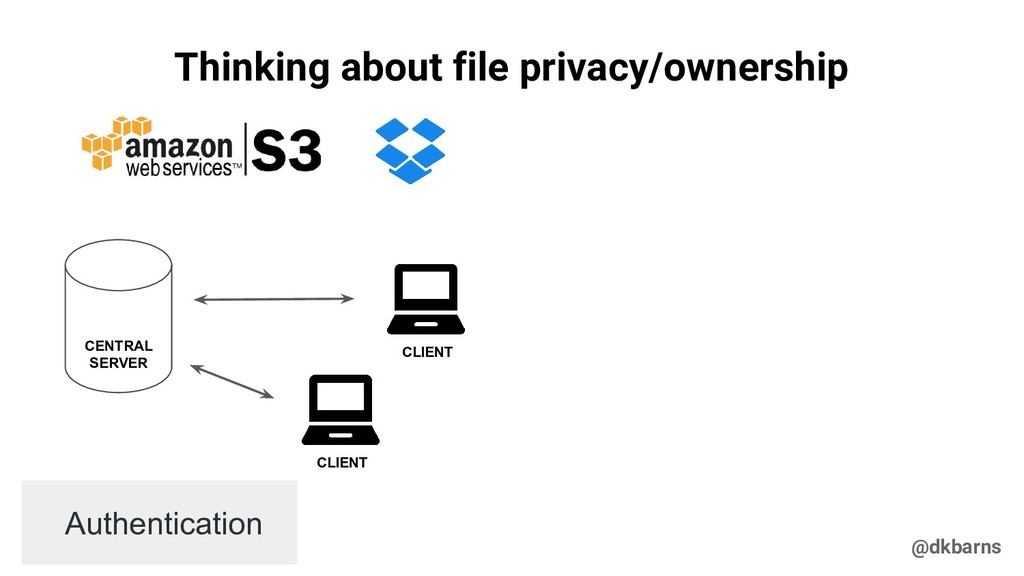
  19. @dkbarns Thinking about file privacy/ownership CLIENT CENTRAL SERVER NODE NODE

    NODE CLIENT Authentication Physical access => useless
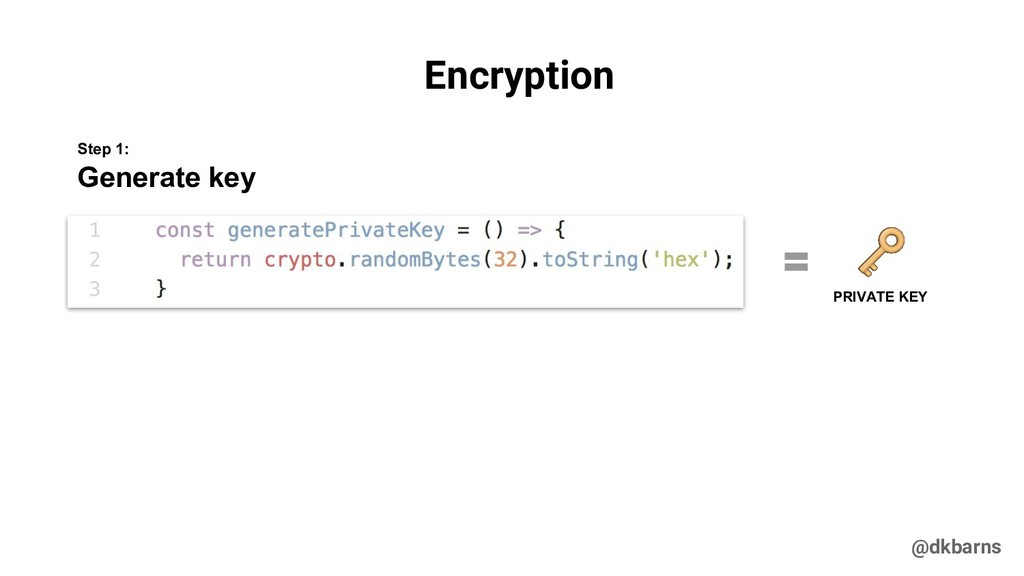
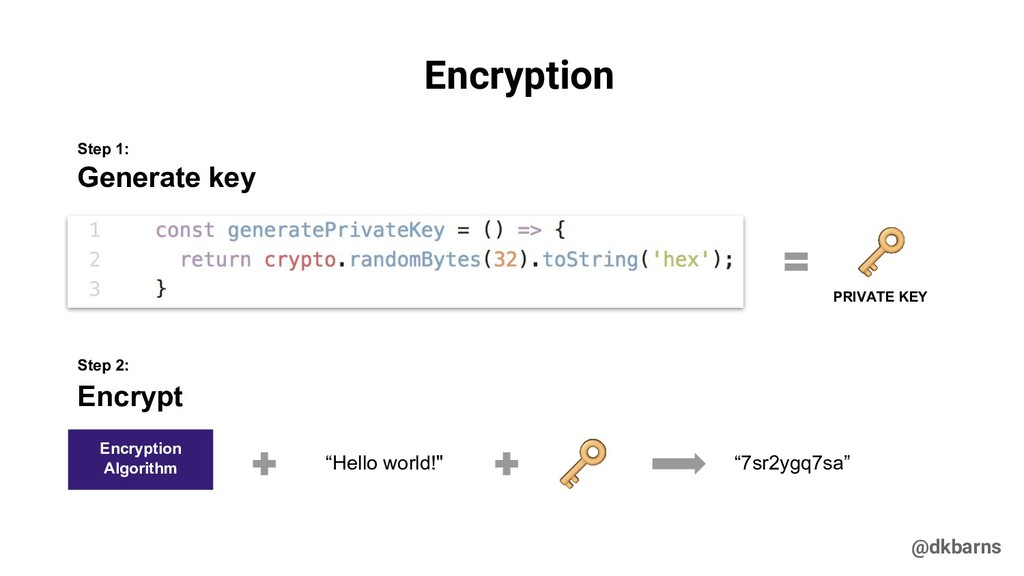
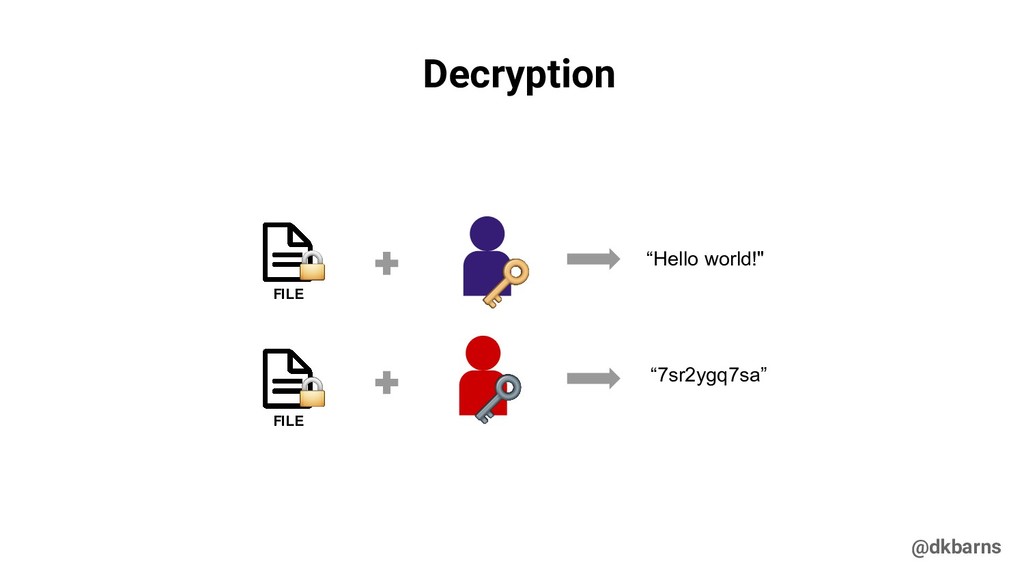
  20. @dkbarns Encryption PRIVATE KEY Generate key Step 1: Encryption Algorithm

    “Hello world!" “7sr2ygq7sa” Encrypt Step 2:
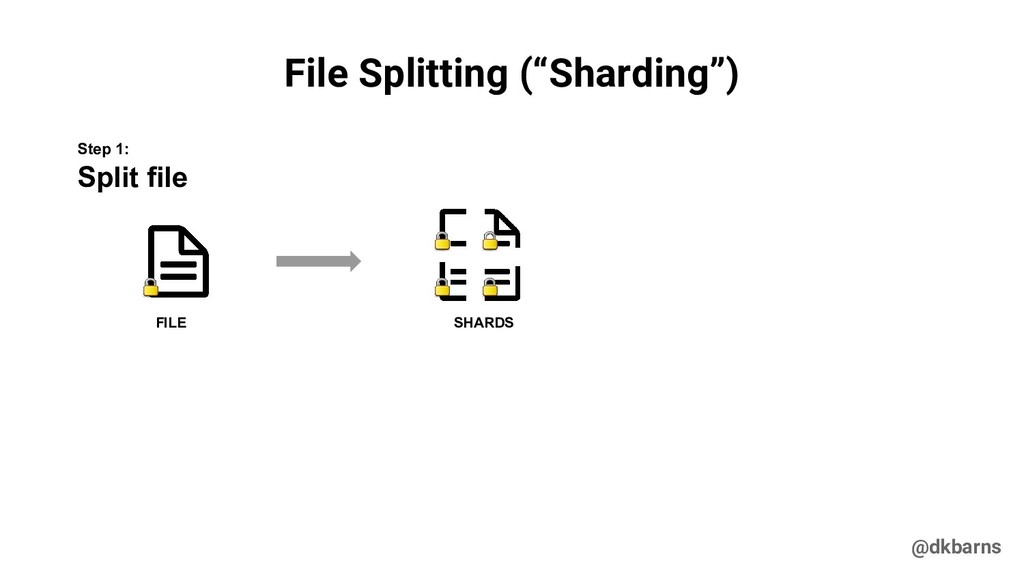
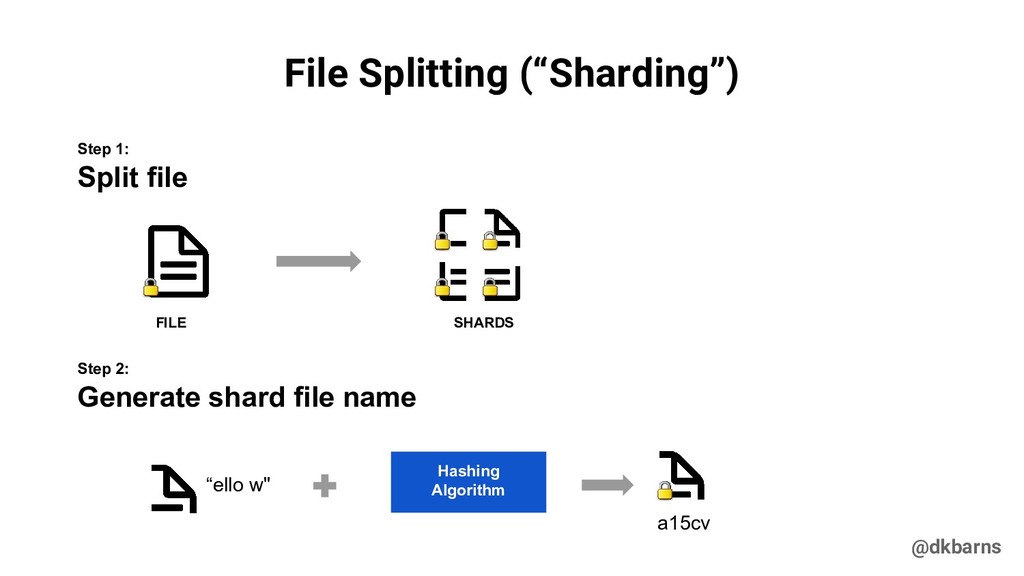
  21. @dkbarns Generate shard file name “ello w" FILE a15cv Split

    file Step 1: Step 2: Hashing Algorithm SHARDS File Splitting (“Sharding”)
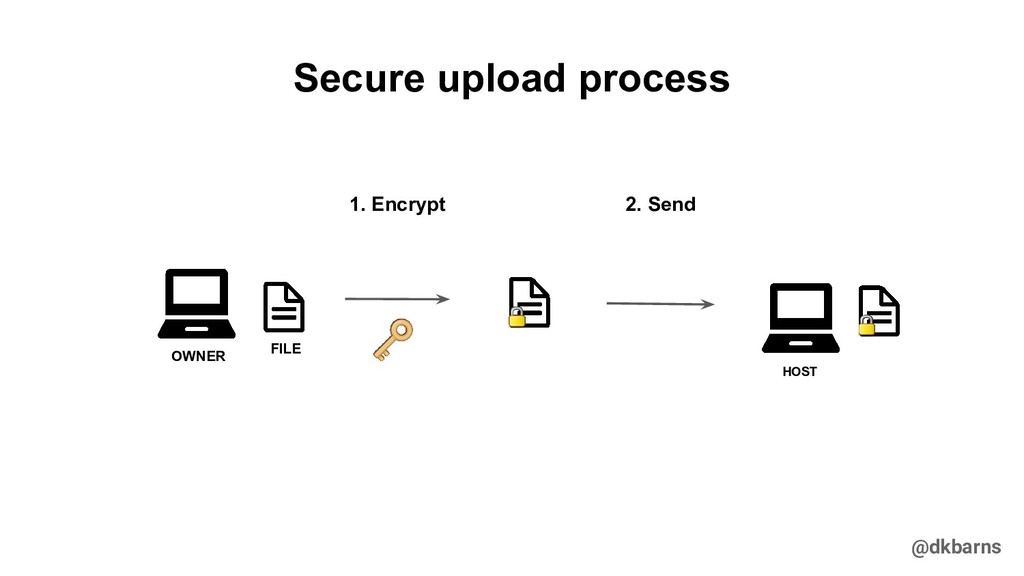
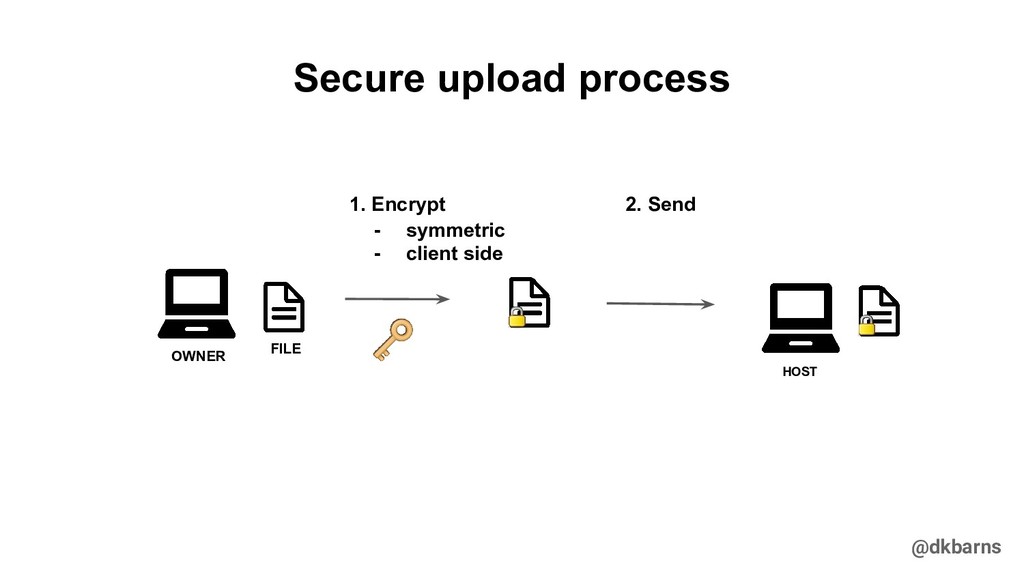
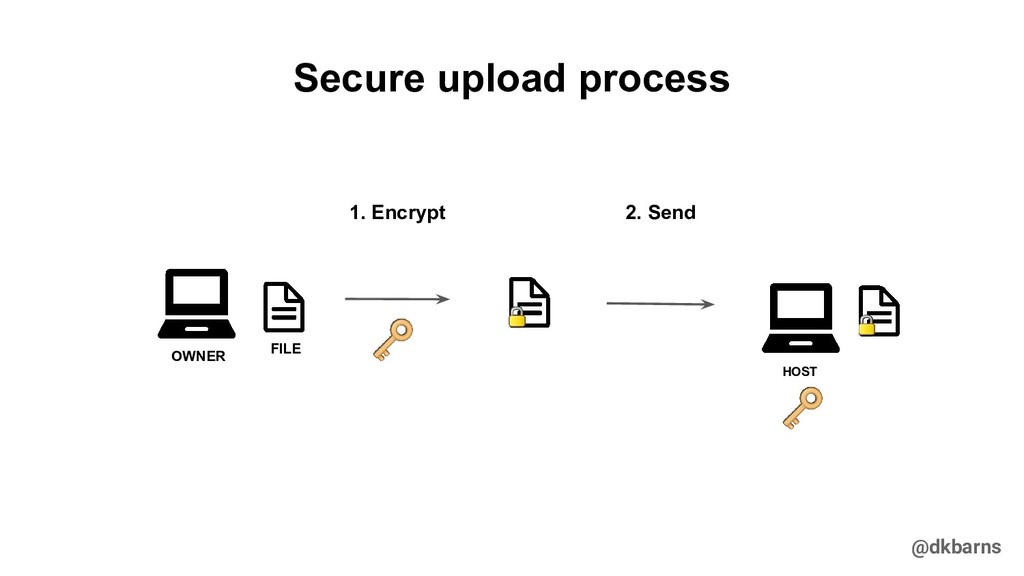
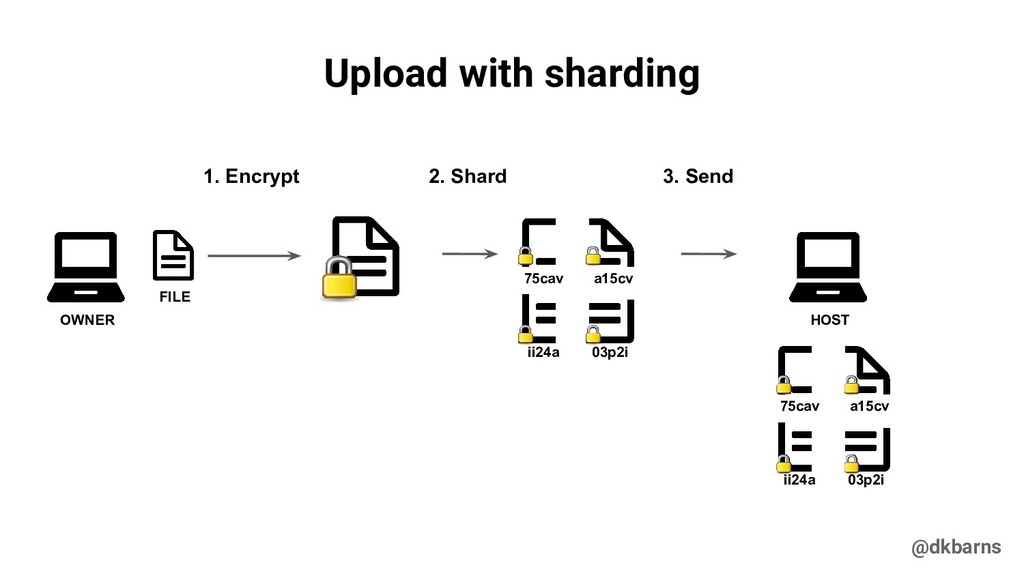
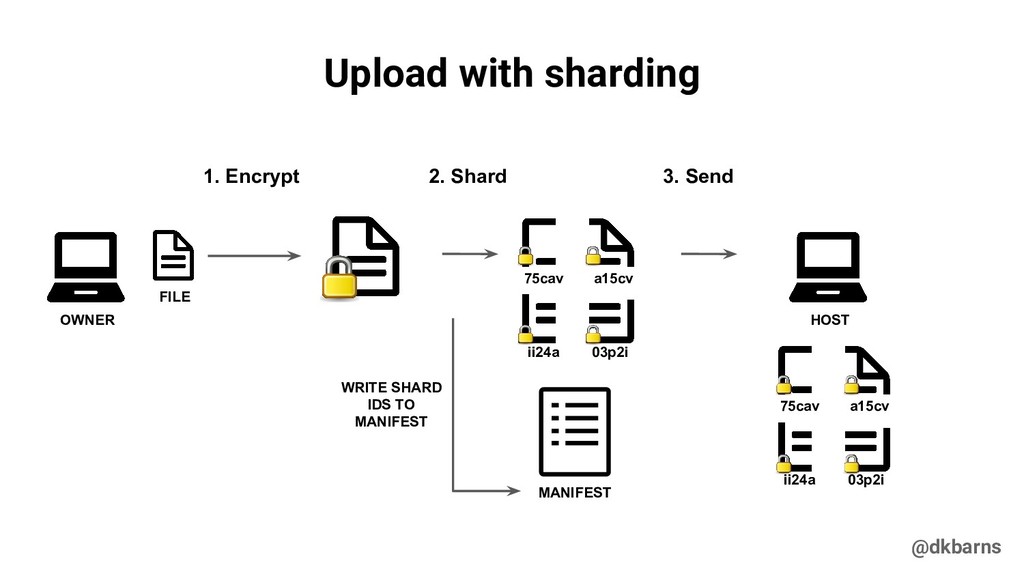
  22. @dkbarns FILE OWNER 1. Encrypt 2. Shard a15cv 75cav 03p2i

    ii24a a15cv 75cav 03p2i ii24a HOST 3. Send Upload with sharding
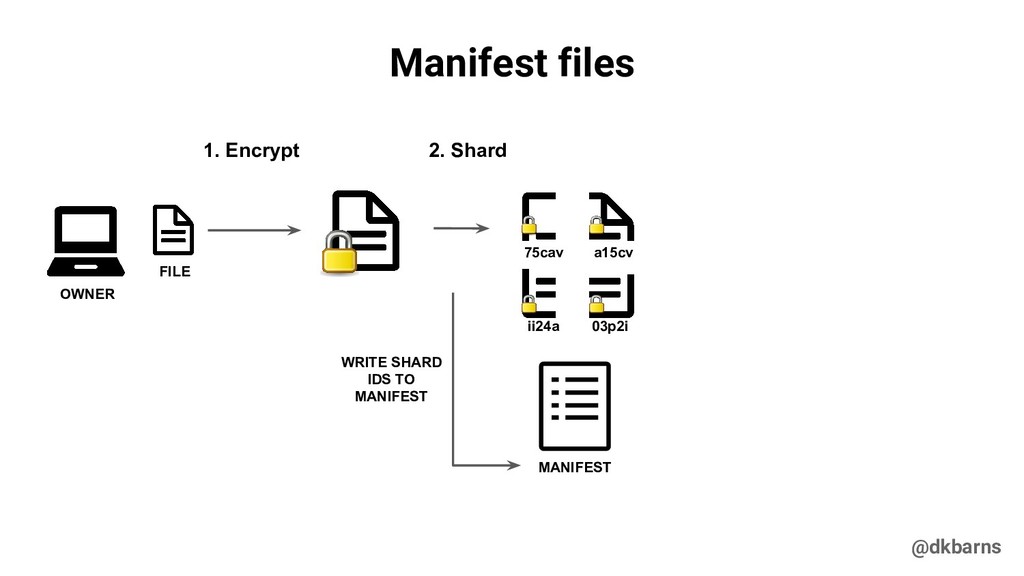
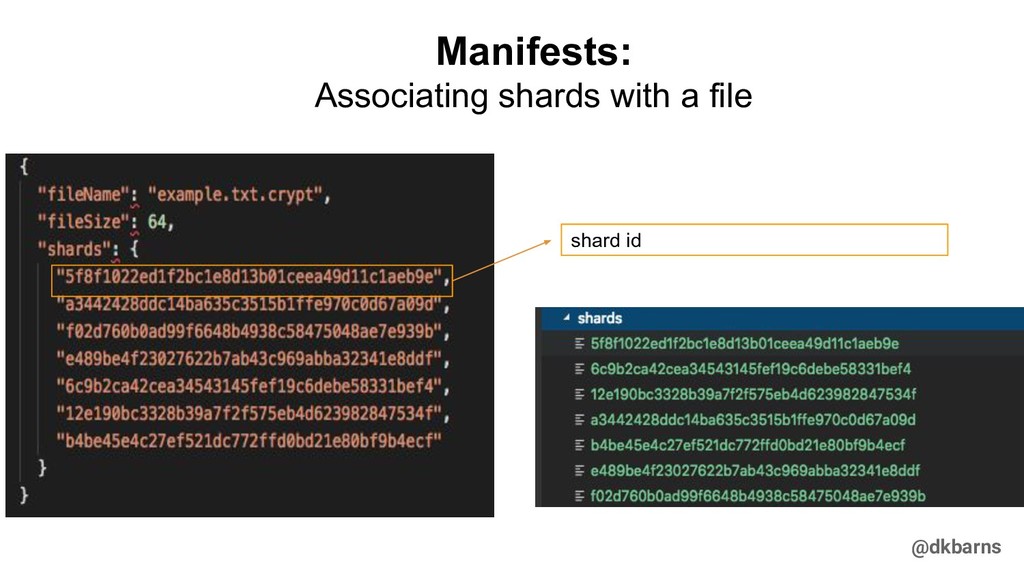
  23. @dkbarns Manifest files FILE OWNER 1. Encrypt 2. Shard a15cv

    75cav 03p2i ii24a MANIFEST WRITE SHARD IDS TO MANIFEST
  24. @dkbarns FILE OWNER 1. Encrypt 2. Shard a15cv 75cav 03p2i

    ii24a a15cv 75cav 03p2i ii24a HOST 3. Send Upload with sharding MANIFEST WRITE SHARD IDS TO MANIFEST
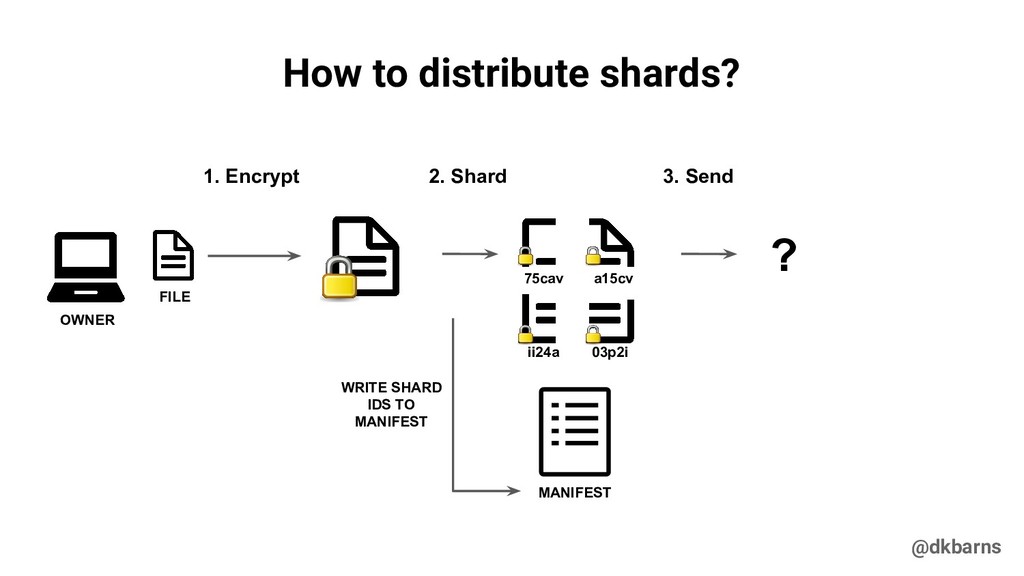
  25. @dkbarns FILE OWNER 1. Encrypt 2. Shard a15cv 75cav 03p2i

    ii24a 3. Send How to distribute shards? MANIFEST WRITE SHARD IDS TO MANIFEST ?
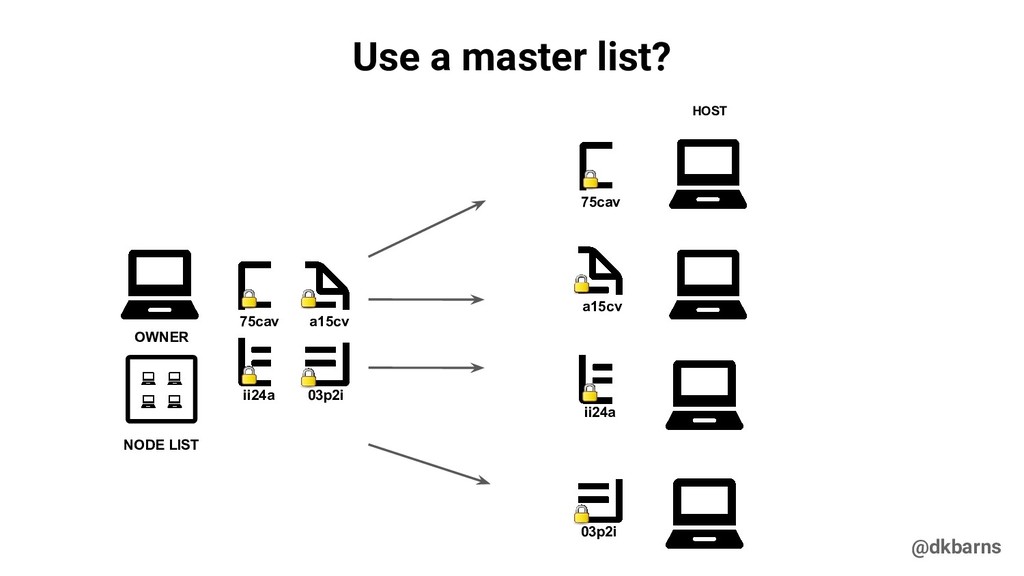
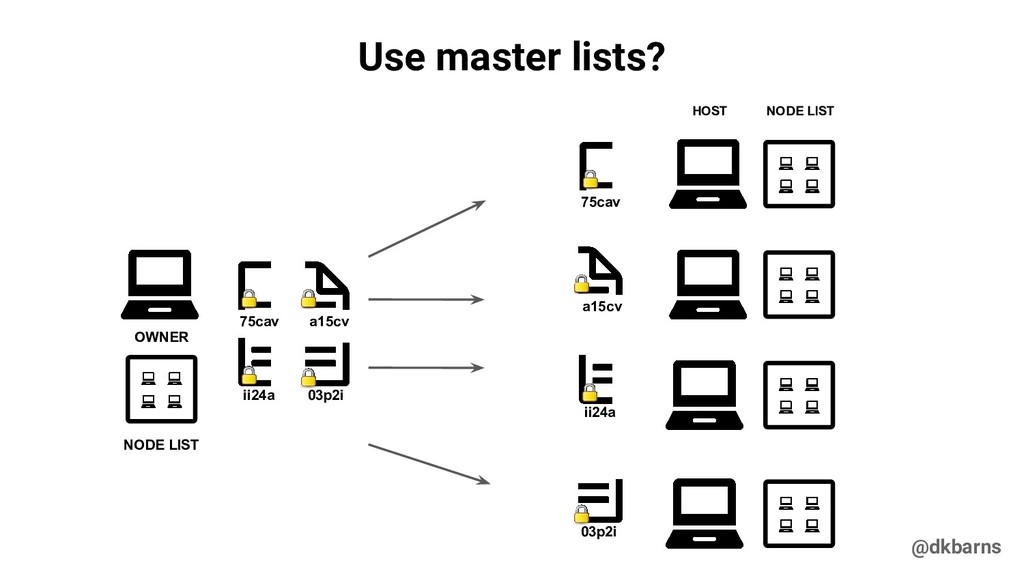
  26. @dkbarns Use a master list? OWNER NODE LIST HOST a15cv

    03p2i 75cav ii24a 75cav a15cv ii24a 03p2i
  27. @dkbarns Use master lists? OWNER NODE LIST HOST NODE LIST

    a15cv 03p2i 75cav ii24a 75cav a15cv ii24a 03p2i
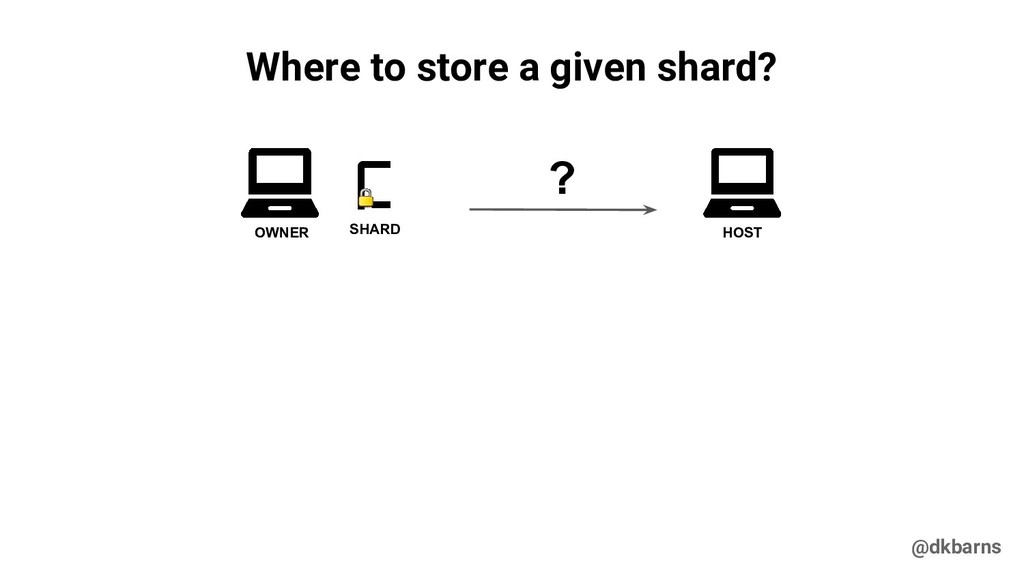
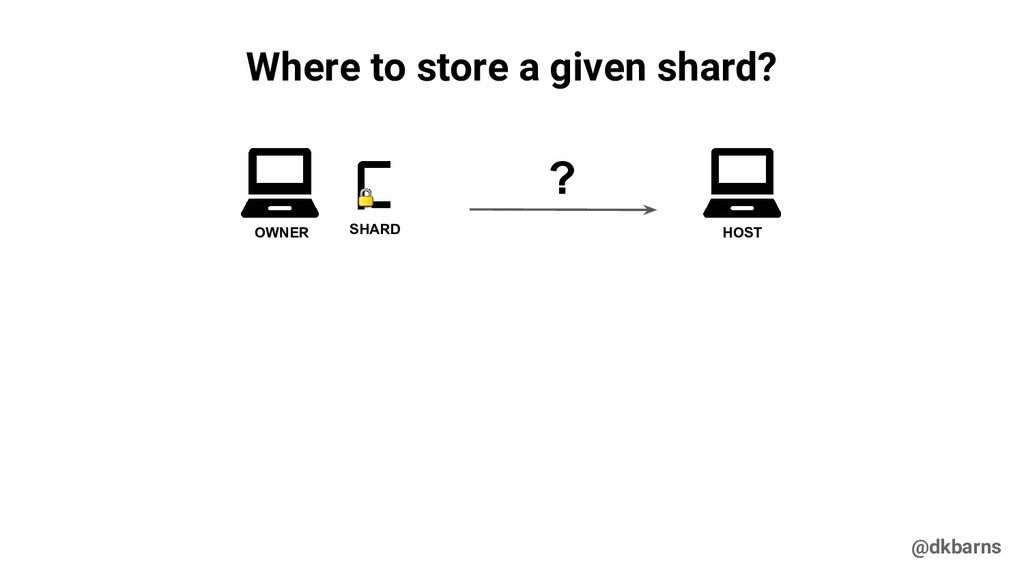
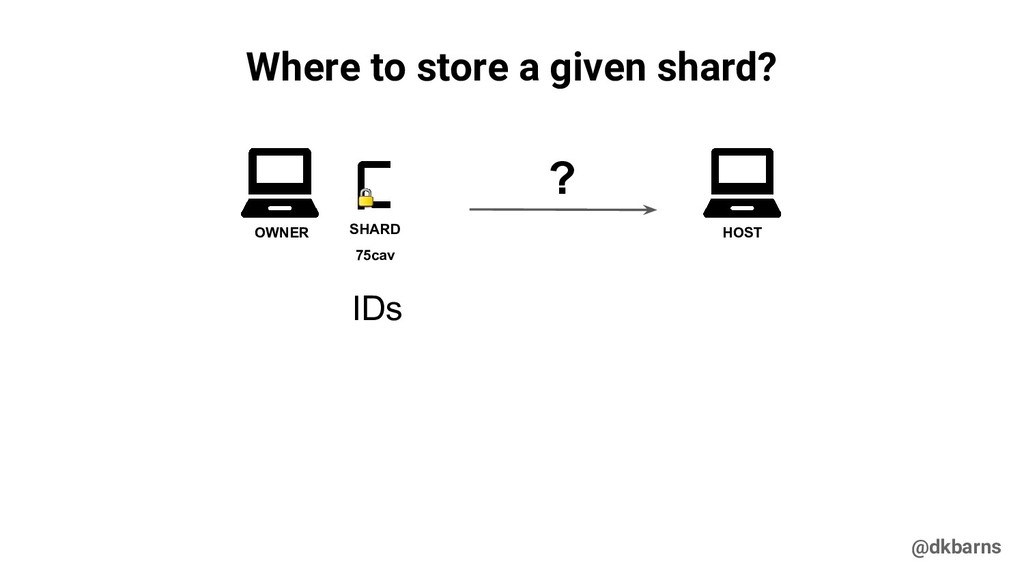
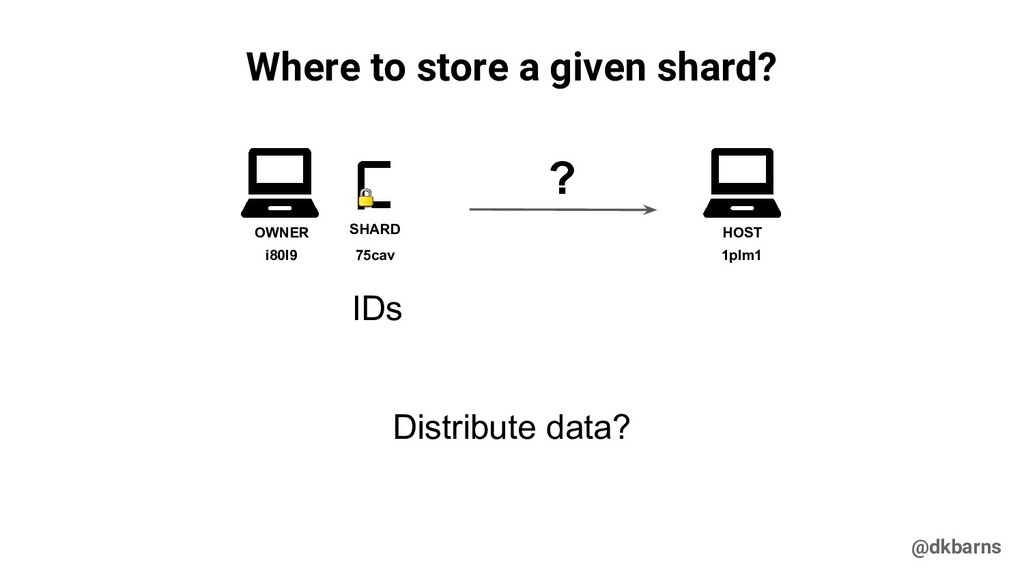
  28. @dkbarns Where to store a given shard? OWNER SHARD HOST

    ? 75cav IDs i80l9 1plm1 Distribute data?
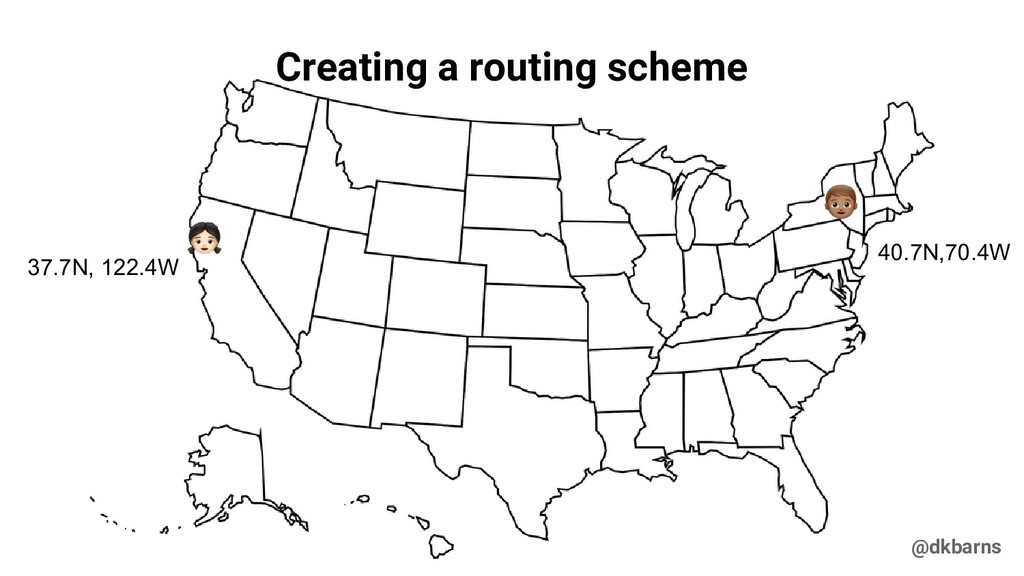
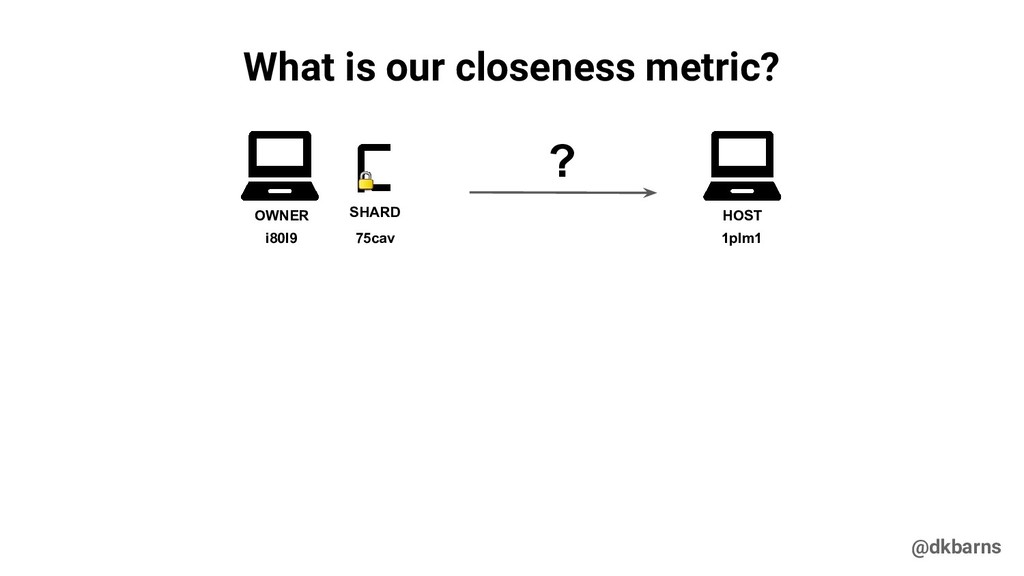
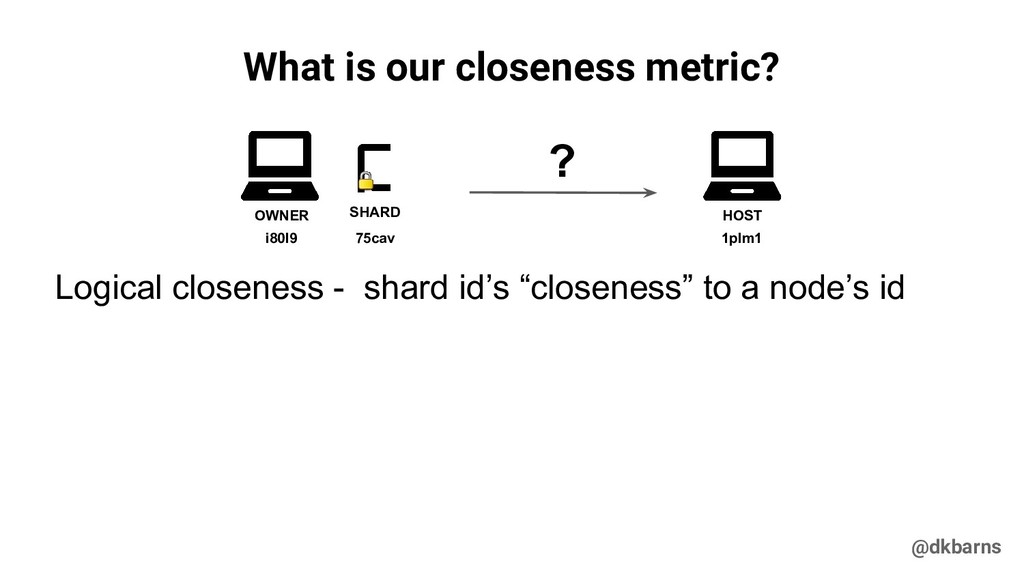
  29. @dkbarns What is our closeness metric? OWNER SHARD HOST ?

    75cav i80l9 1plm1 Logical closeness - shard id’s “closeness” to a node’s id
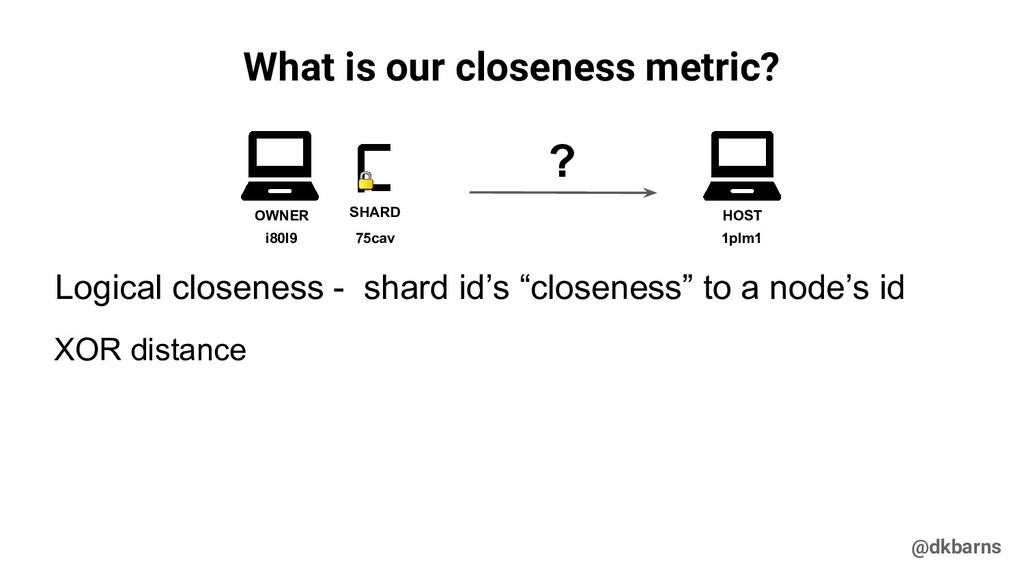
  30. @dkbarns What is our closeness metric? OWNER SHARD HOST ?

    75cav i80l9 1plm1 XOR distance Logical closeness - shard id’s “closeness” to a node’s id
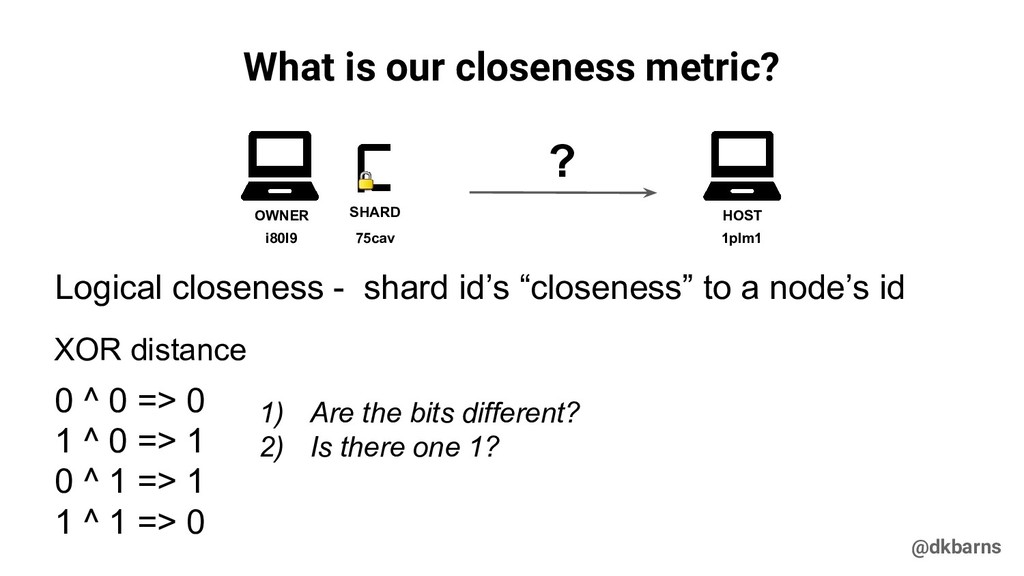
  31. @dkbarns What is our closeness metric? OWNER SHARD HOST ?

    75cav i80l9 1plm1 XOR distance 0 ^ 0 => 0 1 ^ 0 => 1 0 ^ 1 => 1 1 ^ 1 => 0 Logical closeness - shard id’s “closeness” to a node’s id 1) Are the bits different? 2) Is there one 1?
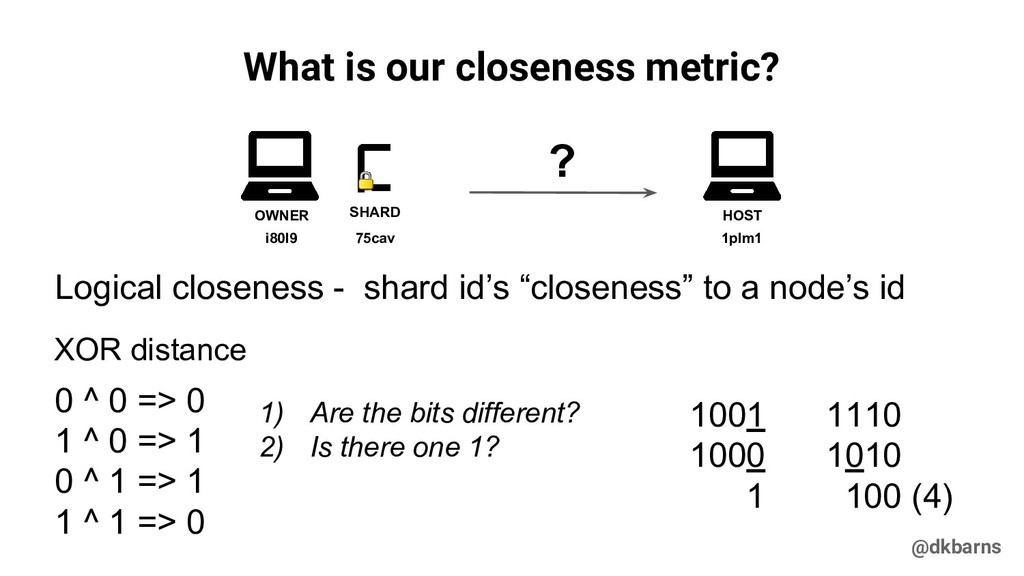
  32. @dkbarns What is our closeness metric? OWNER SHARD HOST ?

    75cav i80l9 1plm1 0 ^ 0 => 0 1 ^ 0 => 1 0 ^ 1 => 1 1 ^ 1 => 0 1) Are the bits different? 2) Is there one 1? 1001 1000 1 1110 1010 100 (4) XOR distance Logical closeness - shard id’s “closeness” to a node’s id
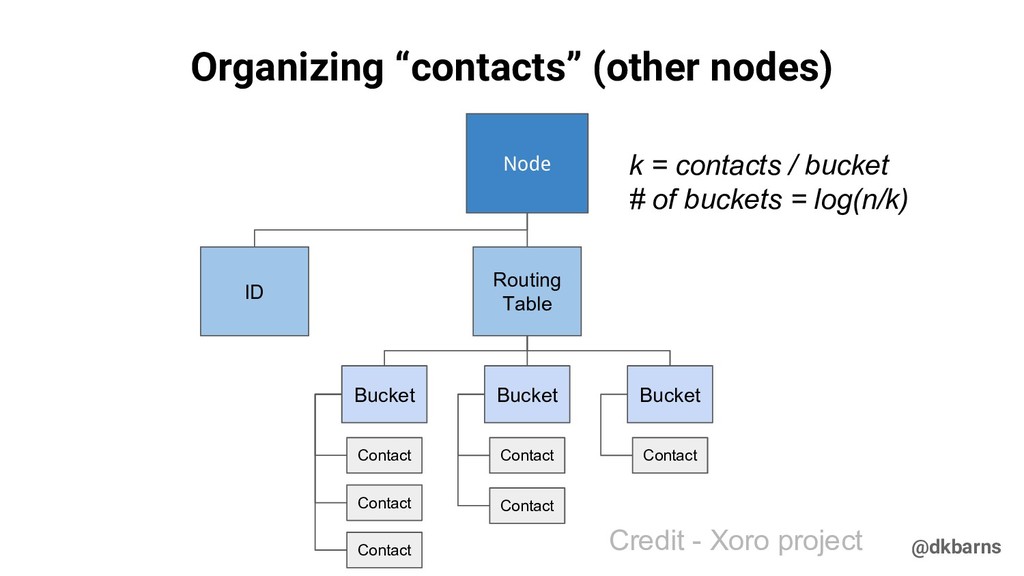
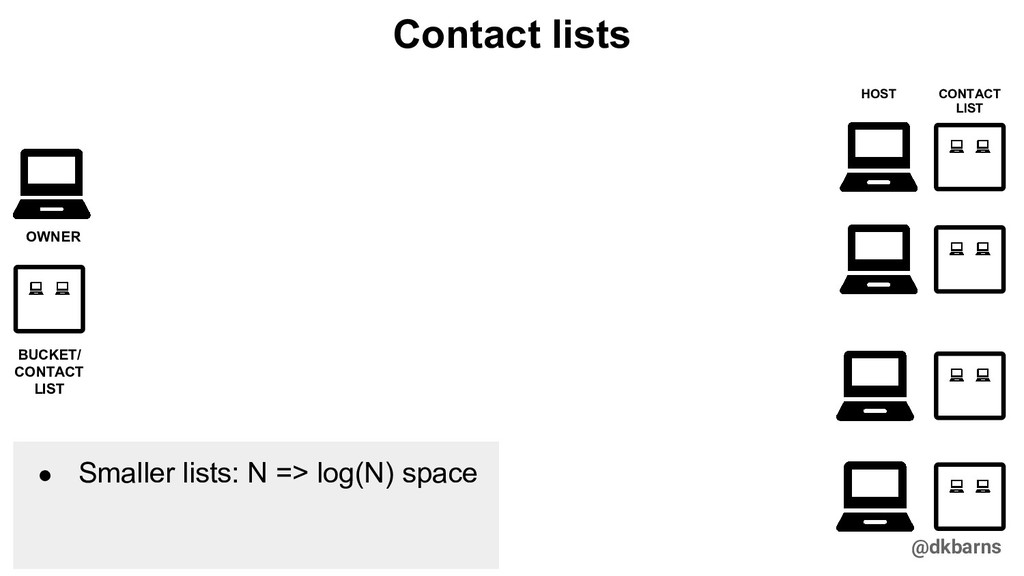
  33. @dkbarns Organizing “contacts” (other nodes) Node Routing Table Bucket Contact

    Contact Contact Contact Bucket Bucket Contact Contact ID k = contacts / bucket # of buckets = log(n/k) Credit - Xoro project
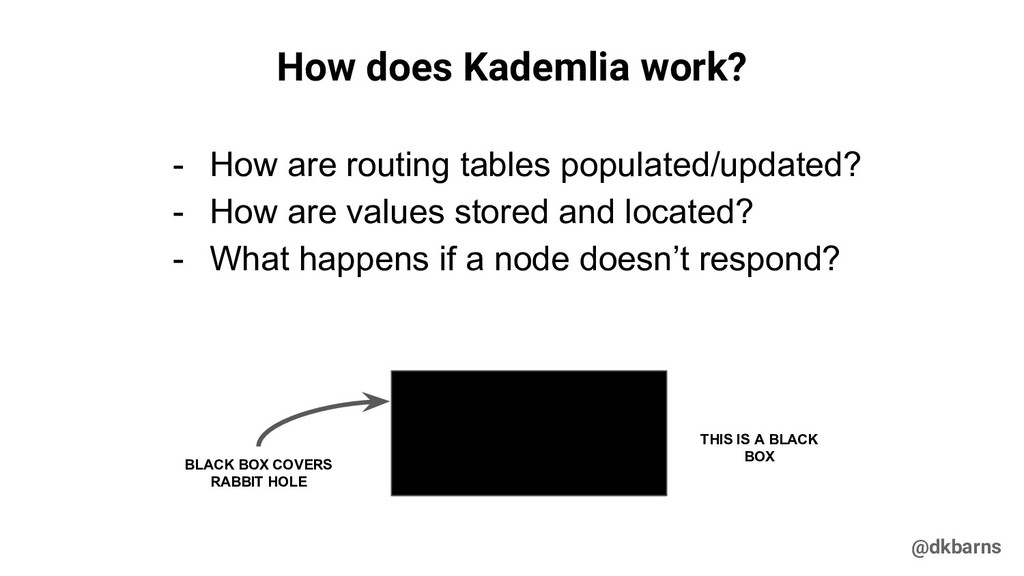
  34. @dkbarns How does Kademlia work? - How are routing tables

    populated/updated? - How are values stored and located? - What happens if a node doesn’t respond?
  35. @dkbarns How does Kademlia work? - How are routing tables

    populated/updated? - How are values stored and located? - What happens if a node doesn’t respond? THIS IS A BLACK BOX BLACK BOX COVERS RABBIT HOLE
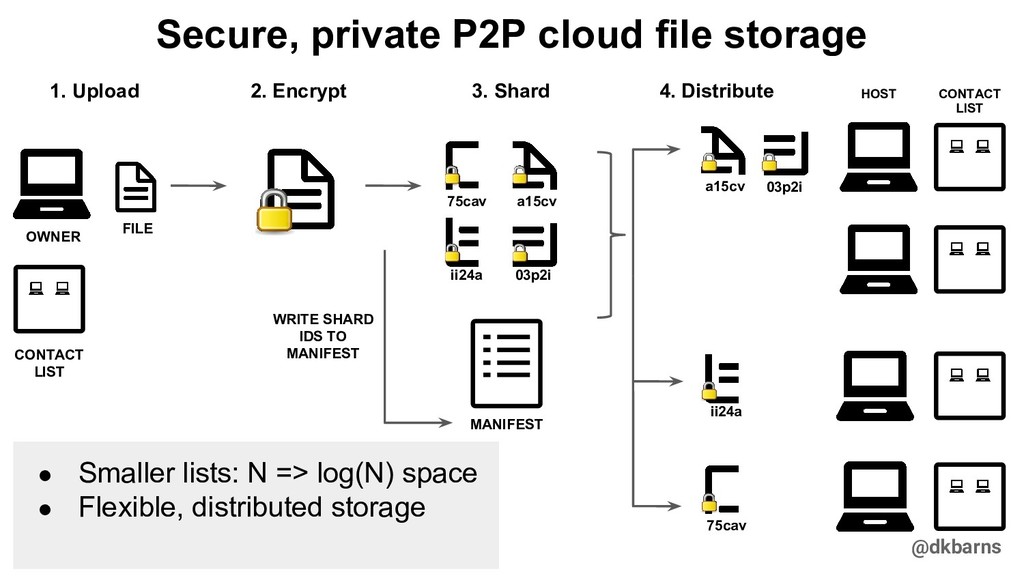
  36. @dkbarns Secure, private P2P cloud file storage MANIFEST WRITE SHARD

    IDS TO MANIFEST 2. Encrypt 3. Shard 4. Distribute HOST CONTACT LIST a15cv 75cav 03p2i ii24a a15cv 75cav CONTACT LIST ii24a 03p2i 1. Upload FILE OWNER • Smaller lists: N => log(N) space • Flexible, distributed storage
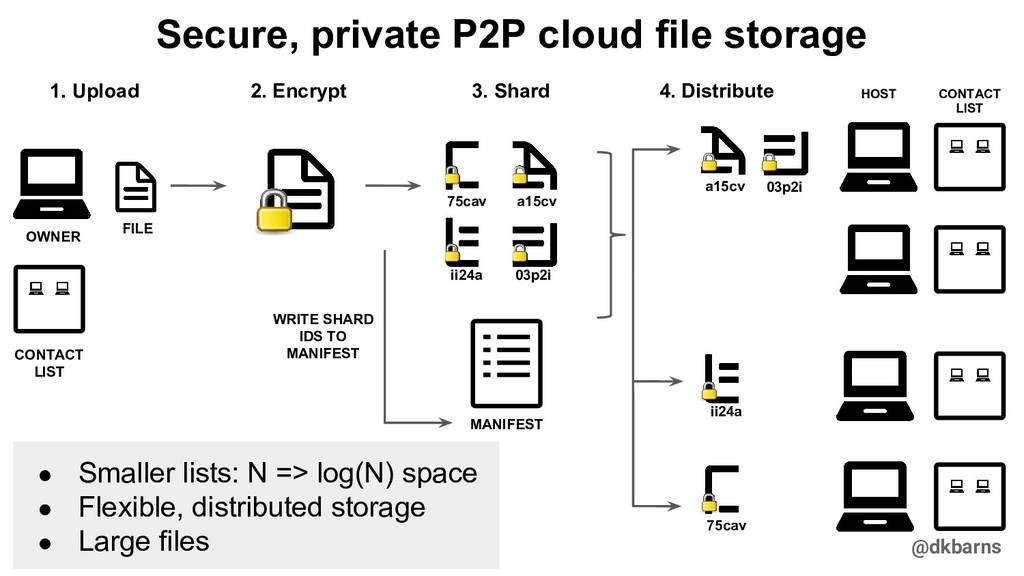
  37. @dkbarns Secure, private P2P cloud file storage MANIFEST WRITE SHARD

    IDS TO MANIFEST 2. Encrypt 3. Shard 4. Distribute HOST CONTACT LIST • Smaller lists: N => log(N) space • Flexible, distributed storage • Large files a15cv 75cav 03p2i ii24a a15cv 75cav CONTACT LIST ii24a 03p2i 1. Upload FILE OWNER
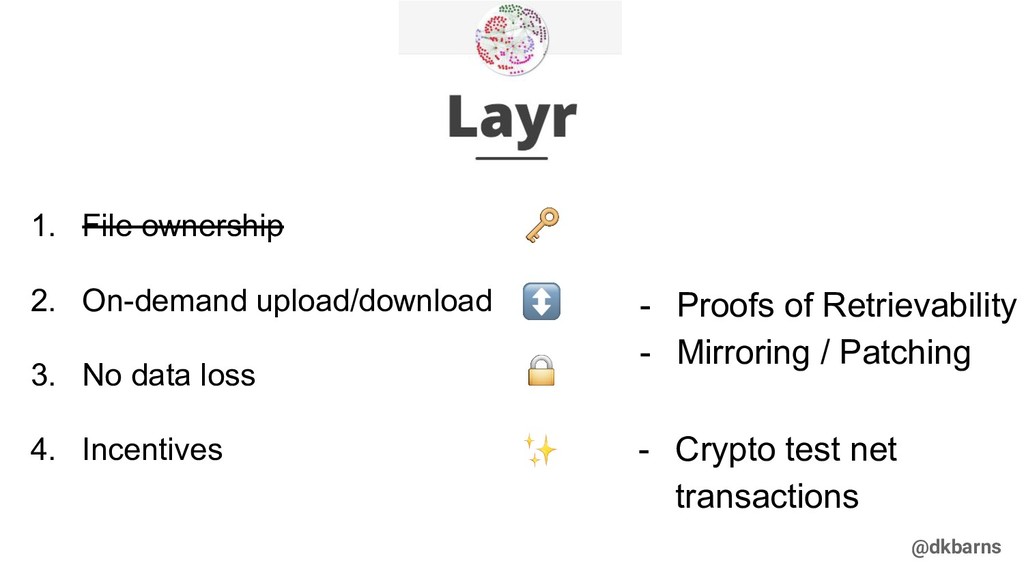
  38. @dkbarns 1. File ownership 2. On-demand upload/download 3. No data

    loss 4. Incentives - Proofs of Retrievability - Mirroring / Patching - Crypto test net transactions
  39. @dkbarns Kademlia links 1. Kademlia: A Peer-to-peer Information System Based

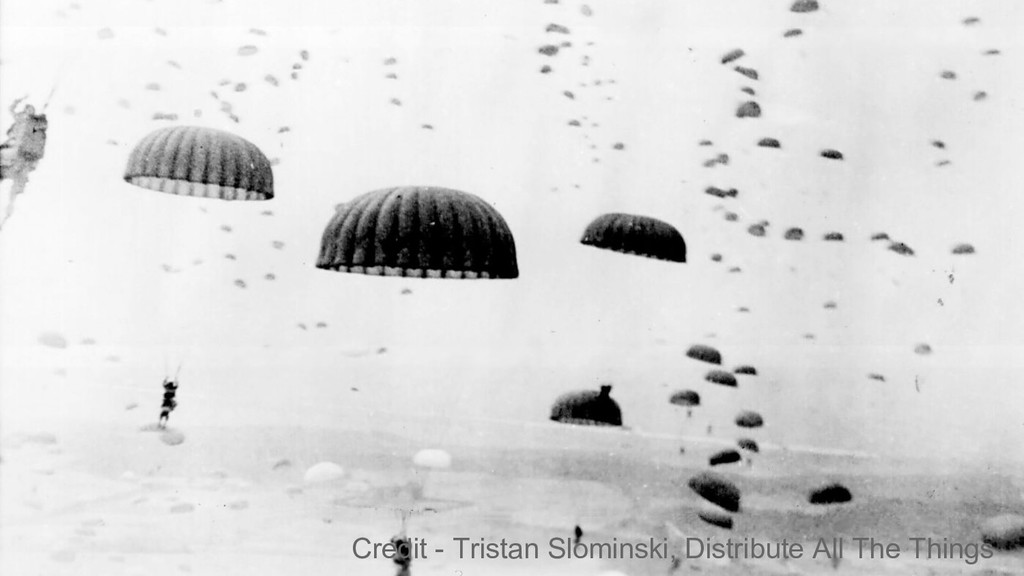
    on the XOR Metric (Slides) - Maymounkov, Mazi`eres - https://tams.informatik.uni-hamburg.de/lehre/2004ss/vorlesung/medientec hnik/material/kpres.pdf 2. Xoro P2P - Chen, Kurutz, Lee, - https://xorro-p2p.github.io/resources/ 3. Tristan Slominski, Distribute All The Things - https://docs.google.com/presentation/d/11qGZlPWu6vEAhA7p3qsQaQtW H7KofEC9dMeBFZ1gYeA/edit#slide=id.g1718cc2bc_03157
  40. @dkbarns Looking for my next team! On the at ...

    - dylankb.github.io - @dkbarns - github.com/dylankb