Upgrade to Pro
— share decks privately, control downloads, hide ads and more …
Speaker Deck
Sign up for free
Menu
Search
Features
All features
Private URLs
Password Protection
Custom URLS
Scheduled publishing
Remove Branding
Restrict embedding
Deck Collections
Notes
Features
All features
Private URLs
Password Protection
Custom URLS
Scheduled publishing
Remove Branding
Restrict embedding
Deck Collections
Notes
Explore
Featured decks
Featured speakers
Programming
Technology
Storyboards
Explore
Featured decks
Featured speakers
Programming
Technology
Storyboards
Pricing
Search
Sign in
Sign up for free
eBPFで駆動するCI_CD専用_キャッシュシステム.pdf
Search
Enigamict
August 26, 2026
1.1k
1
Share
Embed
Copy iframe code
Copy JS code
Copy link
Start on current slide
eBPFで駆動するCI_CD専用_キャッシュシステム.pdf
Enigamict
August 26, 2026
More Decks by Enigamict
See All by Enigamict
Cybozu Lab Youth 12th Enigamict
enigamict
0
260
Featured
See All Featured
Faster Mobile Websites
deanohume
310
32k
コードの90%をAIが書く世界で何が待っているのか / What awaits us in a world where 90% of the code is written by AI
rkaga
63
46k
A Tale of Four Properties
chriscoyier
163
24k
How to Think Like a Performance Engineer
csswizardry
28
2.9k
Measuring & Analyzing Core Web Vitals
bluesmoon
9
1k
Agile that works and the tools we love
rasmusluckow
331
22k
Deep Space Network (abreviated)
tonyrice
0
370
Mobile First: as difficult as doing things right
swwweet
225
10k
The Language of Interfaces
destraynor
162
27k
WCS-LA-2024
lcolladotor
0
880
SEO in 2025: How to Prepare for the Future of Search
ipullrank
3
3.9k
Let's Do A Bunch of Simple Stuff to Make Websites Faster
chriscoyier
508
140k
Transcript
eBPFで駆動する CI/CD専用 キャッシュシステム Aug. 26, 2026 eBPF Japan Meetup #7
Enigamict 1
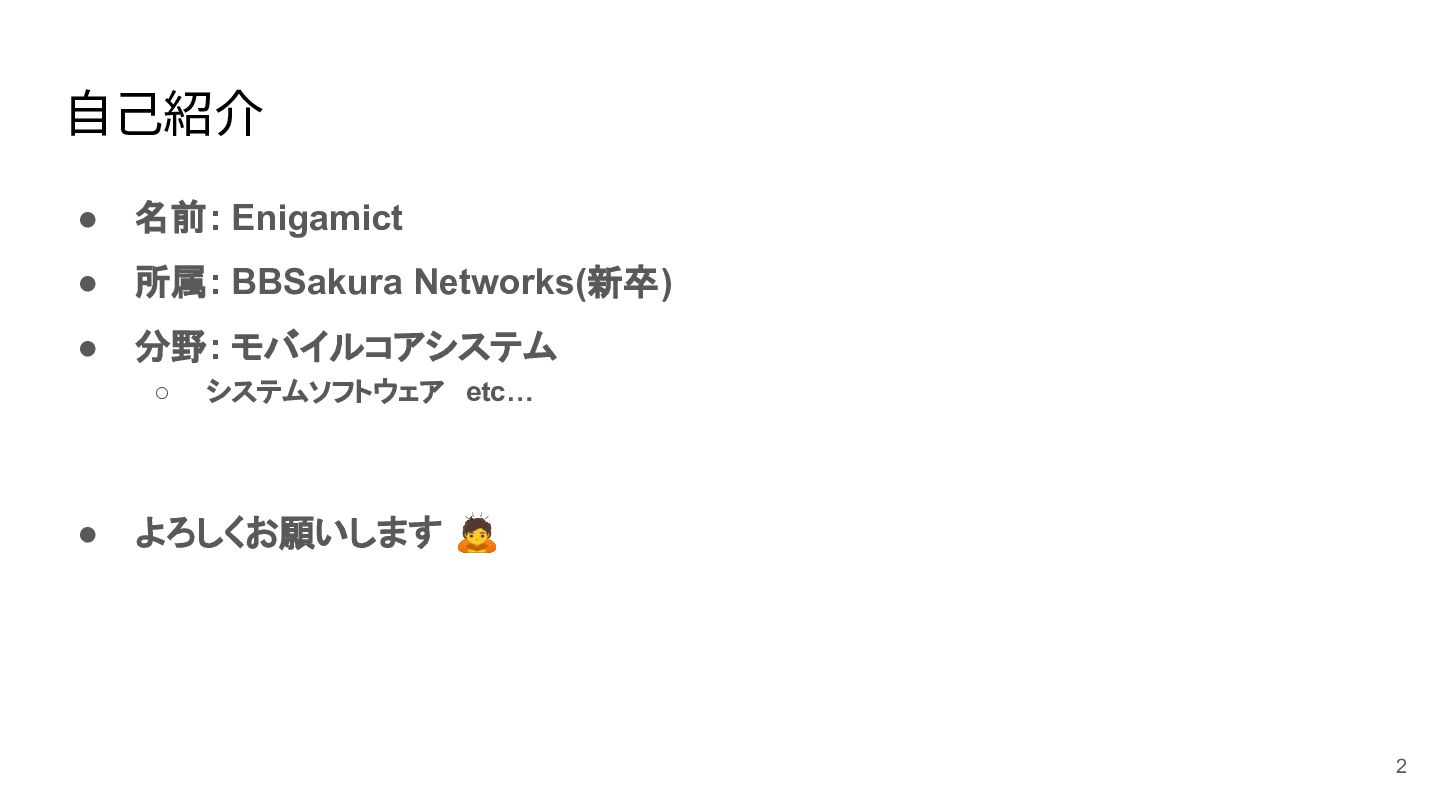
⾃⼰紹介 • 名前: Enigamict • 所属: BBSakura Networks(新卒) • 分野:
モバイルコアシステム ◦ • システムソフトウェア etc… よろしくお願いします 🙇 2
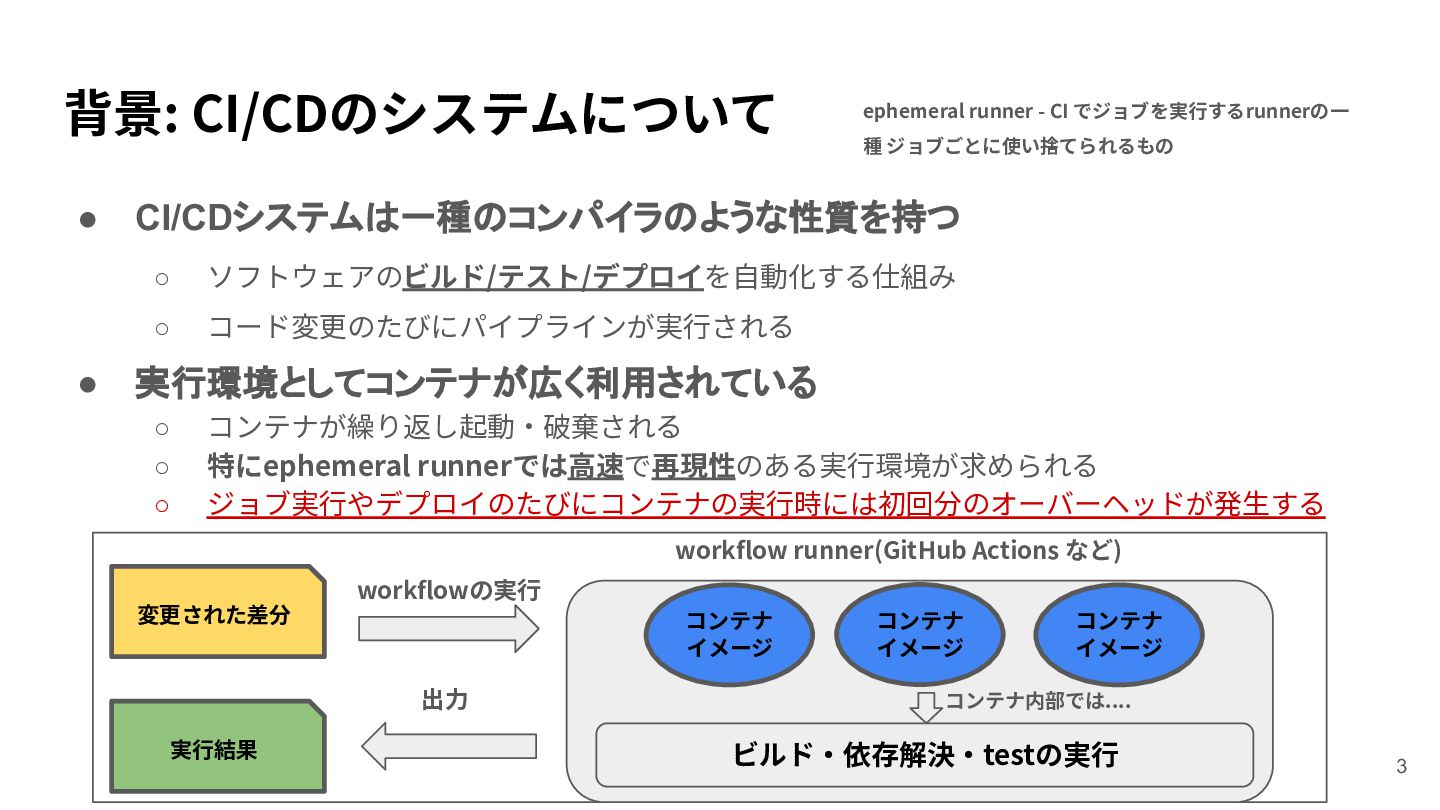
背景: CI/CDのシステムについて • • ephemeral runner - CI でジョブを実⾏するrunnerの⼀ 種
ジョブごとに使い捨てられるもの CI/CDシステムは一種のコンパイラのような性質を持つ ◦ ソフトウェアのビルド/テスト/デプロイを⾃動化する仕組み ◦ コード変更のたびにパイプラインが実⾏される 実行環境としてコンテナが広く利用されている ◦ ◦ ◦ コンテナが繰り返し起動‧破棄される 特にephemeral runnerでは⾼速で再現性のある実⾏環境が求められる ジョブ実⾏やデプロイのたびにコンテナの実⾏時には初回分のオーバーヘッドが発⽣する workflow runner(GitHub Actions など) workflowの実⾏ 変更された差分 コンテナ イメージ 出⼒ 実⾏結果 コンテナ イメージ コンテナ イメージ コンテナ内部では.... ビルド‧依存解決‧testの実⾏ 3
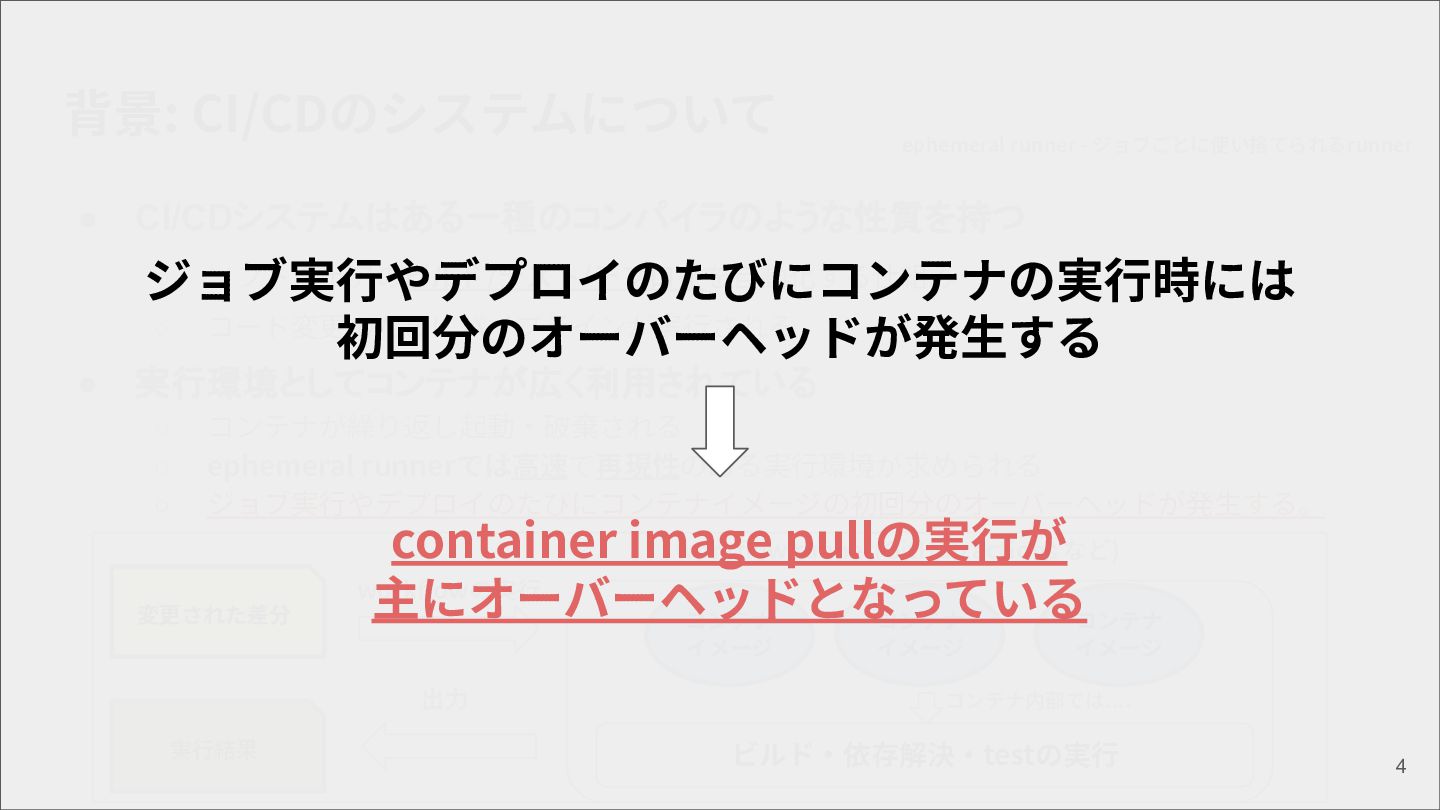
背景: CI/CDのシステムについて • ephemeral runner - ジョブごとに使い捨てられるrunner CI/CDシステムはある一種のコンパイラのような性質を持つ ◦ ソフトウェアのビルド/テスト/デプロイを⾃動化する仕組み
ジョブ実⾏やデプロイのたびにコンテナの実⾏時には ◦ コード変更のたびにパイプラインが実⾏される 初回分のオーバーヘッドが発⽣する • 実行環境としてコンテナが広く利用されている ◦ ◦ ◦ コンテナが繰り返し起動‧破棄される ephemeral runnerでは⾼速で再現性のある実⾏環境が求められる ジョブ実⾏やデプロイのたびにコンテナイメージの初回分のオーバーヘッドが発⽣する。 変更された差分 container image workflowpullの実⾏が runner(GitHub actions など) workflowの実⾏ 主にオーバーヘッドとなっている コンテナ コンテナ コンテナ イメージ 出⼒ 実⾏結果 イメージ イメージ コンテナ内部では.... ビルド‧依存解決‧testの実⾏ 4
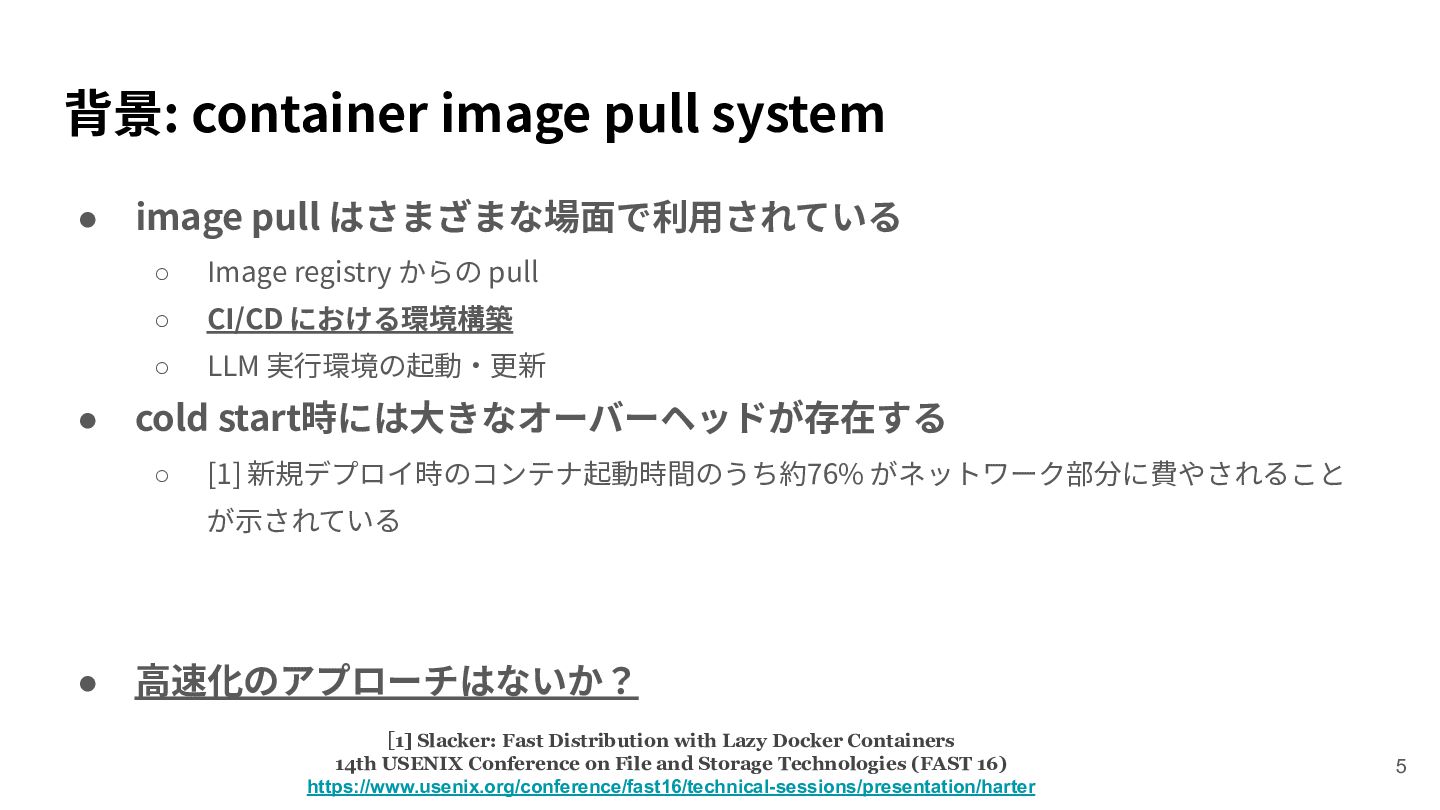
背景: container image pull system • • image pull はさまざまな場⾯で利⽤されている
◦ Image registry からの pull ◦ CI/CD における環境構築 ◦ LLM 実⾏環境の起動‧更新 cold start時には⼤きなオーバーヘッドが存在する ◦ [1] 新規デプロイ時のコンテナ起動時間のうち約76% がネットワーク部分に費やされること が⽰されている • ⾼速化のアプローチはないか? [1] Slacker: Fast Distribution with Lazy Docker Containers 14th USENIX Conference on File and Storage Technologies (FAST 16) https://www.usenix.org/conference/fast16/technical-sessions/presentation/harter 5
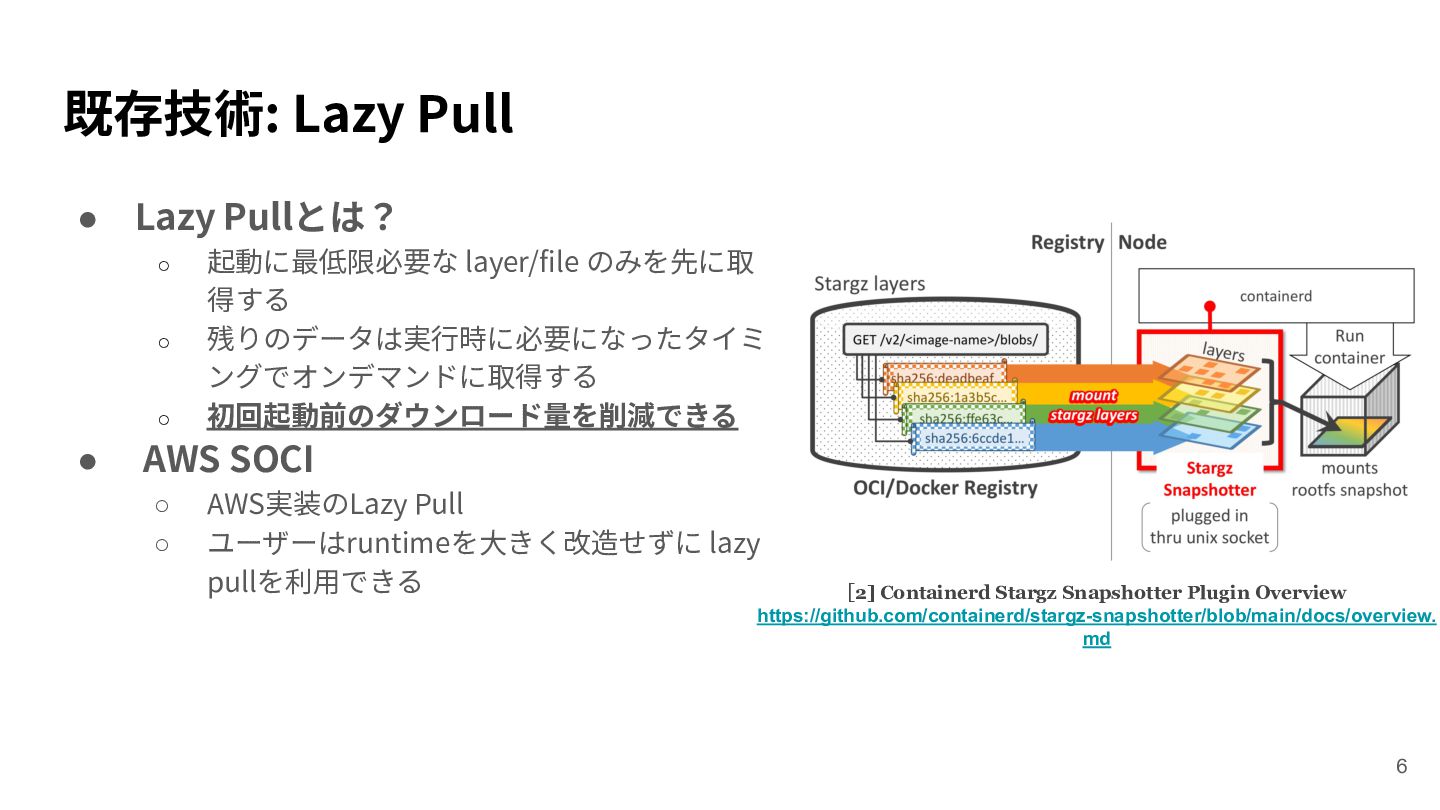
既存技術: Lazy Pull • Lazy Pullとは? ◦ ◦ ◦ •
起動に最低限必要な layer/file のみを先に取 得する 残りのデータは実⾏時に必要になったタイミ ングでオンデマンドに取得する 初回起動前のダウンロード量を削減できる AWS SOCI ◦ ◦ AWS実装のLazy Pull ユーザーはruntimeを⼤きく改造せずに lazy pullを利⽤できる [2] Containerd Stargz Snapshotter Plugin Overview https://github.com/containerd/stargz-snapshotter/blob/main/docs/overview. md 6
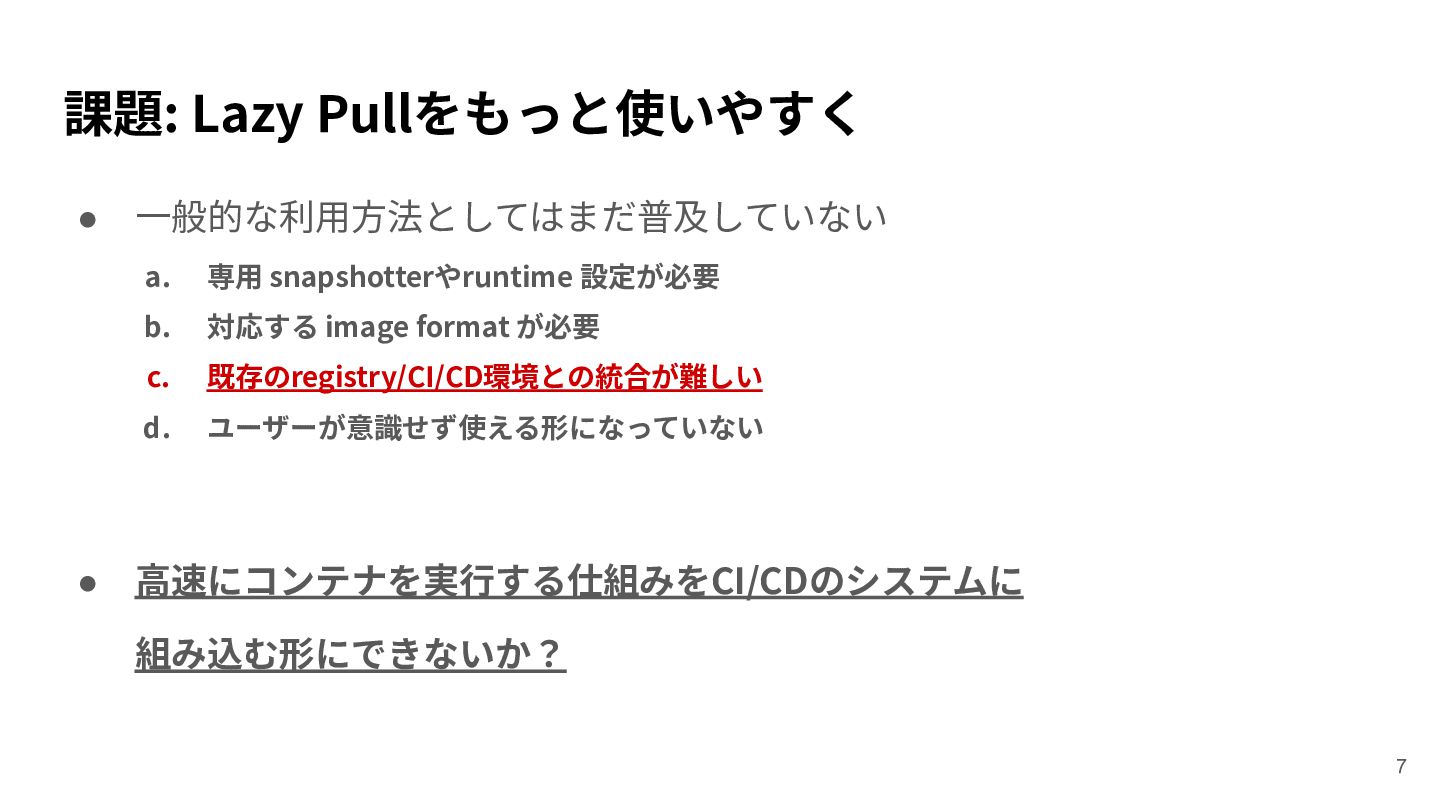
課題: Lazy Pullをもっと使いやすく • • ⼀般的な利⽤⽅法としてはまだ普及していない a. 専⽤ snapshotterやruntime 設定が必要
b. 対応する image format が必要 c. 既存のregistry/CI/CD環境との統合が難しい d. ユーザーが意識せず使える形になっていない ⾼速にコンテナを実⾏する仕組みをCI/CDのシステムに 組み込む形にできないか? 7
既存研究: Lazy pullに関する既存研究 • LlpFS (IC2E'21) [3] ◦ ◦ ◦
◦ 起動時のアクセスをトレースし、最⼩ファイル(boot layer)だけでrootfsを構成 ⼿法としてはFSを改造してアクセスを記録する ⾜りないlayerがあればlazy pullと同じ⼿法で取得 LlpFSのアプローチを参考にファイルシステムを改造せずに同じ情報を取得する事をeBPFでのアプローチに変える LlpFS 考案しているシステム コンテナ イメージ コンテナ イメージ bootlayerの作成 overlay filesystemを改造し てアクセスを記録 eBPFでアクセスをトレース コンテナの実⾏中 コンテナの実⾏中 [3]Highly Compatible Fast Container Startup with Lazy Layer Pull 9th IEEE International Conference on Cloud Engineering (IC2E 2021) https://ieeexplore.ieee.org/document/9610287 https://www.os.is.s.u-tokyo.ac.jp/papers/2021-ic2e-gotanda.pdf 8
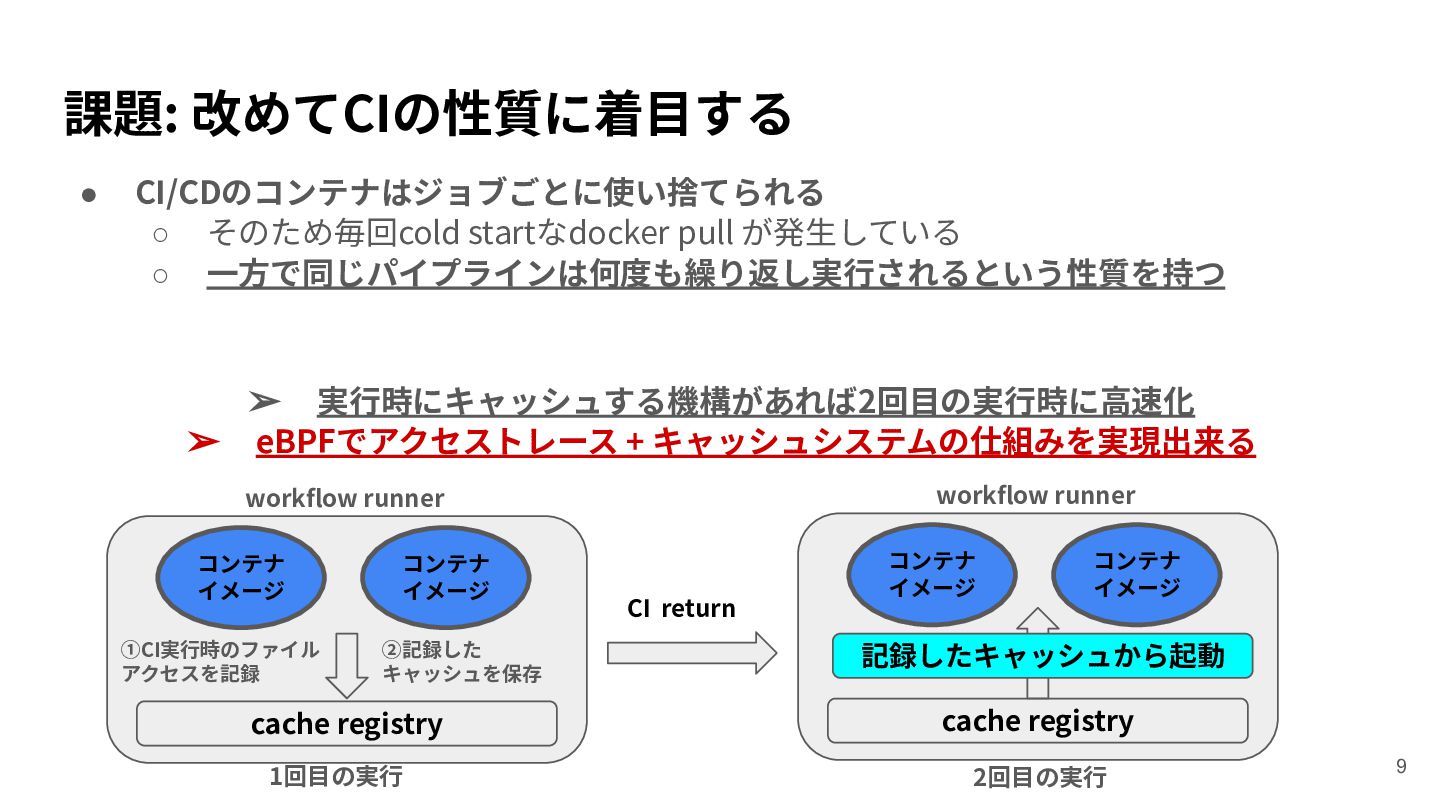
課題: 改めてCIの性質に着⽬する • CI/CDのコンテナはジョブごとに使い捨てられる ◦ そのため毎回cold startなdocker pull が発⽣している ◦
⼀⽅で同じパイプラインは何度も繰り返し実⾏されるという性質を持つ ➢ 実⾏時にキャッシュする機構があれば2回⽬の実⾏時に⾼速化 ➢ eBPFでアクセストレース + キャッシュシステムの仕組みを実現出来る workflow runner workflow runner コンテナ イメージ ①CI実⾏時のファイル アクセスを記録 コンテナ イメージ ②記録した キャッシュを保存 CI return コンテナ イメージ コンテナ イメージ 記録したキャッシュから起動 cache registry cache registry 1回⽬の実⾏ 2回⽬の実⾏ 9
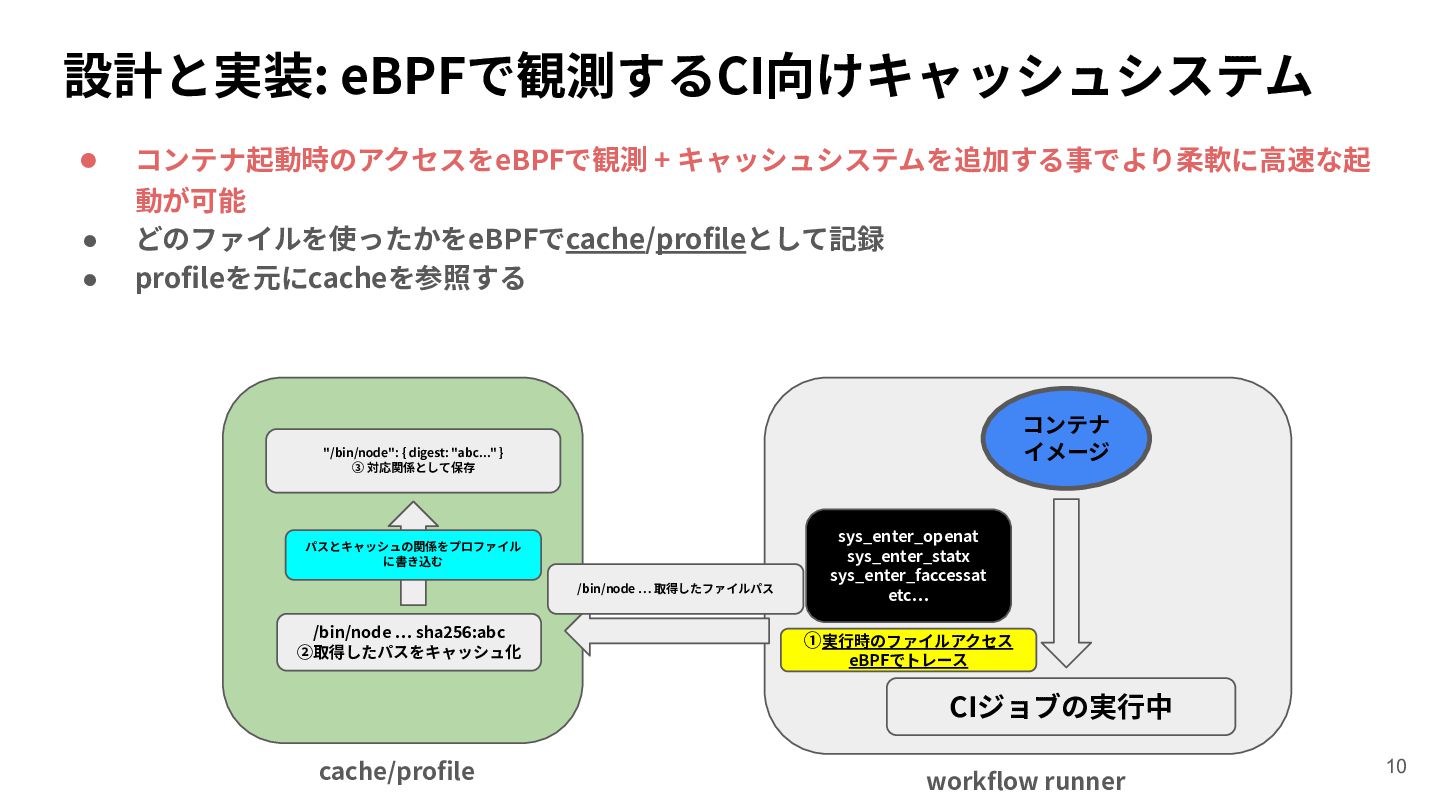
設計と実装: eBPFで観測するCI向けキャッシュシステム • • • コンテナ起動時のアクセスをeBPFで観測 + キャッシュシステムを追加する事でより柔軟に⾼速な起 動が可能 どのファイルを使ったかをeBPFでcache/profileとして記録
profileを元にcacheを参照する コンテナ イメージ "/bin/node": { digest: "abc..." } ③ 対応関係として保存 パスとキャッシュの関係をプロファイル に書き込む /bin/node … 取得したファイルパス /bin/node … sha256:abc ②取得したパスをキャッシュ化 sys_enter_openat sys_enter_statx sys_enter_faccessat etc… ①実⾏時のファイルアクセス eBPFでトレース CIジョブの実⾏中 cache/profile workflow runner 10
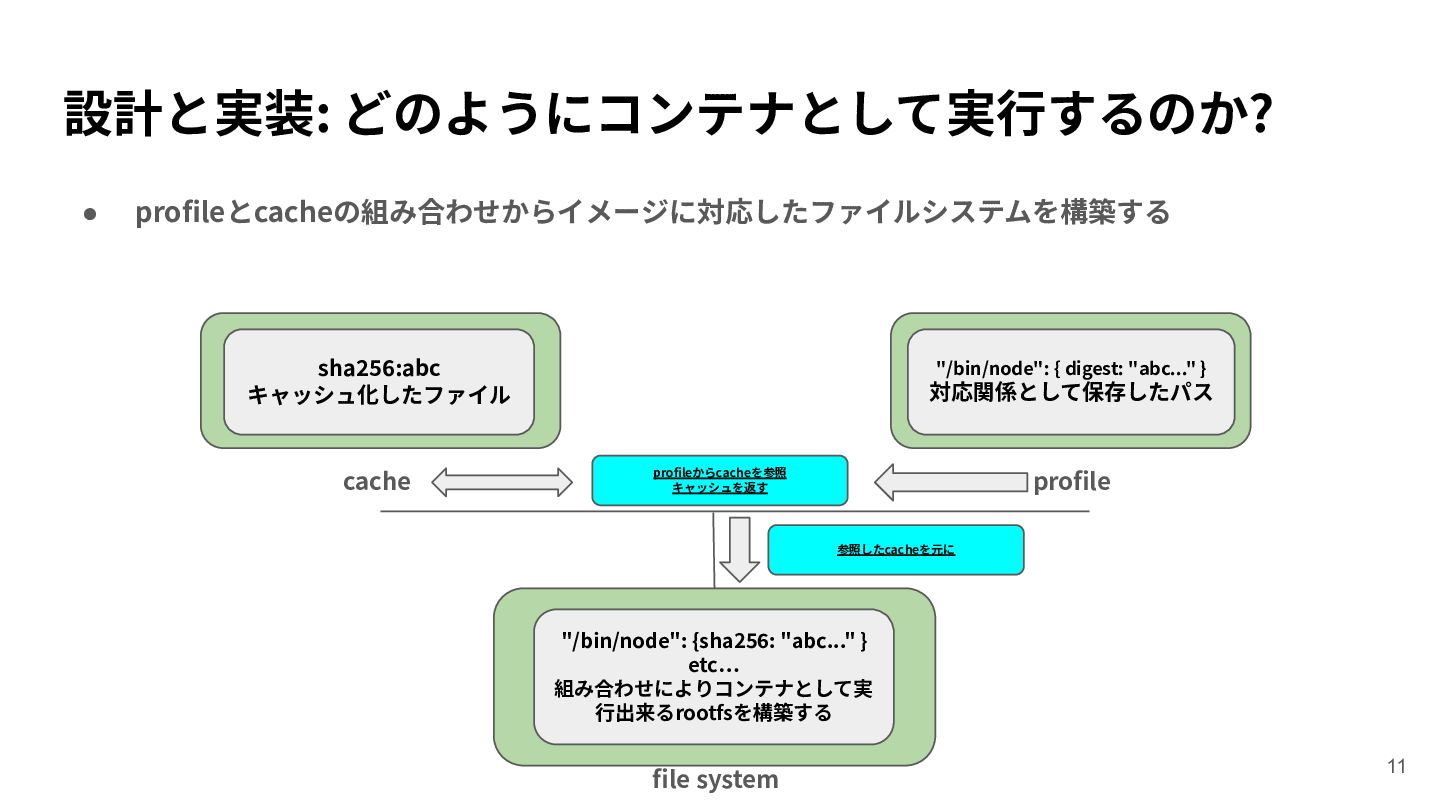
設計と実装: どのようにコンテナとして実⾏するのか? • profileとcacheの組み合わせからイメージに対応したファイルシステムを構築する sha256:abc キャッシュ化したファイル cache "/bin/node": { digest:
"abc..." } 対応関係として保存したパス profileからcacheを参照 キャッシュを返す profile 参照したcacheを元に "/bin/node": {sha256: "abc..." } etc… 組み合わせによりコンテナとして実 ⾏出来るrootfsを構築する file system 11
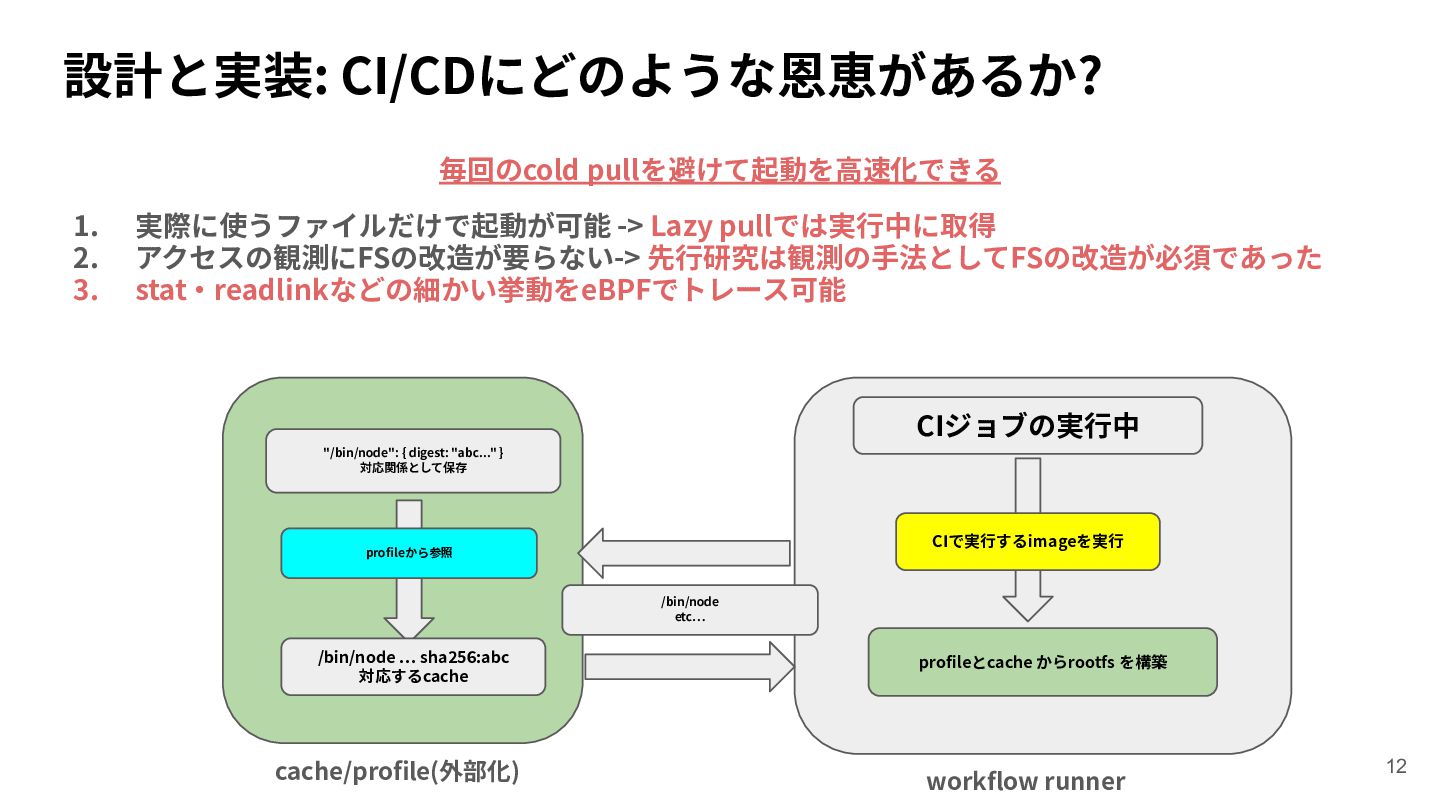
設計と実装: CI/CDにどのような恩恵があるか? 毎回のcold pullを避けて起動を⾼速化できる 1. 2. 3. 実際に使うファイルだけで起動が可能 -> Lazy
pullでは実⾏中に取得 アクセスの観測にFSの改造が要らない-> 先⾏研究は観測の⼿法としてFSの改造が必須であった stat‧readlinkなどの細かい挙動をeBPFでトレース可能 CIジョブの実⾏中 "/bin/node": { digest: "abc..." } 対応関係として保存 CIで実⾏するimageを実⾏ profileから参照 /bin/node etc… /bin/node … sha256:abc 対応するcache cache/profile(外部化) profileとcache からrootfs を構築 workflow runner 12
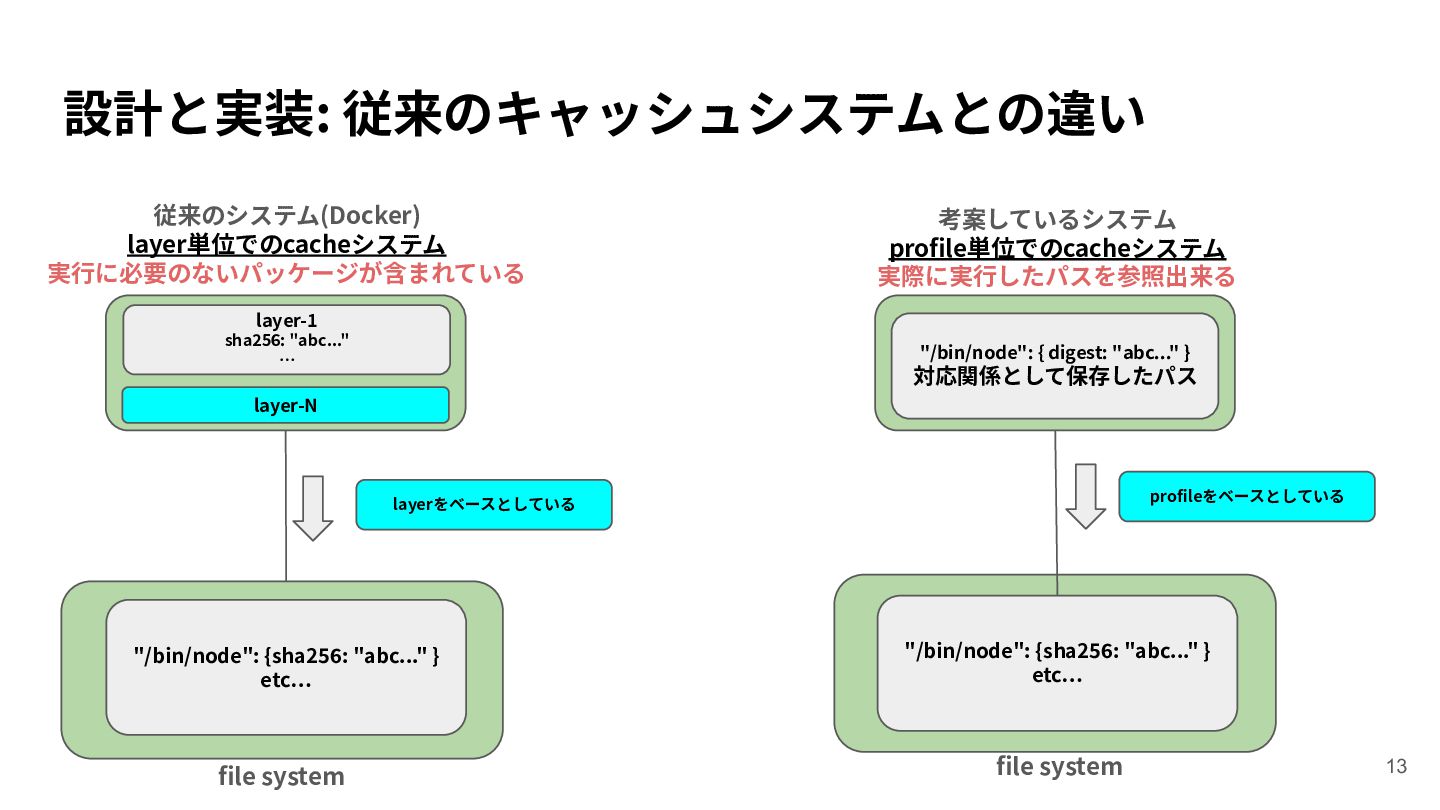
設計と実装: 従来のキャッシュシステムとの違い 従来のシステム(Docker) layer単位でのcacheシステム 実⾏に必要のないパッケージが含まれている 考案しているシステム profile単位でのcacheシステム 実際に実⾏したパスを参照出来る layer-1 sha256:
"abc..." … "/bin/node": { digest: "abc..." } 対応関係として保存したパス layer-N profileをベースとしている layerをベースとしている "/bin/node": {sha256: "abc..." } etc… file system "/bin/node": {sha256: "abc..." } etc… file system 13
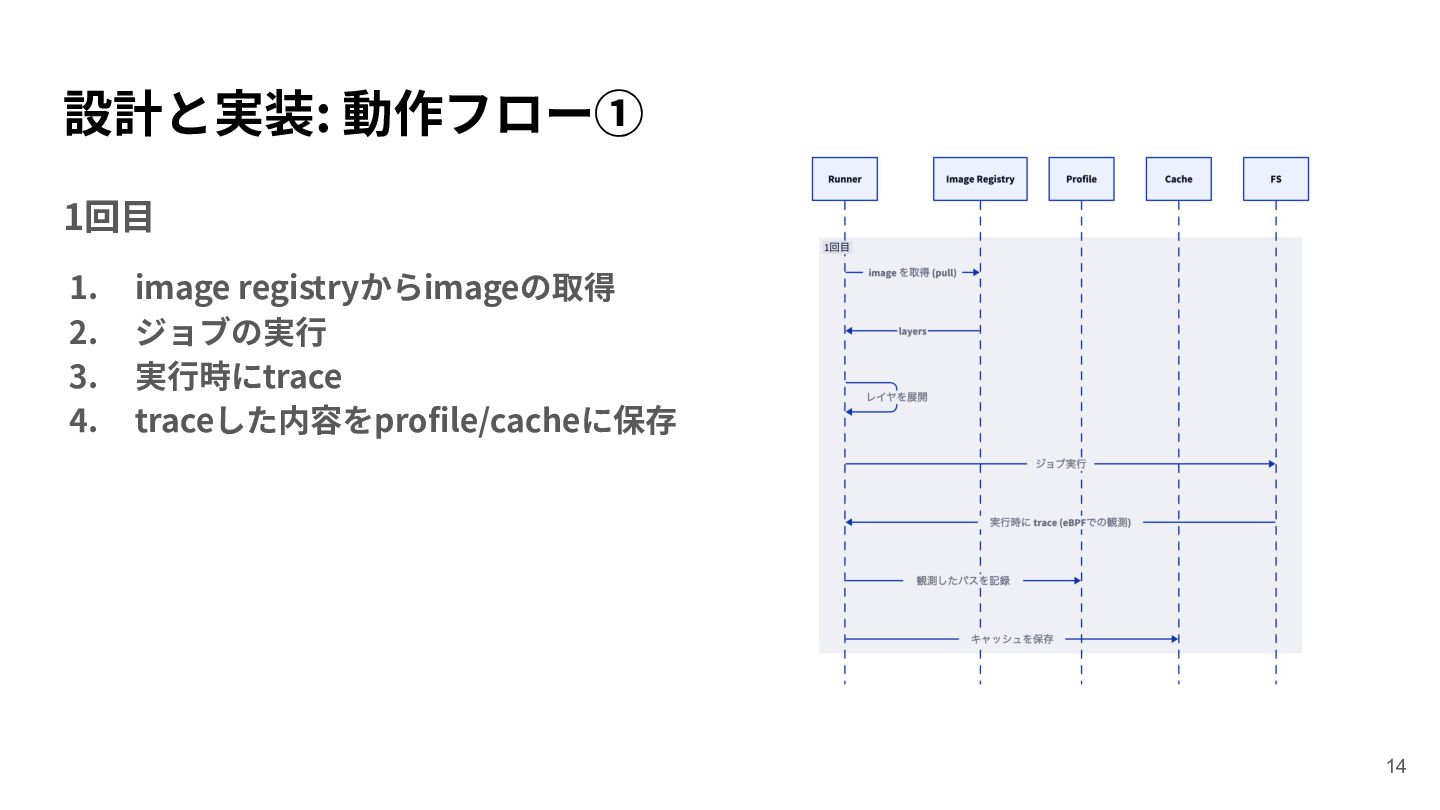
設計と実装: 動作フロー① 1回⽬ 1. 2. 3. 4. image registryからimageの取得 ジョブの実⾏
実⾏時にtrace traceした内容をprofile/cacheに保存 14
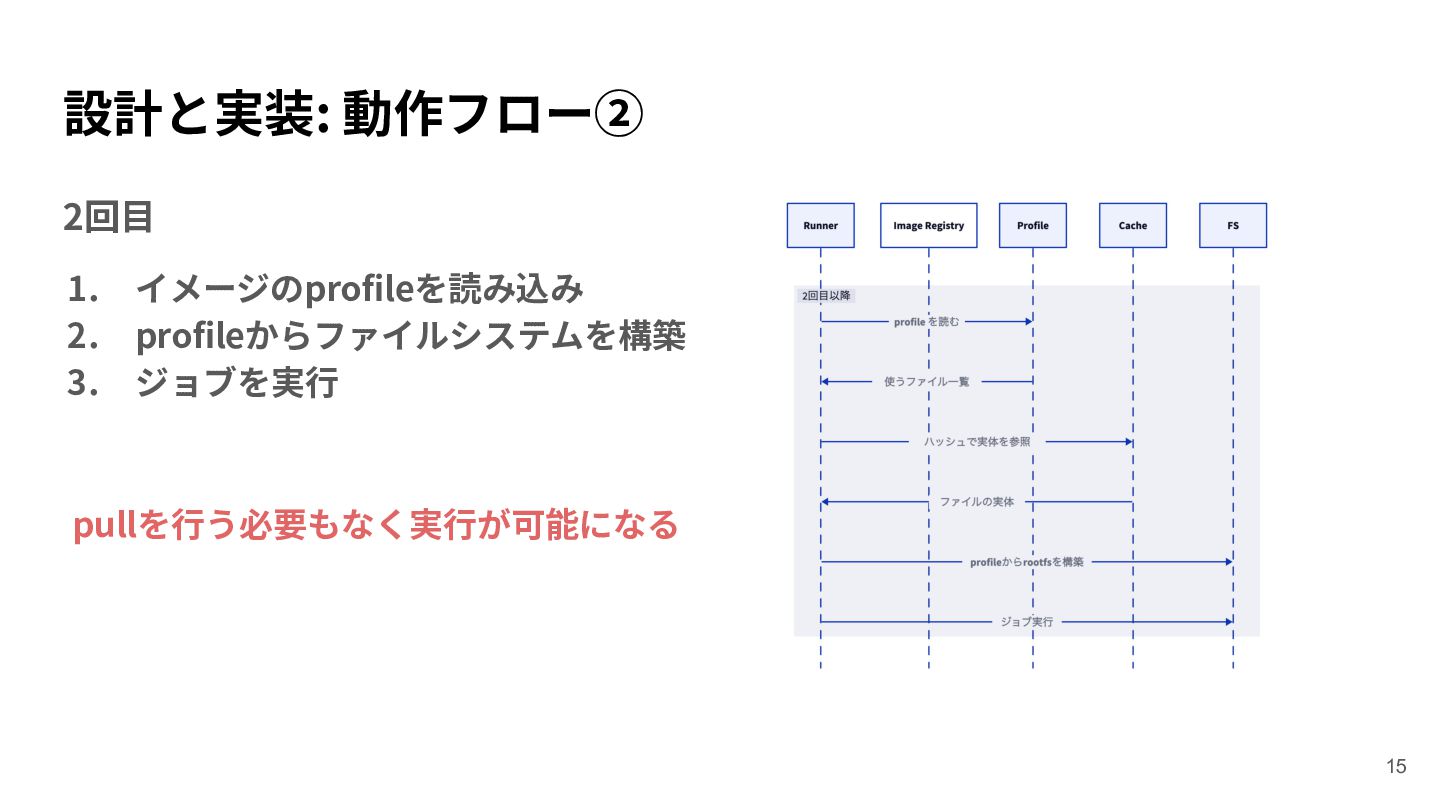
設計と実装: 動作フロー② 2回⽬ 1. 2. 3. イメージのprofileを読み込み profileからファイルシステムを構築 ジョブを実⾏ pullを⾏う必要もなく実⾏が可能になる
15
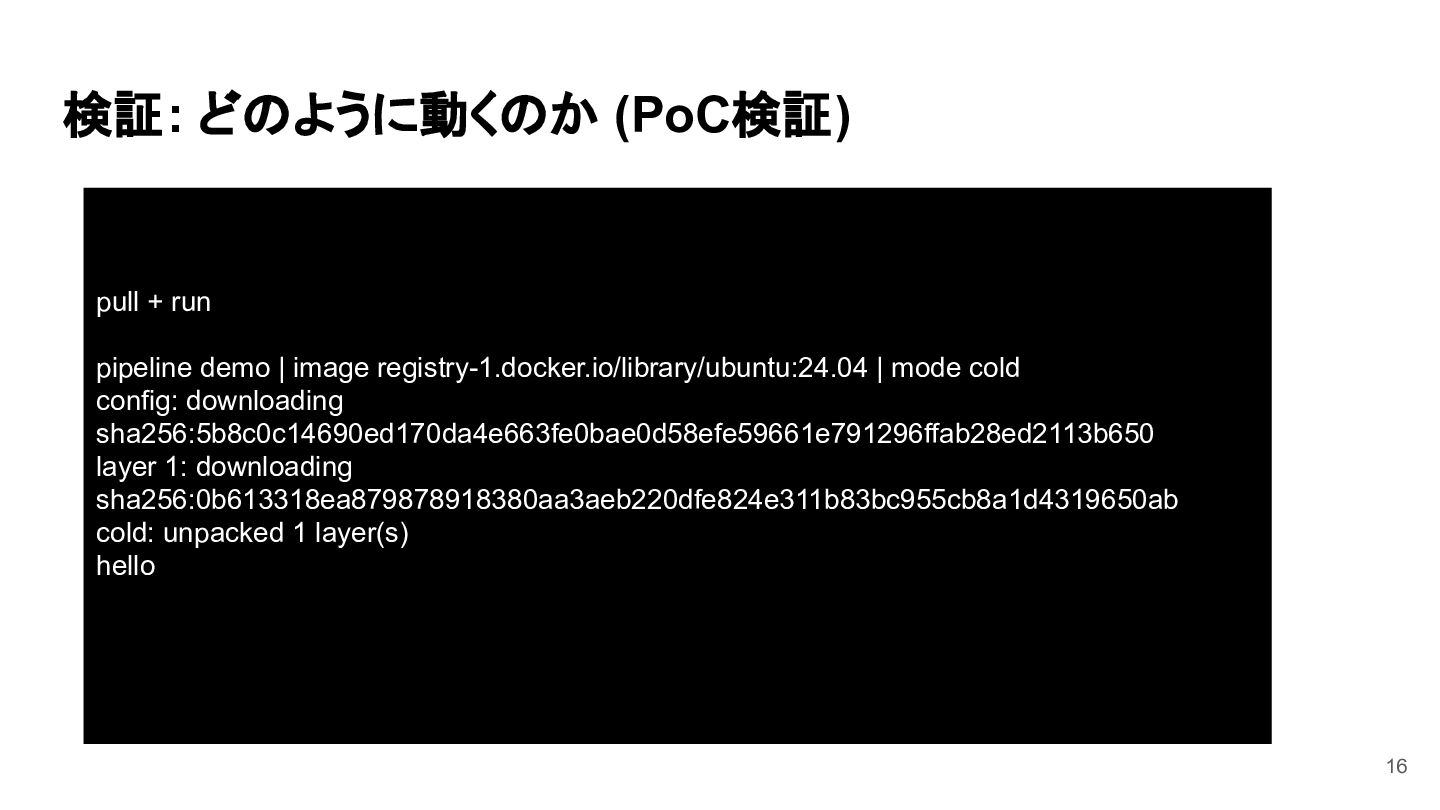
検証: どのように動くのか (PoC検証) pull + run pipeline demo | image
registry-1.docker.io/library/ubuntu:24.04 | mode cold config: downloading sha256:5b8c0c14690ed170da4e663fe0bae0d58efe59661e791296ffab28ed2113b650 layer 1: downloading sha256:0b613318ea879878918380aa3aeb220dfe824e311b83bc955cb8a1d4319650ab cold: unpacked 1 layer(s) hello 16
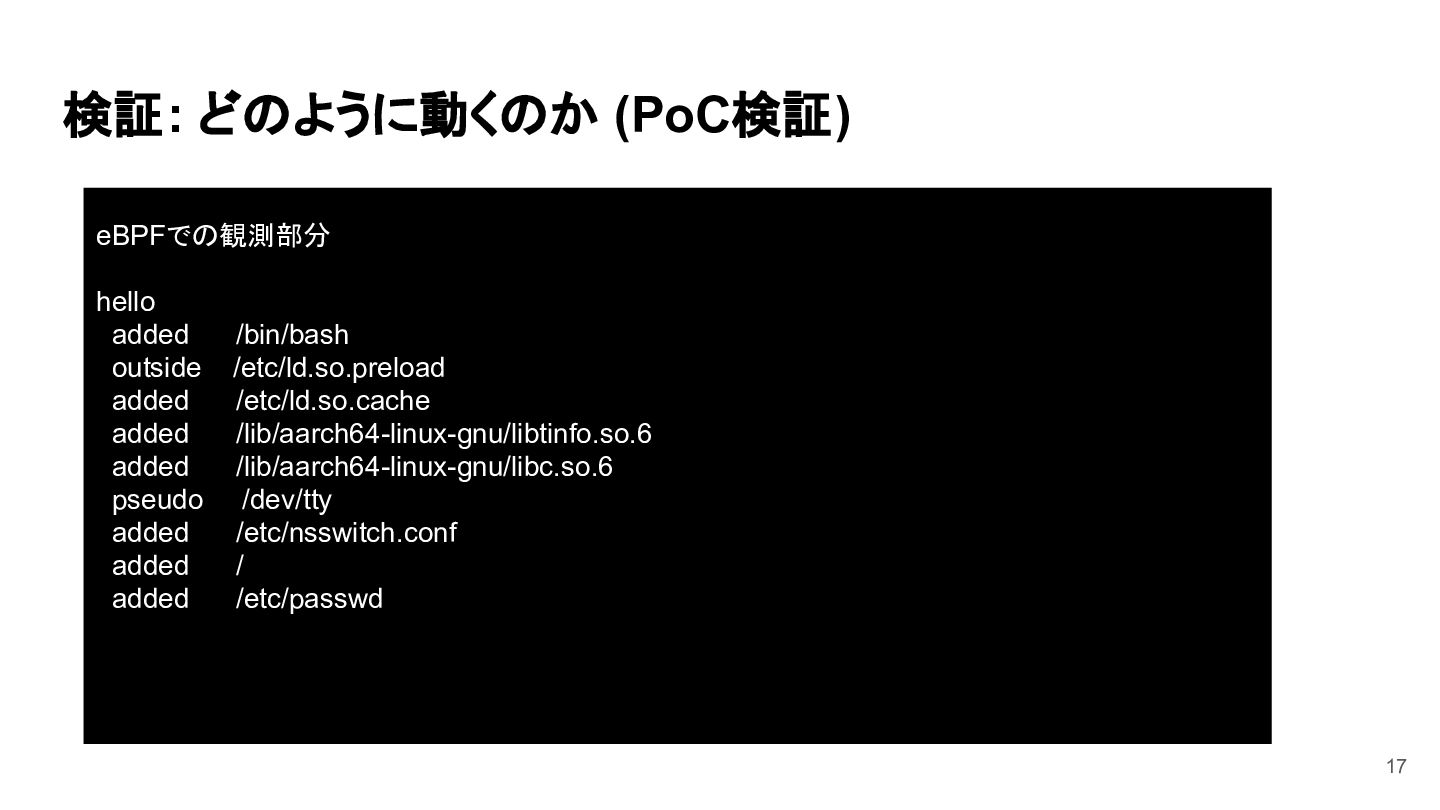
検証: どのように動くのか (PoC検証) eBPFでの観測部分 hello added outside added added added
pseudo added added added /bin/bash /etc/ld.so.preload /etc/ld.so.cache /lib/aarch64-linux-gnu/libtinfo.so.6 /lib/aarch64-linux-gnu/libc.so.6 /dev/tty /etc/nsswitch.conf / /etc/passwd 17
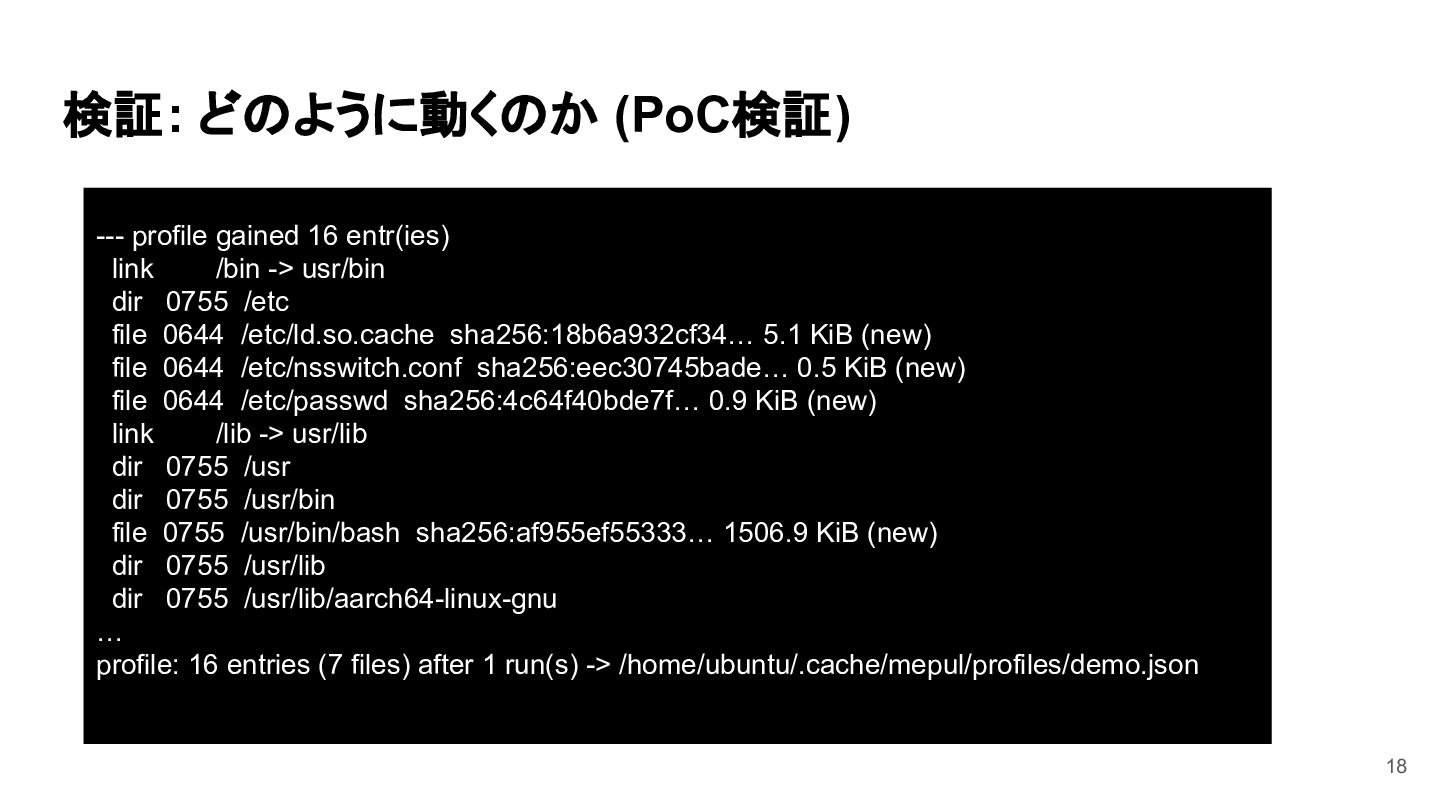
検証: どのように動くのか (PoC検証) --- profile gained 16 entr(ies) link /bin
-> usr/bin dir 0755 /etc file 0644 /etc/ld.so.cache sha256:18b6a932cf34… 5.1 KiB (new) file 0644 /etc/nsswitch.conf sha256:eec30745bade… 0.5 KiB (new) file 0644 /etc/passwd sha256:4c64f40bde7f… 0.9 KiB (new) link /lib -> usr/lib dir 0755 /usr dir 0755 /usr/bin file 0755 /usr/bin/bash sha256:af955ef55333… 1506.9 KiB (new) dir 0755 /usr/lib dir 0755 /usr/lib/aarch64-linux-gnu … profile: 16 entries (7 files) after 1 run(s) -> /home/ubuntu/.cache/mepul/profiles/demo.json 18
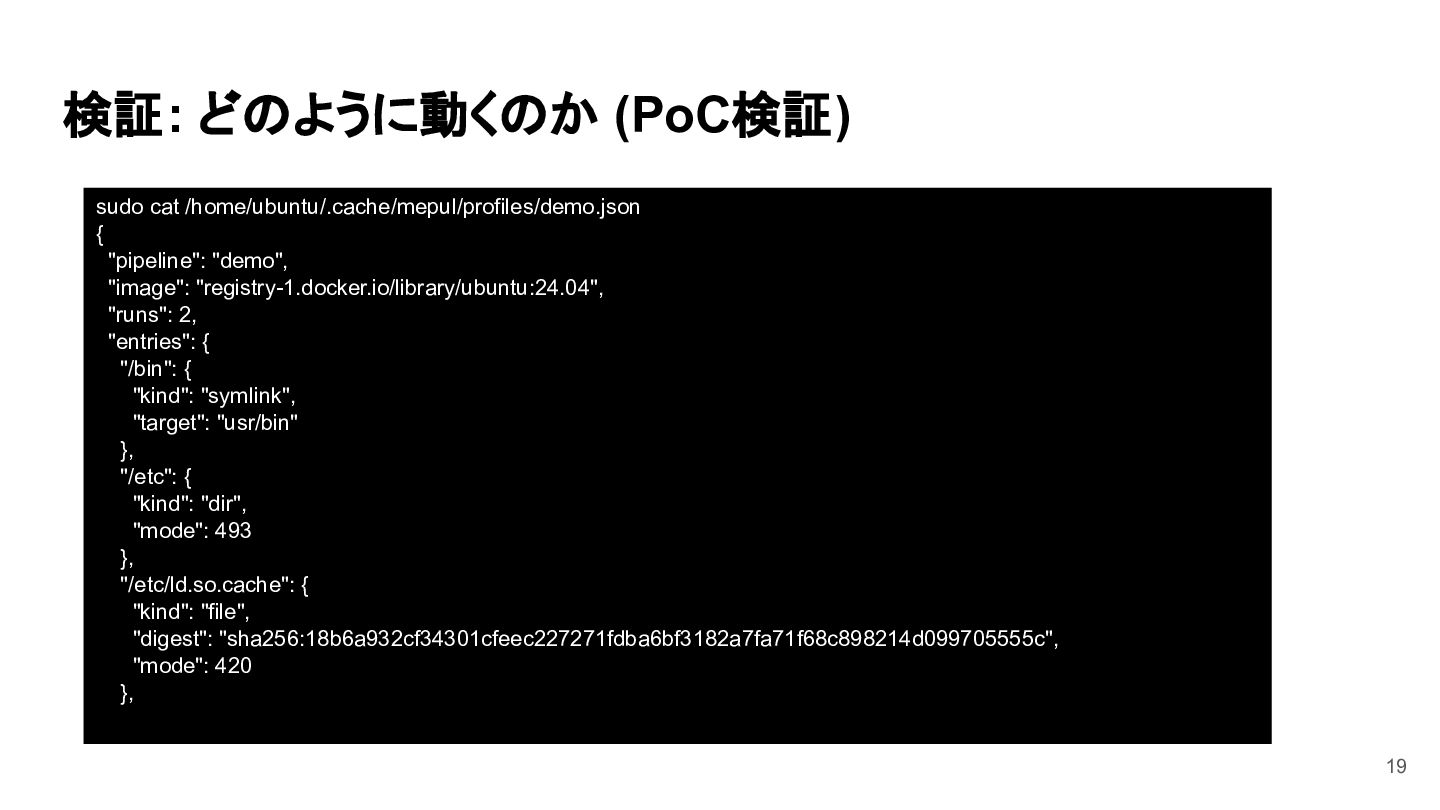
検証: どのように動くのか (PoC検証) sudo cat /home/ubuntu/.cache/mepul/profiles/demo.json { "pipeline": "demo", "image":
"registry-1.docker.io/library/ubuntu:24.04", "runs": 2, "entries": { "/bin": { "kind": "symlink", "target": "usr/bin" }, "/etc": { "kind": "dir", "mode": 493 }, "/etc/ld.so.cache": { "kind": "file", "digest": "sha256:18b6a932cf34301cfeec227271fdba6bf3182a7fa71f68c898214d099705555c", "mode": 420 }, 19
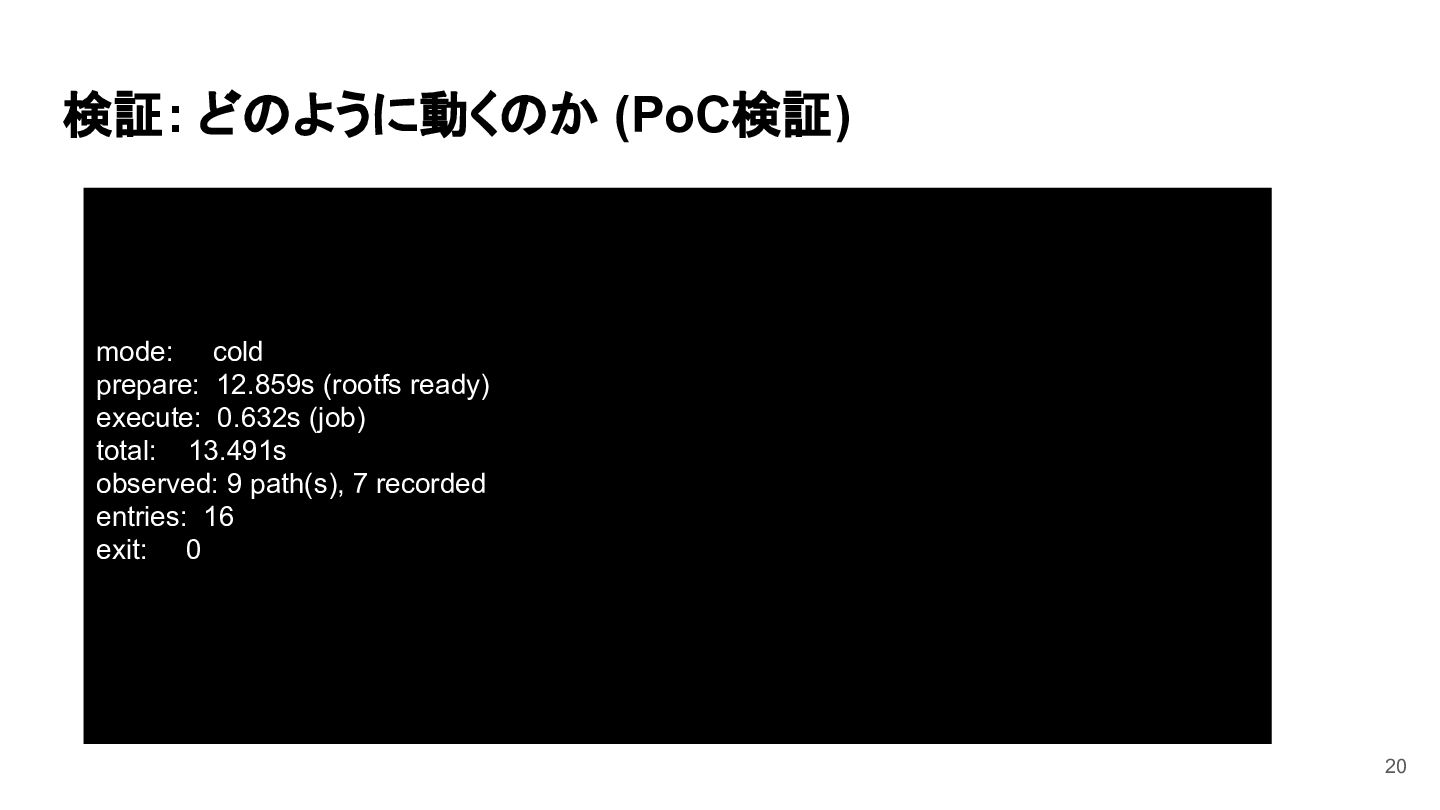
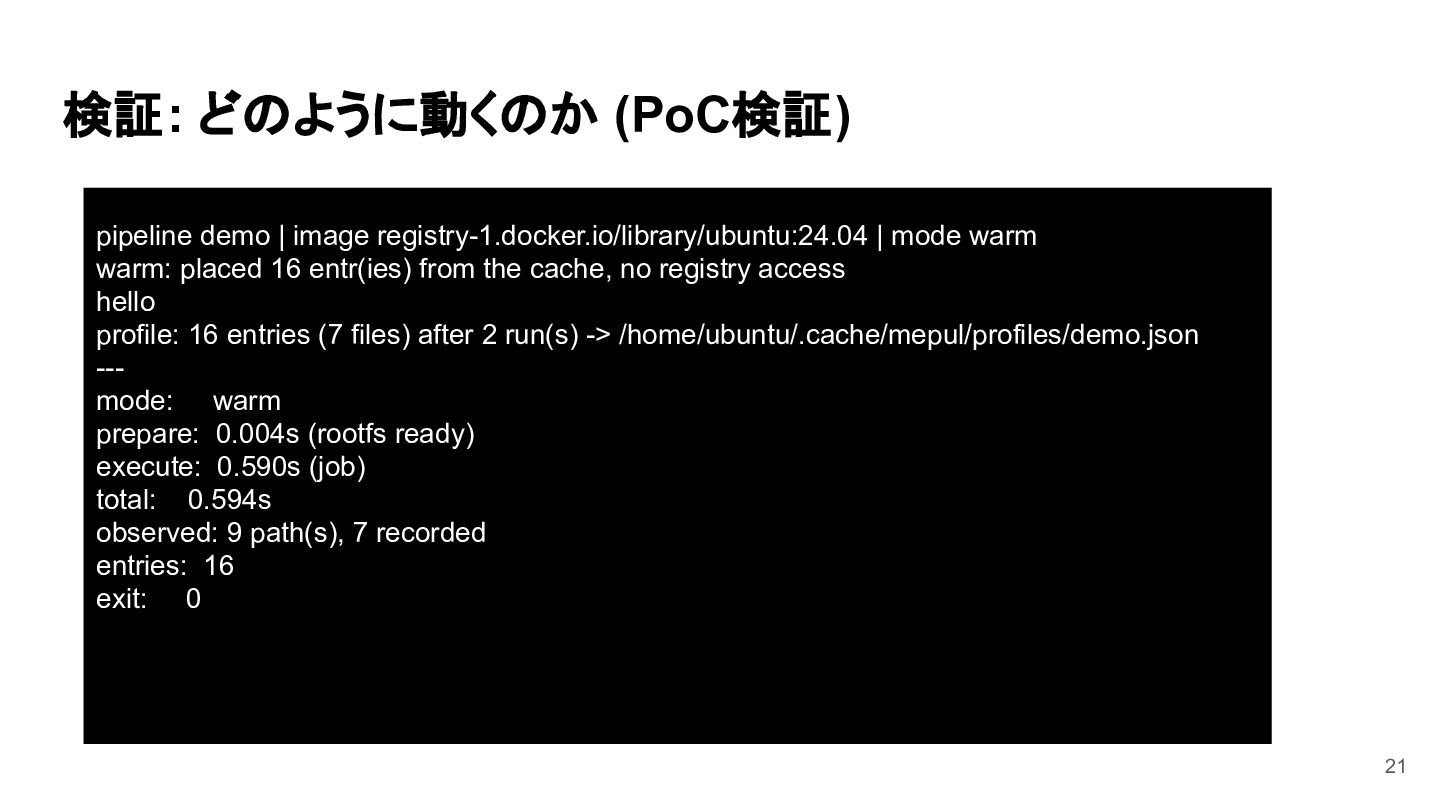
検証: どのように動くのか (PoC検証) mode: cold prepare: 12.859s (rootfs ready) execute:
0.632s (job) total: 13.491s observed: 9 path(s), 7 recorded entries: 16 exit: 0 20
検証: どのように動くのか (PoC検証) pipeline demo | image registry-1.docker.io/library/ubuntu:24.04 | mode
warm warm: placed 16 entr(ies) from the cache, no registry access hello profile: 16 entries (7 files) after 2 run(s) -> /home/ubuntu/.cache/mepul/profiles/demo.json --mode: warm prepare: 0.004s (rootfs ready) execute: 0.590s (job) total: 0.594s observed: 9 path(s), 7 recorded entries: 16 exit: 0 21
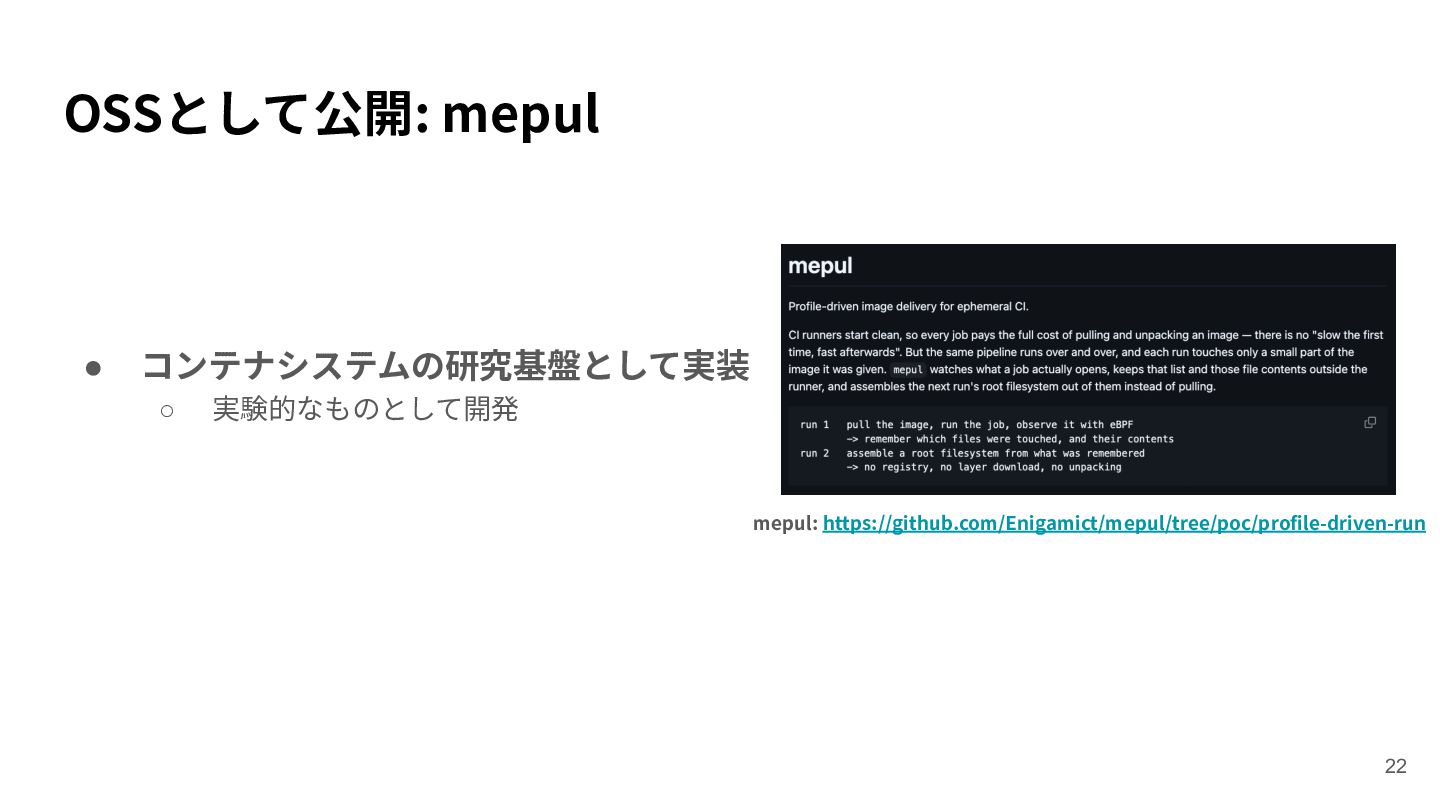
OSSとして公開: mepul • コンテナシステムの研究基盤として実装 ◦ 実験的なものとして開発 mepul: https://github.com/Enigamict/mepul/tree/poc/profile-driven-run 22
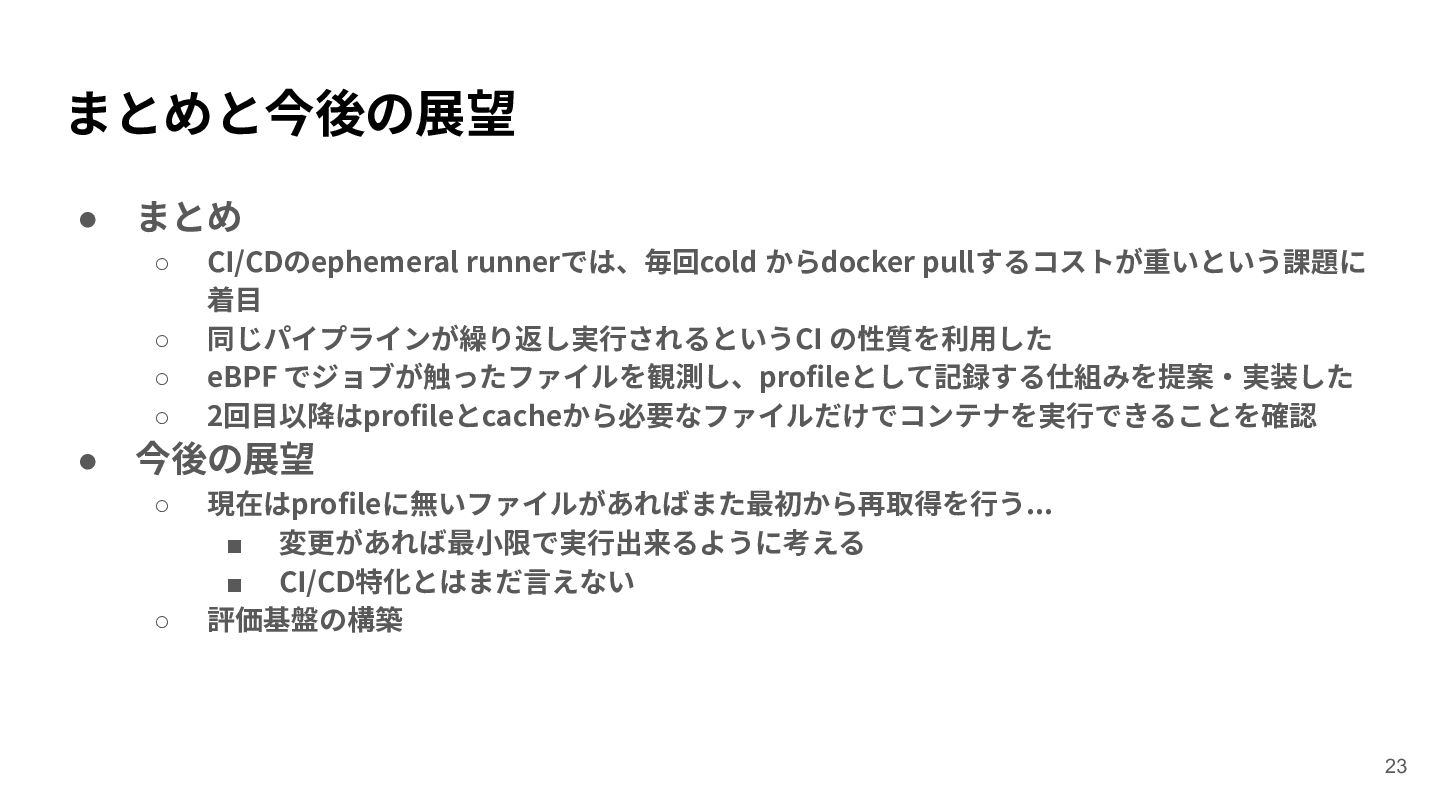
まとめと今後の展望 • まとめ ◦ ◦ ◦ ◦ • CI/CDのephemeral runnerでは、毎回cold
からdocker pullするコストが重いという課題に 着⽬ 同じパイプラインが繰り返し実⾏されるというCI の性質を利⽤した eBPF でジョブが触ったファイルを観測し、profileとして記録する仕組みを提案‧実装した 2回⽬以降はprofileとcacheから必要なファイルだけでコンテナを実⾏できることを確認 今後の展望 ◦ ◦ 現在はprofileに無いファイルがあればまた最初から再取得を⾏う... ▪ 変更があれば最⼩限で実⾏出来るように考える ▪ CI/CD特化とはまだ⾔えない 評価基盤の構築 23


 enigamict
 deanohume
 rkaga
rkaga
 chriscoyier
 csswizardry
 bluesmoon
 rasmusluckow
 tonyrice
 swwweet
 destraynor
 lcolladotor
 ipullrank
![既存研究: Lazy pullに関する既存研究 • LlpFS (IC2E'21) [3] ◦ ◦ ◦](https://files.speakerdeck.com/presentations/30888a57d76c41e1933e38698af73ccf/slide_7.jpg)