Upgrade to Pro — share decks privately, control downloads, hide ads and more …

JS in Browsers - WTF

JS in Browsers - WTF

Talk from JSDay 2013 in Verona

Avatar for Anne-Sofie Nielsen

Anne-Sofie Nielsen

May 16, 2013

Other Decks in Programming

Transcript

  1. • Most common bug report is – ”Site xyz does

    not render, but it works in IE.” • A common reason is a missing quirk. • Quirks fall in two categories: – JavaScript quirks – Quirks in the browser environment (DOM etc.) Full featured Java-based browser in IE6+ land? 4
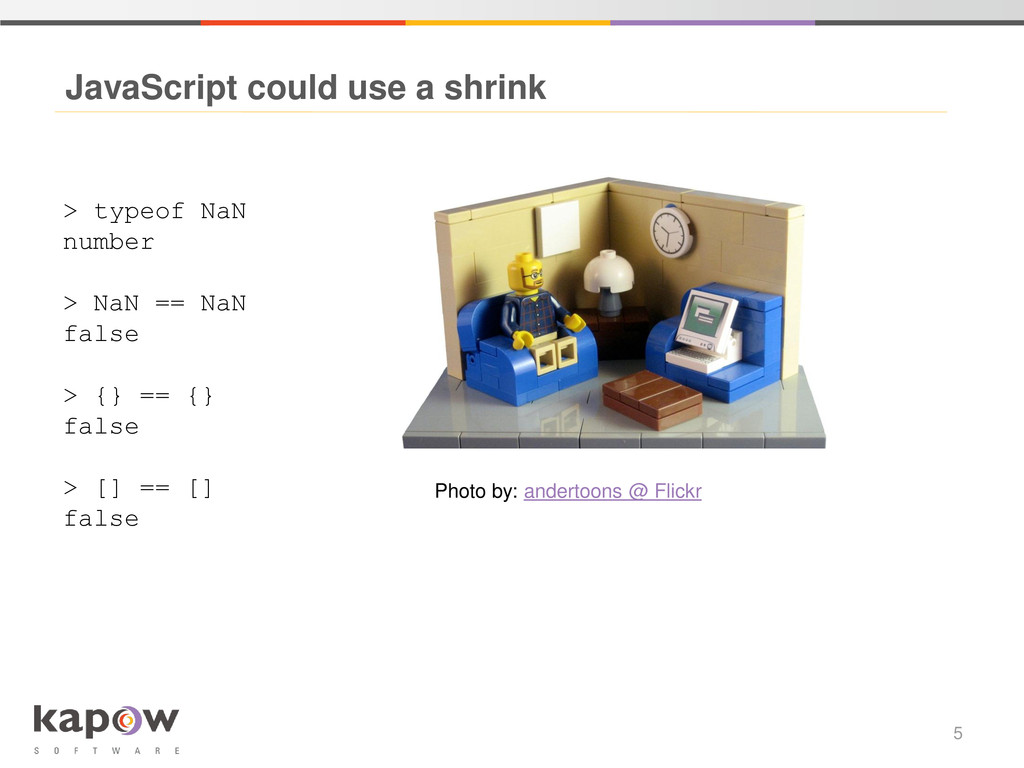
  2. JavaScript could use a shrink 5 Photo by: andertoons @

    Flickr > typeof NaN number > NaN == NaN false > {} == {} false > [] == [] false
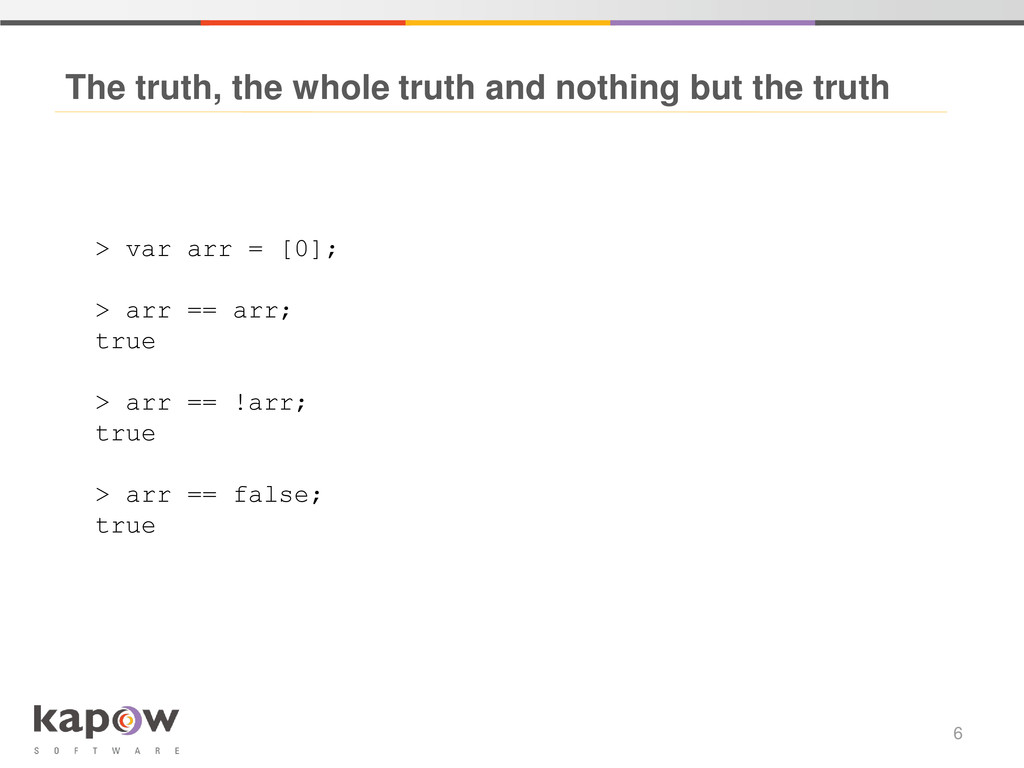
  3. The truth, the whole truth and nothing but the truth

    6 > var arr = [0]; > arr == arr; true > arr == !arr; true > arr == false; true
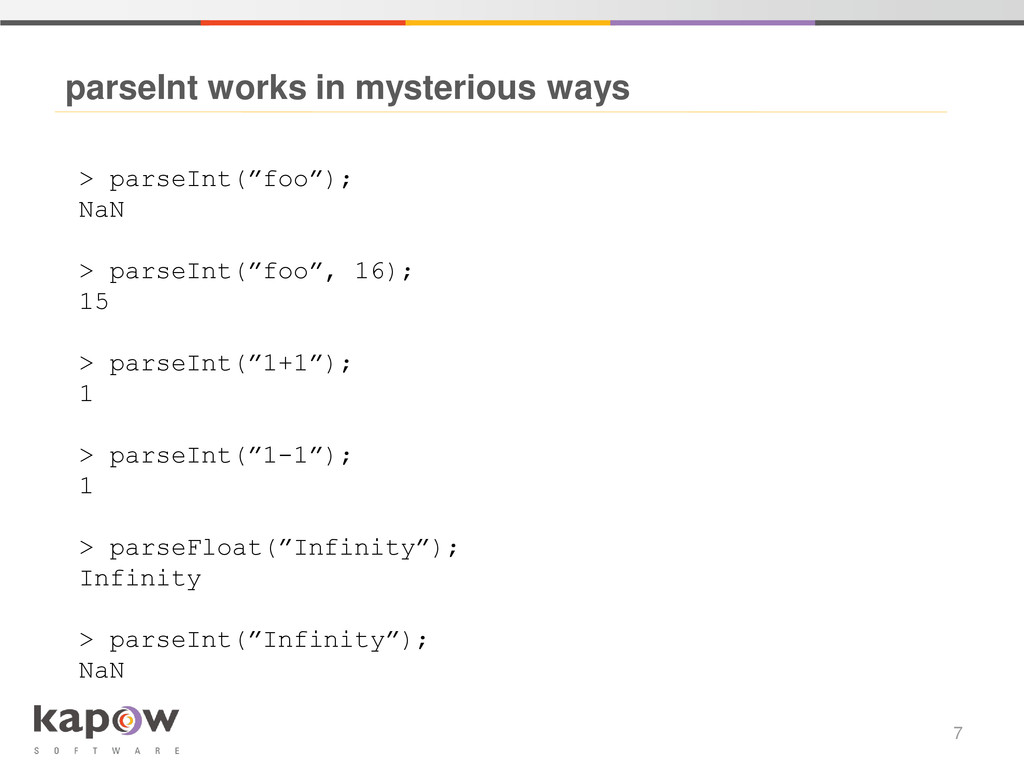
  4. parseInt works in mysterious ways 7 > parseInt(”foo”); NaN >

    parseInt(”foo”, 16); 15 > parseInt(”1+1”); 1 > parseInt(”1-1”); 1 > parseFloat(”Infinity”); Infinity > parseInt(”Infinity”); NaN
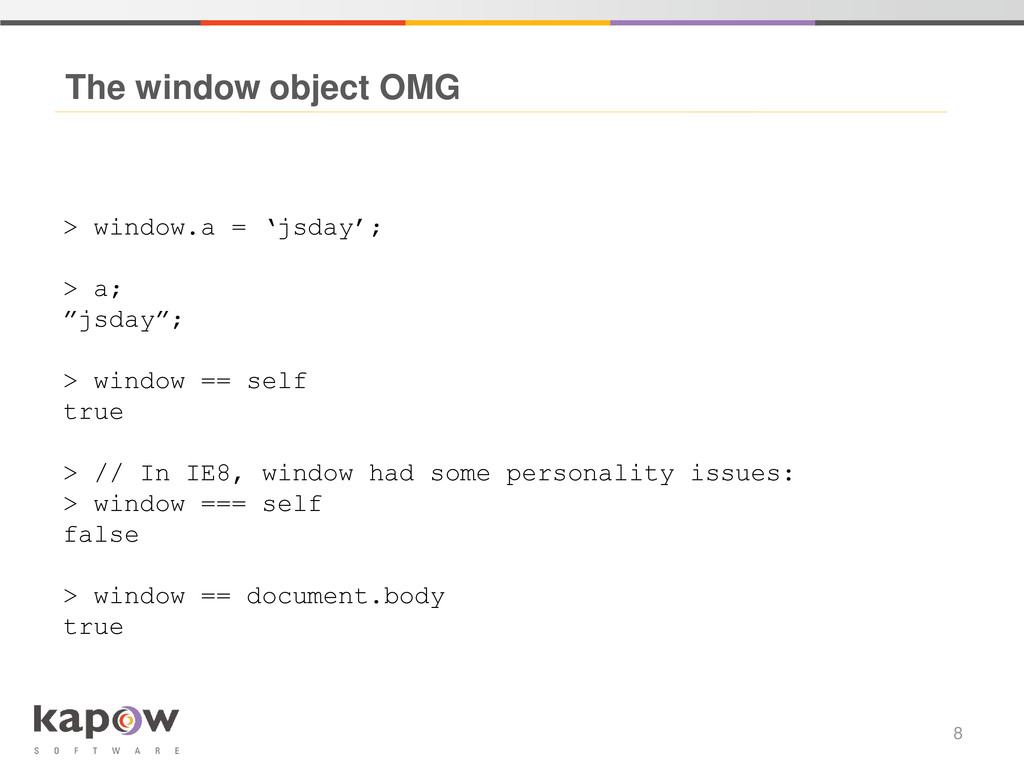
  5. The window object OMG 8 > window.a = ‘jsday’; >

    a; ”jsday”; > window == self true > // In IE8, window had some personality issues: > window === self false > window == document.body true
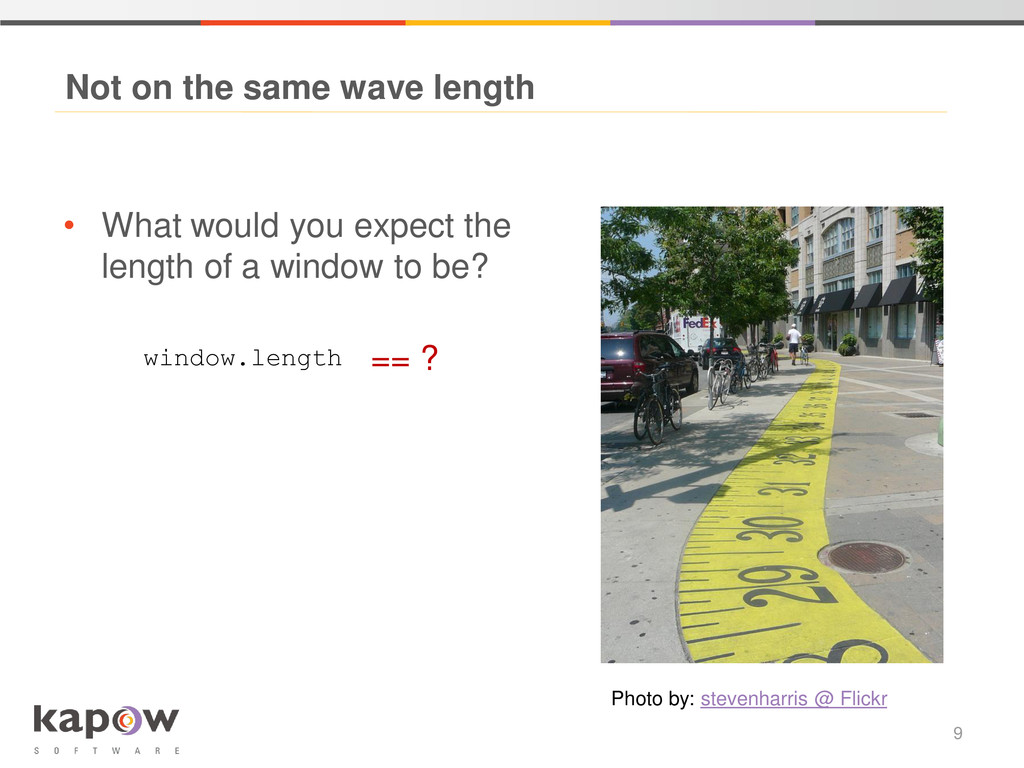
  6. • What would you expect the length of a window

    to be? Not on the same wave length 9 window.length Photo by: stevenharris @ Flickr == ?
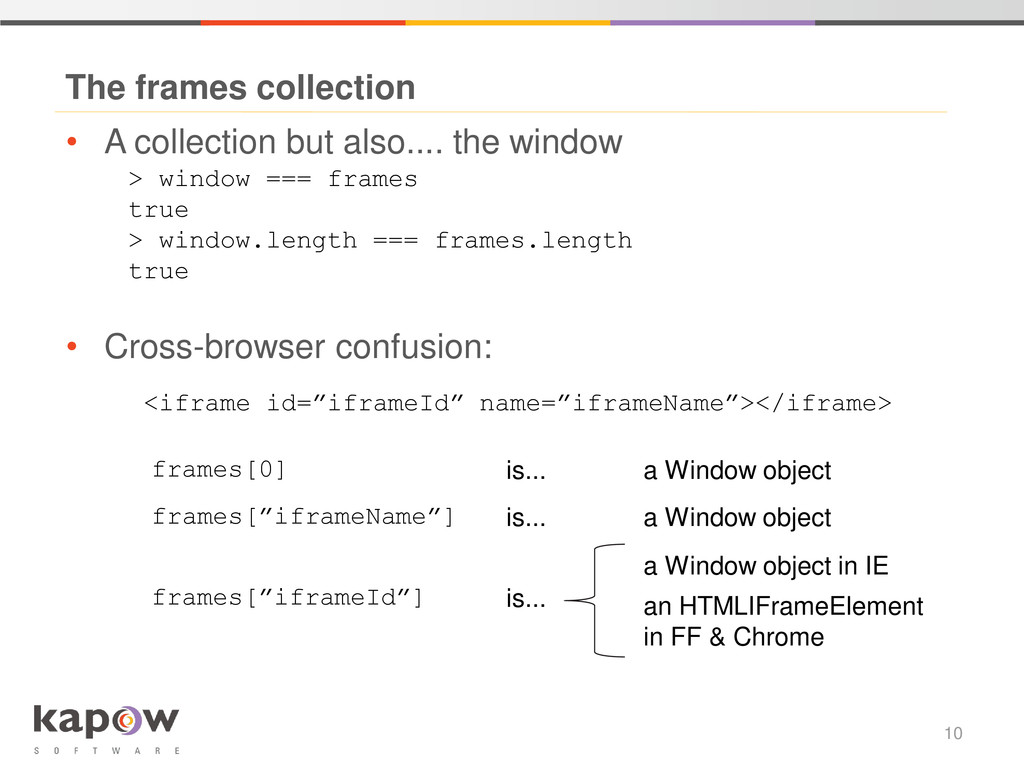
  7. • A collection but also.... the window The frames collection

    10 > window === frames true > window.length === frames.length true • Cross-browser confusion: <iframe id=”iframeId” name=”iframeName”></iframe> frames[0] is... a Window object frames[”iframeName”] is... a Window object frames[”iframeId”] is... a Window object in IE an HTMLIFrameElement in FF & Chrome
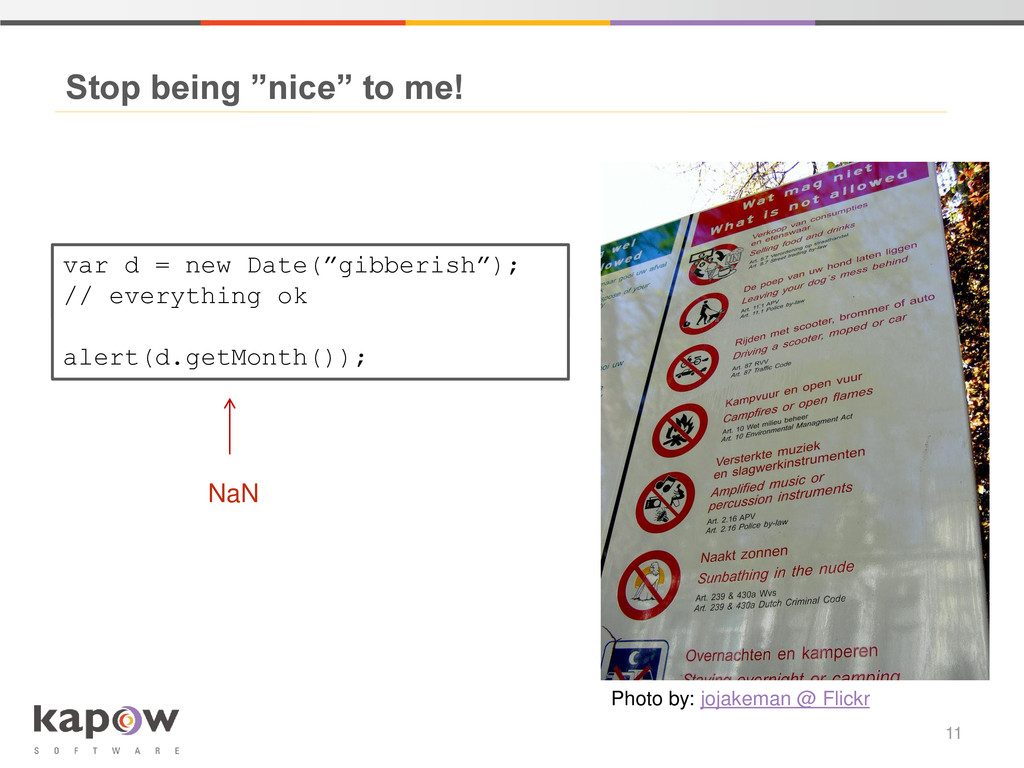
  8. Stop being ”nice” to me! 11 var d = new

    Date(”gibberish”); // everything ok var d = new Date(”gibberish”); // everything ok alert(d.getMonth()); NaN Photo by: jojakeman @ Flickr
  9. Variable scope 12 var items = [/* some list */];

    for(var i = 0; i < 10; i++) { subLoop(); } function subLoop() { for(i = 0; i < 10; i++) { // here we go again } } To var – or not to var – that is the question!
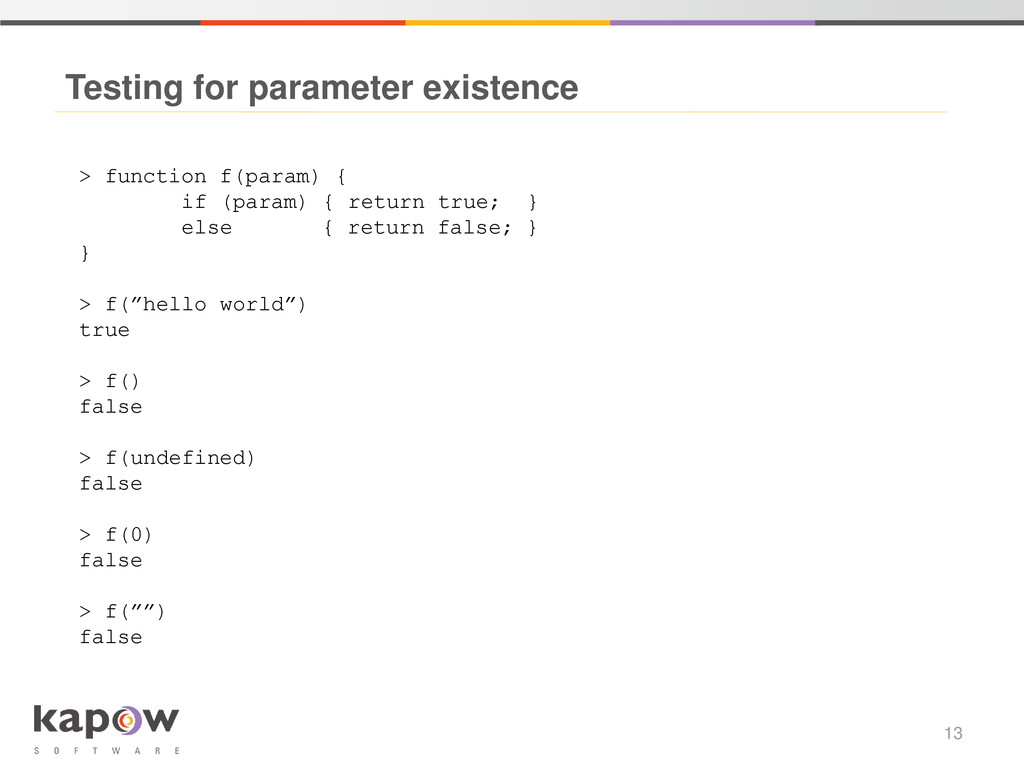
  10. Testing for parameter existence 13 > function f(param) { if

    (param) { return true; } else { return false; } } > f(”hello world”) true > f() false > f(undefined) false > f(0) false > f(””) false
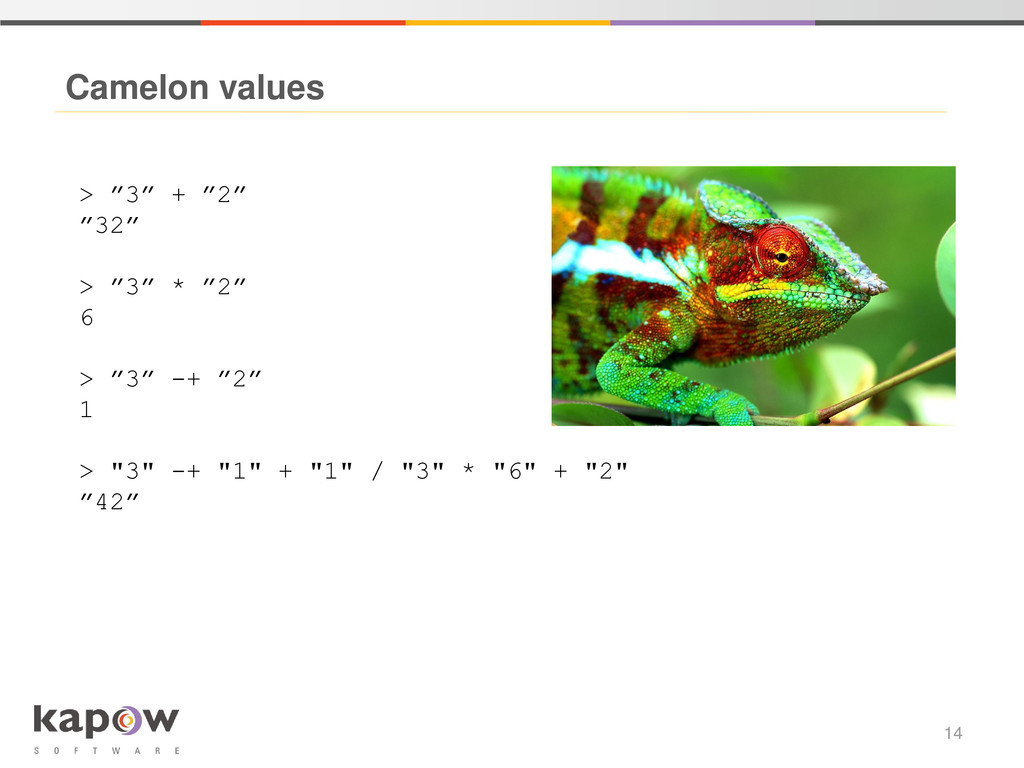
  11. Camelon values 14 > ”3” + ”2” ”32” > ”3”

    * ”2” 6 > ”3” -+ ”2” 1 > "3" -+ "1" + "1" / "3" * "6" + "2" ”42”
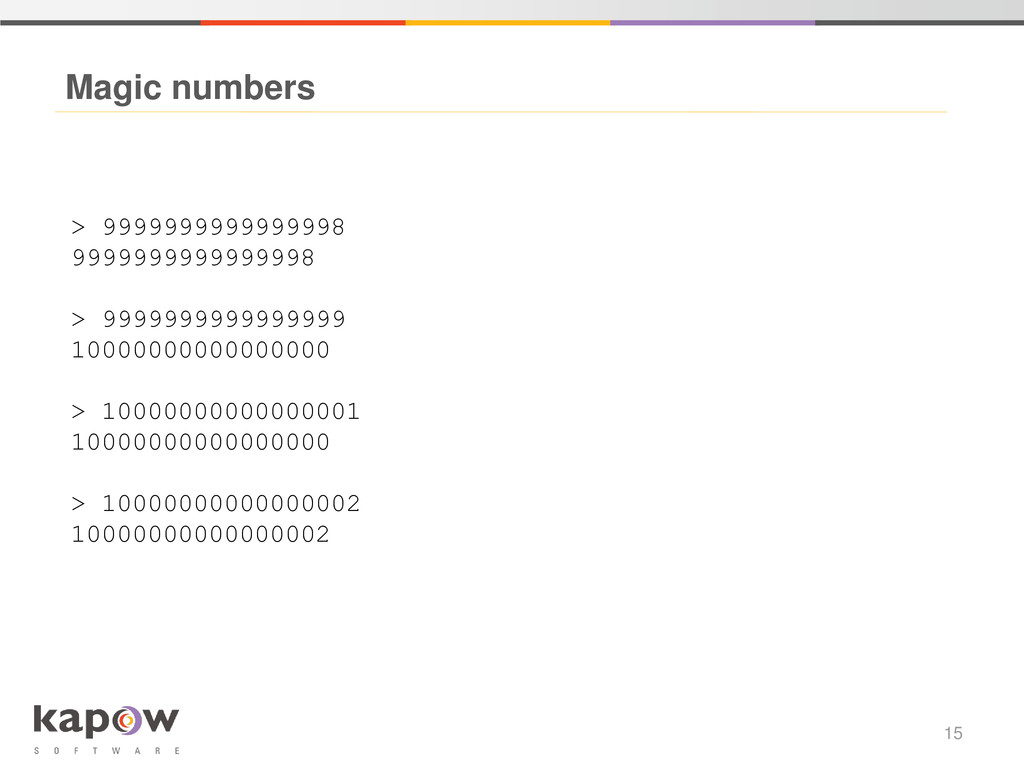
  12. Magic numbers 15 > 9999999999999998 9999999999999998 > 9999999999999999 10000000000000000 >

    10000000000000001 10000000000000000 > 10000000000000002 10000000000000002
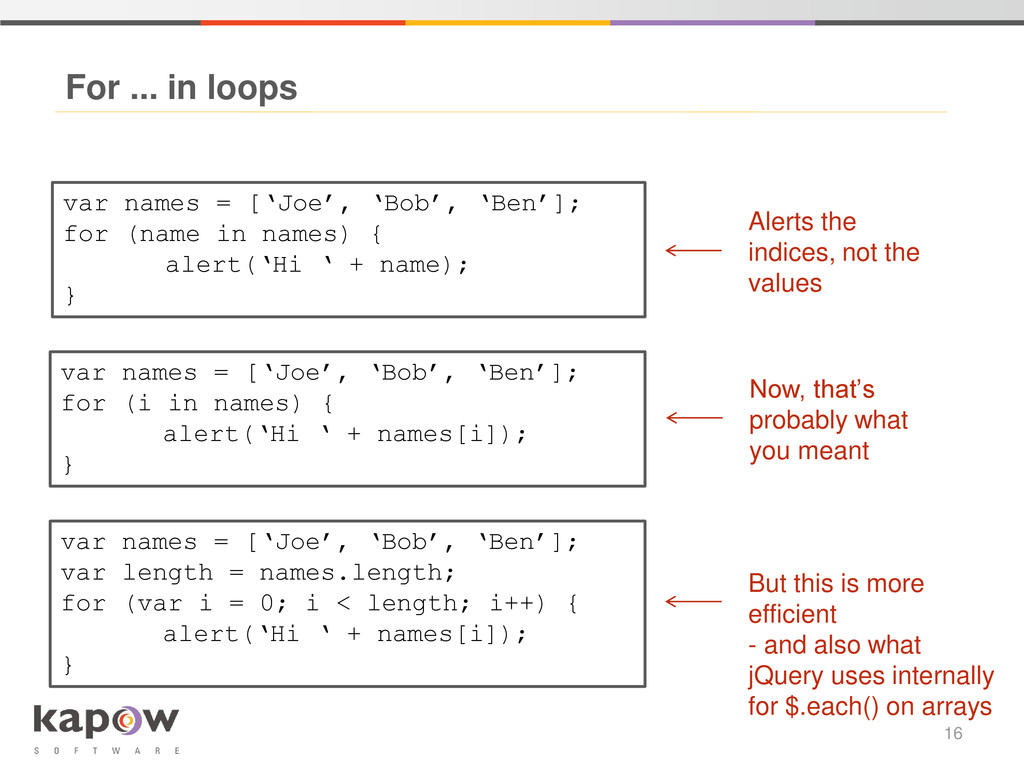
  13. For ... in loops 16 var names = [‘Joe’, ‘Bob’,

    ‘Ben’]; for (name in names) { alert(‘Hi ‘ + name); } Alerts the indices, not the values var names = [‘Joe’, ‘Bob’, ‘Ben’]; for (i in names) { alert(‘Hi ‘ + names[i]); } var names = [‘Joe’, ‘Bob’, ‘Ben’]; var length = names.length; for (var i = 0; i < length; i++) { alert(‘Hi ‘ + names[i]); } Now, that’s probably what you meant But this is more efficient - and also what jQuery uses internally for $.each() on arrays
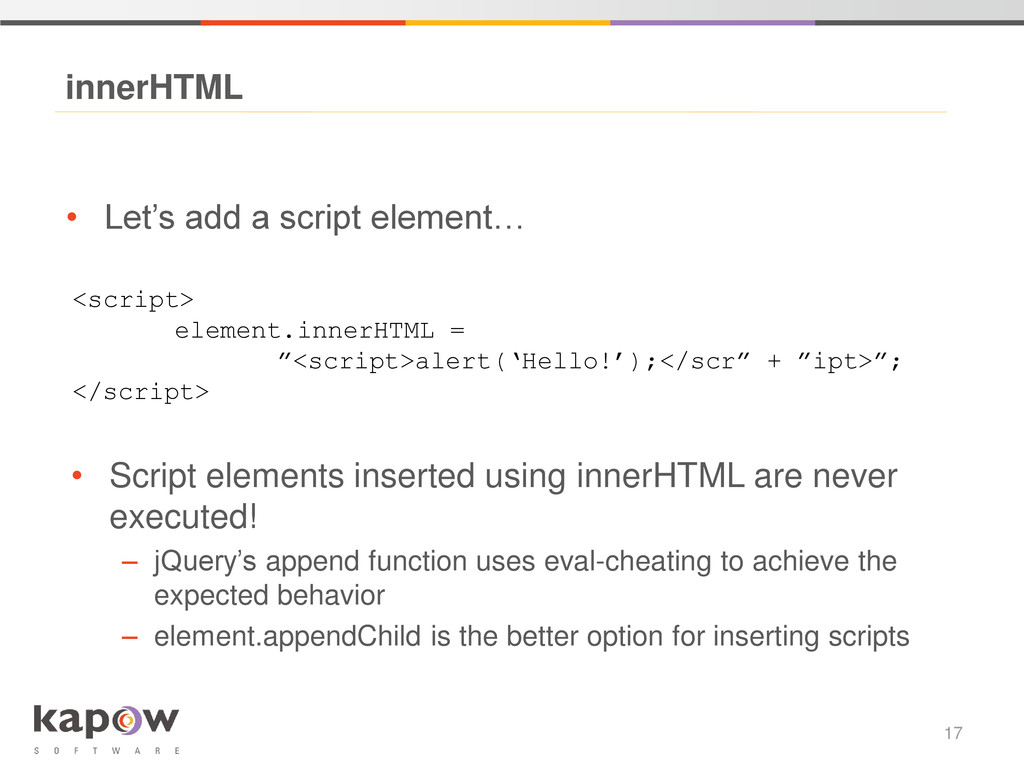
  14. • Let’s add a script element… innerHTML 17 <script> element.innerHTML

    = ”<script>alert(‘Hello!’);</scr” + ”ipt>”; </script> • Script elements inserted using innerHTML are never executed! – jQuery’s append function uses eval-cheating to achieve the expected behavior – element.appendChild is the better option for inserting scripts
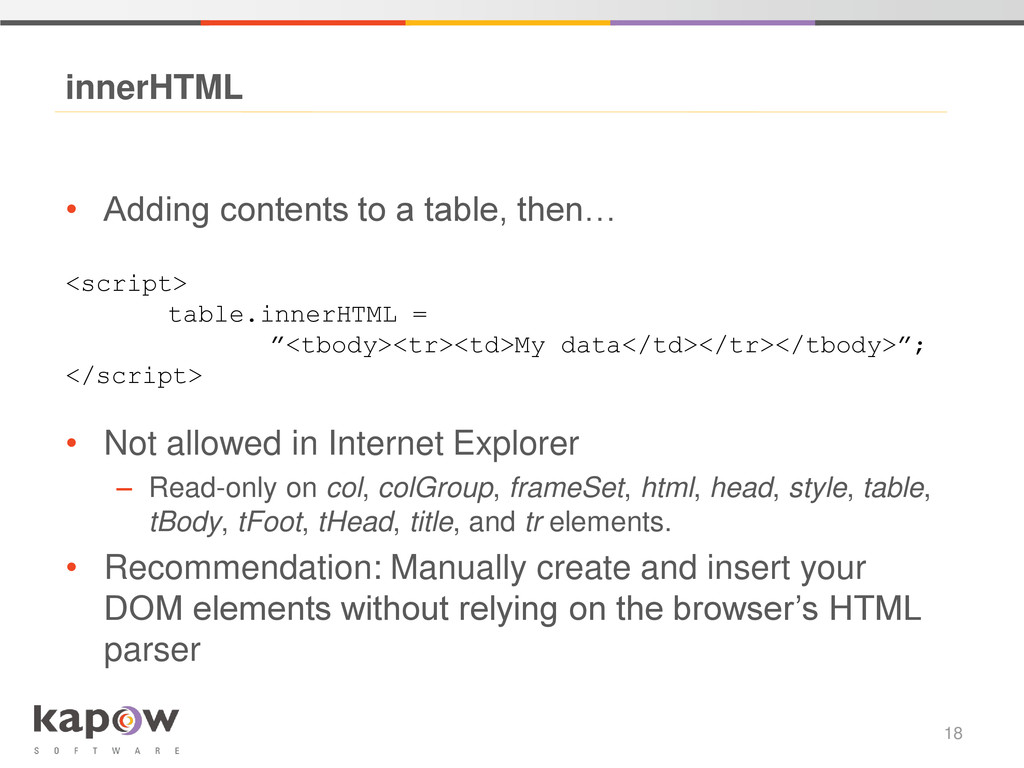
  15. • Not allowed in Internet Explorer – Read-only on col,

    colGroup, frameSet, html, head, style, table, tBody, tFoot, tHead, title, and tr elements. • Recommendation: Manually create and insert your DOM elements without relying on the browser’s HTML parser innerHTML 18 <script> table.innerHTML = ”<tbody><tr><td>My data</td></tr></tbody>”; </script> • Adding contents to a table, then…
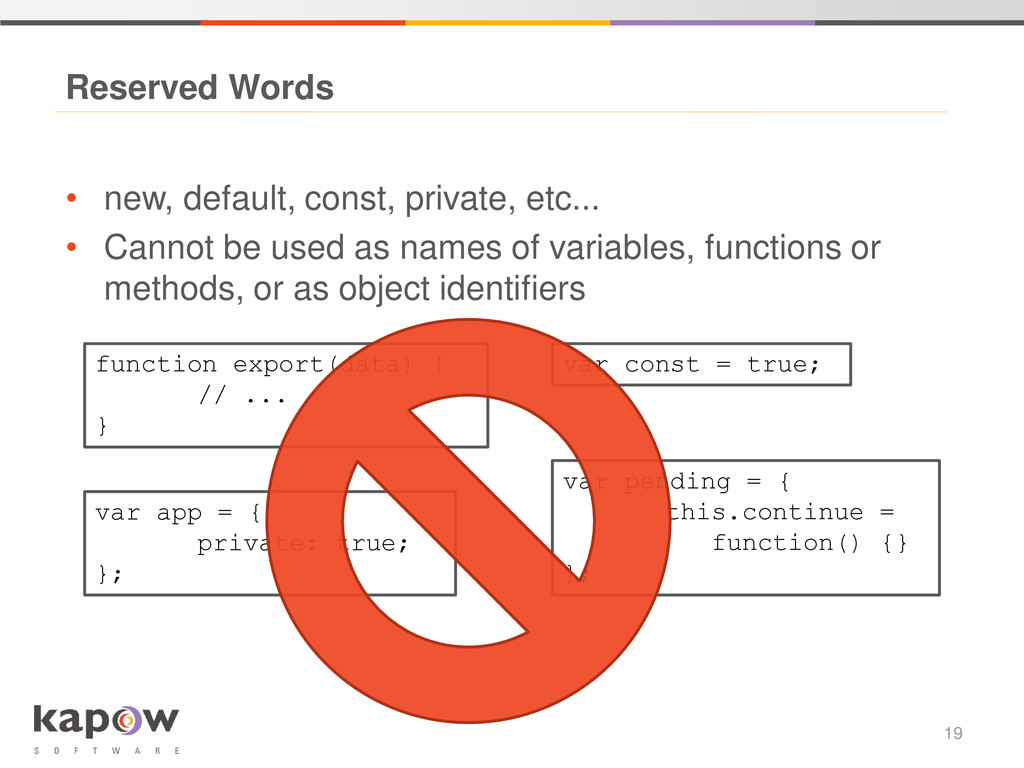
  16. • new, default, const, private, etc... • Cannot be used

    as names of variables, functions or methods, or as object identifiers Reserved Words 19 function export(data) { // ... } var const = true; var pending = { this.continue = function() {} }; var app = { private: true; };
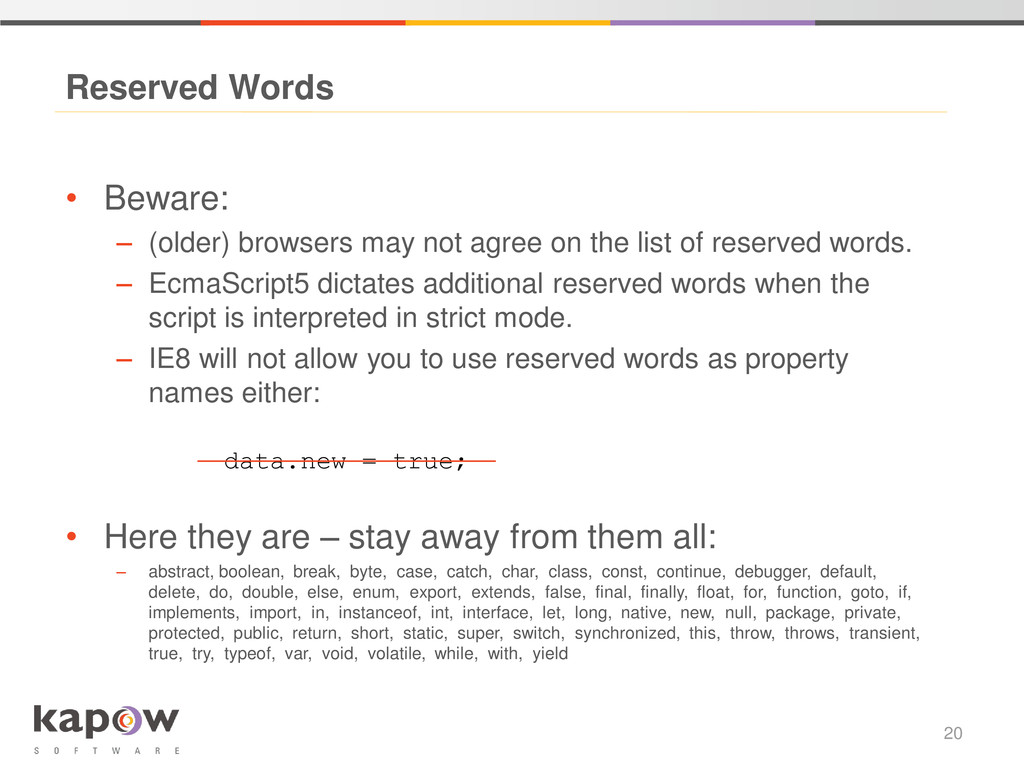
  17. • Beware: – (older) browsers may not agree on the

    list of reserved words. – EcmaScript5 dictates additional reserved words when the script is interpreted in strict mode. – IE8 will not allow you to use reserved words as property names either: • Here they are – stay away from them all: – abstract, boolean, break, byte, case, catch, char, class, const, continue, debugger, default, delete, do, double, else, enum, export, extends, false, final, finally, float, for, function, goto, if, implements, import, in, instanceof, int, interface, let, long, native, new, null, package, private, protected, public, return, short, static, super, switch, synchronized, this, throw, throws, transient, true, try, typeof, var, void, volatile, while, with, yield Reserved Words 20 data.new = true;
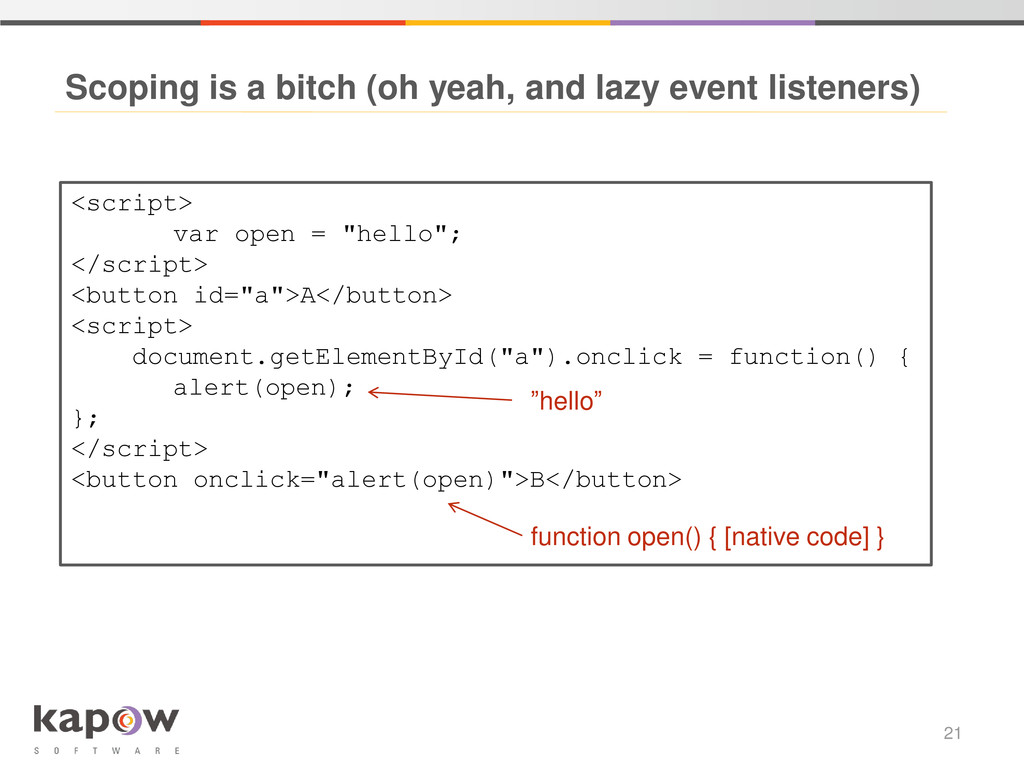
  18. Scoping is a bitch (oh yeah, and lazy event listeners)

    21 <script> var open = "hello"; </script> <button id="a">A</button> <script> document.getElementById("a").onclick = function() { alert(open); }; </script> <button onclick="alert(open)">B</button> ”hello” function open() { [native code] }
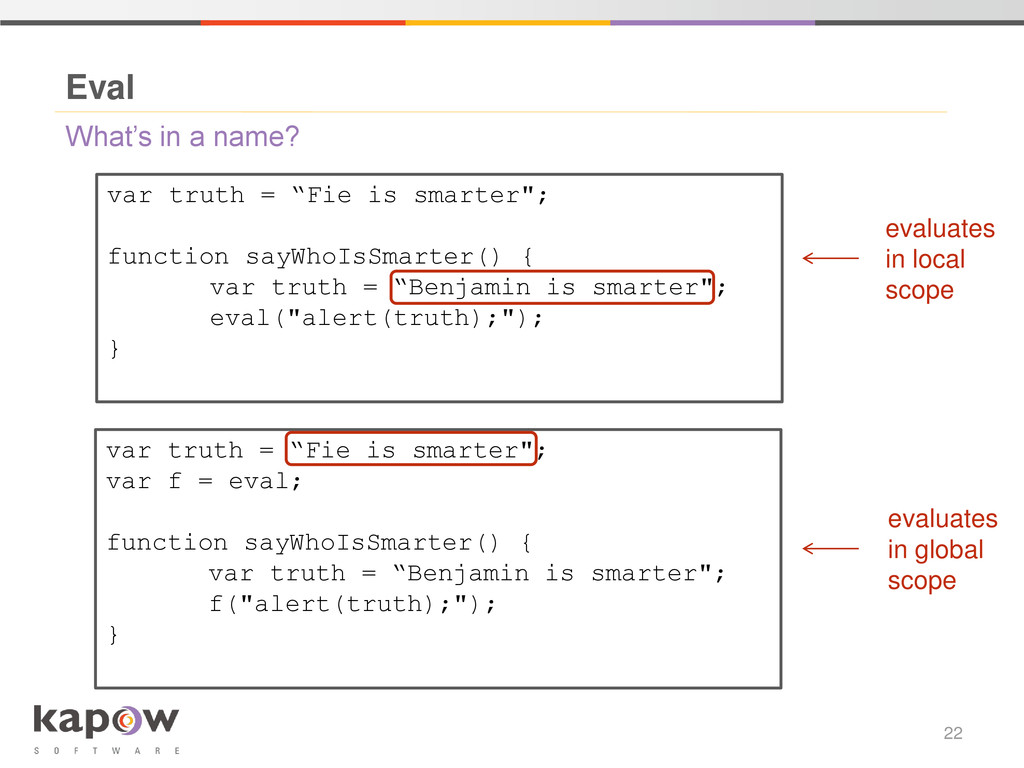
  19. What’s in a name? Eval 22 var truth = “Fie

    is smarter"; function sayWhoIsSmarter() { var truth = “Benjamin is smarter"; eval("alert(truth);"); } var truth = “Fie is smarter"; var f = eval; function sayWhoIsSmarter() { var truth = “Benjamin is smarter"; f("alert(truth);"); } evaluates in local scope evaluates in global scope
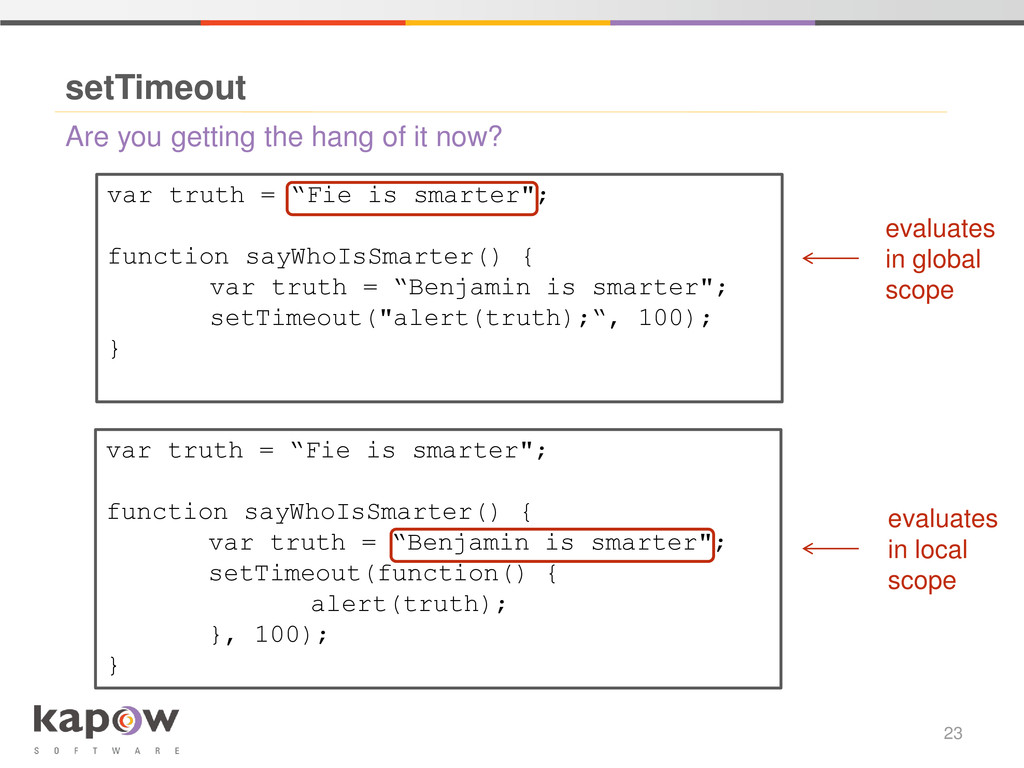
  20. Are you getting the hang of it now? setTimeout 23

    var truth = “Fie is smarter"; function sayWhoIsSmarter() { var truth = “Benjamin is smarter"; setTimeout("alert(truth);“, 100); } var truth = “Fie is smarter"; function sayWhoIsSmarter() { var truth = “Benjamin is smarter"; setTimeout(function() { alert(truth); }, 100); } evaluates in global scope evaluates in local scope
  21. Memory leaks 24 var list = []; setInterval(function() { var

    largeArray = []; for (var i = 0; i < 1000000; i++) { largeArray.push(i); } list.push(function() { var b = eval("1+1"); }); }, 0); • The eval prevents the local context, including largeArray, from being garbage collected
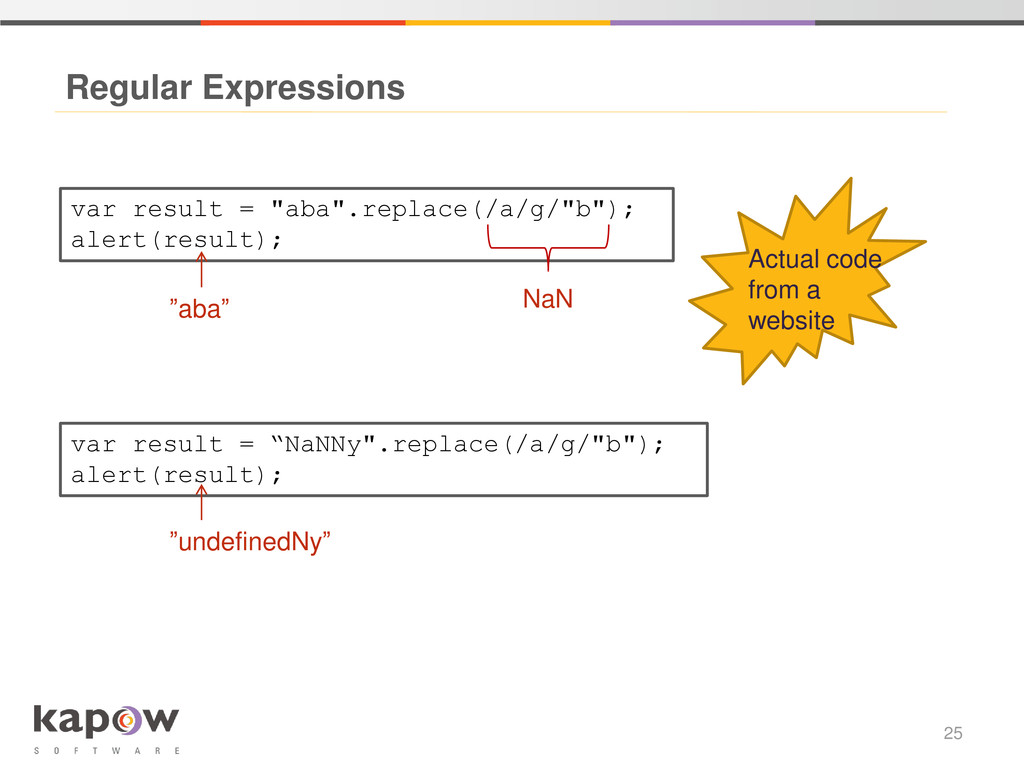
  22. Regular Expressions 25 var result = "aba".replace(/a/g/"b"); alert(result); NaN var

    result = “NaNNy".replace(/a/g/"b"); alert(result); ”aba” ”undefinedNy” Actual code from a website
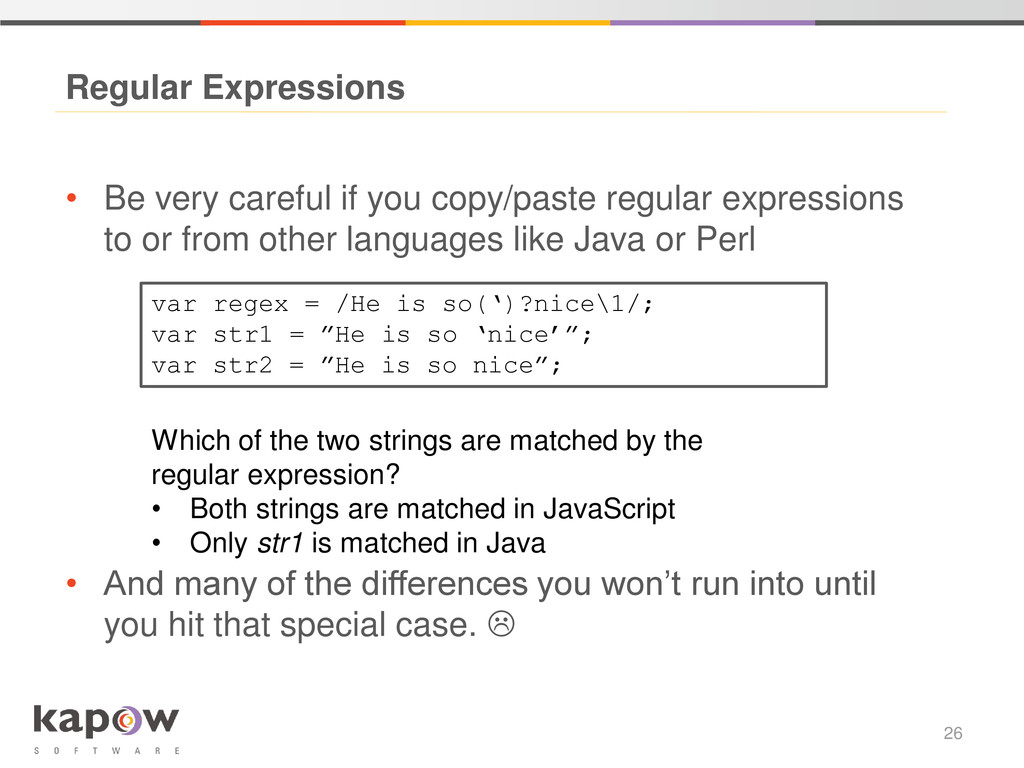
  23. • Be very careful if you copy/paste regular expressions to

    or from other languages like Java or Perl • And many of the differences you won’t run into until you hit that special case.  Regular Expressions 26 var regex = /He is so(‘)?nice\1/; var str1 = ”He is so ‘nice’”; var str2 = ”He is so nice”; Which of the two strings are matched by the regular expression? • Both strings are matched in JavaScript • Only str1 is matched in Java
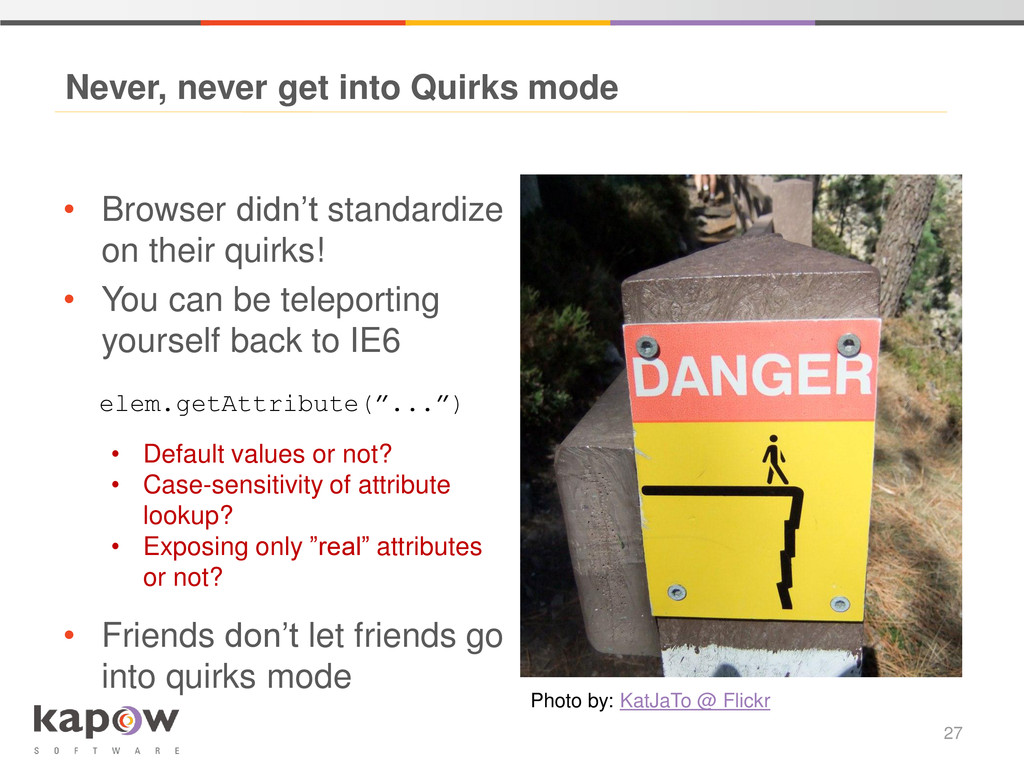
  24. Never, never get into Quirks mode 27 • Browser didn’t

    standardize on their quirks! • You can be teleporting yourself back to IE6 • Friends don’t let friends go into quirks mode Photo by: KatJaTo @ Flickr elem.getAttribute(”...”) • Default values or not? • Case-sensitivity of attribute lookup? • Exposing only ”real” attributes or not?
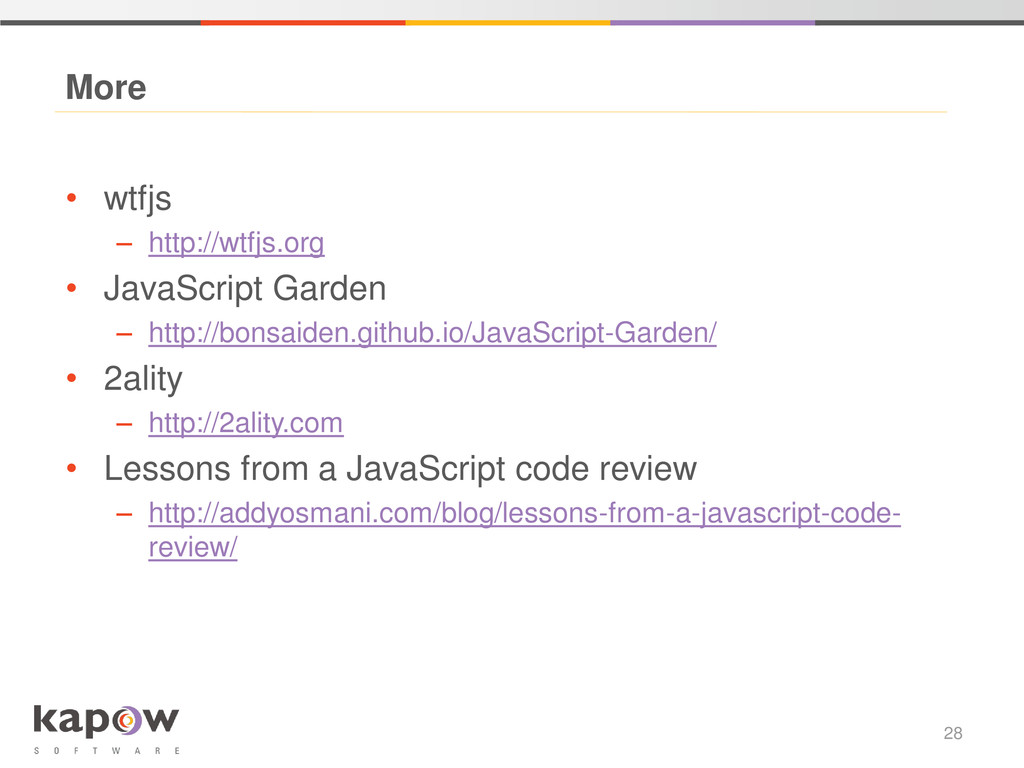
  25. • wtfjs – http://wtfjs.org • JavaScript Garden – http://bonsaiden.github.io/JavaScript-Garden/ •

    2ality – http://2ality.com • Lessons from a JavaScript code review – http://addyosmani.com/blog/lessons-from-a-javascript-code- review/ More 28
  26. • Please come and talk – or drop us a

    line: Thanks 29 Benjamin Owe: [email protected] Anne-Sofie Nielsen: [email protected] Twitter: @femalenerd www.kapowsoftware.com