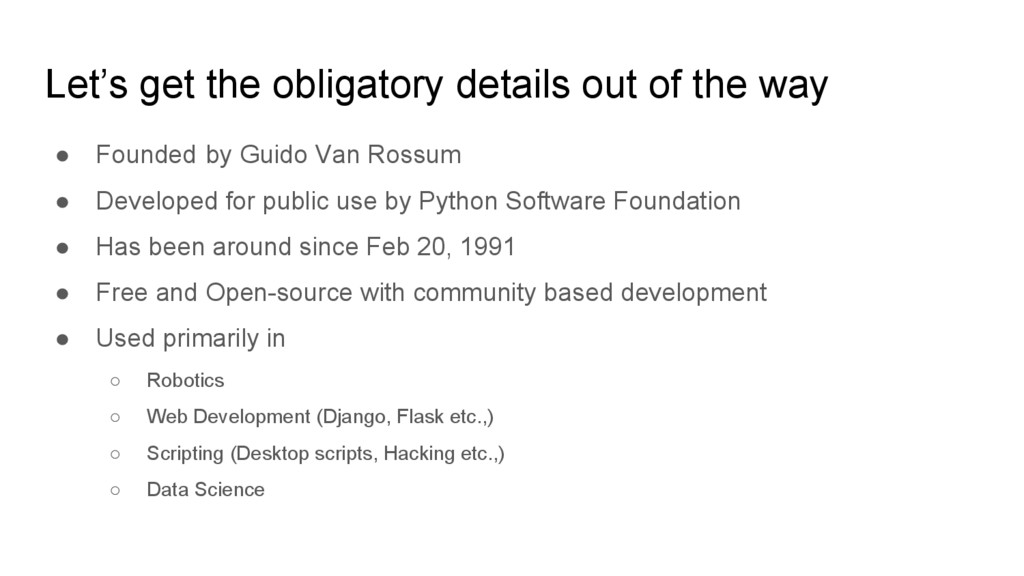
Founded by Guido Van Rossum • Developed for public use by Python Software Foundation • Has been around since Feb 20, 1991 • Free and Open-source with community based development • Used primarily in ◦ Robotics ◦ Web Development (Django, Flask etc.,) ◦ Scripting (Desktop scripts, Hacking etc.,) ◦ Data Science
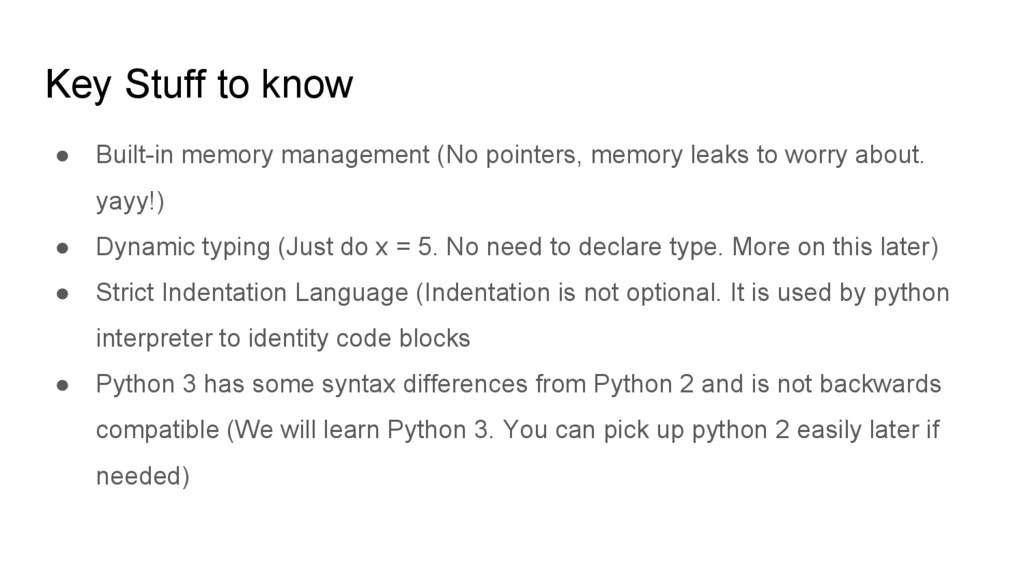
memory leaks to worry about. yayy!) • Dynamic typing (Just do x = 5. No need to declare type. More on this later) • Strict Indentation Language (Indentation is not optional. It is used by python interpreter to identity code blocks • Python 3 has some syntax differences from Python 2 and is not backwards compatible (We will learn Python 3. You can pick up python 2 easily later if needed)
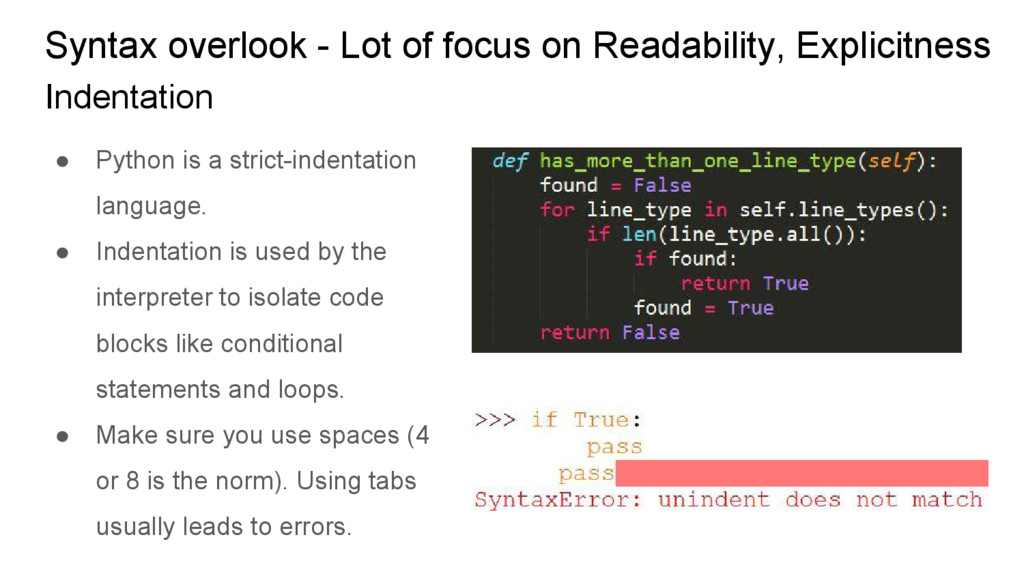
Python is a strict-indentation language. • Indentation is used by the interpreter to isolate code blocks like conditional statements and loops. • Make sure you use spaces (4 or 8 is the norm). Using tabs usually leads to errors. Indentation
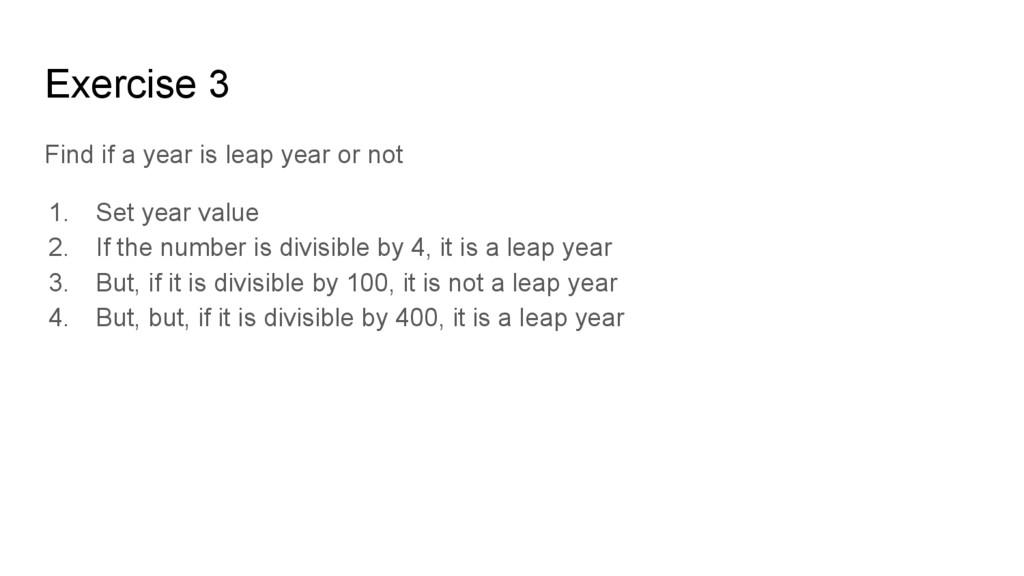
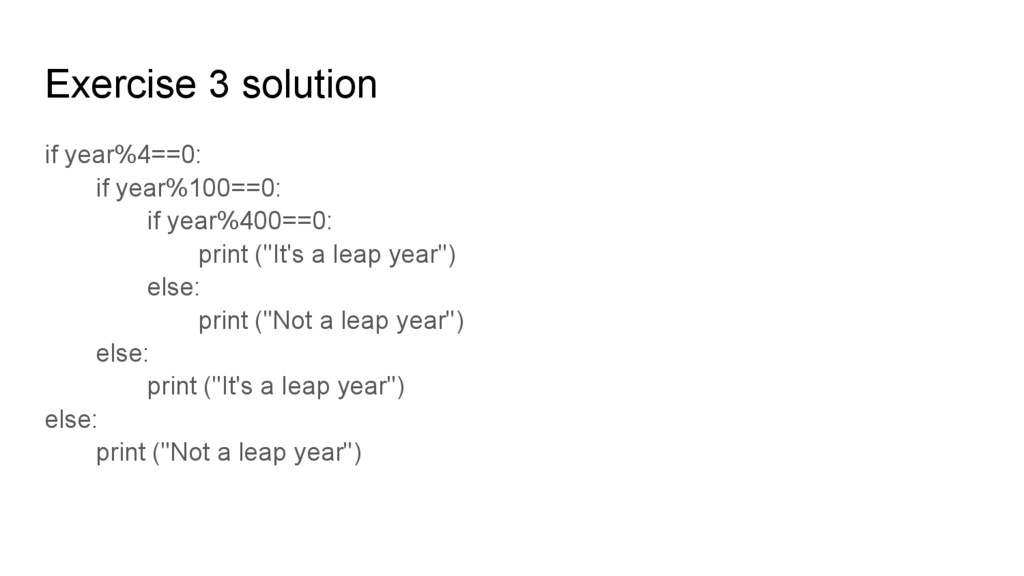
not 1. Set year value 2. If the number is divisible by 4, it is a leap year 3. But, if it is divisible by 100, it is not a leap year 4. But, but, if it is divisible by 400, it is a leap year
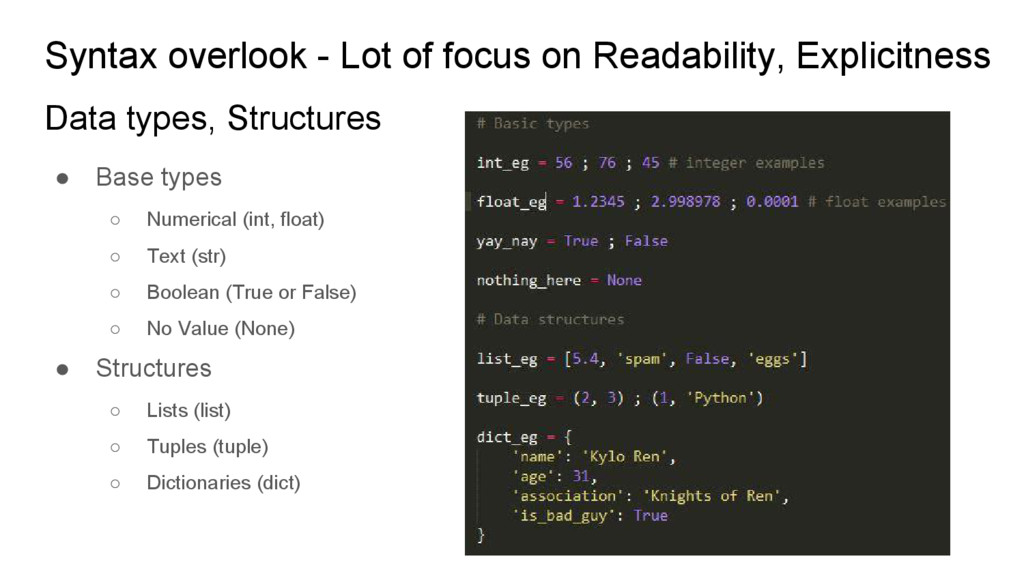
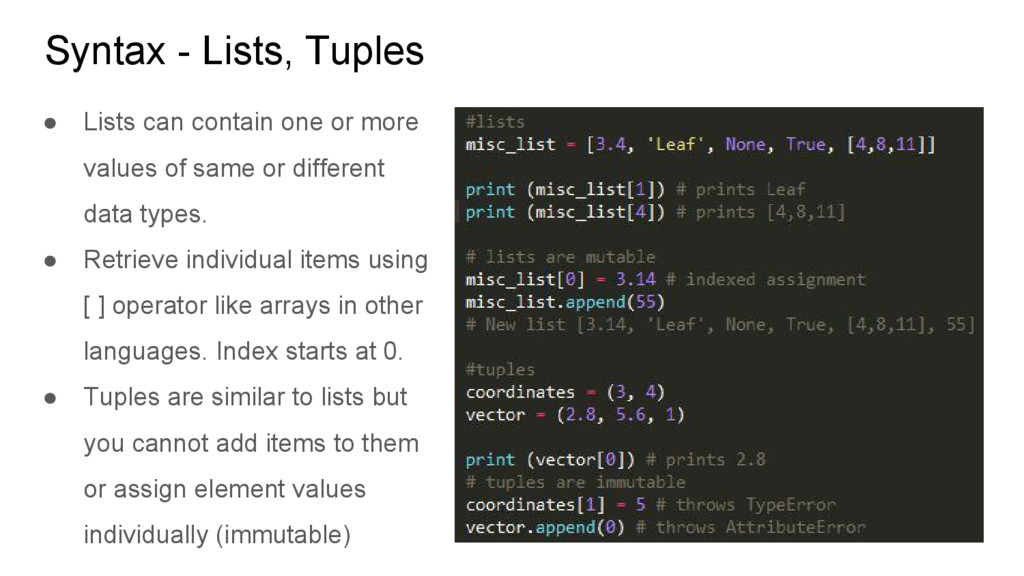
more values of same or different data types. • Retrieve individual items using [ ] operator like arrays in other languages. Index starts at 0. • Tuples are similar to lists but you cannot add items to them or assign element values individually (immutable)
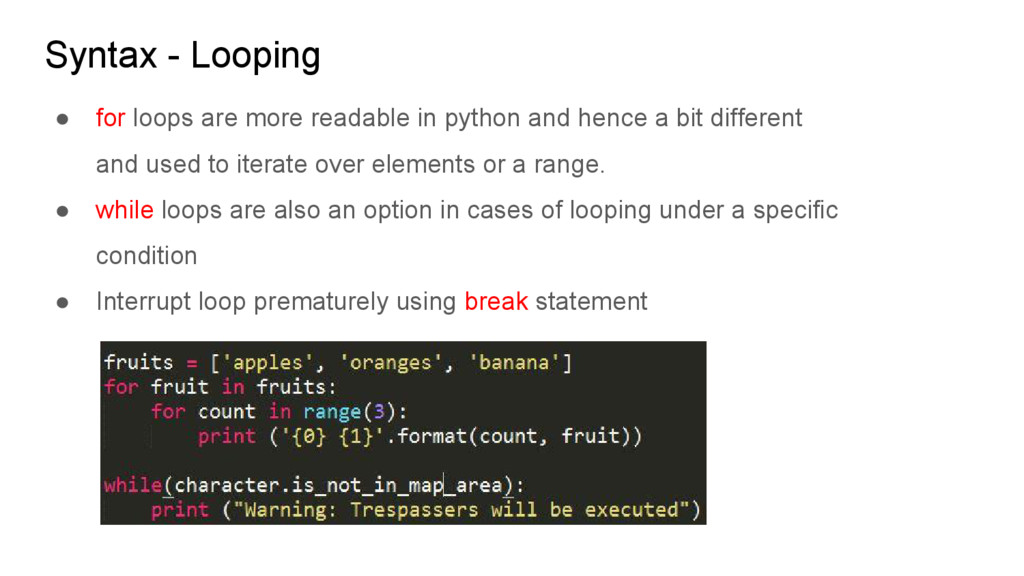
python and hence a bit different and used to iterate over elements or a range. • while loops are also an option in cases of looping under a specific condition • Interrupt loop prematurely using break statement
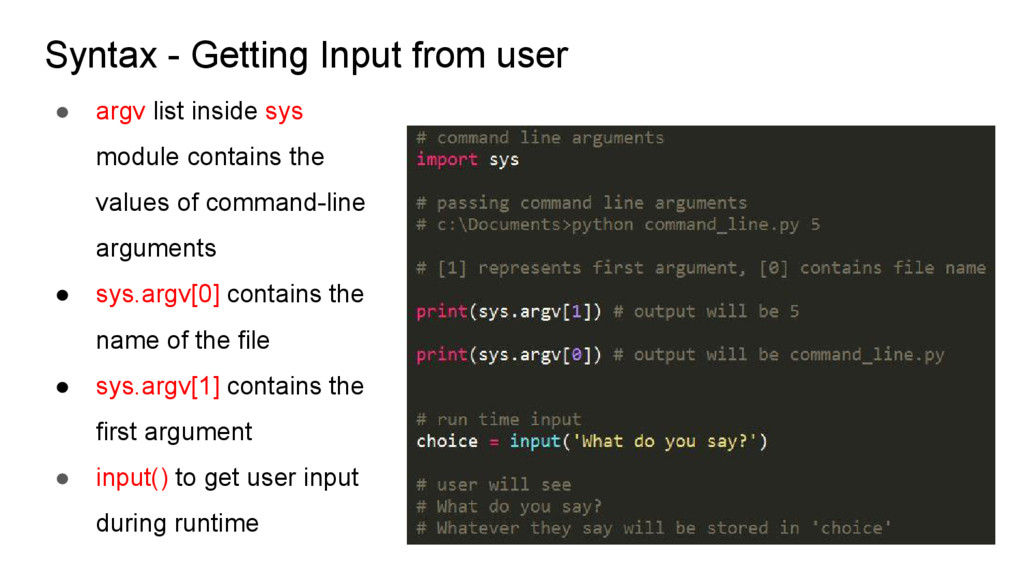
sys module contains the values of command-line arguments • sys.argv[0] contains the name of the file • sys.argv[1] contains the first argument • input() to get user input during runtime
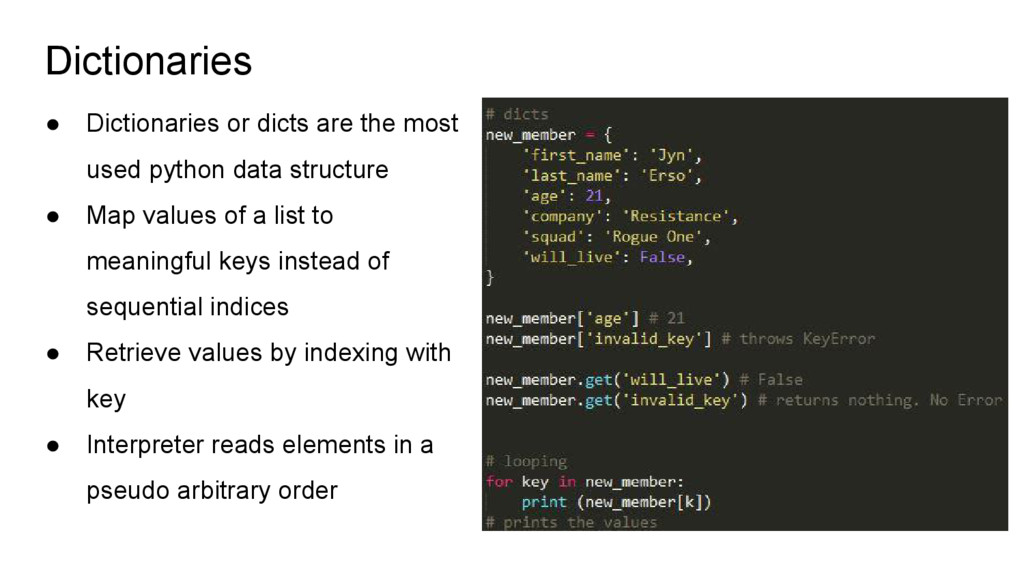
data structure • Map values of a list to meaningful keys instead of sequential indices • Retrieve values by indexing with key • Interpreter reads elements in a pseudo arbitrary order
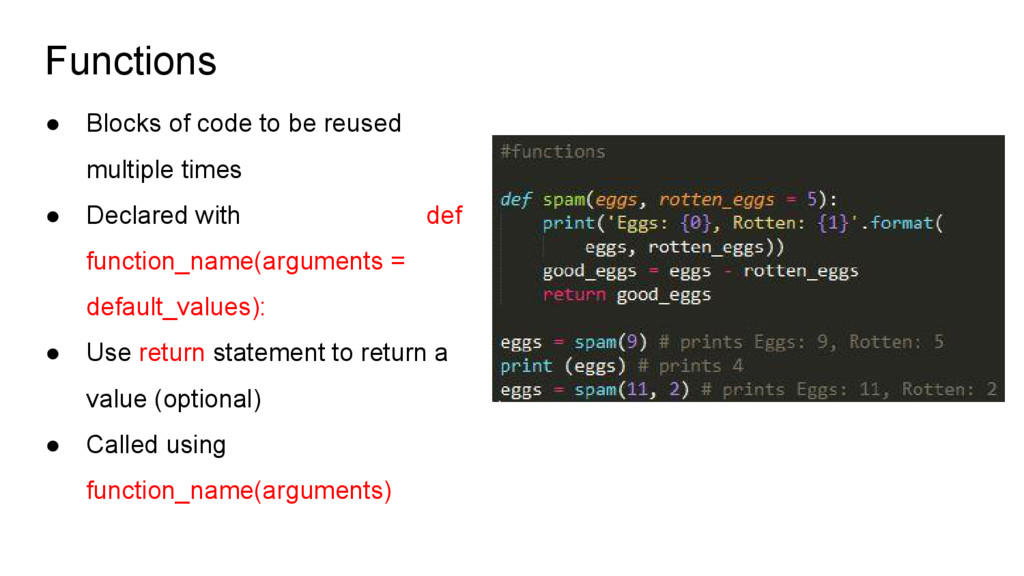
• Declared with def function_name(arguments = default_values): • Use return statement to return a value (optional) • Called using function_name(arguments)
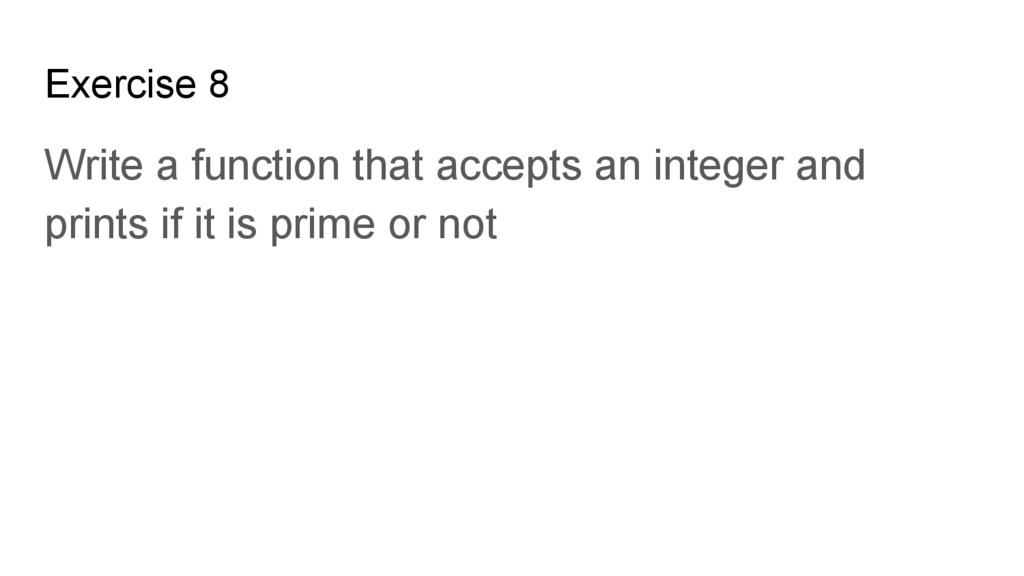
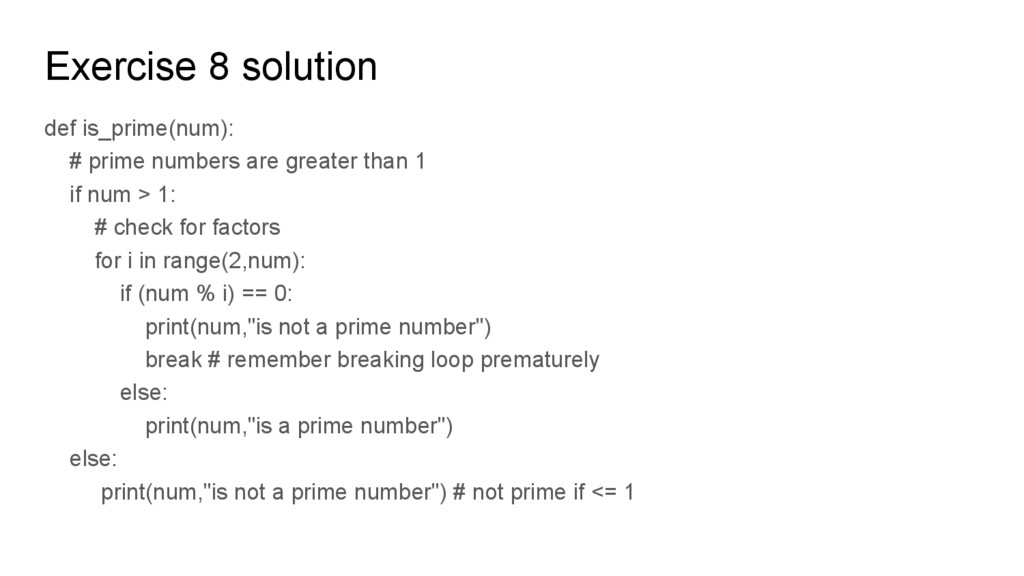
than 1 if num > 1: # check for factors for i in range(2,num): if (num % i) == 0: print(num,"is not a prime number") break # remember breaking loop prematurely else: print(num,"is a prime number") else: print(num,"is not a prime number") # not prime if <= 1
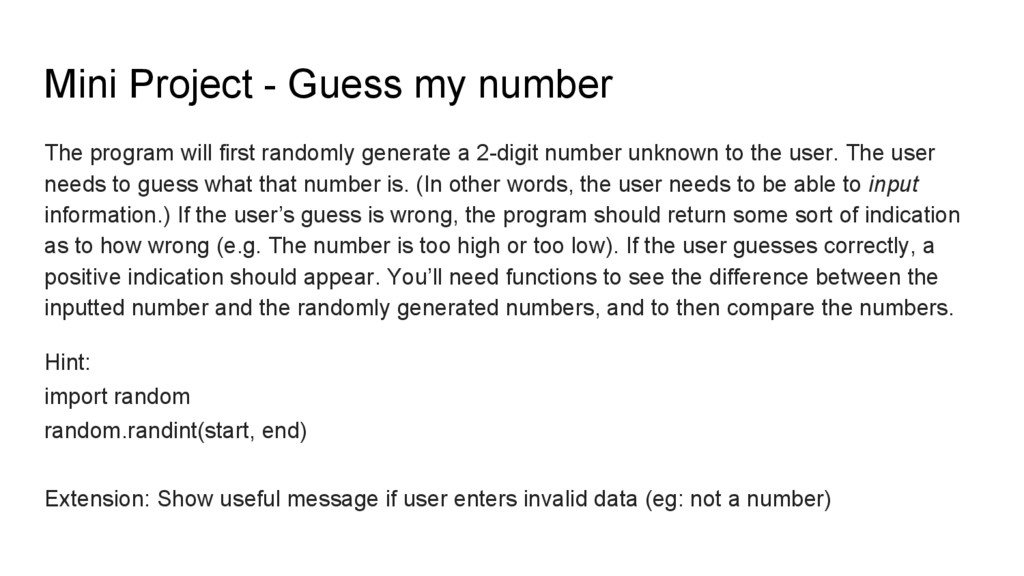
randomly generate a 2-digit number unknown to the user. The user needs to guess what that number is. (In other words, the user needs to be able to input information.) If the user’s guess is wrong, the program should return some sort of indication as to how wrong (e.g. The number is too high or too low). If the user guesses correctly, a positive indication should appear. You’ll need functions to see the difference between the inputted number and the randomly generated numbers, and to then compare the numbers. Hint: import random random.randint(start, end) Extension: Show useful message if user enters invalid data (eg: not a number)
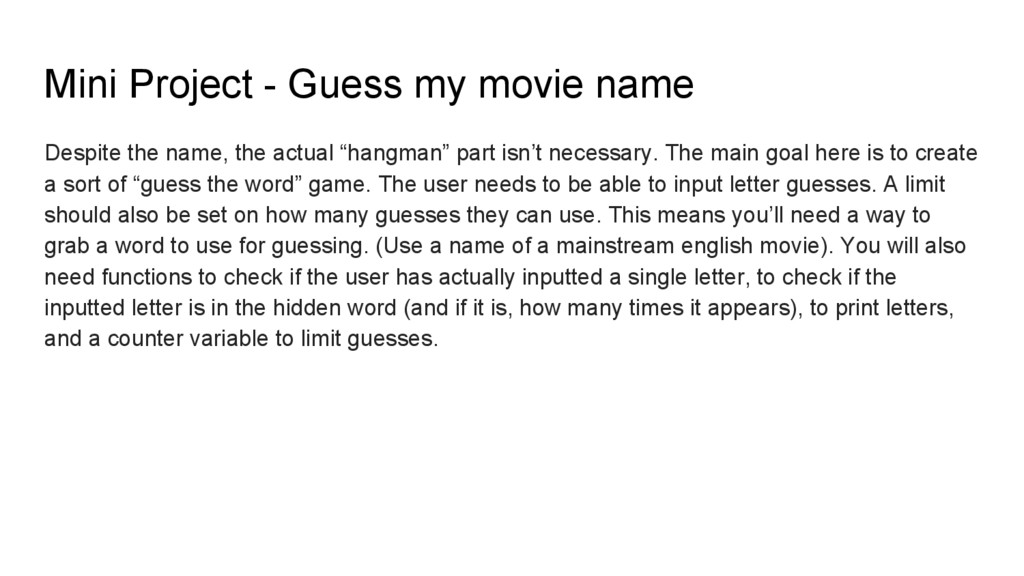
the actual “hangman” part isn’t necessary. The main goal here is to create a sort of “guess the word” game. The user needs to be able to input letter guesses. A limit should also be set on how many guesses they can use. This means you’ll need a way to grab a word to use for guessing. (Use a name of a mainstream english movie). You will also need functions to check if the user has actually inputted a single letter, to check if the inputted letter is in the hidden word (and if it is, how many times it appears), to print letters, and a counter variable to limit guesses.


.jpg) yumnumm
yumnumm
 o0h
o0h
 marcoroth
 optim
optim
 findyinc
 irinanazarova
 guaca
guaca
 oniak3ibm
 iwiwi
iwiwi
 syumai
 colorful12
 mofurune
 productmarketing
 sarafernandez
 dougneiner
 jnunemaker
 frankvandijk
 andyhume
 eileencodes
 destraynor
 katiecoart
 elsirapls
 minecr
 aleyda
![Exercise 4 solution lis = [0,1,2,3,4,5] for i in range(0,](https://files.speakerdeck.com/presentations/d56031e247fe45818f94defadd89dbed/slide_17.jpg)
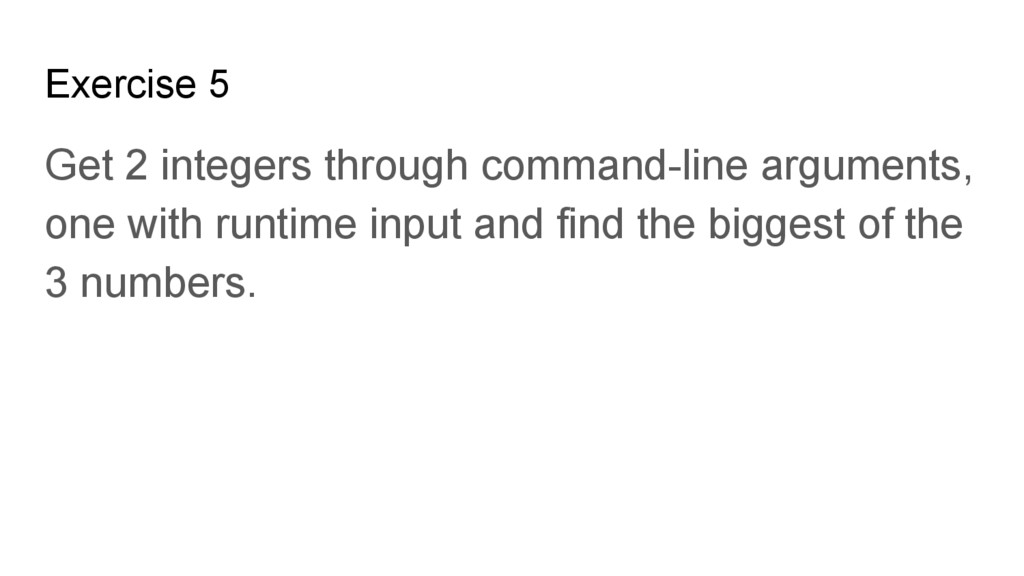
![Exercise 5 solution import sys value1, value2 = sys.argv[0], sys.argv[1]](https://files.speakerdeck.com/presentations/d56031e247fe45818f94defadd89dbed/slide_20.jpg)