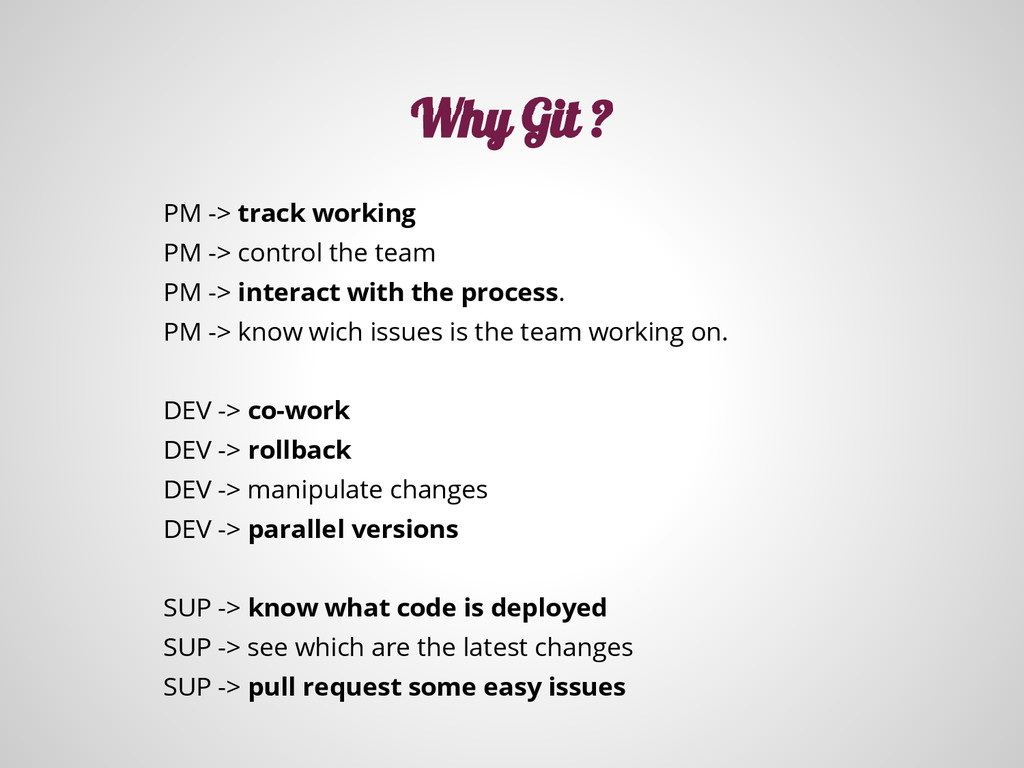
-> interact with the process. PM -> know wich issues is the team working on. DEV -> co-work DEV -> rollback DEV -> manipulate changes DEV -> parallel versions SUP -> know what code is deployed SUP -> see which are the latest changes SUP -> pull request some easy issues Why Git ?
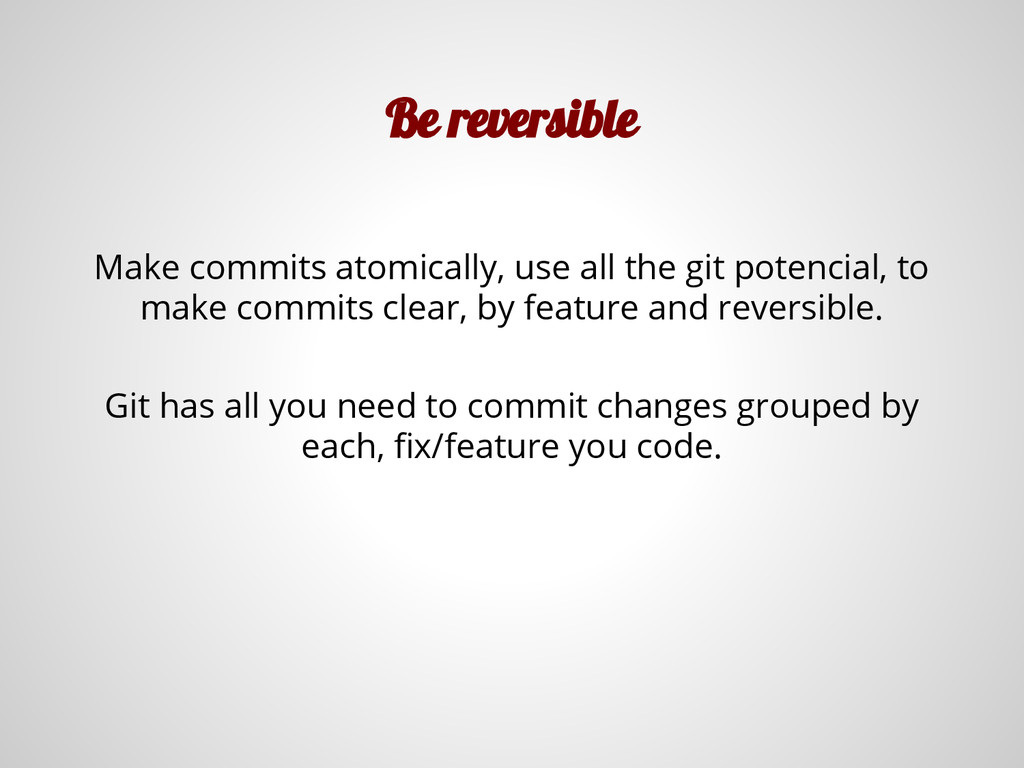
change the published history, but it can be an annoyance for your teammates. Better, fix the things by doing commits, maybe by revert, or patching, etc. But going forward.
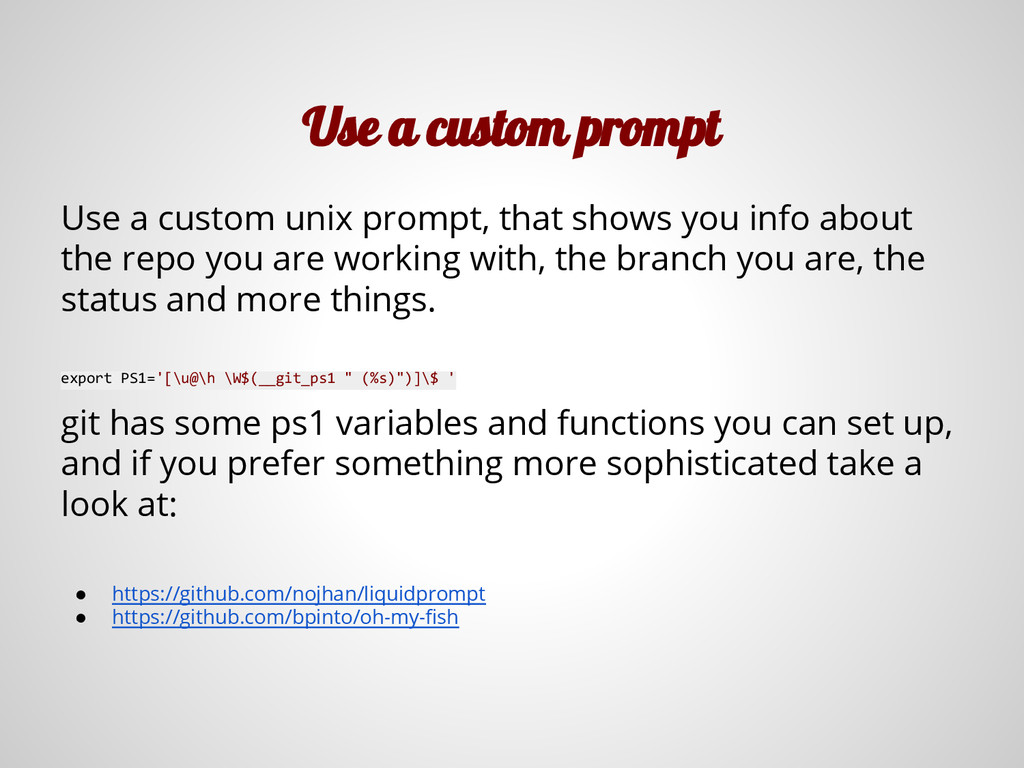
shows you info about the repo you are working with, the branch you are, the status and more things. export PS1='[\u@\h \W$(__git_ps1 " (%s)")]\$ ' git has some ps1 variables and functions you can set up, and if you prefer something more sophisticated take a look at: • https://github.com/nojhan/liquidprompt • https://github.com/bpinto/oh-my-fish
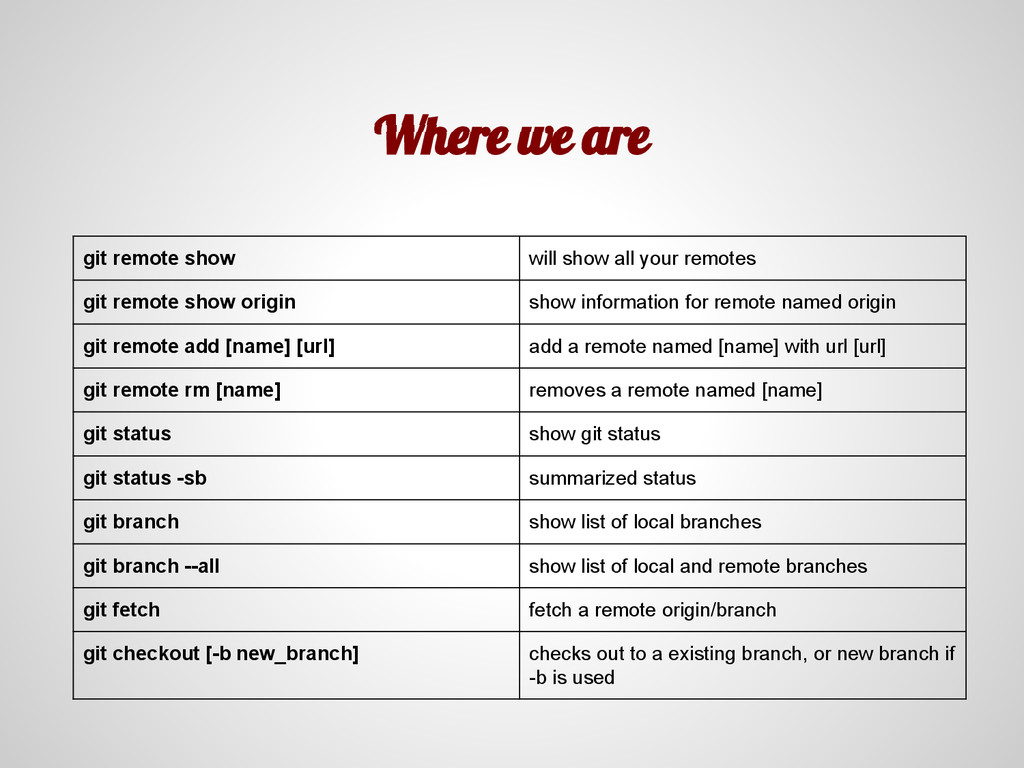
remotes git remote show origin show information for remote named origin git remote add [name] [url] add a remote named [name] with url [url] git remote rm [name] removes a remote named [name] git status show git status git status -sb summarized status git branch show list of local branches git branch --all show list of local and remote branches git fetch fetch a remote origin/branch git checkout [-b new_branch] checks out to a existing branch, or new branch if -b is used
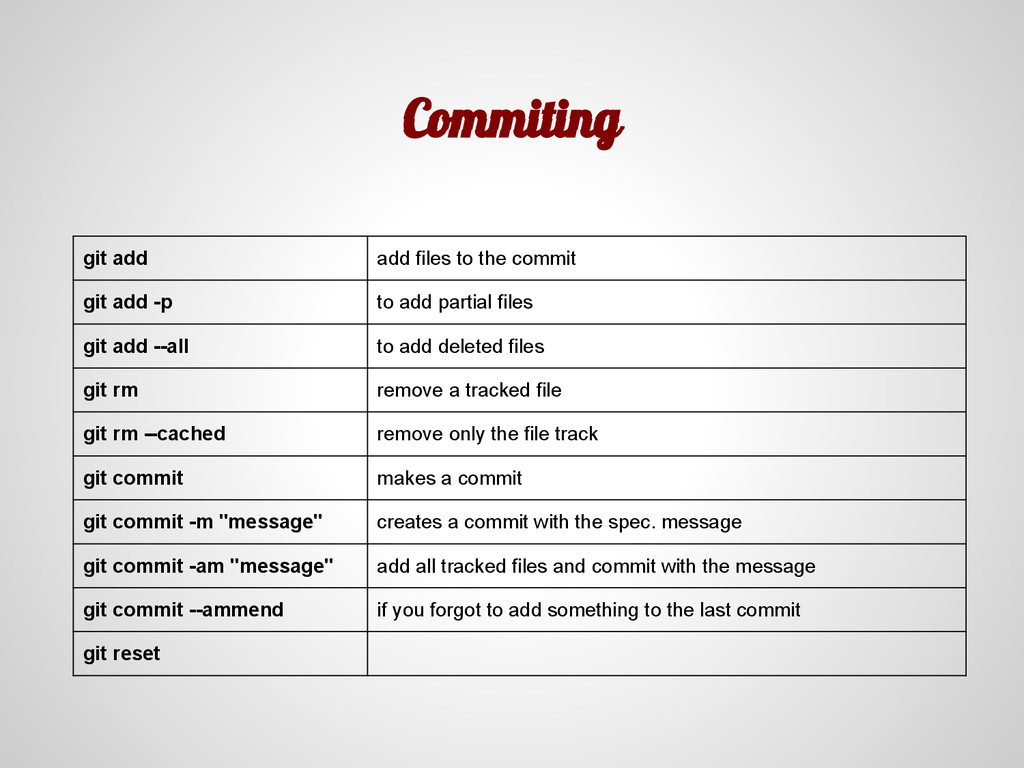
-p to add partial files git add --all to add deleted files git rm remove a tracked file git rm --cached remove only the file track git commit makes a commit git commit -m "message" creates a commit with the spec. message git commit -am "message" add all tracked files and commit with the message git commit --ammend if you forgot to add something to the last commit git reset
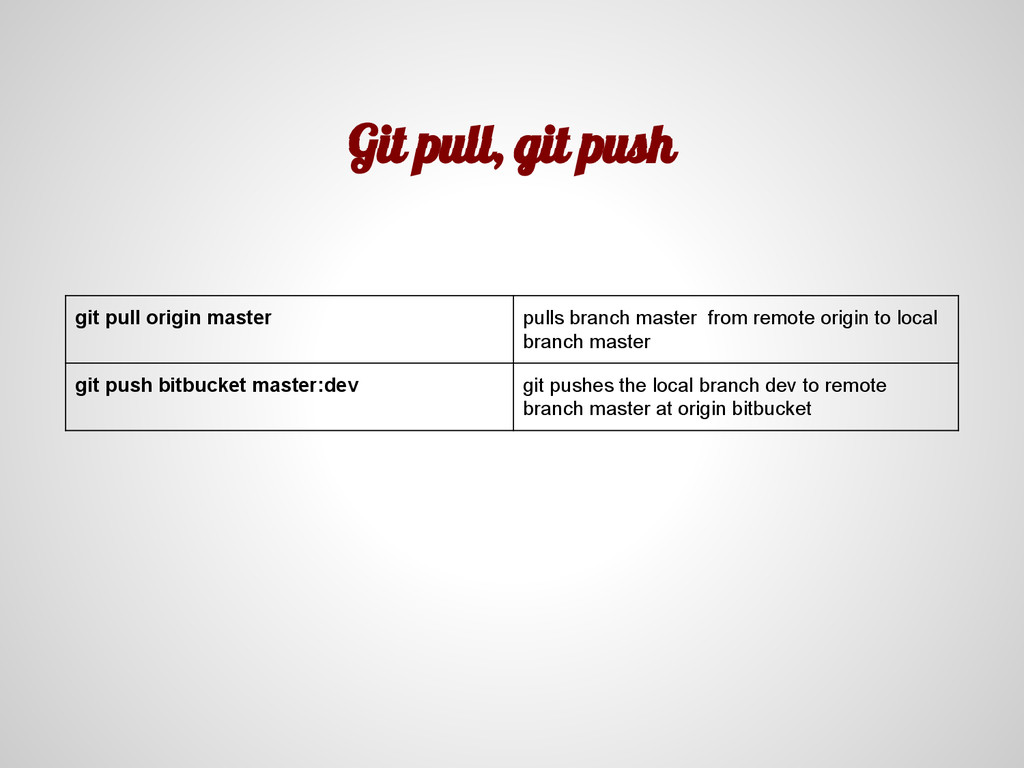
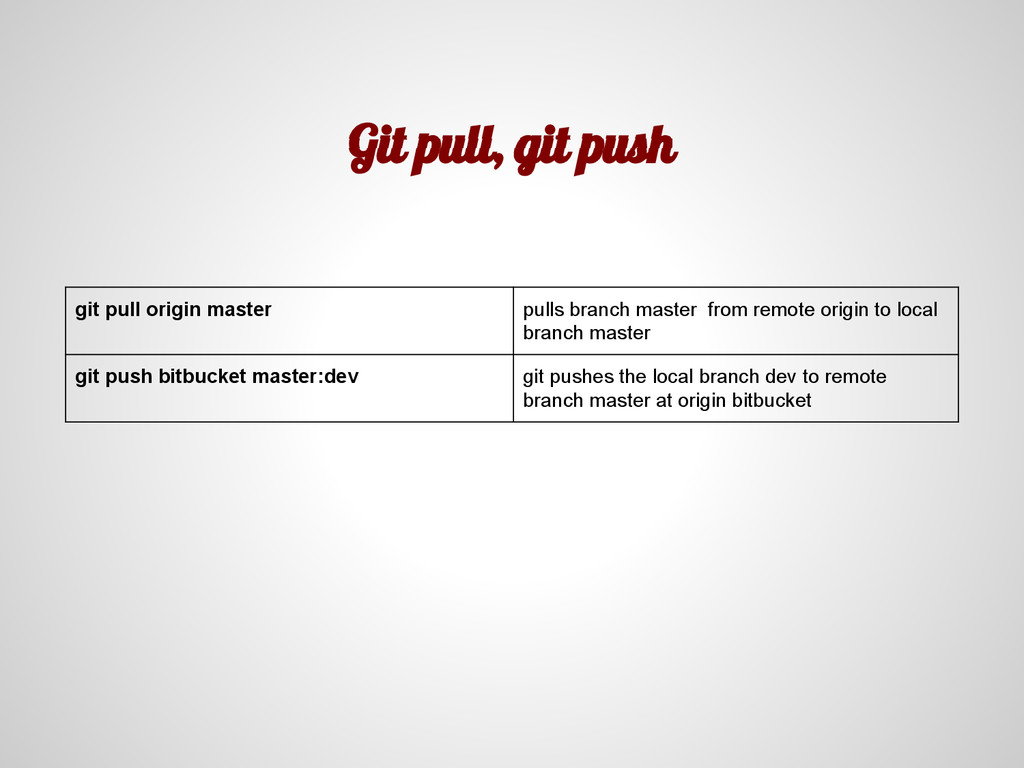
master from remote origin to local branch master git push bitbucket master:dev git pushes the local branch dev to remote branch master at origin bitbucket
master from remote origin to local branch master git push bitbucket master:dev git pushes the local branch dev to remote branch master at origin bitbucket
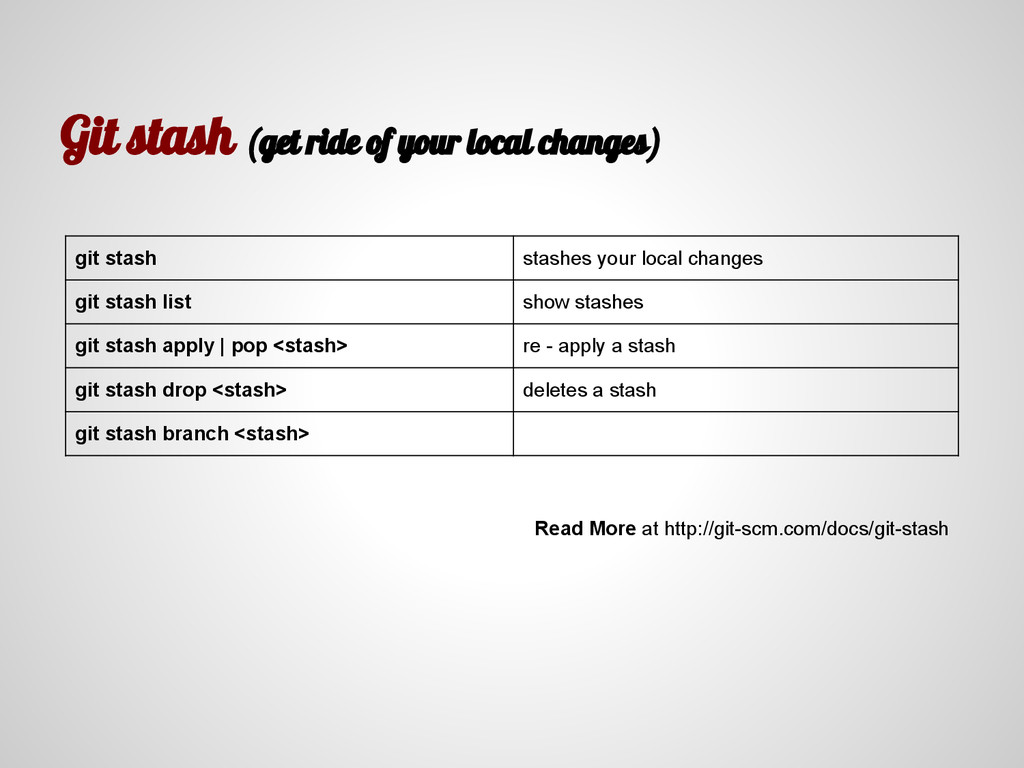
stashes your local changes git stash list show stashes git stash apply | pop <stash> re - apply a stash git stash drop <stash> deletes a stash git stash branch <stash> Read More at http://git-scm.com/docs/git-stash


 iwatsukayura
 utakaha
 ichirokano2
 ___akari11
 rkaga
rkaga
 yub0n
yub0n
 sorah
sorah
 akit37
 chobishiba
 yukiny
 kmars0605
 syumai
 joshbly
 techseoconnect
 honzajavorek
 dugsong
 maggiecrowley
 bluesmoon
 davidcarrasco
 akademiya2063
 mojombo
 yeseniaperezcruz
 swwweet
 rkendrick25
![Git . Why, How, and more @gargrag | [email protected]](https://files.speakerdeck.com/presentations/6f2c3640ee830131f5bd2ac9976b5d88/slide_0.jpg)

![Get started git clone [dest_dir] Clone a reopsitory git init](https://files.speakerdeck.com/presentations/6f2c3640ee830131f5bd2ac9976b5d88/slide_16.jpg)