Upgrade to Pro
— share decks privately, control downloads, hide ads and more …
Speaker Deck
Sign up for free
Menu
Search
Features
All features
Private URLs
Password Protection
Custom URLS
Scheduled publishing
Remove Branding
Restrict embedding
Deck Collections
Notes
Features
All features
Private URLs
Password Protection
Custom URLS
Scheduled publishing
Remove Branding
Restrict embedding
Deck Collections
Notes
Explore
Featured decks
Featured speakers
Programming
Technology
Storyboards
Explore
Featured decks
Featured speakers
Programming
Technology
Storyboards
Pricing
Search
Sign in
Sign up for free
OVERPASSのやり方 黒田華子
Search
Sponsored
·
Your Podcast. Everywhere. Effortlessly.
Share. Educate. Inspire. Entertain. You do you. We'll handle the rest.
→
Hanako Kuroda
July 14, 2016
200
0
Share
Embed
Copy iframe code
Copy JS code
Copy link
Start on current slide
OVERPASSのやり方 黒田華子
Hanako Kuroda
July 14, 2016
More Decks by Hanako Kuroda
See All by Hanako Kuroda
空間情報システム入門Ⅰ
hanakokuroda
0
72
Featured
See All Featured
I Don’t Have Time: Getting Over the Fear to Launch Your Podcast
jcasabona
35
2.9k
Docker and Python
trallard
47
4.2k
Digital Ethics as a Driver of Design Innovation
axbom
PRO
1
460
Testing 201, or: Great Expectations
jmmastey
46
8.3k
The SEO identity crisis: Don't let AI make you average
varn
0
590
The AI Revolution Will Not Be Monopolized: How open-source beats economies of scale, even for LLMs
inesmontani
PRO
3
3.8k
Art, The Web, and Tiny UX
lynnandtonic
304
22k
Balancing Empowerment & Direction
lara
6
1.3k
The Web Performance Landscape in 2024 [PerfNow 2024]
tammyeverts
12
1.3k
Principles of Awesome APIs and How to Build Them.
keavy
128
18k
How Software Deployment tools have changed in the past 20 years
geshan
2
35k
jQuery: Nuts, Bolts and Bling
dougneiner
66
8.6k
Transcript
POKESTOPに採用されそう な対象を選ぶ方法 1A116086 黒田華子
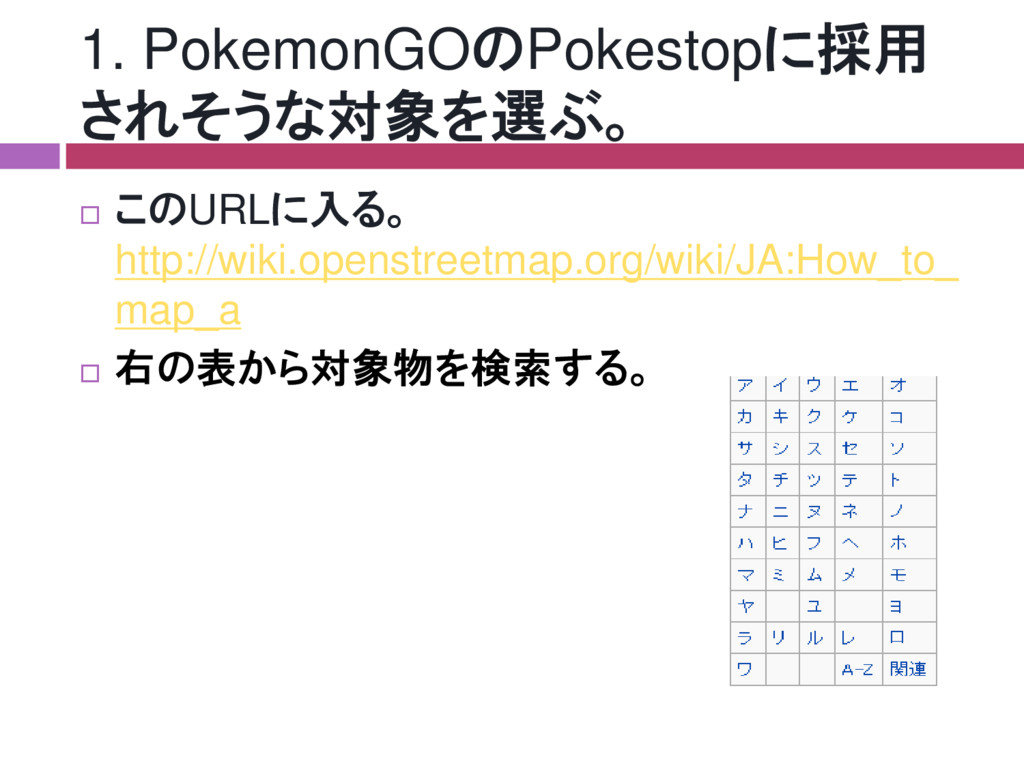
1. PokemonGOのPokestopに採用 されそうな対象を選ぶ。 このURLに入る。 http://wiki.openstreetmap.org/wiki/JA:How_to_ map_a 右の表から対象物を検索する。
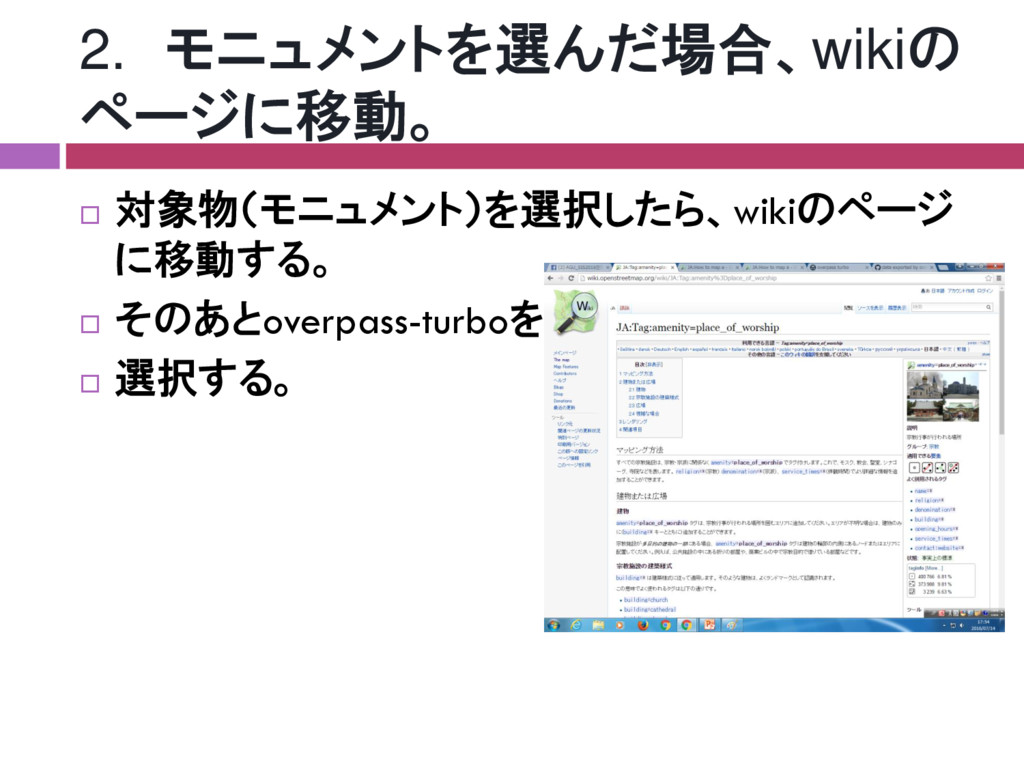
2. モニュメントを選んだ場合、wikiの ページに移動。 対象物(モニュメント)を選択したら、wikiのページ に移動する。 そのあとoverpass-turboを 選択する。
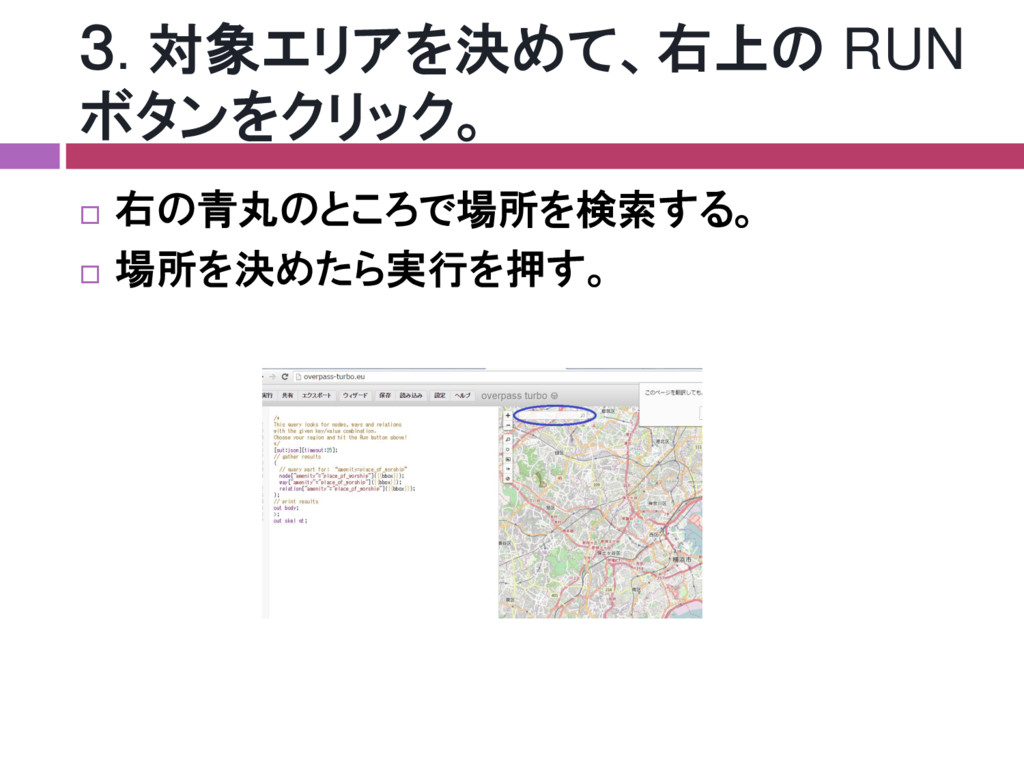
3. 対象エリアを決めて、右上の RUN ボタンをクリック。 右の青丸のところで場所を検索する。 場所を決めたら実行を押す。
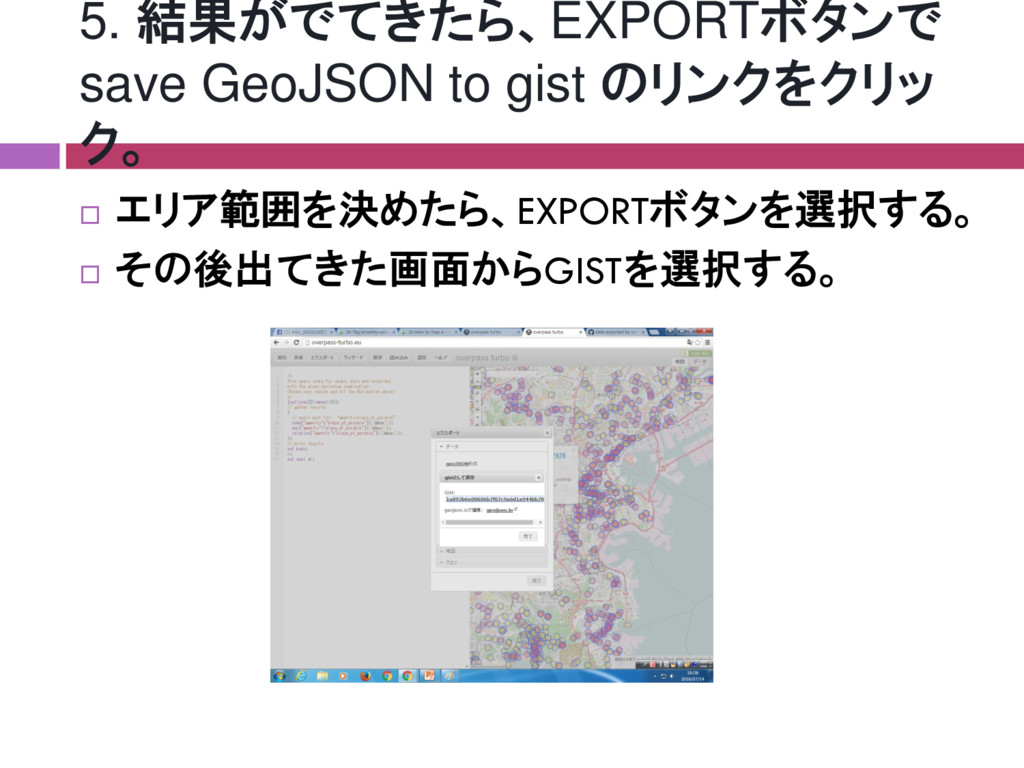
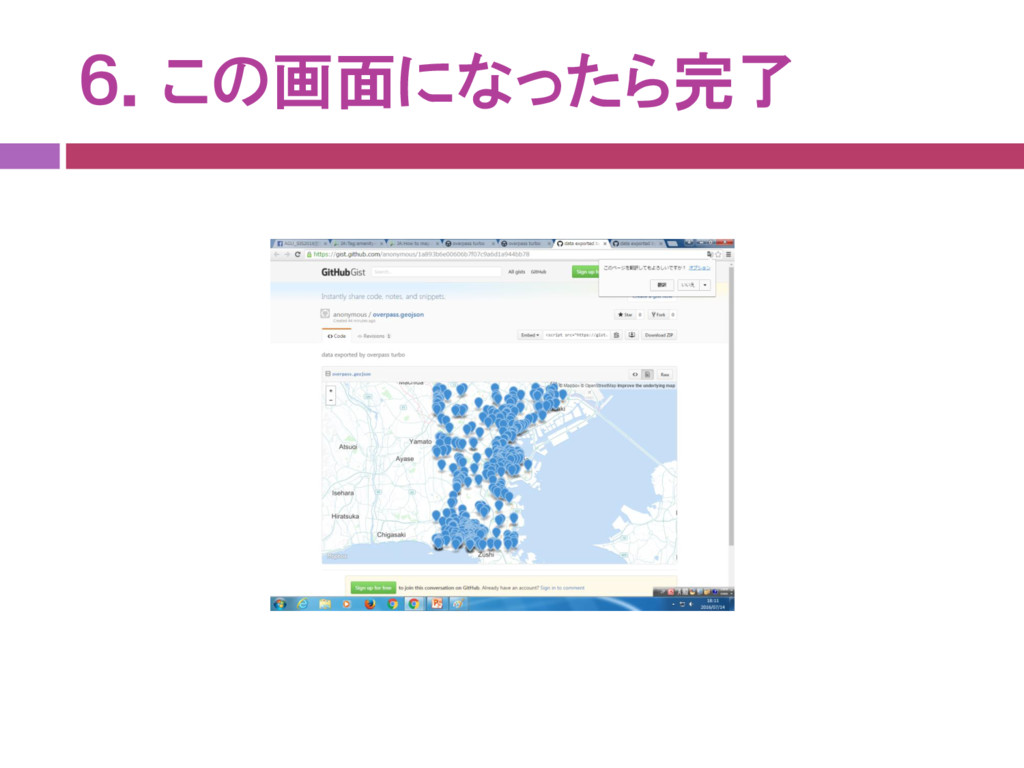
5. 結果がでてきたら、EXPORTボタンで save GeoJSON to gist のリンクをクリッ ク。 エリア範囲を決めたら、EXPORTボタンを選択する。
その後出てきた画面からGISTを選択する。
6.この画面になったら完了


 hanakokuroda
 jcasabona
 trallard
 axbom
axbom
 jmmastey
 varn
varn
 inesmontani
 lynnandtonic
 lara
lara
 tammyeverts
 keavy
keavy
 geshan
 dougneiner