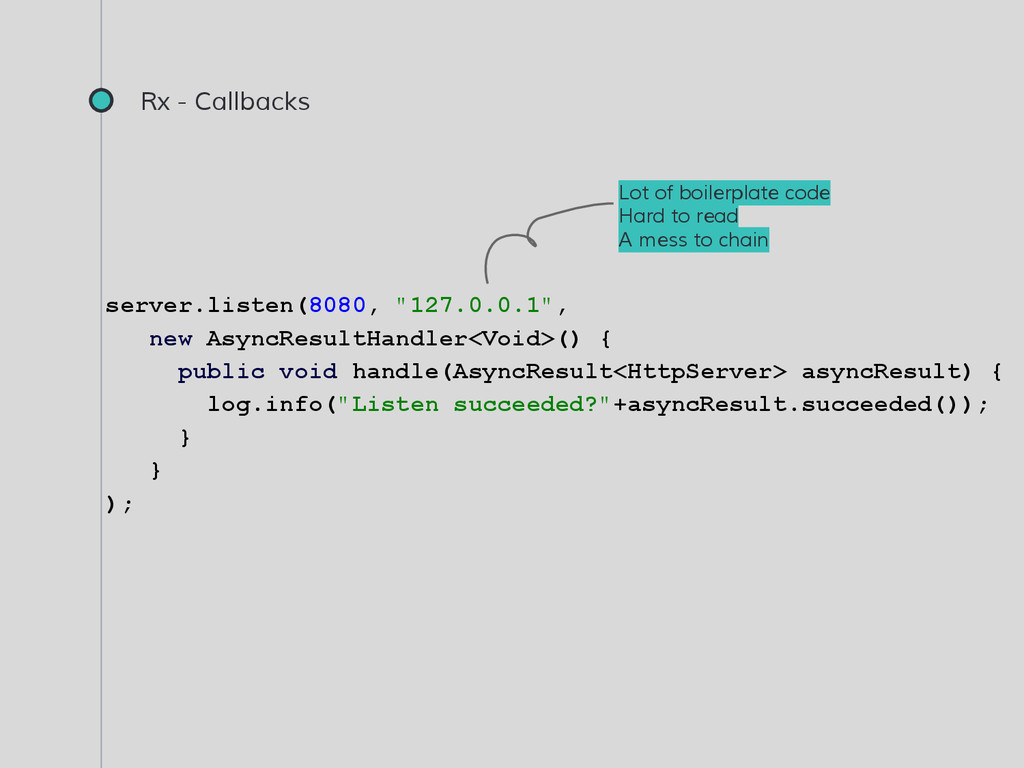
handle(AsyncResult<HttpServer> asyncResult) { log.info("Listen succeeded?"+asyncResult.succeeded()); } } ); Lot of boilerplate code Hard to read A mess to chain
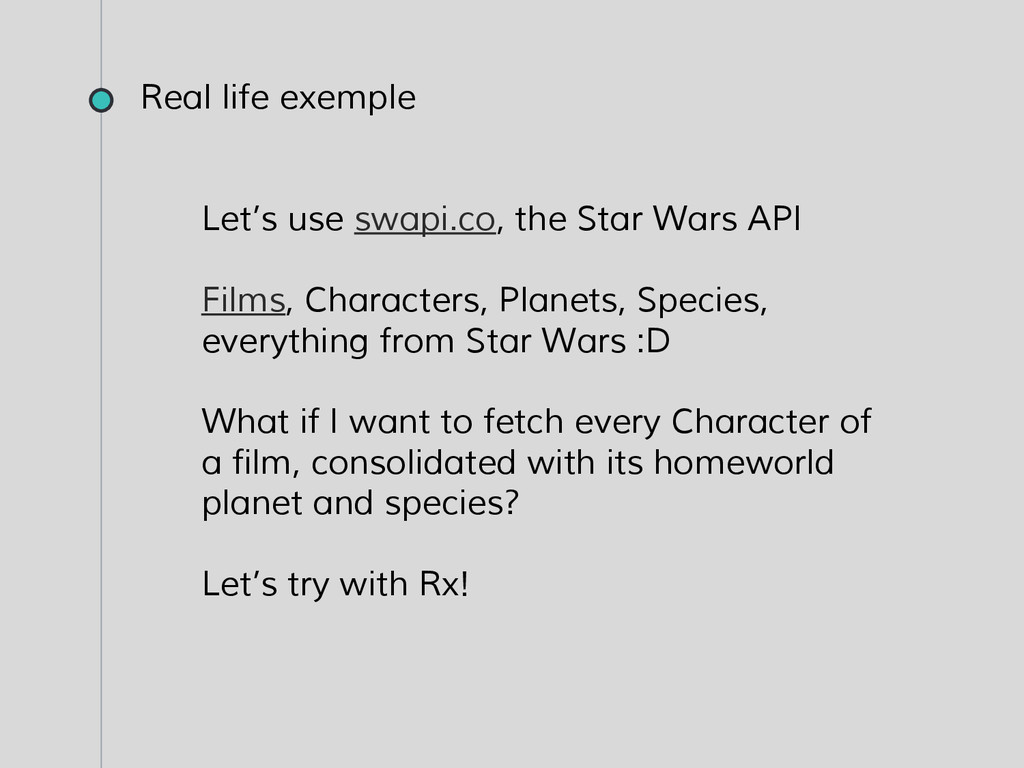
Species, everything from Star Wars :D What if I want to fetch every Character of a film, consolidated with its homeworld planet and species? Let’s try with Rx! Real life exemple
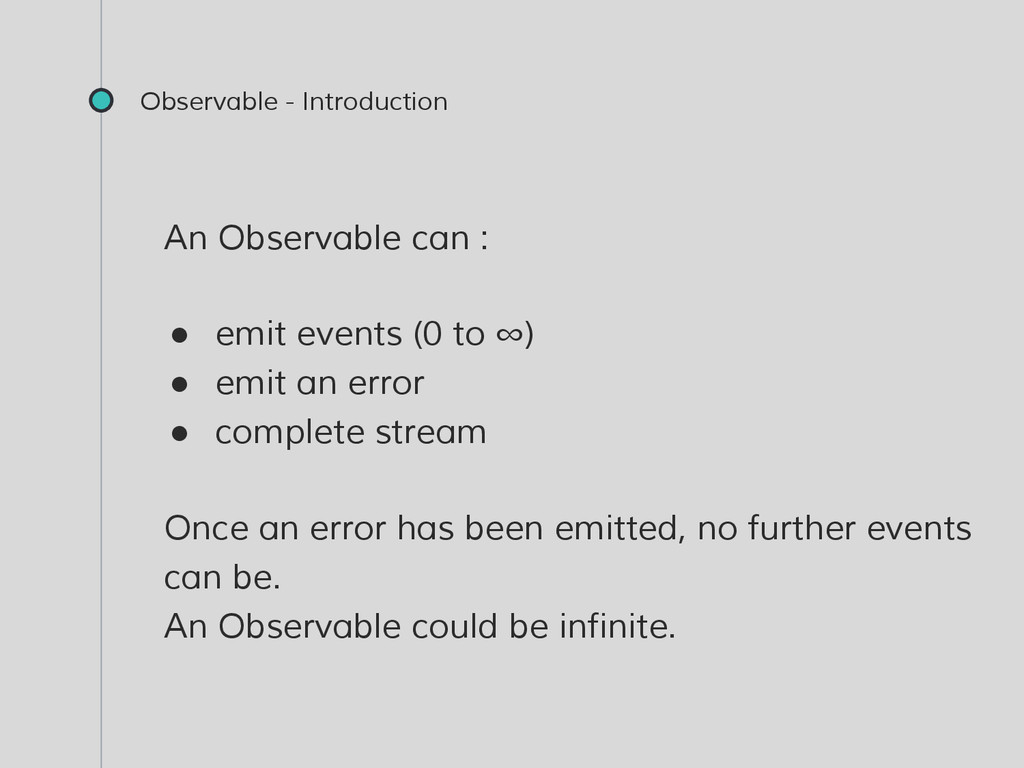
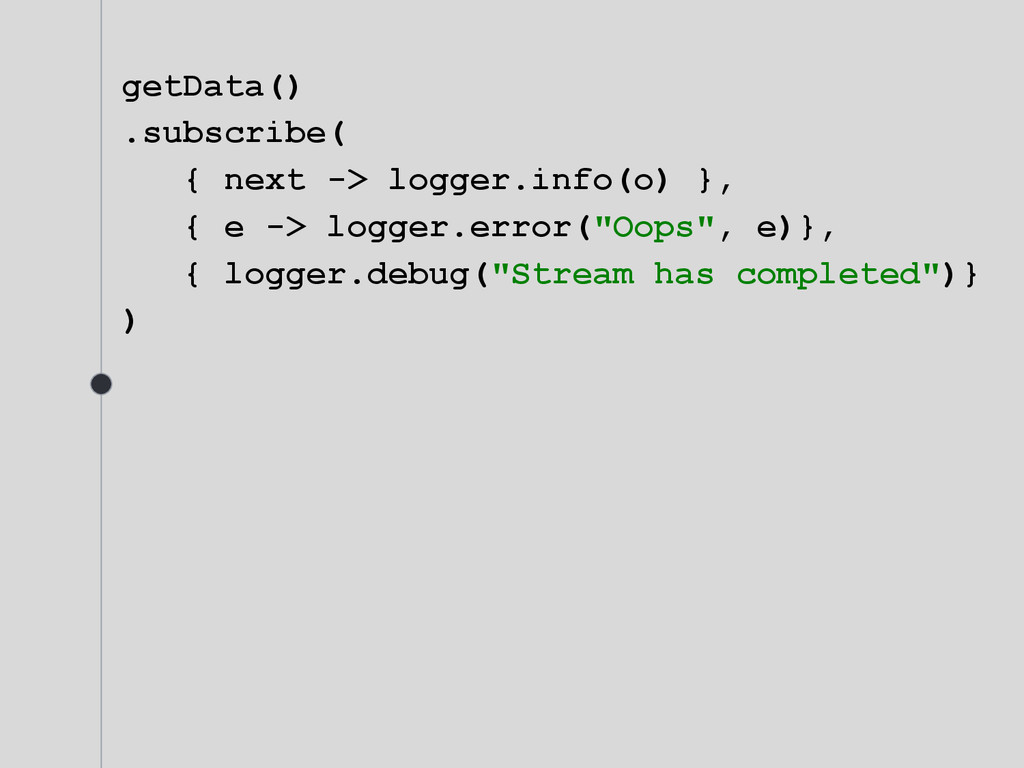
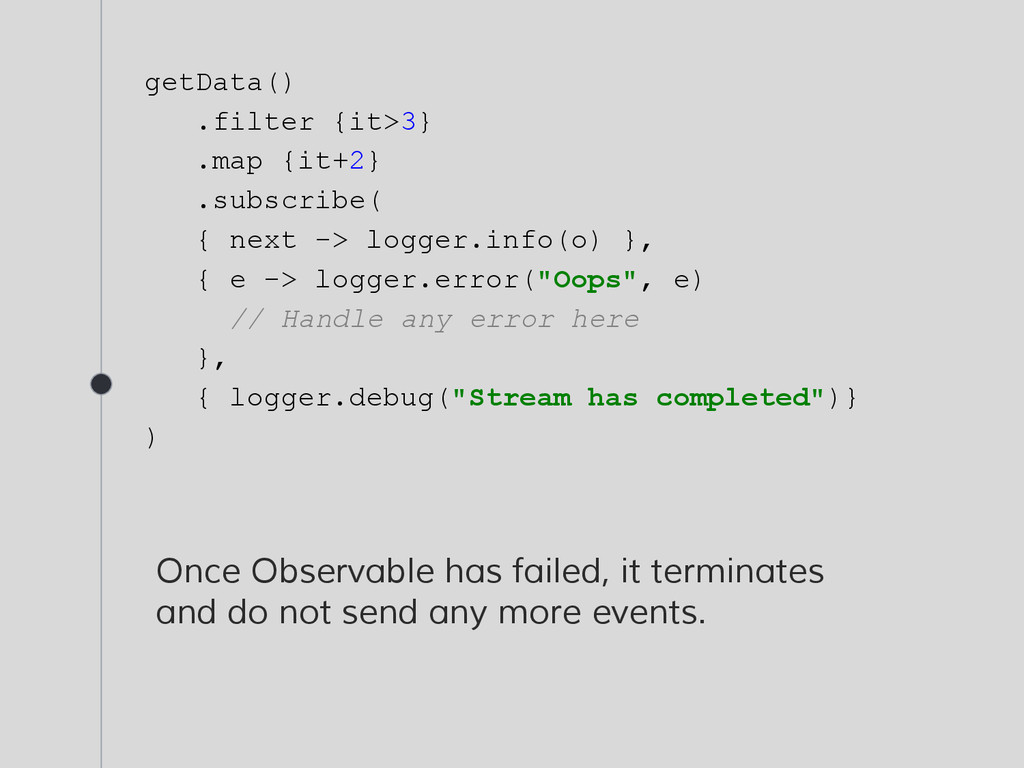
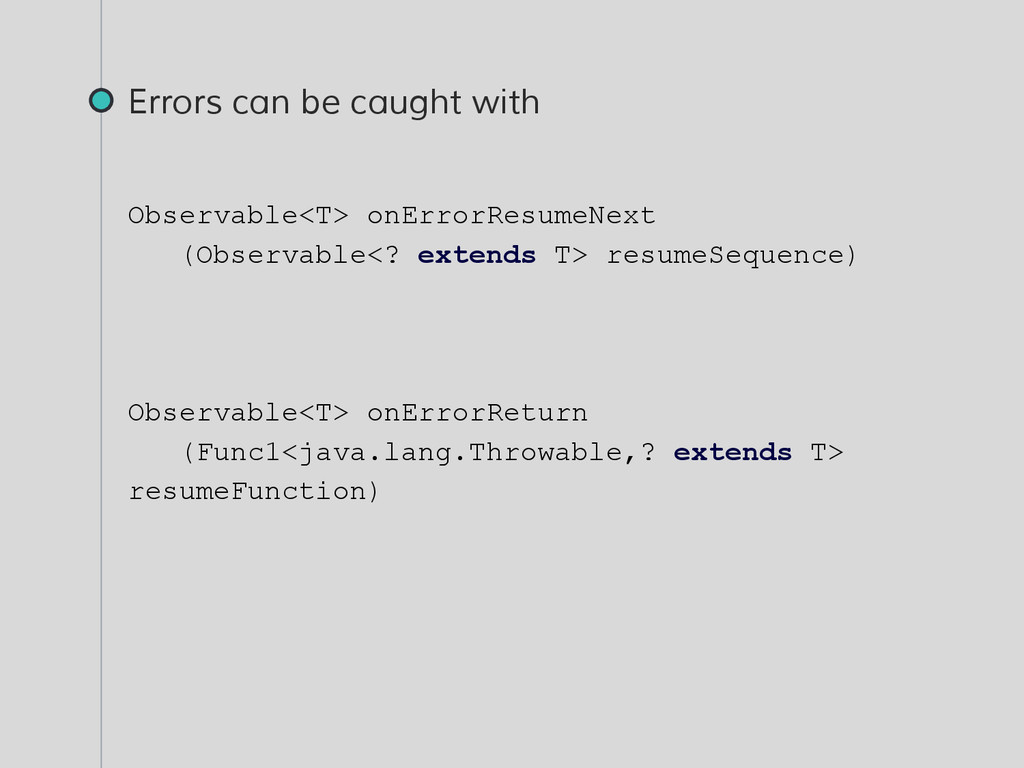
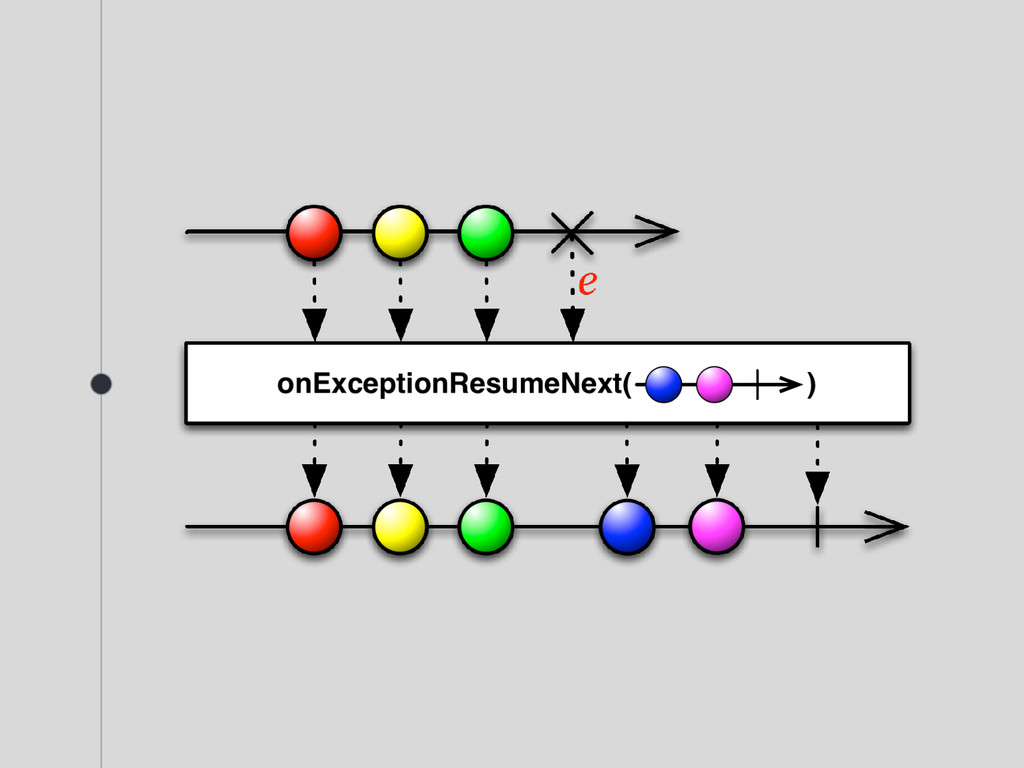
}, { e -> logger.error("Oops", e) // Handle any error here }, { logger.debug("Stream has completed")} ) Once Observable has failed, it terminates and do not send any more events.
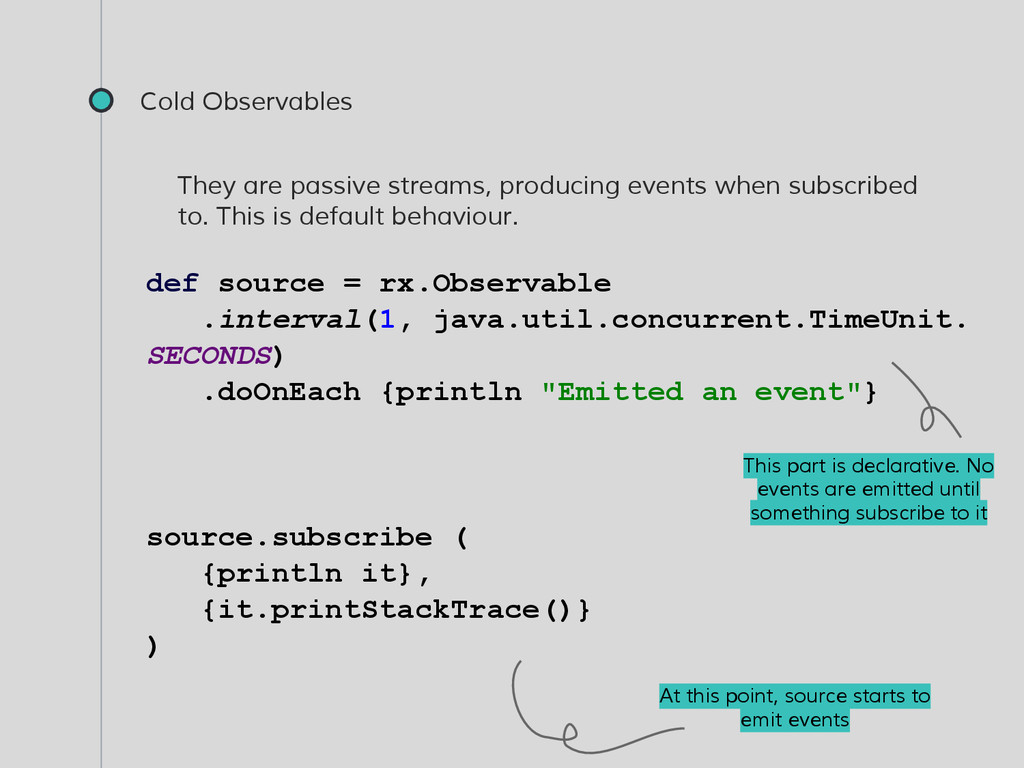
to. This is default behaviour. def source = rx.Observable .interval(1, java.util.concurrent.TimeUnit. SECONDS) .doOnEach {println "Emitted an event"} source.subscribe ( {println it}, {it.printStackTrace()} ) This part is declarative. No events are emitted until something subscribe to it At this point, source starts to emit events
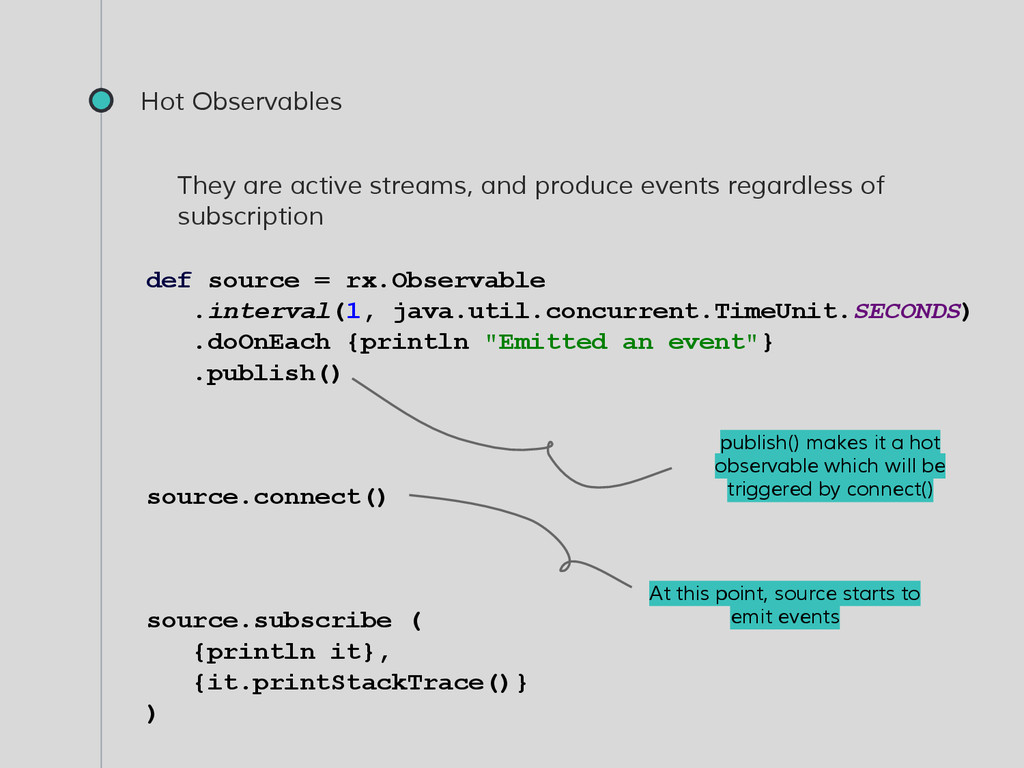
of subscription def source = rx.Observable .interval(1, java.util.concurrent.TimeUnit.SECONDS) .doOnEach {println "Emitted an event"} .publish() source.connect() source.subscribe ( {println it}, {it.printStackTrace()} ) publish() makes it a hot observable which will be triggered by connect() At this point, source starts to emit events
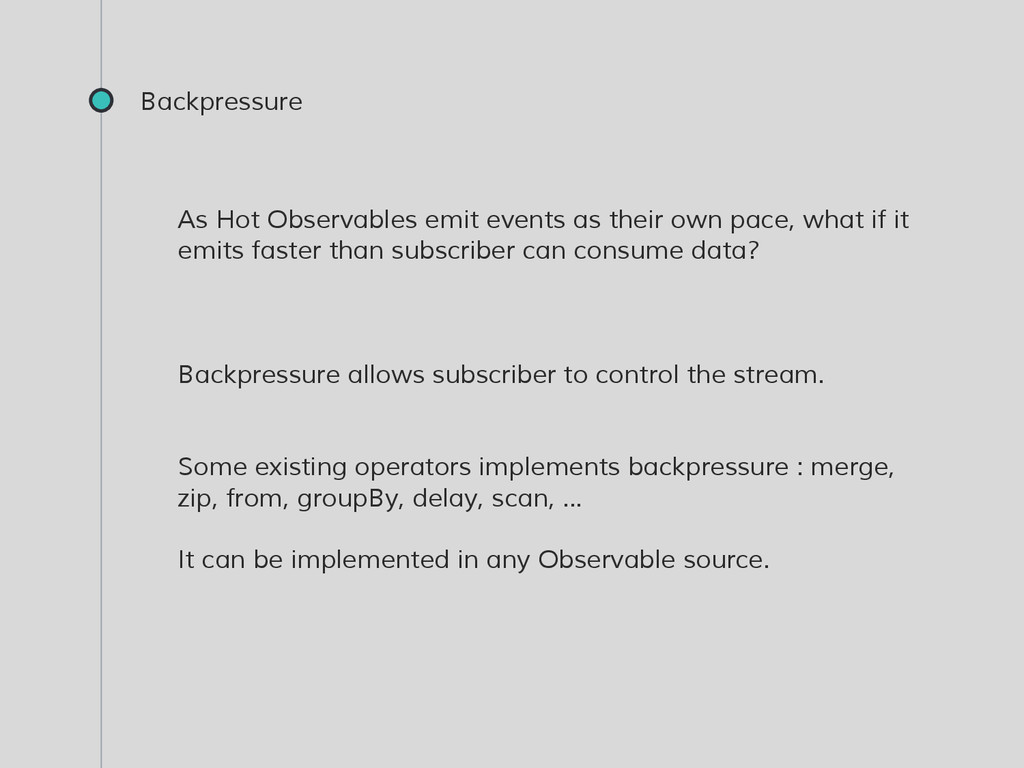
what if it emits faster than subscriber can consume data? Backpressure allows subscriber to control the stream. Some existing operators implements backpressure : merge, zip, from, groupBy, delay, scan, ... It can be implemented in any Observable source.
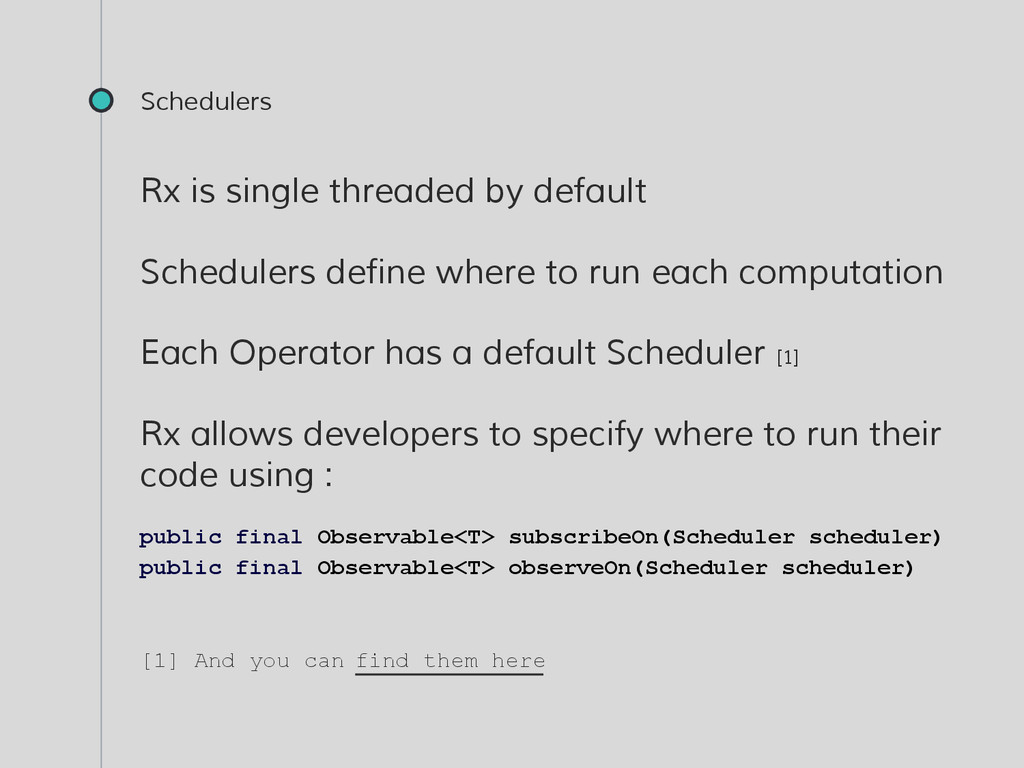
to run each computation Each Operator has a default Scheduler [1] Rx allows developers to specify where to run their code using : public final Observable<T> subscribeOn(Scheduler scheduler) public final Observable<T> observeOn(Scheduler scheduler) [1] And you can find them here
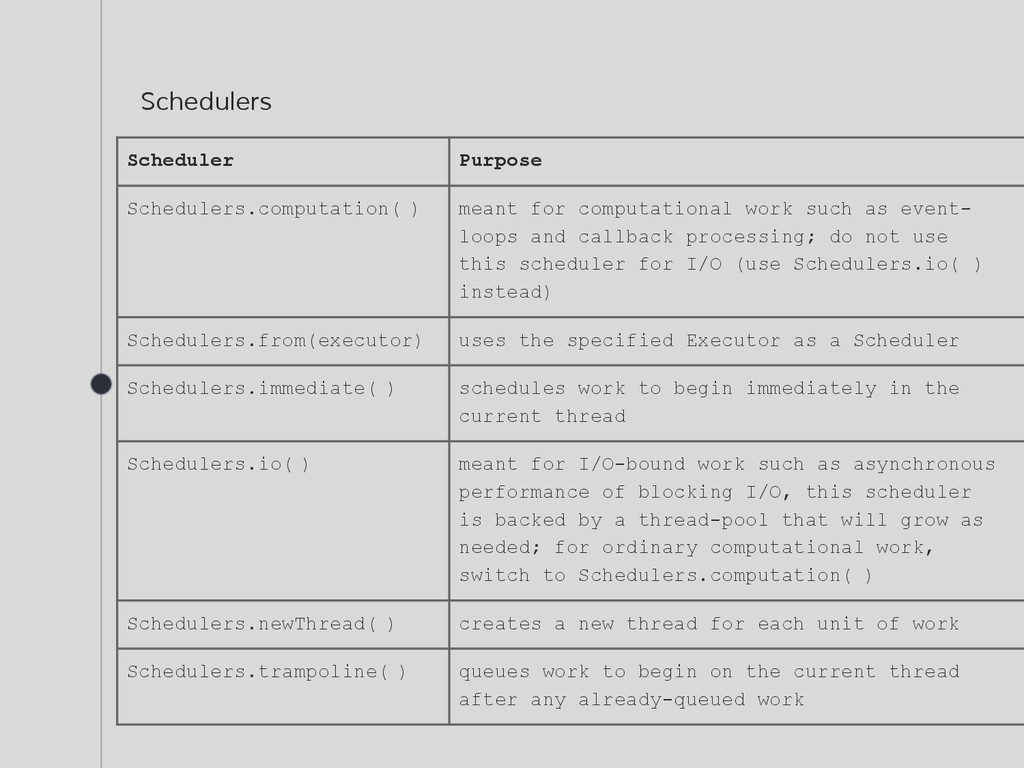
as event- loops and callback processing; do not use this scheduler for I/O (use Schedulers.io( ) instead) Schedulers.from(executor) uses the specified Executor as a Scheduler Schedulers.immediate( ) schedules work to begin immediately in the current thread Schedulers.io( ) meant for I/O-bound work such as asynchronous performance of blocking I/O, this scheduler is backed by a thread-pool that will grow as needed; for ordinary computational work, switch to Schedulers.computation( ) Schedulers.newThread( ) creates a new thread for each unit of work Schedulers.trampoline( ) queues work to begin on the current thread after any already-queued work


 hugocrd
 morizo_1984
 nao_randd
 akit37
 har1101
 oku053
 kishida
 y0hgi
y0hgi
 hschwentner
 utakaha
 yasaichi
 timakin
 tosite
 nmsamuel
 shlominoach
.png) helenjbeal
helenjbeal
 brad_frost
 morganepeng
 sugarenia
 cassininazir
 techseoconnect
 jct
jct
 shpigford
 tomoyanonymous
 skoyamalab




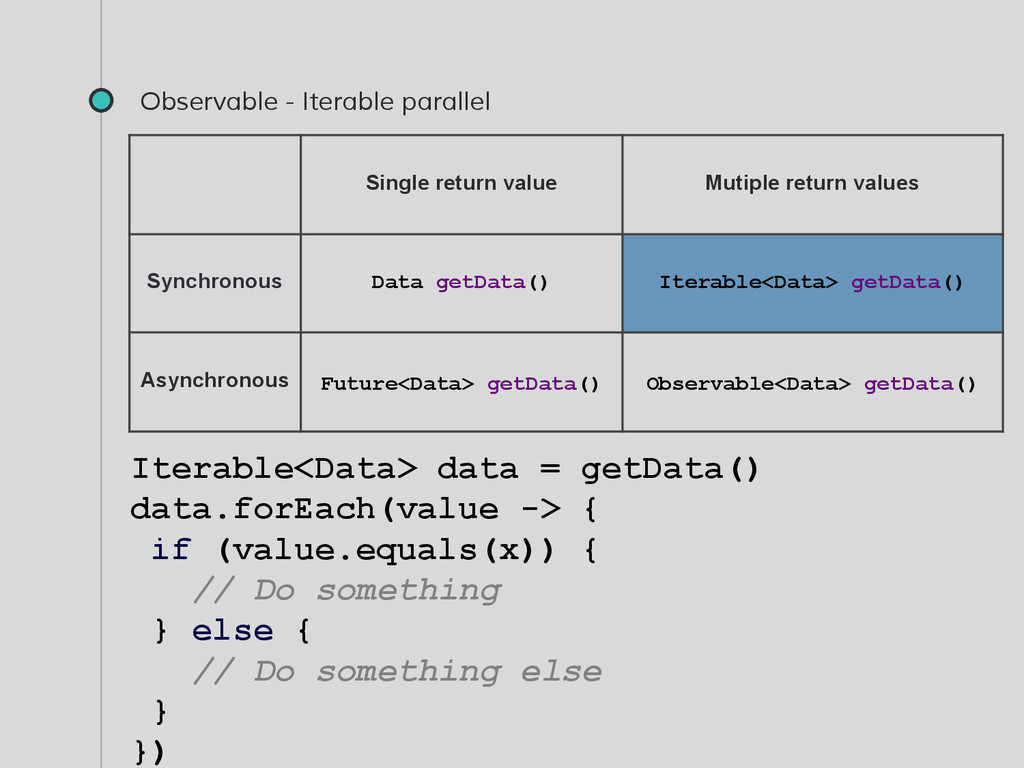
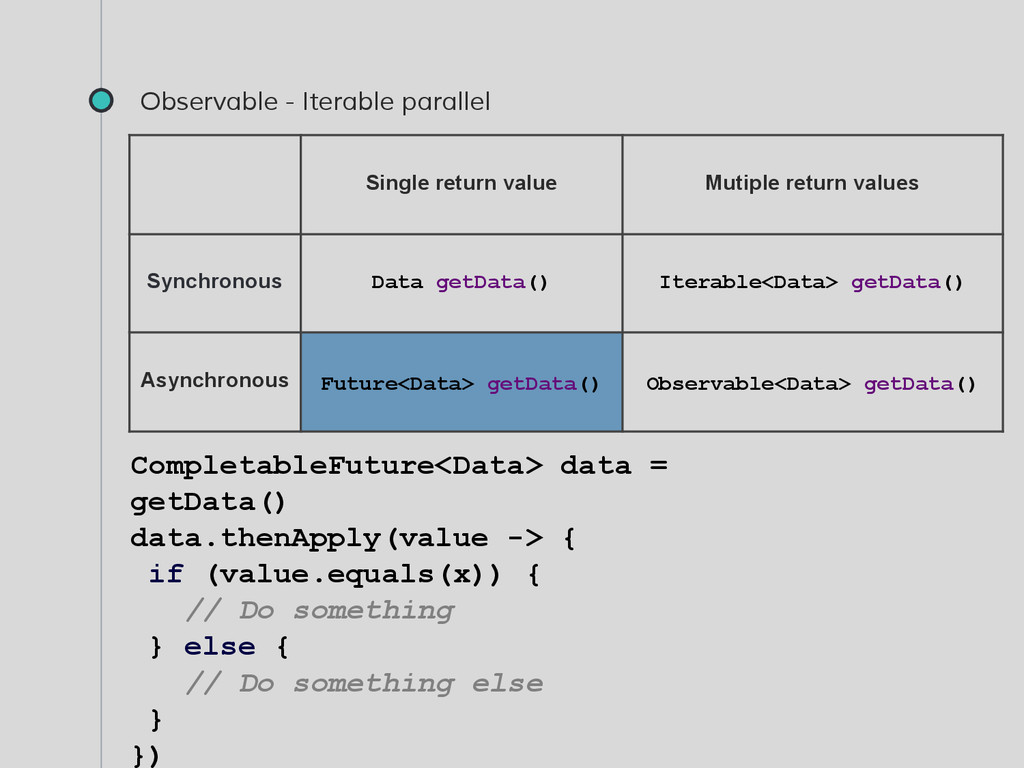
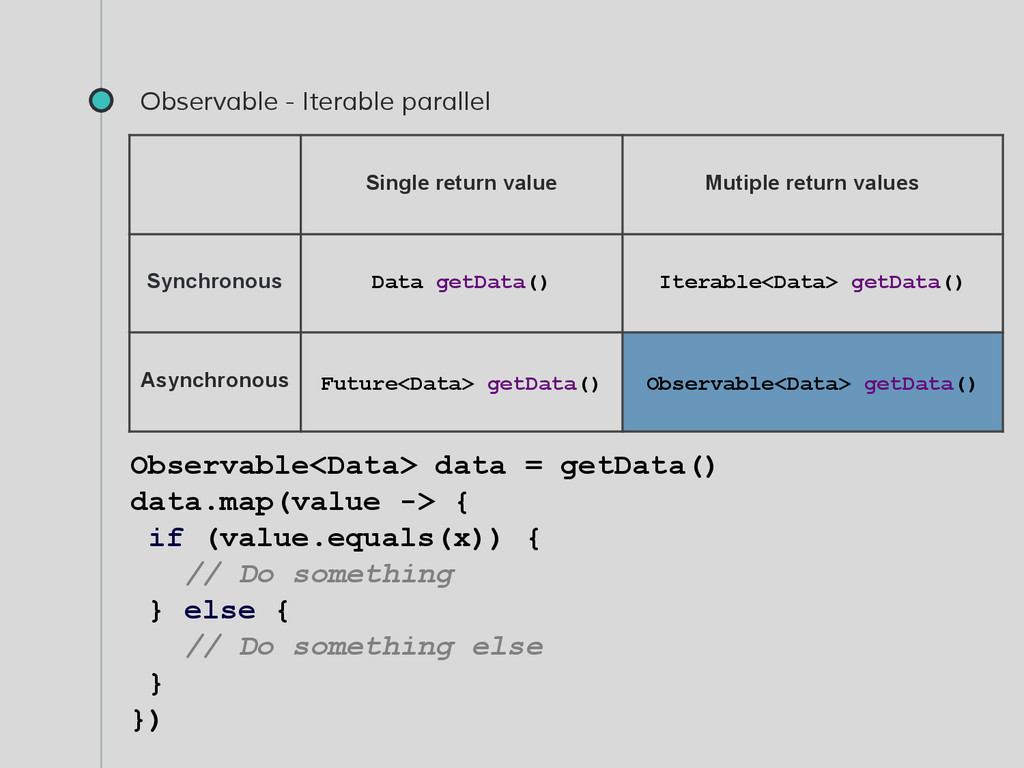
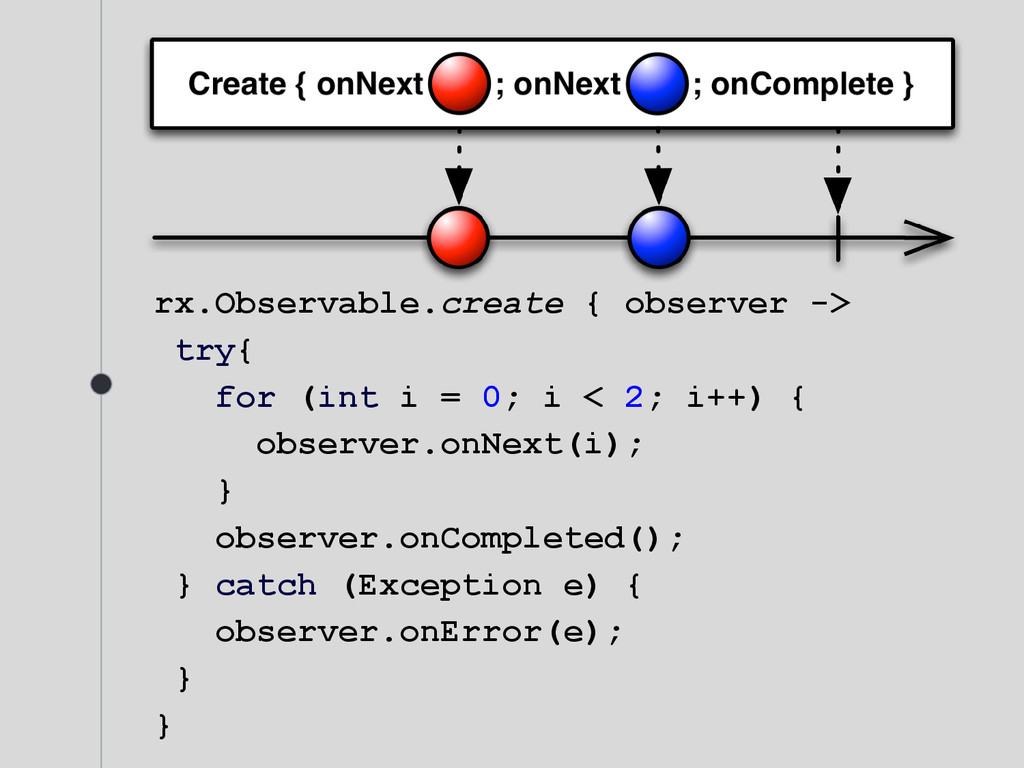
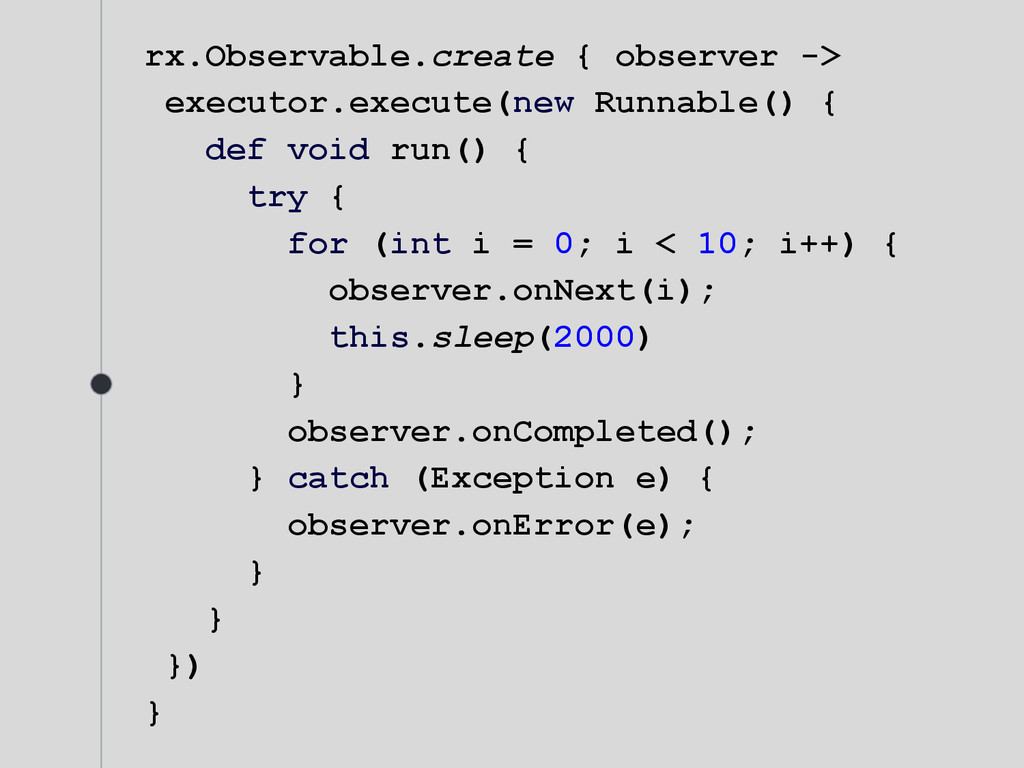
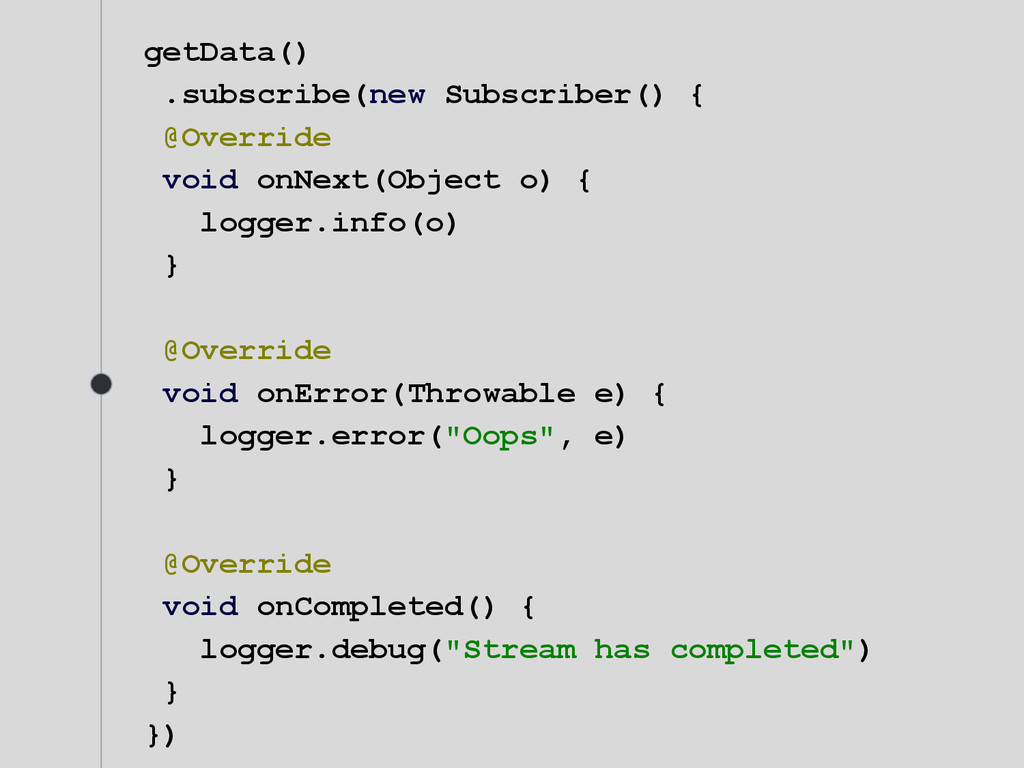


![rx.Observable.zip(getDataA(), getDataB(), {vA, vB -> [vA, vB] }) .subscribe {value](https://files.speakerdeck.com/presentations/692124201c414a3da9a8d1fa3633d726/slide_28.jpg)



![Thanks! ANY QUESTIONS? You can find me at @HugoCrd [email protected]](https://files.speakerdeck.com/presentations/692124201c414a3da9a8d1fa3633d726/slide_51.jpg)