Share
Embed
Introducing Atlassian Bamboo 5.0's Continuous Delivery
A introduction to Atlassian Bamboo 5.0 Continuous Delivery
James Dumay
May 27, 2013
Transcript
50 slides
-
Continuous Deployment Code is continuously integrated then deployed automatically directly
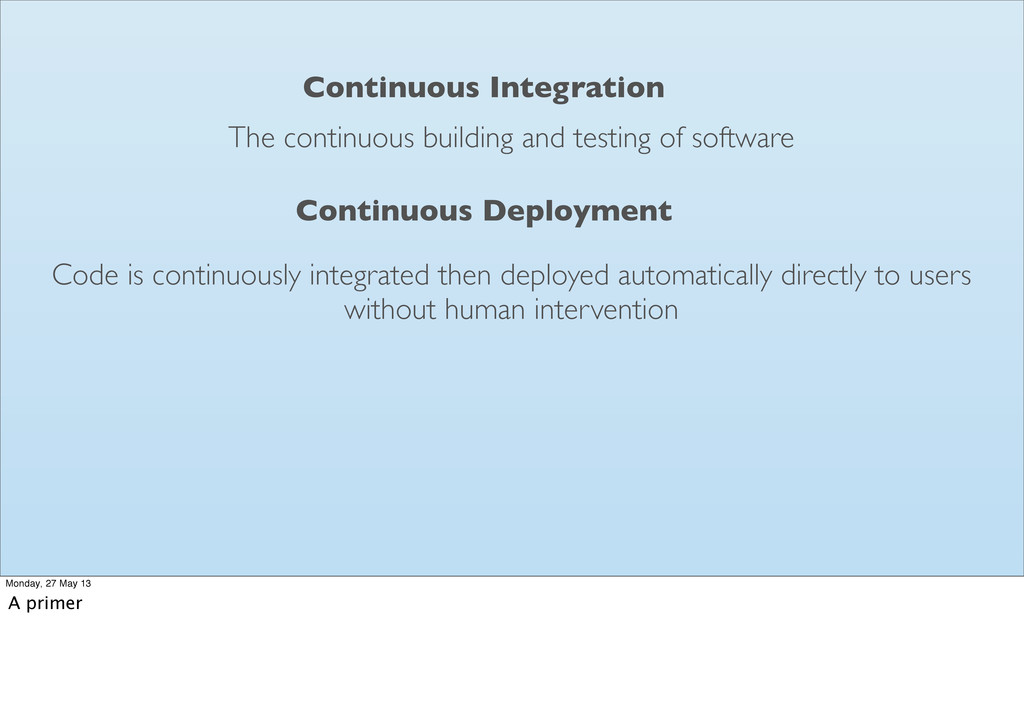
to users without human intervention The continuous building and testing of software Continuous Integration Monday, 27 May 13 A primer -
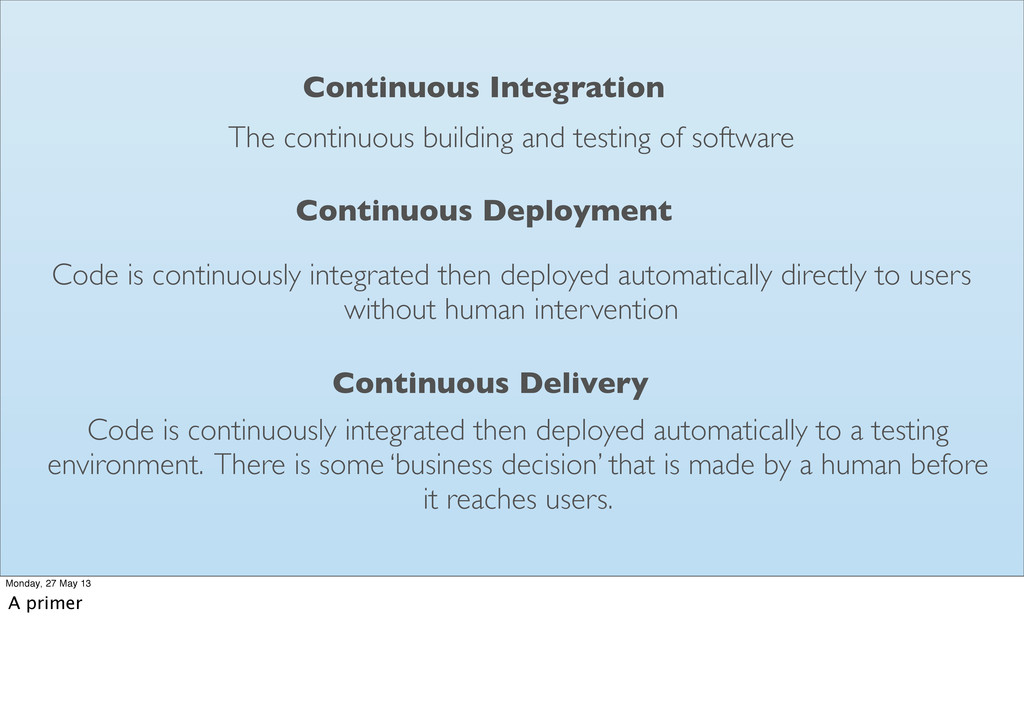
Continuous Deployment Code is continuously integrated then deployed automatically directly
to users without human intervention The continuous building and testing of software Continuous Integration Continuous Delivery Code is continuously integrated then deployed automatically to a testing environment. There is some ‘business decision’ that is made by a human before it reaches users. Monday, 27 May 13 A primer -
Continuous Integration servers are not very good at Continuous Delivery
Monday, 27 May 13 -
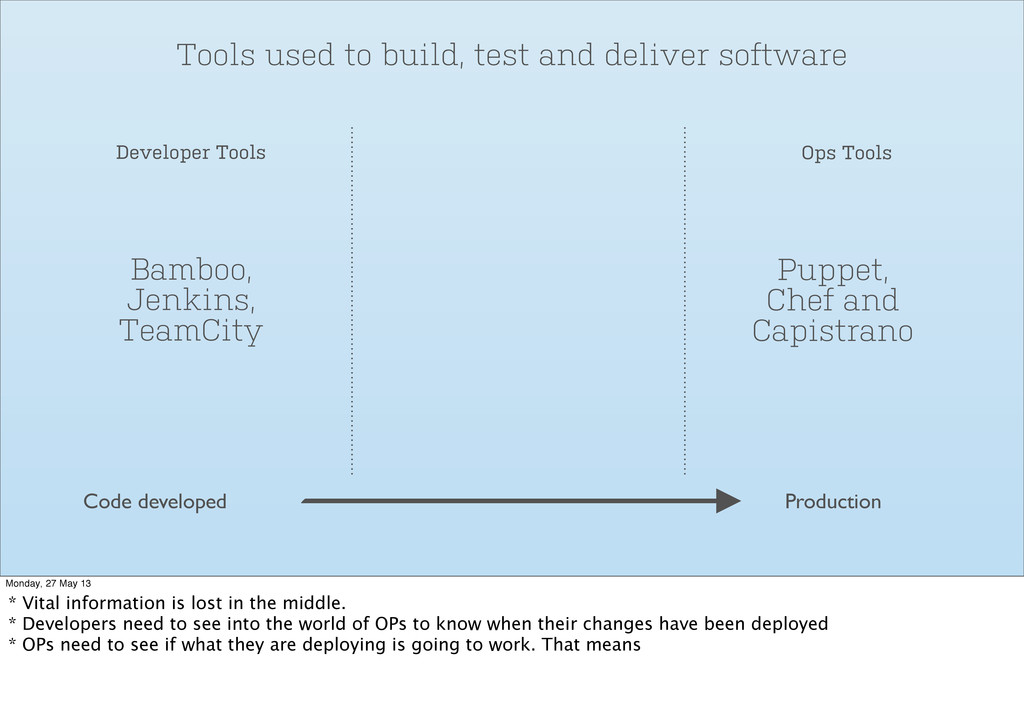
Tools used to build, test and deliver software Monday, 27
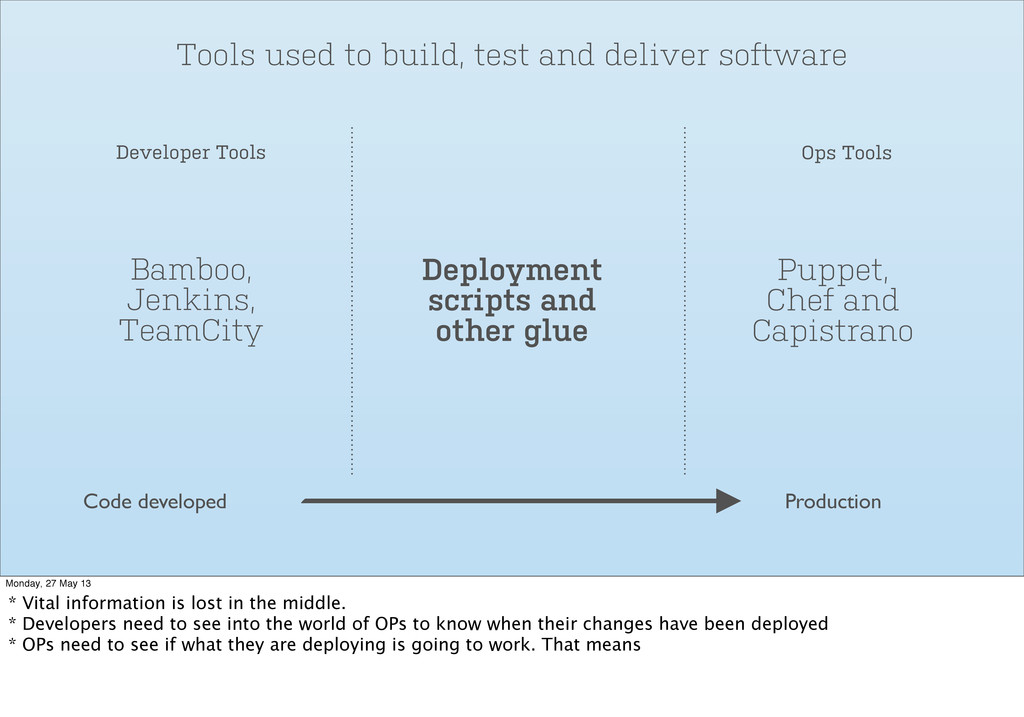
May 13 * Vital information is lost in the middle. * Developers need to see into the world of OPs to know when their changes have been deployed * OPs need to see if what they are deploying is going to work. That means -
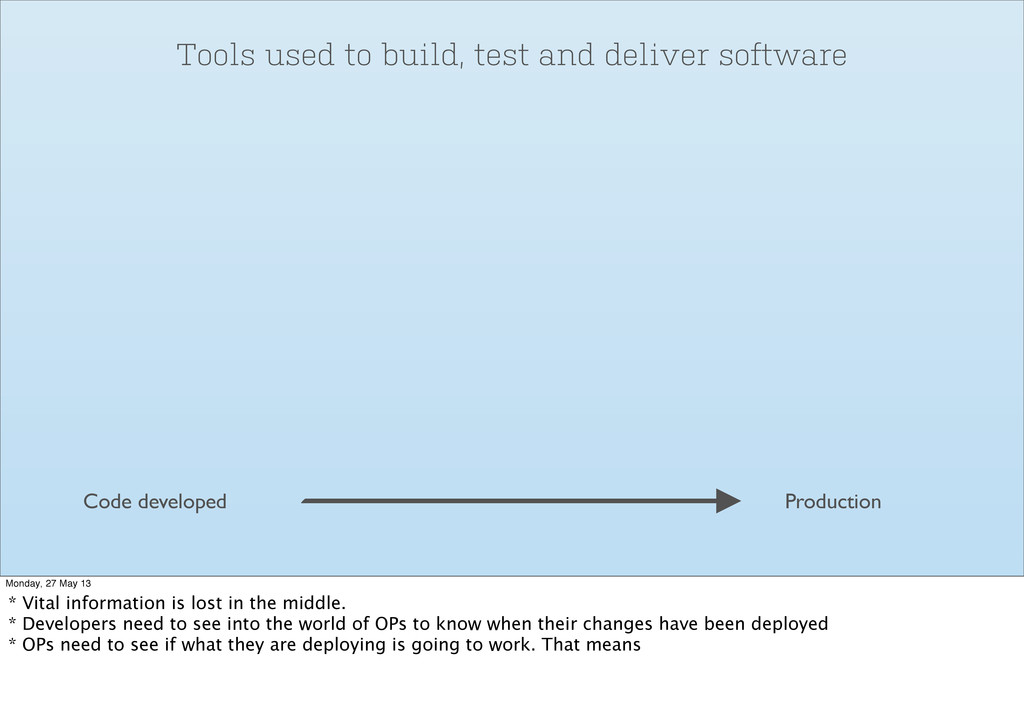
Tools used to build, test and deliver software Code developed
Production Monday, 27 May 13 * Vital information is lost in the middle. * Developers need to see into the world of OPs to know when their changes have been deployed * OPs need to see if what they are deploying is going to work. That means -
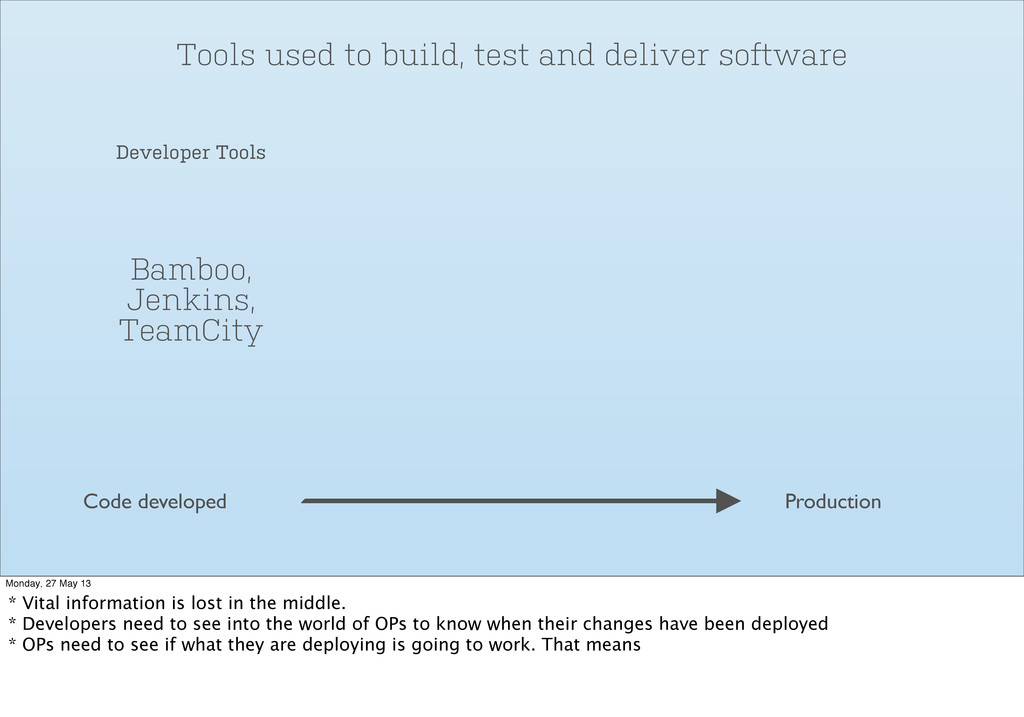
Tools used to build, test and deliver software Bamboo, Jenkins,
TeamCity Developer Tools Code developed Production Monday, 27 May 13 * Vital information is lost in the middle. * Developers need to see into the world of OPs to know when their changes have been deployed * OPs need to see if what they are deploying is going to work. That means -
Tools used to build, test and deliver software Bamboo, Jenkins,
TeamCity Puppet, Chef and Capistrano Developer Tools Ops Tools Code developed Production Monday, 27 May 13 * Vital information is lost in the middle. * Developers need to see into the world of OPs to know when their changes have been deployed * OPs need to see if what they are deploying is going to work. That means -
Tools used to build, test and deliver software Bamboo, Jenkins,
TeamCity Puppet, Chef and Capistrano Developer Tools Ops Tools Code developed Production Deployment scripts and other glue Monday, 27 May 13 * Vital information is lost in the middle. * Developers need to see into the world of OPs to know when their changes have been deployed * OPs need to see if what they are deploying is going to work. That means -
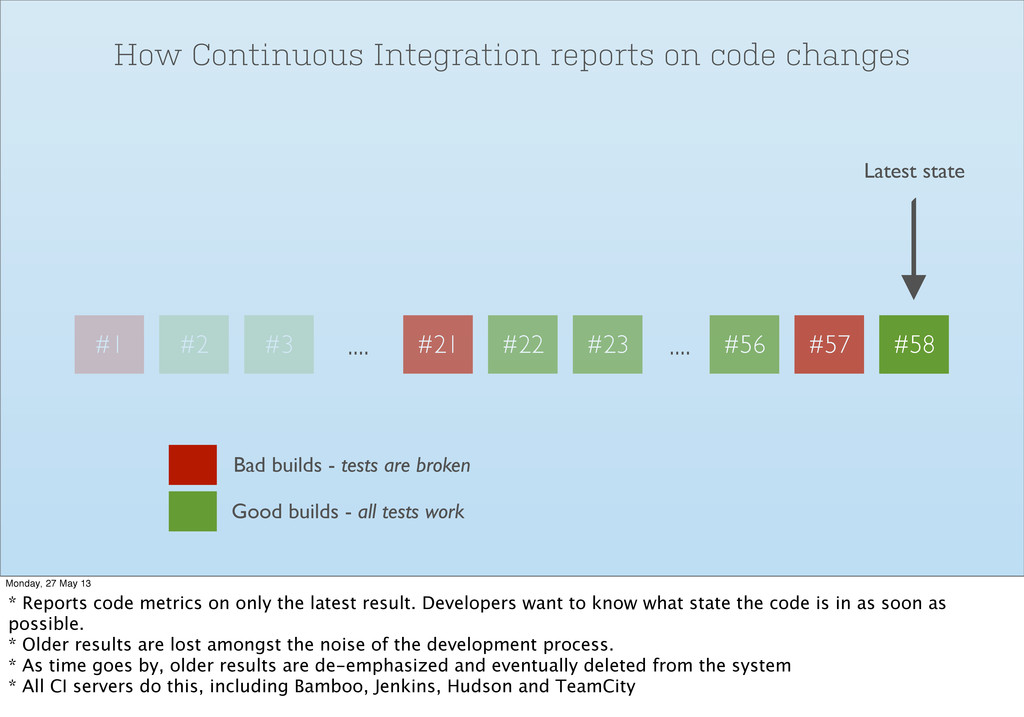
How Continuous Integration reports on code changes Monday, 27 May
13 * Reports code metrics on only the latest result. Developers want to know what state the code is in as soon as possible. * Older results are lost amongst the noise of the development process. * As time goes by, older results are de-emphasized and eventually deleted from the system * All CI servers do this, including Bamboo, Jenkins, Hudson and TeamCity -
#1 #2 #3 .... #21 #22 .... #56 #57 #58
#23 How Continuous Integration reports on code changes Latest state Bad builds - tests are broken Good builds - all tests work Monday, 27 May 13 * Reports code metrics on only the latest result. Developers want to know what state the code is in as soon as possible. * Older results are lost amongst the noise of the development process. * As time goes by, older results are de-emphasized and eventually deleted from the system * All CI servers do this, including Bamboo, Jenkins, Hudson and TeamCity -
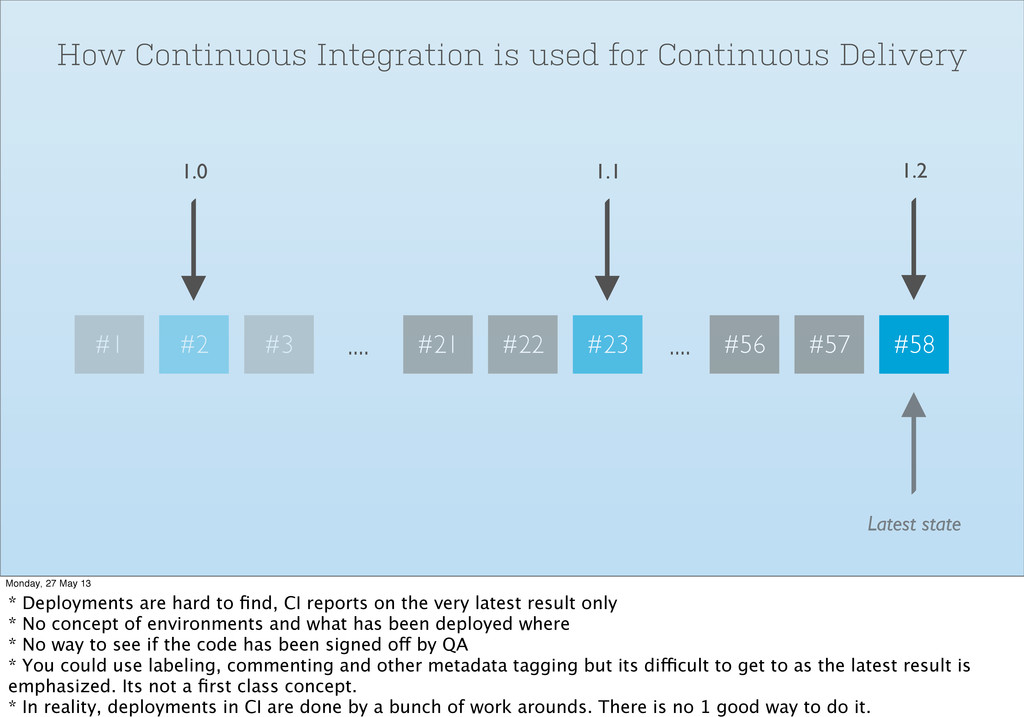
How Continuous Integration is used for Continuous Delivery Monday, 27
May 13 * Deployments are hard to find, CI reports on the very latest result only * No concept of environments and what has been deployed where * No way to see if the code has been signed off by QA * You could use labeling, commenting and other metadata tagging but its difficult to get to as the latest result is emphasized. Its not a first class concept. * In reality, deployments in CI are done by a bunch of work arounds. There is no 1 good way to do it. -
#1 #2 #3 .... #21 #22 .... #56 #57 #58
#23 How Continuous Integration is used for Continuous Delivery 1.2 1.1 1.0 Latest state Monday, 27 May 13 * Deployments are hard to find, CI reports on the very latest result only * No concept of environments and what has been deployed where * No way to see if the code has been signed off by QA * You could use labeling, commenting and other metadata tagging but its difficult to get to as the latest result is emphasized. Its not a first class concept. * In reality, deployments in CI are done by a bunch of work arounds. There is no 1 good way to do it. -
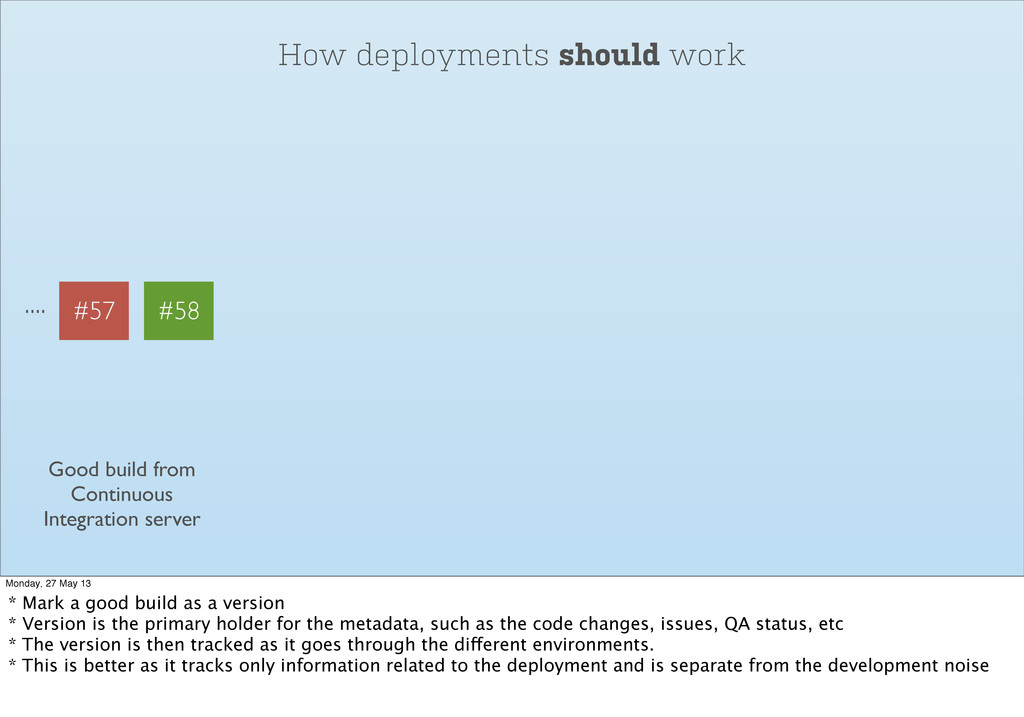
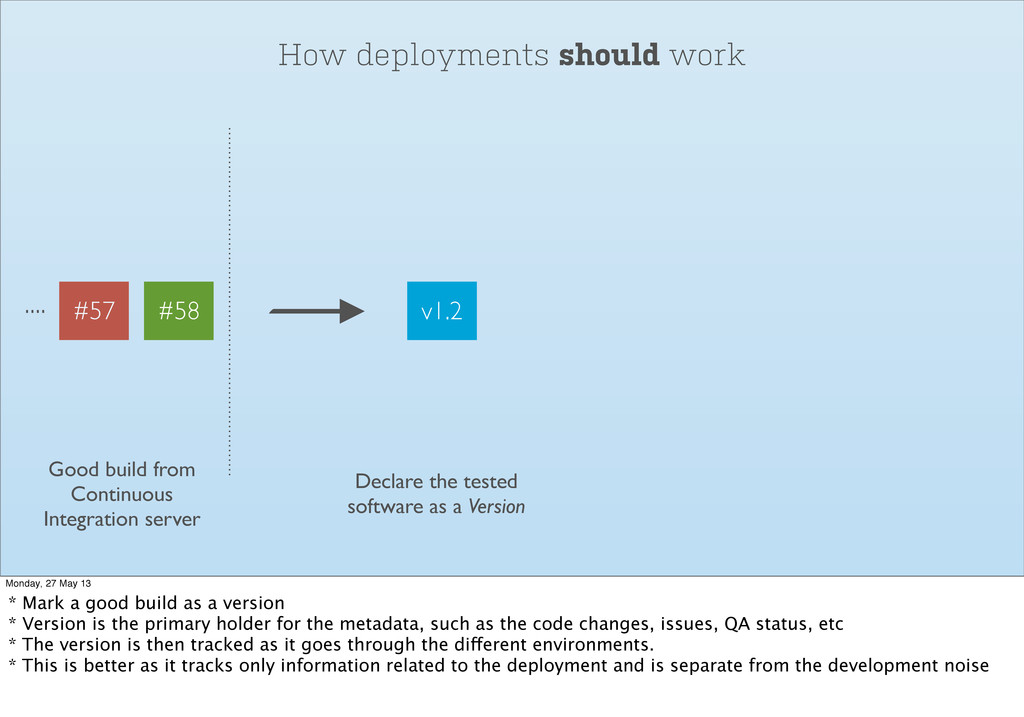
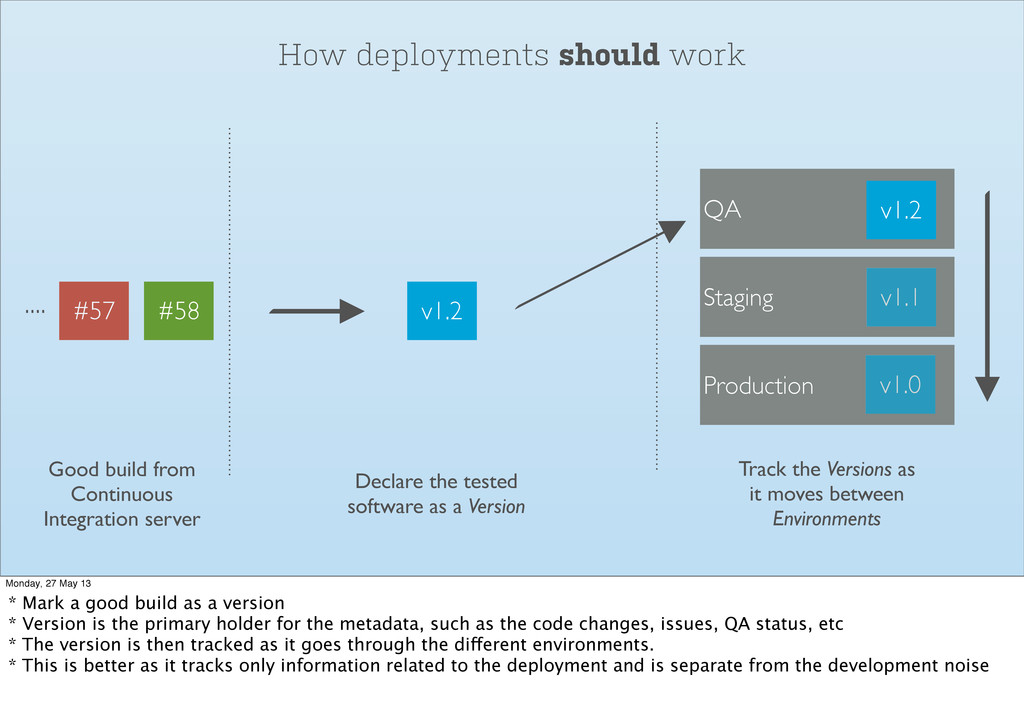
How deployments should work Monday, 27 May 13 * Mark
a good build as a version * Version is the primary holder for the metadata, such as the code changes, issues, QA status, etc * The version is then tracked as it goes through the different environments. * This is better as it tracks only information related to the deployment and is separate from the development noise -
How deployments should work .... Good build from Continuous Integration
server #57 #58 Monday, 27 May 13 * Mark a good build as a version * Version is the primary holder for the metadata, such as the code changes, issues, QA status, etc * The version is then tracked as it goes through the different environments. * This is better as it tracks only information related to the deployment and is separate from the development noise -
How deployments should work .... Good build from Continuous Integration
server #57 #58 v1.2 Declare the tested software as a Version Monday, 27 May 13 * Mark a good build as a version * Version is the primary holder for the metadata, such as the code changes, issues, QA status, etc * The version is then tracked as it goes through the different environments. * This is better as it tracks only information related to the deployment and is separate from the development noise -
How deployments should work .... Good build from Continuous Integration
server #57 #58 Staging QA Production v1.0 v1.1 v1.2 Track the Versions as it moves between Environments v1.2 Declare the tested software as a Version Monday, 27 May 13 * Mark a good build as a version * Version is the primary holder for the metadata, such as the code changes, issues, QA status, etc * The version is then tracked as it goes through the different environments. * This is better as it tracks only information related to the deployment and is separate from the development noise -
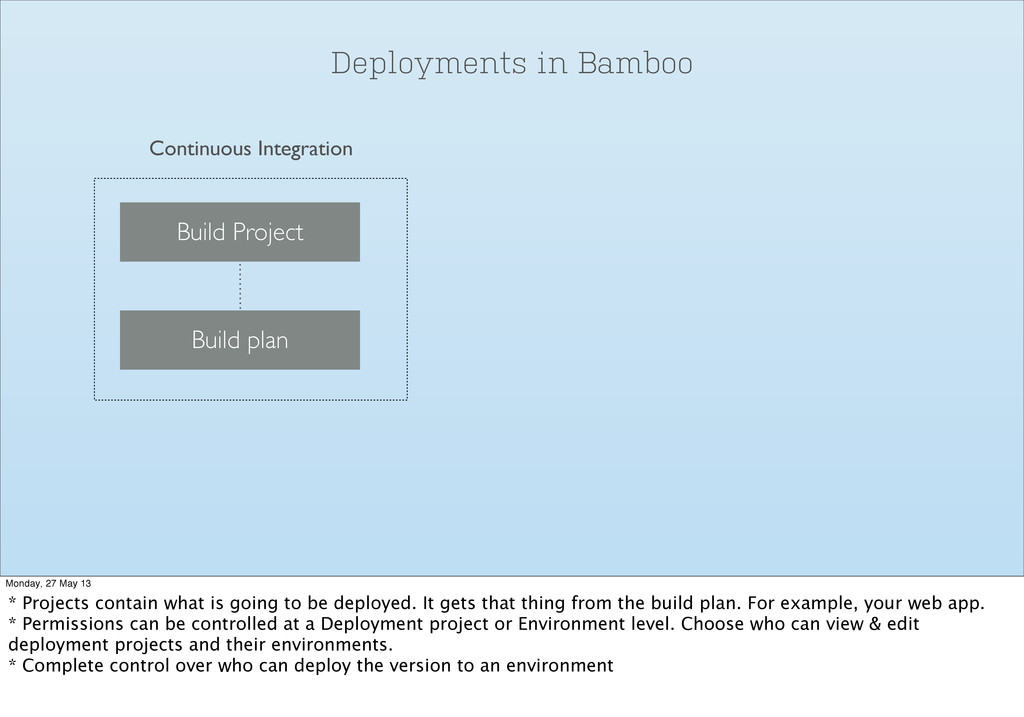
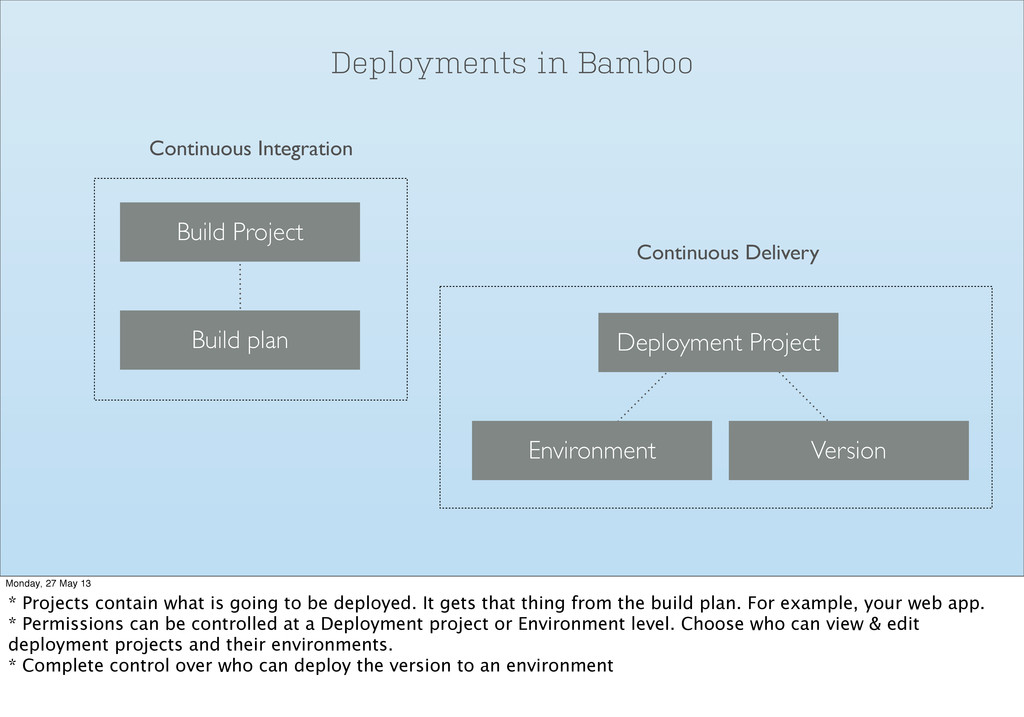
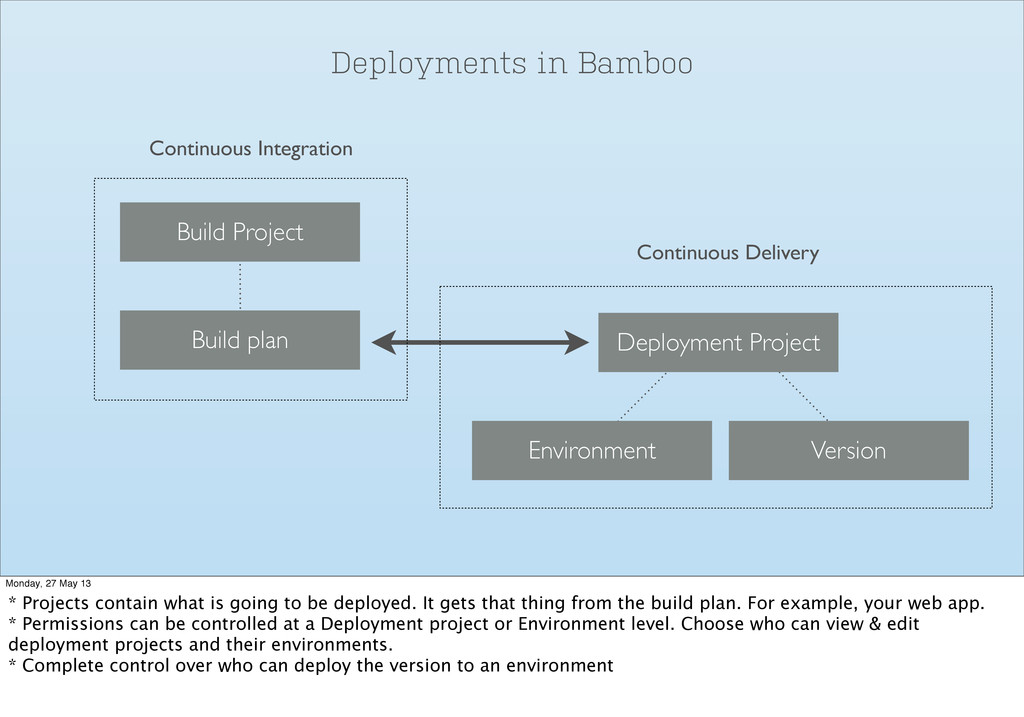
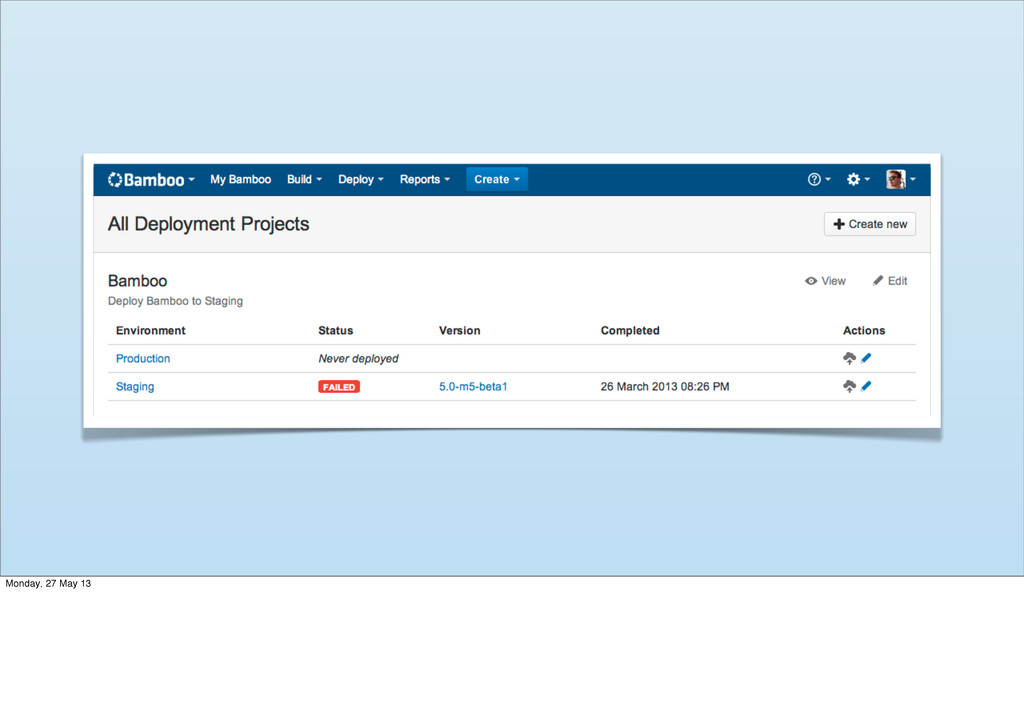
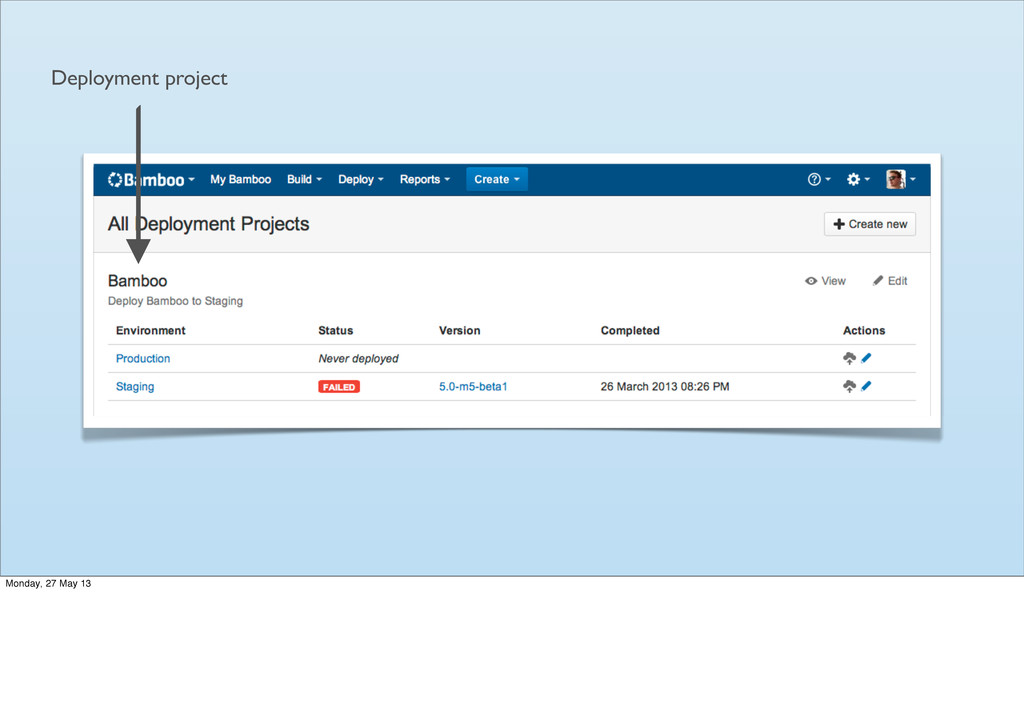
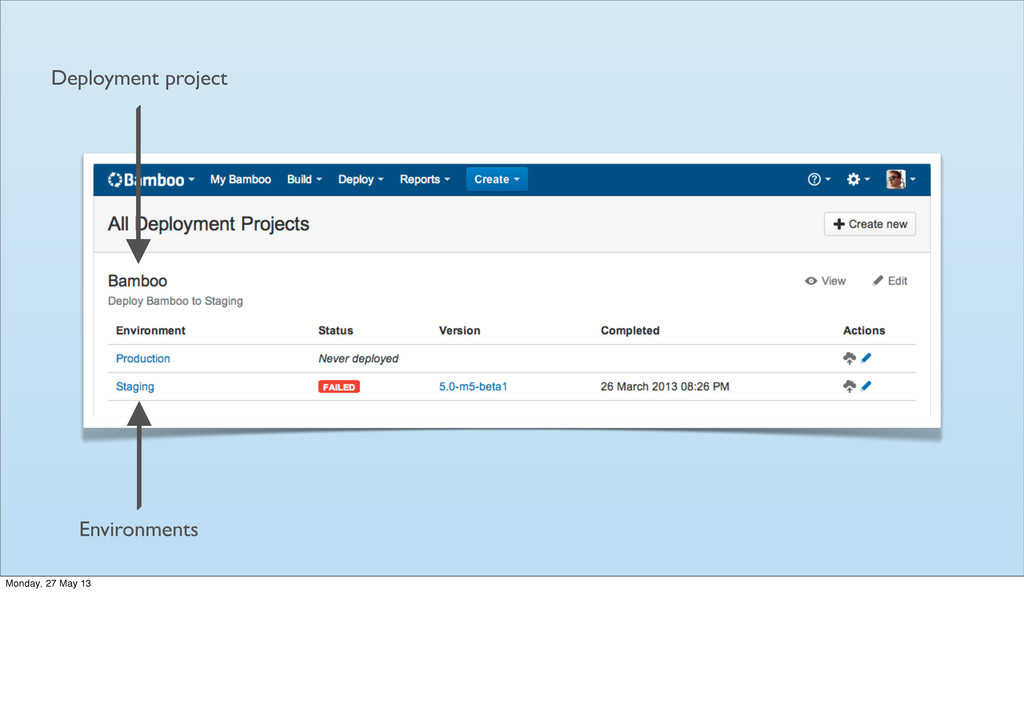
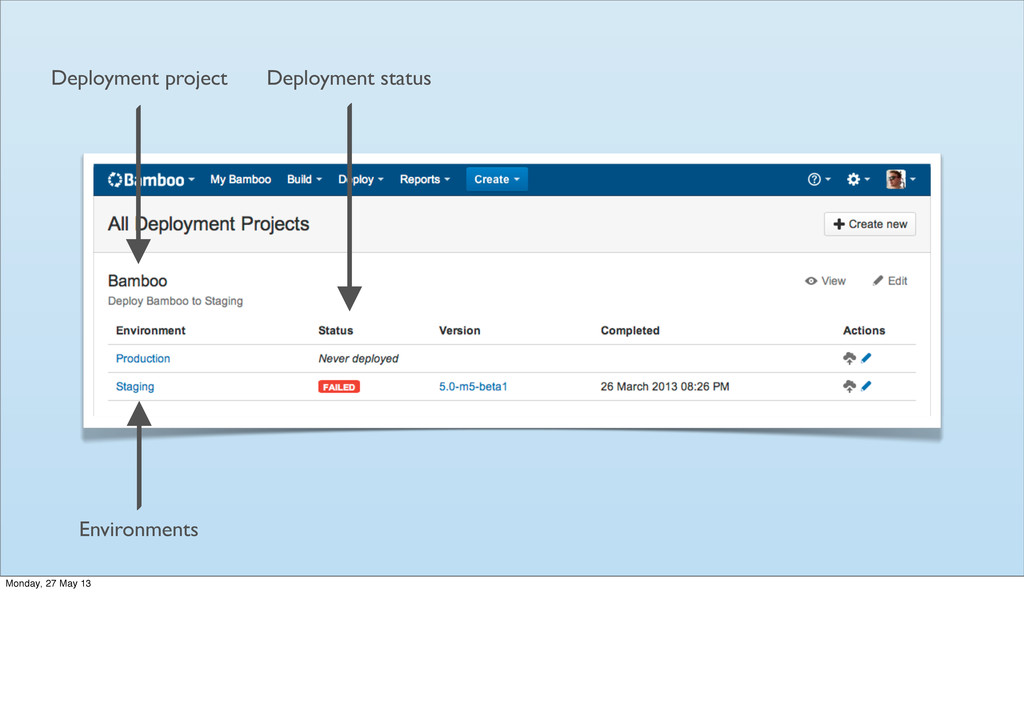
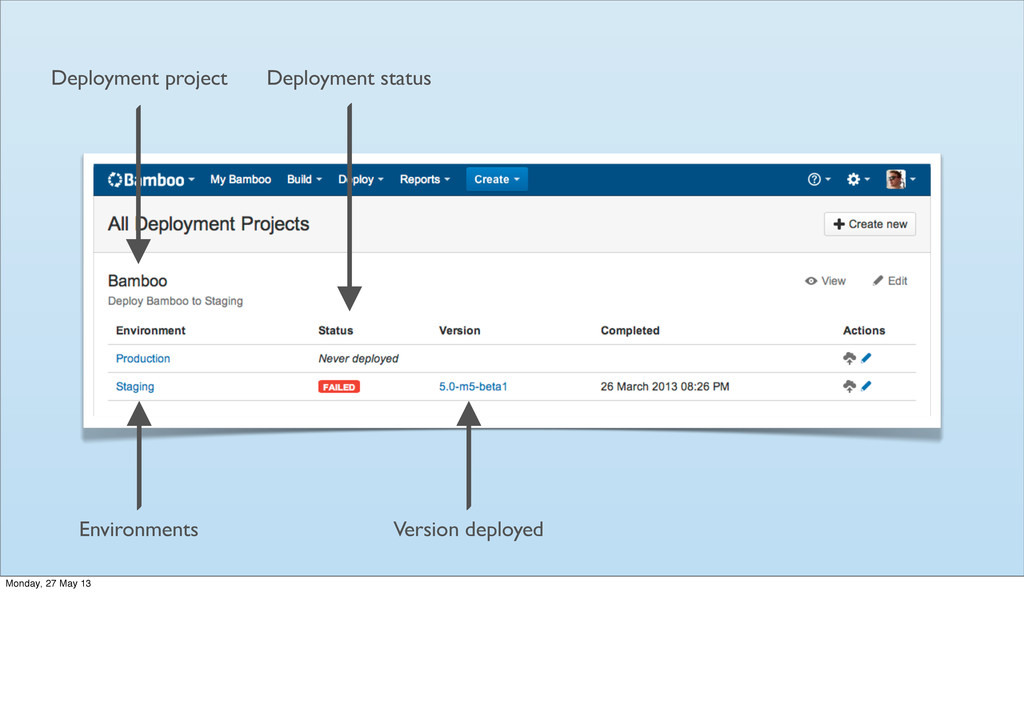
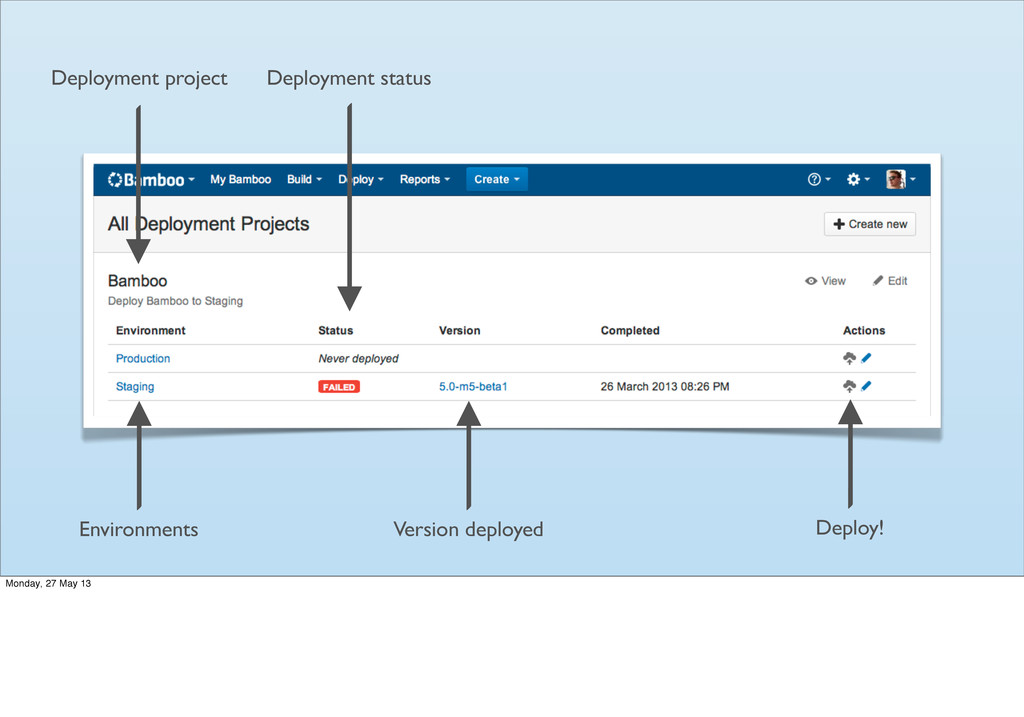
Deployments in Bamboo Monday, 27 May 13 * Projects contain
what is going to be deployed. It gets that thing from the build plan. For example, your web app. * Permissions can be controlled at a Deployment project or Environment level. Choose who can view & edit deployment projects and their environments. * Complete control over who can deploy the version to an environment -
Deployments in Bamboo Build Project Build plan Continuous Integration Monday,
27 May 13 * Projects contain what is going to be deployed. It gets that thing from the build plan. For example, your web app. * Permissions can be controlled at a Deployment project or Environment level. Choose who can view & edit deployment projects and their environments. * Complete control over who can deploy the version to an environment -
Deployments in Bamboo Build Project Build plan Continuous Integration Deployment
Project Environment Version Continuous Delivery Monday, 27 May 13 * Projects contain what is going to be deployed. It gets that thing from the build plan. For example, your web app. * Permissions can be controlled at a Deployment project or Environment level. Choose who can view & edit deployment projects and their environments. * Complete control over who can deploy the version to an environment -
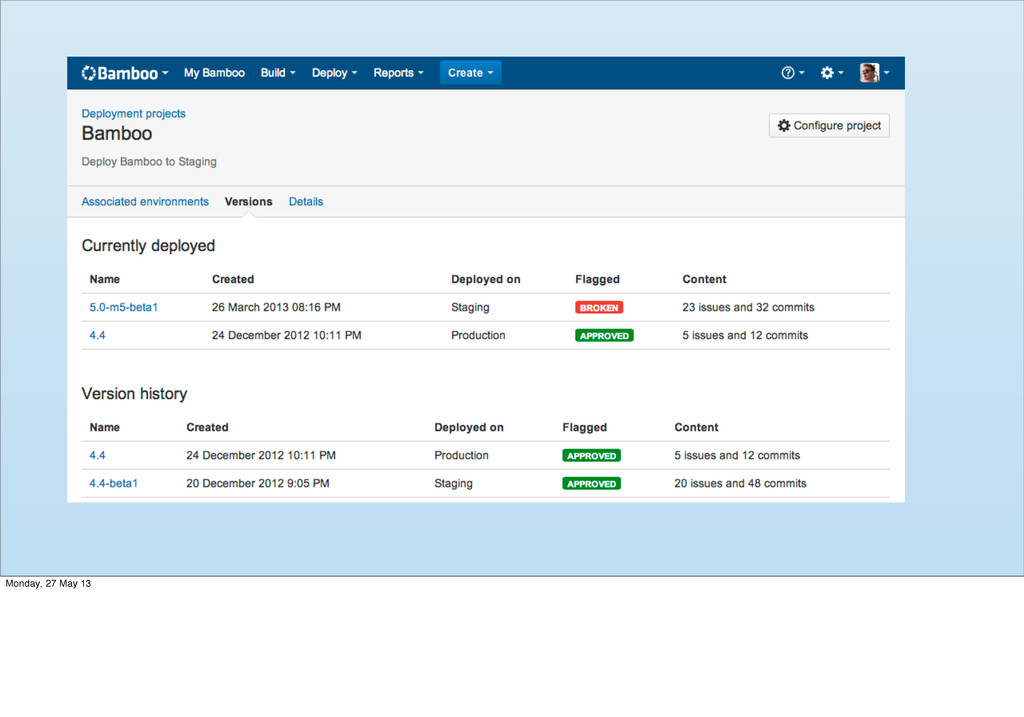
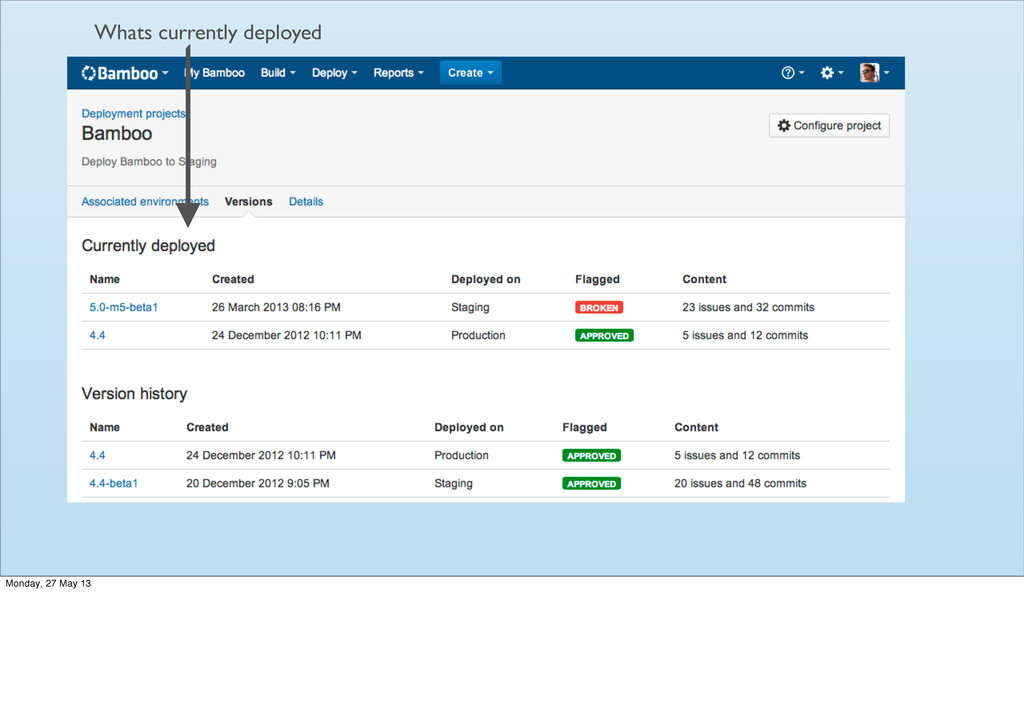
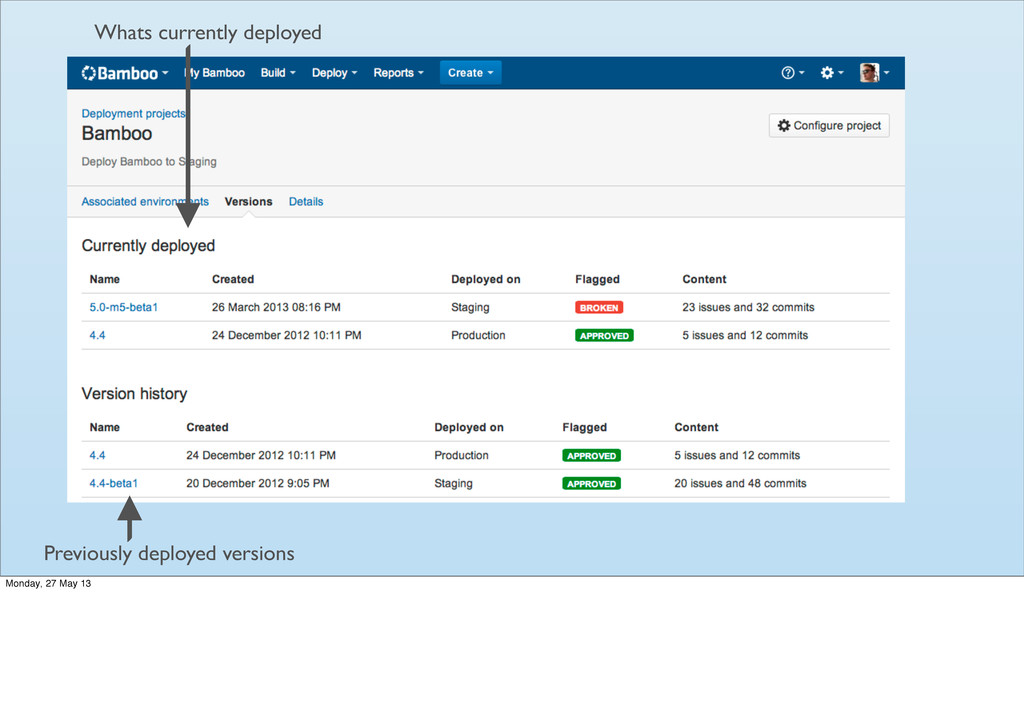
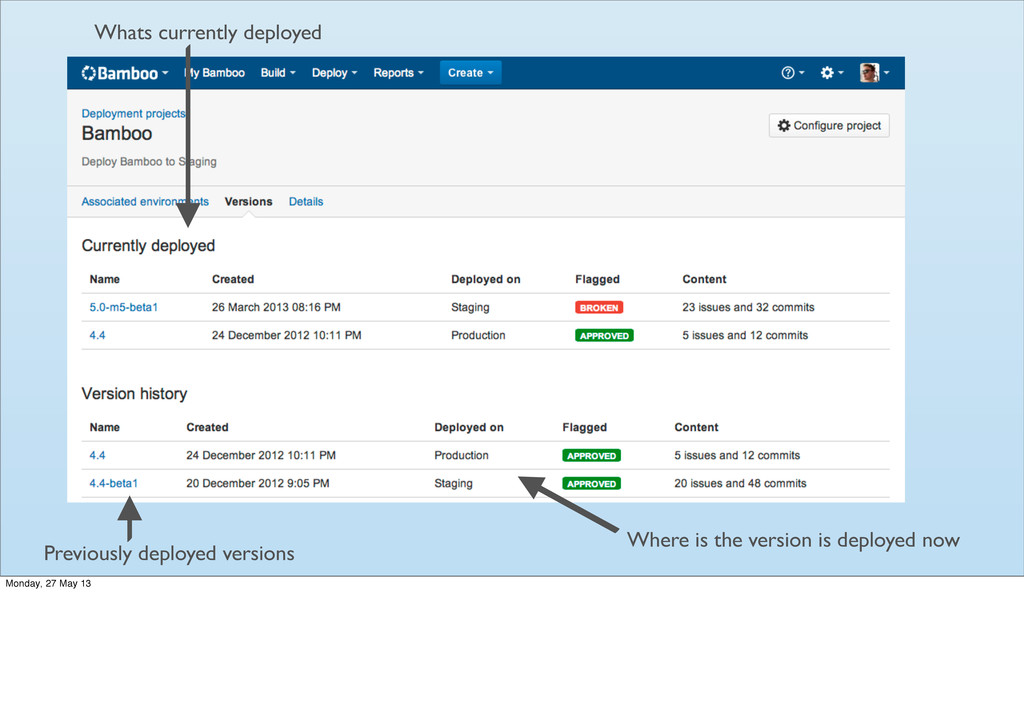
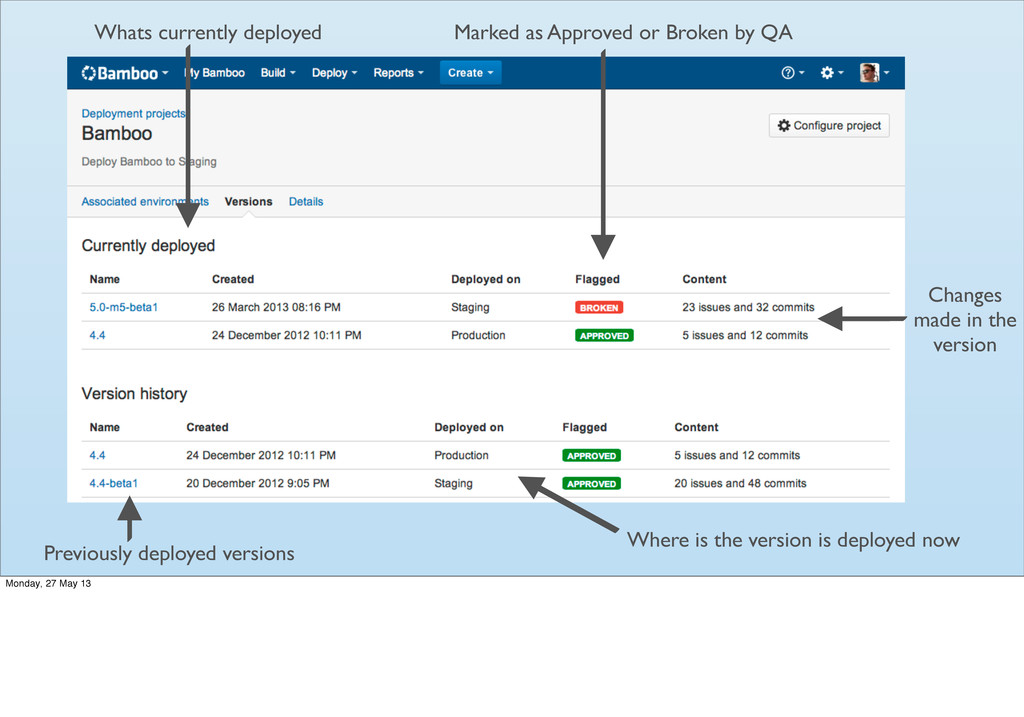
Where is the version is deployed now Previously deployed versions
Whats currently deployed Monday, 27 May 13 -
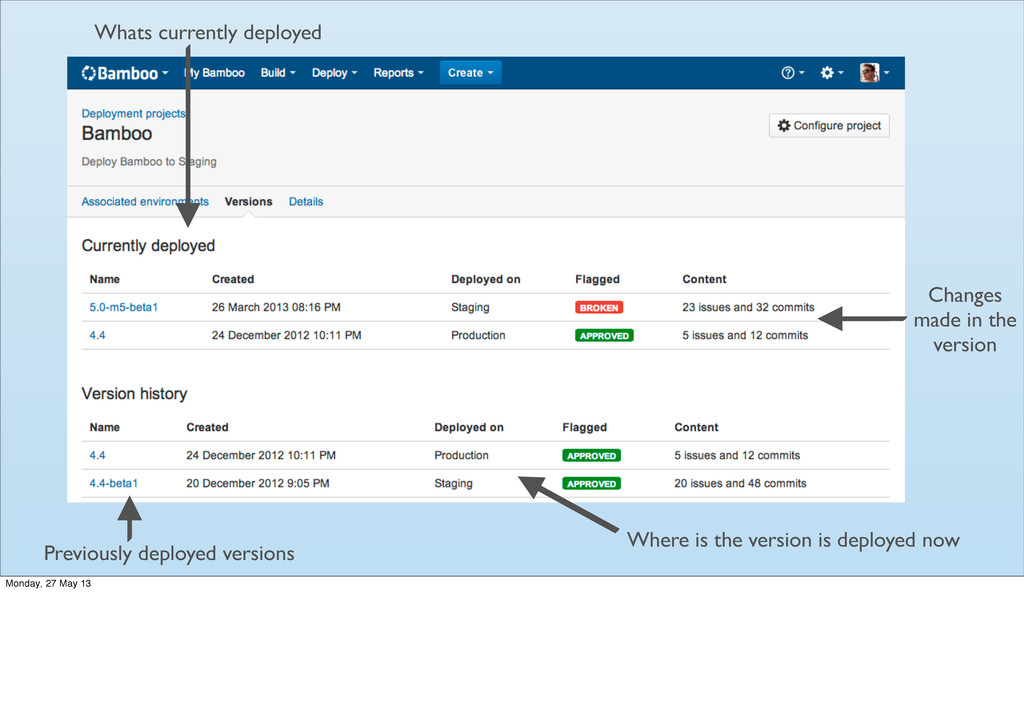
Where is the version is deployed now Previously deployed versions
Changes made in the version Whats currently deployed Monday, 27 May 13 -
Where is the version is deployed now Previously deployed versions
Marked as Approved or Broken by QA Changes made in the version Whats currently deployed Monday, 27 May 13 -
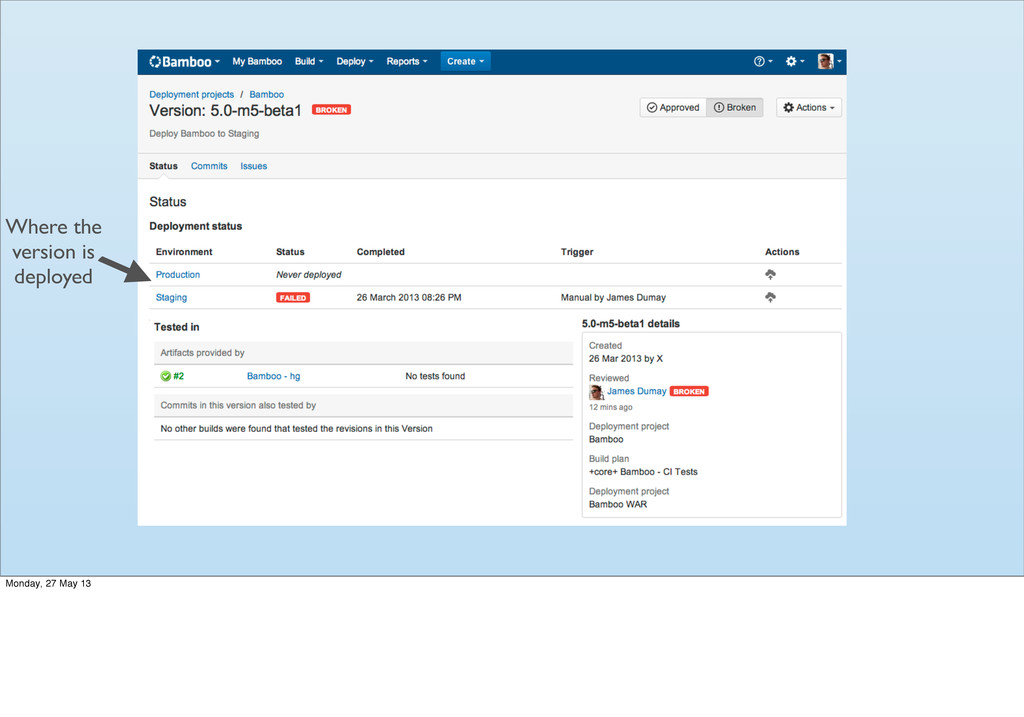
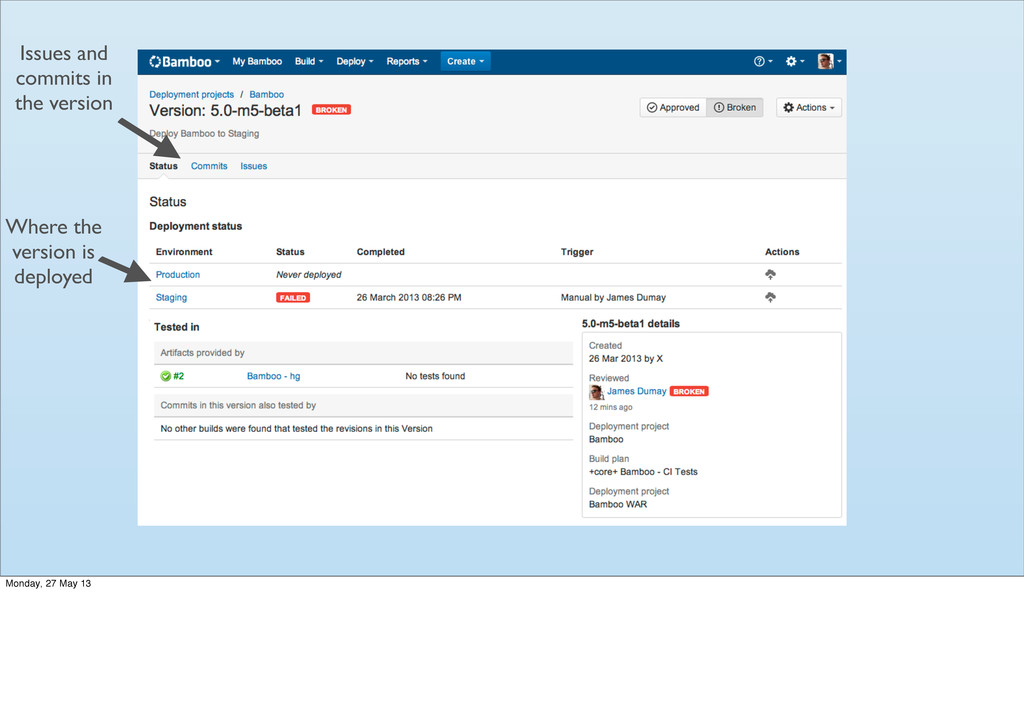
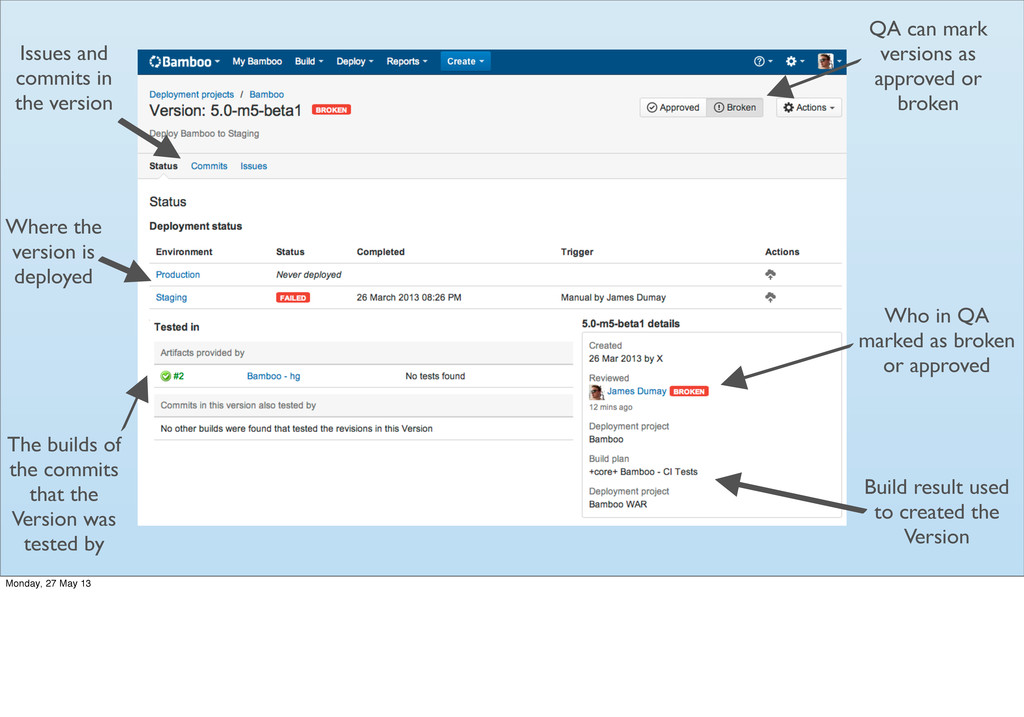
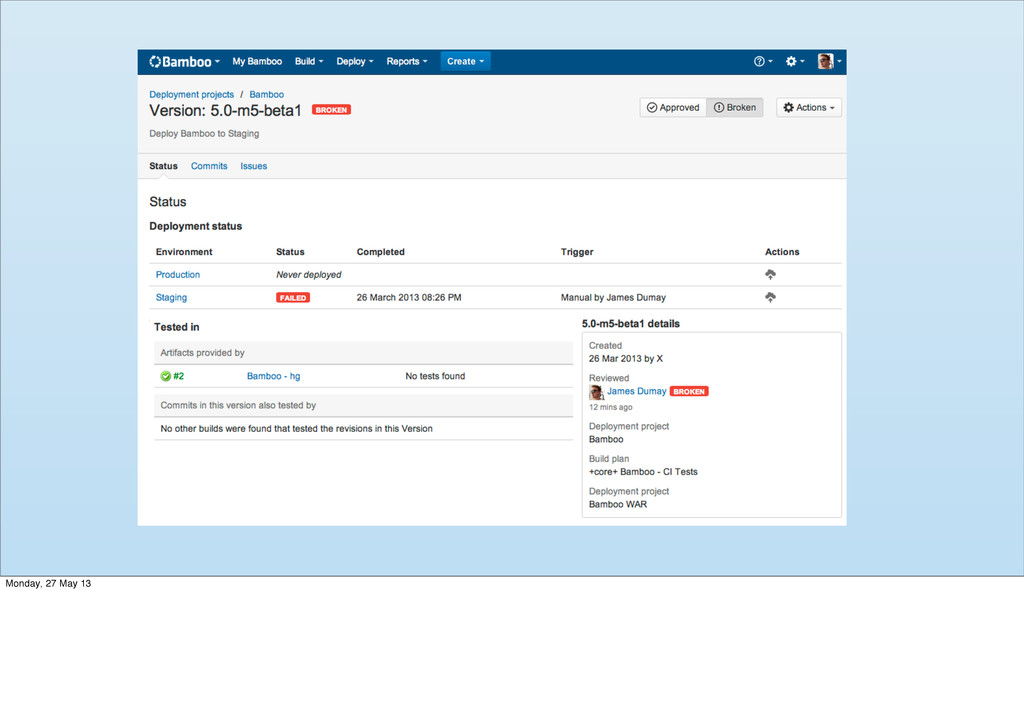
Where the version is deployed Issues and commits in the
version Monday, 27 May 13 -
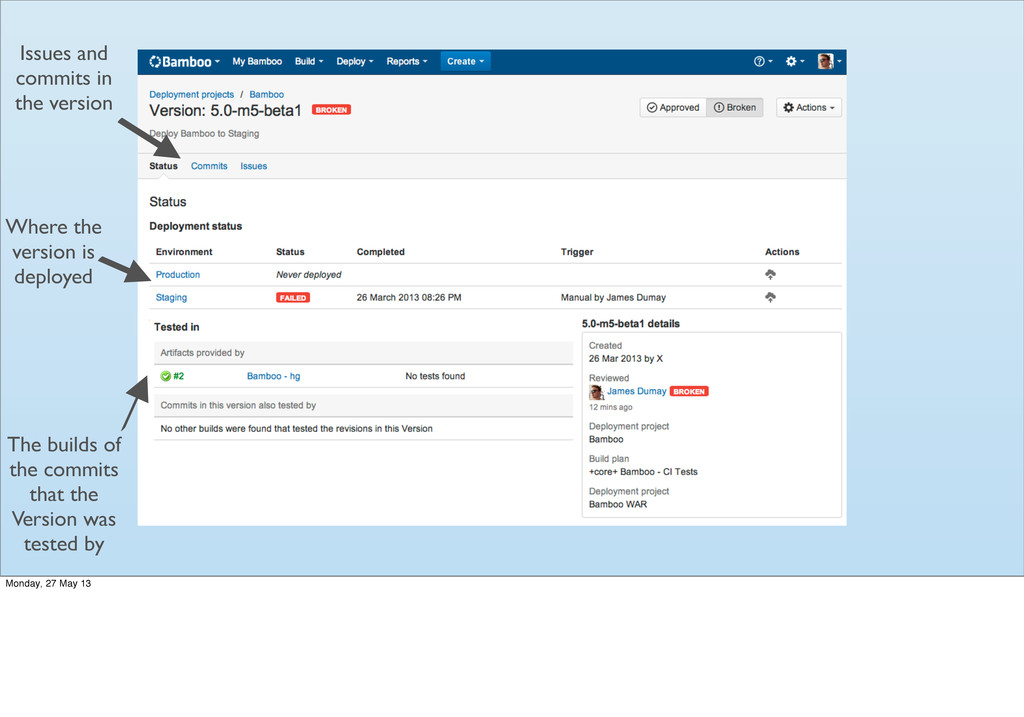
The builds of the commits that the Version was tested
by Where the version is deployed Issues and commits in the version Monday, 27 May 13 -
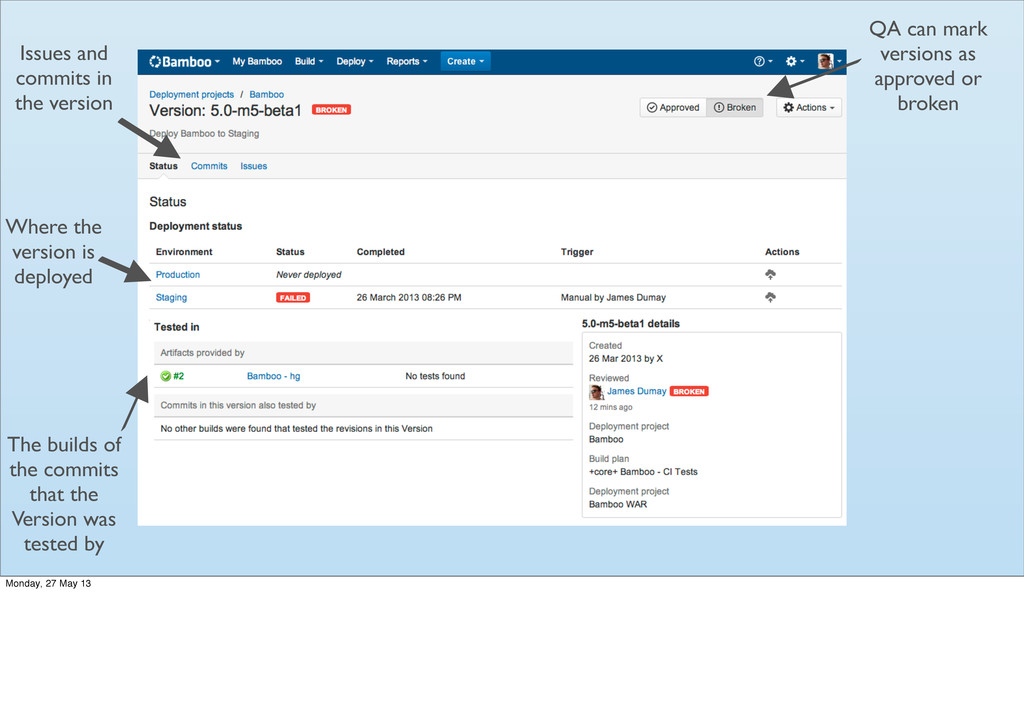
QA can mark versions as approved or broken The builds
of the commits that the Version was tested by Where the version is deployed Issues and commits in the version Monday, 27 May 13 -
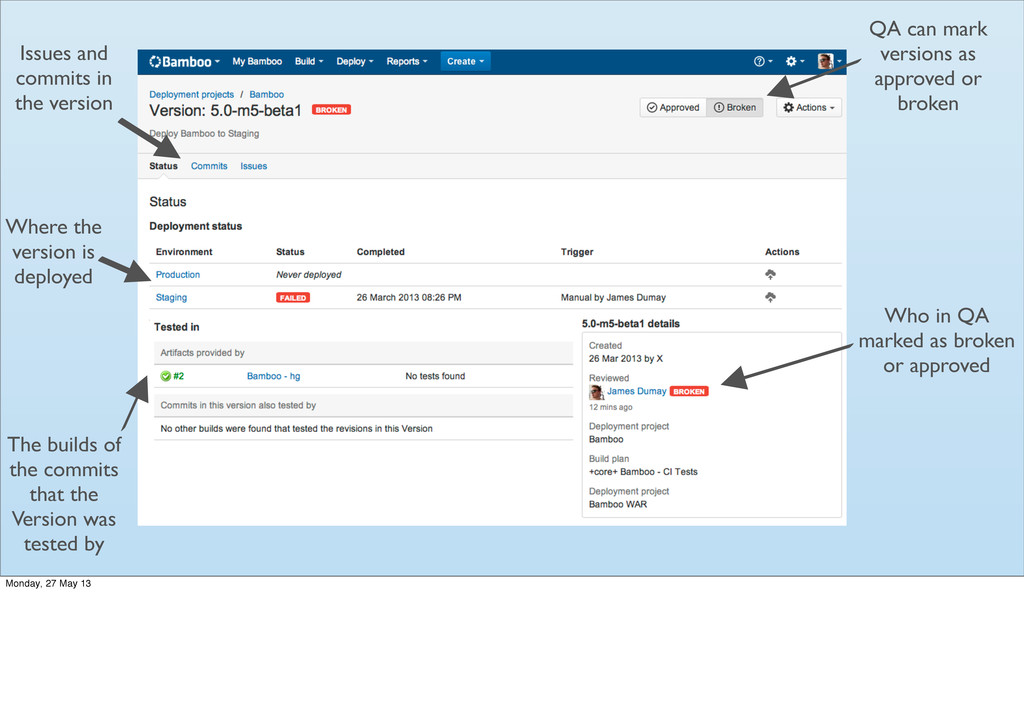
QA can mark versions as approved or broken Who in
QA marked as broken or approved The builds of the commits that the Version was tested by Where the version is deployed Issues and commits in the version Monday, 27 May 13 -
QA can mark versions as approved or broken Build result
used to created the Version Who in QA marked as broken or approved The builds of the commits that the Version was tested by Where the version is deployed Issues and commits in the version Monday, 27 May 13 -
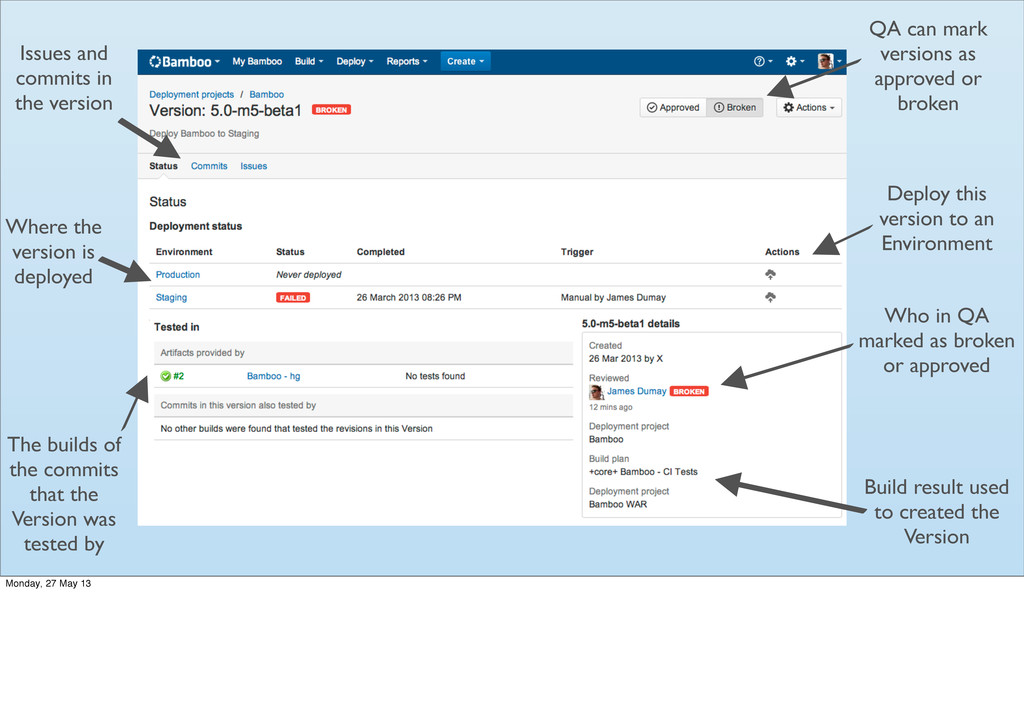
QA can mark versions as approved or broken Build result
used to created the Version Who in QA marked as broken or approved The builds of the commits that the Version was tested by Where the version is deployed Deploy this version to an Environment Issues and commits in the version Monday, 27 May 13