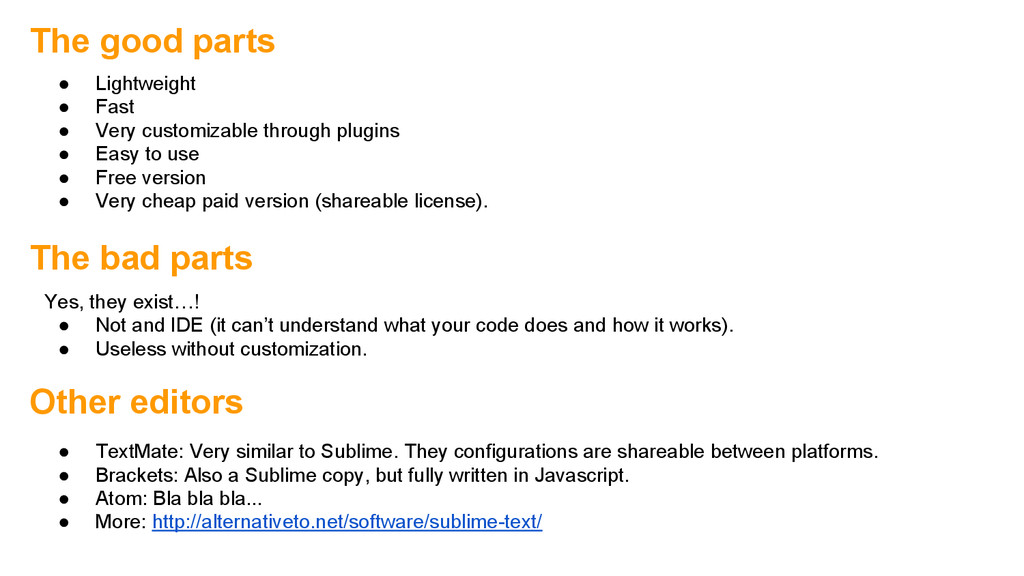
(it can’t understand what your code does and how it works). • Useless without customization. The good parts • Lightweight • Fast • Very customizable through plugins • Easy to use • Free version • Very cheap paid version (shareable license). Other editors • TextMate: Very similar to Sublime. They configurations are shareable between platforms. • Brackets: Also a Sublime copy, but fully written in Javascript. • Atom: Bla bla bla... • More: http://alternativeto.net/software/sublime-text/
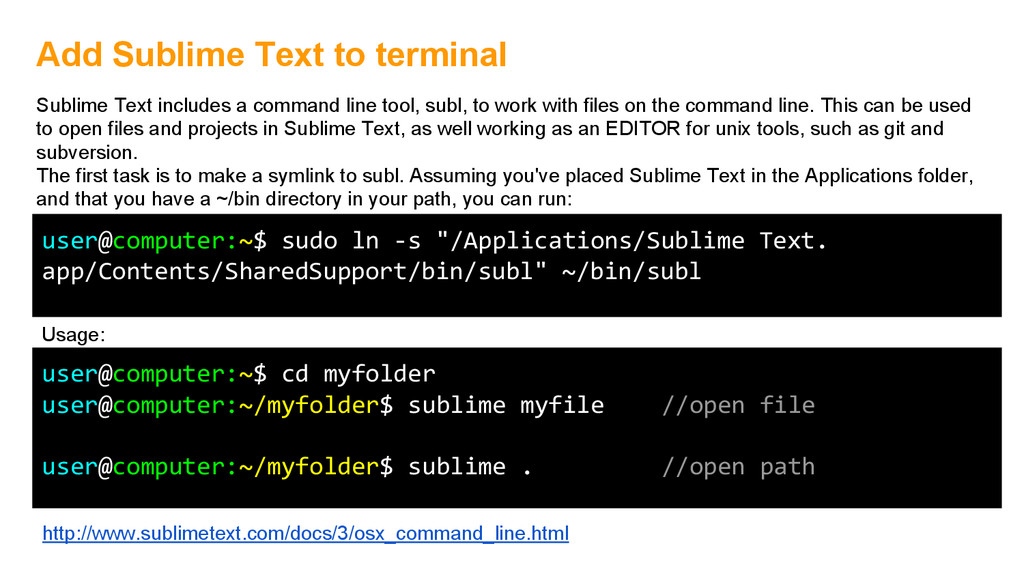
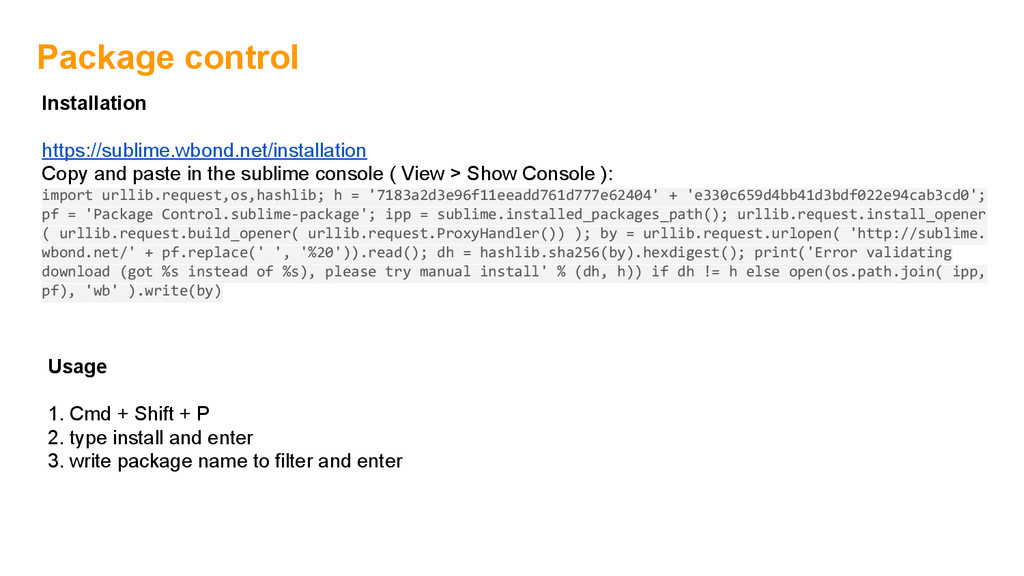
. //open path Add Sublime Text to terminal user@computer:~$ sudo ln -s "/Applications/Sublime Text. app/Contents/SharedSupport/bin/subl" ~/bin/subl Sublime Text includes a command line tool, subl, to work with files on the command line. This can be used to open files and projects in Sublime Text, as well working as an EDITOR for unix tools, such as git and subversion. The first task is to make a symlink to subl. Assuming you've placed Sublime Text in the Applications folder, and that you have a ~/bin directory in your path, you can run: Usage: http://www.sublimetext.com/docs/3/osx_command_line.html
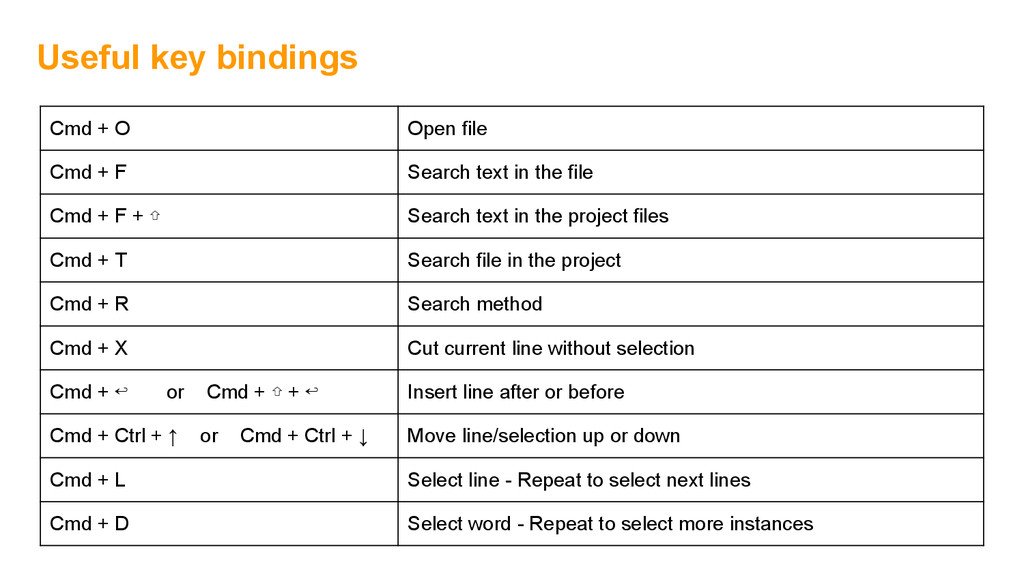
F Search text in the file Cmd + F + ⇧ Search text in the project files Cmd + T Search file in the project Cmd + R Search method Cmd + X Cut current line without selection Cmd + ↩ or Cmd + ⇧ + ↩ Insert line after or before Cmd + Ctrl + ↑ or Cmd + Ctrl + ↓ Move line/selection up or down Cmd + L Select line - Repeat to select next lines Cmd + D Select word - Repeat to select more instances
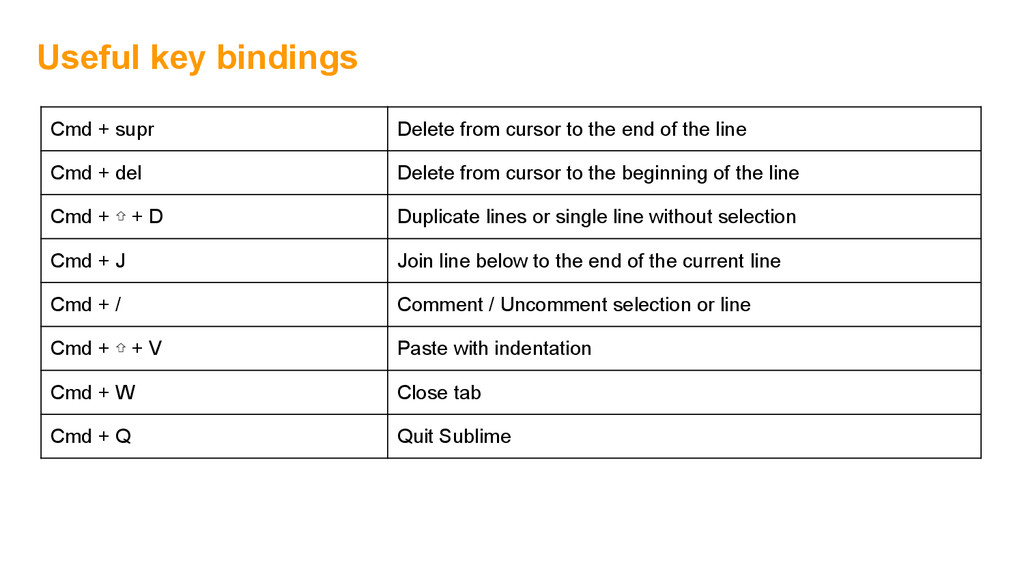
the end of the line Cmd + del Delete from cursor to the beginning of the line Cmd + ⇧ + D Duplicate lines or single line without selection Cmd + J Join line below to the end of the current line Cmd + / Comment / Uncomment selection or line Cmd + ⇧ + V Paste with indentation Cmd + W Close tab Cmd + Q Quit Sublime
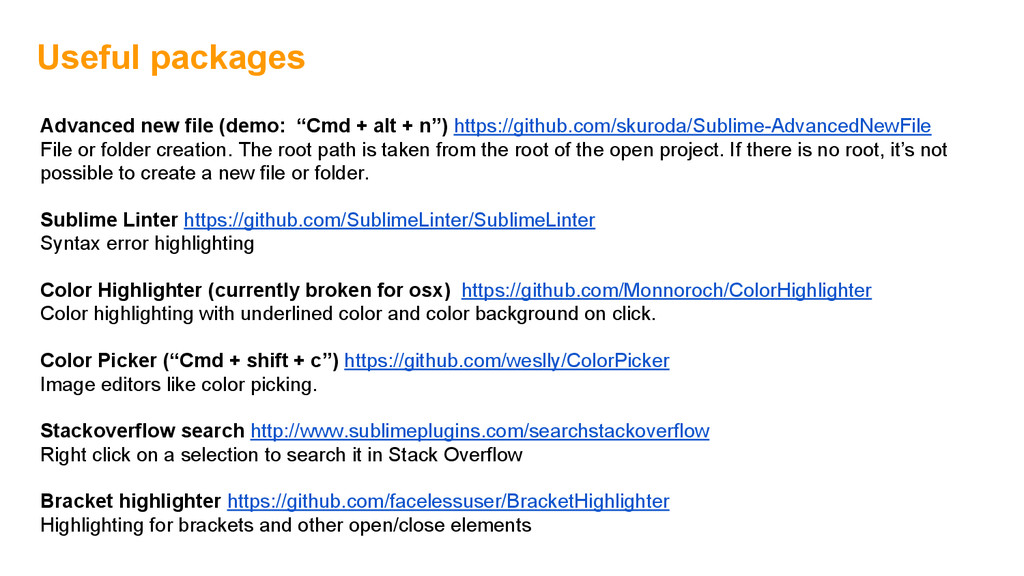
n”) https://github.com/skuroda/Sublime-AdvancedNewFile File or folder creation. The root path is taken from the root of the open project. If there is no root, it’s not possible to create a new file or folder. Sublime Linter https://github.com/SublimeLinter/SublimeLinter Syntax error highlighting Color Highlighter (currently broken for osx) https://github.com/Monnoroch/ColorHighlighter Color highlighting with underlined color and color background on click. Color Picker (“Cmd + shift + c”) https://github.com/weslly/ColorPicker Image editors like color picking. Stackoverflow search http://www.sublimeplugins.com/searchstackoverflow Right click on a selection to search it in Stack Overflow Bracket highlighter https://github.com/facelessuser/BracketHighlighter Highlighting for brackets and other open/close elements
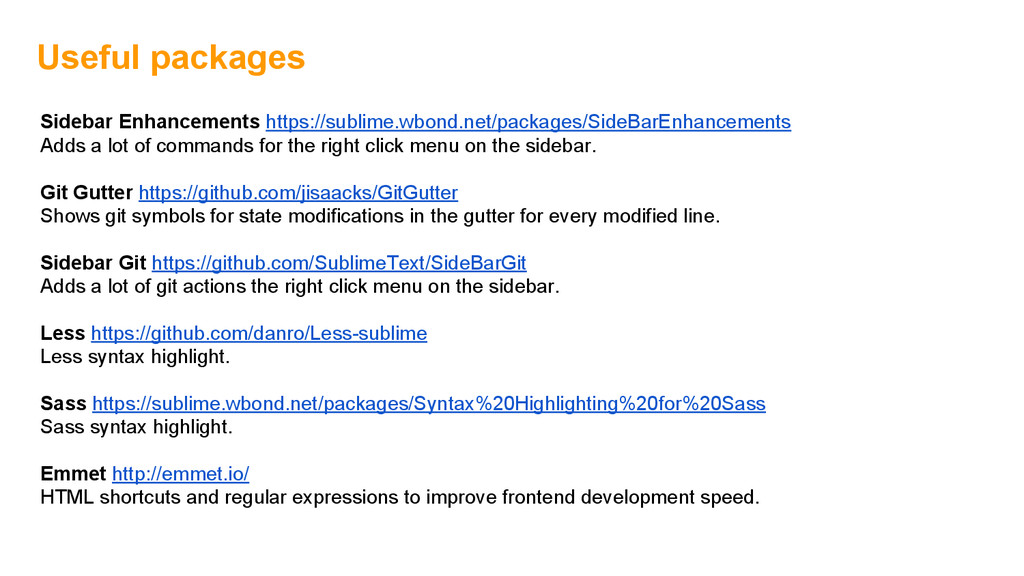
right click menu on the sidebar. Git Gutter https://github.com/jisaacks/GitGutter Shows git symbols for state modifications in the gutter for every modified line. Sidebar Git https://github.com/SublimeText/SideBarGit Adds a lot of git actions the right click menu on the sidebar. Less https://github.com/danro/Less-sublime Less syntax highlight. Sass https://sublime.wbond.net/packages/Syntax%20Highlighting%20for%20Sass Sass syntax highlight. Emmet http://emmet.io/ HTML shortcuts and regular expressions to improve frontend development speed. Useful packages
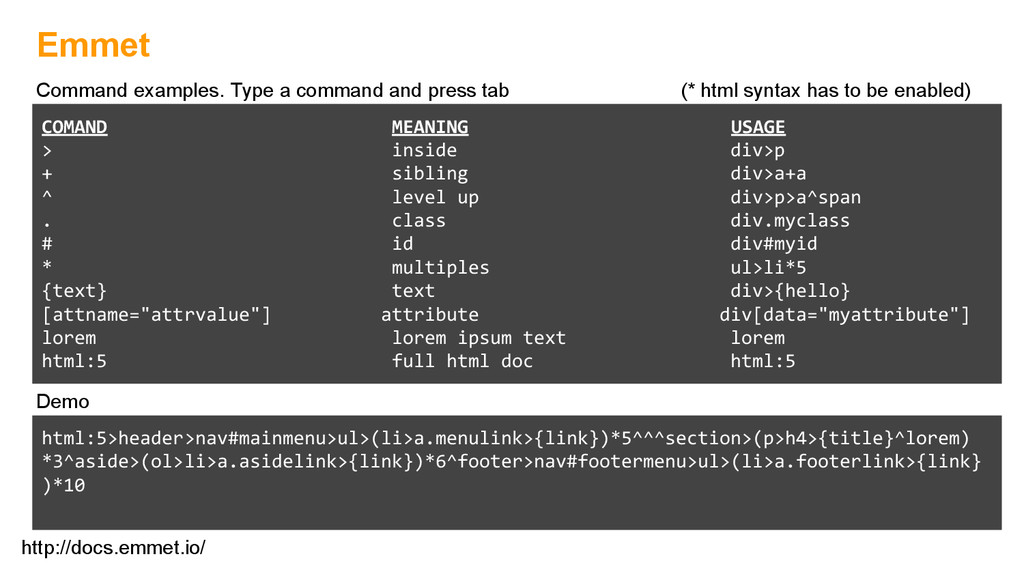
div>a+a ^ level up div>p>a^span . class div.myclass # id div#myid * multiples ul>li*5 {text} text div>{hello} [attname="attrvalue"] attribute div[data="myattribute"] lorem lorem ipsum text lorem html:5 full html doc html:5 Demo html:5>header>nav#mainmenu>ul>(li>a.menulink>{link})*5^^^section>(p>h4>{title}^lorem) *3^aside>(ol>li>a.asidelink>{link})*6^footer>nav#footermenu>ul>(li>a.footerlink>{link} )*10 Command examples. Type a command and press tab (* html syntax has to be enabled)


 ivargrimstad
 marcoroth
 shihochan
 texmeijin
 ryu1013
 neuecc
 rshindo
 y0hgi
y0hgi
 panda728
 rollbear
 uyuki234
 yuta_onishi_97
 marktimemedia
 ryanjones
 schroneko
 lemiorhan
 skipperchong
 sergeychernyshev
 sabderemane
 popppiees
 keithpitt
 wayneb77
 addyosmani
 bermonpainter
![Sublime Text 3 Jaime Muñoz @jaime_mmp [email protected] www.jaimemmp.com](https://files.speakerdeck.com/presentations/084e9d10f52f0131f0bd6a61d0f287b8/slide_0.jpg)