Upgrade to Pro
— share decks privately, control downloads, hide ads and more …
Speaker Deck
Sign up for free
Menu
Search
Features
All features
Private URLs
Password Protection
Custom URLS
Scheduled publishing
Remove Branding
Restrict embedding
Deck Collections
Notes
Features
All features
Private URLs
Password Protection
Custom URLS
Scheduled publishing
Remove Branding
Restrict embedding
Deck Collections
Notes
Explore
Featured decks
Featured speakers
Programming
Technology
Storyboards
Explore
Featured decks
Featured speakers
Programming
Technology
Storyboards
Pricing
Search
Sign in
Sign up for free
作って学ぶSpring BootのAuto Configuration / JJUG Nigh...
Search
Sponsored
·
Ship Features Fearlessly
Turn features on and off without deploys. Used by thousands of Ruby developers.
→
Ryo Shindo
October 19, 2026
Programming
80
0
Share
Embed
Copy iframe code
Copy JS code
Copy link
Start on current slide
作って学ぶSpring BootのAuto Configuration / JJUG Night Seminar 2026-10-19
Ryo Shindo
October 19, 2026
More Decks by Ryo Shindo
See All by Ryo Shindo
今こそ知りたいSpring Test / Spring Fest 2020
rshindo
13
7.4k
こわくないソースコードリーディング生活 / JJUG CCC 2019 Fall
rshindo
15
10k
開発者のためのSpring Boot Actuator入門 / jsug-2019-08
rshindo
5
6.6k
早わかりSpring Data JDBC / jsug-2019-01
rshindo
5
4.4k
ふつうのJavaアプリ開発のための自動テスト戦略 / JJUG CCC 2018 Fall
rshindo
9
5.4k
Spring WebFluxで学ぶReactive Application / Introduction to Reactive
rshindo
1
2.5k
まだまだ間に合う!JUnit 5入門 / JJUG CCC 2018 Spring
rshindo
6
3.5k
Spring Data JDBCを使い倒す! / Intruduction to Spring Data JDBC
rshindo
4
2.4k
Other Decks in Programming
See All in Programming
IBM Bob でAI駆動開発『QC-Playbook』
ichirokano2
0
110
SalesForceを内製化!? ~ HR事業を支える顧客管理基盤のインフラを大公開 ~
oku053
0
170
機械に任せるテスト、人が見るテスト ⽣成AIで引き直した、運⽤保守フェーズの線引き
dske104
0
190
JIS keyboard support in Omarchy
lef237
0
100
3回つくってわかった、 定期実行ジョブ基盤の本質情報
takai
0
330
Atomic Design, Enforced: Scaling Mobile Design Systems (next.app devCon / droidCon Berlin 2026)
steliosf
PRO
0
170
ジョジョの世界をXRで再現する
mofurune
0
160
自サークルのIdPからログアウトできるようになるまで
taiseiue
1
140
コードで差別化できない時代の ソフトウェアエンジニアリング / Software Engineering in an Era Where Code Doesn’t Differentiate
kishida
2
170
Simple Storage Service(S3) is not simple
iwatsukayura
0
280
ActionController meets Protocol Buffers
sorah
0
430
設計次第でAIコードの読む量は減らせる / designing-for-code-reading
minodriven
35
16k
Featured
See All Featured
The Invisible Side of Design
smashingmag
301
52k
Visualization
eitanlees
153
17k
The Curse of the Amulet
leimatthew05
3
15k
SEO for Brand Visibility & Recognition
aleyda
0
4.8k
The State of eCommerce SEO: How to Win in Today's Products SERPs - #SEOweek
aleyda
2
12k
GraphQLの誤解/rethinking-graphql
sonatard
75
12k
Conquering PDFs: document understanding beyond plain text
inesmontani
PRO
4
3.2k
Navigating the Design Leadership Dip - Product Design Week Design Leaders+ Conference 2024
apolaine
2
470
Primal Persuasion: How to Engage the Brain for Learning That Lasts
tmiket
0
500
A Guide to Academic Writing Using Generative AI - A Workshop
ks91
PRO
1
520
Typedesign – Prime Four
hannesfritz
42
3.2k
The AI Search Optimization Roadmap by Aleyda Solis
aleyda
2
6.3k
Transcript
作って学ぶ Spring BootのAuto Configuration JJUGナイトセミナー / 2026-10-19 進藤 遼(@shindo_ryo)
自己紹介 進藤 遼 株式会社クレディセゾン 内製開発組織でアーキやったり開発やったり雑用やったり Twitter (現X):
@shindo_ryo Bluesky: @rshindo.bsky.social
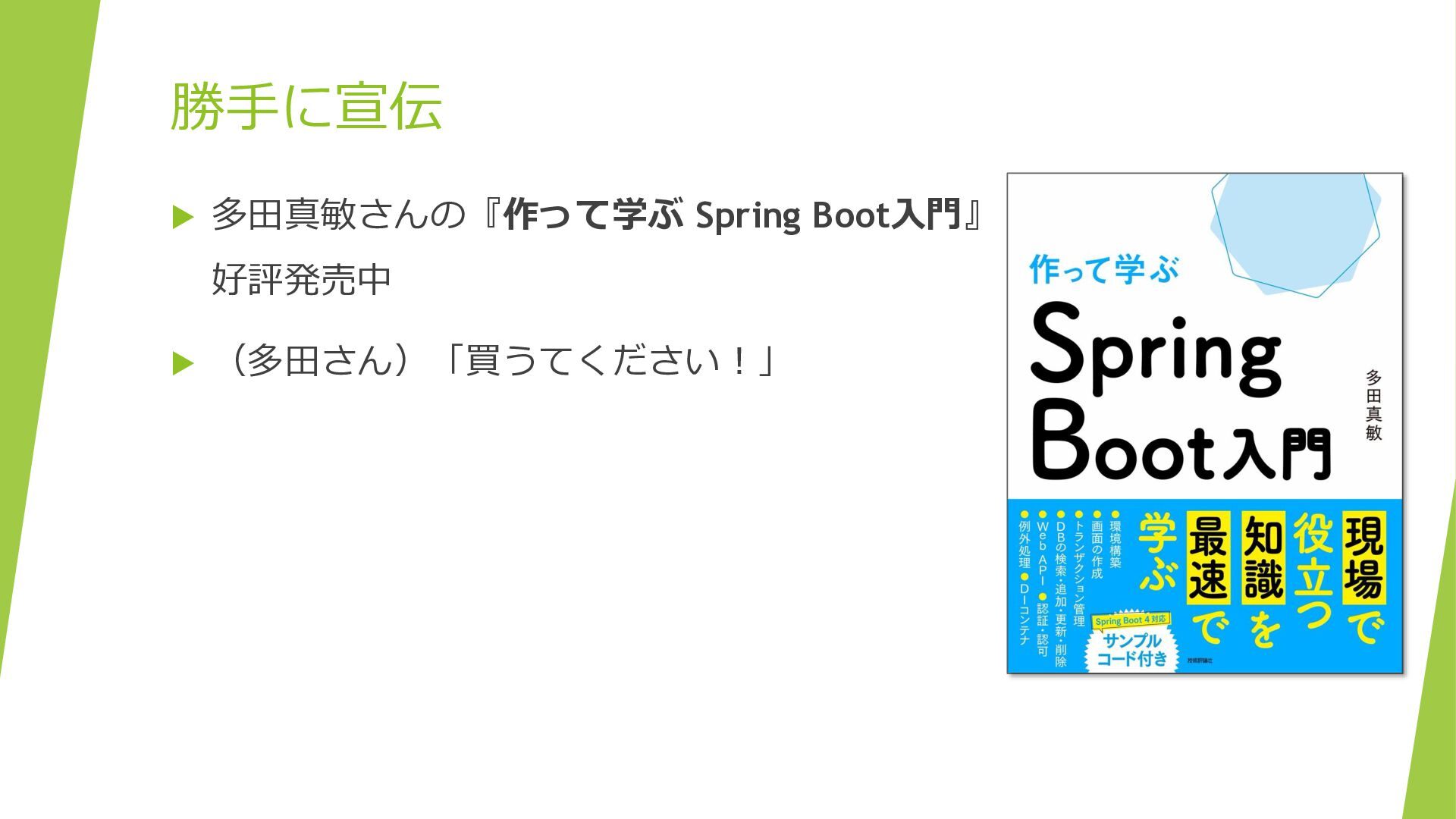
勝手に宣伝 多田真敏さんの『作って学ぶ Spring Boot入門』 好評発売中 (多田さん)「買うてください!」
本セッションの目的 "黒魔術"と呼ばれがちなSpring BootのAuto Configurationの 仕組みを理解する Spring Boot初学者やなんとなく使っている人向けです
Bean登録がよく分からない人 Starterを追加するだけで機能が使える理由が分からない人 Auto Configurationという言葉は知っているけれど、仕組みはよく 分からない人
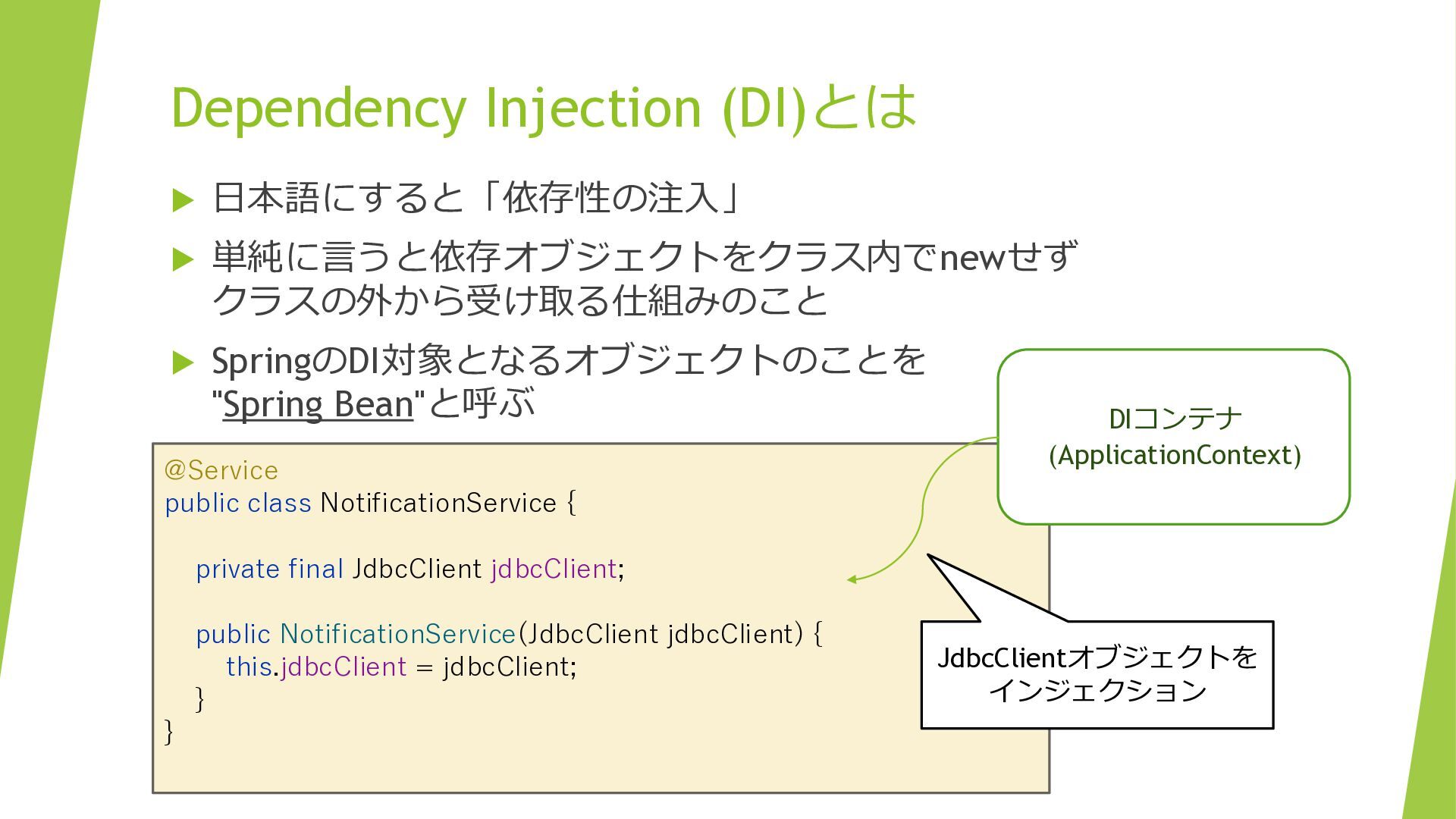
Dependency Injection (DI)とは 日本語にすると「依存性の注入」 単純に言うと依存オブジェクトをクラス内でnewせず クラスの外から受け取る仕組みのこと SpringのDI対象となるオブジェクトのことを
"Spring Bean"と呼ぶ @Service public class NotificationService { DIコンテナ (ApplicationContext) private final JdbcClient jdbcClient; public NotificationService(JdbcClient jdbcClient) { this.jdbcClient = jdbcClient; } } JdbcClientオブジェクトを インジェクション
登場人物 新入社員 地井さん 新入社員 羽地さん
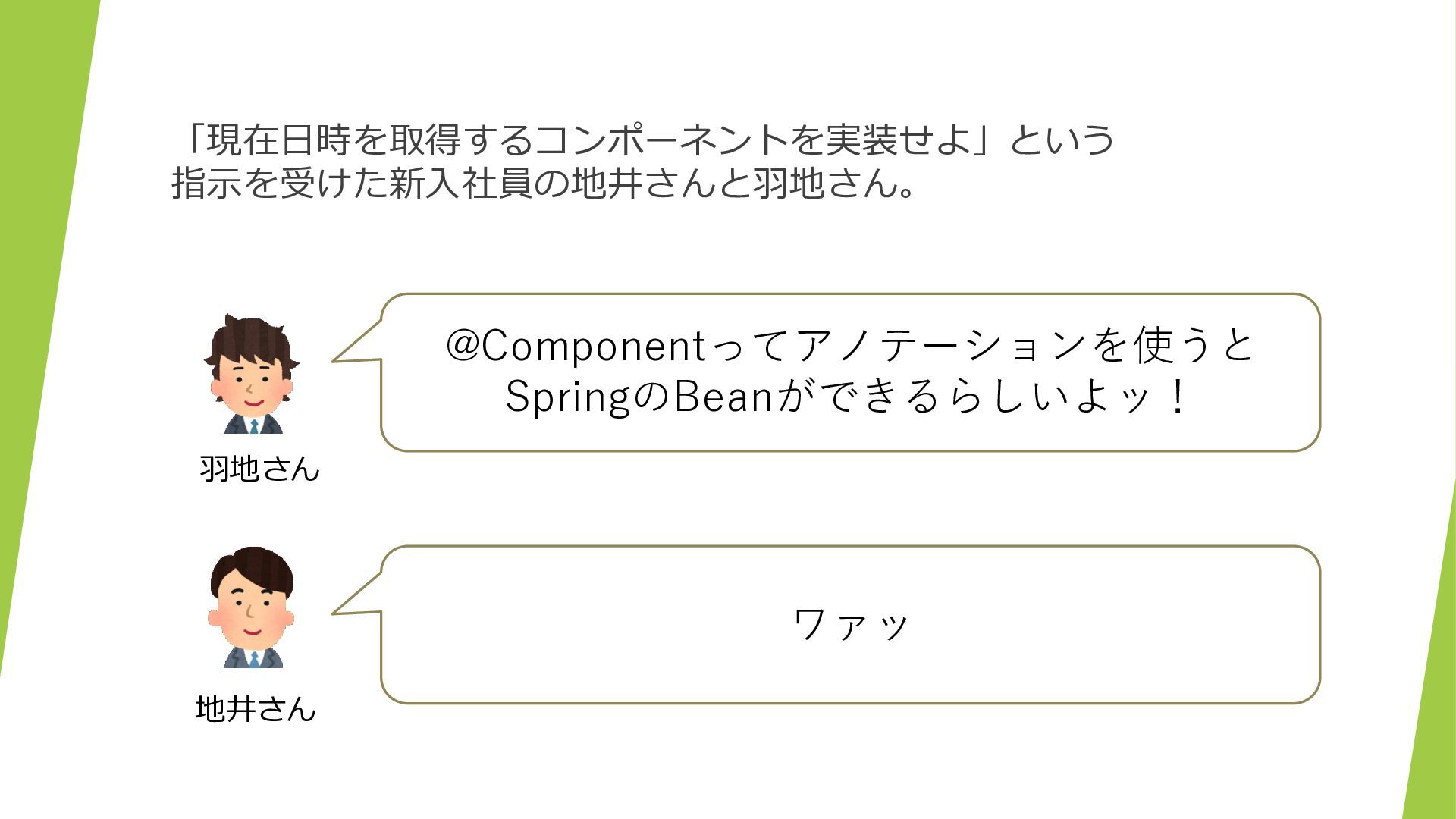
「現在日時を取得するコンポーネントを実装せよ」という 指示を受けた新入社員の地井さんと羽地さん。 @Componentってアノテーションを使うと SpringのBeanができるらしいよッ! 羽地さん ワァッ 地井さん
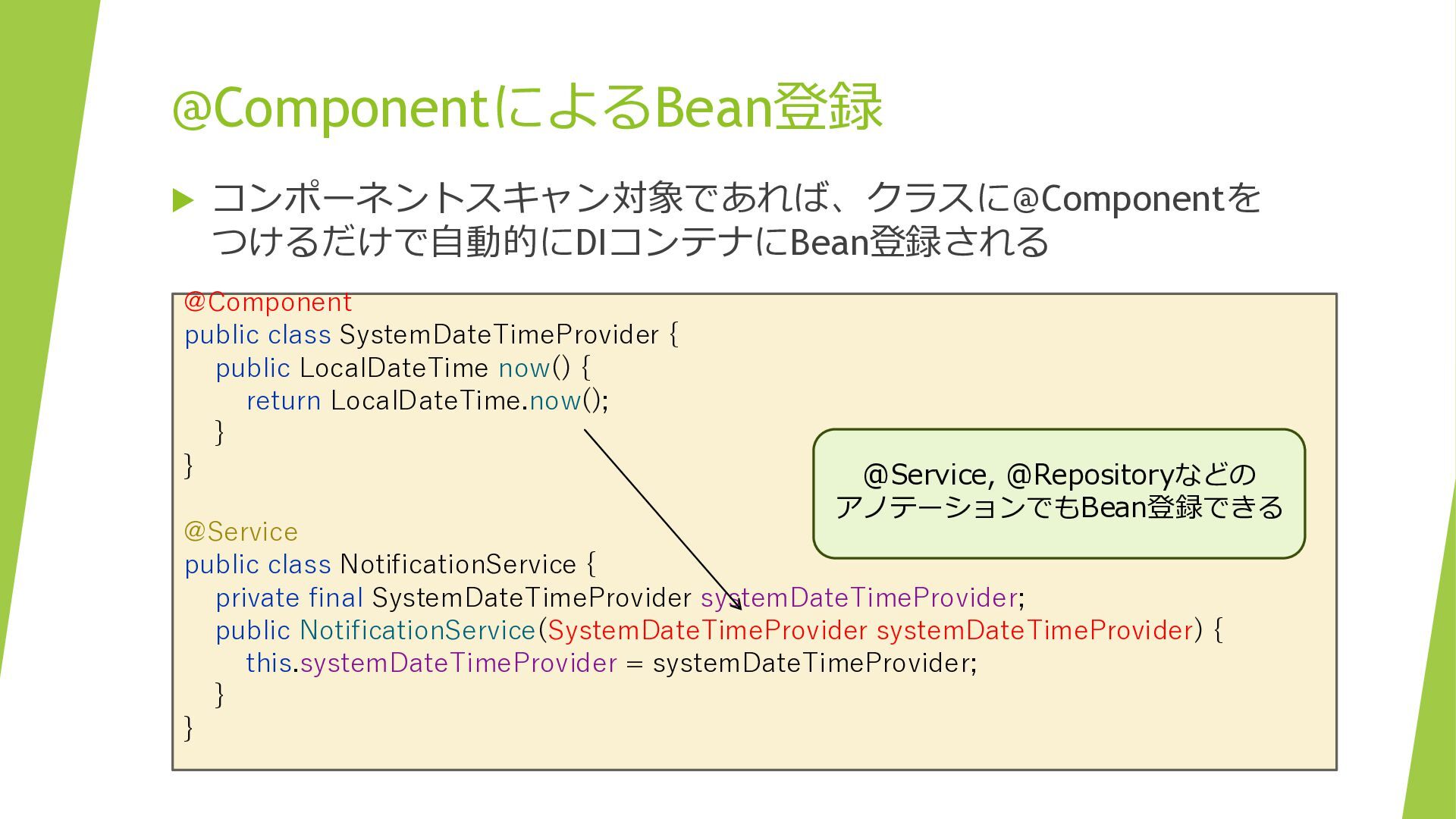
@ComponentによるBean登録 コンポーネントスキャン対象であれば、クラスに@Componentを つけるだけで自動的にDIコンテナにBean登録される @Component public class SystemDateTimeProvider { public
LocalDateTime now() { return LocalDateTime.now(); } } @Service, @Repositoryなどの アノテーションでもBean登録できる @Service public class NotificationService { private final SystemDateTimeProvider systemDateTimeProvider; public NotificationService(SystemDateTimeProvider systemDateTimeProvider) { this.systemDateTimeProvider = systemDateTimeProvider; } }
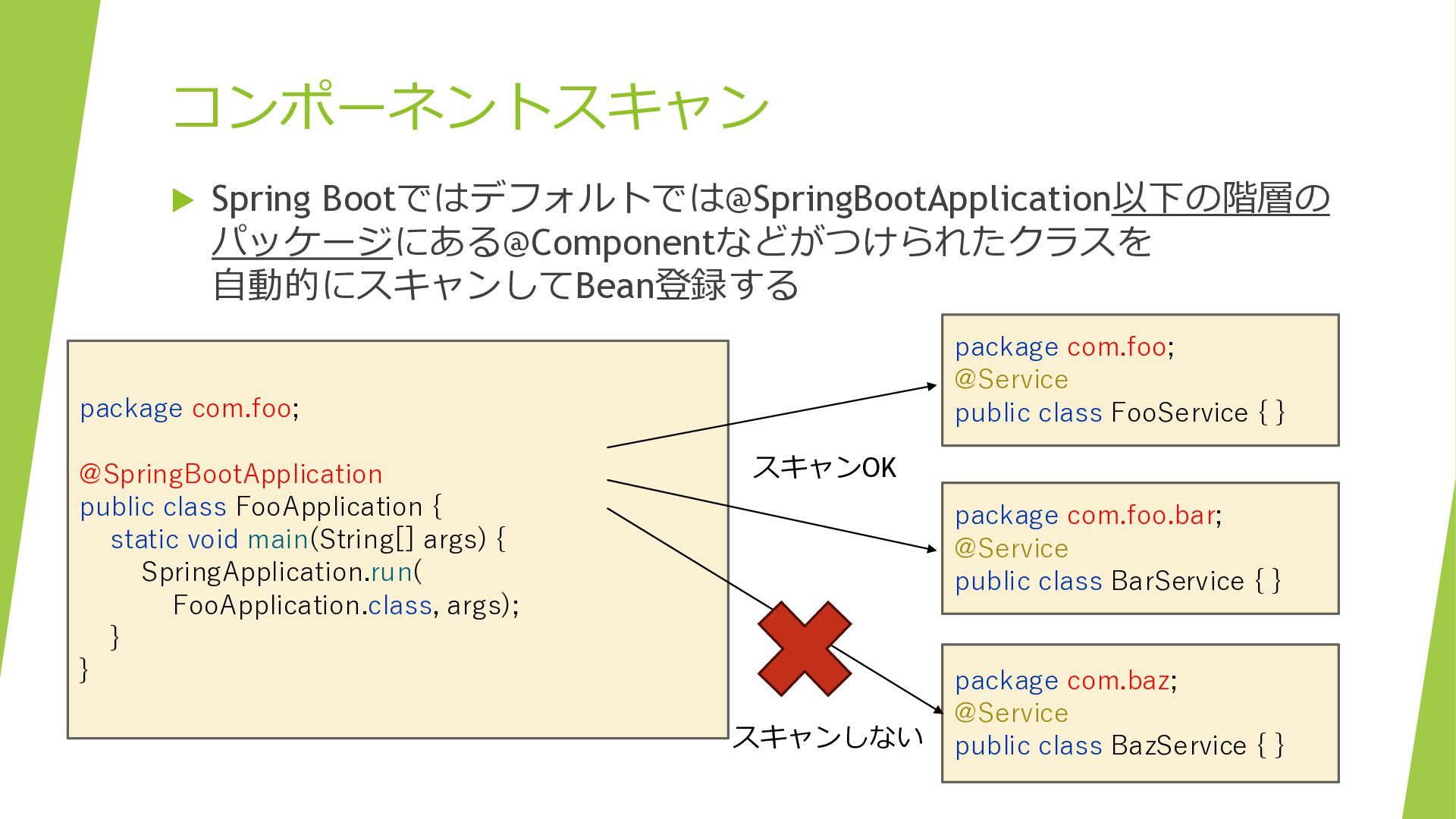
コンポーネントスキャン Spring Bootではデフォルトでは@SpringBootApplication以下の階層の パッケージにある@Componentなどがつけられたクラスを 自動的にスキャンしてBean登録する package com.foo; @Service public
class FooService { } package com.foo; @SpringBootApplication public class FooApplication { static void main(String[] args) { SpringApplication.run( FooApplication.class, args); } } スキャンOK package com.foo.bar; @Service public class BarService { } スキャンしない package com.baz; @Service public class BazService { }
登場人物 上司 百々さん
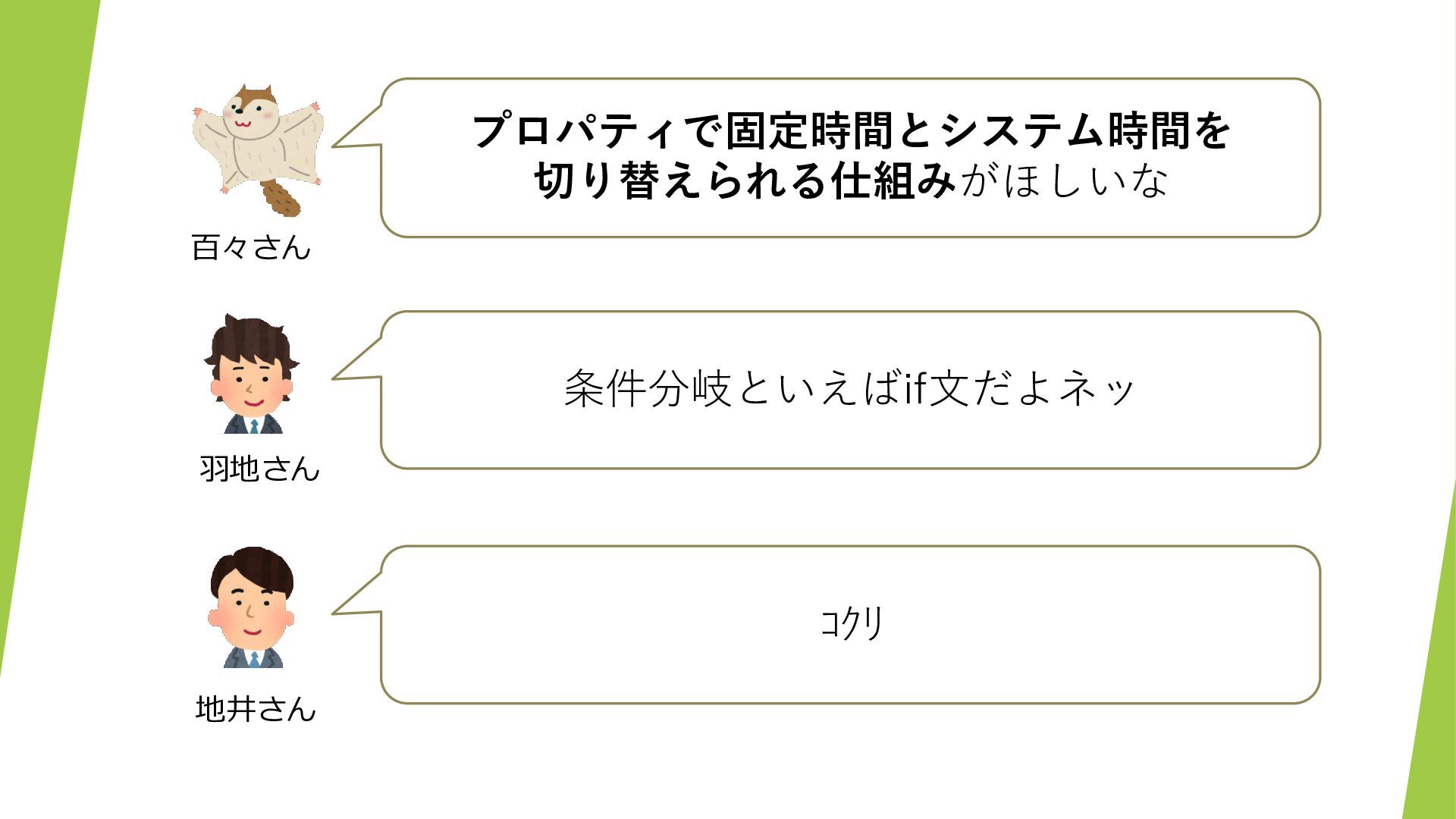
プロパティで固定時間とシステム時間を 切り替えられる仕組みがほしいな 百々さん 条件分岐といえばif文だよネッ 羽地さん コクリ 地井さん
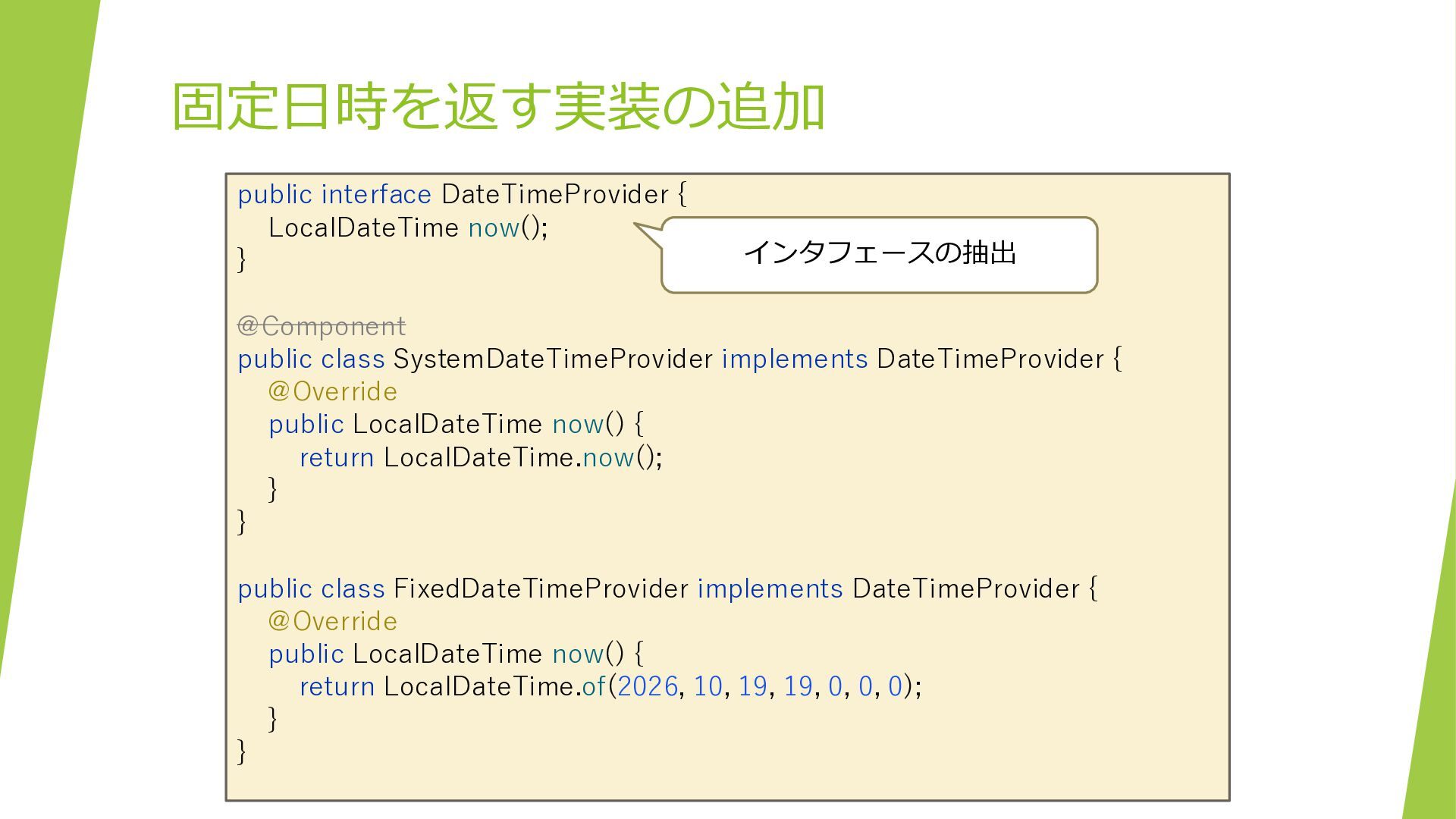
固定日時を返す実装の追加 public interface DateTimeProvider { LocalDateTime now(); } インタフェースの抽出 @Component
public class SystemDateTimeProvider implements DateTimeProvider { @Override public LocalDateTime now() { return LocalDateTime.now(); } } public class FixedDateTimeProvider implements DateTimeProvider { @Override public LocalDateTime now() { return LocalDateTime.of(2026, 10, 19, 19, 0, 0, 0); } }
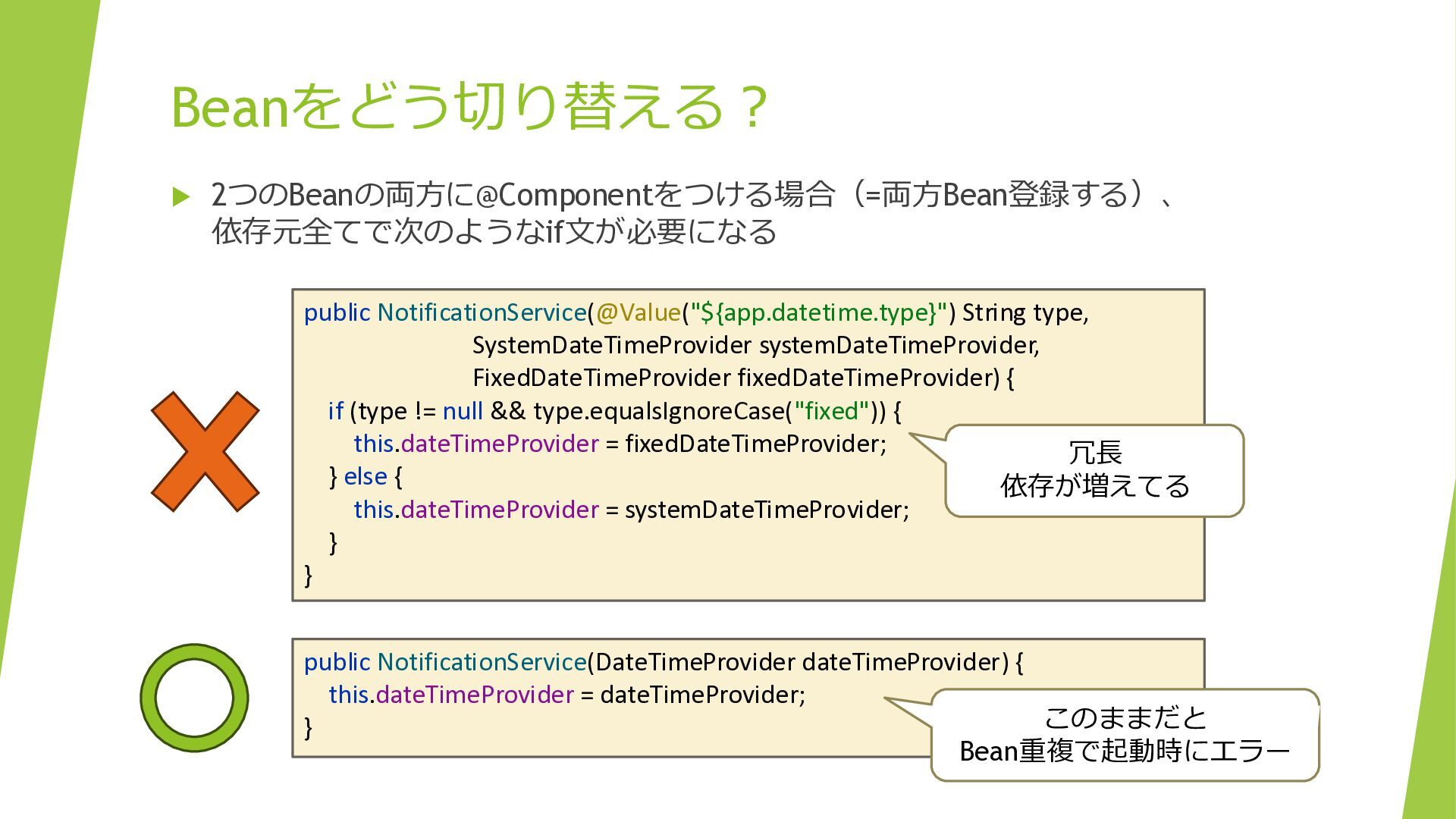
Beanをどう切り替える? 2つのBeanの両方に@Componentをつける場合(=両方Bean登録する)、 依存元全てで次のようなif文が必要になる public NotificationService(@Value("${app.datetime.type}") String type, SystemDateTimeProvider systemDateTimeProvider,
FixedDateTimeProvider fixedDateTimeProvider) { if (type != null && type.equalsIgnoreCase("fixed")) { this.dateTimeProvider = fixedDateTimeProvider; 冗長 } else { 依存が増えてる this.dateTimeProvider = systemDateTimeProvider; } } public NotificationService(DateTimeProvider dateTimeProvider) { this.dateTimeProvider = dateTimeProvider; このままだと } Bean重複で起動時にエラー
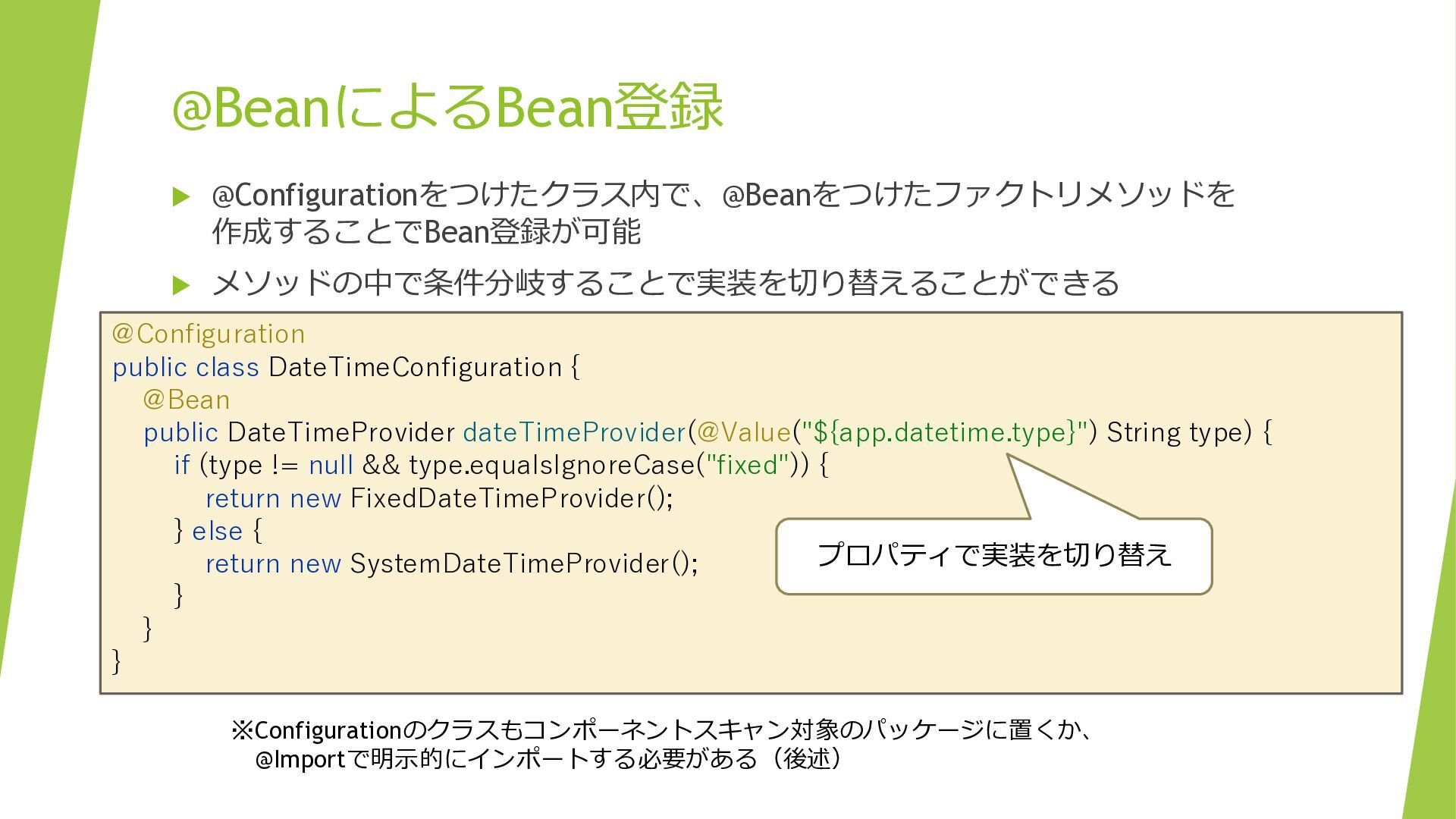
@BeanによるBean登録 @Configurationをつけたクラス内で、@Beanをつけたファクトリメソッドを 作成することでBean登録が可能 メソッドの中で条件分岐することで実装を切り替えることができる @Configuration public class DateTimeConfiguration
{ @Bean public DateTimeProvider dateTimeProvider(@Value("${app.datetime.type}") String type) { if (type != null && type.equalsIgnoreCase("fixed")) { return new FixedDateTimeProvider(); } else { プロパティで実装を切り替え return new SystemDateTimeProvider(); } } } ※Configurationのクラスもコンポーネントスキャン対象のパッケージに置くか、 @Importで明示的にインポートする必要がある(後述)
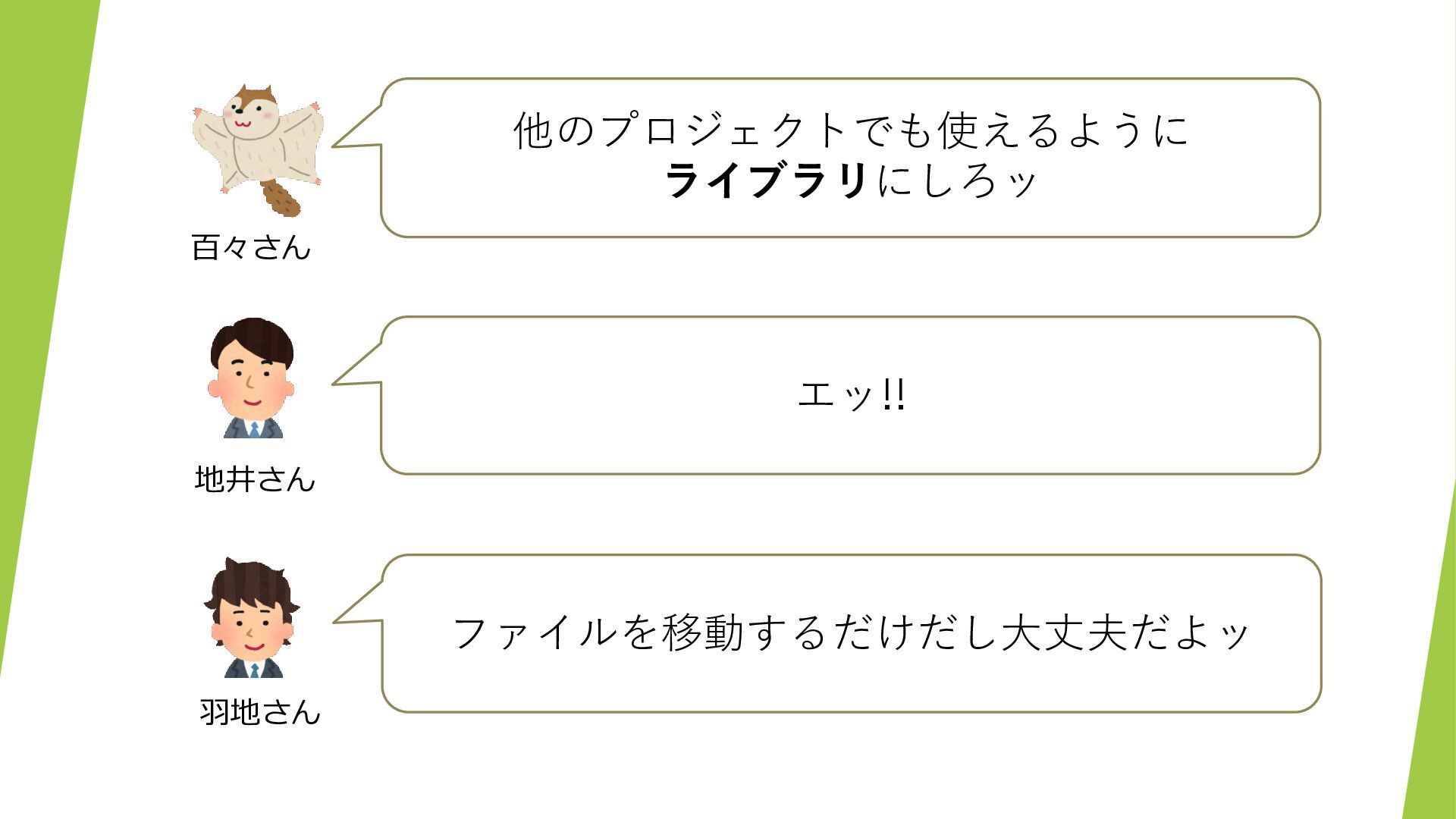
他のプロジェクトでも使えるように ライブラリにしろッ 百々さん エッ!! 地井さん ファイルを移動するだけだし大丈夫だよッ 羽地さん
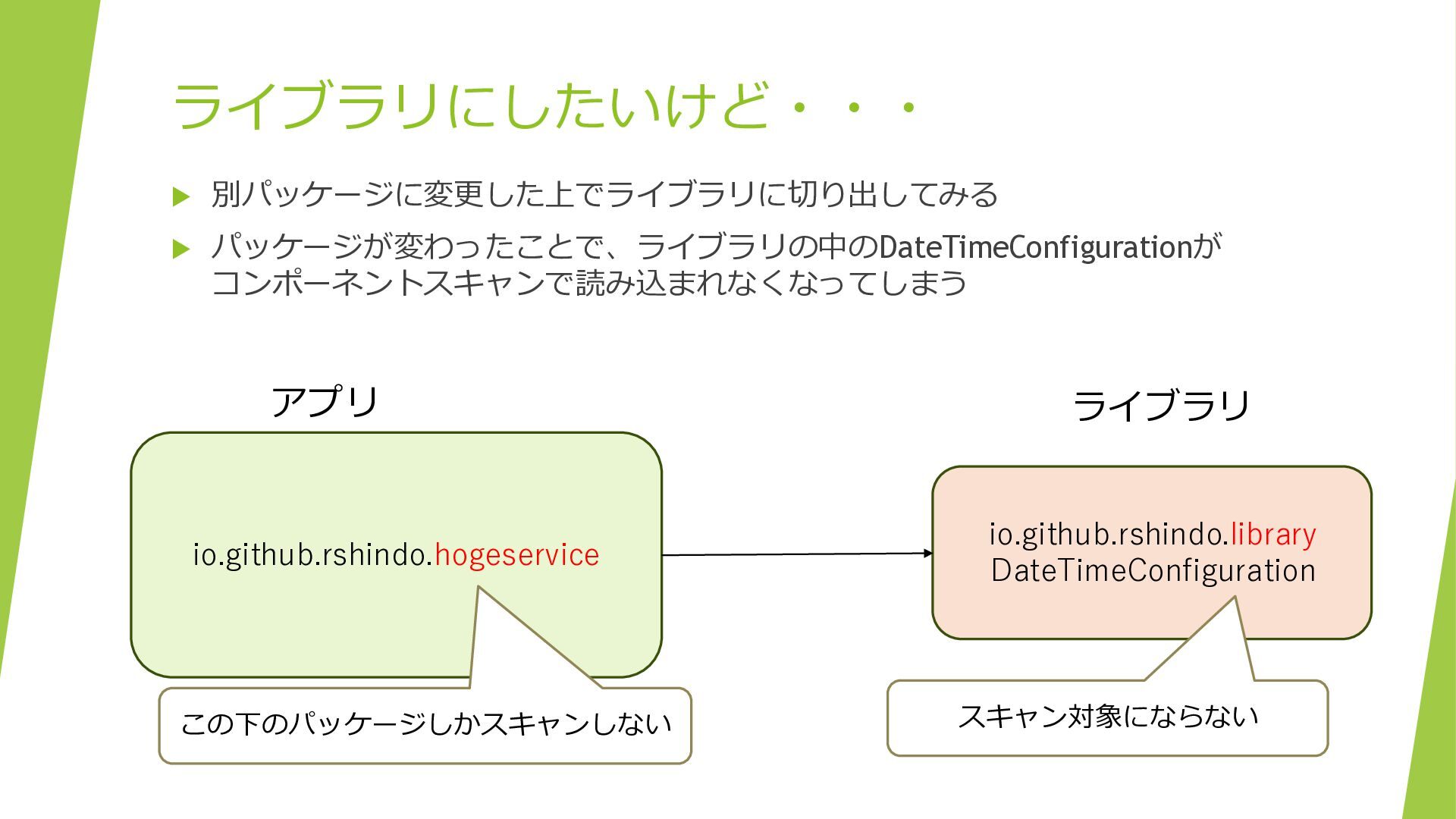
ライブラリにしたいけど・・・ 別パッケージに変更した上でライブラリに切り出してみる パッケージが変わったことで、ライブラリの中のDateTimeConfigurationが コンポーネントスキャンで読み込まれなくなってしまう アプリ io.github.rshindo.hogeservice この下のパッケージしかスキャンしない ライブラリ
io.github.rshindo.library DateTimeConfiguration スキャン対象にならない
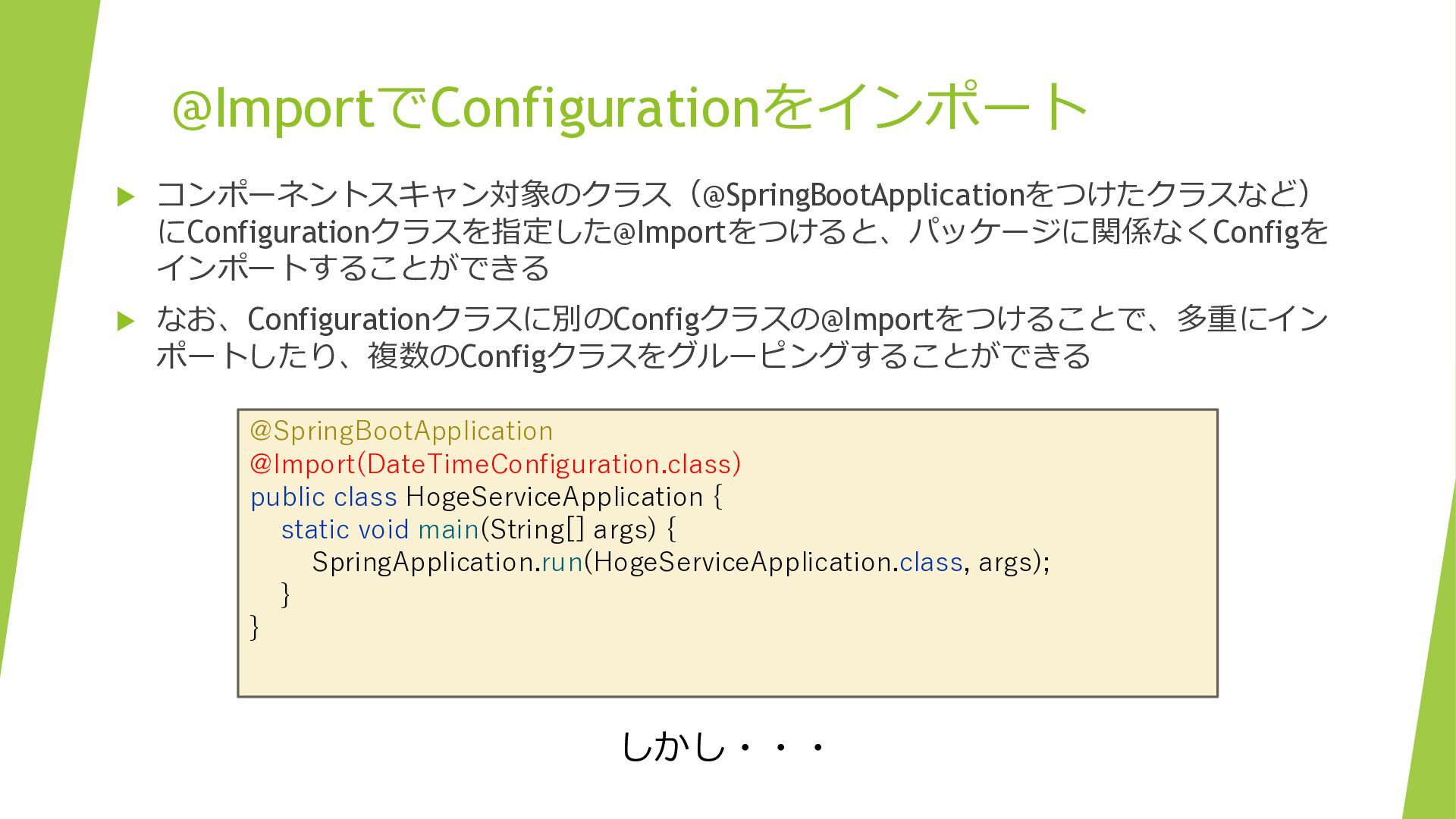
@ImportでConfigurationをインポート コンポーネントスキャン対象のクラス(@SpringBootApplicationをつけたクラスなど) にConfigurationクラスを指定した@Importをつけると、パッケージに関係なくConfigを インポートすることができる なお、Configurationクラスに別のConfigクラスの@Importをつけることで、多重にイン ポートしたり、複数のConfigクラスをグルーピングすることができる @SpringBootApplication @Import(DateTimeConfiguration.class)
public class HogeServiceApplication { static void main(String[] args) { SpringApplication.run(HogeServiceApplication.class, args); } } しかし・・・
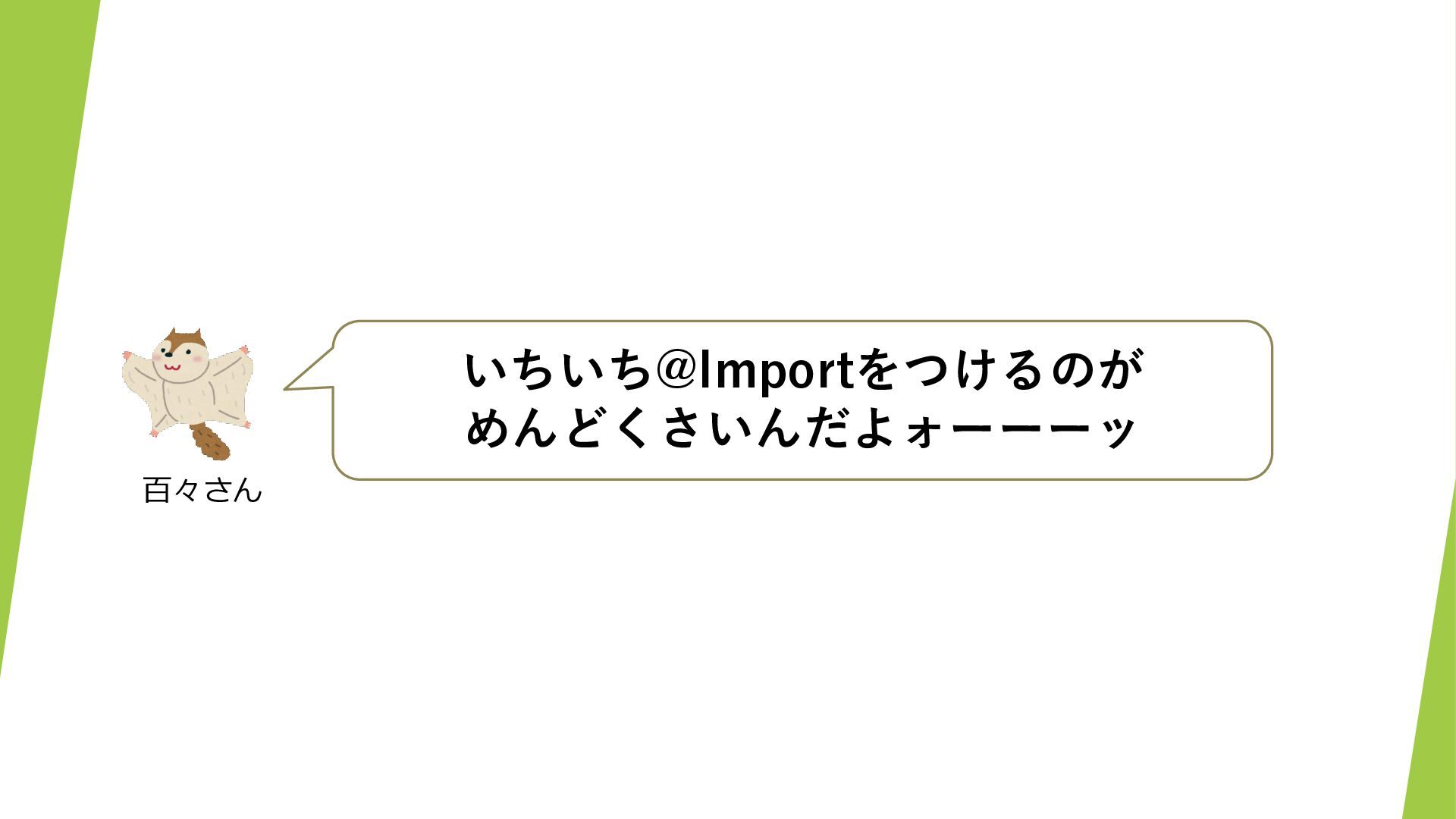
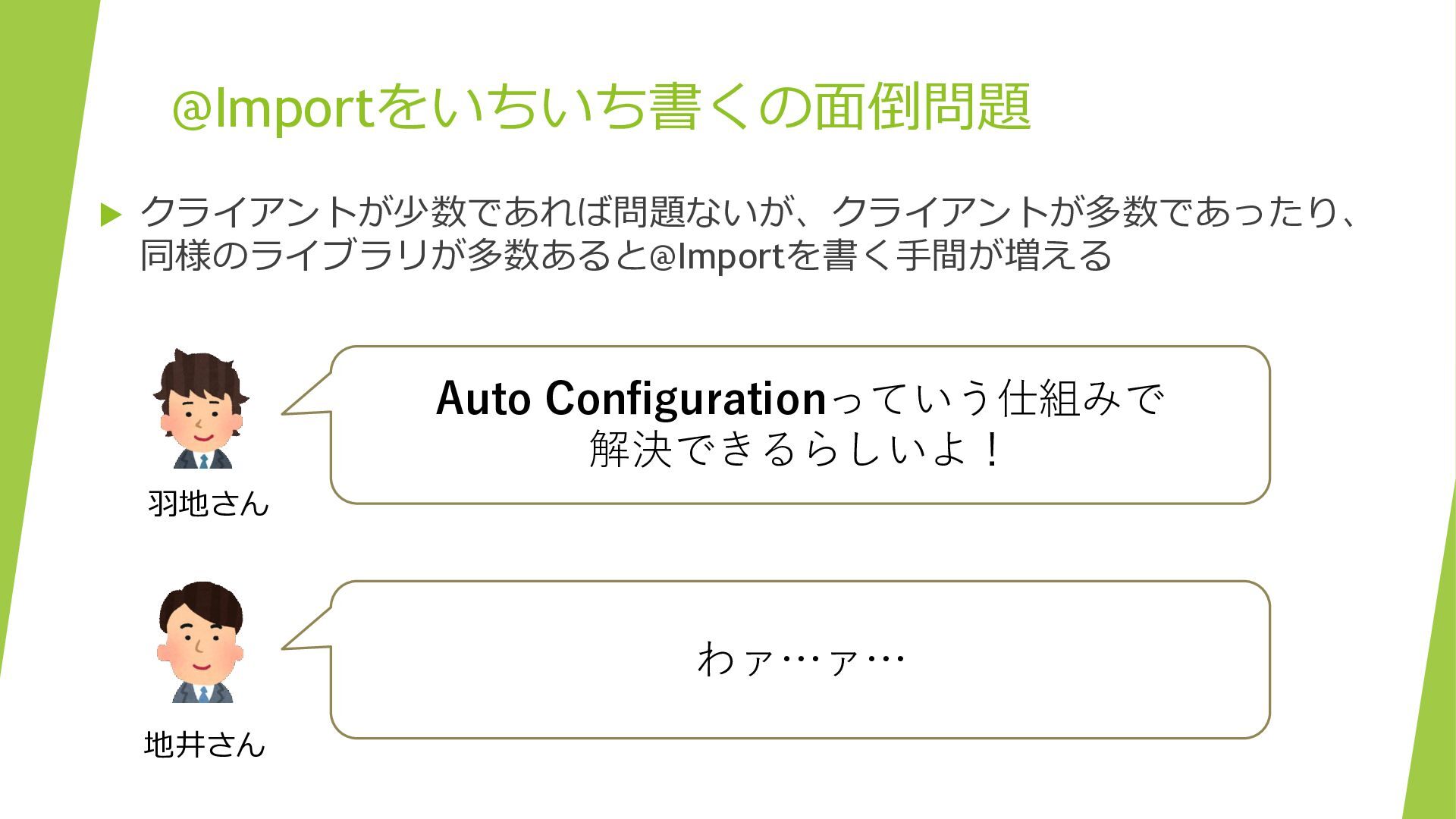
いちいち@Importをつけるのが めんどくさいんだよォーーーッ 百々さん
@Importをいちいち書くの面倒問題 クライアントが少数であれば問題ないが、クライアントが多数であったり、 同様のライブラリが多数あると@Importを書く手間が増える Auto Configurationっていう仕組みで 解決できるらしいよ! 羽地さん わァ…ァ… 地井さん
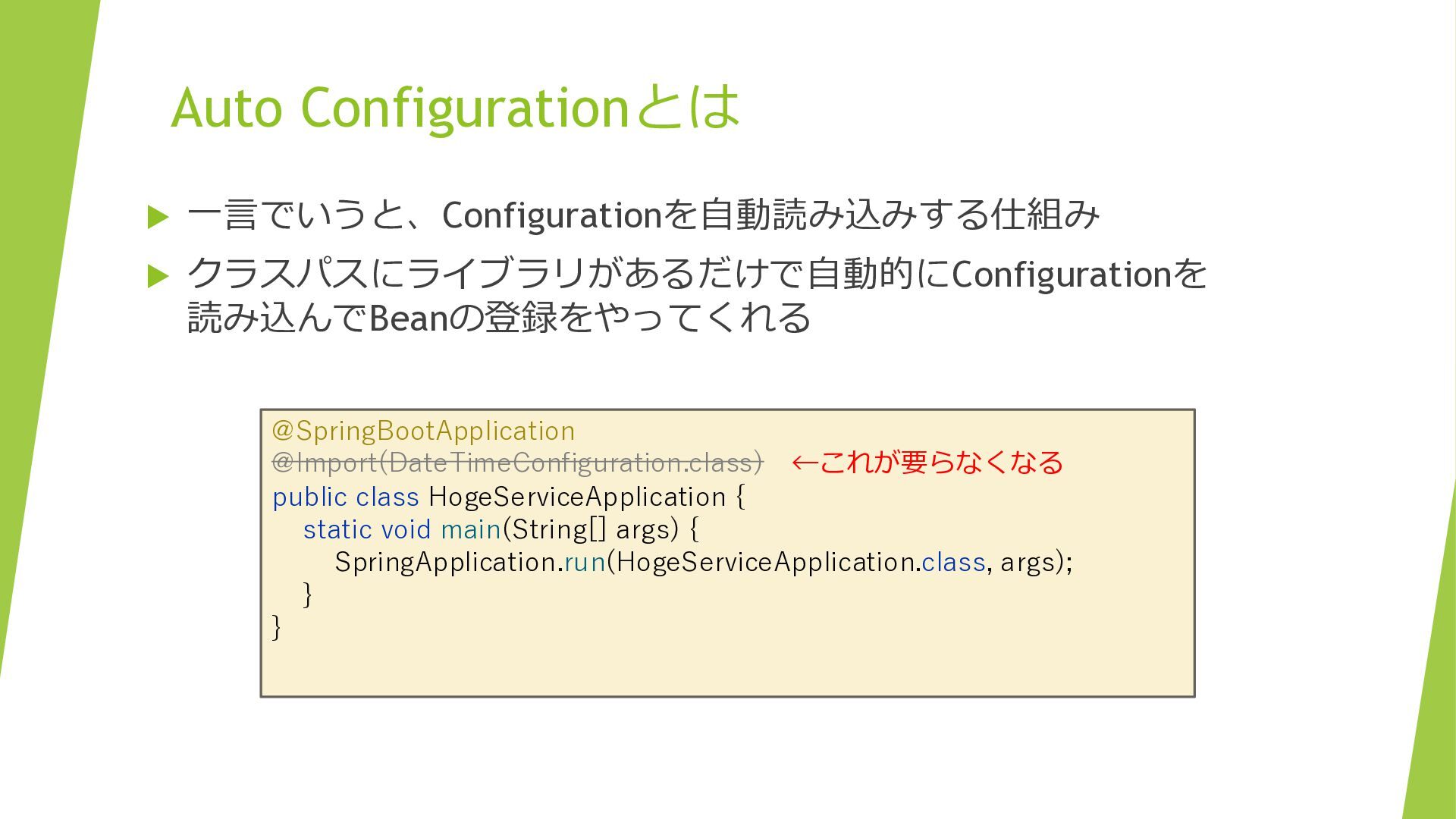
Auto Configurationとは 一言でいうと、Configurationを自動読み込みする仕組み クラスパスにライブラリがあるだけで自動的にConfigurationを 読み込んでBeanの登録をやってくれる @SpringBootApplication @Import(DateTimeConfiguration.class) ←これが要らなくなる
public class HogeServiceApplication { static void main(String[] args) { SpringApplication.run(HogeServiceApplication.class, args); } }
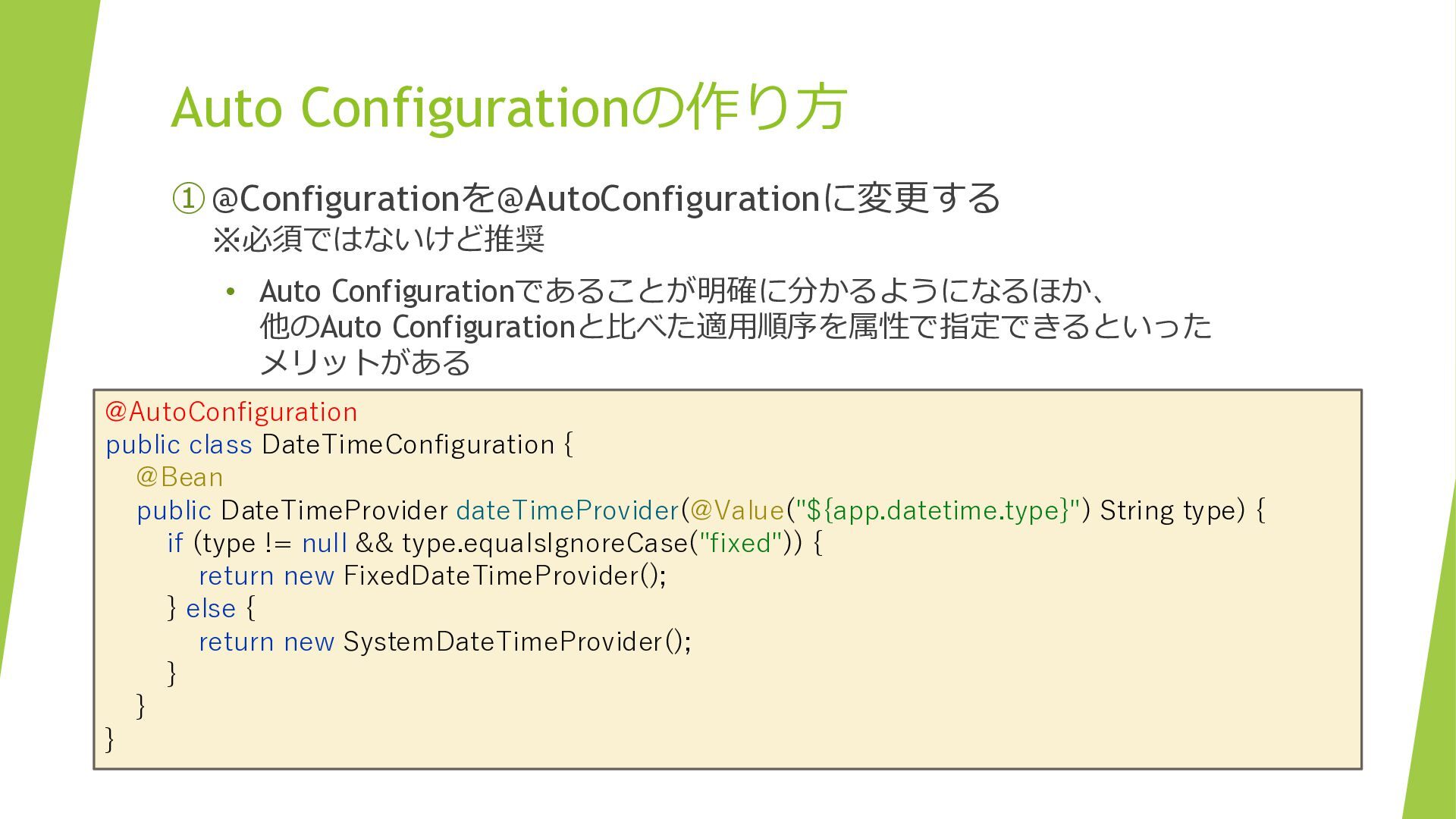
Auto Configurationの作り方 ① @Configurationを@AutoConfigurationに変更する ※必須ではないけど推奨 • Auto Configurationであることが明確に分かるようになるほか、 他のAuto Configurationと比べた適用順序を属性で指定できるといった
メリットがある @AutoConfiguration public class DateTimeConfiguration { @Bean public DateTimeProvider dateTimeProvider(@Value("${app.datetime.type}") String type) { if (type != null && type.equalsIgnoreCase("fixed")) { return new FixedDateTimeProvider(); } else { return new SystemDateTimeProvider(); } } }
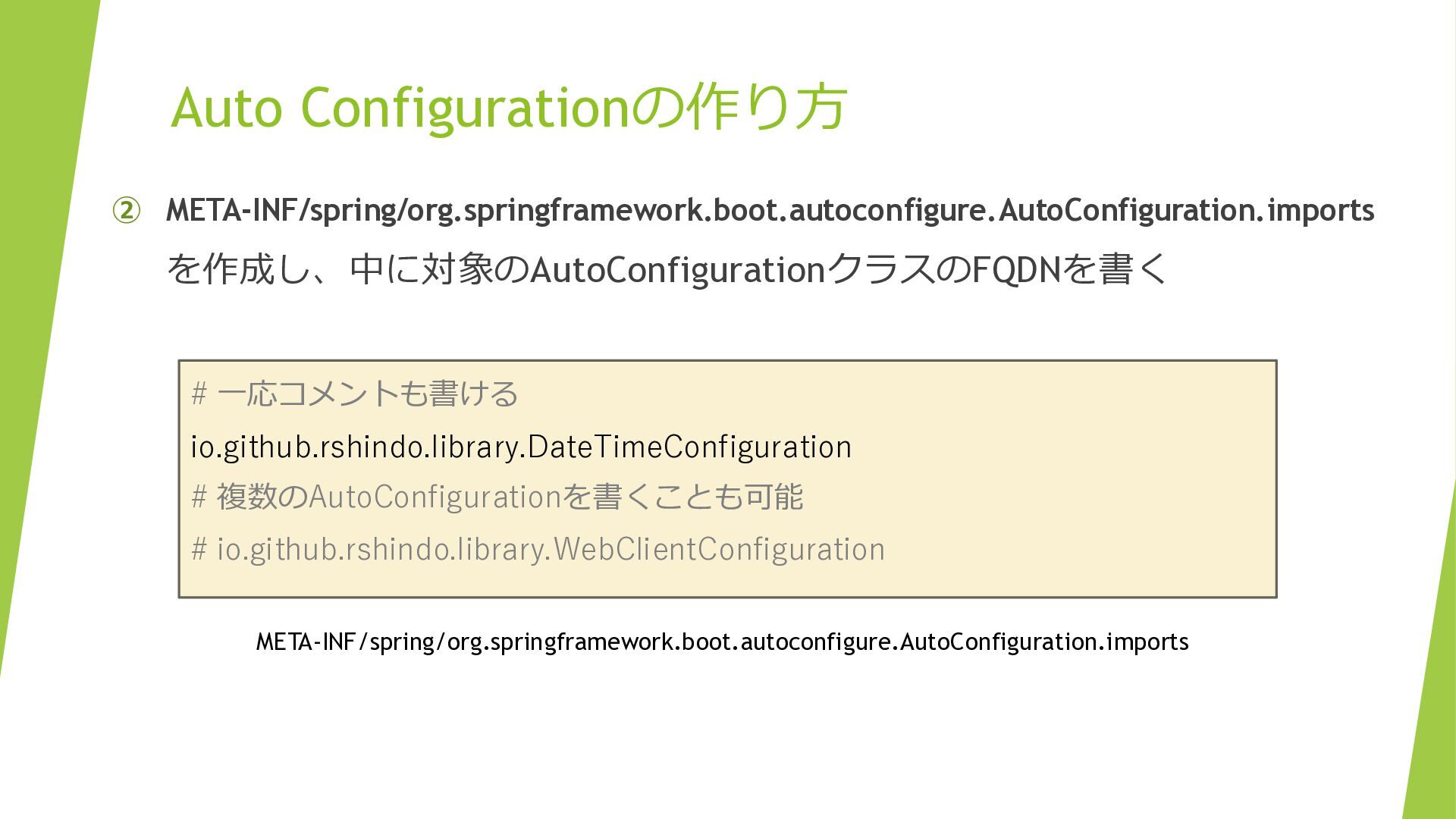
Auto Configurationの作り方 ② META-INF/spring/org.springframework.boot.autoconfigure.AutoConfiguration.imports を作成し、中に対象のAutoConfigurationクラスのFQDNを書く # 一応コメントも書ける io.github.rshindo.library.DateTimeConfiguration # 複数のAutoConfigurationを書くことも可能
# io.github.rshindo.library.WebClientConfiguration META-INF/spring/org.springframework.boot.autoconfigure.AutoConfiguration.imports
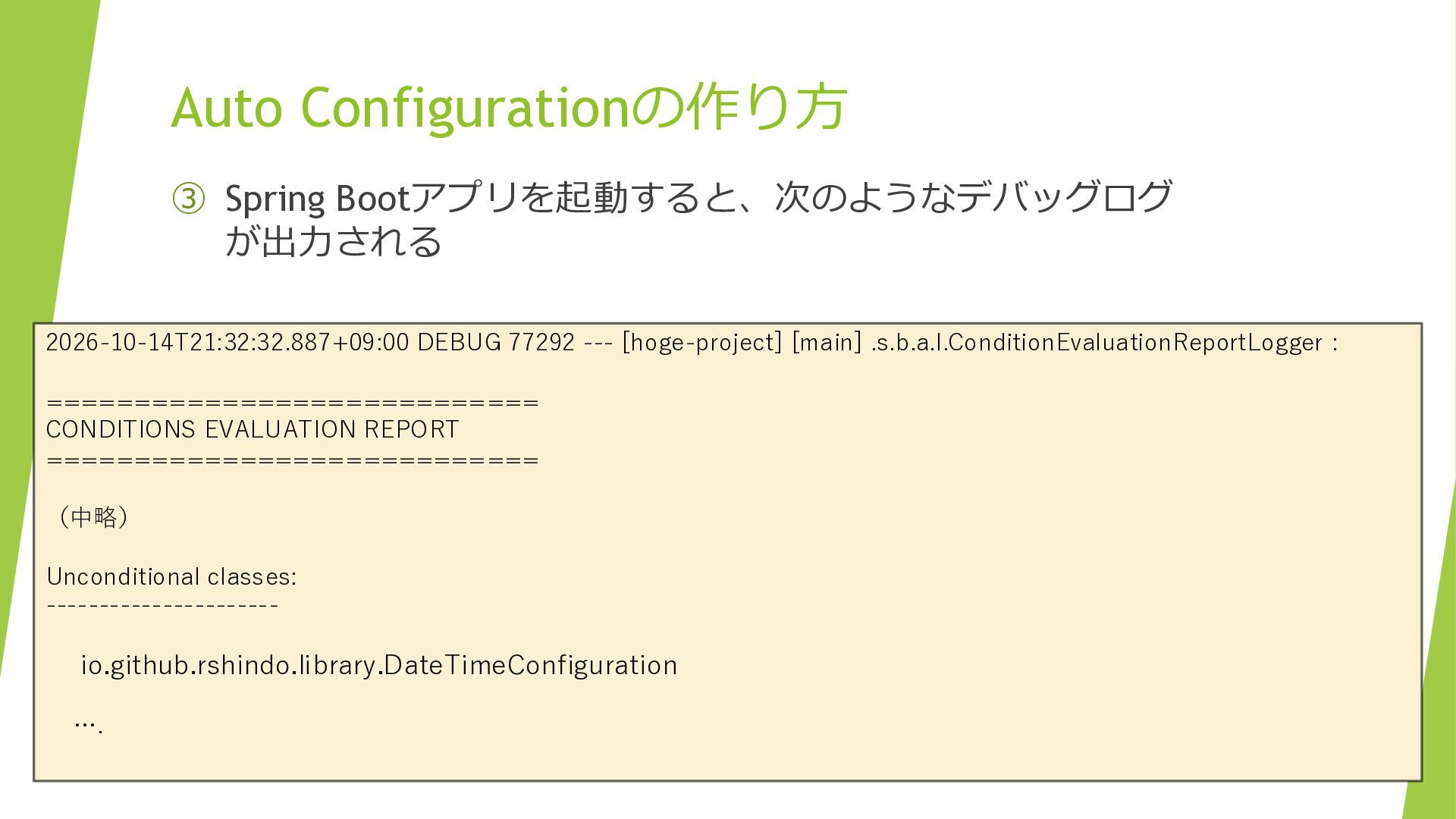
Auto Configurationの作り方 ③ Spring Bootアプリを起動すると、次のようなデバッグログ が出力される 2026-10-14T21:32:32.887+09:00 DEBUG 77292 ---
[hoge-project] [main] .s.b.a.l.ConditionEvaluationReportLogger : ============================ CONDITIONS EVALUATION REPORT ============================ (中略) Unconditional classes: ---------------------- io.github.rshindo.library.DateTimeConfiguration ….
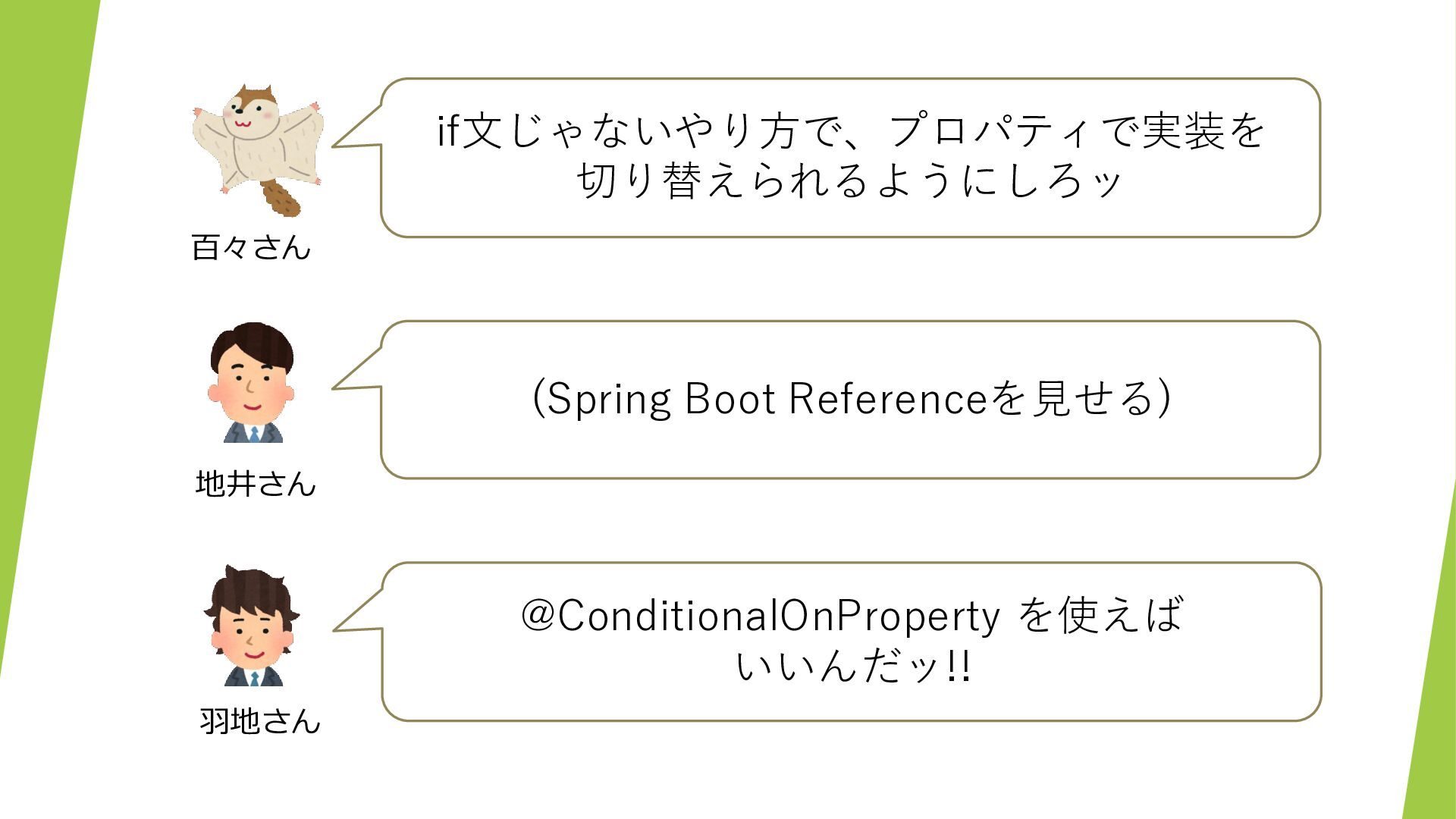
if文じゃないやり方で、プロパティで実装を 切り替えられるようにしろッ 百々さん (Spring Boot Referenceを見せる) 地井さん @ConditionalOnProperty を使えば いいんだッ!!
羽地さん
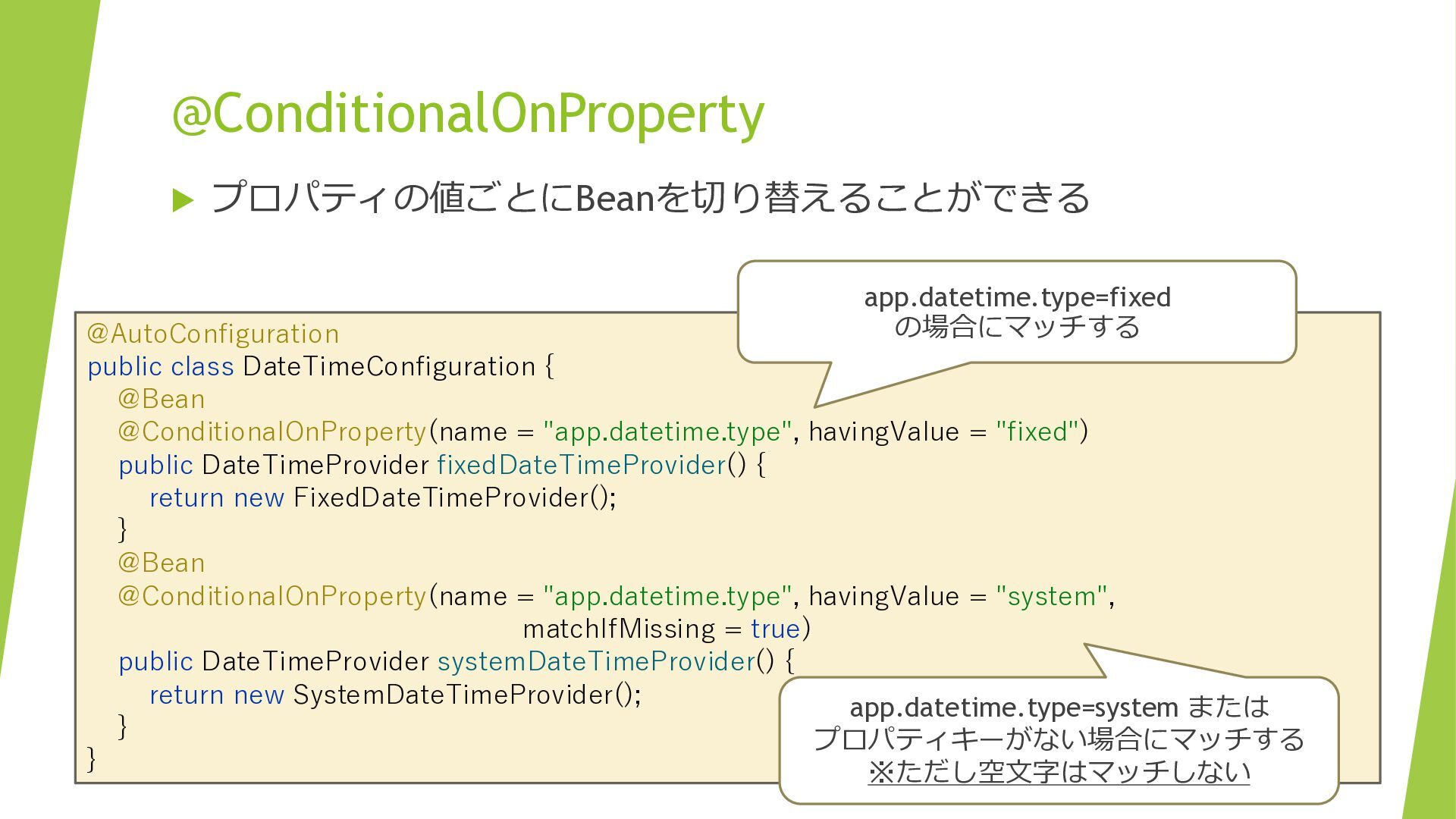
@ConditionalOnProperty プロパティの値ごとにBeanを切り替えることができる app.datetime.type=fixed の場合にマッチする @AutoConfiguration public class DateTimeConfiguration {
@Bean @ConditionalOnProperty(name = "app.datetime.type", havingValue = "fixed") public DateTimeProvider fixedDateTimeProvider() { return new FixedDateTimeProvider(); } @Bean @ConditionalOnProperty(name = "app.datetime.type", havingValue = "system", matchIfMissing = true) public DateTimeProvider systemDateTimeProvider() { return new SystemDateTimeProvider(); app.datetime.type=system または } プロパティキーがない場合にマッチする } ※ただし空文字はマッチしない
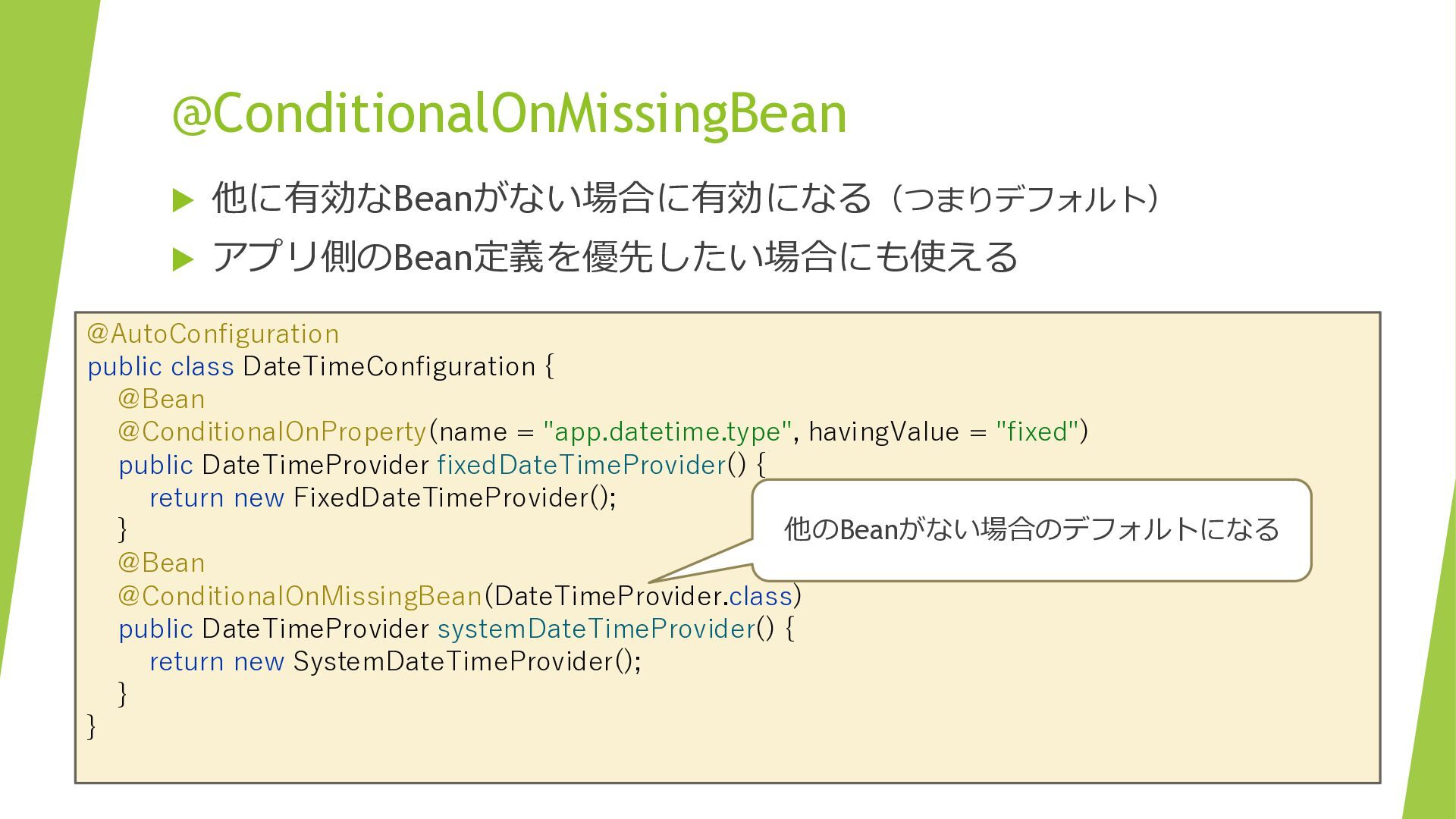
@ConditionalOnMissingBean 他に有効なBeanがない場合に有効になる(つまりデフォルト) アプリ側のBean定義を優先したい場合にも使える @AutoConfiguration public class DateTimeConfiguration {
@Bean @ConditionalOnProperty(name = "app.datetime.type", havingValue = "fixed") public DateTimeProvider fixedDateTimeProvider() { return new FixedDateTimeProvider(); 他のBeanがない場合のデフォルトになる } @Bean @ConditionalOnMissingBean(DateTimeProvider.class) public DateTimeProvider systemDateTimeProvider() { return new SystemDateTimeProvider(); } }
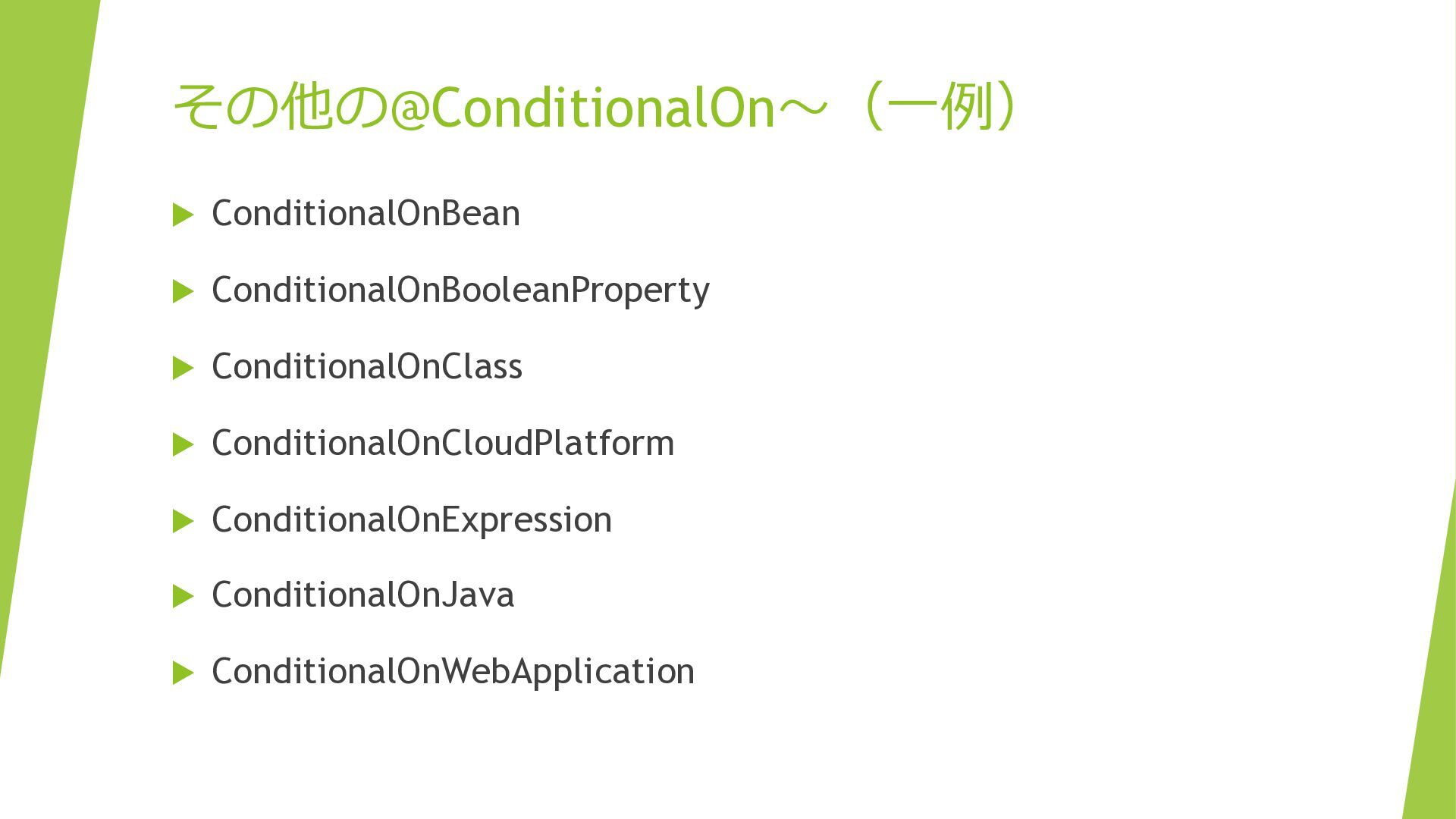
その他の@ConditionalOn〜(一例) ConditionalOnBean ConditionalOnBooleanProperty ConditionalOnClass ConditionalOnCloudPlatform
ConditionalOnExpression ConditionalOnJava ConditionalOnWebApplication
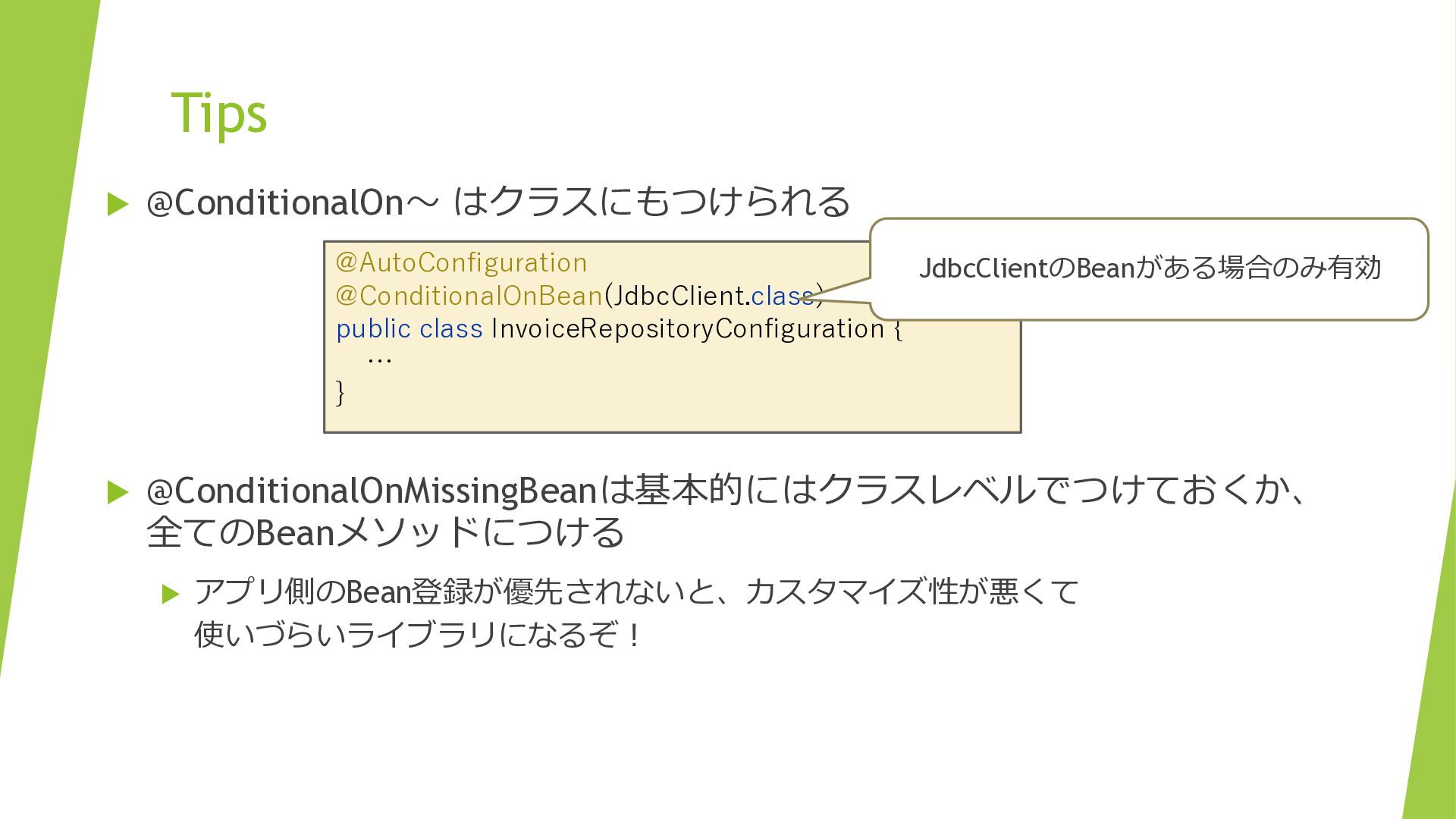
Tips @ConditionalOn〜 はクラスにもつけられる @AutoConfiguration JdbcClientのBeanがある場合のみ有効 @ConditionalOnBean(JdbcClient.class) public class InvoiceRepositoryConfiguration
{ … } @ConditionalOnMissingBeanは基本的にはクラスレベルでつけておくか、 全てのBeanメソッドにつける アプリ側のBean登録が優先されないと、カスタマイズ性が悪くて 使いづらいライブラリになるぞ!
Auto Configurationってすごく べんりなんだネー 羽地さん エヘヘ・・・ 地井さん
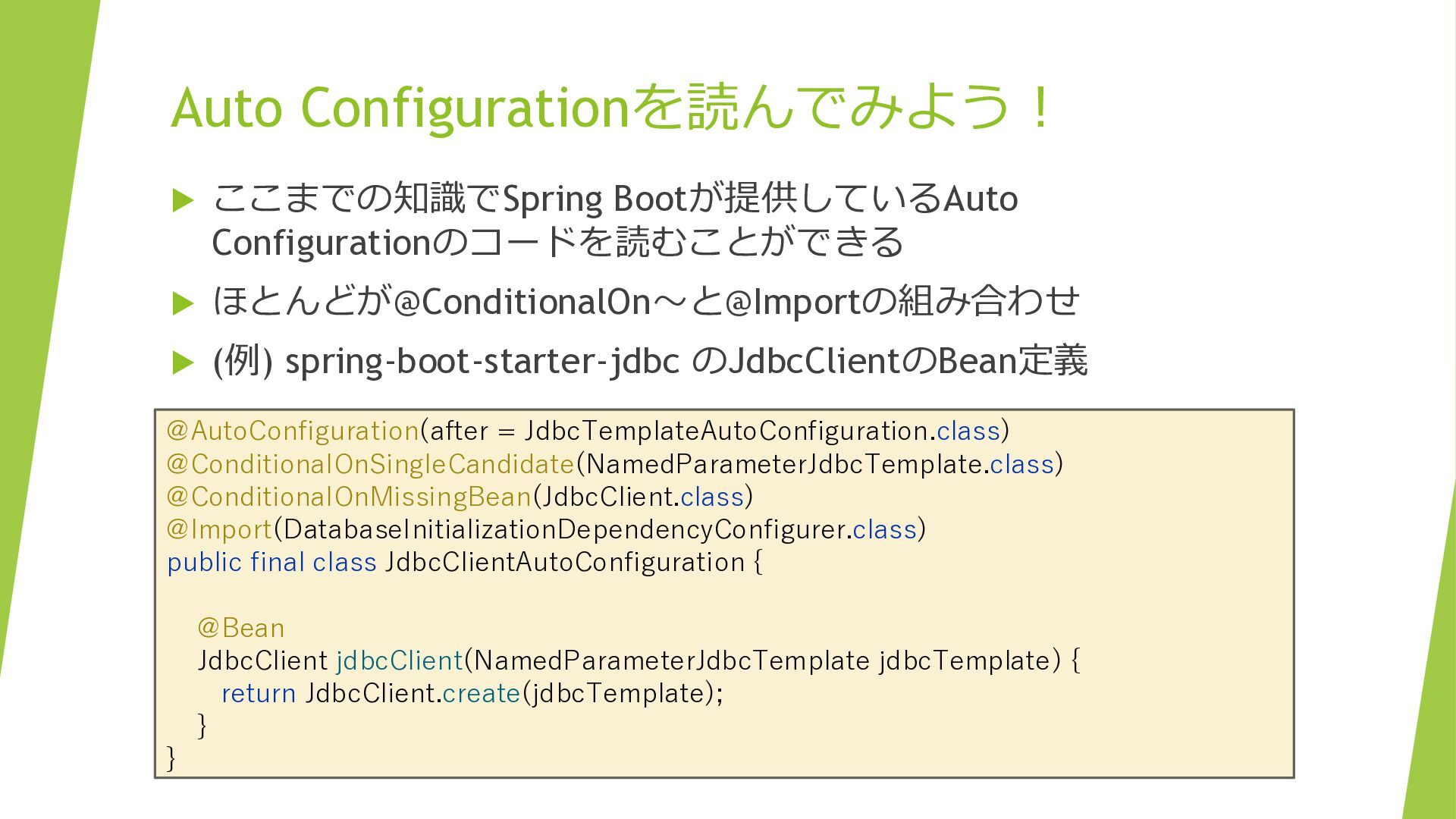
Auto Configurationを読んでみよう! ここまでの知識でSpring Bootが提供しているAuto Configurationのコードを読むことができる ほとんどが@ConditionalOn〜と@Importの組み合わせ (例)
spring-boot-starter-jdbc のJdbcClientのBean定義 @AutoConfiguration(after = JdbcTemplateAutoConfiguration.class) @ConditionalOnSingleCandidate(NamedParameterJdbcTemplate.class) @ConditionalOnMissingBean(JdbcClient.class) @Import(DatabaseInitializationDependencyConfigurer.class) public final class JdbcClientAutoConfiguration { @Bean JdbcClient jdbcClient(NamedParameterJdbcTemplate jdbcTemplate) { return JdbcClient.create(jdbcTemplate); } }
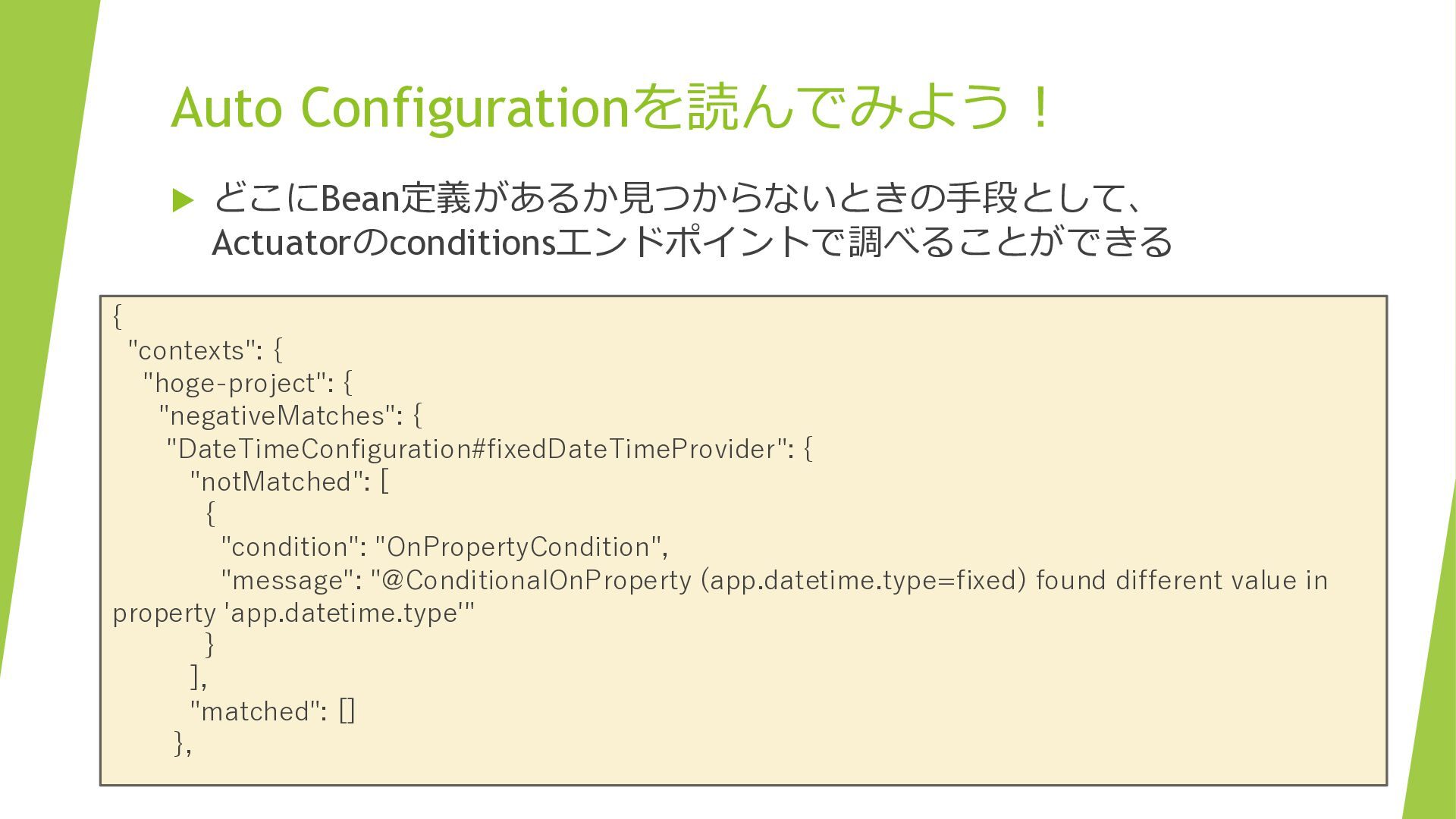
Auto Configurationを読んでみよう! どこにBean定義があるか見つからないときの手段として、 Actuatorのconditionsエンドポイントで調べることができる { "contexts": { "hoge-project": {
"negativeMatches": { "DateTimeConfiguration#fixedDateTimeProvider": { "notMatched": [ { "condition": "OnPropertyCondition", "message": "@ConditionalOnProperty (app.datetime.type=fixed) found different value in property 'app.datetime.type'" } ], "matched": [] },
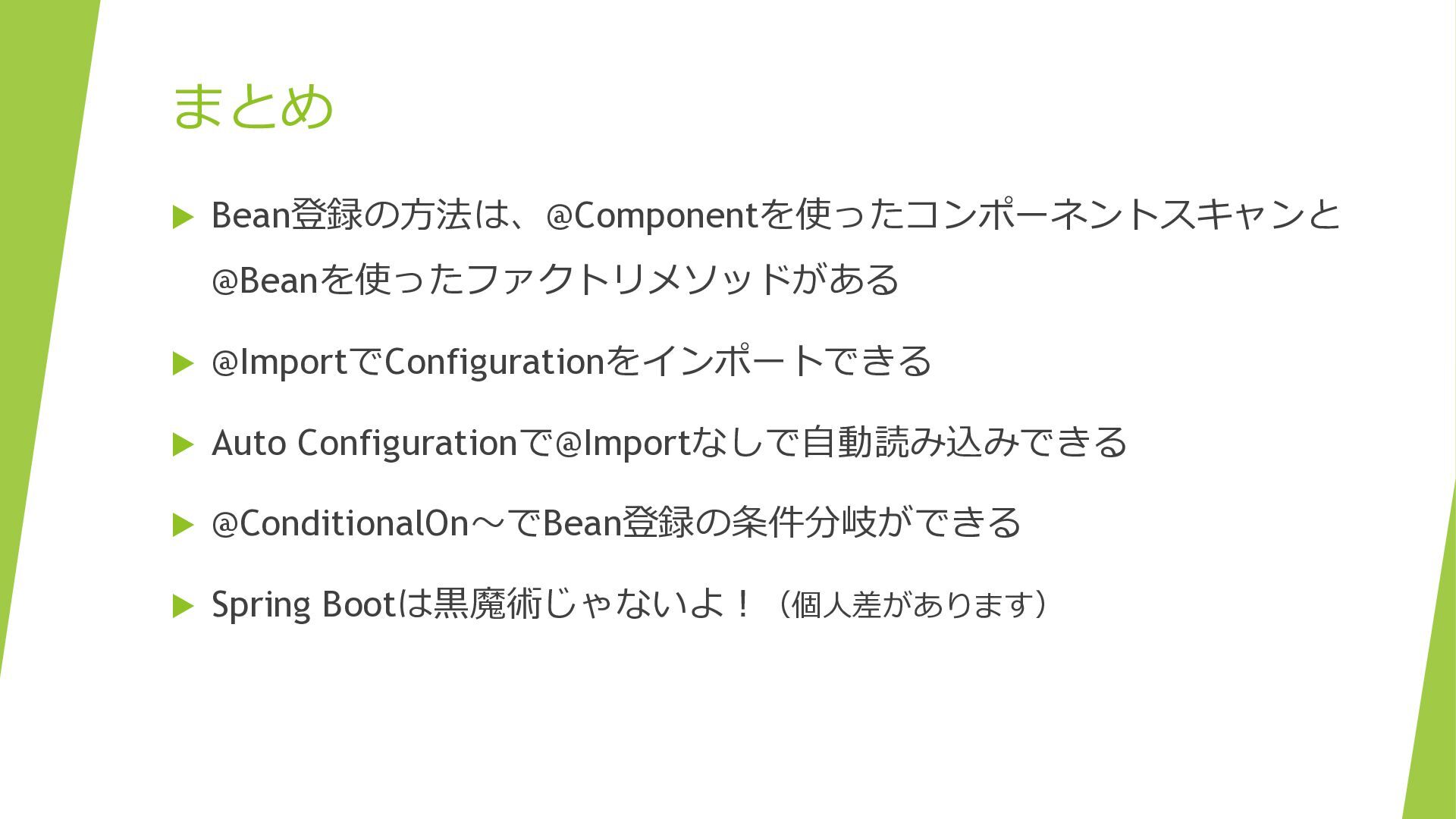
まとめ Bean登録の方法は、@Componentを使ったコンポーネントスキャンと @Beanを使ったファクトリメソッドがある @ImportでConfigurationをインポートできる Auto Configurationで@Importなしで自動読み込みできる
@ConditionalOn〜でBean登録の条件分岐ができる Spring Bootは黒魔術じゃないよ!(個人差があります)


 rshindo
 ichirokano2
 oku053
 dske104
 lef237
 takai
takai
 steliosf
 mofurune
 taiseiue
 kishida
 iwatsukayura
 sorah
sorah
 minodriven
 smashingmag
 eitanlees
 leimatthew05
 aleyda
 sonatard
 inesmontani
 apolaine
 tmiket
 ks91
ks91
 hannesfritz