Upgrade to Pro
— share decks privately, control downloads, hide ads and more …
Speaker Deck
Sign up for free
Menu
Search
Features
All features
Private URLs
Password Protection
Custom URLS
Scheduled publishing
Remove Branding
Restrict embedding
Deck Collections
Notes
Features
All features
Private URLs
Password Protection
Custom URLS
Scheduled publishing
Remove Branding
Restrict embedding
Deck Collections
Notes
Explore
Featured decks
Featured speakers
Programming
Technology
Storyboards
Explore
Featured decks
Featured speakers
Programming
Technology
Storyboards
Pricing
Search
Sign in
Sign up for free
Camera Calibrator
Search
Jou
August 02, 2022
73
0
Share
Embed
Copy iframe code
Copy JS code
Copy link
Start on current slide
Camera Calibrator
Jou
August 02, 2022
More Decks by Jou
See All by Jou
result of reconstruction
jou
0
180
result of correspondence
jou
0
40
Featured
See All Featured
How to optimise 3,500 product descriptions for ecommerce in one day using ChatGPT
katarinadahlin
PRO
3
3.9k
Winning Ecommerce Organic Search in an AI Era - #searchnstuff2025
aleyda
2
2.2k
YesSQL, Process and Tooling at Scale
rocio
174
15k
Stop Working from a Prison Cell
hatefulcrawdad
274
21k
<Decoding/> the Language of Devs - We Love SEO 2024
nikkihalliwell
1
340
The Web Performance Landscape in 2024 [PerfNow 2024]
tammyeverts
12
1.3k
HTML-Aware ERB: The Path to Reactive Rendering @ RubyCon 2026, Rimini, Italy
marcoroth
5
760
VelocityConf: Rendering Performance Case Studies
addyosmani
331
25k
The untapped power of vector embeddings
frankvandijk
2
1.9k
Writing Fast Ruby
sferik
630
63k
Neural Spatial Audio Processing for Sound Field Analysis and Control
skoyamalab
0
540
Understanding Cognitive Biases in Performance Measurement
bluesmoon
32
3k
Transcript
Finding Intrinsic Parameter By Matlab
Steps
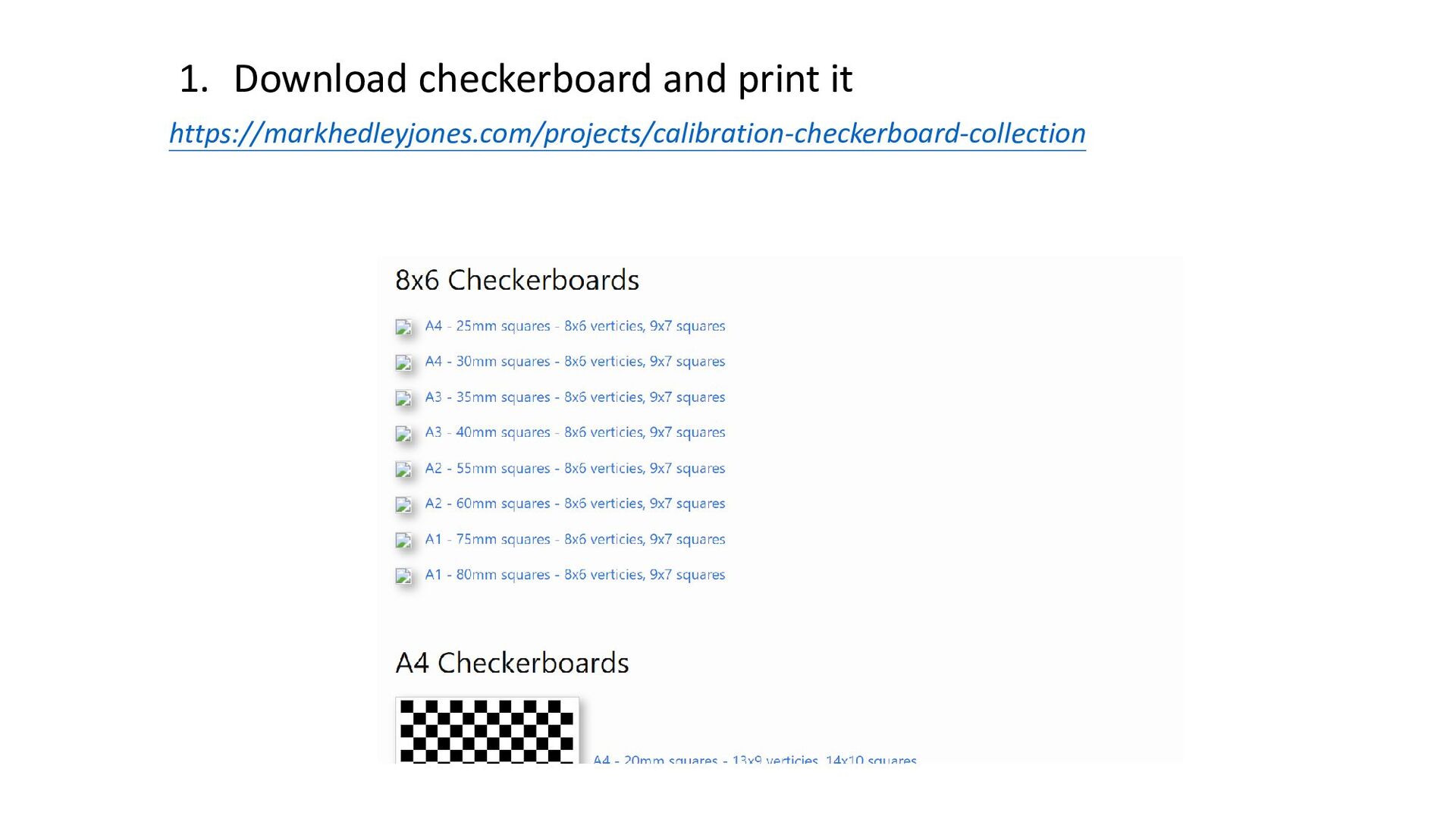
https://markhedleyjones.com/projects/calibration-checkerboard-collection 1. Download checkerboard and print it
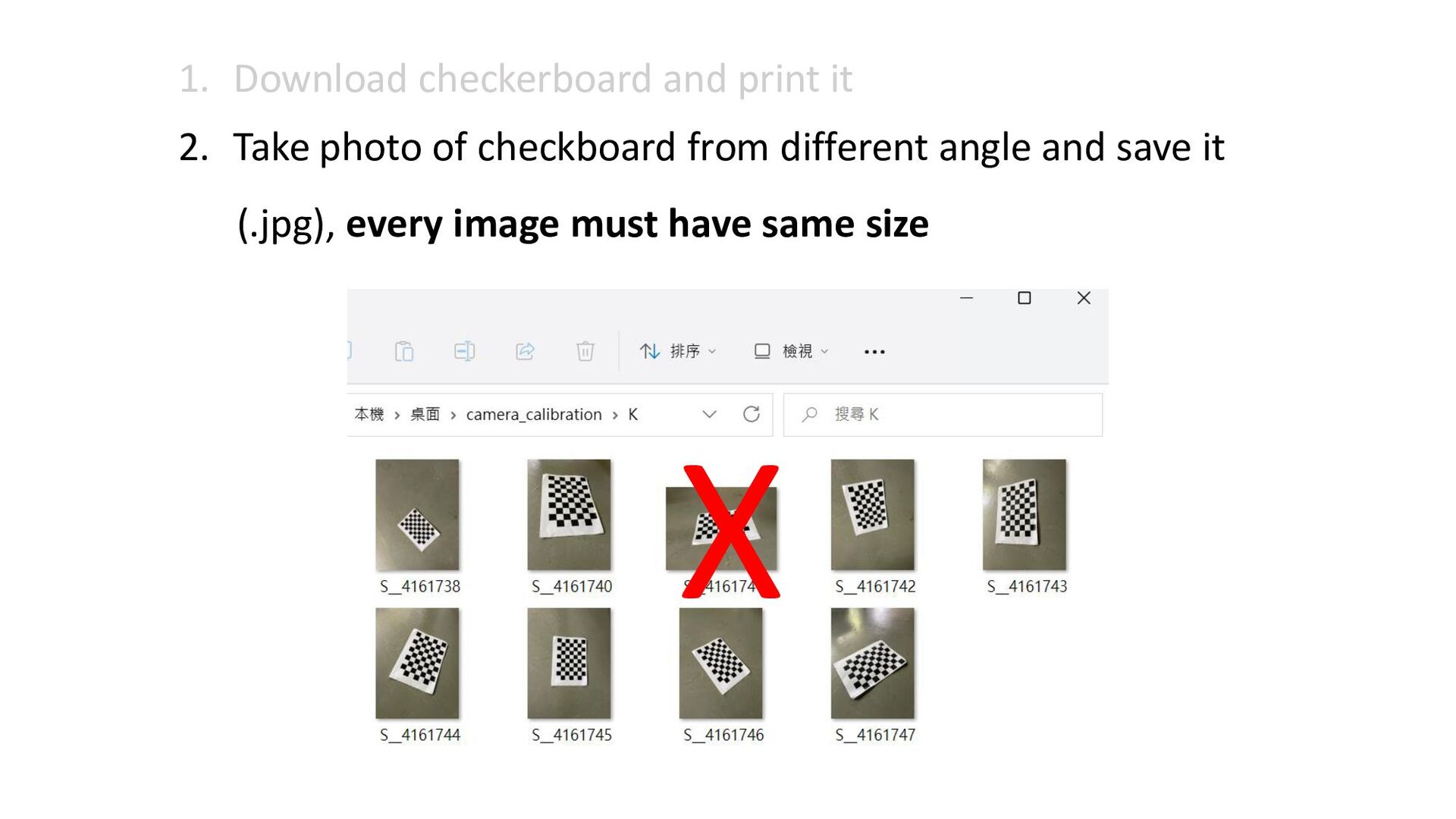
1. Download checkerboard and print it 2. Take photo of
checkboard from different angle and save it (.jpg), every image must have same size X
2. Take photo of checkboard from different angle and save
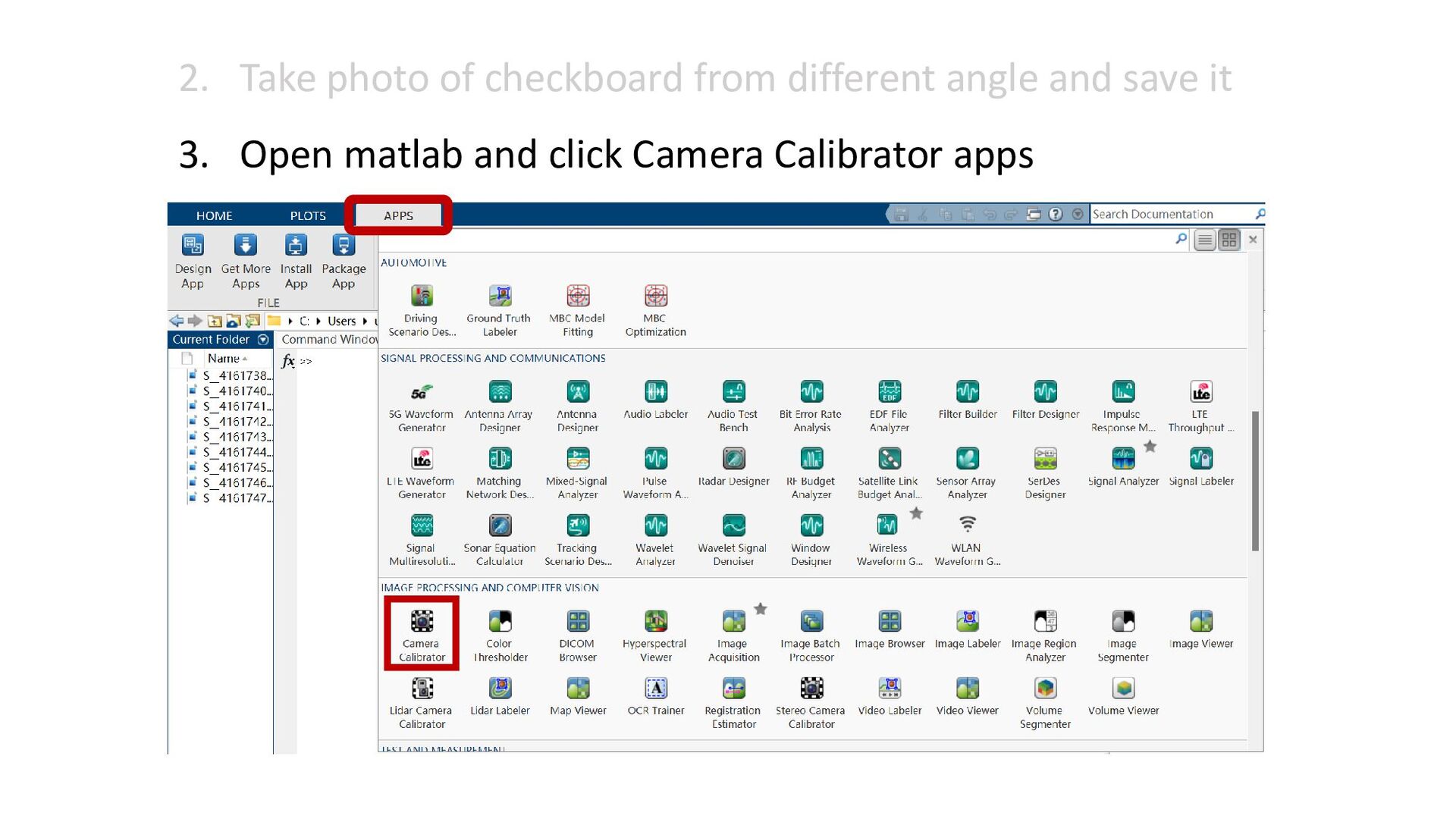
it 3. Open matlab and click Camera Calibrator apps
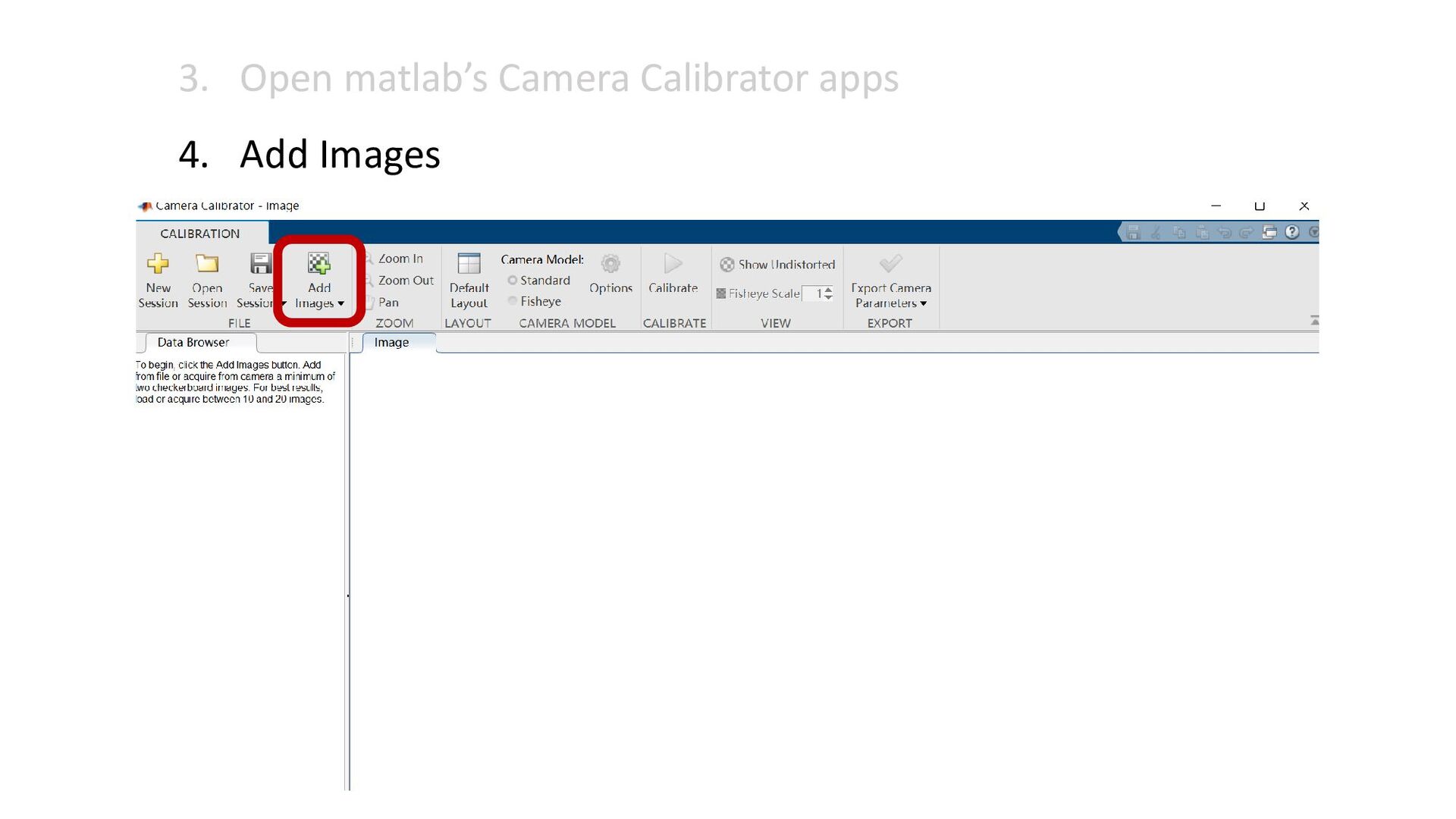
3. Open matlab’s Camera Calibrator apps 4. Add Images
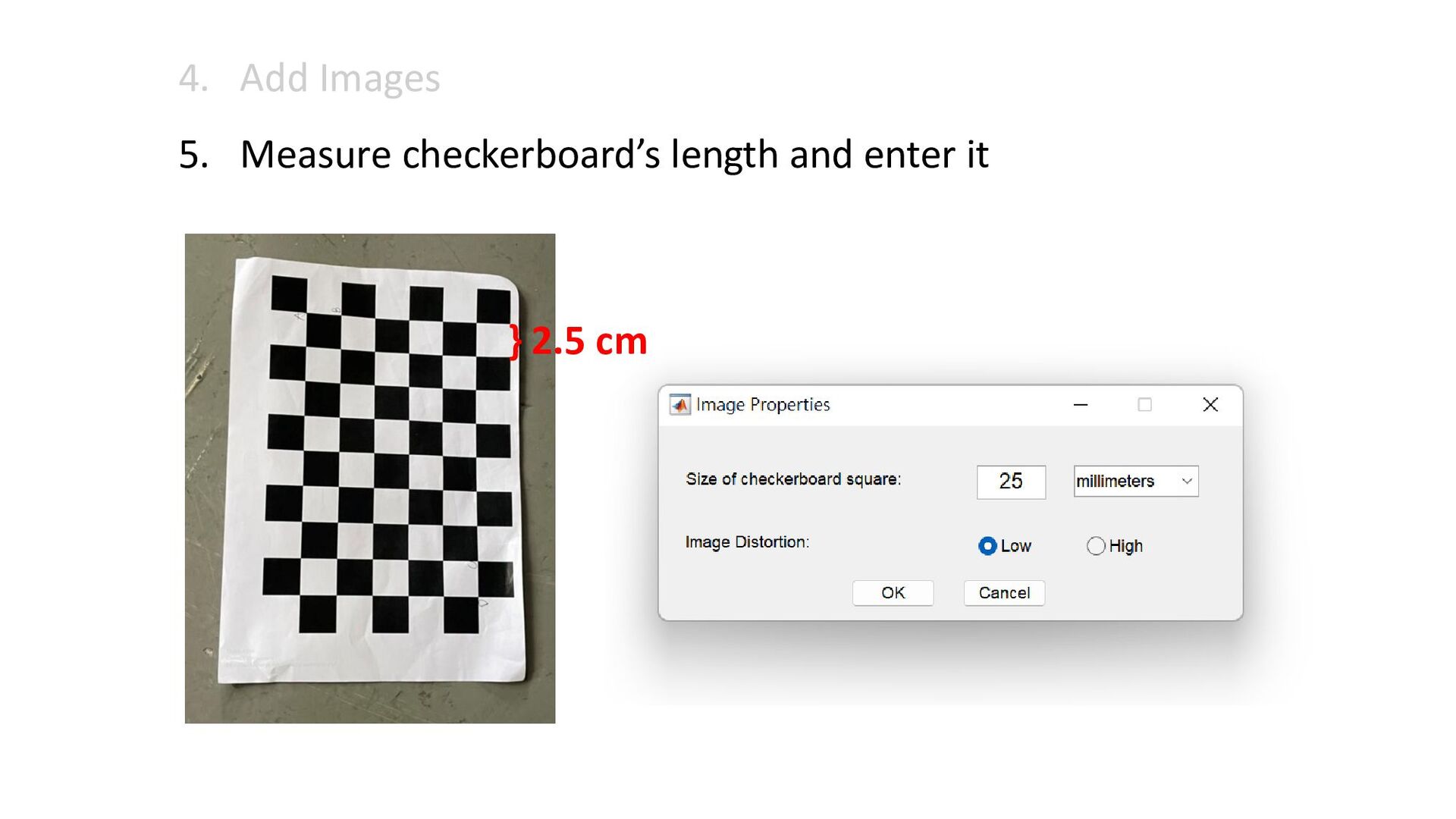
4. Add Images 5. Measure checkerboard’s length and enter it
} 2.5 cm
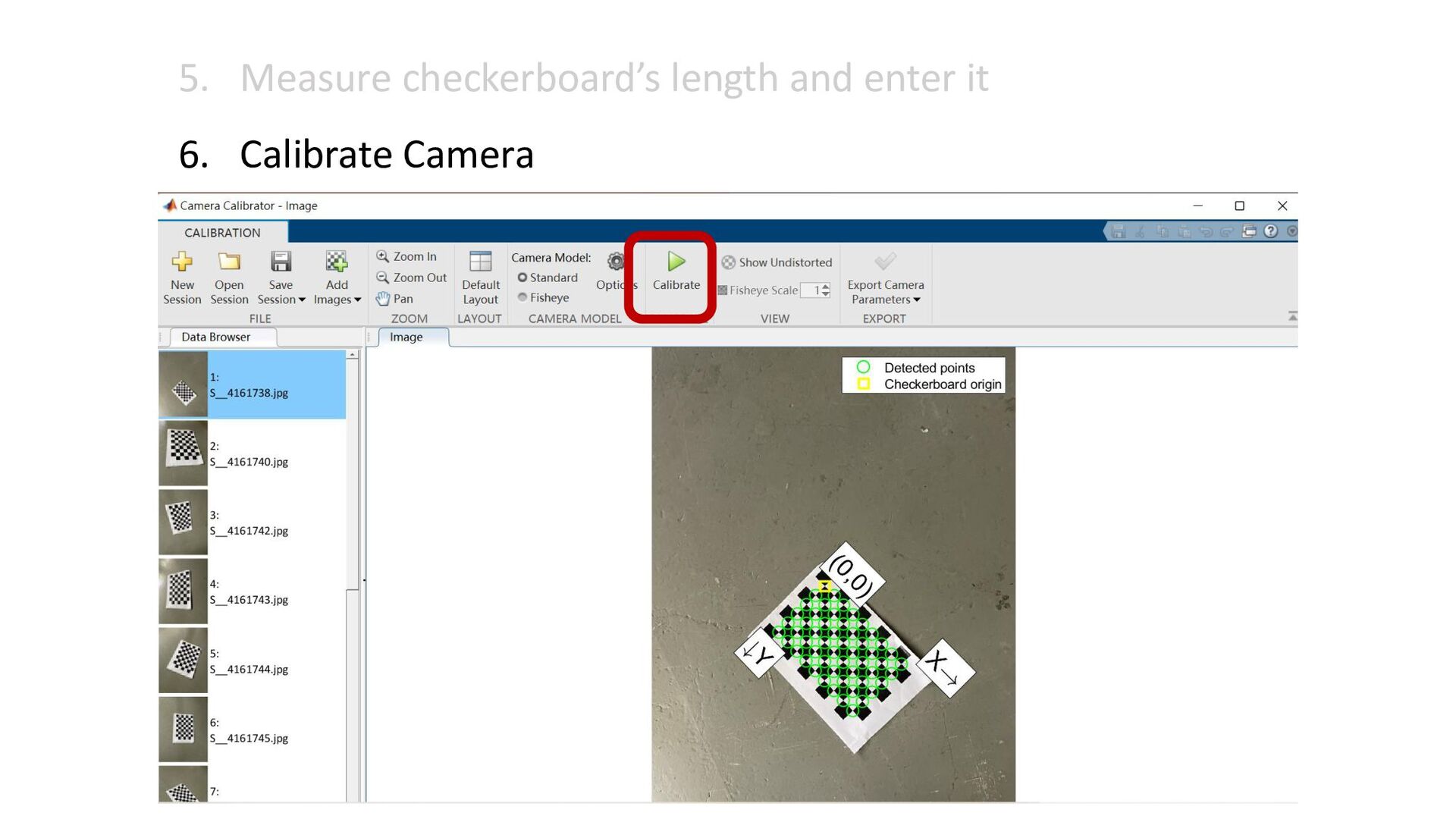
5. Measure checkerboard’s length and enter it 6. Calibrate Camera
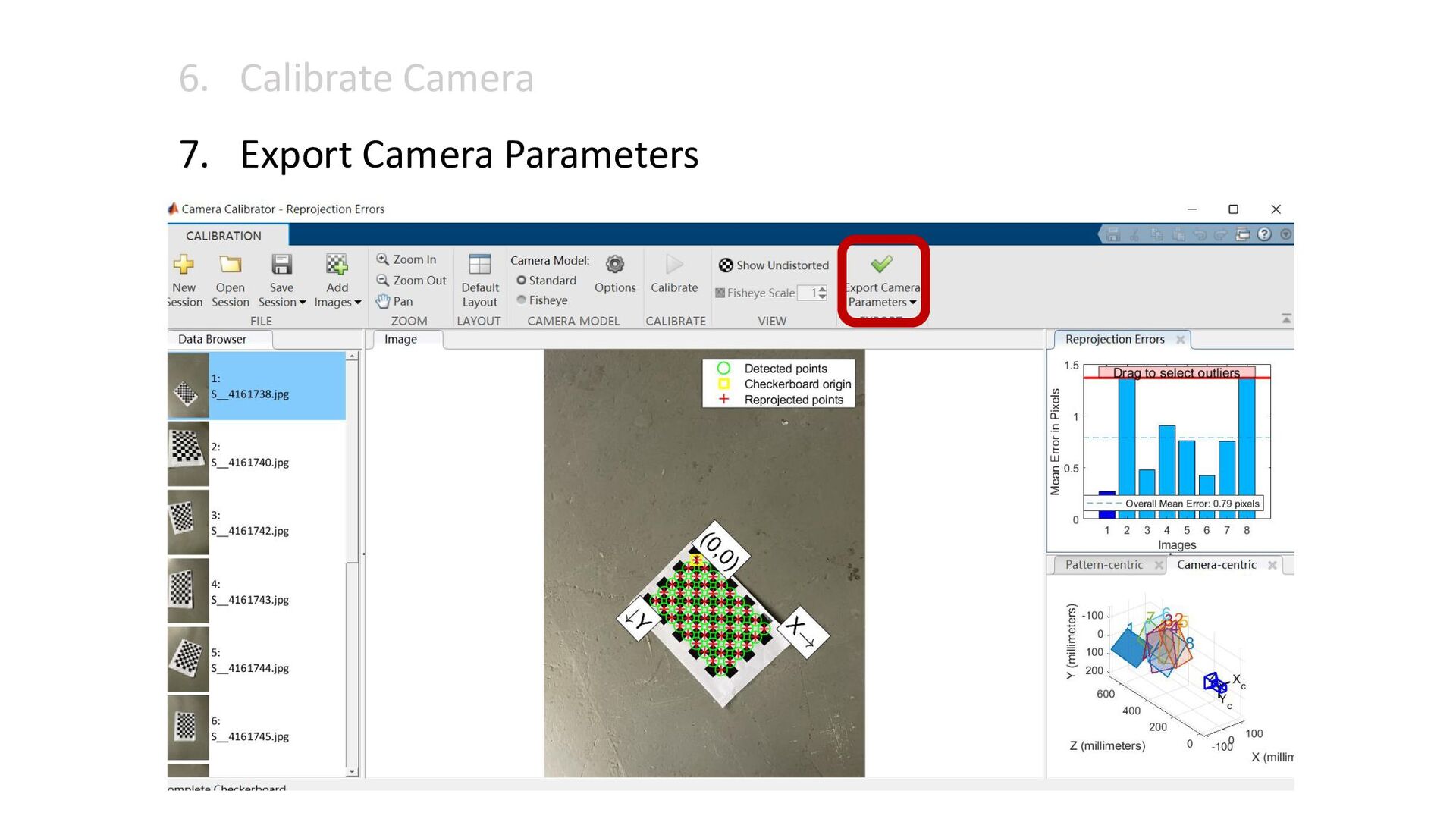
6. Calibrate Camera 7. Export Camera Parameters
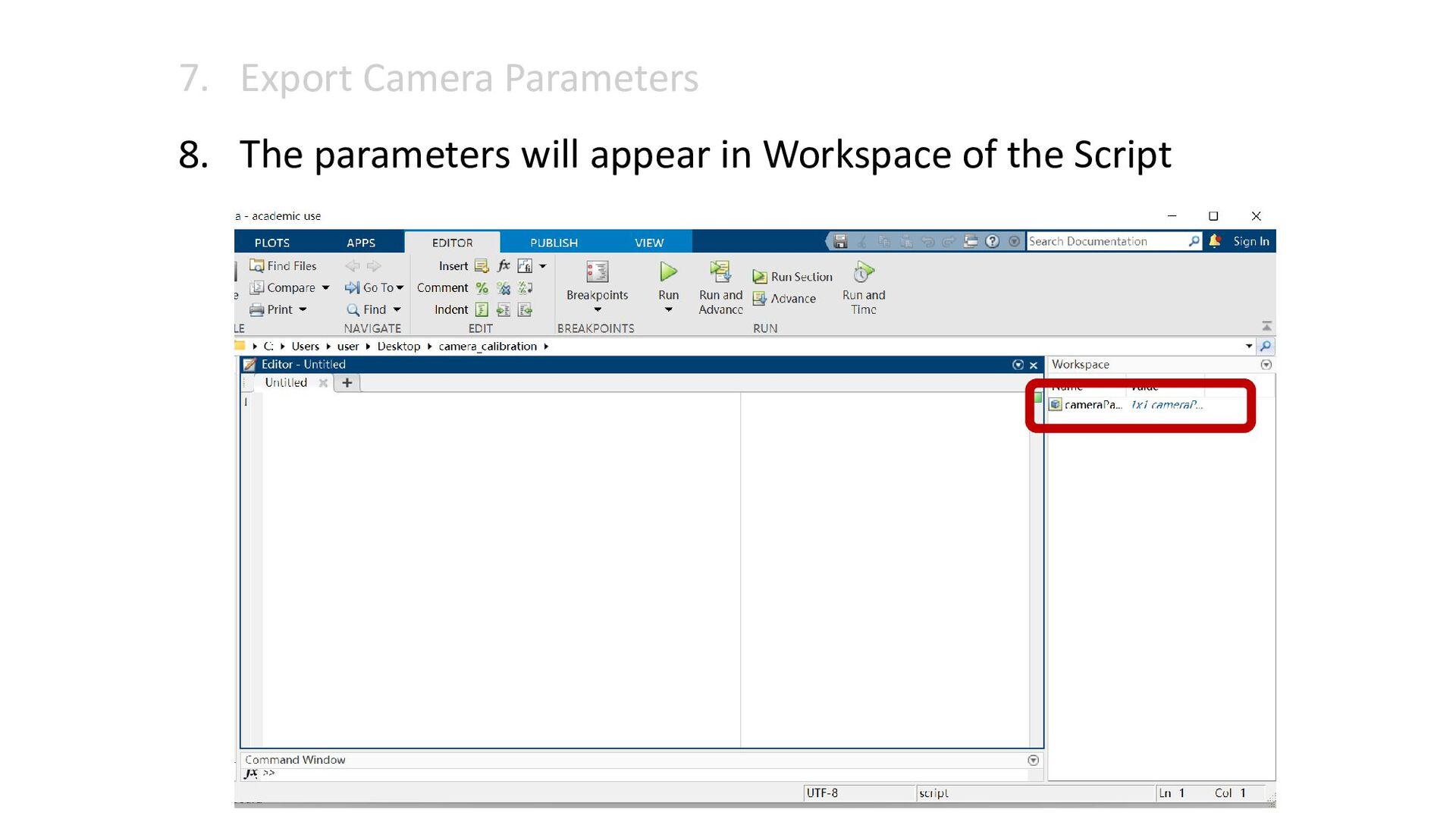
7. Export Camera Parameters 8. The parameters will appear in
Workspace of the Script


 jou
jou
 katarinadahlin
 aleyda
 rocio
rocio
 hatefulcrawdad
 nikkihalliwell
 tammyeverts
 marcoroth
 addyosmani
 frankvandijk
 sferik
 skoyamalab
 bluesmoon