Upgrade to Pro — share decks privately, control downloads, hide ads and more …

ACS+Titanium: tiConf 2013 talk

Sponsored · SiteGround - Reliable hosting with speed, security, and support you can count on. →
Avatar for Javier Rayon Javier Rayon
February 27, 2013

ACS+Titanium: tiConf 2013 talk

Talk performed in tiConf 2013 (Valencia), with a brief introduction to Appcelerator Titanium ACS, coding practices, warnings and some recipes for ACS

Avatar for Javier Rayon

Javier Rayon

February 27, 2013

Other Decks in Programming

Transcript

  1. Contents • ACS in a nutshell • Coding ACS •

    Tips, suggestions and good practices • WTF’s and warnings • The ACS recipes cookbook
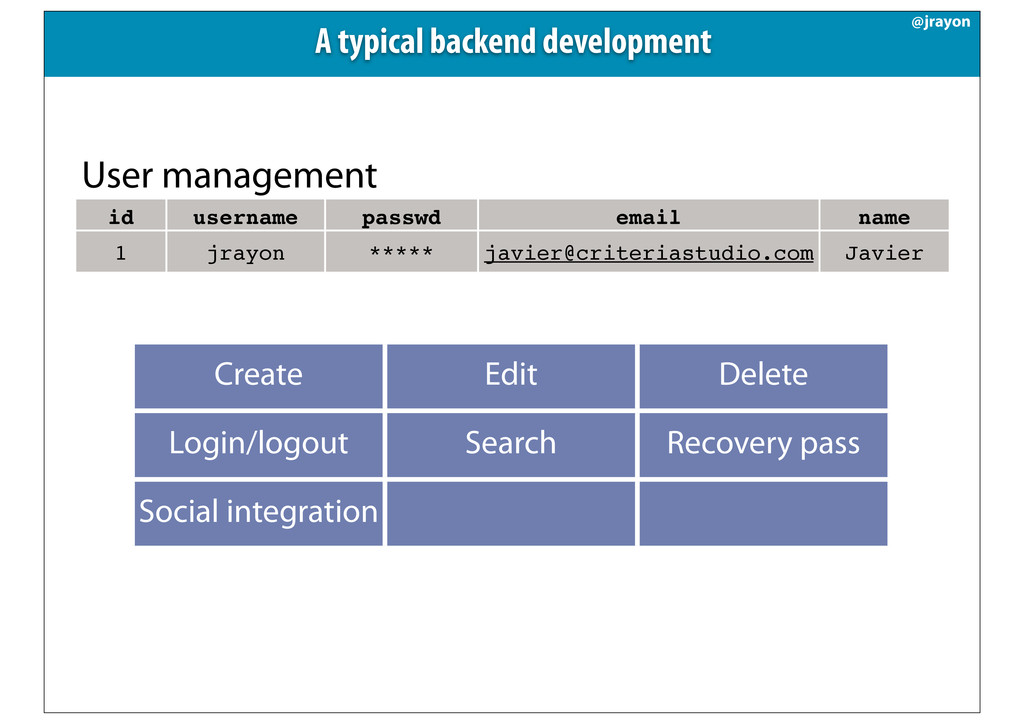
  2. A typical backend development id username passwd email name 1

    jrayon ***** [email protected] Javier User management Create Edit Delete Login/logout Search Recovery pass Social integration @jrayon
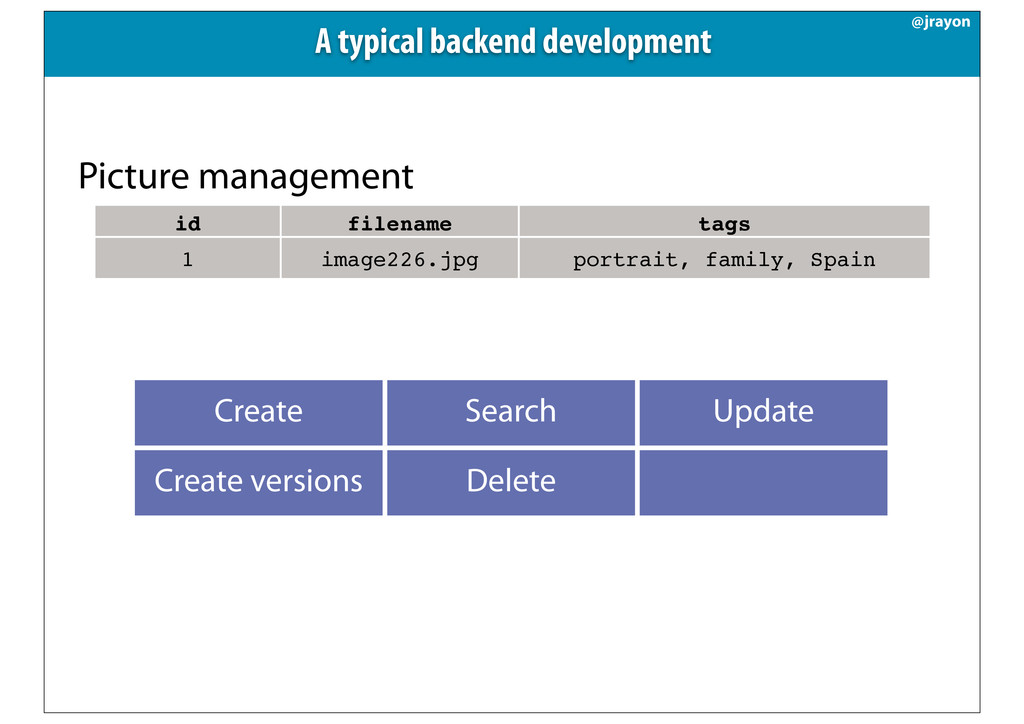
  3. id filename tags 1 image226.jpg portrait, family, Spain Picture management

    Create Search Update Create versions Delete A typical backend development @jrayon
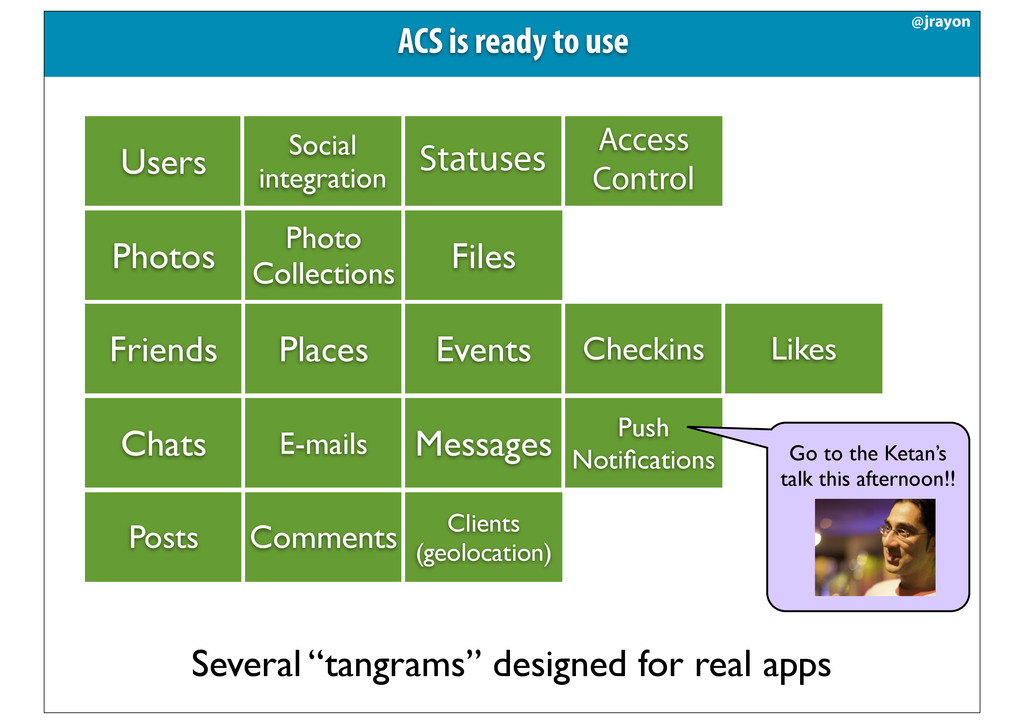
  4. Several “tangrams” designed for real apps ACS is ready to

    use @jrayon Users Photos Photo Collections Files Friends Places Events Checkins Likes Statuses Social integration Access Control Chats E-mails Messages Push Notifications Go to the Ketan’s talk this afternoon!! Posts Comments Clients (geolocation)
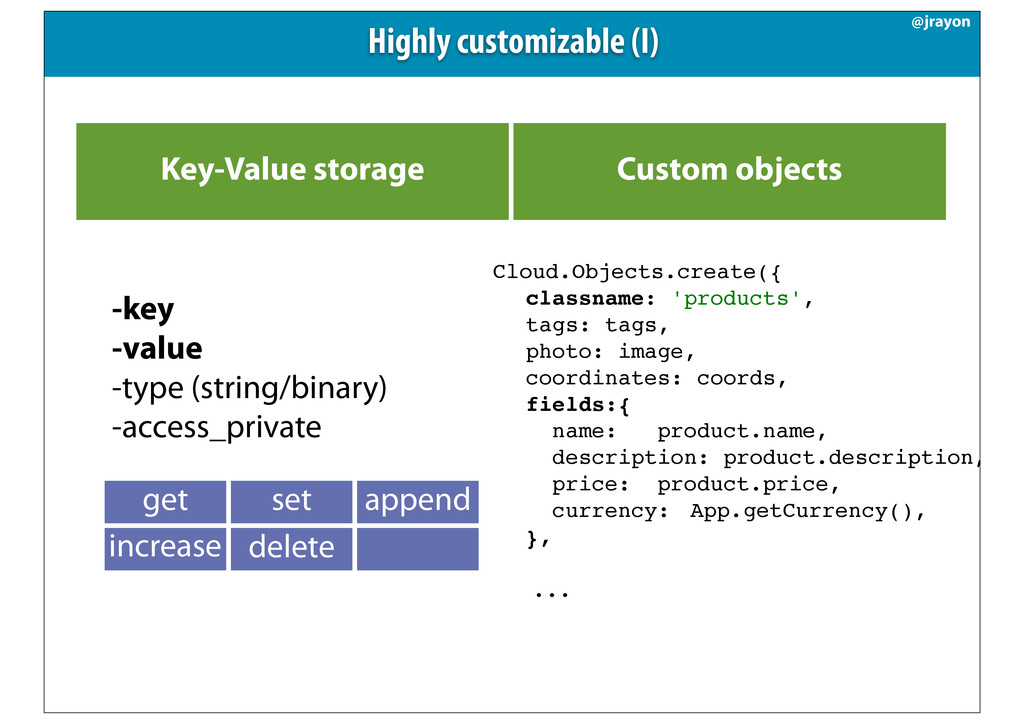
  5. Key-Value storage Custom objects Highly customizable (I) @jrayon -key -value

    -type (string/binary) -access_private get set append increase versions delete Cloud.Objects.create({ ! classname: 'products', ! tags: tags, ! photo: image, ! coordinates: coords, ! fields:{ ! name: ! product.name, ! description:!product.description,! ! price:! product.price, ! currency:! App.getCurrency(), ! }, ! ... !
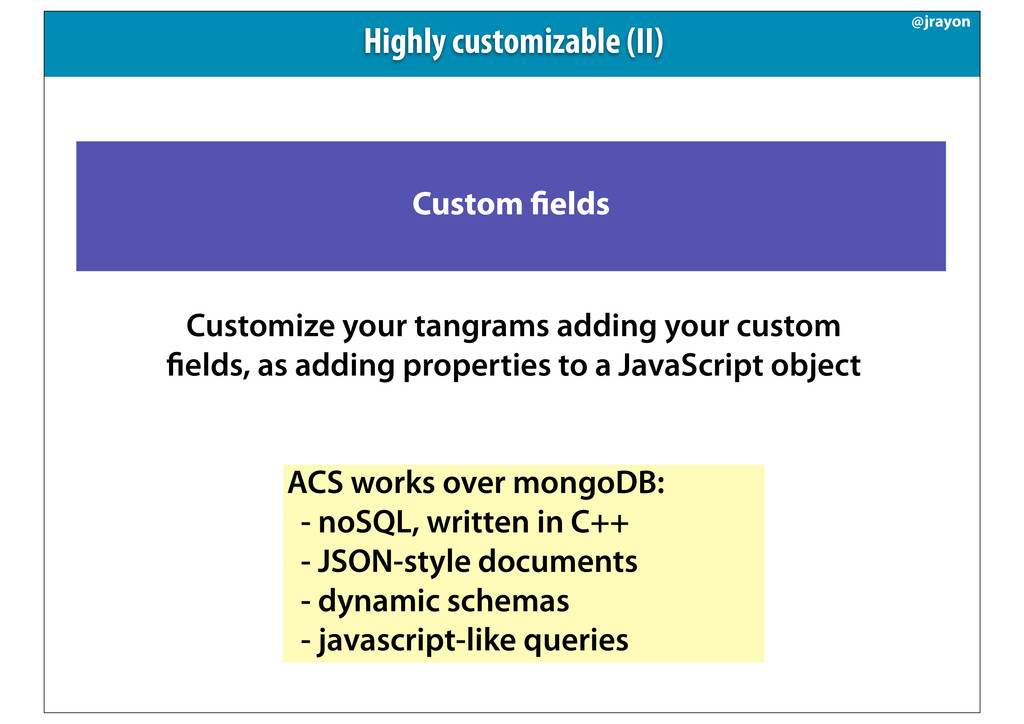
  6. Custom elds Customize your tangrams adding your custom elds, as

    adding properties to a JavaScript object Highly customizable (II) @jrayon ACS works over mongoDB: - noSQL, written in C++ - JSON-style documents - dynamic schemas - javascript-like queries
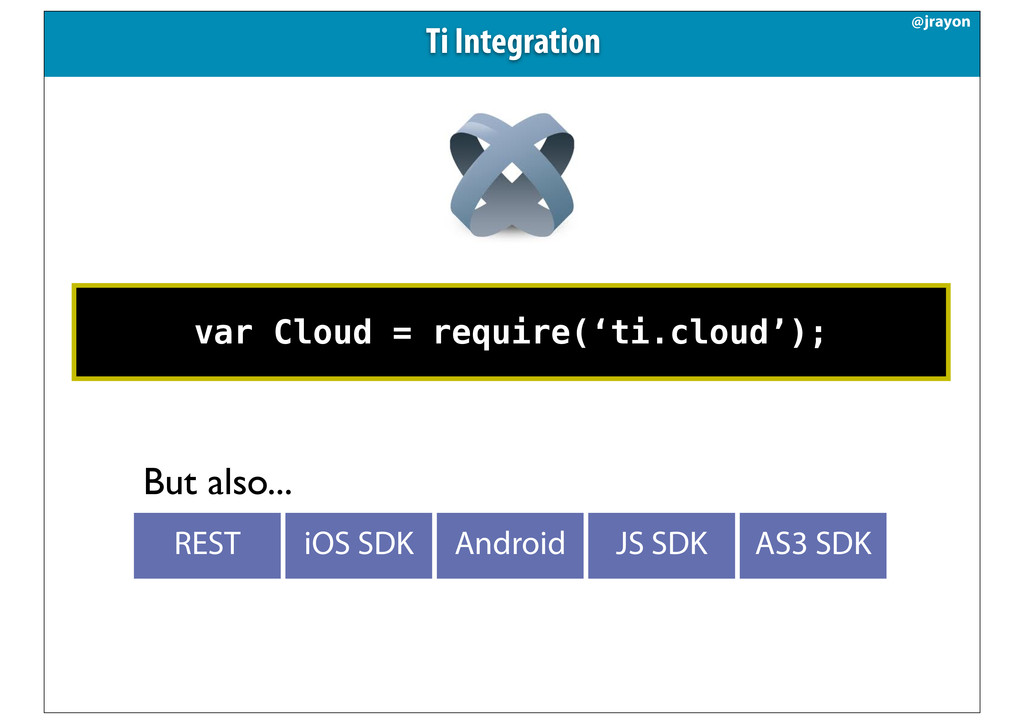
  7. var Cloud = require(‘ti.cloud’); REST iOS SDK Android JS SDK

    AS3 SDK But also... Ti Integration @jrayon
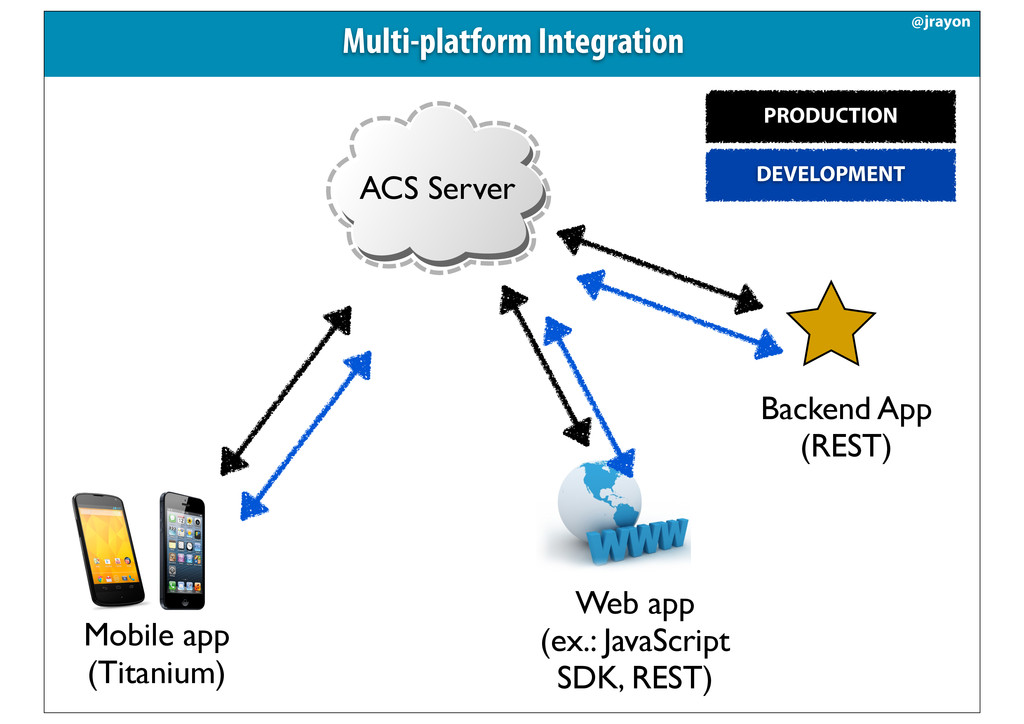
  8. Mobile app (Titanium) Web app (ex.: JavaScript SDK, REST) Backend

    App (REST) ACS Server Multi-platform Integration @jrayon PRODUCTION DEVELOPMENT
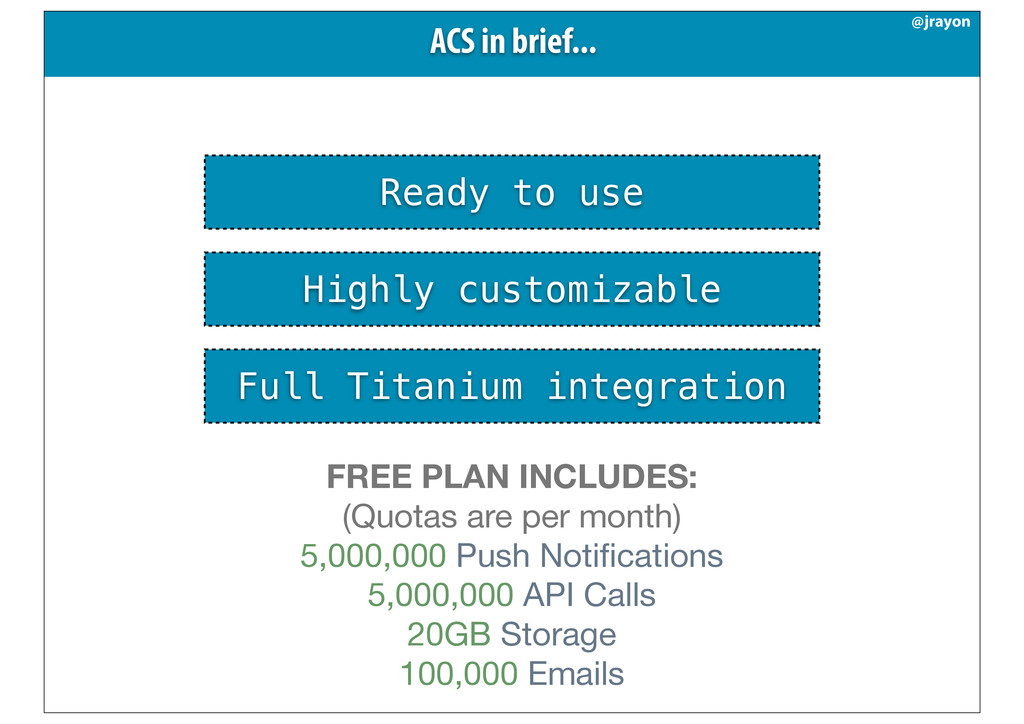
  9. Ready to use Highly customizable Full Titanium integration ACS in

    brief... @jrayon FREE PLAN INCLUDES: (Quotas are per month) 5,000,000 Push Notifications 5,000,000 API Calls 20GB Storage 100,000 Emails
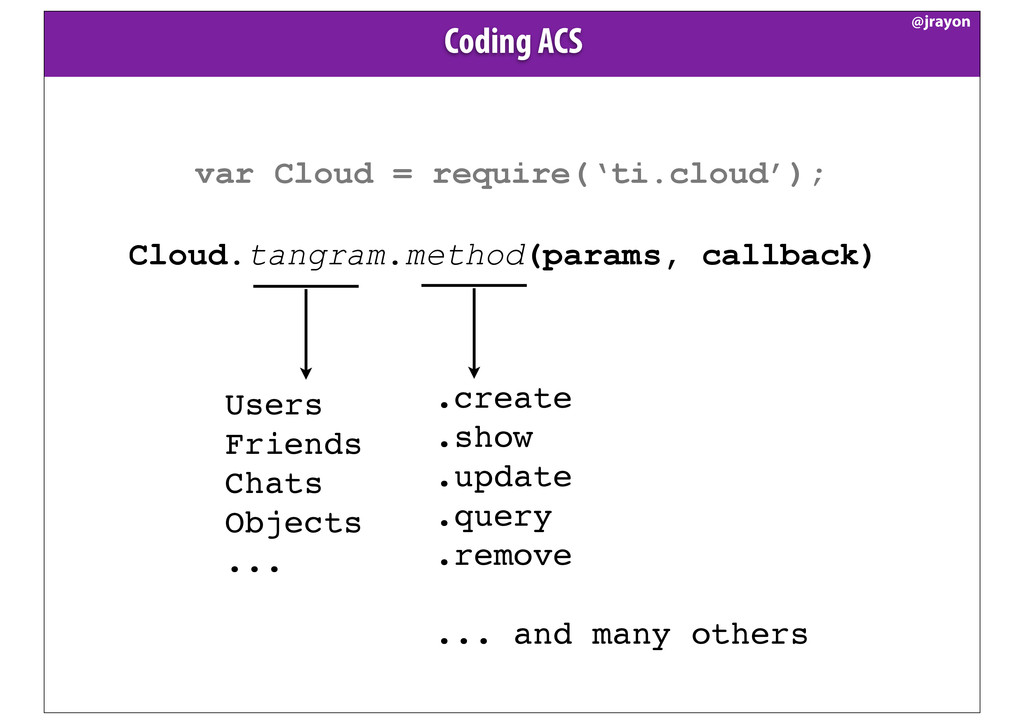
  10. var Cloud = require(‘ti.cloud’); Cloud.tangram.method(params, callback) Coding ACS @jrayon .create

    .show .update .query .remove ... and many others Users Friends Chats Objects ...
  11. var Cloud = require(‘ti.cloud’); Cloud.Users.create({ username:‘jaraen’, email: '[email protected]', password: 'test_password',

    password_confirmation: 'test_password', custom_fields:{ subscribe_newsletter: true, twitter_user: ‘@jrayon’ } }, function (e) { if (e.success) { //user created. Do something. var newUser = e.users[0]; } else { //error, probably username already exists //bad password confirmation or invalid data alert(e.message); } }); Coding ACS @jrayon
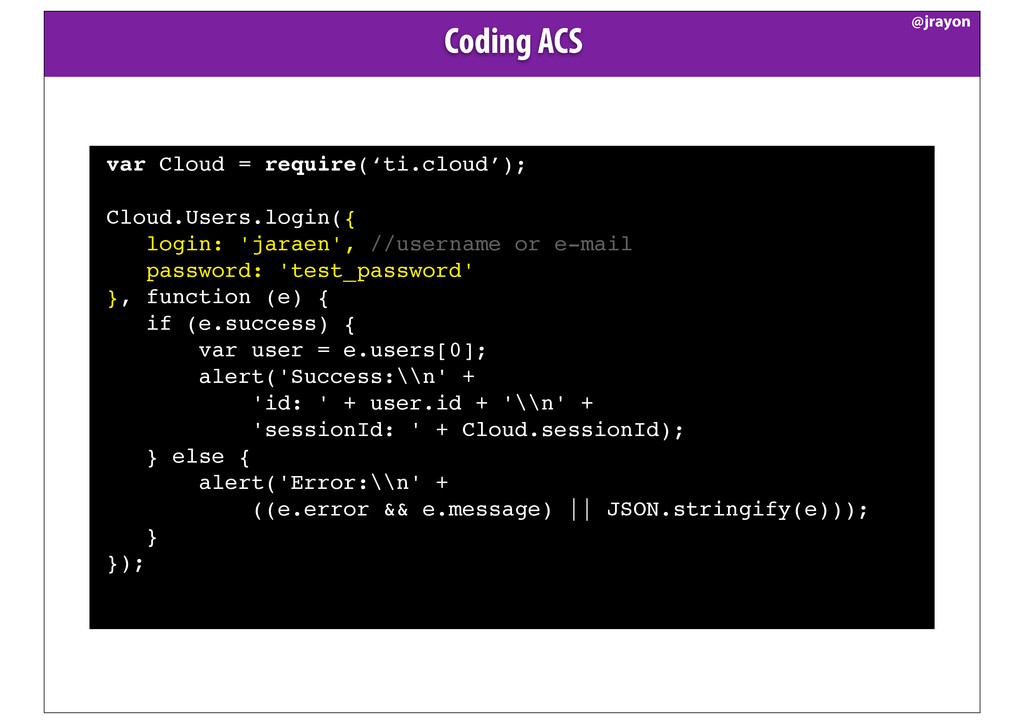
  12. var Cloud = require(‘ti.cloud’); Cloud.Users.login({ login: 'jaraen', //username or e-mail

    password: 'test_password' }, function (e) { if (e.success) { var user = e.users[0]; alert('Success:\\n' + 'id: ' + user.id + '\\n' + 'sessionId: ' + Cloud.sessionId); } else { alert('Error:\\n' + ((e.error && e.message) || JSON.stringify(e))); } }); Coding ACS @jrayon
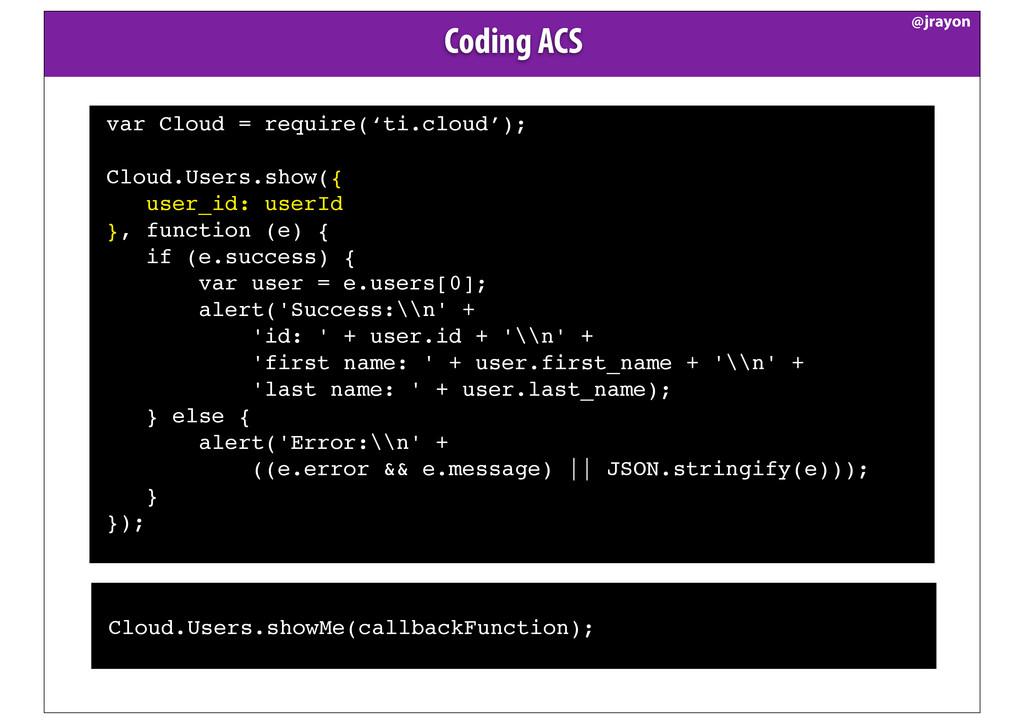
  13. var Cloud = require(‘ti.cloud’); Cloud.Users.show({ user_id: userId }, function (e)

    { if (e.success) { var user = e.users[0]; alert('Success:\\n' + 'id: ' + user.id + '\\n' + 'first name: ' + user.first_name + '\\n' + 'last name: ' + user.last_name); } else { alert('Error:\\n' + ((e.error && e.message) || JSON.stringify(e))); } }); Coding ACS @jrayon Cloud.Users.showMe(callbackFunction);
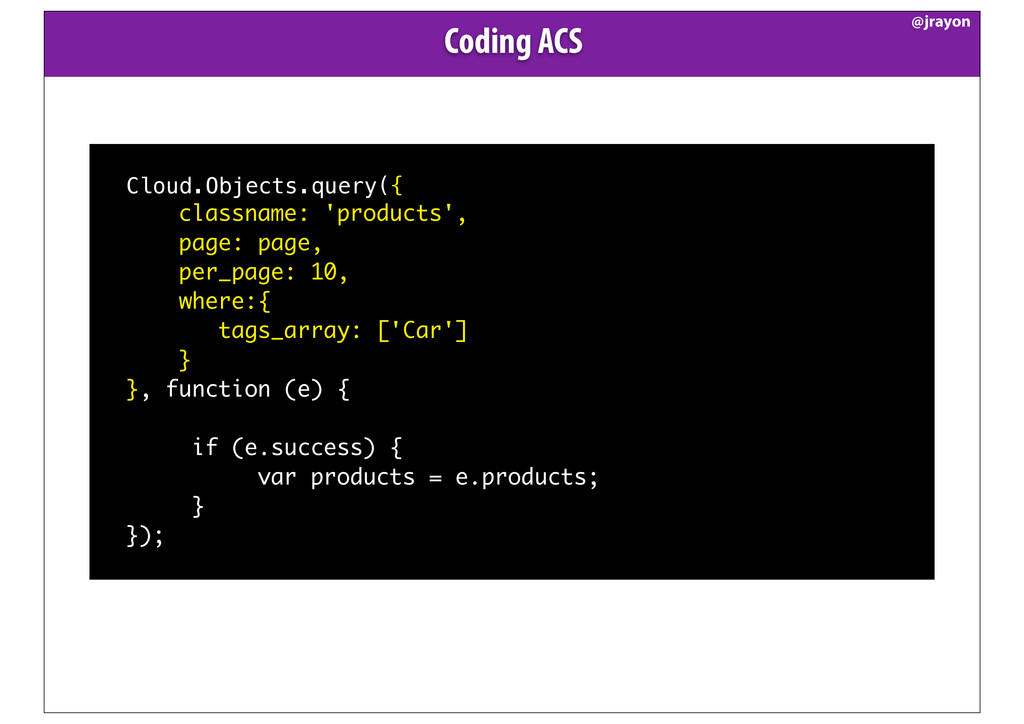
  14. ! Cloud.Objects.query({ classname: 'products', page: page, per_page: 10, where:{ tags_array:

    ['Car'] } }, function (e) { if (e.success) { var products = e.products; } });! Coding ACS @jrayon
  15. where:{ tags_array: ['Car'] } Coding ACS. Building queries. @jrayon where:{

    sold: false, owner: userId, tags_array: ['Car', 'used'] //tags ‘or’ condition } where:{ sold: false, owner: userId, '$and': [ tags_array: ['Car'], tags_array: ['used'] ] }
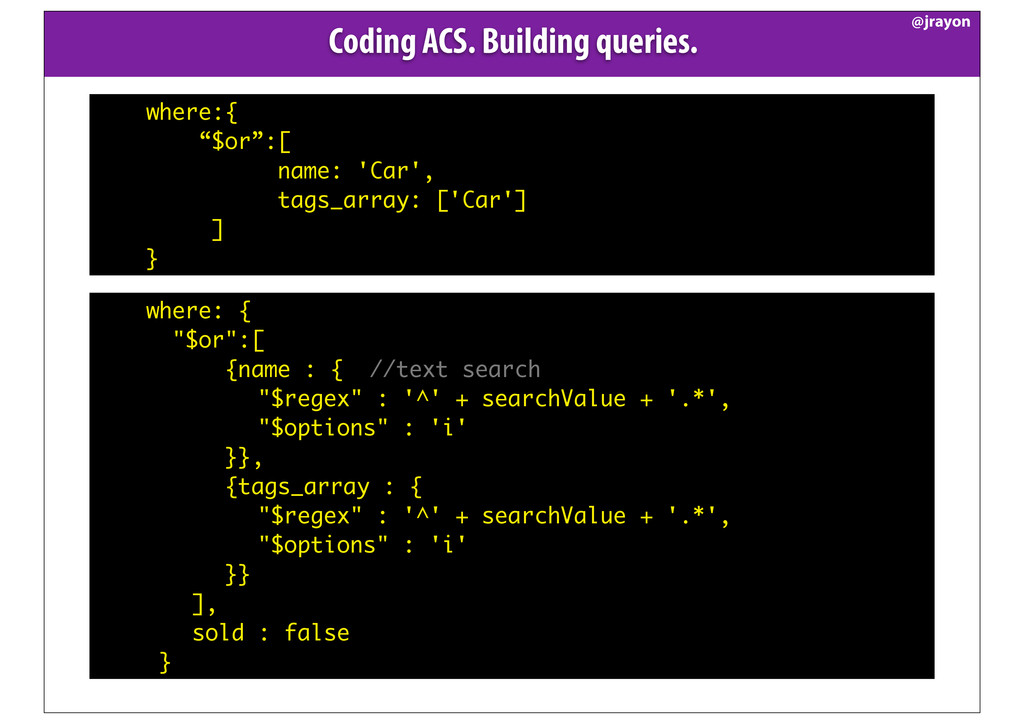
  16. Coding ACS. Building queries. @jrayon where:{ “$or”:[ name: 'Car', tags_array:

    ['Car'] ] } where: { "$or":[ {name : { //text search "$regex" : '^' + searchValue + '.*', "$options" : 'i' }}, {tags_array : { "$regex" : '^' + searchValue + '.*', "$options" : 'i' }} ], sold : false }
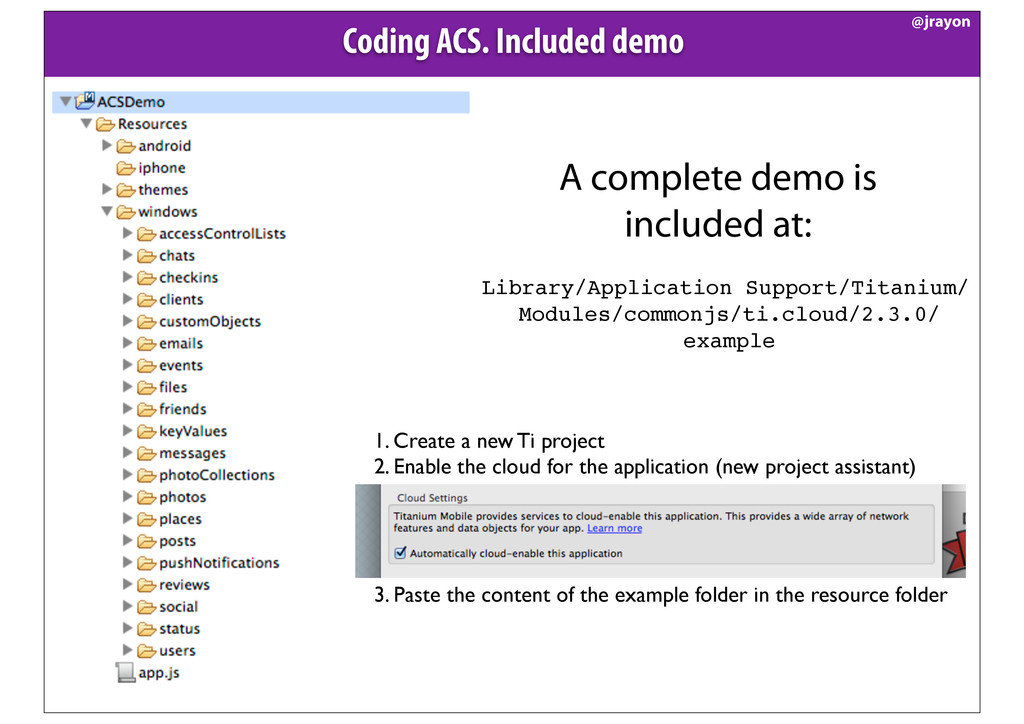
  17. Coding ACS. Included demo @jrayon A complete demo is included

    at: Library/Application Support/Titanium/ Modules/commonjs/ti.cloud/2.3.0/ example 1. Create a new Ti project 2. Enable the cloud for the application (new project assistant) 3. Paste the content of the example folder in the resource folder
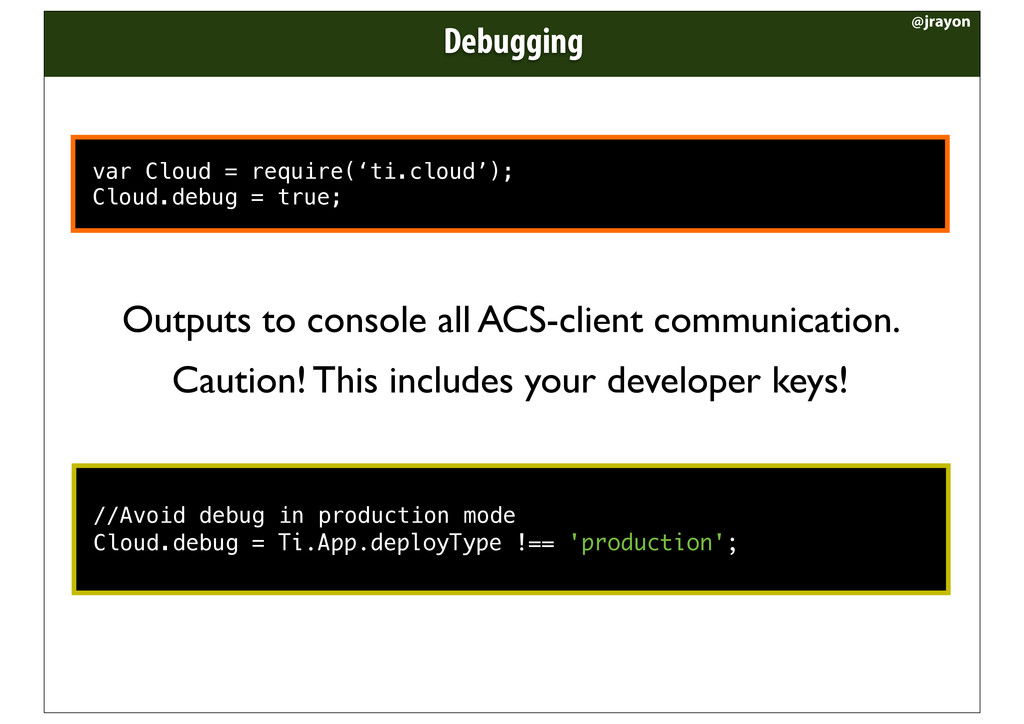
  18. var Cloud = require(‘ti.cloud’); Cloud.debug = true; Outputs to console

    all ACS-client communication. Caution! This includes your developer keys! //Avoid debug in production mode Cloud.debug = Ti.App.deployType !== 'production'; Debugging @jrayon
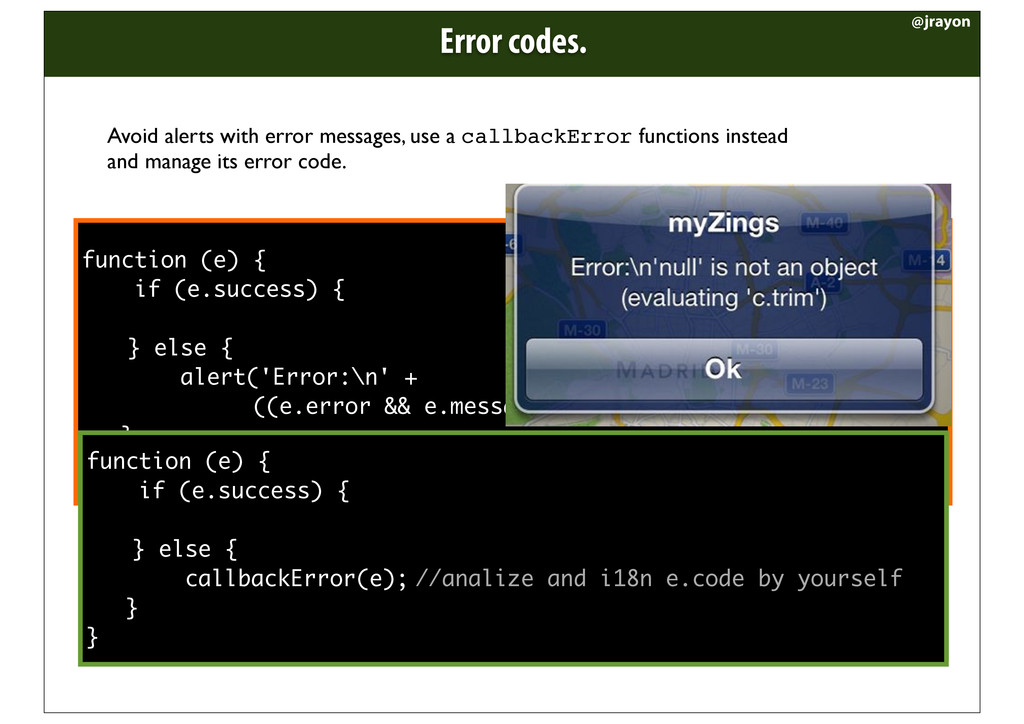
  19. function (e) { if (e.success) { } else { alert('Error:\n'

    + ((e.error && e.message) || JSON.stringify(e))); } } Error codes. @jrayon Avoid alerts with error messages, use a callbackError functions instead and manage its error code. function (e) { if (e.success) { } else { callbackError(e); //analize and i18n e.code by yourself } }
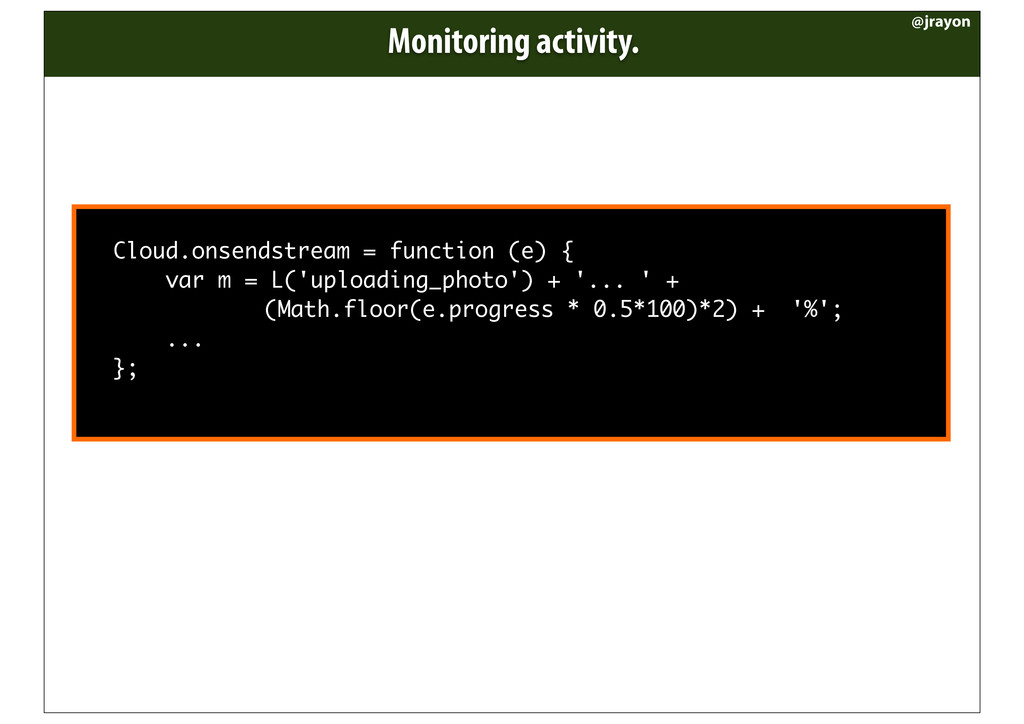
  20. Cloud.onsendstream = function (e) { var m = L('uploading_photo') +

    '... ' + (Math.floor(e.progress * 0.5*100)*2) + '%'; ... }; Monitoring activity. @jrayon
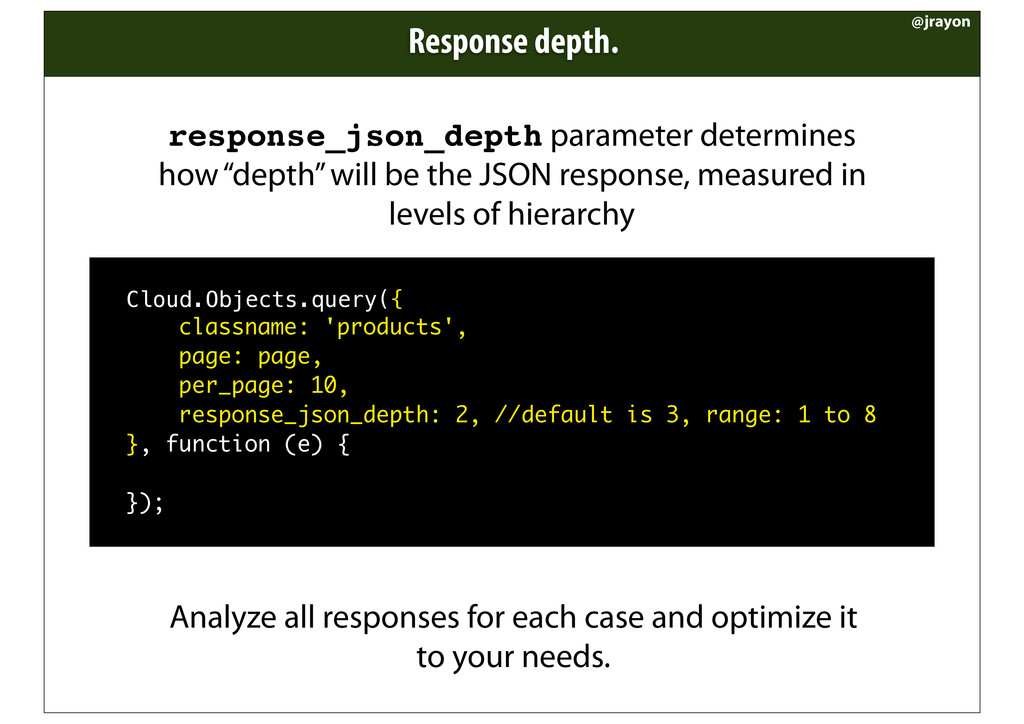
  21. Response depth. @jrayon response_json_depth parameter determines how “depth” will be

    the JSON response, measured in levels of hierarchy ! Cloud.Objects.query({ classname: 'products', page: page, per_page: 10, response_json_depth: 2, //default is 3, range: 1 to 8 }, function (e) { });! Analyze all responses for each case and optimize it to your needs.
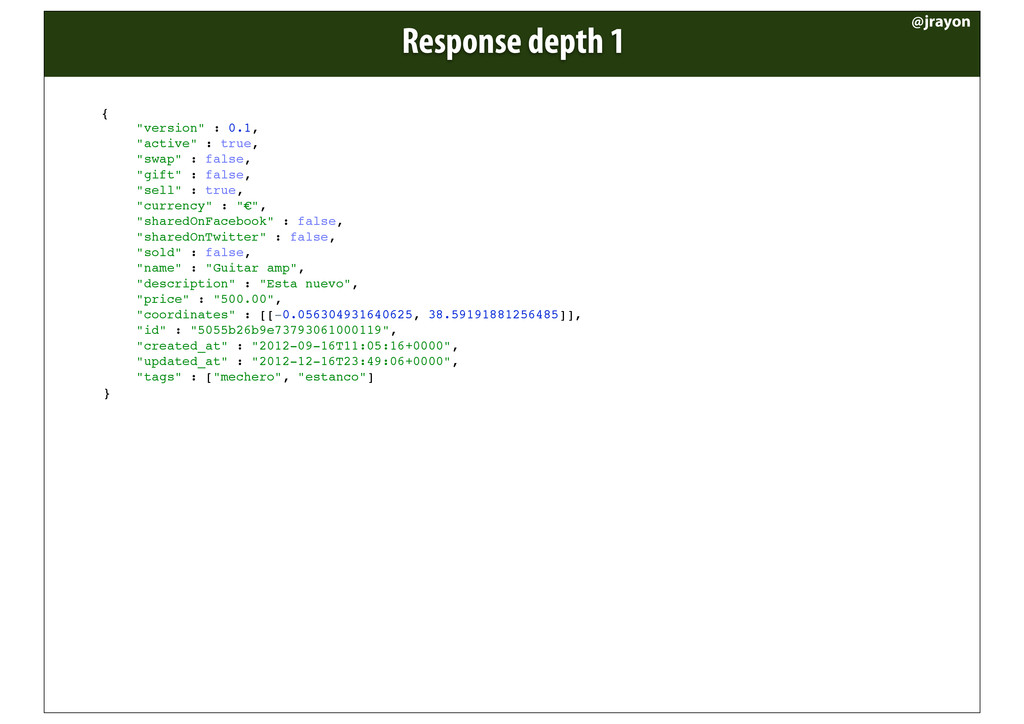
  22. Response depth 1 @jrayon { ! ! "version" : 0.1,

    ! ! "active" : true, ! ! "swap" : false, ! ! "gift" : false, ! ! "sell" : true, ! ! "currency" : "€", ! ! "sharedOnFacebook" : false, ! ! "sharedOnTwitter" : false, ! ! "sold" : false, ! ! "name" : "Guitar amp", ! ! "description" : "Esta nuevo", ! ! "price" : "500.00", ! ! "coordinates" : [[-0.056304931640625, 38.59191881256485]], ! ! "id" : "5055b26b9e73793061000119", ! ! "created_at" : "2012-09-16T11:05:16+0000", ! ! "updated_at" : "2012-12-16T23:49:06+0000", ! ! "tags" : ["mechero", "estanco"] ! }
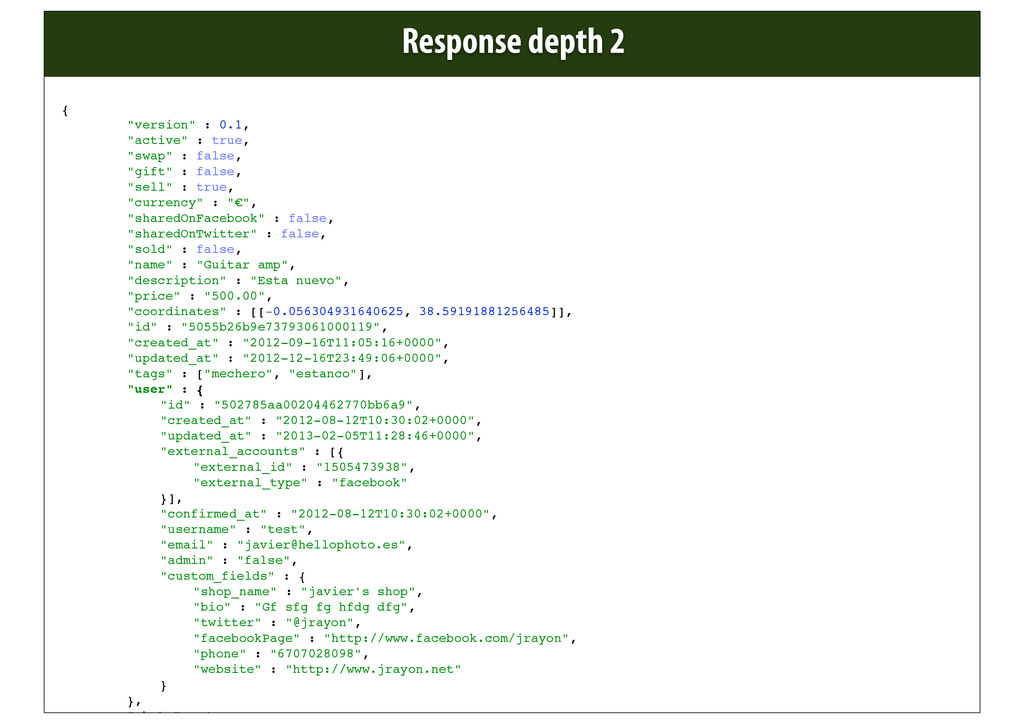
  23. @jrayon { ! ! "version" : 0.1, ! ! "active"

    : true, ! ! "swap" : false, ! ! "gift" : false, ! ! "sell" : true, ! ! "currency" : "€", ! ! "sharedOnFacebook" : false, ! ! "sharedOnTwitter" : false, ! ! "sold" : false, ! ! "name" : "Guitar amp", ! ! "description" : "Esta nuevo", ! ! "price" : "500.00", ! ! "coordinates" : [[-0.056304931640625, 38.59191881256485]], ! ! "id" : "5055b26b9e73793061000119", ! ! "created_at" : "2012-09-16T11:05:16+0000", ! ! "updated_at" : "2012-12-16T23:49:06+0000", ! ! "tags" : ["mechero", "estanco"], ! ! "user" : { ! ! ! "id" : "502785aa00204462770bb6a9", ! ! ! "created_at" : "2012-08-12T10:30:02+0000", ! ! ! "updated_at" : "2013-02-05T11:28:46+0000", ! ! ! "external_accounts" : [{ ! ! ! ! "external_id" : "1505473938", ! ! ! ! "external_type" : "facebook" ! ! ! }], ! ! ! "confirmed_at" : "2012-08-12T10:30:02+0000", ! ! ! "username" : "test", ! ! ! "email" : "[email protected]", ! ! ! "admin" : "false", ! ! ! "custom_fields" : { ! ! ! ! "shop_name" : "javier's shop", ! ! ! ! "bio" : "Gf sfg fg hfdg dfg", ! ! ! ! "twitter" : "@jrayon", ! ! ! ! "facebookPage" : "http://www.facebook.com/jrayon", ! ! ! ! "phone" : "6707028098", ! ! ! ! "website" : "http://www.jrayon.net" ! ! ! } ! ! }, ! ! "photo" : { Response depth 2
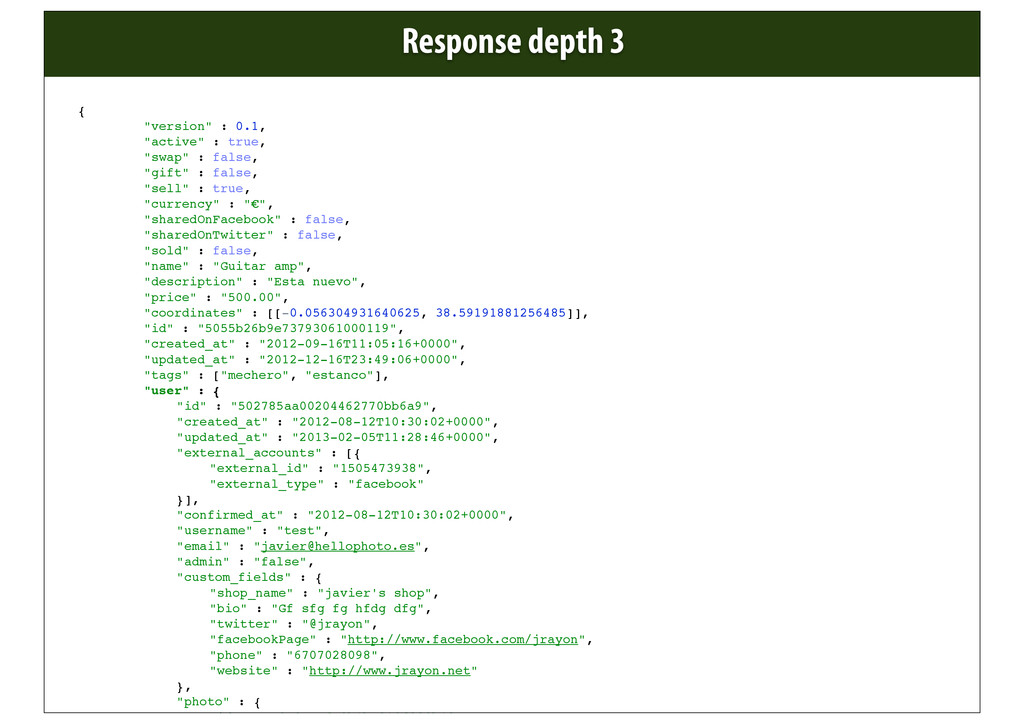
  24. @jrayon { ! ! "version" : 0.1, ! ! "active"

    : true, ! ! "swap" : false, ! ! "gift" : false, ! ! "sell" : true, ! ! "currency" : "€", ! ! "sharedOnFacebook" : false, ! ! "sharedOnTwitter" : false, ! ! "sold" : false, ! ! "name" : "Guitar amp", ! ! "description" : "Esta nuevo", ! ! "price" : "500.00", ! ! "coordinates" : [[-0.056304931640625, 38.59191881256485]], ! ! "id" : "5055b26b9e73793061000119", ! ! "created_at" : "2012-09-16T11:05:16+0000", ! ! "updated_at" : "2012-12-16T23:49:06+0000", ! ! "tags" : ["mechero", "estanco"], ! ! "user" : { ! ! ! "id" : "502785aa00204462770bb6a9", ! ! ! "created_at" : "2012-08-12T10:30:02+0000", ! ! ! "updated_at" : "2013-02-05T11:28:46+0000", ! ! ! "external_accounts" : [{ ! ! ! ! "external_id" : "1505473938", ! ! ! ! "external_type" : "facebook" ! ! ! }], ! ! ! "confirmed_at" : "2012-08-12T10:30:02+0000", ! ! ! "username" : "test", ! ! ! "email" : "[email protected]", ! ! ! "admin" : "false", ! ! ! "custom_fields" : { ! ! ! ! "shop_name" : "javier's shop", ! ! ! ! "bio" : "Gf sfg fg hfdg dfg", ! ! ! ! "twitter" : "@jrayon", ! ! ! ! "facebookPage" : "http://www.facebook.com/jrayon", ! ! ! ! "phone" : "6707028098", ! ! ! ! "website" : "http://www.jrayon.net" ! ! ! }, ! ! ! "photo" : { ! ! ! ! "id" : "50c07cafe0b1ba310f000b18", Response depth 3
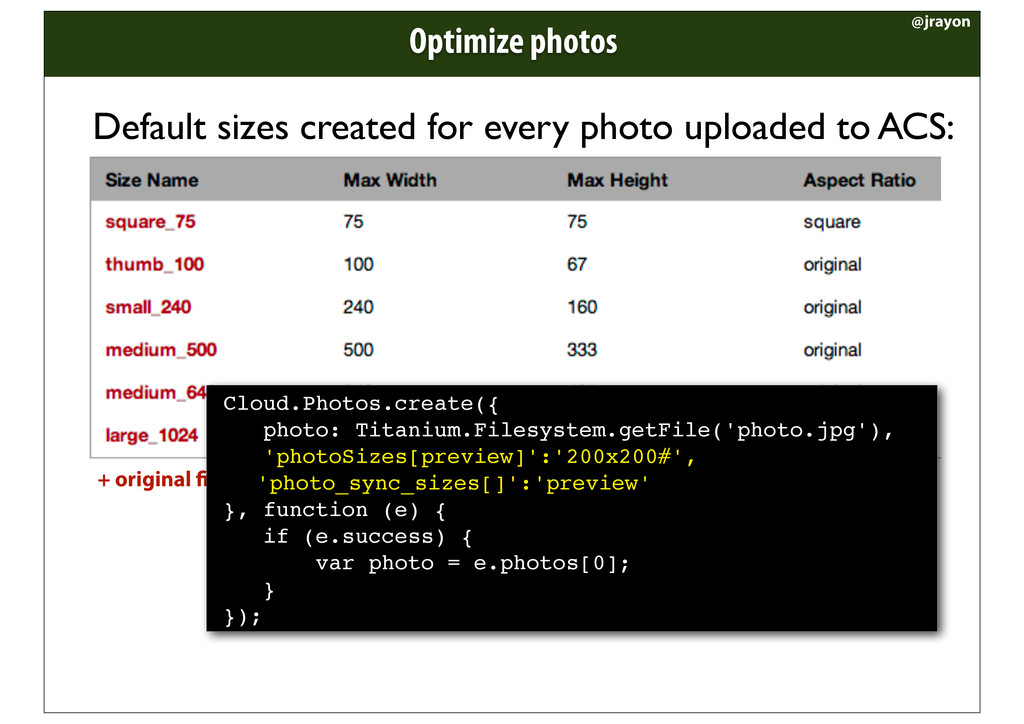
  25. Optimize photos @jrayon Default sizes created for every photo uploaded

    to ACS: + original le Cloud.Photos.create({ photo: Titanium.Filesystem.getFile('photo.jpg'), 'photoSizes[preview]':'200x200#', ! 'photo_sync_sizes[]':'preview' }, function (e) { if (e.success) { var photo = e.photos[0]; } });
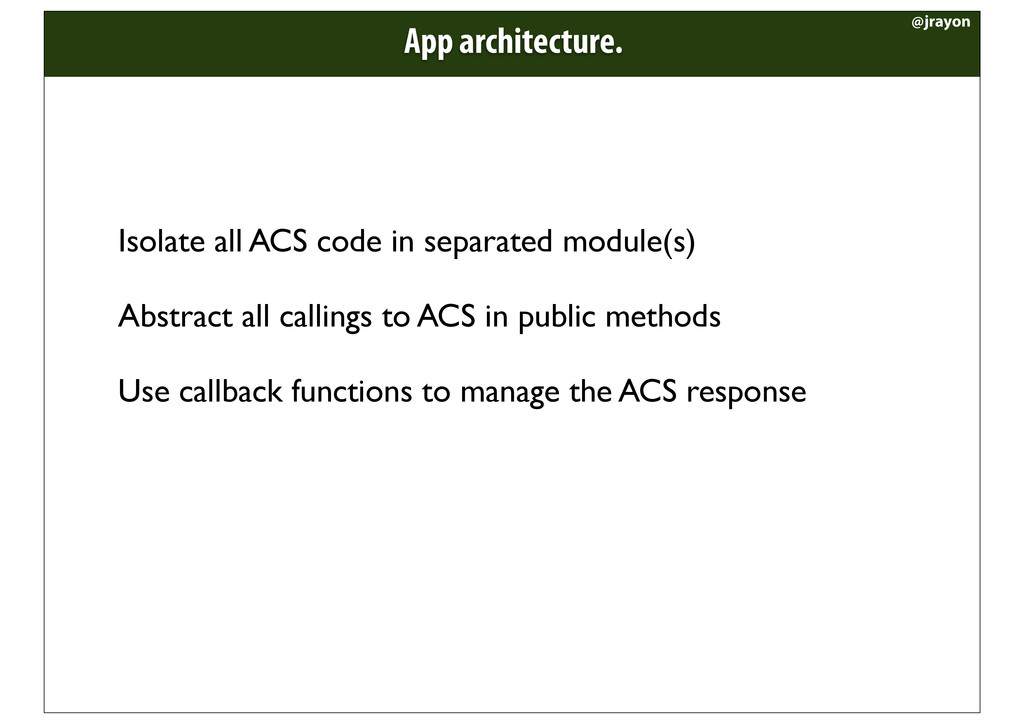
  26. Isolate all ACS code in separated module(s) Abstract all callings

    to ACS in public methods Use callback functions to manage the ACS response App architecture. @jrayon
  27. var coordinatesQuery = { '$nearSphere' : [longitude, latitude], '$maxDistance' :

    convertKmToRad(searchDistanceInKm) }; var where = { coordinates: coordinatesQuery }; Cloud.Objects.query({ class: 'products', where: where }, callback); //Result has all ‘products’ objects inside the indicated area var coordinatesQuery = { '$nearSphere' : [longitude, latitude], '$maxDistance' : convertKmToRad(searchDistanceInKm) }; var where = { coordinates: coordinatesQuery, tags_array: ['car'] }; Cloud.Objects.query({ class: 'products', where: where }, callback); //Result has all ‘products’ objects inside the indicated area //but tags condition is ignored WTF! Searching by coordinates (I) @jrayon var coordinatesQuery = { '$nearSphere' : [longitude, latitude], '$maxDistance' : convertKmToRad(searchDistanceInKm) }; var where = { tags_array: ['car'], coordinates: coordinatesQuery }; Cloud.Objects.query({ class: 'products', where: where }, callback); //Result has all ‘products’ objects inside the indicated area //containing tag ‘car’, as expected Properties declared after coordinates are all silently ignored, so put them BEFORE coordinates
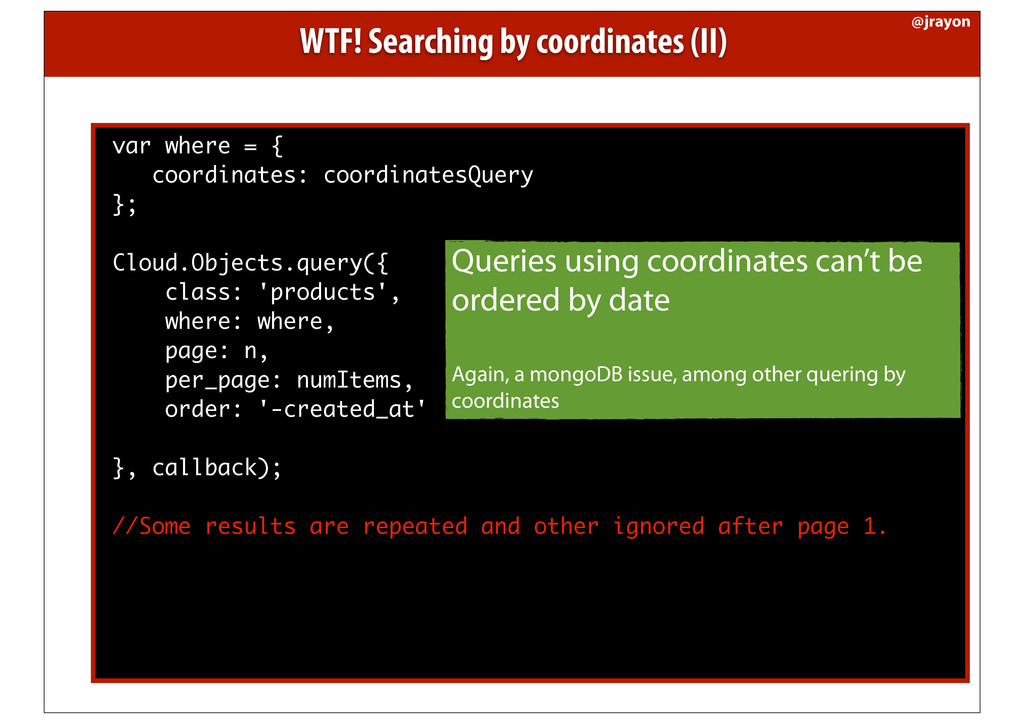
  28. var where = { coordinates: coordinatesQuery }; Cloud.Objects.query({ class: 'products',

    where: where, page: n, per_page: numItems, order: '-created_at' }, callback); //Some results are repeated and other ignored after page 1. Queries using coordinates can’t be ordered by date Again, a mongoDB issue, among other quering by coordinates WTF! Searching by coordinates (II) @jrayon
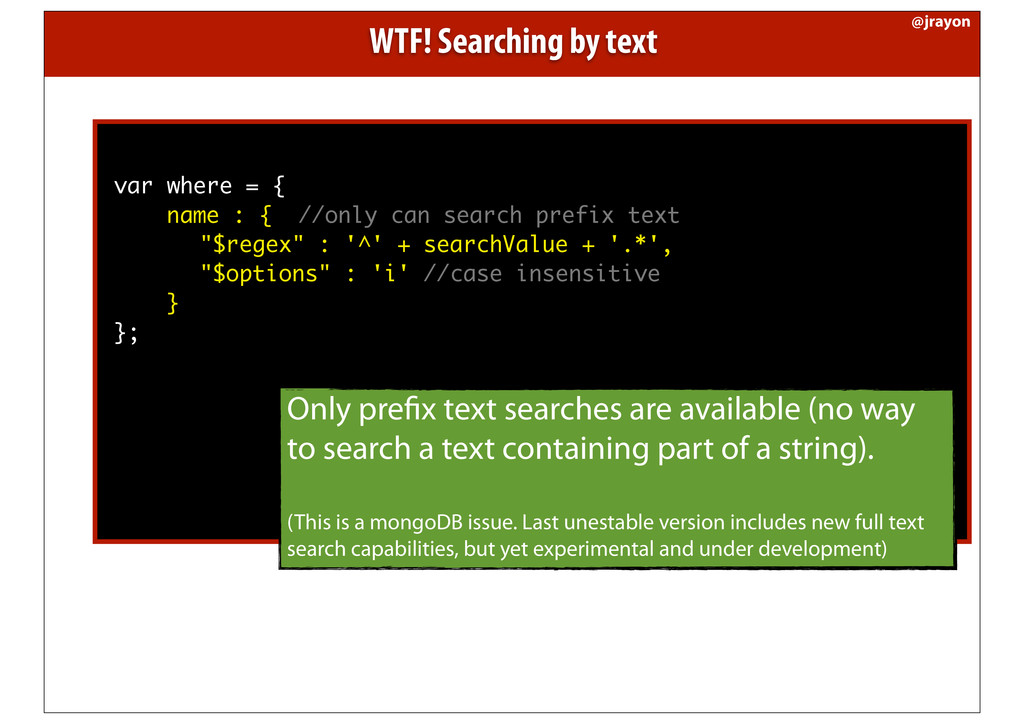
  29. var where = { name : { //only can search

    prefix text "$regex" : '^' + searchValue + '.*', "$options" : 'i' //case insensitive } }; Only pre x text searches are available (no way to search a text containing part of a string). (This is a mongoDB issue. Last unestable version includes new full text search capabilities, but yet experimental and under development) WTF! Searching by text @jrayon
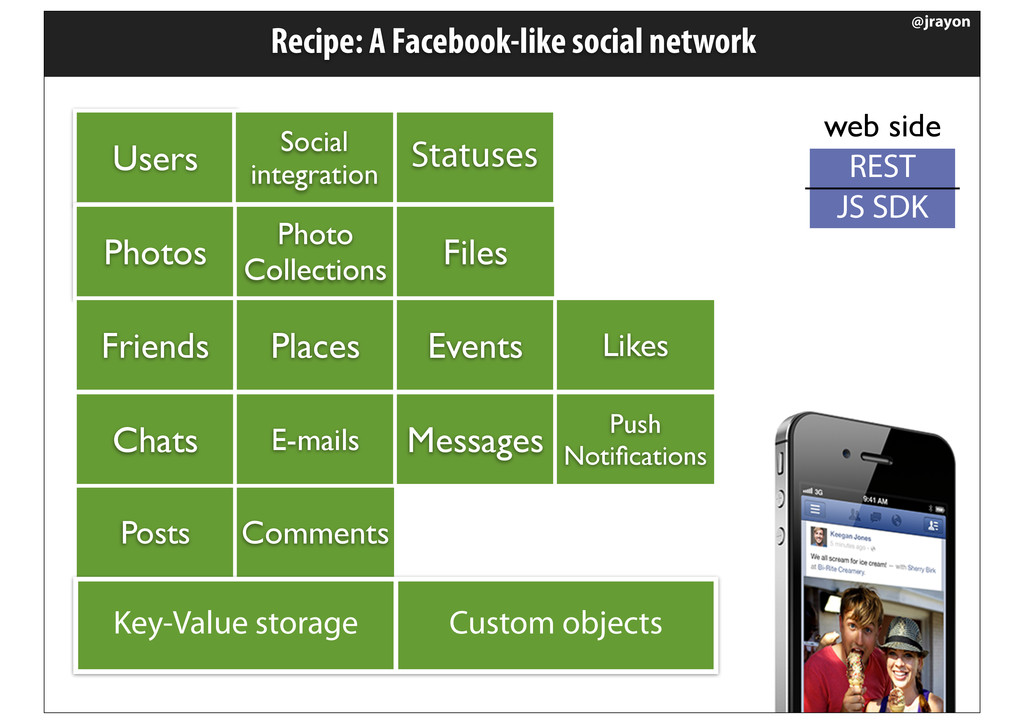
  30. Recipe: A Facebook-like social network @jrayon Users Photos Photo Collections

    Files Friends Places Events Likes Statuses Social integration Chats E-mails Messages Push Notifications Posts Comments Key-Value storage Custom objects REST JS SDK web side
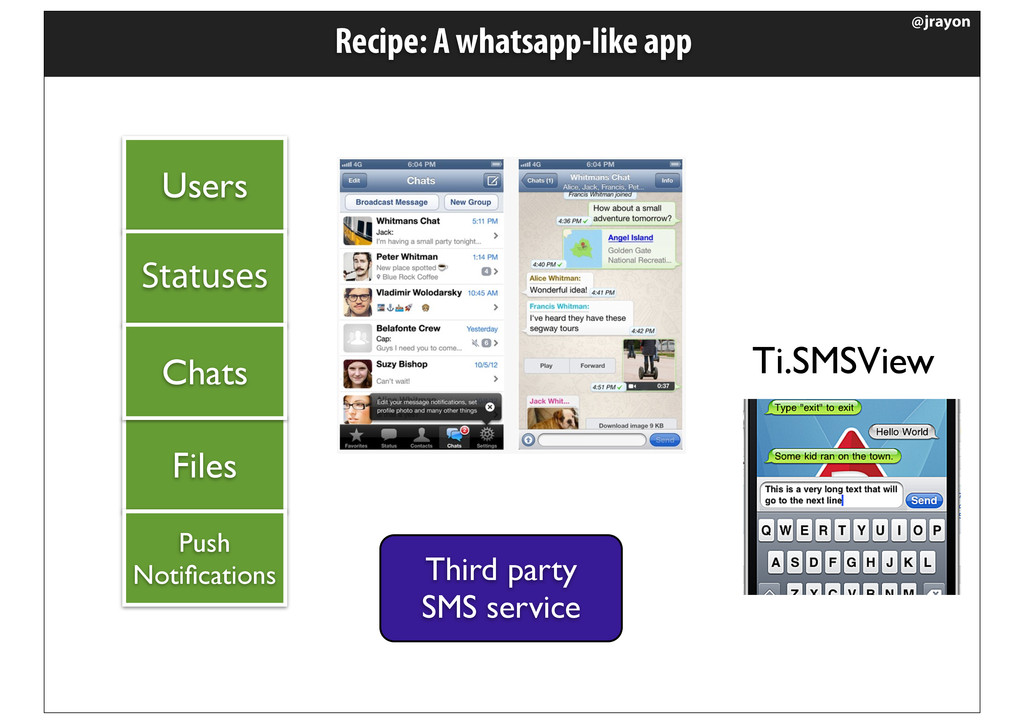
  31. Recipe: A whatsapp-like app @jrayon Users Files Statuses Chats Push

    Notifications Third party SMS service Ti.SMSView
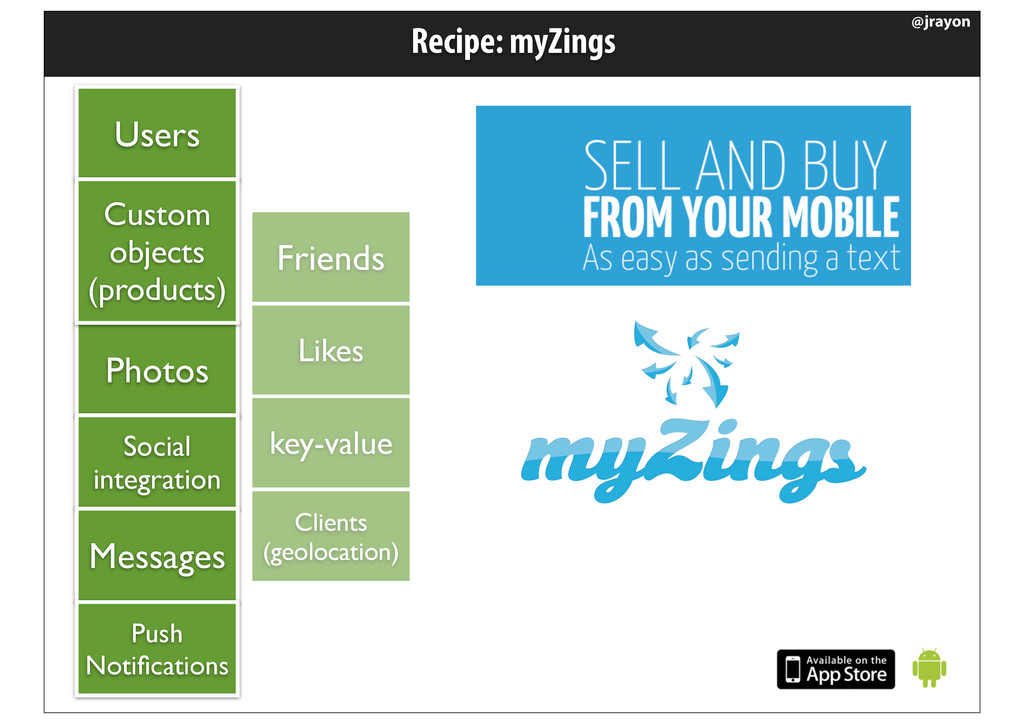
  32. Recipe: myZings @jrayon Users Photos Friends Likes Social integration Messages

    Push Notifications Custom objects (products) key-value Clients (geolocation)