Share
Embed
Transcript
39 slides
-
Vue Fes Japan Organizer Vue.js Japan User Group Organizer Vue.js
Core Team Nuxt Ecosystem Team Vue I18n, Intlify and Gunshi author Plaid, inc. @kazu_pon kazupon kazupon -
Agenda • What’s Gunshi? • Key Features • Demo •
Other Topics • Gunshi Next -
Gunshi • Modern JavaScript CLI Library • Name origin •
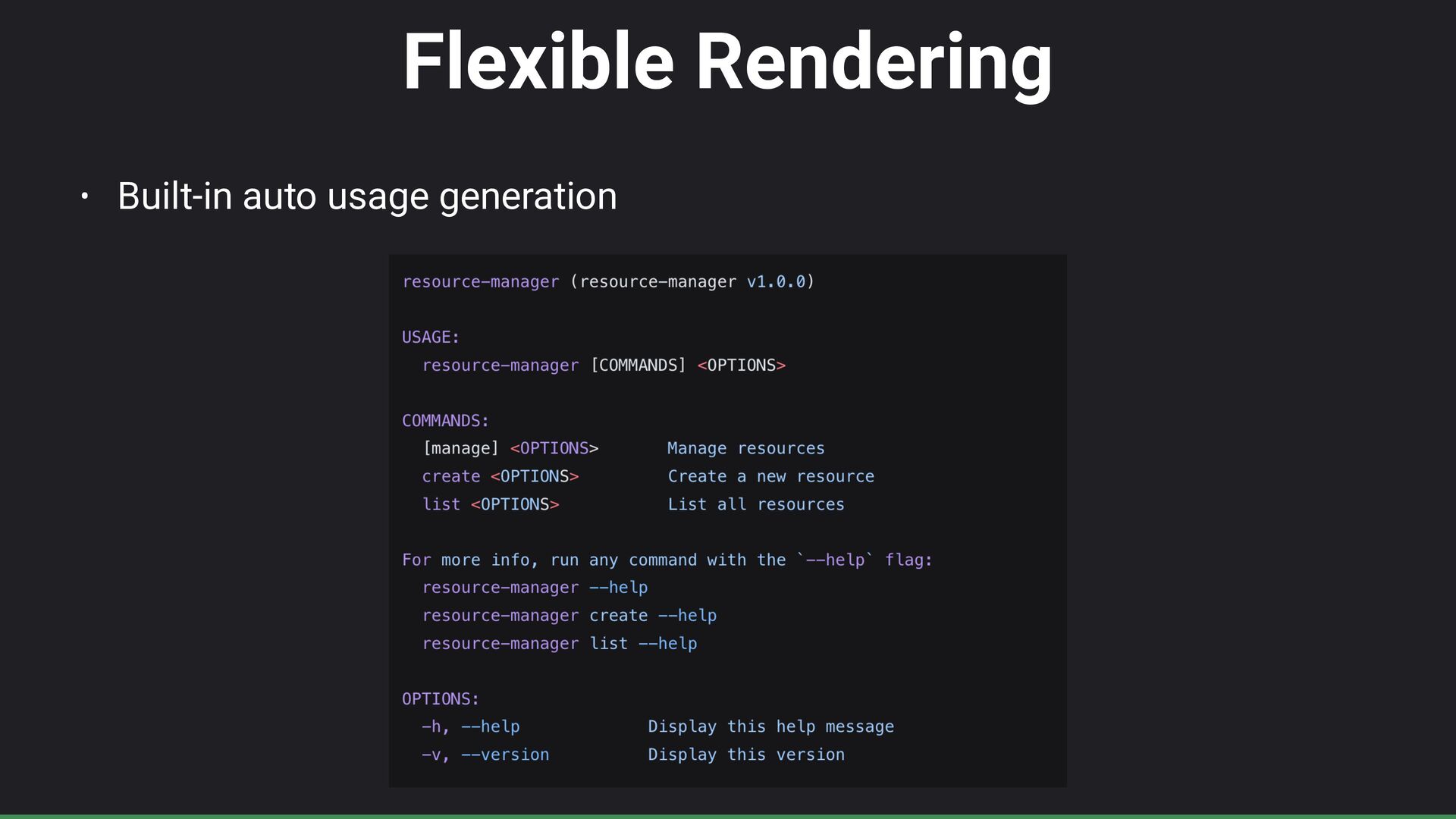
“Gunshi (܉ࢣ)” = Japan military strategist in Samurai battles • Name Inspired from “Commander” CLI library • Designed to simplfy CLI development • Built-in auto command usage generation • Current Version: v0.27 -
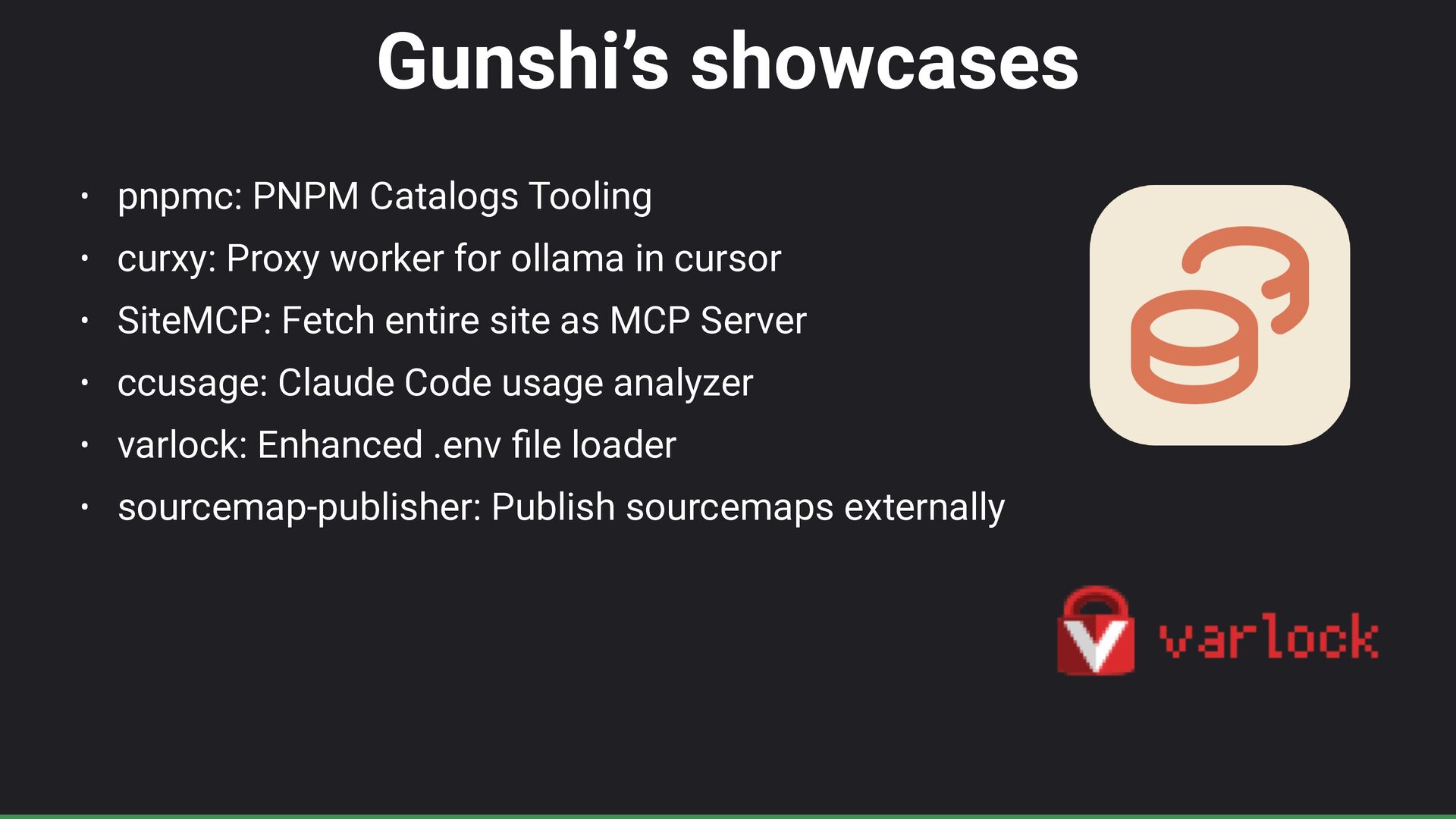
Gunshi’s showcases • pnpmc: PNPM Catalogs Tooling • curxy: Proxy
worker for ollama in cursor • SiteMCP: Fetch entire site as MCP Server • ccusage: Claude Code usage analyzer • varlock: Enhanced .env fi le loader • sourcemap-publisher: Publish sourcemaps externally -
– kazupon “I just wanted a CLI library that fi
t my needs 😎” Why was Gunshi made? -
My CLI Background • Yargs: • Used for my open-source
project https://github.com/intlify/cli • Good point: i18n support ☺ • Close point: Not ES modules fi rst … 😌 -
My CLI Background • Citty: • Used for my day
job project and Rolldown CLI (NOTE: Rolldown CLI does not use cli library) • Good point: Declarative style good ☺ • Close point: Cannot custom usage rendering … 😌 -
Gunshi’s design concept • Developer-friendly • Simple API with TypeScript
support • Flexible • Compose commands and customize behavior as needed • Maintainable • Declarative con fi guration makes code easier to understand and maintain • Performant • Lazy loading ensures resources are only loaded when needed -
Key Features Overview • Simple & Universal • Declarative &
Type Safe • Composable & Lazy • Flexible Rendering • Internationalization • Pluggable -
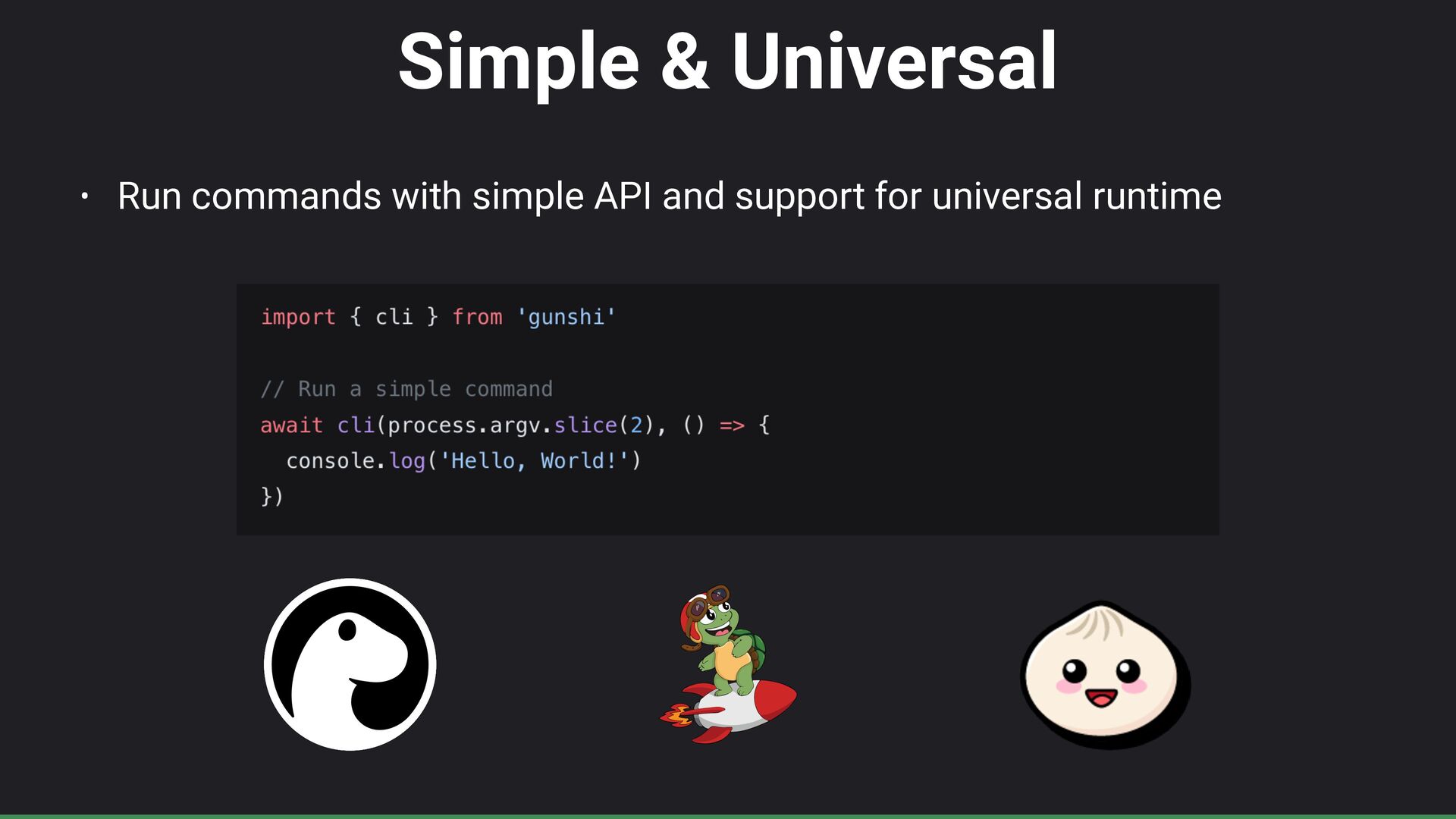
Simple & Universal • Run commands with simple API and
support for universal runtime -
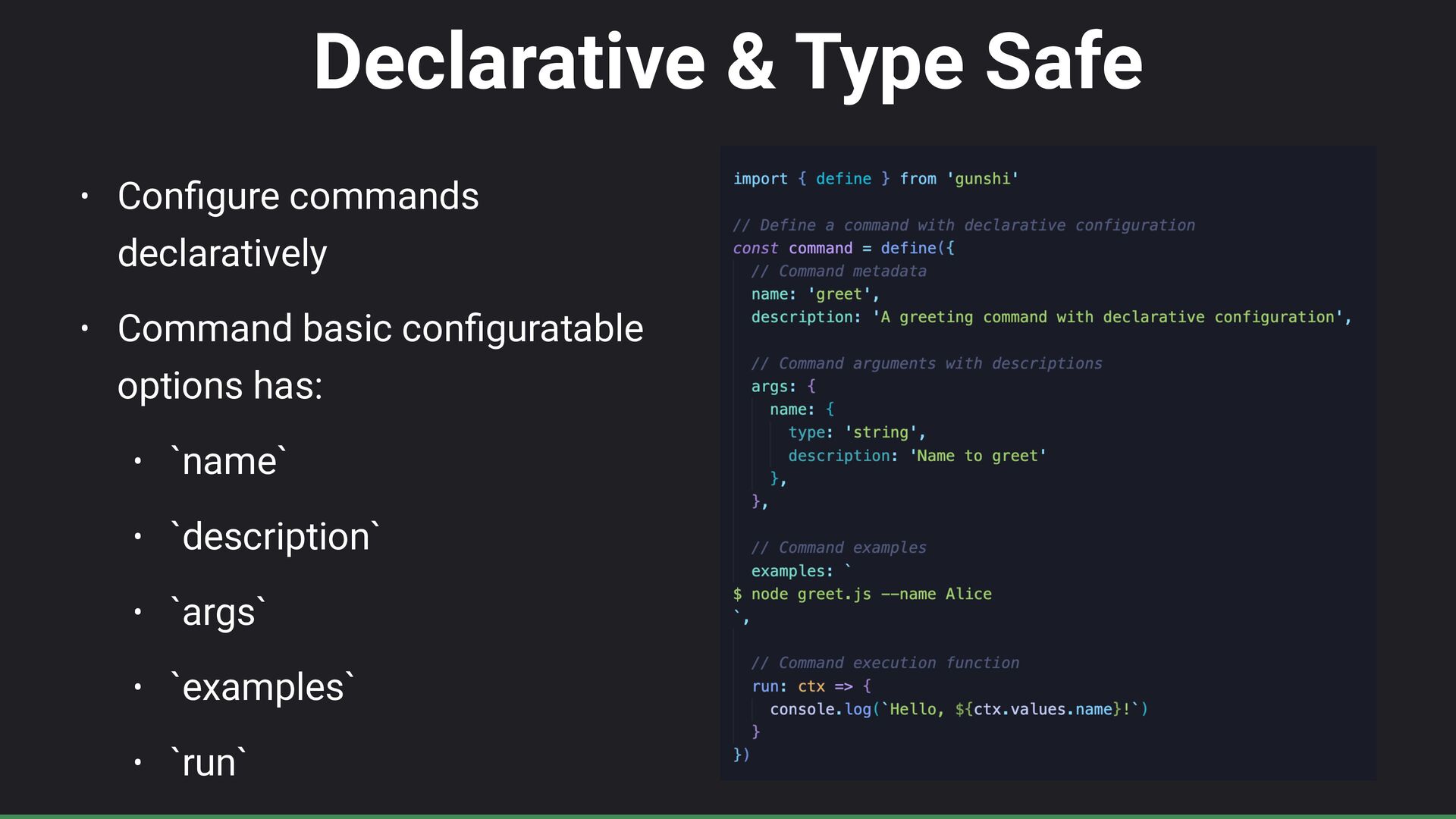
Declarative & Type Safe • Con fi gure commands declaratively
• Command basic con fi guratable options has: • `name` • `description` • `args` • `examples` • `run` -
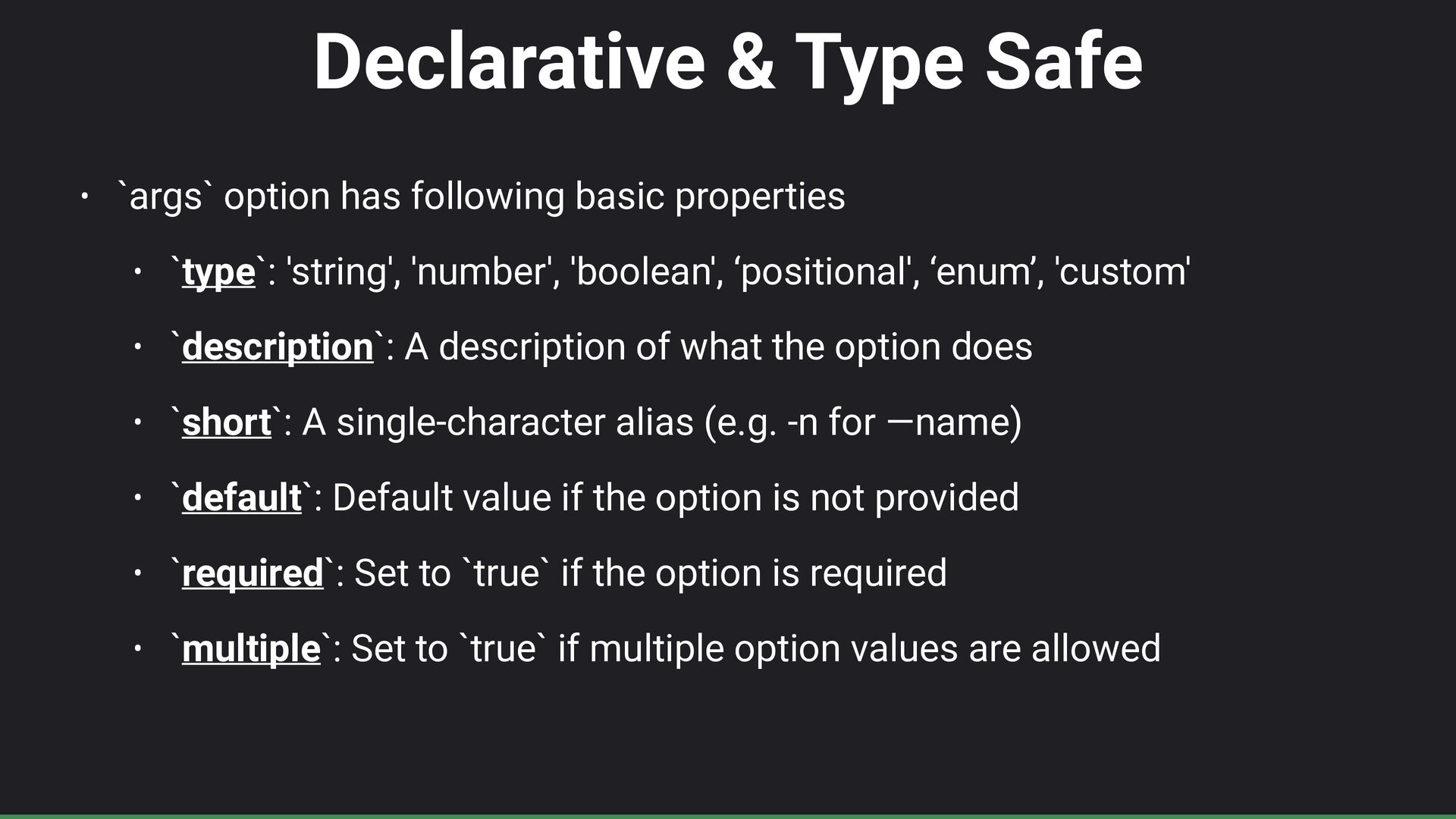
Declarative & Type Safe • `args` option has following basic
properties • `type`: 'string', 'number', 'boolean', ‘positional', ‘enum’, 'custom' • `description`: A description of what the option does • `short`: A single-character alias (e.g. -n for —name) • `default`: Default value if the option is not provided • `required`: Set to `true` if the option is required • `multiple`: Set to `true` if multiple option values are allowed -
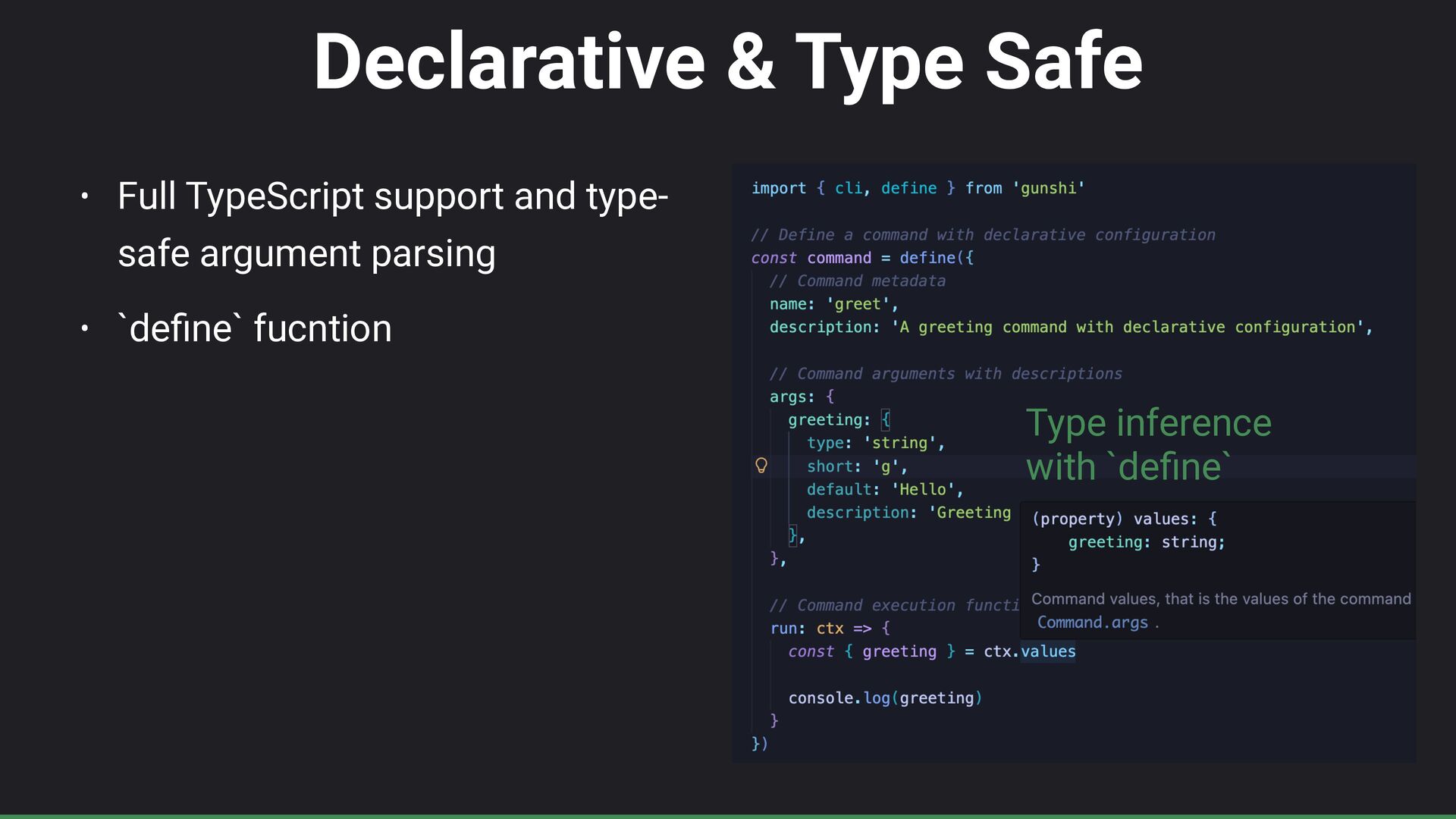
Declarative & Type Safe • Full TypeScript support and type-
safe argument parsing • `de fi ne` fucntion Type inference with `de fi ne` -
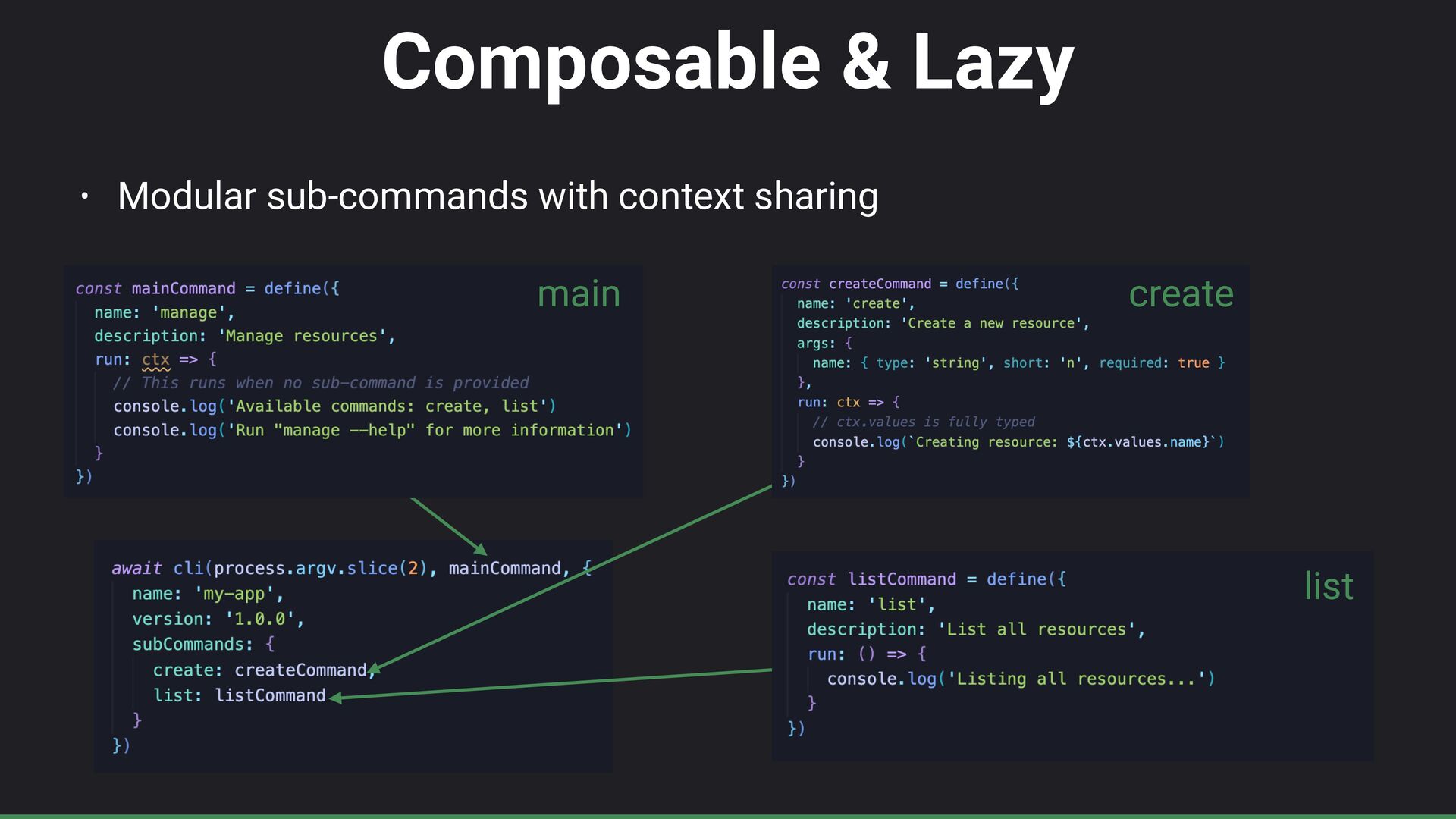
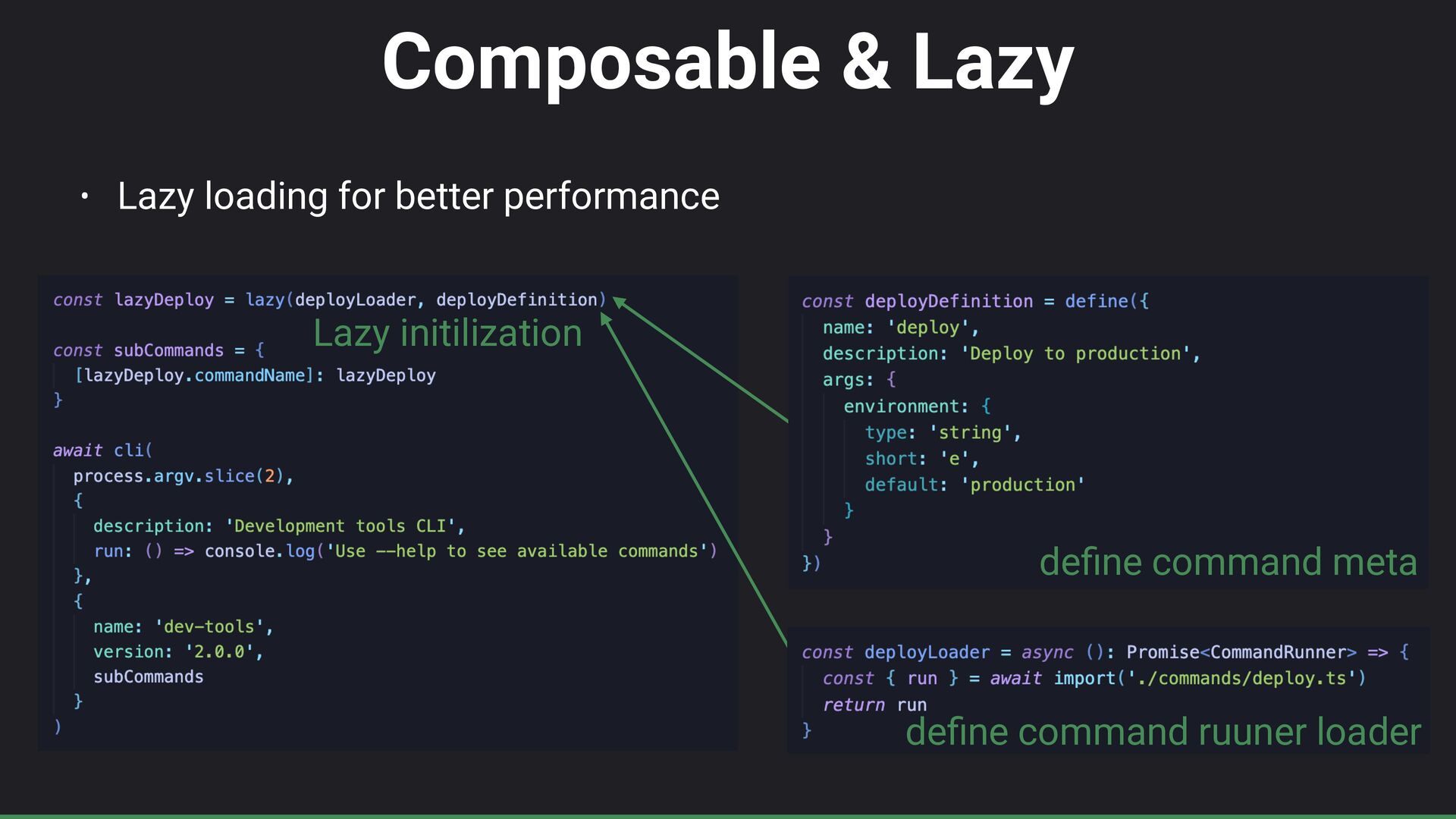
Composable & Lazy • Lazy loading for better performance de
fi ne command meta de fi ne command ruuner loader Lazy initilization -
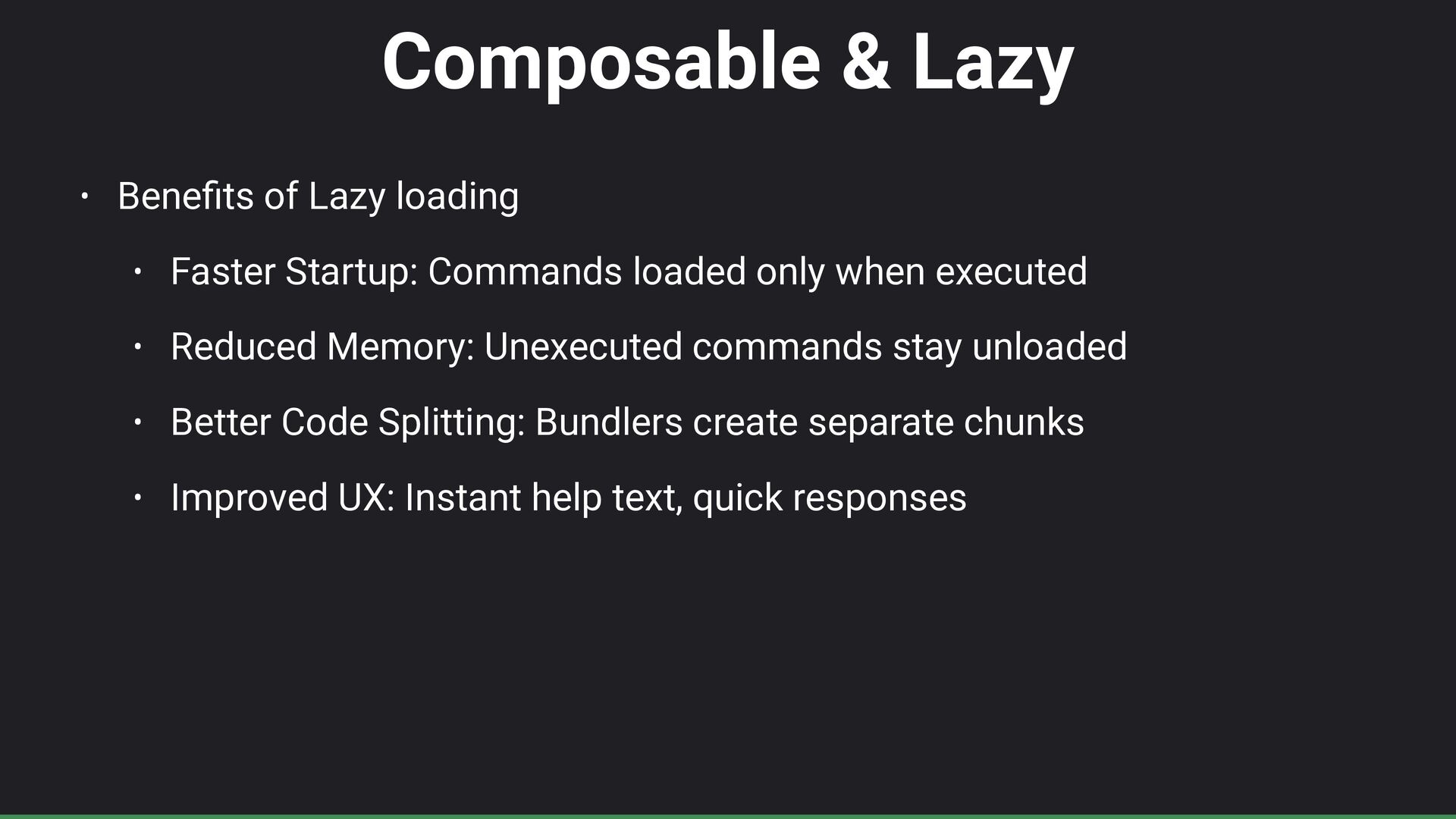
Composable & Lazy • Bene fi ts of Lazy loading
• Faster Startup: Commands loaded only when executed • Reduced Memory: Unexecuted commands stay unloaded • Better Code Splitting: Bundlers create separate chunks • Improved UX: Instant help text, quick responses -
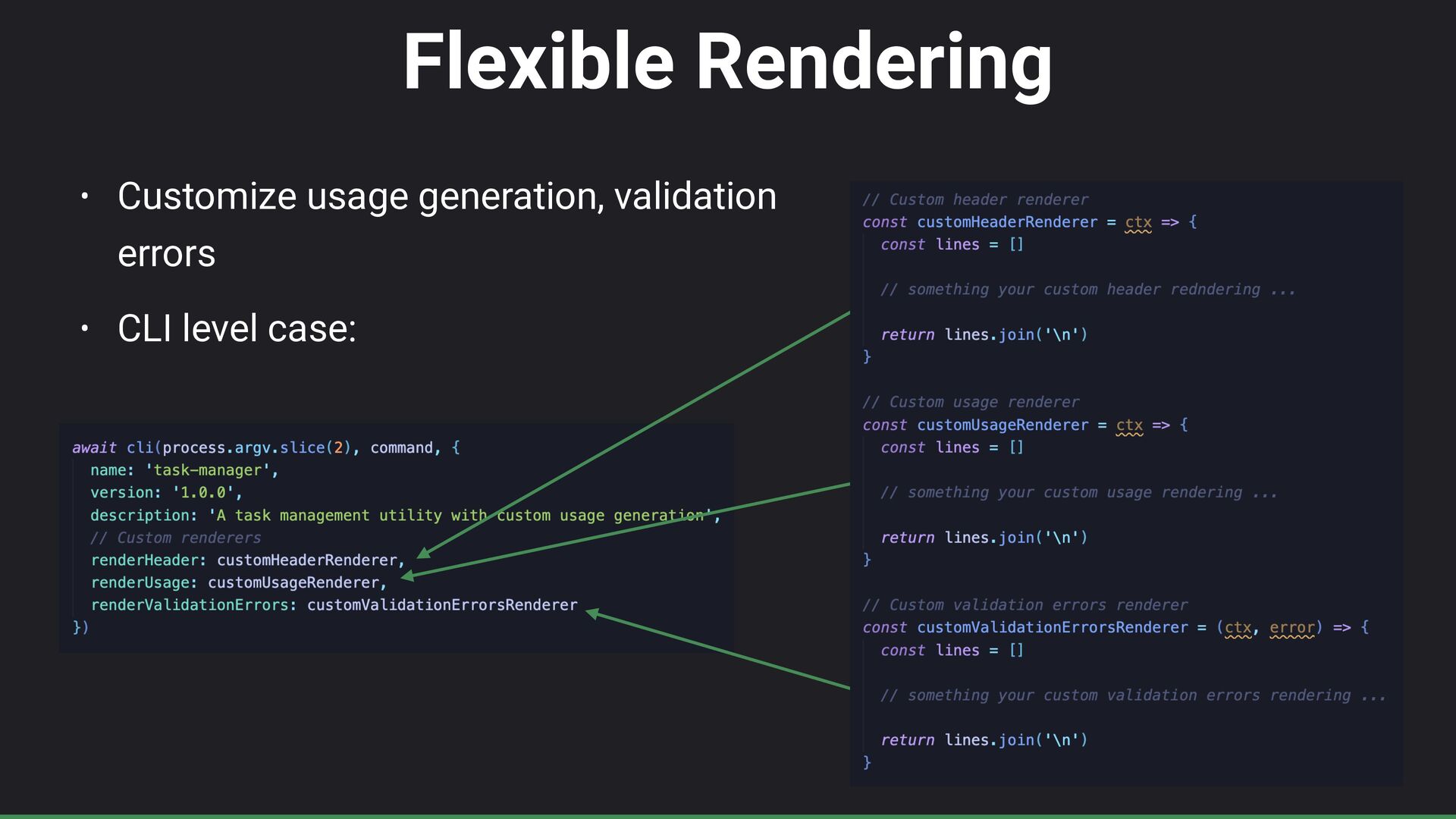
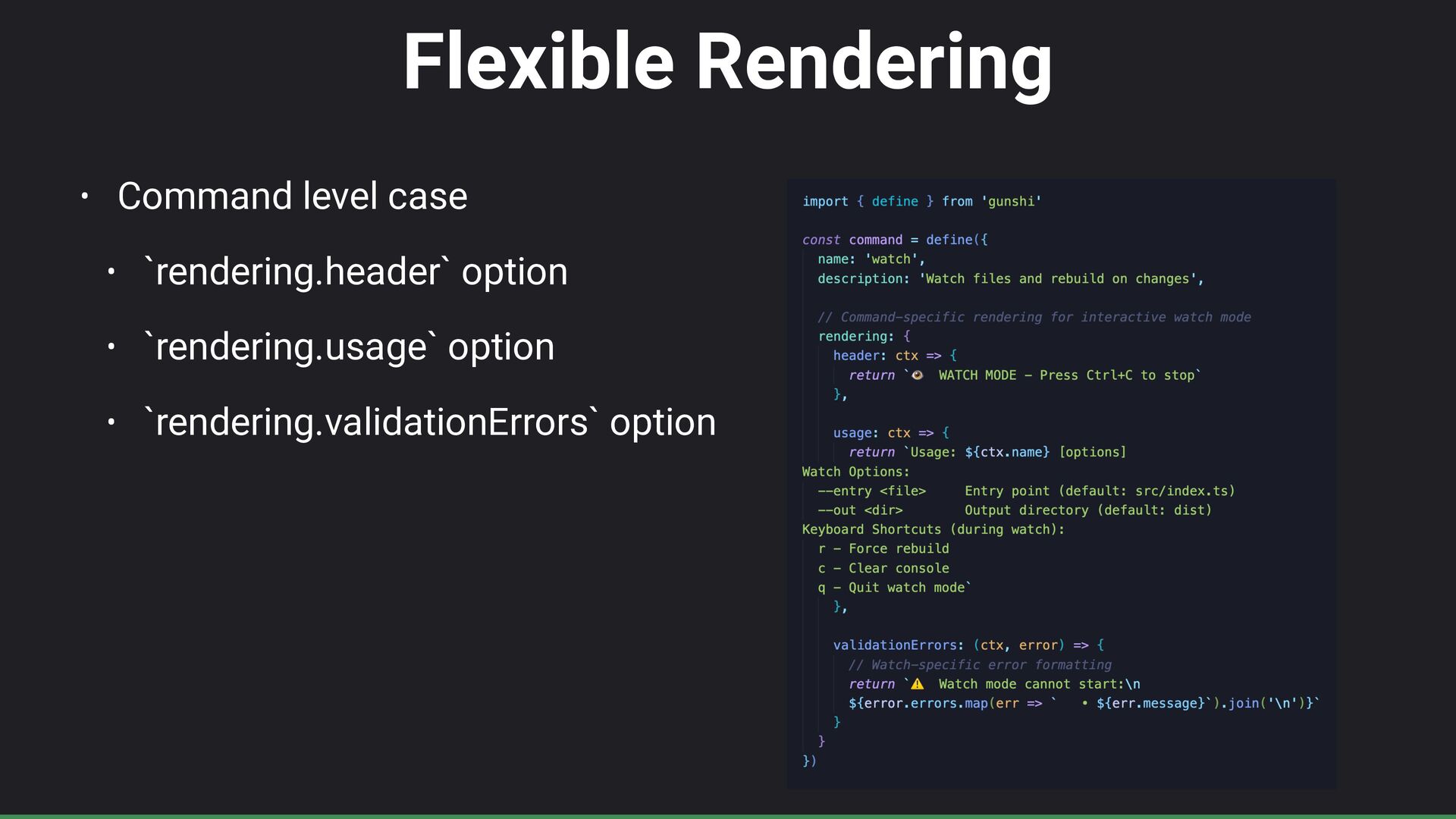
Flexible Rendering • Command level case • `rendering.header` option •
`rendering.usage` option • `rendering.validationErrors` option -
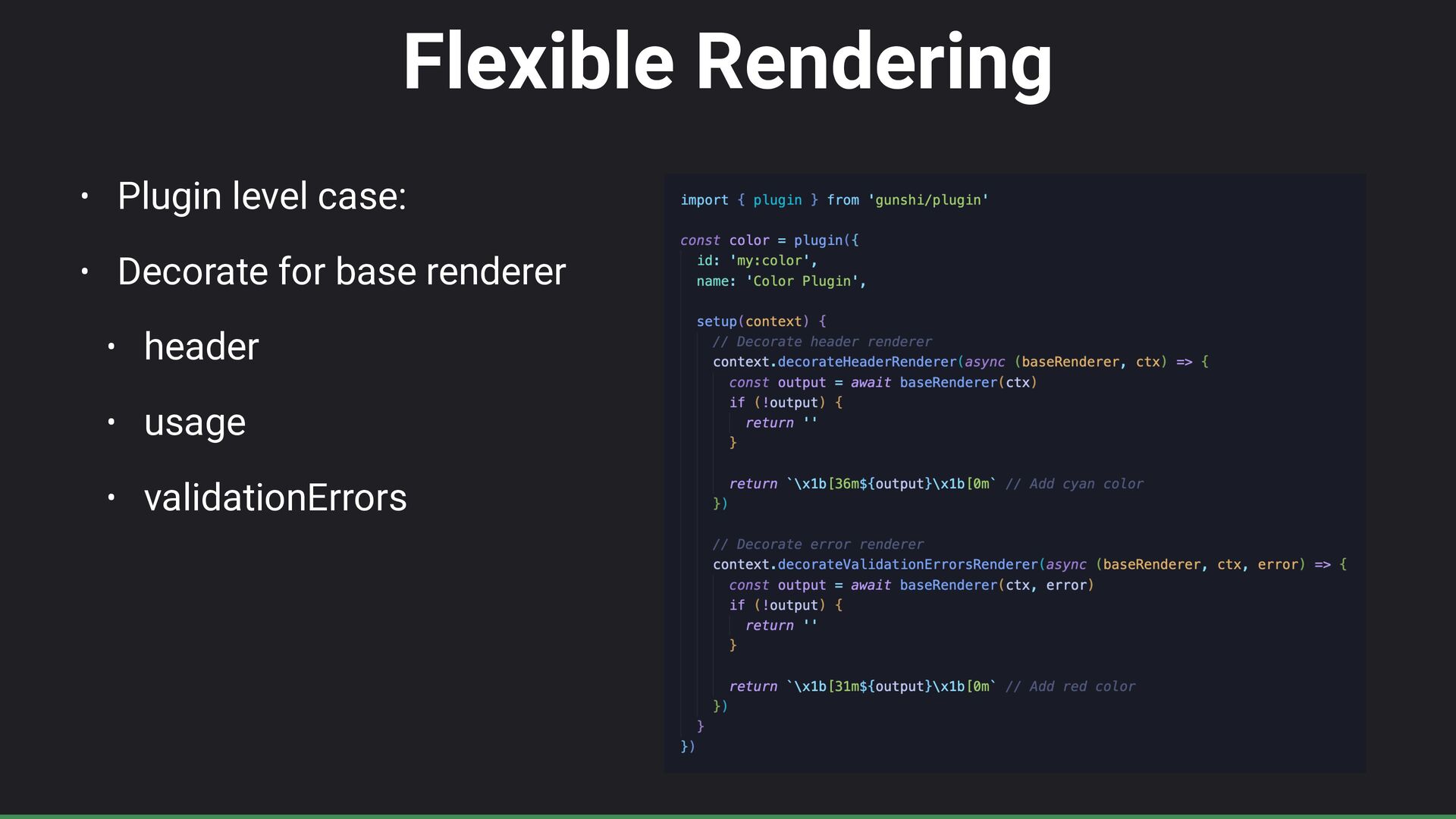
Flexible Rendering • Plugin level case: • Decorate for base
renderer • header • usage • validationErrors -
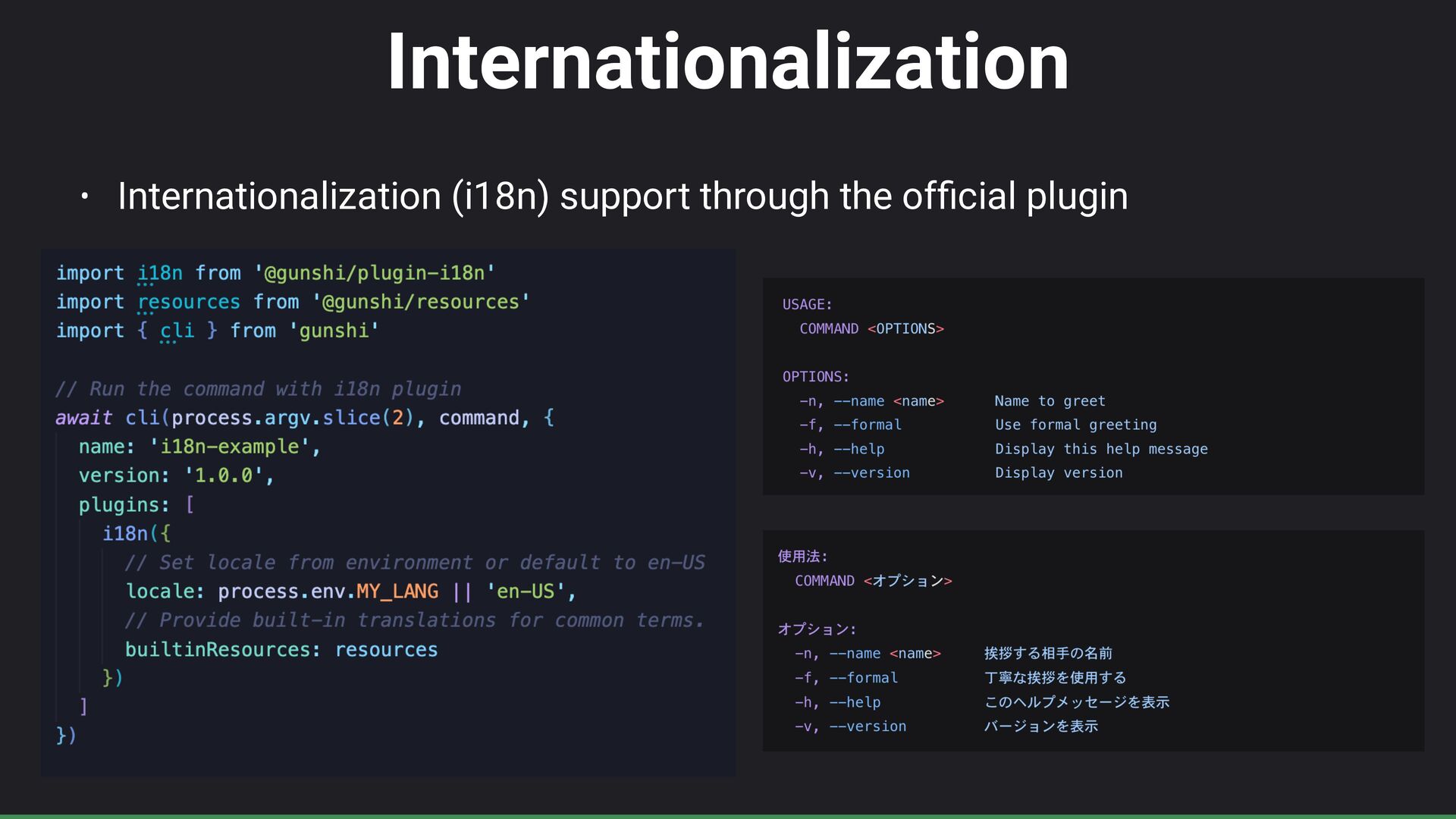
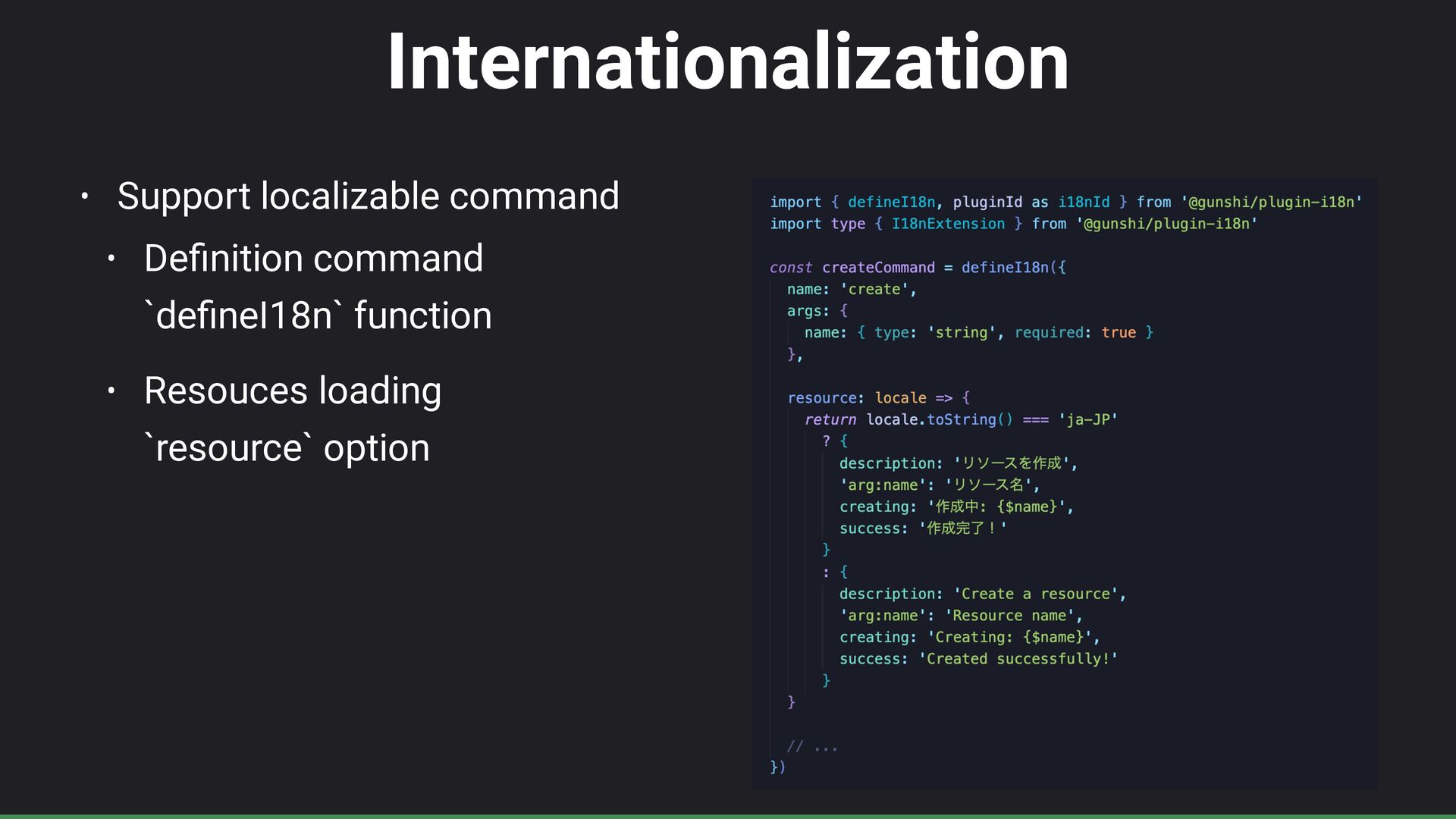
Internationalization • Support localizable command • De fi nition command
`de fi neI18n` function • Resouces loading `resource` option -
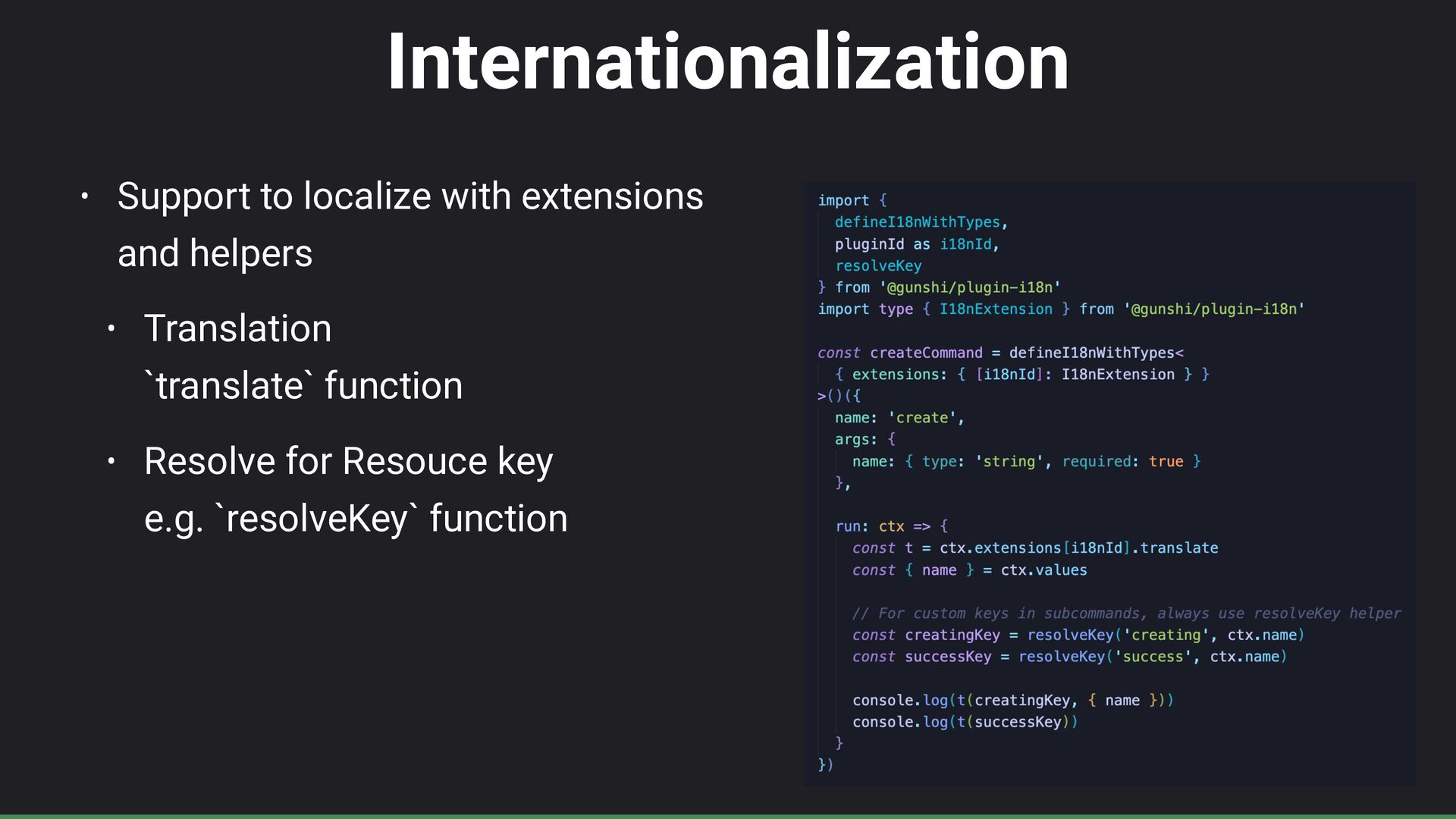
Internationalization • Support to localize with extensions and helpers •
Translation `translate` function • Resolve for Resouce key e.g. `resolveKey` function -
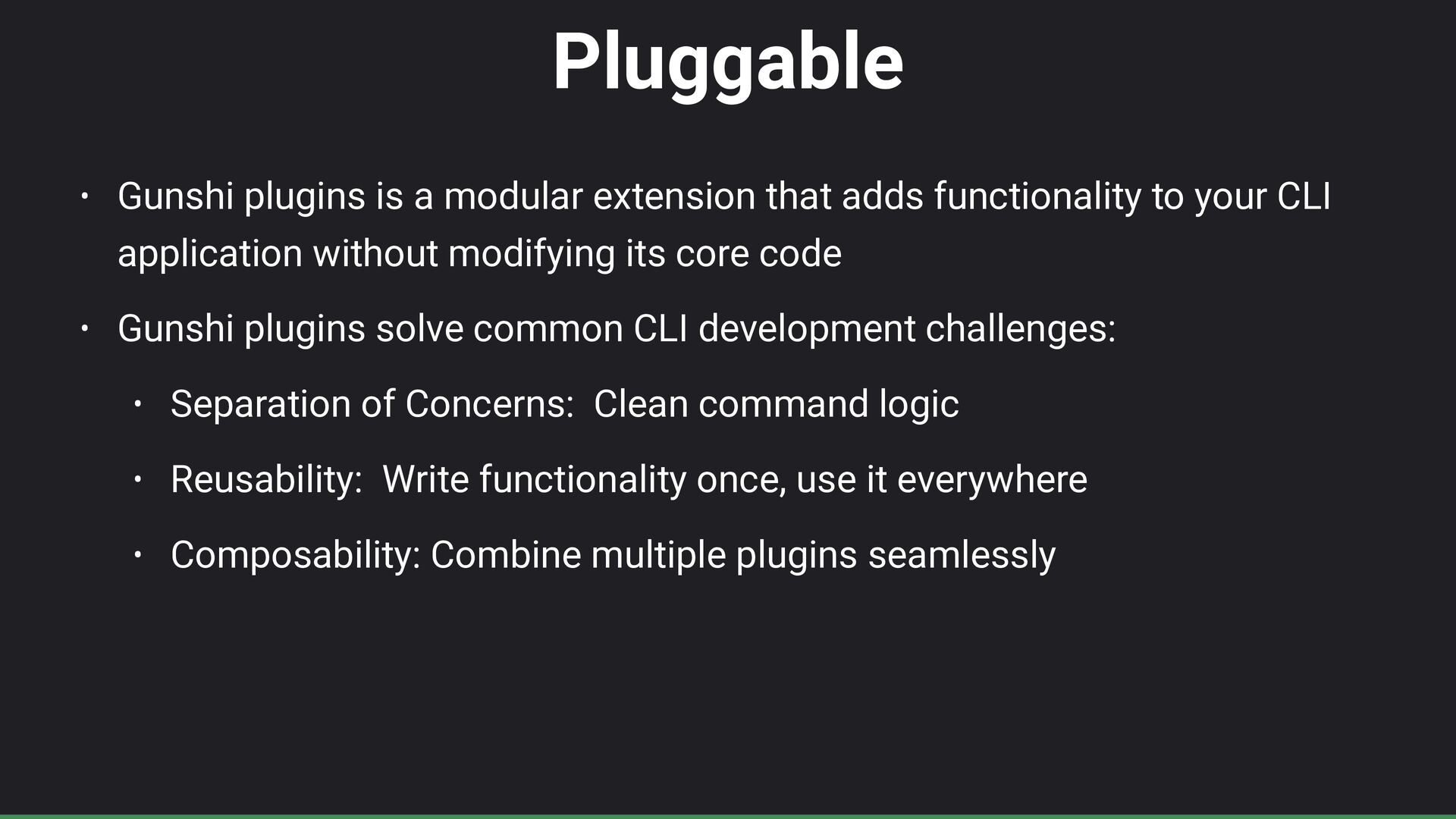
Pluggable • Gunshi plugins is a modular extension that adds
functionality to your CLI application without modifying its core code • Gunshi plugins solve common CLI development challenges: • Separation of Concerns: Clean command logic • Reusability: Write functionality once, use it everywhere • Composability: Combine multiple plugins seamlessly -
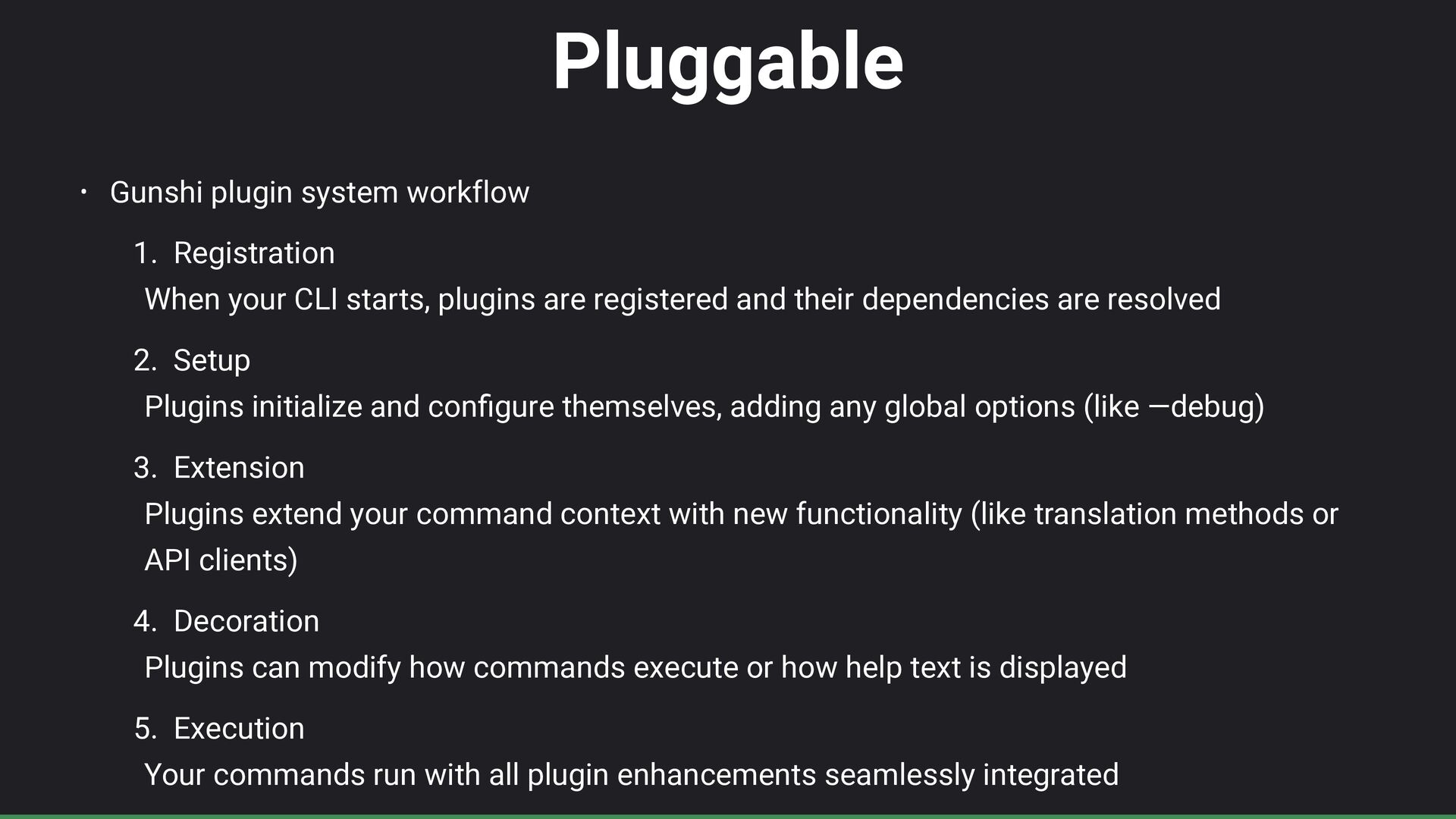
Pluggable • Gunshi plugin system workflow 1. Registration When your
CLI starts, plugins are registered and their dependencies are resolved 2. Setup Plugins initialize and con fi gure themselves, adding any global options (like —debug) 3. Extension Plugins extend your command context with new functionality (like translation methods or API clients) 4. Decoration Plugins can modify how commands execute or how help text is displayed 5. Execution Your commands run with all plugin enhancements seamlessly integrated -
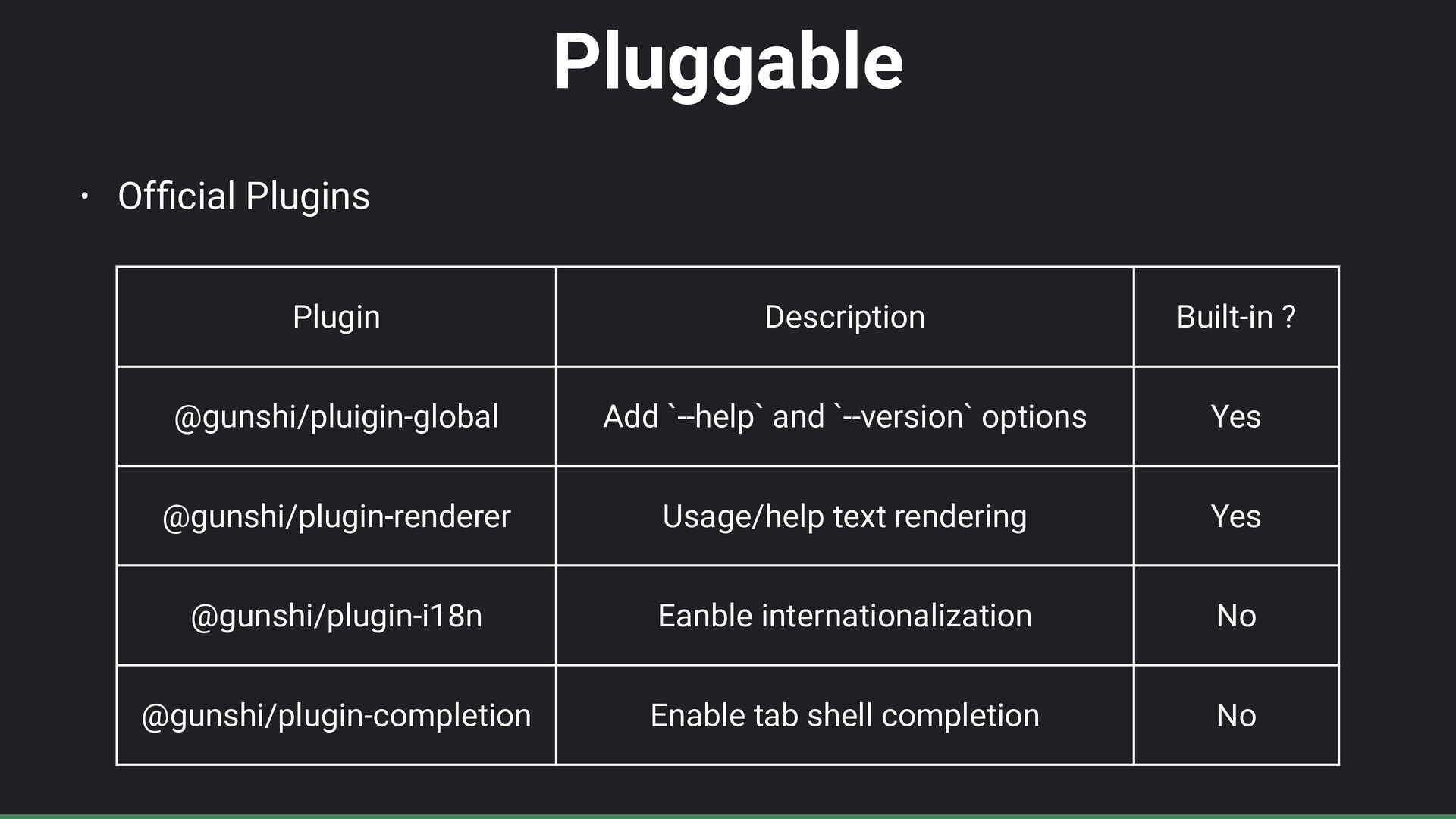
Pluggable • Of fi cial Plugins Plugin Description Built-in ?
@gunshi/pluigin-global Add `--help` and `--version` options Yes @gunshi/plugin-renderer Usage/help text rendering Yes @gunshi/plugin-i18n Eanble internationalization No @gunshi/plugin-completion Enable tab shell completion No -
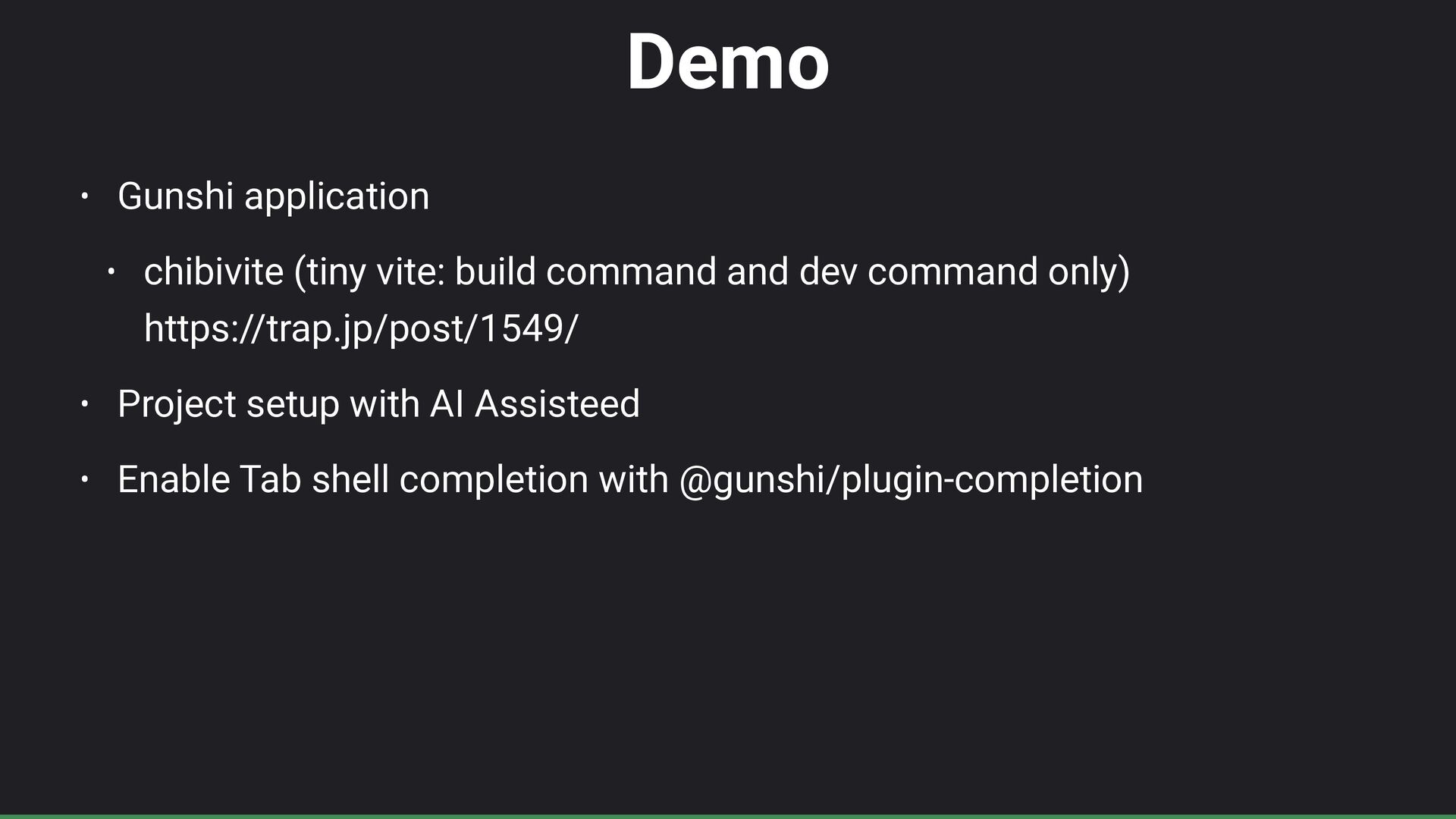
Demo • Gunshi application • chibivite (tiny vite: build command
and dev command only) https://trap.jp/post/1549/ • Project setup with AI Assisteed • Enable Tab shell completion with @gunshi/plugin-completion -
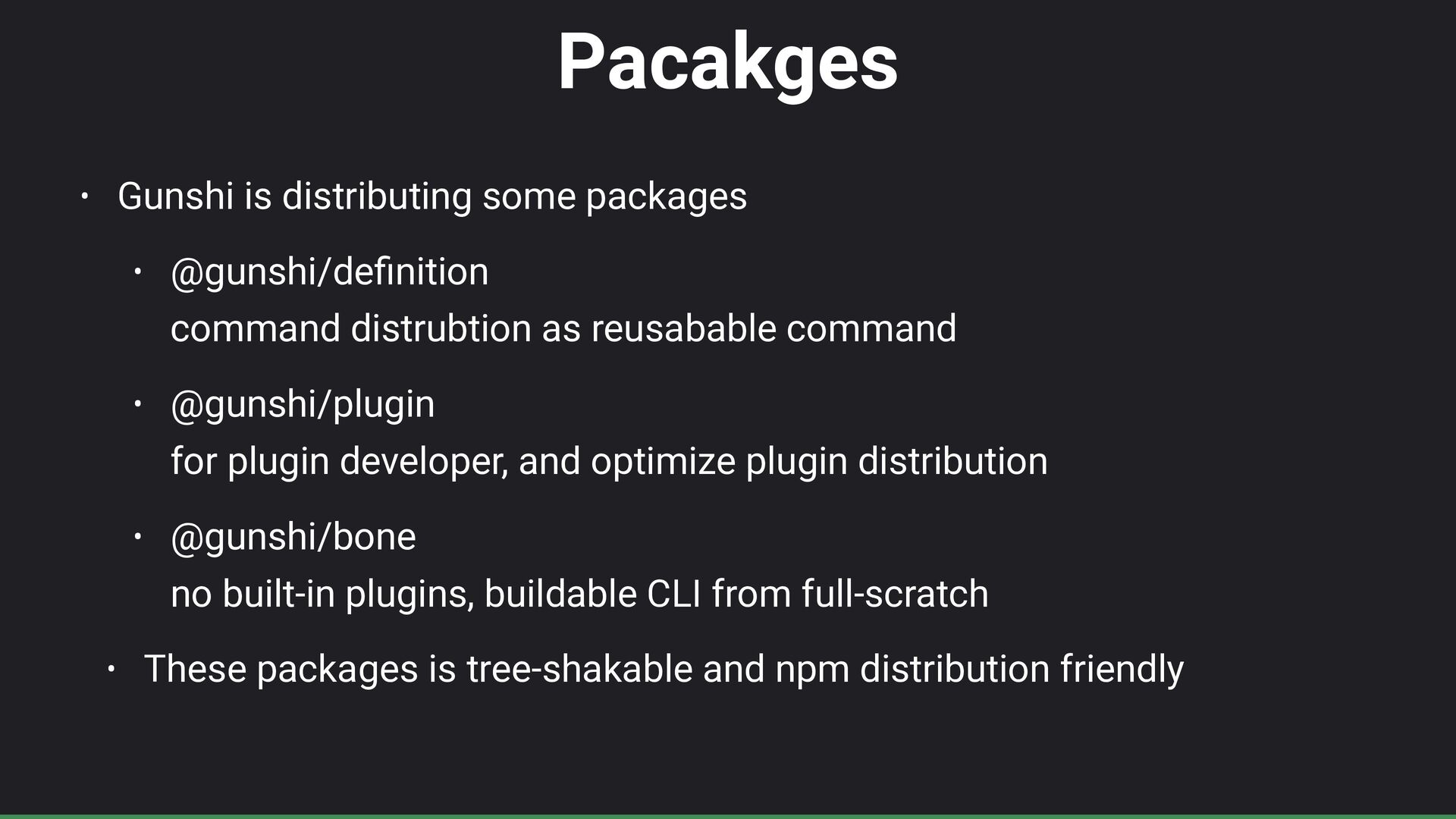
Pacakges • Gunshi is distributing some packages • @gunshi/de fi
nition command distrubtion as reusabable command • @gunshi/plugin for plugin developer, and optimize plugin distribution • @gunshi/bone no built-in plugins, buildable CLI from full-scratch • These packages is tree-shakable and npm distribution friendly -
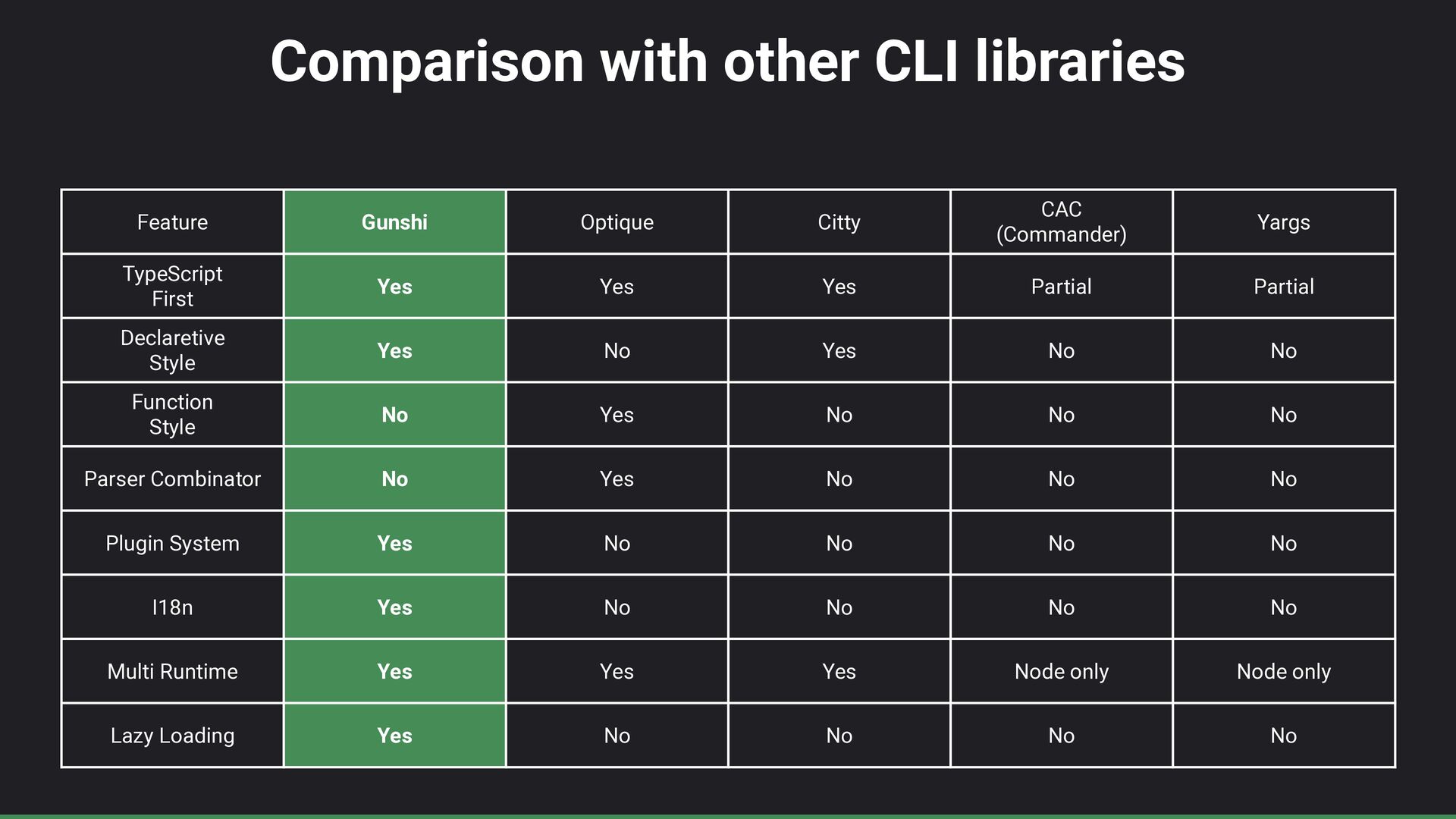
Comparison with other CLI libraries Feature Gunshi Optique Citty CAC
(Commander) Yargs TypeScript First Yes Yes Yes Partial Partial Declaretive Style Yes No Yes No No Function Style No Yes No No No Parser Combinator No Yes No No No Plugin System Yes No No No No I18n Yes No No No No Multi Runtime Yes Yes Yes Node only Node only Lazy Loading Yes No No No No -
Next • Dry run plugin • Parser combinator • LLMs

fi rst CLI framework based on Gunshi