Upgrade to Pro
— share decks privately, control downloads, hide ads and more …
Speaker Deck
Sign up for free
Menu
Search
Features
All features
Private URLs
Password Protection
Custom URLS
Scheduled publishing
Remove Branding
Restrict embedding
Deck Collections
Notes
Features
All features
Private URLs
Password Protection
Custom URLS
Scheduled publishing
Remove Branding
Restrict embedding
Deck Collections
Notes
Explore
Featured decks
Featured speakers
Programming
Technology
Storyboards
Explore
Featured decks
Featured speakers
Programming
Technology
Storyboards
Pricing
Search
Sign in
Sign up for free
空間情報システムl #02 2016/06/16
Search
inoken
June 16, 2016
34
0
Share
Embed
Copy iframe code
Copy JS code
Copy link
Start on current slide
空間情報システムl #02 2016/06/16
inoken
June 16, 2016
Featured
See All Featured
Cheating the UX When There Is Nothing More to Optimize - PixelPioneers
stephaniewalter
287
14k
How to Talk to Developers About Accessibility
jct
2
580
Navigating the moral maze — ethical principles for Al-driven product design
skipperchong
2
630
How to Align SEO within the Product Triangle To Get Buy-In & Support - #RIMC
aleyda
2
1.8k
Building a A Zero-Code AI SEO Workflow
portentint
PRO
0
780
A Modern Web Designer's Workflow
chriscoyier
699
190k
More Than Pixels: Becoming A User Experience Designer
marktimemedia
3
560
Visual Storytelling: How to be a Superhuman Communicator
reverentgeek
2
710
The Spectacular Lies of Maps
axbom
PRO
1
1.1k
Gemini Prompt Engineering: Practical Techniques for Tangible AI Outcomes
mfonobong
2
590
Marketing Yourself as an Engineer | Alaka | Gurzu
gurzu
0
330
世界の人気アプリ100個を分析して見えたペイウォール設計の心得
akihiro_kokubo
PRO
74
43k
Transcript
マッピングマニュアル 井上 賢人
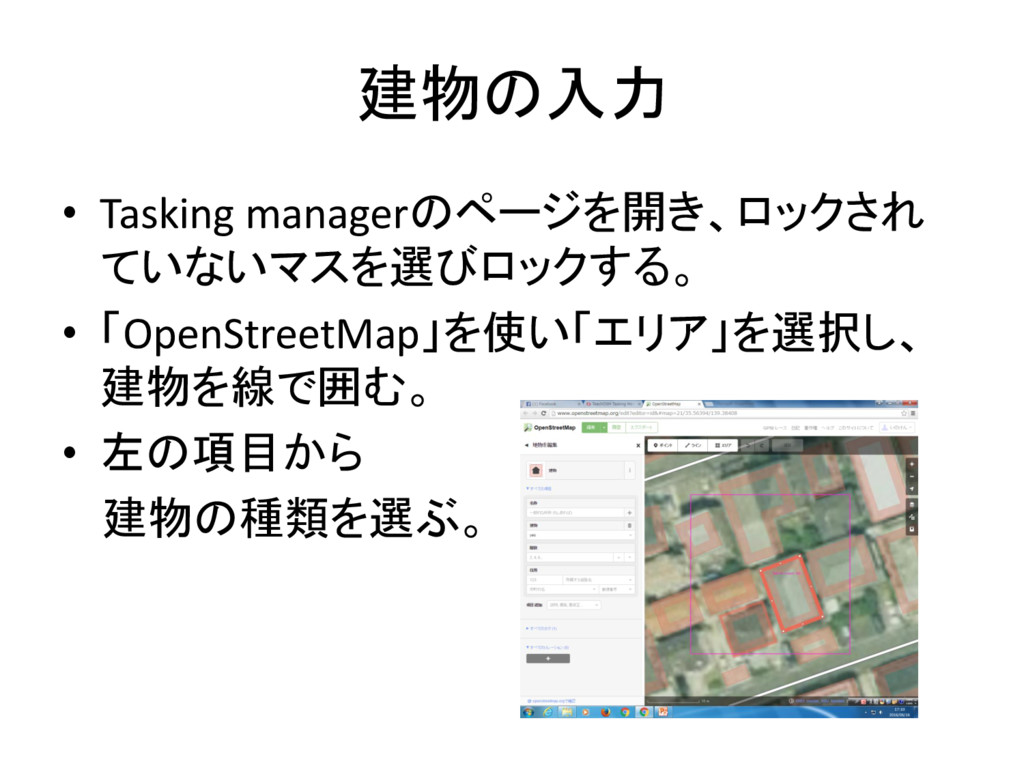
建物の入力 • Tasking managerのページを開き、ロックされ ていないマスを選びロックする。 • 「OpenStreetMap」を使い「エリア」を選択し、 建物を線で囲む。 • 左の項目から
建物の種類を選ぶ。
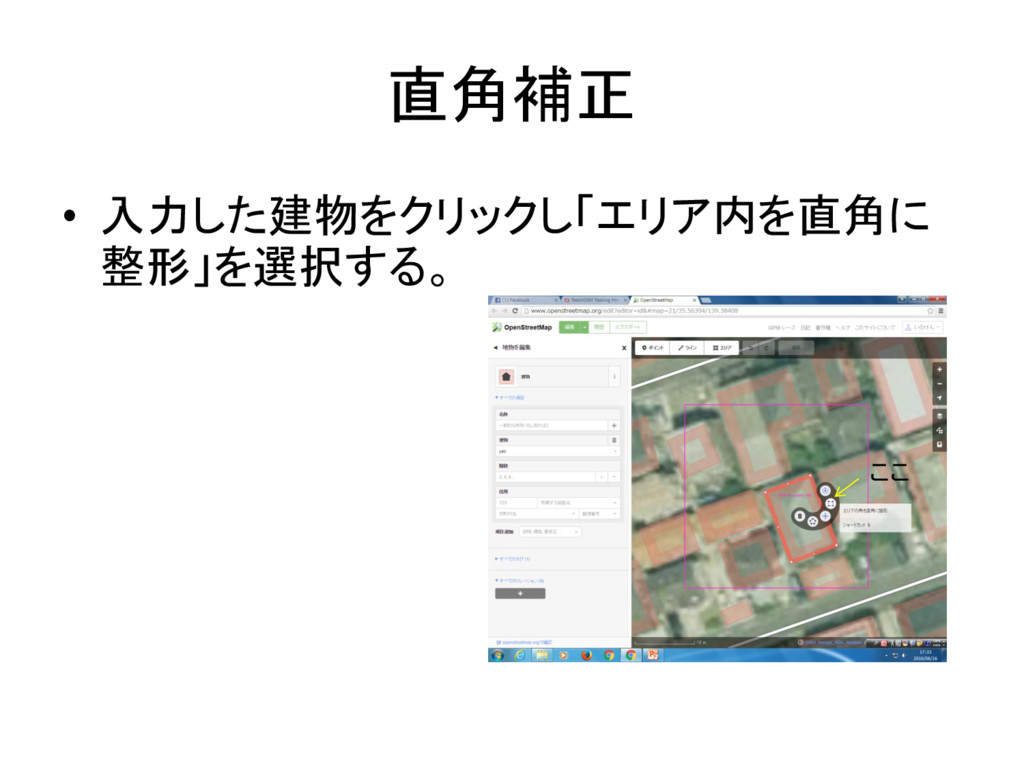
直角補正 • 入力した建物をクリックし「エリア内を直角に 整形」を選択する。 ここ
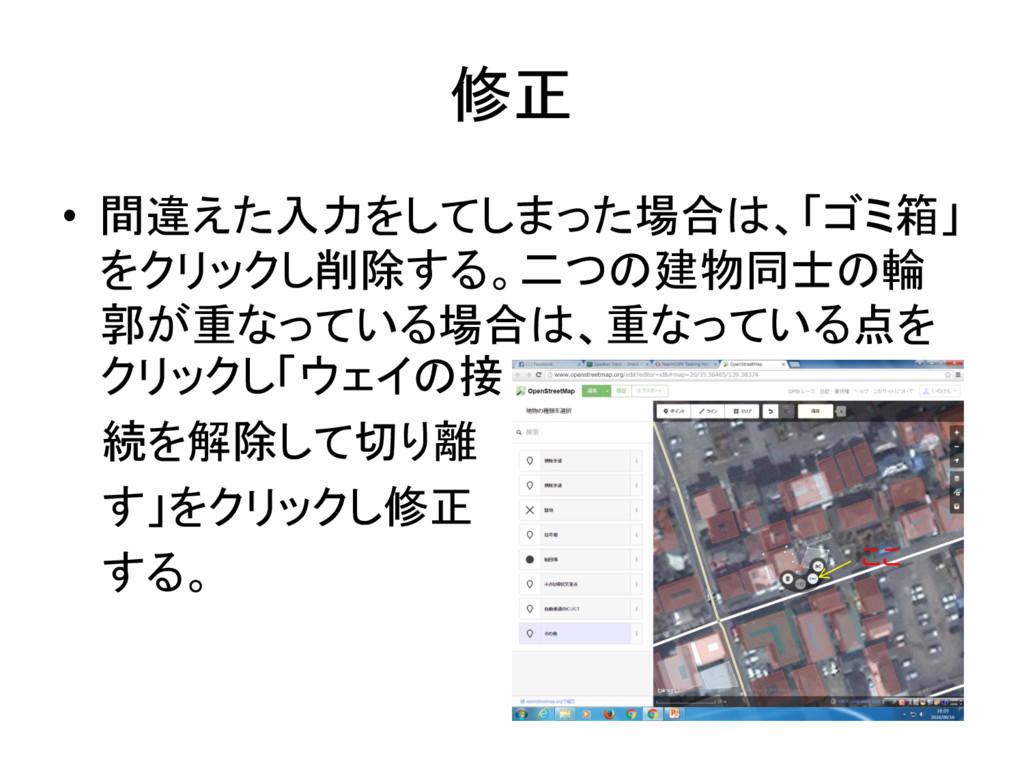
修正 • 間違えた入力をしてしまった場合は、「ゴミ箱」 をクリックし削除する。二つの建物同士の輪 郭が重なっている場合は、重なっている点を クリックし「ウェイの接 続を解除して切り離 す」をクリックし修正 する。 ここ
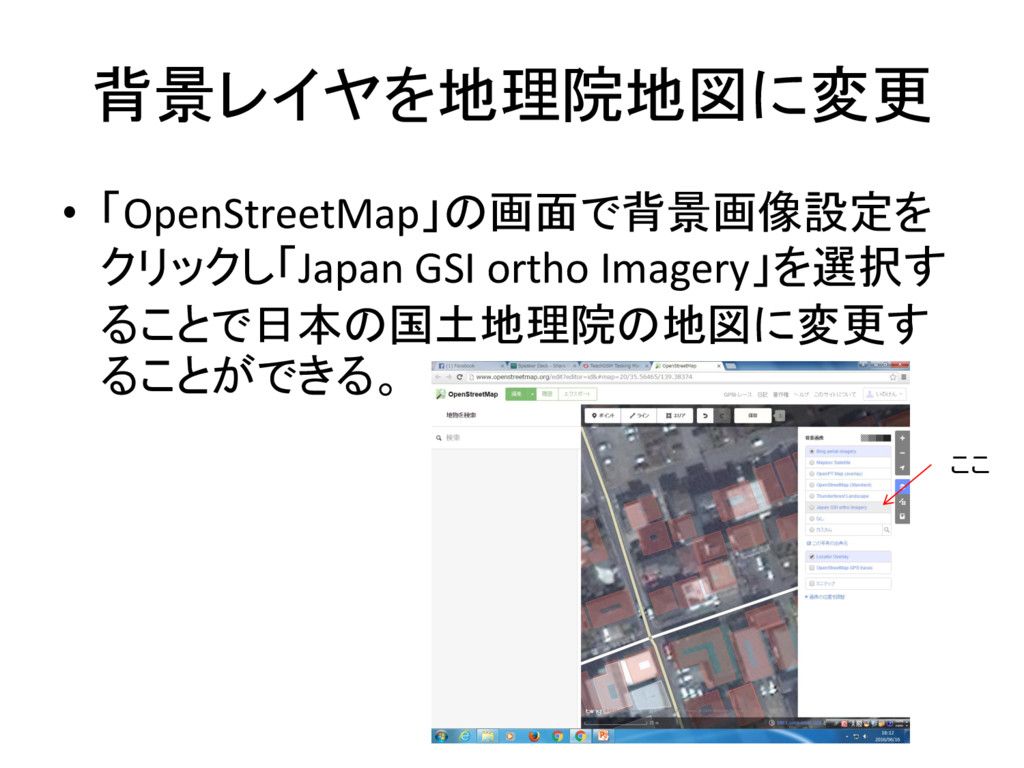
背景レイヤを地理院地図に変更 • 「OpenStreetMap」の画面で背景画像設定を クリックし「Japan GSI ortho Imagery」を選択す ることで日本の国土地理院の地図に変更す ることができる。 ここ
分割 • 選択した範囲が大きい場合は、コメント欄の 下の「分割」をクリックし、分割する。
保存・タスク完了 • 建物の入力が全て終わったら上の「保存」を クリックする。 • 保存を終えた後、Tasking manager にもどり、 「完了してマーク」をクリックする。


 stephaniewalter
 jct
jct
 skipperchong
 aleyda
 portentint
 chriscoyier
 marktimemedia
 reverentgeek
 axbom
axbom
 mfonobong
 gurzu
gurzu
 akihiro_kokubo