Upgrade to Pro
— share decks privately, control downloads, hide ads and more …
Speaker Deck
Sign up for free
Menu
Search
Features
All features
Private URLs
Password Protection
Custom URLS
Scheduled publishing
Remove Branding
Restrict embedding
Deck Collections
Notes
Features
All features
Private URLs
Password Protection
Custom URLS
Scheduled publishing
Remove Branding
Restrict embedding
Deck Collections
Notes
Explore
Featured decks
Featured speakers
Programming
Technology
Storyboards
Explore
Featured decks
Featured speakers
Programming
Technology
Storyboards
Pricing
Search
Sign in
Sign up for free
社内パッケージの再利用にSatisを使っている話.pdf
Search
Sponsored
·
Your Podcast. Everywhere. Effortlessly.
Share. Educate. Inspire. Entertain. You do you. We'll handle the rest.
→
kin29
April 11, 2022
Programming
1.4k
0
Share
Embed
Copy iframe code
Copy JS code
Copy link
Start on current slide
社内パッケージの再利用にSatisを使っている話.pdf
PHPerKaigi2022
kin29
April 11, 2022
More Decks by kin29
See All by kin29
外部APIとズブズブな開発どうしてますか?
kin29
2
2.2k
【Symfony超入門】コマンドだけでCRUD画面を作るチート法
kin29
0
910
めんそ〜れ!モブプロ!!!
kin29
0
860
Other Decks in Programming
See All in Programming
Domain-Driven Transformation
hschwentner
2
2.3k
パスワード再設定メールのURLについて知っておこう
uyuki234
0
160
HTML-in-Canvasで作る未来のWeb UI表現
clockmaker
5
5.2k
AIに “答え“を書かせるのを やめてみた
___akari11
0
120
RAG の “R” を Swift で覗いてみる 〜「意味から探す」検索の仕組み〜
nao_randd
0
170
AWSに止められる覚悟してますか?
morizo_1984
2
540
複雑なUIコンポーネントとの ⻑い付き合い⽅:波及するバグからテスト戦略を経て、安全な再設計へ
mixplace
0
430
IBM Bob でAI駆動開発『QC-Playbook』
ichirokano2
0
110
SalesForceを内製化!? ~ HR事業を支える顧客管理基盤のインフラを大公開 ~
oku053
0
190
Rでドレミ/Do-Re-Mi_with_R
florets1
0
130
Herb in Rails 8.2: Your ERB views, now HTML-aware @ Kaigi on Rails 2026, Tokyo, Japan
marcoroth
2
290
GemmaをJevのように使ってみる / Use Gemma like Jev
kishida
5
800
Featured
See All Featured
ラッコキーワード サービス紹介資料
rakko
1
5.4M
Agile that works and the tools we love
rasmusluckow
331
22k
The SEO identity crisis: Don't let AI make you average
varn
0
590
Exploring anti-patterns in Rails
aemeredith
4
540
Principles of Awesome APIs and How to Build Them.
keavy
128
18k
The Language of Interfaces
destraynor
162
27k
Let's Do A Bunch of Simple Stuff to Make Websites Faster
chriscoyier
508
140k
Claude Code どこまでも/ Claude Code Everywhere
nwiizo
68
59k
Responsive Adventures: Dirty Tricks From The Dark Corners of Front-End
smashingmag
254
22k
svc-hook: hooking system calls on ARM64 by binary rewriting
retrage
2
630
Improving Core Web Vitals using Speculation Rules API
sergeychernyshev
21
1.7k
How To Stay Up To Date on Web Technology
chriscoyier
790
250k
Transcript
社内パッケージの再利用に satisを使っている話 志賀 彩乃
自己紹介 • 林(旧:志賀) 彩乃 • PHPer 6年 • Symfony 3年
• カルテットコミュニケーションズ 3年(産休育休1年含む) • 子育て中(1歳半息子) Twitter: @kin29ma_n / GitHub: @kin29
本題に入ります
PHPerのみなさんに質問です プライベートな社内パッケージを再利用したい時、 どうやってますか?
プライベートな社内パッケージの例 プライベートな社内パッケージ (秘伝のタレ) サービスA (秘伝のタレを使ったうなぎ ) サービスB (秘伝のタレを使った焼き鳥 )
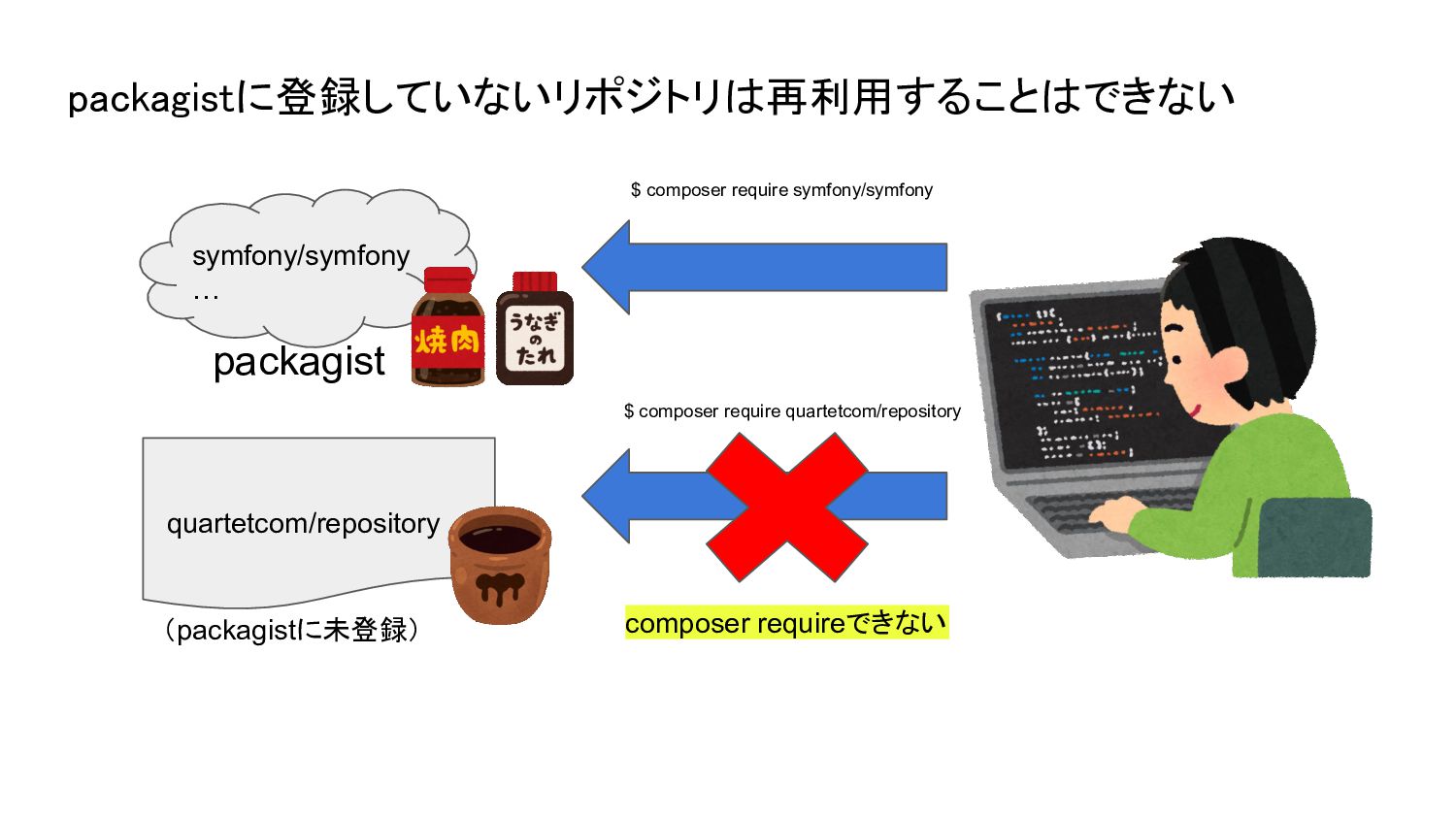
(packagistに未登録) quartetcom/repository composer requireできない packagistに登録していないリポジトリは再利用することはできない packagist symfony/symfony … $ composer
require symfony/symfony $ composer require quartetcom/repository
しかし
quartetcom/repository を使いたい人 composer requireできる + "repositories": { + "quartetcom/repository": {
+ "type": "vcs", + "url": "https://github.com/quartetcom/repository.git" + } + } composer.json composer.jsonのrepositoriesに追加すればcomposer requireできる! $ composer require quartetcom/repository quartetcom/repository (packagistに未登録)
ただし、以下のデメリットがある🥺 • 再利用したいリポジトリが複数ある場合、 そのリポジトリの数だけcomposer.jsonに追記する必要がある。
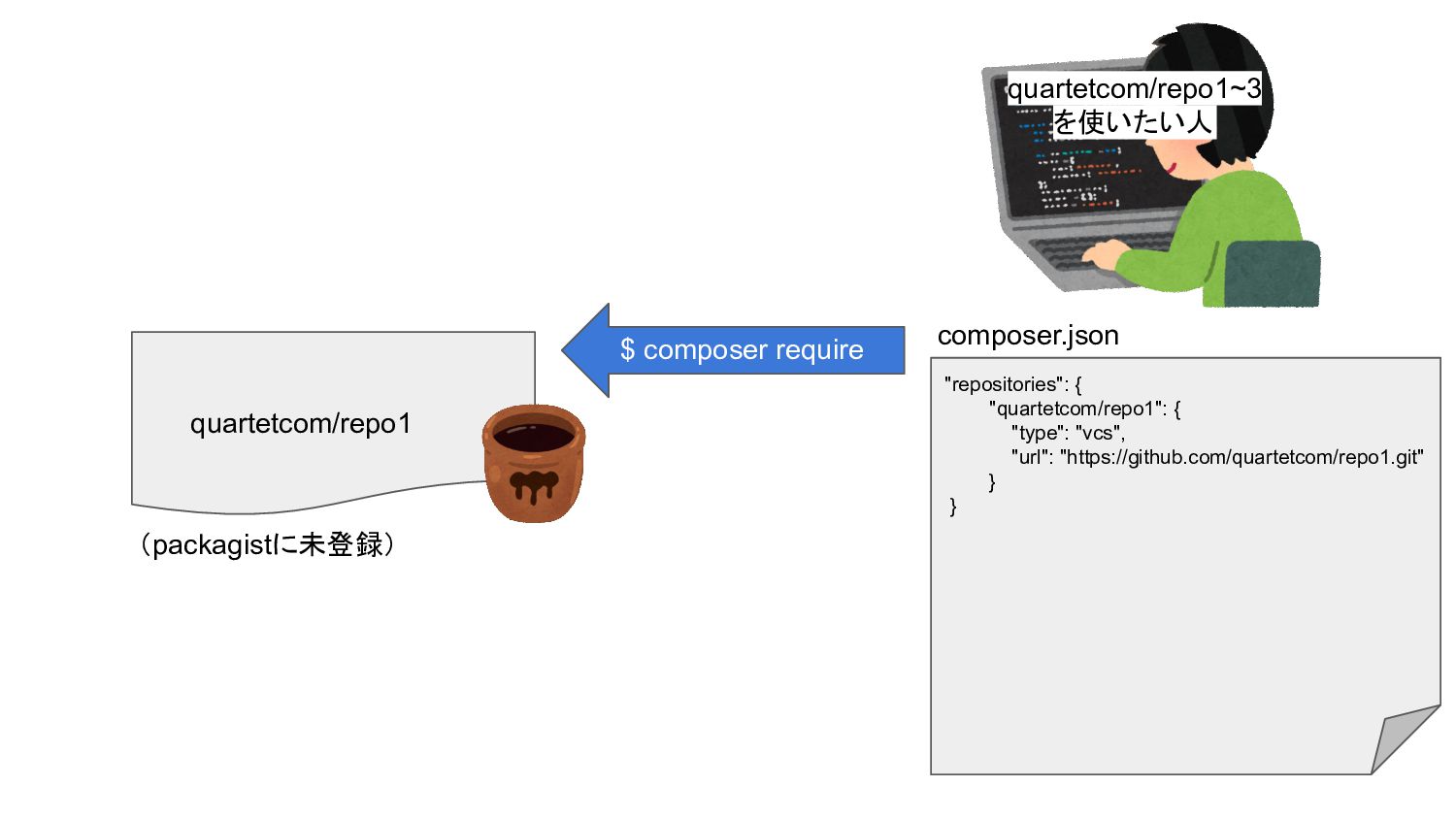
quartetcom/repo1~3 を使いたい人 "repositories": { "quartetcom/repo1": { "type": "vcs", "url": "https://github.com/quartetcom/repo1.git"
} } composer.json quartetcom/repo1 (packagistに未登録) $ composer require
quartetcom/repo1~3 を使いたい人 "repositories": { "quartetcom/repo1": { "type": "vcs", "url": "https://github.com/quartetcom/repo1.git"
}, + "quartetcom/repo2": { + "type": "vcs", + "url": "https://github.com/quartetcom/repo2.git" + }, } composer.json quartetcom/repo1 (packagistに未登録) quartetcom/repo2 $ composer require $ composer require
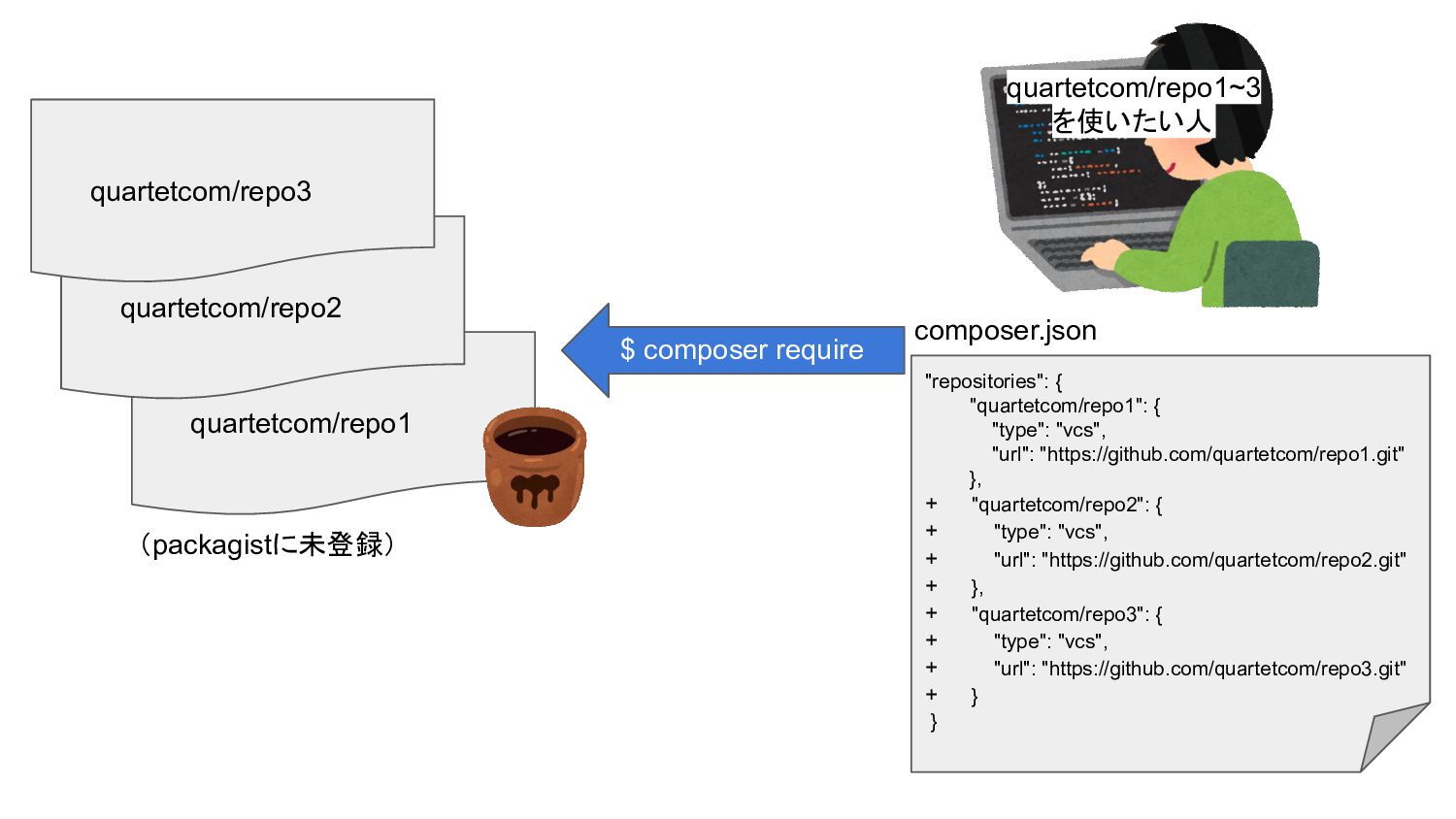
quartetcom/repo1~3 を使いたい人 "repositories": { "quartetcom/repo1": { "type": "vcs", "url": "https://github.com/quartetcom/repo1.git"
}, + "quartetcom/repo2": { + "type": "vcs", + "url": "https://github.com/quartetcom/repo2.git" + }, + "quartetcom/repo3": { + "type": "vcs", + "url": "https://github.com/quartetcom/repo3.git" + } } composer.json quartetcom/repo1 (packagistに未登録) quartetcom/repo2 quartetcom/repo3 $ composer require
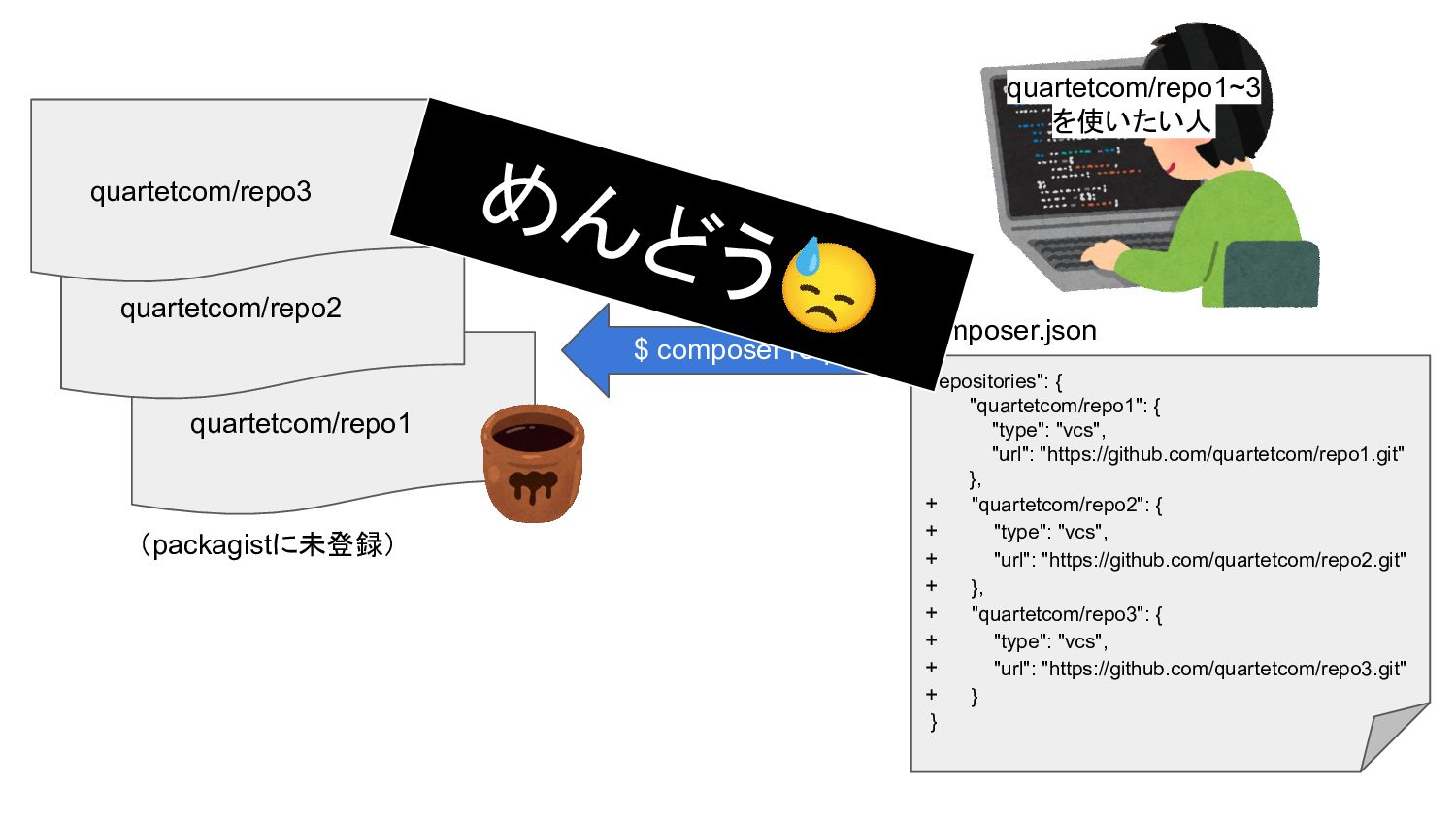
quartetcom/repo1~3 を使いたい人 quartetcom/repo1 (packagistに未登録) quartetcom/repo2 quartetcom/repo3 $ composer require "repositories":
{ "quartetcom/repo1": { "type": "vcs", "url": "https://github.com/quartetcom/repo1.git" }, + "quartetcom/repo2": { + "type": "vcs", + "url": "https://github.com/quartetcom/repo2.git" + }, + "quartetcom/repo3": { + "type": "vcs", + "url": "https://github.com/quartetcom/repo3.git" + } } composer.json めんどう😓
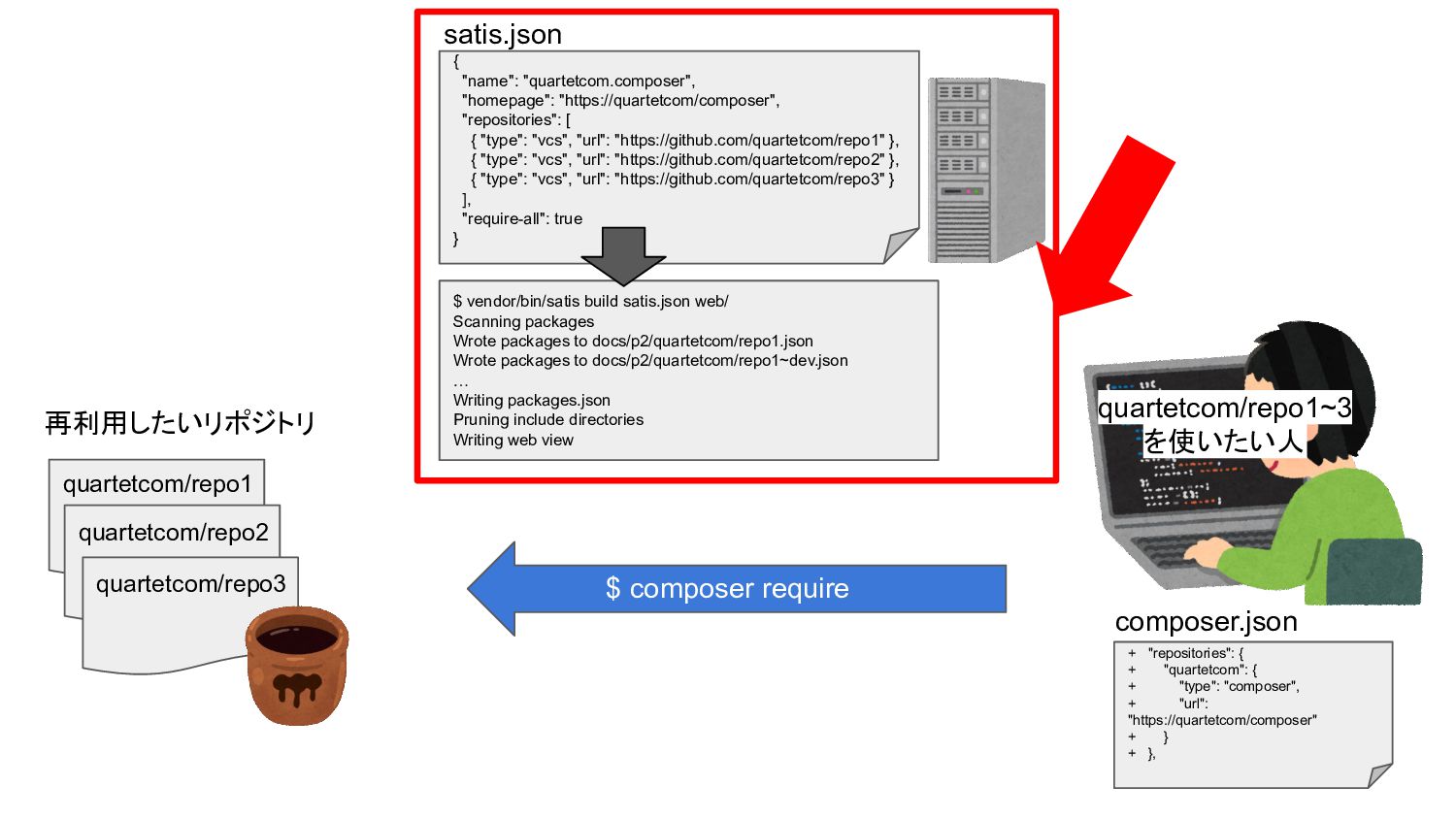
その問題、Satisで解決できるかも
{ "name": "quartetcom.composer", "homepage": "https://quartetcom/composer", "repositories": [ { "type": "vcs",
"url": "https://github.com/quartetcom/repo1" }, { "type": "vcs", "url": "https://github.com/quartetcom/repo2" }, { "type": "vcs", "url": "https://github.com/quartetcom/repo3" } ], "require-all": true } satis.json quartetcom/repo1~3 を使いたい人 再利用したいリポジトリ quartetcom/repo1 quartetcom/repo2 quartetcom/repo3 $ composer require + "repositories": { + "quartetcom": { + "type": "composer", + "url": "https://quartetcom/composer" + } + }, composer.json $ vendor/bin/satis build satis.json web/ Scanning packages Wrote packages to docs/p2/quartetcom/repo1.json Wrote packages to docs/p2/quartetcom/repo1~dev.json … Writing packages.json Pruning include directories Writing web view
メリット💡 • satis.jsonに再利用対象のリポジトリを追加→buildするだけでok • 複数パッケージを一括管理しやすい • 一覧画面もいい感じにできる👉 • Basic認証で制限も可能 •
ビルドインwebサーバで無料で簡単にできる $ php -S localhost:8888 -t web • GitHub Pagesでも作れました🎉 https://kin29.github.io/composer-repository/
kin29/repo1 - v0.0.1 - v0.0.2🆕 POST (おまけ)GitHub Actionsでsatis buildを自動化してみた! on:
release: types: [published] jobs: run: | curl --request POST 'https://api.github.com/repos/kin29/coposer-repository/dispatches' \ --header 'Authorization: Bearer ${{secrets.MY_TOKEN}}' \ --header 'Content-Type: application/json' \ --data-raw '{"event_type": "repository-updated"}' kin29/composer-repository on: repository_dispatch: types: [repository-updated] jobs: - name: satis build run: | composer config --global github-oauth.github.com ${{secrets.MY_TOKEN}} vendor/bin/satis build satis.json docs - name: Push build files run: | git remote set-url origin https://github-actions:${{secrets.GITHUB_TOKEN}}@github.com/${GITHUB_REPO} git config --global user.name "${GITHUB_ACTOR}" git config --global user.email "${GITHUB_ACTOR}@users.noreply.github.com" if (git diff --shortstat | grep '[0-9]'); then \ git add .; \ git commit -m "👕 Fixed satis build files by github-actions"; \ git push origin HEAD:${GITHUB_REF}; \ fi
private packagistというサービスもあります • https://packagist.com/ • 無料トライアルあり(その後は課金制)
ところで
実はComposer、 Symfonyコミュニティから生まれました!
カルテットはSymfonyで開発をしています! エンジニア・デザイナー大募集中です。 私のようにフルリモートで働くことができたり、 子育て中でも働きやすい環境です^^ ご興味がある方はこちらからどうぞ👇 https://quartetcom.co.jp/recruit/engineer/
ご清聴ありがとうございました 参考: https://getcomposer.org/doc/articles/handling-private-packages.md https://github.com/composer/satis


 kin29
kin29
 hschwentner
 uyuki234
 clockmaker
 ___akari11
 nao_randd
 morizo_1984
 mixplace
 ichirokano2
 oku053
 florets1
 marcoroth
 kishida
 rakko
rakko
 rasmusluckow
 varn
varn
 aemeredith
 keavy
keavy
 destraynor
 chriscoyier
 nwiizo
 smashingmag
 retrage
 sergeychernyshev