Upgrade to Pro — share decks privately, control downloads, hide ads and more …

AI エージェント Kiro が変える働き方

Sponsored · Ship Features Fearlessly Turn features on and off without deploys. Used by thousands of Ruby developers. →

AI エージェント Kiro が変える働き方

Avatar for Taito Kikuchi

Taito Kikuchi

May 23, 2026

Other Decks in Technology

Transcript

  1. © 2026, Amazon Web Services, Inc. or its affiliates. All

    rights reserved. AI エージェント Kiro が変える働き⽅ ガ バ メ ン ト ク ラ ウ ド ワ ー ク シ ョ ッ プ 第 4 回 〜 開 発 か ら 業 務 ま で 幅 広 く 〜 菊地 泰⽃ (Taito Kikuchi) アマゾン ウェブ サービス 合同会社 パブリックセクター 技術統括本部 ソリューションアーキテクト
  2. © 2026, Amazon Web Services, Inc. or its affiliates. All

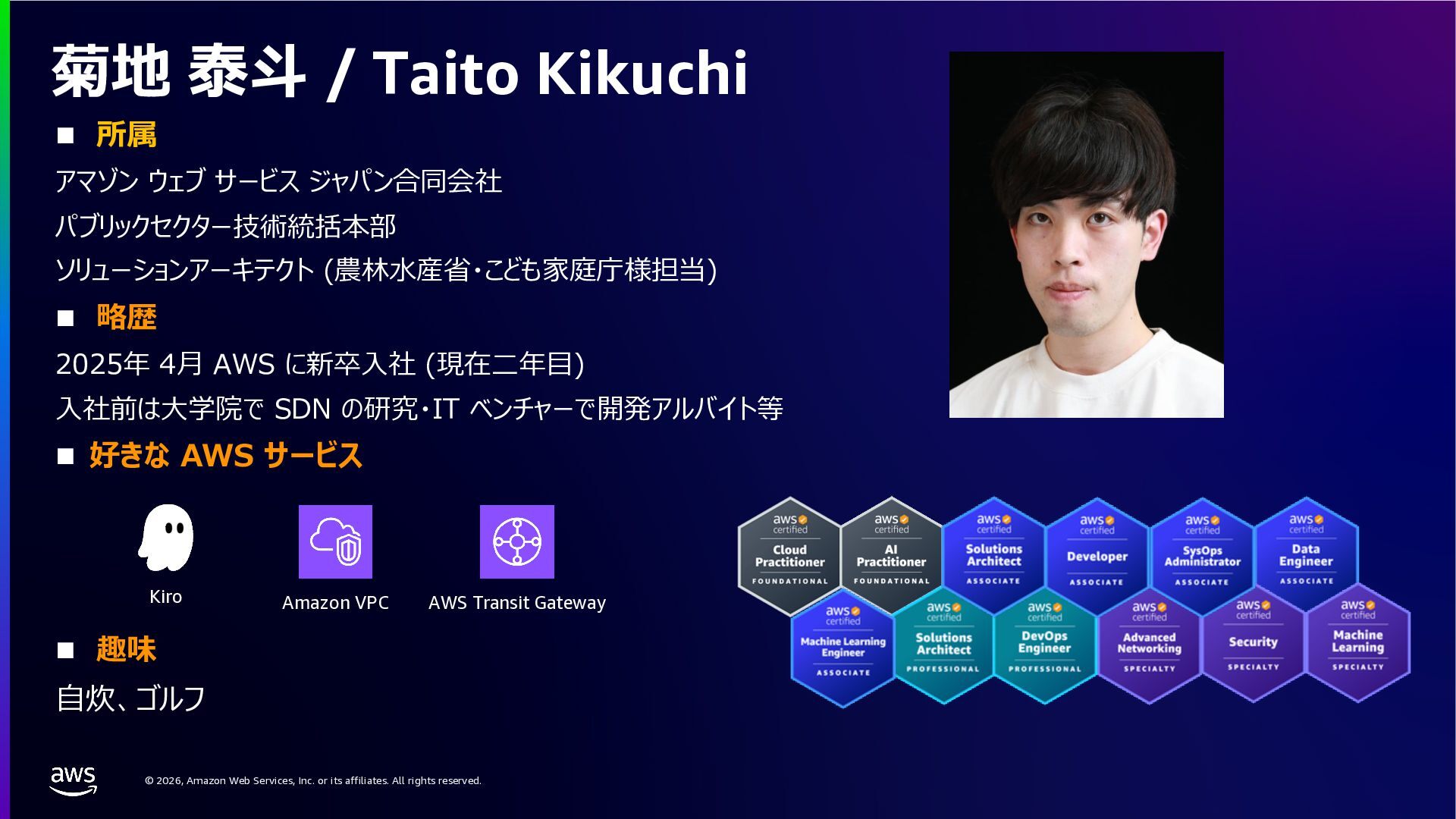
    rights reserved. n 所属 アマゾン ウェブ サービス ジャパン合同会社 パブリックセクター技術統括本部 ソリューションアーキテクト (農林⽔産省・こども家庭庁様担当) n 略歴 2025年 4⽉ AWS に新卒⼊社 (現在⼆年⽬) ⼊社前は⼤学院で SDN の研究・IT ベンチャーで開発アルバイト等 n 好きな AWS サービス n 趣味 ⾃炊、ゴルフ 菊地 泰⽃ / Taito Kikuchi Amazon VPC AWS Transit Gateway Kiro
  3. © 2026, Amazon Web Services, Inc. or its affiliates. All

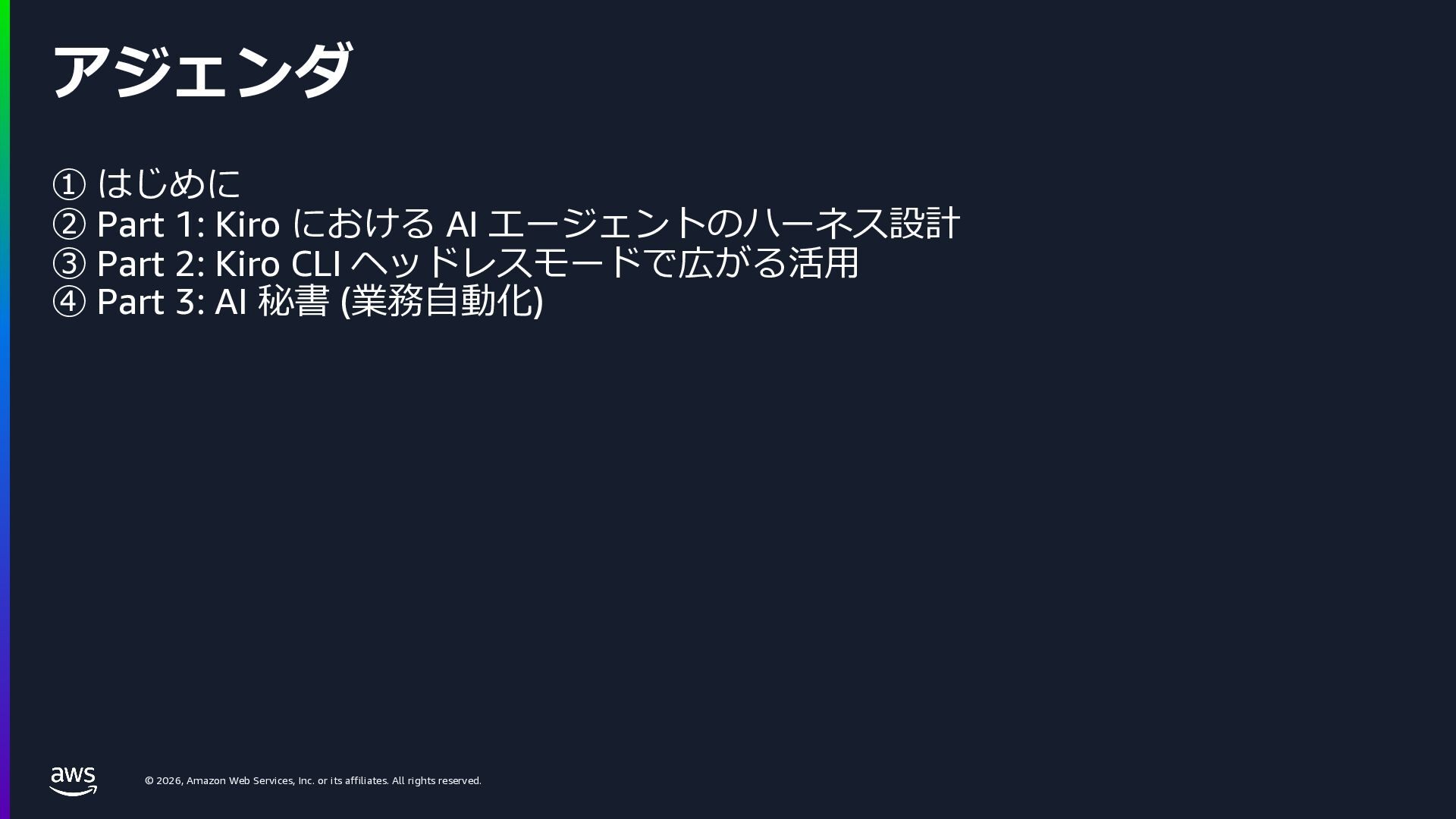
    rights reserved. ① はじめに ② Part 1: Kiro における AI エージェントのハーネス設計 ③ Part 2: Kiro CLI ヘッドレスモードで広がる活⽤ ④ Part 3: AI 秘書 (業務⾃動化) アジェンダ
  4. © 2026, Amazon Web Services, Inc. or its affiliates. All

    rights reserved. AI 、業務で使っていますか︖
  5. © 2026, Amazon Web Services, Inc. or its affiliates. All

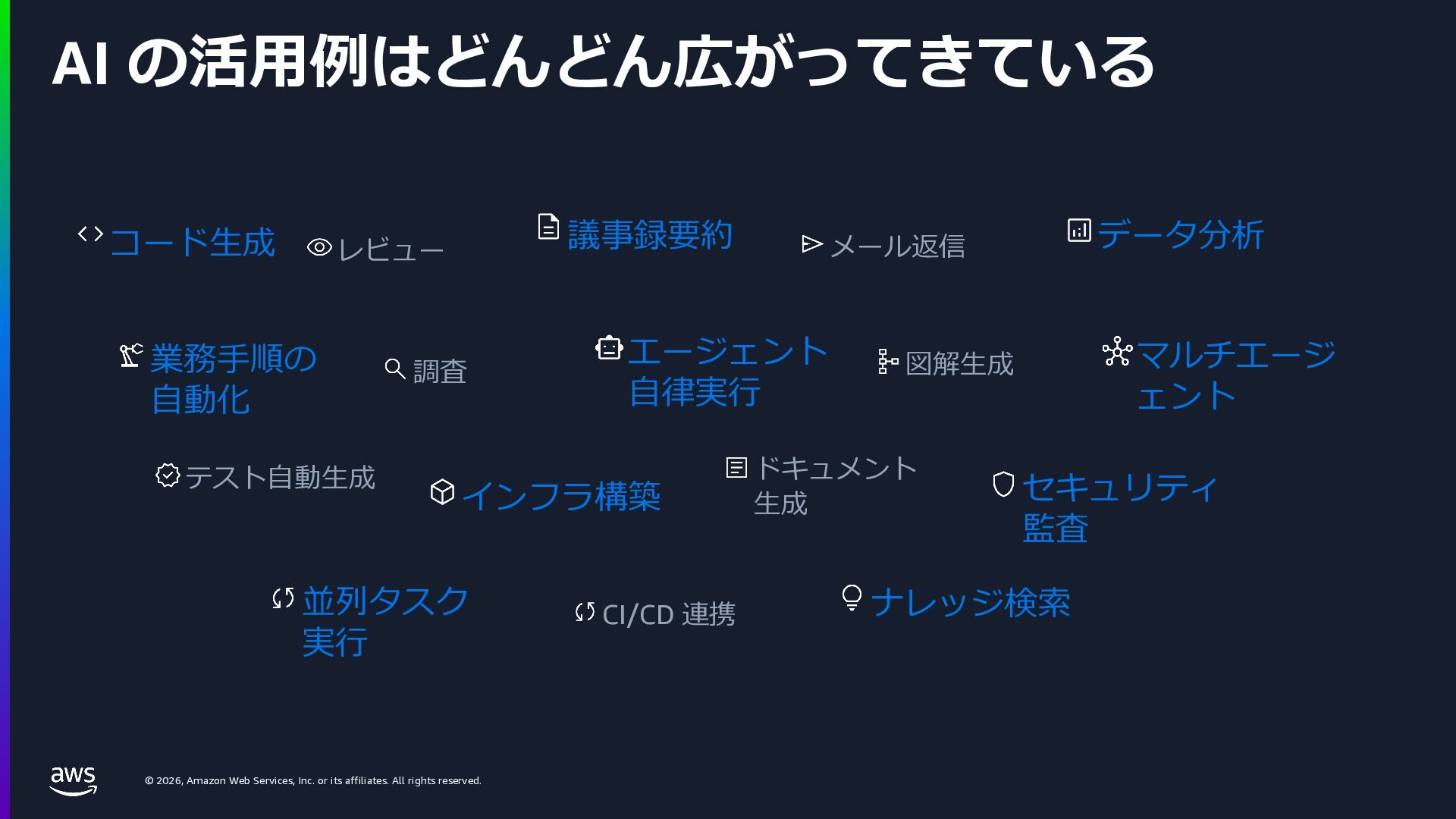
    rights reserved. AI の活⽤例はどんどん広がってきている コード⽣成 レビュー 議事録要約 メール返信 データ分析 業務⼿順の ⾃動化 調査 エージェント ⾃律実⾏ 図解⽣成 マルチエージ ェント テスト⾃動⽣成 インフラ構築 ドキュメント ⽣成 セキュリティ 監査 並列タスク 実⾏ CI/CD 連携 ナレッジ検索
  6. © 2026, Amazon Web Services, Inc. or its affiliates. All

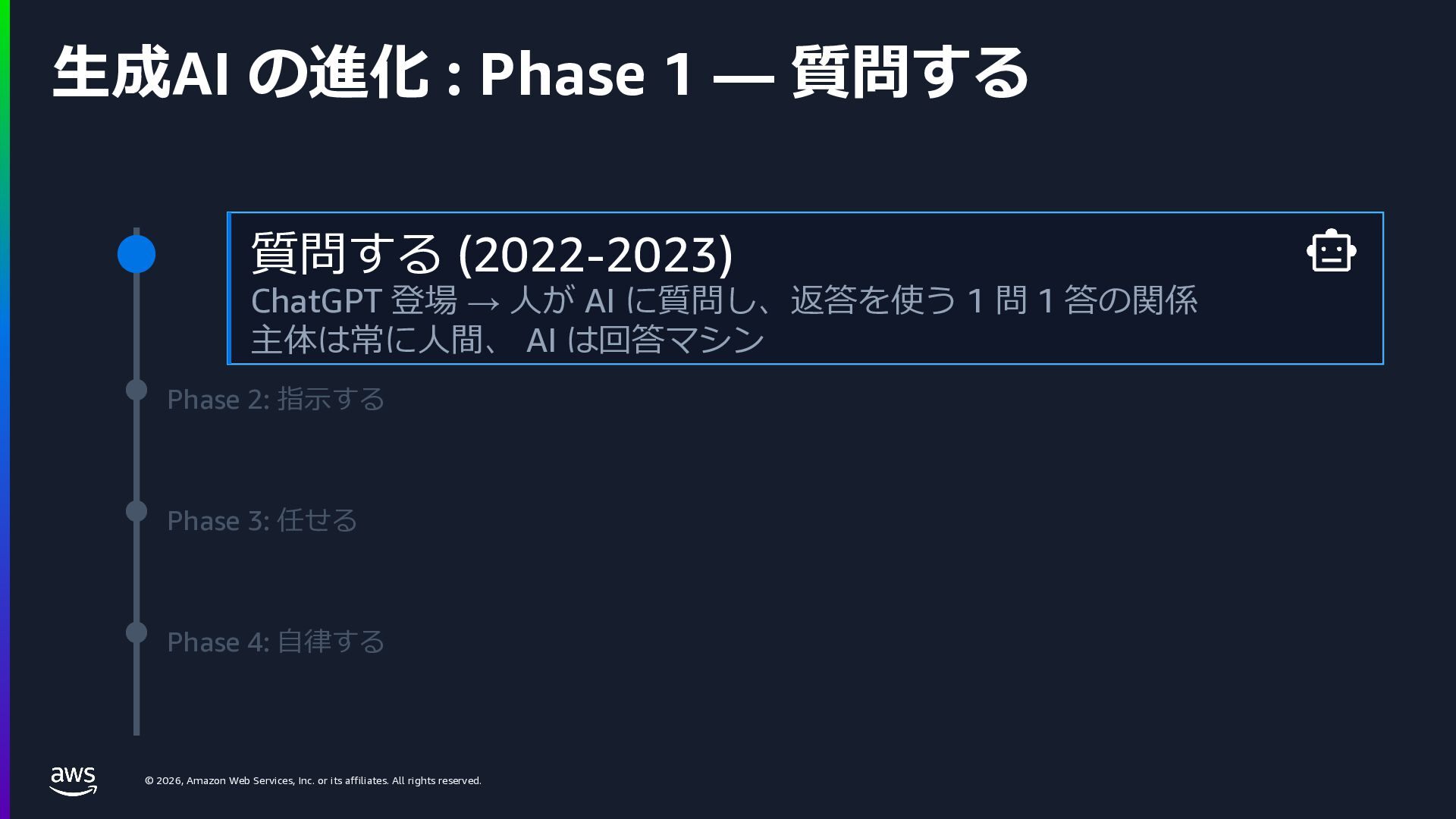
    rights reserved. ⽣成AI の進化 : Phase 1 — 質問する Phase 2: 指⽰する Phase 3: 任せる Phase 4: ⾃律する 質問する (2022-2023) ChatGPT 登場 → ⼈が AI に質問し、返答を使う 1 問 1 答の関係 主体は常に⼈間、 AI は回答マシン
  7. © 2026, Amazon Web Services, Inc. or its affiliates. All

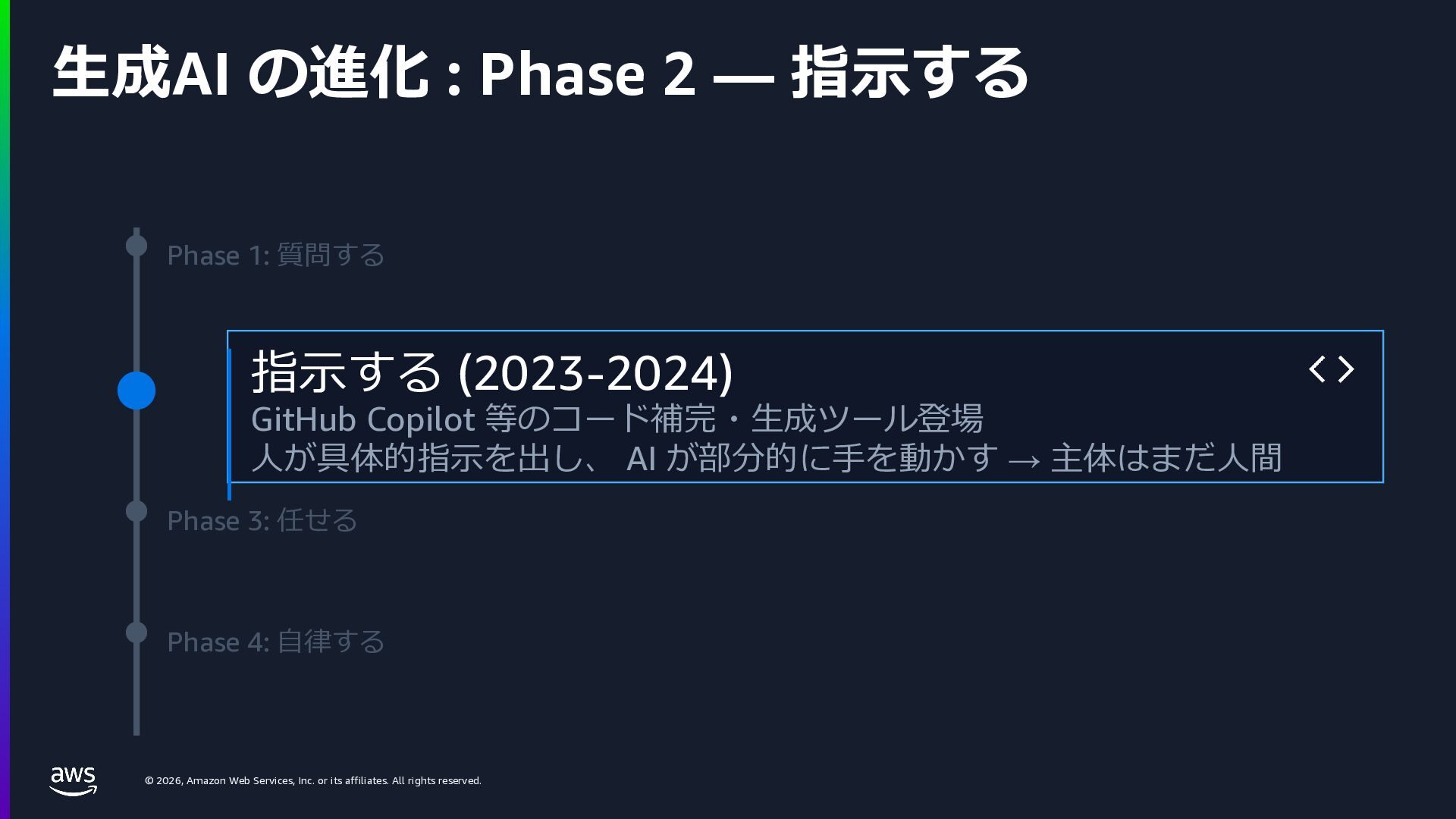
    rights reserved. ⽣成AI の進化 : Phase 2 — 指⽰する Phase 1: 質問する Phase 3: 任せる Phase 4: ⾃律する 指⽰する (2023-2024) GitHub Copilot 等のコード補完・⽣成ツール登場 ⼈が具体的指⽰を出し、 AI が部分的に⼿を動かす → 主体はまだ⼈間
  8. © 2026, Amazon Web Services, Inc. or its affiliates. All

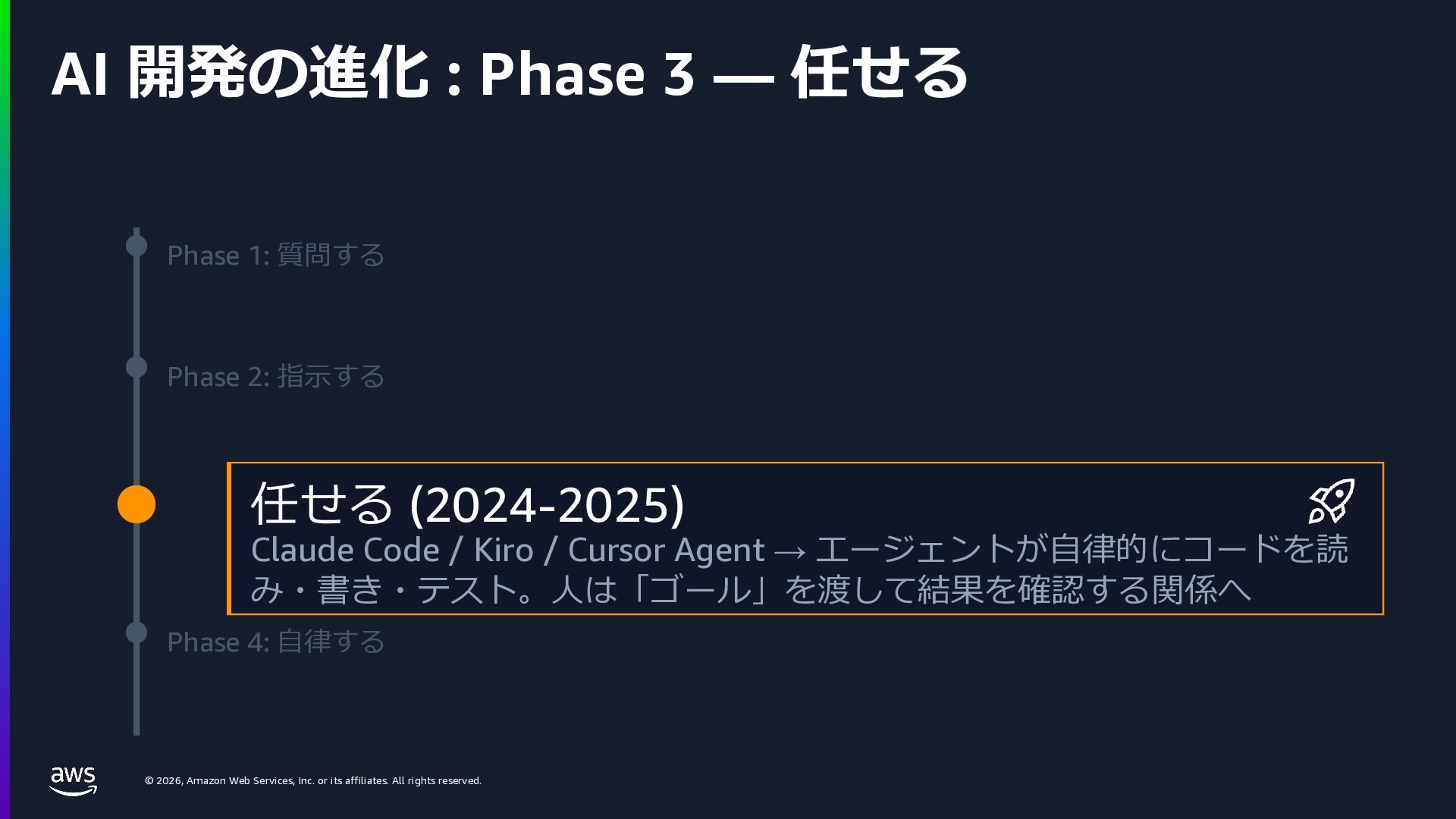
    rights reserved. AI 開発の進化 : Phase 3 — 任せる Phase 1: 質問する Phase 2: 指⽰する Phase 4: ⾃律する 任せる (2024-2025) Claude Code / Kiro / Cursor Agent → エージェントが⾃律的にコードを読 み・書き・テスト。⼈は「ゴール」を渡して結果を確認する関係へ
  9. © 2026, Amazon Web Services, Inc. or its affiliates. All

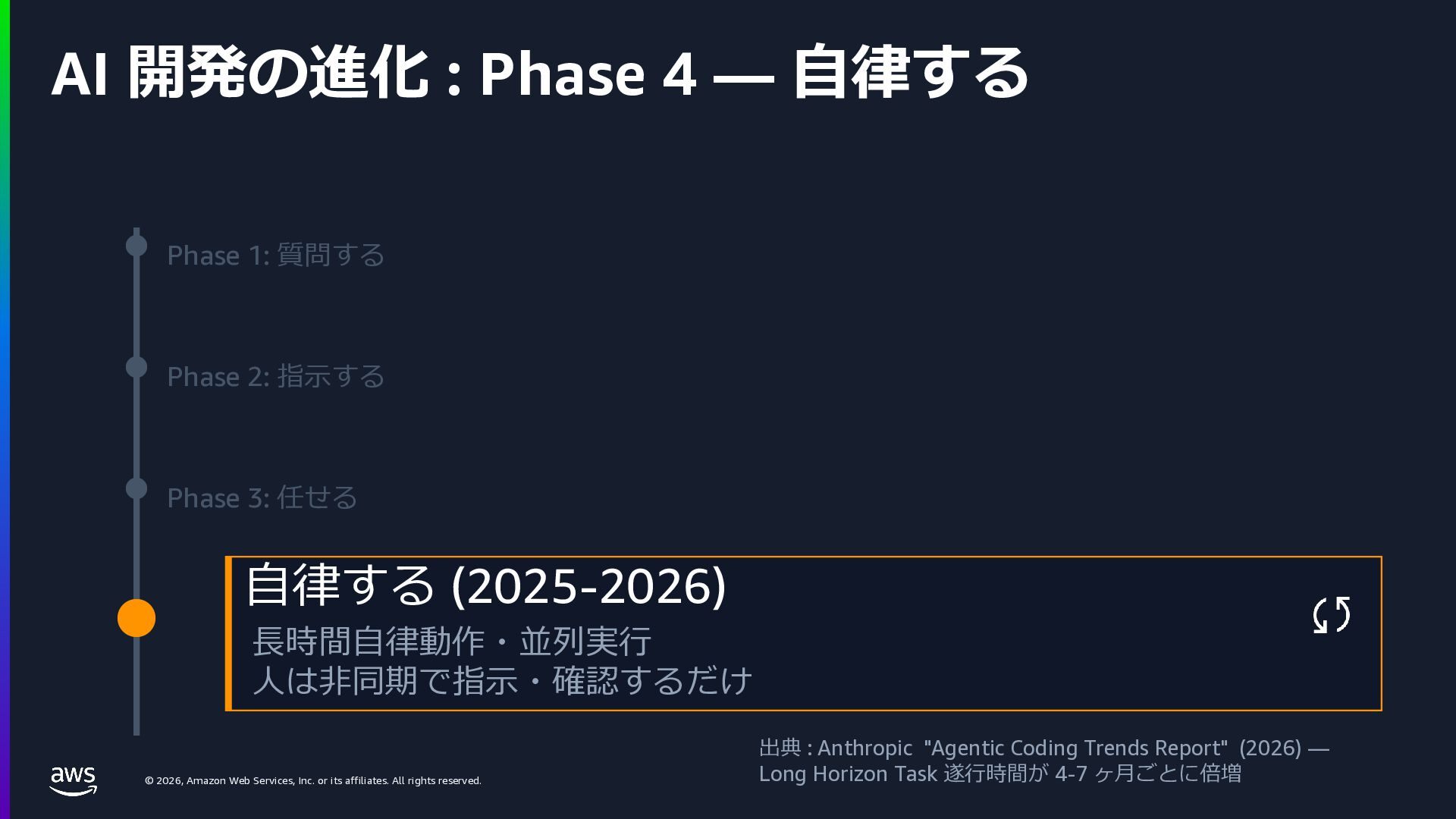
    rights reserved. AI 開発の進化 : Phase 4 — ⾃律する Phase 1: 質問する Phase 2: 指⽰する Phase 3: 任せる ⾃律する (2025-2026) ⻑時間⾃律動作・並列実⾏ ⼈は⾮同期で指⽰・確認するだけ 出典 : Anthropic "Agentic Coding Trends Report" (2026) — Long Horizon Task 遂⾏時間が 4-7 ヶ⽉ごとに倍増
  10. © 2026, Amazon Web Services, Inc. or its affiliates. All

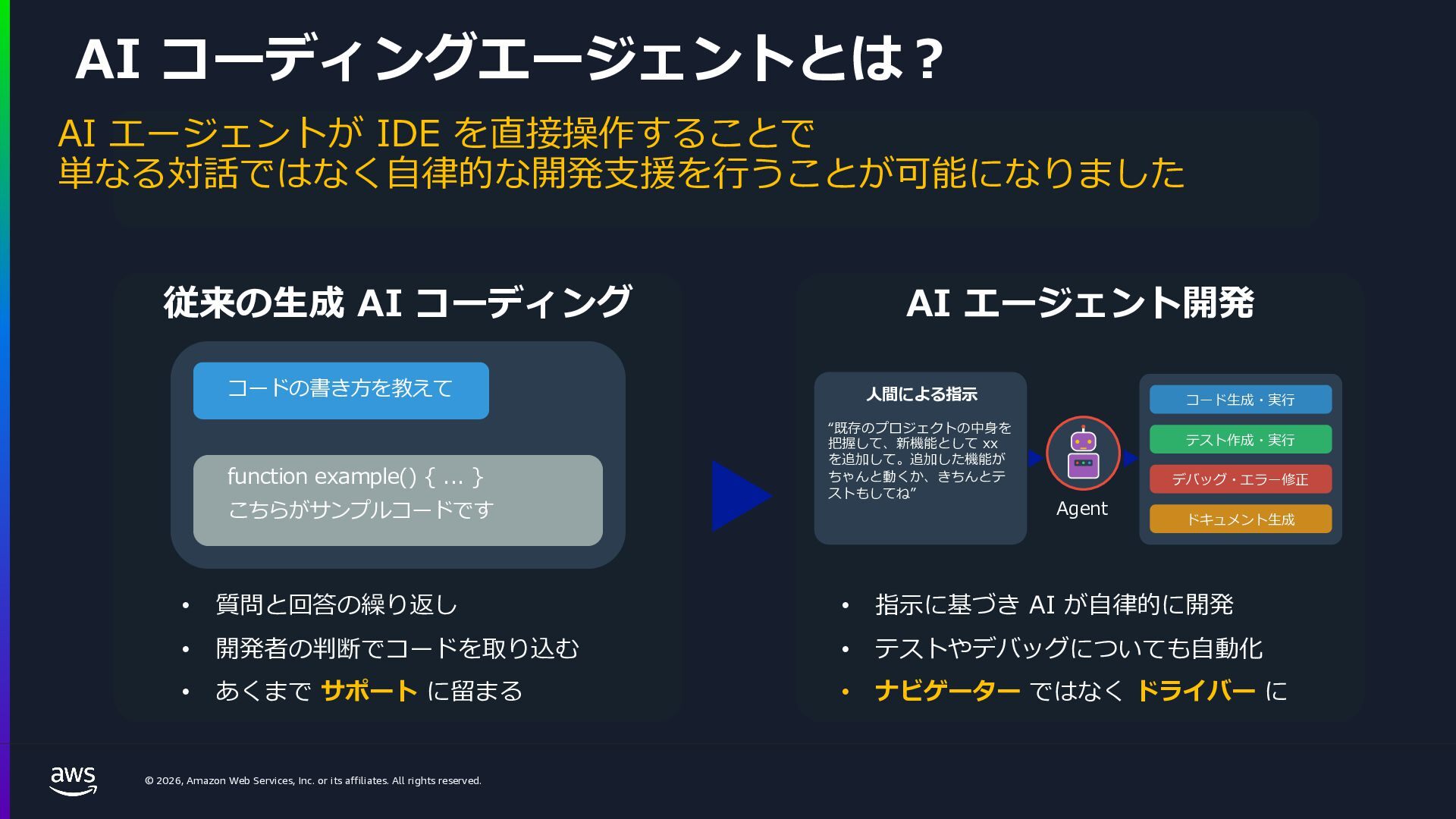
    rights reserved. 従来の⽣成 AI コーディング コードの書き⽅を教えて こちらがサンプルコードです function example() { ... } AI エージェント開発 AI コーディングエージェントとは︖ • 質問と回答の繰り返し • 開発者の判断でコードを取り込む • あくまで サポート に留まる • 指⽰に基づき AI が⾃律的に開発 • テストやデバッグについても⾃動化 • ナビゲーター ではなく ドライバー に コード⽣成・実⾏ テスト作成・実⾏ デバッグ・エラー修正 ドキュメント⽣成 ⼈間による指⽰ “既存のプロジェクトの中⾝を 把握して、新機能として xx を追加して。追加した機能が ちゃんと動くか、きちんとテ ストもしてね” Agent AI エージェントが IDE を直接操作することで 単なる対話ではなく⾃律的な開発⽀援を⾏うことが可能になりました
  11. © 2026, Amazon Web Services, Inc. or its affiliates. All

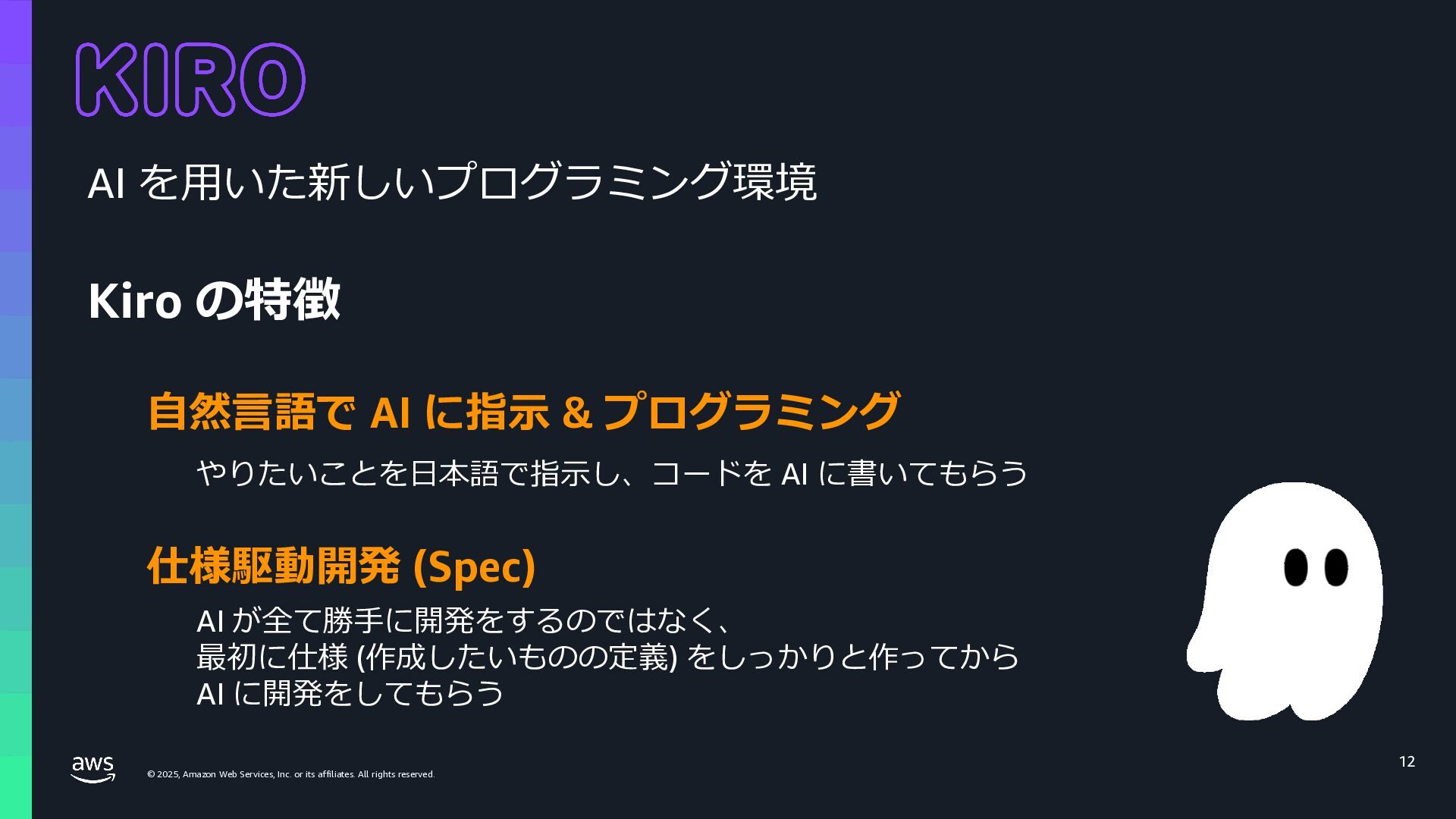
    rights reserved. © 2025, Amazon Web Services, Inc. or its affiliates. All rights reserved. 12 AI を⽤いた新しいプログラミング環境 Kiro の特徴 仕様駆動開発 (Spec) ⾃然⾔語で AI に指⽰ & プログラミング やりたいことを⽇本語で指⽰し、コードを AI に書いてもらう AI が全て勝⼿に開発をするのではなく、 最初に仕様 (作成したいものの定義) をしっかりと作ってから AI に開発をしてもらう
  12. © 2026, Amazon Web Services, Inc. or its affiliates. All

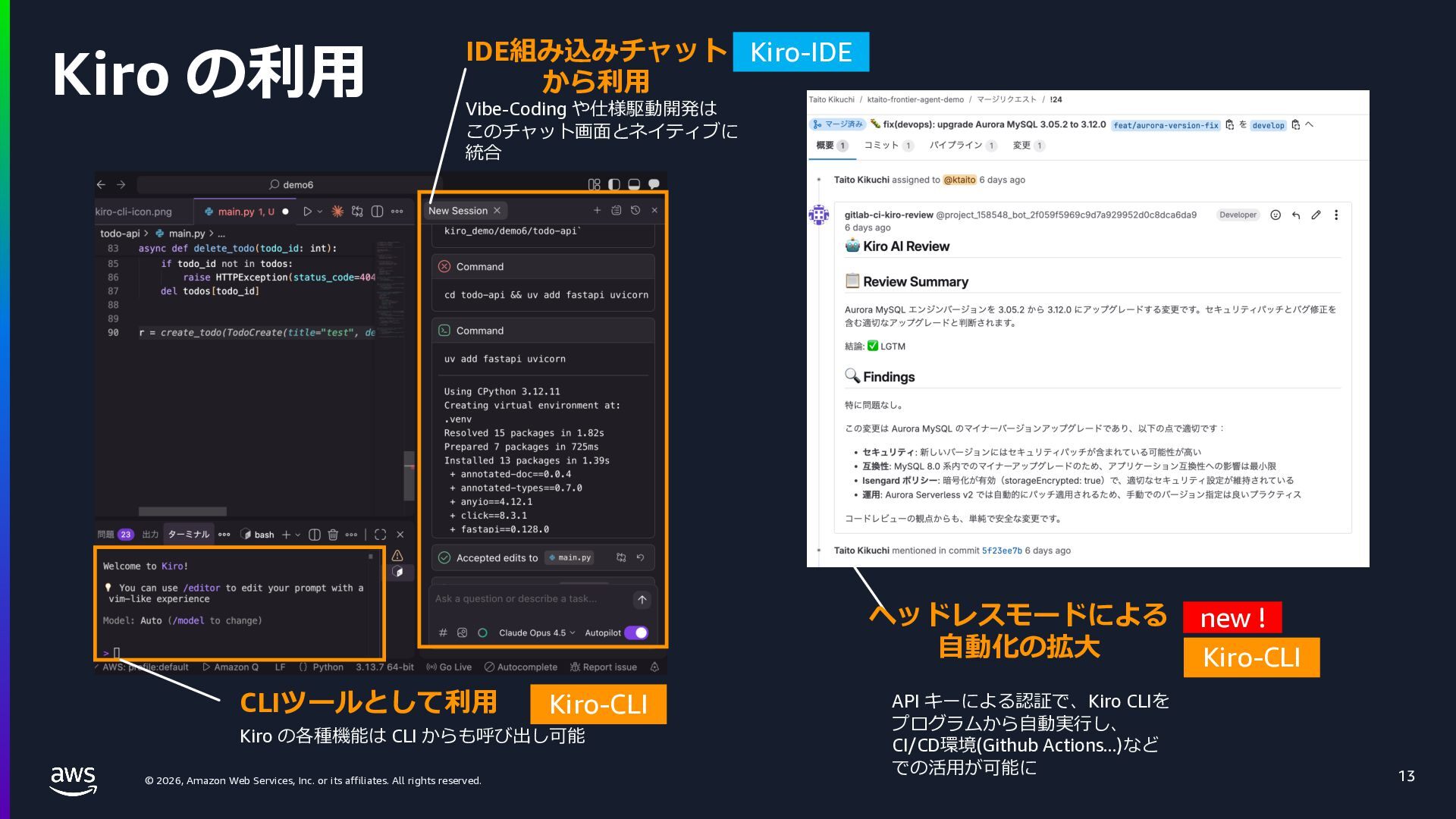
    rights reserved. Kiro の利⽤ 13 CLIツールとして利⽤ IDE組み込みチャット から利⽤ Vibe-Coding や仕様駆動開発は このチャット画⾯とネイティブに 統合 Kiro の各種機能は CLI からも呼び出し可能 ヘッドレスモードによる ⾃動化の拡⼤ new ! API キーによる認証で、Kiro CLIを プログラムから⾃動実⾏し、 CI/CD環境(Github Actions...)など での活⽤が可能に Kiro-CLI Kiro-IDE Kiro-CLI
  13. © 2026, Amazon Web Services, Inc. or its affiliates. All

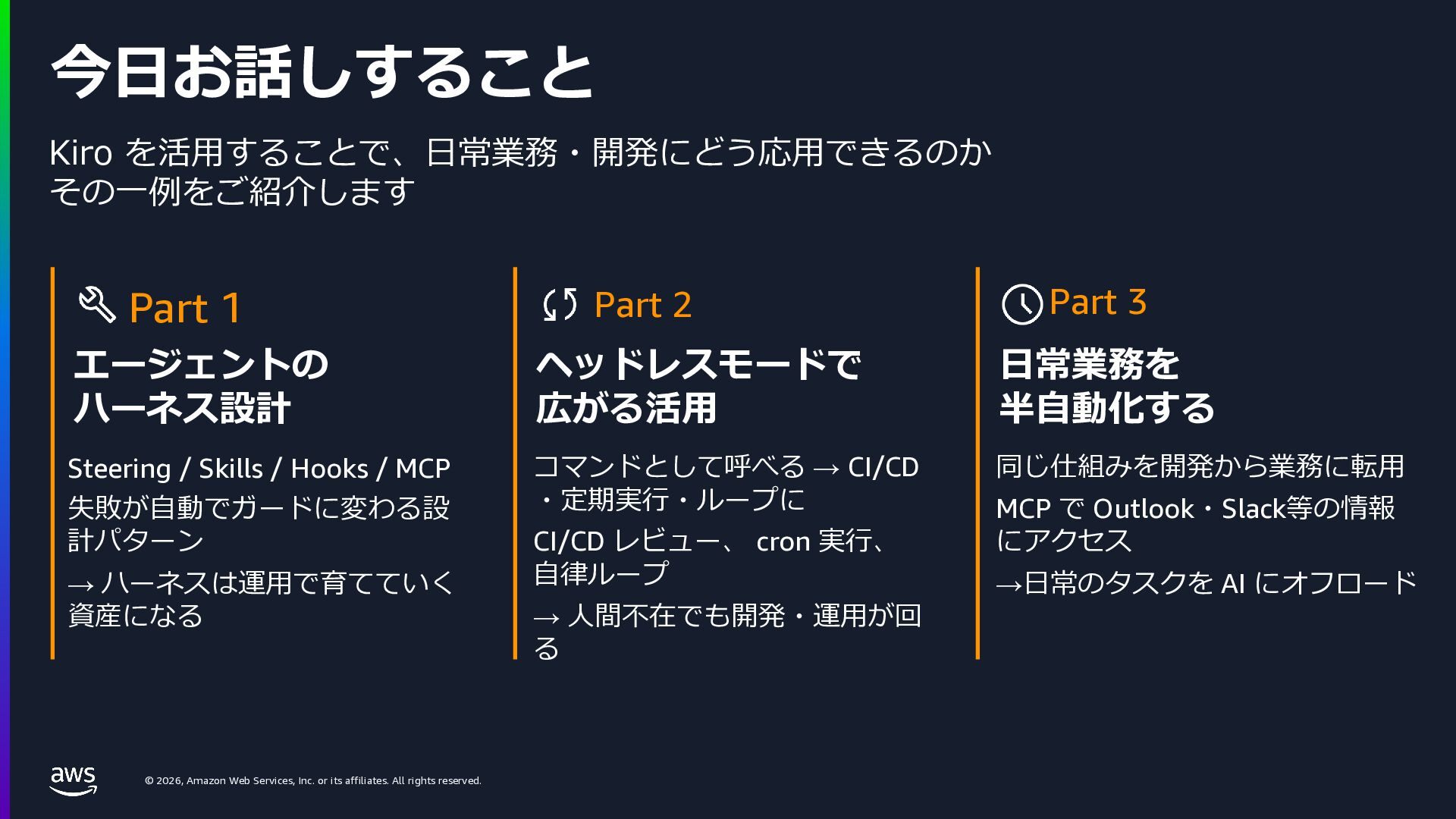
    rights reserved. 今⽇お話しすること Kiro を活⽤することで、⽇常業務・開発にどう応⽤できるのか その⼀例をご紹介します Part 1 エージェントの ハーネス設計 Steering / Skills / Hooks / MCP 失敗が⾃動でガードに変わる設 計パターン → ハーネスは運⽤で育てていく 資産になる Part 2 ヘッドレスモードで 広がる活⽤ コマンドとして呼べる → CI/CD ・定期実⾏・ループに CI/CD レビュー、 cron 実⾏、 ⾃律ループ → ⼈間不在でも開発・運⽤が回 る Part 3 ⽇常業務を 半⾃動化する 同じ仕組みを開発から業務に転⽤ MCP で Outlook・Slack等の情報 にアクセス →⽇常のタスクを AI にオフロード
  14. © 2026, Amazon Web Services, Inc. or its affiliates. All

    rights reserved. © 2025, Amazon Web Services, Inc. or its affiliates. All rights reserved. Part 1: エージェントのハーネス設計
  15. © 2026, Amazon Web Services, Inc. or its affiliates. All

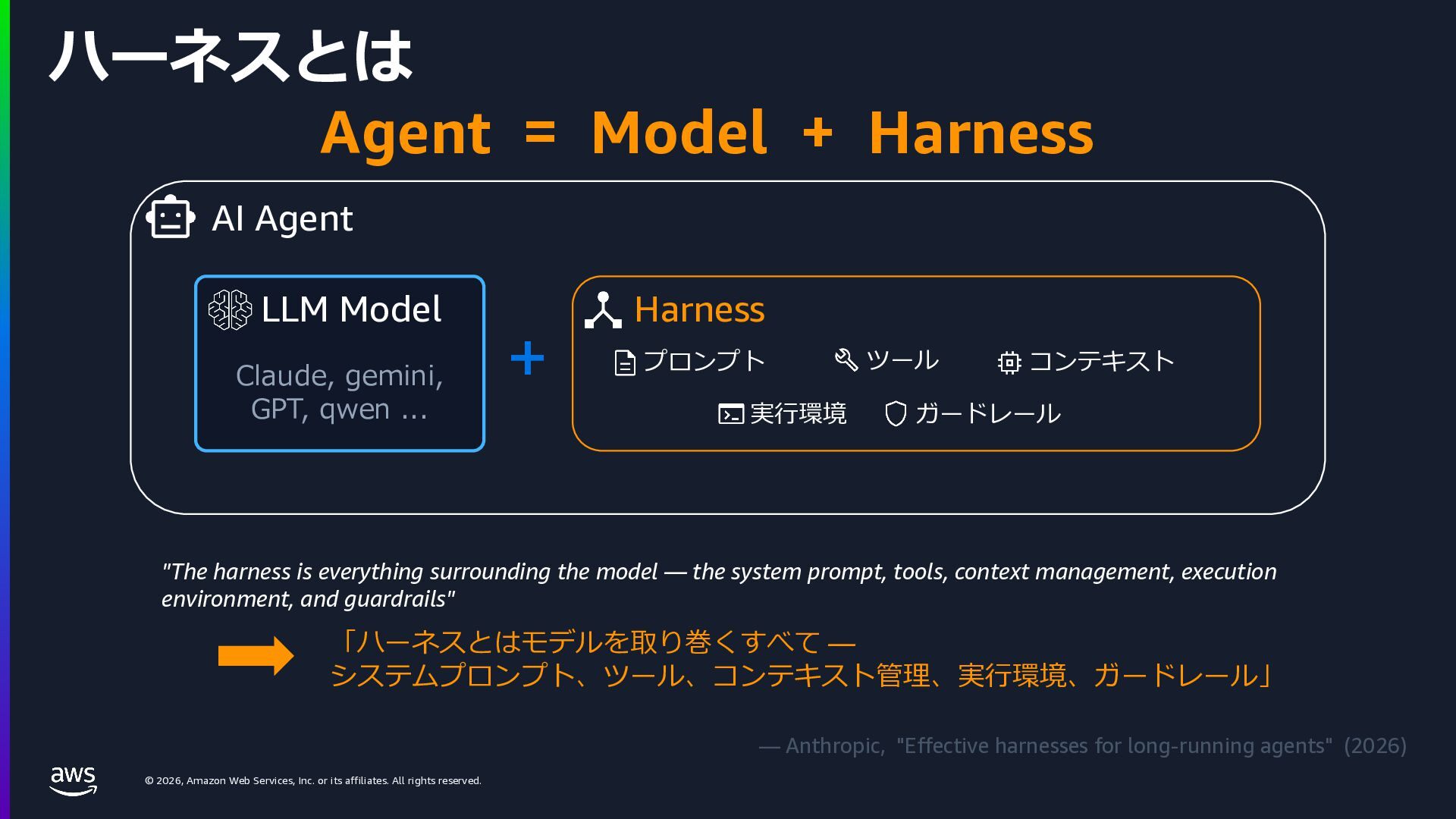
    rights reserved. ハーネスとは Agent = Model + Harness LLM Model Claude, gemini, GPT, qwen ... + "The harness is everything surrounding the model — the system prompt, tools, context management, execution environment, and guardrails" 「ハーネスとはモデルを取り巻くすべて — システムプロンプト、ツール、コンテキスト管理、実⾏環境、ガードレール」 — Anthropic, "Effective harnesses for long-running agents" (2026) AI Agent Harness プロンプト ツール コンテキスト 実⾏環境 ガードレール
  16. © 2026, Amazon Web Services, Inc. or its affiliates. All

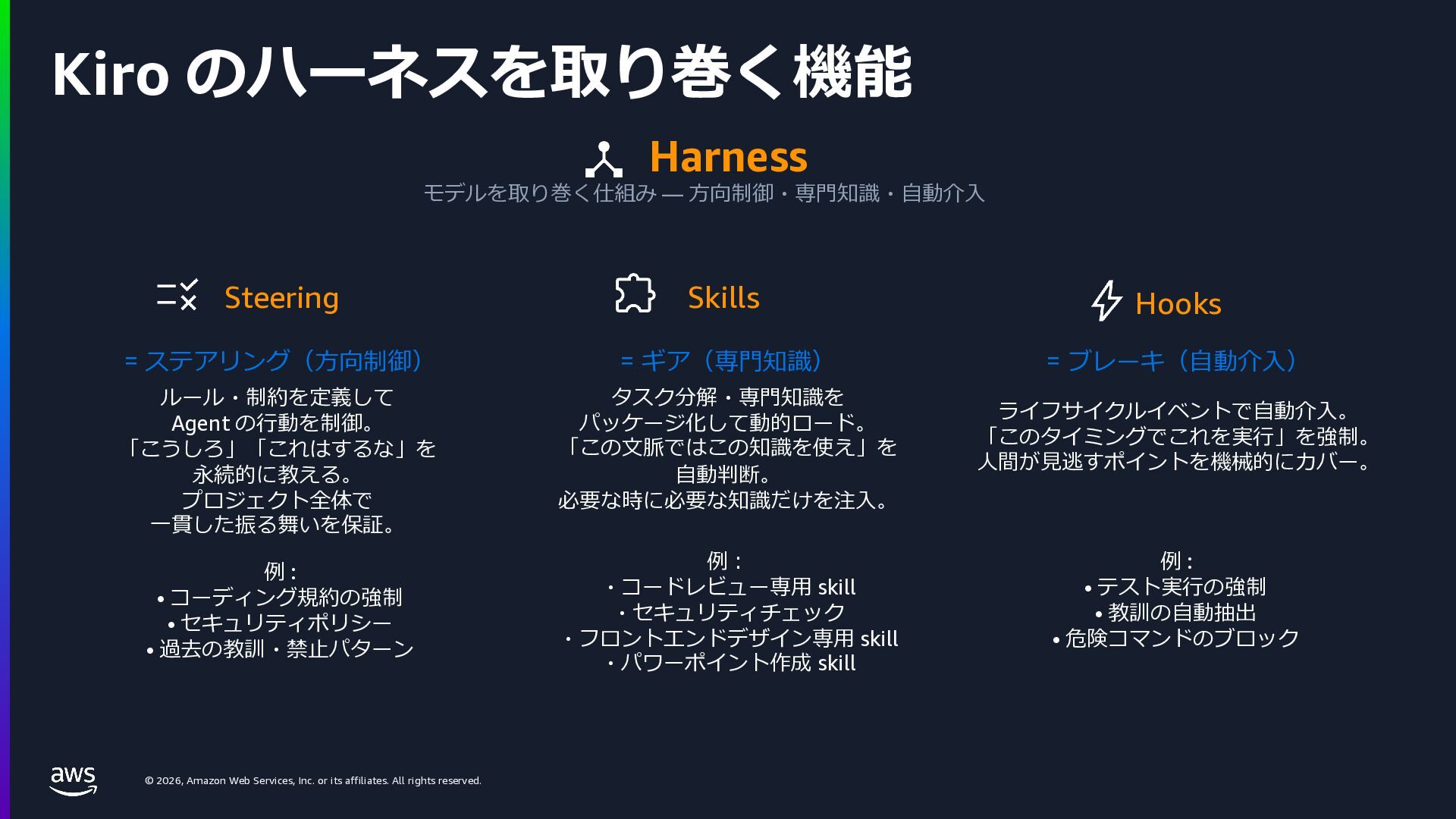
    rights reserved. Kiro のハーネスを取り巻く機能 Harness モデルを取り巻く仕組み — ⽅向制御・専⾨知識・⾃動介⼊ Steering = ステアリング(⽅向制御) ルール・制約を定義して Agent の⾏動を制御。 「こうしろ」「これはするな」を 永続的に教える。 プロジェクト全体で ⼀貫した振る舞いを保証。 例 : • コーディング規約の強制 • セキュリティポリシー • 過去の教訓・禁⽌パターン Skills = ギア(専⾨知識) タスク分解・専⾨知識を パッケージ化して動的ロード。 「この⽂脈ではこの知識を使え」を ⾃動判断。 必要な時に必要な知識だけを注⼊。 例︓ ・コードレビュー専⽤ skill ・セキュリティチェック ・フロントエンドデザイン専⽤ skill ・パワーポイント作成 skill Hooks = ブレーキ(⾃動介⼊) ライフサイクルイベントで⾃動介⼊。 「このタイミングでこれを実⾏」を強制。 ⼈間が⾒逃すポイントを機械的にカバー。 例 : • テスト実⾏の強制 • 教訓の⾃動抽出 • 危険コマンドのブロック
  17. © 2026, Amazon Web Services, Inc. or its affiliates. All

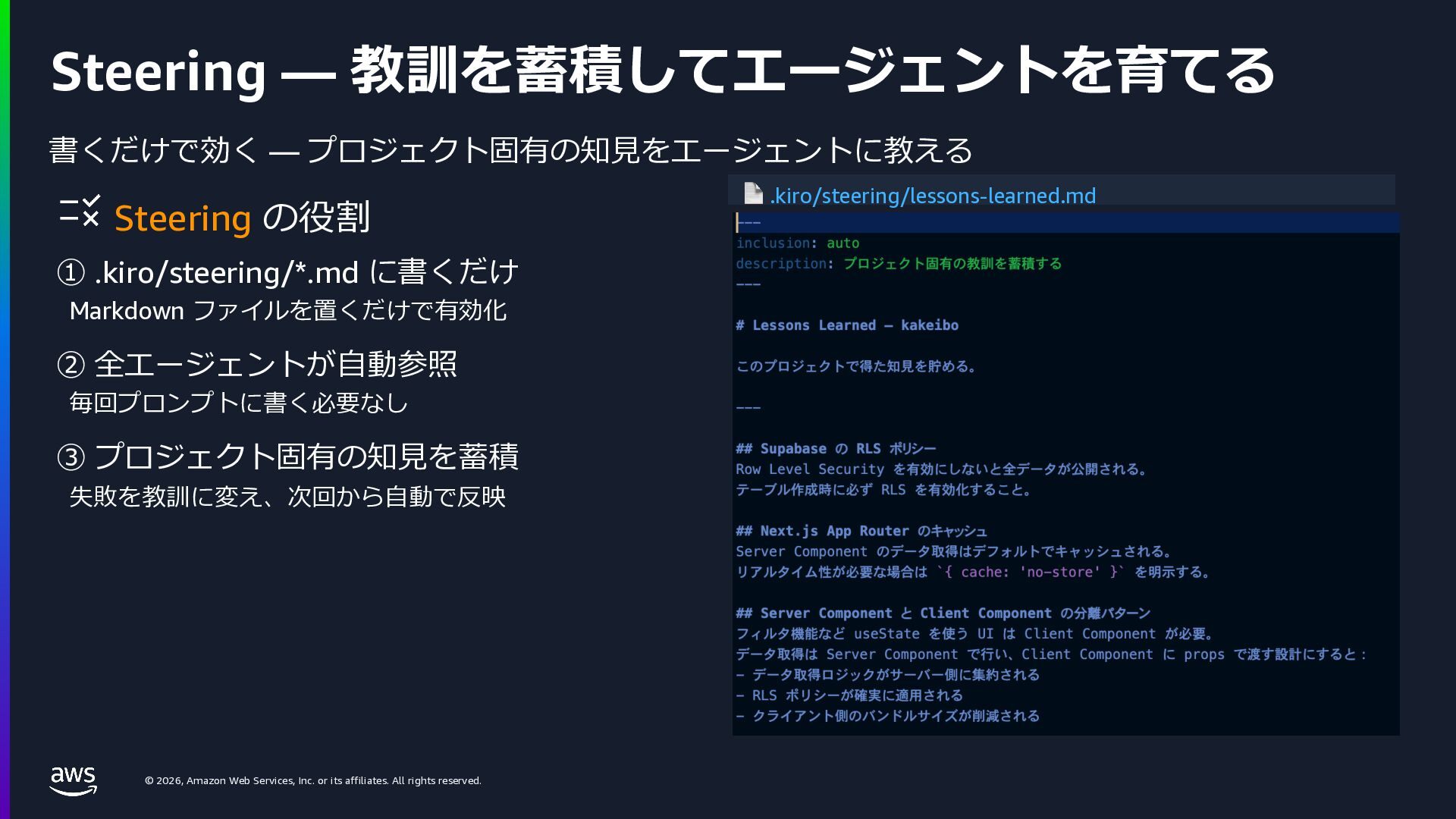
    rights reserved. Steering — 教訓を蓄積してエージェントを育てる 書くだけで効く — プロジェクト固有の知⾒をエージェントに教える Steering の役割 ① .kiro/steering/*.md に書くだけ Markdown ファイルを置くだけで有効化 ② 全エージェントが⾃動参照 毎回プロンプトに書く必要なし ③ プロジェクト固有の知⾒を蓄積 失敗を教訓に変え、次回から⾃動で反映 📄 .kiro/steering/lessons-learned.md
  18. © 2026, Amazon Web Services, Inc. or its affiliates. All

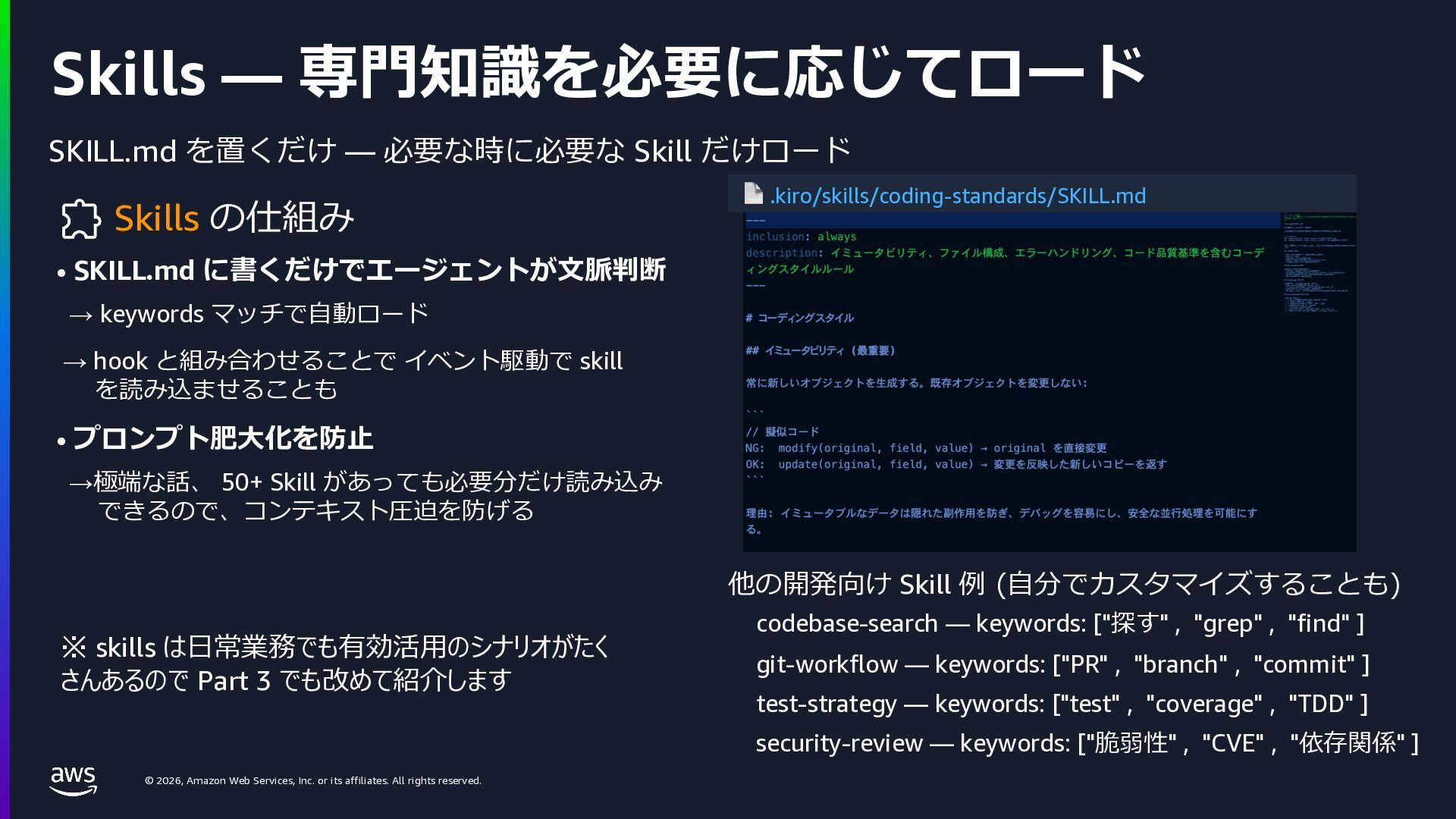
    rights reserved. Skills — 専⾨知識を必要に応じてロード SKILL.md を置くだけ — 必要な時に必要な Skill だけロード Skills の仕組み • SKILL.md に書くだけでエージェントが⽂脈判断 → keywords マッチで⾃動ロード → hook と組み合わせることで イベント駆動で skill を読み込ませることも • プロンプト肥⼤化を防⽌ →極端な話、 50+ Skill があっても必要分だけ読み込み できるので、コンテキスト圧迫を防げる 📄 .kiro/skills/coding-standards/SKILL.md 他の開発向け Skill 例 (⾃分でカスタマイズすることも) codebase-search — keywords: ["探す" , "grep" , "find" ] git-workflow — keywords: ["PR" , "branch" , "commit" ] test-strategy — keywords: ["test" , "coverage" , "TDD" ] security-review — keywords: ["脆弱性" , "CVE" , "依存関係" ] ※ skills は⽇常業務でも有効活⽤のシナリオがたく さんあるので Part 3 でも改めて紹介します
  19. © 2026, Amazon Web Services, Inc. or its affiliates. All

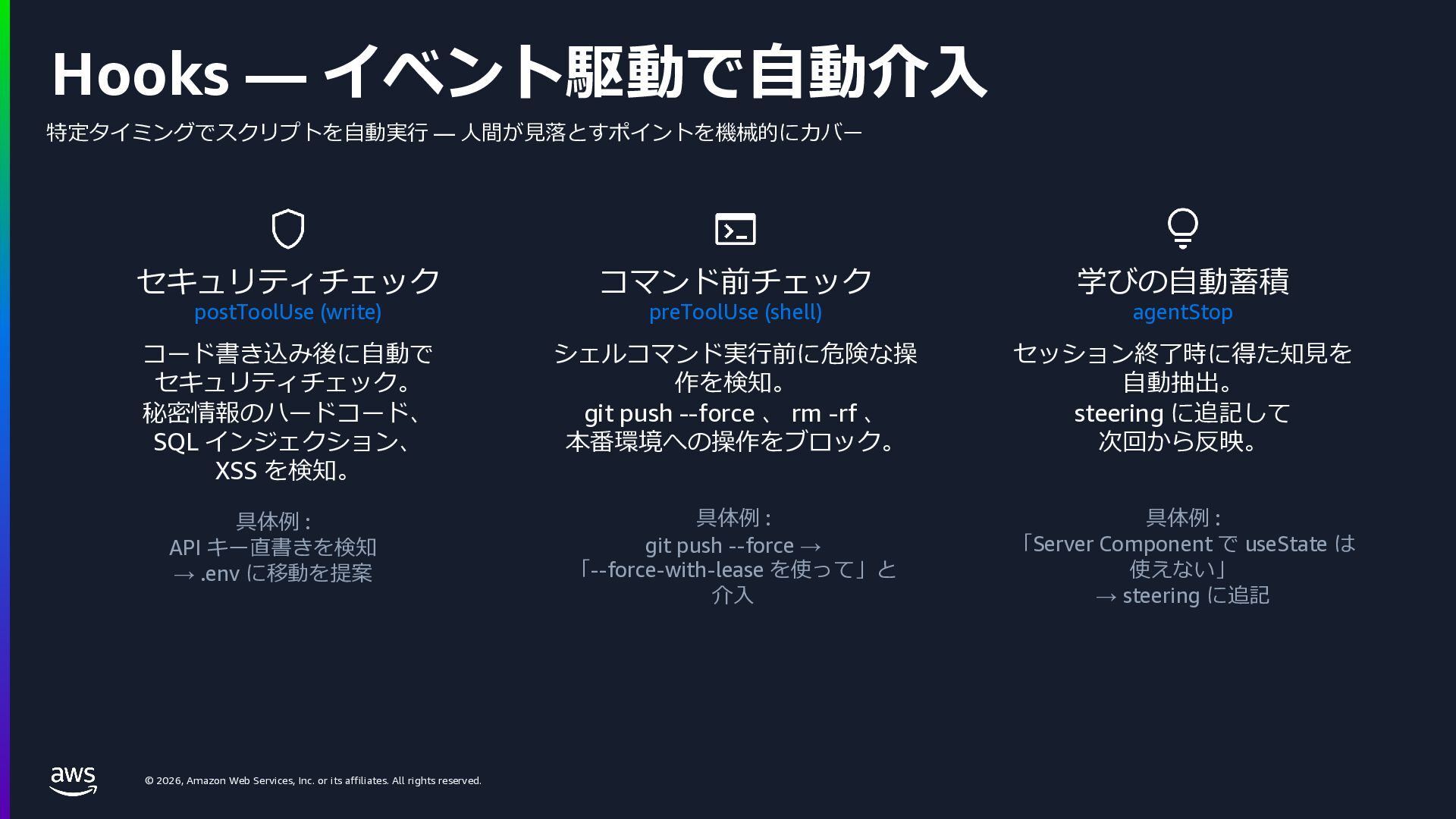
    rights reserved. Hooks — イベント駆動で⾃動介⼊ 特定タイミングでスクリプトを⾃動実⾏ — ⼈間が⾒落とすポイントを機械的にカバー セキュリティチェック postToolUse (write) コード書き込み後に⾃動で セキュリティチェック。 秘密情報のハードコード、 SQL インジェクション、 XSS を検知。 具体例 : API キー直書きを検知 → .env に移動を提案 コマンド前チェック preToolUse (shell) シェルコマンド実⾏前に危険な操 作を検知。 git push --force 、 rm -rf 、 本番環境への操作をブロック。 具体例 : git push --force → 「--force-with-lease を使って」と 介⼊ 学びの⾃動蓄積 agentStop セッション終了時に得た知⾒を ⾃動抽出。 steering に追記して 次回から反映。 具体例 : 「Server Component で useState は 使えない」 → steering に追記
  20. © 2026, Amazon Web Services, Inc. or its affiliates. All

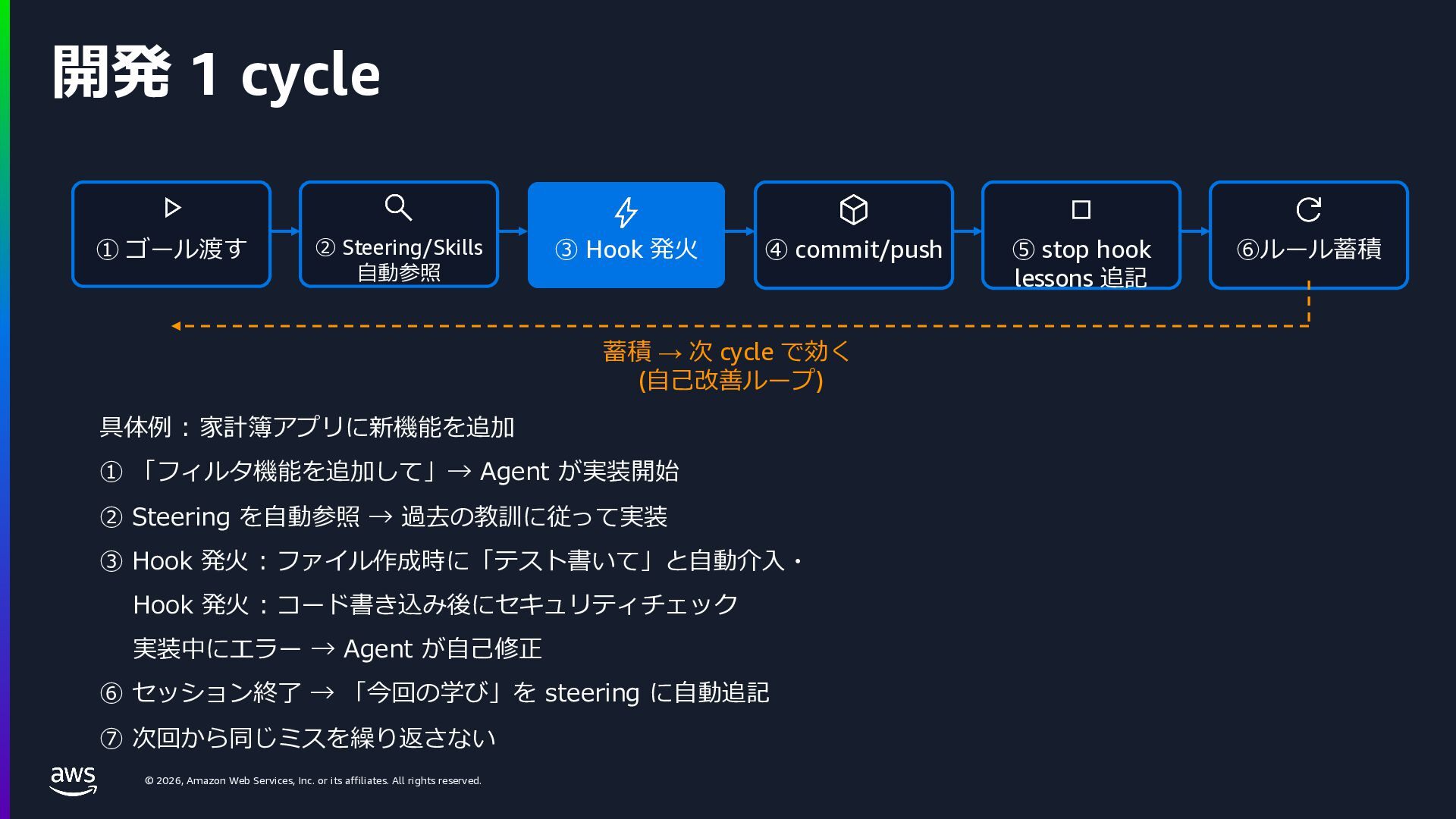
    rights reserved. 開発 1 cycle ① ゴール渡す ② Steering/Skills ⾃動参照 ③ Hook 発⽕ ④ commit/push ⑤ stop hook lessons 追記 ⑥ルール蓄積 蓄積 → 次 cycle で効く (⾃⼰改善ループ) 具体例 : 家計簿アプリに新機能を追加 ① 「フィルタ機能を追加して」→ Agent が実装開始 ② Steering を⾃動参照 → 過去の教訓に従って実装 ③ Hook 発⽕ : ファイル作成時に「テスト書いて」と⾃動介⼊・ Hook 発⽕ : コード書き込み後にセキュリティチェック 実装中にエラー → Agent が⾃⼰修正 ⑥ セッション終了 → 「今回の学び」を steering に⾃動追記 ⑦ 次回から同じミスを繰り返さない
  21. © 2026, Amazon Web Services, Inc. or its affiliates. All

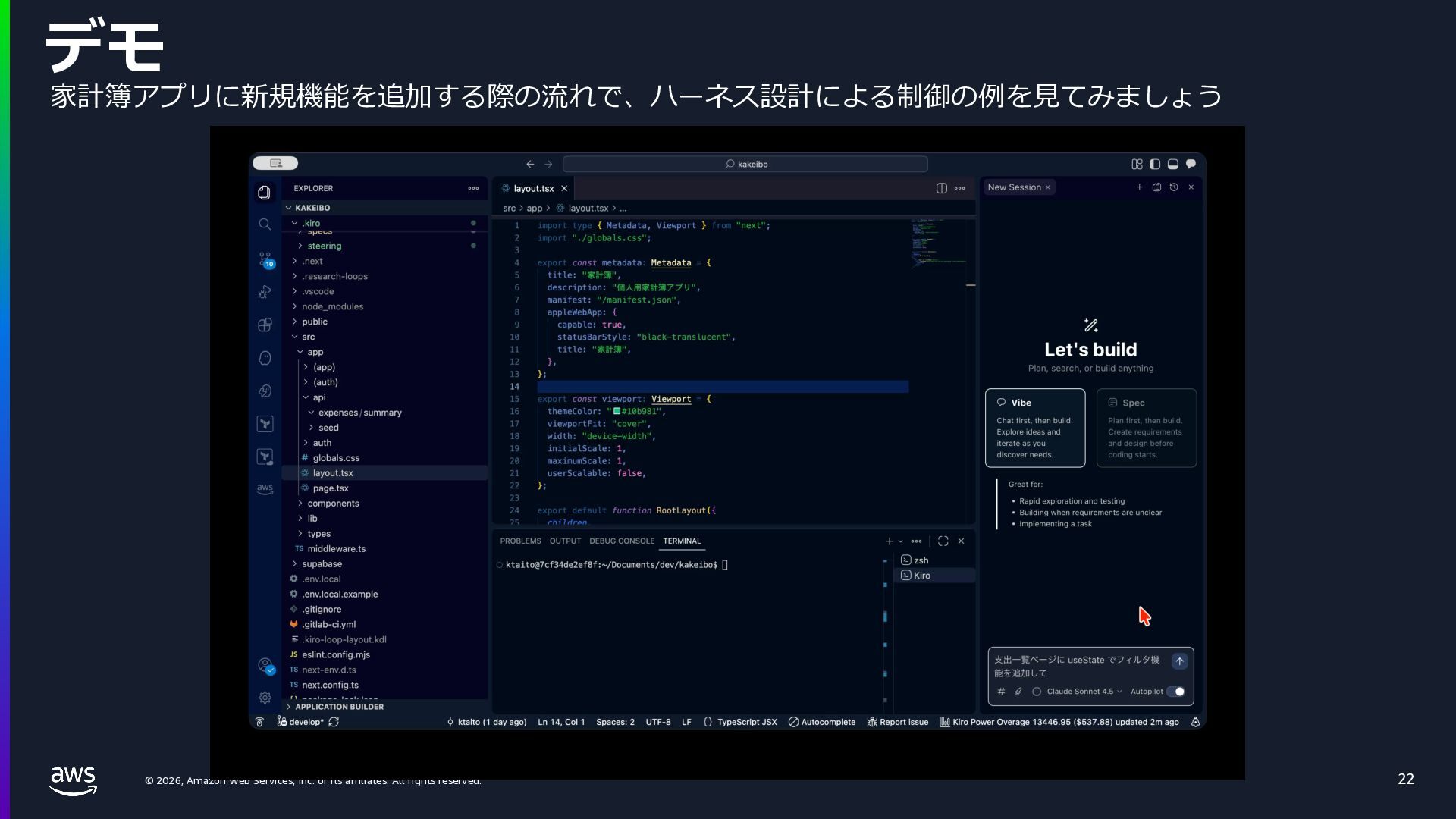
    rights reserved. デモ 22 家計簿アプリに新規機能を追加する際の流れで、ハーネス設計による制御の例を⾒てみましょう
  22. © 2026, Amazon Web Services, Inc. or its affiliates. All

    rights reserved. © 2025, Amazon Web Services, Inc. or its affiliates. All rights reserved. Part 2: ヘッドレスモードで広がる活⽤ コマンドとして呼べるから、 CI/CD ・定期実⾏・⾃律ループに組み込める
  23. © 2026, Amazon Web Services, Inc. or its affiliates. All

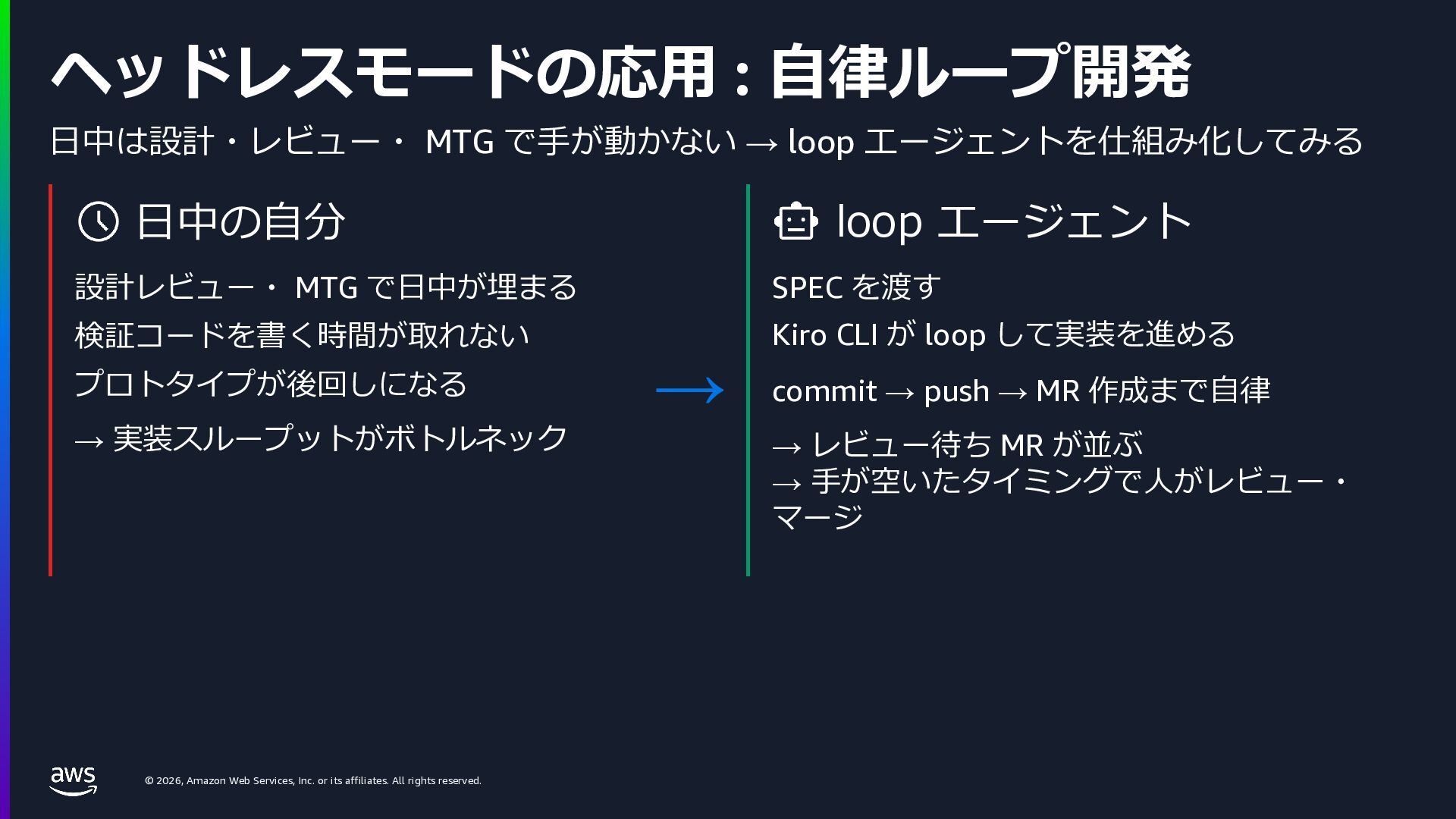
    rights reserved. ヘッドレスモードの応⽤ : ⾃律ループ開発 ⽇中は設計・レビュー・ MTG で⼿が動かない → loop エージェントを仕組み化してみる ⽇中の⾃分 設計レビュー・ MTG で⽇中が埋まる 検証コードを書く時間が取れない プロトタイプが後回しになる → 実装スループットがボトルネック loop エージェント SPEC を渡す Kiro CLI が loop して実装を進める commit → push → MR 作成まで⾃律 → レビュー待ち MR が並ぶ → ⼿が空いたタイミングで⼈がレビュー・ マージ →
  24. © 2026, Amazon Web Services, Inc. or its affiliates. All

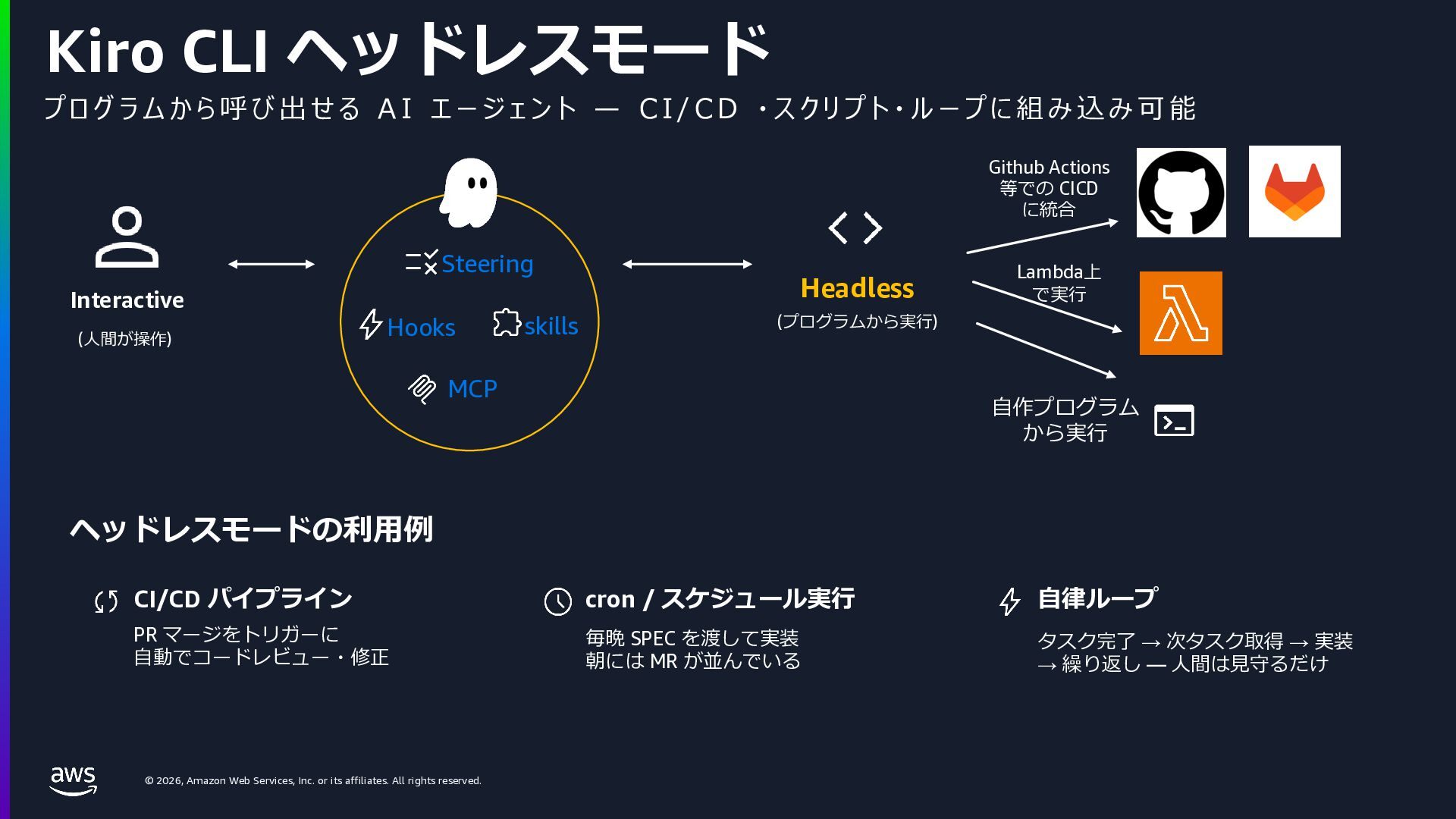
    rights reserved. プ ロ グ ラ ム か ら 呼 び 出 せ る A I エ ー ジ ェ ン ト ̶ C I / C D ・ ス ク リ プ ト ・ ル ー プ に 組 み 込 み 可 能 Kiro CLI ヘッドレスモード Interactive (⼈間が操作) Headless (プログラムから実⾏) ヘッドレスモードの利⽤例 CI/CD パイプライン PR マージをトリガーに ⾃動でコードレビュー・修正 cron / スケジュール実⾏ 毎晩 SPEC を渡して実装 朝には MR が並んでいる ⾃律ループ タスク完了 → 次タスク取得 → 実装 → 繰り返し — ⼈間は⾒守るだけ Hooks Steering ⾃作プログラム から実⾏ Github Actions 等での CICD に統合 Lambda上 で実⾏ skills MCP
  25. © 2026, Amazon Web Services, Inc. or its affiliates. All

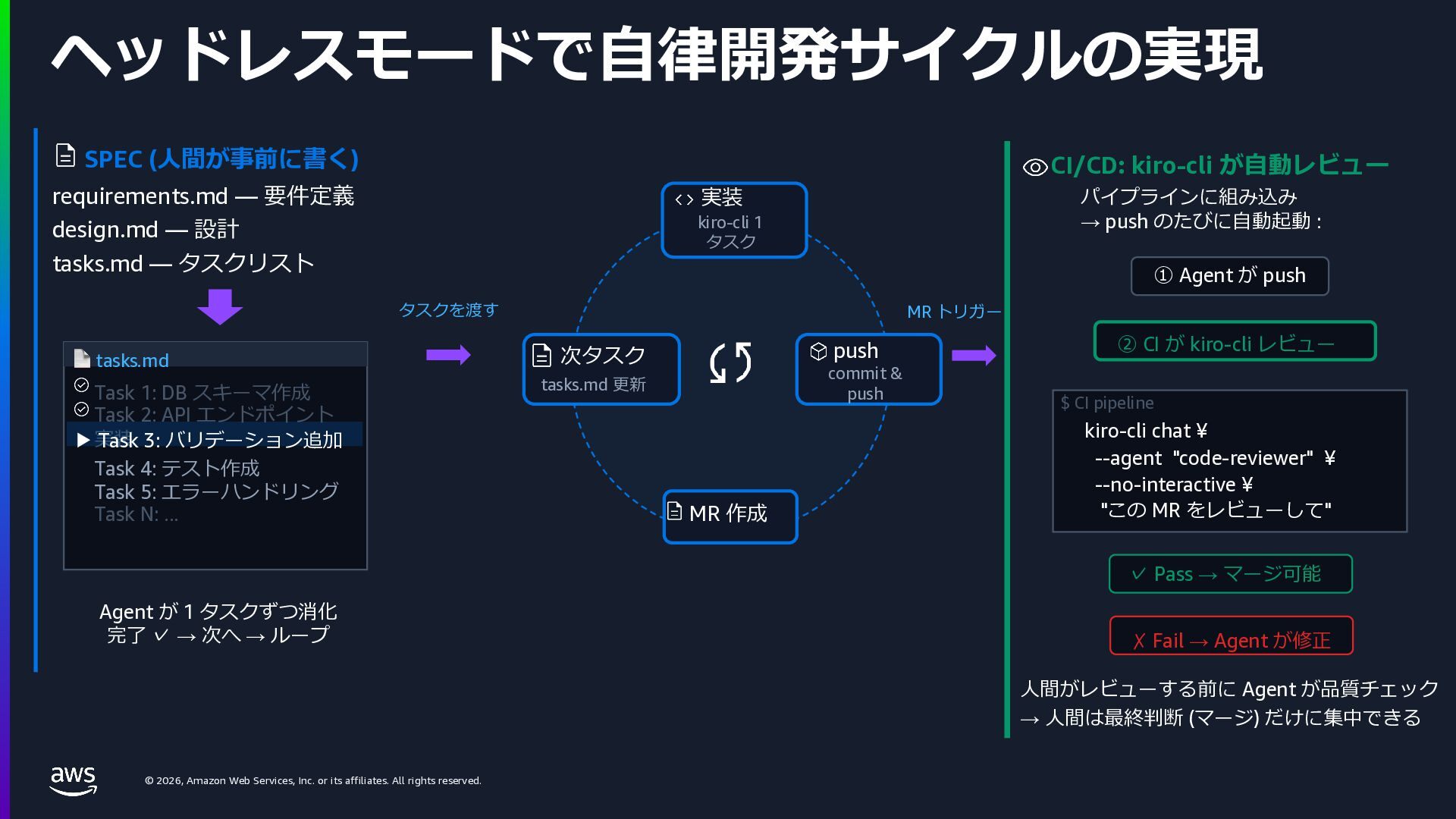
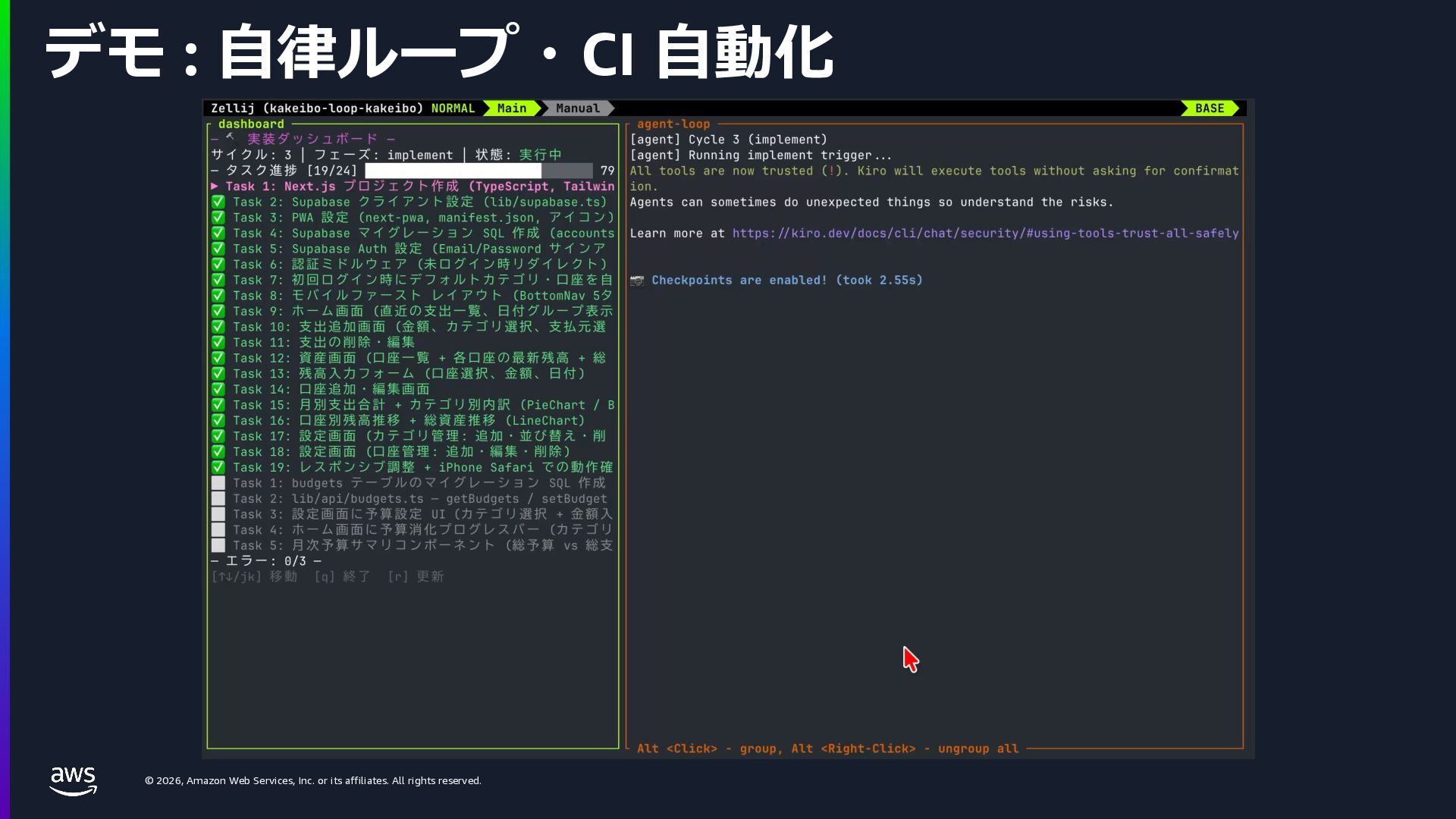
    rights reserved. kiro-cli chat ¥ --agent "code-reviewer" ¥ --no-interactive ¥ "この MR をレビューして" ヘッドレスモードで⾃律開発サイクルの実現 SPEC (⼈間が事前に書く) requirements.md — 要件定義 design.md — 設計 tasks.md — タスクリスト 📄 tasks.md Task 1: DB スキーマ作成 Task 2: API エンドポイント 実装 ▶ Task 3: バリデーション追加 Task 4: テスト作成 Task 5: エラーハンドリング Task N: ... Agent が 1 タスクずつ消化 完了 ✓ → 次へ → ループ タスクを渡す MR トリガー CI/CD: kiro-cli が⾃動レビュー パイプラインに組み込み → push のたびに⾃動起動 : ① Agent が push ② CI が kiro-cli レビュー $ CI pipeline ✓ Pass → マージ可能 ✗ Fail → Agent が修正 ⼈間がレビューする前に Agent が品質チェック → ⼈間は最終判断 (マージ) だけに集中できる 実装 kiro-cli 1 タスク push commit & push MR 作成 次タスク tasks.md 更新
  26. © 2026, Amazon Web Services, Inc. or its affiliates. All

    rights reserved. デモ : ⾃律ループ・CI ⾃動化
  27. © 2026, Amazon Web Services, Inc. or its affiliates. All

    rights reserved. © 2025, Amazon Web Services, Inc. or its affiliates. All rights reserved. Part 3: AI 秘書 (業務⾃動化) 開発だけでなく、業務でも AI エージェントを活⽤
  28. © 2026, Amazon Web Services, Inc. or its affiliates. All

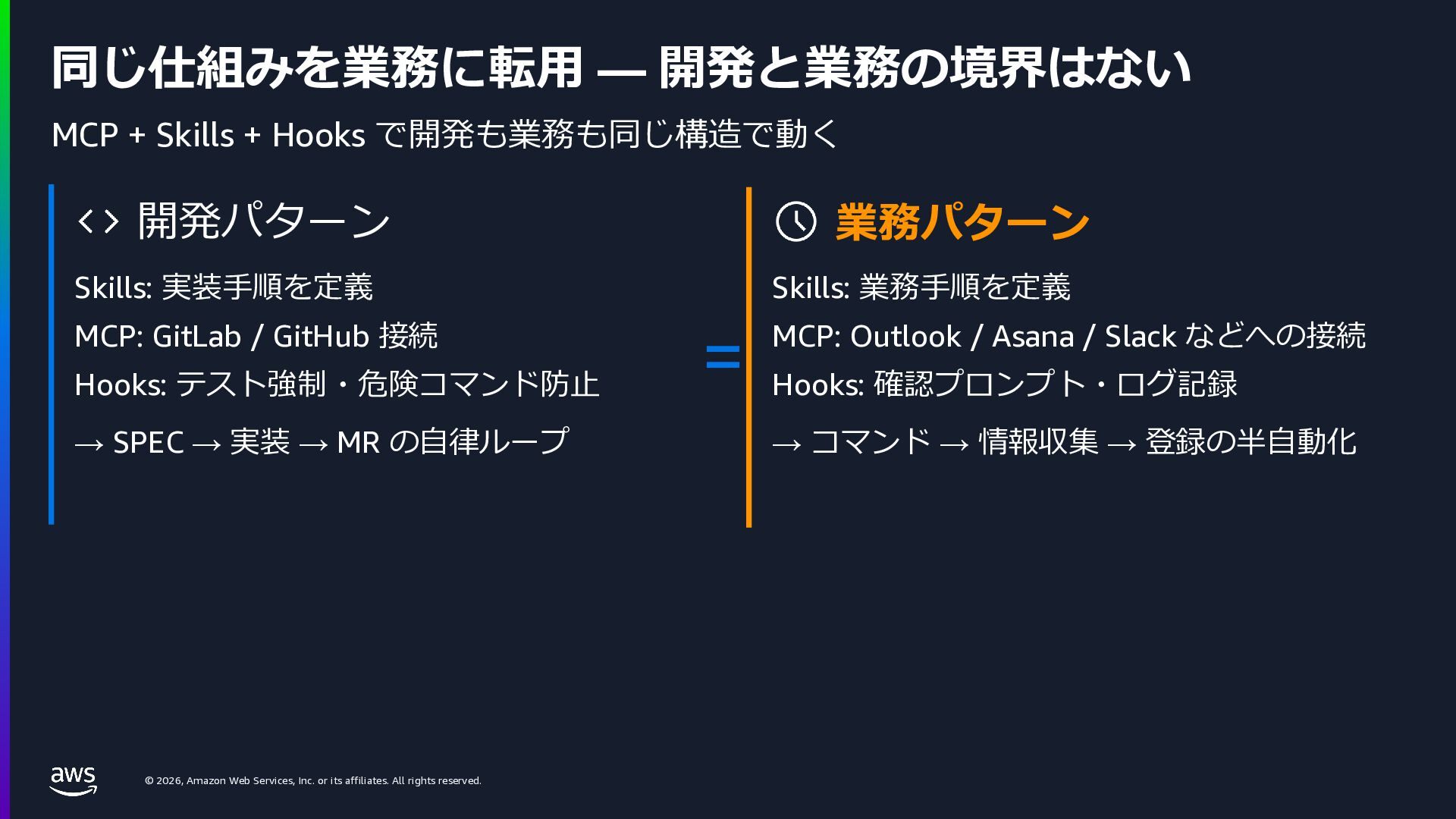
    rights reserved. 同じ仕組みを業務に転⽤ — 開発と業務の境界はない MCP + Skills + Hooks で開発も業務も同じ構造で動く 開発パターン Skills: 実装⼿順を定義 MCP: GitLab / GitHub 接続 Hooks: テスト強制・危険コマンド防⽌ → SPEC → 実装 → MR の⾃律ループ 業務パターン Skills: 業務⼿順を定義 MCP: Outlook / Asana / Slack などへの接続 Hooks: 確認プロンプト・ログ記録 → コマンド → 情報収集 → 登録の半⾃動化 =
  29. © 2026, Amazon Web Services, Inc. or its affiliates. All

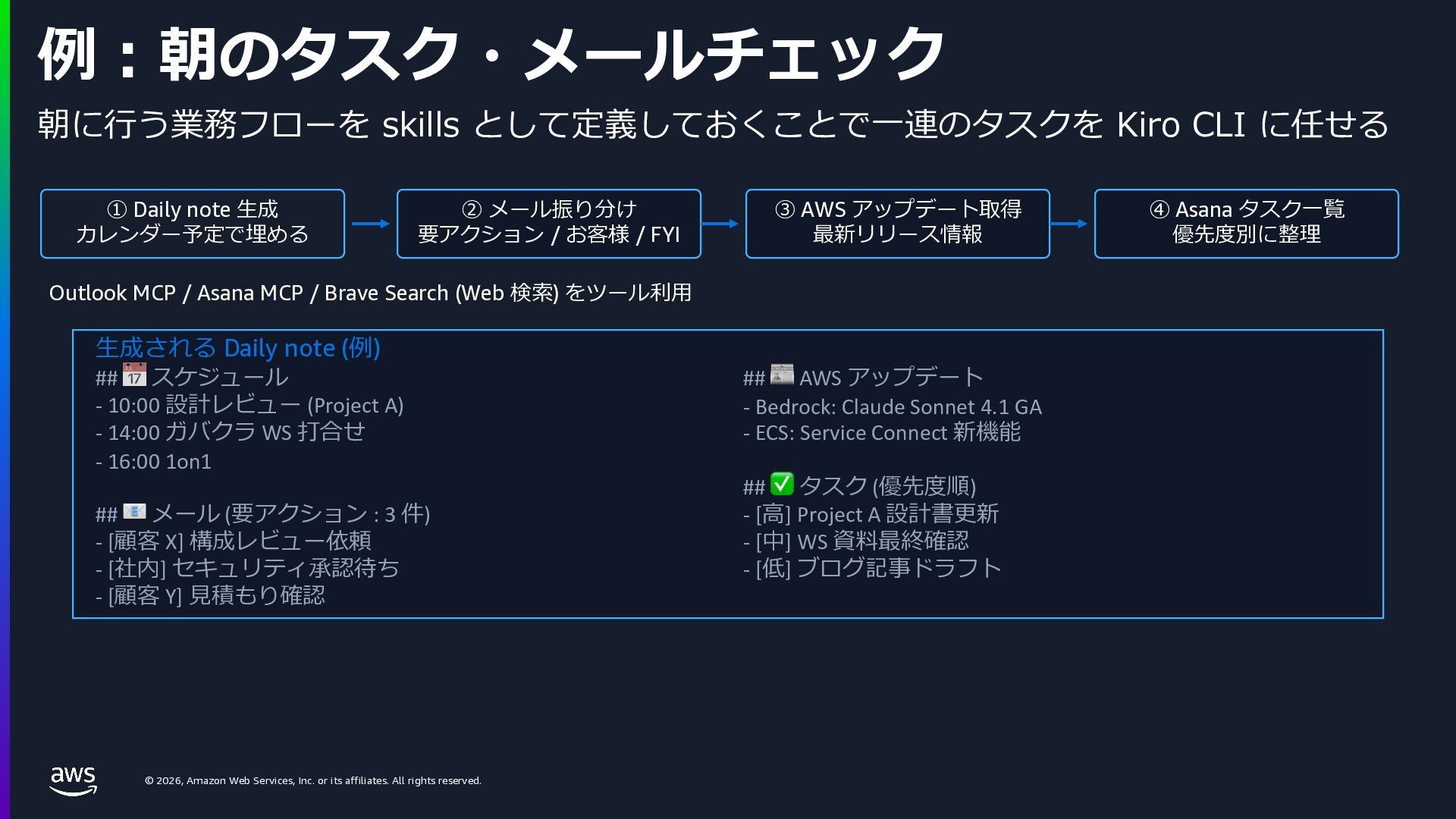
    rights reserved. 例︓朝のタスク・メールチェック ① Daily note ⽣成 カレンダー予定で埋める ② メール振り分け 要アクション / お客様 / FYI ③ AWS アップデート取得 最新リリース情報 ④ Asana タスク⼀覧 優先度別に整理 Outlook MCP / Asana MCP / Brave Search (Web 検索) をツール利⽤ ⽣成される Daily note (例) ## 📅 スケジュール - 10:00 設計レビュー (Project A) - 14:00 ガバクラ WS 打合せ - 16:00 1on1 ## 📧 メール (要アクション : 3 件) - [顧客 X] 構成レビュー依頼 - [社内] セキュリティ承認待ち - [顧客 Y] ⾒積もり確認 ## 📰 AWS アップデート - Bedrock: Claude Sonnet 4.1 GA - ECS: Service Connect 新機能 ## ✅ タスク (優先度順) - [⾼] Project A 設計書更新 - [中] WS 資料最終確認 - [低] ブログ記事ドラフト 朝に⾏う業務フローを skills として定義しておくことで⼀連のタスクを Kiro CLI に任せる
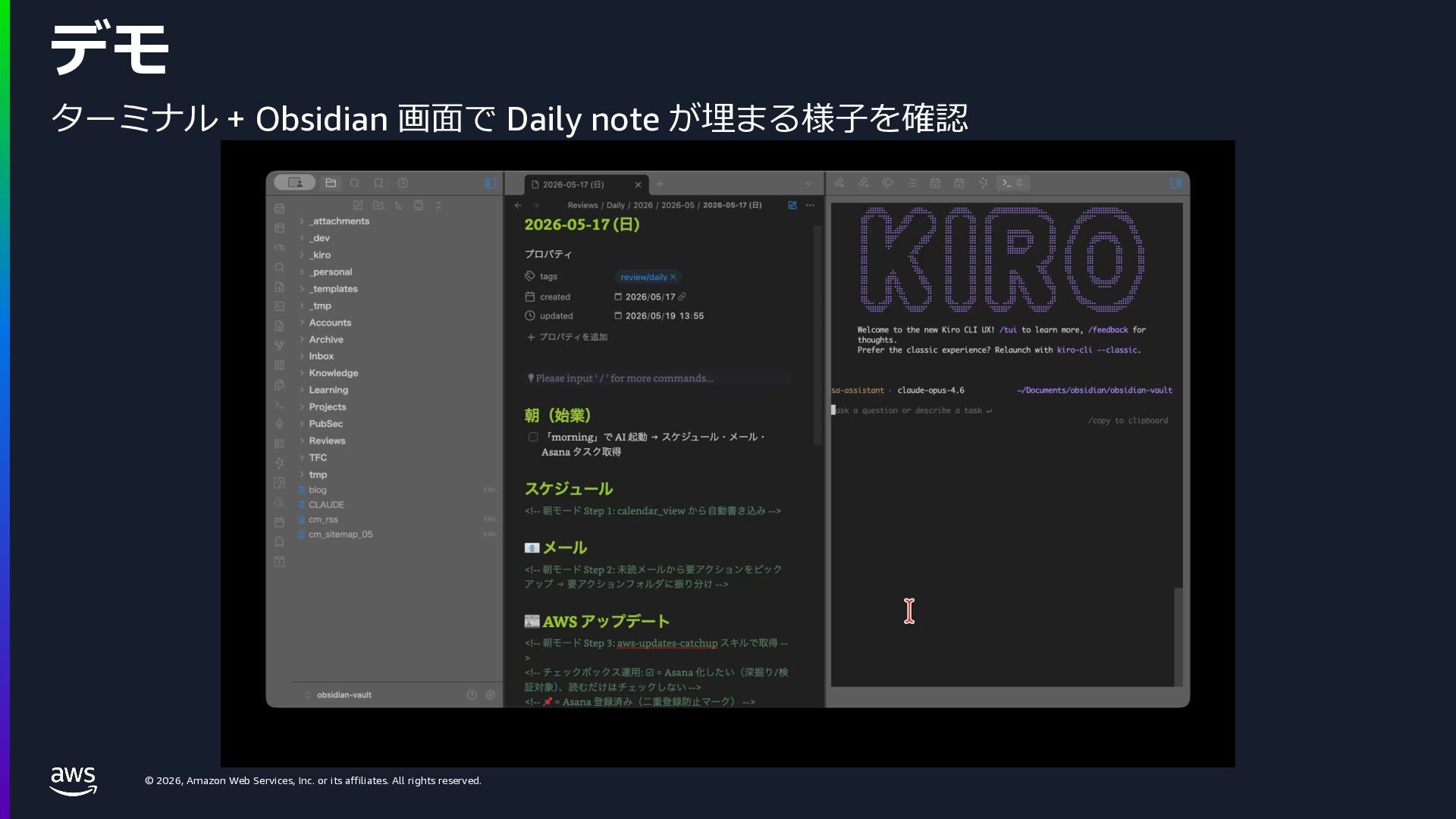
  30. © 2026, Amazon Web Services, Inc. or its affiliates. All

    rights reserved. デモ ターミナル + Obsidian 画⾯で Daily note が埋まる様⼦を確認
  31. © 2026, Amazon Web Services, Inc. or its affiliates. All

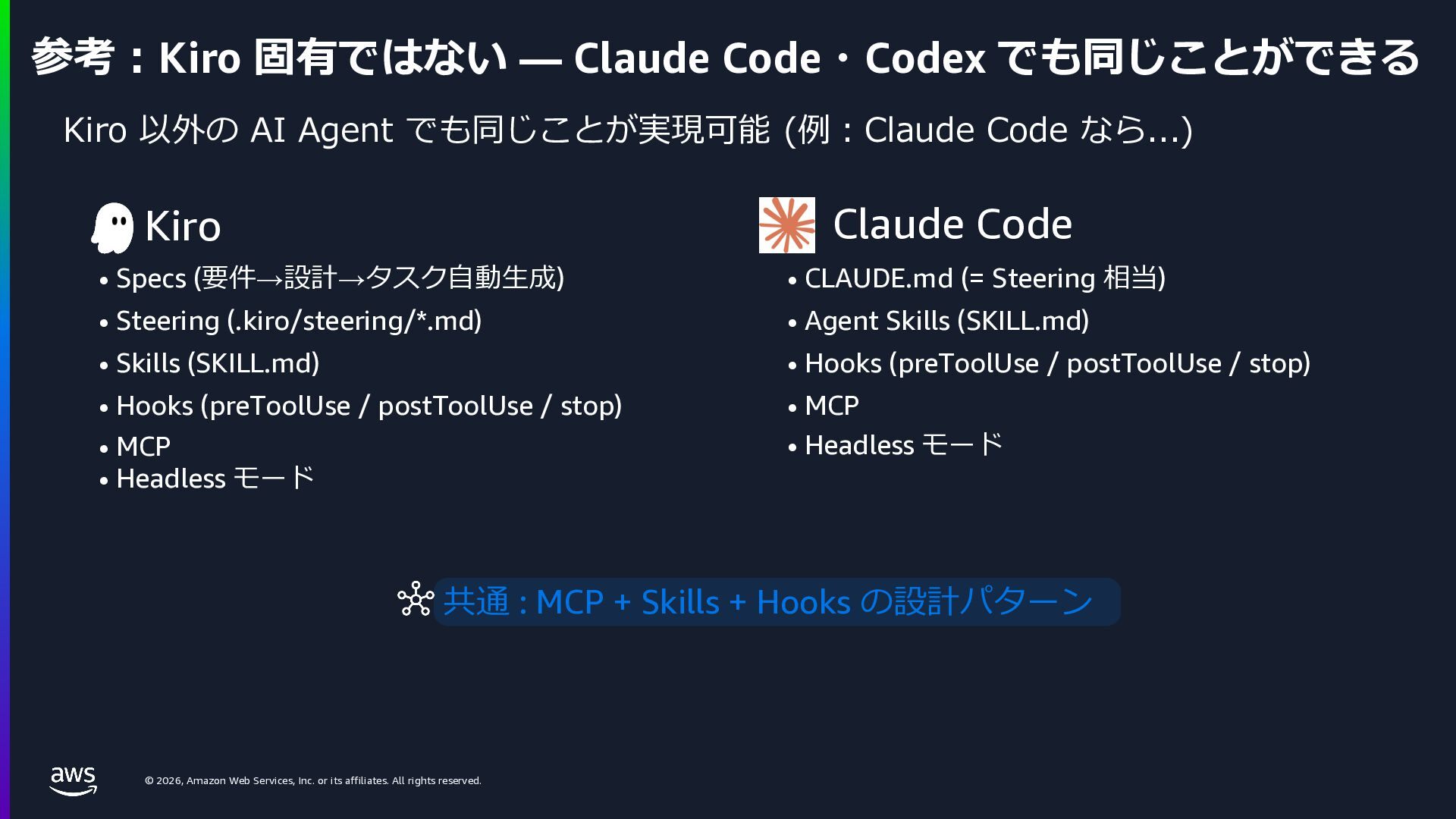
    rights reserved. 参考︓Kiro 固有ではない — Claude Code・Codex でも同じことができる Kiro 以外の AI Agent でも同じことが実現可能 (例︓Claude Code なら...) Kiro • Specs (要件→設計→タスク⾃動⽣成) • Steering (.kiro/steering/*.md) • Skills (SKILL.md) • Hooks (preToolUse / postToolUse / stop) • MCP • Headless モード Claude Code • CLAUDE.md (= Steering 相当) • Agent Skills (SKILL.md) • Hooks (preToolUse / postToolUse / stop) • MCP • Headless モード 共通 : MCP + Skills + Hooks の設計パターン
  32. © 2026, Amazon Web Services, Inc. or its affiliates. All

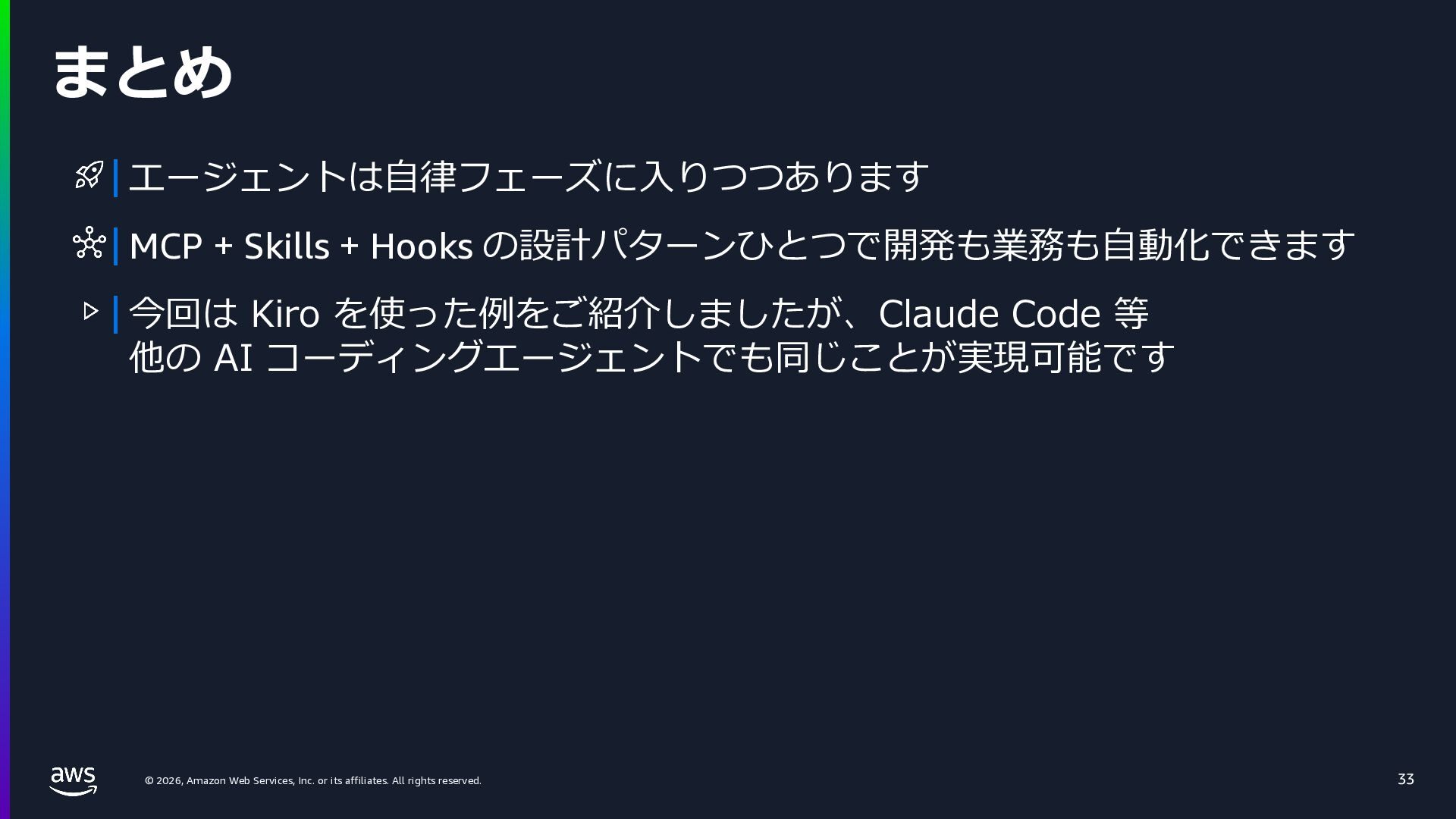
    rights reserved. まとめ 33 エージェントは⾃律フェーズに⼊りつつあります MCP + Skills + Hooks の設計パターンひとつで開発も業務も⾃動化できます 今回は Kiro を使った例をご紹介しましたが、Claude Code 等 他の AI コーディングエージェントでも同じことが実現可能です
  33. © 2026, Amazon Web Services, Inc. or its affiliates. All

    rights reserved. Thank you! © 2025, Amazon Web Services, Inc. or its affiliates. All rights reserved.