Upgrade to Pro
— share decks privately, control downloads, hide ads and more …
Speaker Deck
Sign up for free
Menu
Search
Features
All features
Private URLs
Password Protection
Custom URLS
Scheduled publishing
Remove Branding
Restrict embedding
Deck Collections
Notes
Features
All features
Private URLs
Password Protection
Custom URLS
Scheduled publishing
Remove Branding
Restrict embedding
Deck Collections
Notes
Explore
Featured decks
Featured speakers
Programming
Technology
Storyboards
Explore
Featured decks
Featured speakers
Programming
Technology
Storyboards
Pricing
Search
Sign in
Sign up for free
マッピング作業のマニュアル
Search
Luna Nanahoshi
June 16, 2016
72
0
Share
Embed
Copy iframe code
Copy JS code
Copy link
Start on current slide
マッピング作業のマニュアル
Luna Nanahoshi
June 16, 2016
More Decks by Luna Nanahoshi
See All by Luna Nanahoshi
空間情報課題.pdf
luna7tkalb
0
43
Featured
See All Featured
The Psychology of Web Performance [Beyond Tellerrand 2023]
tammyeverts
49
3.6k
[RailsConf 2023 Opening Keynote] The Magic of Rails
eileencodes
31
10k
GraphQLとの向き合い方2022年版
quramy
50
15k
Build your cross-platform service in a week with App Engine
jlugia
234
19k
For a Future-Friendly Web
brad_frost
184
10k
個人開発の失敗を避けるイケてる考え方 / tips for indie hackers
panda_program
123
22k
Navigating the moral maze — ethical principles for Al-driven product design
skipperchong
2
630
AI Search: Where Are We & What Can We Do About It?
aleyda
0
8.1k
The Illustrated Children's Guide to Kubernetes
chrisshort
51
53k
Ecommerce SEO: The Keys for Success Now & Beyond - #SERPConf2024
aleyda
1
2.2k
Hiding What from Whom? A Critical Review of the History of Programming languages for Music
tomoyanonymous
3
1.3k
Why Mistakes Are the Best Teachers: Turning Failure into a Pathway for Growth
auna
0
320
Transcript
マッピング作業のマニュアル 七星 瑠南
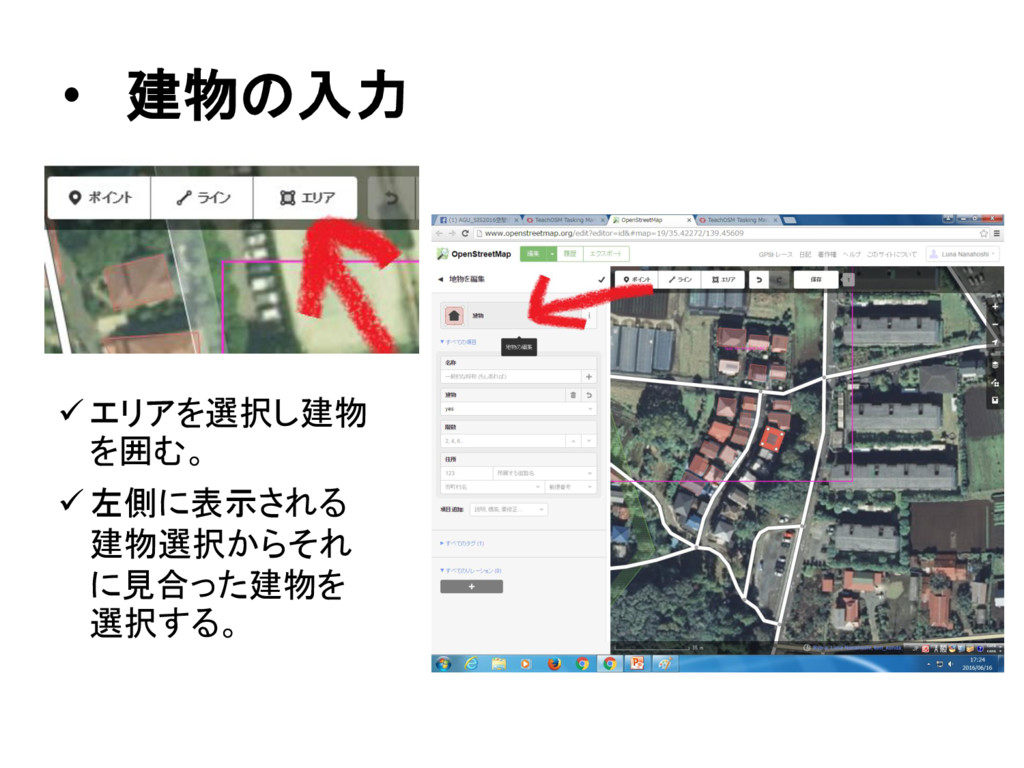
• 建物の入力 エリアを選択し建物 を囲む。 左側に表示される 建物選択からそれ に見合った建物を 選択する。
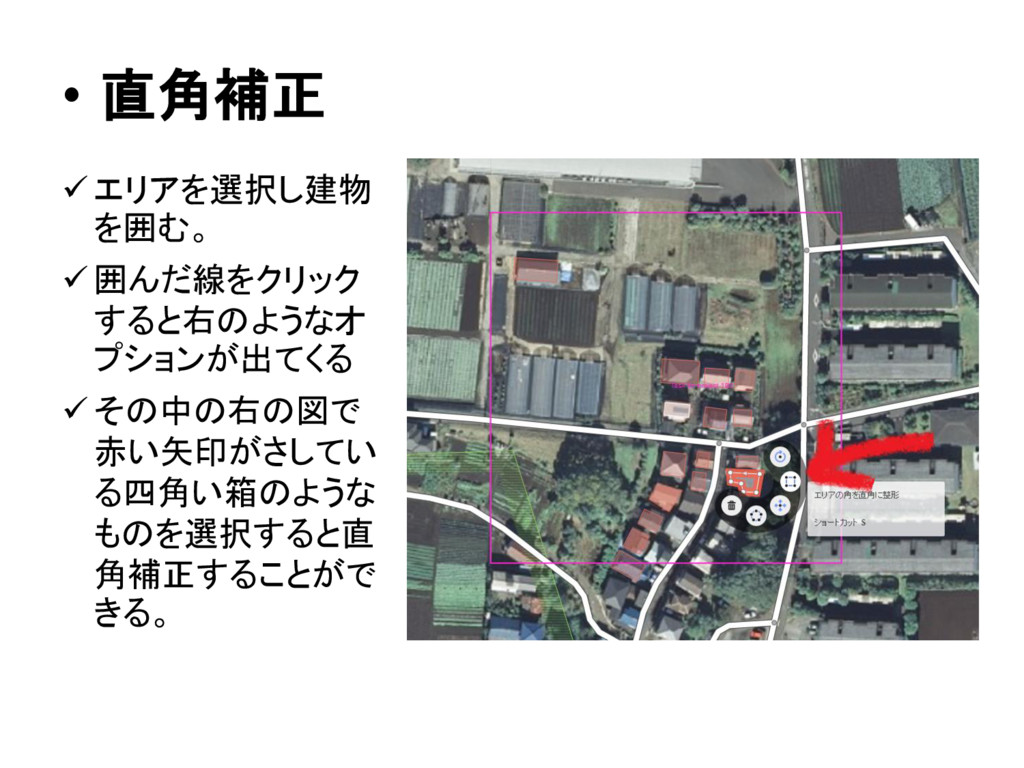
• 直角補正 エリアを選択し建物 を囲む。 囲んだ線をクリック すると右のようなオ プションが出てくる
その中の右の図で 赤い矢印がさしてい る四角い箱のような ものを選択すると直 角補正することがで きる。
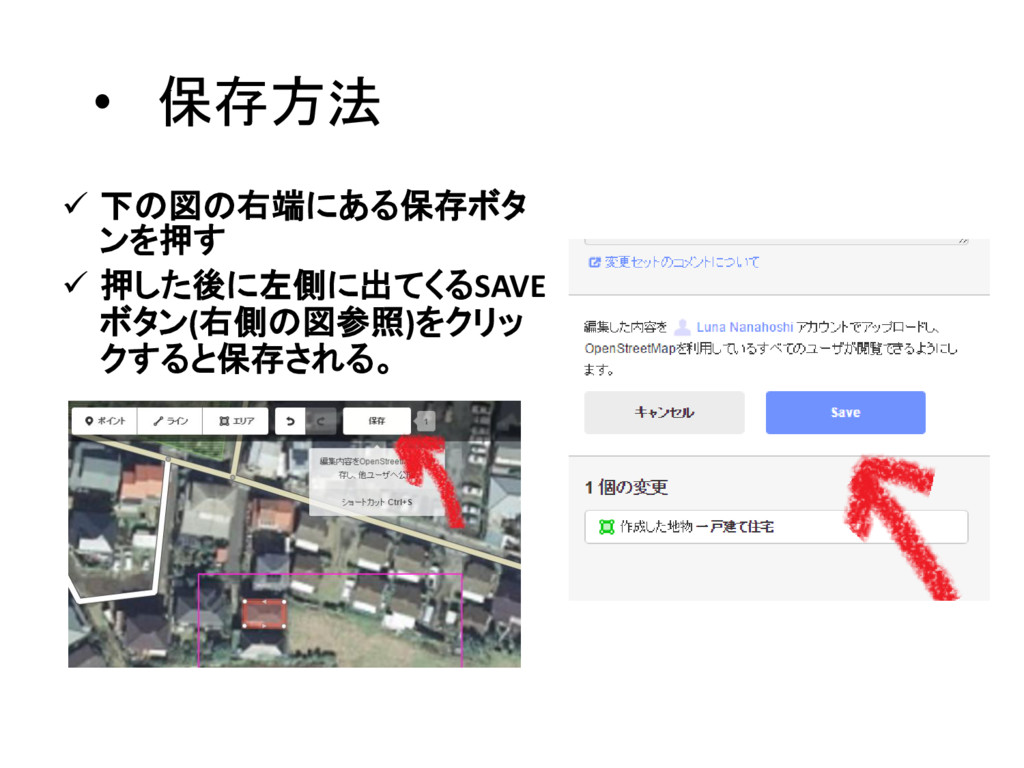
• 保存方法 下の図の右端にある保存ボタ ンを押す 押した後に左側に出てくるSAVE ボタン(右側の図参照)をクリッ クすると保存される。
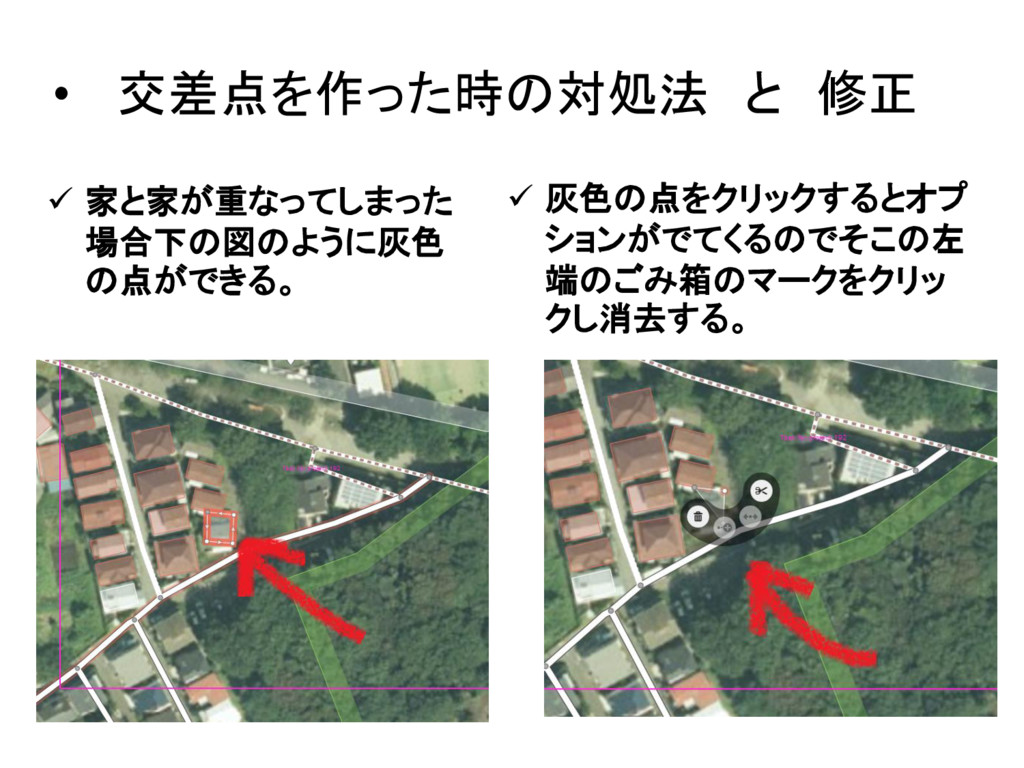
• 交差点を作った時の対処法 と 修正 家と家が重なってしまった 場合下の図のように灰色 の点ができる。 灰色の点をクリックするとオプ
ションがでてくるのでそこの左 端のごみ箱のマークをクリッ クし消去する。
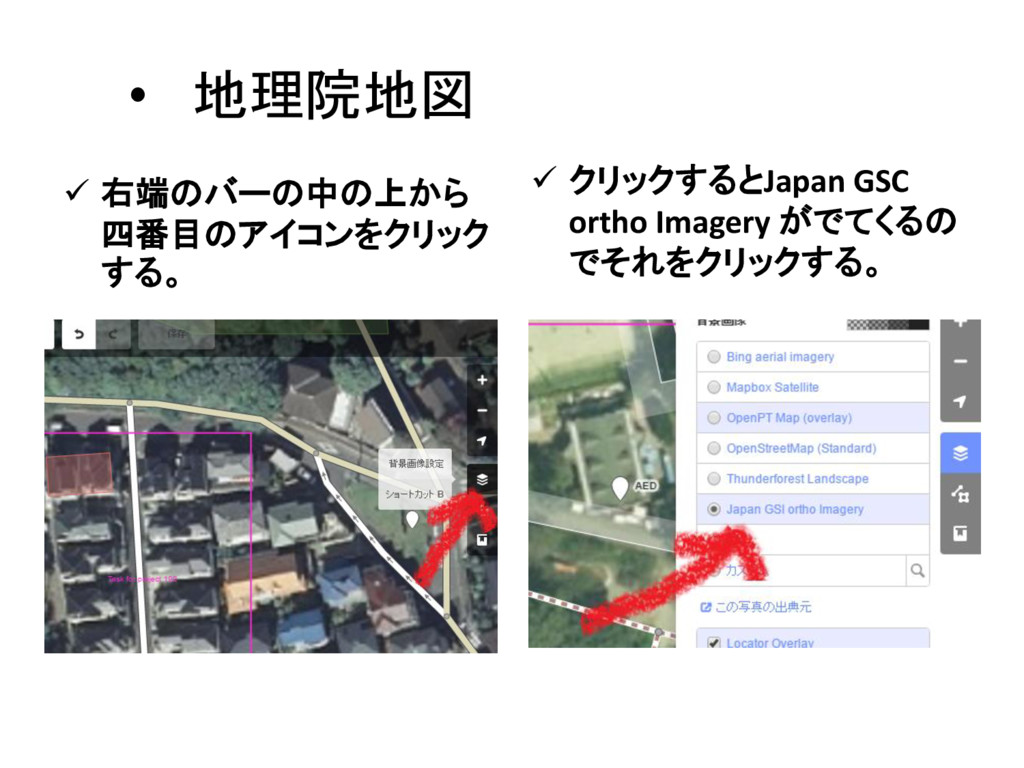
• 地理院地図 右端のバーの中の上から 四番目のアイコンをクリック する。 クリックするとJapan GSC ortho
Imagery がでてくるの でそれをクリックする。
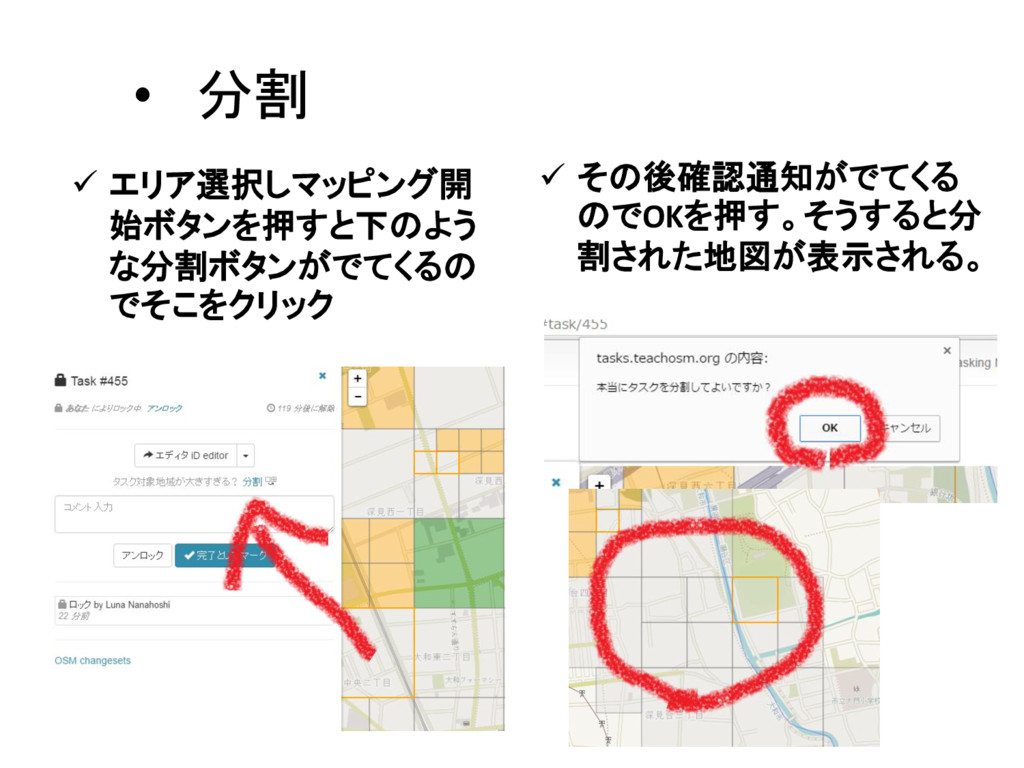
• 分割 エリア選択しマッピング開 始ボタンを押すと下のよう な分割ボタンがでてくるの でそこをクリック その後確認通知がでてくる のでOKを押す。そうすると分
割された地図が表示される。
• タスク完了 • 保存を完了させた後に元の ページに戻り[完了として マーク]を押すとタスクが完 了となる。


 luna7tkalb
 tammyeverts
 eileencodes
 quramy
 jlugia
 brad_frost
 panda_program
 skipperchong
 aleyda
 chrisshort
 tomoyanonymous
 auna
auna
![• タスク完了 • 保存を完了させた後に元の ページに戻り[完了として マーク]を押すとタスクが完 了となる。](https://files.speakerdeck.com/presentations/6b8187ad090248dc8ad952783e1b22e8/slide_7.jpg)