Upgrade to Pro — share decks privately, control downloads, hide ads and more …

Implementing Speak the World with SFSpeechRecog...

Avatar for marianos marianos
September 08, 2017

Implementing Speak the World with SFSpeechRecognizer and Google Translate API

Describes how to implement a translation service.

Avatar for marianos

marianos

September 08, 2017

Other Decks in Programming

Transcript

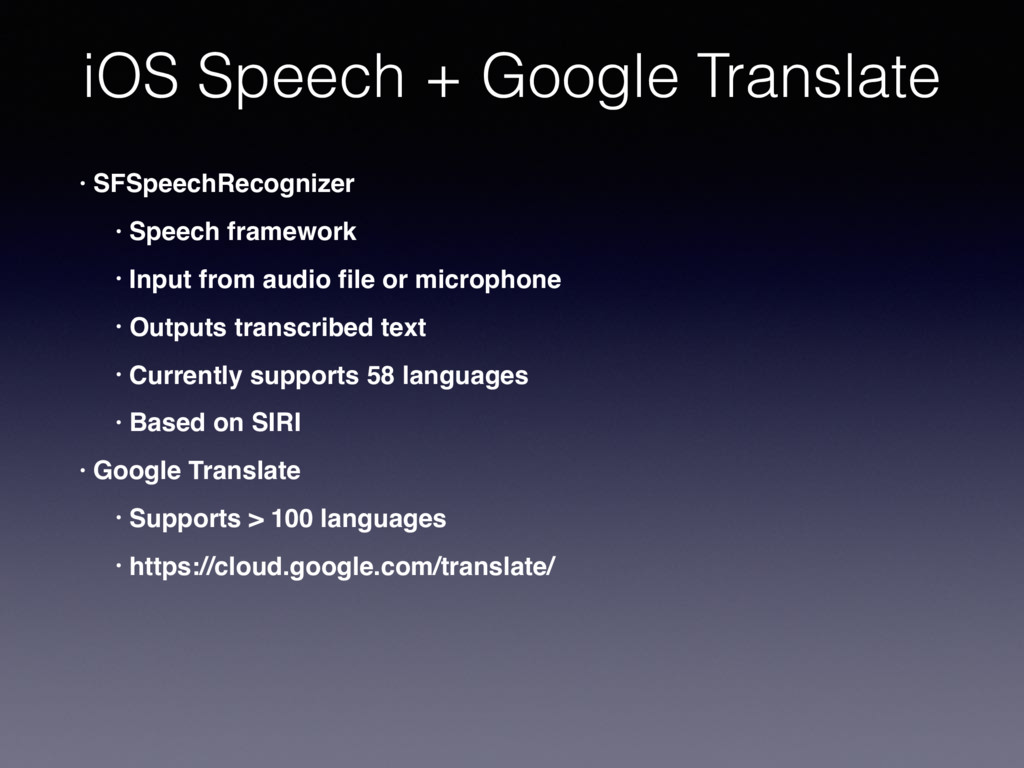
  1. • SFSpeechRecognizer • Speech framework • Input from audio file

    or microphone • Outputs transcribed text • Currently supports 58 languages • Based on SIRI • Google Translate • Supports > 100 languages • https://cloud.google.com/translate/ iOS Speech + Google Translate
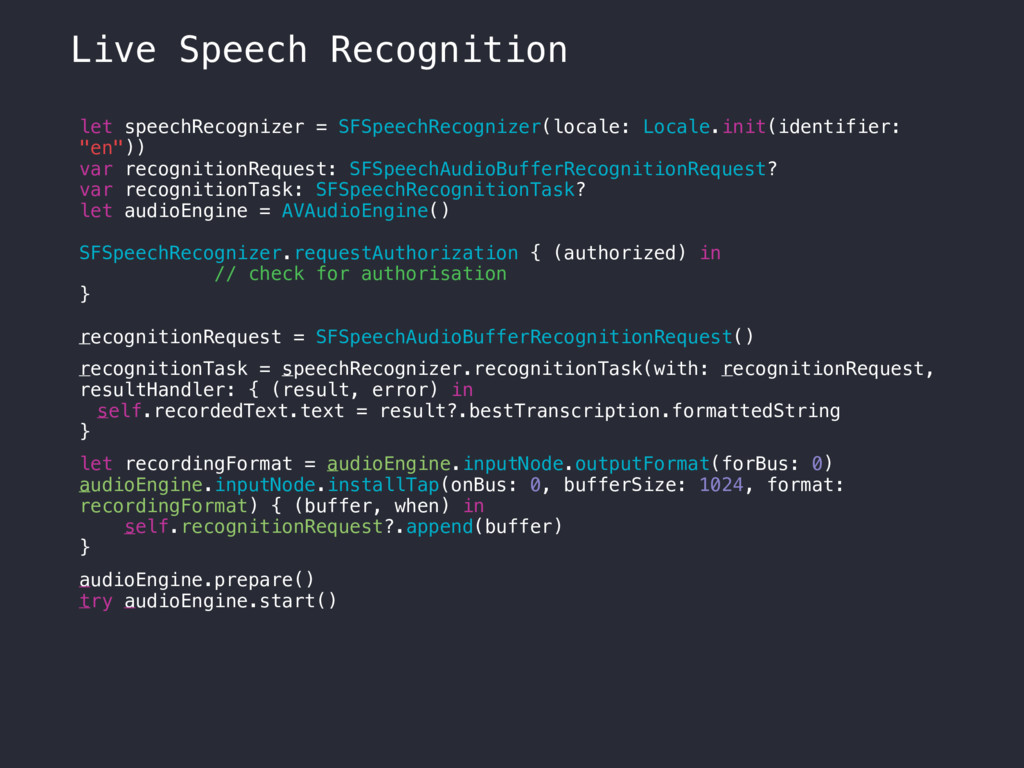
  2. let speechRecognizer = SFSpeechRecognizer(locale: Locale.init(identifier: "en")) var recognitionRequest: SFSpeechAudioBufferRecognitionRequest? var

    recognitionTask: SFSpeechRecognitionTask? let audioEngine = AVAudioEngine() SFSpeechRecognizer.requestAuthorization { (authorized) in // check for authorisation } recognitionRequest = SFSpeechAudioBufferRecognitionRequest() recognitionTask = speechRecognizer.recognitionTask(with: recognitionRequest, resultHandler: { (result, error) in self.recordedText.text = result?.bestTranscription.formattedString } let recordingFormat = audioEngine.inputNode.outputFormat(forBus: 0) audioEngine.inputNode.installTap(onBus: 0, bufferSize: 1024, format: recordingFormat) { (buffer, when) in self.recognitionRequest?.append(buffer) } audioEngine.prepare() try audioEngine.start() Live Speech Recognition
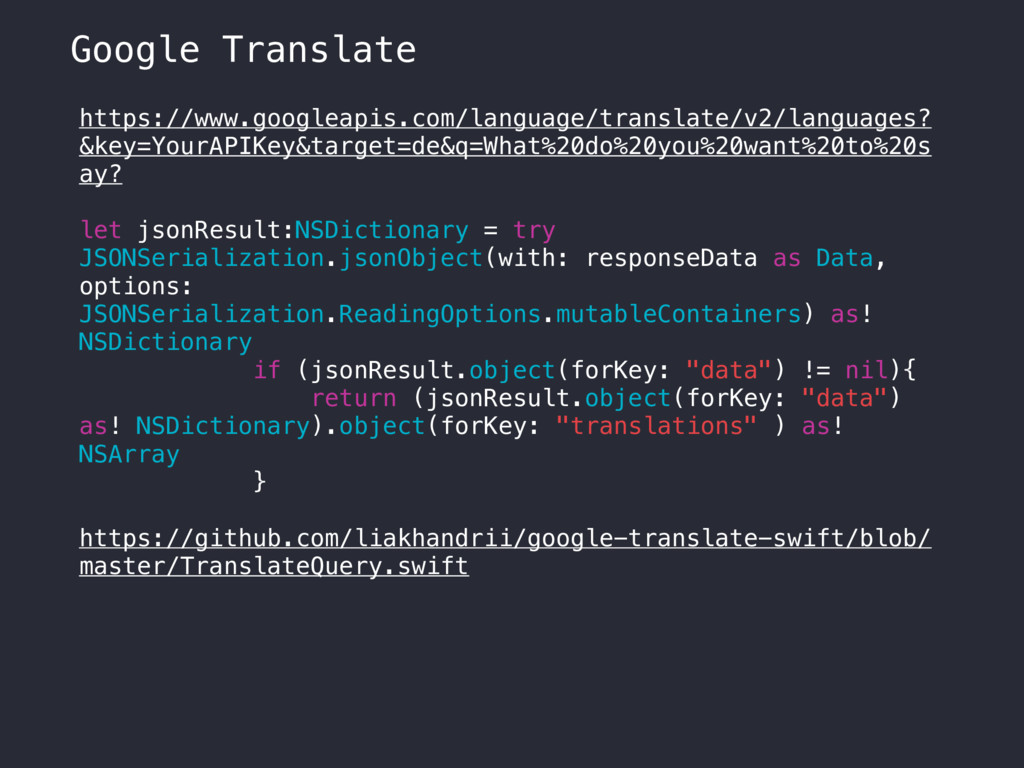
  3. https://www.googleapis.com/language/translate/v2/languages? &key=YourAPIKey&target=de&q=What%20do%20you%20want%20to%20s ay? let jsonResult:NSDictionary = try JSONSerialization.jsonObject(with: responseData as

    Data, options: JSONSerialization.ReadingOptions.mutableContainers) as! NSDictionary if (jsonResult.object(forKey: "data") != nil){ return (jsonResult.object(forKey: "data") as! NSDictionary).object(forKey: "translations" ) as! NSArray } https://github.com/liakhandrii/google-translate-swift/blob/ master/TranslateQuery.swift Google Translate
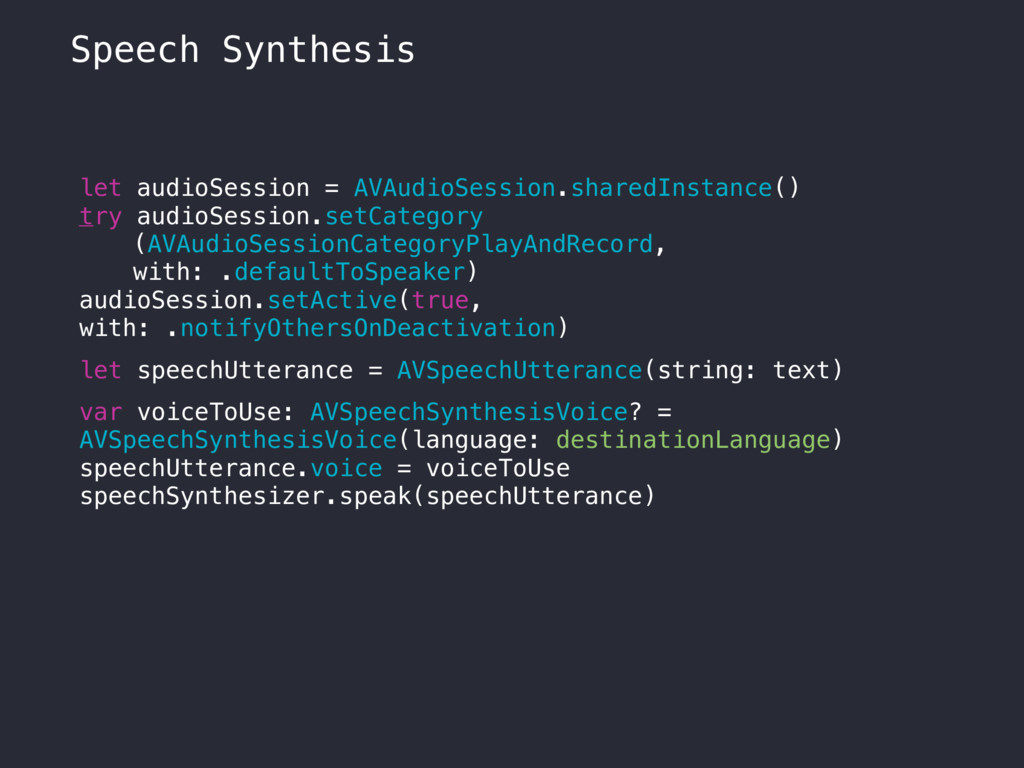
  4. let audioSession = AVAudioSession.sharedInstance() try audioSession.setCategory (AVAudioSessionCategoryPlayAndRecord, with: .defaultToSpeaker) audioSession.setActive(true,

    with: .notifyOthersOnDeactivation) let speechUtterance = AVSpeechUtterance(string: text) var voiceToUse: AVSpeechSynthesisVoice? = AVSpeechSynthesisVoice(language: destinationLanguage) speechUtterance.voice = voiceToUse speechSynthesizer.speak(speechUtterance) Speech Synthesis
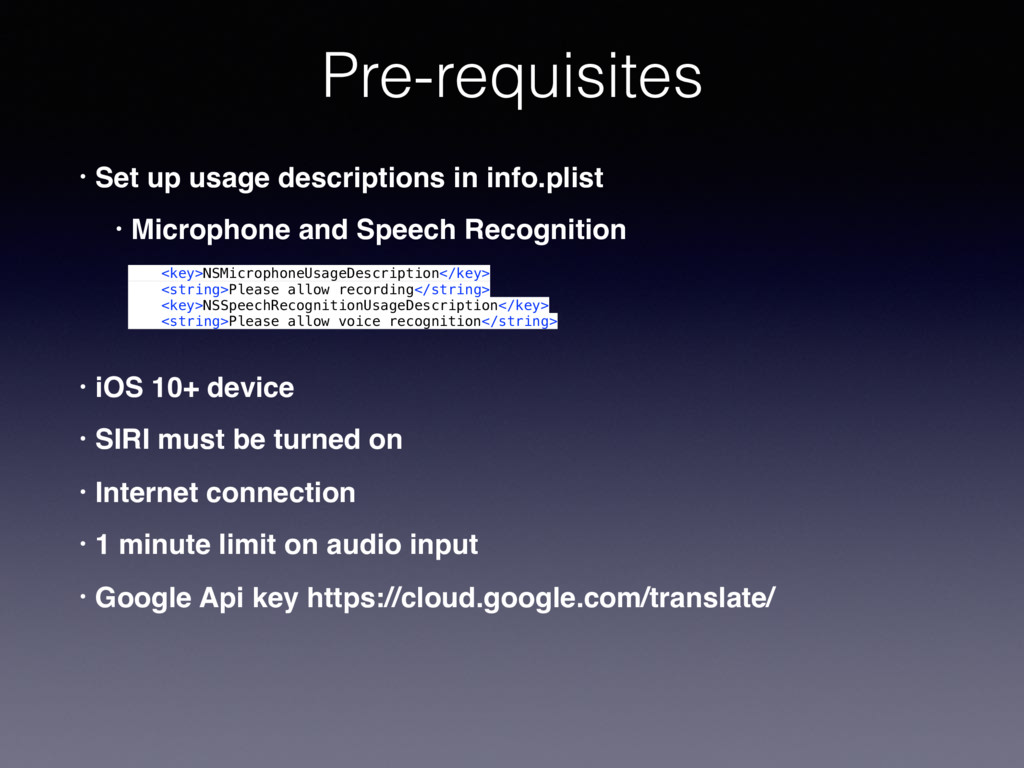
  5. • Set up usage descriptions in info.plist • Microphone and

    Speech Recognition • iOS 10+ device • SIRI must be turned on • Internet connection • 1 minute limit on audio input • Google Api key https://cloud.google.com/translate/ Pre-requisites <key>NSMicrophoneUsageDescription</key> <string>Please allow recording</string> <key>NSSpeechRecognitionUsageDescription</key> <string>Please allow voice recognition</string>