Upgrade to Pro — share decks privately, control downloads, hide ads and more …

Angular Solid Foundations

Sponsored · Ship Features Fearlessly Turn features on and off without deploys. Used by thousands of Ruby developers.

Angular Solid Foundations

Slides of the "Angular Solid Foundations" workshop held at ng-de: https://ng-de.org/workshops/angular-solid-foundations/

Avatar for Markus Ende

Markus Ende

August 29, 2019
Tweet

Other Decks in Programming

Transcript

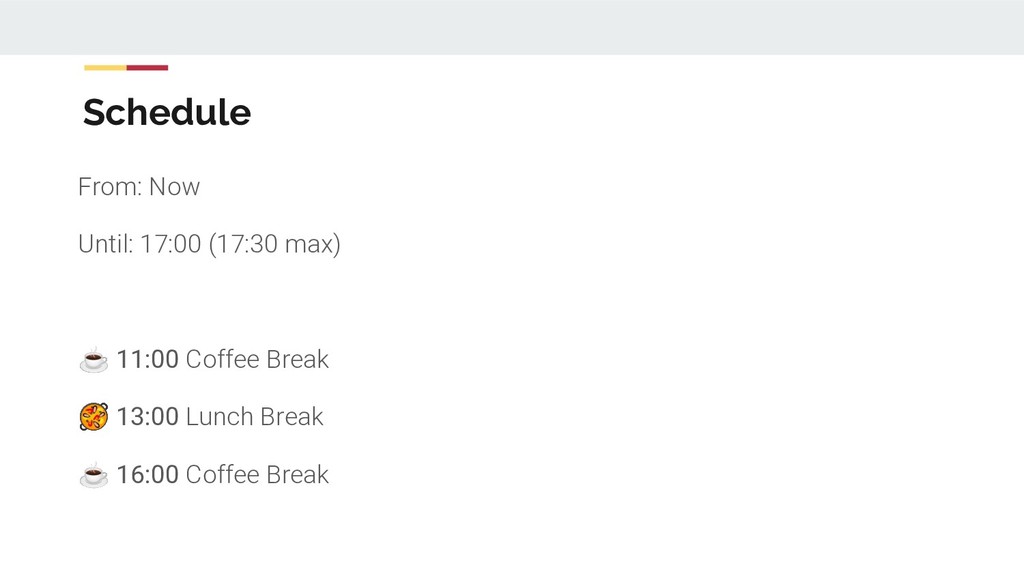
  1. Schedule From: Now Until: 17:00 (17:30 max) ☕ 11:00 Coffee

    Break 13:00 Lunch Break ☕ 16:00 Coffee Break
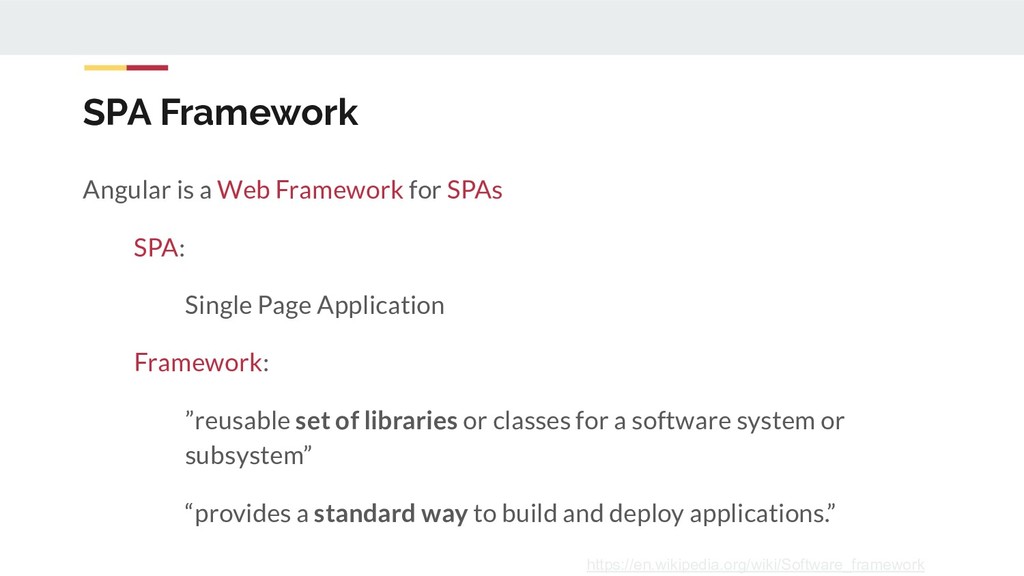
  2. SPA Framework Angular is a Web Framework for SPAs SPA:

    Single Page Application Framework: ”reusable set of libraries or classes for a software system or subsystem” “provides a standard way to build and deploy applications.” https://en.wikipedia.org/wiki/Software_framework
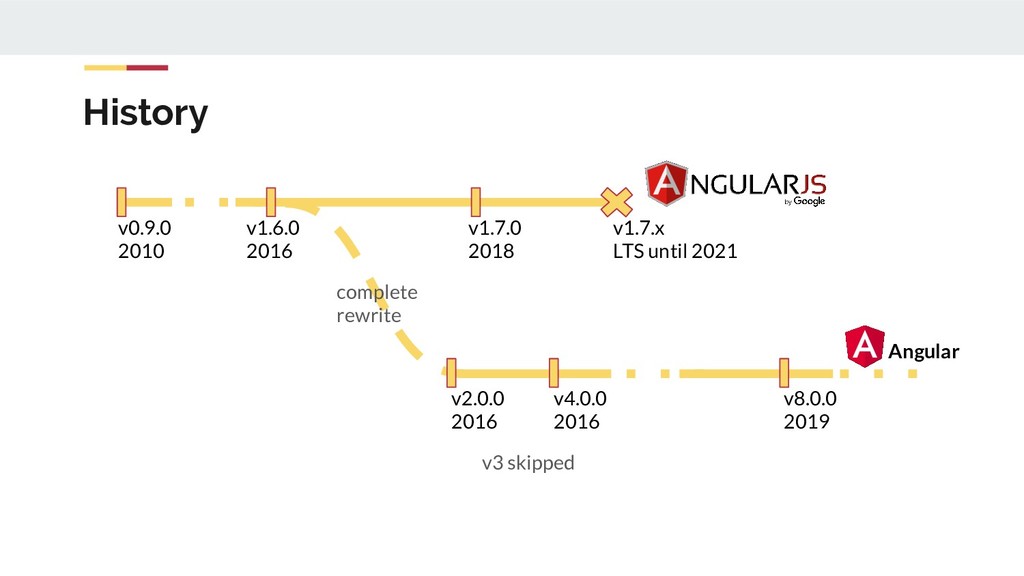
  3. History Angular v0.9.0 2010 v1.7.0 2018 v1.7.x LTS until 2021

    v1.6.0 2016 complete rewrite v2.0.0 2016 v4.0.0 2016 v3 skipped v8.0.0 2019
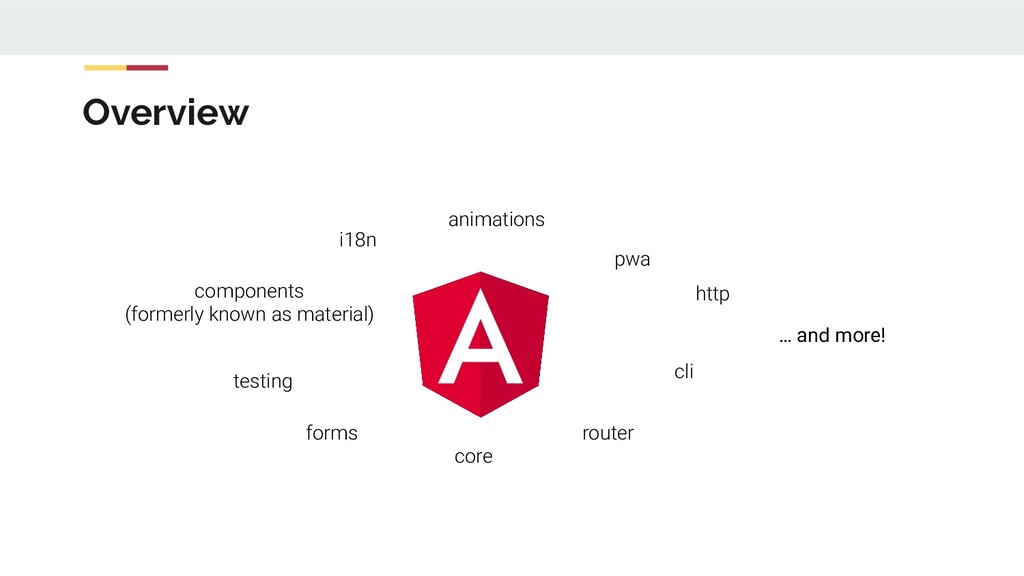
  4. Overview cli router i18n animations pwa components (formerly known as

    material) testing forms core … and more! http
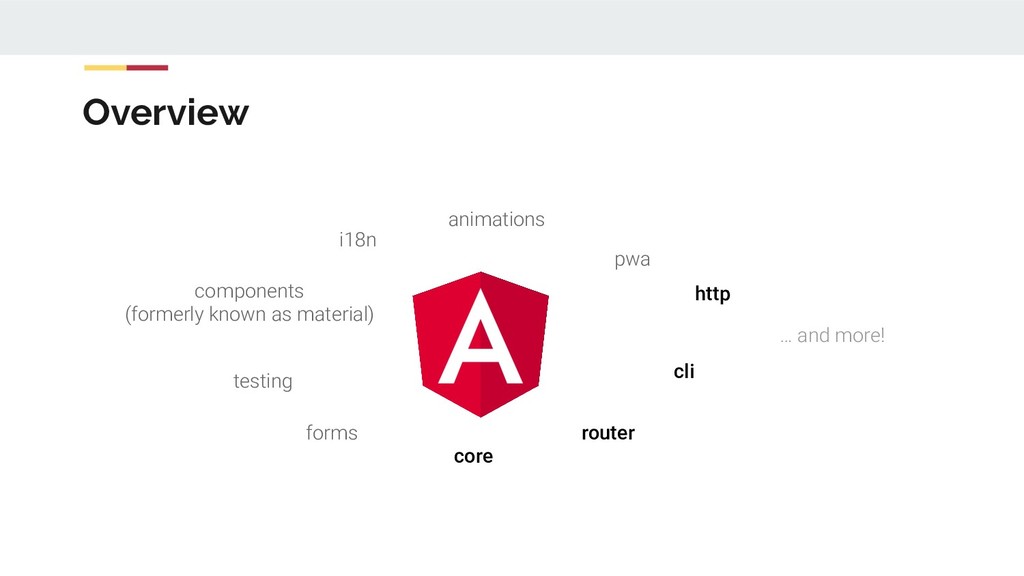
  5. Overview cli router i18n animations pwa components (formerly known as

    material) testing forms core … and more! http
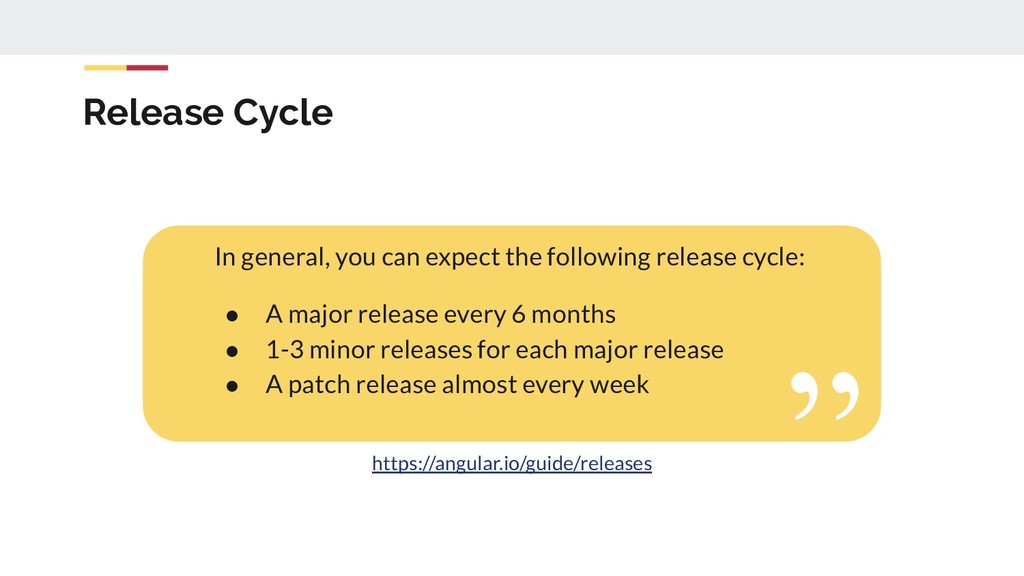
  6. Release Cycle https://angular.io/guide/releases In general, you can expect the following

    release cycle: • A major release every 6 months • 1-3 minor releases for each major release • A patch release almost every week
  7. Mission Apps that users ♥ to use Apps that developers

    ♥ to build Community where everyone feels welcome
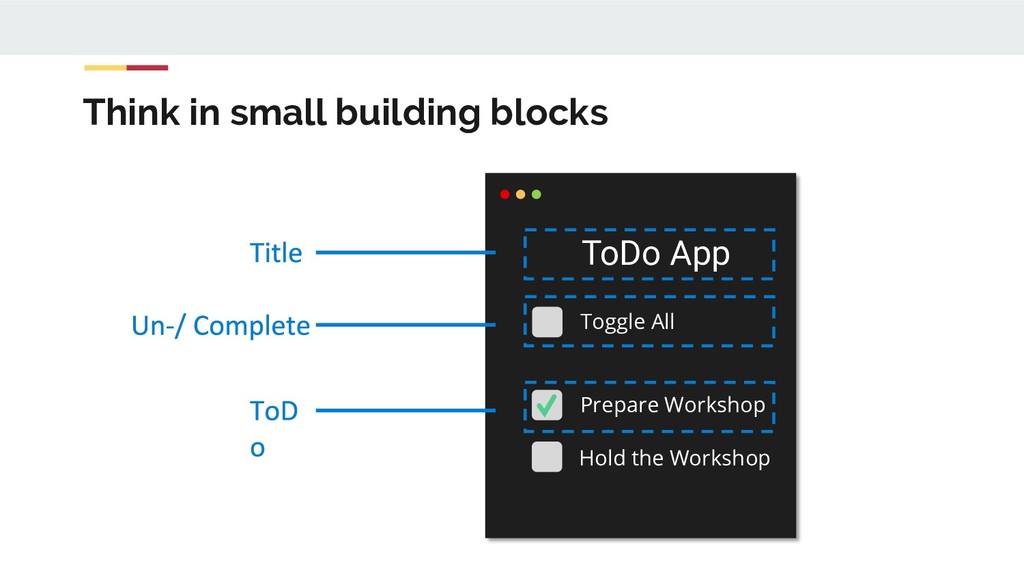
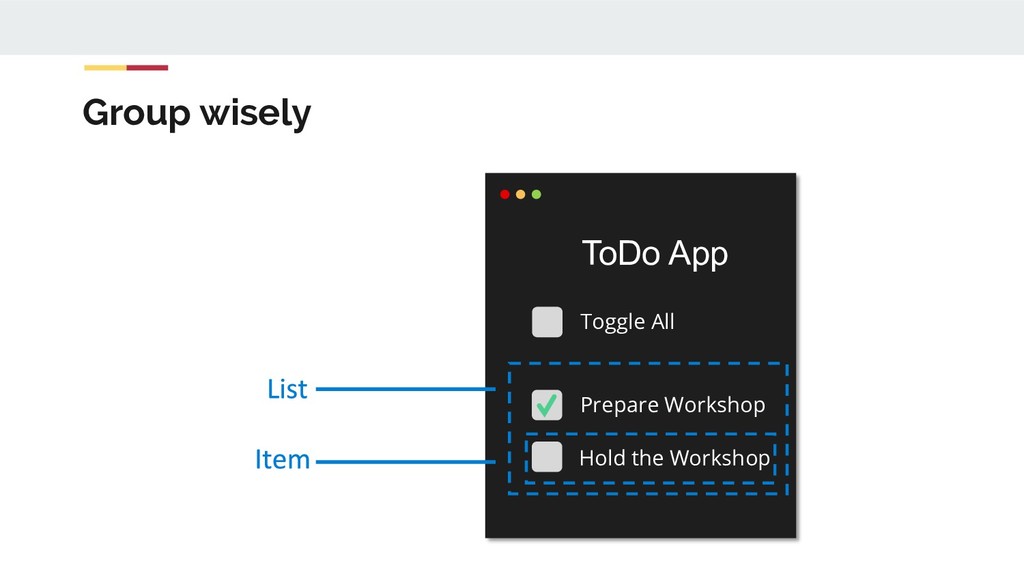
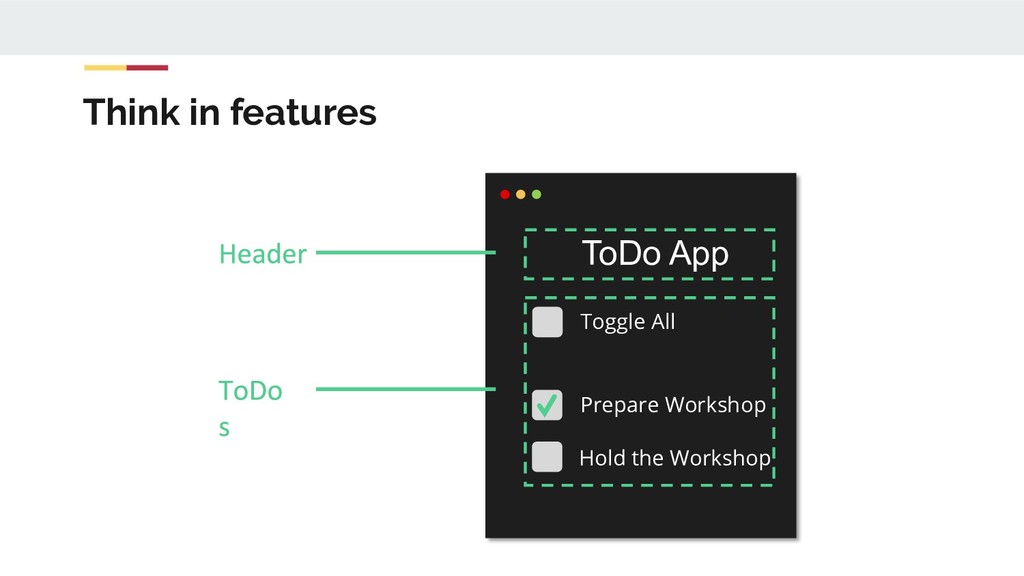
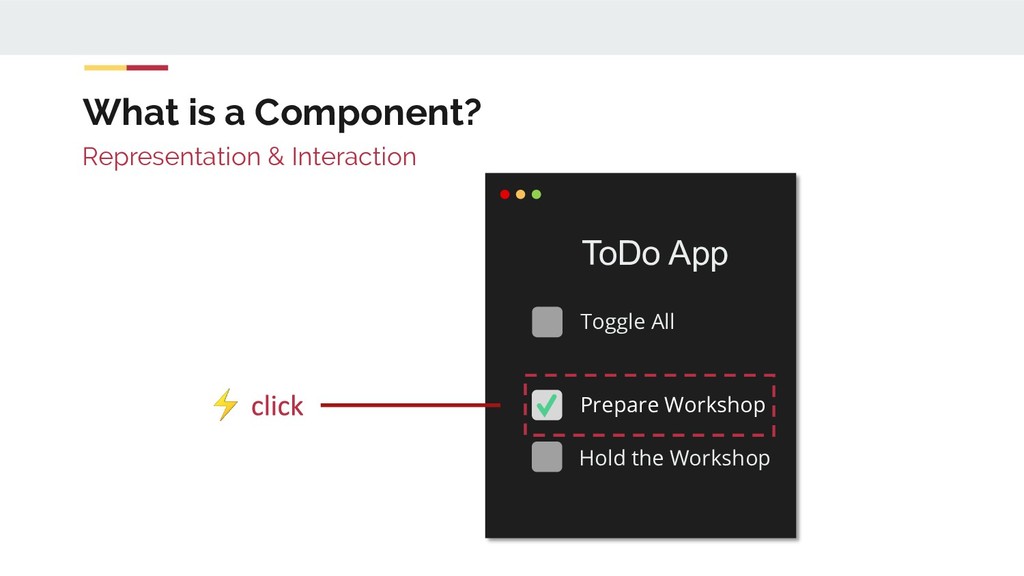
  8. What is a Component? Toggle All Prepare Workshop Hold the

    Workshop ToDo App Representation & Interaction ⚡
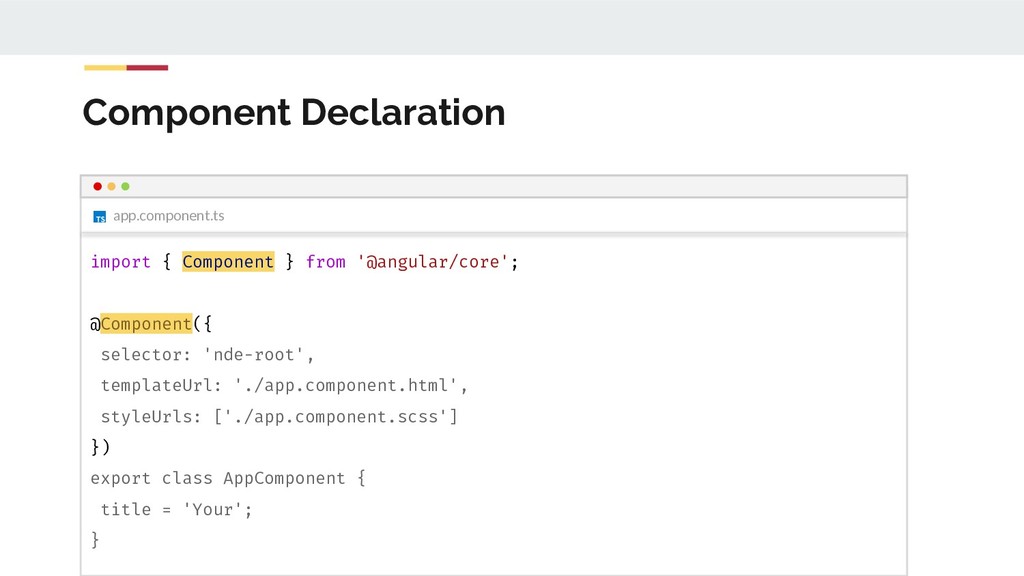
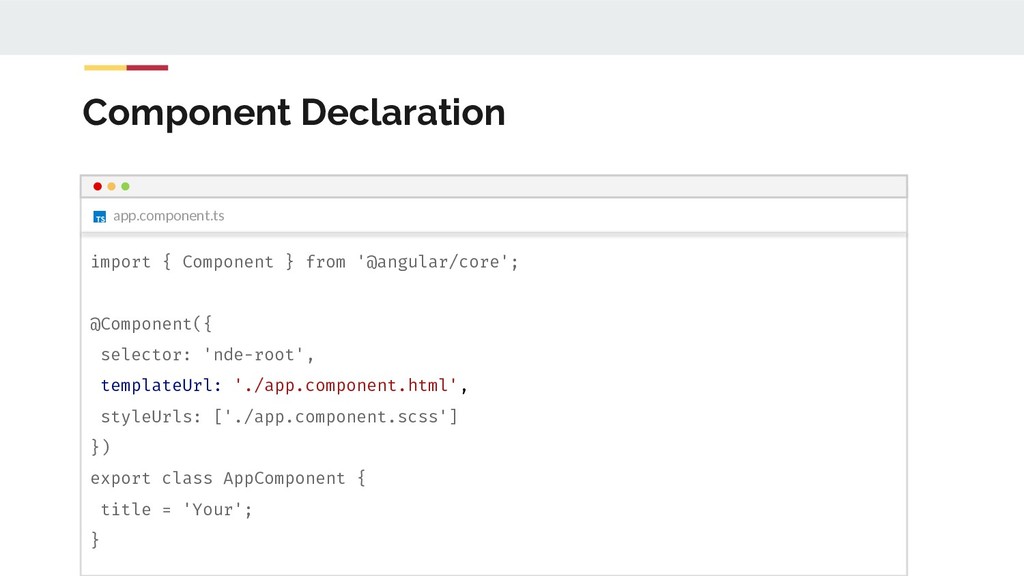
  9. app.component.ts Component Declaration import { Component } from '@angular/core'; @Component({

    selector: 'nde-root', templateUrl: './app.component.html', styleUrls: ['./app.component.scss'] }) export class AppComponent { title = 'Your'; }
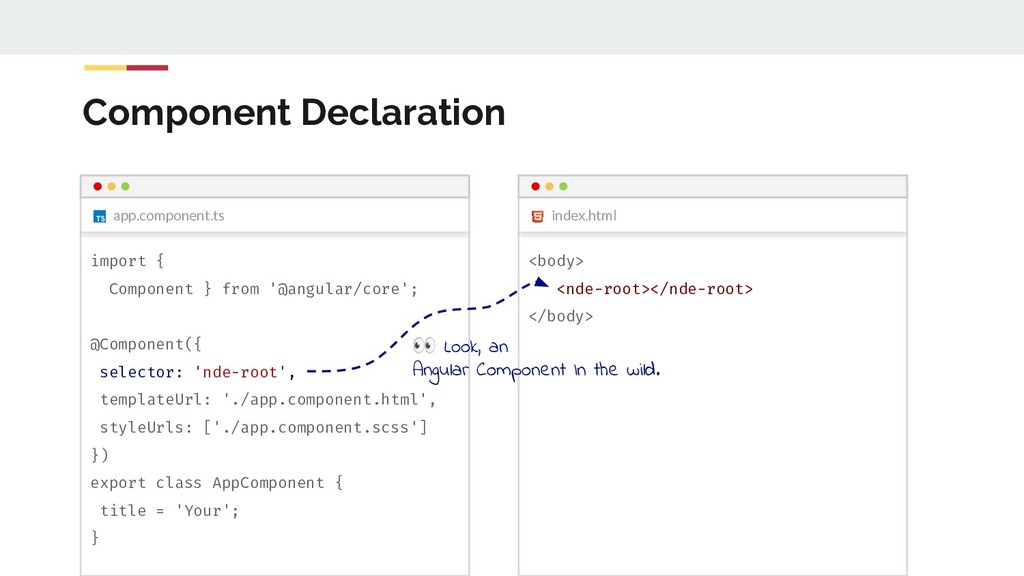
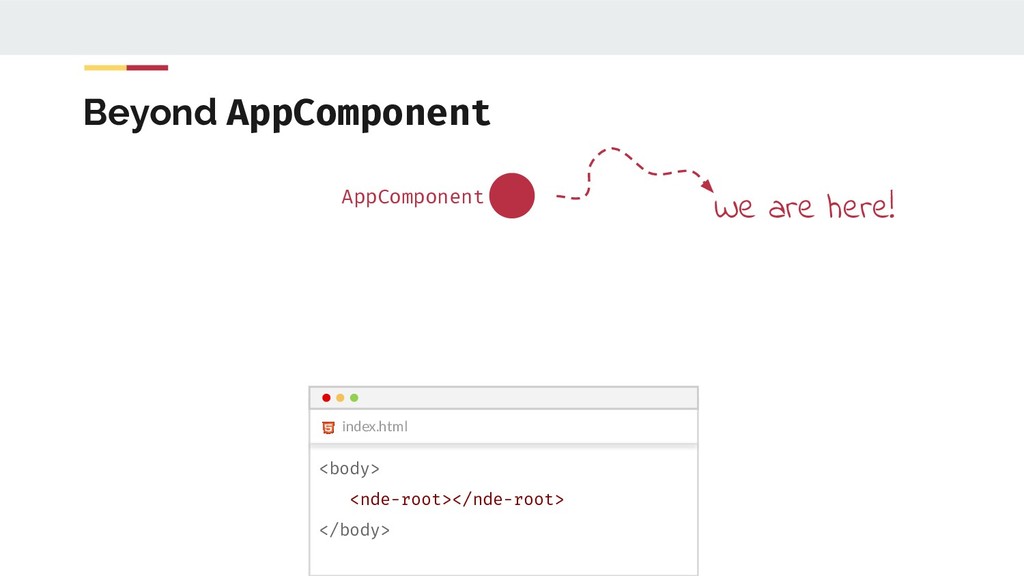
  10. Component Declaration app.component.ts index.html import { Component } from '@angular/core';

    @Component({ selector: 'nde-root', templateUrl: './app.component.html', styleUrls: ['./app.component.scss'] }) export class AppComponent { title = 'Your'; } <body> <nde-root></nde-root> </body> Look, an Angular Component In the wild.
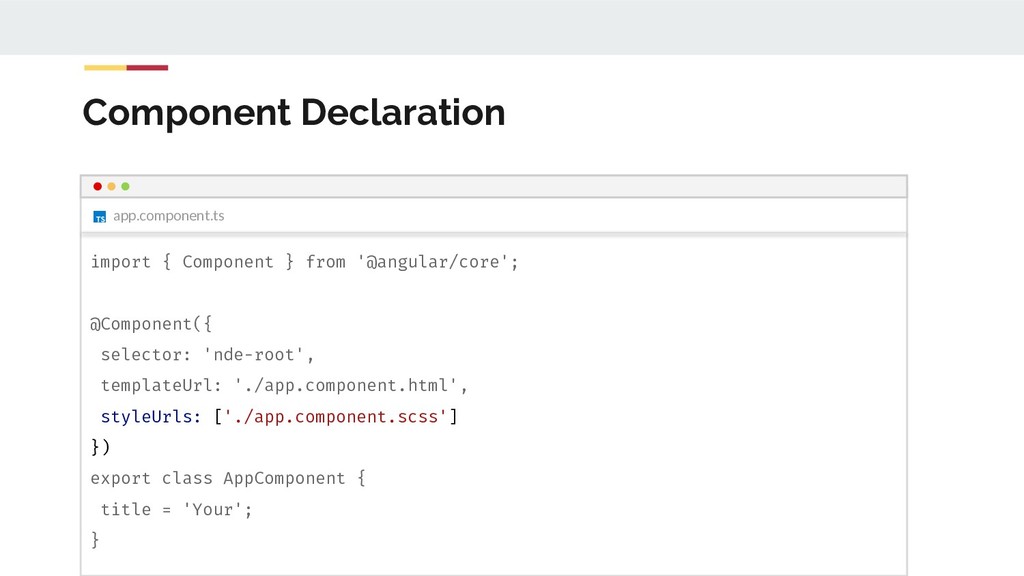
  11. app.component.ts Component Declaration import { Component } from '@angular/core'; @Component({

    selector: 'nde-root', templateUrl: './app.component.html', styleUrls: ['./app.component.scss'] }) export class AppComponent { title = 'Your'; }
  12. app.component.ts Component Declaration import { Component } from '@angular/core'; @Component({

    selector: 'nde-root', templateUrl: './app.component.html', styleUrls: ['./app.component.scss'] }) export class AppComponent { title = 'Your'; }
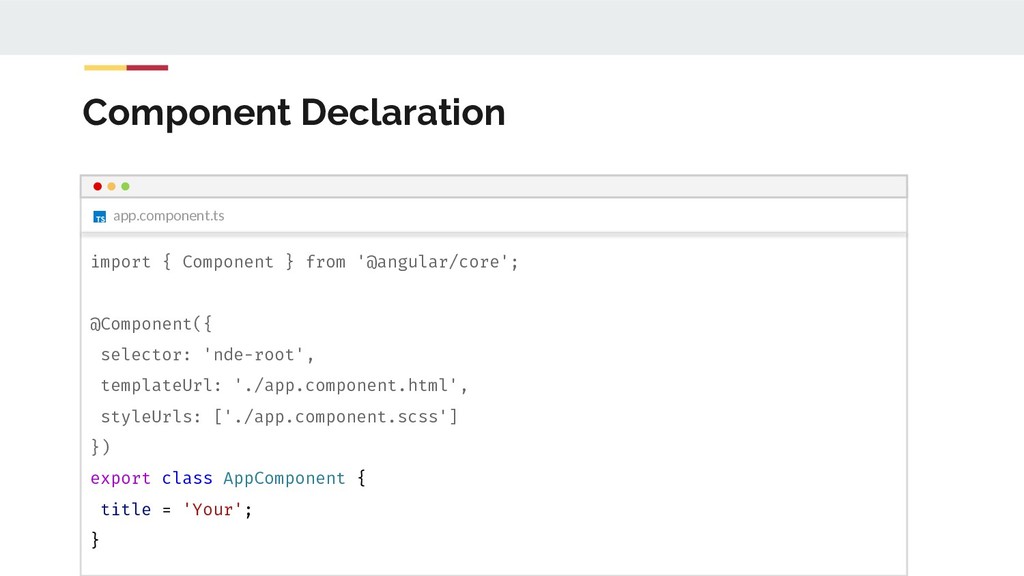
  13. app.component.ts Component Declaration import { Component } from '@angular/core'; @Component({

    selector: 'nde-root', templateUrl: './app.component.html', styleUrls: ['./app.component.scss'] }) export class AppComponent { title = 'Your'; }
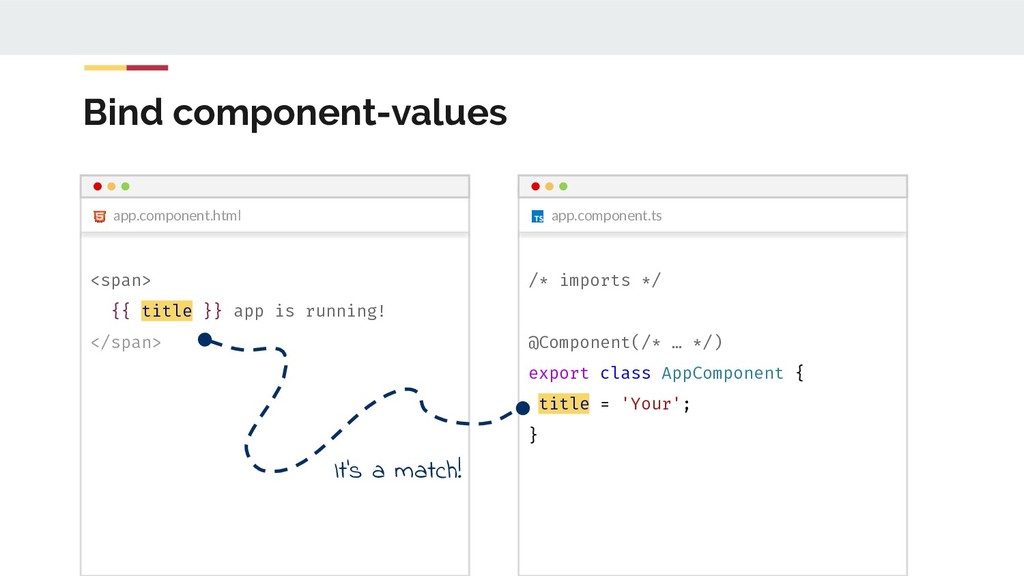
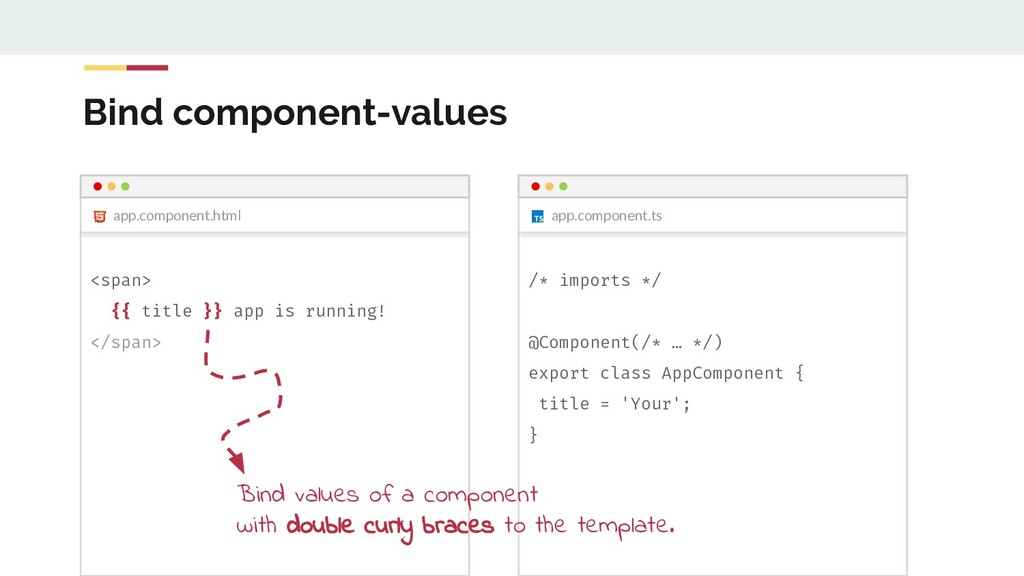
  14. app.component.ts app.component.html Bind component-values <span> {{ title }} app is

    running! </span> /* imports */ @Component(/* … */) export class AppComponent { title = 'Your'; } It’s a match!
  15. app.component.ts app.component.html Bind component-values <span> {{ title }} app is

    running! </span> /* imports */ @Component(/* … */) export class AppComponent { title = 'Your'; } Bind values of a component with double curly braces to the template.
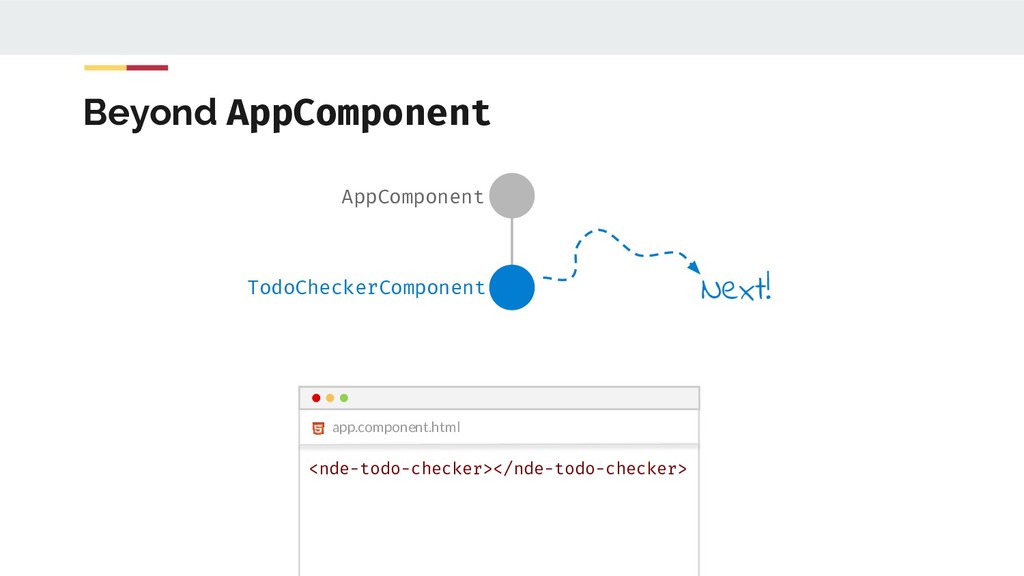
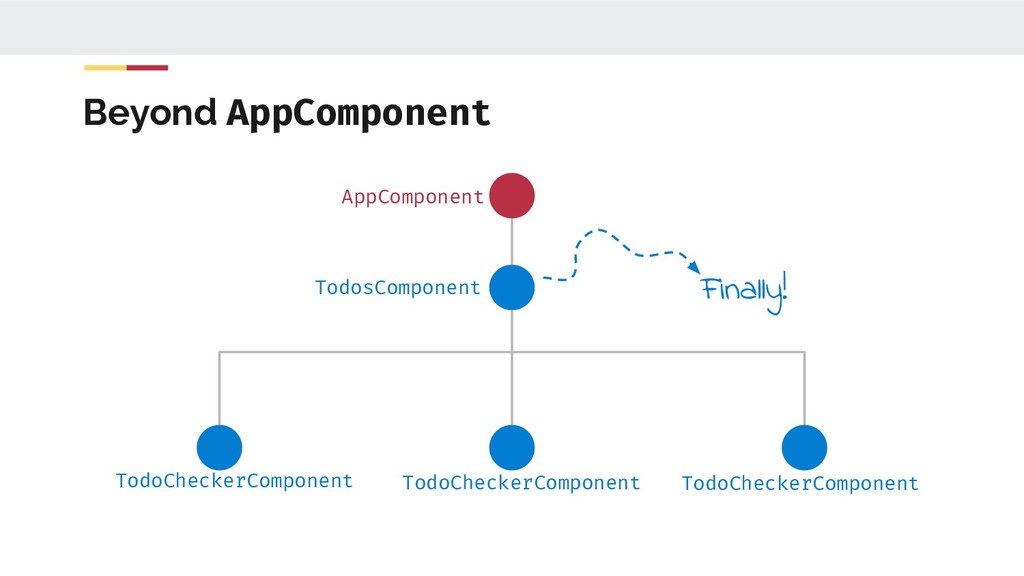
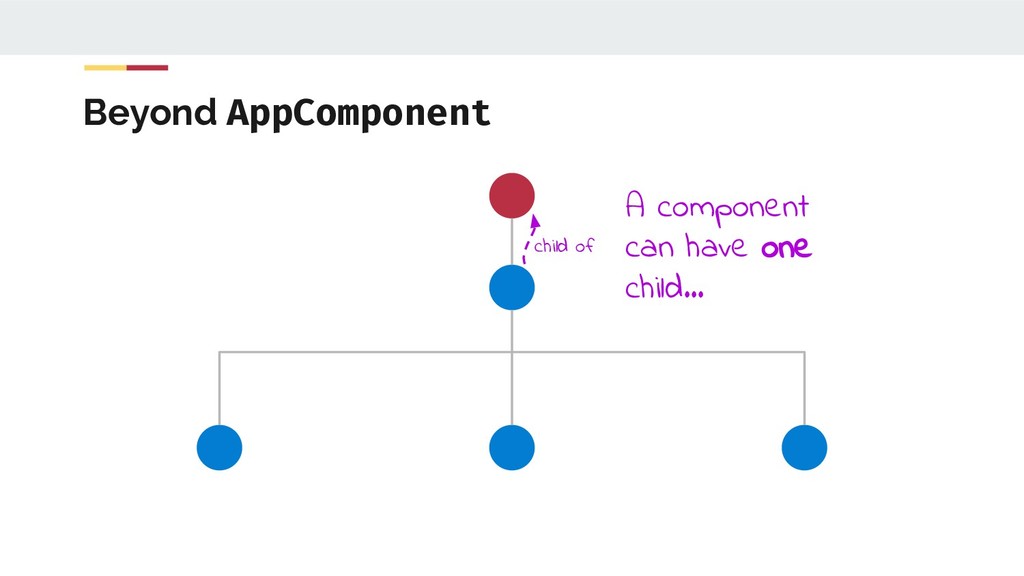
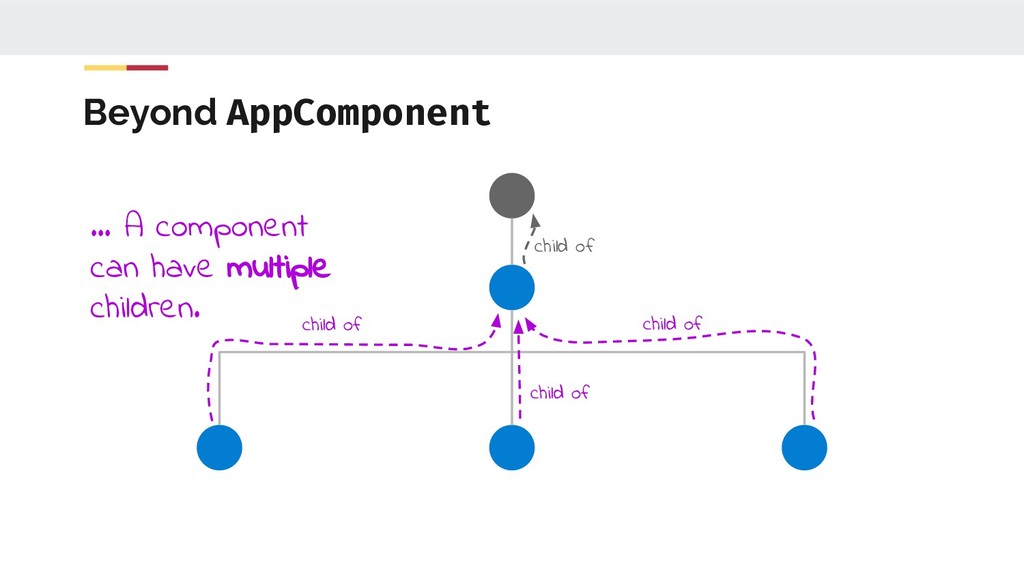
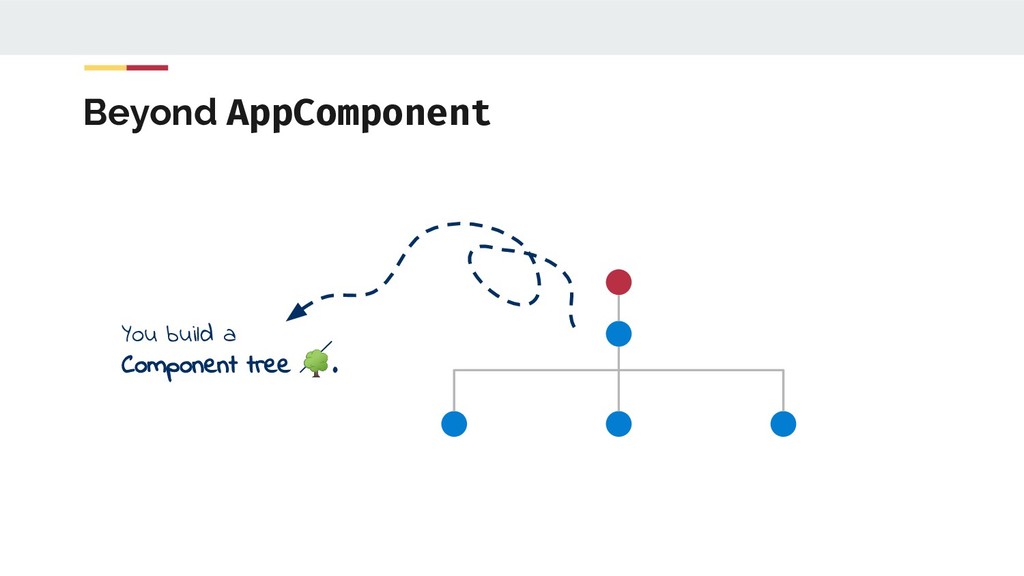
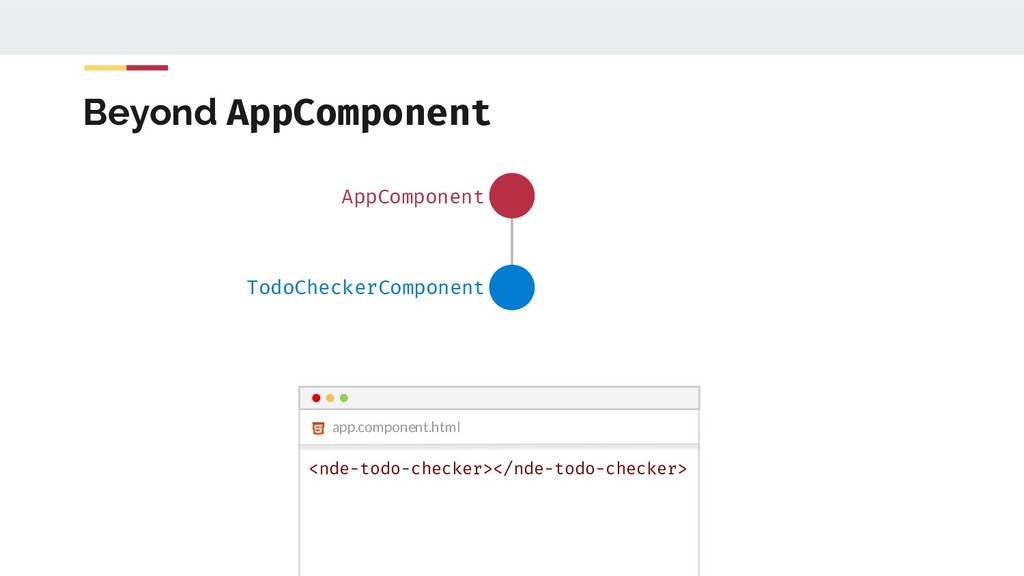
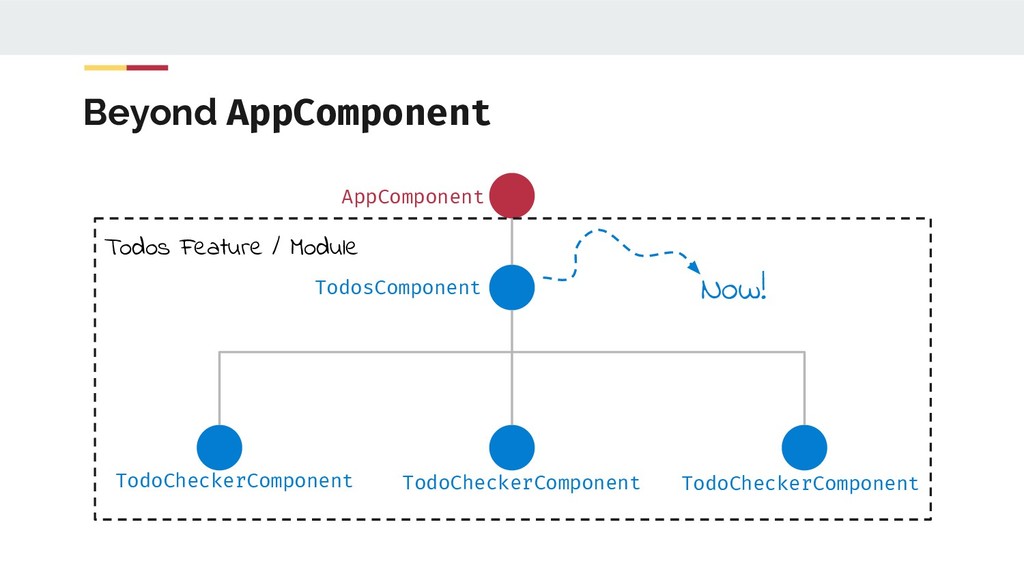
  16. Beyond AppComponent child of child of child of child of

    … A component can have multiple children.
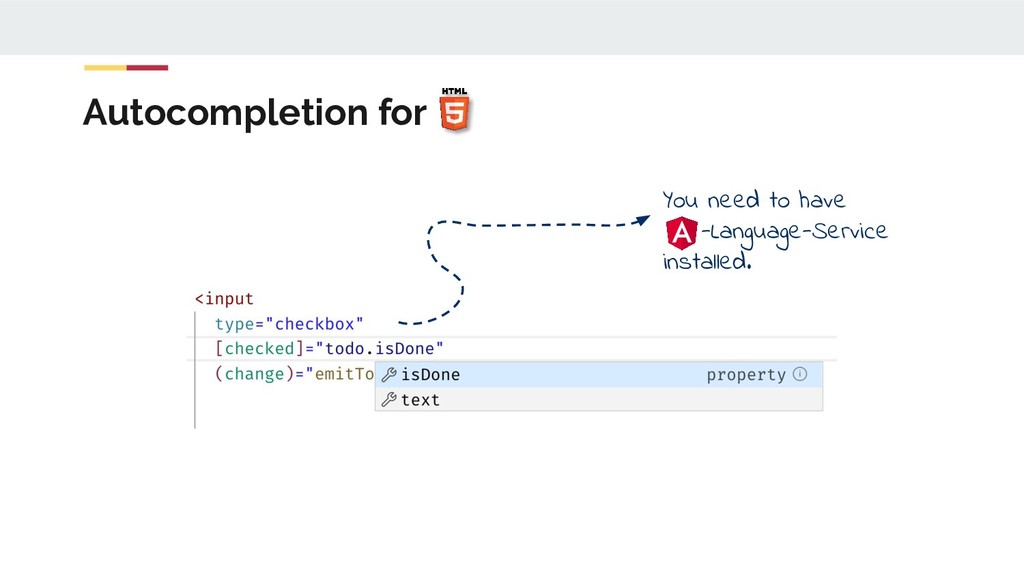
  17. todo-checker.component.ts todo-checker.component.html Property-Binding {{ todo.text }} <input type="checkbox" [checked]="todo.isDone" />

    @Component(/* … */) export class TodoCheckerComponent { todo = { text: 'Buy ', isDone: true }; }
  18. todo-checker.component.ts todo-checker.component.html Event-Binding {{ todo.text }} <input type="checkbox" [checked]="todo.isDone" (change)="emitToggle()"

    /> @Component(/* … */) export class TodoCheckerComponent { // todo = ... emitToggle() { alert( `${this.todo.text} clicked.` ); } When change is fired emitToggle gets executed.
  19. app.component.html Feed your component with some data AppComponent <nde-todo-checker [todo]="someTodo"

    ></nde-todo-checker> @Input Define your own property binding. TodoCheckerComponent
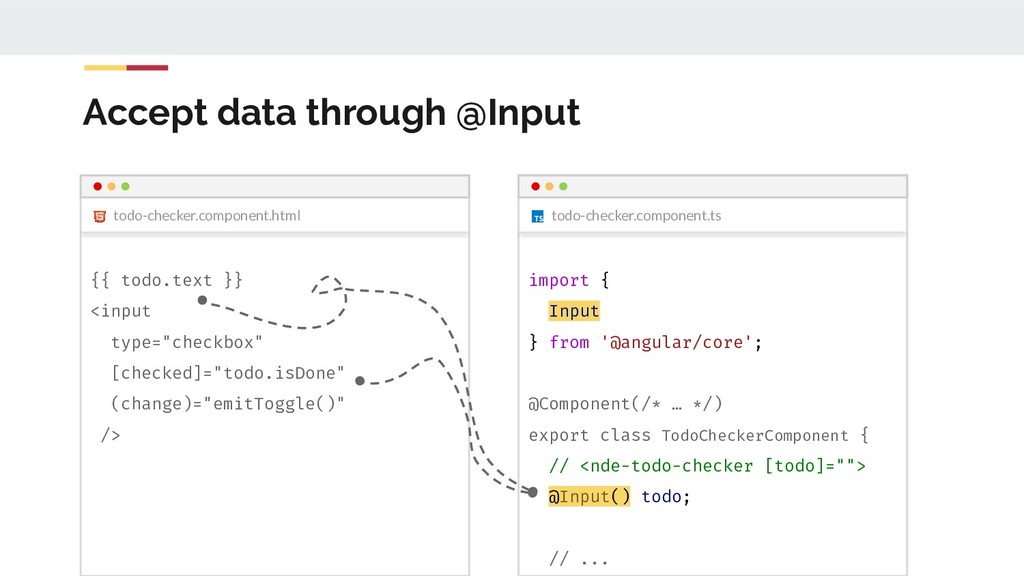
  20. todo-checker.component.ts Accept data through @Input todo-checker.component.ts todo-checker.component.html import { Input

    } from '@angular/core'; @Component(/* … */) export class TodoCheckerComponent { // <nde-todo-checker [todo]=""> @Input() todo; // ... {{ todo.text }} <input type="checkbox" [checked]="todo.isDone" (change)="emitToggle()" />
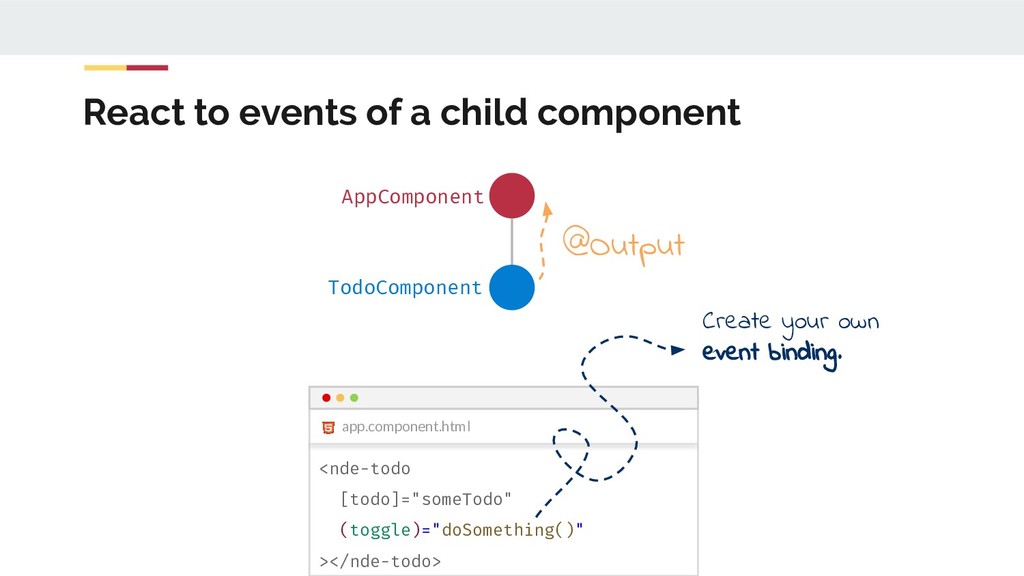
  21. React to events of a child component AppComponent TodoComponent app.component.html

    <nde-todo [todo]="someTodo" (toggle)="doSomething()" ></nde-todo> @Output Create your own event binding.
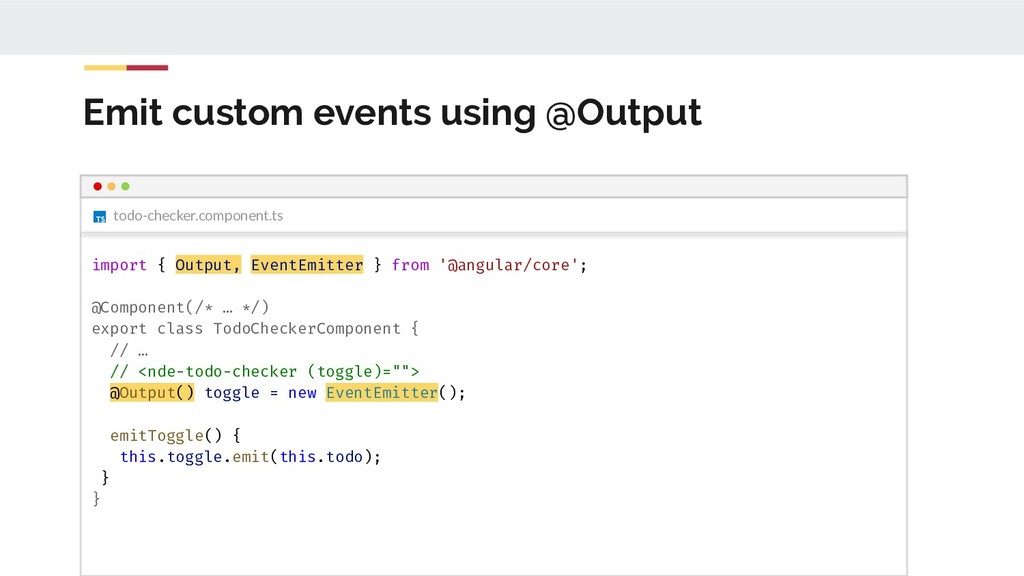
  22. Emit custom events using @Output todo-checker.component.ts import { Output, EventEmitter

    } from '@angular/core'; @Component(/* … */) export class TodoCheckerComponent { // … // <nde-todo-checker (toggle)=""> @Output() toggle = new EventEmitter(); emitToggle() { this.toggle.emit(this.todo); } }
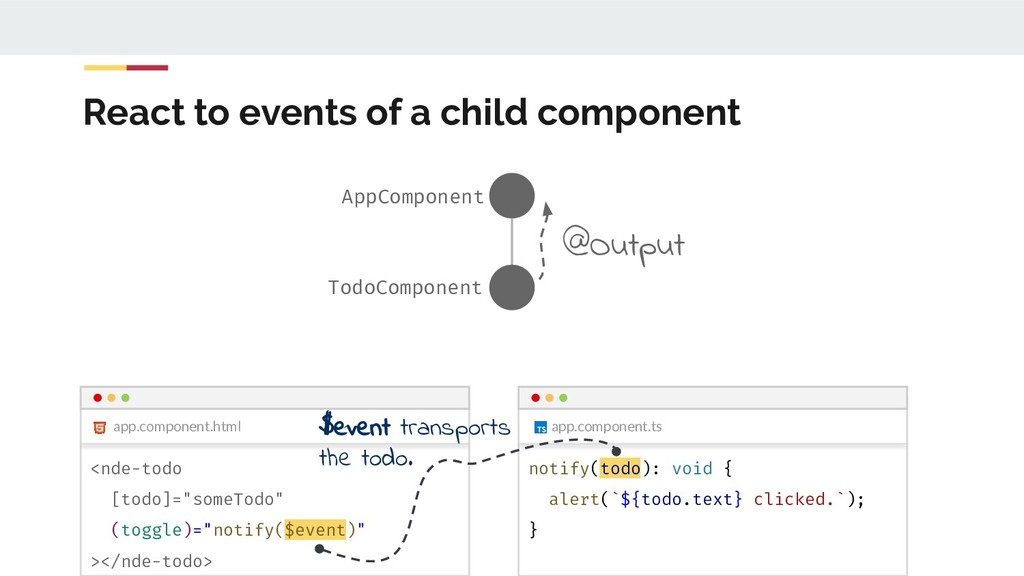
  23. app.component.ts React to events of a child component AppComponent TodoComponent

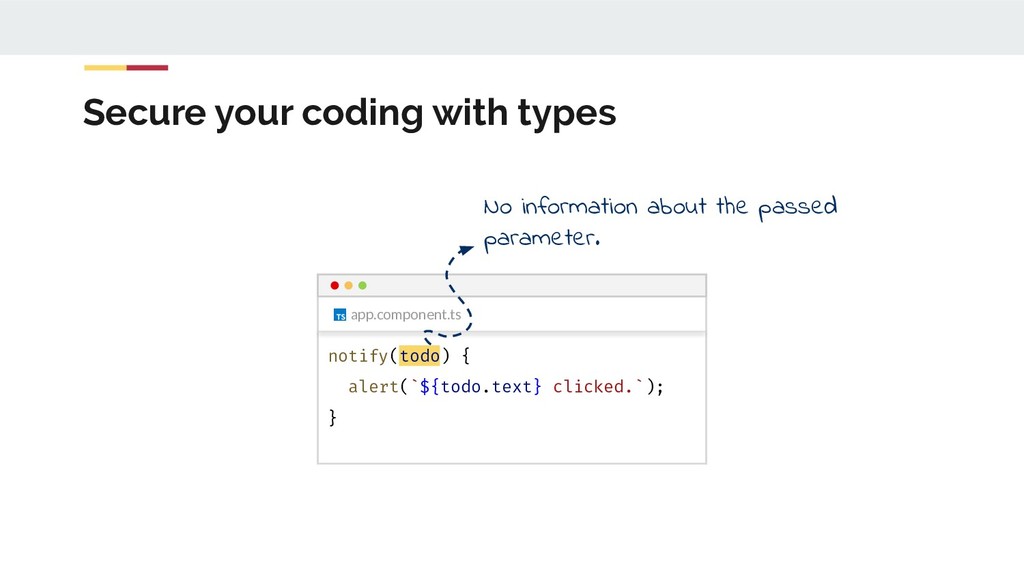
    app.component.html <nde-todo [todo]="someTodo" (toggle)="notify($event)" ></nde-todo> @Output notify(todo): void { alert(`${todo.text} clicked.`); } $event transports the todo.
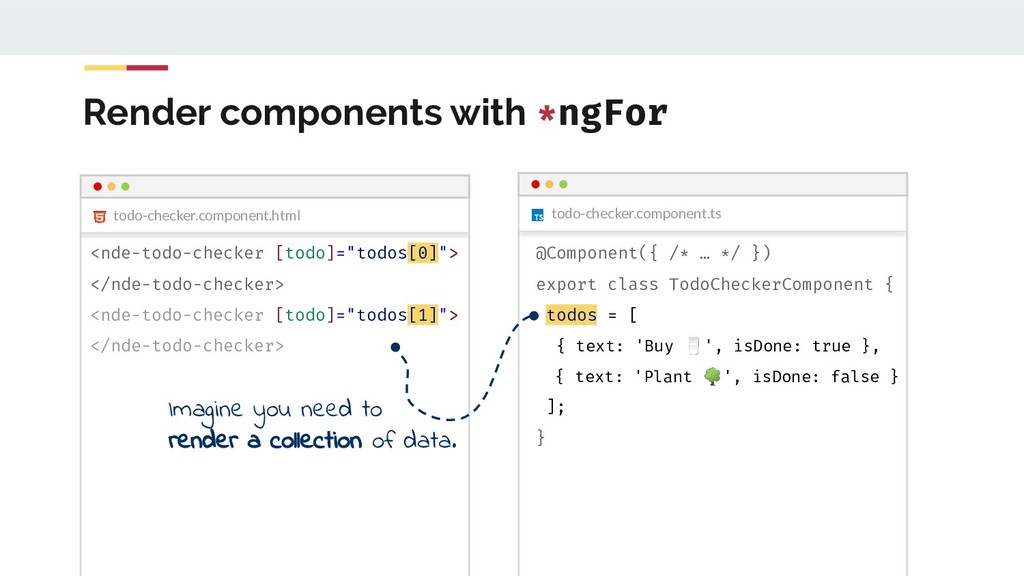
  24. Render components with *ngFor todo-checker.component.ts @Component({ /* … */ })

    export class TodoCheckerComponent { todos = [ { text: 'Buy ', isDone: true }, { text: 'Plant ', isDone: false } ]; } todo-checker.component.html <nde-todo-checker [todo]="todos[0]"> </nde-todo-checker> <nde-todo-checker [todo]="todos[1]"> </nde-todo-checker> Imagine you need to render a collection of data.
  25. todo-checker.component.html Render components with *ngFor <nde-todo-checker [todo]="todo" *ngFor="let todo of

    todos" ></nde-todo-checker> todo-checker.component.ts @Component({ /* … */ }) export class TodoCheckerComponent { todos = [ { text: 'Buy ', isDone: true }, { text: 'Plant ', isDone: false } ]; } Use the built-in directive *ngFor rendering a collection of data.
  26. todo-checker.component.html Render components with *ngFor <nde-todo-checker [todo]="todo" *ngFor="let todo of

    todos" ></nde-todo-checker> todo-checker.component.ts @Component({ /* … */ }) export class TodoCheckerComponent { todos = [ { text: 'Buy ', isDone: true }, { text: 'Plant ', isDone: false } ]; }
  27. todo-checker.component.html Render components with *ngFor <nde-todo-checker [todo]="todo" *ngFor="let todo of

    todos" ></nde-todo-checker> todo-checker.component.ts @Component({ /* … */ }) export class TodoCheckerComponent { todos = [ { text: 'Buy ', isDone: true }, { text: 'Plant ', isDone: false } ]; }
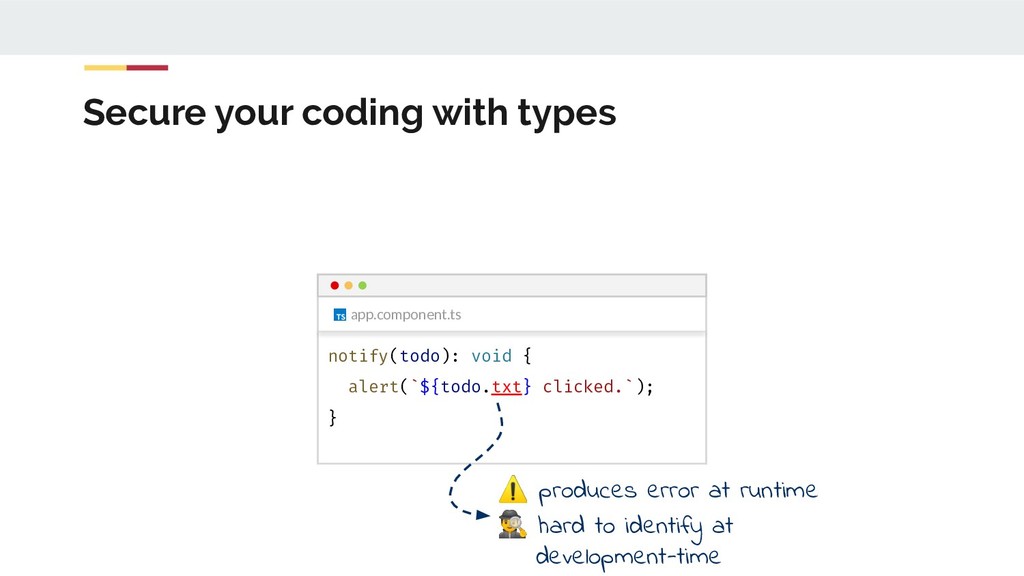
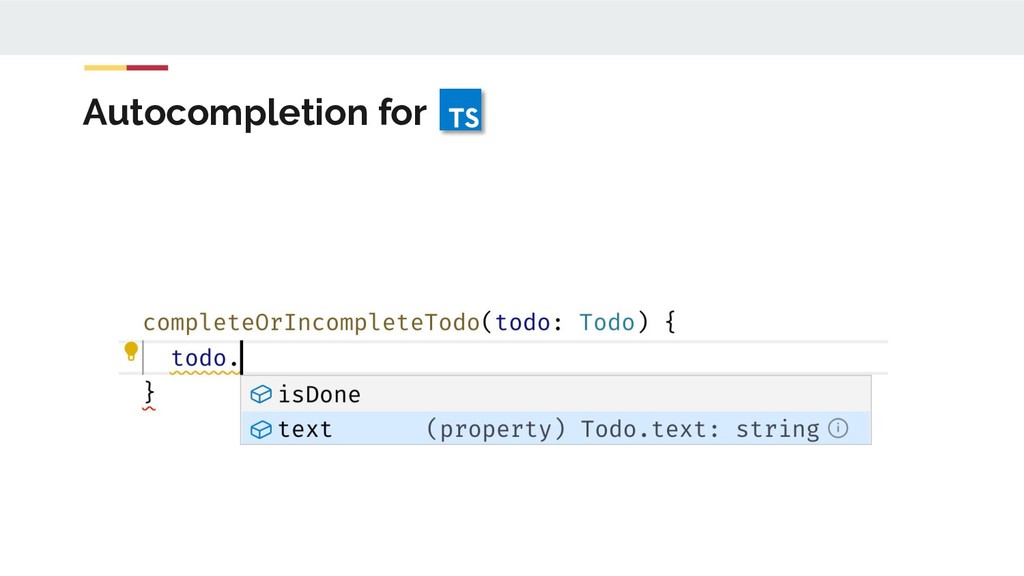
  28. Secure your coding with types app.component.ts notify(todo): void { alert(`${todo.txt}

    clicked.`); } ⚠ produces error at runtime hard to identify at development-time
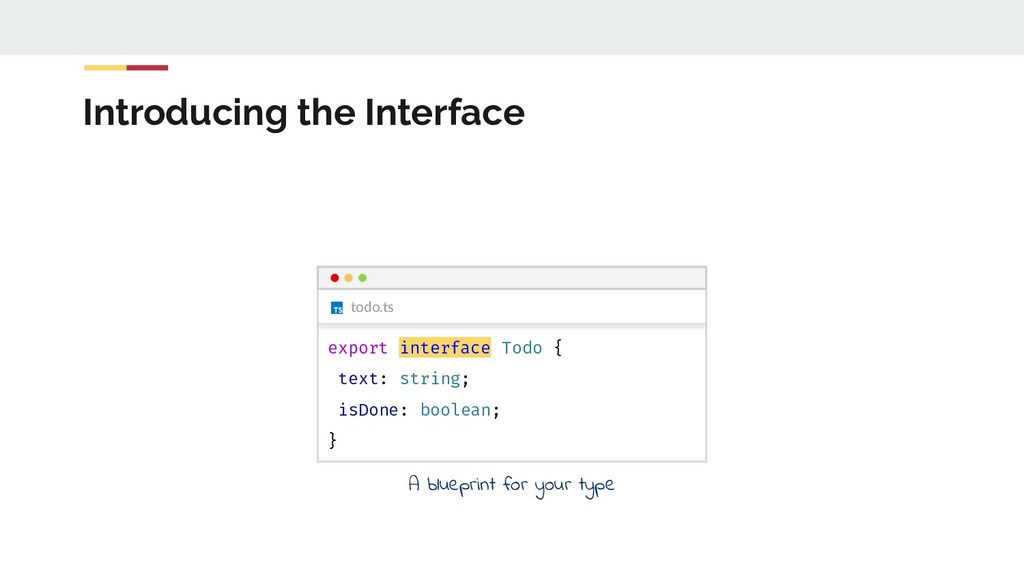
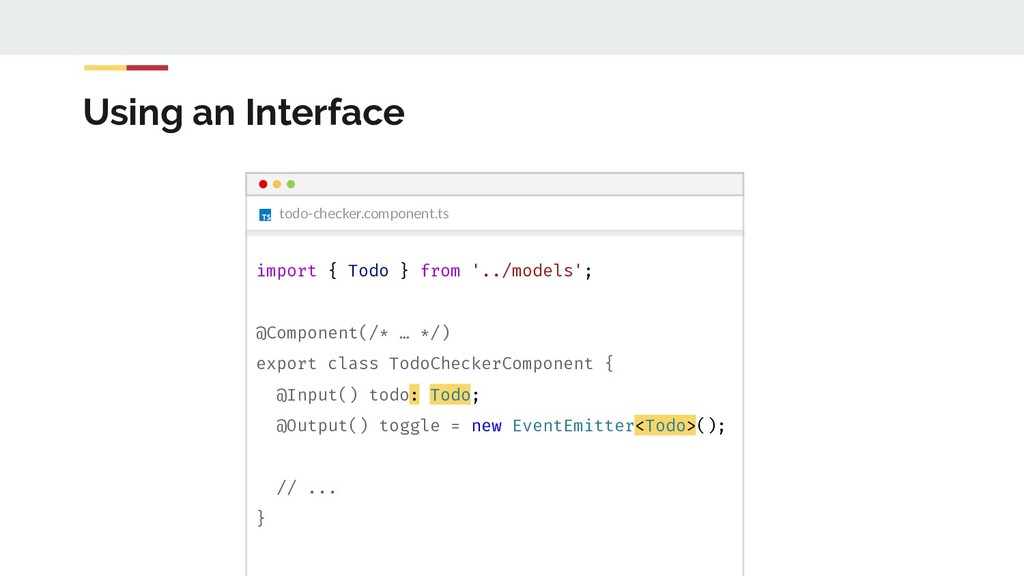
  29. todo-checker.component.ts Using an Interface import { Todo } from '../models';

    @Component(/* … */) export class TodoCheckerComponent { @Input() todo: Todo; @Output() toggle = new EventEmitter<Todo>(); // ... }
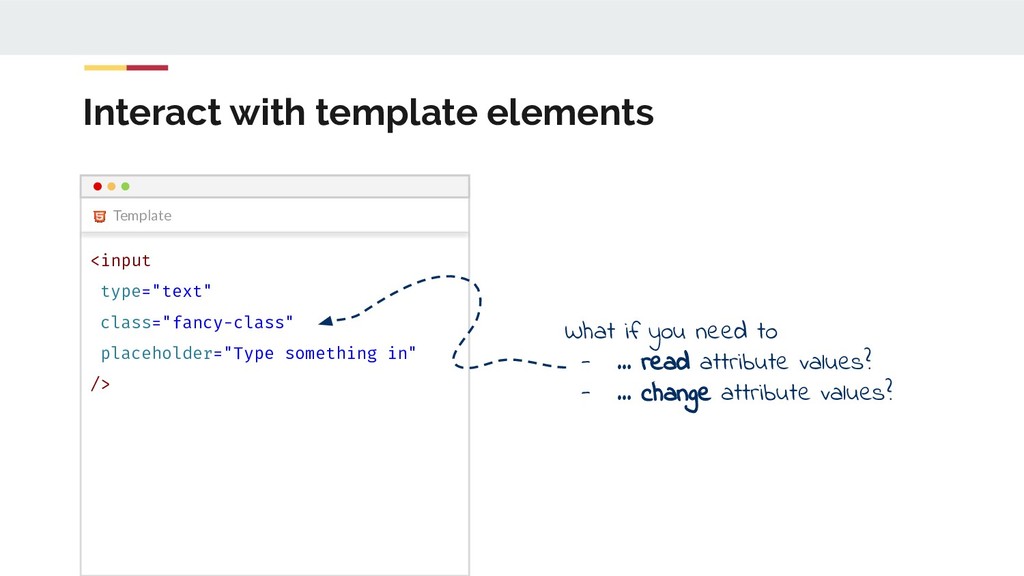
  30. Interact with template elements Template <input type="text" class="fancy-class" placeholder="Type something

    in" /> What if you need to - … read attribute values? - … change attribute values?
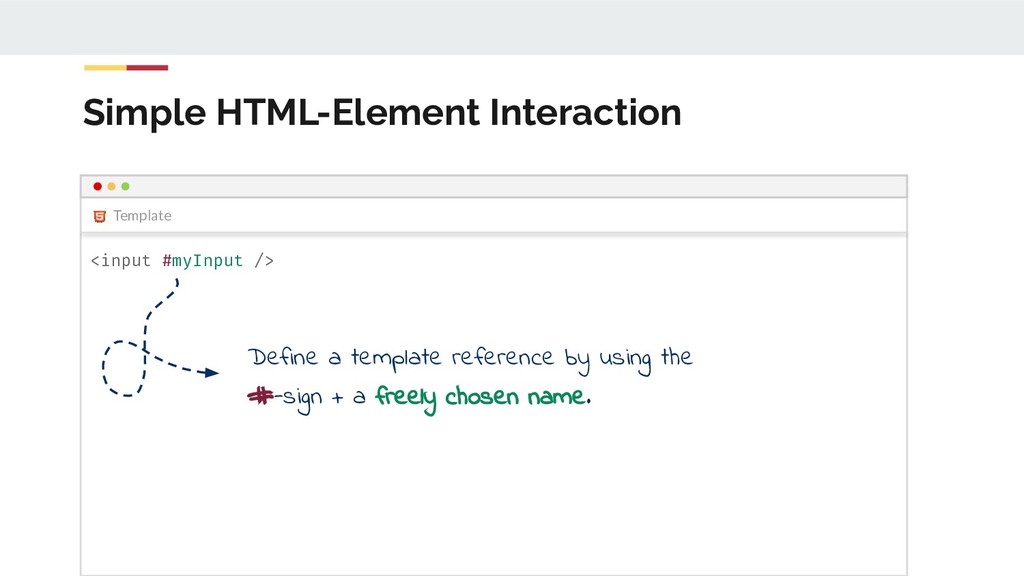
  31. Simple HTML-Element Interaction Template <input #myInput /> Define a template

    reference by using the #-sign + a freely chosen name.
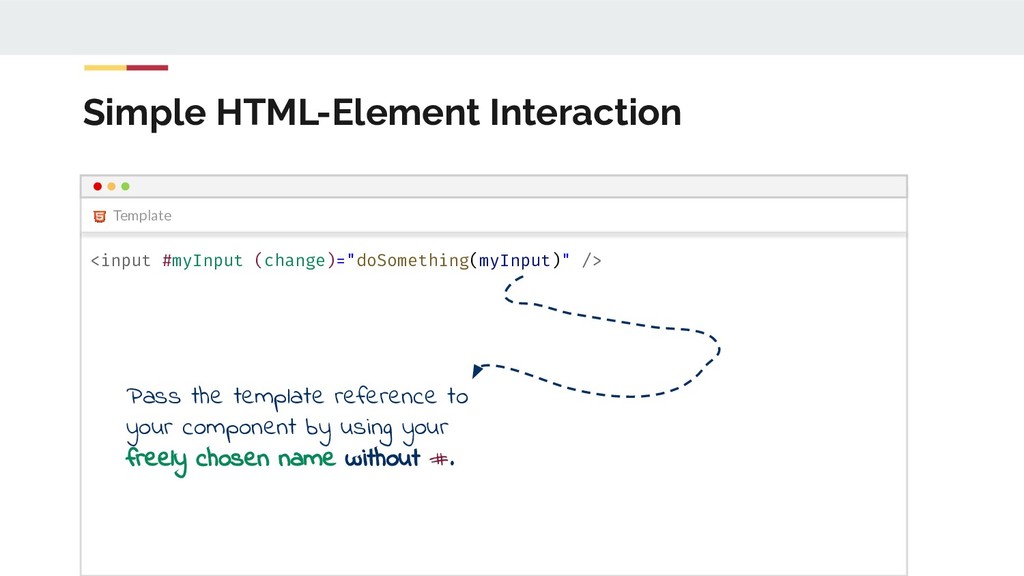
  32. Simple HTML-Element Interaction Template <input #myInput (change)="doSomething(myInput)" /> Pass the

    template reference to your component by using your freely chosen name without #.
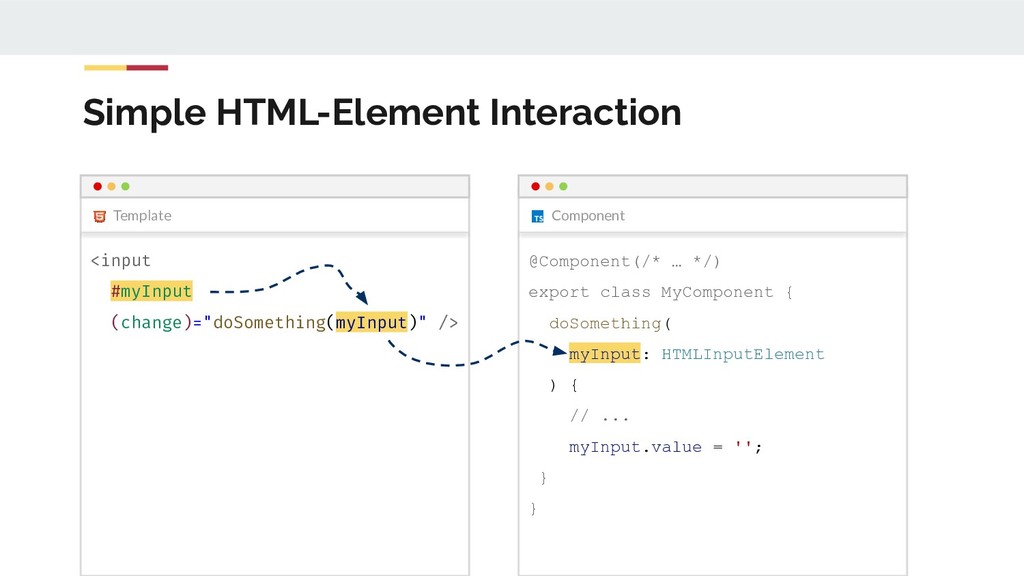
  33. Simple HTML-Element Interaction Component Template <input #myInput (change)="doSomething(myInput)" /> @Component(/*

    … */) export class MyComponent { doSomething( myInput: HTMLInputElement ) { // ... myInput.value = ''; } }
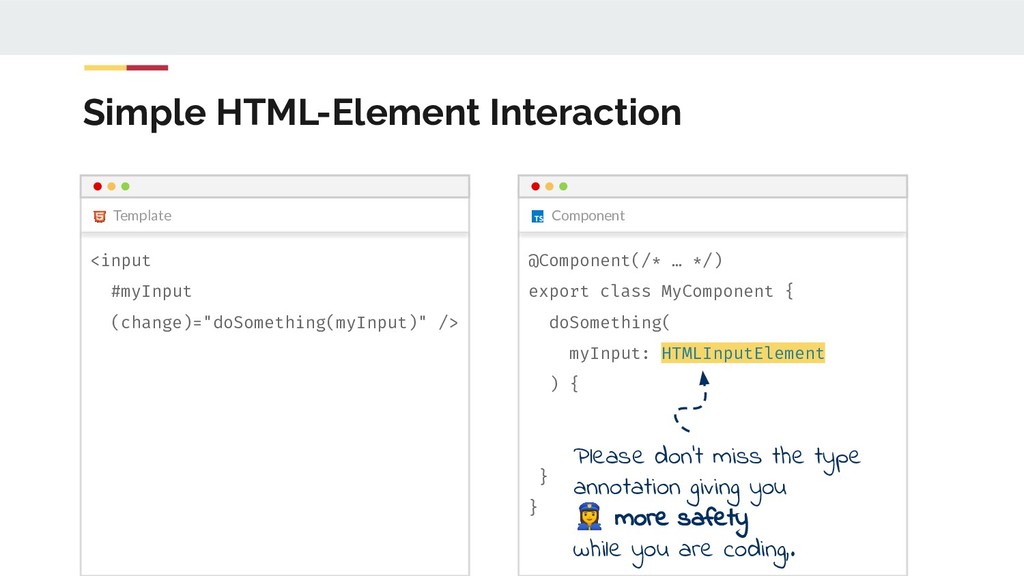
  34. Simple HTML-Element Interaction Component Template <input #myInput (change)="doSomething(myInput)" /> @Component(/*

    … */) export class MyComponent { doSomething( myInput: HTMLInputElement ) { } } Please don’t miss the type annotation giving you ‍♀ more safety while you are coding,.
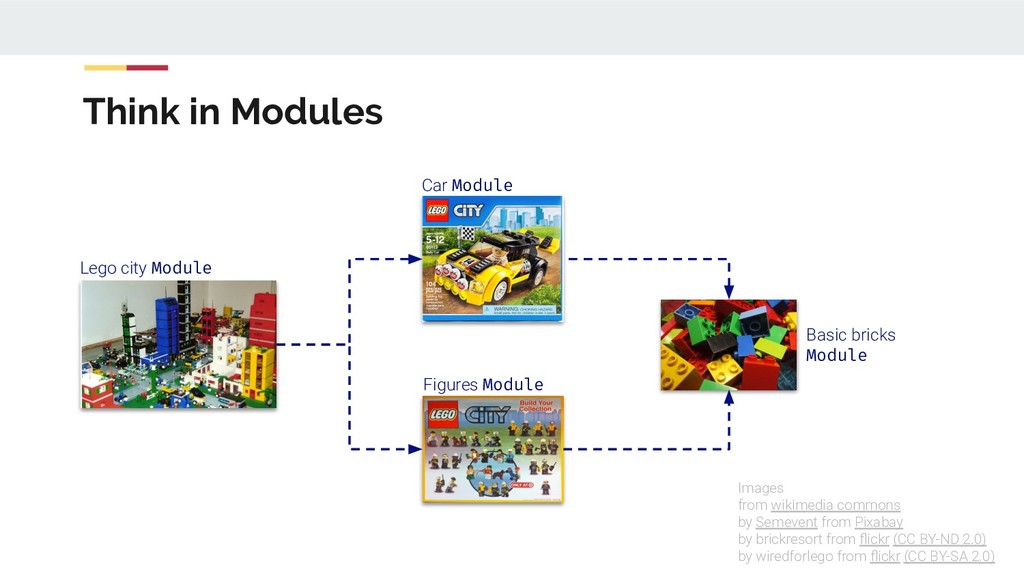
  35. Think in Modules Basic bricks Module Images from wikimedia commons

    by Semevent from Pixabay by brickresort from flickr (CC BY-ND 2.0) by wiredforlego from flickr (CC BY-SA 2.0) Lego city Module Car Module Figures Module
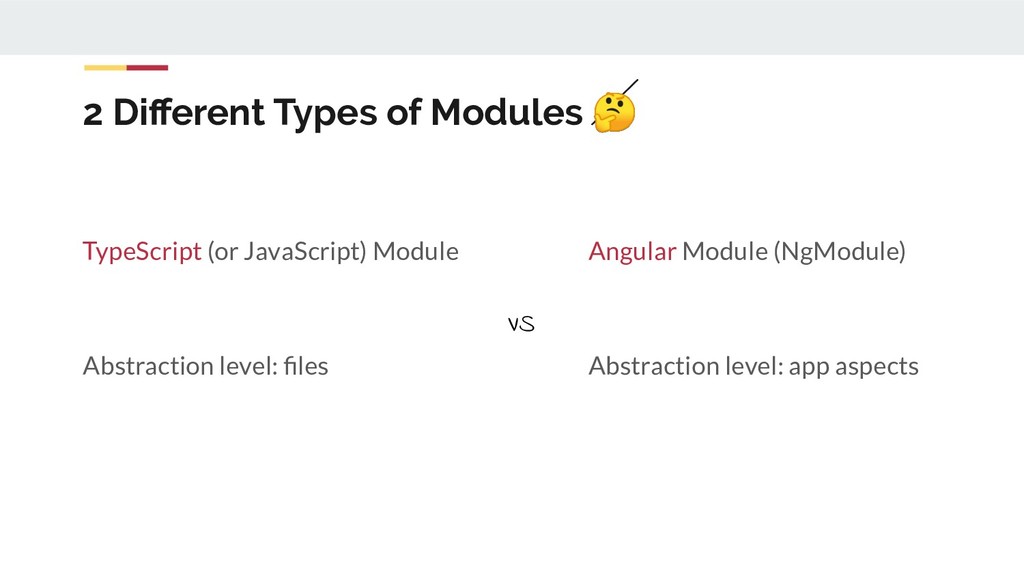
  36. 2 Different Types of Modules TypeScript (or JavaScript) Module Abstraction

    level: files Angular Module (NgModule) Abstraction level: app aspects VS
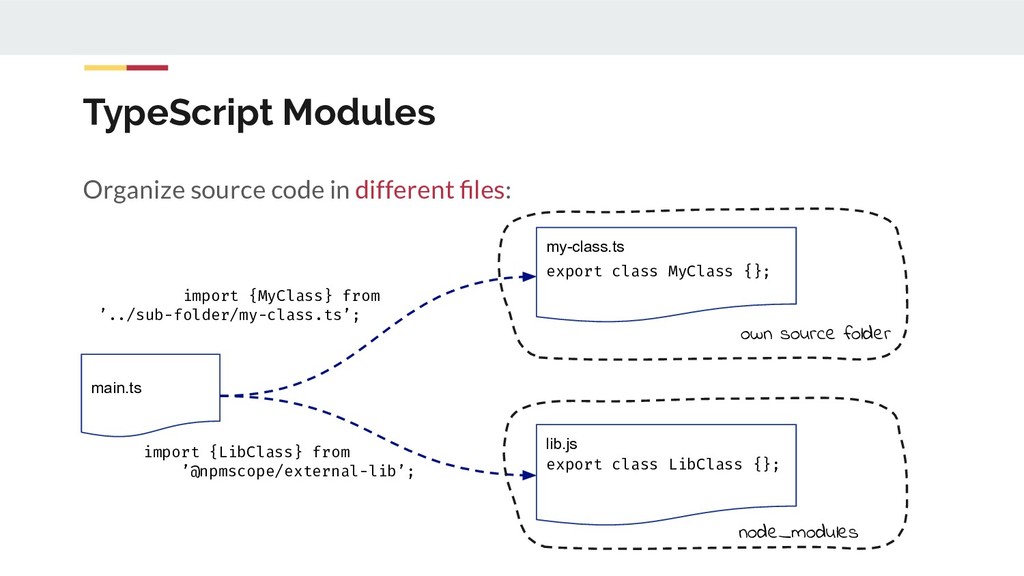
  37. TypeScript Modules main.ts Organize source code in different files: import

    {MyClass} from ’../sub-folder/my-class.ts’; import {LibClass} from ’@npmscope/external-lib’; my-class.ts export class MyClass {}; lib.js export class LibClass {}; own source folder node_modules
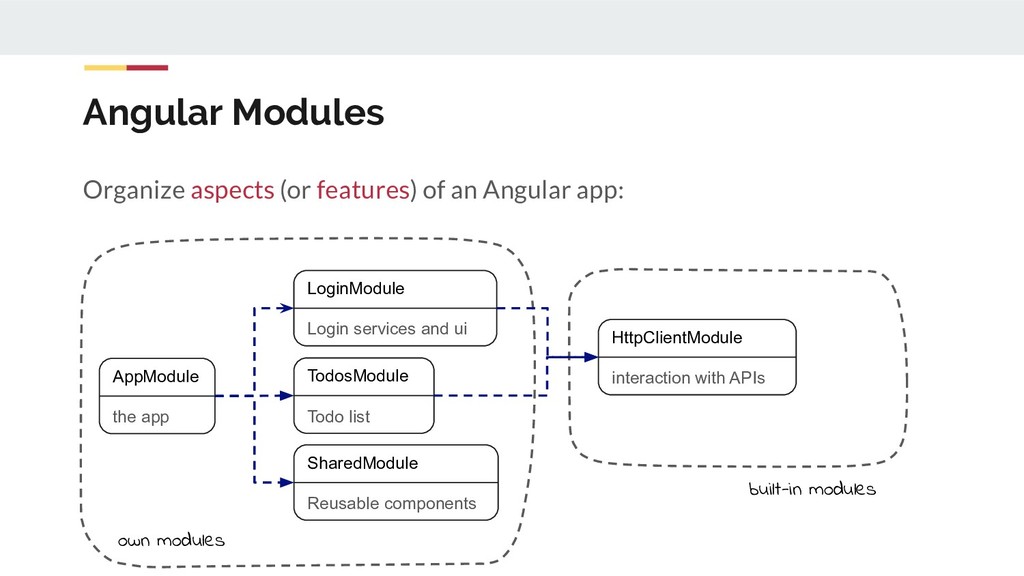
  38. Angular Modules Organize aspects (or features) of an Angular app:

    HttpClientModule interaction with APIs AppModule the app SharedModule Reusable components LoginModule Login services and ui TodosModule Todo list own modules built-in modules
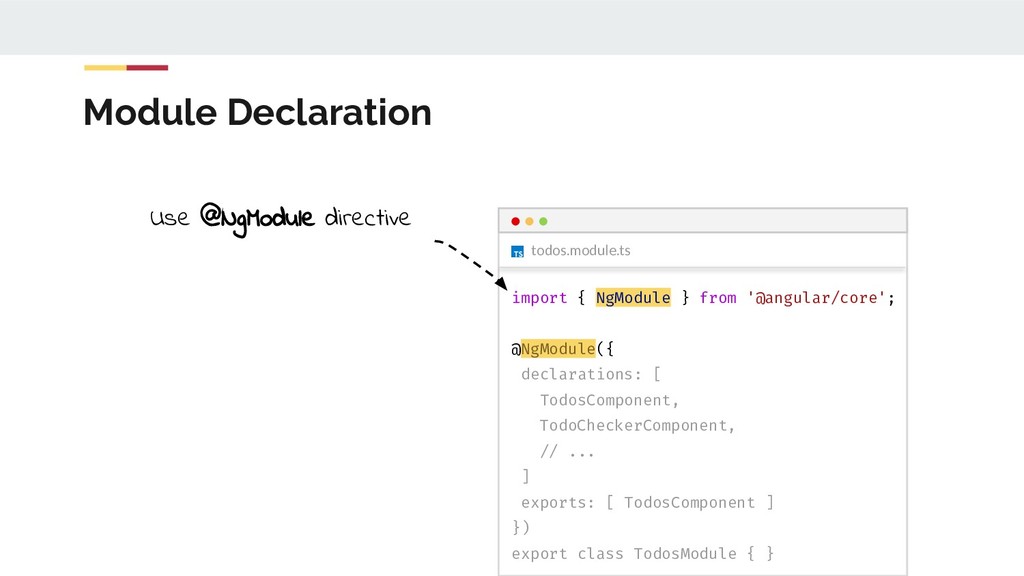
  39. todos.module.ts Module Declaration import { NgModule } from '@angular/core'; @NgModule({

    declarations: [ TodosComponent, TodoCheckerComponent, // ... ] exports: [ TodosComponent ] }) export class TodosModule { } Use @NgModule directive
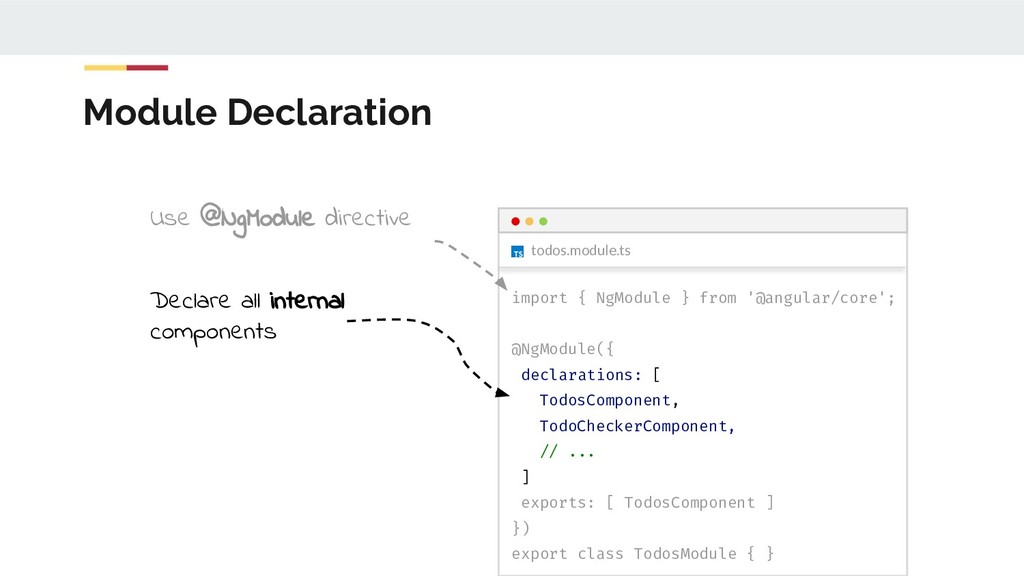
  40. todos.module.ts Module Declaration import { NgModule } from '@angular/core'; @NgModule({

    declarations: [ TodosComponent, TodoCheckerComponent, // ... ] exports: [ TodosComponent ] }) export class TodosModule { } Declare all internal components Use @NgModule directive
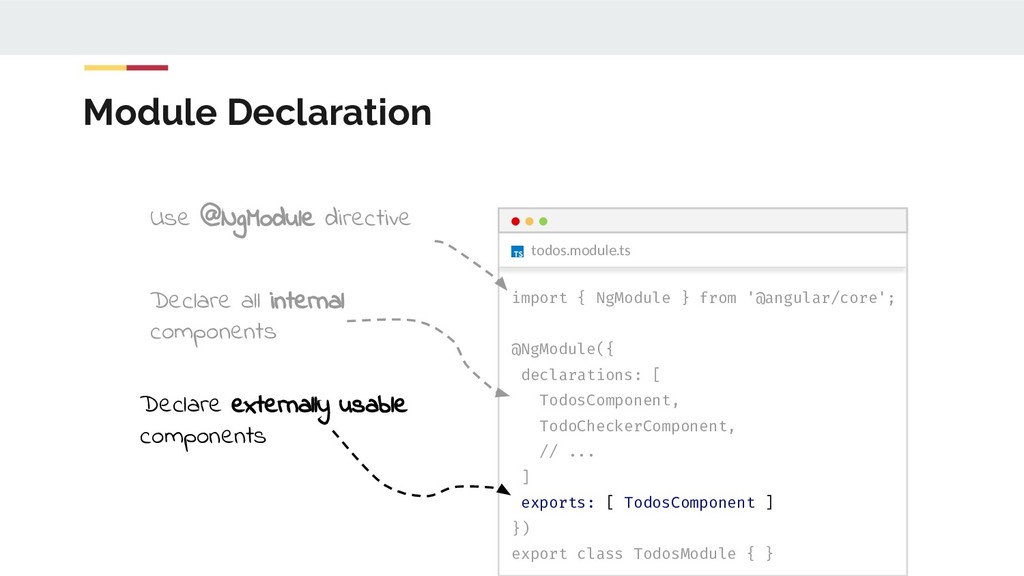
  41. Module Declaration Declare externally usable components Declare all internal components

    Use @NgModule directive todos.module.ts import { NgModule } from '@angular/core'; @NgModule({ declarations: [ TodosComponent, TodoCheckerComponent, // ... ] exports: [ TodosComponent ] }) export class TodosModule { }
  42. Module Declaration app.module.ts @NgModule({ declarations: [ // ... ] imports:

    [ TodosModule ] }) export class AppModule { } Import other modules to use exported components todos.module.ts import { NgModule } from '@angular/core'; @NgModule({ declarations: [ TodosComponent, TodoCheckerComponent, // ... ] exports: [ TodosComponent ] }) export class TodosModule { }
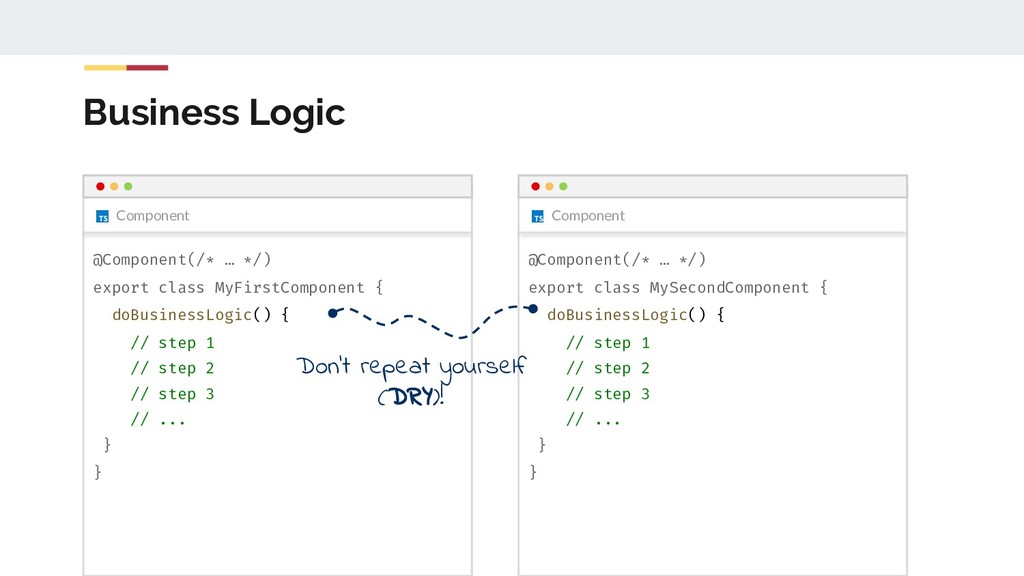
  43. Business Logic Component @Component(/* … */) export class MyFirstComponent {

    doBusinessLogic() { // step 1 // step 2 // step 3 // ... } } Component @Component(/* … */) export class MySecondComponent { doBusinessLogic() { // step 1 // step 2 // step 3 // ... } } Don’t repeat yourself (DRY)!
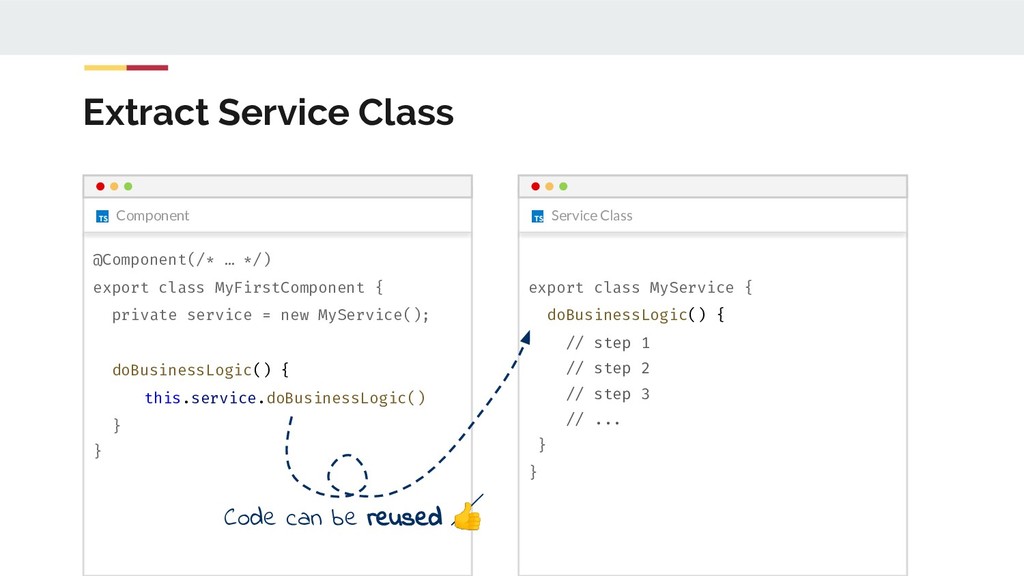
  44. Extract Service Class Component @Component(/* … */) export class MyFirstComponent

    { private service = new MyService(); doBusinessLogic() { this.service.doBusinessLogic() } } Service Class export class MyService { doBusinessLogic() { // step 1 // step 2 // step 3 // ... } } Code can be reused
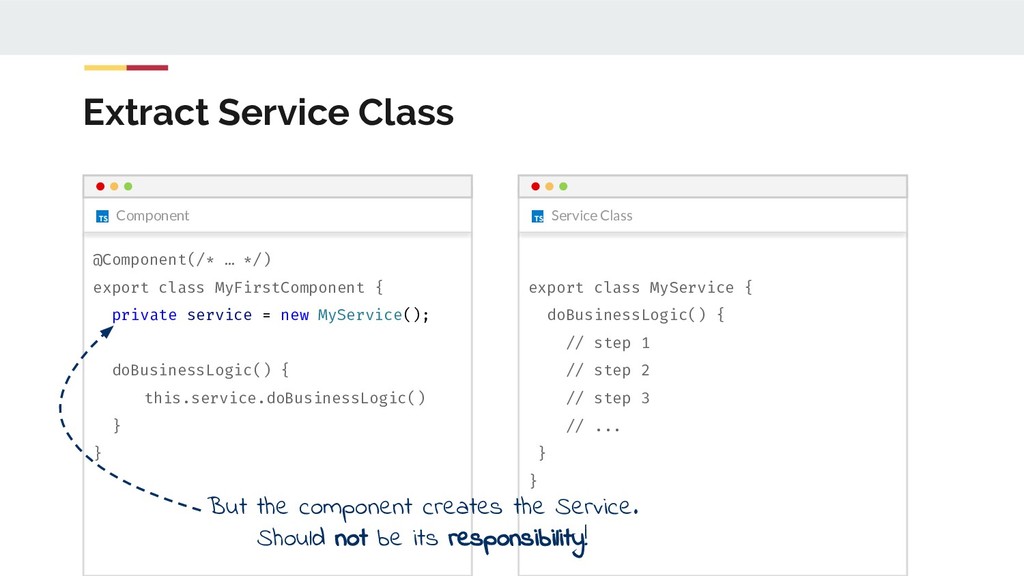
  45. Extract Service Class Component @Component(/* … */) export class MyFirstComponent

    { private service = new MyService(); doBusinessLogic() { this.service.doBusinessLogic() } } Service Class export class MyService { doBusinessLogic() { // step 1 // step 2 // step 3 // ... } } But the component creates the Service. Should not be its responsibility!
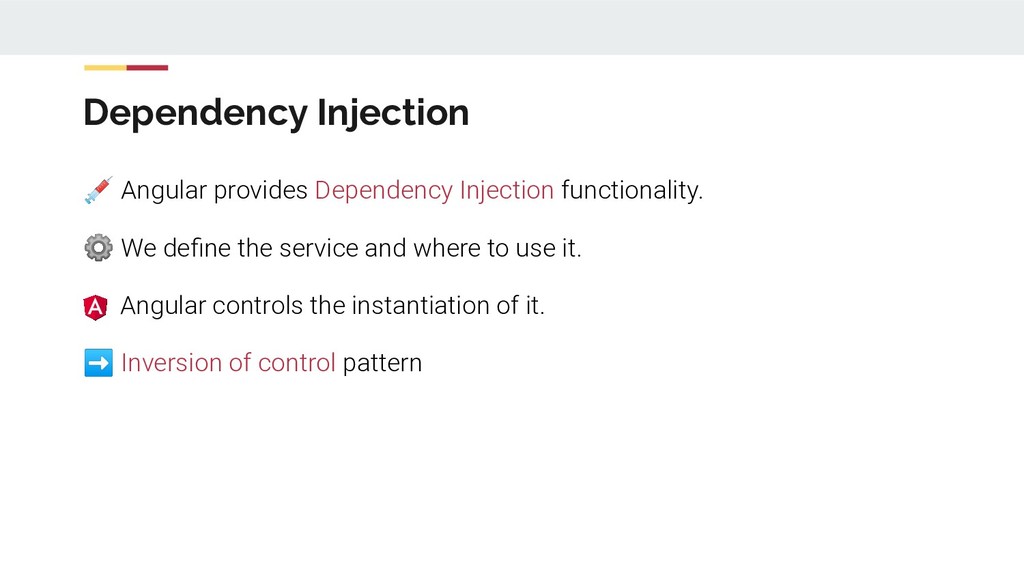
  46. Angular provides Dependency Injection functionality. ⚙ We define the service

    and where to use it. Angular controls the instantiation of it. ➡ Inversion of control pattern Dependency Injection
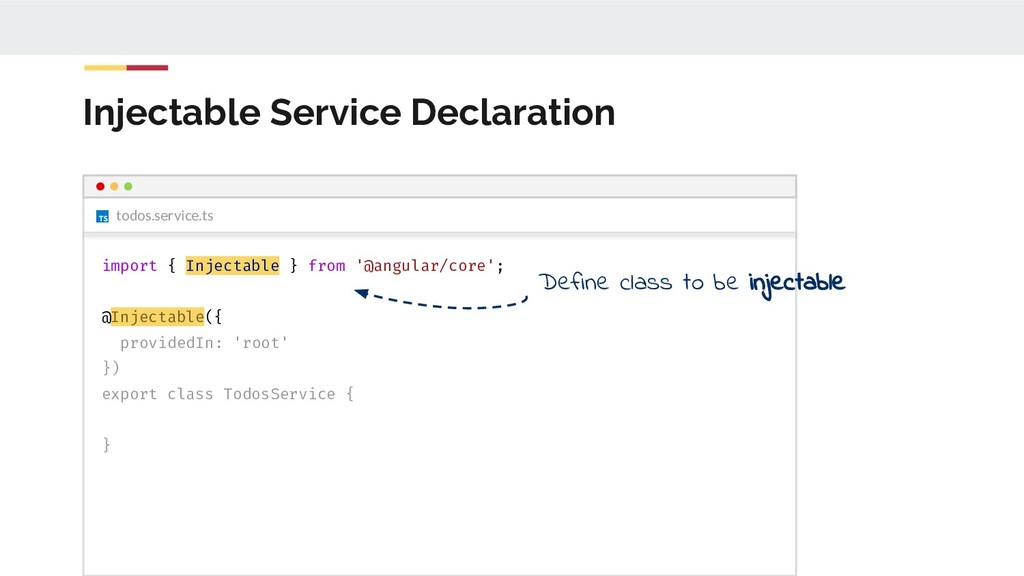
  47. todos.service.ts Injectable Service Declaration import { Injectable } from '@angular/core';

    @Injectable({ providedIn: 'root' }) export class TodosService { } Define class to be injectable
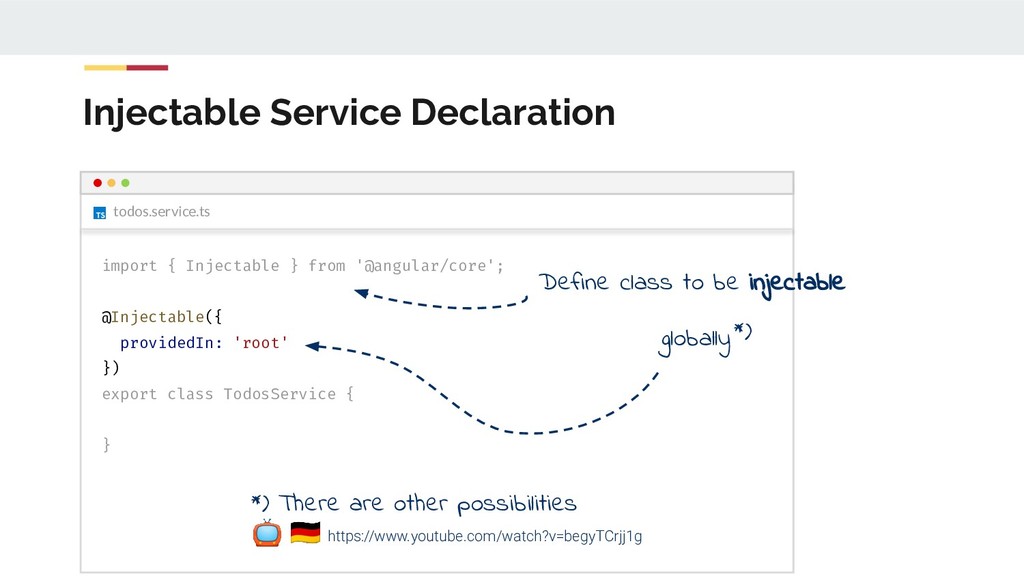
  48. todos.service.ts Injectable Service Declaration import { Injectable } from '@angular/core';

    @Injectable({ providedIn: 'root' }) export class TodosService { } Define class to be injectable globally*) *) There are other possibilities https://www.youtube.com/watch?v=begyTCrjj1g
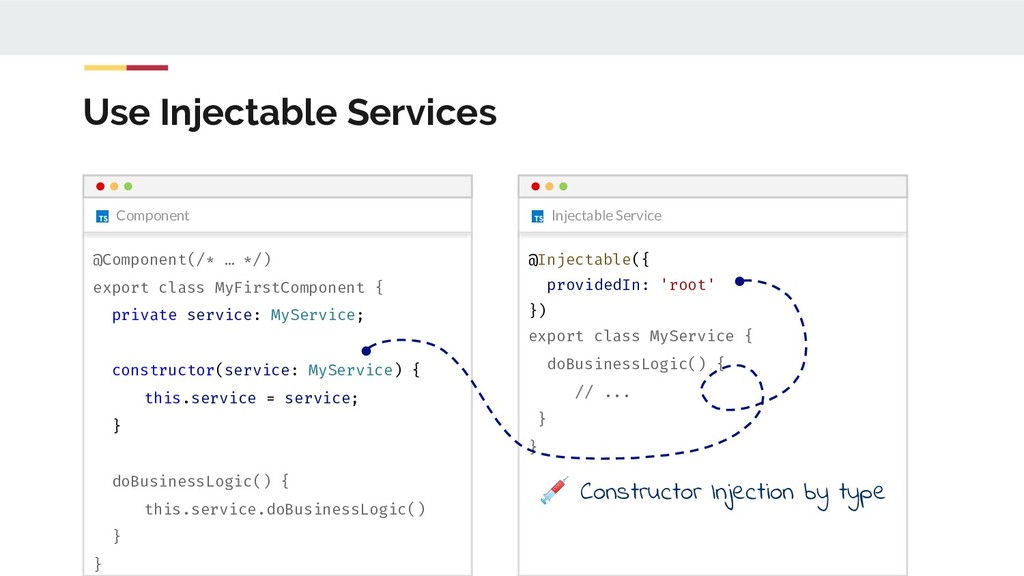
  49. Use Injectable Services Component @Component(/* … */) export class MyFirstComponent

    { private service: MyService; constructor(service: MyService) { this.service = service; } doBusinessLogic() { this.service.doBusinessLogic() } } Injectable Service @Injectable({ providedIn: 'root' }) export class MyService { doBusinessLogic() { // ... } } Constructor Injection by type
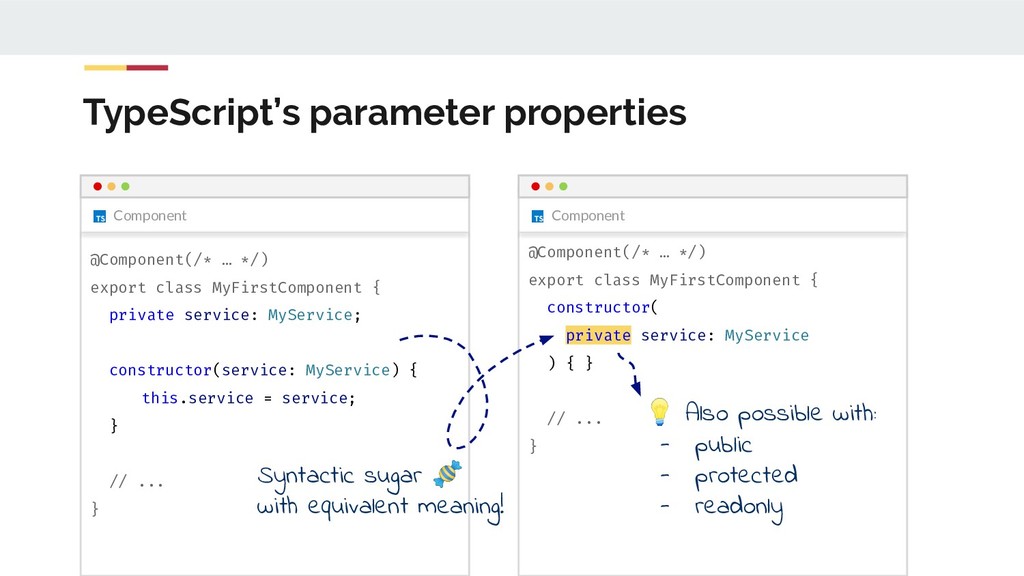
  50. TypeScript’s parameter properties Component @Component(/* … */) export class MyFirstComponent

    { private service: MyService; constructor(service: MyService) { this.service = service; } // ... } Component @Component(/* … */) export class MyFirstComponent { constructor( private service: MyService ) { } // ... } Syntactic sugar with equivalent meaning! Also possible with: - public - protected - readonly
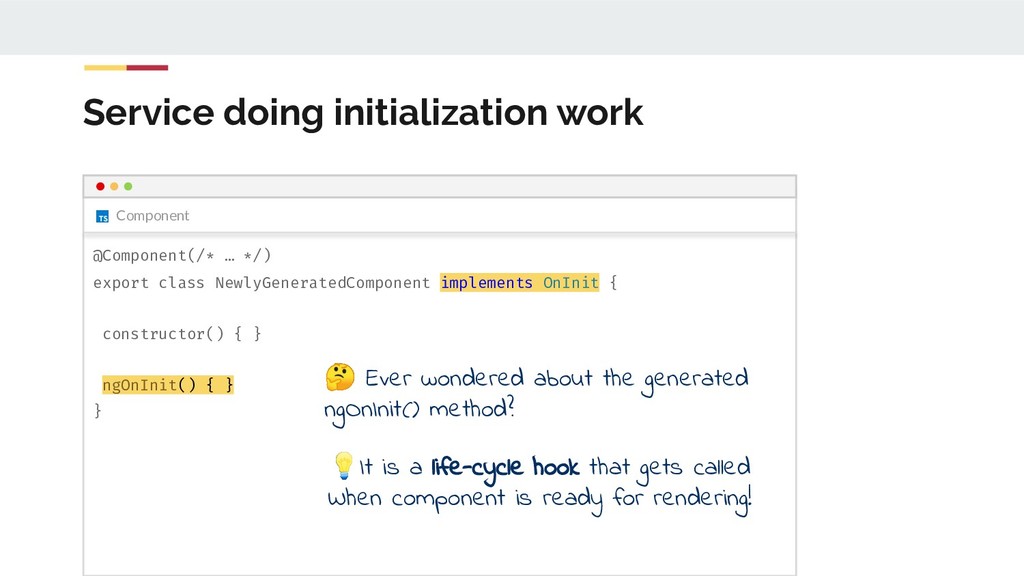
  51. Component Service doing initialization work @Component(/* … */) export class

    NewlyGeneratedComponent implements OnInit { constructor() { } ngOnInit() { } } Ever wondered about the generated ngOnInit() method? It is a life-cycle hook that gets called When component is ready for rendering!
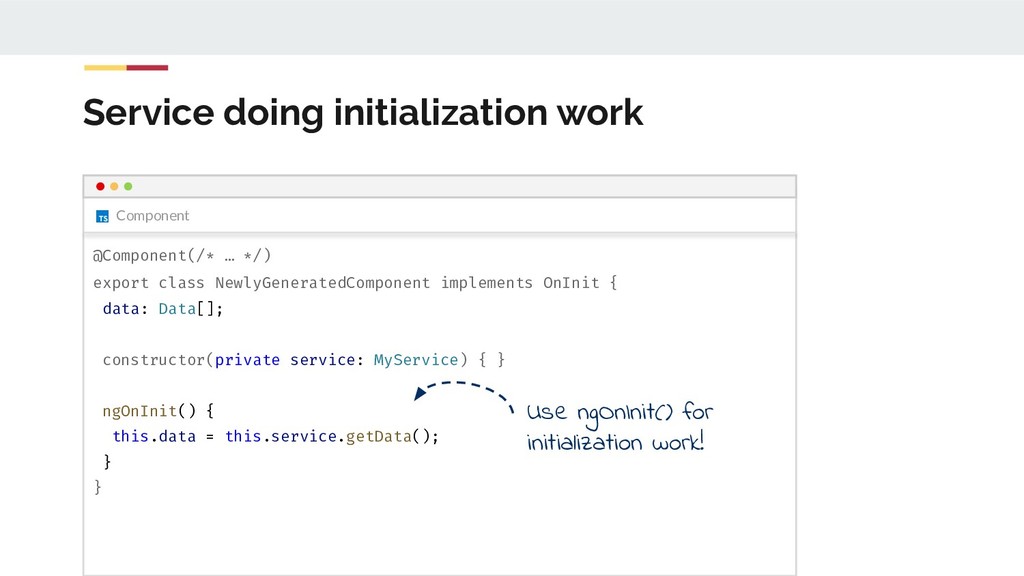
  52. Component Service doing initialization work @Component(/* … */) export class

    NewlyGeneratedComponent implements OnInit { data: Data[]; constructor(private service: MyService) { } ngOnInit() { this.data = this.service.getData(); } } Use ngOnInit() for initialization work!
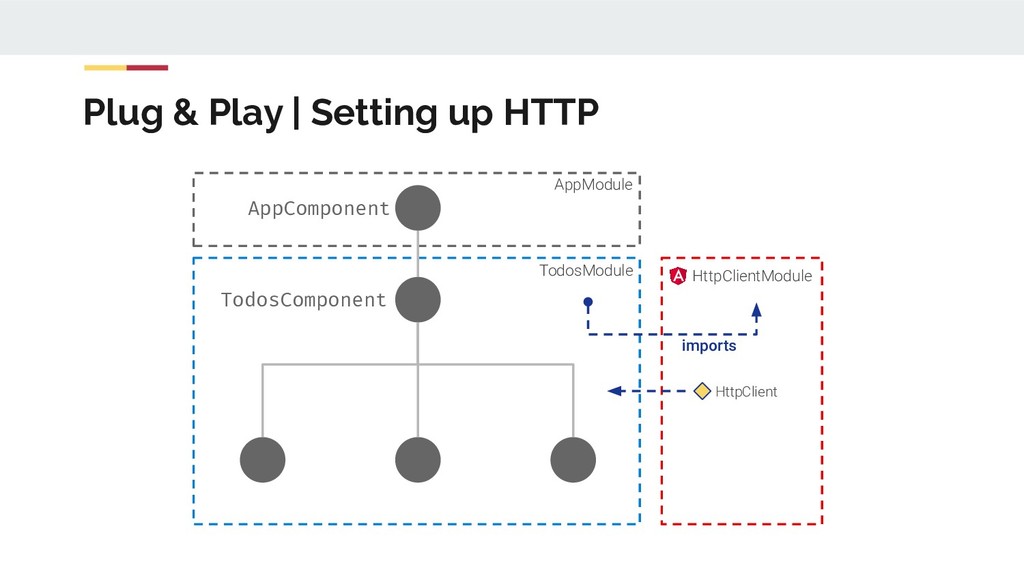
  53. Register of HttpClientModule import { HttpClientModule } from '@angular/common/http'; //

    ... @NgModule({ imports: [ CommonModule, HttpClientModule ], //... }) export class TodosModule {}
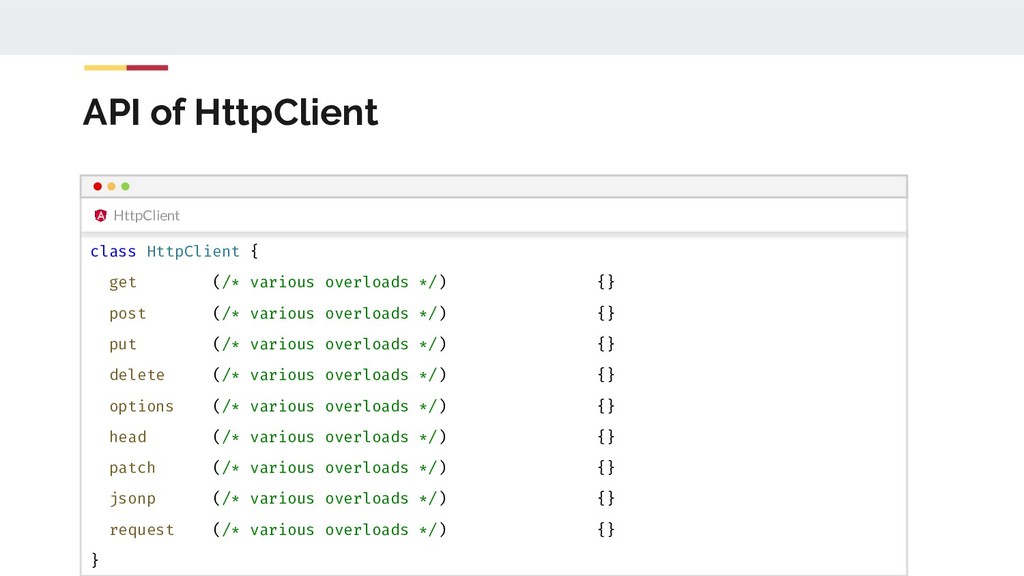
  54. HttpClient API of HttpClient class HttpClient { get (/* various

    overloads */) {} post (/* various overloads */) {} put (/* various overloads */) {} delete (/* various overloads */) {} options (/* various overloads */) {} head (/* various overloads */) {} patch (/* various overloads */) {} jsonp (/* various overloads */) {} request (/* various overloads */) {} }
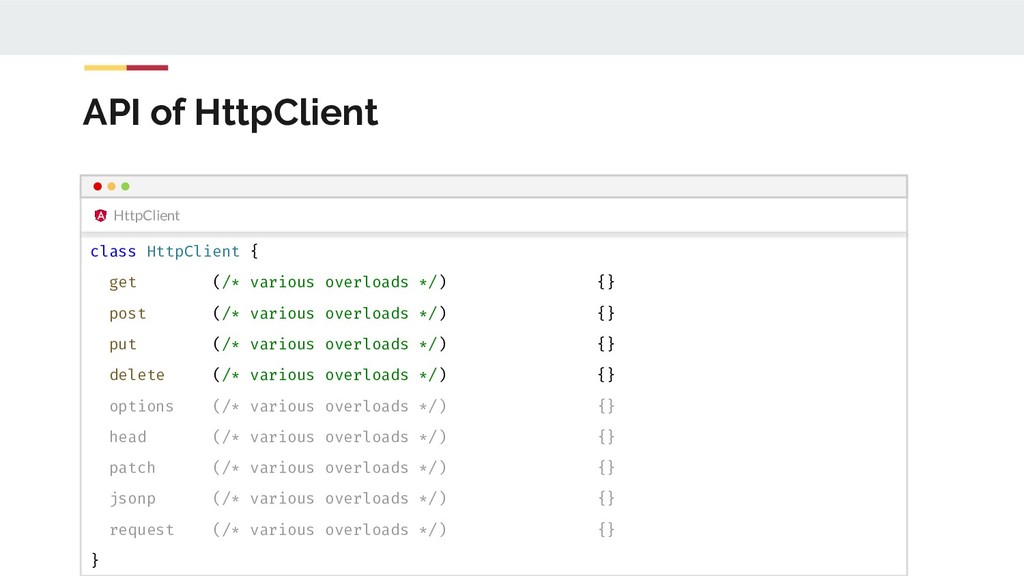
  55. HttpClient API of HttpClient class HttpClient { get (/* various

    overloads */) {} post (/* various overloads */) {} put (/* various overloads */) {} delete (/* various overloads */) {} options (/* various overloads */) {} head (/* various overloads */) {} patch (/* various overloads */) {} jsonp (/* various overloads */) {} request (/* various overloads */) {} }
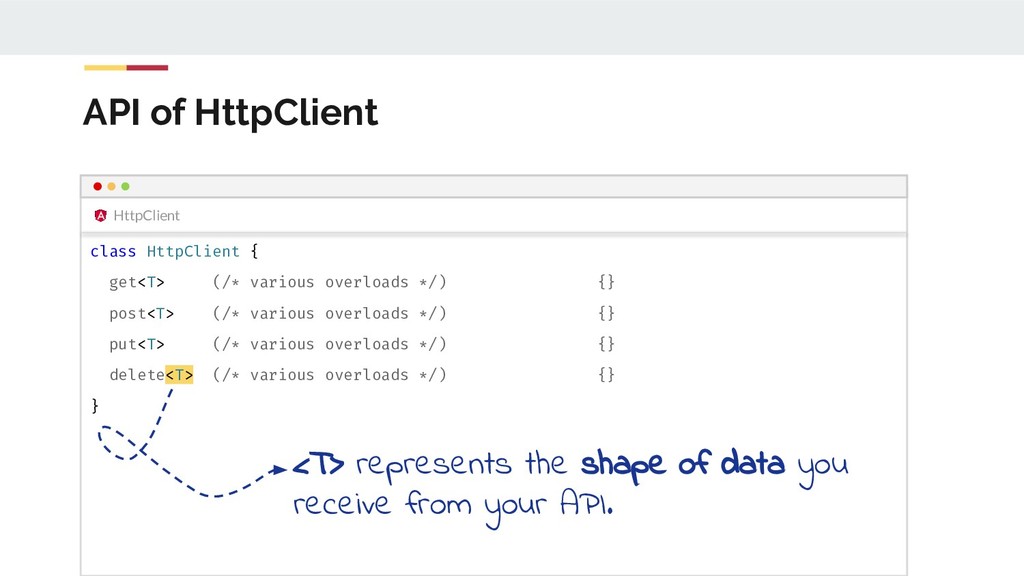
  56. HttpClient API of HttpClient class HttpClient { get<T> (/* various

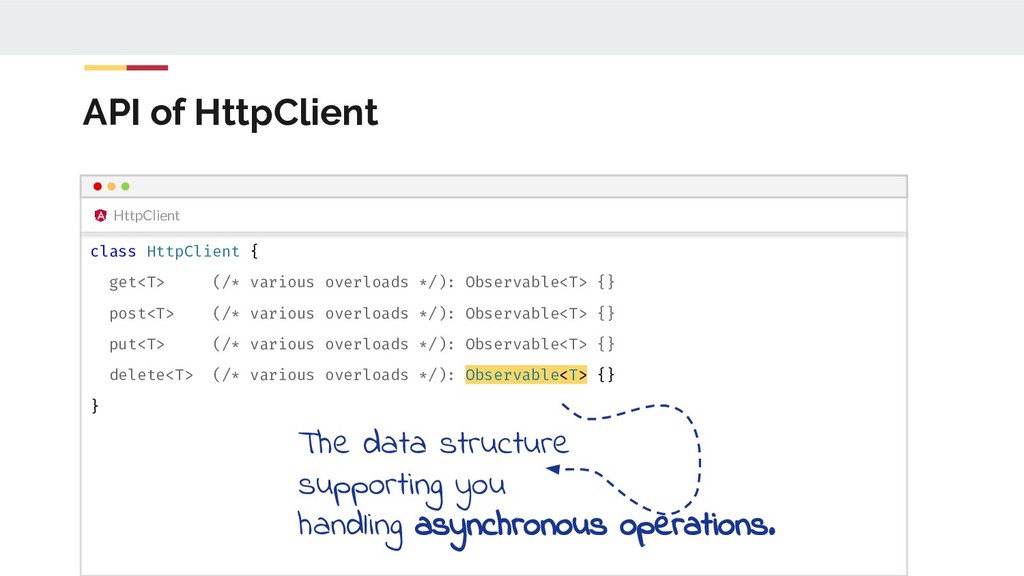
    overloads */) {} post<T> (/* various overloads */) {} put<T> (/* various overloads */) {} delete<T> (/* various overloads */) {} } <T> represents the shape of data you receive from your API.
  57. HttpClient API of HttpClient class HttpClient { get<T> (/* various

    overloads */): Observable<T> {} post<T> (/* various overloads */): Observable<T> {} put<T> (/* various overloads */): Observable<T> {} delete<T> (/* various overloads */): Observable<T> {} } The data structure supporting you handling asynchronous operations.
  58. Http GET API Demonstration httpClient.get<SomeData>('api.com/data') .subscribe(data => /* do something

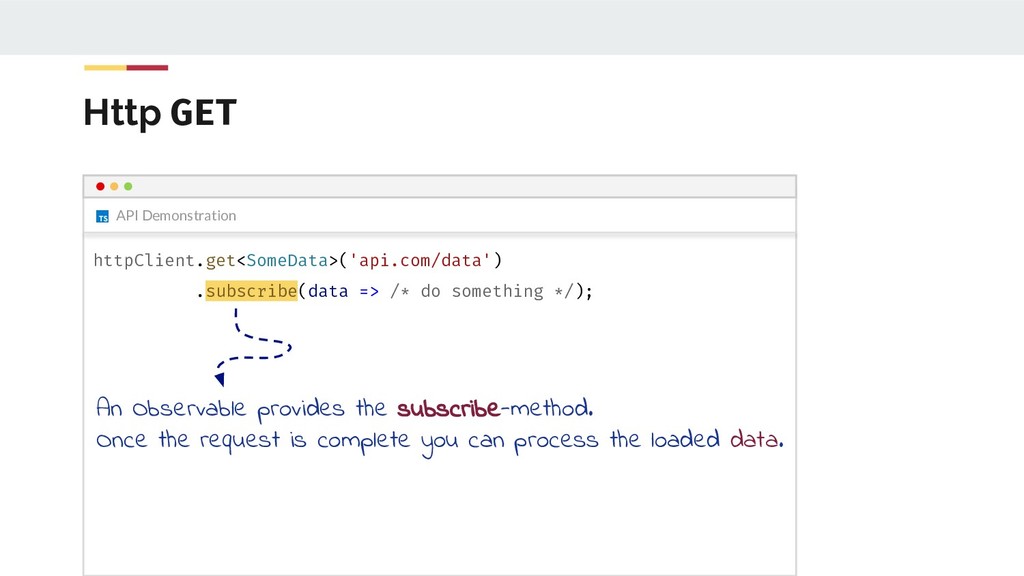
    */); An Observable provides the subscribe-method. Once the request is complete you can process the loaded data.
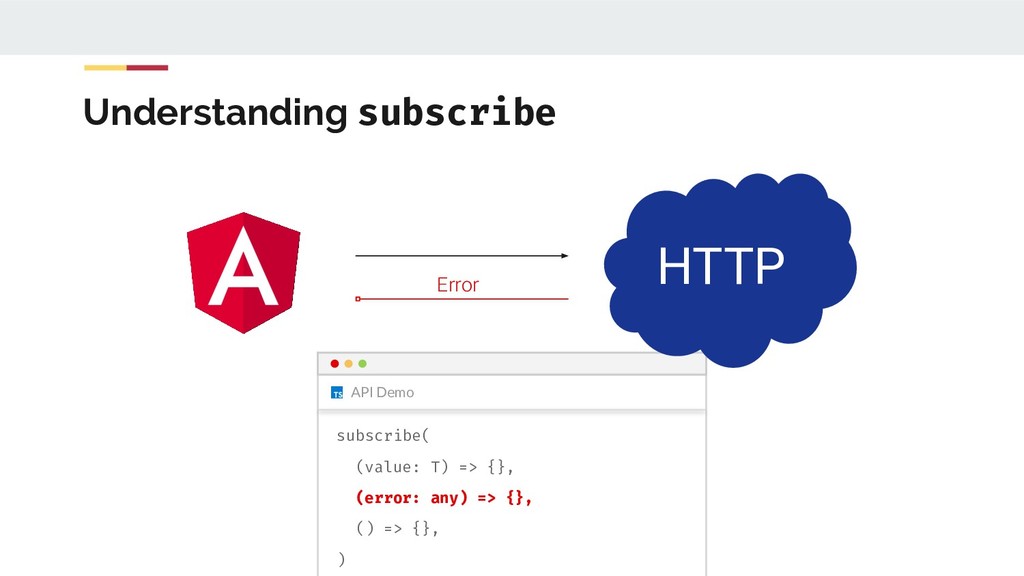
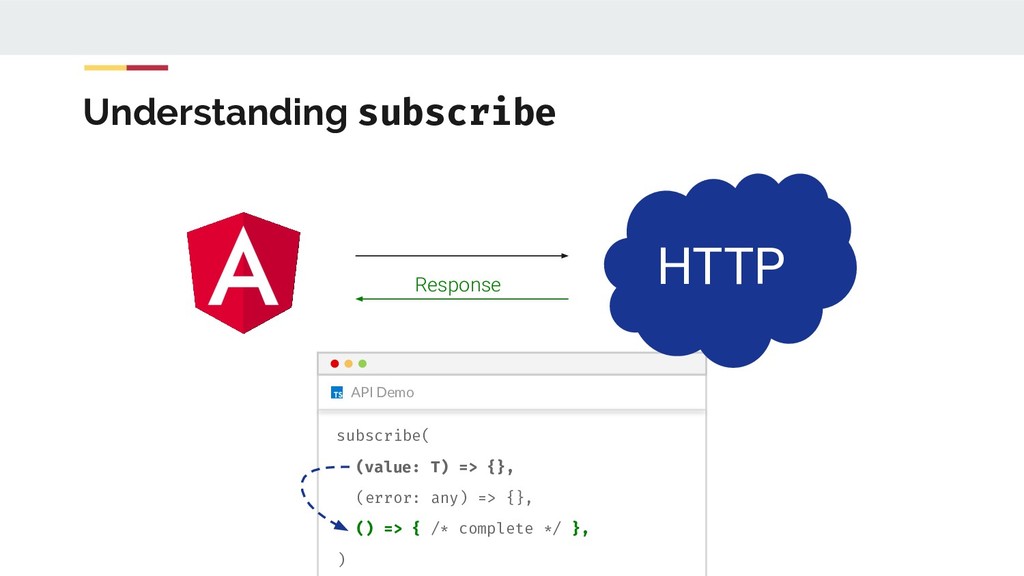
  59. Observable The callbacks of subscribe class Observable<T> { subscribe( (value:

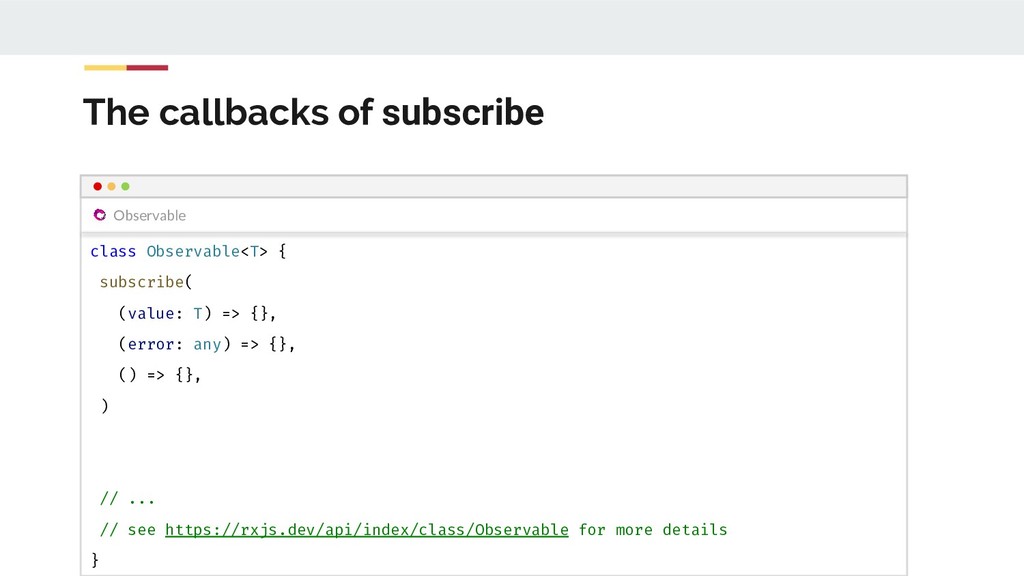
    T) => {}, (error: any) => {}, () => {}, ) // ... // see https://rxjs.dev/api/index/class/Observable for more details }
  60. API Demo Understanding subscribe HTTP Response subscribe( (value: T) =>

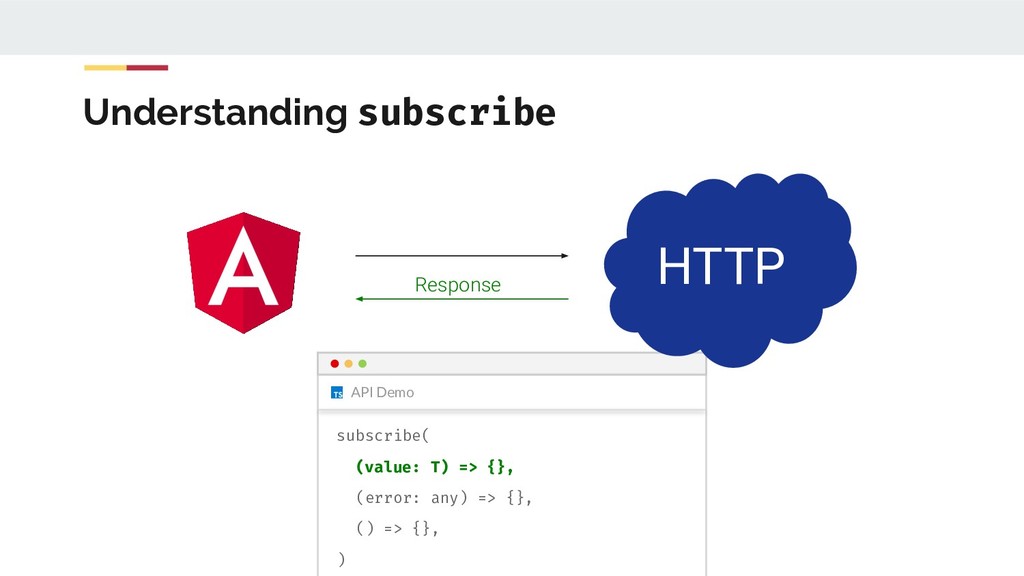
    {}, (error: any) => {}, () => { /* complete */ }, )
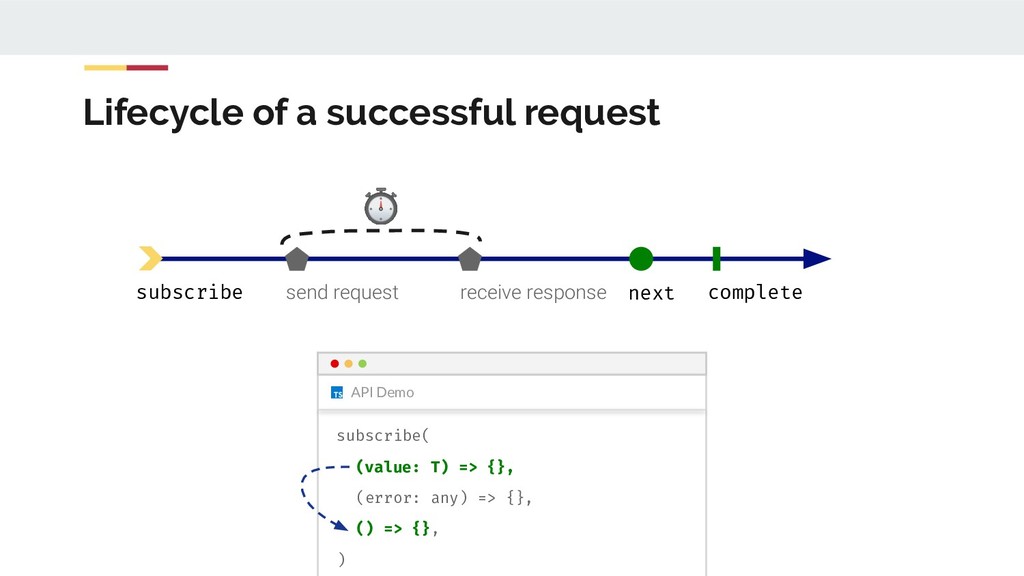
  61. API Demo Lifecycle of a successful request subscribe send request

    receive response ⏱ next complete subscribe( (value: T) => {}, (error: any) => {}, () => {}, )
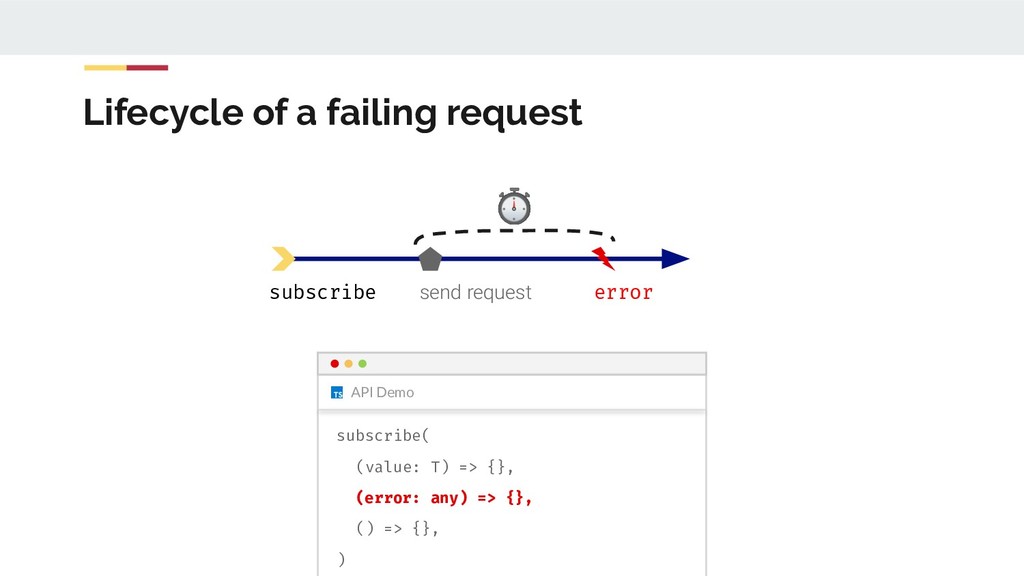
  62. API Demo Lifecycle of a failing request subscribe send request

    error ⏱ subscribe( (value: T) => {}, (error: any) => {}, () => {}, )
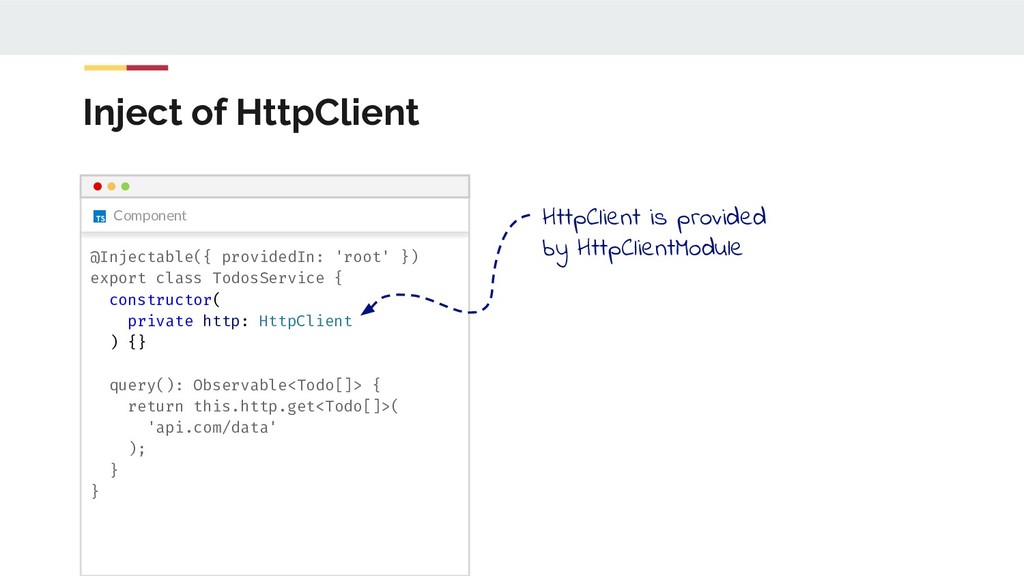
  63. Component Inject of HttpClient @Injectable({ providedIn: 'root' }) export class

    TodosService { constructor( private http: HttpClient ) {} query(): Observable<Todo[]> { return this.http.get<Todo[]>( 'api.com/data' ); } } HttpClient is provided by HttpClientModule
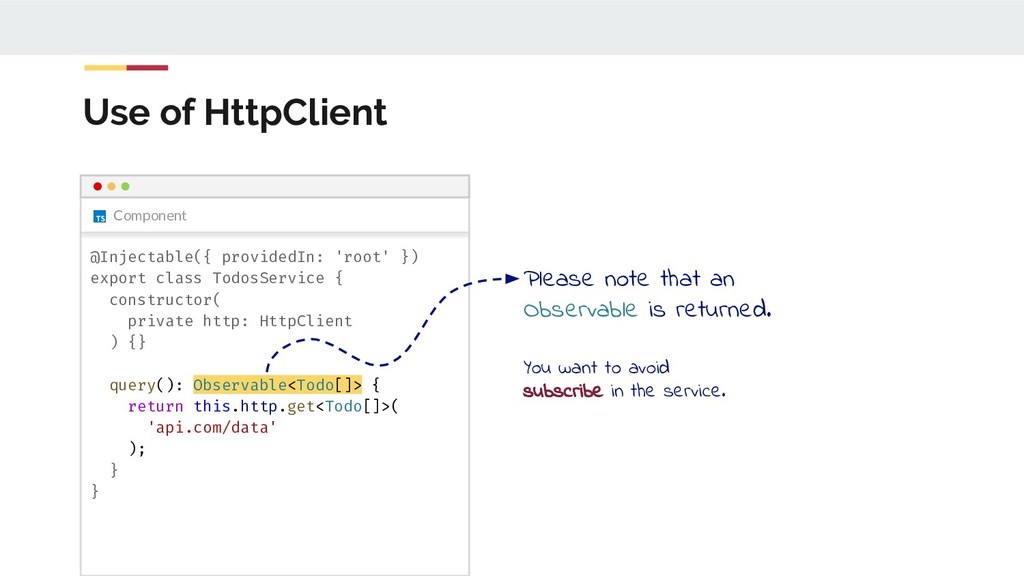
  64. Component Use of HttpClient @Injectable({ providedIn: 'root' }) export class

    TodosService { constructor( private http: HttpClient ) {} query(): Observable<Todo[]> { return this.http.get<Todo[]>( 'api.com/data' ); } } Please note that an Observable is returned. You want to avoid subscribe in the service.
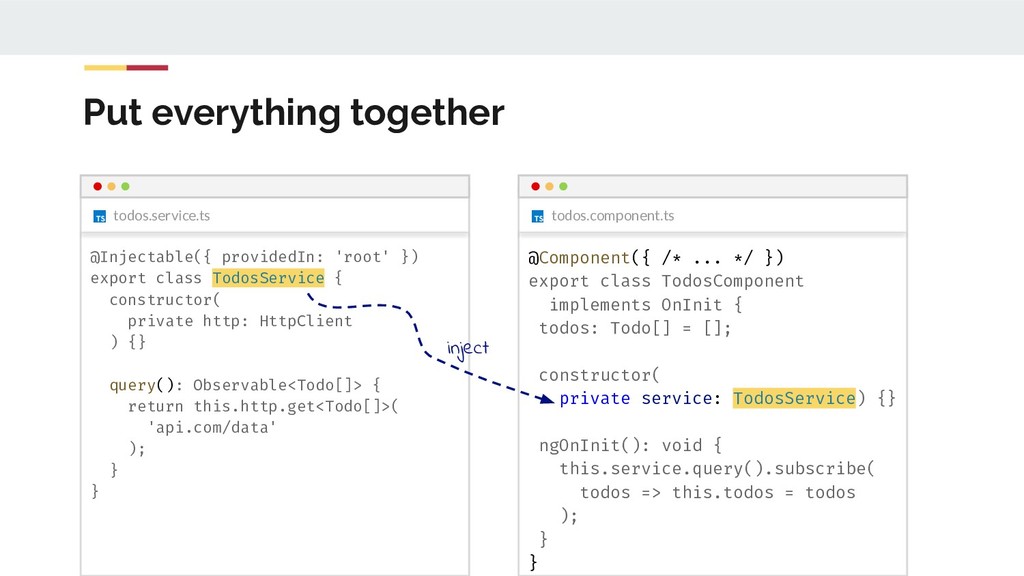
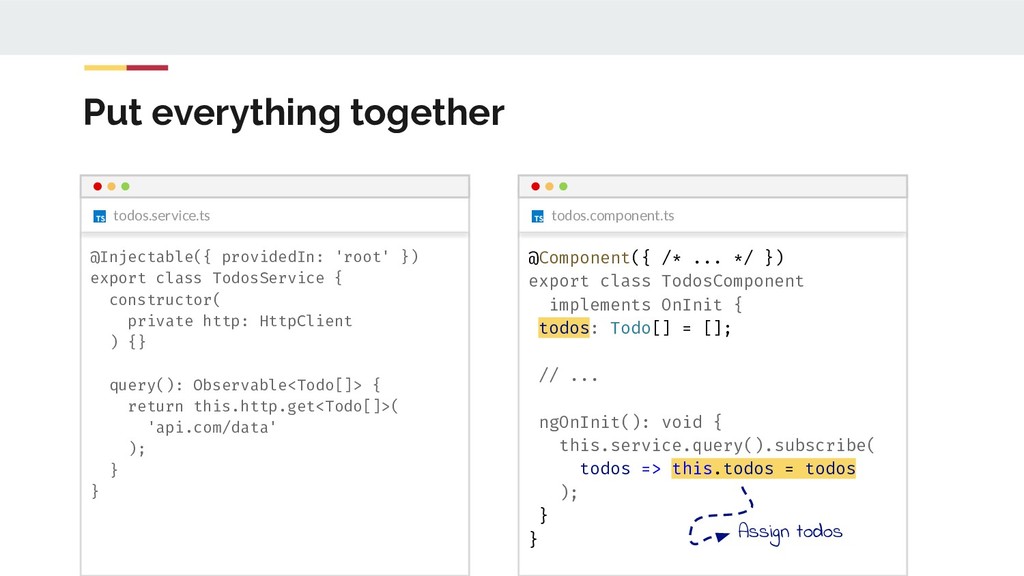
  65. todos.service.ts todos.component.ts Put everything together @Injectable({ providedIn: 'root' }) export

    class TodosService { constructor( private http: HttpClient ) {} query(): Observable<Todo[]> { return this.http.get<Todo[]>( 'api.com/data' ); } } @Component({ /* ... */ }) export class TodosComponent implements OnInit { todos: Todo[] = []; constructor( private service: TodosService) {} ngOnInit(): void { this.service.query().subscribe( todos => this.todos = todos ); } } inject
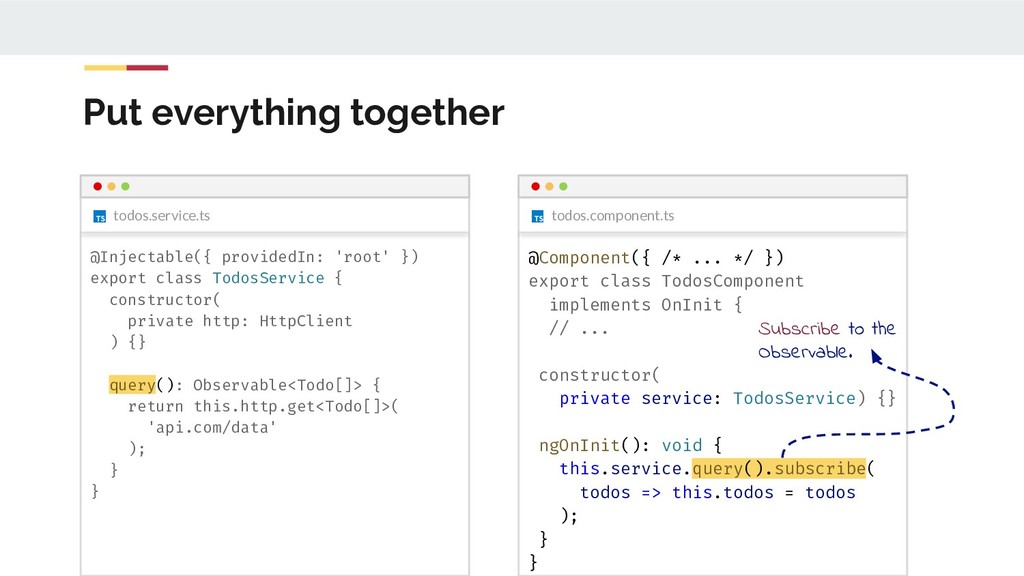
  66. todos.service.ts todos.component.ts Put everything together @Injectable({ providedIn: 'root' }) export

    class TodosService { constructor( private http: HttpClient ) {} query(): Observable<Todo[]> { return this.http.get<Todo[]>( 'api.com/data' ); } } @Component({ /* ... */ }) export class TodosComponent implements OnInit { // ... constructor( private service: TodosService) {} ngOnInit(): void { this.service.query().subscribe( todos => this.todos = todos ); } } Subscribe to the Observable.
  67. todos.service.ts todos.component.ts Put everything together @Injectable({ providedIn: 'root' }) export

    class TodosService { constructor( private http: HttpClient ) {} query(): Observable<Todo[]> { return this.http.get<Todo[]>( 'api.com/data' ); } } @Component({ /* ... */ }) export class TodosComponent implements OnInit { todos: Todo[] = []; // ... ngOnInit(): void { this.service.query().subscribe( todos => this.todos = todos ); } } Assign todos
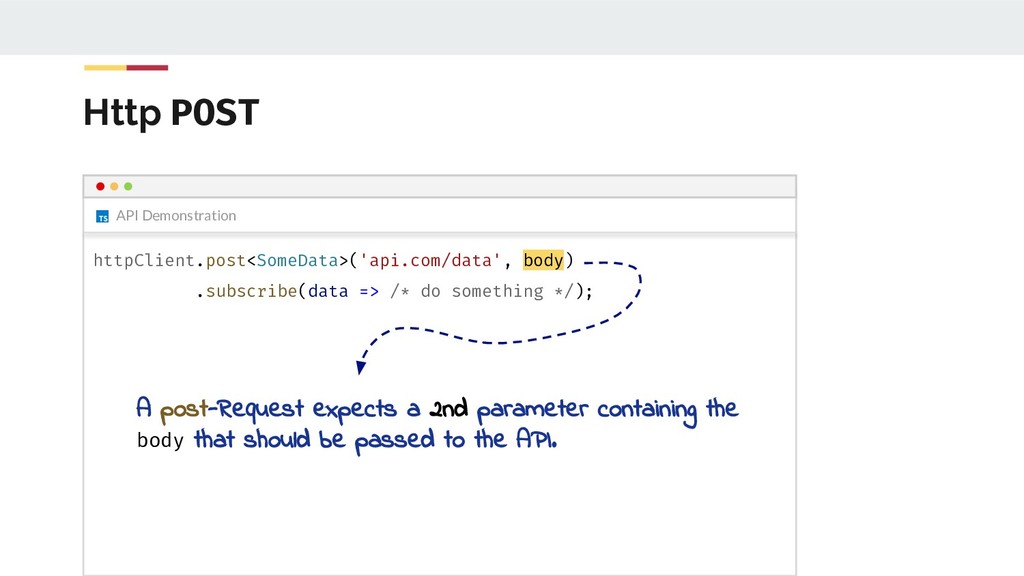
  68. Http POST API Demonstration httpClient.post<SomeData>('api.com/data', body) .subscribe(data => /* do

    something */); A post-Request expects a 2nd parameter containing the body that should be passed to the API.
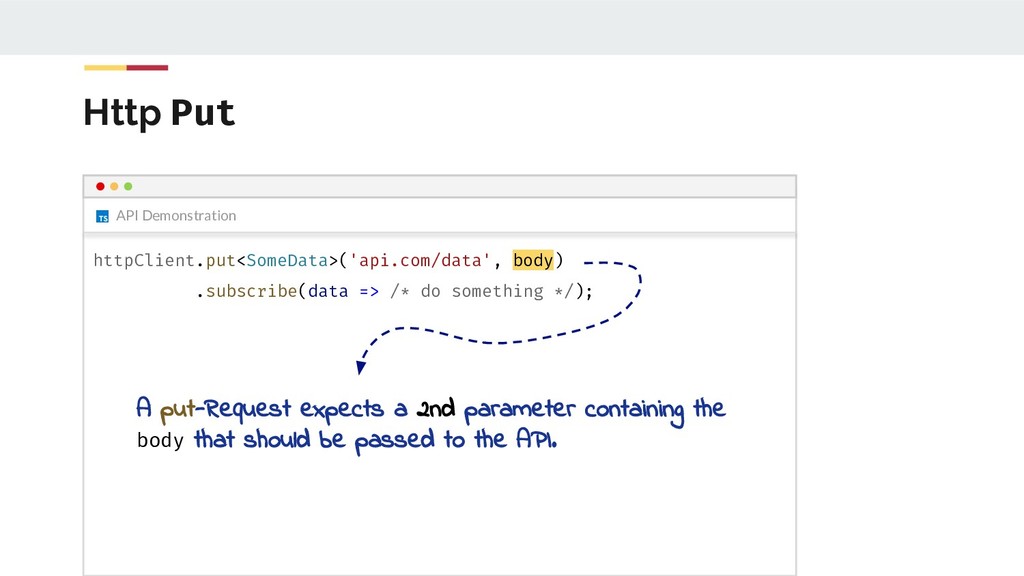
  69. Http Put API Demonstration httpClient.put<SomeData>('api.com/data', body) .subscribe(data => /* do

    something */); A put-Request expects a 2nd parameter containing the body that should be passed to the API.
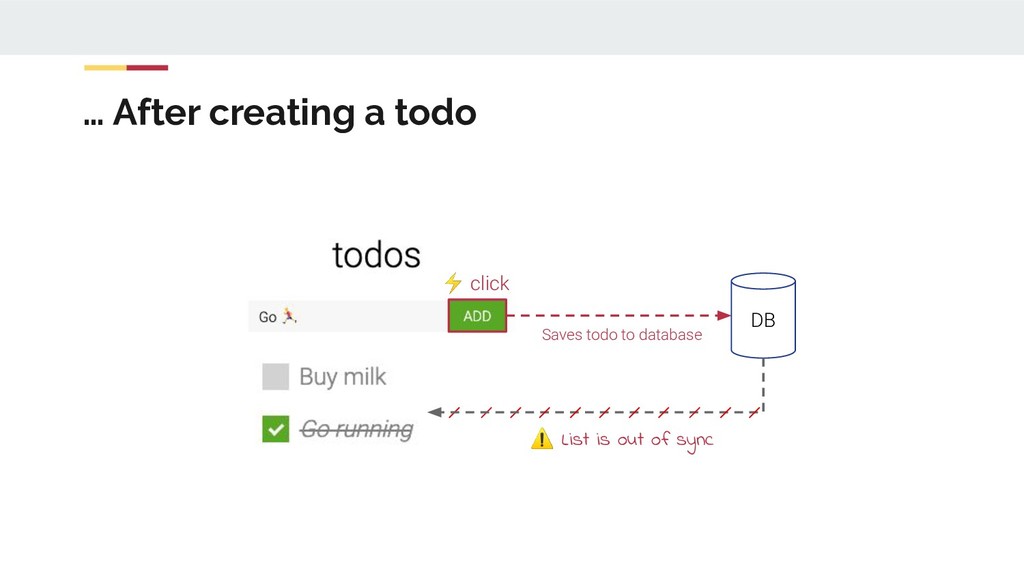
  70. … After creating a todo ⚡ click DB Saves todo

    to database ⚠ List is out of sync
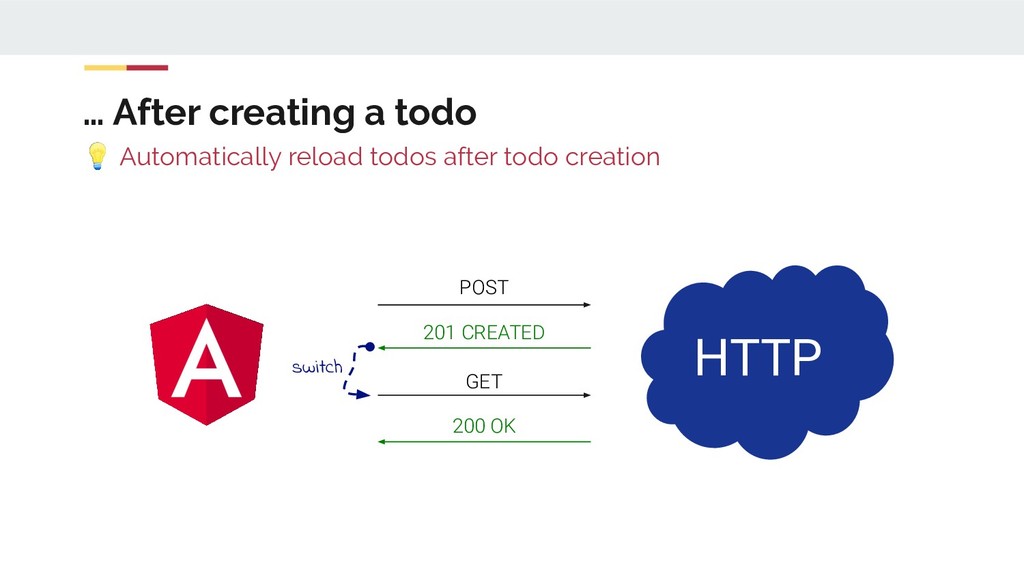
  71. … After creating a todo Automatically reload todos after todo

    creation HTTP 201 CREATED POST GET 200 OK switch
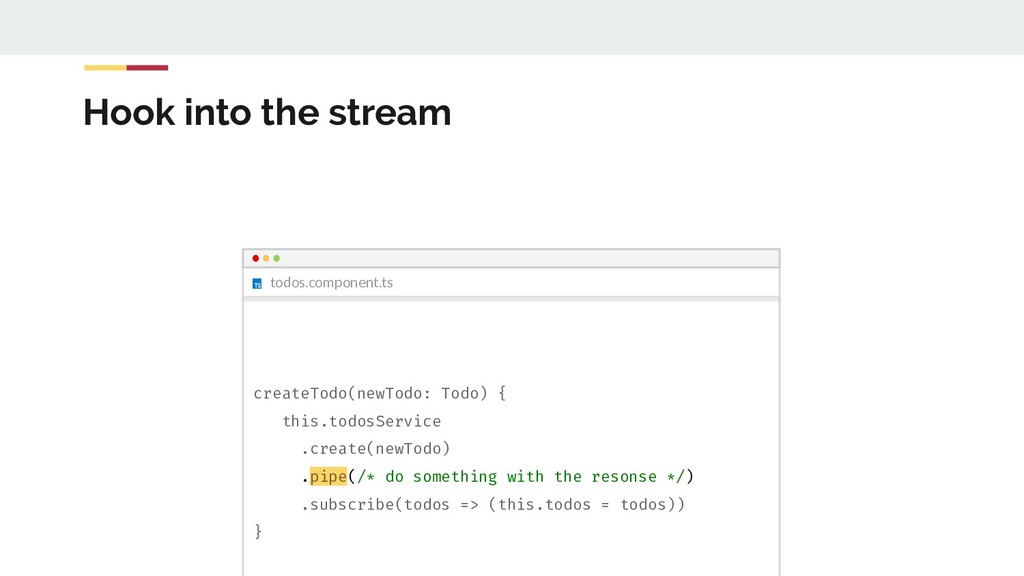
  72. todos.component.ts Hook into the stream createTodo(newTodo: Todo) { this.todosService .create(newTodo)

    .pipe(/* do something with the resonse */) .subscribe(todos => (this.todos = todos)) }
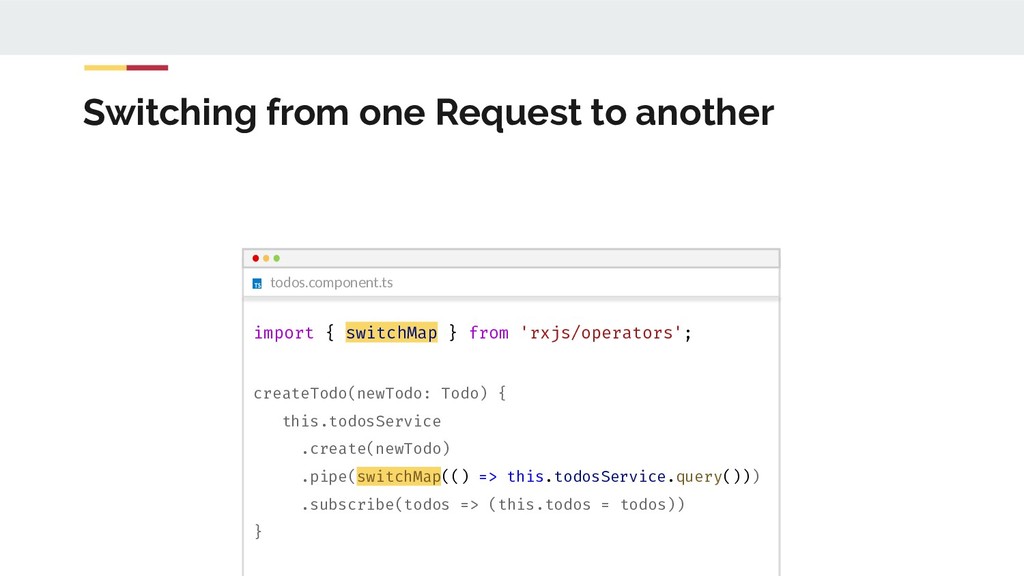
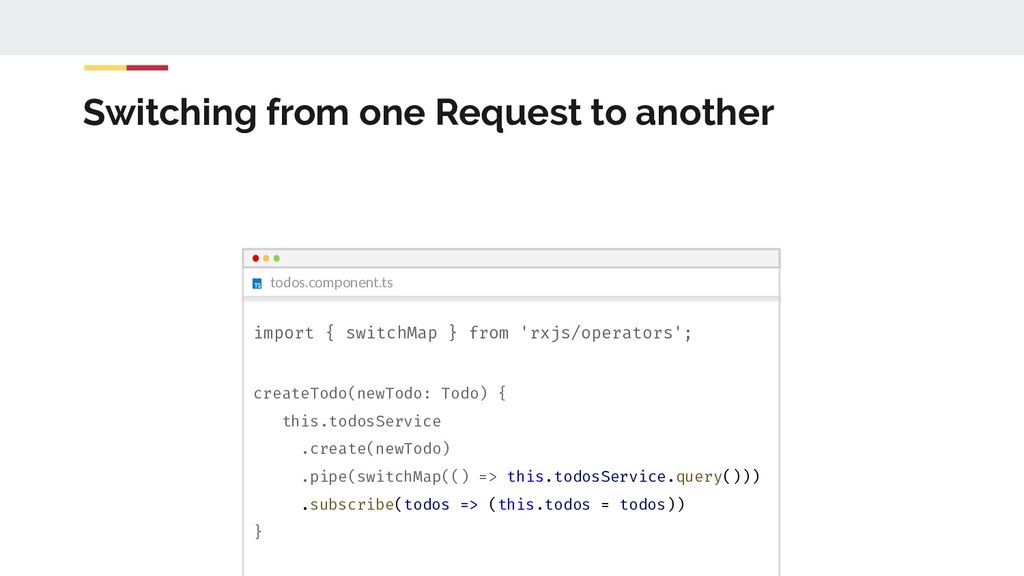
  73. todos.component.ts Switching from one Request to another import { switchMap

    } from 'rxjs/operators'; createTodo(newTodo: Todo) { this.todosService .create(newTodo) .pipe(switchMap(() => this.todosService.query())) .subscribe(todos => (this.todos = todos)) }
  74. todos.component.ts Switching from one Request to another import { switchMap

    } from 'rxjs/operators'; createTodo(newTodo: Todo) { this.todosService .create(newTodo) .pipe(switchMap(() => this.todosService.query())) .subscribe(todos => (this.todos = todos)) }
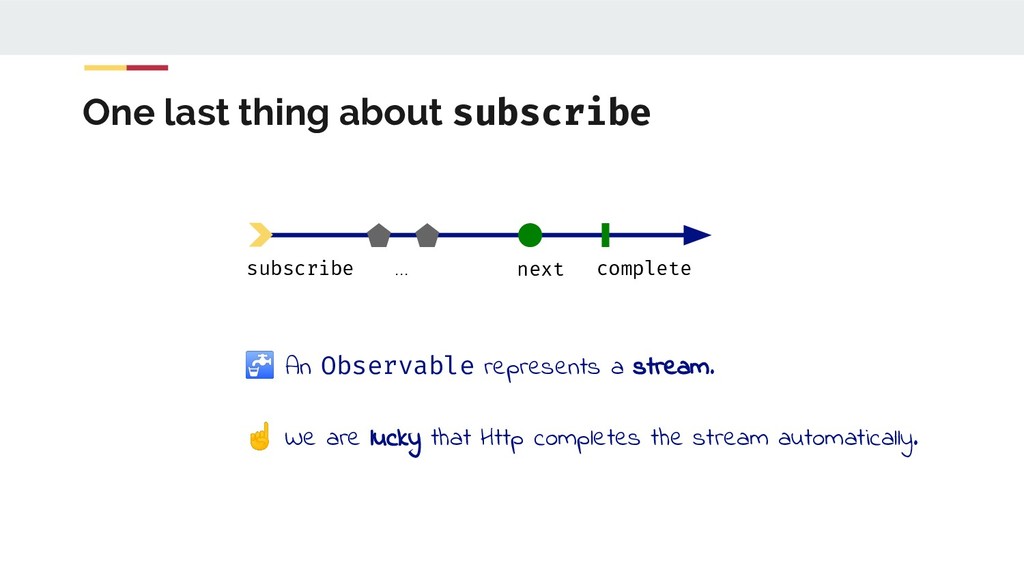
  75. One last thing about subscribe subscribe next complete ... An

    Observable represents a stream. ☝ We are lucky that Http completes the stream automatically.
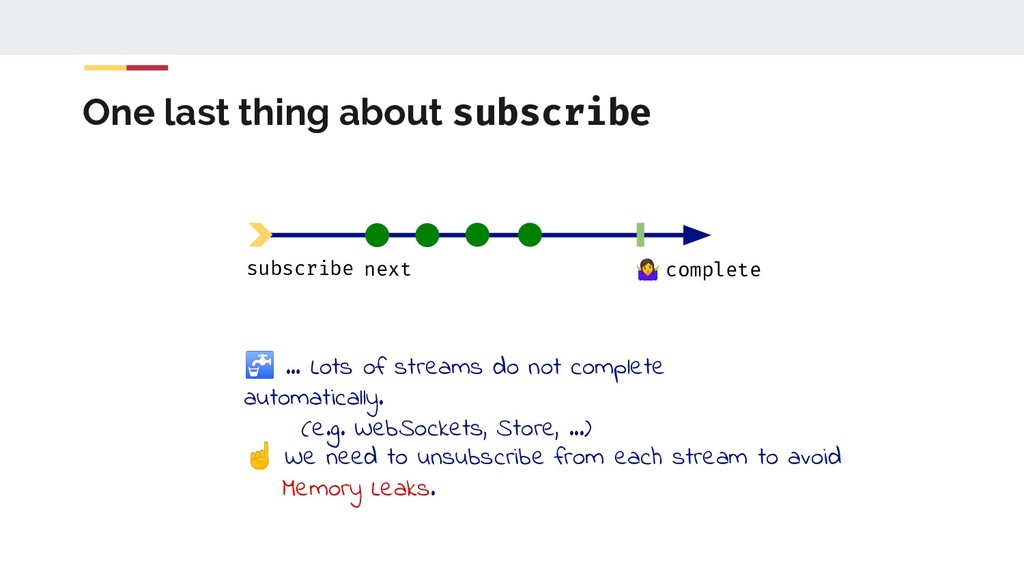
  76. One last thing about subscribe … Lots of streams do

    not complete automatically. (e.g. WebSockets, Store, ...) ☝ We need to unsubscribe from each stream to avoid Memory Leaks. subscribe complete next
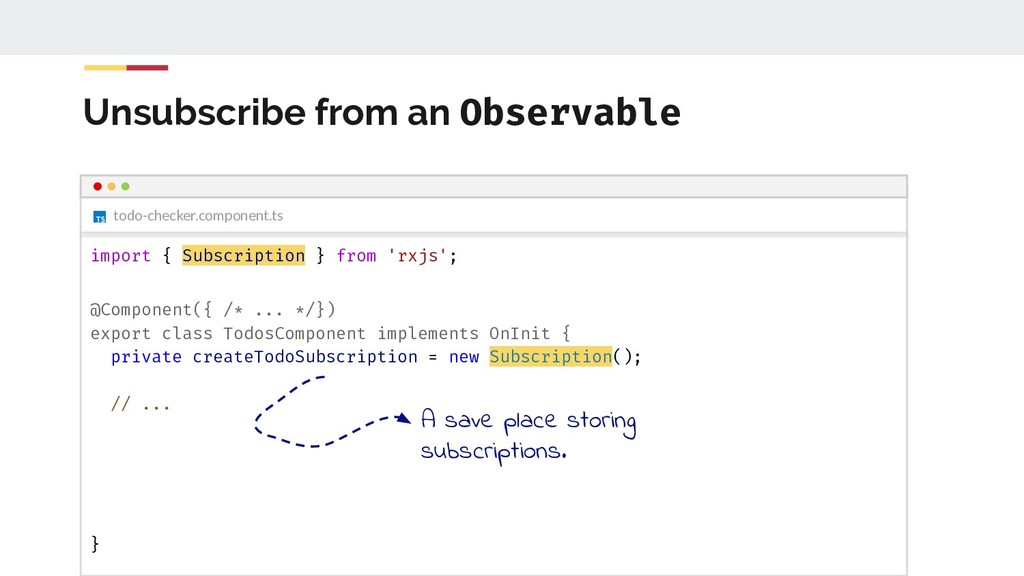
  77. Unsubscribe from an Observable todo-checker.component.ts import { Subscription } from

    'rxjs'; @Component({ /* ... */}) export class TodosComponent implements OnInit { private createTodoSubscription = new Subscription(); // ... } A save place storing subscriptions.
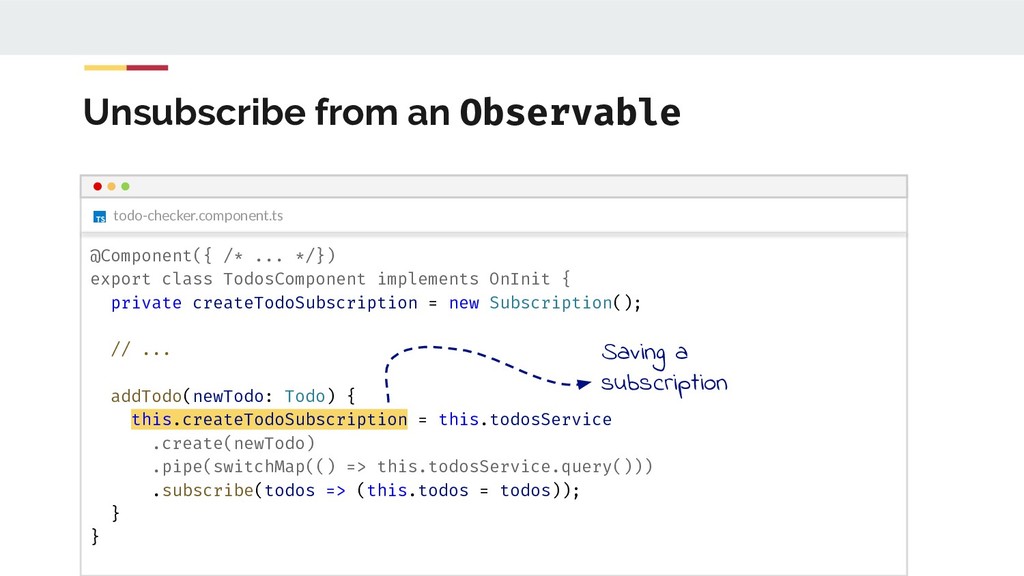
  78. Unsubscribe from an Observable todo-checker.component.ts @Component({ /* ... */}) export

    class TodosComponent implements OnInit { private createTodoSubscription = new Subscription(); // ... addTodo(newTodo: Todo) { this.createTodoSubscription = this.todosService .create(newTodo) .pipe(switchMap(() => this.todosService.query())) .subscribe(todos => (this.todos = todos)); } } Saving a subscription
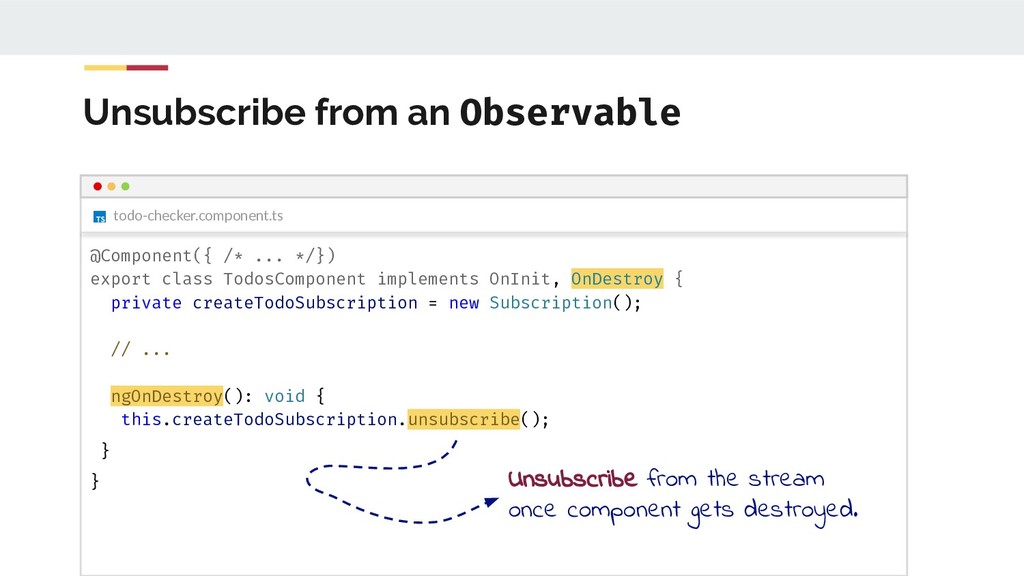
  79. Unsubscribe from an Observable todo-checker.component.ts @Component({ /* ... */}) export

    class TodosComponent implements OnInit, OnDestroy { private createTodoSubscription = new Subscription(); // ... ngOnDestroy(): void { this.createTodoSubscription.unsubscribe(); } } Unsubscribe from the stream once component gets destroyed.
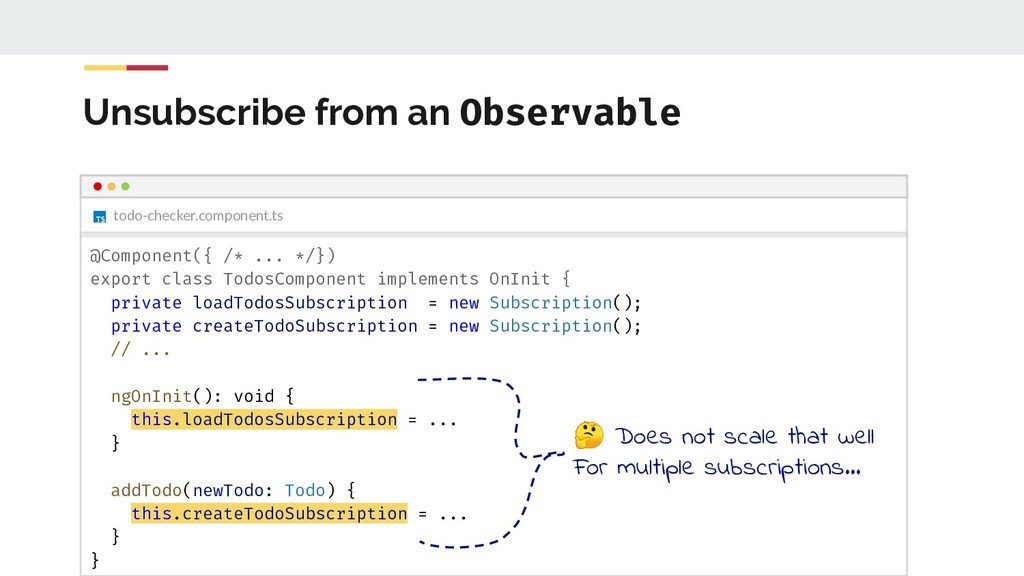
  80. Unsubscribe from an Observable todo-checker.component.ts @Component({ /* ... */}) export

    class TodosComponent implements OnInit { private loadTodosSubscription = new Subscription(); private createTodoSubscription = new Subscription(); // ... ngOnInit(): void { this.loadTodosSubscription = ... } addTodo(newTodo: Todo) { this.createTodoSubscription = ... } } Does not scale that well For multiple subscriptions...
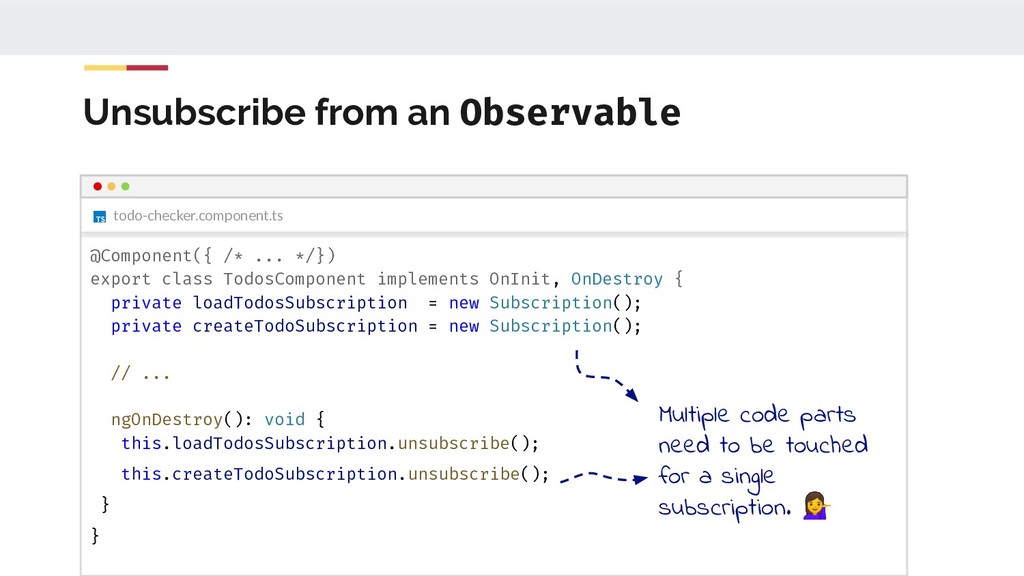
  81. Unsubscribe from an Observable todo-checker.component.ts @Component({ /* ... */}) export

    class TodosComponent implements OnInit, OnDestroy { private loadTodosSubscription = new Subscription(); private createTodoSubscription = new Subscription(); // ... ngOnDestroy(): void { this.loadTodosSubscription.unsubscribe(); this.createTodoSubscription.unsubscribe(); } } Multiple code parts need to be touched for a single subscription.
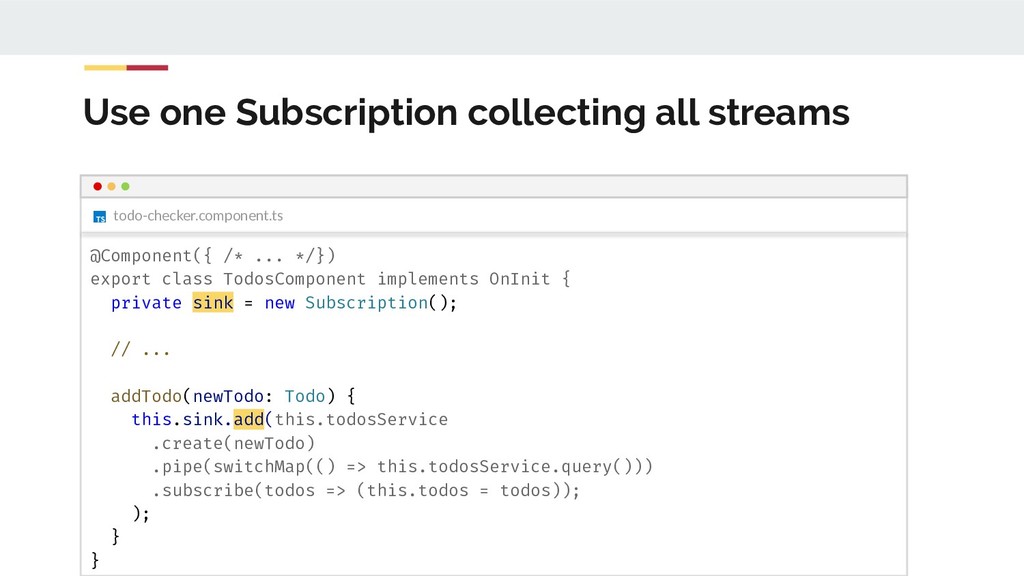
  82. Use one Subscription collecting all streams todo-checker.component.ts @Component({ /* ...

    */}) export class TodosComponent implements OnInit { private sink = new Subscription(); // ... addTodo(newTodo: Todo) { this.sink.add(this.todosService .create(newTodo) .pipe(switchMap(() => this.todosService.query())) .subscribe(todos => (this.todos = todos)); ); } }
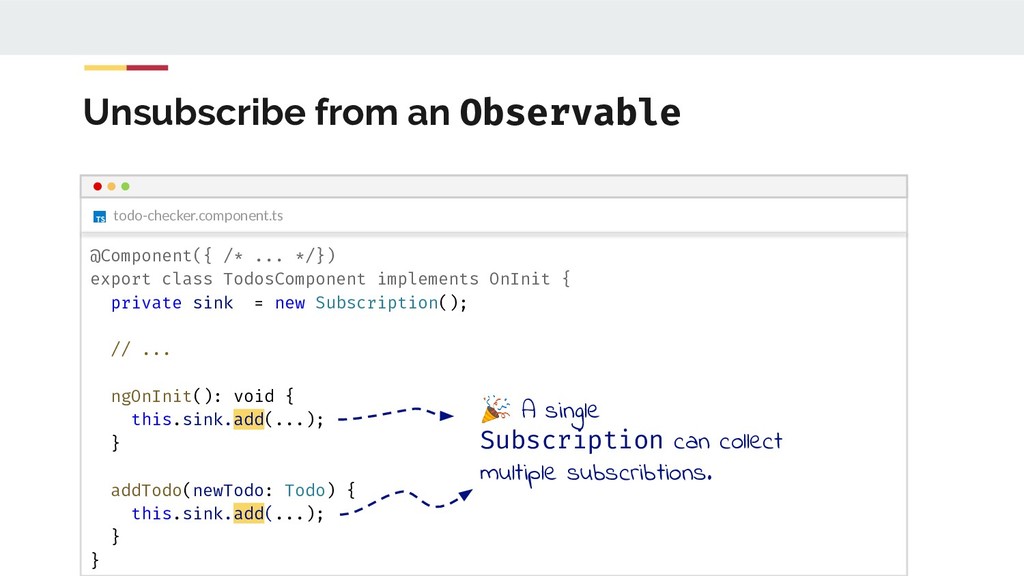
  83. Unsubscribe from an Observable todo-checker.component.ts @Component({ /* ... */}) export

    class TodosComponent implements OnInit { private sink = new Subscription(); // ... ngOnInit(): void { this.sink.add(...); } addTodo(newTodo: Todo) { this.sink.add(...); } } A single Subscription can collect multiple subscribtions.
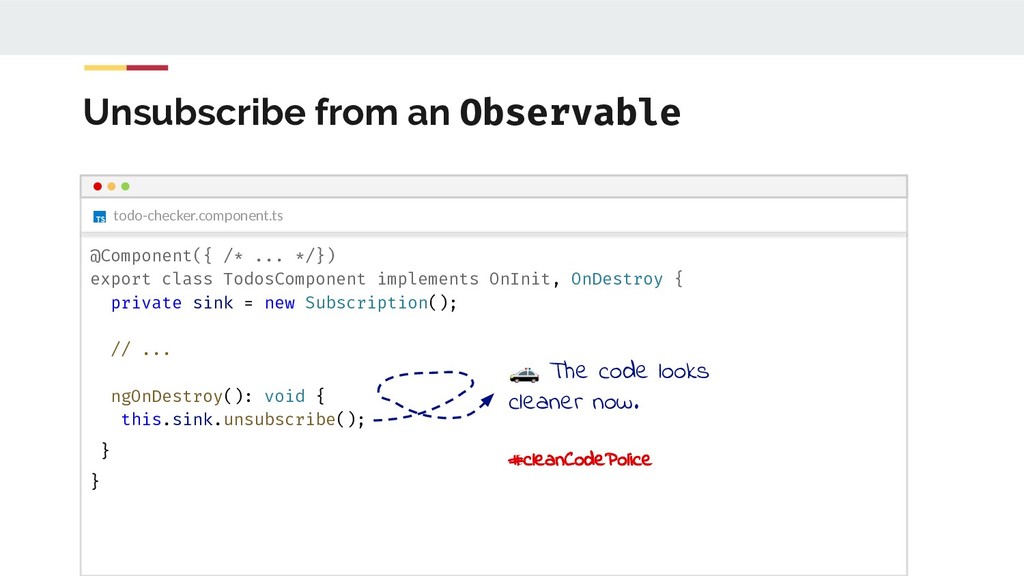
  84. Unsubscribe from an Observable todo-checker.component.ts @Component({ /* ... */}) export

    class TodosComponent implements OnInit, OnDestroy { private sink = new Subscription(); // ... ngOnDestroy(): void { this.sink.unsubscribe(); } } The code looks cleaner now. #cleanCodePolice
  85. Alternative: async pipe Let Angular handle the subscribe/unsubscribe with the

    async pipe! Read this blog post for a comparison: https://blog.angularindepth.com/angular-question-rxjs-subscribe-vs-async-pipe-in-component-templates-c956c8 c0c794
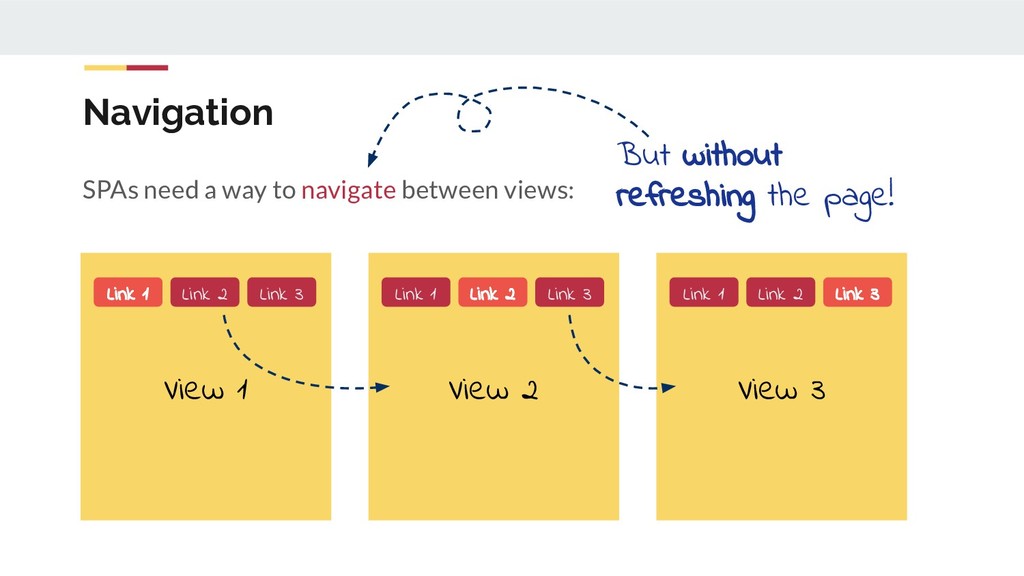
  86. Navigation SPAs need a way to navigate between views: View

    1 Link 1 Link 2 Link 3 View 2 Link 1 Link 2 Link 3 View 3 Link 1 Link 2 Link 3 But without refreshing the page!
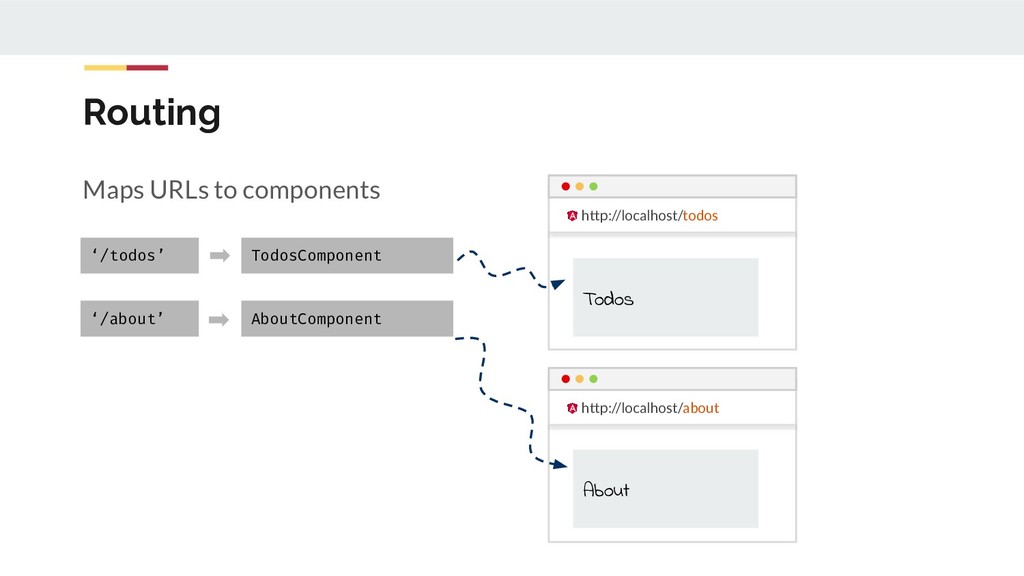
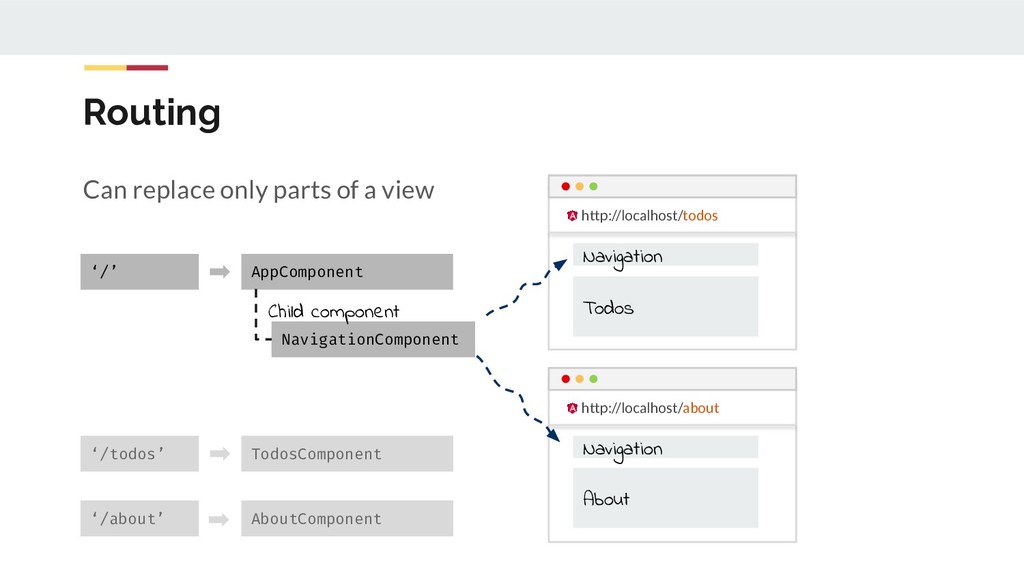
  87. Routing Can replace only parts of a view ‘/todos’ TodosComponent

    ‘/about’ AboutComponent http://localhost/todos http://localhost/about Navigation Navigation Todos About ‘/’ AppComponent NavigationComponent Child component
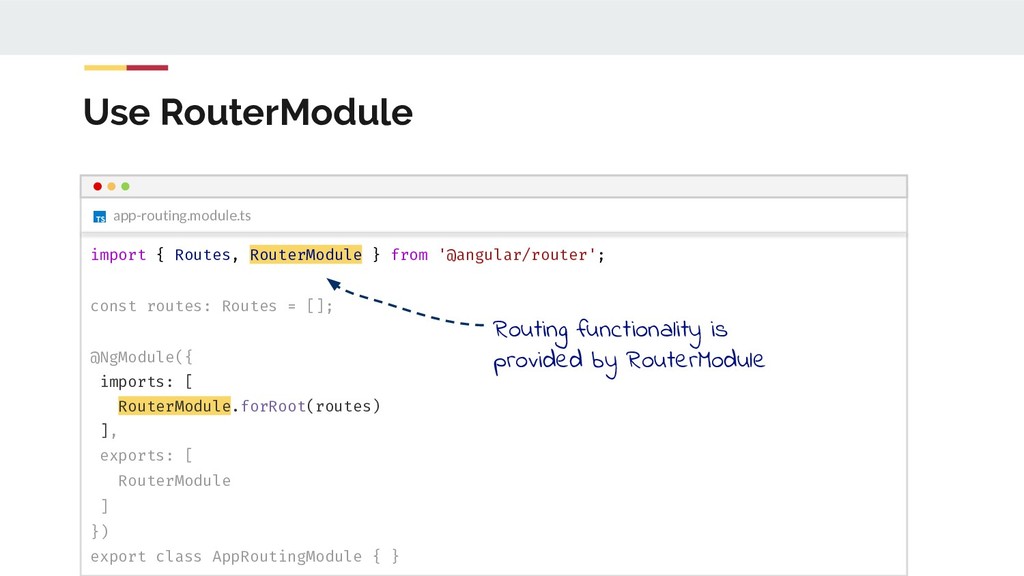
  88. Use RouterModule app-routing.module.ts import { Routes, RouterModule } from '@angular/router';

    const routes: Routes = []; @NgModule({ imports: [ RouterModule.forRoot(routes) ], exports: [ RouterModule ] }) export class AppRoutingModule { } Routing functionality is provided by RouterModule
  89. Use RouterModule app-routing.module.ts import { Routes, RouterModule } from '@angular/router';

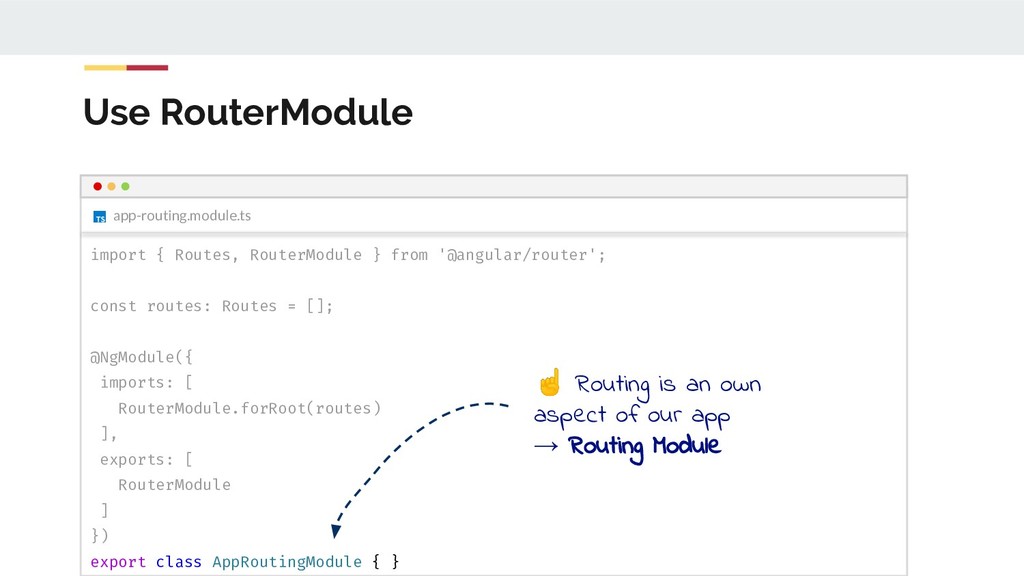
    const routes: Routes = []; @NgModule({ imports: [ RouterModule.forRoot(routes) ], exports: [ RouterModule ] }) export class AppRoutingModule { } ☝ Routing is an own aspect of our app → Routing Module
  90. Use RouterModule Import RouterModule import { Routes, RouterModule } from

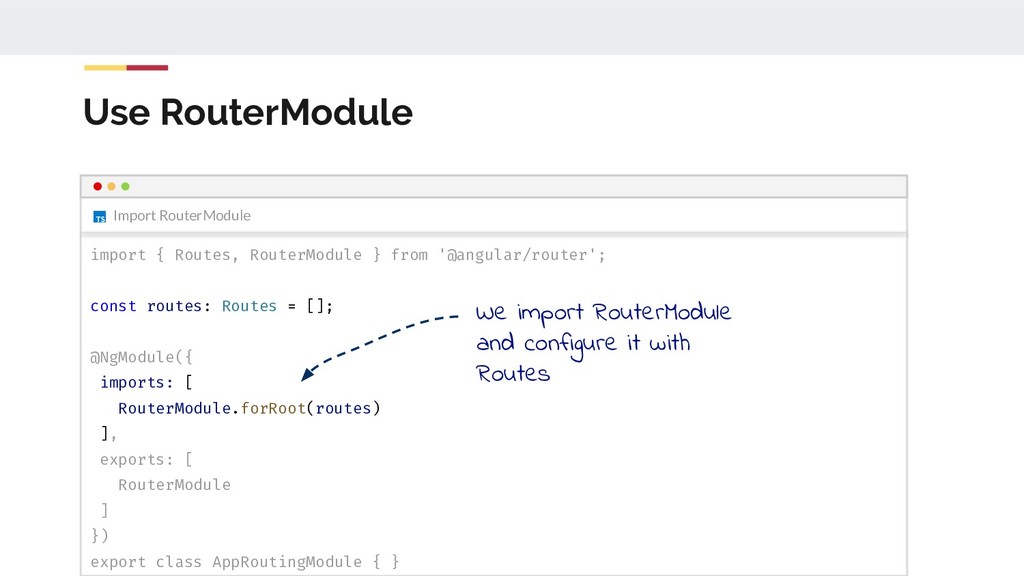
    '@angular/router'; const routes: Routes = []; @NgModule({ imports: [ RouterModule.forRoot(routes) ], exports: [ RouterModule ] }) export class AppRoutingModule { } We import RouterModule and configure it with Routes
  91. Routing Modules app-routing.module.ts import { Routes, RouterModule } from '@angular/router';

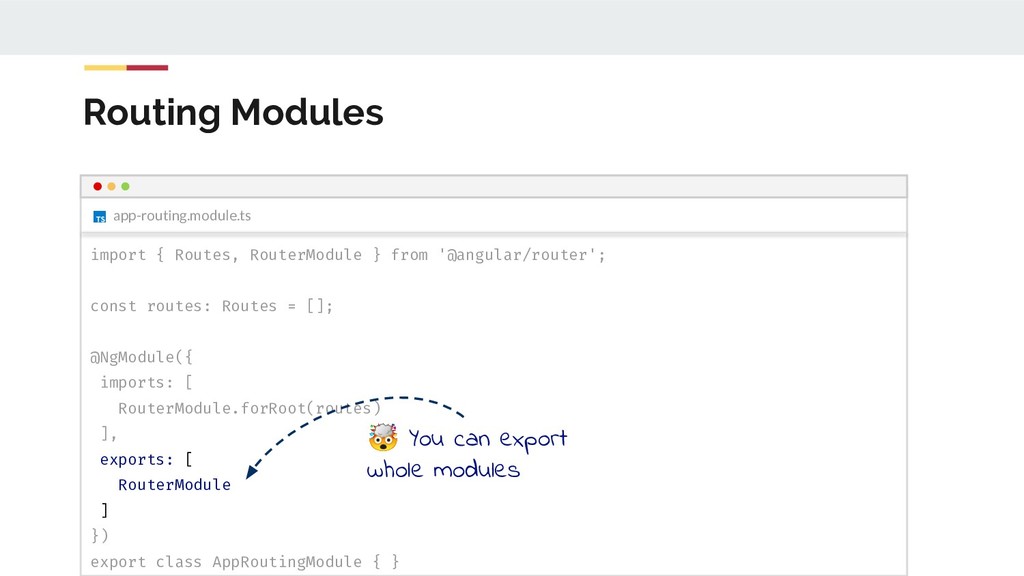
    const routes: Routes = []; @NgModule({ imports: [ RouterModule.forRoot(routes) ], exports: [ RouterModule ] }) export class AppRoutingModule { } You can export whole modules
  92. @NgModule({ // ... imports: [AppRoutingModule], // ... }) export class

    AppModule {} app.module.ts Routing Modules app-routing.module.ts import { Routes, RouterModule } from ... const routes: Routes = []; @NgModule({ imports: [ RouterModule.forRoot(routes) ], exports: [ RouterModule ] }) export class AppRoutingModule { } You can export whole modules We do this, so we don’t need to import RouterModule in AppModule
  93. app-routing.module.ts Routes const routes: Routes = [ { path: '',

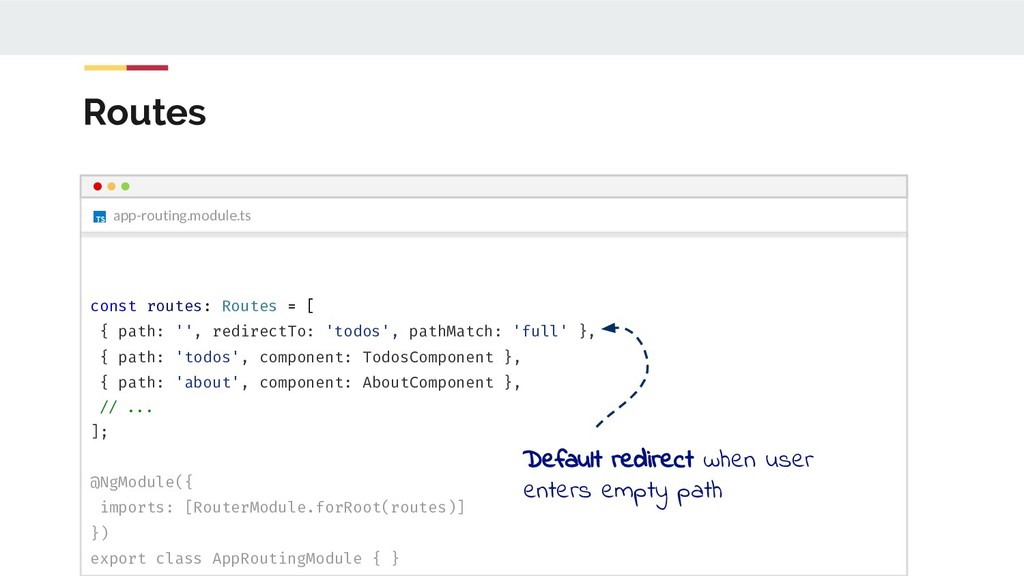
    redirectTo: 'todos', pathMatch: 'full' }, { path: 'todos', component: TodosComponent }, { path: 'about', component: AboutComponent }, // ... ]; @NgModule({ imports: [RouterModule.forRoot(routes)] }) export class AppRoutingModule { } Default redirect when user enters empty path
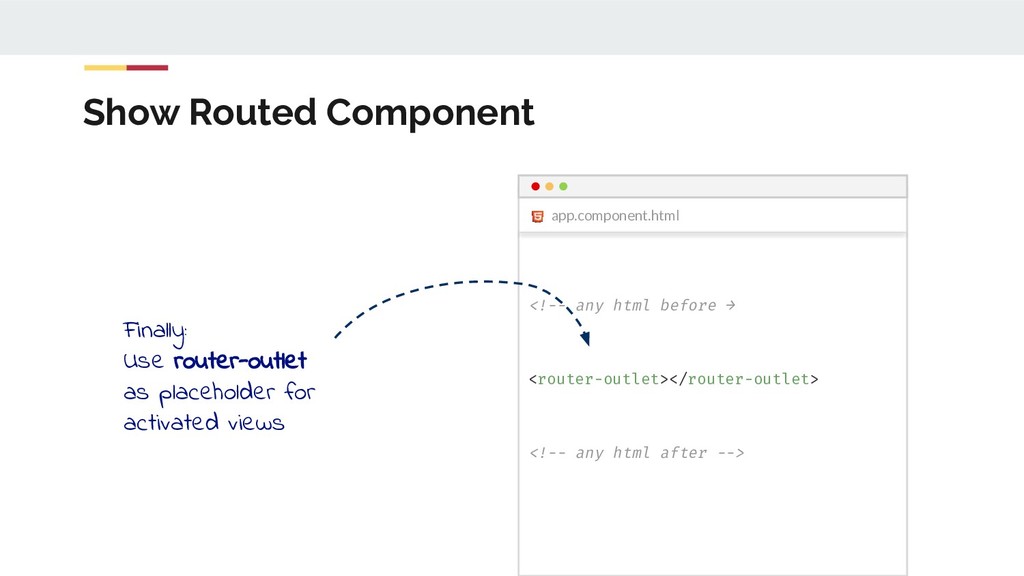
  94. Show Routed Component <!-- any html before → <router-outlet></router-outlet> <!--

    any html after --> app.component.html Finally: Use router-outlet as placeholder for activated views
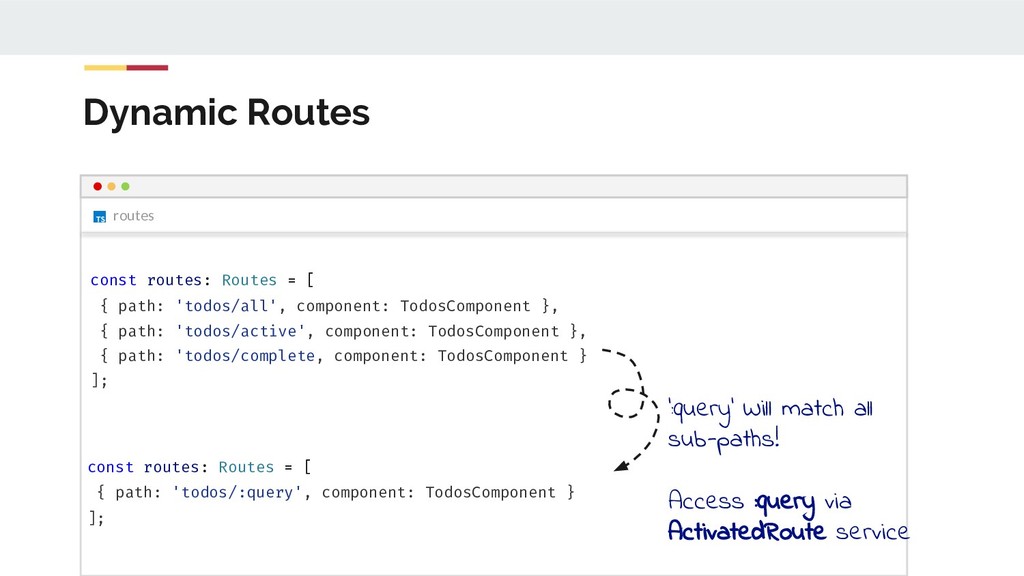
  95. Dynamic Routes routes const routes: Routes = [ { path:

    'todos/all', component: TodosComponent }, { path: 'todos/active', component: TodosComponent }, { path: 'todos/complete, component: TodosComponent } ]; const routes: Routes = [ { path: 'todos/:query', component: TodosComponent } ]; ‘:query’ Will match all sub-paths! Access :query via ActivatedRoute service
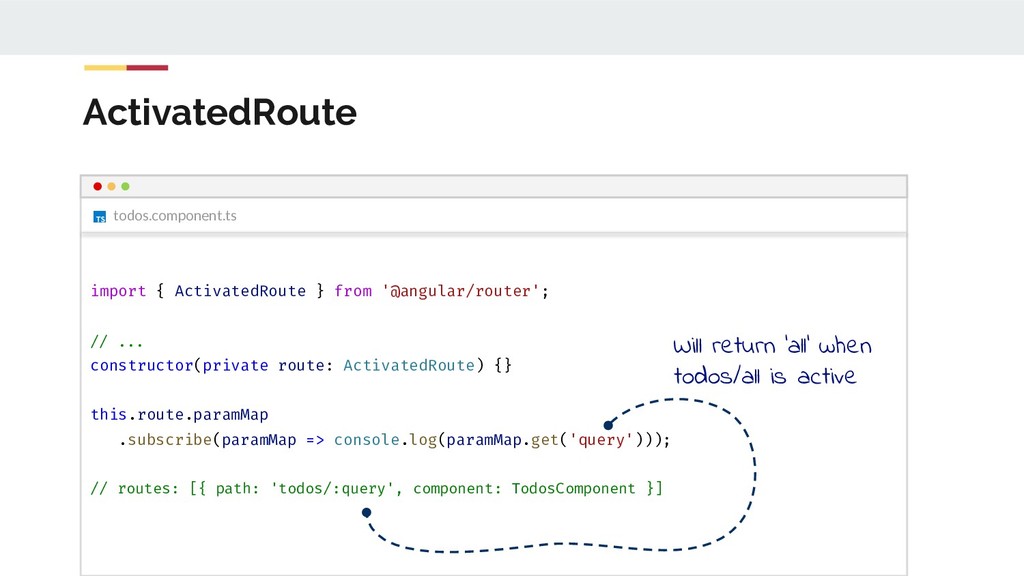
  96. ActivatedRoute todos.component.ts import { ActivatedRoute } from '@angular/router'; // ...

    constructor(private route: ActivatedRoute) {} this.route.paramMap .subscribe(paramMap => console.log(paramMap.get('query'))); // routes: [{ path: 'todos/:query', component: TodosComponent }] Will return ‘all’ when todos/all is active
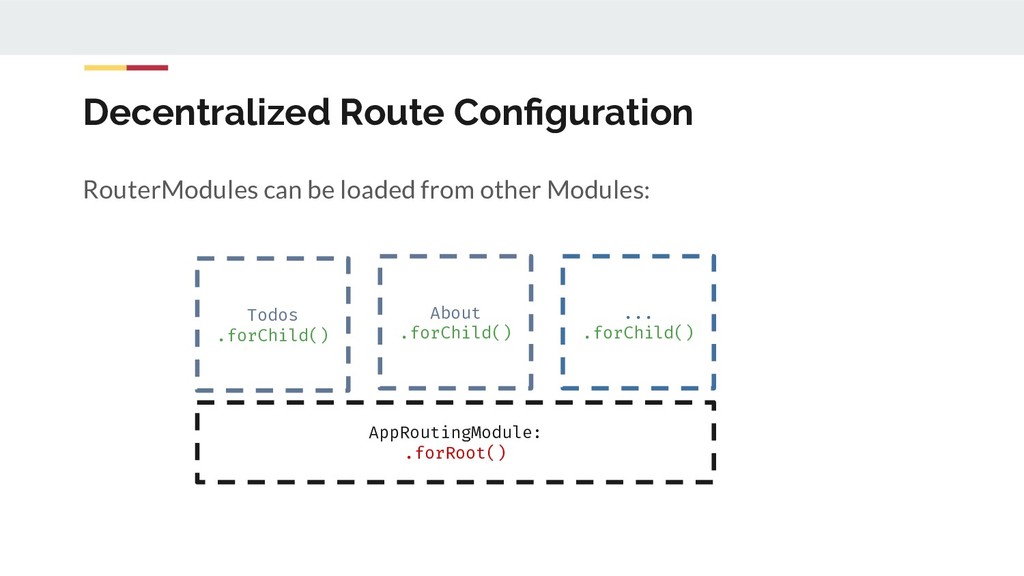
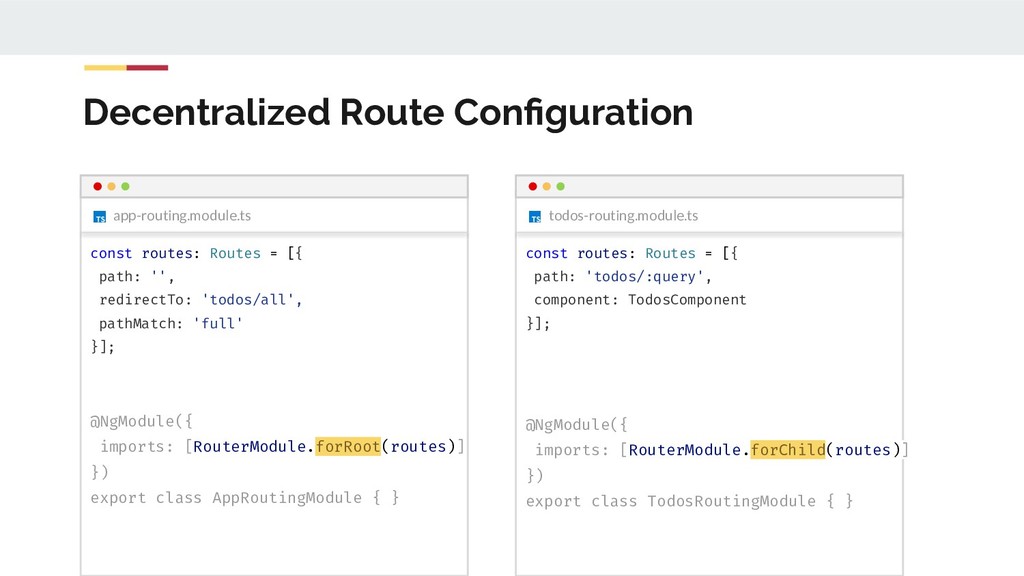
  97. Decentralized Route Configuration RouterModules can be loaded from other Modules:

    AppRoutingModule: .forRoot() Todos .forChild() About .forChild() ... .forChild()
  98. Decentralized Route Configuration app-routing.module.ts const routes: Routes = [{ path:

    '', redirectTo: 'todos/all', pathMatch: 'full' }]; @NgModule({ imports: [RouterModule.forRoot(routes)] }) export class AppRoutingModule { } todos-routing.module.ts const routes: Routes = [{ path: 'todos/:query', component: TodosComponent }]; @NgModule({ imports: [RouterModule.forChild(routes)] }) export class TodosRoutingModule { }
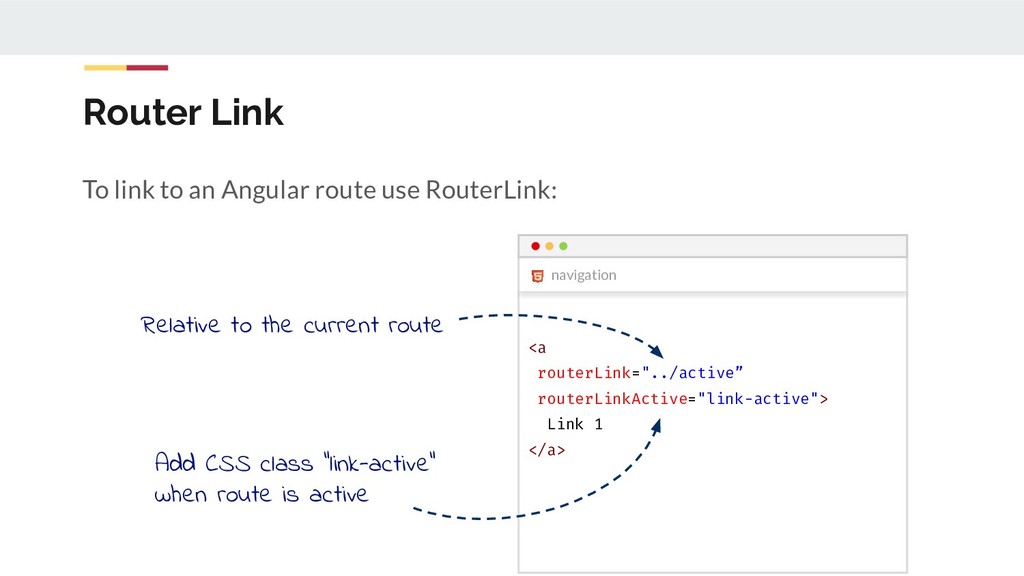
  99. Router Link To link to an Angular route use RouterLink:

    <a routerLink="../active” routerLinkActive="link-active"> Link 1 </a> navigation Relative to the current route Add CSS class “link-active” when route is active
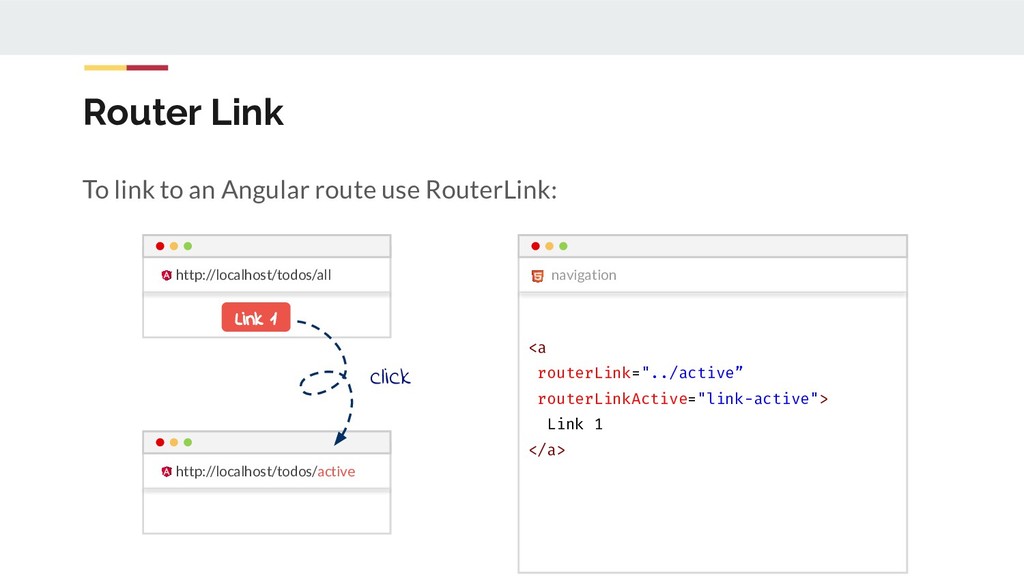
  100. Router Link To link to an Angular route use RouterLink:

    <a routerLink="../active” routerLinkActive="link-active"> Link 1 </a> navigation http://localhost/todos/all http://localhost/todos/active Link 1 click
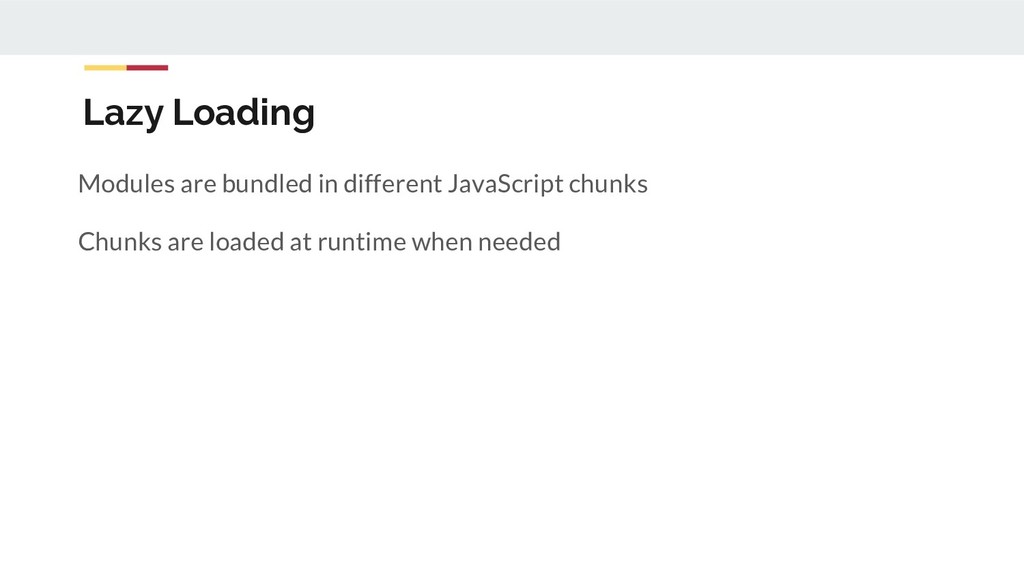
  101. Lazy Loading TodoModule is loaded at Startup. If you have

    many modules this is not desired! → Lazy Loading for the rescue
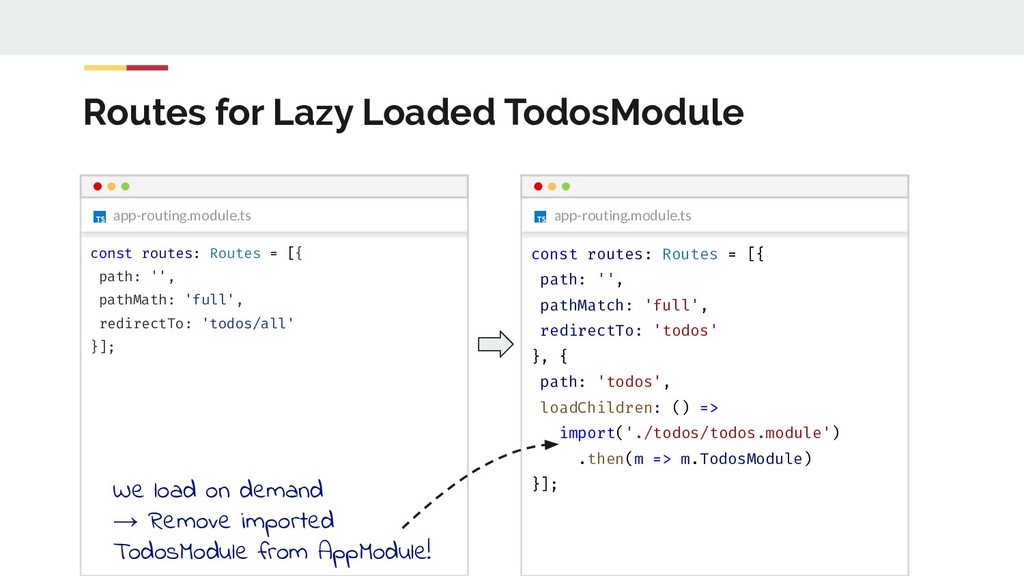
  102. Routes for Lazy Loaded TodosModule app-routing.module.ts const routes: Routes =

    [{ path: '', pathMatch: 'full', redirectTo: 'todos' }, { path: 'todos', loadChildren: () => import('./todos/todos.module') .then(m => m.TodosModule) }]; app-routing.module.ts const routes: Routes = [{ path: '', pathMath: 'full', redirectTo: 'todos/all' }]; We load on demand → Remove imported TodosModule from AppModule!
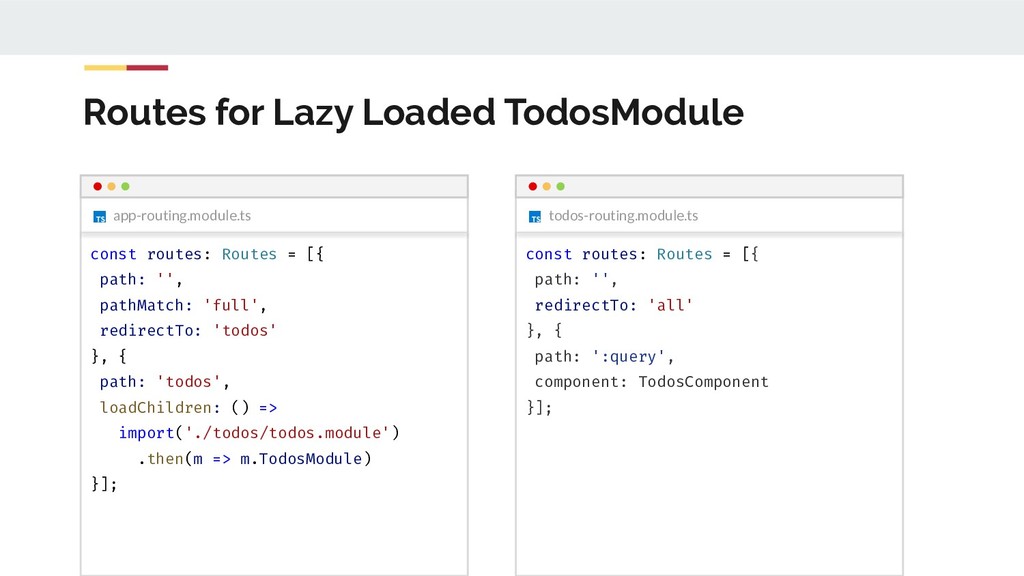
  103. Routes for Lazy Loaded TodosModule todos-routing.module.ts app-routing.module.ts const routes: Routes

    = [{ path: '', pathMatch: 'full', redirectTo: 'todos' }, { path: 'todos', loadChildren: () => import('./todos/todos.module') .then(m => m.TodosModule) }]; const routes: Routes = [{ path: '', redirectTo: 'all' }, { path: ':query', component: TodosComponent }];