Share
Embed
Transcript
36 slides
-
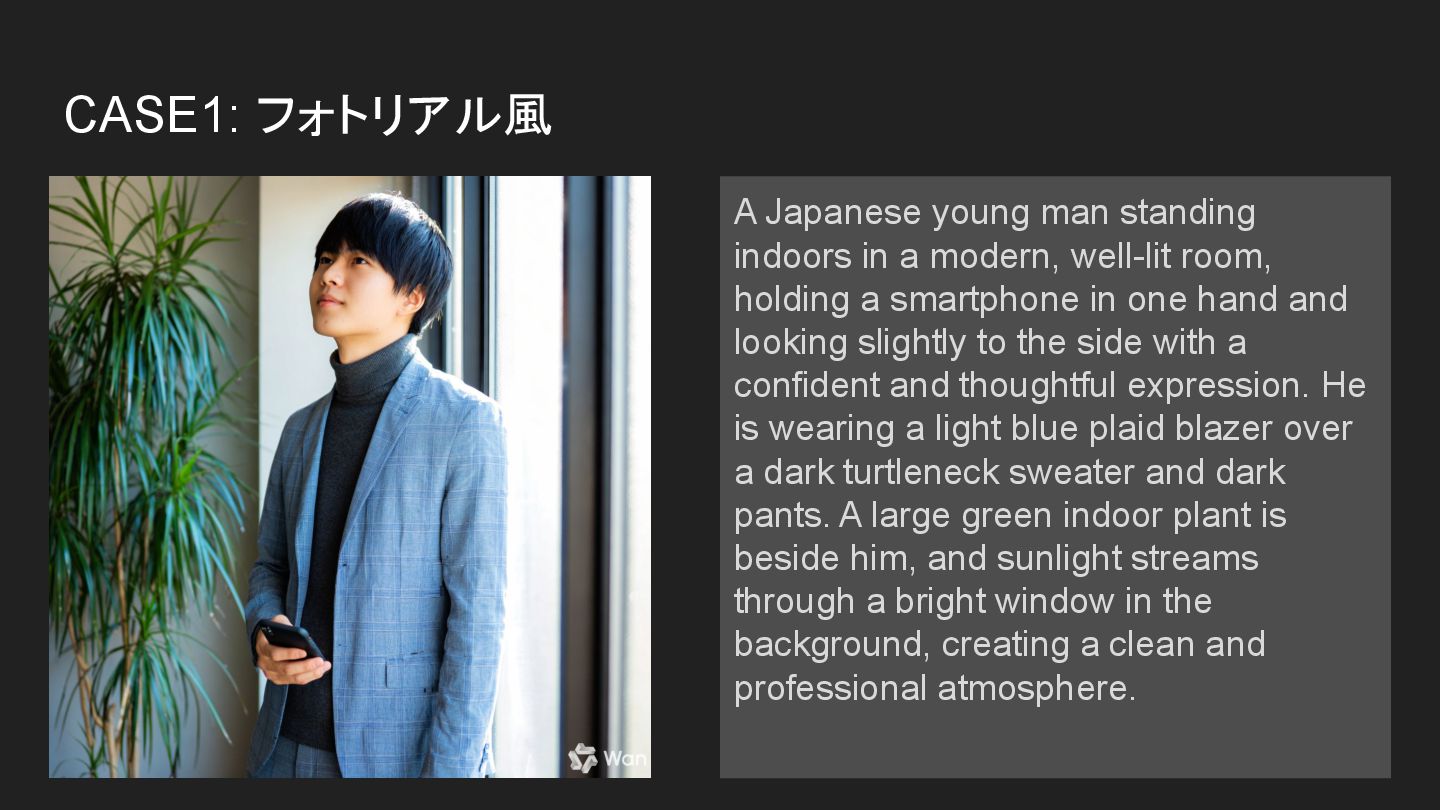
CASE1: フォトリアル風 A Japanese young man standing indoors in a
modern, well-lit room, holding a smartphone in one hand and looking slightly to the side with a confident and thoughtful expression. He is wearing a light blue plaid blazer over a dark turtleneck sweater and dark pants. A large green indoor plant is beside him, and sunlight streams through a bright window in the background, creating a clean and professional atmosphere. -
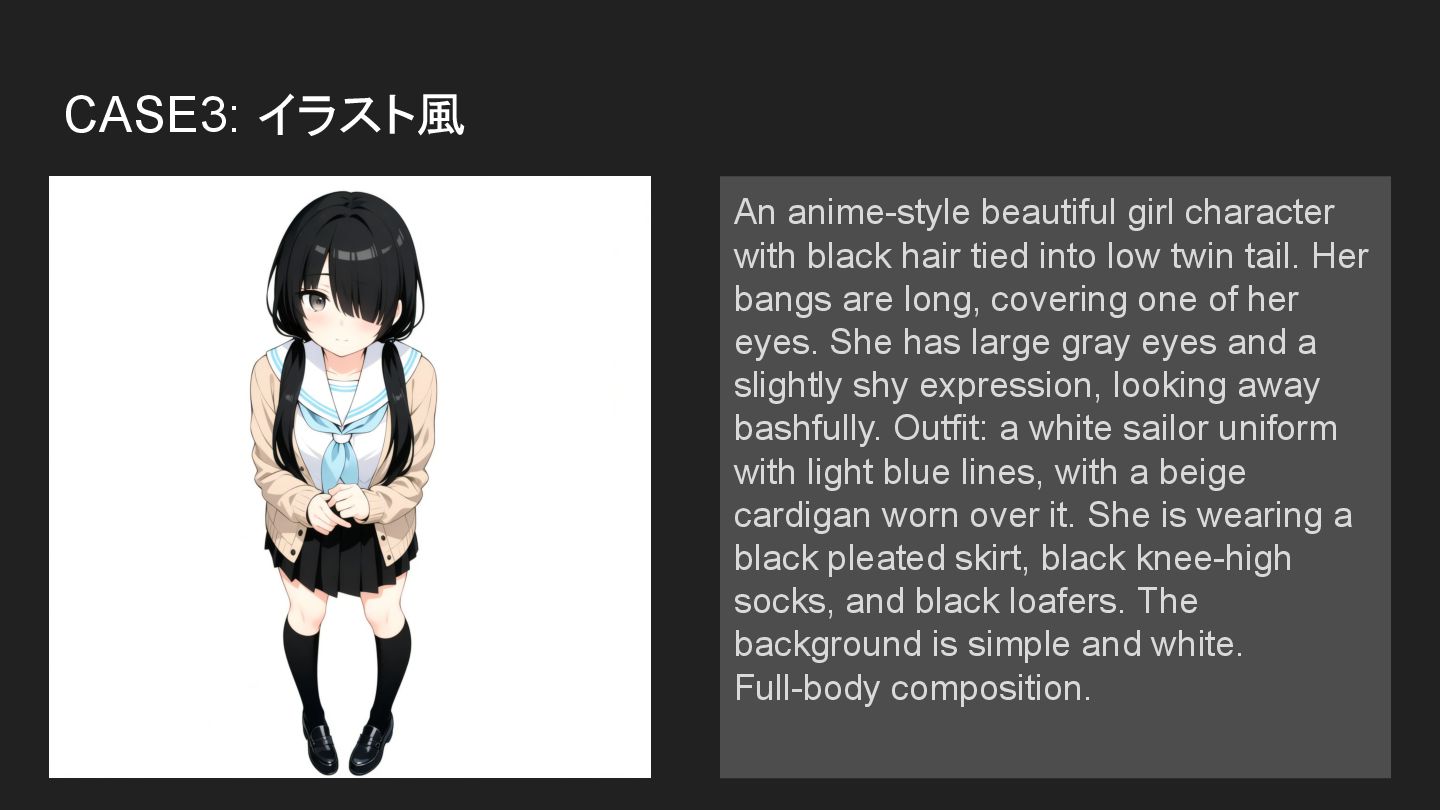
CASE3: イラスト風 An anime-style beautiful girl character with black hair
tied into low twin tail. Her bangs are long, covering one of her eyes. She has large gray eyes and a slightly shy expression, looking away bashfully. Outfit: a white sailor uniform with light blue lines, with a beige cardigan worn over it. She is wearing a black pleated skirt, black knee-high socks, and black loafers. The background is simple and white. Full-body composition. -
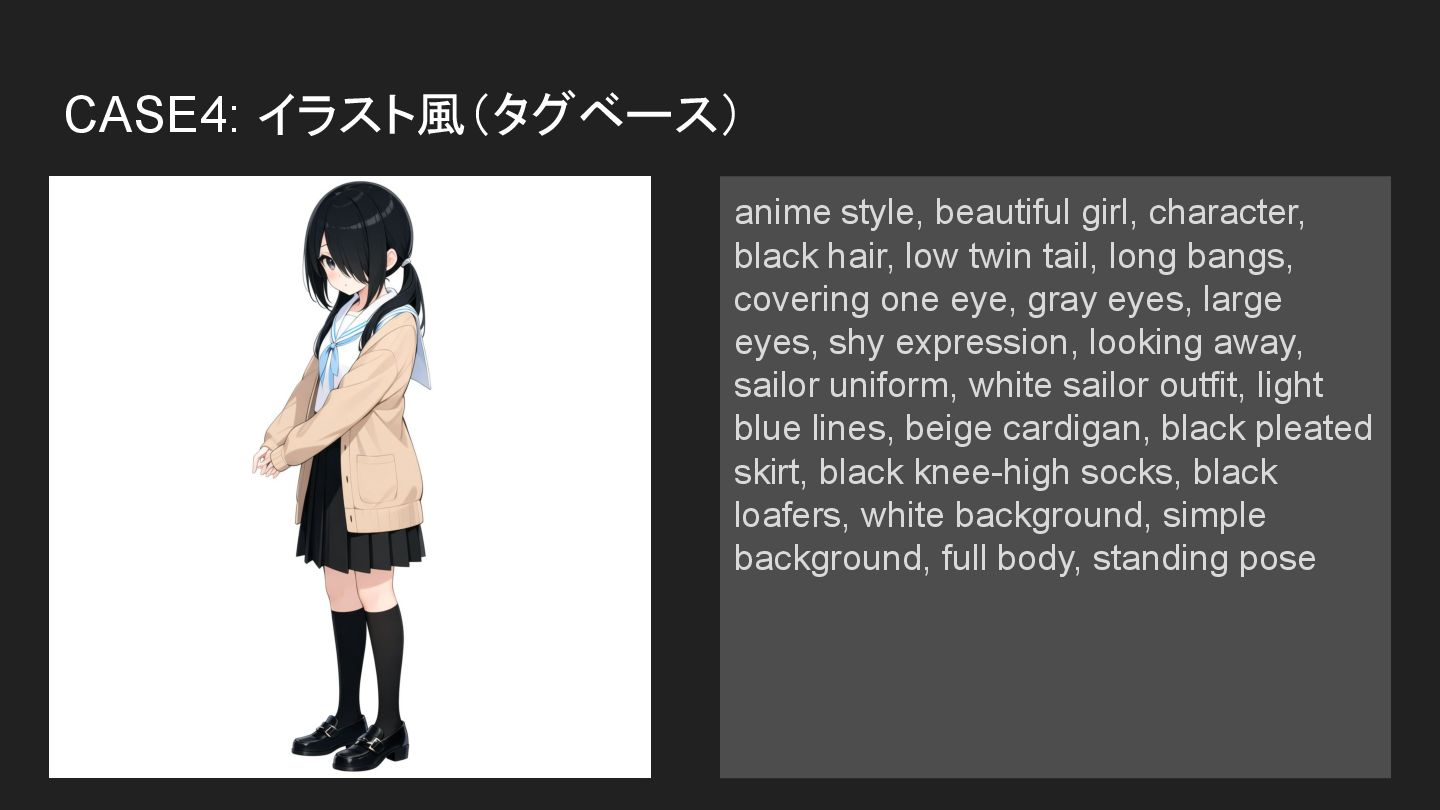
CASE4: イラスト風(タグベース) anime style, beautiful girl, character, black hair, low
twin tail, long bangs, covering one eye, gray eyes, large eyes, shy expression, looking away, sailor uniform, white sailor outfit, light blue lines, beige cardigan, black pleated skirt, black knee-high socks, black loafers, white background, simple background, full body, standing pose -
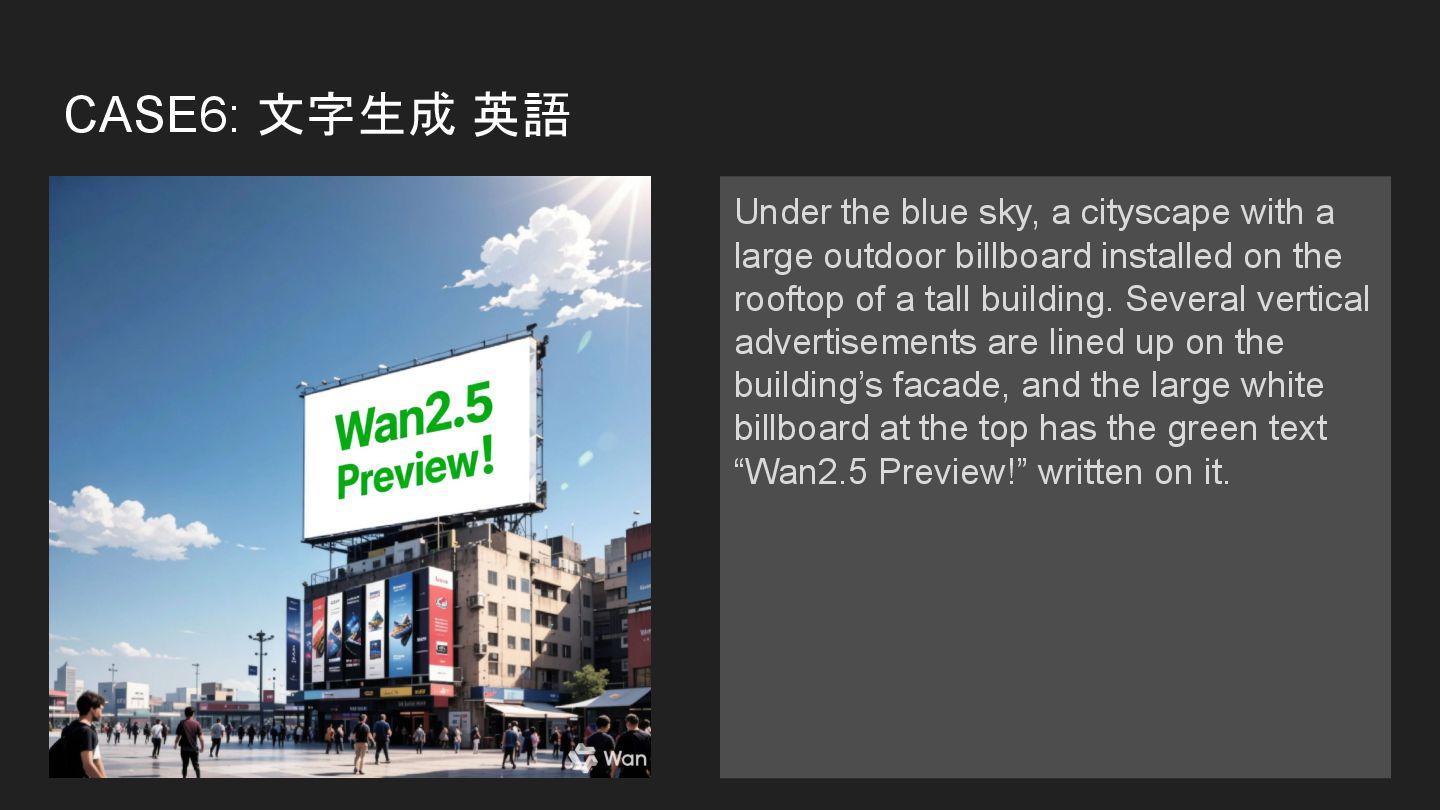
CASE6: 文字生成 英語 Under the blue sky, a cityscape with
a large outdoor billboard installed on the rooftop of a tall building. Several vertical advertisements are lined up on the building’s facade, and the large white billboard at the top has the green text “Wan2.5 Preview!” written on it. -
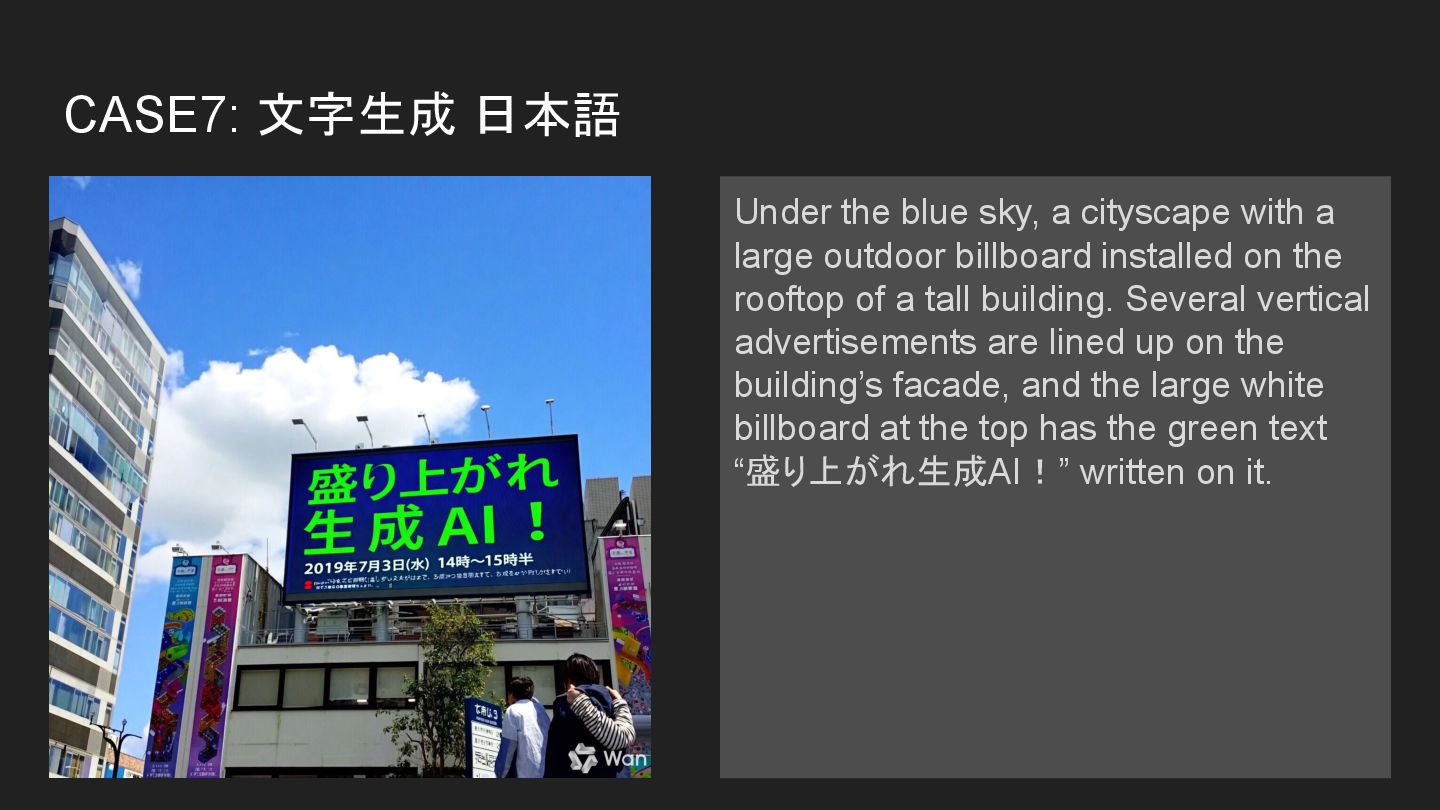
CASE7: 文字生成 日本語 Under the blue sky, a cityscape with
a large outdoor billboard installed on the rooftop of a tall building. Several vertical advertisements are lined up on the building’s facade, and the large white billboard at the top has the green text “盛り上がれ生成AI!” written on it. -
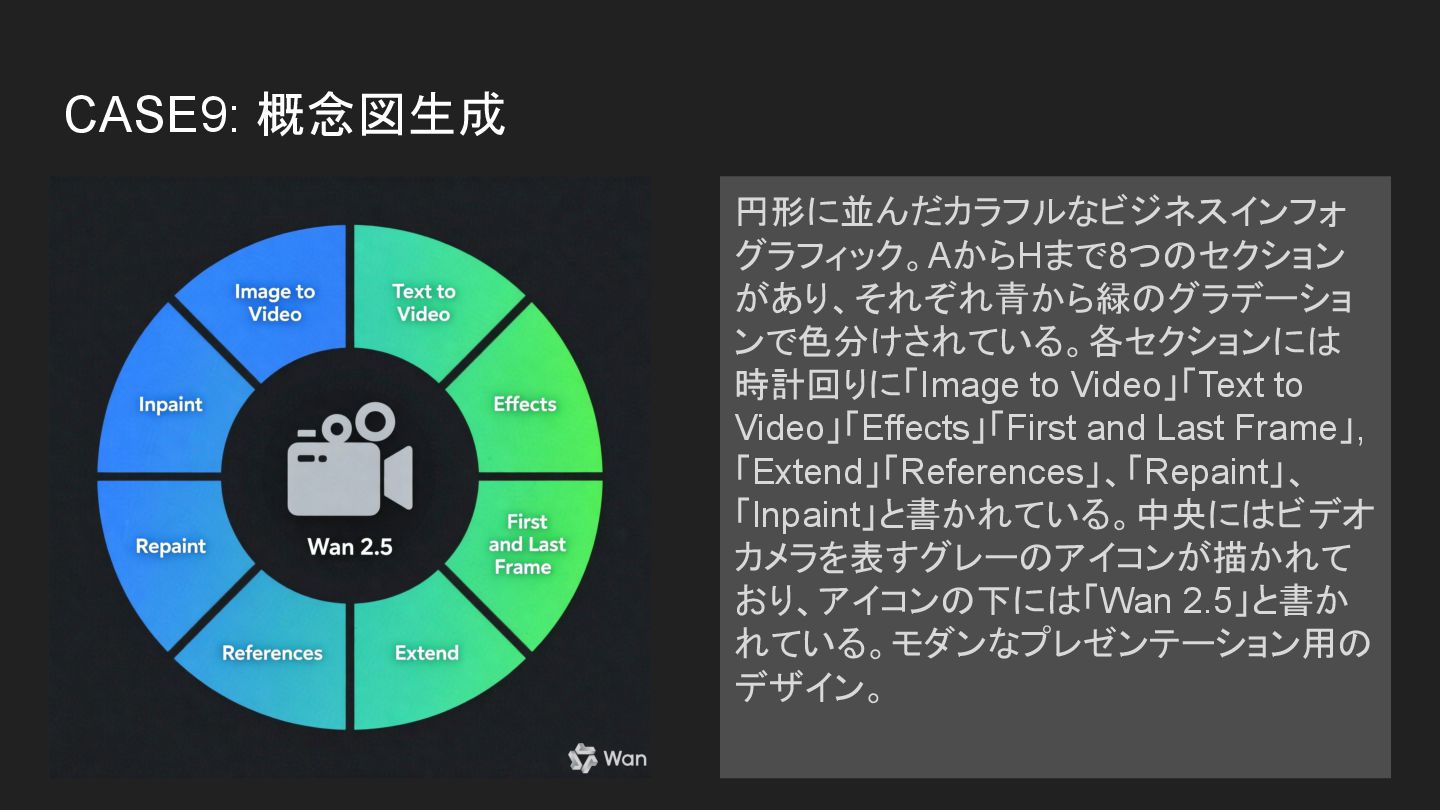
CASE9: 概念図生成 円形に並んだカラフルなビジネスインフォ グラフィック。AからHまで8つのセクション があり、それぞれ青から緑のグラデーショ ンで色分けされている。各セクションには 時計回りに「Image to Video」「Text to
Video」「Effects」「First and Last Frame」, 「Extend」「References」、「Repaint」、 「Inpaint」と書かれている。中央にはビデオ カメラを表すグレーのアイコンが描かれて おり、アイコンの下には「Wan 2.5」と書か れている。モダンなプレゼンテーション用の デザイン。 -
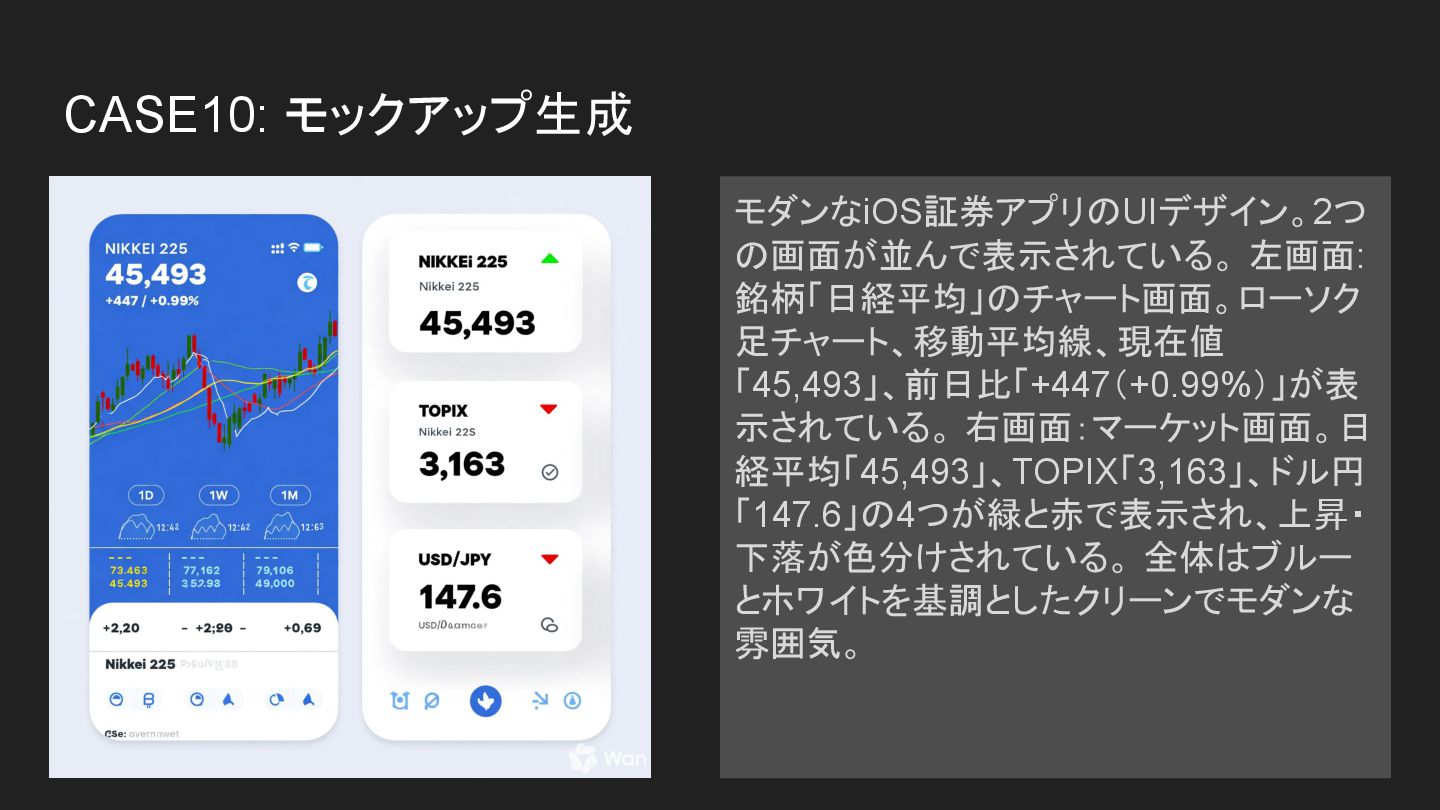
CASE10: モックアップ生成 モダンなiOS証券アプリのUIデザイン。2つ の画面が並んで表示されている。 左画面: 銘柄「日経平均」のチャート画面。ローソク 足チャート、移動平均線、現在値 「45,493」、前日比「+447(+0.99%)」が表 示されている。 右画面:マーケット画面。日
経平均「45,493」、TOPIX「3,163」、ドル円 「147.6」の4つが緑と赤で表示され、上昇・ 下落が色分けされている。 全体はブルー とホワイトを基調としたクリーンでモダンな 雰囲気。 -
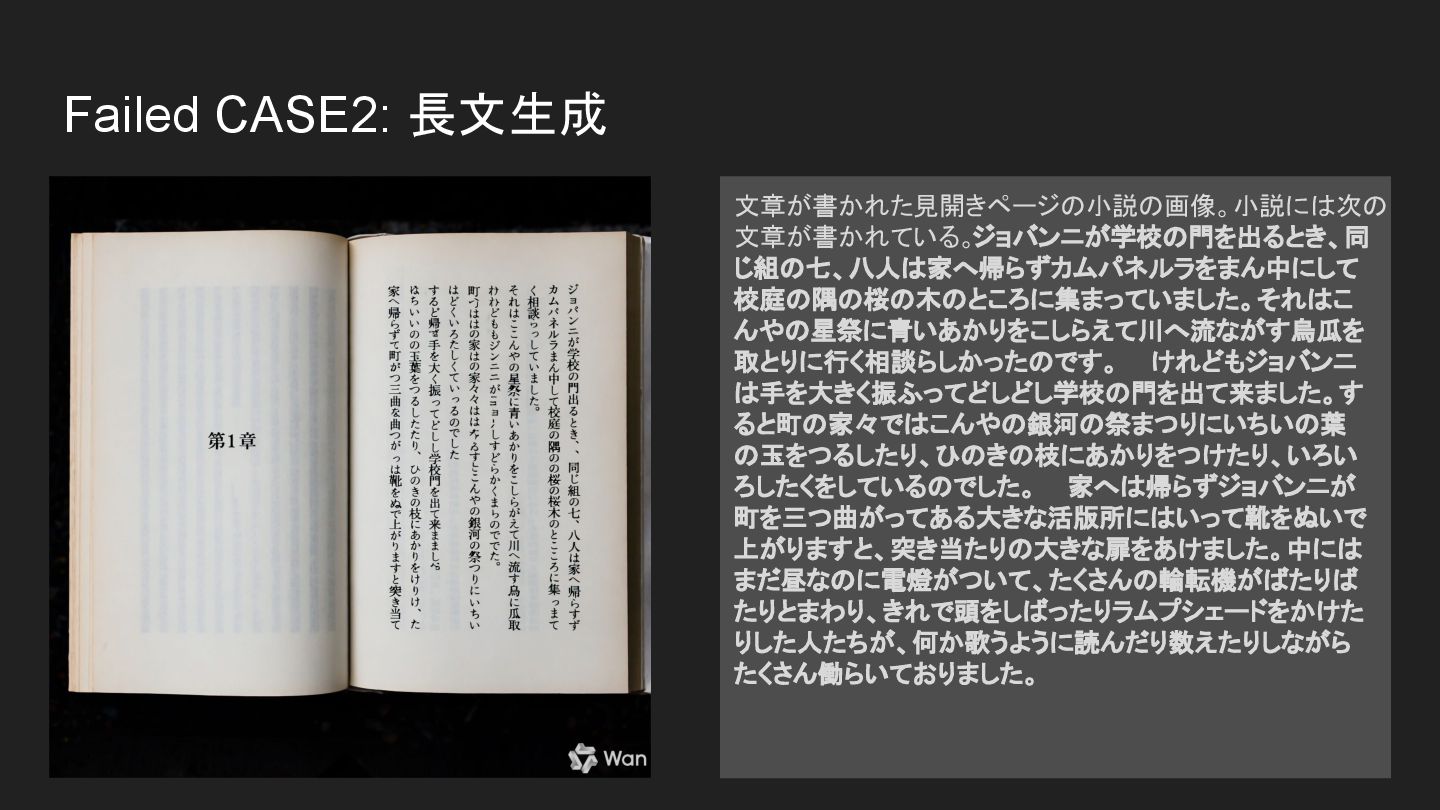
Failed CASE2: 長文生成 文章が書かれた見開きページの小説の画像。小説には次の 文章が書かれている。ジョバンニが学校の門を出るとき、同 じ組の七、八人は家へ帰らずカムパネルラをまん中にして 校庭の隅の桜の木のところに集まっていました。それはこ んやの星祭に青いあかりをこしらえて川へ流ながす烏瓜を 取とりに行く相談らしかったのです。 けれどもジョバンニ
は手を大きく振ふってどしどし学校の門を出て来ました。す ると町の家々ではこんやの銀河の祭まつりにいちいの葉 の玉をつるしたり、ひのきの枝にあかりをつけたり、いろい ろしたくをしているのでした。 家へは帰らずジョバンニが 町を三つ曲がってある大きな活版所にはいって靴をぬいで 上がりますと、突き当たりの大きな扉をあけました。中には まだ昼なのに電燈がついて、たくさんの輪転機がばたりば たりとまわり、きれで頭をしばったりラムプシェードをかけた りした人たちが、何か歌うように読んだり数えたりしながら たくさん働らいておりました。 -
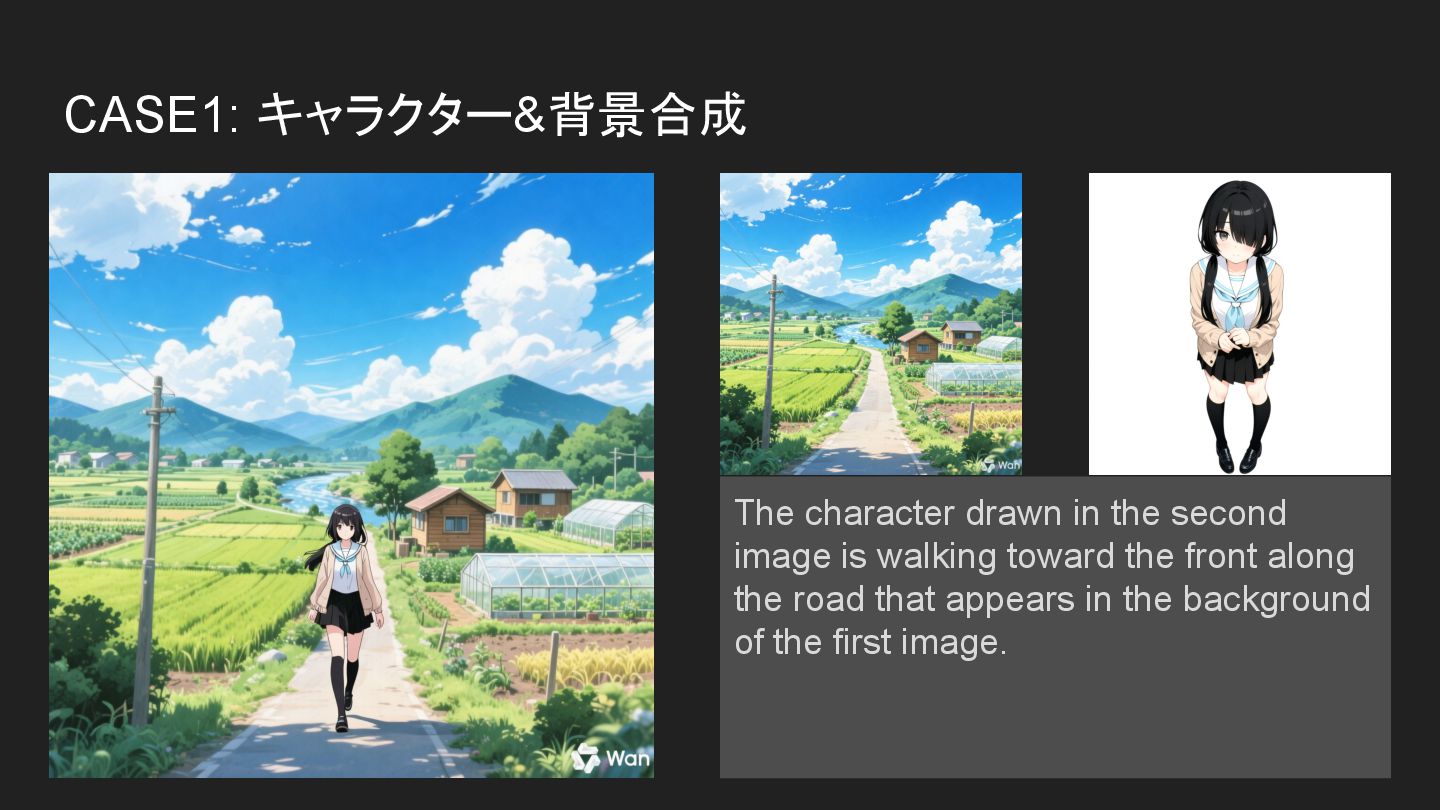
CASE1: キャラクター&背景合成 The character drawn in the second image is
walking toward the front along the road that appears in the background of the first image. -
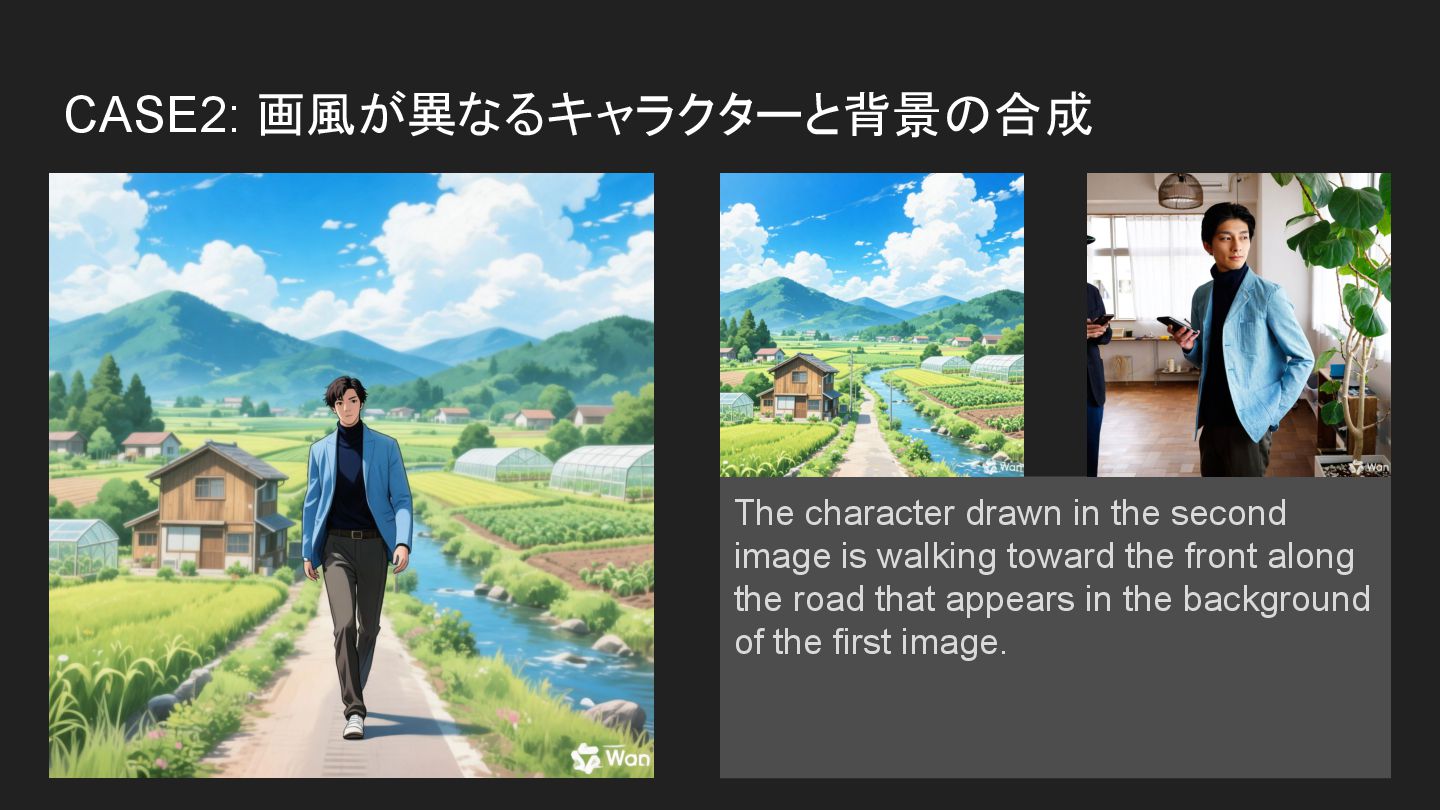
CASE2: 画風が異なるキャラクターと背景の合成 The character drawn in the second image is
walking toward the front along the road that appears in the background of the first image. -
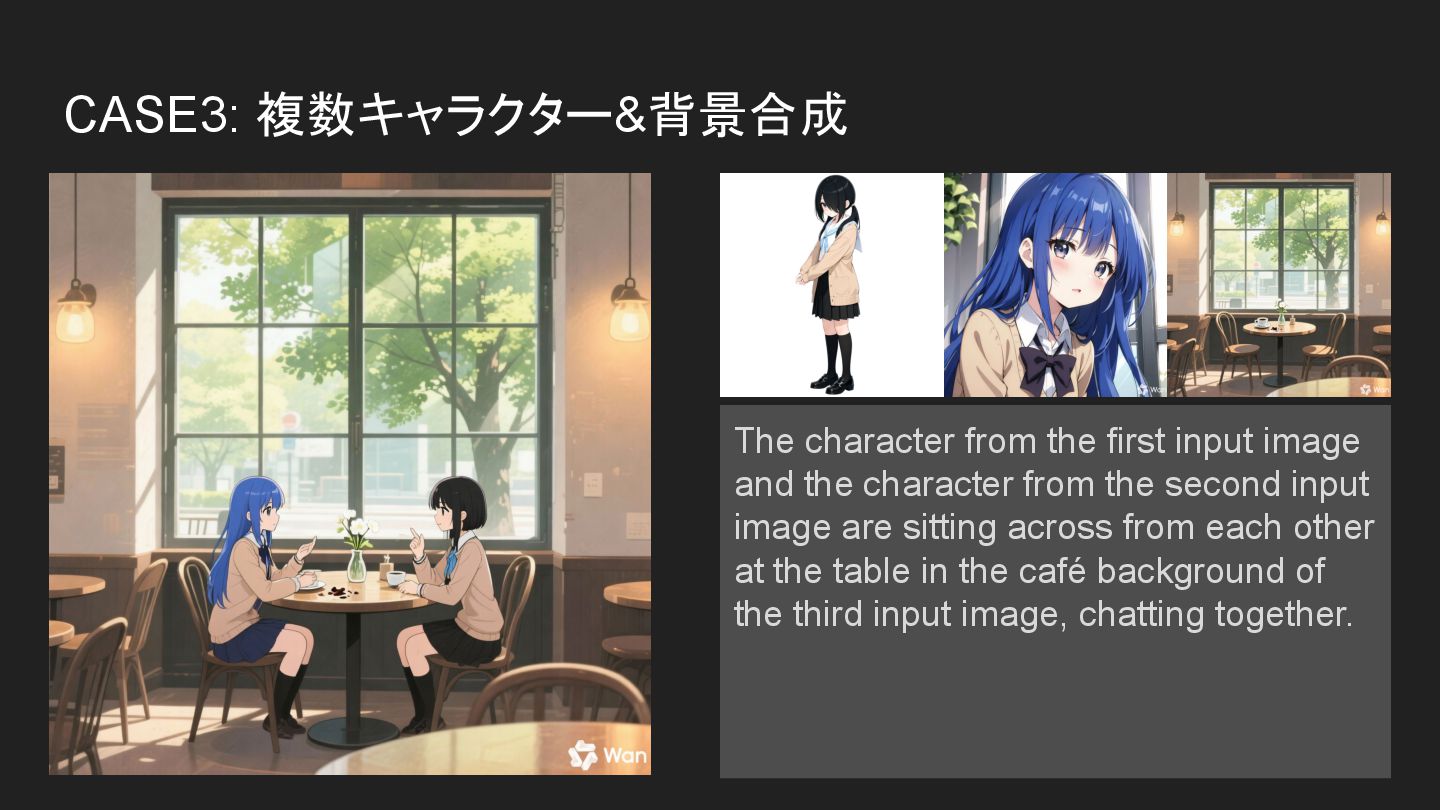
CASE3: 複数キャラクター&背景合成 The character from the first input image and
the character from the second input image are sitting across from each other at the table in the café background of the third input image, chatting together. -
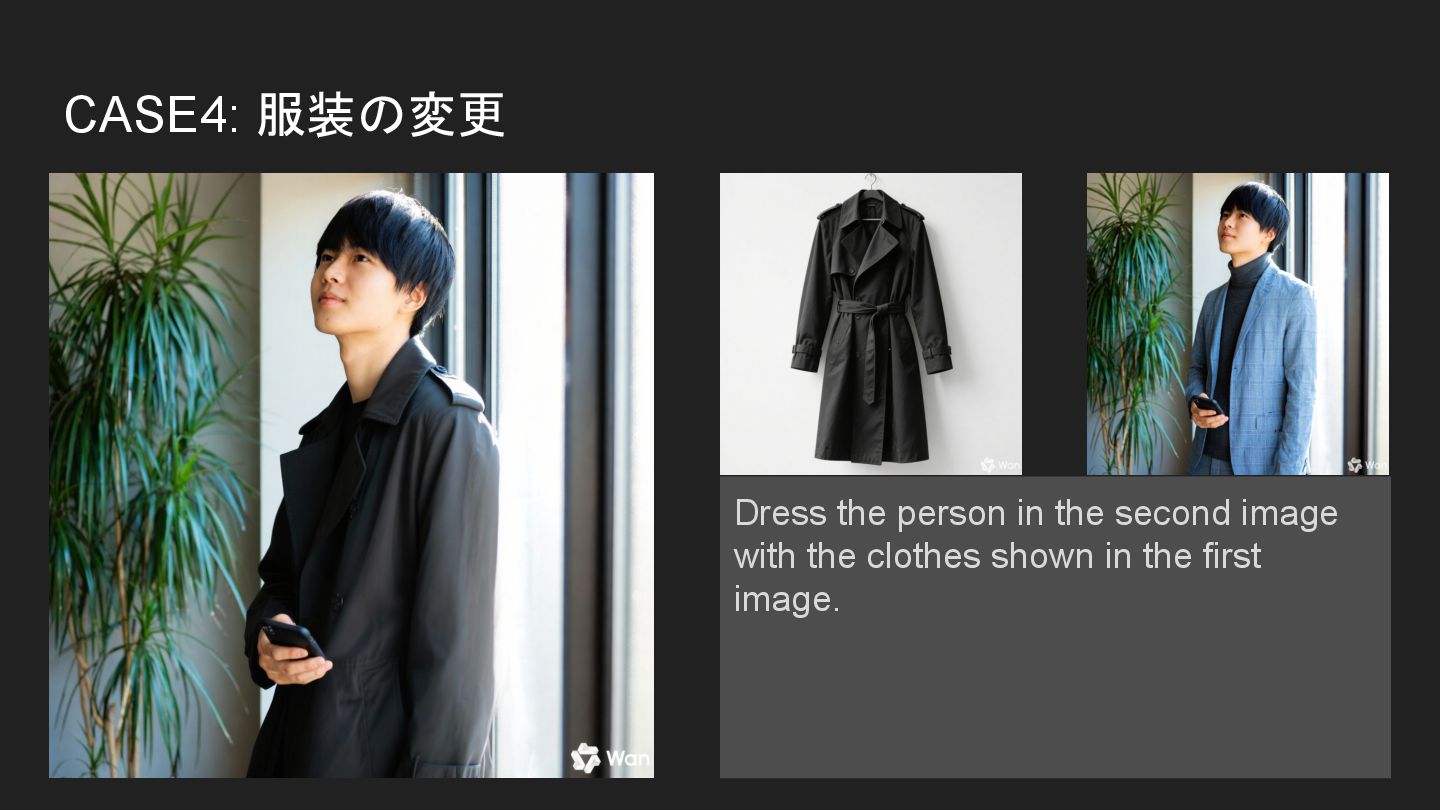
CASE4: 服装の変更 Dress the person in the second image with
the clothes shown in the first image. -
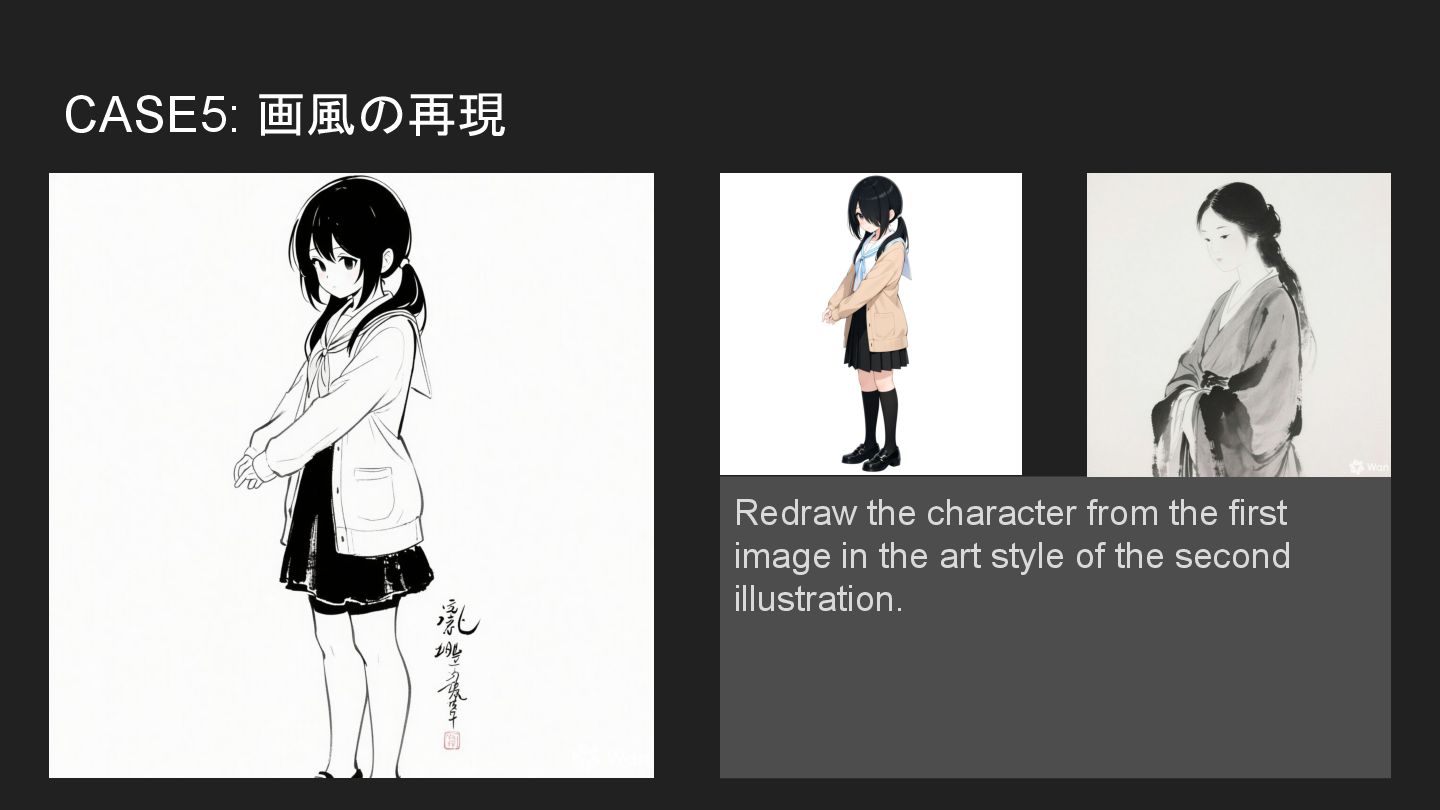
CASE5: 画風の再現 Redraw the character from the first image in
the art style of the second illustration. -
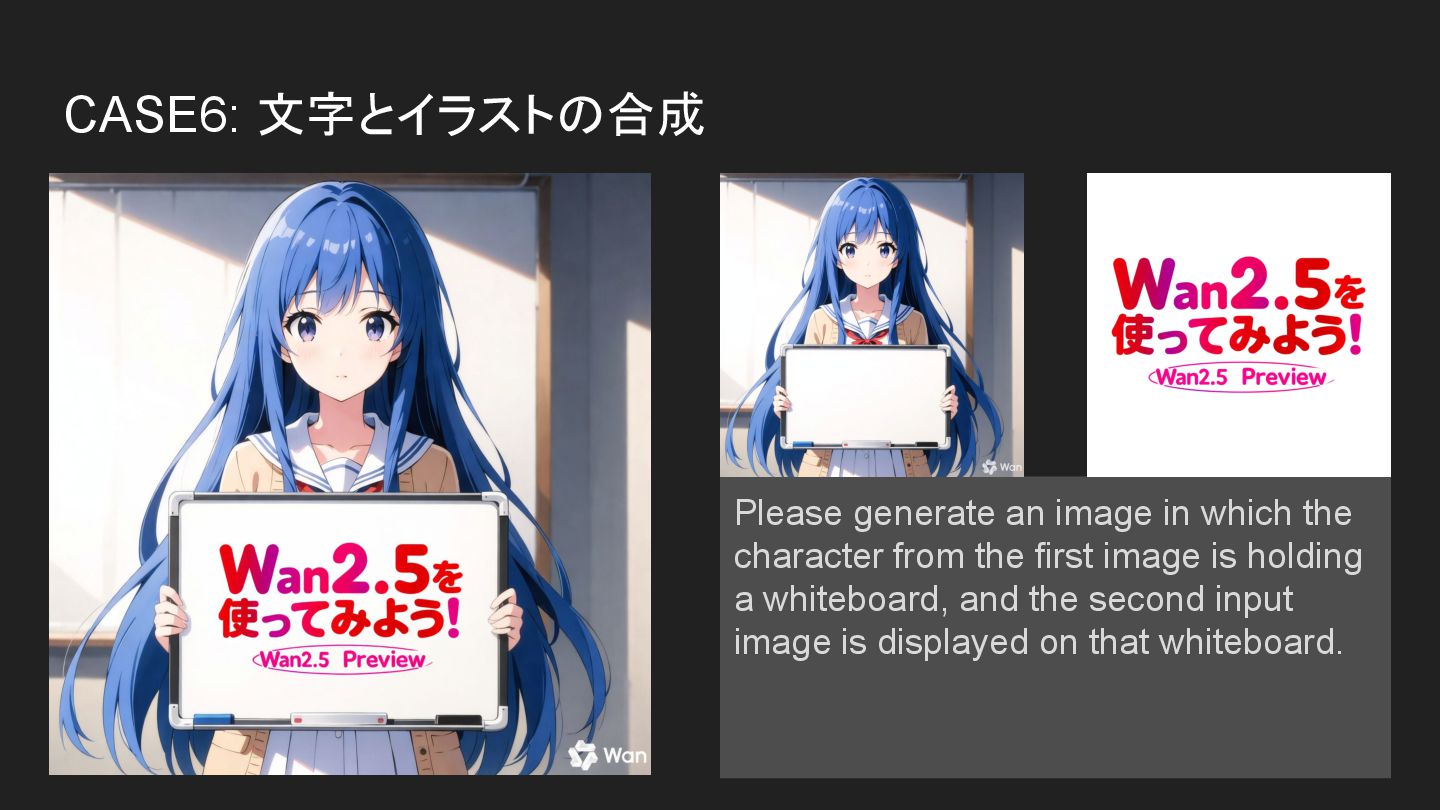
CASE6: 文字とイラストの合成 Please generate an image in which the character
from the first image is holding a whiteboard, and the second input image is displayed on that whiteboard. -
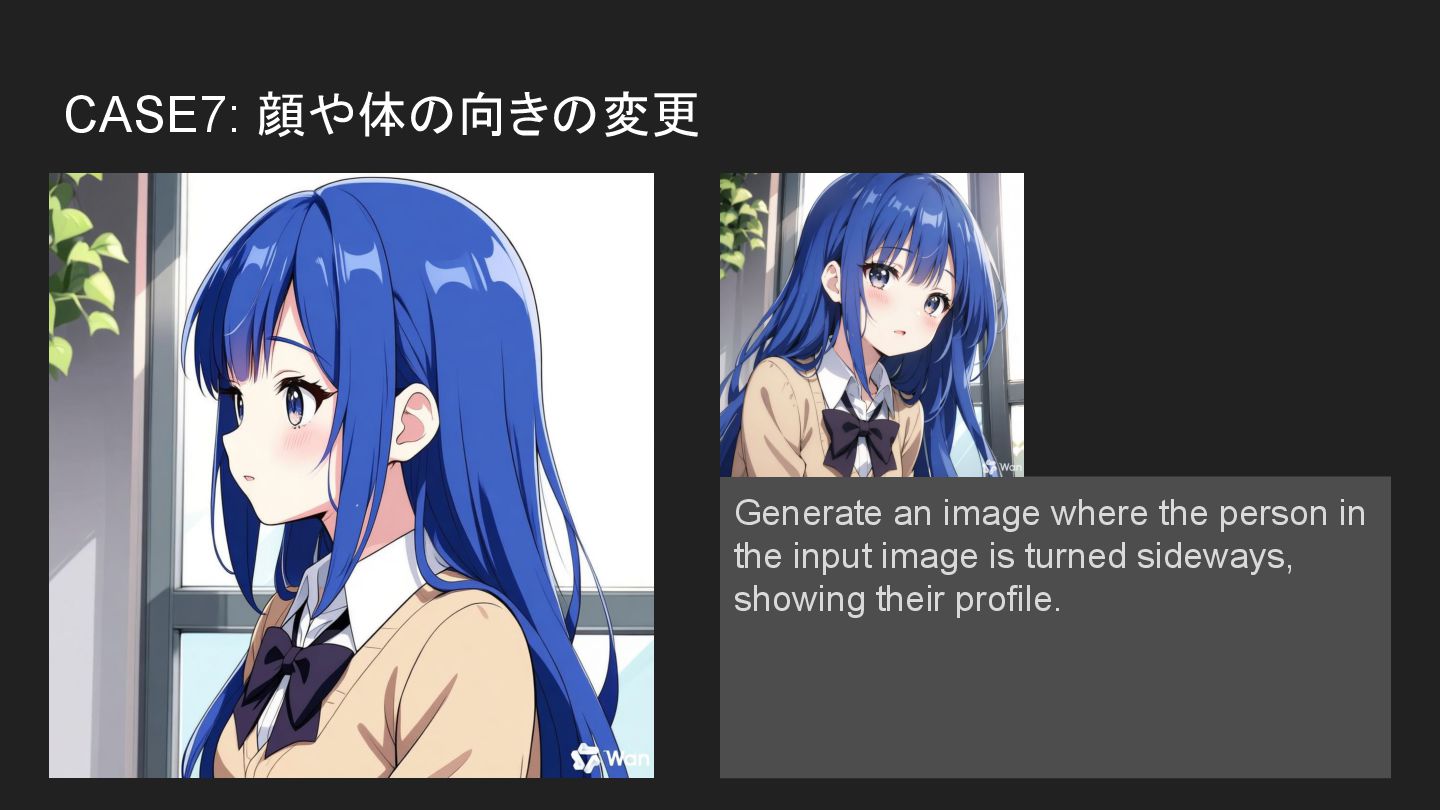
CASE7: 顔や体の向きの変更 Generate an image where the person in the
input image is turned sideways, showing their profile. -
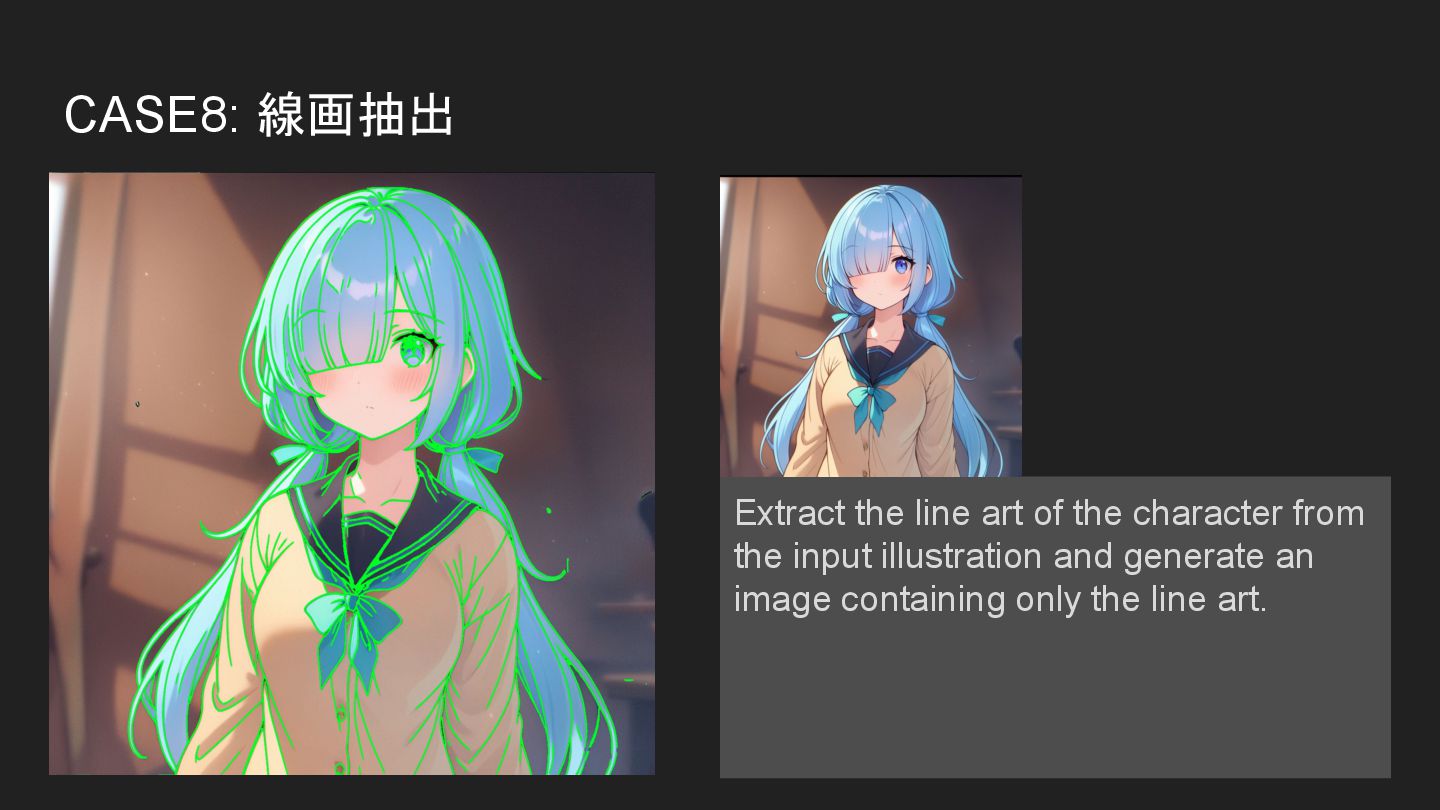
CASE8: 線画抽出 Extract the line art of the character from
the input illustration and generate an image containing only the line art. -
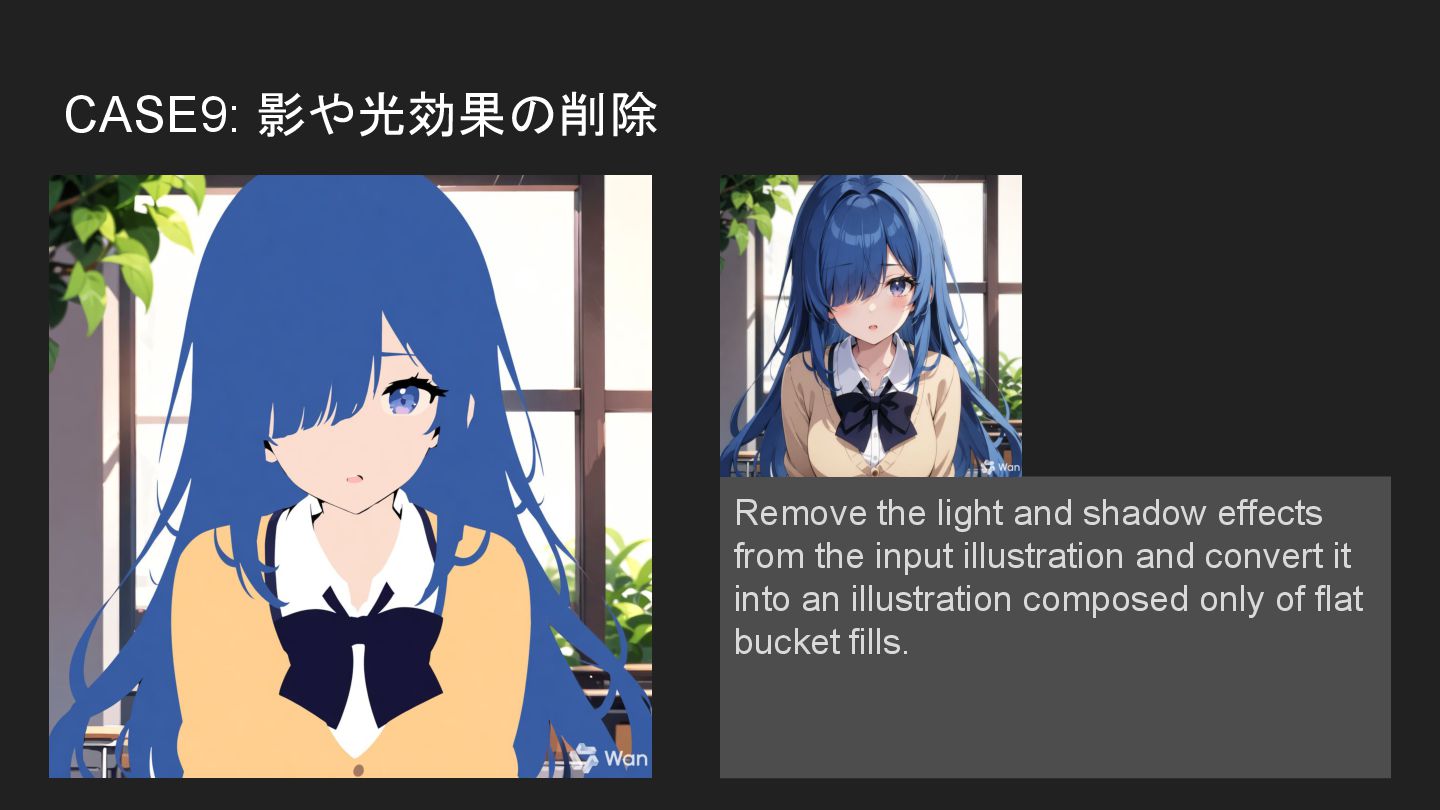
CASE9: 影や光効果の削除 Remove the light and shadow effects from the
input illustration and convert it into an illustration composed only of flat bucket fills. -
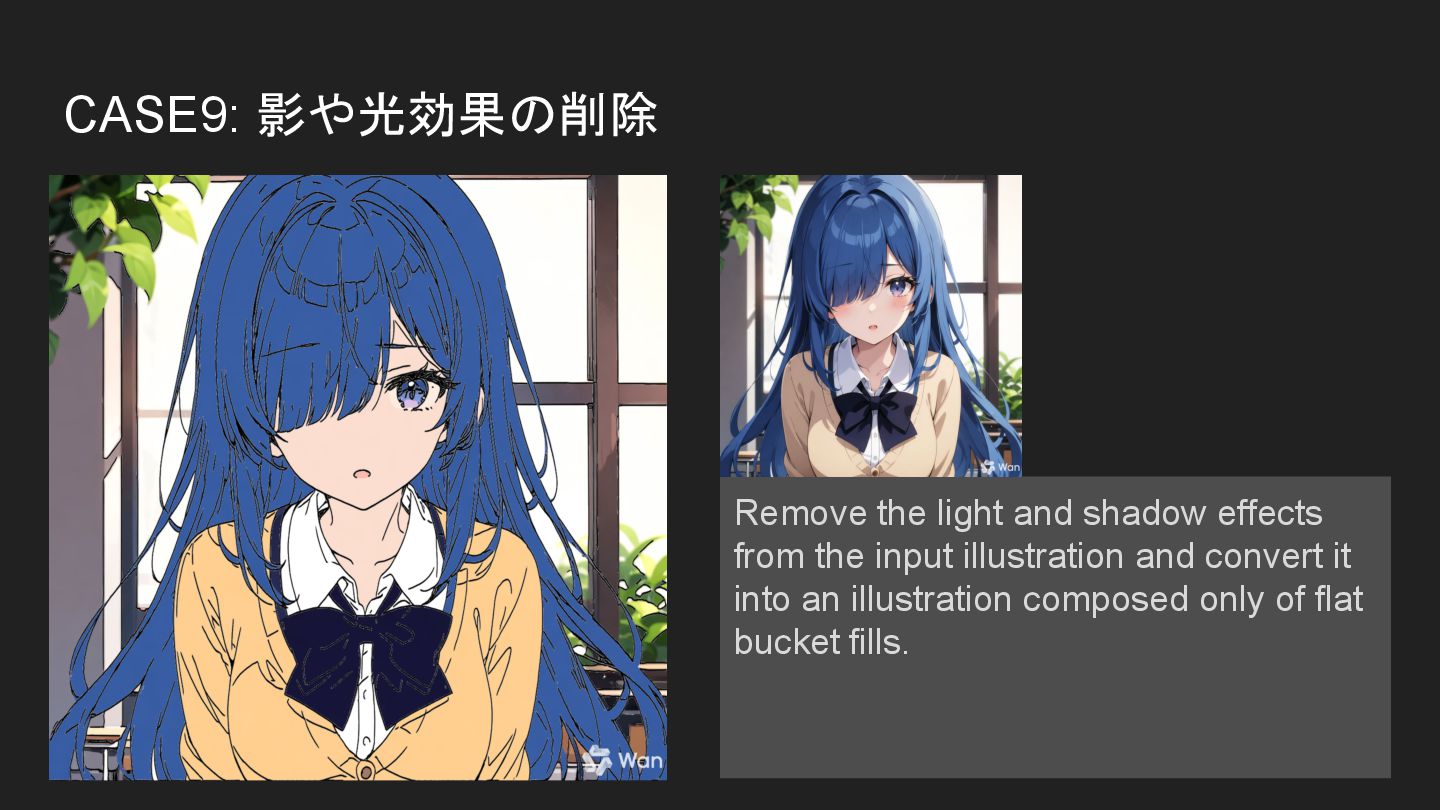
CASE9: 影や光効果の削除 Remove the light and shadow effects from the
input illustration and convert it into an illustration composed only of flat bucket fills. -
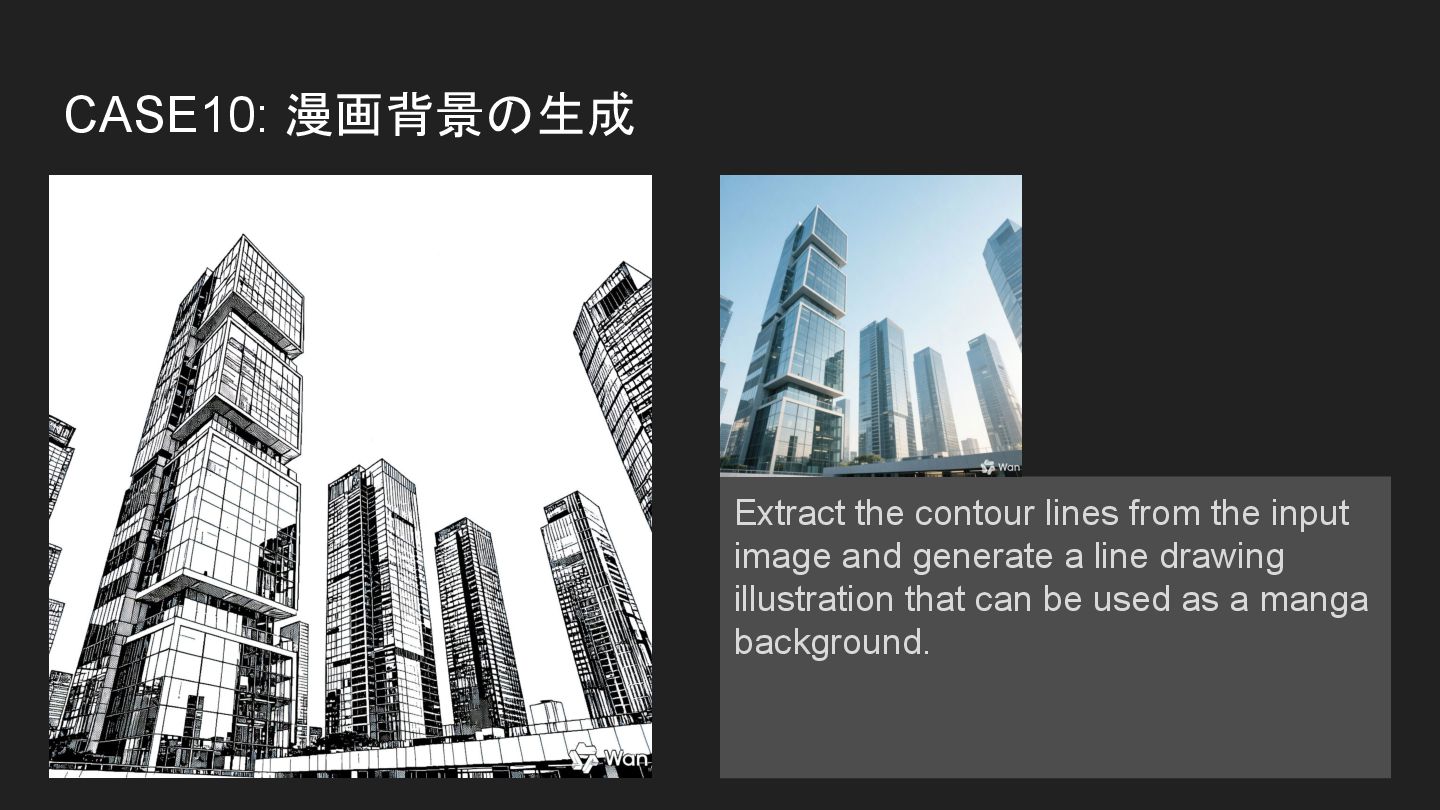
CASE10: 漫画背景の生成 Extract the contour lines from the input image
and generate a line drawing illustration that can be used as a manga background. -
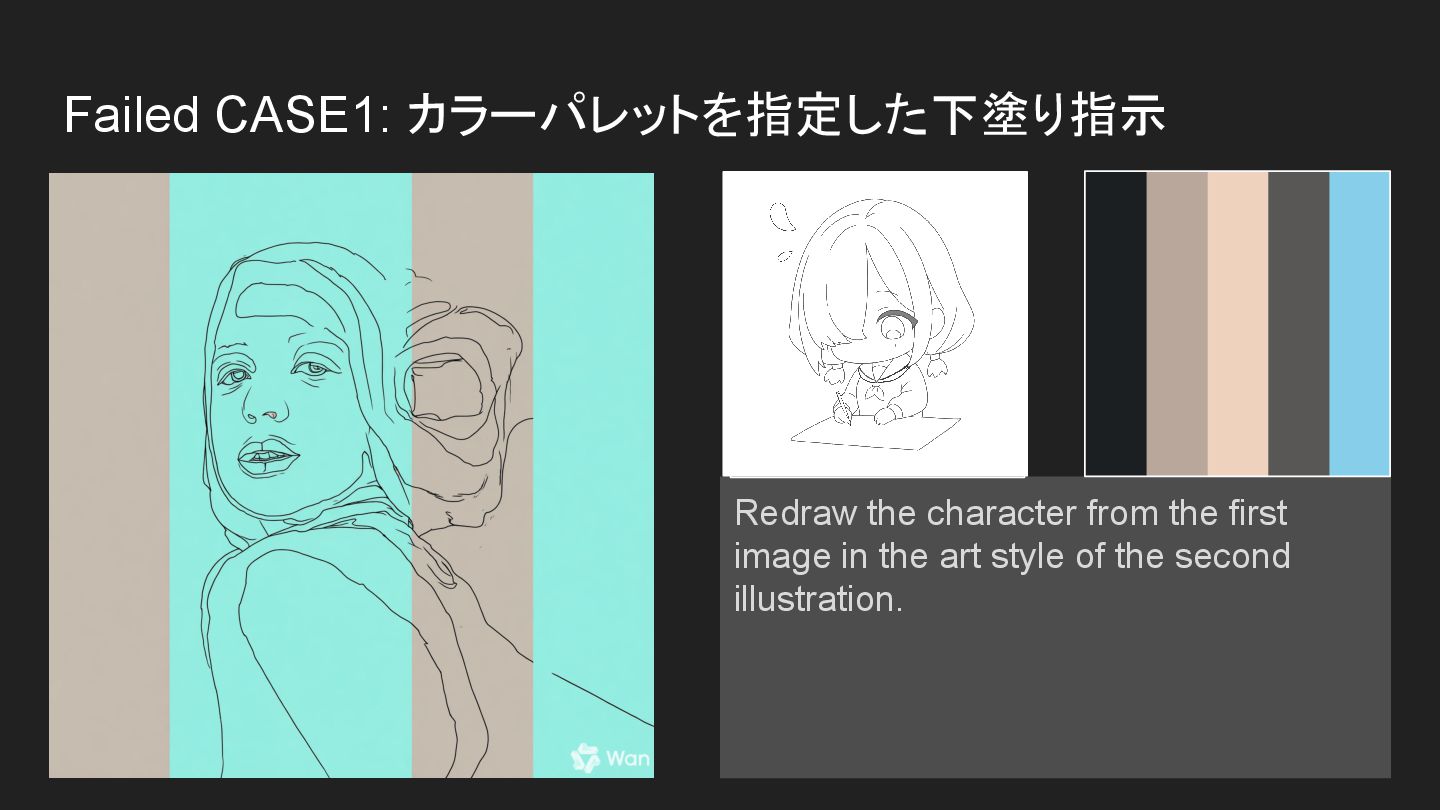
Failed CASE1: カラーパレットを指定した下塗り指示 Redraw the character from the first image
in the art style of the second illustration. -
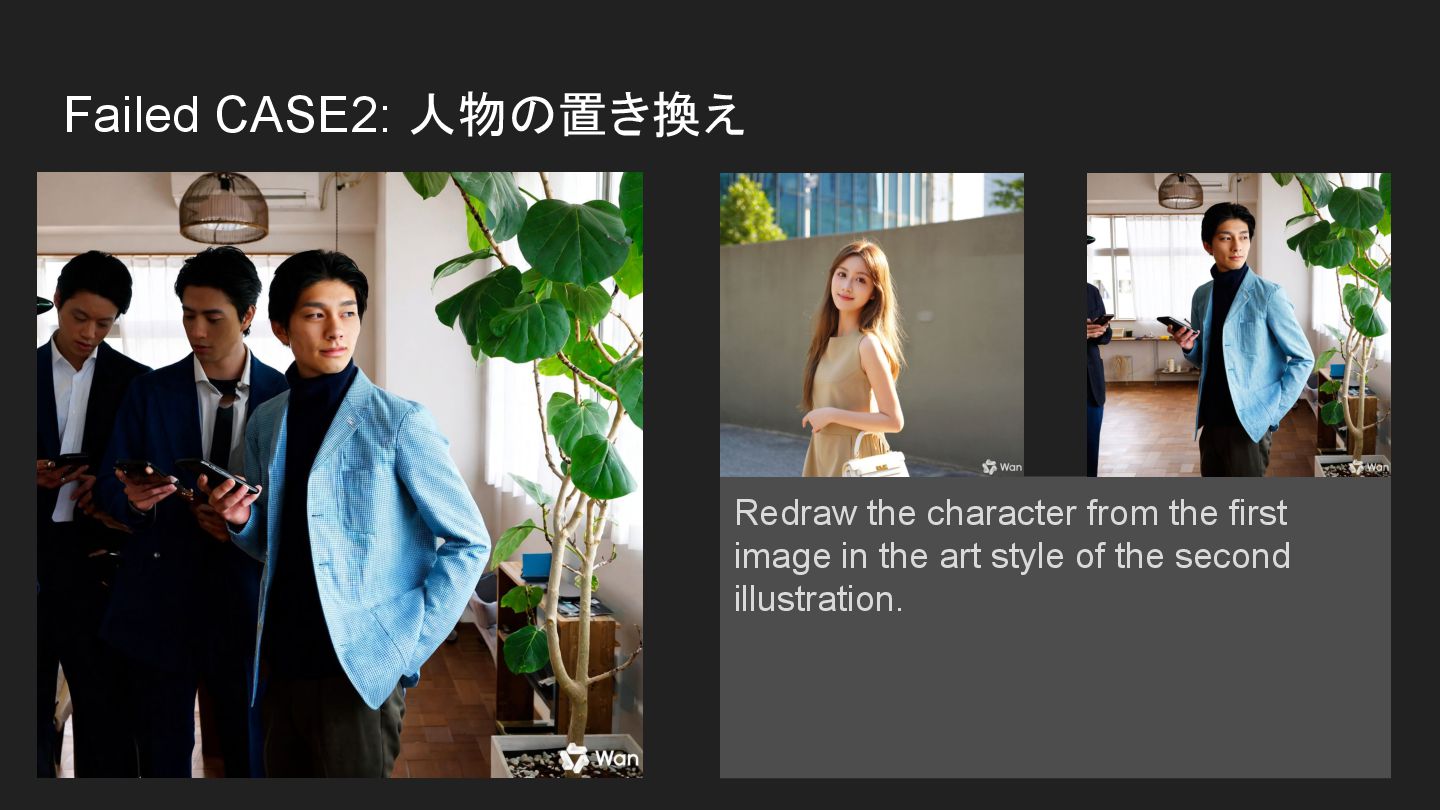
Failed CASE2: 人物の置き換え Redraw the character from the first image
in the art style of the second illustration.